#gameplay-ai
1 messages · Page 117 of 1
 topaz inlet
 fiery sorrel
you using c++?
The pathfollowing component does move directly to the next node in path following by default
topaz inlet
mostly bp, I have just some of the more complex math things in c++. I'm still a newb with c++. Used unity and c# quite a lot though.
yeah, I phrased it a bit wrong I guess, I want to point the ship towards the point, but as a lerp. and then move using physics forces.
fiery sorrel
ah
topaz inlet
so I get soft movement, and, get the overshooting like you mentioned.
but yeah, I guess I'll have to just try and see.
fiery sorrel
What i ended up doing is overriding the "FollowPathSegment" logic to apply a momentum in the direction of the next node. Then i make sure to lerp the current frames desired movement by the last frames desired movement to keep it within a angle. That helped me get the overshooting/slowdown when needed
topaz inlet
okay, so c++ is required then.
Followpathsegment looks interesting, I think I'll just have to dig more into c++ for this..
 wraith eagle
Reposting from earlier one last time in case someone new joined: Is there a "nice" way of seeing if two neighbouring polys have a connecting edge? e.g. on a flat surface, they'll be fine, but if one is up on a block and one is down on the floor, they won't be connected? Short of getting poly edges and then doing a position check on them, I can't think of anything right now?
 fallow hound
I don't know, but to clarify , you mean navmesh poly's?
wraith eagle
Yeah. Looking to see if there's a way to figure out some automatic nav link generation between unconnected polys so that I can mess about with that sort of stuff lol
fallow hound
Oh that's interesting
Glass beavers free dynamic cover plug in utilizes nav mesh edge walking
So looking at that could be a start
wraith eagle
Ahhh right. Okay, I'll take a look at that tomorrow then :) cheers
 lusty jay
How does move to task work? Does it add movement input ? Cause for some reason I have animation blueprint attached to my bot ai and it just slides, like it has no speed
 ocean wren
Why not check if the event graph of your animation blueprint is actually giving it a non zero speed value?
lusty jay
It uses same animation blueprint as character, character moves normal way, ai slides in idle pose
There was issue with casting on bp
 vast relic
Is there an AI document floating around like eXi's network compendium?
 patent hornet
there are few resources pinned on the channel
but i think mostly just tutorials that weren't terrible
vast relic
I'm cruising through the Wadstien playlist right now.
Question, is it bad form to set BB values from the AIController instead of using a service to set them? My use case is communicating buff status (hungry, on fire, etc) to the behavior tree. Another use would be tracking HP. Would you use a service to set the HP key or set it from the BP?
patent hornet
service is fine for it
it has 2 sets of functions for overrides
one of them has a reference to the pawn
so you can pretty much direct access it
ocean wren
Personally, I'd set values via the AIController, only use service for something that needs constant updates
otherwise youre wasting the effort of the behavior tree to be event driven
but... hey, you do whatever you want 🙂
fiery sorrel
@lusty jay
MoveTo creates a request for pathfinding, then is given to the pathfollowing component. Every node is then processed in FollowPathSegment. And depending on setting on the CMC it will apply a movement input or set a requested velocity
patent hornet
if you are doing it event driven, should still set it for service when whatever changed delegate it listens to is broadcast
ocean wren
eh? if you're using a service, then you're essentially polling.. if you poll for no reason, you kind of bypass the event-driven design
vast relic
If there's no real design pitfalls in writing IsOnFire or ShouldPanic from the AIController than it makes sense to me. Just making sure I'm not gonna design myself into a corner.
vast relic
Can you really not group and organize BlackBoard keys?
 dense roost
Hi, I have a general good practice question. Do you guys sometimes create setter tasks just for setting values in the blackboard, or do you usually only set blackboard values inside tasks that use the value?
vast relic
I'm pretty nooby but I'd prolly have setter tasks so you can decouple things like picking a target from attacking said target or approaching etc
patent hornet
if its atomic, it shouldn't be in a separate task
just increases chances for errors
vast relic
You see any reason why the Moveto Foodlocation would fail the 2nd time around?
patent hornet
but if you are in a position where there are 3 separate parts in BT that say, clear a target
vast relic
I'm only setting Foodlocation after 3 seconds but it never starts.
patent hornet
then its better to pull it into a separate task, as its much easier to debug that way
whats Foodlocation?
vast relic
Just a vector, I'm setting it from the AIController. It updates fine and I can see its value in the BB at runtime, but the moveto always fails instantly.
patent hornet
VisualLogger is your best friend for debugging AI
i also prefer to have a MoveTargetActor, which i teleport around, and AI always moves towards it
gives more flexibility, and also prevents simple animation from glitching for a frame when velocity is set to 0 because calling another Move task first stops the current one
vast relic
Hm, works when I make the target the actual actor
oh shit u know what
the actor is big enough that the location is unreachable maybe
its center is not within the reachable radius
patent hornet
visual logger makes a snapshot of the pawn/controller
whenever there is a relevant change
at each snapshot you can see the current pathfinding, active task, BB values
it also knows how to debug draw a path for the selected pawn
so if you're going to develop AI, don't guess, get familiar with visual logger
vast relic
Good call. OnPathFinish Invalid. So end point must be on nav mesh. My target actor made a hole in the nav mesh so of course its location was invalid
Would you route pawn state through the AIController or is it ok to access the BB from the pawn directly?
 lofty dagger
Hey guys, have anyone came across this "shaking" character issues? The Ai characters are moving randomly but when they bang onto each other, they turn and "shakes" very quickly (turn left and right rapidly). The AI character using DetourCrowdAIController and unchecked the RVOAvoidance in Character Movement Component too, it's the standard character from third person project.
 little trail
trying to create an AI, i have everything working (its speed increases as it charges at the player, its patrolling blackboard and BT working fine) except when it loses sight of the player, it doesnt reset back to the speed i have for it to patrol... afaik the following blueprint should reset the speed. the true part of the branch triggers, but the false part doesnt.. any idea why?
patent hornet
when AIPerception loses sight of the Actor
it updates perception for that Actor
as in, i don't see it anymore
little trail
so its still included in that array then?
patent hornet
yep, it will keep the information about that actor for a while
if you press apostrophe when you have the AI selected
you can see its vision ranges,, etc... in editor
when player leaves range it will still keep the information about last place it saw it, for a bit
(which you can also see debug drawn)
 median pollen
Hey, if you guys have ever succeed to exclude tree's tops (HISMC) of NavMesh generation, I need your help on this topic !
https://answers.unrealengine.com/questions/927877/dynamic-obstacle-bug-with-instanced-foliage.html
 buoyant ravine
I'm gonna make a flocking behavior for missiles being launched by a missile launcher attached to the player character. This is my first C++ thing in UE. I'm thinking a Scene Component that spawns and handles the behavior of the missiles. Any immediate thoughts on something I'm doing wrong?
wraith eagle
Any particular reason why this wouldn't update the first Point link of a spawned proxy? The positions of the Left and Right aren't being set
ANavLinkProxy* SpawnedProxy = GetWorld()->SpawnActor<ANavLinkProxy>(ANavLinkProxy::StaticClass(), SpawnTransform);
if (SpawnedProxy != nullptr)
{
    SpawnedProxy->AttachToActor(this, FAttachmentTransformRules::KeepWorldTransform);
    FNavigationLink& Link = SpawnedProxy->PointLinks[0];
    Link.Left = ArrowStart - PerpDir.GetUnsafeNormal() * 10.f;
    Link.Right = HitLoc;
}
Oh, wait. Nevermind, I'm dumb! Point links are collapsed by default... I was looking at smart links 😂
 lyric flint
Has anyone ever done AI controlled character in spherical map? Im getting a minor problem with rotations (ai character seems to get stuck) and i dont quite understand how ai controllers work. Should i try to manipulate the controller rotation or the actor rotation itself? 🤔
In player controlled character its fairly easy to manipulate rotations based on camera...
and axis values
lyric flint
i got the actor rotations correct, but controller still seems to be issue. 🙂
lyric flint
Wow, this place really is dead. 😄
patent hornet
It helps when you ask a question thats not so vague
Visual Logger us your best friend debugging AI
Is*
 drifting hazel
Hi guys, got a weird problem here
I created a character with AI controller
Then used a "move to location or actor" node
after the character finished moving to the location, he moves back to the starting position
don't know why is going back, don't know how to debug this, the character doesn't even have a behaviour tree asigned
drifting hazel
already fixed, it was a tree asigned in a parent class. And "google it" is never valid a answer anyway.
patent hornet
you should still get familiar with it
if you're going to do AI
since its by far the most useful debug tool you have
 hybrid cipher
hey all, anyone ever got an issue with AI avoiding player when too close? if AI is far enough everything works ok, but if I want it to stop at melee range, do something and then run around to the back of player, it just stops
patent hornet
because the player is already within acceptable radius
so
its already at goal
circling a player can't be done with simple moveto command
hybrid cipher
player is not the goal, the goal is behind the player outside of the accepted radius
AI is still in the moveTo node, but velocity is 0, I assume because player blocks the progression
if the player moves aside, the AI gets to the spot behind player's back
 simple crest
give a man a fish, he will feed himself a day. teach a man to fish, he will create half-life 3
 tribal drift
Teach a fish to man, run your pirate crew at competitive prices.
 merry patrol
Hi friends,
anyone can tell ai perception detect by affliation how can we make it work in blueprint....detect by enemies ,neutrals, friend
Thanks in advance...
 pine steeple
not possible
merry patrol
Why not possible
So we have to check everything in detect by affliation i.e detect by neutral, enemies,friends
Then based on tag we have to do execution
 lost tiger
Friends, they know how to make an enemy that appears every 50 seconds and chases me in a time of 15 seconds and then stops and disappears
 storm zephyr
hello, shouldn't a call to SetCanEverAffectNavigation during runtime update the navmesh if it's set to dynamic?
 midnight scroll
Slightly dense question, but I'm having some trouble understanding AI and just needed to clarify something about my understanding. When you SpawnAI from Class and give it a behavior tree, that tree and blackboard are separate from the next AI spawned in the same node, right? Or a better way to ask, is the behavior tree and blackboard basically a class, where when an AI is spawned they have their own separate blackboard keys and tree despite using the same blackboard and tree? Two AI spawned with the same tree and board can have the same named key, with separate values?
vast relic
@midnight scroll yes. There are options to sync values on all instances of blackboards but default is seperate
 hollow pine
Can anyone help me find an article?
It was something along the lines of 41 tips for making enemy AI. And I think it discussed Halo's enemy AI
 fickle gale
Hey! Anyone know if there's a page which lists common terminology within (ue4) AI (such as tasks, behavior trees, decorators etc) and their definitions?
I'd just like to be sure that I understand what each of them mean
(Something like this: https://docs.unrealengine.com/en-US/GettingStarted/Terminology/index.html)
 ripe geode
Describes the systems available within Unreal Engine 4 that can be used to create believable AI entities in your projects.
patent hornet
@fickle gale the WTF is? videos are pretty thorough for the unreal AI
5-10 minutes per BT node
fickle gale
Will look into this!
vast relic
What's the approach for highly modular and modal AI? Like for something like a colony sim, would you try to build it all I to one huge BT or have different trees like for hunting, combat, village life, resource gathering etc.
patent hornet
you can run other BTs from a BT Task
so definitely separate
also
your interactable objects can hold BT assets in them exposed as part of the interface
basically an instruction set on how to use them
having the main BT just inject the object's BT and run it when it interacts
vast relic
Interesting. Is that how you'd handle something like orders? Like telling a dude to hunt would inject the hunt BT.
patent hornet
pretty much, yes
huge BTs have one major implementation flaw on unreal's side
the wires can easily get crossed
even when it visually looks like they aren't
the injected BT acts as a single node from the parent BTs perspective
and it will return success or fail
pine steeple
you can think of Injected BT's as "Collapsed Blueprint Nodes"
the logic in them will run as if it was on the parent bt but just encapsulated to specific behaviour
vast relic
Is this how you guys would handle behaviour priorities?
Basically using the keys to fire off if dude should go eat, go dunk in water if he's on fire, go fight, etc
patent hornet
thats seems ok
vast relic
Is the observer the node above the decorator? Like does notify observer on my decorators tell the selector to rerun, which would fire off whichever highest priority of its children can succeed?
patent hornet
observer is whatever is keeping track of the BB value
if your AI was hungry and someone set it on fire
the BB value for OnFire changes
that triggers the decorator to abort anything lower priroity
in this case you'd need to have the task running the BT for hungry return FInishExecute(false)
on Abort
i assume its what default implementation does
exec goes back to the selector
it returns false, which causes entire tree to rerun
vast relic
Yeah I think i got it. It looks like my main BT can be just 5-6 of these nodes encapsulating priority behaviors, with each one having its own subset of stuff to do.
patent hornet
i prefer BTs stay capped at around 20, 30 nodes max
as the entire thing gets out of hand otherwise
WTF is? videos are pretty good for specific BT related nodes
vast relic
Besides combat it's all pretty simple. I'm basically trying my hand at a more hands-off version of Rimworld's AI if that is any help with picturing it.
patent hornet
your pawn should always know how to execute an action
by that i mean, lets say you want to cast a fireball
and that both player and AI can do it
now player will do it by throwing it at mouse cursor
AI will instead use a TargetActor->GetActorLocation()
as it has no concept of a mouse cursor to deproject to world
vast relic
Yeah for sure. I'm a big fan of making everything the same whether PC or AI controlled
patent hornet
your pawn should know how to handle that fireball provided the target, and instructon (Fire)
that leaves your AIController/BT responsible of picking actions and targets
vast relic
Would you put that on the pawn or have the AIController drive the pawn more like SetAimVector, Fire
patent hornet
but not with specific implementations of actions
i'd have Fire(const FVector& TargetLocation);
vast relic
So 2 versions of Fire depending on if it's being manually controlled or ran by AI? That seems like it'd get out of hand fast
patent hornet
not at all
AI can provide target by accessing its targetactor location, or a hittrace result location
and PC does it by depprojecting mouse position to world
vast relic
Oh true, yeah for a top down type of approach that'd be the way to do it
patent hornet
both end up with a location in the end
vast relic
I'm thinking more of a shooter type approach so the AimVector is a thing
patent hornet
you can also use a Fire(const AActor* TargetActor);
just as well
in both AI and PC scenarios
vast relic
Yeah I still havent settled on a control scheme or even overall design yet. I'm trying to build up an Item/visibility/ai/buff framework that can apply to a top down shooter or god game or RTS or whatever
patent hornet
all comes to the same thing essentially
if you have a position you're aiming from and aim direction
your hitresult will have target location
if you're locking targets, then you'd attach your TargetActor to the... target
same technique can be used to get homing projectile behavior
vast relic
Yeah I'll have to sort that approach out. I'm kinda going top-down in my implementation and will be adding the details later.
patent hornet
with AI TargetActor is the cheaper approach, with just add some spread
as it just needs to pick the pawn to shoot at
vast relic
How's this kinda setup look. I'll generalize IsOnFire to HasBadDebuff and IsHungry to DoesHaveLowNeeds but the basic gist of it will be the same.
patent hornet
looks ok
with one exception
thats the failing at design of the BT layout
your Roam is actually before Work in priority
even if it doesn't look that way
(check the small integer on the top right of your nodes)
vast relic
ah good eyes
vast relic
Wait, so how the hell do you let a sub-behavior use its own blackboard?
vast relic
So I guess sub behavior trees must use the same blackboard as the parent tree. That's pretty crap.
midnight scroll
Is there a way to smooth out the rotation of an AI when using the "Rotate to face BB entry" to avoid the popping rotation? Or should I just call a custom function in my AI class?
vast relic
So there's no way to get around having a fuckhuge Blackboard
ocean wren
nope
Authaer: there's a rotatespeed value on the controller? or maybe the character.. but anyway, you could set that
pine steeple
@vast relic only way is to stop a tree, and run an entire new tree
ocean wren
to be fair, blackboards don't really get THAT big
pine steeple
i beg to differ lolk
ocean wren
I usually build a bunch of AI intro the AIController and then feed the results into the BB
you don't HAVE to do everything in a BT
so for instance I use a utility scoring system to select targets
although it annoys the crap out of me that the BB isn't as flexible as I'm used to
vast relic
@pine steeple yeah I might split it up I to at least 2 trees for combat and non combat.
pine steeple
i never adjust bb keys outside of the bt
i use services and tasks to handle all BB key related stuff
vast relic
How many keys do you have in your blackboard? I can't believe we can't even put them into categories like variables.
pine steeple
around 40ish for my complex monster
 graceful saffron
got a strange issue where my AI won't roam around in a packaged build. It'll attack the player if he gets too close, just no moving around. It worked in previous builds jjust not recently. No clue why.
Works fine in the editor
not working in stand alone so ill keep digging
graceful saffron
okay so I deleted the navmesh and the recast actor completely and added a new navmesh. Working in standalone now so I guess they got bugged or something. not sure
working in packaged. Cool, problem solved. Just delete navmesh and the recast actor and re-add if anyone else experiences this
patent hornet
most of the time nudge the navmesh is sufficient
tribal drift
Yep navmesh can be a pain, and iirc it's usually the first one you lay down that is buggy, but either way move it first basically.
 marble jacinth
Hi! Maybe it's a bit stupid and quite easy to do, but i want to change key selector to "is set" for my Bird_AI behaviour tree, when player character is in "allert_zone". Generally i use sphere collision on my bird_character with "on component begin overlap" and "on component end overlap", and i want somehow get their results change key selector. How can i do it? thanks
patent hornet
cheapest way - define a box for alert_zone and just have a service check if the AI pawn's location is inside the box, no collisions
or a sphere - if distance between center and pawn squared is less then radius squared
and with no collision involved for the check, its dirt cheap, so you can run it on Tick - every 0,1 seconds without a performance hit
@marble jacinth
we have over a 100 editor only actors that define areas, whenever the level is saved their geometry is captured in a LocationManager object
and checking all those areas at runtime, with 8 players, doesn't even register on a profiler (we did a little optimizing, but its inherently cheap)
marble jacinth
Okay, i will try now. How can i make result information visible for ai_bird behaviour tree? I want to change key for selector
patent hornet
make a service
its purpose is pretty much to update the BB

What are the Service Nodes in the Behavior Tree in Unreal Engine 4 Source Files: https://github.com/MWadstein/wtf-hdi-files
marble jacinth
thanks, i will check it now
marble jacinth
@patent hornet all works, but still have a problem with receiving event on component begin overlap from service...
patent hornet
you don't need an overlap, distance check is sufficient
but it can hook up into an overlap event, as long as you provide it a reference to primitive component you're interested in
vast relic
@marble jacinth you can use a key as trigger in decorator.
 lavish flame
Does anyone know of any reason why my AI would randomly just stop executing a basic Move to random location? Pics below
Im not sure what I am missing or what could have broke but it constantly returns a false on getting a random location. If I remove the random task and just set the BB Variable manually the AI still doesnt move to the location specified either.
lavish flame
Nevermind, apparently setting the default Navigation Radius lower than 35 breaks all agents.
storm zephyr
hello, i'm using detour crowd ai controller and they sometimes flicker rotation while trying to find the avoidance path, is there any way to smooth that out?
lost tiger
Hello friends ... how do I do an AI that persecutes me and in a certain time it stops and disappears
storm zephyr
@lost tiger you want to have an AI follow the player for a certain amount of time and then disappear?
lost tiger
@storm zephyr yes
storm zephyr
do you want the AI to follow the player right from the moment it spawns?
 frozen prairie
Hello! I am having a problem where my ai just stopped working entirely after importing some static meshes that have nothing to do with the ai. I'm not entirely sure what happened, but the editor is saying that two of my blackboard variables are returning as "none". Any idea what's going on? They get default values set in the ai_controller on startup.
patent hornet
your static mesh components are affecting navigation
so there is no longer a navmesh under the actor
and pathfinding can't find a path because the starting point is not on navmesh
set bCanEverAffectNavigation to false on them
frozen prairie
I have both of those solutions already setup. There's a Navmesh and all of those settings are set to false.
patent hornet
tried Visual Logger?
frozen prairie
Ok, I've never heard of the Visual Logger until now. Looking at a quick YouTube video tho, it sounds magical. I'll figure out how use it and see if that fixes my problem. Thank you!
lost tiger
@storm zephyr 159/5000
not to appear between times .. example? every 2 minutes or 4 minutes appears and then disappears in 30 seconds ... you can make it release powers friend
 rancid lagoon
Had an idea for an ai for my game and want to see if anyone has suggestions or input, there will likely be quite a lot of ai characters and a large map and lots of dynamic team play intended between 4 teams. My idea is to set up each ai character to understand what’s a target and attack it, is able to pick where to move and protect itself from dying by taking cover and avoiding hazards(such as explosives). Then I’d have 4 overseeing ais that group sets of their characters, give overall objectives to those ai sets, team up and backstab other overseeing ais dynamically, and run the overall strategy of the team. Perhaps even per group ai to determine things such as engagement strategy and group pathing. Essentially splitting tasks down to different levels of ai. Not exactly but intended gameplay would be similar to that which you’d get with a Starcraft 1v1v1v1 with everyone trying to win for themselves in the end. The commanders choose the teams and understand the maps overall status whereas individual units only understand their order to move, attack, and flee if being attacked in certain circumstances.
patent hornet
individual units should have enough awareness and freedom to run the self-preservation themselves
they should also be given a rough area in which to move, and choose cover themselves
if you try to put all the strategical and tactical AI into an overarching AI you will fail
tactical belongs to the units
including: hey i can flank this guy
or "look, this guys are stacked just right for me to toss a grenade"
rancid lagoon
Yey. Each group would have a designated “bubble” they should focus movement within. Packed enough to be a group but far enough to avoid easy grenading, also smart enough to move upon noticing a grenade within their line of sight (with some prediction on the grenade once it’s seen to determine if it’s a threat) or ai to ai triggering grenade warnings if one of them sees it to provide the other ais a chance to escape.
The overseeing ai would command these “bubbles” around (not necessarily bubbles, just areas of focus) and give faction status to each bubble. Each bubble then as a group identifies targets and assigns them.
patent hornet
i probably shouldn't have to say it, but you break encapsulation once with something like this
and it will never work properly
 trail kernel
Does anyone know how to implement the Advance Locomotion v3(ALS) on a Main Character for AI purposes. Like I have 2 characters and my 2nd character doesn't use the locomotion and they will follow my main which uses(ALS). But it won't work reversed, so my main won't follow my 2nd character with any animations it's just sliding everywhere.
fallow hound
check the anim graph while playing, be sure it is set to debug the not working character
usually you can see where the flow stops
@trail kernel
trail kernel
I've checked the anim graph and its stuck on idle and the main character slides everywhere following the 2nd character, if I put 2 main characters with (ALS) they follow each other with animations by their behavior Tree so it works for just the same character for some reason, but when I posses my 2nd character the mains follow the 2ndcharacter by BT but sliding no animations.
@fallow hound
trail kernel
got it to work nvm error in the anim BP
 vapid parrot
Hey folks, anyone got experience with dynamic navmesh/runtime generation getting ai screwed up? When it's on static it works fine, when on dynamic the ai pretty much stays in place, changing directions 10 times a second. I turned on navmesh debugging, shows green on the map except where ai walks around, turns red there
 upper zealot
Hi. Any idea why a BT would not run? I've assigned the tree asset as a variable, and in the c++ aicontroller I do RunBehavior tree with it, but nothing happend.. (I checked that line is executed and the reference of the tree is correct)
trail kernel
@upper zealot I put in my MainAiController Event Begin> Play Run Behavior Tree then chose the BT in BTAsset, target self
"Run Behavior Tree"
upper zealot
hey there, I'm pretty sure that's what I'm doing
I tried in the beginplay too
the logs show the right bt asset name
trail kernel
I'm not too sure about C++ but it looks like it all under OnPossess and you want it running from the Event Begin play I use BP's
trail kernel
Is your Ai on a path doing their own thing or an enemy/ally?
Maybe this will help if you haven't watched it https://www.youtube.com/watch?v=K45SXoEH-7s

It's finally here and starting now!! AI Essentials series!! this segment talks about *Setting up the Enemy pawn and AI Controller *Setting up a BTService and...
upper zealot
I just want to run the BT, I put a sequence and a print task on it
thasnks for the video, will check it
yep, it's working I wasn't initialiazing the blackboard component, just saw it the video example 🙂
I changed my code from what I put before to this, and it worked
trail kernel
glad it help
 deft wyvern
So I accidentally succeeded at something now when I try to intentionally do it, I cannot get it to work... I got a behaviour tree that is randomly aborting an AI action and I cannot tell why. In an alternative version I worked on it does not abort. The only differences in the set up occur after the execute is successful (and some minor things that do not relate to success/failure prior to where it aborts. By do not relate I mean passing information into other actors/objects for future reference).
deft wyvern
right, I worked out the issue I cannot work out why its occurring - I have an AI state blackboard that is an enum value. The enum is not being set properly. What would cause this issue?
never mind... found the reason. Bad logic on my part
lyric flint
Geeting a pawn that is not flying to follow a flying pawn, what am I missing not getting this to work? Does it have something with how navigation volumes generate navigation is what I am thinking. Maybe project the position of the flying character to the ground floor to be able to follow but that feels janky, when crossing gaps in landscape geometry this would also not work
Anyone have any input, would be greatly appreciated!
Hm maybe I jsut exit the move to task when target is in flying mode!
 olive pond
@MastahMust#7980 I dont know the right way to do it but navmesh is very much based on the floor. Maybe if you have another actor call it FlyingTargetGroundLocator and every tick teleport it to where the flying pawn trace downward hits the floor. Then navmesh logic can figure out whether the target actor is reachable or not and decide whether to try following and which way to go. You only need one per followed target
Maybe even simpler, you might not need a follow actor, just store the last down trace results in the target flying pawn and access it as the location younare trying to reach, rather than the flying pawn itself being the actor you're trying to reach.
lyric flint
I already thought of projecting the flyings pawns location but that will not work. The level has and will have gaps in teh landscape geometry, and in those places teh projection would never work.
My current solution is to exit the task using a decorator, and switch to long range attacks when it sees player being in flying mode
@olive pond I would explore stil following the player if teh movement the player can make in air had been over greater distances, as of now after some playtesting no need to actually follow the player, difference is miniscule so easier to just exit and change task
 strange jackal
How to change each dude text above their head depending on their current ai state?
Like: follow,searching,idle..?
patent hornet
where is the state stored?
strange jackal
this is ai controller
patent hornet
GetControllerPawn
then FindComponentByClass<TextRenderer>
or Cast to AIAgent then access it directly
and then set text
strange jackal
ok it works for this but now i dont know how to make it change when they walking around.. is there any easier way just to set text state on blackboard?
well i did it just with if state.. depending does they see him or not, but i dont think this is a best sollution, well it will do thanks!
strange jackal

 west thunder
How would I stop the AI from moving if the "TargetToFollow" becomes invalid while on the path to it? Currently the AI will run to the target actor, but if the target actor becomes invalid (due to dying for example) the AI will run to the center of the map. Even if I plug in the actor's location for the vertex input, it still runs to the center of the map.
Edit: I've swapped the Executive Out Pin from the default to the "On Success" and/or "On Fail" yet nothing changes in the result.
lyric flint
Any idea why clearing a BBkey that is a bool only sets it to false?
simple crest
bool variables don't have a concept of "unset" or "null" like object variables do.
they're either 0 or 1
(the Vector variable doesn't either, but when you "clear" it they fill it with the biggest float values that can exist, and the IsVectorValueSet function checks if the vector is set to these gigantic numbers)
if you need unset/false/true behavior, consider using an int with -1,0,1 instead maybe? @lyric flint
 stark zealot
How do I fix the nav mesh for my stairs? https://i.gyazo.com/49eee624fadd1908577513c039d74eeb.png
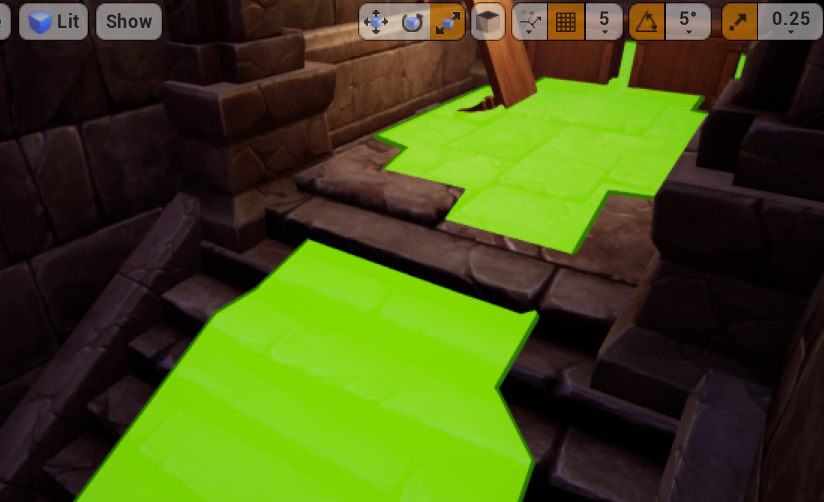
Am I just forced to use a Nav Link Proxie?
lyric flint
@simple crest Thanks! Great to know that no I understand why it didn't work. Well the issue is the condition check only key quesries on set/unset
 stark zealot
For some reason that one is. IDK why because I have others that look like that and work fine. For now I just put a proxie on it and it works.
simple crest
the AI doesn't walk "on" the navmesh, it just uses it to determine where to push itself
stark zealot
My ai will not go past that point for some reason
simple crest
odd :\
stark zealot
I know right lol. Oh well. As long as the proxy works
midnight scroll
@stark zealot You could try raising the nav mesh a little to keep it from clipping into the stairs. Might work.
strange jackal
Does anyone know how to make AI stop when they reach their target? stop bumping in it again and again? How to make them continue to follow only when target is moved?
pine steeple
@stark zealot adjust the step height
 summer pasture
@strange jackal are you using behaviour trees for the ai?
olive pond
I have a navmesh question: I have a level where the floor slowly rises. I set my project settings for navmesh to be Dynamic since the floor was leaving the static navmesh behind. But it doesn't recalculate/regenerate the navmesh fast enough, and my bots just sit there until it stops rising, then it all generates green squares and they go happily about their business.
How can I get the navmesh to either move with the rising floor (the floor is flat and over the entire level, which is s simple maze with only vertical open-air walls), or recalculate faster?
pine steeple
might want to use nav invokers
olive pond
I've been looking for something called that because I heard it might help
But I'm not sure what they are
Oh I see. Google says it's a component I can add to pawns or whatever else needs to update the navmesh. Would it be better to add it to the rising floor or to the pawns in this case?
Hmm the site I went to says to Register the nav invoker on BeginPlay, but is that necessary?
https://meiyuchen.wordpress.com/2017/12/10/set-navmesh-invokers-unreal-engine-4-15/

Sometimes our map is very big so we don’t want to generate navmesh for the whole map to reduce the cost. We can use navmesh invokers to only generate navmesh around the NPCs so they can still…
I am using 4.23.1 so not sure if this info is correct
Hm. I added a Navigation Invoker component to the pawn blueprint, and changed my project settings to Generate Navigation Only Around Invokers, but the problem persists
I only see red tiles around the player-controlled pawn, and none around the Ai-controlled pawns(of the same type), when the floor is rising. Navigation Tiles don't generate around ai-controlled pawns until the floor has finished rising.
@pine steeple Do I need to do anything else to make it work, besides the things I mentioned? It's working except while the floor is rising.
lyric flint
Anyone has issues with beehaviour tree tasks running really slow after changing the recast settings?
Mainly MoveTo which takes like 20 seconds to finish after it has reached the goal
lyric flint
Maybe only MoveTo even
 thick surge
hi guys I made a decorator to check the distance between the enemy and the ai this is my first decorator and my first attempt to make some AI so I would appreciate any help you guys can give me

first I don't even know if this should be a decorator or a tick and second I dunno if the logic is decent
 lyric flint
@patent hornet It does reach the goal, it just stands still for about 20 seconds until it actually exits the task. It reaches goal but doesn't exit task right away
patent hornet
i had that when i had the interaction locations slightly off
it would stand there, or run into a locker for 10 or so seconds, then interact
that, or it completed the partial path, because goal is no longer on navmesh
simple crest
did you already try messing with the acceptance radius? does the visual debugger provide any clues? @lyric flint
lyric flint
Ok so first I left acceptance radius be at the value it was before htis issue but then I tried changing it, it made no difference sadly
@simple crest
@patent hornet Hmm, sounds like a similar issue, but the target of the moveTo is an actor in my case, would the locations sill be off do you think?
lyric flint
Well I worked outy thre issue, not the underkying cause but atleast a fix @simple crest @patent hornet
By some reason the moveto stopped working specifically in a simple parallel, for many weeks this worked perfectly but now it only works as a regular node, very strange but alteast it's working again
 crimson timber
I've created a simple drone pawn, ai controller, behaviour tree and blackboard and service. It's intended behaviour is to just move to a random location then wait (I believe this is as simple as AI can get). I noticed the move to task failing so my service for finding a random location kept getting called but the pawn never moved. I added a floating pawn movement component to my drone pawn and now my drone moves around as intended. My question is, what is it exactly in the movement component that allows the MoveTo task to move the pawn to it's next location? I tried removing the movement component and replacing it with a call consume input movement on tick but that doesn't seem to be it.
lyric flint
Could you take some images, of you service, your moveTo task and your character asset and ai controller event graph
@crimson timber
crimson timber
Sure
lyric flint
Also, you have added a navmesh bounds to the scene?
crimson timber
FindRandomLocation service
DroneAIController
DroneBehaviourTree
@lyric flint Yes, I have a navmesh. Like I said the pawn moves around as expected after adding a floating pawn movement component, but without this component on the pawn then the MoveTo task fails
lyric flint
Do you have any movement components?
crimson timber
This is what I'm trying to understand 🙂
lyric flint
You need a movement component if you don't have any, add a character movment component
crimson timber
What is it exactly in the MovementComponent / FloatingPawnMovement component that allows the MoveTo task to work?
So I'm trying to learn what I need to do to implement my own movement component for AI, this is for a non humanoid character that doesn't require walk, run, swim, jump etc...
lyric flint
In short; BT uses movement functions in the movement component, like sets current walking speed etc, current target location etc , BT uses this and the area scanned with navmesh to guide your character around
So best way to learn, open the movement components source and header files and see what it's functions are and how they are built
crimson timber
Yup, just checking out those movement components on github now
lyric flint
Also I would say chekc the behaviourtree/brain component how it uses the movment component
crimson timber
Will do, one thing I noticed is I can't extend the default movement components in blueprint?
Is this even a normal thing to do or would you usually just work around the default movement components?
pine steeple
you can only extend them in c++
it would never work in blueprint
too much stuff going on
 mystic dock
It's possible to expose certain things. It will look ugly in blueprints, and get very slow. Better work in cpp with move comps i think.
crimson timber
Ok, thank you for the replies
Would you still recommend using the default pawn movement components (floating/character) for an animal with 4 legs, a fish or maybe even a spaceship, or is this grounds for creating a new movement component?
patent hornet
animal with 2 legs can use CMC just fine
movement is the same, its just the animation thats different
olive pond
Hey guys my dynamic navmesh invalidates constantly while the floor is rising, so i am looki g for a way to tell the BT that it's not getting valid navigation so it should switch to using non-pathing MoveToLocation
At least until the floor is done rising.
My problem is that I havent found a way to detect when the navmesh is invalid because the GetRandomPointInNaviganleRadius node returns true bool even under this circumstance (appears to while watching execution flow anyway) but then it keeps trying to move the pawn in weird slidy ways that go almost nowhere.
Also needs to choose random point within bounding box instead of navigable radius because I believe the latter requires valid navmesh
lyric flint
@olive pond
I think GetRandomPointInNaviganleRadius will return the exact same vector you inputted if it is invalid
So that is one way you could check, if V1==V2 then navmesh = Invalid basically, if it hasn't changed
olive pond
Thanks, @lyric flint. I found a node called isPointAiValid or something like that. Using it, I was able to switch between pathing and non-pathing movement. When the floor rises, the bots sometimes try to run through walls but not for more than a second or two (combined custom decorator with infinite but timed loop on one self-abortiong task, random location picker on the other task)
Anyway it gets good-enough behavior so I'm satisfied with the results. Thanks for the tip though 🙂
lyric flint
Anyone had issues with simple parallels suddenly not working? Removing the simple parallel and the tasks exit when supposed. This wasn't an issue 2 days past.
Issue seems to be solely isolated ot using a moveto inside a simple parallel after a lot of testing
olive pond
Maybe the tasks in the parallel have to return success?
No idea just throwing guesses
lyric flint
Maybe, but then I'm thikning why do they return successful without doing naything else then justnot using the parallel. Maybe I got a bug?
lyric flint
Storing a blueprint with some targeting and target managing in a bbkey object, will that make a copy to the blueprint object Or will changes be realtime changes be reflected to the bbkey when fetching data from the key?
 somber plaza
Can the Behavior tree AI override or turn back on the DisableMovement for a MovementComponent in say something like an NPC
 tropic lark
Possibly a dumb question.... But how to do I get the AI tree to pass over a node on fail and move onto the next? Sequence and Selector don't work because I want more than 1 success but I don't want it to jump out on failure
stark zealot
I'm making a game around an AI that walks after you. My worry is that the Ai might derp and get stuck on something and not walk anymore. I've edited collision on everything I could find to make it where he hopefully won't get stuck. My question is, is there a way to check if he's stuck and then somehow 'un stick ' him? hahaha
simple crest
@tropic lark perhaps you're simply looking for the "always return success" decorator?
tropic lark
Duh that works perfectly! thanks
lyric flint
@somber plaza So if you make a task or a service you can access the movement component easily inside the graph of that task, and run that task in the BT
somber plaza
@lyric flint what i mean is that i am in BP setting DisableMovement but then its still moving around. lol
lyric flint
Aha, I understand, hmm not sure, some ideas regarding a solution; maybe abort the branch whenever you disable/enable movement, so if disable/enable movement send an interface message to a custom decorator for example, letting it run the nodes below if decorator is set to yes , and not if no for example
strange jackal
can someone tell me why they still see me when in crouched?
patent hornet
no idea, pawn sensing has been obsolete for over 3 years now
try see if there is an actual set function for sight radius instead of setting a variable directly
and just put an event dispatcher in character for when crouching and bind events to it instead of doing that Tick haxx
 spiral shuttle
anybody used custom EnvQueryItemType's with EQS?
i need to store an actor and an int (index into instanced static mesh) and was wondering if that was the way to go
strange jackal
@patent hornet it doesn't care, even if i set directly to button lower sight radius hits node just don't work
tropic lark
Is there a working alternative to this node? I've tried the other "Move To's" and they seem to fail as well. Tried googling it and a bunch of answer pages came up with it being recorded as a bug with Move To nodes always firing "fail" ?
simple crest
hm, I would think that should be working correctly. I've only used CPP equivs a few times but haven't had any buggy issues yet
strange jackal
i don't know its refusing to work.. i think i better just make a more simple way around it
 quiet basin

❤️ Check out Weights & Biases here and sign up for a free demo: https://www.wandb.com/papers Their blog post is available here: https://www.wandb.com/article...
 narrow pier
I have an AI Character whos programmed to roam a house, in the house there are doors, where if the A.I walks in the doors trigger box, it will open then close after. The issue is that when the character walks back out the same way, the door opens in its face and it gets stuck behind the door. I have set the door to not affect navigation. Any way around this
I dont want the door to open the opposite way as most doors dont do that
Basically is there a way for the door to not affect navigation while it is closed so that the character can navigate towards the destination, and when it is open, affect navigation
narrow pier
Nvm fixed it by adding a nav modifier component and changing the nav bounds to updated at runtime
simple crest
@strange jackal I think you're new to the engine, but did you realize Zlo was telling you the stuff you're using is about 4 years out of date? are you following an old tutorial? you need to find a tutorial that uses the new AI Perception systems. and also, you're running an Add Component node every tick or every time you press your crouch input. What do you think this would do...? just an honest suggestion but you might need to take a step back and go find some introductory tutorials that guide you through making basic projects, and make sure work through them from start to finish. Maybe also read through some of UE's manual on their website. I spent 40-80 hours doing this when I was new
stark zealot
I made an AI that runs and hides from the player. My issue is I only want him to run and hide inside one room, and he keeps wanting to run outside the room. I setup a custom collision and put a blocking barrier to stop him but now he just runs into the blocking barrier and runs in place. It's like he's trying to get to the point outside but can't How can I stop him from picking points outside the barrier?
 wintry merlin
Anybody got some good Courses/Tutorials that they would recommend, either free or paid, that could be used to get from a Beginner with AI to at least Intermediate?
Even books would be great. I'm all about reading.
 grand isle
this always returns false.. the Query Result is valid but the locations are empty. Anyone experienced this before?
grand isle
but as shown by EQS Testing Pawn my EQS seems fine at that location. Should have a lot of valid results. Can you think of anything I'm probably doing wrong?
pine steeple
what does your query do
i mean i am quite familar with EQS

this is one of my complex queries 😄
grand isle
I've stiped it down to this
but Run EQS in my pawn still doesn't give any locations lol
probably a very simple thing I'm missing here
okay tracked the code apparently EQS runs in async (duh) and EQS Query Instance doesn't have the results ready immediately
this really should be in the node description
pine steeple
yeah
i do my EQS hadling in c++
and been a long while since i made the controller eqs handling function
but yeah EQS is async
 olive yarrow
@pine steeple does your complex EQS checks if the TargetActor, is in front of the querier (prefers the ones that are in front) within a specific distance, cone angle and in line of sight? I am asking as is been a while since i have created an EQS my self.
olive pond
Hey I have a very small level where 3 of the circular walls have gaps in them and rotate on Z axis. The navmesh updates dynamically but keeps acting like the gaps have not moved. How do I make it notice that the gaps have moved with the rotation so the pathfinding will not try to run through where the gaps used to be and run into the walls?
@stark zealot it sounds like the navmesh path doesnt recognize your barriers
What does the navmesh look like when you press P after Ejecting from your player pawn?
I partially solved my problem by setting the walls' staticmeshes to have Area Class = NavArea_Obstacle and turning OFF their Is Dynamic Obstacle checkbox. But it sometimes goes 15 to 20 seconds before updating some areas. It only seems to work right where the dynamic navmesh is red. Where it's green, the gaps don't update.
By the way these circular walls are using complex collision as simple.
And therefor jave no collision primitives.
Have*
stark zealot
@olive pond I have the blocker set to not affect navigation because I want other enemy types to be able to pass through. I just dont want this specific ai to leave this room
storm zephyr
hello, i'm using the detour crowd manager and i'm experiencing some jittering, funny enough the overall avoidance looks worse when i set it to high quality
what can i do to reduce that?
olive pond
@stark zealot i am new to AI and navigation but I imagine you will have to use a separate navmesh for that enemy type, and I think you can do that by adding more agents to the navigation system in your project settings.
And set that enemy's AI co troller or something to use that agent
stark zealot
Ok I'll take a look.
olive pond
Lemme know cause i am totally guessing
Oh i had another idea: what if you use EQS limited to the room dimensions and use the EQS to provide possible path destinations?
He might still think the best path involves part of the nav mesh oustide the room though hmmmmm
stark zealot
Oh that gives me an idea. So right now the EQS is creating a grid around the AI. What If I place an actor in the center of the room and create a grid around it. That way it's static
pine steeple
you can use nav modifiers
for the room
and do a path finding check
and filter for invalid points
all doable in eqs
that is how we handle it
a navarea which restricts the AI to a certain area
thats where the beauty of filters come in to play
stark zealot
@pine steeple So I need can add nav modifier volumes to my room and somehow make them only affect that ai and not the others?
pine steeple
easy to do
stark zealot
I have my ai with the EQS setup and he roams around the room. I just can't find anything on how to restrict 'only' him everything online just talks about restricting all ai
stark zealot
@pine steeple Come on man it's the last fix I need for my game. 😦 Is this kinda the way to do it?

You can download the project I created for this video here: https://forums.unrealengine.com/showthread.php?3851-(39)-Rama-s-Extra-Blueprint-Nodes-for-You-as-...
pine steeple
i assume so, i havent watched that video
but just need a nav area and your "specific" ai
can only path inside that area
using a filter
stark zealot
@pine steeple So I made a new nav area, then i made a nav filter and selected my nav area. Then In my AI I selected that filter. Then I placed the nave modifier around my room. But my ai still picks points outside that area and go right through my new nav area
Oh I think it says I have to restart the editor
It's still picking points outside the new Nav Area. 😦
stark zealot
Got it! 🙂
thick surge
hi guys I'm trying to make this ai enemy run in the opposite direction of where the player is looking
my current logic https://gyazo.com/4dc2b5bb1e76c216110a3440e84f7d37

what am I doing wrong here? I'm new to vector math
olive pond
Well i think you got your math fine, but then you tell the AI to go to a spot within 3000 of the spot that's 10 behind the player
There are only like 2% more places behind the player than in front of or to the side of them with a radius that wide
It is the same as picking a spot anywhere around the player 3000 or less, then shifting the center of that huge circle 10 units backward.
@thick surge does that make sense?
thick surge
not really sorry 😓
I was thinking of ray tracing to do this behaviour maybe, I'm kind lost all I want is for the AI to run away from the player in the opposite direction
meaning if I'm looking forward to it it would turn around so it doesn't face me and then run forward
simple crest
your code is generating a random point somewhere within a 60 meter circle (200 feet) centered 10 cm (4 inches) behind the player
you can probably imagine what that looks like and understand immediately what's going on. if you can't, get a piece of paper and draw it roughly to scale
@thick surge
olive pond
@thick surge The radius doesn't choose how far behind the player the random spot can be, it chooses how far away from 10 units behind the player the random spot can be. That means the spot can be 2990 units in front of the player, or 3010 units behind the player, or anywhere in between.
At least that's how it looks the way you have it programmed right now
olive pond
Hey does anyone know why my dynamic navmesh updates from these circular walls and their gaps properly SOME of the time, but not ALL of the time?
I gesture with my mouse cursor to show the trouble spots as the video progresses
olive pond
It seems to update okay where the red tiles are, and those cluster around the red player character, but not around the magenta AI pawns
 random owl
Any resources I can read up on for efficient groups of zombie-like AIs in multiplayer?
large-ish groups, around 100 total entities
Even disabling most of the collision/overlap checks, disabling shadows and similar stuff I get unmanageable fps drops
Similar to this stuff, but smaller scale
https://youtu.be/AowVZUYUhPs?t=54

Days Gone - Saw Mill Horde Walkthrough (Biggest Horde Battle) You will encounter the Saw Mill Horde near the end of the main story in Days Gone. It is one of...
pine steeple
@random owl i know they are kinda relevant to both channels, but please only post in one 😄
random owl
Yeah, I wanted to sort of get both angles on the subject
optimizing AI and optimizing for multiplayer if possible
sorry about that
 wary ivy
there was some talk about that and someone had an idea of using a single pawn for multiple zombies
and then use avoidance and other steering functions inside the capsule collision of a single pawn
but use normal pawn pathing for the group of zombos
random owl
yeah, i've heard something similar before, but it seems quite unwieldy. I'll look into that
olive pond
What about crowd manager AI? And vertex animation?
Anyway does anyone know what's going on in the video i posted yesterday? How do I get the navmesh to update the wall gaps when it is not near the player and only near the AI controlled pawns?
And If I cant do that then what are some other options?
fallow hound
Epic did some talks on how they handles hordes in fortnite
Shared animbps is one technique
You'd prob not want to use character movement com
pine steeple
epic used CMC
but they did a few optimizations
like disabling floor check for different LOD levels
 hoary peak
https://answers.unrealengine.com/questions/57135/how-to-stopchange-a-behavior-tree-using-blueprints.html Is this still up to date?
pine steeple
in what way
 austere temple
I'm learning the basics of the AI, and for some reason my AI pawn keeps trying to use nav mesh link proxy as it's set to both ways, its not, it's only supposed to let the AI drop from the ledge. I tried multiple settings, but the AI keeps thinking it can go both ways and just gets stuck at a wall. The AI walks fine without the nav mesh link proxy .
Any idea why is this happening?
derp,
I figured it out. I was changing the smart link settings. Turns out you need to change expand the node array and change the setting on the right node.
 timber flax
Hey guys, does anyone have like a 'starter' for working on FPS AI?
not too familiar with the whole thing
 fallow gull
Hello, I'd like to discuss with you guys about persistent AI, mostly concerning open world game, for simulating things like pedestrians or traffic.
For traffic, for instance, I've created some actors that has a box collision. The box represent the street : its length, its width. And they are referencing the connceted roads.
Then, i spawn some car actors inside of those boxes that has their own behavior (basically driving alomg the road).
When one road becomes invisible to the player (behind a building, or too far away), I stop simulating that road, that means I destroy all the cars that are onto it.
And when the player approaches a road, I respawn the cars.
It does the trick, but I want to add more realism to it, and make the cars persistent. Like, when they are destroyed, they actually are being simulated in the background, every X seconds.
But I don't really know how to handle that. Should the road itself be simulating those cars? Or some clusters of cars? Or a big manager instance that references all the background cars?
I'd like to have your input on that. If you are familiar with building such a system, I'd like to hear from your experience
lyric flint
Hi everybody! am so exited to found this channel! 😎 😃 💪 I was asking this similar question on the CONTENTE CREATION #animation channel. But am not sure witch channel is best to ask questions about "Animation Sharing Plugin".

my questions are about using Anim Sharing on ENEMIES on my game. Would like to create some (hopefully) inexpensive CROWDS attacking me/MyCharacter for a mobile game.
better on this channel? or on #animation? thanks! 🙏 😃
tropic lark
sorry if it's already been asked but are they still doing free packs each month?
pine steeple
yes
well i assume so
Going forward, new featured free Marketplace content will be released on the first Tuesday of every month, and the catalog of permanently free assets will also continue to grow.
tropic lark
ah that explains why I couldn't find any. Thanks!
 flint trail
when there are streaming levels, do you keep AI on the persistent level or on streaming levels ?
upper zealot
Hi. Can someone explain pls what's the NodeMemory parameter you can see in BT methods?
I see in a plugin that he cast it to a custom struct he made ,but can't find how it's all associated
 floral gust
Hello im making a game which takes place in space and am having troubles finding a tutorial for the AI, does anyone have any ideas or tutorials they know about on this?
I've tried using find look at rotation and Rinterping it to a target but it looks fairly unrealistic for a spaceship and moves more like a helicopter.
olive pond
@floral gust most AI stuff and charactermovement is geared toward navmesh. For spaceships to have airplane like movement you can try projectilemovement component. Aicontroller dont use move to location but instead use projectilemovement homing capability and set location it should home in on
Thats one possible way maybe
floral gust
@olive pond thanks ill try that out.
pine steeple
@floral gust look at don's flying ai
austere temple
I'm trying to switch a character from one AI controller to a different one during the game, but for some reason I cannot figure this one out
pine steeple
why would you want to do that?
austere temple
for giggles for the most part. I just felt like experimenting and seeing if it's possible
pine steeple
just seems odd but, you have unpossess the pawn from its original controller, and call possess on the new controller
olive pond
@floral gust it might not be a good solution but let me know how it goes
floral gust
@olive pond yeah it works but it still doesnt feel like a spaceship felt more like a drone
@pine steeple thanks ill give that a go right now
 waxen junco
hey here Im demonstrating some ai stuff with cubes, the white cube is my current enemy blueprint pawn thing and the smaller grey cube just has one script in it, theyre both told to move to the pink cube, but idk why they act weird https://gyazo.com/b71237a490493ec977d2261fbf29a9e9

this is the grey cubes script (clownrat is the pink thing)
grey works fine but white is really buggy and its the same script, but idk what else is affecting it
it doesnt just go in a straight link to the target it goes crazy
*straight LINE
please ping if you have any suggestions
HANG ON
so the cube actually makes it work better
NO idea why though
just adding a cube to the capsule makes the ai better

something about collision? when I remove its collision it goes back to spastic
ok obviously that wont be a working solution so yeah if anyone has any idea please ping
 ocean crystal
@waxen junco Enable "stop on overlap", also drag a sphere trigger into your scene with a clownrat in it as well. You want to set that trigger's radius to the acceptance radius. Betcha it's smaller than the clownrat.
I'd say you should use MoveDirectlyTowards but that'll have issues on its own too.
waxen junco
hang on I might be being an idiot and it could had something to do with collision after all
ocean crystal
You really want to use both in some way.
And the asymmetric size of your agents could also be an issue.
waxen junco
Ive noticed something weird though, I dont have rotation or location options on the mesh as if its the root or something but its not, and its not rotating properly in game now
waxen junco
hey how do I toggle a pawn to be detectable by pawn sensing
when my monster kills another monster, it still senses it when its dead so doesnt come away from it
hang on
I think Im being an idiot I could just use the dead variable couldnt I...
wow I am a FOOL
 real umbra
Anyone know why the RecastNavMesh object in my persistent level won't save the Runtime Generation setting? It keeps moving in the World Outliner and resetting the runtime setting between sessions in the editor.
real umbra
Turns out it's rebuilt with each opening of the level so you have to change the defaults to what you want in the Project Settings if anyone else ran into this
waxen junco
does anyone know how to prevent crashes when two ai monsters I have attack another enemy at the same time, it says infinite loop detected on an overlap event
so two monsters run at a shooting enemy and when they both overlap the shooting enemy it crashes from this "infinite loop"
waxen junco
hrm
real umbra
Sounds like some sort of circular logic where the enemies are finding themselves and kicking off some logic over and over
waxen junco
yeah maybe, it seems it just doesnt know what to do when it detects two monsters attacking at once
not sure how to solve that
real umbra
is it 2 on 1? What happens if it's one on one?
waxen junco
one on one is fine
in fact I can have as many shooter enemies attacking a monster as I want
just not multiple monsters
rancid lagoon
Try forcing to monsters to overlap. Does that cause issues?
Even to me it sounds like they are finding each other and somehow triggering each others checks which triggers each others checks....
 unborn jungle
How can I stop navmesh from being generated on the terrain that is inside props like cliffs without hand placing lots of nav modifier volumes?
 high summit
anyone explain what EQS is ?
 limber tiger
Documents the Environment Query System (EQS) and how it can be used to query the environment for data. That data can then be used to provide the AI with data used in the decision making process on how to proceed.
strange jackal
how to caast from blacboard?
strange jackal
@limber tiger
limber tiger
FindFoodPosition isn't a blackboard then?
strange jackal
limber tiger
that's a behavior tree task, not the same as a blackboard
not sure how to cast directly to a task
you would normally let the Behavior Tree update the task, and the behavior tree is updated by the character/controller.
pine steeple
Services should update blackboard keys
that is the idea of them
tasks/decorators should read the blackboard keys
and act upon them
that is the core principle
strange jackal
still trying
i need this vector for my ai pawn to remove it later from array of places where he already eated food
how to return variable from behavior tree?
 neon siren
is "get current acceleration" from cmc not useable with ai pawns? I need to detect if it's moving but I can't use velocity because there's too much time between stopping and speed being 0
lyric flint
@strange jackal Take a look at the inheritance hierarchy of BBTask Blueprint Base:
https://docs.unrealengine.com/en-US/API/Runtime/AIModule/BehaviorTree/Tasks/UBTTask_BlueprintBase/index.html
You can not cast to a BBTask Blueprint Base from a blackboard component, because the blackboard component (UBlackboardComponent) is not anywhere in the inheritance hierarchy of UBBTask_BlueprintBase.
I want to help, but I can not figure out what you are trying to do.
Base class for blueprint based task nodes.
 torpid trout
Hi guys. I have a task where I perform an attack. I want to make the task successful only after the montage is finished
is using delay the best way to do this?
or is there a better way?
lyric flint
@torpid trout Avoid using delay. You can trigger events on when the montage is finished
lyric flint
if the montage was interrupted, the notify - put at the time from where the animation represents a 'successful attack' - would not trigger. You could use that.
(I personally have not much experience with montages since I'm a back-end guy)
torpid trout
Yes I understand your idea
but i am not sure how can I fetch the currently running task in the BT from the animation notify
lyric flint
If you can use the 'Play Montage' node inside your BTTask, you should use it. It comes with all the nice pins like 'on interrupted' or 'on completed'. You could route that to Finish Execute.
If you can not use that node, you have to get creative with delegates. Looks like the behavior of event dispatchers suit really well for the problem you are talking about.
torpid trout
good idea. BTW, why do you advise against using delay?
lyric flint
It gives you overall less control over the situation, if you know what I mean. There are other more reliable ways to achieve exactly what is required.
The way I view it is: use the delay in the idea of something that is guaranteed to happen after x amount of seconds, excellent for cosmetic purpose.
In C++, a true delay does not really exist. I try to be as not-abstract in practice as possible inside the blueprint editor compared to C++ world.
torpid trout
Okay got it.
Thank you for your time
lyric flint
You're welcome
olive pond
If I want to force AI pawn to move using only 4 cardinal directions, like original pokemon, how would you do that? I was thinking maybe use a custom.task that chooses the minimum distance horizontal or vertical to the next pathing point. Can I get location of next path point? I think i remember there being a blueprint node for that.
But if an obstruction is encountered in this way I imagine they would have to try the longer direction vertical vs horizontal to get past what would have been a straight line if they could move diagonally
patent hornet
fortunately, "@everyone" doesn't work here, what you'd have pinged 5000 people?
torpid trout
I was wondering the same haha
simple crest
(in addition to making sure you load the module as mentioned over in #cpp , that's not the folder path where that header is located? are you following an older tutorial? use the docs page, it will show you de way https://i.gyazo.com/d842859b6e8a36f027e30be6c67b5f94.png )
 snow monolith
now i am getting this error
 karmic vessel
Hello, I have a question regarding tasks in a behavior tree. With the SetFinishOnMessage-Node I can specify a message which will finish the task after receiving it (if I understand correctly). I was wondering how can I send a message to a BTTask?
strange jackal
@lyric flint Hi, yeah im trying to make logic:
when Npc see food - he "remember it"(add to arrays and after some time forget about oldest record)
and problem is -
when he eat food he must properly find it in his memory and remove it from there
but its really working very buggy right now, maybe you can see what is a problem here? sometime he dont remove record,or even try to run where he is already deleted it
lyric flint
@strange jackal Does this work? Edit: change 'Add' to 'AddUnique', and also change 'Remove' to 'Remove Index' inside Forget Food. Route that minus one output to it.
If Stimulus Tag is None all the time, call 'Actor Has Tag' on Actor
lyric flint
@snow monolith Use UNavigationSystemV1
https://docs.unrealengine.com/en-US/API/Runtime/NavigationSystem/UNavigationSystemV1/index.html
"Runtime/NavigationSystem/Public/NavigationSystem.h"
strange jackal
@lyric flint wow, thanks for such detailed answer, ill try to understand ur mehtod
strange jackal
@lyric flint Its not working for some reason, i think its not adding food he see in FoodList array at all
yeah ==food tag is not getting triggered 😄
I replace it with Actor has Tag node..
Well it's kinda working but when there was no food left on the map its return me an errors about this:
Blueprint Runtime Error: "Attempted to access FoodDown4 via property CallFunc_Array_Get_Item_1, but FoodDown4 is pending kill". Blueprint: FindFoodPosition Function: Execute Ubergraph Find Food Position Graph: EventGraph Node: Branch
I noticed that when last food get eaten, somehow its not getting removed from the foodlist array and when he try to run to it, in this moment errors start showing up
strange jackal
i fixed evrything, ty man
lyric flint
Glad you fixed it. You're welcome
@strange jackal One more tip. You can create functions like 'IsFoodMemoryEmpty' - that returns a boolean - and use them everywhere desired. Looks like that might become a common branch condition. Taking this approach saves you from re-scripting the same behavior all the time.
I will soon be making YouTube tutorials and go more in-depth on how to improve and evolve to a better overall practice. It will be targeted towards an audience that have no degree or who start without any school education. More to the self-taught.
I figured no one really talks about isolation, and other common object-orientated practices with blueprints. Projects can suffer in the long run.
olive pond
Anyone know a good way to force AI-navmesh walking pawns to only walk in 4 cardinal directions? North East South and West, while still following the path to the target location?
That way they move more like old games like the original Pokemon or Zelda on NES
I figure that will make them jitter really fast when they want to go diagonal unless I let them change direction only after a short timer
but I can add that too
lyric flint
You can use grid points that represent possible nav destinations. Then navigate from point to point
If it should not be grid based, you can just disable diagonal movement, and calculate the nav route while limiting it to only take 90 degree turns to prevent it from taking the cheapest route.
olive pond
Hmm I thought of the grid thing as a possibility
But I am interested in what you said about limiting to 90-degree turns. Where can I take control of that?
(or disabling diagonal movement). AI movement seems to work differently than input-controlled movement
lyric flint
Imagine having a grid of points in your world. You can calculate a route to a destination, while only allowing movement from one point to nearest other point. I have seen this before but I can not recall exactly how it was implemented.
olive pond
k thanks I'll look into it
Maybe I can get the path array and quantize all the vectors in it to a grid or something.
Although I'd have to check whether it is inside an obstruction
 night harbor
anyone here wrote an influence map before
 mystic reef
No. But ping me if you hear (if its not eqs though). @night harbor
simple crest
No, but they're on my to do list probably during December lol
lyric flint
Hi is there a easy way to generate while runtime Nav Mesh
strange jackal
Is there an easy way to interrupt somehow "move to" logic block in behavior tree?
i want my Bot to stop running where he was planning to run if something else happened, for example he became hungry and must stop and run to food immediately?
pine steeple
that is what decorators and aborts are for
strange jackal
@pine steeple where i can find this abort ?
pine steeple
its part of decorators
olive pond
@lyric flint yes. You can either override the recastnavmesh on your level or you can change the default in the project settings so that the navigation settings use dynamic (Instant or Lazy) instead of static generation
I do this in my game because my levels are made of moving walls and the ai needs to constantly re generate navmesh in order to find where the doorways moved to
 static crater
Hi, anyone ever seen this post about implementing A* Pathfinding:
https://unrealingens.wordpress.com/2018/05/02/overriding-default-ue4-pathfinding-behavior-through-recastnavmesh/
Seems interresting, however not working with 4.22

When creating my own topdown tile-based game, I found a wonderful tutorial by crussel which provides all of the essential implementation for creating your own pathfinding method: Neatly replacing N…
strange jackal
How to make that, when NPC does not remember any food he must turn back to patrolling searching the area(walking around) ?
Where should i place decorator or maybe call varible from my NPCcontroller to check when he does and when he doesnt remember where the food is?
i tried to figure out myself and did this:
but right now- he walking around and when become hungry he just stuck and stay on the place and only Root is flashing
This is in BTask: "Target Food Position to Run" - checks if he remember any food right now
Im not very good at this, still lerning as i go
patent hornet
RunToRandom location happens if NPC is not hungry
RunTowardsFood happens if NPC is hungry AND remembers food location
in case Hungry and don't remember, nothing happens
so you need another branch covering that situation
strange jackal
Ty Ill try make that logic
strange jackal
Problem was fixed this way:
fallow hound
hi all, does anyone have thoughts on the role BTs should play in hit reactions?
like, calculating damage shouldn't be in BT
but figuring out which reaction montage to play?
BT or pawn logic?
pine steeple
i didn't use montages for hit reactions
the animation bp grabs the last hit info
works out the hit direction and plays an additive animation over the current loco animation
with a cooldown between hit reactions
fallow hound
is the bp looking for hit info on tick? or you calling an animinstance function?
and im assuming your bt has something on the blackboard for hit logic?
fallow hound
haha sorry i worded it weird. I'm assuming your ai pawn, when hit, calls a function on animbp and also sets on BB values?
fallow hound
ahhh, so on tick pulls a bunch of stuff?
pine steeple
yeah, i have a struct called FDamageTaken
its a bit weird, now when i think about it
made sense when i made it lo
lol
fallow hound
haha
pine steeple
but basically the struct is populated, it contains the hit direction etc
animbp grabs it, processes it, clears it from pawn
pine steeple
whatever it needs to do
its an additive
so it plays over locomotion
only time i DONT play hit reactions is during special attacks
or special events
but this is controlled by a GameplayTagContainer
so hit reactions won't play if the ai has any blocked hit reaction tags
fallow hound
do tasks add tags to ai?
pine steeple
yup
fallow hound
ahhh
pine steeple
our ai relies on tags
pine steeple
we set blackboard stuff
based on tags
for speed
sometimes we directly check tags
depends
we use a mixture
mainly use blackboard keys for internal stuff
during the behaviour tree
and tags are for outside influences
like when an AI activates a skill, we swap the entire behaviour tree
via injection
fallow hound
so the tags persist
pine steeple
tags are on the ai
added when we add them, removed when we remove them
so say my ai is patrolling, he spots a target, does checks if he can attack, activates the attack skill, gets the Skill.SomeAttack tag added, switch the behavior tree for the one related to that skill
pine steeple
yeah, i understand behaviour trees/blackboards/eqs's quite well
fallow hound
so, im looking for my AI to reach behaviorally to hits, like stop what they are doing
so I probably would just want to set a BB key when hit
but leave the anim logic, like choosing reaction, up to animbp
pine steeple
have your pawn class generate the hit result
set a bool
behaviour tree can just poll for that in a service
if its set, abort current tree
fallow hound
why would I use service and not decorator w/ abort?
pine steeple
you would need a decorator
but i never set blackboard stuff outside of Services/Tasks
fallow hound
oooh you wouldnt have pawn set the bb value?
pine steeple
nope
fallow hound
you wanna keep clear seperation
pine steeple
i have a service which binds to certain delegates
and some stuff it fetches on service tick
i like to keep behaviour tree encapsulated
services, tasks, etc should not be accessed outside of the BT
bit like AnimBP
should not be told values, but should pull what it needs
its just the way i did 😄
fallow hound
thanks for sharing, good to hear from someone w/ experience
pine steeple
when you have wrote around 40 bt's, with around 120 unique tasks and stuff to control 12 (atm) unique AI, you get to understand how the whole BT System works
when i first started out it was a mess
but slowly i have been re-working all the BT's to a more understable and maintable level
whilst still keeping the ai functional
fallow hound
so, by this paradigm of not changing BB keys externally
lets say I want the player to give an NPC somewhere to go to
right now I want to set the BB key as vector directly
but, by your method, I'd have a service requesting the location from the player every tick? and I would set the key if it changed from last tick?
fallow hound
can services bind to delegates?
fallow hound
hmm, I thought services couldnt hold data between ticks
not sure why I thought that
high summit
Hi,I am really interested in AI,I just want to know that how to make enemy strafing behavior like this : https://youtu.be/r1qx0Oi8DrE?t=180

holy fuck this game is amazing.
 rustic nova
Anyone know why I can't run more than 50 MoveTo requests, is there a max limit you can change somewhere?
Edit: Found it, it is the MaxAgents var inside CrowdManager.h (happens if you are using the CrowdFollowingComponent / DetourCrowdAIController)
 desert cipher
any way to use structs as blackboard keys yet?
pine steeple
nope and i doubt there would be due to the generic nature of keys
it would require too much reflection and stuff
snow monolith
hey guys how to fix this
help me i get problem when i cook or packaging for win64
spiral shuttle
@desert cipher @pine steeple you could wrap structs in a UObject
still wondering about the reason to not support structs directly, as FVector is a struct and can be used just fine with BB
olive pond
@spiral shuttle not sure. Object reference is a memory pointer (so just a number) to an object though so I am guessing no reflection required just casting after the fact. But in C++ struct is not a memory pointer but is the actual struct which can be very different depending on the struct.
@snow monolith no idea. Are you using level streaming?
spiral shuttle
@olive pond afaik that's an implementation detail of UE4 c++
olive pond
Interesting. I thought it was just he nature of c and c++ but if not then maybe we can get more flexibility
spiral shuttle
in my earlier comment i actually meant UBlackboard's missing support for regular structs (as it supports FVector, which is a struct)
but you might be onto something wrt the actual memory size of the stored value
my guess is, because structs are value types in ue4, that the necessary memory amount is not known and hence would go against (pre-)allocation in blackboard?
so .. you're actually right i think (with the caveat that it applies to ue4 c++)
snow monolith
@olive pond no im just packaging
 deft sedge
pine steeple
deft sedge
pine steeple
no i did have a play with it
but it didn't work properly for me
and i ran out of time
 fleet meteor
Is there a way to make an AI not abruptly stop when finishing a MoveTo?
Like an ease in-to the the target MoveTo location?
simple crest
change its walk speed depending on certain factors such as distance to the location?
fleet meteor
I was hoping for something already in the engine.
Regardless, just seems like it would be quite expensive to constantly query the distance to the location.
olive pond
I wonder if that's what the braking factor in charactermovement is for
I wonder why we need it if it already has ground friction
Maybe thats why
fleet meteor
I'll try it out right now. Hmm, trying BrakingDecelerationWalking and it didn't seem to do anything, strangely. Let me investigate more.
olive pond
Worth a guess. No idea if it has anything to donwith navmesh walking
fleet meteor
Not using NavMesh walking. Couldn't ever get it to work right.
olive pond
Ok so its a non pathing moveto
fleet meteor
No, there's nav pathing, just not navmesh walking.
olive pond
Oh i thought they were stuck together. Didnt know you could do one without the other
 misty lava
Does anyone know how to do the circling thing with AI like in this video, a video tutorial would be useful: https://www.youtube.com/watch?v=JFQEzeMPkNs

Re-did the sword boss I did quite a while ago, but used behaviour trees and more animations. Might continue to add more to this. ~ Music is soul of cinder fr...
fallow hound
@fleet meteor I'm almost certain there is something in char class or moveto task that does that. But if not a simple distance check wouldn't be too expensive, especially if you do it squared.
A distance check is nothing compared to what the character is doing per tick
pine steeple
@fleet meteor i solved that issue by teleporting an actor around that the AI tracks
if you follow and actor, it has goal tracking
meaning it can move point to point
olive pond
So you have an invisible actor that orbits the enemy and the ai keeps strafing (moving) toward it while rotating toward the enemy (player)
strange jackal
Can someone help me to fix this ?
Blueprint Runtime Error: "Attempted to access FoodLeft via property CallFunc_Array_Get_Item, but FoodLeft is pending kill". Blueprint: TargetFoodPositionToRun Function: Execute Ubergraph Target Food Position to Run Graph: EventGraph Node: Branch
i though i fixed already, but seems to be no.. trying give him where to run where obj is valid
what he dont like?
Its working as i wanted but its always return me errors...
 patent comet
Can anyone help with my spawn ai actor problem? https://www.reddit.com/r/unrealengine/comments/dux9vh/spawn_ai_actor_spawns_actor_in_the_air/

reddit
So I designed a spawning blueprint for these zombies and they are suppose to be crawling out of the ground, but they spawn in from the sky and...
 graceful shell
Looking for some advice. I'm attempting to make a top down click to move system that maintains air control while jumping. In order to accomplish that I had to set air control to 1, use acceleration for paths, and a fixed breaking distance. This works how i'd like when the character is being given a path, but if it reaches the end of the path while in air it stops dead mid-air. Is there a solution where i can get full air control, but still have the character retain momentum while in air? The other side effect of that is if the character does jump over the Simple Move to Location, it will walk back to that point, which i also don't want.
graceful shell
I think If i set air control to 0 when it jumps and remove pathing, then restore air control whenever a path is given, it should work. I'm not seeing a way to remove pathing pathing though. Only node I see that's relevant is Stop Movement Keep Pathing, which is the exact opposite of what I want.
strange jackal
can someone help me with my ai problem 1-1 ?
 vapid mist
1-1 = 0 -> Problem solved ?
 dusky lodge

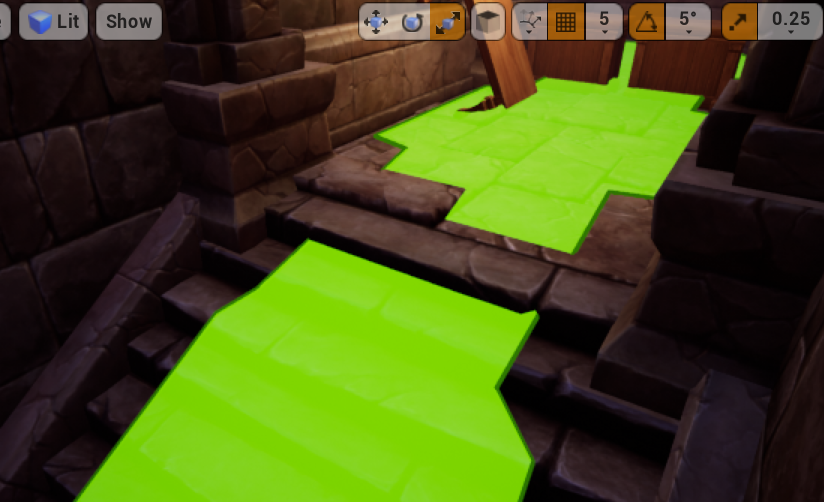
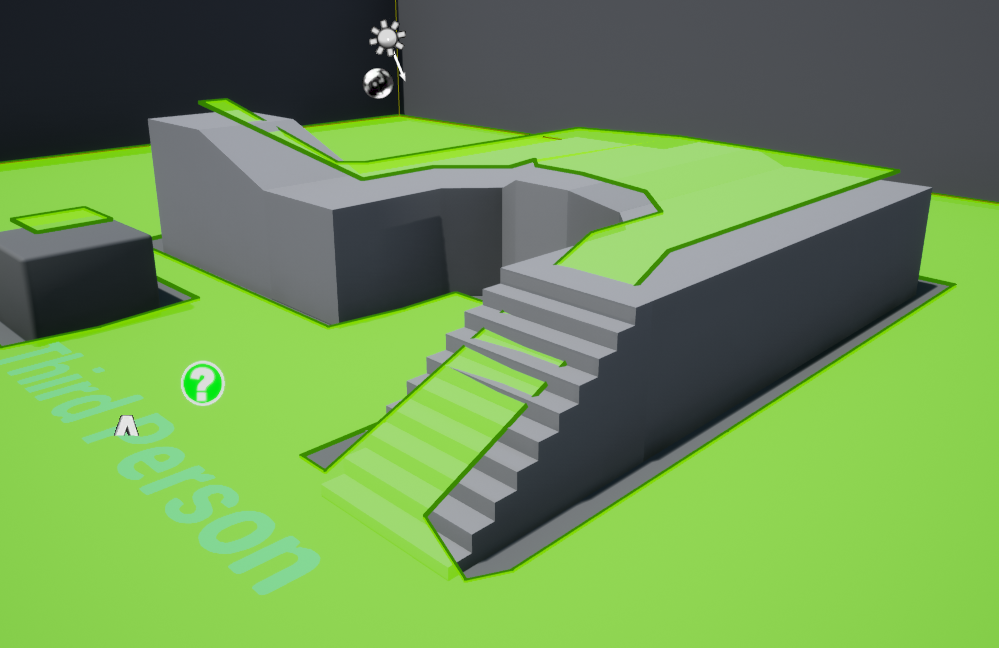

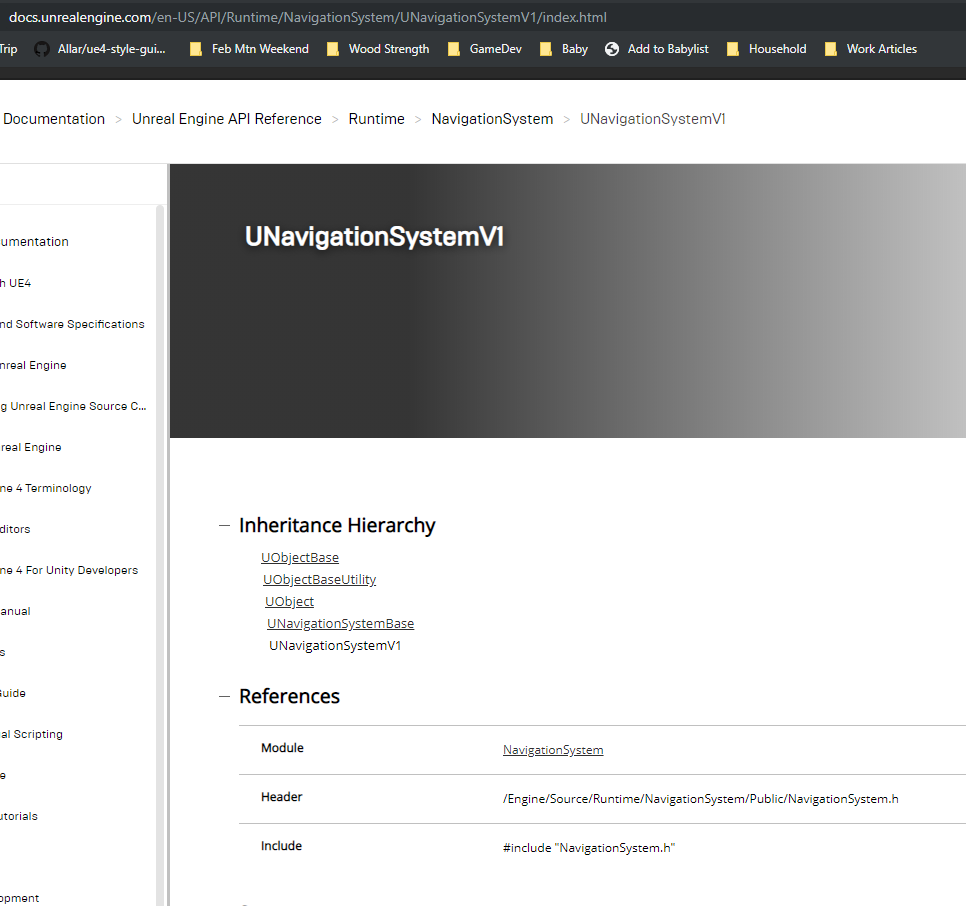
 lunar sorrel
Hey how do i set up navmesh correctly with levelstreaming? I got a nav mesh bounds volume in every sublevel as well as the persistant level and the Recast Navmesh in the persistant level, but the navmesh does not work in standalone / packaged build, in PIE it does however
I found that i can't move the recast navmesh to another level, so actually it seemed like it's not in the persistant level, any idea how i can move it to the persistant level?
okay i could delete it and just add another navmesh in, delete the new navemsh and then the recast navmesh was in the persistant level
fallow gull
Hello guys, how do I prevent the nav mesh to be generated on top of a specific static mesh / actor?
spiral shuttle
generally you don't, but you can place a nav mesh modifier there
fallow gull
Oh no! That's bad news! So what the "unwalkable" flag is supposed to do?
strange jackal
I have an ai black board logic errors problem in my complex code, can someone please spend a time with me to help? This is bothering me a week now..
spiral shuttle
@fallow gull is it even a problem for your AI?
 desert kelp
my navmesh wont generate through doors.... 😦
spiral shuttle
it shouldn't try and path there
fallow gull
@spiral shuttle yes it is, because I want to get a random point on the nav mesh. And now I'm testing on a cube, but later on that will be replaced by buildings, and I don't want to get a random point that is on top of the building.
and I have navigable areas that are higher than the buildings, so I can't limit my navmesh to a small height in order to filter out the buildings' rooftops
spiral shuttle
you could try changing the min region size, use nav mesh modifiers, try to path to the random point and discard if not possible, check multiple points in a region and compare height or go in and change the actual navmesh (all separate suggestions)
@fallow gull
@desert kelp you could make the door not affect navmesh and enable/disable a navmesh modifier on opening, closing door
fallow gull
hmm, I think I can use nav mesh modifiers, but that would take a huge amount of time to create for every buildings of the city. Although that is what would avoid recursion the most.
Or like you said, try to path the point and discard if not possile. As it's not connected, it would return a failed path. But I'm affraid of too much recursions here.
spiral shuttle
i'd automate it
fallow gull
how?
desert kelp
Ok, so I have physics set to use complex as simple, but it seems the navmesh doesnt really like that. I put custom simple collision boxes on either side of the doorway, and now it is meshing thru the doorway
spiral shuttle
in the building actor/bp?
there's also this https://github.com/recastnavigation/recastnavigation/issues/340

GitHub
Hi, I;m trying to undestand and solve an issue that occured in my project in the Unreal Engine 4.17, short story the navmesh is generating inside geometry and I want rid of it. https://postimg.cc/i...
but it seems a bit involved (solution 3)
fallow gull
ah yes, but isn't it an overkill to have a city full of actor blueprints instead of plain geometry? If not, I'll go for it!
oh thanks, I'll check that out
spiral shuttle
you could also build a graph out of the available roads in your city and use that for querying
lots of solutions
somebody did that for their generated dungeon IIRC which had to be super optimized for PS4 PSVR
fallow gull
I think that will be the final solution. to build a graph, and an efficient data structure to support it at runtime, because it will be quite huge.
I guess that the graph generation and the graph query would be two separate things right? Although I think that both could be made out of octrees
spiral shuttle
@desert kelp if you want to toggle your doorway to be passable at runtime, you have to either let the navmesh generate there and use nav mesh modifiers during runtime or have no connecting navmesh there and use navlinks
desert kelp
I'm making whats basically a base builder right now, so I have navmesh set to dynamic, and the actual doors dont block, just the doorway
spiral shuttle
you need navlinks in that case
or wait
just to be clear: you want the navmesh connected?
spiral shuttle
i guess the size of the door is smaller than the min area and/or agent size
desert kelp
I just dropped a Navlink at the door of the hallway, and it works
door is 110wide, 220 tall or something
spiral shuttle
you could try around with the sizes and see if something changes
though navlinks are nice for enabling/disabling doors
desert kelp
once the room is built, I dont foresee them being closed at any point
just have a closed door for when a room isnt attached. Once I attach a room, the door goes poof
Navlink seems to work good, so yay! thanks 😄
spiral shuttle
@fallow gull there's two great tutorials out there for engaging with navmesh data: https://horugame.com/real-time-dynamic-cover-system-for-unreal-engine-4/ and https://unrealingens.wordpress.com/2018/05/02/overriding-default-ue4-pathfinding-behavior-through-recastnavmesh/

Create a robust cover system in Unreal Engine 4 (UE4) that updates itself at real-time, responds to dynamic changes in the environment, uses multi-threading to parallelize computation and octrees to store data. Works with any kind of game.
When creating my own topdown tile-based game, I found a wonderful tutorial by crussel which provides all of the essential implementation for creating your own pathfinding method: Neatly replacing N…
fallow gull
@spiral shuttle oh thank you very much, that's good ressources! I'll dig through that
spiral shuttle
have fun 🙂
wraith eagle
I feel REALLY dumb today. Only just started using the Visual Logger. This thing is incredible... no more UE_LOG spam hoping to be able to figure out what's going wrong in real time
strange jackal
@wraith eagle what is that ? 😄
wraith eagle
@strange jackal if you go to Window -> Developer Tools -> Visual Logger. It's a tool that can record a play session, and will track any UE_VLOG macros that are sent from the code. It has been really helpful for debugging for me today (and I imagine it will be very helpful from here on out). I'm not sure if you can send UE_VLOG events from Blueprint though, if you use that
fallow gull
Is it possible to fire and event when the navmesh invoker is done generating the navigation?
fallow hound
I don't think by default, but you can make an inherited navmesh that can
This project does so, you could look for an example
Unreal Engine Forums
Hey guys & gals, I've written an in-depth tutorial on how to create a robust, real-time dynamic cover system in UE4, complete with demo project & full
@fallow gull
fallow gull
@fallow hound Thank you, i'll look at it. But I've found a way, you can use GetNavigationData, and out of it you can bind an event to OnNavigationGenerationFinish.
Pretty simple and works exactly as expected 🙂
fallow gull
Ah this is actually the link that no7hing gave me earlier 🙂 And I think it's mostly for generating nav meshes more accurately and not necessarily bound to a planar surface.
But maybe they implement a way of triggering event on updates. I didn't read everything yet, I just skimmed through
fallow hound
Yeah exactly
desert cipher
What's the best way to deal with navigation meshes in tight areas where you want to have the AI be able to navigate to things like a chair to sit down? If I leave the chair set so that it doesn't block navigation, the mesh goes over the chair so that the AI can move up nice and close, but then we run into an issue where if they're coming from the other side they might try to walk through the chair and get hung up on it.
but if I let the chair affect navigation you end up with a fairly large around around the chair (and any other nearby objects, like the table) that create an area that would force the AI to arrive somewhat distant from the chair.
I was testing a long spline that the AI could navigate to, then follow that spline in and sit down, but I was also thinking about just a target arrow beside the chair. Is there a better way to sort that out?
fallow gull
Hi! Question about EQS : The node SetNamedParam can only be called after RunEQSQuery, does that mean that the Query first runs, and then the parameter is set? Which would be completely useless. Or is there another way of doing it so we can set the parameter first, and then run the Query?
strange jackal
Can someone tell me looking at this how to solve this problem ?
Problem is here
Blueprint Runtime Error: "Attempted to access FoodRight via property CallFunc_Array_Get_Item_2, but FoodRight is pending kill". Blueprint: TargetFoodPositionToRun Function: Execute Ubergraph Target Food Position to Run Graph: EventGraph Node: Branch
fallow gull
I think there's a bug with the Cone EQS generator. When I use a custom context with it, it doesn't generate any point. Do you guys have the same problem?
strange jackal
@fallow gull u talking about my thing?
fallow gull
@strange jackal No no sorry 🙂
fallow hound
@desert cipher I would let chair effect navmesh, and when npc needs to sit on the chair let the npc get as close as possible on the navmesh then take over it's movement manually for the rest of the way
desert cipher
Nevermind, i misread that. So the spline system seems to be the way to go. Somewhat tedious, but maybe unavoidable.
fallow hound
Maybe tedious. If the splines are part of the actor though it might not be so bad
And with the right anims you could animate right from the navmesh, but that takes a good animator
I would look into how sims solved it
desert cipher
I'm not quite trying to get as detailed as sims, but yeah I'll have to see how they worked that. I think it helped that it's mostly grid based.
 sonic canyon
hi has anyone ever had ai run into walls and not go around objects? i have a nav mesh bounds down
but my ai gets stuck on walls, and not going in doors
simple crest
is it still impossible to rearrange keys in blackboards [in 2019  ]?
]?
strange jackal
Where and with what block i can set this logic:
"When i reach my nav mesh target destination - do this."
? i know i saw it somewhere but cant remember
torpid trout
Hi guys
task node "moveto" fails in my BT
when I give him an pawn
the value of the BB key is set
but if I give moveto a vector, it moves successfully
the navmesh volume is also valid and I'm not trying to make him go out of the navmesh
I don't understand why moveto is failing
any way how I can debug this?
olive pond
@strange jackal IDK usually I just say if HAVENT reached destination, then keep moving toward it, otherwise do the thing
 barren crypt
Has anyone got a method for getting AI to dynamically change their path while they are moving to a destination? My AI gets stuck and stops until you move out of it's way, which sucks because they are civilians who are supposed to be running away from you and should try to move around if you manage to get in the way
patent hornet
CrowdDetourAIController instead of AIController should do it
barren crypt
I did try that, but it's not really working like it should unless I'm missing something
barren crypt
Fiddling now to see if the AI is getting hung up colliding with some capsules attached to the player. It shouldn't be, but I've learned after a few years all sorts of weird shit happening is possible in this program.
patent hornet
it won't work unless player is also a nav agent
as crowd following can't detect it
you could fake it by having a "fake" AI just follow the player around, and the civilians set to avoid
barren crypt
How do you set the player to be a nav agent? Do I set the capsules or whatever to be dynamic obstacles and the nav class to obstacle, or set it to null or is there something else?
It seems like the AI is getting stuck and even gets lifted in the air a little when it's trying to run past. It never did that with aicontroller
barren crypt
Do you know of a sample project I could peruse that deals with this stuff? For the most part my AI works the way I want
patent hornet
your player is controlled directly by WASD/similar scheme?
you could make a superfast AI that has no collision, right nav configuration, no visual representation and just follows the player around
make the civilians avoid it, instead of the player, with same effect
barren crypt
Ahh I see what you mean. Ill give it a go... Wasn't the answer I expected but it's got top marks for creativity
Thanks Zlo 👍
So just to clarify, I just make a no collision invisible character with detour controller, have it set to follow me at close radious and then just drop it in the level?
barren crypt
Well if it works in a room then that's a start, next will be getting it to follow me through doors that open
patent hornet
i am unsure about the fine details here, as in will it work with no collisions or will you have to make a channel just to fake it with civilians, does it have to move after you or can it just teleport on you
such things
barren crypt
Teleport? Not a bad idea either
patent hornet
but just MoveToActor(Player, AcceptableRadius 1, do not include overlaps)
should work for chasing after you, as long as you are on navmesh
and goal tracking true
it would just need a single move order total
barren crypt
Yeah I can work with that. Can't believe I didn't think of it... Such a simple idea
patent hornet
smoke&mirrors 😄
barren crypt
I've got them swapping from boxing to short and long range gun play, dodging when you aim at them, taunting you, hunting you, all sorts... And got stuck on a simple move
Smoke an mirrors indeed 🙂
olive pond
@barren crypt what about the RVO Avoidance feature?
 tough helm
Hey. When I run EQS with return value of All Matching, how do I put that into blackboard key? AFAIK I can't have arrays there so is that some kind of UObject derived class / structure?
barren crypt
@olive pond rvo avoidance? I'll have to google it 😂 Hopefully it'll help
strange jackal
i learn today thats something called: "EnvQueryContext" exist, what is that good for and why should i use it?
tough helm
@strange jackal it specifies to what you are asking
so for example you have Dinstance filter right?
So it takes Distance from QueryItem (the point) to the Context
Where context might be player, NPC, something, anything
and you can use this for anything
EG Can I (Querier) shoot from this point (Item) to this thing (Context)
Usually asked in form of Does LineTrace from Item to Context exist
deft wyvern
Hey quick one, I hope, why might a decorator's observer aborts only have the 'none' option? (to clarify, the same decorator has all the typical 'self' 'lower' 'both' options when used else where for the same purpose)
deft wyvern
Can it depend on the composite used?
I have the same section of three tasks on three different branches. The third task has the decorator that I am curious about. On two of the branches (sequences) and the abort option is there. On the third branch (I have tried selector to sequence, selector to simple parallel) and.... well here is the weird part. When I made that post that abort was not showing, BUT about 10 minutes after the abort showed up on a selector to sequence set up.
 bronze tendon
is the Perception Component supposed to recognize Pawn Make Noise? I have a AI Controller with a Perception Component that's setup for sight and sound, but it never seems to recognize my stimuli for sound. I remember being able to set things up using Pawn Noise Emitter and Pawn Sensing Component, but I don't believe they work with perception component? can someone provide some clarity please? (I'd also be happy to provide my current setup for perception)