#gameplay-ai
1 messages · Page 97 of 1
 flint trail
 spare sinew
So I made an AI that follow certain waypoints , how can I tell it to attack other actors when they're around (just the behavior tree setup needed)
 worldly berry
You could have a service at a switcher that makes sphere traces at rick
*tick
When it hits sth set a blackboard key target actor to be the hitted actor and set a black board key state to be combat if it doesn't hit anything set the state to be idle
And then after that switcher you add blackboard key conditions
The first one is state to be setted to idle
The second to be state setted to combat
@spare sinew
spare sinew
yes
spare sinew
live training vids ?
spare sinew
Someone help me setup a proper AI that can follow way points (have this part) and attack other actors it comes across
Don't know how to make it work or rather switch between following waypoints and attacking target (which should have priority)
 oblique estuary
guys I have a question
for moving my chartacters I use AI controller and MoveToLocation function. Now I wanted to add a radius of a weapon so the guy will stop when it reaches the radius, this is done by adding one parameter. However, how can I do that it will stop only if nothing is in way between it and its target?
 potent harbor
Anyone in here who have implemented "Jump Point Search" for game AI?
 patent marten
@oblique estuary : use rather MoveToActor, set a low acceptance radius, and make a check (in tick or if you use BT in a service) that check for visibility by line tracing, if target is visible and withing weapon range use AIController-StopMovement(), in the BT you can reset the target actor (or location), call the firing functions, then the NPC will stop and fire
oblique estuary
@patent marten thats exactly what i thought about when i woke up! thanks!
 alpine gate
Hi guys! I'm relatively new to unreal and I'm poking around trying to do some research/learn my way around. I have a few questions I want to run by the group and forgive me if its newbie knowledge. I'm interested in city builder games and I'm working on fleshing out a mix of simcity meets black&white kinda thing. I know city skylines and simcity both used actors for all of the citizens. City skylines was able to put out some really impressive sim numbers where as simcity kinda capped sim population/size mostly because everything was an actor and the engine had some serious issues. How feasable is it to have say 500 sims running around building a city, daily routines, harvesting, etc etc in unreal engine? I would like my sims a bit more detailed then both the previously mentioned games so I'm willing to take a loss in the sheer numbers. Thanks in advance. Any advice would also be appreciated!
Not sure if I should spam that in general but since its AI related it seemed like this is the place to come.
 foggy moth
@alpine gate - some considerations to think of first: When i read your post - i immediately think of a top-down Isometric viewpoint .... in which case you could get away with sprite pixel animations... taking 3d models and rendering them out at a given camera angle into a sprite sheet...... this would IMMEDIATELY cut the cost on "Actor-based" AI running around.
Secondly - there are Instanced abilities built into the framework - that will reduce the DRAW CALLS to the geometry - if it uses the same material. Material instancing is also available - another prime candidate to consider for reducing your memory footprint. Finally - if youre going to go 3d mesh actors and use this method - be sure to consider how much of these actors you'll actually see.... dont know what your target platform is - but if you're far away (in view) from these actors - you may not need very high resolution. LODs take care of this as well.....
500 actors - in a single player game may bog down your framerates a little - depending on target hardware. your biggest concern will be both A: DrawCalls & B: PolyCounts. Both of which are thrown out the window with 2d sprite images. (unless you go crazy with textures - which drawcalls will tehn become a problem lol).
if this is going to be multiplayer & replicated - i would reconsider a better solution than 500+ actors.
alpine gate
@foggy moth I did some digging. Gonna continue looking at how other games approach this as well. The details, if I can find them, not just the fact they did it. I'm well aware that I'm being overly amibitious for a new guy however this is driving force behind my interest in making makes. I have a very specific game in my head thats been grinding to get out for years. Thanks for your feedback 😃
foggy moth
good luck - i agree that the thought of 500+ actors on a single screen seems quite alot.... its all gonna be polygons at that point to be honest. with Material Instancing - you'll have only a few draw calls compared to 500*however many materials each dude uses...
But even if each character were 1000 polys .... thats 500k polys right there injust those actors.... which is obsurd lol.
alpine gate
I looked at how simcity and skylines do it. with the sprites that always face the camera as you rotate around the world
I don't have much issue with going low poly either
Thank you for your fb.
 golden timber
Which event can I call on while my AI character is moving, I want to check to see if it's too far from its spawn node, if it is, stop attacking and go back to its home square and start patrolling again
alpine gate
you can setup volumes for this. I'm very new myself but I just watched probably 4 hours worth of vidoes on such topics. I think unreal has a vidoe on their youtube
 uneven cloud
Or a simple distance check.
 spare cliff
Need help understanding why my Ai character won't move, he just stays in idle.
 indigo kettle
Add reference to seld
self
over at Get Blackboard first
Also, you never call Use Blackboard
Call it right after EventBeginPlay
Call RunBehaviorTree last @spare cliff
Next time, look for warnings or errors
Run AI Debugger
Go through this tutorial for some basics on AI: https://docs.unrealengine.com/latest/INT/Engine/AI/BehaviorTrees/QuickStart/index.html
Overviews and examples AI
indigo kettle
Right, but you missed something I wrote
spare cliff
Reading over the link about Ai but this still doesn't work
indigo kettle
@spare cliff Do you know how to debug?
I mean, it can be anything. this particular BP looks fine
now
Look at your BehaviorTree
See if it's moving
If conditions are being met
(while game is in progress)
spare cliff
ok so we have movement he jumps from idle to a sec of walking then right back to idle
indigo kettle
@spare cliff GOod. Now debug the rest yourself for a little bit
Think about what's going on
Seems like some condition is being met
And restarts the BT
Or all conditions failed
Give yourself 30mins to try to debug this on yourself
Look at what's going on in the BT, how it's set up.
spare cliff
yeah man, thanks
indigo kettle
No worries, if you still have issues after 30 mins, come back
Or if it's fixed, let me know.
spare cliff
@indigo kettle So the Ai character and the blackboard are doing what it's supposed to do. The problem now is with the transition from idle to walking. The character pops from one pose to the other, is there a way to smooth the transition?
indigo kettle
@spare cliff #animation
spare cliff
#figured
indigo kettle
😉
 lyric flint
Does anyone know about UnrealScript?
foggy moth
 wise ridge
How complex AI is it possible to create with UE? Can anyone illuminate me?
indigo kettle

 acoustic relic
Can I program a Neuralnetwork who can learn with ue4 blueprint system ?
 ocean crystal
If BP holds together long enough, sure.
acoustic relic
@PlaceholderName#0862 can you help me a bit with that
ocean crystal
No
Also I figured that was a joke in response to Victor
pls don't try to implement anything like that in BP
indigo kettle
Some people on here
flint trail


(2/14) Our AI has been modified to feel more believable. Inspired by the Liz Squad from Infinite. Hopefully we get 10% there! #gamedev #UE4 https://t.co/lweUxgiVbj
Likes
145
 Twitter
this is cool
I don't get why Epic didn't do that to begin with
 orchid solar
There's a lot more to that than just rotation.
 dry wyvern
Ai noob question.. i forgot where it is u can adjust the padding on the navigationarea (green)
I reall i saw somewhere u could adjust precision or something
I have a door that the ai wont enter
Because the navigation area wont fit in
Oh its maybe in project settings
guess it was CellSize, loweering it from 19 (default) to 5 seemed to work
flint trail
@orchid solar I would imagine, but that couldn't have been a reason for Epic not to do better job on AI in UE4
uneven cloud
@dry wyvern : project settings -> navigation settings -> agent radius
dry wyvern
yeah thx @uneven cloud i found it too 😃
uneven cloud
good that reducing the cell size helped. that will allow the nav mesh to be cut up easier in tighter spaces. the padding amount is the agent radius 😃
 charred glade
What does everyone have their AI net update frequency on?
 woven sage
@flint trail Yeah I've actually done a system like that myself as well the other day
Because fuck Epic's movement controllers 😛
flint trail
@woven sage any chance we'll see your AI system on the Marketplace? 😊
woven sage
Most likely not, actually, it's sort of hacky, I feel it's too simplistic to be on the marketplace, the marketplace is crap atm and I don't want to deal with support
x3
@flint trail Drop me a PM if you really want it and can't/won't do it yourself
I'll explain the issues with what I'm doing and you can see what you want
 manic lichen
Does anyone here know exactly how an AIperception detects actors on sight? I'm trying to access the aiperception on update to find various actors, but the update only seems to detect pawns and not the physics actors I made.
@lyric flint I'm seconding this - when I spawn in my streamed level it breaks the AI
 grand sphinx
Level streaming seems to break a bunch of things
manic lichen
But I need that sweet sweet optimization for VR
foggy moth
question - i've looked up some troubleshooting ont his and the only thing i find is to ensure that an AI character is both set to REPLICATES(true) & POSSESS: OnSpawnedOrPlaced. I have both of these set - but in dedicated server playtesting - my animals literally sit in place... never intializing their behavior tree or blackboard. I print stringed OnPossess() and it NEVER fires.... thoughts?
http://puu.sh/xwNhY/b8752b94ab.png
CONTROLLER:
http://puu.sh/xwNmZ/6187ee3760.jpg

 foggy moth
FWIW - this works fine when using SINGLE PROCESS playmode.... if i dont use single process (what i'm told is a true dedi/client setup for playtesting) and standalone - the AI is never possessed....
What is the TRUE nature of what should happen when packaged?
lyric flint

on here
how do u define an enemy, neutral or friendly?
pleease @ me if u have an answer
because im going to bed
ill read it in the morning
 shell epoch
@lyric flint you need to setup team id from c++ by calling SetGenericTeamId()
Check this
https://denisrizov.com/2017/05/08/ai-perception-in-unreal-engine-4-how-to-setup/
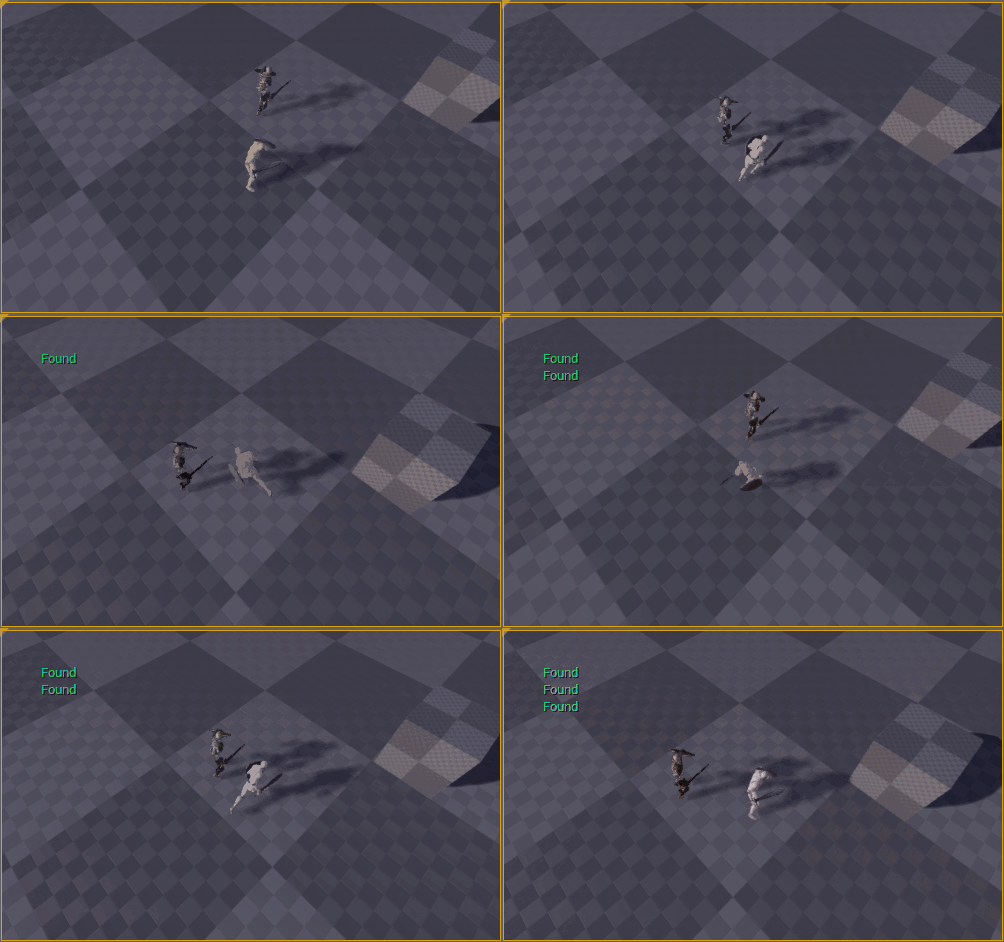
For those of you who are wondering what AI Perception is – this is a really nice system in UE4 that provides an easy way for the enemy AI in your game to track hostile/friendly/neutral charac…
lyric flint
@shell epoch can you set custom team ids? Like for example, wolves, or dogs, or cats, or birds.
Just curious?
shell epoch
@lyric flint i'm not sure but you can have enum with these team names and pass it in FGenericTeamId()
indigo kettle
Why not use Gameplay Tags?
shell epoch
some thing like this
enum class EteamType : uint8
{
}
Probably a lot easier
shell epoch
can you assign any value to Gameplay tags?
ocean crystal
screenshot?
ocean crystal
See the type mismatch here?
You need a cast
Go tag Victor in #blueprint he'll tell you all about casting
lyric flint
how could i setup an AI to find all ACharacter's but then make a choice between attacking an animal, and attacking a player. How could I set it up to choose players over other animals?
Curious how I could do this
or for example
how could i set it up to prioritize enemies with lower health
or maybe... prioritize enemies with more of X stat
 muted surge
Is there any way to add movement variations to the AI? i am facing one problem if i have lets say 10 Ai and send one movement request to one vector they line up and run to the closest point what i want to do is to make some kind of offset to the movement so that when they receive the movement command they have a little variation on its path
so that it looks more natural instead all lined up
patent marten
Implement group movement, follow boss with offset by AI move to location. I do so.
muted surge
i think this wont work for me because i am pathfinding in a maze and the solution needs to be to have some king of path variation instead of one vector offset to follow
*kind
uneven cloud
In that case I'd use way points (hand placed or EQS to generate). When pathing they take the shortest route, always. Changing that would be no simple matter. So varying the location they are going to, including along the way, will be the easiest solution. The crowdfollowing component may help with spreading them out, but not to take different routes in a maze
muted surge
@uneven cloud tnks ill look for it
foggy moth
callin in favors - i'm at a complete fathomed loss..... My AIController IS NOT being set when i package project or play SINGLE PROCESS (false). My AI sits in place... never doing a thing. IF I put it into SingleProcess(True) - it works fine..... I've included AIModule in project.cs - i'm up a creek here - paddle-less.... anyone got anythign to throw at this?

class parent = ACharacter
foggy moth
i guess god help me 😦
muted surge
is it possible to make a navigation path and tell the ai move to respecting always a grid like movement? not to take the shortest path i mean by moving like from grid center to grid center until reaches one destination?
foggy moth
@muted surge - fail to make ends meet with what you're asking... can you perhaps draw it out on a image to portray it?
muted surge
@foggy moth sure one minute
foggy moth
thanks - i'm just not making it in my head what your asking
 foggy moth
@muted surge have a look here: https://answers.unrealengine.com/questions/102126/how-do-i-get-the-navigation-path-to-a-point.html
i think that funciton may get you where you want to be....
that function fills an array of UNavigationPath points
you could iterate each point - so you can determine the angle from point to point
and calculate a new angle
new angle & new point that is
so your turns would be 90 degrees
not shortest path
but
lets talk about something here
so first
this UNavigation Path is declared on teh fly
i'm sure as teh TARGET POINT changes
it calculates a new path
so... you'll hav to accompany for this
secondly
why do you want your AI to follow this behavior?
if I have an enemy wanting to move towards the player....
i would want them to take a shortest path around obstacles
so the player cant just back run + stay safe
muted surge
i wanted to know if this was possible
another thing is i wanted in fact was to have a path variation i will show u
 foggy moth
so you want jitter as its pathfinding
muted surge
I as thinking of making a small path variation imagine if there is 10 enemys on point A if i tell them to go to point B and they dont have collision to have a small path variation instead of going in line to make more realistic
i do think so
i dont want them to move in line like one robot
foggy moth
what MOVE TO node are you using? and are you using Behavior Tree or all inside the controller?
muted surge
let me see
im not using Behavior Trees all is done inside the pawn blueprint usign ( AI move to )
muted surge
know how can i do that small path variation?
foggy moth
again - navigation for pathfinding is done the way i just explained above
you'll need to write custom code to interject the trajectories that are done by UNavigationPath
and create new trajectories based on the FVectors that UNavigationPath array returned from NavMesh->FindPathToLocationSynchronously(GetWorld(), GetActorLocation(), end_point);
its in that answerhub post i linked you earlier
uneven cloud
which can easily land the AI off the nav mesh
muted surge
what if i take the points and make a random point in navigable radius to prevent that?
 woven sage
It'd work
Just not sure if you should want to do that for each point 😛
Not to mention you'll get some really jittery paths doing that
uneven cloud
you'd get really ridiculous looking AI doing that and it won't give you the 90 angles you were asking for before.
muted surge
@uneven cloud i give up with that 90 degrees idea
i think wont work for my game
all i was trying to do now its the simple path variation
and also do not need to be all the points
now i need to know more about how this find path to location synch works and how i connect the generated path points to my ai movement request 😃
uneven cloud
You'd need to make your own pathfollowing component, but most of the functionality is not exposed blueprint
muted surge
with that said i think its the end of the line for me lol
woven sage
Ayy @uneven cloud Guess what I did the other day 🙃
uneven cloud
@woven sage what is that?
woven sage
Redid pathfollowing
Ended up dumping UE4's internal character system completely
My system now runs thrice as fast and looks nicer
In turn, of course, it has its own share of limitations, but so far I'm very happy with my own thing
Unlike UE4's
Which was just infuriating to deal with >.>
patent marten
the built in navmesh pathfinder without character and character movement component? could be fun. movement is harder than pathfinding...
woven sage
Yeah I've taken the pathfinding and am doing movement myself
It was actually quite easy - far moreso than I expected going in
I'll just be building my own little AI library
Since I hate UE4's internal stuff
Far too bloated and unclear
patent marten
and does it feature multiplayer movemen prediction for smooth movement? that could be not so easy.
uneven cloud
Nice. UE4's implementation of recast is a mess.
woven sage
Nope, haven't bothered with that (yet)
uneven cloud
detour is even worse.
patent marten
and what you use, get path sync / async?
woven sage
Unaware of what these things are
Get path async
Recast is the navmesh stuff, right?
That I'm just using the internal thing for
patent marten
I planned to dig into it for learning purposes (have my own pathfinder in UE4), but never had enough time... in another project the built in works fine currently, but I can get into trouble in large levels....
woven sage
I haven't really run into problems with UE4's navmesh so far
patent marten
yes recast is pathfinder, detour is for agent avoidance
woven sage
Yeah I haven't bothered with RVO and that sorta thing
Just bare basics atm
I don't need RVO myself either way, not worth the performance hit for my usecases
patent marten
as I remember rvo can drive the agent off the navmesh...
woven sage
Yeah actually my system does that too, at the moment
Will be implementing some checks for that soon, though
patent marten
I tested, in some cases looks fine but kept detour for avoidance finally, it works well enough
woven sage
I've basically made it so that things don't walk sideways and backwards anymore
Because that looked like crap
Things only walk forward now
patent marten
what is ugly in ue4 when a small area is crowded and agents start to collide....
woven sage
I can imagine, I'm not doing dense crowds, though, so screw RVO
x3
I'm only doing bare basics because my AI doesn't need much more
patent marten
ahh understood, a bit more lightweight stuff
patent marten
the problem with character is its heaviness, hard to tweak performance and quality
woven sage
Just got fed up with UE4's crapshoot that is CMC
It's awful. It's bloated, unclear, poorly documented, doesn't look good no matter what you do and on top of all that runs like crap
Gee, you wanted thirty entities? Let's just chop your performance in half!
uneven cloud
Epic used already existing libraries for them - recast and detour.
patent marten
I don't know how much customization epic made... said to be a lot
uneven cloud
I prefer RVO. Detour has a massive perf hit and doesn't deal with non moving AI
patent marten
but the base is the open source stuff
hmm... I think agents avoid non moving ones...
is rvo okay in complex environment?
no too many collisions with static environment?
uneven cloud
I use the EQS to give them positions that stay away from each other and then RVO as a just in case things go wrong. So I don't have much of an issue with collisions in a complex environment.
muted surge
Ai movement filters can only be used in Behavior Trees and not in the default pawn blueprint?
 cedar quartz
any AI wizards in here bored and wanna help a novice out?
 leaden merlin
hello
muted surge
can hierarchical instanced static meshes that are spawned inside one blueprint (basic square collision) modify the navmesh unsing one custom area class? i tried everything but navigation mesh looks like not to be modified
 idle grove
https://pastebin.com/pzuaHMYh why does the array start from the last waypoint that i placed? ex:point[0] = waypoint7

it's something wrong in my code?
@ocean crystal
ocean crystal
this is why I do what I do instead of iterating actors (or in your case grabbing whichever happens to be index 0)
I don't think there's any kind of promise as to the order of that array, but I wouldn't actually know.
idle grove
mkay 😭
ocean crystal
@idle grove have each waypoint store the next (but this is a pain to edit/spawn correctly) - you'll have to find the start some other way though - I'm about to grab some sleep
idle grove
@ocean crystal so you want me to add the waypoints manually in the enemies "path" ?
 vast carbon
Spawn AI with adjusted rotation changes my AI's forward facing direction (he walks sideways), how can I set the facing direction of a spawned AI?
I tried different things, nothing works. He always walks sideways if I try to alter his spawned facing direction.
Note; arrow in BP viewport is proper, the animations and the mesh is aligned with it just fine
Here's how I'm trying to do it now:
The "Crawler_1" is an actor in-game that's only used as a location reference
idle grove
@ocean crystal i asked you last night if you wanted me to add the waypoints manually but 😄 i guess you went to sleep
ocean crystal
I don't care what you do @idle grove, but if you want control over the order of actors you'd be better off managing it yourself.
vast carbon
need help PM pls
 weary holly
Is it very complicated to programm ais like in bf1?
vast carbon
Complicated in that it would take a long time and there would be a lot of different variables, possible outcomes, not to mention all of the animation but this is on the BF1 scale. Something smaller and more compact would be more doable, it depends on whether you're working alone or with others.
 solid osprey
anyone know how to view aidebug data while playing from 3rdperson mode
dry wyvern
anyone here working with the AIBehaviorToolkit?
 whole flare
Hi All, can anybody tell me why this is only firing once instead of firing every few seconds in a loop?
dry wyvern
the tasks return success?
 stark zealot
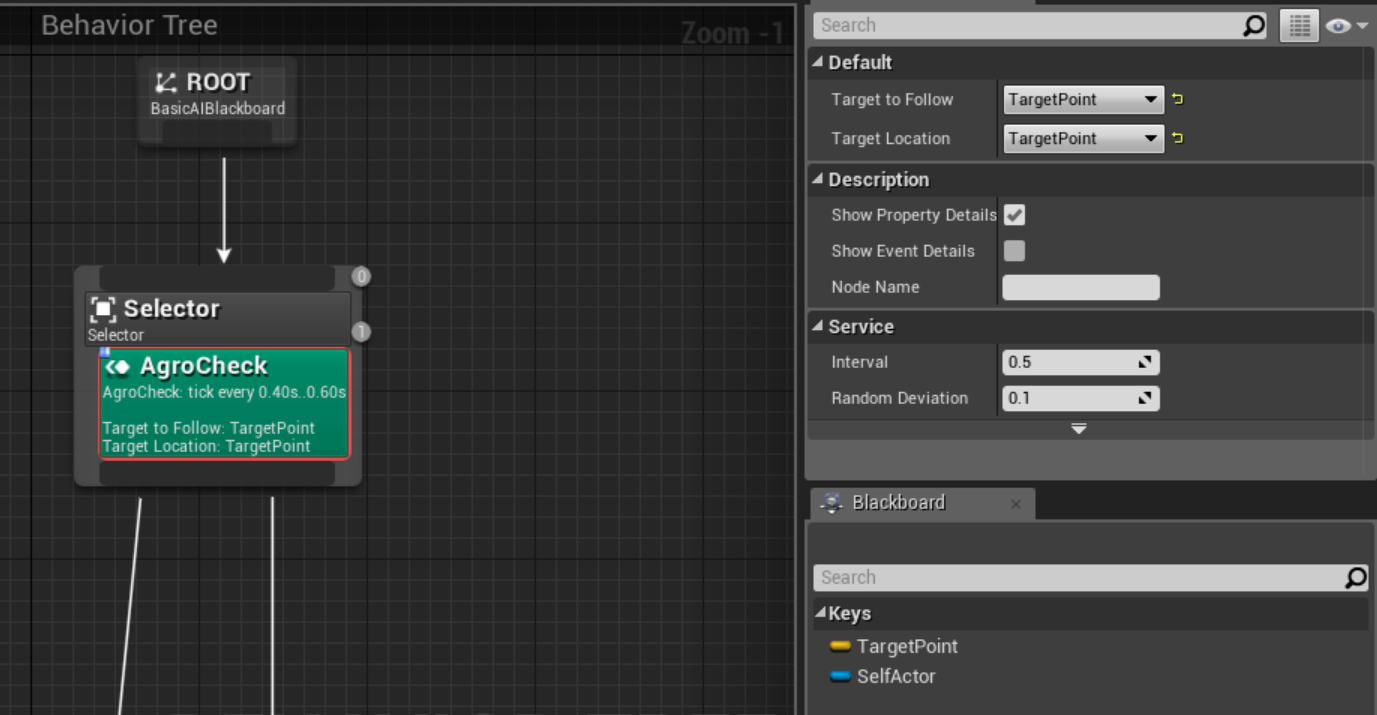
Hey guys I have a problem with variables not showing up in my Behavior Tree. I'm following the UE4 behavior tree tutorial and I got to this step and "TargetToFollow" and TargetLocation" are not in the dropdown list. https://docs.unrealengine.com/latest/images/Engine/AI/BehaviorTrees/QuickStart/14/setAgroCheck1.jpg

Here's what mine looks like: https://i.gyazo.com/d0a29df036cce9104c3d743428a7792d.png
 stark zealot
Oh I think I found the problem. Its still referencing an old blackboard. I'm an idiot
 low rose
@dry wyvern I've used AI behavior Toolkit a little, but nothing in-depth yet. What are you trying to achieve?
whole flare
@dry wyvern that was it! the fire task wasn't returning success cheers
dry wyvern
@whole flare awsome, glad to hear 😃
 dreamy goblet
when u have killed a ai, how can u do so it spawn it again?
muted surge
what are navmesh navarea flags used for?
uneven cloud
it's extra data that the pathfollowing component can use. I use them on nav links to signal jumping
muted surge
@uneven cloud tnks!
 sudden lodge
hi there
Is there anyway to set AI rotation accordint to target point when I use whit AI move to ?
patent marten
use SetFocus or SetFocalPoint, it will use game priority, while AIMoveTo uses Move priority for focusing
@sudden lodge ^
 keen hinge
Any ideas why braincomponent returns null? I have set it in my AIControllers constructor with following line
    BehaviorTreeComp = CreateDefaultSubobject<UBehaviorTreeComponent>(TEXT("BehaviorTreeComponent"));

    BrainComponent = BehaviorTreeComp;
not sure tho is it correct way to setup BrainComponent 😄
sudden lodge
@patent marten thanks for answer
uneven cloud
@keen hinge you should use bool AAIController::RunBehaviorTree(UBehaviorTree* BTAsset)
manic lichen
Anybody have experience with AIPerception? I'm trying to figure out a way to bind the vision cone it creates to the head of my Pawn so when it looks around the vision cone follows suit
uneven cloud
AI perception location is based on the view point, which by default is actor location and rotation. you can override this function
Scratch that. It's pawn view location (actor location + base eye height) and pawn view rotation which is the controller rotation. You can override this in your AI Controller or character with the function GetActorEyesViewPoint
 jovial valve
If a character is trying to walk from point A to point Z by taking the shortest path, how do you prevent them from walking through a wall of fire which lies on the shortest path?
 thick magnet
Am I right in observing that the Abort AI event isn't fired on a task unless the Execute AI event is still running at the time the abort is received?
woven sage
@jovial valve Nav mesh modifiers
Look into them a bit in the docs and you'll see what I mean
 fickle warren
Is there anyone who could help me out with "Making Game Ready AI" tutorial work done between parts 8 and 9?
muted surge
@jovial valve you will need to setup an navmesh area into the fire to modify the navmesh default and overlaps it then u need to add an navmesh query filter to weight all the navigable areas that you will need also u need to tell the AI movement task the navmesh query filter you will use to move so you will need to choose the one without the fire navarea (is excluded) option checkbox
 thick compass
Hi, sorry if my question is basic but I'm new on the UE. I managed to create pathfinding but I would tell the AI to avoid some area. I found a way to do that with the "Nav Modifier" component but I don't really understand how it's working. Can someone please help me a bit with that ?
uneven cloud
@thick compass I what about it would you like to know?
thick compass
I would like to do something like putting a tag on a object so the AI would avoid it if he can, but he will go on it if he can't, like here: https://docs.unrealengine.com/latest/INT/Engine/Components/Navigation/ But I didn't really understand what the doc want me to do :/
Allows applying selected AreaClass to navmesh, using Volume's shape.
uneven cloud
Sure thing. So you'll want to add a nav modifier component to the object. Then set the area class on that component. Epic has included a few you can use or you can make your own. NavArea_Obstacle will make it a really high cost, so the AI will only go that way if no other way is available.
thick compass
When you say to the object, you mean the one who will move in the world or the object it will need to avoid ?
uneven cloud
In the example picture, the "object" is just an empty volume. Which you can use a Nav Modifier Volume for.
thick compass
So it would be like an objcet who will manage all these nav things ?
uneven cloud
It can be. It really depends on what you need as they can be used for a number of things. Doors that move: you'd put the nav modifier component on the door
thick compass
So if I have a NPC that move i put it on the NPC?
uneven cloud
If the NPC is a pawn, they already have that functionality 😃
uneven cloud
you just have to set the area class on them and make sure the nav mesh is set to dynamic (modifiers only is a good option) in the project settings.
No worries. Characters are pawns
thick compass
The area class is set to NavArea_Obstacle
uneven cloud
You also need to turn on "Can Affect Navigation Generation" on the character itself not on the collision capsule
uneven cloud
yes 😃
thick compass
Done :) How can I tell it to avoid going on another object now ?
uneven cloud
Oh wait. you want the NPC to avoid something or something else to avoid the NPC?
thick compass
I want him to avoid a place except if he don't have any other choice. In the link the player won't walk in the red place except if he don't have any other choice
uneven cloud
then undo that to the NPC. You just need it on something at the place you want them to avoid.
Sorry, I've had a serious lack of coffee today
uneven cloud
the pathfinding will do it for you if you set up the nav area. what you set the nav area on depends entirely on the situation.
thick compass
well, but if I set an object and say it that the player can't go though it it may be stuck
i'll give an example
The goal is that a NPC never have to walk on the grey thing (it's a road) but sometimes he will have to if he want to reach his destination
uneven cloud
So you put the nav area modifier component on the road. This will only affect the AI, not the player.
thick compass
My roads aren't actor, do I need to add a component in them ?
uneven cloud
then you can add the nav modifier volume and resize it to fit the road
thick compass
I added it but it the Area class have any other value than none the NPC can't go on it
uneven cloud
Obstacle doesn't work?
uneven cloud
Can you change it to nav area obstacle, hit P and then take a screen cap?
P shows you the nav mesh
uneven cloud
no worries. nav area null will make it so the ai can't go there at all
vast carbon
Any idea why only one of these AI can't move around ?
The one that doesn't have red in the nav volume cannot move
I double checked and the collision settings are the same for all of them
This started happening after I tried tweaking the collision settings but I reverted and nothing changed.
uneven cloud
the one on the left is blocking the nav mesh so can't find a path.
keen hinge
@uneven cloud thanks for your reply, I got it working with RunBehaviorTree(Asset)
 arctic silo
Does anyone have any tutorial or idea on how to create an AI companion? AI that flies near your character and can act as a health bar, pick up collectibles etc?
Also anyone knows how i can set up an animal to move away from the player when player approaches it? I want to make sheep that run away from the player
 coarse orchid
anyone know have experience utilizing the grid path ai controller?
 tawdry heron
Nope. I tried looking for some documentation on it when I updated to 16 but I found nothing on it
tawdry heron
Well, I guess if you have the centres for each Square in your grid you could just tell your AI to move to that location? Assuming you want the AI to wait there (And if I've got the right idea in the first place)
 soft trellis
How would you go about making a static mesh try to reach out for an object dynamically?
Like a monster grabbing for a player
I realize that's probably very complicated but are there some basics or suggestions that might get me there faster ;P?
soft trellis
yeah
vast carbon
what happens when the monster grabs the player?
soft trellis
I was thinking of tossing them
For the sake of tossing them.
Would be interesting to play with.
vast carbon
Forcing the player's head movements, even hand movements would be very disengaging in VR even in small movements so if you're going to throw the player around I can guarantee it'll be a disaster haha 😛
soft trellis
Nah, I think people are way to scared to move them manually but more and more people are demanding
non teleporting movement
I'm making an RPG after all, there's gonna be flying.
Ideally.
I just want to play around with different stuff for the most part though, and having an NPC reach out for objects will just be a useful thing to know how to do in general.
vast carbon
Well,
I've not done this before but in theory:
- Create a socket in your monster's hand > when needed, attach your player to the socket (upon grab) and release it the same. The grabbing motion would be part of the monster's animation, unless you're using physics in which case you may be able to somehow get the arm to move out and grab the player or his/her head no matter where it is (by targeting the Player Camera Manager)
soft trellis
I just wasn't sure how to handle the animation side of that ordeal
like how to dynamically reach out and grab for something
physics wise
vast carbon
Oh, I still haven't played around with physics-based animation because the characters in my first project had no legs and it wasn't an option haha
soft trellis
fair enough
vast carbon
Try the Physics channel
soft trellis
yeah for sure
 livid hawk
Hello, I'd like to make an Environment Query
only that the center of this environment query ( the center of "generate pathing grid " )
wouldn't be the actor having the AI controller , but another actor
so in order to do that, I'm making a custom environment query context
overriding "provide single actor " and " provide single location "
however, when in the override i'm trying to get a referenced actor from my AI actor , I can't
i've set the actor reference in the editor, i can access this reference in blueprints without any problems
the only place I can't access this reference is in the "EnvironmentQueryContext" where I need it
any ideas how to have the center of an environment query being a custom location and not the actor center ? thanks in advance
solved by caching the position of the actor in a Fvector variable
but I think it's a bug, glad I can bypass it and have the stuff working however
flint trail

White Paper Games Technical Artist James Burton shows the process used to create the locomotion system of the AI characters in the upcoming game ‘The Occupation’.
interesting
 zinc marsh
would it be easy to acieve a simple move to location for a car?
 vocal zinc
is it possible to trigger AI event when I look directly at it?
like, dead center of the screen
ocean crystal
- Make an AI.
- Add range.
ocean crystal
- Add predictive aiming
lyric flint
Where's that option?
ocean crystal
add
ocean crystal
Sure
lyric flint
Okay then I should use the character interaction anims
ocean crystal
if you like
lyric flint
Alright! Thanks mate!
lyric flint
👍 👍
 last steppe
Someone could explain how to make an AI move to a Position but it has to go through one checkpoint. Like Monopoly game board, you have to make a complete turn.
Thanks. ( sorry for english )
 echo lark
does anyone tried to generate navmesh on 20x20km map ?
lyric flint
I have
 ionic scaffold
just wondering if anyone is using BT / BB's for flying AI's
jovial valve
I moved away from blackboards and behavior trees completely...
flint trail
@jovial valve eeh? Why?
uneven cloud
@ionic scaffold I am.
ionic scaffold
@uneven cloud What did you do to get them to work properly with out being on the Nav Data? Mine only work when they are on the ground, I had to write my own BP system to emulate what a BT is doing so they would fly free.
uneven cloud
@ionic scaffold the movement or the navigation? Movement to a location or actor, I just used "move directly toward" instead of move to.
weary holly
Who here has ai expierence?
ionic scaffold
@uneven cloud Thank you! Will try that, are you using the nav data for the flying AI or do they just fly free around?
@weary holly What is your question might be easier to help you.
ionic scaffold
@uneven cloud i forgot to ask is your player flying aganist flying ai, I checked I was already using that command, and it does see the player but it will not move unless I place the ai on a nav mesh and it will only track and move to me when I am close to the ground once I get too far off the nav grid it the AI stops and never starts again. I tried changing the nav grid acceptance height and all sorts of things but nothing has made it work as well as working outside the BT/BB tools and using Blueprints for everything which is a shame. I found a plugin that uses a voxel generated nav system that works for flying AI but for now I do not need it.
weary holly
@ionic scaffold i want to programm ai that attacks you when they see you
But different types of
uneven cloud
@Vexar#8845 You're welcome! They don't use nav data and move directly towards given locations that I give it. Have you unchecked "project goal location" in the advanced settings of the mode node?
 dim willow
does the UE4 engine have anythign specific for flying AI navigation?
 autumn pecan
 stiff vapor

ScienceAlert
"Holy grail" of computing.
flint trail
started watching some AI tutorials last night (WTF/HTF series).. Move To was used in the behavior tree to make Ai move toward player. I keep hearing that Move To is horrible (why?) and people roll out their own Move To BP solutions. Are there any tutorials about that? (namely, replacing built-in behavioral tree stuff with your own BP stuff)
uneven cloud
@flint trail if people keep saying something is "horrible" without backing it up, don't listen. I highly doubt a BP solution would be any better.
flint trail
I see
uneven cloud
for making your own BP tasks, decorators and services you can find it here: https://docs.unrealengine.com/latest/INT/Engine/AI/BehaviorTrees/QuickStart/
Overviews and examples AI
 fallow owl
Is there any way to stop a BT Task while it's running? I'm aware there's a 'Finish Abort' function but I've no idea how to get the required 'Blueprint Base' reference
uneven cloud
The easiest way is to use a decorator with an observer that aborts self.
There's also a function in the behavior tree comp: AbortCurrentTask()
flint trail
do you folks know by chance if 4.18 will have any AI improvements / fixes / features ?
fallow owl
ill give that a shot when i get the chance thanks
fallow owl
took me a while to find out where the observer setting was but i got it now, thanks @uneven cloud
flint trail
Is it possible to make flying AI (floating rather, like Cacodemon in Doom) using standard UE4 AI stuff (navmesh, BTs, etc.) ?
 wispy sedge
@flint trail think many do a trick of creating a nav mesh artifially higher up for it to use like an invisible plane above the floor at whatever height. There are AI for actual flying in 3d space but much more complicated and CPU intensive depending on implementation
flint trail
Building invisible floor for hovering AI isn't an option. Isn't there a way to build offset navmesh?
stiff vapor

The team at The Hague will generate ideas about how AI advances could help achieve UN targets, as well as monitor it for threats.
flint trail
that's why you gotta play a lot of those post-apocalyptic games to learn how to survive against the AI !!!
😛
vast carbon
Anyone here have experience with Car AI? I have a few questions
flint trail

Blue Man VehicleAI Plugin provides you with 3 advanced Vehicle AI Components which are just plug and play. Blue Man VehicleAI Plugin is built with your project in mind so it is very easy to integrate it into your current project.
vast carbon
That should work, thanks a lot
dim willow
hey anyone here? I have an issue thats really annoying me
I have a starcase mesh where the pathing breaks because its not a perfect ramp.
The only way to fix this to use a blocking volume on every staircase in the game
I have tried a bunch of things but thing seems to be working. How do I fix this?
lyric flint
i think there was a parameter that set how steep a slope can be without breaking the nav mesh, but don't ask me for details
@dim willow
 icy night
When it comes to vertical namvesh building CellHeight, AgentMaxStepHeight and AgentMaxSlope are the three values you need to play around with. AgentMaxStepHeight needs to be greater then CellHeight since it's used to check if AI can would be able to "step up" from one voxel to the neighboring one (of course AgentMaxSlope is used here as well).
 fallow gull
Hi, Can a AI nvigate through narrow places? Because when we set ou navigation mesh, the narrow spaces don't show in green. Is the navigation collision threshold can be overrided?
patent marten
You can decrease the navmesh offset from geometry, e.g. walls but don't remember the parameter's name...
coarse orchid
hey, how do you turn AI debugging visuals on while playing and not in simulation?
fallow gull
It's like I saw offset somewhere. I'm not in front of Unreal right now, but I'll check tks
I have another question though, I've already been asking it but I didn't get any concrete answer so far. I would like to know the best way to move my player to an actor, like SimpleMiveToActor does with Ai.
I guess it has to do with Ai, but I can't get Ai nodes working with the player character class :/
flint trail
Can one generate navmesh that is offset from the floor (so it's so many units above the floor) ?
patent marten
@max974 ai nodes work with aicontroller usually, but aimoveto requires a pawn as input
fallow gull
@sivan#5428 Hi! So logically an AiMoveTo node should work on a Player Character? Isn't a character a pawn?
 crisp lantern
It will work
fallow gull
@crisp lantern Is it possible that it won't because of disabling the player input?
crisp lantern
Don't think so
fallow gull
okay., so now I'm wondering if it's not coming from the FirstPersonCharacter...
woven sage
Cross-post from #level-design
Any ideas on how the heck I can keep navmesh from generating on top of these rocks, placed with the foliage tool
flint trail
Can one generate navmesh that is offset from the floor (so it's so many units above the floor) ?
patent marten
You can offset the units vertically, maybe easier
flint trail
How do I do that @patent marten ?
patent marten
In unit bp you can shift mesh and collision shape. But what do you want to achieve?
flint trail
Hovering AI
For it to "fly" over low height obstacles I need for navmesh to not take those into account
patent marten
Hmm it's not so simple... No quick idea.
woven sage
@flint trail Voxel-based pathfinding?
A bit overkill for hovering, but yeah :/
Alternatively, you could make a "navmesh modifier" thing
flint trail
Yeah, it's an overkill
woven sage
Which you use as flag for the hovering things
Bit more reasonable a solution
Shouldn't be too hard, either
jovial valve
Has anyone tried to make their AI sense sounds or smells?
cedar quartz
anyone know of a good tutorial series for slightly more complex ai?
 glossy spire
@cedar quartz This one gets linked a lot: https://www.youtube.com/watch?v=NZZtMNdJk5o&feature=youtu.be

Training Content Creator Ian Shadden is joined by Lead AI Programmer Mieszko Zielinksi as they build on the Basics of AI stream and delve into more advanced ...
cedar quartz
was actually just watching that lol, interesting so far for sure
glossy spire
cool
 smoky forge
heya, watching a tutorial and in one he uses blackboard but another he does it all in blueprints... I know for AI you generally want to use blackboard but out of curiosity how superior is it, or is it more of a convinience thing?
 ivory cloud
Anyone have any experience with EQS? I'm having an amazing amount of trouble trying to figure out how to make an Environment Query.
I'm on 4.17.2, and I can't seem to find how to create the asset anywhere. It's not under Artifical Intelligence when I try to create something in the content browser. I can't seem to find it by trying to search in blueprint classes (all that comes up is EQ contexts and generators). However, I'm able to find it in Blackboard when I look under what types of object a key can be. Starting to feel like I may be crazy.
 limber elk
@ivory cloud u have to enable an eqs feature in editor preferences -> general -> experimental
ivory cloud
Thanks! For some reason, I thought that was supposed to be in Project Settings and I could not find it.
 golden shore
don't know how to decrease the size of the nav mesh blocks enoughh so the AI char would walk up the stairs
 lean schooner
@jovial valve I've AI hearing using UAISense_Hearing plus UAISense_Hearing::ReportNoiseEvent. Straightforward enough if you're using the perception system, but it doesn't "hear" using game sound - you have to report noises. Which means you have control over them, but on the downside you have to add ReportNoiseEvent for things you want the AI to be able to hear.
flint trail
I've watching some AI tutorials, but none explains how to hook up character anims with AI 😦
does anyone know about decent tutorial showing how to play certain anims based on what AI does in BT ?
glossy spire
I don't know any tutorials, but i can give some general thoughts
you probably want a state machine or an animation blend for your looping animations
and use an animation slot to play montages for your actions
keep some bools or enums on your anim BP, and have your character pawn or controller keep those settings updated
flint trail
for example, this https://www.youtube.com/watch?v=A_rnZ_2PgpM - why/how AI uses run anim (and most likely blend from idle into run and from run to idle) is not explained and so far none of the tutorials I watched explain how to kick off anims and blends 😦
Part 1 of the Unreal Engine AI Guard Tutorial, an ongoing series of AI Tutorials for Unreal Engine. This part gets us up and running with an NPC that can mov...
glossy spire
I haven't watched the video, but i can explain the most common way to do locomotion
you generally use a blendspace asset
flint trail
yep
I did anims before, for my old project, but I didn't have AI and so I didn't have to worry about connecting animBP / blendspace to AI
now I figured I'd make anims for my test character and then start with AI..
glossy spire
you could have a UpdateLocomotion function ticking on your pawn or controller
that updates Forward and Right vars on your animbp, or whatever
and you feed those into your blendspace
how you get those values depends on how you're moving the character
you could get his velocity or something
flint trail
Hmm.. It's really over my head, sorry. I guess I'll see how it goes when I get my hands dirty with AI
glossy spire
np good luck
flint trail

Now it's time to get the animations playing in our NPC's!
glossy spire
nice
flint trail
so, back on this subject
anims are driven by animBP and variable in the state machine there
where do I set those variables and how ? (I am planning on using BT/blackboard)
patent marten
Best to store them in aicharacter, thus they can be easily acessed from BT and animBP too.
And can be replicated, not like aicontroller stuff
flint trail
alright, but then how do I set them on AI Character from BT ?
flint trail
@patent marten ^^
patent marten
In a tqsk or service you can get the aicontroller and from that the controlled aicharacter
 pseudo totem
Hello, I am trying to allow AIs to navigate to use a teleporter and use it to navigate between floating islands, I was using SmartLinks for this but it seems these are limited to only the tiles next to each other, when the smart links aren't on conected tiles they will fail. Is there any way to uncap this limitation? I tried increasing the size of the Tiles from the settings but the islands might be very far apart and I do not know exactly how much will increasing this size will affect navigation in general.
lyric flint
Hey guys. Currently I try to let my AI walk through my Level.
But it should not just go from one Room to another.
When going through a Room it should go to the Corner and calmly look to every side to see if there are enemies around.
I'll create a little image to visualize my thoughts xD
Forget the image :P
I just need to find out how to filter Corners of a room or floor with an EQS
I could make a CornerComponent and set the locations of the corner by hand, but there has to be a another way :/
patent marten
Each room could be a triggerbox having 4 attached actors which can be used as focus target in a sequence.
@lyric flint ^
flint trail
@supple tree any word about when new AI training stream is coming ? 😊
 supple tree
No, not yet. There's a good deal of interest though, so I'll work on it 😃
 neat summit
@lyric flint I agree with @patent marten, that's how I tackled that in the past. I've used the following strategy:
- Once an AI enters a volume, it would query for all points of interest inside it and then put into an Array;
- A Service in my Behavior Tree would keep track of them, randomly picking them until the AI would explore them all;
- in the sequence (decorated by the service) I kept using the "Rotate to Face BB Entry" task + Wait some random time".
- This composite would be activated again and again until the service keeps feeding points. When there are no more points, the branch will fail and the AI will move to another room.
lyric flint
@patent marten @neat summit
Thanks for your answers.
That was also my idea but I thought there has to be a better way to do it. But after thinking about it, there shouldnt be any issues with this approach :)
Thanks
 keen spade
I'm having trouble getting a nav mesh to build on a blueprint object basically a cube in a blueprint needs to affect the navmesh. It won't build
is there a trick to it?
neat summit
@keen spade You mean affect as in "being an obstacle" or affect as in "being walkable by AI"?
keen spade
@neat summit walkable by AI, build a nav mesh ontop of
I think it might not be possible with what all I want from it. I need it to be moveable
imagine a board game, that the characters are on top of, and if I turn the board or move it, the characters can still navagate on it
I did figure out that the navmesh was building but not showing in the view navmesh
well building on other objects for testing
neat summit
@keen spade Well, as for being movable, it should be OK as long as your NavMesh's Runtime Generation is set to "Dynamic" (Project Settings > Navigation Mesh > Runtime > Runtime Generation). Other than that, I believe it's just a matter of making sure your Actor is marked to "affect navigation" and its collision is set to "allow being step up on".
keen spade
@neat summit Thanks for that confirmation. I thought thats what it was/is but I wasn't seeing the green mesh build in editor. But then the navmesh tests show its working
so I was confused
but thanks appriciate it!
neat summit
@keen spade Hey no worries, glad to know. Just make sure it's set to Dynamic Generation, as this is not the default configuration! 😉
keen spade
yeah I got it working on a test object but not the object I need, so I'm hunting down why that's the case... fun times 😄
lyric flint
Guys I have a request......
lyric flint
can anyone give me a simple ranged AI BP?
 elder crystal
I would like an AI like Alien Isolation's Xenomorph AI
It learns your actions, like if you use the flamethrower to much on it, it takes more hits with it to make it run away
Or how using noise makers too much distract the alien less and less
Or how hiding in the vents to much makes the alien get inside and crawl around in them
Except I want it so the alien can still learn even after it's dead
Like you kill Xenomorphs in a certain way to much, the Xenomorphs you encounter later learn from those actions the player use
 short furnace
wow that's complex as hell
grand sphinx
It's doable for sure. Just need to keep track of the users actions and alter the AI behavior based on it
 ivory willow
Unreal Engine 4 with Jumping AI.

Working Jumping AI .No AI helpers (not event Nav Link proxys), and no C++ at all. Just some naive code in the AI Controller class and a very simple Behavior ...
lyric flint
Guys I need a blueprint of ranged AI ,can anyone just give me??
 ripe depot
I got the next best thing for you. Tutorials!
https://answers.unrealengine.com/questions/581567/how-do-i-create-a-ranged-enemy-ai.html
http://shootertutorial.com/2015/06/16/first-enemy-behavior-tree-shooting-at-player/
 static dew
Anyone ever try and make sport like so?
Ai
Not sure how to do it with a behavior tree off hand but is it not so difficult to direct a group with the same ai. As in if I out of this group am here compared to you I do this
For instance closest attack the dude if not then goto somewhere near here and if someone is attack and your furthest go over here. But if everyone if closest will attack and the rest asses current situation again.
lyric flint
@ripe depot thanks a lot!!
spare sinew
can someone show me how to create an AI that patrols and attacks and proceed to patrol ?
as mine strafes instead of attacking and then when actor is gone.. proceed down the lane
elder crystal
You guys know Alien Isolation's AI
I want to create that AI, yet I want the alien to be Killable, yet the other aliens you encounter still learn how you play
flint trail
cool
static dew
I wonder how much of that is ai and how much is just scripted.
 open salmon
Hey , I'm trying to make an enemy inside the twin stick shooter template and have stumbled upon the issue that my enemy won't actually move. Just wondering if anyone could point me in the right direction on this one
woven sage
Alien's AI doesn't learn
Alien's AI has some preset paths of behaviors it unlocks over time
And depending on how you behave, certain paths 'unlock' more quickly
But the Alien's behavior is completely static and hardcoded
@elder crystal @static dew (Sorry if you didn't feel it was worth the tag)
The core of Alien's AI is just a decent sense system, really
Then throw in some fancy animation tricks and solid atmosphere, and that's about the extent of what really makes that AI work
(Obviously, there's a lot more to AI's AI, but most if it is not really needed or as obvious. It just learns to look in lockers etc if you do that all the time, but that really isn't 'learning'. Not as fancy as it seems)
jovial valve
If you really wanted to create a machine learning type of AI, you should look into artificial neural networks.
Be warned though, artificial neural networks are not something that UE4 supports out of the box. You'd have to create your own AI system from blueprints or C++.
elder crystal
@Mr4Goosey#8437 that's what I meant, but I used learning because that AI simulate's learning to me, so that's why I would call it a learning AI
 latent bolt
is there any way to create eqs request that will filter point in front of player view?
My current setup with dot of player rotation and from player to item is giving points in front and behind or at the sides of the player. But I want only front part 😦
lyric flint
is there a way to run code/bp when a behavior tree gets aborted?
In my example, I have a bot that patrols between points, but when he sees player he starts chasing him.
Chasing is done as a sub behavior tree that has a sequence of two tasks: set focus (invokes AIController::SetFocus) and MoveTo. Now when this behavior tree gets aborted by a decorator from its parent behavior tree I need to clear focus. What's the best way to do this? I'd expect to be able to run some code on aborting the sub behavior tree, but can't find how to do this
resolved with having the SetFocus task to be endless, and run as main task in simple parallel with the MoveTo task. Clear focus happens on aborting the SetFocus task. Please let me know if it's a horrible solution :D
and anyway I'm curious if it's possible to run the code/bp when a behavior tree gets aborted
 ocean wren
theoretically there is an abort event that happens on the BT task nodes.. so you could stick a parallel on the one you want to know if aborted and then run the abort behavior node in parallel with the parallel set to "abort if any fails".. BUT the abort didn't work when I last tried it, but that was a long time ago 😃
flint trail
been watching your Ai tutorials @ocean wren 😃 Good stuff.
flint trail
indeed! 😃
@ocean wren if you do, could you please go over how AI connects with character animations as I didn't see that being covered in your videos
ocean wren
Hmm, yeah, I could add that in
I usually refer to a bunch of vids by epic for that btw..
whats the guys name with the purple hair?
damn.. anyway, he did a whole series of how to do that stuff
AI isn't any different than the stuff he was talking about really
Zack Parrish!
its on the unreal engine youtube channel
flint trail
do you happen to have a link handy @ocean wren ? I couldn't find it :/
solid osprey
you want animbp motorsep
a basic setup could be behavior tree (determines behavior eg move to location, set the character state to walking) - > animbp (gets the new character state on tick and the velocity of the character) -> state machine (in animbp, changes the animation to walk either using the state change or the velocity of the character)
flint trail
I see
ocean wren
cant find it, but it was like this

In this series of videos, Wes Bunn will walk you through the steps to create a third person game. (00:05) - Intro and Play in UE4 (02:17) - Importing FBX ass...
flint trail
thanks
 ornate thicket
Howdy, quick question. What is the best naming convention for blackboards and behaviortrees here in unreal in your opinion ? Name them after a character that uses it, or rather after a behavior that the character will perform ?
lyric flint
Well after a week of work also I am unable to make a ranged AI so can anyone just give me a blueprint for that as download please I really need it
Thanks in advance..
solid osprey
anyone used custom agents with navlink proxy? basically need 1 AI to be able to move between 2 zones, but the minions in zone2 to not be able to enter zone1
neat summit
@solid osprey I believe a Navigation Query Filter (UNavigationQueryFilter) is what you are looking for. You'll be able to create navigation restrictions for your minions, so they'll avoid specific zones. Then add such filters to the AI tasks that handle movement (like "Move To").
solid osprey
i create one and it doens't work though
i can't get the modifier volume to show up blue
neat summit
I don't think I went through that tutorial before. Let me take a look...
solid osprey
it seems really straightforward i went through the process twice though and couldn't get it to work
hrm
just did it again
neat summit
well, seems to be alright. But I'll have to test it later at home. And yes, after trying a couple of times I don't remember any particular struggle, but it's not on "recent memory".
solid osprey
and it worked
neat summit
oh nice! 😄
neat summit
plugin?
it's an OOTB feature
but anyway, yes, the Move To Actor/Location BT Task has a "Filter" session, where you can use this without any extra stuff.
solid osprey
so i have an area i created that is blue, called catcharea. i have a filter that just connects to that by saying setting area class to catcharea and isexcluded to 'true'
then i have a moveto in the ai that says 'filter filter_avoidcatchzone'
character still runs through it tho
dim willow
is there anything I need to set on larger characters so that they dont try to go into openings larger than they are? I am also seeing the AI try to walk off a ledge and just floating on the edge stupidly.
Please tell me there is a fix for this
 wary ivy
@dim willow is the AI agent radius set accordingly on the large pawns?
solid osprey
hmm so after yesterdays experiment with nav modifiers
i now no longer use them but navmesh is fcked in every level
characters sporadically move to the right location but often just stand still
i've regenerated the navmeshes, or at tiems replaced them
but then they just randomly stop working now
nav modifier was basically just a blue nav modifier used to filter movetos, but in levels that don't even use it the navmesh is acting strangely
solid osprey
looks like i created some issue in the engine settings w/ multiple agents when i was messing around, solved
dim willow
Where do I set the AI agent radious ?
 buoyant sphinx
@dim willow - I actually just posted a blog post yesterday that could help you :)
https://www.vikram.codes/blog/ai/01-basic-navigation

Vikram Codes
Building a Game of Tag in the Unreal Engine using Artificial Intelligence,
one step at a time.
We begin by taking a small step first - making our AI Characters walk
around using the UE4 Navigation System!
dim willow
@vikhik#1686 thanks
latent bolt
I'm not sure where I should ask this question in programming section or here: anyone find out a good pattern to handle AI ability cooldown and casting? Like, if my AI have only one ability: blink. And I want it to blink from player from time-to-time. I made a service that checks if AI can teleport (CD is passed) and if it is, than there is a another sequence with decorator that run blink execution. Is this good approach? How I can handle more abilities?
I mean it's kinda too much boilerplate work to check every ability cd by standalone service...
icy night
I use the Cooldown Decorator for enemy ability usage
latent bolt
oh, but it looks like you still need to check every ability cooldown
lyric flint
does anybody know why "simple parallel" doesn't execute "run behavior" node plugged as main task?
 narrow geode
@lyric flint Im pretty sure the simple parallel node only can take a single task for the main task, and I don't think the run behaviour thing counts as a single node, its just a thing to keep BTs tidy, you can change the behaviour of the simple parrelel to wait for the subtree to complete instead so you might have to change your implmentation, but its hard to say without knowing specifically what is going on, hopefully thats somewhat helpful
lyric flint
yeah I just don't understand where this restriction comes from
what's the point in having wait as main node on simple parallel anyway? using decorators/services on it?
narrow geode
I don't know, it just depends on how you implement things, I scratched my head on that same point, but then I worked out how to get around it, you just have to think about your implmentation and change it to work, their main AI guy says it allows for most if not all use-cases, I asked on a live stream, so its worth maybe just re-thinking the issue
lyric flint
I see, thanks
solid osprey
when i pick up and put down ai characters sometimes they end up on an angle or sometimes they will start acting like spinning tops
whats the best way to ensure that a character is properly oriented on the floor
alpine gate
Hello everyone. Quick question (maybe): Say I have 50 sims/characters running around my little village in a top down game. I was going to set up event begin overlap with enemy (think evil beasts that roam the woods) actually on the enemy units since they are few in number and only come up from time to time to prevent my sims from constantly having to check themselves. I'm assuming setting up the event on the enemy overlap then having that event notify the sims to run away would be more efficient then having it on the citizens. Is there a more efficient way I'm not considering?
narrow geode
@alpine gate That seems about right yes, but if you're worried about performance impact id be more concerned if you're using the default CharacterMovementComponent as I think that is rather costly compared to writing a much simplier one yourself if you don't need all the bells and whistles that come with that
alpine gate
@narrow geode I agree and thank you for that. Right now I'm kinda just learning how to do proof of concepts and teach myself the mechanics BUT I'm also trying to learn the "RIGHT" way to do it as in... don't just do it so it works but do it so it performs. I'll have to look into that. Thanks for the heads up
I also gotta look into the A+ pathfinding thats in the editor and see how it compares cost wise to the navmesh. I'm still pretty new and I'm sure theres some comparisons out there somewhere. I want to make a small city building type game. Not 500k unit or anything like that. Mostly small villages like around 100ish.
narrow geode
Ah right thats fine then, ive been experimenting with larger numbers (about 500+) and thats where that stuff becomes quite a huge bottleneck, it depends on what platform you're deploying to, one suggestion that might work for your game is you could have a collision sphere in the middle of a village that covers all of it, so that when an enemy walks into it it tells all of the citizens to run away that are also present, just an idea
flint trail
how would I have to go about AI to make all AI use same kind of basic logic and then adding unique elements on top of that depending on the specific "class" of enemy (or friend) ?
neat summit
@flint trail I'd usually create a base Behavior Tree + Blackboard and add the unique elements and services/decorators/extended blackboards
such decorators/services/etc would know specifics (perhaps by checking a "BotType" enum, or something like that) and change how the tasks parameters/execution flow
On the controller side, maybe having a core AI Controller / Character of your own, and add/remove components that grant certain skills to specific types
flint trail
how do you "extend" base BT and blackboard ? Is there something like create child BP or instance from the base?
neat summit
you can create smaller behavior trees for a particular objective (ie. Patrol to Waypoints). And then create a main behavior tree that runs the smaller ones
as for the blackboard, you can always selected a base blackboard and inherit all slots from base
flint trail
aye, thanks
neat summit
np, hope it's useful/makes sense! 😃 good luck
alpine gate
@narrow geode Thats a good idea. I was going to implement that for the city guards to respond to. So if enemy unit enters area, get enemy actor location, get enemy actor power level, send to city defense manager, get available guards, determine required amount of guards to defeat enemy, deploy guards basically
@flint trail You should also look into using tags maybe? Tag your different classes of AI (flyer, ranged, melee, boss, support, ect) Then you can base your responses off tags.
 molten fox
hi, i have a bot with an AIController subclassed from DetourCrowdController. Everything works pretty well, except when one of the bots die, the other bots can't move past them and then end up blocking passages. Is there some way for me to say "this pawn no longer needs to be considered to be avoided" for the controller so the other bots can move forward? I tried deposessing the pawn from the controller, turning off collision, changing collision channel, couple other things, nothing seems to take...
flint trail
@alpine gate sorry, I haven't messed with tags at all so I am not sure how to use them
 worldly shard
Anyone here worked with Pawn Actions at all?
 lucid plume
how should I approach creating AI in a similar fashion as dungeon keeper/startopia where there's a list of tasks to do & some global AI telling other AI's what they should do? I'm not familiar at all with AI & UE4's AI and from what I gather behaviour trees are there so AI can behave independently?
not really looking for implementation details, just curious what more experienced ppls thoughts are or how you'd approach it
glossy spire
@lucid plume BTs are really there to let each character decide what to do based on conditions
so if you wanted a manager AI you could have your behavior trees read into that
maybe have a bool or float value for each main task
you could also look into dynamic sub trees
woven sage
Or you could just dump UE4's integrated system
lucid plume
well at the moment I have a "buildforeman" uobject created by the gamemode, each time I place a wall I can register it with that. Each worker, through a service, can poll that foreman & asks for a task, but it feels backwards & inefficient. It would mean the foreman has to loop through each task & check what would be the best for the querying pawn
which would imply looping through every other pawn, check its distance to the task & wether that pawn is available etc
lucid plume
ah well, worked more on it, I suppose I can handle it this way too, this way a pawn only asks for work when it's idle or is in the right "state" anyway, the tricky bit will be to pick a task that has high priority & good distance without knowing anything about other actors
 worn crescent
AI preception is probably what I want over pawn sensing right?
 smoky summit


 worn crescent
Cool, checked them both out and have started with pawn sensing then switched to ai preceiption
although both times I have a key issue. The update function is only called on deltas
so it seems like if I want say a player tracker I need to say set an actor and then use a service to set the location fron the actor
would that be the proper way to do it?
it doesn't seem like the move to node oob wants to be interrupted or updated with a location
spare sinew
https://www.youtube.com/watch?v=eND5XlHvX0o&list=PLZlv_N0_O1gZ5_XfjNvYpF-sHAj7RI6Jt followed those vids for 1 lane, and 1 team
Announce Post: https://forums.unrealengine.com/showthread.php?109449 In this Live Training Stream, Ian and Alexander talk about what we'll need to create MOB...
but when I try to built it for the other team (as I don't want them to spawn at the same time and/or some other interaction
the first AI stops working
 silk vapor
Is there a way to do Event ReceiveConditionCheck?
silk vapor
nvm i fixed it
 agile copper
how can I know which direction the AI is moving?
I made a function to choose whether for him to move right, left, forward and backward
and the anim blueprint needs to know the value of MoveForward and MoveRight
glossy spire
@agile copper how are you moving him in the first place?
agile copper
glossy spire
i BELIEVE if you use unrotate vector on your direction, using the controllers rotation, that will give you a relative direction
then you just get the Y value of (relative direction * scale)
and thats your sideways relative input
you could also get the actor's velocity
agile copper
I did this
and he moves weird, he plays the moving right animation when moving forward
glossy spire
isn't the scale value the direction scale?
glossy spire
I'm not really sure what you're doing in that image
you probably just want to find the relative move velocity
i don't think you need to make a switch like that
agile copper
a blendspace has two values: moveforward and moveright, they control the animations
glossy spire
ya
glossy spire
if you get the relative move velocity you can use that value to set your blendspace
glossy spire
yes
when you have your relative move velocity, X is your forward, and Y is your sideways
so you can just feed in those values
modified to fit your blendspace parameters
agile copper
get vector length of velocity?
glossy spire
no
if you have your relative velocity, you can literally break the vector and use the X and Y values
maybe divide the value by your max move speed to give you a normalized value from 0 - 1
or -1 to 1
you can right click on a vector and say break
and it becomes a series of floats
glossy spire
its basically his velocity from his point of view
thats what makes it useful
otherwise its in world space
agile copper
thanks a lot man
glossy spire
sure np
 formal breach
Is there a best practise at all for water based entities and pathfinding? Having some conceptual difficulty figuring out how to get fish to swim on the top of a given water volume
dry wyvern
is there a "normal" way of making sure AI's don't all follow the same path towards the player? i noticed that my AI usally all take the same path, which means that i can often just stand and aim at a particular spot and chain fire
what i would prefer, is some way of directing some of then to "flank" the player, so in other words, tell the EQS that this spot os already "occupied" by some other AI and it should try find a different path
 umbral perch
@jonas_molgaard#1272 I've also noticed that problem, along with the AI hugging walls in order to get the shortest travel time, but it really looks unnatural in game. To combat this I have several waypoint routes that guide the AI along, so you could have the AI check if a route is already taken by another AI, then if not, follow the waypoints . I don't have these waypoints dynamically update depending on the position of the player though, in the case they see a player, they'll decide if they want to push together, some fall back, or some camp nearby based on their health / aggression levels and number of other enemy players alive
I think breaking up the commands so that you are never giving a group of AI the same exact command is key, otherwise they'll all follow each other like zombies
Some random chance, different attributes and traits along with the waypoints method should help break up their movement and tactics nicely
It's always a nice feeling when the AI outsmarts you and cuts you off 😃
 copper cloud
Hello. I have some questions about NavMesh. I'm trying to use the setting Dynamic Modifiers Only. All of static meshes are set to Dynamic Obstacle with the right class. I have Characters using PawnSensing AI to handle a SimpleMoveToLocation. Yet when they spawn in nothing happens. What am I doing wrong?
copper cloud
Also, apparently my nav is not appearing now. No matter how many times I toggle P it does not show green
 dusky lodge
@copper cloud Your AICharacters will have an option on them that says something like “Auto Possess” this option needs to be set to “Placed in World OR Spawned” by default it is only set to Placed in World.
Which means if you spawn your AI it will not be automatically possessed by an controller and wont move at all.
copper cloud
Already doing that. I have it set to Spawned
copper cloud
It works for setting navmesh to just Dynamic. I cannot get Dynamic Modifiers Only to work no matter what
dusky lodge
Oh does your character have its own navmesh modifier on it?
patent marten
@copper cloud : as I know SimpleMoveTo does not use pathfinder just moves towards the given coords. use MoveToLocation or AIMoveTo
copper cloud
Ok. @patent marten this what I am using.
patent marten
de not call it in event tick
it starts a new path always
in BT use event receive
copper cloud
And @dusky lodge they all have NavigationInvoker on them
patent marten
I never used invokers----
 echo pond
For run behaviour tree dynamic, where exactly are is the injection gameplay tag supposed to go? 🤔
spare sinew
Hi, I am trying to make my actor move from point to point
but it stops when reaching the first point
spare sinew
fixed, dunno what was wrong just copied my old service over..
 wintry aspen
Hello, so I’m making an “assasin” ai that first hides from the player, and if not spotted by him for a certain amount of time, comes out and kills the player. I’ve gotten the basic hiding stuff down, but I would like to make 2 changes to it:
- Rather than having it set to having the player have the ability to see (including back turned) causing the ai to move, I want it to be based on actual sight from the player
- The spots it finds sometimes are pretty bad... I’ve had it run between 2 spots over and over thinking it would be out of sight but nope, so just overall making it’s comprehension of hiding better
Thanks to any helpers, please dm so I can see it when I have a chance later
ocean wren
Jonas: The usual way would be to add a score to the EQS query that would lower the score for any position which is near any friendly actors, so you'd need a EQS score that takes the input and returns lower values for points (or actors) that are currently occupied or close to actors.. that wouldn't fully do it, but would help a fair bit.. also, when choosing a route, do it in smaller steps and add score occasionally to positions nearer the enemy that are also to the side (using a dot product check in the EQS scoring filters)
And of course not making all of the AI do the same thing at once. Either have some other system throttle the specific behavior (I have squads where a few in the squad are given commands to check out noises etc) or have some random choices (i.e. instead of move directly to enemy, move off to the side to intercept, or stay where you are for a bit then move etc)
spare sinew
anyone that can help me out here ?
jovial valve
Whats the problem?
copper cloud
Hey. I'm having problems with my navmesh. Using AI and the built in MoveTo functions to make progress across the level. However, the navmesh does not appear to be reading/rebuilding/being responsive at all. I know it exists in the level, but my AI is not moving the way I want it to.
On top of that I can't even get the navmesh to appear in editor. Pressing "P" does nothing. Toggling the option under Show does nothing. Its like the engine just can't handle navmesh anymore and I don't know what to do
Please help
 vernal thunder
Hey, so the last wait node is just not executing in the above simple parallel node setup. I've used a finish execute task set to True at the end of the Fly_Move To Enemy Task to the left of the wait node.
The whole sequence subtree executes successfully, but the wait node just won't execute. What could be going wrong?
wintry aspen
can someone look back up at mine? thanks
umbral perch
@Σpacewalker#6964 are you sure the move to enemy task is successfully completing?? A radius of 5 is pretty small
 white spoke
@wintry aspen (mention failed) ^
dry wyvern
@eoinobroin#6833 indeed... and sorry for the late answer. I missed it. I actually use the AI Behavior toolkit, which doesn't have that feature in it (as far as i know), but what you say makes pretty good sense for sure
it use the EQS system, so it doesn't as such have patrol routes, so what im thinking (if it's not too expensive in terms of performance), is to somehow update the "costs" around each AI, so they don't clump together
it's for a VR game, so i have very little budget for gamethread logic
@eoinobroin#6833 .. wonder why mentions fails sometimes?
umbral perch
It’s hit or miss if it tags correctly!
@dry wyvern nice, yeah if you can, try just splitting up your AI with an enum or similar so they all run different logic that is similarly expensive.
dry wyvern
@umbral perch good tip... currently i only have one type running, which however can change behavior on runtime
but it's a bit convoluted to try keep 2-3 different behaviors in one blueprint, so im most probably gonna make 2-3 different behaviortrees and then switch them out during runtime
btw u still work for Quixel?
umbral perch
@dry wyvern yeah can be a bit messy with multiple behaviors but does nicely split up the decisions of the AI.
Right now I'm focusing on music and learning so I left Quixel for the time being
dry wyvern
oh nice with music and learning 😃
im learning too ... always
you're still in contact with Jonathan tho?
umbral perch
Oh yeah still try to keep up with the team- they are doing great things
dry wyvern
awsome to hear 😃
well, say hi to him from me if you talk to him
so you do ai too i understand...
ai is one of my weaker sides
umbral perch
Will do! Doing a bit of everything recently
Yeah it's one of my weaker points too
but a lot of fun
dry wyvern
well, u know a lot more than i do i can tell hehe
vernal thunder
@umbral perch The problem was the simple parallel was set to immediate finish mode. Flipping it to delay resolved the problem.
weary holly
Is there a simple function that makes the player for the ai invisible? And i mean like the player is crouching in grass so he wont be seable for the ai
solid osprey
i mean, how does your ai see
its totally dependent on how your ai perception system is setup
jovial valve
Is anyone working with artificial neural networks?
umbral perch
Since the behavior tree runs left to right, and the leftmost nodes have higher priority, does that mean it would be more ideal to have "AttackEnemy" and other more important pieces of logic to the leftmost side over less important logic such as roaming or looking for pickups?
The reason I ask is that many examples have the shooting and other "higher priority" logic more to the right of the tree which threw me off
When I was setting user aborts lower priority when roaming,I noticed that the shooting nodes were the highlighted as lower priority, since they were to the right.
latent bolt
thats because usually there is some init stuff in the left corner
like when the ai spawns or something like that
and most of people involved in ue4 development reads from left to right)
umbral perch
@latent bolt ah yeah that makes sense. Finally got my head around it now, thanks 😃
 strong lance
Hey all, Does anybody have any experience with AvoidanceManager / RVOAvoidance? I'm trying to get it to work in a FloatingPawn
agile copper
Whats the difference from decorators and services in behavior trees?
ocean crystal
Decorator is "if, then execute tree". Services are "while executing tree"
agile copper
thanks
ocean crystal
And also you can abort the tree via decorator conditions.
wary ivy
@strong lance does the floating pawn move along the nav mesh?
strong lance
@wary ivy It did. I've actually come up with another way to solve the issue. The reason I wasn't using characters / charactermovement was due to some complications with GameplayAbilities and multiple locally controlled units. The solution I came up with yesterday is to just spawn 2 actors, one a server controlled character that handles the visual aspect of the unit, and the other a locally controlled pawn (with some hacky stuff since it's not actually possessed by the local player controller) that acts as the Avatar for the Ability System.
 dire warren
Does anyone kow - if I change a behavior tree, are the blackboard values preserved?
 arctic aurora
is there any kind of example CPP project I can reference for really basic stuff, like setting up stimuli component
I can't seem to find one at all
it is driving me a bit nuts
latent bolt
you better check youtube tutorials from epic about setting up game ready ai and advanced ai
in the first part they speak a lot about AI perception system
@arctic aurora
I dont think there is cpp project with ai perception anywhere currently. Maybe some very basic stuff you can check in survival game example...
@arctic aurora this one : https://wiki.unrealengine.com/Survival_sample_game
neat summit
@arctic aurora There are some nice AI/CPP Articles here: http://orfeasel.com/category/ue_tuts/ai-programming/
Including Perception (for both PawnSensing and AIPerception components)
arctic aurora
yea, that one's really outdated
doesn't use the perceptioncomponent stuff
i'll peek at this one
spare sinew
Blackboard keys NULL while they're set (naming is correct aswell)
this only happens when the actors gets spawned after starting the game
when there is an actor in game using this AI on start it doesn't happen they've only the wrong keypoint, they're using the keypoint used by the first Actor instead of their own
spare sinew
A Delay after EventBeginplay Fixed the NULL part
but the AI not follows the same Waypoint the First AI uses
instead of using the a-b-c etc waypoints
Actor 1 a b c
Actor 2 spawned after 5sec
follows whichever Actor 1's waypoint is at that point (b/c/d)
glossy spire
on the blackboard key settings, it would have caused the values to be overwritten
you don't want it checked
spare sinew
thanks will check it out when I get back to the project
dim willow
Anyone know how to reliably force the game engine to stop recalculating nav mesh on its own? I seriously only want it to do it when I tell it too
umbral perch
@dim willow I believe you can set the generation to dynamic or static in the project settings.
umbral perch
Anyone know how I can get the result of this EQS query as a valid actor? The query is finding the "best" enemy actor from the currently percieved enemy actors, but the cast always fails
latent bolt
@umbral perch can we take a look at the eqs query?
umbral perch
Query
Context
@latent bolt I'm sure there's something very wrong, but my logic is this- pipe in the array of currently percieved enemy actors to the EQS query, have it select one of them based on distance, then set that as the enemy in the controller (the initial screenshot)
Controller then sets Enemy on the Blackboard
The enemy character array appears to fill up correctly when debugging, the point where things fail is after running the query- the return is not succeeding with the cast
latent bolt
did you check actual return? Like, maybe its empty? Or some other type? Dont know actually what is wrong here...
umbral perch
Ok good call haha
Coming back empty- I think the fact that the "GetResultsAsActors" node was needed threw me off a bit
Still not sure why it fails however, tried bumping up the distance
latent bolt
I did not even know that you can call eqs query just in blueprint
not in behavior tree
I'm going to cut off half of my behavior tree tomorrow lol
umbral perch
Yeah seems easier in this case than having a bunch of tasks doing it when it could be all nicely captured right after perception in the controller
Will do the exact same test in the BT and see if it returns anything
Ok ended up just doing some simple distance checks in BP instead for now
Not sure why it doesn't work as I remember doing similar tests before- I think it's to do with the context
cedar quartz
good way to have ai move to player with a bit of strafe so its not always straight at them?
give it a bit of variety
latent bolt
@umbral perch https://answers.unrealengine.com/questions/331167/run-eqs-query.html check this out
@umbral perch it looks like you need to use OnQueryFinished delegate to get valid results from eqs query in blueprints
so this could be the reason why you cast in blueprint failed
umbral perch
@latent bolt thank you! I’ll try this out! That does makes sense as the query isn’t instant!
dire warren
Since when are "Observer Aborts" settings so restrictive?
The Blackboard decorator can only abort self?
 wild citrus
I got an AI with a target he's fighting; when the target attacks, I want to change mode (so my AI blocks)
right now I have a service that checks every x ms if his target is attacking or not
as you can imagine that's not super performant though, is there a way I can have a custom behaviour tree event/service trigger from an external source (eg when a char attacks, I check/send that info)
instead of bruteforcing it
ivory willow
Achievement accomplished: evolving Neural Networks with Genetic Algorithms for controlling Racing Cars. :-)

I've made a Two Layer Feed Forward Neural Network that is evolved using a Genetic Algorithm for controlling a 2D racing car.
latent bolt
anyone know what does height offset means in eqs trace query?
there is two options for qurier and item which let you setup height offset...
umbral perch
@latent bolt I think possibly the start point for the trace (to get it to be from eye level)- from the tutorials I have seen, it is often set to chest or head height which makes sense
latent bolt
hmm, you dou have any urls? I want to check how they actually setup this
umbral perch
It’s used here but not really explained: https://youtu.be/NZZtMNdJk5o
Training Content Creator Ian Shadden is joined by Lead AI Programmer Mieszko Zielinksi as they build on the Basics of AI stream and delve into more advanced ...
Also present in a few of the other examples using EQS, unfortunately like some of Epic’s tutorials, not explained much if at all
“Set the base height to 150. Next move on to...” without the why
latent bolt
lol
I'm trying to create flying npc that use EQS system for choosing points of interest and so on and it looks like I'm falling into abyss with this stuff lol
neat summit
I might be wrong but I had a different interpretation of the height. I always thought it's something you use to allow EQS to run on different heights of your level. Say you have 3 floors but only want the query to run on your current one, so you limit that using this height
but indeed would be great to further clarify that. It's just my interpretation right now... =\
 brittle ridge
This might seem like a stupid question, but is there a way to drop an AI Controller in the scene. I have an AI that doesn't need to possess a pawn, but instead has to make decisions for a team of AI's. The individual AI's make use of the team AI to make group based decisions, instead of having each AI having to do this. Any help is greatly appreciated.
copper cloud
Help. I'm using AIMoveTo via blueprints to just handle some simple navigation. It keeps failing. Is there a way to determine why its failing? Anything I can check for?
umbral perch
@lyric flintjmar#3467 do you have a navmesh down? Is the point you are telling it to move to possible?
lyric flint
huh
umbral perch
Sorry discord tagging messed up as usual
copper cloud
I have navmesh and sometimes the point is valid. Sometimes it is not. Depends on which copy of the build I'm working in.
@eoinobroin#6833 There are a lot of factors that I am trying to figure out. I have my navmesh set to dynamic. Static meshes for my enviornment all contained in a bluleprint that the navmesh goes over. Some instances of the static mesh work and some don't.
I don't know where my problems are or even where to look for them
solid osprey
anyone know why there is no OR decorator
i understand you can make your own decorators but OR would be extremely useful which makes me wonder if the trees are setup to not allow multiple checks on one branch
umbral perch
@copper cloud just test in a nice basic environment- make sure each component is working before testing in a more complex scenario. Try to visualize as much as you can to help debugging- eg waypoint locations. Also make sure you are always looking at the BT and seeing what keys are set / what logic is currently being run.
copper cloud
How do I get to visualize the BT? I'm just using basic AI that comes with Unreal instead of custom stuff.
solid osprey
you mean when it is running
u just alt tab to it, if you have a lot of instances of an actor you'll need to select the one thats running
if you don't mean at runtime, confusing question as the behavior tree is already a visualisation
copper cloud
Im really new to AI. I understand blueprints well enough and am C++ compitent as well, but I don't know to even find the visualization of the BehaviorTree
solid osprey
have you made a behavior tree?
in C++ or blueprints?
you can't visualise it until you have made one... if you have made one, you would double click it in content browser.
to make one in blueprints, right click, new object from class, find behavior tree
if you're not sure how to add nodes i'd recommend a youtube tutorial
 wild elk
Hey guys can I ask something about the BEHAVIOR TREE?
When I rightclick on the Sequence node I don't get the same (less) options for Add Service.. Now I can;t follow a tutorial i'm watching. Does someone know why this is happening? Thanks!
umbral perch
@wild elk you have created the service needed for the tutorial right?
wild elk
Hi @umbral perch So for a start you only have 3 services?
umbral perch
@wild elk I don't know- don't have it in front of me right now. The main thing to think about is what service you want to add, and if so do you have to make it or is it a default service?
patent marten
are you experiencing short runtime slow downs when navmesh is set to dynamic, and foliage is present in the level? it seems to be a recent issue... (I'm still on 4.17.2)
wild elk
Okay, well for the course I needed ServiceCanSeePlayer. So he made that up front? (problem is he made it before shooting the video and only talks about the nodes but does not explain how to make them 😦 )
umbral perch
@wild elk yeah in that case you’ll have to make the service yourself. A simple example of that would be to get the perception of an AI, determine if an enemy is set, then check if successfully sensed. Then you can set a key in the blackboard “IsSensed” or whatever. If that sounds confusing then it’s worth reading up on AI Perception, AI Controllers, and services to understand them better.
wild elk
@umbral perch Okay thanks man, will try that!
 knotty lynx
hey guys iv got a bit of an issue with auto possessing a character that isnt been controlled by the character
like what im trying to do is i have 2 playable characters and i want ai to possess the character that isnt been controlled by the player controller so then i can switch from one character to the other and have the non possessed character be using the AI controller
just not to sure on how to do it
knotty lynx
ok so i know have it that the character that is placed in the world is possessed by the ai and when i switch to him i can use him as the player contoller and when i switch back the ai takes over again but it doesnt work with the character that is player 0 by default not to sure how to fix that one
 timber moon
Are there any free libraries that implement navigation stuff as BP nodes? I really hate that there isn't a synchronous navpath AI task (crosspost from #blueprint)
timber moon
Nvm, static navmesh works good so far
Welp sometimes it just doesn't work
Nvm again 🤦 I was getting an "Aborted" status and I was only checking vs Success to see if it fails early
lyric flint
Question about navmesh generation: Having the Navmeshbounds and the recastmesh live in seperate sublevels... is this recommended or is it inviting in a world of hurt and confusion ?
 azure comet
making racing car game
i want to create opponent a.i that can move automatically
any good tutorial to follow?
i already tried tutorial created by Miroslaw Filipowich in youtube
doesn't work
meanwhile blueman need paid plugin
woven sage
Well, the reason that that plugin is paid is because proper racing AI is a bloody pain to make