#gameplay-ai
1 messages · Page 95 of 1
 frozen lichen
 woven sage
xD
 dire warren
So apparently
the simple parallel node is fucking stupid
if the parallel node has a decorator that makes it fail, it won't run the main tree either.
 elfin socket
Should I use one AIController per unit when I have many AI units in a level? Or is it more possible/practical/good instead to use one AIController to control all units?
I know that Controllers can only possess one unit at a time, but when you have 400~600 AI units ticking at once...
woven sage
That is incredibly dependent on the situation
What exactly are you trying to achieve with all those ai?
frozen lichen
So, going back to my problem from yesterday... I managed to make the bot chase the player once the player gets close... How do I stop the bot from chasing the player if the player gets too far away?
How to stop the execution of move to?
 orchid echo
I have similar problem. I've set up AI pawns to move where I order them by selecting and clicking on the ground. Works fine until I want to change the MoveTo location while the AI is moving
I managed to solve it by making certain checks in playercontroller before sending new MoveTo command. Works fine so far
I would like to know is that possible to do in behaviour tree
frozen lichen
Bumping with the same problem. This is such a basic thing in AI, I'm amazed that there isn't a simple solution on google 😉
 floral vigil
@frozen lichen If you set up your tree so that it switches to a different task based on some condition (ie. no longer visible), then the MoveTo task will abort and it should stop movement.
See the very last image here for example: https://answers.unrealengine.com/questions/172994/getting-ai-to-interruptabort-behavior-tree-moveto.html
(I'd ignore most of the rest of that thread)
 glacial harbor
is there a way to disable the nav mesh from limiting EQS queries? I just found out that the EQS is being limited in terms of resulting locations if there is a nav mesh present. Otherwise, it's all good.
 lavish lotus
Enums are my new favorite thing for AI in UE4
woven sage
?
 royal kiln
Hello, I got a little problem with Behavior Tree task switching currently.
Simply, I have 2 Move To tasks within their own branches and when certain conditions apply, the current one aborts and the other one should replace the last task. However, when aborting Move To task, the character will stop for a while between changing of 2 Move To tasks which I don't want to be happening.
Also the reason for not having one Move To task in this situation is that they are listening different target values.
Oh and of course the question... Have anybody solved the stopping behavior in a clean way?
 limpid osprey
Is there any way to re-order blackboard variables?
 ocean wren
@frozen lichen what you need, is a distance conditional on the branch that is doing the movement. If the distance > some value, then abort that branch, which will abort the move. I do it in my guard tutorial on youtube.
frozen lichen
@ocean wren hmm. thx. I will check it out.
I will have to watch some of your vidoes. They look interesting.
limpid osprey
I hope that AI best practice guide comes out soon:
https://trello.com/c/5hCkp3Xa/594-ai-best-practices-guide
Bit hard to know exactly what the standard way of setting things up is when every example and tutorial differs so much
My basic understanding so far this:
- Sense the world state with services
- Make a decision on that state with decorators
- Act on that decision with a task
Does anyone know what kind of logic belongs in AI Controller rather than a Service, Decorator or Task?
 floral mango
I wouldn't get too hung up on patterns. The 'best' is the one that fits your requirements
 magic tartan
Can you specify a unique navmesh for a single character, what I mean is can you give each character their own navmesh
 abstract crag
So question, I have a rather interesting bug, on 2 maps if I have the nav mesh on them my AI works perfectly fine, if I switch to level streaming and stream those 2 levels, The AI never moves... After googling a bit I ran into a thread that says I have to move my nav mesh to my persistent level(Remove it from the sublevels), set its generation to dynamic... Upon doing this my AI will start doing his AI but during his moveTo phase he begins to spazz out really bad... Any ideas?
 glacial harbor
@lyric flint that must be a pretty big scene
 orchid solar
32-bit gonna cry.
 lyric flint
someone explain to me
the purpose of using blackboards
and AI Controllers
when they dont actually work
I can just use SimpleMoveToLocation()
for everything
i follow the entire AI blackboard behavior tree tutorial
and did it in a blank project
doesnt work
orchid echo
Blackboard holds values which affect what branch behaviour tree is running
 ocean crystal
I've literally never had my blackboards / trees not work
But you'd use that stuff so its easier to manage state a bit
limpid osprey
Has anyone else managed to get a custom EQS generator working?
Add generated Actor seems to work, but Add generated vector doesn't seem to do anything 😦
returns set of actors I can test against
returns nothing
limpid osprey
Figured it out, need to set generated item type in class defaults of custom generator like so:
 flint trail
Are there any AI improvements in 4.16?
 rustic nova
@flint trail I heard there was some hierarchical task network thing which was meant to be in 4.16?
Edit: Nvm release date wasn't specified https://twitter.com/MieszkoZ/status/834081593442631680

Wow, just noticed I've passed 512 followers! To celebrate let me share how I've used some of my spare cycles recently. v0.01! ;) #UE4AI #UE4

 Twitter
limpid osprey
Twitter
limpid osprey
Anyone here got experience with Blackboard inheritance?
Seems that the 'run behaviour' task doesn't swap the blackboard over to the new behaviours blackboard.
I can call 'useBlackboard' again on my AIController but that clears out the parent values (which I need).
PS: @ocean wren I have been enjoying your AI tutorials, nice work 😃
glacial harbor
any news if they're making the AI sense properties editable in blueprint nodes?
rustic nova
Anyone had experience making a Smart Object or External actions system?
flint trail

Create believable AI characters within minutes using a powerful and flexible Behavior State system.
has anyone tried this one? Is it any good ?
 woven leaf
looks like its all blueprints so based off that I'd say no
@rustic nova kind of a vague question, I'd ask something more targeted.
rustic nova
@woven leaf I'm not sure on the details of this stuff since I just discovered it, watched this talk https://youtu.be/IyHG-EGuCWk?t=14m20s and a few articles about smart objects. Example in the video is a bench which an AI can sit on. Difference is the bench holds all the logic and the AI only decides which smart object to activate. CryEngine has a smart object system built into it which is quite surprising. Anyway I'd like to see if anyone has any videos of it in action.

This GDC 2015 talk from Ubisoft Montreal's Bobby Angeulov and Avalanche Studios' Jeet Shroff discusses various AI and gameplay systems and behavior animation...
flint trail
@woven leaf Well, Paragon and Robo Recall have their AI in BPs. So why suddenly AI in BP is a bad thing?
woven leaf
behavior trees are fine
blueprints are slow
nativization helps
blueprint based BT tasks/decorators/services are all instanced by default
and thus have higher memory overhead and execution time than their native counterparts
they are harder to debug and maintain
but easier to prototype
paragon's core systems are in code
@rustic nova Sims is a game entirely based off the utility of execution on different smart objects
for unreal side of things the objects could maintain the behavior and push those on to the using AI
in theory animation should be decoupled from both, but you could tightly couple the animation in the custom smart objects BT
 swift bolt
Learning Behavior trees not sure why move to isn't working
its a very simple get location and move to it tree
 south bough
Hey all, I am looking to make a simple decorator to check a bool and abort the branch if the value is false.. its a simple thing but i am not sure how to make the abort happen from the event graph, anybody have any tips or a helpful link?
Im kind of un sure even what type of event to use inside the custom decorator to even start the check.
@swift bolt make sure the values are being set for the location and the proper key is showing the vector? how are you setting your move to location?
swift bolt
Was because run behavior tree was not set to event begin play but rather event on possession ai
flint trail
I'd like to know too 😃
 thick cipher
There is a track moving goal checkbox in Move To deatils
woven sage
@errant maple Are you setting it to move to an Actor?
The "Track Moving Goal" thing only works for tracking actors
 tardy hemlock
Hi all is there a turorial that explains how to make it so you can assign jobs to NPC You Minion using the Mini-Map that anyone knows about or where i can start ??
floral vigil
@errant maple Regards zig-zagging, there's no easy solution. Simplest is probably to constantly reevaluate target location using some randomization, but it wouldn't be easy to get a nice looking result.
Alternative is to use a normal path, but then create your own path following component, and override the implementation to add deviations at the level of the velocity applied to the character. I think that's generally a cleaner approach, but has it's own issues. Specifically, since you're necessarily deviating from the calculated path, you can potentially push the character off the navmesh/into a wall, etc.
 misty quest
need some help. got the ai running to random points using the following blueprint. what i need to do however is have the ai find all actors with an interface (waypoint). then choose one of them and move to it. having issues finding the actors and getting the AI to randomly choose 1 of them to move to.
 elfin nymph
Is there a c++ func I can use to get the modifier from a location on the navmesh? I.e. can I somehow get the class of the nav modifier or nav class on a specified location? So I could check if a point in the world is within a specified nav area class?
floral vigil
@elfin nymph You can use the projection methods on UNavigationSystem to get an FNavLocation.
Which has a NavNodeRef member, which it looks like you could maybe pass to ARecastNavMesh::GetPolyAreaID.
So it looks doable. Haven't tried though.
elfin nymph
Yeah i'm now projecting to nav and seeing if it's close to the actual location but that's giving meh results
Will try your solution
misty quest
made progress. ai now chooses a random waypoint and moves to it. my next issue is i would like hte ai to progress different levels. each waypoint has an integer variable that determines the level/ layer of waypoints. i want the ai to randomly choose 1 waypoint of all waypoints with integer set to 1. upon arriving randomly choose 1 waypoint of all waypoints with integer set to 2 and so on and so forth. any ideas?
orchid echo
I'd tag each waypoint with the level id and group them to array in begin play. Then get the array with corresponding id level
 lusty cloud
@flint trail I have tried it
lusty cloud
Its good
You can use it to create lot of AI features and its also customizable
Its all written in Blueprints i would always want everything in C++ being a programmer, but this Kit has advantage with EQS, Behaviour Tree using Blueprints, over C++
flint trail
How is performance?
flint trail
@lusty cloud ^^
lusty cloud
Performance is good, There is no lag, no FPS Loss, the Actors are searched with Tags, not every actor is searched only the Actor derived from the Main Class is searched by casting, No crash, Anim Montages works smooth, Blending of Animations is based on Limited Animation Array which is customizable, AI Behaviour tree is robust, There is no C++ Code , you can make this toolkit its simple will take 2 months for an intermediate, I sold the product, I need a share now
flint trail
@lusty cloud does that AI jump / duck / take cover ? Is there a way to have "talking" NPCs ?
glacial harbor
@lusty cloud thanks for the promotion. I'll send you 50% of the sales 😛
@flint trail the AI can duck and take cover, but there is no jumping/parkour system yet. There is also a simple talking/social system
lusty cloud
😃
@glacial harbor In Flee State does the AI flee from Player character or it can flee from static mesh actor also who has a tag?
glacial harbor
@lusty cloud the AI will flee from whatever actor has the tag you set
lusty cloud
Even if the Actor does not have any behaviour component?, Just a simple mesh sphere rolling in level the AI will flee from it
i tried it with skeletal mesh only then the Ai did flee from the player not from the sphere
flint trail
@glacial harbor any idea if it's coming into that AI system soon?
glacial harbor
@lusty cloud you need the AIStorage component on it so it the AI can search for it. I believe you can add components to any actor in the scene using the details panel
@flint trail I'm still working on it. I don't have a fixed date on the release
lusty cloud
Ok I think I tried that will try again
lusty cloud
One questions Animations are only for attack behaviour or also for other behaviours
flint trail
@glacial harbor aye, np. Do you have at least approximate date for release with jumps/cover features? (next month, by summer, by Christmas, etc.)
glacial harbor
@lusty cloud animations are for all behaviors but the Attack ones use them automatically. For others you'll have to call the PlayAnimation function or add the PlayAnim task in the Behavior Tree
@flint trail Cover is already in the toolkit. For parkour, I'm targeting around July
flint trail
aye, cool, sounds like a plan!
lusty cloud
Ok will try thanks man for the response
 fluid harbor
guys, can someone help me out: I'm using Detour Crowd AI Controller - it is working as expected, but pawns slow down too much to avoid non-moving pawn (walk speed drops to a half). Is there any settings to regulate speed?
elfin nymph
I really wonder why the behavior trees still have no comment nodes
at least not by pressing C
 supple nacelle
anyone have issues with aiPerception when pawns are spawned at runtime?
supple nacelle
argh..nm. was actually a controller issue because run-time spawns weren't auto assigning the correct controller. forgot about that pull down menu...
 solid osprey
you can just use moveto on the actor
oops, was responding to old chat
sp0rx how do you find aiperception it has been a nightmare for me to use
and i am back to just using a basic detection service
anyone have any experience with running behaviour trees as children
i'm having problems with blackboards
inherited ones specifically
if i put a different blackboard on a run behaviour tree node that behaviour tree no longer runs
but i figure that must be possible because it lists 'inherited keys' and 'keys', clearly splitting the blackboard in a way that suggests i can have two, where one is the parent
simple example, this child behaviour tree will not run, you see the keys below are the ones i want for the child bb, but i also want to be able to set things like the movement system using the parent bb - can i not use both simultaneously? the child tree will not run unless i have it on the same blackboard or have no blackboard at all
 elfin nymph
Anyone who actually properly managed to get a random location in reachable radius with a custom query filter? The AI is standing in the middle of zone B, which has it's own query modifier(confirmed by nav mesh color) but if I use the query that excludes everything but zone B, even though it's standing right in it I can't at all seem to get a random location, it keeps returning start location of the random function
Okay even though entering cost is 50 and default cost is 1 I had to override it to both 0 in order to be able to search in Zone B
elfin nymph
Weird, I have to override defaults for the AI to query it
Even if I set it to the exact same
 charred glade
If you love AI, please upvote this issue ❤ https://issues.unrealengine.com/issue/UE-44891
A very breaking bug with static mesh and custom nav collision boxes
 heady arrow
Done
charred glade
ty ty
 woven mural
Hey everybody does somebody of you have a good source for a tutorial for vehicle ai[blueprints] for a rts project. i try now for weeks to find something that works with nav meshes but all i found is this here;
https://forums.unrealengine.com/authorize.php?code=dcbdde3ea45e48c292e19350ff33c449&state=https%3A%2F%2Fforums.unrealengine.com%2Fshowthread.php%3F25073-UPDATED-5-16-A-I-Templates-Bot-Car-amp-Flying-AI
lavish lotus
my Ai how its working right now
Still really buggy but I jost got my Behavior tree getting beyond 2 branches
 heady arrow
Hey has anybody encountered the issue where your computer will Blue Screen when using Behavior trees? If so do you know what the cause of this is, because its driving me crazy and I don't know why this is happening. I even tested it with a simple Move To, and there are already specified target locations to go to as a simple patrol and after about 30 minutes it Blue screened.
And it shouldn't be my hardware because its definitely able to run simple stuff like that...
 vagrant bison
Perhaps hardware related. Are you checking your Event logs?
heady arrow
How would I see that?
vagrant bison
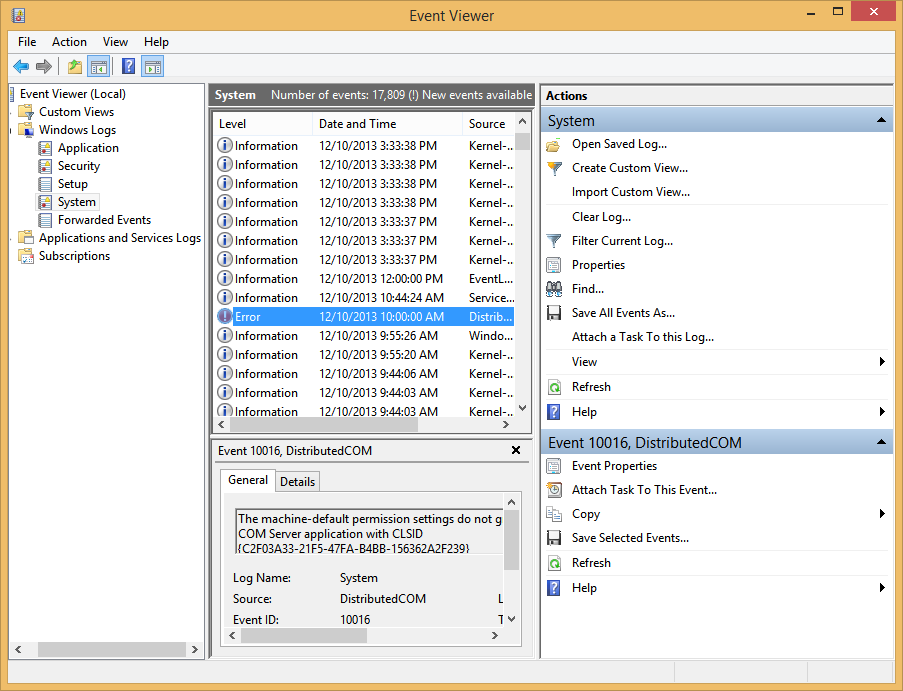
ReviverSoft Blog
Find out what's causing your BSOD and how to fix it.
heady arrow
Thx
vagrant bison
No problem. Hope you can figure it out.
 true tree
anyone experienced this strange behavior with GetRandomReachablePointInRadius()? https://answers.unrealengine.com/questions/543378/getrandomreachablepointinradius.html#600454
true tree
wow I think I got it
when I set the generation method to Chunky Monotone, it's working
hmm not really
 raven panther
how do I stop a nav mesh beeing generated on an static mesh at all?
true tree
I think if you set the collission
true tree
set the collision of the static mesh to No Collision
raven panther
then it will not cut holes into the nav mesh
so not beeing relevant to navigation at all
true tree
for holes you can use nav modifiers
if you don't want nav mesh polygons on top of a mesh, you can adjust the bounds volume
raven panther
bounds of what? of the nav mesh boundary box?? that does not work it takes the centers I think
but i got it
I need to check IS Dynamic Obstalce in the mesh settings
thanks for the help
 static dew
Anyone else experience a bug with dynamic obst rivals where eventually fps drops?
Obstacles
fluid harbor
does anyone know how to monitor perception expiration? I have events OnTargetPerceptionUpdated and OnPerceptionUpdated, but none of them is firing once existing perception is expired
 round viper
hey guys ! does anyone have any idea of how to solve this issue ? https://udn.unrealengine.com/questions/364055/rotation-with-navmodifier-component-leading-to-are.html
 silk shale
Anyone know if there are there any methods that return the closest point that has LOS to another point?
silk shale
oh EQS can give me this
lusty cloud
@glacial harbor I enabled multiplayer but not able to move the AI on NavMesh
 coral hare
hello! does anyone have any experience with the croud avoidance ai controller? I'm having issues setting it up. It works but it always seems to try and use the default nav mesh, so that calling move to results in larger monsters getting stuck trying to go through small gaps instead of properly instead of selecting a larger gap to go through
 arctic crag
Am I doing something wrong here? When I try to print the value, it's always returning None. I've set a breakpoint and know that the object being passed is correct but when trying to get the value, it's always returning None.
 arctic crag
Anyone?
arctic crag
Why is this succeeding even when CurrentWaypoint is set? https://gyazo.com/9ae3c1891b02069a58af5b34989d06f8

 worldly berry
@arctic crag im trying to load the photos atm
arctic crag
@worldly berry did they load?
worldly berry
@arctic crag for the first thing is the key assigned to sth
arctic crag
I figured out the first thing
worldly berry
Ah okay
arctic crag
i wasn't setting the blackboard correctly
but this is baffling me because it continues to execute even when CurrentWaypoint is set
worldly berry
Open the settings of the blue thing
By clicking on it
And then show me the settings of it pls
 worldly berry
Is loading
arctic crag
if you click on it and hit open original, sometimes that helps it load faster
 worldly berry
How do you set it ?
 arctic crag
@worldly berry any idea?
arctic crag
ok you're awesome that fixed that
worldly berry
@arctic crag where do you change the state to no waypoint ?
arctic crag
the moveto is being called now but the pawn isn't moving
lyric flint
Anyone know why
SimpleMoveToLocation()
doesnt use my anim BP
when I possess the character it plays animations perfectly fine.
tardy hemlock
Hi All I am trying to follow a tutorial to sefup a Nav Mesh Bound Volume . I dragged in the Nav Mesh and adjusted the sizes and then pressed P and doesn't show up any ideas
true tree
@arctic crag you need a movement component in your pawn for it to be able to accept movement commands
@tardy hemlock the volume must surround smth that has collision (e.g. a blocking volume or mesh)
tardy hemlock
Hey Phe I figured it out last night the Z Axsis was to thin once I increased it and pressed "P" worked fine Thanks Alot for your reply
elfin socket
@lyric flint sorry i am dumb disregard
lyric flint
lol
arctic crag
I have some actors "fleeing" away from my player which i'm just calculating the inverse direction between the player and the enemy and moving the enemy in that direction. However, before this happens, the enemy is moving to a target location but I want the enemy to "flee" when they come into flee range from the player even if they're already moving to another location. I've seen that there is a way to do this with having a player move towards a target actor instead of a target location but that seems like a very indirect way of fixing this problem. Is there another way to fix this issue?
worldly berry
@arctic crag You Could use a sphere collision in your character
And a state in your behaviour tree assigned to a selector where every things goes off depending on whether the state is walk or flee
In the AI character you make on component begin overlap and cast to your player with other actor
Then you set a bool to true
And in the state from earlier you make receive tick AI and cast to your AI character and get the bool
And then make a blackboard key selector variable
And get it
Off of it you search for set as bool
And use that
In the behavior tree once you assigned the state you assign a bool variable of your black board to the blackboard key selector variable of the state
After the selector make to sequences
Both with a blackboard key conditiona
On one if the bool is true
One if the bool is false
Off of false you do the walk stuff
Off of true the flee stuff
@arctic crag
elfin nymph
AI decorator is printing true but is not letting it through O.o
(and not set to inverse)
 ancient sonnet
Quick question for ya'll AI pros. I noticed that one the EQS tests we can do is a cone "Cone in front of player." Is there a way to do a cone behind the player instead?
 foggy moth
Cast to the ActorBP keeps failing?
I keep failing on casting to this actor BP
the AIController is set - and inside the AIC - using blackboard & running the Behavior Tree
worldly berry
@foggy moth is Bear a pawn or character ?
foggy moth
the guy that made this - made it ACHARACTER
worldly berry
Since you can't cast to an actor with a pawn reference
Oh overrrad it
Why do you use an extra get controlled pawn ?
There already is one in the event ?
foggy moth
please look at the image - i was both trying the ControlledPawn from the EventReceiveActivationAI
as well - from the controller
seeing if either would work
worldly berry
Ok
foggy moth
my SPAWN method is SpawnActor
worldly berry
What does it say if you hover the reference onto the input of the cast?
worldly berry
If you hover the reference of the controlled pawn of the event onto the cast ?
foggy moth
sorry @Luis - was debugging this
i'm unsure what you mean by hover the reference of the event onto the cast - it shows PawnReference
@worldly berry
worldly berry
If you drag the reference you get from the event to the cast
foggy moth
i dont know how to answer that - makes no sense to me
if i understand what your asking o- dragging from "ControlledPawn" on the EventReceiveActivationAI node yeilds all CHARACTER type classes (when set to CONTEXT SENSITIVE)
to which "BEAR" shows up
however - debug testing spits out NONE on this node @ runtime....
which is stupid - a TASK i'm running has the same node (EventReceiveExecuteAI) and the output for ControlledPawn IS VALID - shows Bear_C01
foggy moth
i dont understand - if i cant access my Character script from the BTService - how am I ever to get/set variables inside of it? 😦 Anyone got an answer?
ancient sonnet
Sorry, I'm not sure.
What I do know is that Controlled Pawn returns a character or Pawn
As I'm currently using it to control characters
so you don't need to cast then cast to bears
from AIC to get controlled pawn to bears.
what version of unreal are you running?
Also in my case I find it's easier to store a reference in blackboard of our controlled character/pawn in AIC Event begin play, and then in whatever thing you're trying to execute, you can create a Blackboard Key Selector variable, expose it via the eye
and then you can set SelfActor there.
and then pull from that Key selector and say Get result as actor
then should be able to cast to bear.
any other! I have a question. When a object of interest moves away from the perception field
what data can I use to tell this?
 thick magnet
If I have some data on my AI Controller that I want to write to my behavior tree blackboard, is there a way to do that as soon as the value changes (in C++) without having to wait for a service to pick up on the change half a second later?
I could manually trigger a function on the C++ side that writes to the blackboard, I guess
foggy moth
@thick magnet - bind an event from the AIController inside the Service - that sets a BlackboardKey value
All - i'm ALWAYS stuck in hte left most sequence - even though i'm setting this int blackboard value to something other than 1.... but its always firing the left most sequence tree. What am I doing wrong?
 thick magnet
So the service itself can execute events invoked by the AIController?
Because I could also just do it in the AIController BP itself
foggy moth

sure why not?
you could also do it from the CHARACTER class too
binded events that is
hell you could even implmenet an interrface
and use messaging services
because AIController has valid reference to the BTree
thick magnet
Doing it as a service makes it easier to access blackboard values though I guess
foggy moth
@thick magnet - you familiar with Decorators?
i cant for the life of me escape out of one sequence - to go to another
even though the INT blackboard value is being set appropriately
thick magnet
I actually have the exact same problem
Want to be able to trigger something to interrupt a MoveTo if the destination changes
charred glade
How expensive is dynamic nav mesh, memory wise?
I think it causes a leak in my latest build
 muted surge
you can run a profiler and see the difference?
okay so it seems like the only way to rotate an AI-controlled pawn is through a BT, you can't for example use SetActorRotation outside of a task
it doesnt behave correctly at all outside of a task
true tree
anyone has an idea what to check if my AI doesn't move only in standalone? In editor and packaged builds it works, the navmesh is there etc.
 signal kindle
hey guys, I'm following this AI tutorial but I'm worried it might be a bit old

http://peterlnewton.com/ Event Received Conditioned Check changed to Perform Condition Check in 4.8 look http://i.imgur.com/v1FiDy4.png [PROJECT] https://for...
for example he creates a blackboard data asset in this video - but I'm not sure if there is a difference between that and just making a blackboard, or if I should make a blackboard instead
will that mater?
elfin socket
@signal kindle Something I noticed in unofficial tutorials is that usually they sometimes do simple things in weird, overcomplicated, and esoteric ways. The best thing to do when doing unofficial tutorial is to not believe strongly in everything they tell you. It's best to do multiple tutorials so you can see the same stuff from different peoples' perspectives.
Like this UE4 AI book I'm reading on Packt right now. They spend half the book teaching us how to do stuff in the AIC blueprint when you can do it in a simple BT service/decorator/etc. They only bother to do it that way at the end, though.
signal kindle
I've started to get this impression from many tutorials - especially ones that spend a long time giving you a specific list of blueprints to hook up for 25 minutes before showing any results
I think after I do this I'm going to spend some time with the Epic videos and try and.. idk soak in their methods
I don't know enough about AI to know what most of the parts to creating AI actually are or how they interact so I just have to take things as gospel for now and remember to come back to them 😄
elfin socket
@signal kindle What has worked out pretty well for me over the years has just been focusing on using the official Unreal Engine for everything and only bothering with non-official tutorials when there isn't an official thing about it.
The Matthew Wadstein guy does a good job, too. I usually go look for stuff amongst his Youtube videos if I can't find an official tutorial about the thing I want to learn.
Oh hey @signal kindle fun fact: the guy who wrote that AI book I was talking about is coincidentally the same guy who made those tutorials you're watching
lyric flint
@fast basin I didnt know you were on this server!
 fast basin
A bit off topic here, don't you think :p
ancient sonnet
Question: Do ya'll have a great source for utilizing AI Perception ?
I wanna start taking advantage of these modules but I would love to see modern examples.
 earnest kite
Hello! I'm having a problem with my AI, they select a random point to walk around, and when they accidentally collide with someone they go flying into the air. I think there is a problem with the collisions but I can't it out... Did somebody had a simmilar issue? Can somebody tell me if it was solved ? If you guys need a video or something, let me know.
elfin socket
I'm about to finish reading Unreal Engine 4 AI Programming Essentials by Peter L Newton from Packt. I figure it'd be useful to write a quick review here in the #gameplay-ai channel in case anyone is either considering reading/buying it or otherwise is looking for somewhere to learn more about how to do AI stuff in UE4:
Probably the only stuff in the book that isn't covered by the official UE4 AI training livestreams is in Chapter 8, which is where the really useful stuff happens. This is overall one of those books where they teach you how to do it the hard and tedious way, then come in at the end and show you how to do it the proper way, so to speak. Sort of like how math textbooks typically work, which is to say that they do it so that you understand the bigger picture and how things work in detail. Chapter 6 is also pretty good for learning about EQS stuff, though... however the author of the book already has a decent EQS tutorial on his Youtube channel so maybe it's not worth buying the book just for that. I give it a rating of 2 out of 5 overall because even though Chapter 8 is really useful and good... it's only like 15% of the content of the book, where the rest is just a bunch of stuff you can learn from watching one or two of the official training livestreams, where you can see in real time how everything works as opposed to reading the step-by-step guides that the author uses everywhere in this book. So if you read it through Mapt or buy it outright I recommend just skipping straight to Chapter 8 unless you're new to UE4 in general, in which case you can go through it normally and learn because you would probably be the target audience of the book.
If you guys think my impromptu review here wasn't terrible then I can write reviews for more things -- I've been using Mapt to work my way through a lot of its Unreal-related books and video courses.
earnest kite
Thanks for your opinion @elfin socket 😃
lyric flint
That's how Packt books are, IMO.
At least on UE4.
There's some sliver of useful information, but you really have to work for it, and it's in a vast sea of spelling mistakes and errors..
ancient sonnet
lmao
Yeah Packt normally caters to those who are starting out with providing information. Usually those people will move on from Packt as they only offer like 10-15% of sales cuts.
but will publish anything.
so it's a good starting point if you wanna build that sort've portfolio.
IMO start a blog for the same effect. Get more traction in-house then load up a patreon.
elfin socket
@ancient sonnet That's a good idea, the blog + patreon thing. I wish I could do that. I lack the motivation and perseverence, sadly. Just like my life!
ancient sonnet
You can do it. Lack of motivation goes away when you find the first small step that leads to small victories. The Path is paved by tiny victories. When the goals seem huge, they'll seem unobtainable. If that's what you truly wanna do start as tiny and modular as possible, break it all down, then start from step 1. You got this.
elfin socket
I wish I could carry you around on my shoulder like a parrot or a cat or something as I go about my day that says all sorts of wholesome, encouraging things all the time.
 lethal panther
Hi people, i've trying to set up AIPerception but i can't for the life of me see the debug area. I can see the friendly and enemy emotes but no sight area =/ Could use some help if someone is available
lethal panther
Yeah, and i also have a behaviour tree running on bots that i spawn but nothing shows up (not sure if it should)
Could it be related to the Debug Actor that shows on the top right?
It's my first time using this, but if its actor specific, that one has no logic at all
ancient sonnet
yeah that's interesting. Normally when you select an actor it's suppose to fill in that data. Verify that your AI controller is properly setup, that the character is being assigned that AI controller and that the behavior tree is being ran from the Ai controller is all I can think ofg.
lethal panther
I have 2 AIControllers that i implemented, the one that is currently selected might be from my early tests, i should get rid of it. But is there a way to of switching wich one i'm monitoring? @ancient sonnet
ancient sonnet
By clicking on the actor in simulation mode.
is the only way I know of at the moment lol
it doesn't show you everyone's brains at the same time
unless there's a way to do that, that's beyond my expertise if so.
ancient sonnet
Hey man, I'm just glad I could help 😄
lethal panther
After spending hours of frustration when someone helps you like this its just a bliss, really thanks xD
ancient sonnet
I know the feeling well.
lethal panther
Not to push my luck, but do you you know a way of changing it in PIE?
(Or just starting with a different one, don't necessarily need to dinamicly change it)
ancient sonnet
That I have no clue on. I've never messed with PIE
Like I have no clue what PIE is <.<
other than delicious delicious dessert.
lethal panther
Good way to get a man hungry xD PIE is the Preview In Editor
But we're not that far from eachother since i rarely use simulation xD
ancient sonnet
ah okay Yeah you can achieve the same effect
if you eject
from player
or controlled pawn.
Ejecting should allow you to see debug data as though you're "simulating"
at least if I remember correctly <.<
lethal panther
@ancient sonnet not lucky so far but i'll look a bit more into it tomorrow. Even if it doesn't work i'll make a few changes so that i can run everything AI related in simulation. Gonna sleep well tonight man, thanks again! gnight
ancient sonnet
Night
 proven ravine
Hey, anyone experienced with using AI over StreamingLevels? Want my AI to walk between different StreamingLevels, but kinda have Problems with the Pathfinding ... would appreciate some help
ancient sonnet
Sorry I have no clue. Okay I have a question.
What is the best approach if I want enemies to stack on my player but to say
P is the player and the 3 circles are the spots I want the enemies to stack on. Once all three spots are taken, I want the rest of the enemies to kinda wait til a spot "opens up."
worldly berry
@ancient sonnet use Wapoints attacched to your character in the outliner
The waypoint have a bool in it
And when you decide to go some where you get all actors of class waypoint
And then during a for each loop you get the bool of the array element
And branch it
After false you set it to true and set a location as black board key selector
Then you create a vector in the black board assigned to your behavior tree
Once that's done drag in the state onto a sequence
And assign the vector to the blackboard key selector
And then use a move to
And also cast to your AI character in there and set an integer to the array index
And then in the death functionality you get all actors of class waypoint and then off of the array you make a get and use the index stored in the AI (get it by casting to it )
And after the get drag off of it and set the bool to false
ancient sonnet
Roger that. Thank you for the heads up @worldly berry . I'ma try that today. I do wonder if there's a way to tell EQS that a point should no longer exist if an enemy is "at it".
ancient sonnet
I wish the AI guy from Epic was here, I know he'd have answers for days lol.
lethal panther
Does anyone know of a way of changing the height of senses in AI perception?
lethal panther
Might not be best way to solve this, but for now i increased the capsule component height
 hasty garden
hi
how can I make a dark souls boss-like AI?
videos on youtube only show the basics of blackboard/AI move to
 cobalt meteor
@Kreator#0298 You can use 'AI Tasks' in the behavior tree that act like Blueprints you can create custom AI behavior in. Just create a new Blueprint and base it off of the AI Task BP base
woven leaf
@ancient sonnet what you're talking about is commonly known as a kung fu circle
a lot of fighting games create some form of them
here's an article on a recent one
 ancient sonnet
I. Love. You.
woven leaf
essentially you have global system that tells AI where to go based off of priority
I wrote a similar one for raw data
here's another one
ancient sonnet
Oh wow, that's awesome. Sounds like a good tutorial if you're ever in the mood.
ancient sonnet
Thank you very much. I'ma get to reading
woven leaf
You could make a custom generator for an EQS, but it may not be as configurable as you desire
def will have to take into account the world / nav / etc
ancient sonnet
Righjt
lethal panther
If we have a possessed actor, can we destroy it in a task running in the behaviour tree? And if so is the correct way to call GetControlledPawn and use the DestroyActor node with its output?
 fickle iron
Someone here with some free time to help me about A.I? Want to make it go back to starting point after being idle for few seconds
lethal panther
@fickle iron i can try, but i've only been playing around with it for a couple of days
what point are you at?
fickle iron
@lethal panther I think the functionaltiy is already there. The A.I was made from someone else, just have to figure out the way behind.
Thanks for the offer, what is the easiest way to share the blueprints with you?
lethal panther
I'm not sure if we can do it here, but i've posted screnshots on comments before
Unless we're talking about a lot of tasks, maybe its enough?
fickle iron
I see, let me PM 👌
ancient sonnet
I have a question about perception. I know in Debug my is constantly grabbing the data of something I want to see. yet the perception updated only updates very periodically. Should I attach a timer to it to check again more often?
nah doesn't seem possible. How can I make sure that perception is being updated more often than not?
or the data I'm getting from perception.
worldly berry
@fickle iron save a location at begin and then use a move too if the then waiting is more then 5 seconds and as location the start location and you set it with a service at execute using set blackboard key as vector
 hard bobcat
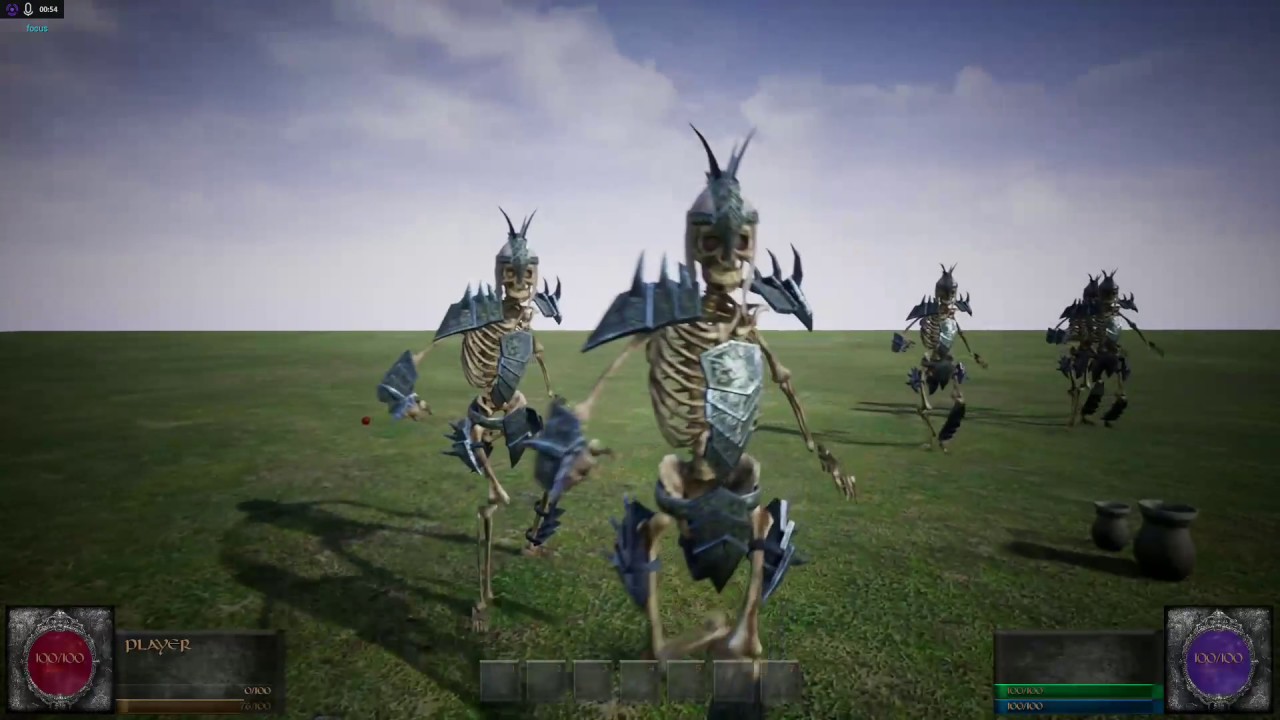
YouTube
Follow all the latest news, share your opinions and ideas, WIN FREE COPIES OF EDENGUARD! Discord https://discord.gg/WfXqaQS Steam http://steamcommunity.com/g...
 quaint silo
I'd like to know how to create an ai that know what it have to do like in banished or in the sims. For example if it is cold it must go in his house or if it need pee, it go in toilet, and if it is atacked by someone, it start defend itself. How should i do? Should i use http://www.unrealenginetutorials.com/character-follow-a-spline-component-unreal-engine-4/ and make a lot of if/else in a while loop in function of what he is doing and what it might need?
Sorry for my bad english.

Unreal Engine Tutorials
Make your character to follow a curved path which is set by using Spline Component Unreal Engine 4. Character will run on a pre defined curved surface on Spline Component
Is it even possible with blueprint ?
worldly berry
Its tottally Doable in blueprints but the behavior tree will get messy @quaint silo
After the begin task you use a selector
That has a service on it
This service changes states
And then after the selector every task you have will have a blackboard task attached that is state and has different enum values
Depending on each task
elfin socket
@woven leaf Pro fucking click, dude.
worldly berry
And in the service it gets decided what state should be used
elfin socket
Here's a really good source @woven leaf posted earlier for learning about AI tricks and topics: http://www.gameaipro.com/GameAIPro/
<@&213101288538374145> Hey can you guys pin this above comment to the channel, please? It's a really good resource.
elfin socket
Thanks man
 stone anvil
anytime 😃
 supple trout
How do you do if statements in UE4 AI?
I havea simple behaviour tree like this: http://puu.sh/wbeQ8/6dd26894dc.png
When the AI character reaches me I want him to become stunned for n sec and only start following me when that status ailment is gone.
The AI character has a boolean value that it uses to set the blackboard boolean value and I assume I have to keep updating it from the character blueprint as the AI character gets hit etc, but I cant add a conditional statment in the behaviour tree.
The closest I got was Wait Blackboard time, but there has to be a conditional somewhere. If door is open, go through. If number of kills >= Required Kills, do x else do y
etc.
supple trout
Well, I added a custom decorator that checks a variable in the AI character it is attached to, so it works, but it seems kinda roundabout.
hasty garden
How can I make an A.I just like that of dark souls enemies? Is there any tutorials covering that?
supple trout
There are none, but it should be easy enough. When player is visible, run towards the player at a range of x cm. When at this threshold, move left and right around the player.
Randomly attack.
 cursive vector
how often does the sight sense get updated? is there a way to see/set that?
lyric flint
@supple trout Just use C++
hasty garden
@supple trout how do I do it using blackboard/behaviour tree?
supple trout
@hasty garden https://www.youtube.com/watch?v=h0Kb42oCoYg

Private Tutoring & Work for hire: www.Tesla-Dev.com
What you want is a complete step by step and I will not give you that. You have to learn this yourself and build it up step by step.
 cursive aspen
This is actually a question about the AI in UT2004 but i haven't found a better place to ask this. I'm writing my bachelor thesis where i will compare a DeepRL agent with the AI in UT2004, so i need sources to both understand and make claims as to how the AI in UT2004 works. However, so far i haven't found any. Do you guys know where possibly could find that?
worldly berry
Look in the credits of the game for the AI devs and ask them
Would he the best option
*be one of the
 ivory willow

AI Character Controller with Jumping. It also uses a Behavior Tree with a Decorator for looking for the player position, and two Task nodes: one for moving t...
 serene pelican
Are AI Controllers on Server only?
 north trellis
@serene pelican Yes
 wary ivy
I have been thinking about making some sort of flocking AI controller, but I'm having trouble figuring out how to do path finding with it
I can't simply add movement input to the direction of the goal, it would get stuck
probably best bet would be to apply movement input to the direction of the next point along the navmesh path
but what happens if some other pawn in the flock pushes this pawn off the current nav mesh segment, off the course so to speak?
that would invalidate the previously searched path
 lilac bone
Is linking a reddit question okay to do here?
I need help:
https://www.reddit.com/r/unrealengine/comments/6fzkhq/for_those_familiar_with_the_ai_stuff_what_do_i_do/

reddit
For those familiar with the AI stuff, should I even bother learning the Behavior Trees? What about EQS? Or Perception? I'm working on an open...
floral mango
replying on there
ocean wren
jonimake: You could look at the crowd code and AI controller (detour) and adapt that. Essentially the detour crowd implementation uses a custom movement component that applies a movement force to avoid nearby collisions with other agents in the crowd
wary ivy
that still doesn't really guarantee where to go if you're bumped off the current nav mesh segment
I guess I could flood fill the nav mesh and calculate direction vectors for each segment towards which the pawn would apply acceleration
...but that would essentially be path finding from each segment, not good
hmm, actually nope
it could work
hard bobcat
Got my AI working. 😃

YouTube
What started as a way to teach my 9 year old son the basics of computer programing using unreal4's awesome blueprint system, has now become a way for me to b...
worldly berry
👍🏻👍🏻
lavish lotus
how do I get my AI to hear things
fickle iron
Shanowzer, I can show you how my A.I works
btw, any A.I dude here who can tell me something?
wary ivy
just ask away, someone might answer
ancient sonnet
@cursive vector did you ever find your answer? I'm curious about that too? right now I've hooked up Perception to tick to get it on tick..
cursive vector
@ancient sonnet no, don't know.
ancient sonnet
If you ever do stumble upon up, lmk pweasee ❤
worldly berry
Nice
rustic nova
Following on from that reddit AI question. I've tested 100-200 AIs and started dropping frames but then there's this video with like 500 AI running smoothly. What are they doing differently? Well assuming these are actually the AI from paragon and they didn't disable their logic https://youtu.be/FwDT2b-8x9c?t=16m28s
Would your PC or console game be more fun if you could fling about huge groups of ragdoll-simulated characters? (The answer is probably yes.) In this video, ...
worldly berry
Have you used blueprints for the AI logic ? @rustic nova
fickle iron
@lavish lotus Write me on PM, to share the bp I got!
btw, anyone here can help me set the A.I return in different points or patrolling? I alreayd have in otehr 2 A.I, but want to add it in another one
rustic nova
@worldly berry Yep but I was testing a character running an empty behaviour tree, so he was just standing there
worldly berry
Hmmh okay
hard bobcat
@fickle iron Here's a great tutorial for patrolling AI. Adjust as needed. (Not my video but well laid out. )
Private Tutoring & Work for hire: www.Tesla-Dev.com
ancient sonnet
@rustic nova I know that for this demo their models are light weight (low poly) and they use some short cut physics simulation instead of the full featured rigid body simulation to make light weight interactions.
Also they're probably running a 1080ti or titan and i7 machine.
hard bobcat
Anyone ever run in to the issue of AI perception resetting over and over when a skeletal and or static mesh is added to the AI Char BP? Mine is working fine but if I add a component or mesh to them for a weapon, they constantly loose sight, re-dedect over and over. Remove the mesh from them (or melee trace component weapon, i tried both) and they go back to detecting/search perfectly.
why on earth would adding a weapon to AI cause it to loose perception of the player character over and over, and seemingly randomly.. Im wondering if this is a bug?
hard bobcat
EDIT: Figured it out. Auto Decect component since last seen. Has to be a positive value.
hard bobcat
Murdered by my own AI!

YouTube
What started as a way to teach my 9 year old son the basics of computer programing using unreal4's awesome blueprint system, has now become a way for me to b...
fickle iron
@hard bobcat Thanks! Will look into it, my hardest thing would be to make hte patroling without interacting with the current behavior :3
static dew
Anyone got resources for AI on controller that would need to use difference forces to move around? Physics based ?
hard bobcat
@static dew There's a ue4 tutorial about pushing around a giant ball.. I see if i can dig it up.
static dew
Thanks 😃
 dense root
Anyone alive right now?
static dew
Zzz
dense root
Lol
 ivory atlas
Hi guys I really need to simple ai but it should work on multiplayer AI task:
-Follow nearest player
-Kill him
But important nearest player
worldly berry
@ivory atlas do you use the same character for the players ?
Or do you have a base class for then ?
*them
What you can do is perform a multi sphere trace at execute tick AI and look if the hit actors class is the same as the base class / the characters class
Then you create an array variable clear it before the for each loop then add the hitted actor to it when the hit actor is equal to the player character (base) class
Do this in a for each loop
Then after completed you get said array and look if it's length is > 0
If true you perform a for each loop with the array
And get the distance to the player character as length
(Is a float )
You will have another array a float array this time clear it before the for each loop and add the lengths to it
The you use min of float array
The input is your float array variable
And then at completed of the for each loop you take the index of min value of the get min of float array
And perform a get
The index is the index
The array is the hitactor array
Then you will use the node move to actor
The target actor is the return of the get
That's is that's how you get the nearest player
Should be working on multiplayer too when replicating it somehow I think
@ivory atlas
ivory atlas
@worldly berry sorry I was not here you write many thank you for this but image will more helpfull because I can't understanding english very well
No really tried but coudn't understand
 sweet cargo
I think from where we all came from 
ivory atlas
@worldly berry Turkey
static dew
@magic jasper any tips of hover ai?
 magic jasper
I'm using NavMesh, and apply input based on a 'spring', sort of
that's about it
Not really dived into it much yet
static dew
Ahh hmmm I'll have to experiment later
I don't have much going on in my game requiring path finding just trying to get to to said object.. Was debating just using its location X,y and its own z as target and look at that. And when facing it adding it's force to move
ivory atlas
@lus
@worldly berry can you give me pictre ?
worldly berry
Give me some minutes
ivory atlas
Okay I'm waiting
ivory atlas
@worldly berry didin't worked?
floral mango
@ivory atlas look at using the EQS system to find the nearest player
the standard AIController has a MoveToActor method that'll follow them
ivory atlas
Yeah I checked already but its not working multiplayer
@worldly berry okay don't need hurry
floral mango
Perception system will give you a list of visible actors as well
ivory atlas
@worldly berry when you will start?
ivory atlas
@worldly berry Bro are you there?
lyric flint
hi guys im new to ai and i was wondering if anyone could lend me a hand. i have an ai working with behavior tree and blackboard as well as using ai perception. im trying to drop multiple but when one detects me so do the others at the same time. how can i have only the nearest ai be affected rather than all at once
 dusky lodge
@lyric flint continue our discussion here
lyric flint
Oh alrighty
We figured it out it was in the blueprint we're trying to asses the problem now @devilsd
@DevilsD#0613
worldly berry
@ivory atlas sry dude I'm sitting in it atm I had headaches yesterday and went to sleep
@GrimReaper60#6350 how have you fixed it?
ivory atlas
@worldly berry thank you luis is it eorking multiplayer Im not in home
ivory atlas
Hmm okay thanks
worldly berry
Is it working ? @ivory atlas
ivory atlas
I'm far away from my pc :)
worldly berry
Haha okay xD
 cobalt fulcrum
Anyone know any good resources for learning how ue4 AI works? In blueprint, or c++.
lyric flint
does anyone know how to make a ranged AI
elfin socket
@cerulean sparrow check the pinned messages for this channel
ivory atlas
@worldly berry Hey bro what is the "event recieve tick ai"
worldly berry
Its basically the tick in AI behavior it's called event received tick AI because it gets triggered everytime the Event tick in the AI character is called as far as I know
Create a service in the behavior tree at the top
ivory atlas
Hmm okay
lyric flint
event recieve tick ai will tick every frame unless you break out of it.
I rarely use it, I only use execute AI.
ivory atlas
@worldly berry bro its not working
worldly berry
Yeah could be because of the tick
You should use some other event
And it should work also outside of the behavior tree
So you could use it in the AI character blueprint aswell
hard bobcat
@lyric flint https://www.youtube.com/watch?v=h0Kb42oCoYg
Private Tutoring & Work for hire: www.Tesla-Dev.com
lyric flint
thanks @hard bobcat
cobalt fulcrum
Thank you
 wooden brook
hey guys - would anyone know why multiple of my AI seems to be basically sharing the same controller?
through debugging each seems to have their own controller, yet the blackboard seems to basically be getting data from all 3 when updating a certain vector value
its almost as if the same behavior tree is being run for all 3 of these AI instances
 pallid mica
elfin nymph
pallid mica
elfin nymph
@wooden brook turn off instanced shared(or something like that) on the blackboard vector
elfin nymph
Been in there for as long as I can remember
wooden brook
post 4.12
elfin nymph
They only default it on since a few versions though
wooden brook
damn, yeah I see it on all my vectors now
elfin nymph
or it's random, I'm not so sure :D
wooden brook
lmao
elfin nymph
It just happens
wooden brook
well thank you 😄
elfin nymph
No problem! ^~^
 cunning vault
@elfin nymph @wooden brook if you disable that and have many AI entities probably the performance go bananas
seens like a method to save performance and memory
wooden brook
it honestly does no good if you're literally not trying to sync variables
cunning vault
yeah found the same problem
wooden brook
i dont really see how it'd save much considering the behavior tree and tasks are all still running for each instance anyway
 potent harbor
Hey guys
Got a question
I'm following the UE4 tutorial on making a Guard AI
There are a couple of differences between the video and the current version of UE4 but that's okay.
However, when I look in my behavior tree, in the video he is using a "Move To" Task from a Sequence.
And in that "Move To" task the blackboard value "GuardTarget" is already selected as it'ss the only value in the blackboard
But when I go look, not only is the blackboard value set to "None"
I can't choose any blackboard values either.
Is there anything I should check up on I might have missed?
Okay I made a quick test. It appears that you can't use Object Keys for Move To tasks
Which is what he does in the video so
Nevermind I guess 😃
 jovial valve
At the end of the day, the "Move To" accepts either a world position coordinate or an actor, which gets converted into a world position coordinate. If you feed it anything else, you'll have problems.
Man, sometimes I feel really stupid. Today has been one of those days. I have been trying to figure out how to create my own steering component based off of the 1999 GDC boids paper by Chris Reynolds. I got the seek and flee behavior working fine, but then I went to add in obstacle avoidance behavior, and my approach of manually modifying velocity kind of fell apart.
it's like, "Okay, move from point A to point B. Great! you did it!"
"now, let's put a blocking obstacle between you and point B! You have to move around it, and after you get passed it, continue moving onto point B"
someone might be saying, "Why not use nav mesh or A star?"
I'm moving flying objects in 3D space and I'm not smart enough to figure out A star and that would probably be overkill, though... I may end up projecting my path onto a nav mesh anyways.
woven leaf
@jovial valve http://www.drunkonnectar.com/3d-pathfinding-ue4/
doesnt have avoidance of other flying Ai
but you can schedule collision queries
uses a super basic voxel 3d grid with dykstras for path
jovial valve
I ended up creating a combination of waypoints for scripted behavior and using the nav mesh + obstacle avoidance for flight
 cobalt dagger
Is there a good guide on behavior trees and blackboard? more what each node means and does, that kind of thing
lyric flint
hey guys :)
I want my PlayerCharacter to have an AIPerception Component because I want my AI Characters want to know if the Player can see the AI at the moment
I tried it with the PawnSensingComponent but it doesn't Broadcast when the Player "unsees" someone
I hope anyone can help me with that
 livid hawk
@Cloudy McStrife#1570 can you override the AI perception functions ?
(one sec, checking how I did it )
the AI perception component has an overrideable method " On Perception Updated " method
and it has a " updated actors array "
if the player is in the array, he's perceived
that's how I do it anyways
 bold pebble
I have simple enemies that should flying in front of player in 3d space, randomly moving left-right, up-down, forward-backward. Player moves left-right, forward-backward. Like in galaga but won't come close to player and move to random point. They do nothing except fly and shoot. In final view it should be like a swarm. How to create that enemy behavior? I'm new in ai
livid hawk
Hello guys, Anyone knows how to make Environment query assets in 4.16 ?
I had a bunch of them in 4.15, now they've disapeared, without any explanation
 pseudo totem
Did you re enabled them in the editor settings?
livid hawk
@pseudo totem Yes forgot to answer there too, but I solved it like this indeed
@pseudo totem had mentioned that I've found the checkbox in #ue4-general 🤦
@pseudo totem thank you tho ♥
pseudo totem
🤘
 quick beacon
Where can I find the implementation of the blueprint "AI MoveTo" or "Move To Location or Actor" ?
They have a small clock icon on the top left which seems to mean they will be executed until they finish without blocking the main thread.
I would like to know how it is implemented so that I can reproduce similar behavior in my BT_Task
quick beacon
nevermind I finally found it it's a static function in AITask_MoveTo.h, now I just need to read the code 😃
 high lantern
@quick beacon Those are latent nodes
Those are generally done through...
UK2Node_BaseAsyncTask? That doesn't sound quite right, but close.
Not what you want to subclass
UBlueprintAsyncActionBase
They're a bit weird.
Okay. They're super weird and kind of gross.
You make a static, BP callable method that returns an instance of the class. The name of that method is what the node will be named in the BP editor when you search to make it.
Whatever inputs the method has is what the node will have for inputs, IIRC.
There'll be the usual default exec node, but for any single-cast dynamic delegates you have as BlueprintAssignable properties of the class, you'll get out exec pins for those.
It's on your internal code to execute one of those delegates.
UAsyncTaskDownloadImage for example
bold pebble
Hey, how to create swarm logic/behavior with collisions for enemies like in galaga?
 deft hemlock
can someone explain me why my ai enemy stops moving or looking for a path if collides with another enemy or the player?
deft hemlock
nvm just figured out what was happening
 quiet basin
cobalt dagger
quiet basin
cobalt dagger
How does setting the teamid work for the AIPerception?
cobalt dagger
Well setting the attitude towards it anyways
lyric flint
Ok i have a ai that when see the player it starts to spin how do i make it so when the player goes past the ai senses it stops spining
swift bolt
For AI logic, to get started, all I need is a Pawn (or is it a Character?), a Behavior Tree and an AI Controller?
lyric flint
You also need navmesh
 fleet iris
Hi guys is it anybody online
swift bolt
so for AI is it better to use Pawn or Character?
floral mango
Character is just a specialised pawn designed for a skeletal mesh, animations, character movement etc
ivory atlas
Hey guys I got actor referance and its finding closest player and I plugin to Ai move to "pawn is self , target is actor referance its chasing just one player perfectly if more close other player Ai is going to at the midddle of the map.
 ebon ore
Hello everyone! just a quick newbie question: is it worth to use behavior tree feature or better just to make the same in blueprints?
deft hemlock

anyone knows why this is failing?
i am trying to move my ai to the coordinates -2200 700 100
but the ai do not move at all an give the print string fail all the time
i have a navmesh setup in my level
 leaden flume
I've had that issue before. Move to location just never worked for me. I didn't investigate much, I just spawned a dummy actor at the location I wanted my ai to move to and used that as the goal actor, then destroyed the actor again.
deft hemlock
funny thing is not working even with actors
but if i pass the vector variable through an interface it works
crazyness
i am beginning to be frustated with this issue
anyone got another suggestion?

dont know what happened but this works using a get all actors tag with an index
but manually writting the vector or placing a vector reference do not worked
there sgould be some issue with vector variables
dont know
 latent bolt
is there any general rules - should I go with EQS system of stick with "standart" way?
ivory willow
AI Character Controller with Jumping. It also uses a Behavior Tree with a Decorator for looking for the player position, and two Task nodes: one for moving t...
 random topaz
has anyone used the grid pathing ai?
deft hemlock
i am using the (Move to location or actor) node to move my AI to the point i want and drop some box on the floor and its working but if i use the node ( stop active movement) the ai stops and the box apear at the same time in the designated point what i want its just to stop with the box and keeps on its hand
deft hemlock
*solved
 knotty lynx
@ivory willow how did you get the character to jump up that ledge with out using a nav link proxy
woven sage
^
Tag me when you answer please ❤ :3
(Working on a massive map, where I'd like animals to jump up rocks and that kind of thing, but not be forced to place ten nav links per climbable object >.>)
knotty lynx
Well I do know that rama done a dynamic path finding system with jumping ai but I don't think he realised the code
But a work around it, you could just have a line trace going out of the character and it it hits a static mesh get them to jump
@woven sage
 cedar gulch
How exactly do I tell Unreal to play the same animation on multiple skeletons?
Like, calculating the current frame of 1 animation and applying it to multiple skeletons?
lyric flint
@bold pebble you are genious
bold pebble
what?
lyric flint
That galaga thing
bold pebble
Are you made it?
latent bolt
@cedar gulch I suppose you should take a look at the animation montage
cedar gulch
@latent bolt Do I even need AnimsBP for that? That answer could my brain to understand how this node works
Or is it the slot thingy
latent bolt
what behavior are you looking for?
do you have some animation that should be played sometimes? Like "interact with object", "reload" animation or something like?
cedar gulch
Like in a strategy game where you have troops, and they all move at the same time
latent bolt
ah
cedar gulch
So, you only calculate 1 frame of the animation and apply it to all troops
latent bolt
Yes, I understood what you want
cedar gulch
But I hope Unreal has a better solution
latent bolt
I dont really know how to do this..sorry mate)
cedar gulch
So, AnimMontage won't lead me to what I want, or do you mean you don't know how to do my approach? ❤
latent bolt
I'm not really sure...If we talking about rts example with movement - you could try to add "IsMoving" state inside animation blueprint state machine and play moving animation. Maybe, you wont notice any desync between actors..I'm not sure.
cedar gulch
Yeah, it's not about syncing, it's about perfomance
 peak sentinel
hey guys, it's been a while since i worked with AI but somehow my Behavior Tree does not use my Blackboard, i can't switch between them either....
nevermind, i deleted everything and now its working^^
knotty lynx
alright so i got a problem that i am stuck on for a while now with my game im trying to have 5 playable character the switching part i have done and that works fine i do have some ai on my characters that isnt been used but when i switch from on character to the other i have it set so the ai should possess the second character again but the ai isnt updating the character at all it just stands there
This is what i currently have set up but im not sure where im going wrong here
 uncut viper
Hello, when i'm using AI to move a character to a NavPoint (waypoint) with the behavior tree MoveTo task ... it snaps into the direction it should move very quickly and not in an organic way. How can i slow down the turning rate ?
I know about this site that might help, but is there no way of setting the AI params or anything else on the Character Movement component on the character to ease the turning rate? https://gamedevelopment.tutsplus.com/series/understanding-steering-behaviors--gamedev-12732

Game Development Envato Tuts+
I simply give the vector location to the AI and BehaviorTree, is there a way to tell it, ease into/towards that position ?
woven sage
@uncut viper Been on that problem for a really long time, I don't think there's a fix
It's on my to-do list to make a hack-around for it using BP and put that on the forums
Not sure when I'll actually get around to doing it though
uncut viper
aha thanks for the feedback 😦 @woven sage
woven sage
I have some notes somewhere on how I intended to do it
Except I don't know where I left said notes
😄
(Yay for workin on paper)
charred glade
Hi guys, is there a reason for the 40 AI limit?
And what is major limitations with large amounts of AI ?
Animations, net, etc ?
 sudden lodge
hi there
I've created an AI character
its moving to specific actor but without animations
normally when use it as my character its working
but as AI , animations is not working
animations are not working
wary ivy
sounds like the animation blueprint depends on the player controller
it should only depend on the variables in the pawn
sudden lodge
its ok I found 😄
I found my mistake
I did duplicate my characterBP for AI then I didnt change casting node 😄
serene pelican
hint hint
Use Interfaces
hint hint
wary ivy
@charred glade limit? There's a limit?
charred glade
Yes
wary ivy
I have had 200 AI running about
wary ivy
40-50 or so
most of it is due to the character class overhead
I wish there was a basic pawn that walked on ground 😛
instead there's just the floating pawn
if they just stood still then it was really performant
but the walking system of the character just doesn't perform well enough
sudden lodge
ok I solved my problem. 😃



 sudden lodge
hi there. Is anybody now how can I set rotation of my AI character?
I 've used almost all nodes about rotation . but couldnt do it.
wary ivy
that depends on how you're animating the character
sudden lodge
I would like to create a stand to sit and sit to stand animation
when character arrive front of chair he should turn arrow which is parallel with chair.
but I couldnt make it turn,
..
knotty lynx
Set actor rotation not work
 oblique girder
Theres no issues with using Char classes for ai is there?
sudden lodge
I guess yes
 round sierra
Hey, sight based AIPerception should also work in paper2d right?
Because for some reason I can't get it to work in my paper2d project, while it is working fine in my previous projects.
woven sage
I think so...?
round sierra
Someone an idea? I have registered the perception stimuli source but neither OnTargetPerceptionUpdated nor OnPerceptionUpdated fire while the actor should see the player. I already played around with the Sight config but to no success. One thing I noticed is that sometimes the Perception fires completely randomly and until now I have yet to find out why
ancient sonnet
So I had a thought! As a learner I'm making AI stuff with the built in systems and so far things are good but I have to make sure to set things up so specifically so that the cases for "bugging out" is really minimum. It made me wonder: Is there a best practices or approach that can help with an AI who is stuck in a specific mode or ability that's not firing. Kinda like to abort itself and restart or just choose another skill instead of staying bugged?
wary ivy
has anyone gotten the crowd thingy to work?
my pawns always get stuck when they walk at each others in a test case
RVO gets stuck too
 trim wraith
did something break in 4.16 with moveto? 😦 i moved a project from 4.14 to 4.16 and now my AI moveto just repeats really fast instead of moving
aha! another user commented about moving the navmesh, it rebuilt and fixed it right up. yay!
 azure stirrup
Is it possible to create a nav mesh that links to itself?
ie, link the right edge of the nav mesh to its left edge to create a "wraparound" play field?
And then separately, is there a way to use a nav mesh that is not a 1 to 1 match to a pawn's location in world space? ie, can I have a nav mesh that is used to calculate collision and movment but have the actor pawns rendering in a different area of world space?
 glossy spire
i guess you could transpose the path
or have a seperate navigation actor and calculate an offset
seems weird tho
livid hawk
Hello, I have an AI character in a level, he moves perfectly
but if I place him in another level, he doesn't moves
yes I have a navmesh bounds volume
livid hawk
Fixed it:
Error: not giving a location that isn't on the ground
I'm going to delete all this in a minute
just keeping a small brief of the mistake just in case it's useful
ocean crystal
dunno what you used to trigger a path, but there should be a return for Unreachable on at least one of them
If I'm not mistaken
livid hawk
well thanks for the LATE help @ocean crystal
ocean crystal
There's so many different paths you can use to start pathfinding
Wow man
I'm so glad it's helped!!
livid hawk
Ikr
and yes there's some "allow partial path" checkbox
but it wasn't doing anything
livid hawk
okay then I don't know what you're referring to yet
ocean crystal
Oh well then
livid hawk
I'm using the "Move to Location" node
it returns an enum that gives the status of the pathFinding request
the node you're referring to seems super nice
just a message that says "can't reach this path " can save an hour for some ppls
I guess i'll spend one hour somewhere else because something isn't 100.0% exactly as it should
the socket system is a bit better, it sens a message that says " can't attach a static mesh to a socket "
so at least we know what to do to fix the "error"
ocean crystal
idk did it return Invalid?
Oddly enough there's something for if the AI is not "on path"
livid hawk
It did return "failed"
I shouldn't use moveToLocation
seems too limited compared to the node you're referring to
glossy spire
Anyone have any experience using the EQS system?
livid hawk
@glossy spire somehow
glossy spire
are navigation filters strictly c++ stuff?
livid hawk
I think you can override any c++ AI class in blueprints
like EnvQueryContexts and whatnot
@glossy spire right click in the content browser, create blueprint class
and in pick parent class you can pick NavigationQueryFilter
glossy spire
okay cool
I'm trying to generate a navigation location within a designated zone, inside a larger navigatable area
do you think a navigation filter is the right direction for me to explore?
livid hawk
@glossy spire personally I use Actors, and MoveToLocationNode
I use the location of the actor projected to the ground using a linetrace
glossy spire
I'm basically finding a random point to move to inside a building
livid hawk
now with EQS, you could generate a pathing grid and add more tests
you can also create custom decorators
I mean custom EQS tests
glossy spire
Yeah, I've only been using the built-in EQS tests so far
livid hawk
@glossy spire in the EQS , generate pathing grid , filter : distance to some actor that you can move
another "pathExist" test
glossy spire
I guess the complication is that I have a series of rooms on a larger navigatable surface
livid hawk
and maybe you can create custom tests
glossy spire
and I want to restrict the EQS results to only within those rooms
livid hawk
it's not complex if you use actors to specify data in the rooms
room 1 is bound to "actor1" , and has the same size as actor1 scale
then you reference actor1 in your EQS and problem solve
it's not the prettiest and flexible way to do it, but it's the easiest
livid hawk
if anyone has a better method, i'd take it, mind you
@glossy spire i've been saying "actor"
create a custom blueprint, name it " AI_Zone"
reference it in your AIcontroller
using " get All Actors from class " ( that will get all the AI zones in the level , you can filter them in the AI controller )
glossy spire
right
livid hawk
then, pass them from the AI controller to the blackboard
and then you can use them in tests in the EQS
AND you can create new EQS tests in blueprints too
altrough i forgot the EQS test class to override
(decorator is for behavior trees )
now for the Contexts ...
I guess you could bind a context to every AI_zone ?
that's how I would do it anyways
@glossy spire sorry if it's not the " mac super official method (tm) "
glossy spire
Damn you know alot about this
livid hawk
but that's all I know so far , and it works
glossy spire
I couldn't find much info about their EQS system online
livid hawk
@glossy spire if you watch all the UE4 livestreams about AI ( with Miezko , and the other ones )
and if you look to some youtube videos then you'll know as much as me
glossy spire
well thank you, you've given me a lot to look at
livid hawk
which is " just enough to make interesting things happen "
glossy spire
haha yeah
livid hawk
@glossy spire Since i'm complaining a lot and always asking for help, it feels good to help too 😮
glossy spire
I appreciate it
livid hawk
😊
@glossy spire one last thing, you can't create custom EQs tests in blueprint apparently
but you can create them in c++
( or maybe you can in blueprints and I just don't know how to )
glossy spire
hm okay
glossy spire
Whew! Got it working, just in time before bed
I created a nav area with a custom nav filter, and made an env query that uses that filter
Now I just put some nav modifier volumes with the area I made
and it works great
oh, i also had to change the recast navmesh's Runtime Generation to Dynamic Modifiers
livid hawk
@glossy spire that's nice, now i'm motivated to use custom nav filters
fleet iris
Hi guys I got a question with Ai , how is working hear noise system?
If player too close to o close to AI and if he moving , Aı have to hear it and look around
?
swift bolt
In Blackboard is Key Query Is Not Set vs Is Set basicaly if a boolean is true or false?
swift bolt
How does the AI Perception see?
Does it only see the pawn as it is, meaning I should add a cpasule component to my VR Pawn to make th AI see me easier?
 spice ivy
How would i call an event after killing all the enemies?
swift bolt
Keep count of the amount of enemies you spawn (maybe in the level blueprint), when an enemy dies lower that count, when the count hits 0 call a custom event. You can have the check done on tick so every tick you check to see if that count hits 0
@spice ivy ^
 stone isle
I do?
spice ivy
@swift bolt yes that's the logic but how can i create that logic :3 whats the class i should use
glossy spire
@spice ivy On begin play, you could have your AI characters register themselves to a game instance, or the level blueprint, or whatever, and then remove themselves when they die. Each time they die, have your game instance (or whatever) check how many are still alive.
oops i guess i just repeted what Nonlin said
oh well
swift bolt
@spice ivy So few things to note, are you using C++ or Blueprints?
Assuming blueprints, you should get familiar with the concept of Level Blueprint, game instance and other commen events like Event On Begin Play, Event OnTick, how to make a new class etc...
I'm not sure how much of that you know if any.
spice ivy
@glossy spire @swift bolt thanks guys
I am kinda decent
I'm Using Blueprints, what exact class would detect that these number of enemies are dead or how should i begin programming that
swift bolt
Well you have a map, and every map has a level blueprint. So that level blueprint is a class you will need.
Then you have your enemies, they should have blueprint/class of their own as well.
Those are the classes you need.
@spice ivy ^
spice ivy
I know
swift bolt
Oh and I think you'll need GameInstance
spice ivy
What i mean is like what should i type
i think it will be something like : branch is the enemies alive? Not, then call this event
swift bolt
How are you spawning your enemies?
spice ivy
Oh
But i put them on the level for exact locations
I think specific question is how can i detect if all enemies are dead or not
swift bolt
You can spawn them at that exact location as well
spice ivy
True
swift bolt
This is why I'm telling you to do this
If you spawn them via your level blueprint, you can make an array called Enemies, and every enemy in the map will be in that array which is inside your levelblueprint
spice ivy
Wouldn't cause lag? if they suddenly spawn
spice ivy
Say 100
swift bolt
IDK test it out
spice ivy
Ok then what's next after the array
swift bolt
Well you have all your enemies, so I suppose you could check that array to see if any enemies are ever null, if you find a null one remove it from the array and when your array is 0 you have no more left.
spice ivy
By the way the most thing that needs more tutorials and documentations is Save game and save slots, its supposed to be really important but i cant find much info about it only simple save
@swift bolt alright, thanks will do
swift bolt
there may be a better way to do it but that is a way worth trying I suppose
but the general concept is there for sure
a way to check when something hits 0
spice ivy
Yeah so its either to check if they are alive or if they are zero i think ur method is better
Any idea about saving the game?
swift bolt
that I haven't really messed with, mibht find more help inside general or one of the other channels
cursive vector
does ue4's ai perception store store a "last known location" for an actor or do you need to store that yourself?
 honest plume
@cursive vector Use Target Points. If player isnt around. AI will always follow target points route.
Point 1 -> Point 2 -> Point 3 -> Point 4 and so on -> Point 1
round sierra
is there something I have to do when using level streaming? After I loaded the level my AI doesn't move, even though the actions are still getting executed. The AI works when I load the level in the editor without level streaming
lyric flint
could it be related to nav mesh?