#gameplay-ai
1 messages · Page 92 of 1
 sleek nacelle
 violet patio
How can I spawn waves of enemies? So far I have an AI_SpawnManager actor class that's placed in the world and on the BeginPlay() I call my SpawnEnemyAI function which has an array of all of my TargetPoints in the world (Which I'm using as spawn points) and trying to call SpawnActor but every time it crashes the editor and says it failed
 tidal kraken
What's the error?
I have some what the same setup right now... I have spawn points in the world, and a GLobalSpawner actor at gets all of teh spawn points... and then picks them at random to spawn in however many enemies I set...
violet patio
Yeah that's exactly what I have now
So before I was doing the spawning in my AI Character but I've since moved it over to the Spawn Manager
AAI_Character* Char;

Char = GetWorld()->SpawnActor<AAI_Character>(GetClass(), Points[RandSpawnPoint]->GetActorLocation(), Points[RandSpawnPoint]->GetActorRotation());
So i think it's the GetClass() that's throwing up the issue
tidal kraken
Oh, hmm. I've juist been using blueprints... So that seems more complicated than I thought. Plus I didn't know it was an engine crash... You recompiled and everything with no errors or warnings?
violet patio
Yeah everything compiles fine with no errors or warnings
If I put a breakpoint on the line and run, I get this
Oh nevermind it crashed again lol
 uneven cloud
You need to send it the class to spawn and not the class of the object that is calling spawn actor
tidal kraken
lol
violet patio
I can't call AAI_Character::GetClass(), it gives me an error
UClass *UObjectBase::GetClass() const

a nonstatic member reference must be relative to a specific object
@tidal kraken What node are you using in blueprint to spawn the actors?
violet patio
Yeah I have that too but in C++
tidal kraken
And then for each spawn point... I call the logic in my SpawnPoint class to spawn an enemy
Yeah.
violet patio
Could I possibly see a screenshot of your nodes and how you're doing it in BP please?
tidal kraken
I'm thinking it might have something to do from you moving from one system to another... You didn't parent the old system or anything... Or something else you may not be thinking of?
Yeah, it's a bit complicated... since I have it adjustable... but I'll paste it over for you in a seocnd
violet patio
Thanks man 😃
It did "kinda" work when it was in the AI_Character class but since moving it over to a Manager, it's failing
uneven cloud
I believe it's ::StaticClass() instead of ::GetClass()
violet patio
I used ::StaticClass() too
it doesn't do anything
It seems to spawn an enemy but it doesn't have anything to it - no meshes, no movement, no BehaviorTree
violet patio
No, I don't think so
tidal kraken
@violet patio the images are in 4k, so feel free to zoom in and such. Let me know if you want to see anything else... Like I said, it's a bit complicated, just because of the way I'm designing the system.

Imgur: The most awesome images on the Internet.
violet patio
C++ but created a Blueprint based off it
uneven cloud
so you need to spawn the blueprint version, not the AAI_Character. You do that by setting a TSubclassOf variable
violet patio
So do I change the AAI_Character::StaticClass() to just TSubclassOf<AAI_Character>() ?
uneven cloud
No. You need to tell it which blueprint to spawn. You do that by having a TSubclassOf<AAI_Character> AIClassToSpawn; Then setting that in a blueprint
violet patio
Does anyone know if it's possible to update the NavMeshBounds dynamically? I set the Navigation Mesh setting in the project settings to "Force Rebuild on Load = ON" "RuntimeGeneration = Dynamic" but my AI just stand there and the nav mesh isn't calculated until I walk around or fire my gun.
Basically what I need it to do is if I have 2 paths that the AI can walk down, raise a block from the ground to block 1 path, so the AI can only go down the remaining path.
uneven cloud
you'll want to not use dynamic generation or change the NavMeshBounds dynamically as it's incredibly costly. dynamic modifiers only with the block that's raised up set to dynamic modifier is the better way to go.
violet patio
Thanks @uneven cloud got it 😃
 left rover
Node goes to fail every time.
Anyone experiencing the same issue after 4.13 ?
Been asking this question before but just tryin' out again if someone might accidentally be online with the knowledge about this particular node and how it's been up to after 4.13.
 plain mica
Hey guys, what am I doing wrong here? http://puu.sh/rzfgu/5c14bbb16a.png
My blackboard keyvalue is updating properly with the correct target actor for my move to node, but the AI doesnt react to changes in that blackboard key until the move to task is re-run. Is there a way to have that task constantly update the target and go to the appropriate one set by my service?

 earnest frigate
anyone had any luck with EQS in cooked builds?
why oh why is this still an experimental feature
 muted surge
hello guys i am just starting with AI but i am a lot confused... i have seen tutorials showing how to use AI using a blueprint (AI Controller) plugged on the enemy BP but other i have seen using Behavior trees whats the difference? should i go for learning with one?
whats the best option?
uneven cloud
you'll still need the ai controller to use the behavior tree. Using just the AI controller would be fine for really basic behavior, but the behavior tree will allow to easily make and debug more complex behavior
violet patio
Hey @uneven cloud Sorry for so many questions, I'm quite new to AI. Do you know why the NavMesh won't go up stairs? I used the BSP Stairs and it goes up it fine but when I convert the BSP Stairs to a static mesh it doesn't want to go up anymore
uneven cloud
I'm going to guess it's a collision issue as the incline and step height look less than the other stairs
violet patio
But the stairs that doesnt have nav mesh on did have the nav mesh go up it when it wasn't a static mesh but the bsp brush
What collision stuff do I change? I changed the Collision Complexisy to use complex and simple collision, both didn't change anything
- I can walk up them fine
uneven cloud
Just want to rule it out... can you open the static mesh, toggle collision (button at the top), rotate to see how the collision is set up on the stairs part and screen shot it?
uneven cloud
have you restarted the editor since you placed the stairs? sometimes the nav mesh doesn't rebuild correctly.
violet patio
Yeah I've had to restart it a couple times
uneven cloud
looking weird is probably due to normals being incorrect. you can see those in the static mesh by toggling normals. the green lines should be pointing out
plain mica
I dont mean to bump something recently, but I was wondering if anyone could shed some light on this:
http://puu.sh/rzfgu/5c14bbb16a.png
My blackboard keyvalue is updating properly with the correct target actor for my move to node, but the AI doesnt react to changes in that blackboard key until the move to task is re-run. Is there a way to have that task constantly update the target and go to the appropriate one set by my service?
uneven cloud
Decorators have this nifty thing called observer aborts. You can set it to abort parts of the tree on blackboard value changes
If you are sending it an actor, that's the only way to update it. If you are sending a vector and using 4.11 or later, you can set the move to node observed blackboard value tolerance. which will update the path if the move to has changed > that tolerance.
plain mica
Awesome, thanks man! The Blackboard value tolerance solved all my issues. 😄
left rover
Seems "AI Move To"-node is still broken in 4.13.1.
Waited for the patch like christmas since everyone said the "AI Move To" not working was just a bug.
The enemy stops every tick before proceeding to move so it basically just keeps standing still and looking at the player with killing intent in it's eyes. 😄
Used to refresh the location of moving objects smoothly before.
 livid tartan
Does anyone know where to find some decent examples of AIPerception being used in c++? I searched around on google, but the UAISense_Config wouldn't compile for some reason..
Or do I need some specific #includes for it?
uneven cloud
@livid tartan what is the compile error that you are getting?
livid tartan
@Luthage hey, sorry I only discovered this place today and had the problem last week so I don't have the message anymore, I just thought it might have been something common/simple,which is why I was asking for any kind of resource to look at.
Now I know this place exists I'll definitely keep track of any issues I run into going forward!
uneven cloud
@livid tartan No worries. There isn't a lot of useful information on implementing the AI Perception Component. Anything that's out there seems to be badly outdated. The way I set it up was to have a blueprint exposed pointer so the sense config can be configured in blueprint by designers.
livid tartan
Yeah, I thought it all seemed a bit old. I'm sure I'll be facing into it again at some point soon, so I'll make sure to use this place as a resource
livid tartan
@uneven cloud So I'm getting an error "use of undefined type 'UAIPerceptionComponent'"
Nevermind, I was declaring my perception component/sight config as pointers when they needed to be objects
No that didn't work either 😳
livid tartan
Right, so after a long day messing around I finally got it working.
However there seems to be a bug in the AIPerception component, if someone else could check too? When peripheral vision is set to '360.0', it doesn't trigger the OnPerceptionUpdate event if an actor enters its perception radius, but 180.0 covers the full 360 degrees. Is it a bug, or am I missing something?
 lilac bone
Hey fellas, what's the best way to have a lot of AI swarming around? Think Nazi Zombies style. Whenever I reach about 100 of my AI, i'm sitting at below 20 fps
uneven cloud
you should profile it and see what is causing it.
@livid tartan the vision angle applies to both sides. set to 180 = 180 to the right and 180 to the left.
 cursive sparrow
@lilac bone there's a lot of performance considerations
Remember that the trees are event driven
 frozen lichen
How do I make NavLinkProxys work? I set it up, left on the ledge, right on the bottom, Link direction left to right
it shows the arrow in the editor
but it doesn't work
 warm arrow
Does the ai need to jump up or down?
frozen lichen
both would be nice, but down if a priority
 elfin nymph
Hey @frozen lichen what's the radius set at?
frozen lichen
radius of what?
elfin nymph
I believe snap, but to be sure my project is launching so i'll tell you in a sec
https://puu.sh/rFclE/2df14f4883.png yeah snap
 frozen lichen
hmm.. stil doesn't work
elfin nymph
Hmm, picture?
frozen lichen
is there any other setting that I need to change?
i navmesh settings or in movement component, or in ai controller?
elfin nymph
Hmm why is your character blocking the navmesh?
frozen lichen
hmm... dunno. will check 😃
thats an npc. they do have collision, so they should???
I don't think i changed anything
frozen lichen
ok...
I have it. it works.
I didn't have "affect nav" set to true...
but i lifted the pawn in the air so it doesn't affect navmesh
and it works when I start the game
lol
elfin nymph
Hmm well glad it works :p I got to go to the shop anyways, bye!
frozen lichen
hmm...
worked twice..
and still is broken -.-
bot runs to the proxy point, but then just rotates at random instead of jumping down.
uneven cloud
Move it away from the edge of the nav mesh
frozen lichen
is weird. I have it setup so that bots chase the player.. And bot jumps down only when the player is within the snap radius of the proxy.
If I move to any point on the other part of the nav mesh (the lower part), but twists in place and fails to jump.
but if i stand in the proxy radius its ok
or maybe it works when I'm directly in front of the bot.. I need to do some more testing
but its weird
frozen lichen
One more thing... How can I detect if the player is outside of the navmesh and move bots to the closeses spot that is still within the mesh?
Major usecase would be when player jumps to high and is above the mesh
uneven cloud
Project it to the nav mesh in the case for jumping
 still jasper
so I've made an AI class that follows me around. it waits a couple of seconds before following me though. Where might that be set?
uneven cloud
that depends on how you set it up
 heady maple
Am I being stupid - I can't turn off "Use pathfinding" in the MoveTo task when using behaviour tree?
uneven cloud
@heady maple You can't turn it off in the BT node. You can use "move directly toward" node instead
heady maple
Aha! I'll try that instead then! My flying cube didn't want to move. 😃
 finite tundra
Hey, I'm trying to add a service I made to my behavior tree but it can't find it for some reason. However, it can find my task. This is my folder structure: http://i.imgur.com/635EbbS.png and as you can see here my servive isn't being listed. Any clues? http://i.imgur.com/ZLyn0iP.png


nevermind I'm an idiot
 amber musk
 low root
Hey, anyone knows if EnableGDT command is still working for debug in the editor?
Cmd: EnableGDT
Command not recognized: EnableGDT
I am getting this error all the time, and only can debug simulating
 lyric flint
@finite tundra were you able to create a service from the base node?
 dense root
Does anyone know if Nav envoker is cheaper than manually placing a navmesh in an RTS style game with both crowd controllers and AI controllers? Also taking into account building structures in realtime that will affect navigation?
lyric flint
hi guysis there a problem with the behavior tree of ue4?
we;re trying to reset a blackboard key
using a task
but it seems it doesn't get the job done
lyric flint
hi guys is there a bug in the behavior tree wherein you can't set the value of a blackboard key that is type of float, enum/byte, and int?
we tried changing everything in our blackboard and it seems that these data types can't be modified inside a task
 ocean crystal
Have you confirmed your method will modify other types?
uneven cloud
@dense root That would depend on the size of your map. Generating the nav mesh is incredibly costly. Where invokers gain in performance is on really large maps, especially given there is a size limit to a pregenerated one.
@lyric flint I have not had a problem setting blackboard values.
lyric flint
sorry guys it's was a mistake actually 😃 I wasn't able to double check in the details panel if the key was really set to that object
 flint trail
How does it work with platform / lift as far as nav mesh generation?
uneven cloud
Nav mesh generation currently does not support moving objects
 grand axle
hey gang, I'm trying to set up unit detection for a basic tower-defense game. anyone have recommendations for tutorials/area of documentation to check out?
 edgy steeple
Complete resources for learning to use Unreal Engine 4
 rustic nova
@grand axle check out the demo "Strategy Game" under the learn tab.
grand axle
@rustic nova thanks!
 hoary sequoia
is it possible to store a structure type in a blackboard variable?
ah.. got it.. get as object and cast
 harsh ginkgo
Anyone know if you apply anti aliasing onto UMG text?
harsh ginkgo
ahhh, read ai as ui, thanks!
 crude arch
Just got back from vacation, and @flint trail and @uneven cloud : nav mesh totally allows for moving platforms. Settings -> Project Settings -> Navigation Mesh -> Runtime Generation = Dynamic. But if you have a RecastNavMesh Actor (get's placed automatically when using navmesh) you'll find that property on it
You can also mess with the interval in Settings -> Project Settings -> Navigation System -> Dirty Areas Update Freq
It defaults to 60, which is not in seconds or anything, nope, it's in FPS I guess...
so it'll update 60 times a second...
Need to poke Miezsko about that one, it's way off the norm
Now, probably shouldn't have everything in the scene affect navigation, because then the mesh would always be rebuilding, but for a lift here or there, this would work fine.
Another option would be Nav Modifier Volumes, and proxy volumes that allow mesh to be built in the empty space where you will eventually want the AI to go
But yea, @uneven cloud is correct, there's always a cost for doing nav rebuild, but thankfully, it'll be limited to the cells being dirtied
scrolllling on up to @dense root : Build it first, make it dynamic, this will allow you to place buildings and the like and have them adjust navmesh. Another issue you'll run into is that once a path is set, it is never dirtied by the navmesh changing, so if a tank is rolling forward and you place a building in front of it... well the tank won't care
so you'll need to check for that in some way (did I just run into a building? ok, re-do path)
If the map is super huge... and your storage space is running low (think like you're distro'n on a mobile device, or DVD), then use invokers, otherwise take that burden off the player's machine and eat it up front 😃
Of course that assumes you aren't doing crazy procedural generation... in which case, the player is going to need generate it locally
flint trail
@crude arch Thanks. Are there docs about AI and navigation ? (Blueprint only)
also wondering about "shouldn't have everything in the scene affect navigation". Are you talking about that one checkbox any actor has? (I believe it's "affects navigation" or something like that)
Should actors that don't move (walls, floors, etc. level architecture basically; or mesh-based terrain and rocks, etc.) have that checkbox unchecked?
And likewise, doors, platforms, etc. (any actor that moves and should block AI) actors should have that option enabled ?
crude arch
No docs yet, and yeap that's the bool. But you have it backwards, static things that should stop the AI need to have it on (most static meshes), dynamic things that don't need to be "ridden" should have it off (pawns), and dynamic things that need to be ridden should have it enabled (lifts)
Doors get weird, and it depends on your game's needs. Like, do you want them to just move through the doors? kick them down? Maybe the door shouldn't affect nav
but if you need them as a blocker of some sort, then yea, it makes sense to have them block
And if they need to interact with the door, whelp, you need to make them aware on "how to interact" with said door
flint trail
so NPCs, vehicles, etc. should have "affect navigation" option turned off? (since AI won't be riding each other in a sense it would ride lifts, platforms, etc.) ?
some doors need to block AI, some doors will be opened by AI (I'd have to make sure when they pass through trigger box door opens, but once it does they should pass through the door way). Those automatic doors, do they need for the option to be turned off ?
also, since all that stuff will affect navigation, does it mean nav mesh will be regenerated every frame for all actors, or only for movable ones?
crude arch
yea, or you'll be recalcing nav as they move around on a dynamic mesh, you enable RVO Avoidance for anything an AI needs to move around, or potentially for larger vehicles, have a Nav Modifier Volume you can enable and disable follow them around (to make it more expensive to move "through" the tank when it stops)
Auto doors, ones that will always open, don't need to really bother with affect nav
and nav will only rebuild if something has moved that affects nav and only in the cells it moved in
and cells are pretty small by default
like 1000 cm
square
Also, just did a bit of profiling in a test scene with a moving box that is messing with nav a bunch. As it is Async it will only use at most 0.111 MS a frame to figure it all out
flint trail
well, my project is for mobile, so I hope it doesn't bog down performance on mobile platform
(Galaxy S6 and up, so top of the line mobile hardware)
crude arch
so at most, for a full cell build, I was looking at 8ms over a ton of frames, but averaged less that 4ms over a ton of frames, with the low end being .44ms
er full cell = one cell
shouldn't as it's async, if anything, you'll need to account for odd behavior
like nav wasn't built when you called for the guy to move, and he goes the long way
crude arch
but you can check to see if nav is building and be like "hold that thought dude"
As I get them done 😃 lol currently fixing Physics docs, AI Perception and Nav are next on my list, with a refresh of EQS and BT
flint trail
ah, ok 😃
crude arch
Does OrfeasEl post here? Cause in the mean time, his C++ AI stuff is pretty solid
uneven cloud
@crude arch Meizsko has said several times that nav mesh on moving platforms is not supported. There's a trello task in the backlog from 2015 to implement it. Constantly rebuilding the nav mesh fast enough for a moving platform will invalidate the paths and the AI will not be able to follow it.
lyric flint
anyone interested in some theoretical discussion about a new possible path finding algorithm? What im wondering if it would be possible to apply page rank as path finding, im not sure how it could work, but i feel like it should be possible
lyric flint
I think the most obvious approach would be to use page rank on a graph(map), and use a Markov Decision Process, but i wonder if we could use pagerank to preload tile weights in other pathfinding? Thoughts ?
map
 versed dust
hello there, is there any decent tutorial or documentation you'd recommend me to follow when starting with AI?
a basic explanation on how the entire thing works and what structure is mostly used
uneven cloud
@versed dust Epic has done some good training videos: https://www.youtube.com/watch?v=evYE7tfWXUY

 fervent plaza
Hey everyone, dunno if I might find the answer in here or if it might have to be made in C++ but I have an enemy AI and I want it to be able to differentiate between what would be sunlight vs shadow and only have it move in shadow. Looking all over what BP has to offer, I'm thinking I might have to add on my own custom AI Perception for "light sensing". Anyone else have any ideas on how to tackle this without hacked cheat methods?
crude arch
@uneven cloud Ah ok, I see what you're asking for, like a local nav grid to the platform. I was thinking like you can have the AI stop on it (with the nav built there), move the platform, then rebuild at the end of the line. Functionally, you get an elevator, but not one the AI can use nav to move around on while in motion
flint trail
I was looking for that - AI gets on elevator or platform, rides it (without navigating around while on the platform), gets off, continues with his business.
 muted surge
note to people using LevelStreaming : if you're streaming in other levels into your persistent level at runtime and those other levels contain NavMesh volumes, YOU'RE GONNA HAVE A BAD TIME. make a gigantic NavMesh volume in your persistent level that will cover your whole level and make it Dynamic so that when you stream in other levels, the NavMesh will generate new data and create Nav data for whatever sub-level you streamed in
evem if your sub-levels are disconnected from your persistent level or are in areas far from your persistent world in world space, different NavMesh volumes will just screw your AI pathfinding
i dont know why, but it just doesnt perform consistently unfortunately
 sweet apex
I have no problemam with nav mesh unloading and loading in streeme levels , but maybe that's because I m making super simple top down game
But ye they are not connected with each other they are placed in parts where Ai can move
muted surge
im talking about having navmeshes in different levels, and loading those levels into the persistent world with its own navmesh
its funky and isnt consistent, which is why the forums tell you to handle it all with 1 dynamic navmesh
 ornate tartan
hi guys. Tell me please, How can make AI to NPC follows a predefined path (spline) ?
I guess I should use PathFollowingComponent. Maybe ue4 has another way
ornate tartan
@versed dust I think it is not fit. I need to use AI
versed dust
you can still do that
ornate tartan
@versed dust ok. I will try to do that
versed dust
https://youtu.be/ZN5yx3WvPTU @ornate tartan

 vital jetty
I'm having trouble wrapping my head around a basic-est project
I tried migrating the car AI by Peter Newton https://forums.unrealengine.com/showthread.php?25073-UPDATED-5-16-A-I-Templates-Bot-Car-amp-Flying-AI
http://i60.tinypic.com/25k05dx.png
Hey Guys Whats Up,
This is Peter L. Newton, and today will be making A.I.!
The plan is that I will go through detail about the projects I created. Why I use this, why I do that, and how I structure my information to be straight to the point. At this time I have my projects available for download. Each project will have its own individual thread for discussion. Thanks for your feedback, let me know what you create!
Here is what I've done so far.
into a project based on vehicle template
I debugged the blueprint, but it isn't getting the waypoint nodes
the cast from blackboard returns None
I have zipped up the project, maybe someone can take a look?
vital jetty
anyway I migrated stuff the other way round and it works, dunno why the blackboard decided to return nulls 😦
vital jetty
can anyone help me with getting a 2nd AI car to run? the empty blackboard cast strikes again
versed dust
where's that
vital jetty
what?
versed dust
the empty blackboard cast
vital jetty
I figured it out
vital jetty
the 2nd AI wasn't registered with the level blueprint, and said level blueprint was responsible for giving blackboard values
flint trail
Btw, are there any plans for integrating IBM's Watson or Amazon's Alexa, or Google's Assistant in other UE4 ?
 left nebula
Let's say i have a main behavior tree. How can i use "Run Behavior" to run another tree and suspending current?
It looks like this
but other trees keeps stacking and cpu lags
Steps back: 99
left nebula
^ anyone?
rustic nova
@left nebula I think you want to put this option for your upper level of trees
that detail panel is for when you're selecting a decorator
left nebula
@rustic nova steps back are still counting 😦
flint trail
do you know of any good BP-only AI tutorials ? (besides the ones Epic streamed a while a go)
looking for things like NPCs (including one following player) and inventory usage by AI
or rather NPCs that can turn into enemies and vice versa
 ocean wren
 flint trail
thx @ocean wren
 green vapor
@ocean wren any plans on new ai tuts on your yt channel? 😄
green vapor
nice!
 fossil spruce
Hello
Anybody know how the ' Send AIMessage' -function is used properly? How can the AI pick up the message?
hoary sequoia
Is there a way to query for the current NavModifierVolume an actor is standing in? I want to use it to trigger crouch movement and mark the cover with these modifiers
uneven cloud
@fossil spruce - you need to set up a message handler which is a specific type of delegate
uneven cloud
@hoary sequoia You can set area flags on nav areas and query that in the path following component.
fossil spruce
Luthage, thanks, i'll see to it
 timid zealot
Could somone inform me of the main components used for AI in unreal? is it just an AIcontroller, navmesh and a behaviour tree?
versed dust
essentially yes
timid zealot
is a blackboard required?
versed dust
uhh yeah 😛 , if you want to hold values
timid zealot
anything else required? could you give me a basic run down of each components purpose if you have a moment Adam? It will help me skip the basics and align what i know from other engines to how unreal performs
versed dust
surey, but I recommend having a quick look over this https://docs.unrealengine.com/latest/INT/Gameplay/AI/
Information over Artificial Intelligence including the use of Behavior Trees and Navmesh.
that gives you a general overview on what each component does and how you link them
timid zealot
Thanks matey now give me the experience side of it
versed dust
so basically,
you have an AI controller using a blackboard and running a behavior tree
then you just work on top of that tree, by adding services, tasks and decorators(conditions)
a blackboard stores data that is presistent through tree's execution
timid zealot
So its a typical ai state machine
vital jetty
@timid zealot grab any of those: https://forums.unrealengine.com/showthread.php?25073-UPDATED-5-16-A-I-Templates-Bot-Car-amp-Flying-AI and examine to see how it works
http://i60.tinypic.com/25k05dx.png
Hey Guys Whats Up,
This is Peter L. Newton, and today will be making A.I.!
The plan is that I will go through detail about the projects I created. Why I use this, why I do that, and how I structure my information to be straight to the point. At this time I have my projects available for download. Each project will have its own individual thread for discussion. Thanks for your feedback, let me know what you create!
Here is what I've done so far.
timid zealot
@versed dust @vital jetty thanks you two, i wanted to get straight into it since ive come from other engines i have the experience but each engine is different and this helps me skip alot
vital jetty
np 😃 happy to help
versed dust
❤
vital jetty
I did some limited googling before grabbing the engine, so I had some basic forum projects bookmarked - those AI, a time of day project, a (sadly dead) traffic project
the car AI project was a brilliant starting point for my own game
if I hadn't used it, I would still be scratching my head and wondering how to get the AI to move lol
timid zealot
Ill probably get a book on ue ai and one on nueral networking soon to upgrade my knowledge so if anyone has any literature recommendations im all ears
vital jetty
speaking of books, I thought there was one on blueprints?
timid zealot
Ive seen a ton based upon blueprints
I shop at amazon alot for constant upgrades to my library
versed dust
I guess how flight movement works is the question
 flint trail
o.O
I actually like it a lot
so, what we be the difference between regular walking AI and flying/hovering AI ? Does UE4 provides tools for that ? (without C++ and modifying engine)
vital jetty
@flint trail plugging Peter Newton's AI examples again. there's a flying AI example there
flint trail
who is Peter Newton ?
vital jetty
guy who made those: https://forums.unrealengine.com/showthread.php?25073-UPDATED-5-16-A-I-Templates-Bot-Car-amp-Flying-AI
http://i60.tinypic.com/25k05dx.png
Hey Guys Whats Up,
This is Peter L. Newton, and today will be making A.I.!
The plan is that I will go through detail about the projects I created. Why I use this, why I do that, and how I structure my information to be straight to the point. At this time I have my projects available for download. Each project will have its own individual thread for discussion. Thanks for your feedback, let me know what you create!
Here is what I've done so far.
dense root
Anyone know the general performance difference between "AI Detour Crowd Controller" and " AI Controller" for handling many AI at once? (RTS style)
flint trail
@vital jetty Right, but what's his background? Has he done AI work in the past? How much experience in the field does he have?
anyone who is interested in AI can get to a point where they can create templates for UE4. Doesn't mean it's the optimal way of doing things.
vital jetty
dunno, but his AI gets the job done
you can grab them and improve on them and see if they can be more optimal
flint trail
lol, my BPs get job done, but I know there most likely a better way of doing things and I'd rather have (eventually) real programmer to overhaul my stuff.
anyhow, I am just wondering about basics and core framework for flying/hovering AI in UE4. I prefer learning the concepts and tools before digging into examples.
dense root
How can I check to see if a given point is able to be reached via navigation? (Bool)
sweet apex
Hey guys Can Someone Explain me why this Dont Success ?

I feel like AccRadius is Not working with Destination Input
so this never is on Success
sweet apex
Yes
but it moves to point
and then stops turns around and stands
the same happans if i use vector in PreProgramed Move To Task in BT
From my obsorvation the Accept Radius only works with Actors .
 prime vessel
Hmm... i'm not quite knowledgeable enough to help you troubleshoot then...
sweet apex
Yee it looks i need to make my own AcceptRadius based on Vector Cordinates or spawn Invisble Actor At location and then Destroy it so that Acceptance Radius triggers Success
prime vessel
I've got my AI set up and working (at least starting) but it took me a lot of fiddling cause I'm not a programmer. Was hoping it was something simple that I would notice and be able to help.
Yea I've done the spawn actor at location before.
sweet apex
Ye thats one Trick but if you have Lots of Ai in scene i dont think its good
simple Check is more Performance friendly
prime vessel
agreed. I've gotten the acceptance radius working, but no lightbulbs are sparking as to why yours wouldnt work.
sweet apex
It works in part where Ai Chases and See the Target .. but when taget is lost is is Unset and it uses last Targets Location what is Vector Cordinates ..
So it moves to Cordinates but there is no Actor so Accept Radius is not triggered and It dont Finish Task
I was was thinking that AccRadius works For Actor and For Destionation but it looks like its not True
prime vessel
hmm that makes sense. I think I had my AI move to a sphere dropped by the target.
I set it to drop just as the AI lost sight
sweet apex
Yup i will try this way now and see how it works .
 solid osprey
hey
sweet apex
hey
solid osprey
i'm having a few problems with behaviour trees
i've got some wonderful blue crabs clumping around a lake
they have a number of different states, of which i have animations
sk_crab_idle, sk_crab_spasm, etc
i've setup a behaviour tree, blackboard, crabAI, and a controller
i can make my crabs move around at random, no problem, setting their animation mode to sk_crab_walk, or setting my animation blueprint as the default, and having the only animation in the animgraph be the crab_walk animation
i also know how to make the onperception of player work with the crab, etc
where i'm running into problems is working out how to get 2 different animaitons into my behaviour tree
my current thinking is when i create a task like "RUNAROUND", i need to set a key (varaible) to equal 'isRunning' and then somehow pull that into the eventgraph of my animation blueprint for the crab, and set RUNAROUND to equal SK_Crab_ISRUNNINGAROUND
but i don't really understand how to make these two pieces of the puzzle communicate properly
sweet apex
can you just cast to your animations blueprint and update Value to change animation ?
solid osprey
how do i do that
i assume that I have to do it from the BTT
since thats whats going to be running
sweet apex
this is just exemple https://gyazo.com/e43a69b543983967f2b6f90634a8a54f

what you see is i Cast to AI_BOT to see if Variable Attcked is True you can do same to your Animations BP
and check or set
andy Varible there
what in my understanding will change Animation
and this is from BTT Service BP
and you can do it from Task , Decorator , Service
solid osprey
hm
so i'm casting to my crabAI?
or to the actual crab anim bp
seems like it should be my crabAI
but i'm still not sure how its pulling out the variable in the animation blueprints event grpah
sweet apex
i would cast it streight to AI AnimeGraph
And Setup my animations diven by some Floats or Bools
then just update them From BTT
solid osprey
sweet apex
you need Object
solid osprey
can you cast it to the actual graph
or its the same as casting to the animbp
and what do you mean by 'you need object'
solid osprey
ah yes
sweet apex
what is Pawn
sweet apex
Yes but Animation is Connected to Actual Charecter pawn
CrabAI is pawn ? or Controller ?
solid osprey
crabAI is a character
and crabController is an AIcontroller
so i assume crabAI would be my pawn but
my crabAI is what i'm putting in the level, and also has a picture of a pawn
sweet apex
Yes
But you can Activate Animatons Streight in Anim BP just cast to it and set Variable based on your AIState
solid osprey
hmm
one thing at a time maybe
so in the object i would put cast to crab ai
what do you mean when you say i can activate animations straight in anim bp
sweet apex
you are doing it old way ..
solid osprey
i can cast from the behaviour tree?
sweet apex
now you can get nodes for AI
and they have pawn

Look for this one
then you dont need to cas to controller
you get pawn from it
solid osprey
ok so
event receive execute AI
i set controlled pawn as
crabAI
and owner contorller as CrabController
sweet apex
you dont need that owner i think at last not in pictur you showed
solid osprey
ok so i have an event receive execute AI
cast to crabAI
how does that then affect a variable in anim bp tho
or do i just cast straight to anim bp
 solid osprey
sure, what i had in that spot already worked tho
ah i see
you're saying i save a few nodes this way though
sweet apex
yes
sweet apex
I dont have AnimeBP in this project so you have to wait iwill make one and make exemple
solid osprey
thanks!
 solid osprey
yea so i was looking up while u did that
the animinstance is the skeletalmesh that is the default animbp animation
eg 'crabwalking'
sweet apex
Ye
solid osprey
hm don't seem to be able to get anim instance in my btt
solid osprey
hmm can't seem to work out how
sweet apex
do you see my screen what part you cant get ?
you cast to your AICrabPawn
then Get from ir Skeletal Mesh
then From it you get Anim Instance
and from that you Get Cast to YourAnimBP
then from that you can get any Veriable and Set it or get it
sweet apex
Yes
solid osprey
ok so basically the findrandomlocation is the same
now we have a second pathway, all of it basically up to 'SET' is just getting us the right asset and pointing it at the right place
we want whatever the mesh is inside the crabAI, and then once we have that, we want whatever the animinstance is inside the mesh asset, and then we want to send to that objects animbp
what do we want to send, well, we want that animinstance currently playing in the animbp to know 'iswalking=true' or some such thing
sweet apex
Yes sounds correct
solid osprey
ok so now for our last trick
we've sent a variable to the anim bp while we are playing
this particular task
i assume we now put a few bools in the event graph
for each of these variablese eg isidle iswalking etc
sweet apex
Hmm It all depends how you State machine is setup
solid osprey
what if i just don't use a state machine
solid osprey
is that not advisable
to me it seemed like idealy you just do it all in the behaviour tree
sweet apex
Yee you can Switch betwween them but they need to be setup in Animgraph
with all the States
and Bools what drive them
if not
solid osprey
right so i have
sweet apex
then you must use Anim Montage Node
solid osprey
"Play SK_Crab_WalkLeft"
"Play SK_Crab_Spasm"
"Play SK_Crab_Idle"
and i have my final animation pose
i also know how to send the anim graph information from the BTT
what is the final piece
so that it can tell it which anim to send to final animation pose
sweet apex
so what Presses that Play for animations ?
solid osprey
also i'm not quite sure how to access my 'isRoaming' key
sweet apex
Custom events ?
solid osprey
well my thinking is that i want the behaviour tree
to change the animation state
so there's a sequence perhaps
play anim1, play anim2
but onPerception, maybe it switches to play anim1, play anim3
as its sequence
sweet apex
I would use State machine if you have looping animations
And Anime Montage node for Animations like Attack or something like that ..
if you have Crab states i would Advise to make anime State machin controlled by Variables
and then from BTT just Set thous Variables
so that AnimeBP can Change Animations ..
Or set up custom events in your CrabAI for triggers for thous Animations and then just Activate them in BTT
you can Even try to do it with Interfaces i think it would work too
sweet apex
Yes for looping Animations it is the best ..
solid osprey
but it is useful as part of the behaviour tree method still
its not just pick one or the other
sweet apex
BT for me is just Triggers what triiger functions In my AIBot
all functions are in AI Pawn
solid osprey
right
hm
is that my crab AI
it is right
you just use the eventgraph in that
ok all interesitng, so to try to get this to at least work in its most basic way
i want him to go from roaming to idle
in the behaviour tree
i'll add something else in the sequence
so i got a new task called idle
this is gonna be simpler
we're gonna bounce between random location and idle
in the behaviour tree
and on random location it will do the first thing we setup
and on idle
i just need to cast to the animbp and get it to play the isIdle
sweet apex
yes
solid osprey
so i made an exposed key, crabIsIdle
in my new task
i use the new event receive execute ai
sop first i gotta get the mesh from the pawn
so i cast to crabai
then i get anim instance from that
then once i have the anim instance i set blackboard value as bool
set crab is idle to true
hm
sweet apex
can you show some screen shots my Visual understading is better then verbal
or writen
solid osprey
ah forgot to cast to animbp
yeah i will send my new one
ok so this is my crabisidle
and i have a similar one for isroaming
which is him moving randomly
sweet apex
no
first they all need to be connceted
second the Variable must come out of Anime BP
check my Screen
sweet apex
no
sweet apex
it must be set in your Anim BP
sweet apex
Keys are for BT control
solid osprey
yea
i knew that but i also thought i had to set them then somehow access them in the animbp
ahh
so i'm creating the variables in the anim bp, no problem doing that
and then i set those variables to true or false
sweet apex
Why you wanna acces them in Anim graph ?
you wanna do other way around
you annd Acces Variables from Anime Graph in BT
solid osprey
yeah so i feed information to the variables in the animgraph
sweet apex
Yee but to feed it you need to Set it but to Set it you need to cast it
solid osprey
yea
sweet apex
Look my screen i Set variable in Animegrah
IsInAir is Varaible what is located in AnimBP
solid osprey
yes now i see
sweet apex
its not even made in my BT
sweet apex
i dont need them
sweet apex
Keys just set states .. for BT
sweet apex
i m just expleing how to activate animation
sweet apex
it is jsut a bool to check is charecter in Air .. but it can be anything ..
sweet apex
yes
solid osprey
you drag out the line and you will get access to set the values for any of the vars in the animbp
ok
sweet apex
Yes sorry that my explanation was not so streight forward.
solid osprey
well its hard to know where the holes in my knowledge wer
were
so now i have SK_Crab_Idle
sweet apex
Yes this looks will work
solid osprey
in the animbp_crab
and i have my idle BTT setting idle to true
so whenever the idle task is playing, isIdle will be true
now i just have to make it so play SK_Crab_Idle plays whenever isIdle is true
sweet apex
you can make a Enum key
and make Enmu list with States
then just Switch States based on what you need ..
This is grate Tutorial where this methode is Shown

check how he is setting states with Enums
solid osprey
ok i will watch this now
sweet apex
I will go to sleep its 01:00 So good luck
timid zealot
What's the performance of local variables in the controller vs blackboard values?
 indigo kettle
I don't think there's any performance difference, but you should definitely be using blackboard for variables @timid zealot
Just easier to control
timid zealot
@indigo kettle thanks brother
timid zealot
can anyone define the different purposes between service, task and decorator if you get a moment
indigo kettle
Decorators are conditionals
If this something is set (usually a blackboard item), then this will or won't happen
Tasks are what happens
So, those purple things at the end
This is what you WANT the ai to do at the end
and services are pretty much checks
happening on tick
timid zealot
modern day hero, thanks brother
rustic nova
Anyone have some good resources on doing making attack decisions for AI? For example adjusting the chance based on how far away you are / how much hp you have. Thinking of doing if by some sort of scoring method at the moment but idk if there are better alternatives.
uneven cloud
@rustic nova look into fuzzy logic and/or utility theory. They are common scoring methods for AI that can be used for any number of things, especially deciding attacks. One interesting approach is using the EQS to score - since that's already built in - but that would take C++.
flint trail
Isn't EQS exposed to BP ?
vital jetty
I think it is
uneven cloud
You can use EQS in BP, but you can't make your own tests. Plus you need to make your own type (currently it will only generate actors or locations).
flint trail
is it possible to add new functionality as a plugin ?
rustic nova
@uneven cloud Thanks, didn't know the terms for it. gonna read 2.9 and 2.10 of this http://www.gameaipro.com/ hopefully help me a bit
Home of the book Game AI Pro
uneven cloud
@rustic nova you're welcome!
Should be possible. I was able to add it without editing engine code in about a day
flint trail
https://forums.unrealengine.com/showthread.php?111375-Low-Entry-Plugins This guy usually can add extended functionality into his free extension lib (on Marketplace)
This thread will make it easier to talk about the Low Entry plugins.
Feel free to post whatever you want. That includes questions, requests, etc.
@uneven cloud if you could clearly explain what he would need to add for EQS into his plugin, we could all enjoy extended functionality for AI for free 😃
alternatively, if you could release your AI plugin, I'd buy it 😄
(for Win/Mac/Linux/XB1/Android)
flint trail
damn, I guess @uneven cloud wants to maintain status quo 😉
I asked LowEntry guy about EQS using my non-existent knowledge of AI
hopefully he'll cook something up for his free plugin
uneven cloud
@flint trail Or maybe I was busy 😛
- You need to make a UEnvQueryItemType for objects - currently it's only actors, vectors, directions and points.
- Need to make a UEnvQueryGenerator base that can generate items of the new type.
- Need to make a UEnvQueryTest base that is blueprintable
flint trail
care to post details into the forum post ?
(I can too, but if LowEntry has questions, I wouldn't be able to answer them)
uneven cloud
I can do
sweet apex
Guys do you have problem with EQS Query on mobile Devices ?
for some reason it Crashes game Every time i try to launch it
but when i disconnect Query it works 😦
solid osprey
hey psitivity
and others. for todays question i'm trying to create a task that sets an enum state based on whether or not a crab is picked up
obv need to connect the first bit if this was gonna work but its no t
 glacial harbor
you need a reference of the blackboard key you want to change
personally, I would just get the controller, then get the blackboard from that, and then set value as enum from there.
flint trail
@sweet apex upvoted! I need that to work on mobile too.
lyric flint
OMG.. Skynet started playing strategy war games: https://www.youtube.com/watch?v=5iZlrBqDYPM 😨 😉
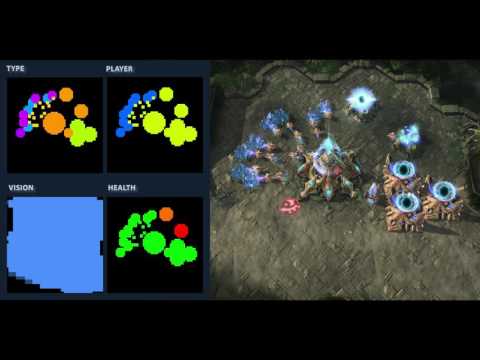
 hybrid spire
4.14 preview & EQS = HELL
Queries stop working after project restart, context blueprints break
lyric flint
What does EQS stand for ?
hybrid spire
Environment Query System
lyric flint
Ah I see. Thanks. Sounds interesting.
hybrid spire
Its awesome when it works!
vital jetty
I heard it doesn't work more often than it does
hybrid spire
So its not just the preview version im using?
vital jetty
probably not
glacial harbor
it works fine for me on 4.11 up to 4.13
flint trail
well, StarCraft 2 uses Google's DeepMind
Can we expect UE4 to get some form of useful integration for one of the major AI solutions any time soon ? 😃
sweet apex
i dont think Star Craft 2 uses it .. i think you need to reread the article.
It was told that game will be open for Reserchers from DeepMind to make AI who plays as good as proffesional Starcraft 2 Player .
sweet apex
Its not game AI
flint trail
it would be nice to have one of those AI project in games
sweet apex
and its not solution to anything
flint trail
huh?!
Imagine NPC that uses Google Assistant AI - you could talk to it!
(of course it won't be 100% human-like, but a ton better than current solution for NPCs)
sweet apex
Ok im with you on ability to make more realistic AI but from game Performance view i see that Machine Learning and that Type of Ai would use to mutch resources .
flint trail
it would be in the cloud, just like it is now
sweet apex
its ok for Dating Sims
flint trail
has anyone seen Edge of Tomorrow movie ?
Would it be possible to have AI for Mimics in UE4 without resorting to C++ ?
cursive sparrow
Nah
Machine learning isn't used not because of resources
It's just too much of a blackbox solution
solid osprey
/query positivity
hahaha
ok that does work
i'm a little stuck with making a crab respond on pickup (vr)
rustic nova
has anyone tried using the pawn actions component?
 copper nebula
Does any one know if/what/how: I want to have ~2000 (preferably even more) npc's (build from the same BP actor class) for my rts/populous game. Is it better to use BT/BB or script it all in the actor's playerController?
Right now I use BT/BB, when I'm ~100 npc's, the performance drops around 50% (~30 fps). When I hit 700 npc's, I'm stuck around 3-4 fps. With less then 50 its ~60fps..
vital jetty
@copper nebula: are you doing it in blueprints or c++?
copper nebula
All in Blueprint 😃
vital jetty
for that number of AI, you should probably move to c++
blueprint has an added overhead which might not be noticeable for smaller scope but gets in the way with such large numbers
vital jetty
you can still use behavior tree/blackboard in c as far as I know
copper nebula
Maybe I shouldnt use the CrowdAI thing
Changing it broke my NPC 😄
Fixed, now the walk again
Can I profile CPU?
vital jetty
Descriptions of the options found under the Developer Tools file menu.
copper nebula
merci
vital jetty
@copper nebula: glad my very limited knowledge (and google-fu) could help
copper nebula
This is gonna be an issue (switching to CPP is to me like jumping in water that you know is a bit cold)
flint trail
I wonder if it would be possible to minimize use of tick and make use of BP > C++ compiler in order to boost performance
vital jetty
@copper nebula: what are those ticks doing, 2 and 5 calls each but taking a TON of time?
vital jetty
you might want to ask in #ue4-general or somewhere, maybe someone knows...
and I feel your pain, mate - I can code but NOT in cpp
copper nebula
That only works when packaging no?
flint trail
yeah
but that's what you need - for packaged build to run fast 😃
I believe it's still an experimental feature, but they might have it streamlined by 4.16
sweet apex
Hmm
how Detailed are your NPC characters ?
and how many Bones they have .?
there is lots of things for RTS what i think must be made with limitations in Bones , Animations and Details or at last lots of LOD meshes..
Or are you trying this with just a Primitives ?
Did you try to make 700 Charecters on Screen wihtout BT active
can your PC handale it ?
you can see my Test 700 AI + Spawning all the time new ones .. https://gyazo.com/8e8e193a5008171a54502aad64bca6b6

 sinful veldt
spawning a large number of AI is something im interested in too, adding 4 LOD to my mannequin really helped with the performance
but past 2nd to 3rd LOD it doesnt really seem to help much anymore as im CPU bottlenecked at that point
sweet apex
Did you tryed LOD with Reduced bone Count ? i heard that help too
sinful veldt
no, let me try it out a bit
flint trail
is it feasible to run AI on a server and pass on vital data to client ? (if client runs on a weak hardware like smartphone, it would offload CPU)
indigo kettle
Wouldn't the client still need to get the data and run it?
Is it really that more performant?
flint trail
Well, yeah, of course, but computations would be done on the server. The goal is to offload mobile CPU as it wouldn't be feasible to run visually decent game with advanced AI (maybe ordinary AI would work). I am just thinking out loud here. Maybe it's a bad idea in general :)
flint trail
What's the most efficient way to make AI circle player and look at it without setting angles / location in BP every frame ? (top-down shooter)
Is this book any good for someone who hasn't delved into AI in general and in UE4 specifically ?
lol, every UE4 book out there has low score ... WTF?!
indigo kettle
Aye, the problem I think is
Every book is outdated
As soon as its published, it's like 2-3 version behind
That, and one way or doing it for someone that works, might not work for others
Some of them are decent though
 last fjord
what I don't get with books
like tech stuff
is that they should really all be digital editions nowadays
also, charging a completely full fee for new edition is bad
there should be like DLC for new editions
I have countless programming & gamedev books that have nowadays a new improved editions and I'm stuck with the old version that sucks in comparison
the core issue there is that there's no upgrade path that rewards old customers
flint trail
they can do it using Kindle and such
but they don't :/
plus if you looking into that AI book for UE4 on amazon, it's absolutely horribly written 😦
sweet apex
you can check videos from the Guy who write that book
they are kinda messy but if you get the basics you will get what he is doing .
I learned alot from Peter
 limpid verge
if you make a project with startcontent, does it all still get baked or does ue4 only bake and package what you use now?
sinful veldt
I have my AI move toward sound stimuli (car alarm) and to get them to respond sooner/later based on distance to the sound I am calling make noise a few times on a timer with increasing range. Is there a better way to do it with the built-in AI system?
hybrid spire
Make a new task that where's a delay(wait) that is based on the distance to the noise location?
solid osprey
hey i'm getting a bit confused about how to get my characters animbp to change state using behaviour trees
i figure i basically have a task like 'move to location' that will set an enum state to 'walking'
and i figure when that enum state gets set, i also need to set a bool 'iswalking' to true
then i need to have the animbp get 'iswalking' and activate my statemachine from the point 'iswalking' which will let me do my walking animation
how does the animbp get the bool from the AI though?
solid osprey
ah i just cast to animbp then set a bool from it to true
sinful veldt
@hybrid spire Great idea, I used MapRangeClamped using min/max distance and min/max seconds for delay and it works great. Thank you!
solid osprey
hey
elfin nymph
Any specific reason FindPathToActorSyncroniously would return with a invalid object?
I've done basically the same in another project, same version, and it works perfectly there
only difference is is it's called in a Task rather than a bp function
Appears setting the agent radius smaller causes this
 fast ginkgo
hi , i am working on an AI atm, therefore i followed the behavior tree/Ai Tutorial at dhe UE4 documentation. Right now the AI Pawn is just following me so that works so far. But i want to have the Ai Patrol and follow me when i get near (line of sight would be nice but one step after another) . So what i did is getting the vector location from random targetpoins (array). But now i am kinda stuck. Idk how to get those vector locations from my LevelBlueprint to my "AI Con" Blueprint or to the Blackboard.^
sweet apex
If anyone is interested this issue is Fixed in 4.14 p3 , and finnaly EQS is testable on Mobile again.
lyric flint
hey guys question
im developing and ai wherein we want to have crowd control
I know that unreal has already and AI crowd controller using detour crowd control
but it's already a AI Controller
what we want is to make our own AI controller class
and just add that crowd control
is there a way for that one?
hybrid spire
You can use the ai crowd controller as the parent class
 tardy sierra
Is this the right place to ask for an AI introduction tutorial, video or text. I'm just getting into AI in UE4
and I work in blueprint * 😃
ocean crystal
I don't know if this is the place to request a tutorial be made, but for general questions this would be a place to ask. Not sure of any good tuts off the top of my head.
indigo kettle
@tardy sierra You could always request one to me, but it might not get done in any timeframe you would like
hybrid spire
https://www.youtube.com/user/asherseinhorn/videos i found this tutorial series very helpful
 tranquil rune
anybody able to help me out real quick? 😄
lyric flint
@hybrid spire I really thought the crowd controller was just a component though ahahah
oh well might as well inherit it from the crow controller
thanks 😄
tardy sierra
@hybrid spire Thanks for the link. 😃 @ocean crystal I will keep that in mind if I run into some major problems. I am patient and have all the time in the world to learn this stuff right now so timeframe is not an issue. 😃
flint trail
@indigo kettle Requesting a tutorial outlining AI tools available in UE4, their purpose and when to use them! Thanks beforehand 😊 P.S. No C++ please
tardy sierra
I'm a bit confused about the blueprint Behaviour Tree service thing. Is AI behaviour defined by a ton of services?
indigo kettle
By monkeys
Services, Tasks and Decorators make up the definition of AI Behavior
That and good code 😉
tardy sierra
It's hard to find documentation or videos that summarises the workflow best intended for behaviour tree, like a finished game type of reference or something
flint trail
agree
indigo kettle
?
There are tons of UE4 AI tutorials
The foundations of Behavior Trees has not changed over the past few years
Which is a bad thing 😉
But, yeah, any tutorial over the past few years will get you started
And there's even the ue4 docs...
Landing Page for all the documentation relating to Behavior Trees
Landing Page for all the documentation relating to the Environment Query System.
And @rugged path and Ian did a whole long ass series on it

So..not sure how you aren't finding any resources
flint trail
@indigo kettle maybe some sort of compact overview series needed for AI ?
all in one place
I haven't watched that video series yet, so I don't know if they outline all the tools available to AI devs in UE4 (non-C++) and then going from there.. I hope these videos have that.
indigo kettle
Watch it
flint trail
It's on my to-watch list of tutorials 😃
btw, if I need (which I do) to make AI for "hovertanks" and N-legged creatures, would it be any different than what's usually covered in UE4 AI tutorials (bipedal characters) ?
rustic nova
"New: Expanded the BT Decorator Is At Location function with an option to use AI Data Provider"
anyone know what this AI Data Provider is?
rustic nova
@indigo kettle Yep watched you struggle through on the first day 😆 Seems like AI providers is wrapping data with some functions? Could be pretty useful since I find myself making tiny classes to do exactly this.
indigo kettle
@rustic nova yeah
It seems pretty interesting
Crazy I haven't heard about it until now
rustic nova
Yea i find the whole ai side is quite undocumented. Recently found out about gameplay tasks & pawn actions which they used in Paragon, I heard they are improving this in 4.15.
I don't think they are ready to use yet atm
rustic nova
oh really
indigo kettle
I think he has two or three "underlings" (say that with all due respect of course)
rustic nova
well that explains it then 😃
indigo kettle
And the doc team is pretty small too
Yeah
I only know Mieszko Zielinksi is the head for sure
And I am pretty sure I've seen at least two of his staff
indigo kettle
Actually doing some AI now @flint trail
flint trail
w00t!
 flint trail
Going to hit the sack, but decided to check it out for a bit :)
tardy sierra
Is there any free games on the market place that has some basic AI where you can see how it is set up in a finished game?
flint trail
Not that I recall @tardy sierra
 woeful bone
Hey, having a little issue with a character AI, I'm assuming this is the place to get some help with it?
indigo kettle
@woeful bone quite the problem you're having
tardy sierra
Found a nice tutorial focusing a bit on the core concepts about AI and how it applies to UE4, he has an update video that shows how this tut is transfered to Pawn Sensing instead of AI preception too https://www.youtube.com/watch?v=N6D1_GHNwCc
Demystifying is the word i was looking for 😛
I realise that learning game development and UE4 at the same time it helps a lot with these concept + practical use oriented tutorials that explain why and not just how it is done.
This guy has a lot of videos on AI and crowd AI in UE4.
flint trail
nice find, thanks for sharing
fast ginkgo
Just imported a new static mesh to my scene and the navmesh just completly ignores it. Why?
ah ok got it ... had to change from static to station ... but still, why?
flint trail
yeah, I'd like to know too
fast ginkgo
with another mesh however it again doesn't works...weird
flint trail
don't you need to rebuild nav mesh after importing static meshes ?
left nebula
I am spawning pawn using Spawn AI From Class but looks like every pawn is using the same ai controller - they share same behavior tree (each blackboard key). Did i forget to set something? I want them to run separate isntance of behavior.
left nebula
Nvm i found a solution - just uncheck Instance Synced on all Blackboard keys.
 mellow jay
Hi guys, can I change BT update inverval? by default it call every frame
vital jetty
I don't know, but I would like to know the same thing 😛
sweet apex
BT Update interval i think is how you set your Decorator ? check this Image and see Tick Every 0.25
with that you can control how it wil tick all other branches
 vital jetty
I don't mean setting the service. I mean having even a couple of AI is enough to have LOADS of ms spent on world tick and actor tick, and to make matters even worse, the time spent is highly variable
as I have very few stuff using tick, I suspect behavior tree as such runs on tick
regardless of my selector being on a timer
solid osprey
i'm having a little troublei mplimenting this approach
this is my updatestate service
i'm grabbing an in proximity bool from the character AI
basically that just detects when you cross over an overlap box on the char and sets the bool to inproximity
so the goal with this version is whenever you overlap, we should be able to change state
so he is on walking animation, we get close, behaviour changes to idle but so does animation (as state is imported in the animbp_)
 stone anvil
anyone have any idea why my simple move to location sometimes zig zags?
there's no obstacles, nav mesh is seamless
completely flat ground
I'm baffled
flint trail
weird indeed
I, too, would like to know why that happens
have you filed a bug report, @stone anvil ?
flint trail
I haven't, but I am planning on a project where AI will face the same circumstances as you have now - flat open areas where it needs to move in a linear fashion without zigzagging
stone anvil
let me know if you can reproduce it
solid osprey
cloned an anim bp, did osme work in new anim bp, now i want to use the state machine from the other anim bp because it took a while to setup
i get 'this blueprint (self) is not 'animbp1, therefore self must have a conenction'
how can i change the target to animbp2?
would rather not remake the whole state machine even though its just a clone
solid osprey
its all of them
 pallid mica
with the rest of the blueprint on it (not only the node itself)
And which one exactly?
 pallid mica
Well yeah, your BP probably doesn't have these variables
pallid mica
Show me the node that is actually giving the error
solid osprey
not sure i understand
pallid mica
But the error doesn't fit the node :O
There is a function that you copy pasted
I guess
solid osprey
all the errors are 'this blueprint (self) is not an animbp1, therefore self must have a connection
and i understand that it is not an animbp1
in an ideal world however, i can just swap over all the references to be to animbp2
but i don't know where those refs are stored, the variables are all there still, since i just clnoed animbp1 to make animbp2
solid osprey
like i literally copied the file
yes
then i deleted a bunch of shit
got it working with a dif method for setting state
now that i can set state bools with BT, i want to use the state machine from other animbp which was pretty good
i figure there's a chance i just have to set it up again in this one but that will be a bit of pain
so easier would just be to change these references
so they are to animbp2
pallid mica
Well, one thing is, if you actually copy pasted code
from one bp to another
chances are high that you need to swap out the variables
with the one of that BP
even if it's cloned
pallid mica
Mostly, yes. There is more data in the C++ version of that, which probably stores a ref to the class
Somestimes it works, sometimes it tells you the variables don't exist (even though they do)
then you need to swap them out
pallid mica
you can simply drag and drop the "Turning" bool of the new BP onto the broken one
then you save some time
pallid mica
cause you don't need to actually delete and reconnect
pallid mica
Drag and drop the new onto the old ones
solid osprey
yea that saves a few clicks
pallid mica
kk
pallid mica
The drag and drop?
It should, you need to make sure to not drop it onto the pin point
because that results in a set node
you need to drop it on the left, a bit infront of the text
iirc
solid osprey
yea it says
it looks like it'll wok but then just plonks the node on top
anyway i jus delete em and fixed it p
up
last thing is
where do you usually set your bools to turn off previous state
so at the moment, i overlap characters proximity box and it changes character animation
but doesn't work twice, cos i figure the last bool didn't get unset
eg idle goes to walking, but not walking to idle
so when idle goes tow alking, to u set idle to false in state machine, updateState task, or what?
code uses an enum state to set bools, i could do it there as well though i feel that i'd have to set all possible other states to false whenever i set a new one to true
since i migth go from idle to walking or running or swimming
this makes me think i should do it in state machine but that feels clunky
solid osprey
another way to phrase q, is there a way to set all other enums to false when setting enum to true
all other enum states
solid osprey
anyone around
flint trail
@solid osprey I am, but I don't know anything about AI 😊
solid osprey
😃
solid osprey
how do i create a loop in blueprints
jsut aesthetically
its like there's some pull off option when u connect two nodes
that allows you to create a loop
rather than having the spaghetti criss cross


 indigo kettle
Around 600 people are
Instead of asking if anyone's around, you should just ask your question, and someone will get to you if they can help.
solid osprey
channel seemed dead so before i asked a long question involving screenshots i figured i'd see if anyone was tlaking