#gameplay-ai
1 messages · Page 90 of 1
 shut swan
Hmmm
I need to understand this better
Point is, I found that for some reason the task runs once and never again
 ocean depot
where exactly do you set 'Parameter.AttackTarget then?
shut swan
Here on Attack
 shut swan
It's in a parameters in the state tree
 rancid mural
this is something I'm still grappling with, since I've only been poking ST a few days, but won't that find attack target actor task and chase actor task activate at the same time? and then when either one finishes it could cause a transition? is that an issue here? sorry, I'm bad at reading state trees
shut swan
Maybe? I'm not too sure myself
The STT find attack target supposedly works though
Since it does show updates on the Print
rancid mural
I wouldn't be shocked if you're going back to root over and over as it finds the target and the child state is only sending a movement once based on the PREVIOUS identification of the target before returning to root, something like that
would be nice if someone who understood this better were here, lol, blind leading the blind
 hallow compass
sometimes my AI which blindly follows a list of locations with no collisions will stop its movement at random moments with the result "blocked"
im running out of ideas of things to check
shut swan
Ok so what I found
The chase task runs exactly once
Ah, so it's because it's not finished correctly...
Seems like that ain't it eithe
rancid mural
right now, your pawn should be trying to simultaneously move to your target and find your target, so you'll want to change that regardless, if I'm not mistaken
You could make it a global task, where you're always trying to get a target, and then use the presence of a target as the condition for Chase to be an enterable state
or you could make them siblings under a new parent with no tasks, where the task for finding a target transitions on success to chase and on failure to root, maybe, if it's meant to just find a target once and go after it until it's done
shut swan
Ok! I pinpointed something
The task for target detection is not properly updating the attack target property
Checking the logs, there is no point in which the Chase state ever reads the parameter as valid
ocean depot
im telling you bro try an Evaluator
shut swan
I can assume a similar thing happened to the other task...
The issue is that I'm doing what another example does, exactly
And it won't work
ocean depot
link the example
shut swan
It's the unreal template shooter
Okay checking on that...
It seems the State Tree method they used does not actually attempt to use a parameter for actors to target
Instead they feed those parameters into the controller directly
ocean depot
that sounds promising
shut swan
Then access them inside the tasks
rancid mural
doing everything from the AIC and pawn and letting State Tree read the variables from them has been so freeing compared to figuring out data management in the tree, lol
shut swan
Yeah but there are some stuff that is objectively better in state tree imo
Like I have done some VERY primitive tests, specially coming from BTs
But I imagine parameters seem best for say... AI difficulty or intelligence
ocean depot
Having to type out parameter categories to link with the editor is a bit rough, but now that i got a basic setup its really easy to pass data
shut swan
Okay I checked
rancid mural
Typing parameter categories, and realizing that I'd have to do it for every subtree I wanted to use as a linked asset with no ability to copy/paste, is what made me decide yeah, I use one parent for AIC and PAwn anyway, no need to bother with this, lol.
shut swan
And apparently they do use parameters for attack atarget
However they also have the target variable on default category
rancid mural
hard to offer a lot of insight on that stuff since there's a lot going on out of sight. like I have no clue how your task's events are being called.
shut swan
That's fair. I can share whatever you need, the state is overall simple as of right now

I know for a fact the evaluator works as needed btw, the task reacts as needed to att changes
 night wave
i just pass the context actor and it automatically binds and then you can get every thing from that in the task
shut swan
Yeah but the issue is this is not a context thing I need
Rather I want to access some arbitrary attack target
night wave
my actor has a get target function
or actually even better it just has a target
all AI has a common base class so i set my actor type to that base class and dont even have to cast
rancid mural
looking at the snippet of the target task you posted earlier, it looks like it's setting the target on your AIC but I don't see where it would be getting output so it can be bound as a paramter or whatever
is STT Chase Actor bound to the attacktarget parameter or the target ref on your AIC?
night wave
also for dying you can jyst stop the tree
rancid mural
that depends entirely on your game
shut swan
Ok so
This is the find target actor task

This is done in the Attack task
I am sure something is off in my setup
ocean depot
This might be relevant, from https://forums.unrealengine.com/t/how-to-assign-statetree-parameters-at-runtime/721953/11

Epic Developer Community Forums
This is the method that I have gone with. It works great because in all of the bindings (ie. enter conditions), you can reference variables from the context actor, all while being able to modify them anywhere necessary. HIGHLY recommend this approach.
shut swan
It does also explicitly say it's C++ only
rancid mural
How are those Target Perception Updated and Target Perception Forgotten events being triggered anyway? are you binding to an ED from your AIC on enterstate or passing a ref to the task to your AIC on enterstate or is this some mysterious state tree task thing I don't know about?
 rancid mural
👍
Hm. is there an output variable for the target actor in the STT that's being set, which you can then bind to the parameter? I think that's how that works?
 rancid mural
you're not accidentally ending the task and thus the state after firing an event once are you?
(which would also end the child state)
though I don't see a transition on it and have no clue how a parent with a task and children with tasks behave in that situation, haven't tried it before
rancid mural
Hm, my next suggestion would have been to mark STT Find Attack Target Actor not considered for state completion, but if you're sure
tbh, my understanding was that parameters aren't prefered for stuff that dynamic anyway, but if it's how they're doing it in the template...
night wave
usually the target comes from perception or a custom target selection that gets targets from perception
shut swan
Yeah I tried to bind events to AI perception
rancid mural
well, take this with infinite grains of salt since it might be a whole hallucination, but google overview is claiming that target actors passed as static parameters won't update
night wave
you bind it through the ai controller where you can have the perception events trigger a state tree event
rancid mural
you could just make that task a global task and pull the output variable from there anywhere you need it instead of messing with it as a parameter, but I don't know what else you're doing that might rely on it as a parameter
shut swan
rancid mural
well, take this with infinite grains of salt since it might be a whole hallucina...
Wait
Wait...
I think you're right
Because I noticed like
The template, for some ungodly reason, has a Target Actor parameter on the ST but odesn't use it????
Like I looked for references and found nowhere where it might be actually used or how
shut swan
@rancid mural Okay... It works. Once.
Wait nvm fixed it
So the task needs to finish in order to update correctly
Okay new issue. The Attack task just seems to constantly run and do everything inside regardless of vision, so gotta gate that
rancid mural
Will Try Select Children With Highest Utility walk down the list from highest to lowest utility if it can't get through the higher utility children's entry conditions, or does it just try, give up if it hits a tie, then go in listed order? The wording is ambiguous.
okay, documentation makes it clear it's the former, it picks the highest rated child with satisfied entry conditions
shut swan
Okay I finally made it work I think.
However I have an important issue. Is it normal that the Chase state just constantly starts?
I set the task to finish after running, because otherwise it wouldn't update

The intended method is for the states to get run over from start every tick to check always for the correct state yes?
hallow compass
hallow compass
sometimes my AI which blindly follows a list of locations with no collisions wil...
sill wondering what is "blocking" the AI from moving

here for example it stopped around the end
night wave
hallow compass
here for example it stopped around the end
log everything
then find where the code flow stops
hallow compass
it doesnt work like that
in the path following component the blocking detection will fire sometimes because the pawn didnt move for to long
hallow compass
seems like its because its move velocity is to small when close to target
shut swan
Need some help with this
I have a custom task here called Chase Actor
The issue I'm running into is that if the Attack Target variable ever becomes Null, then the task should stop.
However, the task I use to tie perception with the controller doesn't seem to be working correctly...

My AI perception has all default settings. Here's the task in the State Tree that controls vision


 drifting ginkgo
shut swan
drifting ginkgo
shut swan
Do your perception bound events not fire at all? Have they been checked that the bind does occur?
shut swan
I did some debugging, and the events for bind do fire
As well as the event for perception update
However, Forgotten seems not to fire. And thus when the AI gets vision of the enemy then they immediately chase them forever no matter where
drifting ginkgo
To stop movement you sometimes must call "Stop Movement Immediately" or Stop Movement, from your controller? I think
shut swan
But the issue is that
Forgotten seems to never proc
Also I wanna ask something about states
shut swan
shut swan
Need some help with this
I have a custom task here called Chase Actor
The issue ...
As I have it set up, the Move to Actor state does this. Because it ends the task instantly, then the state ends and it all advances
Is this the expected behaviour?
Or ideal
Or should I stay in that state until I tell it to transition elsewhere
drifting ginkgo
**on_target_perception_forgotten (ActorPerceptionForgetUpdatedDelegate): **
[Read-Write] Notifies all bound delegates that the perception info has been forgotten for a given target. The notification get broadcast when all stimuli of a given target expire.
Note that this functionality requires the the actor forgetting must be enabled via AIPerceptionSystem.bForgetStaleActors.
shut swan
The current method instead runs every single state
drifting ginkgo
The important part here's the final line I imagine, I'm not sure your code comfort levels but best place to start would be in Console during PIE try running
AIPerceptionSystem.bForgetStaleActors 1
Might turn on what you need
drifting ginkgo
If you just wanna try it through BPs look for 'Execute Console Command'. Run it in your level or something just for testing then can move it elsewhere if it works
Then in the command - string input, type that in. Not 100% it'll work but it'll be pretty clear on your Forgotten PrintString if it does/doesnt
shut swan
Doesn't seem to work
drifting ginkgo
shut swan
Or should I stay in that state until I tell it to transition elsewhere
Just depends on what kind of setup you want/choose to make.
If you have lots of tasks that all need to complete for state to transition you might want to end it instantly, if you expect this state to maintain till the moves completed then sitting in that task isn't the worst
shut swan
Doing it On Possess for the AI controller
 drifting ginkgo
Yeh that's too specific, try throwing it in the level BP on beginPlay or something is likely a better test
shut swan
drifting ginkgo
Just depends on what kind of setup you want/choose to make.
If you have lots of...
Realistically I want the chase to allow for reaction.
Like say the Actor starts chasing, but for any reason they sense some stimulus with a Danger tag, and the AI should determine whether to prioritize avoiding that, or keep chasing.
or on the contrary maybne they drop to low health, and the chase is prematurely ended to seek cover.
In that case, then, ending it immediately and letting the whole state tree keep updating on tick to act accordingly is the better way?
shut swan
drifting ginkgo
Yeh that's too specific, try throwing it in the level BP on beginPlay or somethi...
Doesn't work either
drifting ginkgo
Are you compiling the engine locally or using no code?
drifting ginkgo
shut swan
Doesn't work either
Go to Project Settings - search Forget, you'll see Forget Stale Actors. Tick it and see how that goes
shut swan
drifting ginkgo
Go to Project Settings - search Forget, you'll see Forget Stale Actors. Tick it ...
Why, oh why does unreal literally make you have to turn on the perception actually working...?
drifting ginkgo
You're likely paying some kinda cost and most people don't want it by default.
Best thing you can get used to, is not necessarily writing code, but just getting comfy jumping around so can read the comments and see where things are used even if BP only.
Shortcuts like searching tooltips/variables/strings in code is super fast compared to diggin around manually.
shut swan
Well I do that actually sometimes
I jsut open source code on github and readthere
Just never occurred to me that stale actors were toggled there
Plus, I noticed that very low values seem to trigger stale actors even while in vision range
@drifting ginkgo So for example a 0.1 max age will trigger forgotten every 0.1 seconds, but since it immediately will see it again, in the same tick, nothing changes in the state tree
The weird part is that larger values will not cause a similar issue
@drifting ginkgo Okay, another issue I found. Only the custom Move to task will actually finish itself if target is no longer visible. However... Is this usual for the default Move To task?
drifting ginkgo
Honestly not too sure would just be reading through the MoveToTask comments/code to figure it out, the age stuff sounds like something there'd likely be a comment on some possible peculiar restrictions to it.
shut swan
@drifting ginkgo Oh funny you post now. I found an issue. I think "the" issue
The task is not actually running the OnTick event that attempts to stop the chase.
 peak charm
Hello, why is it not possible to bind data from the AIStimulus structure?

 final prism
Hey, does anyone know how "filter" vs "filterandscore" on EQS differentiates? I've been trying to figure this out looking at code, but can't find a concrete answer.. My assumption would be that filter sets the score to either 0 or 1 on success and score still runs the scoring function when its set to score as well, but I'm not actually sure
 graceful ivy
Hey, so I've recently discovered an issue with my AI's pathfinding. It was working fine in the past, but as I've started optimizing, I've realized that it stops working when the FPS is above a certain threshold.
It's just a pawn using FloatingPawnMovement with MoveTo().
At lower FPS it navigates as expected, but when the FPS increases it starts getting stuck at corners (not actually hitting them, it just stops trying to move around them). Any suggestions?
 final prism
graceful ivy
Hey, so I've recently discovered an issue with my AI's pathfinding. It was worki...
final prism
graceful ivy
Hey, so I've recently discovered an issue with my AI's pathfinding. It was worki...
I'm not sure the floating pawn movement component is meant for path following at all? There is a comment in the tick that eludes to this "Apply input for local players but also for AI that's not following a navigation path at the moment"
MIght be wrong though, never worked with that component
graceful ivy
Yeah, it is working, but seems kind of clunky and finicky and doesn't report AI tasks and pathing properly. I might do my own pathing (it would be useful for me to learn anyway). But it almost seems to be bugging out because it's updating too often? Could it be that because of the size of the corners of the segments and slowing down to round the corners, it gets trapped in a loop where it constantly tries to update the target or something? Setting the acceptance radius doesn't appear to have any visible effect which is weird.
final prism
The visual logger will likely be able to tell you where its going wrong.
graceful ivy
I wish, it shows me nothing. Unless you mean something else than the ' thing?
I think I figured it out. It seems to be an height issue. It's trying to reach the floor, but they are constrained, floating pawns.
Making an invisible plane at the appropriate height fixed it, but seems hacky and probably not the best solution once I need more agent types.
It seems to ignore the Z of whatever target I give it, and base it off the navmesh height, which makes sense I suppose, but conflicts with my 2d gameplay.
 keen crow
final prism
Hey, does anyone know how "filter" vs "filterandscore" on EQS differentiates? I'...
keen crow
final prism
Hey, does anyone know how "filter" vs "filterandscore" on EQS differentiates? I'...
"Filter" filters items absolute values by min and max values that you can set/bind in the test details. So you can make a distance test that is scored by distance, but also filter it so that it is at least 300 uu to the test context. Just "Filter" mode make the test have no affect on total item score, but it can mark it as filtered out. FilterAndScore does the same but it also affects the score. Also I guess it's useful to know that filtered out items will not appear in further tests, but also by default tests are sorted (IIRC by test complexity, which is set in tests constructors), but you can change it in generator details. If for some reason you have a custom test that doesn't show these min and max values, then maybe in the test constructor you need to call WorkOnFloatValues(true) or SetWorkWithFloatValues(true) (or something like that, i don't remember exact function name)
The filter feature doesn't normalize/clamp test raw value to [0, 1], but it does happen somewhere down the pipe when all test scores are combined to a single item score.
final prism
Yeah that was my assumption as well, though what happens to the score if it doesn't filter, is it set to 0?
shut swan
I need help. My State Tree Task is unable to execute ANYTHING from Event tick.
I need to use ticks to update a Move To task based on data...
shut swan
So I found out why.
Latent nodes seem to fully disable OnTick events for ALL elements of a given state so long the node is running
So I either have to tweak settings or find an alternative
keen crow
final prism
Yeah that was my assumption as well, though what happens to the score if it does...
IIRC it is literally marked as filtered out and after that its score doesn’t matter
 rugged vapor
hello, is it possible here in the enter state condition distance, to link my Target position and Actor position ?
 rancid mural
rugged vapor
hello, is it possible here in the enter state condition distance, to link my Tar...
rancid mural
rugged vapor
hello, is it possible here in the enter state condition distance, to link my Tar...
If I'm understanding what you mean, in the dropdown for binding on the right 'Get Actor Location' should be an option, then you can choose the actor from there. Something like this:

 quiet iron
Hey guys, is it possible to have the same tasks with dynamic task's names? I have two identical task like this and other tasks are listening to those events. But they kinna the same name so It's hard to figured out which one is which.

I tried overriding the GetDescription but it only change the label in the Tasks section. The rest is the same as the static DisplayName.

 robust veldt
quiet iron
I tried overriding the GetDescription but it only change the label in the Tasks ...
robust veldt
quiet iron
I tried overriding the GetDescription but it only change the label in the Tasks ...
You should custom ST task to display unique title: In this case you can append Tracked Team Profile asset to the end of Wait For Team Cleared to display.
quiet iron
robust veldt
You should custom ST task to display unique title: In this case you can append `...
Do you mean create derived blueprint class from that with different naming? And use that Blueprint instead?
robust veldt
quiet iron
Do you mean create derived blueprint class from that with different naming? And ...
If you are using blueprint StateTree, try override Get Description and return custom description which include Tracked Team Profile
Example:
 quiet iron
robust veldt
If you are using blueprint StateTree, try override `Get Description` and return ...
quiet iron
robust veldt
If you are using blueprint StateTree, try override `Get Description` and return ...
I already override GetDescription in C++. As the image above, it only change the label of the task in the tasks category. It does not change the name it the selection box thingy that I screenshoted.
robust veldt
quiet iron
I already override GetDescription in C++. As the image above, it only change the...
Oh, I think it will work universal. my bad. 🤣
 dapper crest
What is standard practice for initializing variables used by AI? In the AI Controller? Or rather at the start of the Behavior Tree under a condition that it only occurs once? Or maybe a service?
night wave
singleplayer ? multiplayer ? what kind of variables there are more then a few
if you're not sure and it's singleplayer put them on your AI actor
or AI controller
dapper crest
It's single player and atm only a few
I guess one of the reasons I was putting it in the tree right now, is so that I can re-use the same AIController for most enemies
Whereas they're all going to have their own tree anyway
And I guess so it's all in one place as well
night wave
you can also just put in the tree
but then the variable wont be able to vary per actor
so it really depends on what you want to do with it
dapper crest
it does polute the tree and is I guess more convoluted if you make separate tasks for it
night wave
like if you define a variable inside a task
then it can vary per task
usually you do it if you either need a local variable or a input
doing your tasks in c++ makes it a lot more clear how the different types of variables are linked to the tasks
either its a variable in the task , in the context , or in the runtime instance data
dapper crest
night wave
but then the variable wont be able to vary per actor
currently I'm setting the actors own spawn location and finding a nearby volume from the tree. So they can be different for each actor. Or did you mean directly setting a value in the tree?
With custom tasks
dapper crest
hehe
night wave
usually just have a task spawn that finds the spawn location in the task by doing a search around the context actor and then spawns another actor there or something
no need to pass it around or sit unless you want to manually configure it
but then to manually configure it you would need that data to live somewhere
i'm not sure why you're spawning from a state tree in the first place
i only do that for shooting projectiles
dapper crest
In this case it's more "remembering" its spawn, so it can return to it. It's already spawned in at the correct place
night wave
FindAndMoveToLocation task
doesn't even need to be a variable
the function that finds the location can just give it to spawn node
you can have a Tag as input for that function or a class type
and then you can re-use it for moving to other things as well
dapper crest
I'm storing it for later use. At that point the NPC has already moved, so I can't get it at that time
night wave
store it on the NPC actor or NPC controller if you want to remember it for later
i think that's the easiest
just have a spawnLoc variable there
dapper crest
probably the controller then
night wave
you can just set it when spawning
if your state tree lives in your controller then yes
the difference is that controller is server only and actor is client and server but for singleplayer it doesn't matter at all
whatever you think is easiest
dapper crest
Like I said, the reason I didn't do that is:
- So I don't have different AI controllers for each NPC type
- So all of the behavior logic remains in one place
- I guess also so I have the option to change the value later on during the behavior if that would be desired
but it is a bit more convoluted to make tasks for these things
night wave
if you want to have different AI controllers then you can use inheritance and have a BaseNPCController and then specific versions
dapper crest
Yea of course
We do
Ok, but so there are no other reasons to prefer one over the other then I guess
night wave
the state tree can try casting the owner to a specific type and just not do that thing if you want type specific functionality in a generic tree
dapper crest
Yea that could be useful
night wave
dapper crest
Ok, but so there are no other reasons to prefer one over the other then I guess
you can have them but its not like there is a general rule of thumb to follow just your own practice
dapper crest
not with what I'm doing right now, but maybe down the line
dapper crest
We're using GAS and activate abilities by tag, so I guess that covers a lot of the cases where you want a tree to do different things for different actors
night wave
its more for like sharing data between AI
dapper crest
I'm putting it on the blackboard, so abilities can get the info from it
night wave
or with other things
night wave
sometimes i like strongly coupling more since its easier to debug the code chain if its a direct function call
dapper crest
yea that's true, I agree with that
night wave
but i come from gigantic projects where everything is event driven and needs interfaces to communicate between different modules and its a major pain
so debugging even a single variable being wrong can require evaluating hundreds of event calls to see where it comes from
or even following a chain of multiple events like that
dapper crest
Yea. Sounds horrible
night wave
modular is nice if you actually have multiple things to swap out during runtime
dapper crest
I can see why you'd move back to more straightforward relations
modular is nice, if you actually need it/use it ^^
night wave
it can be cool in a small project if you want to make a project that is flexible
 rugged cloak
I don't know if this is the correct channel, I have this hole in the navigation that I don't understand how to fix.
Somebody knows a way to solve it please?

 slow bobcat
rugged cloak
I don't know if this is the correct channel, I have this hole in the navigation ...
slow bobcat
rugged cloak
I don't know if this is the correct channel, I have this hole in the navigation ...
What you see drawn is an approximation of what the nav mesh looks like. It's not 100% accurate. Your nav is going under the two sides of the slope. Test an AI there, it's most probably going to be fine
If you need it to be super accurate, play around with the nav generation settings, like the cell height etc
 tranquil granite
Hello, I was wondering if anyone tried to make Loft 2(Lords of the fallen 2) type of state tree system. where they use reactive state trees design. I was watching their talk and was slightly unsure about 2 state trees part
My initial assumption was that they had perception tree, where runreaction state is but a linked tree. so that whatever condition is met, the new linked tree gets injected and played. This works for reactions that can be triggered with outside events. but what about events that require custom condition check? like rubberbanding?


or unreachablable target? My confusion is where should that check be done, so it would still follow datadriven principles. with behaviour tree aproach i would have it sitting as service on one of the nodes. with this approach i cant have it sitting on linked tree if its not injected
 harsh storm
Don't worry, I'll ask @slow bobcat for clarification.
 civic bay
What is the problem here?

keep getting red errors when i go to set a value as a bool
even when the logic fires and it works
slow bobcat
tranquil granite
Hello, I was wondering if anyone tried to make Loft 2(Lords of the fallen 2) typ...
Hello! I'm Bruno, they guy that gave the talk.
The way this works is because we pulled a trick I couldn't explain properly due to talk time constraints. We have a custom (inheritance) State Tree Component that ticks the main tree (perception tree) and all the reaction trees that pass the tick conditions.
When the rubber banding tree ticks and meets the conditions needed, sends the event etc.
We don't use linked trees, they didn't exist when I made the system. Or they did but were uber super experimental. Can't recall exactly.
The Run Reaction State Tree is not a linked tree. That state only runs when a reaction event happens (it can't be reached any other way). Said event passes the BT to run. The task in the state runs a BT with the logic. If done entirely in Bt's, this would be like having a run dynamic BT in the left of your tree with a decorator "can run reaction".
Now with proper linked trees, what you can do is to have a state at the begging of the state tree with all your reactions as linked trees. Each linked tree will have a condition at the very beginning checking if the tree should evaluate (I imagine a condition at the root node that will exit the tree immediately. You will still tick the tree every frame but it will be super fast).
The Perception tree will start, run all the linked trees in the top state (the reactions) and trigger the event if needed.
Three problems I see here:
- you loose the ability to add new reactions to a character dynamically like we can do (we don't use this in the end... So not a problem)
- the order of tree execution (priority) will be defined by how you order said linked trees in the state rather than how they are order in the data asset by priority + list order (not a big issue either)
- what happens when the Perception tree is in a state (ie attack)? Linked trees will not tick again until that task is done. For example, Parry will not happen until the attack is done and the tree ticks from the start again (ticks the
Linked trees node again)
This to me is the difficult issue here. I think you could try see if you can set the reactions using the new FStateTreeRunParallelStateTreeTask
That should allow you to run perception and the reaction linked trees in parallel somehow, allowing you to interrupt states in the Perception category tree to run a reaction
I think all this is achievable without doing what I did and without using Bt's. As I mentioned in the talk, the reason why I did this is because we hade over 100bt's from lords of the fallen 1 (2023) that we wanted to re-use as they were + state trees still being quite experimental (although in much better shape than before).
If I was to start this from scratch, I would definitely research into linked and parralel trees.
Also, going the route I went caused another issue I wanted to talk about: debug. State trees default debug is not prepared to show several trees running in parallel (sequence really) they way I did. That was an entire whole level of pain
To explain the images you posted: the right column of trees on the right side of the first image, are the ones defined on the second image (later you can see each definition has a state tree aseet + other data for the tick conditions). Those are ticked if needed within our component after ticking the Perception tree. If one reactions succeeds, the event is sent to the Perception tree and, in the payload, we pass the BT to run. The Perception tree then executes the event transition to the Run Recation tree that runs the task that executes the BT passed
night wave
slow bobcat
To explain the images you posted: the right column of trees on the right side of...
whats your opinion on state trees vs behaviour trees for AI behaviours ?
slow bobcat
night wave
whats your opinion on state trees vs behaviour trees for AI behaviours ?
I still like more to debug Bt's than ST's. It's easier to comprehend what's going on but both suffer the same issue: extremely complicated to debug in a build since everything made for them in terms of debug is editor only. Both require work (an engine source code modification) to get good debug tools in buods and dev kits (ie ps5, xbox etc).
State trees are better in terms of performance as a base (it all depends on what you do of course).
Behaviour trees are an industry standard, which makes understanding, learning and expanding much easier. Also if you end up working in an engine that is not unreal, chances are you will use Bt's.
Bt's are much better to organize data in a generic way (Re usability of tasks, decorators etc) due to the nature of the Balck Board concept (if a tasks needs a vector and a bool, doesn't matter where they are originally, you read both from a bbk. In st's you need to create your own or read things straight form actors and components, which makes near impossible to reuse in different AI's, let alone projects)
I think state trees are following a great path since they have the best parts from bt's and Finite Hierarchical State Machines. But they are still rough round the edges. For example the concept of "interruption" is easy to do in Bt's (decorators that abort) but a bit convoluted in ST's (transitions through events or constant tick evaluations).
Same for dynamic injections. Linked trees and parallel trees are quite new and not super clear how they work in terms of passing data through (which takes me back to the point about centralization of data in Black Boards).
For our designers Bt's are still the preferred way to go, mostly because they don't see the advantages of moving to state trees: work is done faster, debug is not better (just different) and there aren't any clear advantages in terms of features for them.
I don't see any clear winner, it all depends on what you need and what you are comfortable with
night wave
yeah if your designers are very used to BT's then they might want to stick with it. when I showed our designers state trees they instantly jumped on it and converted their own personal projects to it that night after work
Personally I find ST a lot more intuitive / simple then BT but I never really used BT much so I can imagine it grows on you after a while. I've also used something like ST for the past 5 years but instead of being able to transition to any state you just had success / fail outputs on that state that you hook up with a line to the next state like in a blueprint
slow bobcat
To add one more thing: the internal logic of how state trees work in code is difficult to follow (example: "let's tick a task 5 times to see if the logic should transition to other state. Ah... this will call OnEnter 5 times, so good luck changing data there")
night wave
for me they are perfectly reusable across projects because I link them with my baseAIcharacter class as context actor type and pull everything directly from there and I would port that base character class over too
slow bobcat
night wave
yeah if your designers are very used to BT's then they might want to stick with ...
what you had was a Finite State Machine. State Trees are more like BT's in that sense yeah
slow bobcat
night wave
for me they are perfectly reusable across projects because I link them with my b...
yeah this is a massive no-no in most companies. Let me give you an exmpale: Approach Target.
Let's say in game one, your target location is the actor location. So that task will do something like "OwnerAi->GetTargetActor()->GetActorLocation()"
Then you do another game and, in this case, the ApproachTarget doesn't go to the Target Actor Location, but a place clicked by player on the target Actor, which can be a Building that the AI is already targetting.
Then you task will need to "OwnerAI->GetTarget(); is target a building? Get Selected Target Location()" or something like that.
In BT's I can just set the BBK "Target Location" with the Actor location in the first case, or to the selected building part in the second case when the player selects the Building part. In both cases, my BT is intact and my task has the exact same code inside becase the data it retrieves is generic.
To achieve that in ST's, you need to create a generic system yourself.
In Lords, we use the BlackBoard of the AI's for STate Trees too. We have custom Conditions and tasks that can read and bind to BBK's
And if I change my architecture for my AI character from one game to another (which tends to happen if you do different IP's), then I still can construct things in a generic way. With State trees is not so clear (unless you fiddle A LOT with the concepts of Parameters).
Ah...Parameters... not a fan.
night wave
dont need parameters if you link everything through the context actor
my other programmers are a big fan of global cvars so they asked me to link it with it that for non instanced values
final prism
Hey, does anyone know if there's built-in support or how one would go about animating navlink traversal? Can the pathfinding handle if the animation doesn't end exactly at the end location of a navlink?
night wave
its a good question I was also a bit suprised that it didn't support this out of the box , how are you currently triggering your animations on entry ?
slow bobcat
final prism
Hey, does anyone know if there's built-in support or how one would go about anim...
You mean like a landing taking some time?
We have jump/landing anims for our nav links.
Smart nav links have delegates to inform when the nav link is taken and finished. We control out animations with that
If you need the land to take longer, you just trigger a montage upon landing (you could also check the distance to the land position while flying to trigger it sooner if needed)
And let the anim do whatever it needs to do
 shadow shore
(5.7) Howdy, I'm trying to create a setup like this but I'm having some trouble. I want a state to have a task that tries to claim some external resource/object. If it succeeds, then start executing the children in order, allowing them to use the resource/object. If it fails, continue on as normal. I wanted to use Enter State to claim the resource and Exit State to release it, so the resource is correctly released after all tasks are finished or if the AI gets interrupted by some event. However, I'm having trouble implementing this. Anyone have any ideas?

My first stab was to set Parent State to Try Enter. It then has two transitions, on Success go to its first child, on Failure go to next selectable State. It does go to its first child, but when it Succeeds or Fails the transitions from the Parent State get triggered again so it ends up infinite looping.
I've messed with some other configurations but the task often gets its Enter State and Exit State called multiple times when transitioning, even though I have bShouldStateChangeOnReselect set to false
It's like I want to have a task that executes before a condition, or maybe the condition itself should do the work?
shadow shore
I suppose a better name for that task is Try to claim a resource task
night wave
i just have a condition on a state transition that succeeds if it claims the item and fails if it doesn't
i dont think there is anything wrong with state transition conditions doing actual work if it involves requesting something that can fail and then doing something with it in a state
it's by far the cleanest / most expressive way to set it up that i can think of
the alternative would be to send a state tree event from an external system when u acquire it and use that for a state transition
like my target is acquired by an external system and event but requesting a slot to do a melee attack on the target is handled in the tree so it can use that as condition to transition into the chase & melee attack states
i guess you could also make a state for that which succeeds or fails depending on getting it and using succes and fail for determining where to transition but sounds like the same thing to me with more steps
tranquil granite
slow bobcat
Hello! I'm Bruno, they guy that gave the talk.
The way this works is because we ...
Hi, thank you very much. I havent realised you was actually ticking all of the reaction trees. thats where my confusion came from. My approach to to the problem was to actually leave most of decision making for EnemyAIController, which behaves like a monitor. and when it came to reaction trees, i was dynamically, injecting them to a single slot on the main state tree. So there is always only one reaction tree running at the time, and if there is new reaction, it changes preexisting one. This works quite cleanly, but it prevents me from running any functionality on the reaction trees, prior their injection. i think as a workaround i will make a small detector class that will tick on the controller and behave as reaction tree enter conditions. Most of the reactions can be triggered by outside events, but some reaquire inside ticking and this feel cleanest.
I actually wanted to inject evaluator, or global task dynamically, to do the check but this does not seem to be supported
shadow shore
night wave
i just have a condition on a state transition that succeeds if it claims the ite...
I went ahead and did that, it all seems to work. I am a little concerned about a comment in FStateTreeConditionBase::EnterState that says:
     * Note: The condition instance data is shared between all the uses a State Tree asset.
     *       You should not modify the instance data in this callback.
I'm not modifying instance data so I guess it doesn't affect me, but that means I can't use Out parameters in a condition?
it also seems odd that condition instance data is shared between all state tree instances? I don't exactly understand that
night wave
shadow shore
it also seems odd that condition instance data is shared between all state tree ...
probably an optimization
since you're not supposed to use instance data in a condition
what I do is my actor comes from my context and I store everything in the actor running the state tree , never have to link up any inputs or outputs
shadow shore
that is also what I'm doing
night wave
shadow shore
I went ahead and did that, it all seems to work. I am a little concerned about a...
you woulnd't overwrite onenter in a condition anyway? so i'm not sure about what this is ranting about
shadow shore
You can set bHasShouldCallStateChangeEvents on conditions to have EnterState and ExitState events triggered. I'm overwriting exitState to release the resource, which is working perfectly so far
 balmy quiver
Is there a performance difference between State Trees and Behavior Trees? Should I learn both or one of the two?
night wave
state trees
rugged vapor
hello,
I have troubles with running EQS in a state tree.
Here I want my NPC to "Strafe" between shots. So I have an EQS to find a strafe destination spot. The EQS is fine, but the problem is that the Querier never re generate points around its new location. The first location where the EQS is first called is always the one that will be used.
In the Strafe EQS the Donut is generated around the querier. And in the State Tree I take the best 25%


 rugged vapor
Ok I have found the issue. I used the AIController as the Query Owner when running the EQS in the state tree. If I put the Actor then It works. So I guess that I should always give the Actor, and not the AIController as the Query Owner in EQS ?
slow bobcat
tranquil granite
Hi, thank you very much. I havent realised you was actually ticking all of the r...
To add more context: we don't tick all the reaction trees, only the ones that need to tick (the ones that pass the ticking conditions set in the data asset)
balmy quiver
done lost its damn mind 😭
i did some testing
to figure out what the issue is
its the chainsaw
tried making the chainsaw be added through the enemy class's begin play

instead of the BT
the issue is the chainsaw
update: fixed it by turning off the chainsaw's collision
shut swan
@night wave Hey Shroom, don't wanna pester for too long but I think you could clear this for me.
Remember what I said regarding the "Move to Location or Actor" node? Well from what I gathered... If the AI Controller runs ANY async action called normally from blueprints, the state tree instantly will lose their OnTick events so long it runs...

This has become a real headache, no idea what to do to fix it...
the only time a latent node seems to work is seemingly the single task based one
shut swan
I finally found it
I dug around, and for some unholy reason, specifically runningthese latent nodes in BPs blocks the entire state tree's tick, at engine level, no buts.
So I'm not crazy or doing anything wrong, they just do that
Since evaluators operate on tick level this means a good chunk of my state trees will not be able to run any latent actions whatsoever but I'm happy to sort that now...
slow bobcat
shut swan
<@236481033153937409> Hey Shroom, don't wanna pester for too long but I think yo...
Set "lock ai logic" to false
I think that's what is pausing your ST's during movement
night wave
i'm pretty sure that in the pre-async state trees (pre 5.5 or 5.6) this does not happen
its very weird because if you call something in event tick then you end up with 2 active tick chains at the same time, pretty confusing / non intuitive
Does anyone have any clue if it would be easy / possible to integrate the ST from 5.7 into 5.3 or would it be a world of pain
shut swan
night wave
its very weird because if you call something in event tick then you end up with ...
I think that they changed it, but they made it so all ticks run at the fastest rate possible so some behaviours break.
night wave
if you have AI that can jump towards the target how do you all deal with detecting if you end up off the navmesh & recovering the ai back on the navmesh
final prism
slow bobcat
You mean like a landing taking some time?
We have jump/landing anims for our nav...
Yeah like that, but imagine an animation that ends with a roll if the jump height exceeds some amount. The end destination won't end up being the same as the end of the segment unreal expects you to be at.
I guess you could also mark the segment as complete so it paths towards the next one?
 proven trellis
Anyone else having trouble with State Tree SubTrees in 5.7 - it seems that Finish Task nodes acatually finish the subtree in 5.7.
slow bobcat
final prism
Yeah like that, but imagine an animation that ends with a roll if the jump heigh...
If I get you right you want to jump, roll on land and keep the path no?
If you use montage with root motion for it, it should just work. If the root motion takes the AI too far from the path, it will re-path. If not, it will continue. Root motion will take over the movement for that bit
 stoic pier
is there any such node or way to get a navigation point inside a cube instead of by radius or would I have to build smth with eqs?
 simple crescent
stoic pier
is there any such node or way to get a navigation point inside a cube instead of...
simple crescent
stoic pier
is there any such node or way to get a navigation point inside a cube instead of...
I'm assuming you're not looking for code solutions.
Project Point to Navigation might work for you.
Alternatively, if you know the cube at editor time you could use it to as a navmesh modifier volume to paint the included navmesh faces with a custom navarea. You can then use that as a filter to either Get Random Reachable Point in Radius or Get Random Location in Navigable Radius.
stoic pier
Interesting, I haven't really looked into navmesh modifier yet. Cpp is fine too all my BTT tasks and EQS is coded
simple crescent
EQS might be easier.
If you want to do it in code, you can cast your NavData to an ARecastNavMesh (assuming you know it is recast), and then use FindPolysAroundCircle or FindNearestPoly to gather navmesh faces in the area, check that they are in the box and then do whatever you want to select a point from one of the polys.
stoic pier
simple crescent
EQS might be easier.
If you want to do it in code, you can cast your NavData to ...
cool thanks, that gives me some options to work with.
 wide robin
Sorry for (a bit) of necroposting but we are having a similar issue and I would like to understand if it's a bug in the State Tree code or it's intended by design.
We have a state that has two tasks:
- Data-gathering task, as you called it here, that finds a roaming point
- Move to
The 1. value toggle for completion is set to false while is set to true on 2.
The issue we're having is that the state ends when we call FinishTask(true) on state 1. I agree with you that, by design, we shouldn't call finish task on data-gathering tasks, but why would that trigger for completion even though we said we didn't want to? Is this something anyone find out?
We're on 5.6, just to give a bit of context
 amber lark
wide robin
Sorry for (a bit) of necroposting but we are having a similar issue and I would ...
amber lark
wide robin
Sorry for (a bit) of necroposting but we are having a similar issue and I would ...
I think the reason is that these task run simultaneously and when one of the finishes a task both are finishing. You could seperate the data gathering and the actual execution of a task into different states to stop encountering that issue or use delegates
balmy quiver
ts glitchy movement lowk pssing me off
night wave
where is the code for the state tree random task ? if i search for FStateTreeTaskCommonBase i can't seem to find it
harsh storm
wide robin
Sorry for (a bit) of necroposting but we are having a similar issue and I would ...
If you are certain that is what is causing it to transition, then that is a bug. But it is possible that the task is not completing before the Move To starts and the Move To task tries to move to an invalid location, which then immediately completes the state.
wide robin
amber lark
I think the reason is that these task run simultaneously and when one of the fin...
Yeah, we will definitely go into splitting the task in two, one for data gathering and the other one for actually executing the move to. Still a bit strange that this would be the result we got
wide robin
harsh storm
If you are certain that is what is causing it to transition, then that is a bug....
I will check again and see if I can confirm that this was what was causing the transition. What you said here it's also very possible though
Thanks to both for the answer!
simple crescent
night wave
where is the code for the state tree random task ? if i search for FStateTreeTas...
Do you mean FStateTreeRandomCondition instead of task?
night wave
simple crescent
Do you mean FStateTreeRandomCondition instead of task?
lol yeah im dumb
thanks
 red wyvern
I've been struggling with a behavior tree for a few days now and was thinking someone here might have some fresh eyes to help me solve it. So I'm spawning my enemy in from an object pool, setting a target I want them to move to and when it reaches that point it's supposed to swap to another branch of the bt. But the behavior tree flickers on the move to instead of staying on the move to until the target is reached, which means it's failing inside the move to. I've confirmed the navmesh is working and the blackboard values are being set. Both spawning them without the condition that activates that branch and spawning them statically works. Is there something out of order in this screenshot? I've tried using a custom decorator to enter the branch and confirms the blackboard values are correct but it still fails at the move to.

 wide robin
red wyvern
I've been struggling with a behavior tree for a few days now and was thinking so...
wide robin
red wyvern
I've been struggling with a behavior tree for a few days now and was thinking so...
Have you tried to use the Visual Logger? What does it say?
red wyvern
Thanks so much for reminding me of that, Totally forgot the ' key was for more than eqs debugging, it gave me the tools to fix it. Since this spawner makes enemies slide out of a vent through a wall that I want effecting navigation under normal circumstances, I was changing a nav mesh modifier in my trigger spawn custom event. A teammate made a mystery push that was supposed to be just animations that swapped the navmesh areas being switched. The navmesh visual representation changed when I used ' but not when I went into debug camera and hit p. I moved away from swapping them to prevent further issues, now they just have a high cost so they hopefully wont set a spot outside of a wall as a cover location.
God I knew the solution to this would make me feel like an idiot for not realizing it sooner. the nav modifiers was something I had already checked near the start of me getting stuck but I'm guessing some step in my debugging beforehand broke it for a different reason.
 wide robin
red wyvern
God I knew the solution to this would make me feel like an idiot for not realizi...
wide robin
red wyvern
God I knew the solution to this would make me feel like an idiot for not realizi...
No worries, sometimes it's easy to forget all the tools you can use since they're not just in one place.
Good that you solved it in the end! :)
proven trellis
Anyone using linked subtrees and linked asset trees with state trees in 5.7?
Im having some problems with it. Mostly the way FInish Task seems to end linked subtrees in 5.7. That did not happened in 5.6. Wanted to find out if anyone else is having trouble with this.
 near condor
shut swan
Since evaluators operate on tick level this means a good chunk of my state trees...
near condor
shut swan
Since evaluators operate on tick level this means a good chunk of my state trees...
@chilly nebula Apologies for the ping, but is this intended? What is being described here I am fairly certain that I have ran into before as well, I just did not deep dive like Martiniano did.
 pastel robin
hey guys quick question: how can i expose all of a struct's members to be changed when it is a State Tree Task parameter?

as you can see the instigator and target options are grey
shut swan
near condor
<@187650553168265216> Apologies for the ping, but is this intended? What is bein...
I did explore more and, turns out, the Move To task by default just freezes AI logic in BPs. I just had to uncheck that setting... I did not understand that "freezing logic" meant straight up disabling tick...
 wise sluice
pastel robin
hey guys quick question: how can i expose all of a struct's members to be change...
wise sluice
pastel robin
hey guys quick question: how can i expose all of a struct's members to be change...
Hey ! I would suggest you to make some kind of wrapper with all data that you would love to pass in this struct either in code or BP and pass them to the event in your task
Else you need to modify the engine cause those variables are not editAnywhere or blueprintReadWrite (not sure the one needed for statetree property bindings)
pastel robin
thank you
 turbid schooner
Hi all. Wondering if anyone knows of a good tutorial for "waking up (not) zombies"? Basically I want a character to exist in the map as an un-moving mesh, then on event, "wake up" and turn on it's AI. I figure I can turn on it's State Tree easy enough with an Event, but in particular I wonder about the best/most efficient way to pose the character before it wakes up. I imagine there's a better way than looping a single-frame animation. And I plan to use a variety of preset poses, not just dropping them in ragdoll
harsh storm
Just have a sleep state that plays a contextual animation on loop. It really doesn't get too complex
And require an event to leave said state.
turbid schooner
harsh storm
Just have a sleep state that plays a contextual animation on loop. It really doe...
Okay that'll work. Further question: Know of a way to get into that pose/animation at Construction? Would love to be able to have them in the pose as I'm placing them in the map. I found where I can set the character to an Animation Mode, including Use Asset, so that its using that at Construction. I'll tinker with that.
 chilly nebula
near condor
<@187650553168265216> Apologies for the ping, but is this intended? What is bein...
chilly nebula
near condor
<@187650553168265216> Apologies for the ping, but is this intended? What is bein...
I have not seen this pattern before, so I dont have a solid answer for you. The best practice for ST is to use the task delegates for async work, via delegate->trigger transition or soon it will also be better supported between tasks on the same state.
chilly nebula
proven trellis
Anyone using linked subtrees and linked asset trees with state trees in 5.7?
Im...
We've been fixing a few issues around linked subtree transitions in 5.8, you can try cherry-picking if you are on a source build.
night wave
chilly nebula
We've been fixing a few issues around linked subtree transitions in 5.8, you can...
would it be a lot of work to drop the entire 5.7 or 5.8 state tree plugin into 5.3 or did the engine change too much in the meanwhile
 craggy cloud
Hi, I'm stuck at this entire day. IM creating an Enemy AI in state tree.
- Roam
- Chase success goes 3.
- In distance kill player
- But during chase if Player goes in a room and closes the door.
I'm not sure how do I trigger my Breach Door task for AI
craggy cloud
Managed to fix it . AI now opens door and continuea chase. Added a delay and moved states under categories Combat, Investigation and Roam
chilly nebula
night wave
would it be a lot of work to drop the entire 5.7 or 5.8 state tree plugin into 5...
Engine has changed a LOT since 5.3 yes, you wont be able to update just a single plugin
 dawn thistle
Hello. I've recently started working with EQS Queries, and was wondering if there's a good way to offset the center of a generated EQS in an environmental query?
 vast relic
How do I run just a bunch of naked StateTrees?
This API is a goddamn nightmare to navigate
night wave
naked?
 warped tiger
dawn thistle
Hello. I've recently started working with EQS Queries, and was wondering if ther...
warped tiger
dawn thistle
Hello. I've recently started working with EQS Queries, and was wondering if ther...
You could create a custom EnvQueryContext and add a vector offset
craggy cloud
hello im stuck at a navmeshbounds issue. where Door is creating gap between navmesh. How do I fix this ?


Can it affect navigation is Unchecked on both Door and Door frame.
 craggy cloud
Fixed it. silly me. draged the door again into map. worked.
dawn thistle
warped tiger
You could create a custom EnvQueryContext and add a vector offset
Thanks, that worked pretty well
 bitter citrus
Morning!
I have a behavior tree that I am setting up for one of my AI agents and in that tree I have a node that I use to activate various abilities. Is there a better way to ensure that the behavior tree doesn't repeatedly slam into the "ActivateAbility" node then just putting a "wait" directly after it?

Ultimately I don't want the sequence trying to activate the ability repeatedly
warped tiger
bitter citrus
Morning!
I have a behavior tree that I am setting up for one of my AI agents an...
When does ActivateAbility end? If you don't need the tree to execute any other task while the ability is active perhaps you could replace "ActivateAbility" by "ExecuteAbility" and run the task until the ability ends or is cancelled. This way you could also run some clean-up logic inside the task if the ability is cancelled
bitter citrus
warped tiger
When does ActivateAbility end? If you don't need the tree to execute any other t...
yeah it just ends off of the completion of the activation. Didn't know if there was a more manual way to block it but that sounds like a good idea. thanks
vast relic
night wave
naked?
With no components or pawns or anything. Just a state tree chooching along on its own.
harsh storm
Just look at how the state tree component ticks it
Overall, it's a pretty lightweight wrapper around it.
Something has to start it and tick it.
vast relic
I investigated custom schema and all that, decided just fuck it I'll run 1 bodyless StateTreeAIController per agent for now.
All the scaffolding around a custom schema and external data is a nightmare.
vast relic
Any thoughts on how to enforce or at least prioritize pathfinding for roads? Basically so cars prefer to drive on the right side of the road.
I think a directional cost would work, dunno if that's a thing though
vast relic
How the hell does agent type work? I can't get anything to be the 2nd agent type unless I make it the default.
warped tiger
vast relic
Any thoughts on how to enforce or at least prioritize pathfinding for roads? Ba...
If you want to implement vehicle or pedestrian road navigation I strongly suggest taking a look a ZoneGraph: https://dev.epicgames.com/community/learning/tutorials/qz6r/unreal-engine-zonegraph-quick-start-guide
You can create lanes with different direction configurations and constrain whether the pathfinding requests can switch lanes or not
vast relic
warped tiger
If you want to implement vehicle or pedestrian road navigation I strongly sugges...
Looked into it, dunno how nice it'll play with runtime placing roads. I figured out why the 2nd agent type wasn't working, something to do with using DetourCrowd, it only plays nice with the default nav data.
vast relic
OK here's a question, why the hell does the influence of a nav area extend OUT by agent radius, shouldn't it extend IN? Or at least be clamped to the borders.

The selected mesh has a low cost nav area for this agent.
 shadow furnace
To me that doesn't seem crazy because if it extended inwards larger agents would basically hide smaller nav modifiers
which seems more annoying than shrinking them slightly
final prism
Does anyone know if Unreal provides a way of testing if the navlink on a navlink component is actually valid i.e. connected to navmesh? Doing this test manually is oddly difficult, would think there's a way unreal does this?
*the only way I've found this to be possible is to get the ID of the link (which can be valid even if the link isn't connected to the navmesh on its end points) and then find the corresponding polygon by iterating through all navmesh tiles
craggy cloud
bitter citrus
Morning!
I have a behavior tree that I am setting up for one of my AI agents an...
This is the main reason I moved to state tree. In state tree task Enter you can activate ability, and wait for its event in tick to keep it running, and then Tick ends task so we can move to next one.
bitter citrus
craggy cloud
This is the main reason I moved to state tree. In state tree task Enter you can ...
I’ll look into that. Thank you
craggy cloud
bitter citrus
I’ll look into that. Thank you
For now BT use of wait is correct.
bitter citrus
craggy cloud
For now BT use of wait is correct.
Feels dirty 😪😅
Thank you!
harsh storm
craggy cloud
This is the main reason I moved to state tree. In state tree task Enter you can ...
Don't even have to do that. Bind to the ASC's ability end event and when it does, end the task. No ticking required.
craggy cloud
harsh storm
Don't even have to do that. Bind to the ASC's ability end event and when it does...
So enter task and keep it running with Abilityztask wait listener?
harsh storm
Enter Task -> Bind to ASC Ability end -> Event fires, End Task.
Don't need an ability task at all.
The ASC has an event that fires when an ability ends.
craggy cloud
harsh storm
The ASC has an event that fires when an ability ends.
The task here is state tree task, which needs to know when ability ends. So it can halt its movement to go to next state tree State.
harsh storm
I know what it is
If your state tree task is already activating the ability, you have access to the ASC.
FDHExecuteAbility::FDHExecuteAbility()
{
    bShouldCallTick = false;
    bConsideredForScheduling = false;
}

EStateTreeRunStatus FDHExecuteAbility::EnterState(FStateTreeExecutionContext& Context, const FStateTreeTransitionResult& Transition) const
{
    auto& instanceData = Context.GetInstanceData<FInstanceDataType>(*this);
    auto* abilityComponent = UAbilitySystemBlueprintLibrary::GetAbilitySystemComponent(instanceData.AbilitySystemComponentActor);
    if (!IsValid(abilityComponent))
    {
        return EStateTreeRunStatus::Failed;
    }
    abilityComponent->TryActivateAbilityByClass(instanceData.Ability);
    instanceData.OnAbilityEndedHandle = abilityComponent->OnAbilityEnded.AddLambda([weakContext = Context.MakeWeakExecutionContext()](const FAbilityEndedData& abilityEndedData)
    {
        const FStateTreeStrongExecutionContext strongContext = weakContext.MakeStrongExecutionContext();
        if (!strongContext.IsValid())
        {
            return;
        }

        if (abilityEndedData.AbilityThatEnded->GetClass() == strongContext.GetInstanceDataPtr<FInstanceDataType>()->Ability)
        {
            strongContext.FinishTask(EStateTreeFinishTaskType::Succeeded);
        }
    });
    return EStateTreeRunStatus::Running;
}

void FDHExecuteAbility::ExitState(FStateTreeExecutionContext& Context, const FStateTreeTransitionResult& Transition) const
{
    auto& instanceData = Context.GetInstanceData<FInstanceDataType>(*this);
    if (instanceData.AbilitySystemComponentActor && IsValid(instanceData.AbilitySystemComponentActor))
    {
        auto* abilityComponent = UAbilitySystemBlueprintLibrary::GetAbilitySystemComponent(instanceData.AbilitySystemComponentActor);
        if (IsValid(abilityComponent))
        {
            abilityComponent->OnAbilityEnded.Remove(instanceData.OnAbilityEndedHandle);
        }
    }
}
This is what I quickly spun up for a game we did. Has worked fine.
Zero ticking at all
craggy cloud
harsh storm
```c++
FDHExecuteAbility::FDHExecuteAbility()
{
bShouldCallTick = false;
...
Wow. This is so nice. I though we need to check flag in Tick afteer received event
 heady silo
I'm having a weird problem with my enemy characters. For some reason the point of view isn't turning, so the AI will do things like seeing players directly behing them despite the mesh not looking that direction, or not seeing a character when its right in front of them. What could be the cause of this?
Any help would be appreciated!
 harsh storm
@chilly nebula Just updated to 5.7.4 and this issue with the built-in EQS task still exists. #gameplay-ai message
harsh storm
Because I'm finally on 5.7, just tested the new output binding - it is so much better than the property ref stuff.
(Was on 5.6 due to the last project)
craggy cloud
harsh storm
```c++
FDHExecuteAbility::FDHExecuteAbility()
{
bShouldCallTick = false;
...
I tried doing this, but creating weakContext Context.MakeWeakExecutionContext() is not working. getting compile error. Function return type FStateTreeWeakExecutionContext is incomplete
chilly nebula
harsh storm
<@187650553168265216> Just updated to 5.7.4 and this issue with the built-in EQS...
We accept PRs if anyone wants to fix the task 😄
harsh storm
craggy cloud
I tried doing this, but creating weakContext Context.MakeWeakExecutionContext() ...
Make sure you have the full .h file included.
craggy cloud
harsh storm
Make sure you have the full .h file included.
Which header are you referring to..I have just added state tree context header
harsh storm
craggy cloud
Which header are you referring to..I have just added state tree context header
#include "StateTreeAsyncExecutionContext.h"
#include "StateTreeExecutionContext.h"
These are the only ones I have (outside of project specific ones)
craggy cloud
harsh storm
```
#include "StateTreeAsyncExecutionContext.h"
#include "StateTreeExecutionCont...
Thanks again
 loud niche
I hope this is the right channel, but my AI won't move to an object that I want it to. I've tried just plugging the reference into "target actor" as well as getting the actors location and using that. I can print the actors location, so that's working. I have a nav mesh and they will move to the player character, or to a location that I designate (but not if I manually input the tree actor's location).

The actor is just on an open plane, and the nav mesh preview has green around the actor.
This character always just says the MoveTo failed without moving.
simple crescent
loud niche
I hope this is the right channel, but my AI won't move to an object that I want ...
You can get more logging information by increasing the log levels for the following in your DefaultEngine.ini
[Core.Log]
LogAIBlueprint=All
LogAINavigation=All
LogNavigation=All
LogPathFollowing=All
Sorry, I'm pretty new. My DefaultEngine.ini doesn't seem to have those settings. Is there somewhere I should add them?
simple crescent
You can just add them anywhere in that file
loud niche
 simple crescent
huh. I would have expected some error in the log. Can you try adding a delay in your blueprint before the move? It appears that the move happens as soon as we load into PIE, so maybe that is why there is no log message.
actually, looking at your log I'm guesssing that it isn't as soon as we load into pie, rather it is when you down a tree
loud niche
Adding a delay makes the movement work.
Wait, neverming
nevermind*
I still had it hooked up to Player Character to debug.
 simple crescent
What is the z coordinate when you plug in the tree actor or the tree's location. My guess that it is too far above the navmesh. Try setting the z coordinate to the ground height.
It will work for the player character because characters either use their feet location or they move the z position down by half the capsule height. This probably isn't happening for your tree actor.
loud niche
Z is 0.0
simple crescent
Another possibility. Is the tree set to affect the navmesh? If so there won't be navmesh underneath the tree when you try to path to it.
Hit p in the editor (or show navigation in the console at runtime) to show the navmesh.
loud niche
There is a cutout around the trees
simple crescent
You said that it worked if you plug in a location. If you print the tree actor location and plug that in does it still work?
loud niche
That does not
simple crescent
You may have to calculate a location that is close to the tree that is on the navmesh.
You could set the navmesh to dynamic (in the recast navmesh actor). Removing or swapping out the tree actor/mesh when the tree is felled would then result in the navmesh being rebuilt under where the tree was.
loud niche
Calculating another spot nearby works. Is there a way to find the nearest spot on the navmesh to an actor?
I just added 30 to the x and y to test
simple crescent
loud niche
Calculating another spot nearby works. Is there a way to find the nearest spot o...
Not easily. From code you can use something like ProjectPointToNavMesh or FindPolysAroundCircle. I don't know if either of them require their search position to be on the navmesh.
It may not be what you want anyway, since you probably don't want a point on the other side of the tree when one on the closer side is available.
craggy cloud
hello My EQS is not able to find points inside walls, I need to pass this to state tree so enemy can choose a point to roam.
 simple crescent
craggy cloud
hello My EQS is not able to find points inside walls, I need to pass this to sta...
simple crescent
craggy cloud
hello My EQS is not able to find points inside walls, I need to pass this to sta...
Sorry, I don't really understand your question.
Do you mean to be rejecting points that can be seen (the visibility trace is set to require the trace hits something)?
craggy cloud
simple crescent
Sorry, I don't really understand your question.
Do you mean to be rejecting poin...
Yes , I need only Points which are inside walls.
Trace is already set to Blocking Hit.
simple crescent
Is the problem then the points outside the building (like the point in the top-left with a score of 1.00)?
slow bobcat
"Inside" walls or "within" walls?
craggy cloud
simple crescent
Is the problem then the points outside the building (like the point in the top-l...
Yes.
craggy cloud
slow bobcat
"Inside" walls or "within" walls?
Within Room. 
slow bobcat
Ah ok ok.
Are you looking within a particular room? Or searching in multiple rooms at once?
chilly nebula
sounds like he wants to confine the checks within the room that is centered on the query location? A LOS check to query center point might fix that as long as the walls block the trace
simple crescent
I would place a volume to cover each room and then use the eqs volume condition to limit it to points within the volumes
craggy cloud
chilly nebula
sounds like he wants to confine the checks within the room that is centered on t...
Yes. I have already added Block all preset to walls which has all Blocked.
How do you add A LOS check in EQS Test
craggy cloud
slow bobcat
Ah ok ok.
Are you looking within a particular room? Or searching in multiple roo...
Around Querier
craggy cloud
simple crescent
I would place a volume to cover each room and then use the eqs volume condition ...
For now I'm simply using Nav Get Reachable point in radius. Which is getting points outside wall too if it's walkable.
Will probably move to Spline path
simple crescent
There is an a test that you can add to your eqs query called a volume test. In that you can specify a list of volumes that the points must be inside.
slow bobcat
craggy cloud
Around Querier
Then last question: do you care if rooms connect through navigating? Because if they don't (or you don't care), you can just do a nav test per point checking if there's a path to the queries. That will discard anything outside the room
slow bobcat
craggy cloud
For now I'm simply using Nav Get Reachable point in radius. Which is getting poi...
Right... So the rooms' doors are open and you can technically walk out to points outside
Then as Siggi mentioned, make a LoS test, which can be problematic because you might have columns inside the room or tall furniture that will block the LoS and invalidate points within the room.
My prefer way would be to add a volume/s to each room and make a custom test to see if the point is withing the room where the querier is at (most games I have checked do this)
slow bobcat
simple crescent
There is an a test that you can add to your eqs query called a volume test. In t...
This
Just provide your room volumes through a context
craggy cloud
slow bobcat
Then as Siggi mentioned, make a LoS test, which can be problematic because you m...
I'm sorry. What do you mean by volume, you mean just the connected nav mesh bounds with exact room rectangular box
 tranquil meadow
question for state trees, how do I access variables inside a state tree in C++?
warped tiger
tranquil meadow
question for state trees, how do I access variables inside a state tree in C++?
FInstanceDataType& InstanceData = Context.GetInstanceData(*this);
InstanceData.YourVariable
Take a look at some of the existing state tree tasks such as FPlayMontageStateTreeTask. You need to define your task's parameters in a struct and then override GetInstanceDataType function:
USTRUCT()
struct FYourStateTreeTaskInstanceData
{
    GENERATED_BODY()

    UPROPERTY(EditAnywhere, Category=Parameter)
    float YourVariable = 0.0f;
};

USTRUCT(meta = (DisplayName = "YourStateTreeTask", Category="Gameplay Interactions"))
struct FYourStateTreeTask : public FStateTreeTaskBase
{
    GENERATED_BODY()

    typedef FYourStateTreeTaskInstanceData FInstanceDataType;

protected:
    virtual const UStruct* GetInstanceDataType() const override { return FInstanceDataType::StaticStruct(); }
};
Eye sea. So you can't set parameters beforehand on the tree itself.
tranquil meadow
inchresting ok, i guess i gotta rely on evaluators for setting up the parameters.
tranquil meadow
so using 5.6, do I still need "get property reference" if I want to set a parameter from the state tree?

or is that just mainly used for structs?
slow bobcat
craggy cloud
I'm sorry. What do you mean by volume, you mean just the connected nav mesh boun...
You could do that or have special volumes just for the rooms. I prefer custom volumes because, for nav, we usually just drop a big bound volume that covers as much as possible
craggy cloud
tranquil meadow
question for state trees, how do I access variables inside a state tree in C++?
use correct UPROPERTY category. Input or Parameter.
craggy cloud
slow bobcat
You could do that or have special volumes just for the rooms. I prefer custom vo...
understood. i''ll update this.
thanks again 🙂
craggy cloud
slow bobcat
You could do that or have special volumes just for the rooms. I prefer custom vo...
thanks worked. so simple fix 😛
enemy Nav GetRandomReachablePoint works best now.
 warped tiger
tranquil meadow
Eye sea. So you can't set parameters beforehand on the tree itself.
warped tiger
tranquil meadow
Eye sea. So you can't set parameters beforehand on the tree itself.
Oh, you can do that as well. Take a look at FStateTreePropertyRef
final prism
Has anyone played around with the "MaxFallDownLength" and the "LeftProjectHeight" on the Navlink Components?
It seems quite unstable to me, is there an alternative way to have custom navlink adhere to different heights?
 solemn timber
Hey, did anyone built Pawn + Mover AI, struggling with some stuff. Tried looking at GASP but cant figure out why my pawn doesnt listen to MoveTo() for example
amber lark
solemn timber
Hey, did anyone built Pawn + Mover AI, struggling with some stuff. Tried looking...
do you habe a NavMesh in your level?
solemn timber
Yes, I do. For reference I'm using another ACharacter AI with same BT in same level, that works fine.
wide robin
solemn timber
Hey, did anyone built Pawn + Mover AI, struggling with some stuff. Tried looking...
Does the Visual Logger say anything interesting?
solemn timber
As Far as I see pathEnd is set for path and node in BT also runs, it looks like Pawn refuses to go
My Pawn has NavMover and CharacterMover components, Character Mover has 3 mode Walking, Falling and Flying and mods are set to default ones, copied rest of the settings from GASP Project
 lavish flame
Is there an in-engine way to limit the number of smart links an NPC uses when using the 'Move to' func in the behavior tree?
drifting ginkgo
For those BP users wanting to mess with StateTree tooling ue5-main has a big improvement to Quality of life in Commit 54f1137. Huge props to the teams on that one 🙏
harsh storm
Should link the commit instead of just giving the hash. https://github.com/EpicGames/UnrealEngine/commit/54f1137
drifting ginkgo
harsh storm
Should link the commit instead of just giving the hash. <https://github.com/Epic...
Good call, my bad only had the screenshot on phone 🫡 ty for save
simple crescent
lavish flame
Is there an in-engine way to limit the number of smart links an NPC uses when us...
I don't believe so. I think you would have to modify dtNode to store the number of nav links that we've already passed through to get to the current node, and then modify dtNavMeshQuery::findPath to take that into consideration when filtering or calculating the cost to the next node if that is via a nav link.
slow bobcat
lavish flame
Is there an in-engine way to limit the number of smart links an NPC uses when us...
You have several ways, the easiest one is to override the Path Following component and, on new path segment (can't recall the exact function name but it's something like that), you can check if it's a nav link (there's a function for it in engine). Then you can have a counter in your component and, if limit reached, call stop movement.
If what you want is to make one path calculation that skips nav links once you have reach the limit, I believe you might be able to do that with a nav query filter that checks that on runtime. I never tried but worth the attempt
I use them to skip certain nav polys in our path calculations, so you should be able to skip anything that is flagged as a nav link. Play this at minute 9, brief explanation on how I use it
https://youtu.be/XKQfMZOXFv0

In ‘Lords of the Fallen’, CI Games Mediterranean Projects SL customized Unreal Engine’s AI systems to meet the demands of a fast-paced, modular, and scalable AI ecosystem—one that supports rapid iteration and is designed to extend across future titles in the franchise.
This talk recorded at Unreal Fest Stockholm takes a deep dive into...
I'm not sure if you can change things in the filter while it is being used, but in case you can't, you might be able to calculate the path, stop the movement when your nav links limit is reached and then calculate another path with a nav filter that skips nav links.
What I mean: you move from A to B, calculate a path as usual and count nav links in the path following component. Once limit reached, stop movement and calculate the new path from where you are to B using the nav filter that skips nav links
slow bobcat
I'm thinking that there's probably a way to change the cost of traversing nav links in runtime
Isn't there a function in the smart link that you can override to get the cost? Rings a bell
lavish flame
So, I have implemented a filter that triggers when the AI uses a navlink, however that doesnt stop them pathing through 2 navlinks that they can only use once, reaching a location to now be unable to path to the location whatsoever. I have found the easiest 'solution' is just making the enter cost Exponentially higher than all other ways of pathing. This isnt a 100% solution because they may still path to double links but it has mostly corrected it. Unfortunately this seems to be the only noninvasive solution other than utilizing a multistep query system for all EQS checks, but I will probably just need to open up the navigation system and expose a couple things so I can use it better. Thanks for the suggestions
 undone flume
Hello everyone. How should I make it so the nav mesh extends beneath this Character instead of treating it like the pillars?
 slow bobcat
undone flume
Hello everyone. How should I make it so the nav mesh extends beneath this Charac...
slow bobcat
undone flume
Hello everyone. How should I make it so the nav mesh extends beneath this Charac...
Set "can affect navigation" to false
 west gorge
Are state trees inherently better performing than behaviour trees or do they simply have less footguns (eg. ticking tasks)?
I have a very simple behaviour tree with no ticking, but 200 actors using it, would I be better off replacing it with a state tree?
final prism
slow bobcat
I'm thinking that there's probably a way to change the cost of traversing nav li...
Navlinks are coded as special polygons, so yeah you can change the cost of the area id they use
final prism
west gorge
Are state trees inherently better performing than behaviour trees or do they sim...
I don't think it inherently makes a massive difference which one you use, you can optimize both. That said, for high numbers of agents you should probably look into mass, which uses state trees
final prism
lavish flame
So, I have implemented a filter that triggers when the AI uses a navlink, howeve...
How do you get an agent trying to traverse the same navlink twice in one path follow? Surely there shouldn't be a valid path from point A to B that needs to go back and then forth? What are you trying to do?
lavish flame
not the same navlink, the same type
final prism
lavish flame
not the same navlink, the same type
Right, that will definitely be a bit hard to implement, might consider if there's an alternate approach to achieving what you want. To do this you would have to modify the A*, this is a pathfinding problem which that algorithm does not solve by default. For example, it will have to consider if a path that skips a link, then uses another one or vice versa gives the shortest path, that will be a complex problem to solve and likely wreck the performance
Actually i'm not even sure you can do this with a* 🤔 Because it's no longer the shortest path you're looking for, but a* always expands from the shortest path found
final prism
Question - Does Unreal split enter and exit costs for nav areas? Or is it just the one shared value?
lavish flame
I might just break open some of the navigation code, expose what I can, add a function to have A* allow for a post nav-link heuristic function so you can add in a check for anything you want following a nav-link. If there isnt already a plugin someone has made that can solve this issue that is...
 gleaming star
is it a bad idea to make a single large nav mesh bounds and just use the nav invoker for each pawn with like it's own distance checks to a "home location"?
wide robin
gleaming star
is it a bad idea to make a single large nav mesh bounds and just use the nav inv...
Not sure what you mean by with like it's own distance checks to a "home location"
But I don't think it's a bad idea, that worked fairly well in my experience
gleaming star
wide robin
Not sure what you mean by `with like it's own distance checks to a "home locatio...
All I mean by that is just so that each Ai has its own awareness of where it should be, so if for some reason it wanders more than x distance from it’s “home” coordinates then I would just have it run back to that location. Not necessarily important to the main question other than my thought as to house to keep the Ai in check
Main Q was to ensure doing the whole map as 1 nav mesh wasn’t like performance hit or something else that I would not know
wide robin
gleaming star
All I mean by that is just so that each Ai has its own awareness of where it sho...
Yeah, makes sense. As you said, you can just do distance checks and then have a behavior of "returning home" if they go too far.
In my case I just left the AI follow the target indefinitely and then, when "done", just go back to roam around their spawn location (which is the place they consider home). Not the most elegant solution but works pretty well in our case
gleaming star
wide robin
Yeah, makes sense. As you said, you can just do distance checks and then have a ...
Yea that’s just as viable. Was mainly concerned on the performance of having 1 massive nav mesh. But I think the nav invokers are the main thing that help with the performance
bitter citrus
Anyone have any good videos on the different techniques AI "aim"? Trying to figure out the best way to have my AI lead, miss shots, etc.
simple crescent
bitter citrus
Anyone have any good videos on the different techniques AI "aim"? Trying to figu...
An approach that we used on Tom Clancy's The Division was to have NPCs aim at a point that was rotating around the center point of the target, with the radius of the circle dependent on the accuracy of the archetype and dynamic things such as how long the target had been standing in the open. It did a good job of spreading shots out around the target, but still keeping consecutive shots consistent. We also took into consideration the target velocity to calculate the center of the circle when aiming shots that had a time-to-travel to lead the target.
I don't think I've ever seen anyone talking about NPC aim, other than favoring shooting above the target for NPCs in cover so that more shots are visible to the player instead of most of them hitting the cover. We did this by moving the center of the aim circle above the cover.
night wave
my man just casually dropping gold
bitter citrus
simple crescent
An approach that we used on Tom Clancy's The Division was to have NPCs aim at a ...
Amazing. Thank you
slow bobcat
simple crescent
An approach that we used on Tom Clancy's The Division was to have NPCs aim at a ...
Nice one.
Can't beat that answer, but this proved to be quite useful for me in the past
https://youtu.be/6OkhjWUIUf0

In this 2017 GDC talk, Robot Entertainment's Chris Stark explains the math and code behind predictive linear and ballistic projectile aiming, how to handle practical variations, and best practices for exposing knobs to designers.
Register for GDC: https://ubm.io/2yWXW38
Join the GDC mailing list: http://www.gdconf.com/subscribe
Follow GDC on ...
rugged vapor
hello, is there a way to have a State Tree Task that run things on event tick ? The On Tick node doesn't do anything if I create a Global Task with a simple task that is printing something
I am trying to have a Threat system where the Map of Known Targets of an AI Npc is Updated in real time with various parameters such as distance from target etc...
wide robin
rugged vapor
hello, is there a way to have a State Tree Task that run things on event tick ? ...
Can you show how you're doing it? You should be able to use tick
rugged vapor
wide robin
Can you show how you're doing it? You should be able to use tick
so I dont really know why but now its working ... so nevermind but thank you
 cedar canyon
Does anyone know how i could make a chase AI predict the path of the player and try to cut them off? im extremely new to coding tho so common phrases and methods might go right over my head so please be patient lol
harsh storm
Multiply the player's velocity by time in future you want to predict. So velocity * 3 means "where the actor will be 3 seconds in the future at the current velocity"
cedar canyon
ik theres a way using something along the lines of EQ smthing? but idk how to use em lol
cedar canyon
harsh storm
Multiply the player's velocity by time in future you want to predict. So `veloci...
would that rly work with a complex house layout though? a lot of sharp turns n stuff and id prefer the ai more so learns the paths in the house hte player likes to take and then takes advantage of it
harsh storm
AI won't ever be able to predict when the player makes a sharp turn randomly. But for interior stuff, you'll take the same rough concept, but apply additional rules.
If you want the AI to learn the paths the player often takes, you could write a heatmap (google it) and then have the AI favor the player's previous routes.
harsh storm
Yes
cedar canyon
hm
harsh storm
Nothing I've said is engine specific.
cedar canyon
cool cool
like this?

How to create and export a very basic heat map using render targets in order to spy on your play testers movements!
harsh storm
That looks more like the material side of things - which can still be helpful for debugging tools. But you need the logic on how to create them and use them.
harsh storm
You'll just have to research it. Could take a few days considering it is your first time.
Maybe even a few weeks.
But don't get discouraged. Its all apart of the journey.
cedar canyon
yea ik lol
tbf the game is going well lol
but i sometimes get a bit annoyed cuz i feel loike im not doing enough in the project compared to the other team members
harsh storm
Meh
gleaming star
curious on anyone's take for having many AI / enemies in a world in various "zones". these zones would only be active when a player is within the zone, so if no players, it would deactivate the zone / destroy the pawns. currently, im spawning and destroying these AI pawn ut i notice a significant hitch for this and im curious if pooling these AI would be a fathomable approach. like is it a good idea to "pool" 300 AI pawn / controllers in an open world? if i did, assume that i would do all necessary optimizations, like turning off tick, disabling all perception / state trees, etc. basically making them non-existence (as well make them dormant).
does anyone have an opinion / advice for something like this? is pooling a better approach vs, spawn / destroy for the AI?
also note that these zones all "respawn" dead AI with individual timers based on their deaths, so the zones have a "max" and it will respawn AI after death. (if pooled, id do the "deactviation" logic and just hide / remove them from the active pool, until they can be respawned again)
 safe lantern
Pooling can help but from what I’ve seen it mostly just shifts the cost. You avoid the spawn spike, but you still pay when everything wakes back up like BT, perception, components, etc.
I’ve been trying a similar zone-based setup and what helped more was keeping a lightweight “agent state” always alive and only spawning the full pawn when needed. So more like data always exists, but the actual actor is just a representation.
Curious where your hitch is coming from mostly. Is it construction cost or systems initializing?
gleaming star
safe lantern
Pooling can help but from what I’ve seen it mostly just shifts the cost. You avo...
yea that's basically what i thought, that it would just be more of a memory cost. but im not sure if it's worth it or not.
but yea im currently spaening them all at once, no splitting or anything and it's just on spawn and sometimes on despawn / destorying them when "shutting down" a zone. but i have the zone keeping data of the actors when it's deactivated like current hp, or isdead, etc, but im not sure what you mean by your approach, im curious, becasue i think spawning / despawning is worht it if i can remove the obvious spawn hitch. it's not super bad but it's noticeable more so than any other logic
safe lantern
This is a suggestion you can try. In my setup the agents are not tied to the pawn lifecycle. The actual agents live as lightweight data in a subsystem and stay always alive no matter the state of the zone. The visual and AI side is handled by a separate wrapper actor class, so the pawn or visual representation is completely decoupled from the agent data. When a zone becomes inactive I don’t destroy anything, I just disable the wrapper by turning off tick, behavior tree, perception, and hiding or detaching it, while the agent data keeps running.
When the zone becomes relevant again I reassign or reactivate a wrapper for those agents, but I don’t do it all at once. I push them into a queue and process them over multiple ticks so activation is spread out and there’s no construction spike. This way I avoid both the cost of mass spawning and the memory overhead of keeping hundreds of fully active AI around, and that was the main source of hitching in your case, not spawn vs pooling itself.
The hitch isn’t really spawn vs pooling, it’s doing everything in one frame. Once you queue the activation and decouple agents from their visual/AI wrapper, the spike mostly disappears in practice, at least from what I’ve seen in my setup.
slow bobcat
Anyone here using Static Nav (Dynamic with Modifiers Only) with World Parition?
We are doing tests now and then and there's something it's bothering us: nav generation for Level Designers is slow. VERY slow.
Let's say you are adding stuff to a level here and there. Then you need to generate nav to check things work as expected. When unsing world partition, there are two steps in Editor:
- First run
ai.nav.bNavmeshAllowPartitionedBuildingFromEditor 1 - Then run Build Paths to build the nav chunk actors holding the navigation for different world patition cells.
The issue with this process is that, the engine, will build the navigation for the whole game every time. We can't work like that but I don't see a clear way to just build navigation only for the WP Cells loaded (ideally modifying just the nav chunk actors affected).
How does people work with it? Do you guys just wait long for it to finish (our test level is not that big and already takes about 20min).
I was thinking to skip the command call and build the paths as if we were using Level STreaming. That will create nav only for the loaded world but put it in the Recast object as "nav in the persistent level". Then simply instruct designers "never upload the recast object and let the build machine update the nav". But that sounds prone to error. Very prone to error.
Any suggestions?
harsh storm
No suggestions but just want to say that I don't think I've ever used that option. It's either fully dynamic or fully static for us. Our last game used fully dynamic in WP without any issues.
slow bobcat
harsh storm
No suggestions but just want to say that I don't think I've ever used that optio...
Yeah... I got epic telling me "we don't have any internal proyect that uses static with WP", so they assume everyone will use dynamic with it. Dynamic it's a bug no no for us, too expensive in memory and cpu
harsh storm
Yeah, Epic is really pushing hard on not having static anything...except the freaking landscape
Which is a dang shame.
Just really moving away from static workflows.
gleaming star
safe lantern
The hitch isn’t really spawn vs pooling, it’s doing everything in one frame. Onc...
Very interesting, I actually decided to opt into the async loading / queue spawning and it really did eliminate 90 percent of hitching. It was def from doing it all in 1 frame. Still destroying them after no one is in zone, but might adapt later to more hybrid approach like you mentioned of having the AI as lightweight data vs everything in the pawn. Although 95 percent of my pawn entity data is stored in a data asset for each AI entity. But still not fully sure what you mean by how you are decoupling the agent from the visual wrapper?
safe lantern
gleaming star
Very interesting, I actually decided to opt into the async loading / queue spawn...
The agent is a persistent data struct stored in a subsystem and keyed by an ID, owning all runtime state (transform, needs, goal, etc.). Pawns don’t own any state, they just bind to an agent ID and act as a transient execution/visual layer.
On activation I bind a pawn to an agent, initialize it from the agent state, and enable BT/perception. On deactivation I serialize state back to the agent, disable all systems, unbind, and return the pawn to a pool.
So simulation is fully actor-independent, and spawning a pawn is just attaching a representation to already existing agent data, not creating the agent itself.
gleaming star
safe lantern
The agent is a persistent data struct stored in a subsystem and keyed by an ID, ...
hmmm it's interesting, i think i have soemthing like this for my bullets system, they are just structs but it's way simpler approach as they are never turned into actors or anytnig and the visual is just a VFX but i think im getting slightly what you mean.. maybe.. not sure how different the approach is from what i have, as most of the "brain" of the AI is determined in the controller still, ubt areyou suggesting that is handled by the subsystem?
i've considered not even using pawn but that would be much different than what im doing rn
safe lantern
Yeah, in my system, the decision layer runs in the subsystem. It evaluates needs and sets the agent’s current goal/state on pure data, while the AIController/BT just executes that state (movement, interaction, etc.) and doesn’t decide behavior.
At scale you have to decouple simulation from actors or you hit a hard ceiling from CMC, BT, and component ticking. I keep agents as pure data in a subsystem and run the decision layer there, so goal selection and state updates happen without any actor cost. Pawns/controllers are just transient execution layers bound on demand, avoiding per-character overhead and keeping the system stable as agent count grows.
Hope that helps frame the architectural shift.
I also tried a custom nav and movement setup to reduce game thread cost a bit, so I’m not relying as much on per-agent CMC overhead.
gleaming star
it does help and i appreciate you sharing, it's definitely an approach im considering for my use case. using structs as data and basically making the majoiryt of AI data is a cool idea and makes a lot of sense, but im still curiuos, are you using state trees / BT at all to do the decisions still? or is everything custom done in the subsystem?
gleaming star
safe lantern
I also tried a custom nav and movement setup to reduce game thread cost a bit, s...
this also would be a good thing to do. my AI / characters are just simple sprites and most locations are flat and open, so the AI movement could be super simple and all im doing is runnign flipbooks for their anims, so that's quit elight as well. i feel like i could get away with not using actors at all to some degree with a combo of what you are suggesting and using nigara VFX instead w collision
safe lantern
Actually no BT or StateTree. Agents are pure data in a subsystem keyed by ID, with time driving lifecycle from home to work to leisuree.
A separate task subsystem evaluates needs/weights, assigns goals, queries other systems for targets, runs pathing, and updates trasnforms directly.
Pawns/controllers only bind to an agent when active and execute that state.
gleaming star
safe lantern
Actually no BT or StateTree. Agents are pure data in a subsystem keyed by ID, wi...
hmmm yea that would be a major change in my case, but if things are predetermined, i suppose that would be a bit easier. in some cases things are predetermined which is why i like the idea of going w some sort of adoption of this system. how are you pooling the pawns/controllers? and how many would you have pooled at any given time?
and how frequently would this subsystem be updating the data in your case? 1 time per second? .5? etc
 whole imp
AI move to broken after adding smart object plugins to my project. The AI's do move to the location but gets stuck there, i mean, the move to never succeed to go to the next node. Its for both smart objects and even regular vector locations as well. I have tweaked with the acceptance radius that didnt do anything either. Used both built in move to bt task and custom one using AIMoveTo node. Any clue why this is happening?
 wet otter
Hi all, I'm learning State Trees:
How does one manage animation montages?
I have two factions of AI characters. Heroes and enemies.
Here is my structure:
BP_Character
- BP_Character_Hero
-- BP_Character_Hero_Warrior
-- BP_Character_Hero_Mage - BP_Character_Enemy - uses ST_Enemy
AIC_Character
- AIC_Character_Hero
- AIC_Character_Enemy
BP_Character_Hero_Warrior uses AIC_Character_Hero
AIC_Character_Hero uses ST_Hero
ST_Hero has BP_Character and AIC_Character.
Is this ok approach, and what if one of the units has some special ability that other units dont? How is that supposed to be handled - or its better to just make unique state tree per character?
I have custom event Play Animation on BP_Character, and variable for montage that I set on BP_Warrior.
All tho, event doesnt transition out.
I know I can also have Event dispatcher, but feels kinda odd creating one for different animation.


 thin topaz
i made a custom navmesh/pathfinding navigation system for my game
more here is the devlog 🙂
https://youtu.be/FhMj5HGVGSA

unreal engine devlog with path finding, Chips Dubbo and a big secret.
- music
Martin O'Donnell, Michel Salvatori - Luck
https://www.youtube.com/watch?v=lP2K_zZLEMI&list=RDlP2K_zZLEMI&start_radio=1
Martin O'Donnell, Michel Salvatori - This is the hour
https://www.youtube.com/watch?v=rFcWVPZlV8Y&list=RDrFcWVPZlV8Y&start_radio=1
The Chameleon - c...
wet otter
thin topaz
more here is the devlog 🙂
https://youtu.be/FhMj5HGVGSA
I saw this on reddit I think. Epic.
thin topaz
wet otter
I saw this on reddit I think. Epic.
You did
slow bobcat
EDIT: I'm just watching the Devlog #1 and all the answers are there. Amazing video btw, you are very good at this.
oh nice. Could you list the main differences between Epic's (Detour Recast) and yours and why did you end up doing a custom solution? I'm very interested in your views
thin topaz
The main issue i had with detour recast was the navlinks, everything else is great but the navlink system sucks for a fluid movement shooter. Just imagine your jumping around and you see an enemy, he sees you. And instead of using a wall bounce mechanic to get up to the ledge you are on he stops, turns 90 degrees, runs to the nearest navlink and then uses that to jump.
This is what I tried to solve with my system.
 worldly pawn
does anybody here have experience with racing ai? not just with routes/splines but also aiactions, like passing other cars, blocking, getting unstuck, accident recovery etc. i need some input to make my own ai great, maybe someone has great tips.
slow bobcat
thin topaz
The main issue i had with detour recast was the navlinks, everything else is gre...
that's awesome. That's something I would love to try in a Souls game so enemies can f***k you up in new ways from the walls
worldly pawn
i could start by saying what i already have: my ai is currently driving along an optimal spline calculate at runtime. the ai may switch lanes to overtake other cars. the ai brakes before corners, else tries to reach a precalculated speed at the current position on the spline.
i randomly chooses what overal path the ai takes.
it is currently a bit shitty but i only have to tweak a few parameters to make the ai not crash into walls anymore. i am using pid controllers so steer the ai.

Hello my fellow racers, I did not sleep for the past months and added a ton of new things to the game. I still cannot express the percentage complete but i would say that over 3/4 of the final game is complete (except for overhauled visuals). In this video you can see an early version of the AI. Please be nice to my opponents here, they all driv...
currently the ai is also not aware of collisions, i will add that later but first i have to think about some collision manager that delegates collision events better than what unreal gives us with a collioin callback per car.
i have trouble navigating the ai out of crash situations.
worldly pawn
thin topaz
i made a custom navmesh/pathfinding navigation system for my game
that looks so col
 dire raft
Hi everyone, I am working on a small project where I am trying to get an AI to scan his surrounding using EQS, and find a hiding spot from the player (the surrounding is going to be a forest so likely trees/boulders). so far I am able to use the EQS to make a trace from the querier items to the player (which I created a custom context for) and so he can find the general hiding spots but the problem that the AI is still somewhat visible and goes to the closest point that the trace doesnt reach. Does anyone have an idea of how I can make the AI choose the center most point which would make him be dead center of the object between himself and the player?
Thanks 🙂
simple crescent
dire raft
Hi everyone, I am working on a small project where I am trying to get an AI to s...
One option is to use an influence map (https://gamedev.net/tutorials/programming/artificial-intelligence/the-core-mechanics-of-influence-mapping-r2799/). Areas where the player could see would have a high value. Those values would then propagate and decay into the areas the player couldn't see, so the areas furthest away would have the lowest influence values.
You would then use this in your EQS query to choose a point in an area that has a low influence value.
bitter citrus
thin topaz
more here is the devlog 🙂
https://youtu.be/FhMj5HGVGSA
Master chief in the books
 silent hamlet
thin topaz
i made a custom navmesh/pathfinding navigation system for my game
silent hamlet
thin topaz
i made a custom navmesh/pathfinding navigation system for my game
That is so cool. I've always been intimidated by trying to edit the recast code to make say a wall/ceiling walking enemy. How big of an effort was this? How super smart are you secretly? Can you share anything about your architecture (what you edited and how)?
thin topaz
Thanks for that 🙂
I go into a bit more detail in the devlog of how what the process was like (not to much though)
But in the description there are a bunch of links to resources that helped me do it
But it was a huge effort hahahahaha
silent hamlet
I've seen the devlog but me want details 😛 ah I guess nowadays I can throw an llm at the source and come up with something. Or yea go read all the blog posts...hmmm
thin topaz
The mikko blogs are a Gold mine (he was the guy that actually wrote most of recast/detour) that's a great place to start
shadow furnace
unreal recast is unfortunately heavily modified for lwc
it would be nice to upgrade it as it's like a decade+ out of date
but it's probably not worth the effort now I think (maybe they could cherrypick some small bits?)
safe lantern
Hey everyone! Quick question for some portfolio advice 👋
I’m currently working on three Unreal Engine systems:
• A time-of-day routine–based deterministic simulation architecture.
• A Blueprint-to-pseudocode translator, with a planned pipeline to generate optimized C++ from the pseudocode.
• A Player vs AI & AI vs AI combat orchestration demo using UE5 AI frameworks.
I’m aiming for mid-level Unreal Engine or real-time simulation roles. Do you think this combination is strong enough from a hiring perspective? Which of these would stand out the most to recruiters, and is there anything you’d suggest adding or refining to increase its impact?
Thanks in advance for any feedback!
 regal drift
Can anyone point out what i am doing wrong?
I am trying to create a ANavModifierVolume to block some area. And i am trying to do that during runtime in c++.
No crashes, but it just don work

 frank fern
This tutorial suggests making an AI controller and putting logic there, calling it from a state tree task:
https://www.youtube.com/watch?v=UuqKC0AgeXU
but others say to put more logic in the state tree task, e.g. https://www.youtube.com/watch?v=BAYZgAzs7RM suggests doing perception sensing in the AIC and passing the result over to the state tree task.
how should i split my logic up if i want to use state trees for AI in my turn based RPG?
I ultimately want to use State Trees to wait for the character's turn, decide the best action (attack, guard, run etc) then go back to idle/waiting state.
I initially assumed that I would want a Blueprint Interface for every unit on the battlefield which listens to the turn management events (e.g. "my turn started"), so where does the AI controller fit into this?
Also, could I have two separate AI paths, one for turn-based mode and one for chasing the player outside of TB mode before we start the combat (as you see in SMT/Persona/Metaphor)? How would that work?
slow bobcat
safe lantern
Hey everyone! Quick question for some portfolio advice 👋
I’m currently working...
I would skip the pseudo code translator. It gives you (or the user) nothing really. Specially since unreal has the c++ preview feature.
If you are looking for AI roles, the player vs ai and ai vs ai sounds adequate
 azure bloom
Hey I have a question. Is it possible to combine triggers with AI? So let's say the player enters a trigger which sets a blackboard value?
regal drift
regal drift
Can anyone point out what i am doing wrong?
I am trying to create a ANavModifie...
Think i found a workaround for blocking Ai pathfinding during runtime by just using a static object and only enable vehicle collision. And if i dont enable object render then it will work the way i want.
 robust veldt
regal drift
Think i found a workaround for blocking Ai pathfinding during runtime by just us...
robust veldt
regal drift
Think i found a workaround for blocking Ai pathfinding during runtime by just us...
Do you enable runtime nav mesh ?
regal drift
robust veldt
Do you enable runtime nav mesh ?
Yes. My project involve procedural generation
robust veldt
regal drift
Yes. My project involve procedural generation
Can you test with UNavModifierComponent to see if it work?
regal drift
robust veldt
Can you test with `UNavModifierComponent` to see if it work?
Not by the computer right now, so mabye later.
regal drift
robust veldt
Can you test with `UNavModifierComponent` to see if it work?
Isnt that for creating navmesh? What did you want to test?
robust veldt
regal drift
Isnt that for creating navmesh? What did you want to test?
It is same behavior as ANavModifierVolume
regal drift
robust veldt
It is same behavior as `ANavModifierVolume`
I can take a quick look when i get back. But this is not in scope for my project at this time
wet otter
Anyone has any idea if in the future we will be able to move Conditions or Tasks from one state to another in State Tree? That would be soooo halpful 🙁 . Maybe someone heard something. I feel like I'm missing that and could be great QoL.
keen crow
azure bloom
Hey I have a question. Is it possible to combine triggers with AI? So let's say ...
you could
- Expose a delegate or event dispatcher "someone entered" to your trigger actor
- Have your NPCs subscribe to the trigger actors "someone entered" delegate
- In OnComponentBeginOverlap of your trigger - broadcast the delegate/event dispatcher
- Once NPCs catch this event they check if they should react to whoever entered the volume.
- If it's an enemy - you could either
5.1 store this value in a variable "Intruder" or an array "Intruders" and then pick up this value with BT service
5.2 or straight up send it to blackboard immediately by calling Blackboard->SetValueAsObject(KeyName, IntruderActor). You could either have KeyName stored as a FName variable, or, if you are working with C++, you could implement the IBlackboardAssetProvider interface on whatever entity (I do it on data assets) and then have this entity to store FBlackboardKeyNames you need in code
 jovial oar
Hey so I’m about to start working on goal oriented action planning (GOAP) for NPC behaviors in my game.
Is there a drawback im unaware of when it comes to writing up my own state management system rather than using unreal engines behavior trees?
For context im using the Angelscript fork of UE5, majority of my code is written in Angelscript with blueprints inheriting from those AS classes. I'm much more comfortable writing code than using visual editors.
frank fern
frank fern
I ultimately want to use State Trees to wait for the character's turn, decide th...
still looking for advice on state tree AI for this kind of game
silent hamlet
I started to reply but then stopped because I realised that actually I am no sure what your question exactly is. If you want a turn based combat then you need a state machine above all the actors. And then on each turn you can hand over control to the individual agent
 sullen crater
Hello guys! Do you know any plugins for implement any surface moving AI? Or maybe best practices for implement this?
rancid mural
Maybe this is a dumb question with an obvious answer, I sure hope so
Is there any way to toggle all state tree debug text quickly and painlessly, as opposed to having to go to every debug text task in the tree and disable it?
harsh storm
chilly nebula
We accept PRs if anyone wants to fix the task 😄
Finally got around to looking more into this (been playing an unhealthy amount of Deadlock). Found the issue. By default, the controller is selected as the query owner. I looked at how the Behavior Tree task handled it and it just does what I'm doing here. But pretty much, the controller is being passed in as the context. Full disclosure - the RunEQS node that I showed was working with the same setup in BP does do a slightly different check, which I can totally do if you prefer. It just also checks with the macro GET_AI_CONFIG_VAR(bAllowControllersAsEQSQuerier). That's the only additional check it does for this specific scenario.
EnvQueryManager.cpp - UEnvQueryManager::RunEQSQuery
PR: https://github.com/EpicGames/UnrealEngine/pull/14669
For others reading this, to get around this for now, just set the query owner to be the pawn.
slow bobcat
The hero we need, not the one we deserve
red wyvern
I have a state tree branch "Move To" that is supposed to transition back to a "Waiting" branch when it succeeds. I've confirmed that finish task is only being called once a bound event is called and nowhere else. Once the task in my second screenshot is reached it doesn't enter the waiting state again. What am I missing with the transitions? I've tried both on state completed and on state succeeded. The text doesn't appear and the STT Deactivate shild doesn't get called.

 simple crescent
red wyvern
I have a state tree branch "Move To" that is supposed to transition back to a "W...
simple crescent
red wyvern
I have a state tree branch "Move To" that is supposed to transition back to a "W...
You should be able to see in the rewind debugger how the transition is being handled. Select the AI controller, click on the state tree row, then scan your cursor to where the event is and you should see a lot of detail about how the transition was evaluated in the rewind debugger details panel.
 wet otter
Any way to prevent AI Perception from detecting Pawn (camera) ?
So I dont see sphere when debugging AI perception.
simple crescent
wet otter
Any way to prevent AI Perception from detecting Pawn (camera) ?
So I dont see sp...
The sight sense in your perception system config has a bAutoRegisterAllPawnsAsSources. You can disable that, though you will then need to add a UAIPerceptionStimuliSourceComponent component to any actors that you do want to be detected.
gleaming star
I have an issue where my AI pawn will see a target and quickly forget the / remove the target. I’m not sure why this is but it seems like it’s the case mainly when there are many other AI pawn around like it’s sensing them and removing the target since it’s not a player.
Also as a follow up, it also seems to me that the perception component doesn’t really work the way I would think like if I have stationary guards setup and I walk past them sometimes they just don’t see me. Which I’m not sure if this is because I’m not having the AI do basically anything , like it isn’t moving or ticking but it should still have perception (and it does but it’s just seemingly really bad)
gleaming star
i fixed issue, i had a funky where it was making sure target was legit and this was going through all percieved targets at that moment where as now im just ensuring if they have a current target to maintain that unless another one is more valid. basically just added an is valid to mycurrent target and make sure they aren't dead and if no other targets, stay w current target
final prism
Does anyone know if the string pulling is able to handle paths with 2 consecutive navlinks? It seems that it ommits the second navlink from the stringpulled path
slow bobcat
final prism
Does anyone know if the string pulling is able to handle paths with 2 consecutiv...
I believe nav links are skipped from string pulling no? Unless they are "useless" to reach the goal
final prism
slow bobcat
I believe nav links are skipped from string pulling no? Unless they are "useless...
Off mesh connections are definitely considered for string pulling, there's a few checks in the code for that.
Also how else would the path following know about navlinks if they aren't added to the path points?
slow bobcat
final prism
Also how else would the path following know about navlinks if they aren't added ...
Adding links to the path and consider then for string pulling are two different things. But I have no idea if I'm right. In my head there's some memory saying that off mess connections are used "as is" and not discarded by string pulling, but I would need to see if I'm imaging that.
In any case, can you post a picture of the nav links (both) and what the path looks like?
Maybe it makes sense to skip one
final prism
Thanks, I've done a local test setup using normal navlinks and this skipping does not seem to happen, so its likely something with my unique setup. Sorry can't really share much, but appreciate the help.
I did check the string pulling code and it handles offmesh connections the same as any other poly, just it makes sure to add the correct flags if it does end up in the path
final prism
Alright after some further testing this seems like a string pulling bug, I can reproduce this with normal navlinks, all you need is a path with 2 navlinks, where the end locations of the navlinks intersect exactly if the points are identical, the string pulling will get confused because the portal locations of the polygon on the floor and the navlink are identical, so it will only add whichever occurs first in the path, which is the poly, not the navlink
slow bobcat
final prism
Alright after some further testing this seems like a string pulling bug, I can r...
Oh... This sucks.
final prism
Is there a way to modify the traversal costs of specific navlinks without changing the area id? I'd like to mark them as a specific type of area as other polys, but also increase the cost of navlink traversal specifically
near condor
Hello all, State Tree Questions for a problem I am having:
Ver: Unreal Engine 5.7.4
In the attached screenshot, Transition 2 is being triggered despite the output variable of the task "STTask_IG_IsAbilityOfTagOnCooldown" is equal to "False".
I have some custom logging library nodes that I am using to record the transitions in my preferred way to read them so I can confirm that it is False before the task finishes.

[2248.82][326]LogBlueprintUserMessages: [STTask_IG_IsAbilityOfTagOnCooldown_C_77] SOURCE: STTask_IG_IsAbilityOfTagOnCooldown::EnterState
MSG: [CooldownCheck]
AbilityTag=Abilities.Attack2
bIsOnCooldown=false
cooldownRemaining=0s
gameTime=15.117s
  [2248.82][326]LogBlueprintUserMessages: [STTask_IG_ChangeMovementSpeed_C_82] [ST]SOURCE: STTask_IG_ChangeMovementSpeed::EnterState
  MSG: I am Entering the state (Task: ChangeMovementSpeed)
  [StateTree Transition] Enter Task "ChangeMovementSpeed" with CurrentStateName: Reposition since my ability is on cooldown
  TargetState: (Index=27)
  CurrentState: (Index=28)
  CurrentRunStatus: Succeeded
  ChangeType: Changed
  Priority: Normal
  [2248.82][326]LogBlueprintUserMessages: [STTask_IG_ChangeMovementSpeed_C_82] [STTask_IG_ChangeMovementSpeed]
  - owner=StrafeSpeed
  - speedEnum=Strafe
  - desired=0.3
  - enemy=BP_IG_Character_Security_Lavos
  - time=15.117
  - newEffectApplied=true
    [2248.82][326]LogBlueprintUserMessages: [STTask_IG_AP_StrafeMicroReposition_C_77] [ST]SOURCE: STTask_IG_AP_StrafeMicroReposition::EnterState
    MSG: I am Entering the state (Task: StrafeMicroReposition)
    [StateTree Transition] Enter Task "StrafeMicroReposition"
    TargetState: (Index=27)
    CurrentState: (Index=28)
    CurrentRunStatus: Succeeded
    ChangeType: Changed
    Priority: Normal
    [2248.83][326]LogBlueprintUserMessages: [STTask_IG_AP_StrafeMicroReposition_C_77] [ST]SOURCE: STTask_IG_AP_StrafeMicroReposition::ExitState
    MSG: I am Exiting the state (Task: StrafeMicroReposition)
    [StateTree Transition] Exit Task "StrafeMicroReposition"
    TargetState: (Index=29)
    CurrentState: (Index=28)
    CurrentRunStatus: Succeeded
    ChangeType: Changed
    Priority: Normal
  [2248.83][326]LogBlueprintUserMessages: [STTask_IG_ChangeMovementSpeed_C_82] [ST]SOURCE: STTask_IG_ChangeMovementSpeed::ExitState
  MSG: I am Exiting the state (Task: ChangeMovementSpeed)
  [StateTree Transition] Exit Task "ChangeMovementSpeed" with CurrentStateName: Reposition since my ability is on cooldown
  TargetState: (Index=29)
  CurrentState: (Index=28)
  CurrentRunStatus: Succeeded
  ChangeType: Changed
  Priority: Normal
[2248.83][326]LogBlueprintUserMessages: [STTask_IG_IsAbilityOfTagOnCooldown_C_77] [ST]SOURCE: STTask_IG_IsAbilityOfTagOnCooldown::ExitState
MSG: I am Exiting the state (Task: IsAbilityOfTagOnCooldown)
[StateTree Transition] Exit Task: "IsAbilityOfTagOnCooldown"
TargetState: (Index=29)
CurrentState: (Index=27)
CurrentRunStatus: Succeeded
ChangeType: Changed
Priority: Normal
The log on line 5 shows:
bIsOnCooldown=false
but then it still transitions to the 2nd transition.
 thorn ember
Hi everyone, noob question about state trees here.
I have a "BP_Character", running a state tree AI. I want to bind a "STT_Task" parameter to a variable on an "AC_ActorComponent" living on the "BP_Character".
When I want to bind it, the "AC_ActorComponent" doesn't show. I can however see the native actor components (CharacterMovement, Mesh, Capsule)
How can I make an actor component appear to bind it to a task parameter ? I did a research on this channel, Someone said that the component needs to be public and some specific tags added, but I can't find info online and my C++ is very limited. Is it possible to do it in BP ? Or the steps needed to make it appear are C++ only ?
On the screen I added, you can see that the BP has AC_CombatCOmponent and AC_FactionComponent, but these components don't appear in the list.
Thank you !
 warped tiger
near condor
Hello all, State Tree Questions for a problem I am having:
Ver: Unreal Engine 5....
warped tiger
near condor
Hello all, State Tree Questions for a problem I am having:
Ver: Unreal Engine 5....
Perhaps a parent state is triggering the transition to reposition state. Can you share the state tree structure and the visual logger's log around the tranition frame?
simple crescent
final prism
Is there a way to modify the traversal costs of specific navlinks *without* chan...
You should be able to create your own filter class derived from FRecastQueryFilter and override getVirtualCost. Don't forget to set SetIsVirtual(true) on the filter.
The trick will be figuring out whether traversing from pa in curPoly to pb in nextPoly requires a navlink traversal.
 scenic tendon
Hi everyone! I have a question about your general feelings with regards to State Trees vs Behavior Trees.
I've tried State trees in the past when it was still a bit experimental, and frankly I left frustrated and confused as to why simple things were so obtuse.
Reading https://jeanpaulsoftware.com/2024/08/13/state-tree-hell/ (from 2024-2025) nicely sums up my feelings of the time, although it's worth noting that this blog post does not recommend against using State Trees per se.
Anyways, I just wanted to know what the community thinks of State Trees as a replacement for Behavior Trees in 2026.
- Doesn't it feel a bit too bloated & complicated for what it does?
- Weird behaviors like the entire state chain sharing their State Completed events, etc.. Are they actually the norm for such tasks?
- Are you using State Trees out of a fear of Behavior Trees getting deprecated going forward?
I know that viewing State Trees negatively surely must be wrong, since it's EPIC's newest thing in this area. Surely they did not make a feature that's useless from the start. So I'm looking to understand what I'm missing here! It seems to me that there was no need to reinvent the wheel, and that a good old Behavior Trees can do the job in a more straightforward way for most (all?) AI tasks...
Anyways thanks for reading, I'll be happy to read your opinions if you can spare the time!
 random jay
I think they offer different ways of solving a similar problem
I think a lot of systems created by epic are made for larger-teams, especially with a type of engineer/designer divide
so lots of their systems may appear bloated but they also have large requirement/feature-set
I prefer just using hsms, behavior-trees are just state machines with restrictions on how the nodes are constructed imo
I think the argument that they're most scaleable/easier to maintain then classic state-machines is only true from the perspective of being limited to a single editor-window
otherwise its a recursive pattern either way
 simple verge
In StateTree is there a fancy pattern for "Don't end this state if this task failed but when this task is complete I want to check the result of this task?"
Seems like there should be a built-in boolean or enum for task result so we don't need to double up with things like bDidSucceedTheTask or something.
gleaming star
scenic tendon
Hi everyone! I have a question about *your* general feelings with regards to Sta...
I don’t have too much to add to the convo but I do find very strange behaviors with state trees but like all unreal systems, they all are super deep and complex and require a large amount of time put into them to actually understand just what does what and why I should do this vs that given the nature of the system. So I feel where you are coming from but I don’t see much differnce in the two approaches. But I will say, I hate programming Ai / NPCs. This is where real “AI” could genuinely be perfect use case. But then you prob need a shit load of computer power or bandwidth to actually have it run in unreal
wet otter
Main issue with ST right now is that its a bit unclear what is happening at a glance. Things get very complicaetd when you have AIC, Character, ST, Children States, Tasks, Conditions, Transitions, and so on.
What I miss right now is option for State to run a task on fail enter, or something like that.
Coz I think you cant make like: if you can not enter state StateA (condition), go State D. I feel like it gets stuck, or unclear - need to debug that a bit more.
final prism
simple crescent
You should be able to create your own filter class derived from FRecastQueryFilt...
Ah yeah that makes sense thanks
final prism
scenic tendon
Hi everyone! I have a question about *your* general feelings with regards to Sta...
To be honest behaviour trees simply aren't that much better, in some regards even worse. The BT stuff is quite old at this point and it will just get older as time passes, the state tree at least offers a nicer UI and workflow (imo). The data binding/data storage architecture is 1000x better than blackboards or anything the bt could procure
Plus you get better integration with newer features like smart objects
Fundamentally these aren't vastly different architectures though, so it's up to preference really.. You can achieve the same type of AI with either
final prism
simple verge
In StateTree is there a fancy pattern for "Don't end this state if this task fai...
You can tell the state not to fail or end when the task ends, otherwise you can just check it in your code/bp no? The task decides when its finished so you should be able to hook into that logic
keen crow
scenic tendon
Hi everyone! I have a question about *your* general feelings with regards to Sta...
I don't like STs and I like BTs and it's very sad to me that STs are basically replacement for BTs and hence BT's haven't been touched by epics for almost a year (judging by public github repo). Mostly for the same reasons you mentioned + I dislike the idea of "everything is a state" instead of dedicated node types (services, decorators, tasks, composites). I think it makes BT much clearer to design and to read. I disagree with UI take, I think it's harder to maintain complex ST comparing to complex BT because ST is displayed as a hierarchical list which goes only up and down and it takes like only 40% of the screen while with BTs I can have my both screen show trees so I can think about how to do/fix stuff. Blackboards aren't perfect but at least they provide a layer of separation between AI and game logic so I believe BT AI is basically more modular and more plug-and-play that ST AI.
I could have coped with everything I don't like about STs if they offered something that BTs can't do (at least comparatively), like planning for example. But STs are reactive behavior graphs just like BTs so from AI programming standpoint I don't really get why should I move from BTs to STs. So I'm just waiting for Learning Agents framework to bloom so that I'd move on there and jump over STs completely.
All that being said, just like you, I experimented with STs in 2022 and 2023 and feeling unsattisfied stopped caring about them. So I don't really know that well current state of STs as of UE 5.7.4, but I watched epics latest "Into the state tree" 1.5 hour stream and I didn't see anything that would make me reconsider
simple verge
final prism
You can tell the state not to fail or end when the task ends, otherwise you can ...
I'm talking about cases where you have multiple tasks on a state. You might want one task to handle state success/fail but then want to know the result of the other tasks.
Yeah you can just add extra work to check a custom result but it seems like there should be a built in way.
final prism
simple verge
I'm talking about cases where you have multiple tasks on a state. You might wan...
If you want information passing between tasks I believe that's what the new delegates are for
night wave
state trees are an improvement from behaviour trees
but they can be massively improved
ironically by making them more like a behaviour graph where the transitions are visual instead of rule based
i guess you can do it if you just use the task
the task success and failure as your transition triggers
they dont get complicated if you dont make them complicated
but that is hard to do
harsh storm
I still generally prefer the simplicity of UE's BT's personally.
I use STs mostly these days but the simplicity of BTs was great.
Overall, you can largely mirror the way BTs work in STs fairly easily.
Composing STs is also way better supported than composing BTs ever was by Epic
Following how BTs work is also way more straightforward than STs
Before I write my own - @slow bobcat can you share your ST schema that allows using a BB?
 ruby compass
They often say State Trees are general purpose and not just for NPC
But I've never seen anybody do it, and I would have no idea when and where to ditch my non-NPC code to turn it into a state tree
random jay
keen crow
I don't like STs and I like BTs and it's very sad to me that STs are basically r...
I was referring to StateMachine graphs and BehaviorTree graphs fwiw, I haven't used STs myself~~
hallow compass
ruby compass
They often say State Trees are general purpose and not just for NPC
But I've nev...
For example i used 2 state trees for player movement states and a kinematic moving sword
I can forward my text devlog on that if you are interested
slow bobcat
harsh storm
Before I write my own - <@397712228435886091> can you share your ST schema that ...
ummm I think I posted it here sometime. Let's see if I can find it
slow bobcat
Can't post everything but, the jist:
- I have what I call
UHexBlackBoardWrapper. It's a class that inherits fromIBlackboardAssetProvider - The balcboadWrapper object is used in the State Tree Condition (or task) instnace data
The end result looks like this, where we can pick the Blackboard component, select a Blackboard asset and a blackboard key within (the Blackboard key variable only shows bbk's from the selected BB)
Then we can use its value in the condition evaluation

 broken bone
Is there a reason why Smart nav link received on a custom nav link proxy just stopped firing for my ais?
Not sure what changed exactly but when I added a print at the beginning it was working, but when I hooked up some other logic for a jump it just stopped triggering, even disconnected the logic to confirm, re-placed it on map, restarted the editor but nothing seems to be firing for it (smart links are enabled and I can see the links just fine as well as the nav mesh)
im on 5.7 launcher build
any idea what I could do?
its basically for a jump from the floor to a raised platform
scenic tendon
scenic tendon
Hi everyone! I have a question about *your* general feelings with regards to Sta...
Thanks for all these very interesting answers! I feel less "crazy" now haha. Though I do wonder how some of you are like "yeah I prefer BTs but I only use STs now", sounds a bit painful! :p
For reference, I tried used STs to replace gameplay code that wasn't really AI (to do the state logic for a stargate which can open/close, forced open, forced closed, etc) but it was surprisingly hard to interface it with the rest of the actor code at the time, I was shocked how obtuse everything was.
In any case, moving closing to the step where I'll need to do AI programming now, I feel like I'm starting to touch on a fascinating topic, from an engineering standpoint. There are different ways of doing things, and I'm honestly on the fence about doing it without using a native engine feature altogether... We'll see.
Anyways, this has given me a lot of food for thought! Thanks! 
warped tiger
Is there any built-in mechanism to identify a smart object slot in editor? I'd like to create a system that disables a smart object slot while another slot is being used, but I can't find a good way to define the disabling conditions in editor.
I can't rely on FSmartObjectSlotDefinition::Name to identify SO slots because that property is editor only, and I know I can define a custom identifier in aFSmartObjectDefinitionData, but this seems a common use case and perhaps there's a built-in way to do it I'm not aware of?
wet otter
rugged vapor
Ok I have found the issue. I used the AIController as the Query Owner when runni...
You got it working? I am trying EQS for first time in ST, and I dont get it. huh
Didnt find anything in Unreal Docs.
rugged vapor
wet otter
You got it working? I am trying EQS for first time in ST, and I dont get it. huh...
for me the solution was only to put the Actor as the query owner when calling the EQS
wet otter
for me the solution was only to put the
harsh storm
@wet otter @rugged vapor I have a PR that addresses this issue with the ST EQS task. #gameplay-ai message
It is something I've brought up...pretty much since we got the task in ST from Epic
wet otter
harsh storm
<@184417193755279361> <@194459423777882112> I have a PR that addresses this issu...
Yeah. I got it working now. I am still not sure what the problem was. I will investigate later.
Thanks I will read up on your link.
I am getting unexpected state transition.
If StateD says On Complete go to StateB(parent with condition). But StateB enter condition is false - what happens?
Does state tree go to root or next state?
For me it goes to Root, but I dont want to and I am not sure how to prevent. Very confusing.
I feel like if I use random as enter condition on state parent - if it does not roll, it goes to root Oo. I would expect it to continue to next state, hm...
Oh. Sooo. If I have multiple Exit Transitions with On Complete. And if first one fails, it goes back to root?
That is silly. I was expecting it would go to next transition.
How do we then have selection for exit transitions?
Like. I want character to have 25% to go back to combat after attack, if that fails, to go to Reposition.
Like. I would need to make a task for that?
But then it gets a bit tricky to have more than 2 options for transitions, since we have success or fail.
All tho. I can keep stacking states with exit, and have them fail until one succeeds.
Or I can have same with tasks. Which would make it state use task for exit transition, when transitions could be used for that. If that makes sense.
Why can we add multiple On Complete Exit Transitions if they serve no purpose, or do they?
Coz I remember on video someone saying that if 1st exit trnasiton fails, next one will follow. Someone cares to clarify all this a bit?
harsh storm
Transitions should go from top to bottom
wet otter
harsh storm
Transitions should go from top to bottom
Then this should make 2nd transition always trigger, yes?
 harsh storm
wet otter
Then this should make 2nd transition always trigger, yes?
harsh storm
wet otter
Then this should make 2nd transition always trigger, yes?
Assuming random actually does something, yes.
Because the transition condition does not evaluate to true
wet otter
Maybe I found issue.
I added Task on Reposition state tree that was supposed to be ticked to be ignored for completion.
So that state would complete, and coz exit was not set, by default goes to root.
Not sure if => root on state is not supposed to be shown, BUT sometimes I noticed it would not update until that state gets refreshed (moved, renamed...).
wet otter
What about Transitioning to state that fails enter condition? Goes to root or next state?
final prism
It cannot do the transition, transition fails, so it goes to the next valid transition
wet otter
final prism
It cannot do the transition, transition fails, so it goes to the next valid tran...
Thank you. Good to have that confirmed. Helps with debugging direction.
wet otter
But it seems like that if I transition into a State Tree that has Enter Conditions and that fails, it goes to Root.
 lament hemlock
How can I stop my Nav Agents from hanging over the edge like this?
These spiders are way off the navmesh hanging over the cliff which I think looks really bad. I've been fighting with this for days trying to find a way to stop it and nothing seems to help?
I'm moving them with C++ with AIController->MoveTo
 slow bobcat
lament hemlock
How can I stop my Nav Agents from hanging over the edge like this?
These spider...
slow bobcat
lament hemlock
How can I stop my Nav Agents from hanging over the edge like this?
These spider...
Are they using the nav? Because their capsule centre should stop at the border of the nav, they seem to be out of it.
Anyway, meshes floating by the border of a platform is an issue unreal has been having forever and it's never easy to solve. One way is to make the nav away form the ledge, so it looks like the dude on the right. If memory doesn't fail me, in our game I modified the find floor function so it will look ahead of the capsule and stop. Then we have conditions to change it when we want AI's to fall from ledges iirc
lament hemlock
Yes it is using nav. I've tried both detour crowd and the rvo and have been messing with every setting I could find for days now.
slow bobcat
lament hemlock
Yes it is using nav. I've tried both detour crowd and the rvo and have been mess...
Detour and rvo have nothing to do with AI agents floating by the ledge
Can you show where in the spider body is the capsule?
lament hemlock
The capsule is right in the middle, The selected on in this image.
 slow bobcat
Then the image you posted is using rvo maybe? Because both spiders are outside the nav. I think if you constrain them to the nav, it will loog good. If you need to use some form of avoidance, you need to use Crowd Control, since that enforces nav movement and AI's will always be within nav data
Whether you need avoidance or not, you probably need to do as we did, so the floor detection is not from capsule center, but from "in front of it" (will be in front if you move forward, behind if you move backwards etc).
simple crescent
lament hemlock
The capsule is right in the middle, The selected on in this image.
Can you check if bCanWalkOffLedges is enabled on the character movement component?
Also, do you have multiple supported agents set up for your navmesh?
lament hemlock
I turn on and off bCanWalkOffLedges depending on what the characters are doing. Basic movement it's on.
I don't have multiple supported agents set up, just using the one agent settings at the moment.
I've a feeling this is going to turn into a bug in my code. After more testing it seems to happen more on a attack mode then a basic movement mode.
 native moon
how do i rebuild the navmesh?
 simple crescent
native moon
how do i rebuild the navmesh?
simple crescent
native moon
how do i rebuild the navmesh?
Build Paths in the Build menu.
native moon
Thanks 👍
 final loom
Has anyone looking into Mover yet? How it works with navigation and all? It sounds like a lot of setup instead of the CharacterMovementComponent
I'm wondering if it could be made to work with a prone function for characters, something UE has long lacked.
near condor
Anyone else in 5.6 or 5.7 able to verify that in a PIE session, if you press Apostrophe to enable the gameplay debugger on screen, and then hit Tab to enter spectator mode that Spectator mode doesn't show the gameplay debugger anymore?
slow bobcat
near condor
Anyone else in 5.6 or 5.7 able to verify that in a PIE session, if you press Apo...
If you ping me in 9h I can check. It's bed time here but I will be working then
 wheat arch
are there any senior/veteran AI/actor devs out there that I could ask some burning questions?
simple crescent
wheat arch
are there any senior/veteran AI/actor devs out there that I could ask some burni...
I'm available
wheat arch
simple crescent
I'm available
ever worked with large scale actor combat or read up on the topic of successfully doing it?
simple crescent
Yes, let's switch to DM.
wheat arch
👍
near condor
slow bobcat
If you ping me in 9h I can check. It's bed time here but I will be working then
Hey just wondering if you had a chance to look
slow bobcat
near condor
Hey just wondering if you had a chance to look
Hey. Will be on my work pc in about 1h. Will check and ping you here
slow bobcat
near condor
Hey just wondering if you had a chance to look
If I press tab nothing happens. I don't see anything indicating TAB gets you into spectator mode (5.6.1)
 dim grove
Hey guys I know nothing about UE gameplay AI and now i want to learn it, can anyone please share me any youtube links or documentation from which i can gather from basic to advanced knowledge of Gameplay AI
simple crescent
dim grove
Hey guys I know nothing about UE gameplay AI and now i want to learn it, can any...
Gameplay AI is a really big topic. What type of game are you trying to make?
dim grove
simple crescent
Gameplay AI is a really big topic. What type of game are you trying to make?
Right now i am not creating any specific games but i want to learn how to create NPC, traffic system etc etc
simple crescent
You can maybe start with this youtube playlist https://www.youtube.com/playlist?list=PLokhY9fbx05eeUZCNUbelL-b0TyVizPjt
 dim grove
simple crescent
You can maybe start with this youtube playlist https://www.youtube.com/playlist?...
dim grove
simple crescent
You can maybe start with this youtube playlist https://www.youtube.com/playlist?...
Okay
near condor
slow bobcat
If I press tab nothing happens. I don't see anything indicating TAB gets you int...
Thank you. Interesting. I believe fully I am in spectator mode... but I guess I never thought to verify
 gusty grove
I want to make games
final prism
wet otter
But it seems like that if I transition into a State Tree that has Enter Conditio...
Yes I think that would be the default behaviour if you had 0 transitions and a state completes
 slow glen
~~[State Trees] Is there a clean way of implementing "parent" tasks without exiting them upon the child's completion?
Example:
Chair Sitting (Task Claim Chair, unclaims the chair upon exit)
- Move To Chair
- Sit On Chair
After my MoveToTask the chair gets reclaimed because the MoveTo state also completes the ChairSitting parent task. This is a very simplified example but Ive already had multiple occasions where i needed my parent task to not be completed if children only transition between each other~~
near condor
slow glen
~~[State Trees] Is there a clean way of implementing "parent" tasks without exi...
Can you give me another example of what you want?
slow glen
near condor
Can you give me another example of what you want?
I made a mistake while debugging, ive only checked the OnCompleted function being fired when the child is completed so i thought that the state was being re entered, which isnt true
near condor
slow glen
I made a mistake while debugging, ive only checked the OnCompleted function bein...
Thank you for sharing that here instead of saying "Nvm fixed". (apologies if this sounds sarcastic, it is not intended to be)
shut swan
Hey there. If I make a state tree task that activates a gameplay ability, how can I make the task end itself once the gameplay ability ends properly?
harsh storm
You can bind to a delegate that the ability has when it ends
I shared some code a bit ago on how
shut swan
harsh storm
I shared some code a bit ago on how
Yeah that's a C++ only thing iirc
I'll make a state tree task on c++ to test it out
harsh storm
shut swan
Yeah that's a C++ only thing iirc
Yeah - that's the only way to do it.
There is no BP event you can subscribe to
I mean, you might be able to check, on tick, if the ability is still active.
But that's pretty lame
shut swan
It is very lame
I could also send an event
But that is more clunky and will add extra steps
C++ is the way
shut swan
@harsh storm Sorry for the ping but need advice for this one
I have a basic state for the Attack State Tree that runs on parallel to the AI. It's the only one present so far, but an issue I found is that the Wait seems to not work at all... It just constantly activates the task as quickly as possible

The enter condition is just checking if the Target actor is within range, but as soon as STT melee attack returns, the State ends- And performs the attack again...
harsh storm
Where is the wait?
shut swan
... That's weird, it was there when I screenshotted
shut swan
It's meant to be part of the task list, yeah
harsh storm
Does the STT Melee Attack call finish task?
shut swan
The idea is that a state group runs an Attack ST on parallel
harsh storm
(Or return that it succeeded/failed if you did this in C++)
shut swan
The melee attack ends instantly given I decided to go the wait route, so yeah
I get weird errors on state trees. Like parameters get suddenly unbound to variables
harsh storm
So, right now, the "state" is considered completed when any of the tasks call Finish Task or return Suceeded/Failed (if they're in C++). That is because of the dropdown next to the button to add a new task.
Also - that little symbol next to the task name can be toggled if you want that task to be used for evaluating state completion
So you could just disable the melee attack (or wait) to be used for evaluation.
shut swan
I have seen that but never fully grasped it...
So if 2 wait tasks are ongoing, both on +, then the state will transition as completed once the shorter wait completes?
harsh storm
You could also switch the requirement from any to all
harsh storm
shut swan
So if 2 wait tasks are ongoing, both on +, then the state will transition as com...
Yes. If you have it as any in that dropdown I mentioned
shut swan
Ahh, thank you...
harsh storm
I very seldom have a bunch of tasks in one state. It makes things more confusing to follow for most people.
shut swan
And it didn't work...
harsh storm
How do you want the state to work?
Executes ability -> Ability completes -> transition to wait?
shut swan
Using this, the state just keeps rapid firing and performing melee attacks
 shut swan
harsh storm
Executes ability -> Ability completes -> transition to wait?
shut swan
harsh storm
Executes ability -> Ability completes -> transition to wait?
Executing the ability -> Wait as a default behaviour as I realized it would be cleaner to decouple it from ability end since not all abilities would behave that way
The state tree shown above is coupled to this one

The problem is I initially also did an Attack > Wait transition based on states, but that made the Wait state trigger if Attack could not be entered at first.
harsh storm
Right now, it'll hit the task for a minimum of 0.75 seconds and then transition.
So, minimum of 0.75 seconds and maximum of 1.25 seconds
So, it'll go through it pretty quickly
Without ever actually finishing the ability per se.
shut swan
The problem is that the state just triggers as quickly as the ability allows
harsh storm
shut swan
The problem is I initially also did an Attack > Wait transition based on states,...
- Parent state
    - Attack State
    - Attack Cooldown State
I changed the wait, and it did not change the pace
harsh storm
There should be a debugger that you can use to see how the transitions are happening
shut swan
Alright, what's the debugger?
harsh storm
Should be activatable in the ST window menu somewhere
Pretty sure it is literally called "State Tree Debugger"
shut swan
looks like it got changed to rewing debugger
harsh storm
Overall, the big trip up most people have is understanding how the state completion stuff works when it comes to tasks. That and how data flow works. Sometimes you just need to break up states to achieve what you want. Keep in mind that when a state is active, the entire chain of states to that state is "active" as well. All the way back up to root
So in your screenshot that shows the tree, if "Chase" is active, then so is "Outlook" and "Root"
I haven't done too much with parallel trees because I haven't really needed them, but something that could be happening is that you're in the state "Chase" and then it transitions to "Inspect last Possible Location" and changing from those states could be retriggering the "Run Parallel" task. There is a setting that you alter to change that behavior on the "Outlook" state though.
I forget its name.
But that is just a theory on what could be causing it as well.
shut swan
I just wish epic made the debugger make any form of sense
I have no idea how to access the state tree from this
 harsh storm
Press record and then play the game
shut swan
Won't let me.

It only is clickable while in editor
@harsh storm I checked, and the melee attack is triggered every frame for some reason I cannot explain
It just doesn't trigger it because a character cannot perform melee attacks until they finish the current one
I'm honestly at a loss here...
final prism
shut swan
Won't let me.
Rewind debugger only lets you record while playing, at least for me it does. Also, if you look at the tracks, you need to find the one associated with the controller, not the character, to see the state tree logs.
Alternatively you can use the visual logger, which is a bit easier to get going, but also a bit more barebones
 willow yoke
Any recommended way to get ai to be able to path through physics volumes flagged as fluids, they seem to treat them as obstacles, some kind of nav data change?
slow bobcat
willow yoke
Any recommended way to get ai to be able to path through physics volumes flagged...
Make them not to affect navigation. It's a flag in the object details
 unborn temple
I have never used state trees before. Is there any benefit to using them over behavior trees or rather in what situations are state trees a good option to consider?
 kind jacinth
i am experimenting with state tree, but every time i change something in c++ code of evaluator it breaks all existing bindings including those i did not touched
is there way around it ?
kind jacinth
found partial solution which is binding to parameters and use them in nodes
silent hamlet
unborn temple
I have never used state trees before. Is there any benefit to using them over be...
no. depends on what your needs are and what you find more comfortable with i'd say. state trees are easier to setup as simple state machines than bts, at least for me. even if bts can implement state machines too.
wet otter
Huh,
How do I make Parent State EXIT after its state child is finished, but before next one is run?
Example:
Roam
- Find (has condition that will fail by default so goes to next state)
- Move (has condition that will fail by default so goes to next state, Explore)
- Explore
-- State 1
-- State 2
-- State 3
-- State 4
I want Explore states to go on until unit is ready to move.
When that happens I want unit to EXIT Explore mode AFTER currently state being played is finished nad before next one starts.
So for example, if unit is in State 2. And its ready to move now. I want unit to first finish State 2, and then Exit Explore. Can transition to Roam.
I tried bunch of stuff but I can figure it out...
silent hamlet
wet otter
Huh,
How do I make Parent State EXIT after its state child is finished, but befo...
the behavior you describe is how things should work already if move and explore are separate tasks and State1,2,3,4 are childs of explore. maybe can you share a pic of the tree?
slow glen
Hey guys, how can I set tick rate for the entire state tree? I need to implement some kind of tick LOD system
And is there a way of setting custom tick rates per task, not per state?
tranquil meadow
question, I want to be able to disable enemy AI until the player gets to a certain part of the level, after they reach that point, it gets re-enabled and they can pathfind as normal. What's a good way to do so that works in build?
I tried simply not running the behavior tree until that point would work but it seemed to prevent them from path finding
at least in build version, in editor it works fine (i'd imagine cached results in editor or smth)
tranquil meadow
turns out it was a different problem entirely (other navmeshes weren't generated)
 wet otter
silent hamlet
the behavior you describe is how things should work already if move and explore ...
wet otter
silent hamlet
the behavior you describe is how things should work already if move and explore ...
Sending video, thanks. Does this look correct?
I added task to Explore (slipped me), so now exit transition gets triggered, but I think it doesnt wait for state 1,2,3.. task to finish, but interrupts it - mot sure - need to debug yet.
https://www.youtube.com/watch?v=tElkfaILaec&feature=youtu.be
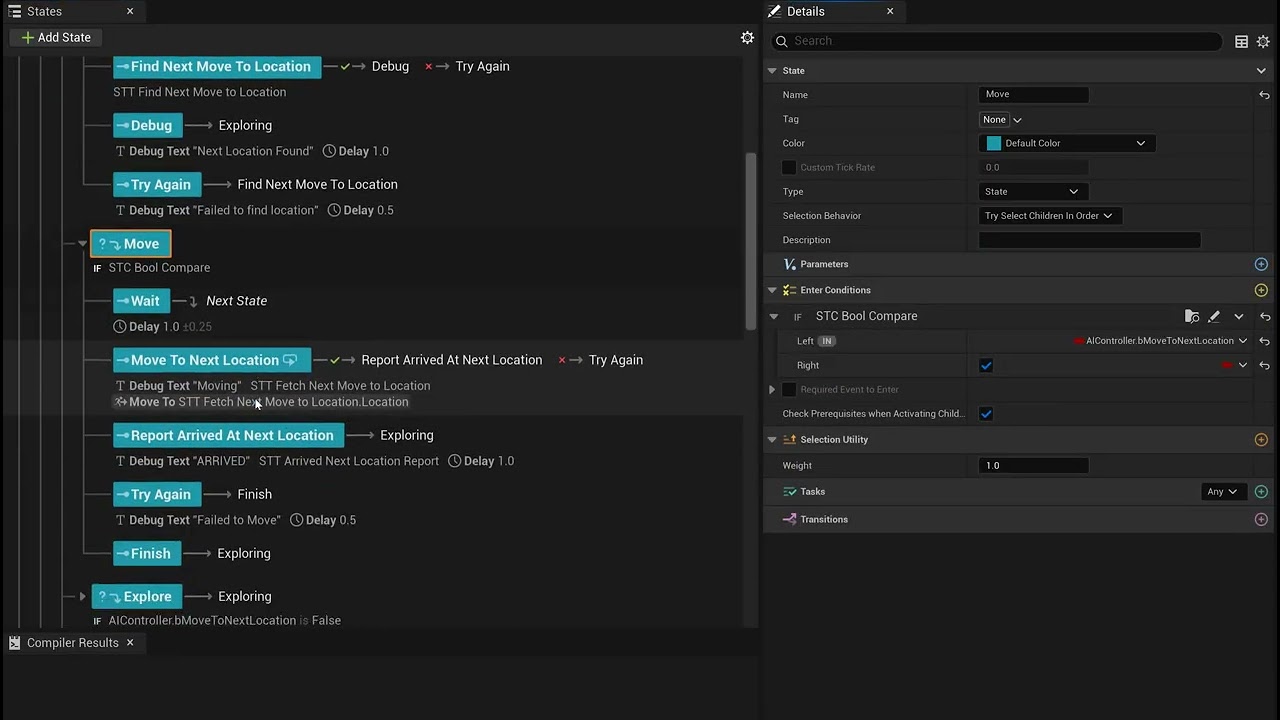
 silent hamlet
wet otter
Sending video, thanks. Does this look correct?
I added task to Explore (slipped ...
silent hamlet
wet otter
Sending video, thanks. Does this look correct?
I added task to Explore (slipped ...
Hm what I see is that you have basically no transition explicitly set up. When you want a state to stop and move on to something you should add a transition with a condition. So in your case that would probably go in the Explore parent task and transition to Roam
That's missing there
wet otter
silent hamlet
Hm what I see is that you have basically no transition explicitly set up. When...
I have Transition there, and it has condition with bool.
Is this how it should be? On the image. Or you meant something else?
 silent hamlet
Oh yes now I see explore Vs explorING. Ok but that is on state complete so that is triggered every 0.1 seconds since you have a task set to "any" and a delay of 0.1 on explore
gleaming star
How do you debug state trees, I want to blow my head off dealing with the way these things with. One minute it works the next it doesn’t. I have no idea how the tick policies are supposed to work and it will just not do things like move to it’s home location sometimes. And I have no idea why it doesn’t at least try to move after failin to move
wet otter
gleaming star
How do you debug state trees, I want to blow my head off dealing with the way th...

Welcome everyone to my first Livestream, the topic of today is "State Trees". This is also a new topic for me, so we will be exploring it together and trying to learn something new! Hope you have fun!
These are some of the resources I will be referencing during this livestream, and they were my learning materials as well (Official UE docs)
http...
wet otter
silent hamlet
Oh yes now I see explore Vs explorING. Ok but that is on state complete so that ...
Why every 0.1 second?
And is this how I should have it set up if I want to exit after child state finishes, or different?
gleaming star
wet otter
Here:
https://youtu.be/moauMbgRtAQ?t=3685
is this nice? i could watch , quick question if i have a "reset entity" function that i simply want to fire 1 time where it moves it to a home location, in an idle state, would this need to be a single task, multiple tasks, or a whole state? like this is the part i usually can't figure out is what to make a state, vs a task, vs a child state, it's quite confusing
wet otter
gleaming star
is this nice? i could watch , quick question if i have a "reset entity" functio...
Yes, I gave you time stamp to debugging part.
gleaming star
transitions also kinda baffle me, im not sure if i should have gloabl ones at the tippity top, or if i should ut them on the children states, i've just nve really been able to figure out what its doing, very hard to tell by testing
gleaming star
wet otter
Yes, I gave you time stamp to debugging part.
ahh, v nice ty
wet otter
States are just that, states.
State can have multiple tasks. They all run at the same time.
State will finish when ANY or ALL tasks finish.
When state finishes, it will look at its Exit Transition.
For example:
Parent Attack state (enter conditions).
Child state Move To Attack Target - state where character will move, or fail, and exit can be based on success or fail.
If success, you can go to Perform Attack state.
All those states can have multiple tasks.
Look At + Perform Attack Animation tasks.
I would suggest some tutorials about state trees to get a better ideas. State Trees are a bit confusing, especially if you have too much and need to track what is happening where.
Ali's videos are very good.
You can also ask AI to give you an overview.
silent hamlet
wet otter
Why **every** 0.1 second?
And is this how I should have it set up if I want to e...
Remove the delay task on the parent. Because that is succeeding after it finishes and then it exits the whole state.
 dim lynx
hi everyone, The AI sometimes circles aimlessly around the point and can't reach the NavLink, I increased the radius to 111 and it still sometimes circles and can't reach it

someone can help?
slow bobcat
Try changing the acceptance radius (5 is very low, that should be at least the capsule radius to prevent issues).
 thick anvil
Hi, not sure if this is the best place to ask this question because it's not AI related, but it is State Tree related and you guys know about that.
I'm using the Gameplay Camera system and using the State Tree Camera Director. Every frame, my state tree returns to the root node, even though I'm never telling it to. My leaf states call the ActivateCameraRig task and have no transitions. Some higher up states have "On Event" transitions.
Visually, this works fine. I see nothing wrong in game. But when I use the debugger, I see that every single frame my tree is going back to the root node and finding it's way back to where it should be.
I can "fix" this by setting the "Run Once" setting on the ActivateCameraRig task to false, but that messes up the camera's position for some reason (I think due to transitions between camera positions).
See image below. I think the gaps in the timeline are just when the game stutters for a moment because it's still initialising.


And here's my tree
i see the root transitions on my leaf nodes under Third Person, but I'm not sure where they're coming from. here is my settings for one of the leaf nodes.

I think that essentially the problem here is that I want a state that does not have a completion transition. Is this possible? The logger prints Could not trigger completion transition, jump back to root state.
harsh storm
Is "Activate Camera Rig" your own task?
harsh storm
Look to see how that finishes the task itself
That's what will trigger the transition
Looking at it - when you disable run once, it relies on the tick to do stuff
So every frame it is adding the camera rig to the active camera rigs array
What component runs this?
thick anvil
GameplayCameraComponent
Hm, I guess I could make my own task for this? I've never made a task before but I assume it's possible to make it do something once and then just do nothing?
harsh storm
Yes
thick anvil
I don't understand why the default task is implemented like this
And this isn't some unorthodox use case either, the plugin is made for this lol
Why would I want to apply my camera every single frame?
harsh storm
Couldn't say. I don't use this system. I think it is overcomplicated for indies generally.
thick anvil
Mhm I get that
harsh storm
But this is all the task does
 thick anvil
Yeah, I've been looking at it but I've never engaged with state tree code before so It's a bit confusing to me
harsh storm
And that looks like it is used by the camera director
Which is an evaluator in this case
Okay - so this all ties back to the PlayerCameraManager
APlayerCameraManager::UpdateCamera() - this calls DoUpdateCamera()
AGameplayCamerasPlayerCameraManager::DoUpdateCamera() - this calls CameraSystemEvaluator->Update()
FCameraSystemEvaluator::Update() - this calls UpdateImpl() which calls UpdateCameraDirector()
FCameraSystemEvaluator::UpdateCameraDirector() - this calls CameraDirectorEvaluator->Run() (which is FCameraDirectorEvaluator::Run())
FCameraDirectorEvaluator::Run() - this calls OnRun() - this is what gathers all of the active camera rigs (that get added every frame by the task)
These results are used to perform activation/deactivation requests
thick anvil
Thank you - I'll take a look at all these. Perhaps you're right though and this is all too complicated lol
harsh storm
The task shouldn't be going back to root because the tick is returning the "Running" enum value.
thick anvil
Well, that's the thing. When I set my ActivateCameraRig's Run Once to false, it doesn't go back to root. But instead the camera doesn't follow the settings I've given it, for some reason
harsh storm
https://dev.epicgames.com/community/learning/tutorials/KWKX/unreal-engine-how-to-set-up-gameplay-camera-system-experimental-with-state-trees looks like your issue
 thick anvil
Yes! That was it.
Really, the main issue here was that I didn't know that THIS:

was a button
If I knew that was a button I would have solved this a while ago, lol
Thank you very much for all the help!
harsh storm
thick anvil
Yeah - this just activates/deactivates if the task should be used for evaluation of completion of a state.
thick anvil
It seems that that was the core issue - I only have one task on the states so it was trying to transition, but there were no transitions so it fell back to root. Disabling this seemed to fix it. I only found out that that was a button because of an image in that tutorial you sent showing it, lol
wet otter
Remove the delay task on the parent.
near condor
Looking at this document for 5.7: https://dev.epicgames.com/documentation/unreal-engine/API/Plugins/StateTreeModule/FStateTreeDelegateDispatcher
And I see it says: "See StateTreeDelegateTests.cpp for examples."
But I am not finding that file anywhere in my project.
Epic Games Developer
StateTree's delegates are used to send events through the state's hierarchy.
simple crescent
near condor
Looking at this document for 5.7: https://dev.epicgames.com/documentation/unreal...
Maybe it means Engine\Plugins\Runtime\StateTree\Source\StateTreeTestSuite\Private\StateTreeDelegateTest.cpp
 undone magnet
Hey! Not sure if this fits here but I'm using a Behavior Tree's "Move To" node to move an actor to my position constantly.
Unless i check "AllowStrafe" when the actor rotates towards me it does it in a jerky way, what could cause this?

The actor is using a Character Movement component and has rotationrate 720 yaw
It was due to Use Controller Rotation Yaw. 
hallow compass
undone magnet
Hey! Not sure if this fits here but I'm using a Behavior Tree's "Move To" node t...
If you are interested you can find more details on how AI Controller rotations works
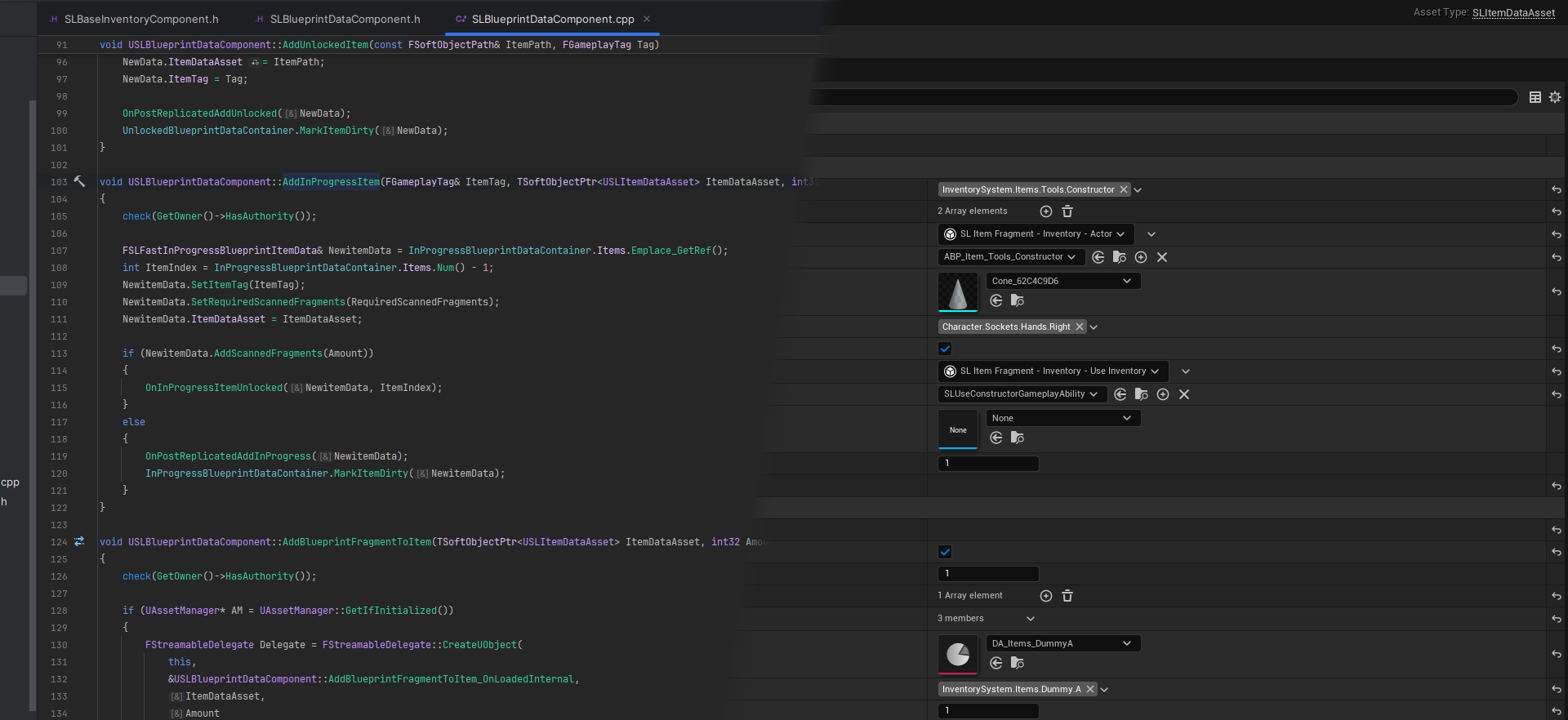
AI Possession Inside APawn::PostInitializeComponents depending on the value of AutoPossessAI APawn::SpawnDefaultController will be called which creates a NewController ...
undone magnet
Tyvm, i'll give it a read
harsh storm
@chilly nebula Found a logic bug with the path following component. In the screenshot, this delegate is never unsubscribed from. So if someone out there is reusing AIControllers, then if they switch it from Actor A to Actor B (or are even pooling the actors themselves), when Actor C bumps into Actor A, Actor B (which is possessed by Actor A's original AI Controller) would stop because it is still bound to Actor A's OnActorHit event.
We've come up with two solutions:
- Cache the Pawn in a TWeakObjectPtr and unbind when we get a new pawn.
- Get the owner of the
NavMovementInterfaceand unbind it through that when getting a new pawn.
I'm fine submitting a PR, but which route would be preferred by y'all?
 slow bobcat
harsh storm
<@187650553168265216> Found a logic bug with the path following component. In th...
slow bobcat
harsh storm
<@187650553168265216> Found a logic bug with the path following component. In th...
While we talk about ai controller, tbc, but I think we found another bug. If you spans a character say in sub level A and you use Rename to move ownership to level B, it seems the AI Controller doesn't handle properly the move and you can end up with a character without a perception component
hallow compass
im having a weird issue where if im below 30 fps the AI movement is super jittery causing it to sometimes skip nav points
could it be because of incorrect velocity values with delta time in FollowPathSegment ?
hallow compass
my AIs are moving on a grid where each cell is 100cm square, so if the AI moves to fast between 2 cells it can skip the end goal because the acceptance radius is very small (around 10cm radius)
 cinder crag
Any State Tree wizards here ?!
How can I pass variable values to state tree parameters ? Is there any node out there ?!
 night wave
cinder crag
Any State Tree wizards here ?!
How can I pass variable values to state tree pa...
night wave
cinder crag
Any State Tree wizards here ?!
How can I pass variable values to state tree pa...
either change engine source code to support binding there or just do the normal thing and put them in your character blueprints and get those values in your state tree
 solid spire
You could have a global task on your state tree that reads variables off your AI controller
I feel like I read somewhere on the road map about wanting to make it more straight forward to pass variables directly to the state tree but maybe I'm crazy?
 light knoll
Should i use state trees for my interaction system? The way it works right now is that i assign InteractableTags, which are meant to track the state of the actor. When the player starts focusing on the actor, i run this interaction flow to check which interactions are going to be available for the player. Right now it only checks if the door is open or closed and then gives the player the option to open or close, but i want to expand this to check if the door is locked, if it can be lockpicked, if it can be opened with a key, if it can be knocked, etc. I'm also using the same logic for my dialogue system

For the character interaction i need to check if the character is dead or alive, if it has been greeted, the current topic, if it's currently talking, etc, etc
 livid portal
Hello everyone 👋
I'm currently using State Trees for my AI enemies in a project that uses Angelscript and GAS (which might be relevant to my issue). I'm curious if you have any suggestions on re-using generic state tree tasks. Currently I keep finding myself in a position where I basically have to duplicate what feels like very generic logic, just for it to fit each enemy.
Say I have an evaluator that checks the time it has taken for an enemy to perform some action, and if the timer reaches the end before the task has finished, I send an event to the enemy's state tree to cancel the current action. This logic feels like it should be re-usable across several enemy AI's, as opposed to what i have now, that i have to duplicate the entire evaluator logic and just replace the object reference to the enemy i'm designing.
My idea was that I could make basically an empty enemy controller that holds the StateTreeAI component, then use that enemy controller as the shared parent class for my enemies . This would let me simply reference the AIC_EnemyController in my tasks/evaluators/etc as opposed to referencing AIC_Carapace in one evaluator and AIC_Psycho in a duplicated one.
First of all - is the shared AIC parent class a good design choice, or is there a different approach that is considered better? I'm fairly new to State Trees so I experiment as I go.
However, the issue i'm running into here is that GetOwner() returns a nullptr in my custom Character Movement script component (Angelscript).It doesn't actually break any logic of the enemy, but it feels like a red flag and something that i'm missing in my architecture design.
Here's the flow of the setup, in the most simple way I can think of in order to describe it:
- Create empty enemy controller BP to act as a shared parent class across multiple different enemies. Nothing happens here other than that i add a StateTreeAI component.
- Set
AIC_EnemyControlleras parent class inAIC_Carapace.AIC_Carapacereferences the actual state tree to be executed. AIC_Carapacestarts the State Tree logic on possess.- The character,
BP_CarapacesetsAIC_Carapaceas it'sAI Controller Class. - The character holds the
Character Movementcomponent, which is set to my custom Angelscript class, as well as theAbilitySystemComponent.
If I revert to AIC_Carapace using AIController as parent class and BP_Carapace using AIController as it's controller, then the error goes away. But then i'm right back where i started, having to duplicate generic task logic.
chilly nebula
harsh storm
<@187650553168265216> Found a logic bug with the path following component. In th...
PR for sure 🙂 what version is that on? I know we did some path follower fixes in 5.8 already.
harsh storm
chilly nebula
PR for sure 🙂 what version is that on? I know we did some path follower fixes...
5.7.4
And my question is which approach would y'all prefer. Option 1 or 2.
chilly nebula
harsh storm
5.7.4
And my question is which approach would y'all prefer. Option 1 or 2.
I cant give you a quick answer sadly, would need to dive in and explore, and I dont have the time atm :/
harsh storm
I'll just go with 2 - it's the least intrusive.
harsh storm
@chilly nebula https://github.com/EpicGames/UnrealEngine/pull/14744
CC: @mint terrace
harsh storm
livid portal
My idea was that I could make basically an empty enemy controller that holds the...
It is generally advised to have your own custom base class for these framework things. Such as your own base character class or base game mode, etc...
Put your shared logic in that base class and specialized logic in a child class.
Personally, I rarely have more than one AIC. But I don't work on too many different genres
night wave
livid portal
My idea was that I could make basically an empty enemy controller that holds the...
i make a custom ability class it holds the data for the specific attack like the delay then i store this in an array of character abilities and the state tree pulls from that pool to use the ability so i can just create a new character blueprint make a new ability and reuse the same state tree
livid portal
night wave
i make a custom ability class it holds the data for the specific attack like the...
This sounds interesting, but I dont think I fully understand the solution. You dont happen to have a code sample i can check out, or have some documentation that inspired you to reach this archtiectural solution? I fully respect if you have neither 🙂
harsh storm
bruh - wtf is this. Why on Earth does the AnimationBased gameplay behavior use the freaking ability system.

Like - I know it is for the networking stuff but that should be mentioned in the class. A poor pure BP user would not be able to use something that has zero indication that it relies on GAS.
simple crescent
Funny, I was just looking at that today. I was wondering how smart objects replicate their actor animations to the clients. It turns out it re-uses GAS animation replication.
I'm not sure that any additional setup is required other than having a UAbilitySystemComponent on the actor.
harsh storm
There isn't but it is still less than stellar to make it a hard requirement
 reef turret
I have a doubt,how to make the ai also vault like the player.I have created a vault system for the player but how to make the ai also vault?
night wave
reef turret
I have a doubt,how to make the ai also vault like the player.I have created a va...
navlinks
night wave
simple crescent
Funny, I was just looking at that today. I was wondering how smart objects repli...
isn't that just an RPC call ?
slow bobcat
reef turret
I have a doubt,how to make the ai also vault like the player.I have created a va...
If your logic to calculate the vault location, whether the obstacle you want to vault is "vaultable" (thin enough and not too tall etc) is in a utils class or similar, you can re-use it. Instead of pressing a button at the location and playing the jump animation, you will need to calculate a point and, on overlap...
Or nav links
simple crescent
night wave
isn't that just an RPC call ?
It isn't. The replication is done via the replicated RepAnimMontageInfo object on the ASC.
There are advantages with using state based replication instead of RPC, particularly resolving situations where multiple animations might be triggered. Not to mention that it would mean that smart objects play nicely with gameplay abilities triggered by other gameplay.
kind jacinth
state tree ai component wont accept statetree with custom schema, what now ?
kind jacinth
i already inherit from UStateTreeAIComponentSchema
hmm is that class wrong? should component be there ?
harsh storm
Show what you have. I am doing it fine in one of my projects
kind jacinth
#include "Components/StateTreeAIComponentSchema.h"
#include "Blueprint/StateTreeEvaluatorBlueprintBase.h"
#include "StateTree/Evaluators/ZombieTargetingEvaluator.h"
#include "StateTree/Evaluators/ZombieSelfEvaluator.h"
#include "ZombieStateTreeSchema.generated.h"

UCLASS(BlueprintType, EditInlineNew, CollapseCategories, meta = (DisplayName = "Zombie State Tree", CommonSchema))
class ZOMBIEGAME_API UZombieStateTreeSchema : public UStateTreeAIComponentSchema
{
    GENERATED_BODY()

public:
    virtual bool IsStructAllowed(const UScriptStruct* InScriptStruct) const override;


    virtual TConstArrayView<FStateTreeExternalDataDesc> GetContextDataDescs() const override;
};```Show the cpp
kind jacinth
#include "StateTree/Tasks/ChaseTargetTask.h"
#include "StateTree/Tasks/SearchPlayerTask.h"
#include "StateTree/Evaluators/ZombieTargetingEvaluator.h"
#include "StateTree/Evaluators/ZombieSelfEvaluator.h"
#include "Blueprint/StateTreeEvaluatorBlueprintBase.h"

bool UZombieStateTreeSchema::IsStructAllowed(const UScriptStruct* InScriptStruct) const
{
    return Super::IsStructAllowed(InScriptStruct)
        || InScriptStruct == FChaseTargetTask::StaticStruct()
        || InScriptStruct == FSearchPlayerTask::StaticStruct()
        || InScriptStruct == FZombieTargetingEvaluator::StaticStruct()
        || InScriptStruct == FZombieSelfEvaluator::StaticStruct()
        || InScriptStruct == FStateTreeBlueprintEvaluatorWrapper::StaticStruct();
}

TConstArrayView<FStateTreeExternalDataDesc> UZombieStateTreeSchema::GetContextDataDescs() const
{
    // Delegate to parent to get the default AI external data (owner actor)
    return Super::GetContextDataDescs();
}```i can plug there regular ai component schema state tree in the AI component
hmm there is different issue. i made copy of my ST and changed schema to ai component and still not visible in component
or that was cache issue, it is there now
kind jacinth
i can assign it with nodes (start logic on beginplay) and it works fine, not sure why the statetree cannot be assigned in detail panel

 pine steeple
Construction script seems wild for this
near condor
pine steeple
Construction script seems wild for this
I only code in construction script. Go big or go home
night wave
no need for a custom context when you can just store everything on the actor / controller
slow bobcat
night wave
no need for a custom context when you can just store everything on the actor / c...
The issue with that approach is re-usability. If you were to use your ST with a completely different actor you will have to recreate all those variables in it
Let alone reusing them in a different game/genre
night wave
yeah i absolutely dont mind strongly coupling my state tree with my actor class if i wanted to re-use it in a different game or genre it would likely have different requirements anyway and i could just make state stree actor baes class to inherit from if i really wanted portability, i'm not trying to make every potential game at the same time, i'm just delivering 1 product with usually a very limited scope
ive seen many instances of people overcomplicating things because they wanted to re-use the code in the future or solve all potential problems
i've seen juniors that wanted to turn every seperate line of code into its own framework for re-usability it's literally nightmare fuel
slow bobcat
Yeah... It's a doubled sided sword
 unkempt haven
Hi! I am looking for examples/tips/guidelines to building an AI that does more than patrolling an area and chasing player on sight. The general requirements for it are as follows:
- Being able to execute attacks while moving - some attacks allow movement throughout the sequence, while some need to stop the actor after windup is done. The actor can resume movement after the swing, while the weapon returns to default position.
- Status effects - some enemies should have their attacks interrupted/get stunned while getting hit. Some can be hit with an ability, that can root them in place.
- Dormant state - some enemies start asleep, they can be alerted with noise/damage stimuli or dedicated triggers - they would then play a wakeup animation/montage, after which sight sense gets enabled as well - they shouldn't always go into chase state but investigate the general stimuli area instead.
- Ability to choose when stuff like stuns can affect them depending on certain conditions.
Some enemies require some of those functions, some require more if its a specific case.
I've approached the AI code many times, adapting/changing it entirely when functional requirements/features available changed (new enemies with new mechanics, new player abilities that should affect existing enemies, engine version update which brought State Trees, learning about GAS etc) but although I got something that worked I never really achieved anything that felt reasonable/stable, it seems like the moment I want to add anything new it all falls apart. My concerns so far:
- How should perception data be filtered, should they just be parsed into simple fields that describe if an enemy sensed the played, has line of sight and last perceived location?
- How should State Tree execute attacks, should it call into the Actor, should it start Abilities by Event (if using GAS)? How do you synchronize it with the ability and react to it being interrupted or finishing cleanly.
- How to react to applied statuses, how should they cancel abilities or affect active states?
- How to tie animations into all of this, especially when they have to react to instant events like getting hit or when AI logic is dependent on an animation finishing first?
I am using Unreal Engine 5.6.1, mainly focusing on Blueprints but I could use C++ if its not possible to achieve something otherwise.
 celest socket
is there a way to save an npcs navmesh movement so it can be measured in distance or cached for later? I need to determine an npcs position based on an unloaded streaming level
slow bobcat
celest socket
is there a way to save an npcs navmesh movement so it can be measured in distanc...
You can save the path object as a array of points. Also you can get the path distance if you only need that, there's a function for it
slow bobcat
unkempt haven
Hi! I am looking for examples/tips/guidelines to building an AI that does more t...
These are a lot of questions that lead to deep conversations but, to throw some ideas:
- moving + attack: if you mean soemthing like "run chasing the player while shooting", you can use an approach like a parallel tree. Option be would have the tree executing the running action while a Gameplay Ability plays the montage of shooting. You will need to do upper/lower body anims. The stop - attack - stop is pretty much what happens by default
- GAS is your friend. You can add g.tags through the GE's that will block movement, trigger animations etc
- we do this through the spawners. When a designer places a spawner on the level, they can set conditions on it that will tell the spawned AI how to behave. For example they can set a bt that must plays an animation + ignore senses (they detect but we do nothing with the result) until the seeing target is within X meters. They we move them into combat
- stuns condition based: same as before Gas using g.tags in the GE's and GA's
- about processing senses: what we do is that we gather info like which sense perceived the target, at what moment (time stamp) or if we stop sensing it, when did it stop. Line traces for line of sight are done on a need basis
- about attacks: up to you really. If you are using gas, make the tasks fire abilities
- abilities have functionality to cancel themselves upon detecting gameplay tags added to the character (same for activation). GE's can be removed too
- reactions: complicated topic, but an ability can force play a montage. It's a common usage
Basically you need to research deep GAS, it's there to do everything you are asking for
warped tiger
unkempt haven
Hi! I am looking for examples/tips/guidelines to building an AI that does more t...
I think there are multiple ways to implement the features you've described and it's hard to say which ones are better or worse without a complete understanding of the game features and scope so I'm going to answer the questions in a broad way
How should perception data be filtered, should they just be parsed into simple fields that describe if an enemy sensed the played, has line of sight and last perceived location?
Mot of the time, I like to keep perception, decision-making and behavior execution separated in different "logic layers". You could cache the relevant data gathered by the perception systems and then make it somehow available for the decision systems.
If you are using a state tree to implement AI agent behavior selection you could use an evaluator or global task to expose the relevant perception data to the state tree tasks or get that information through a custom state tree schema.
How should State Tree execute attacks, should it call into the Actor, should it start Abilities by Event (if using GAS)? How do you synchronize it with the ability and react to it being interrupted or finishing cleanly.
You could create a state tree task that executes a gameplay ability when the task is entered and cancels it (if still active) when the task is exited.
How to react to applied statuses, how should they cancel abilities or affect active states?
Bruno already answered this one
How to tie animations into all of this, especially when they have to react to instant events like getting hit or when AI logic is dependent on an animation finishing first?
Is this a multiplayer game? if so you may need to replicaet animations and the easiest way is probably to rely on a GAS ability that plays a montage (I don't remember the exact name but it's PlayMontageAndWait or something along those lines).
If you need the wait until the anim ends you can wait on a state that fires that play montage gameplay ability task to end.
unkempt haven
slow bobcat
These are a lot of questions that lead to deep conversations but, to throw some ...
moving + attack
i meant start a melee attack while chasing and (depending on the enemy) stop movement after windup when attack swing actually starts, i don't remember the reason i didn't use a parallel tree but i ended up running two state tree components instead. I did do upper/lower body anims.
abilities have functionality to cancel themselves upon detecting gameplay tags
oh, i though they will only react to tags when you try to activate them, i thought you have to cancel them manually (cancel ability with tags) if you want to stop already running ones - is it done just through the ability config in the GUI or is there some code one needs to set up?
Basically you need to research deep GAS, it's there to do everything you are asking for
i am aware its a powerful system and we try to utilize it, but i am not sure if we are overlooking/misunderstanding something, or are we just that constrained by blueprints, afaik blueprint API was just added and there is still a lot only available through C++
slow bobcat
Gas is a c++ system. Bp's are just a nice add on top, but 99% of it is still in code
unkempt haven
warped tiger
I think there are multiple ways to implement the features you've described and ...
Mot of the time, I like to keep perception, decision-making and behavior execution separated in different "logic layers".
Keeping perception data separate is clear, I react to perception updates, process it and store it as easy to read variables, basically the minimum amount of information that AI would require to function. But how do you separate decision making and behavior execution? I feel like in my case both of those are handled by the State Tree - decision-making is basically transitions between more high-level states and then behavior execution is in the more granular child states.
If you are using a state tree to implement AI agent behavior selection you could use an evaluator or global task to expose the relevant perception data to the state tree tasks or get that information through a custom state tree schema.
I had an evaluator that made perception data accessible at first, later I just put the data in the enemy parent class, since state trees aren't usually re-used they would access this information directly from the actor they controlled (or if they are meant to be reused, like in the case of a patrol sub-tree they would still use the base enemy class as the controlled actor)
Is this a multiplayer game?
Its singleplayer.
You could create a state tree task that executes a gameplay ability when the task is entered and cancels it (if still active) when the task is exited.
If you need the wait until the anim ends you can wait on a state that fires that play montage gameplay ability task to end.
That is more or less what I aimed to do, but in practice I just couldn't implement it. The only way I was able to execute an ability was by sending g.event to actor (it lets me pass in arguments alongside of it) but then how do you monitor the ability run status inside the state tree task? I feel like any idea to organize the code just falls apart the moment I try to implement it because stuff just seems impossible to do in BPs 😂
warped tiger
unkempt haven
> Mot of the time, I like to keep perception, decision-making and behavior execu...
But how do you separate decision making and behavior execution?
If you use state tree you are implicitly doing it. Sate tree selects which tasks to execute using state enter conditions and state transitions. Behavior execution is then handled by the tasks itselves. It's up to you how much decision logic you want to implement as part of the logic inside the task and how much should be handled by enter conditions and transitions. There's no right answer here, but as a rule of thumb I like to keep any decision logic that will modify the NPC's state or goal as part of the decision layer (what the NPC should do on a high level) and all the other conditional logic (how the NPC should do it, lower level) as part of the execution layer.
I had an evaluator that made perception data accessible at first, later I just put the data in the enemy parent class, since state trees aren't usually re-used they would access this information directly from the actor they controlled (or if they are meant to be reused, like in the case of a patrol sub-tree they would still use the base enemy class as the controlled actor)
If you need to reuse them later on perhaps you may want to move that logic to the AI controller so that it's actor agonistic or perhaps to a component
warped tiger
unkempt haven
> Mot of the time, I like to keep perception, decision-making and behavior execu...
That is more or less what I aimed to do, but in practice I just couldn't implement it. The only way I was able to execute an ability was by sending g.event to actor (it lets me pass in arguments alongside of it) but then how do you monitor the ability run status inside the state tree task? I feel like any idea to organize the code just falls apart the moment I try to implement it because stuff just seems impossible to do in BPs 😂
Yep, as Bruno said GAS is pretty much C++. If you want to check whether the ability has been cancelled in C++ you could subscribe to an OnEnd event on the ability system component and bind a a function to the event that will end the state tree task. If you end up doing it this way, take a look atFStateTreeStrongExecutionContextand howStateTreeRunEnvQueryTaskuses it
celest socket
slow bobcat
You can save the path object as a array of points. Also you can get the path dis...
Ty!! I wonder how to handle this when the actor and level are unloaded. Maybe just run it all once before anything else then unload it. Or maybe just save the distances in editor and package them
shut swan
Hey, having some issues with a parallel ST.
I have a "has visible enemies" parent state, with a parallel state inside that is meant to go into attack, then wait
Issue is, the parallel state constantly runs the attack state every frame without waiting
hallow compass
i digged the engine implementation of RVO avoidance in the UAvoidanceManager, it is interesting but hardcoded in many aspects (such as little control on height and cylinder only)
im interested in other implementations of it (UE or not)
my AIs are flying objects
night wave
avoidance while flying is a lot easier since most of the space in the air is free do you have 3D pathfinding ? because as far as i know the whole navigation system in unreal is built on recast and that projects everything into 2D so do you have a full 3D navigation grid or are you just giving the flying enemies a vertical offset while they walk on the ground ?
hallow compass
night wave
avoidance while flying is a lot easier since most of the space in the air is fre...
i got a nice 3D nav pathfinding plugin to test
3DNav
hallow compass
night wave
avoidance while flying is a lot easier since most of the space in the air is fre...
RVO Avoidance is not built using the nav mesh
the UAvoidanceManager (not detour) has supports for externa object giving nav edges, but it isnt implemented anywhere on the engine
it works with basic infos like current object postion, radius, test radius and current velocity
maybe i wont need RVO avoidance if the 3DNav plugin handles well async chunk updates
my game has a lot of units, so updating a chunk and updating relevant path parts may be faster and stable than RVO
 tired loom
hallow compass
i digged the engine implementation of RVO avoidance in the UAvoidanceManager, it...
tired loom
hallow compass
i digged the engine implementation of RVO avoidance in the UAvoidanceManager, it...
I once implemented collision avoidance in Eve Aether wars, by just shooting 4 rays ahead of the space ship (but it was continually moving forward) , slanted slightly up, down, left, right. And applied steering in the opposite direction if the rays where hitting anything... It worked better than I would have hoped. But it was done client side per ship (so each client was only handling 4 continous raycasts), so potentially overkill for your use case. Another method would be to check for neighbouring objects, and apply opposing forces. (Sort of depends how your objects fly, what might make sense here) .
hallow compass
interesting
slow bobcat
hallow compass
maybe i wont need RVO avoidance if the 3DNav plugin handles well async chunk upd...
Boid Flocking
https://github.com/EncodedWorlds/Boids
https://github.com/SebLague/Boids/tree/master
Original paper
https://www.cs.toronto.edu/~dt/siggraph97-course/cwr87/
Boids
https://www.red3d.com/cwr/boids/
Steering Behaviours
https://www.red3d.com/cwr/steer/
Quick Flocking Simulation in JS
https://www.youtube.com/watch?v=mhjuuHl6qHM

GitHub
Boid flocking behavior made in Unreal Engine 4 using C++. - EncodedWorlds/Boids
GitHub
Contribute to SebLague/Boids development by creating an account on GitHub.
Background and update on BOIDS, the 1987 model of group motion in
flocks, herds, schools and related phenomena. Includes a Java-based
demonstration and many links to related research and
applications.
hallow compass
anyone used https://github.com/darbycostello/Nav3D ?
i got it recommended from here but from my testing the path points it finds are terrible
it doesnt seem to query the shortest path available
slow bobcat
hallow compass
anyone used https://github.com/darbycostello/Nav3D ?
i got it recommended from ...
We are testing this at the moment. While it finds the shortest path, it doesn't do pull string to shorten it. The other ai programmer is working on it. I can ask him what he thinks so far
hallow compass
For now im going back on testing CPath that worked well for me in the past
(You can find it as "Customizable Pathfinding" on fab, it has a github repo)
hallow compass
slow bobcat
We are testing this at the moment. While it finds the shortest path, it doesn't ...
If its only that i might just edit the code and skip points if trace query passes
If so ill share my implementation on my fork
Its also missing async path search
slow bobcat
umm is it? maybe we implemented that ourselves? will ask tomorro