#gameplay-ai
1 messages · Page 88 of 1
 drifting ginkgo
 upbeat tendon
are you literally rendering your state tree in game? haha
nope because state trees are hyper performant and you could manage the complexity by doing that in a subtree
upbeat tendon
is there any way that I could add a condition to a state's OnEnter which is along the lines of "does the current context have an event raised with tag X?", or add it to a transition condition would also work
 harsh storm
That's just an enter condition on the state
upbeat tendon
harsh storm
That's just an enter condition on the state
it's none of these though. and if I make a custom condition how would I read the current list of events that are waiting to be consumed?
 drifting ginkgo
upbeat tendon
are you literally rendering your state tree in game? haha
drifting ginkgo
upbeat tendon
are you literally rendering your state tree in game? haha
Nah it's an editor Utility Widget, I just hate when my tools are ugly so I spruce em up a lil.
To expose it up and have both LinkedTrees and runtime overrides, eg when you set a State to a Tag then replace that state with a LinkedTree. That's the challenge, but it makes it very viable for debugging like 5+ nested runtime trees.
Eg say your smartObject is where you actually store your ST override, you can have your SmartObject choose which tree it returns to your NPC.
So a table can have store/ retrieve/ stand/ craft/ etc, all as indepedent choices for it to return to you.
upbeat tendon
wow so you are dynamically changing your StateTree?
drifting ginkgo
Yeh the tags you can assign to states let you override states
upbeat tendon
I found a way to do what I'm trying to do. I just had to add an intermediate branching state (I named it How Serious?) which transitions based on which event, and sequence to that first
 drifting ginkgo
The Acquire - Ingot is a state with a tag, which then gets overrriden with a LinkedAsset below it
 upbeat tendon
drifting ginkgo
The Acquire - Ingot is a state with a tag, which then gets overrriden with a Lin...
upbeat tendon
drifting ginkgo
The Acquire - Ingot is a state with a tag, which then gets overrriden with a Lin...
is that what your tree icon is?
drifting ginkgo
upbeat tendon
is that what your tree icon is?
indicates a new tree, not always an override though some are fixed
upbeat tendon
Arc what is your game? is it like a survival builder?
drifting ginkgo
This is just a learning project for me no game
upbeat tendon
are you writing any of your tasks in C++?
 final prism
Out of interest, is there a typical way of doing "patrol route" path following in unreal? Basically, if there's a route of nodes to move along, you can move and path between each and every one as an individual path, but this means the path following will stop at each point before repathing, which isn't ideal. It's possible to set the path following to never stop on end nodes, but thought I'd ask if there's better alternatives?
drifting ginkgo
final prism
Out of interest, is there a typical way of doing "patrol route" path following i...
Have you had a look at ZoneGraph with MassAI, I think the traffic examples should have what you want
final prism
drifting ginkgo
Have you had a look at ZoneGraph with MassAI, I think the traffic examples shoul...
Ah thanks, I shall have a peek
I wish they added some of the mass stuff to vanilla unreal, there's some unique things in there that could work even without requiring "mass" amounts of NPCs
 slow bobcat
HEllo!
I come here in seek of help related to World Partition and Nav generation.
We are doing some R&D for future releases and checking how we can use WP to fit our needs.
I have a simple level with a landscape set with 127x127 quads, 1x1 Sections per component.
In my World partition settings I have set the cell size to the smallest possible (1600).
Then I added 2 nav volumes in different parts of the world.
Now, the issue: generating nav in editor is not the same than running the appropiated command to generate nav ( .\UnrealEditor-Win64-DebugGame.exe "D:\Projects\R&D\R&D\R&D.uproject" "/Game/Developers/Bruno/Levels/WP_TestLvL.umap" -run=WorldPartitionBuilderCommandlet -AllowCommandletRendering -builder=WorldPartitionNavigationDataBuilder -SCCProvider=None
When you run Build Pathsin editor, the nav run mode is not FNavigationSystemRunMode::EditorWorldPartitionBuildMode and the generation process grabs the pool size from the Project Settings. We have a very big pool set. The main issue is that, this method, doesn't work. When the player walks through the world, I can see the recast object being loaded but no nav is loaded (there aren't any nav chunks)
But when you run the command, this line happens
return IntCastChecked<int32>(FMath::CeilToInt(static_cast<FVector::FReal>(GridCellsCount) * AvgLayersPerGridCell));
AvgLatesPerDridCell is set during construction to 8 and never exposed or changed anywhere. If your GridCellsCount is 1 (my case), you ende up with a max of 8 tiles for nav, which is ridiculous.
I hit this warning
2025.12.10-14.24.55:818][ 2]LogNavigation: Error: HexRecastNavMesh_UAID_D85ED395F1A647AA02-Default> Failed to add tile (-13,1:0), 8 tile limit reached! (from FRecastNavMeshGenerator::AddGeneratedTileLayer). If using FixedTilePoolSize, try increasing the TilePoolSize or using bigger tiles.
Fixing the Tile Pools Size doesn't work because WP doesn't use it.
How am I supposed to fix the issue? as I understand it, using the command
is the righ way, because that's the only way that actually generates the nav chunks needed (NavDataCHunkActor_XXXX )
 chilly nebula
slow bobcat
HEllo!
I come here in seek of help related to World Partition and Nav generation...
chilly nebula
slow bobcat
HEllo!
I come here in seek of help related to World Partition and Nav generation...
this is quite an advanced subject and Im not sure how many here might have engaged with it. I recommend filing an EPS ticket too, so our devrel people can give you some recommendations.
harsh storm
I still haven't really used WP to be fair. So no need to look into it.
 kind wigeon
I'm sure this has been asked a million times, but I'm trying to have my Characters be Dynamic Obstacles but it doesn't seem to do anything? I have the navmesh runtime settings set to Dynamic Modifiers Only, the Capsule Components set to "Dynamic Obstacle", and the Area Class Override to "NavArea_Null" and "Can Ever Affect Navigation" is true. What might I be missing?
slow bobcat
chilly nebula
this is quite an advanced subject and Im not sure how many here might have engag...
Will do. Need to do some more research. But it's scary that a question about how to generate nav in a simple WP map is already being troublesome. Ah... Perks of experimental features
drifting ginkgo
kind wigeon
I'm sure this has been asked a million times, but I'm trying to have my Characte...
You're likely better off looking into avoidance or concepts like RVOAvoidance or crowd? Behaviour.
You can dynamically enable navMods if you were doing sometbing like bakdurs gate thats turn based.
kind wigeon
drifting ginkgo
You're likely better off looking into avoidance or concepts like RVOAvoidance or...
I am doing turn-based, yeah. I've tried RVO but it doesn't seem to really help? They still barrel straight toward other characters.
I tried using nav modifier components but I get this error "parent [CollisionCylinder] not found in octree!" and couldn't find any docs on how to get it working either.
drifting ginkgo
kind wigeon
I am doing turn-based, yeah. I've tried RVO but it doesn't seem to really help? ...
What I've done personally before is have seperate actors that are just capsule/cubes setup with a capsule shape.
Then in the ststic mesh setting set CaneffectNavigation to true.
Make sure you have runtime nav, then enable/disable the collision or the canEffectNavigstion that exists on the sphere collision. I can try dig up the exacts in an old project later today
You can do the dame thing with staticmesh components that are cylinders/capsules. Depending on your performance needs you can pool/etc
kind wigeon
I'll give that a try after lunch, thanks! It sounds like what I've tried but I'm sure I'm just missing something stupid along the way...
drifting ginkgo
Instead of using the NavModifier component which I found size wise wasnt as dynamic. By using a capsule shape staticmesh, you can duplicate the engine default or such
You then set the CanEffectNav on the staticmesh asset and you should get avoidance, you can then scale the mesh and turn its collision on and off.
Also make sure your nav is rebuilidng at runtime.
Scaling the mesh gives you clean circles vs the nav modifiers default quite big squares
Lmk if doesnt work I'll find that old turn based proj in like 12hrs time
kind wigeon
drifting ginkgo
You then set the CanEffectNav on the staticmesh asset and you should get avoidan...
Hey, I got that approach working, thanks a ton! One quick question though: how do you wait for the navmesh to finish updating? My AI keeps failing to find a path because the navmesh hasn't finished updating after disabling its obstacle mesh. There must be a callback for that, right?
drifting ginkgo
kind wigeon
Hey, I got that approach working, thanks a ton! One quick question though: how d...
Mmm for your navmesh to take that long seems a bit odd. Do you have alot of units or giant scale map?
I think I've tried before making a grid of navMeshBoundsVolumes rather than 1 larger one. But it's just a guess that theoretically generate smaller chunks is faster
The 1 large mesh may already be doing this internally
kind wigeon
drifting ginkgo
Mmm for your navmesh to take that long seems a bit odd. Do you have alot of unit...
It doesn't take long at all (it's a small map), but it isn't ready on the same frame, so I need to wait for it. I want to make sure I'm waiting the correct amount of time.
drifting ginkgo
Oh are you trying to nav path on the same tick you change the collision?
kind wigeon
drifting ginkgo
Oh are you trying to nav path on the same tick you change the collision?
What I'm currently doing is having a static mesh for each character, and their mesh gets disabled when it's their turn so it doesn't block their own pathing. So when a new turn is up, it needs a few frames before the switchover is ready.
drifting ginkgo
If you have c++ access there's very likely a navmesh bounds something finished. Not sure by BP
kind wigeon
I'm doing it in C++, yeah.
drifting ginkgo
I'd dig into the NavMeshBoundsVolume maybe an event there but not sure myself sorry
kind wigeon
Thanks! Out of curiosity, how did you not encounter this problem yourself?
drifting ginkgo
I think I was messing with a baldurs gate style thing that likely meant I had like some UI "its your turn" or something that accidentally hid it
Or the camera was lerping between characters etc
kind wigeon
That makes sense
Update: Apparently what I want is OnNavigationGenerationFinishedDelegate... I'll give that a try tomorrow
Thanks again for your help!
upbeat tendon
how can I assign to an output property on tick in a statetree task in 5.7.1? Siggi said that is possible now, but OnTick is still marked as const

haha

• When a StateTree is created and run, it allocates memory for all instance data required by its tasks, conditions, and evaluators.
ohhhh
massive learn
upbeat tendon
I don't really get it though, it seems that we need this type alias for it to work, eg. using FInstanceDataType = FStateTreeDelayTaskInstanceData;
is this some kind of magical reflection thing that it can detect even though it's just a compiled out type alias?
 hallow compass
I plan on having flying enemies, does anyone knows a good free plugin like https://www.fab.com/listings/4aafd8c4-b55c-49c9-8f9c-654f5b5b07c7 for 3D pathfinding ?

Fab.com
BASIC SETUP VIDEO TUTORIAL | SHORT VIDEO SHOWCASING INCLUDED EXAMPLE LEVELS | ADVANCED TUTORIALBlueprint exposed customization:Setting box-shaped area of the graphAgent shape (simple shapes)Agent dimensionsOctree depth, 0 - grid, 3 - for large open spaces. 2 by default, suitable for most scenarios.Graph resolution (choosing size of the smallest ...
i already used it in the past and it was fine, didnt stress test it tho
chilly nebula
upbeat tendon
how can I assign to an output property on tick in a statetree task in 5.7.1? Sig...
I believe you need to use the execution context, I'll see if I can dig up an example for you.
upbeat tendon
chilly nebula
I believe you need to use the execution context, I'll see if I can dig up an exa...
yeah, thanks man. I already ended up copying how the Delay task example does it. just trying to get the task to actually show up in the task list in the editor now
yeah it won't show up eh. I even tried moving it into a plugin
not sure what I'm missing. I tried to copy all the reflector stuff I could from the Delay engine plugin

 slow bobcat
hallow compass
I plan on having flying enemies, does anyone knows a good free plugin like https...
slow bobcat
hallow compass
I plan on having flying enemies, does anyone knows a good free plugin like https...

GitHub
3D Pathfinding system plugin for Unreal Engine 5.6, using Sparse Voxel Octrees. Now overhauled for UE5 with optimisations and tactical reasoning - darbycostello/Nav3D
hallow compass
thanks !
 cold timber
There's a very annoying issue with SmartObject's that I'm not sure if it's by design, or if it's a bug.
So in pic 1, the SmartObject component is on the left, the actor it's attached to is on the right.
When a SmartObject slot is registered, the bounds of the slot is retrieved and adjusted. But not by the SmartObject scene components transform, but by the actors transform (pic 2). This is causing my SmartObject's to constantly be missed by FindSmartObject. In this case, the bounds that is being registered in the space partition SmartObject subsystem is using the actors transform. In this case, location 0 and a cell is created at location 0 (pic 4).
But the FSmartObjectRuntime DOES use the slots world transform, the one on the far left, which means the space partition registration is not consistent with how we search it. This means that my query has to both encompass:
- The bounds of the SmartObject slot + the actor transform, which means right next to the actor, not where the scene component is
- The SmartObject slot itself, which is offset by the scene components transform
Is this a bug? GetSmartObjectBounds is either misnamed or it's a miscalculation, since the bounds it's returning just... Aren't the bounds of the SmartObject. The system is only consistent if the SmartObject scene component's relative location is 0
In pic 5, I'm drawing a debug box where GetSmartObjectBounds is registering the SO slot. In pic 6, we can see that it's clearly not in the correct location


 chilly nebula
upbeat tendon
yeah, thanks man. I already ended up copying how the Delay task example does it....
chilly nebula
upbeat tendon
yeah, thanks man. I already ended up copying how the Delay task example does it....
Most likely you are inheriting from the wrong task base class that is not compatible with your schema. If you are using the AI controller version of the component, inherit from FStateTreeAIActionTaskBase
upbeat tendon
thanks!
chilly nebula
upbeat tendon
yeah, thanks man. I already ended up copying how the Delay task example does it....
btw Im curious, why does the tick being const block you? I hope you are not setting variables directly on your task class
chilly nebula
cold timber
There's a very annoying issue with SmartObject's that I'm not sure if it's by de...
Maybe Im missing something, what is the usecase for offsetting the smart object away from its actor?
cold timber
chilly nebula
Maybe Im missing something, what is the usecase for offsetting the smart object ...
I've made a scriptable tool for a spawner and I'm using the SmartObject components as spawn points. So instead of spawning tons of actors, I'm making more components on the spawner actor and then changing the components location.
This would also continue being a problem for different use cases. For example, a house packed level actor could have a door as a SmartObject and that obviously would not be at the root of the actor
I guess for the house example, you could make the door its own actor, but for use cases where using SmartObject's to label points in space, it feels like a massive waste to spawn an entire actor where as if the calculation was just correct, then I could just spawn a scene component instead of an entire actor + scene component
chilly nebula
cold timber
I've made a scriptable tool for a spawner and I'm using the SmartObject componen...
Did you consider using Smart object persistent collections?
But yeah the rest of what you describe sounds like a bug, if you investigate and create a PR let me know plz 🙂
cold timber
chilly nebula
Did you consider using Smart object persistent collections?
But yeah the rest o...
I haven't explored collections that deeply yet, so I'm not sure exactly about its use case.
I'm currently trying to build the engine from source so I can test the change, but it's my first time and seem to be hitting some walls 😅 Not sure if I'm confident enough to make a PR for such a large and complex repository tbh
Edit: Did some reading on collections, it seems like it's just for ensuring things are loaded and unloaded correctly? The issue I'm describing is that the location in the space partition is not being registered correctly, the SmartObject is being loaded and placed in the simulation correctly, it's just not in the right place
upbeat tendon
chilly nebula
btw Im curious, why does the tick being const block you? I hope you are not sett...
I was haha, I really had no idea how to build a task in C++ and initially assumed that I can just use properties on the task 😂
chilly nebula
upbeat tendon
I was haha, I really had no idea how to build a task in C++ and initially assume...
Fields on the task class is fine for configuration values, since they are saved with the ST asset. For instance data always use the instance data struct.
cold timber
@chilly nebula This change fixes the issue and so far, all of my tests are succeeding. The yellow box now correctly indicates the bounds of the SmartObject slot.
Would it be troublesome if I asked you or someone on the team to make this change? I'm not the most confident when it comes to Github branching and pull requests. If that is too troublesome, then I'll try my best to make a PR

 chilly nebula
cold timber
<@187650553168265216> This change fixes the issue and so far, all of my tests ar...
chilly nebula
cold timber
<@187650553168265216> This change fixes the issue and so far, all of my tests ar...
Team is generally swamped with work, so any external fixes really have to be prepped in a way to minimize the effort for someone to review, test and approve it.
I recommend trying to make a PR, its not that difficult 🙂 and thank you
 polar nexus
Hey guys, I'm trying to get into AI. I was a bit confused on where to start
Are there any examples shared by epic themselves
better if its more complex
The one I found is stacko bot
 nova prawn
Ok this has been driving me crazy for the past few days can someone explain to me why Chase and Attack seem to run at the same time please? I have an AI Character with a State Tree who basically goes into Idle and then doesnt move even though the chase is performed (Probably because its inside the character itself and not a task in the tree), but the values all update I do notice that once entering the Chase State Tree does NOT move into chase even though the Enter Conditions have changed and I do notice that the Global Task stops running and printing out the distance between the AI and player for some reason, Please can someone explain to me what is going wrong its been driving me crazy for hours now! ...


I was under the impression the Chase task would finalise if the AI move to (IE... The AI reached the player would then have a distance less than X and then be able to transition into Attack) but Its not seem to be working like that.
upbeat tendon
polar nexus
Hey guys, I'm trying to get into AI. I was a bit confused on where to start
What do you mean by AI? that is a huge topic
polar nexus
upbeat tendon
What do you mean by AI? that is a huge topic
Just state trees
upbeat tendon
nova prawn
Ok this has been driving me crazy for the past few days can someone explain to m...
so if you read the overview docs really carefully it explains this - at any time an entire branch from root to leaf node is activated. all tasks run asynchronously in the whole chain. the statetree doesn't work exactly like a finite state machine where only one state is fully active at one time

Epic Games Developer
Overview of the StateTree system.
you have to know the selection process, activation, and then the transition process
to address your global task issue - check that you are not calling "finish state" on your task, if it is then that would end the whole tree execution. you also don't seem to have a good awareness of how your tree is running and ticking, I recommend turning on the rewind debugger for 5.7 or the statetree debugger in 5.6 and getting more familiar with how it's running over time.
upbeat tendon
polar nexus
Just state trees
start with the link I put above and playing around to get familiar with it. I'm not aware of any good full examples but that page covers the building block scenarios. if youtube is your thing you can look around there, there are dozens of end-to-end tutorials
polar nexus
I see, I was hoping for something that epic provided lol
Like they do with BT (Lyra)
but thats okay, thanks
upbeat tendon
same tbh
there seems to be one example floating somewhere but I haven't found it. youtube is good though
it's also in heavy development so specific unreal versions matter
harsh storm
It's been marked as prod ready since like 5.2
But I don't think it was actually ready until 5.6
upbeat tendon
there are known bugs
but they appear when you are doing weird things
they are being addressed
harsh storm
And if Siggi and the team can really improve the data handling by 5.8/5.9 - that'd be great.
upbeat tendon
what unreal version are you using
polar nexus
5.7
upbeat tendon
5.7 is almost the same as 5.6 so you should be able to follow 5.6 tutorials fine to learn it
harsh storm
There really isn't too much to know honestly. Don't need YT tutorials in my opinion. It's just a hierarchical state machine with behavior tree selection logic. Then from there, you just run into some little quirks here and there.
Start small
polar nexus
Yeah, but I dont even know BTs lol 
upbeat tendon
it depends on your experience though. "just a hierarchical state machine" is completely foreign if you aren't even familiar with state machines
you don't have to know behavior trees to learn state trees
polar nexus
Anyways thanks for the tips. I also saw tha the new templates have some state trees
Only if I could find them
harsh storm
Wonder if I should throw together a quick n' dirty guide to State Trees. Been pondering that for a bit now.
upbeat tendon
well, the unreal overview is actually not bad. it's super concise though and it doesn't really explain the thought process of them. also the advantages are more obvious if you come from using behavior trees for ages
the way that I learned it was I built each of the common patterns on that page and did some trial and error. when I was stuck I came here and asked
harsh storm
That's pretty much the gist.
upbeat tendon
but that was kinda slow and frustrating. but now I know parts of it deeply
harsh storm
And Siggi is decently active too. He's pretty helpful.
upbeat tendon
very helpful
does anyone know why these instance parameters wouldn't be showing automatically in the editor UI? the task can't be expanded at all to set them

I think I found the reason, I'm not overriding GetInstanceDataType()
yup that was it! copilot had mislead me
virtual const UStruct* GetInstanceDataType() const override { return FInstanceDataType::StaticStruct(); }
harsh storm
Yeah, just copy an existing .h
 polar cypress
Did anyone encounter a similar issue with the AI Perception "On Target Perception Update" event? (The event only redirects to this function)
When two units sense each other it works, but when they run out of range, only 1 updates that it is out of range, the other does not get the event.
I have 2 instances of the same actor, difference only in a int property, they have different numbers, one is 57 and the other is 31.
They both sense each other correctly, but only 1 correct "unsee" the other when out of range. Which is weird as they are the same actor, like they are running the same event, how can one "unsee" while the other don't?
The AI Controller is correct in both as the debug print on top left is done in the AI Controller Tick, if it was a different controller it wouldn't print 2 lines. I don't get it... 🫠
 upbeat tendon
polar cypress
Did anyone encounter a similar issue with the AI Perception "On Target Perceptio...
upbeat tendon
polar cypress
Did anyone encounter a similar issue with the AI Perception "On Target Perceptio...
what if you try to debug it by using On Perception Update and listing out all actors there
they might be both recorded in a single frame there
polar cypress
I was using "On Perception Updated" that gives the list of actor, but that one does not fire when out of range, so if I save the array, it won't get updated until another actor activate the event. So none of them was losing sight.
I switched to this event to see if would fix it
polar cypress
upbeat tendon
they might be both recorded in a single frame there
so if that happens on the same frame, would be the case that only 1 actor gets the notification?
I know I can fix by have something else checking if the target is valid and in range, but I was trying to avoid more tick checks besides the AI perception already
upbeat tendon
if it helps I experienced a bit of weird inconsistency with "stimulus successfully sensed" did you double check that isn't set to true for the lost sight case for some weird reason
polar cypress
upbeat tendon
if it helps I experienced a bit of weird inconsistency with "stimulus successful...
It shouldn't right but I guess I can try to check that.
Maybe the stimulus struct get messed when passing trough parameters?
upbeat tendon
you are also relying on a variable "Unit in range" before checking the stimulus result
is it possible they are slightly out of sync
would that not be false in the case it lost sight?
then your branch goes nowhere
polar cypress
upbeat tendon
would that not be false in the case it lost sight?
wait what? does the perception tick happens in a different thread to get out of sync?
I didn't account for any sync, I was assuming this always happens in sequence, it sense, then it calls the event.
let me check what the other actor prints during the other cases that it should do nothing
upbeat tendon
polar cypress
wait what? does the perception tick happens in a different thread to get out of ...
my understanding is that it's a different thread, or could be. a different tick system. however, even if it was the same and it was in sync, your case would still fail because it could be Unit in range = false -> stimulus success = false -> bail out because of the first condition which must be true
I don't want to assume you are stepping through this in the debugger, which is why I noticed that
polar cypress
That can't be as they both see each other, unit in range is there, on the video you can see the debug print on top left
upbeat tendon
polar cypress
That can't be as they both see each other, unit in range is there, on the video ...
what blueprint did you show then ? is that not all for the out of sight case? if it's not for out of sight (as opposed to went in sight) then why are you only branching on false for "Stimulus Successfully Sensed"
polar cypress
because that is the out of the range case, stimulus is false when you lose sight, it is true when you gain sight.
if the logic was wrong, it would not work for the other actor either
upbeat tendon
then why are you checking that "Unit in range" must be true?
just let the stimulus tell you that
polar cypress
No you didn't get it.
start outs, "unit in range" is null, so so it set the unit in range, and set focus, which works for both actors
they leave range, "unit in range is set", Stimulus might be true as it might be a different actor, so I check if it is the same actor, and it is leaving sight, stimulus false.
I just tested, and the event does not fire for the second actor on exit, it fires only once....
upbeat tendon
did you put a breakpoint on the event?
polar cypress
so it is not even being called. No I check with the debug message on top, is that not reliable?
upbeat tendon
how are you printing that? I dont see the node
I would feel much more comfortable if you breakpoint on the event or on Is Base Unit to confirm
polar cypress
I added a bunch of prints during our conversation to check what you were suggesting
upbeat tendon
yeah I understand your logic now
before I thought Unit in range might be changed elseware
polar cypress
Yah it doesn't fire twice, I think when the perception fire for an actor, it only fire once, but the seen event fires every tick until it is not seems, and the unsee, well it is out of range so it only fire once, and only for 1 actor, which is weird, but that is the only thing that would justify
upbeat tendon
that sucks
polar cypress
a lot 🥹 , that can't be right
ah, I guess I have a distance check every .1sec, that shouldn't hog much process
upbeat tendon
oh. I just remembered one thing
there is a setting for how long to forget actors
you didnt inadvertedly crank that up on one of them did you
polar cypress
that is how it looks like now with all the prints 🤣
 polar cypress
upbeat tendon
there is a setting for how long to forget actors
polar cypress
upbeat tendon
there is a setting for how long to forget actors
this?

.3sec, I guess I can change back to default to test
upbeat tendon
you are meant to tick all 3 of these in BP land
 polar cypress
default is 0, same behavior.
make no difference
upbeat tendon
because blueprints dont have team affiliations exposed
upbeat tendon
you can do teams using C++
polar cypress
yah just double checked, make no difference.
I know, I was going to, but for now, not even this works, I won't bother with teams
upbeat tendon
can you try making "lose sight radius" slightly larger than sight radius?
polar cypress
same 😵💫
 polar cypress
upbeat tendon
can you try making "lose sight radius" slightly larger than sight radius?
polar cypress
upbeat tendon
can you try making "lose sight radius" slightly larger than sight radius?
Thanks for trying by the way
upbeat tendon
I'm trying to find what else it might be in the C++ source code
it runs normal traces so you might be able to debug those using the rewind debugger
would take a while tho
from what I can tell reading the code, that other actor can still see the first one
I'm interested to know if you queried the currently sensed actors when one of them goes unseen, what the data is for the one it's still seeing
I'm using C++ but there should be blueprint versions of this
    const UAIPerceptionComponent* PerceptionComponent = InstanceData.AIController->GetAIPerceptionComponent();
    if (!IsValid(PerceptionComponent) || !IsValid(InstanceData.PlayerActor))
    {
        return EStateTreeRunStatus::Failed;
    }

    TArray<AActor*> CurrentlyPerceivedActors;
    PerceptionComponent->GetCurrentlyPerceivedActors(UAISense_Sight::StaticClass(), CurrentlyPerceivedActors);
    if (CurrentlyPerceivedActors.Contains(InstanceData.PlayerActor))
    {
        InstanceData.bIsPlayerInSight = true;
        return EStateTreeRunStatus::Succeeded;
    }
so A -> stops seeing B, next tick get currently perceived actors of B -> share results
if it has gone out of sight it SHOULD have no valid location
for last known location
polar cypress
so i just put this print at the entry event, there is no 2 event print for the lose sight, while there is 2 entry for the true case.
So it is skipping
 upbeat tendon
can you try logging GetCurrentlyPerceivedActors data each tick as well
on the one which isn't working only
polar cypress
sec, let me disable all the other crap
upbeat tendon
you will need some kind of log unless you are stepping through the debugger to know which tick to pay attention to
polar cypress
it never loses sight, the actor is still in the array, while the other is empty
some how the event is terminated on the first actor hit, and the other is just left on whatever it was

in short, it start with only this
LogBlueprintUserMessages: [C_AiDetourMainController_C_0] From BP_TestSimpleUnit, actors size 0, first if exits empty
only 1 actor in scene.
then we get 2, out of range on spawn
LogBlueprintUserMessages: [C_AiDetourMainController_C_0] From BP_TestSimpleUnit, actors size 0, first if exits empty
LogBlueprintUserMessages: [C_AiDetourMainController_C_1] From BP_TestSimpleUnit0, actors size 0, first if exits empty
then both see each other
LogBlueprintUserMessages: [C_AiDetourMainController_C_0] From BP_TestSimpleUnit, actors size 1, first if exits BP_TestSimpleUnit0
LogBlueprintUserMessages: [C_AiDetourMainController_C_1] From BP_TestSimpleUnit0, actors size 1, first if exits BP_TestSimpleUnit
Then only 1 lose sight
LogBlueprintUserMessages: [C_AiDetourMainController_C_0] From BP_TestSimpleUnit, actors size 0, first if exits empty
LogBlueprintUserMessages: [C_AiDetourMainController_C_1] From BP_TestSimpleUnit0, actors size 1, first if exits BP_TestSimpleUnit
interesting
we need to find out why it can still see it
are you keen or are you going to just hack around it
polar cypress
almost 3am here hahhaha I need to sleep 🤣
for the test I have, I'll just put a range check on the state tree I have there, and cap the tick rate to not hug too much cpu.
I can run some stuff if you want to, I have the project converted to c++ as I was going to mess with the Affiliation, but I gaveup on that one, much easier to just control on the actor with a number.
But the c++ classes are still there, if it helps in anyway
My guess is, it some how ignores the event, on the first pass of the subsequent actors, but mark it as already run, so it doesn't try to check again.
Basing this on absolute nothing besides "feeling"
upbeat tendon
all good, lets leave this for tomorrow 🙂
polar cypress
you can leave the comments there if you want, I'll run once I can
again, thanks for going over it 💓
upbeat tendon
what are some reasons why my global task might not be having its Tick function called?
 upbeat tendon
it seems that I can't have 2 tasks runnning asynchronously globally. I'm not sure why though
🤷🏻♂️ one global task it is then I guess
upbeat tendon
now I'm having an issue where I can't set a global parameter from a task's output and read the value back in from the global task. the value is mismatched
right. I'm officially not a fan of global tasks.
drifting ginkgo
upbeat tendon
now I'm having an issue where I can't set a global parameter from a task's outpu...
Is this using state tree parameters property ref flow? Where you use the input parameters thrn you set they by ref
upbeat tendon
drifting ginkgo
Is this using state tree parameters property ref flow? Where you use the input ...
no, I'm using output parameters
and binding them to global parameters of the state tree
does byref work?
I never saw that supported anywhere
USTRUCT()
struct FSTT_SetIsPlayerInSightInstanceData
{
    GENERATED_BODY()

    // Input: AI Controller of the pawn
    UPROPERTY(EditAnywhere, Category = "Context")
    TObjectPtr<AAIController> AIController = nullptr;

    // Input: The player actor to check sight of
    UPROPERTY(EditAnywhere, Category = "Input")
    TObjectPtr<AActor> PlayerActor = nullptr;

    // Output: Whether the player is currently or recently in sight
    UPROPERTY(EditAnywhere, Category = "Output")
    bool bIsPlayerInSight = false;
};
maybe its because I'm using bool and not an object? so there is no pointer
it works fine if I'm not using a global task to read the global parameter
Ah I found the reason. I wasn't returning Running from Tick
nova prawn
upbeat tendon
to address your global task issue - check that you are not calling "finish state...
Thanks a lot for the reply!! There is no Finish Task in the Global Task that is running and yes I was considering the state tree to be similar in aspects to the State Machine in the Animation Blueprint where you enter certain branches based on conditions and things but it seems that they work differently to that, I,ll take a look at the overview for state tree's,
I am assuming that even when inside a State it still returns to a specified state ie.. Root to then run the whole tree to end up back inside the same state if nothing has changed variable wise etc, Seems a bit weird to me at the moment to understand why we need to go back to Root to re-run the whole tree again to end up back inside Chase or something but because Im still basically a blind person walking in a minefield atm I am most likely thinking about it wrong.
When I was using Behaviour Tree's I could "lock" the tree inside a state by using a State Enum, (Idle, Chasing, Attacking, Gathering) but seems State Tree's do not seem to able to be used this way. XD
From the Epic Overview
"Once a State is selected, all its Tasks will begin executing concurrently"
So basically if you have a GetRandomLocation and MoveToRandomLocation in the same State they will run at the same time and therefore the MoveTo may finish before the GetRandomLocation causing it to fail as the MoveTo may not get the value from the GetRandomLocation ?? this feels weird at the moment.:D Feels like in this example I would need 2 States each with 1 task to ensure that the MoveTo receives a valid location from GetRandomLocation is this right?
nova prawn
Just going over "My first 60 mins with State Tree's" on Epic website and I notice that the Epic Overview says "Once in a state all tasks run concurrently" so how would this work ? As you can see they have the 2 tasks I used as a example earlier whats preventing the moveto from finishing before the GetRandomLocation task ? I dont understand this xD all the tasks run at once or they run sequentially in order of arrangement??? which ?
 upbeat tendon
nova prawn
Thanks a lot for the reply!! There is no Finish Task in the Global Task that is ...
upbeat tendon
nova prawn
Thanks a lot for the reply!! There is no Finish Task in the Global Task that is ...
correct, you would never really use 2 MoveTo on a single state
that Get Random Location is a custom task. it OUTPUTS a location, that's literally all it does. that location is then read by the next task
it's a little more complex why those run in sequence and I don't claim to 100% know the reason. I think the simple reasoning is "one has an input that depends on another" but the mechanics of how it works is probably more close to: Get Random Location runs OnEnter and is synchronous, then MoveTo runs on Tick effectively because it's asynchronous, so it's run afterwards because the tick comes after the initial tasks
As for your confusion around why it always re-runs from the root each time, that's normal. I have the same confusion sometimes, and we discussed it the other day with one of the devs Siggi. One of the biggest advantages is because it effectively re-uses code. You can split your task sequence into micro tasks along the chain and the parts of the logic which are more general and come sooner in the tree can be re-run or cached for sub branches.
@nova prawn There are also 2 extremely important settings that I overlooked when I was learning at a stage like you're at. They give way more control over the execution. They are:
A setting on states which means All tasks that are on that state need to complete in order for an active branch of states to succeed, it doesn't work on global tasks though.
A toggle on each task (the clipboard icon) for whether they contribute to the success criteria of the selected branch or not.

 nova prawn
upbeat tendon
it's a little more complex why those run in sequence and I don't claim to 100% k...
nova prawn
upbeat tendon
it's a little more complex why those run in sequence and I don't claim to 100% k...
Thank you so much for this clarification I will do some more tinkering today to try and get a better grasp and hope that with the new information you have provided I can actually achieve something rather than and idle and chase. :D, I guess I need to think about State Trees as a sequence of events like making a cup of coffee and break each task into little bite size chunks.
nova prawn
upbeat tendon
As for your confusion around why it always re-runs from the root each time, that...
I really appreciate the info and assistance!!, I swear these have been driving me bonkers for days 😛
upbeat tendon
@chilly nebula I have a situation that I'm trying to do which isn't working as I'd expect. I have sub-branch A raise a state event and transition itself to sub-branch B while being careful not to consume the event. Sub-branch B then executes (however it does not share a common ancestor with the node/task that raised the original event). During sub-branch B I have a transition based on the same event type, but this time consuming the event. However this transition is never triggered - it's like the event was consumed even though "consume event on select" is unticked in sub-branch A. I would expect it to transition and not be consumed, even across branches. What is the scope of a state event?

where root is just a common ancestor state, not necessarily the root state
upbeat tendon
I tried emitting the event from a common ancestor and it still doesn't work, it gets consumed even when you untick "consume event on select". This is 5.7.1 btw
nova prawn
@upbeat tendon Sorry i think i missed why the global task stopped running in the current tree, Would you mind explaining again as you can see theres no FinishTask Im going to attempt to redo the tree for 500th time lol so just wanted to clear up why the Global Task stops running when moving from Idle to Chase, I thought Global Task on Tick with no Finish Task would run indefinitely in the background regardless of the State selected. Thanks! This is the same Global Task from the earluer post just wanted to try and understand why it stops running is all.
 upbeat tendon
nova prawn
<@420554826351509504> Sorry i think i missed why the global task stopped running...
upbeat tendon
nova prawn
<@420554826351509504> Sorry i think i missed why the global task stopped running...
I'm not sure, have you tried using the debugger?
nova prawn
Ahh maybe this is why 🙂

tree failed so it stopped the entire tree including global tasks it seems good to know.
upbeat tendon
oh it can't even select root, so it stopped the tree
nova prawn
I broke it too much 😄
upbeat tendon
what is your plan to get to the Chase state?
nova prawn
The main idea is to SeePlayer (Via perception) and then update that when the Sight cannot see the player and then walk around the last known location of the player a few times then going back to a set patrol route.
thats the plan but I think im struggling to see how this works in state trees i had it working in behaviour trees before.
upbeat tendon
maybe you could raise a state event from in idle for that, and transition to chase on that event
oh you also have investigate
this is similar to mine
nova prawn
So i would imagine the tree structure would look a bit like this
 upbeat tendon
I broke it down into more detailed steps. I also have 2 thresholds, one for suspects player which causes them to investigate and the other for definitely sees player which immediately starts a chase

your goal sounds slightly different but maybe my tree can give u some ideas
here is the transition from one of the intermediate states
 nova prawn
Ahh so you using the OnEvent and sending a StateTree Event, Are you sending those events in the character or the tasks?
upbeat tendon
nova prawn
Ahh so you using the OnEvent and sending a StateTree Event, Are you sending thos...
in my "global task" which is at the moment just on the conscious state running forever
it constantly checks the perception status
nova prawn
Oh the STT SetIsPlayerInSight?
upbeat tendon
yup. and the exposure time is a softening factor that gives the player a chance to react and cancel the transition effectively, when the player is seen it starts counting up and when the player isnt seen it cools down. the thresholds trigger from that float
nova prawn
Are youbinding to the perception update in the task or does the character send its status by grabbing the sensed value?
thats a good idea, like only start chasing after 3s of being spotted or something
upbeat tendon
nova prawn
thats a good idea, like only start chasing after 3s of being spotted or somethin...
it's actually much more complex, I calculate it with multiple senses and also distance between the player and enemy, and a couple of other things
nova prawn
Sounds complicated I cant even get a simple system working so beyond me atm 😛
upbeat tendon
so if you are right near the enemy and they suspect you, you get less time to react haha
nova prawn
Nice!
upbeat tendon
but this is a stealth game so the mechanics are quite particular
nova prawn
If possible can i see what your STT SetPlayerInSight looks like ?
Thank you so much for your help though!
I feel like i can try tackling this again rather than feeling like i was drowning in tasks and states lol
upbeat tendon

from my understanding if you just don't finish a task at all that's equivalent to returning EStateTreeRunStatus::Running; in cpp
 upbeat tendon
yeah that's the important part
this state is also interesting, it's a work in progress. it has 4 tasks on it and im taking advantage of asynchronousity
 nova prawn
I,ve not used the Evaluators yet.
The video i saw basically said Evaluators are the newer version of Global Tasks not sure if thats correct
upbeat tendon
the enemy say something like "huh?" and then walks to nearby your position, if you run away in the occluders he won't know. I plan to do something like you where he scouts around the area a little and gives up
upbeat tendon
I feel once we master this we can do lots of fun stuff
nova prawn
Right lets see if i can do the basic idle, chase and search.
ye i think so too!
JUst a lot of headaches at the start xD
upbeat tendon
yeah. I was stuck on something for 3 days solid. finally we discovered on here that it is likely a bug
lmao
nova prawn
doh how annoying lol
upbeat tendon
super rough start 😄
nova prawn
indeed but lets hope they fix it so no others get stuck on it.
upbeat tendon
yeah they will
they are also working hard to make it more intuitive in general
they know the learning curve is real. thats one reason I try to help even without understanding everything
nova prawn
This is one of the vids i was using https://www.youtube.com/watch?v=wXvgqw0sViY&list=PLcGTXHTill5RpMK-NeuGVUsojSM_P6kf0
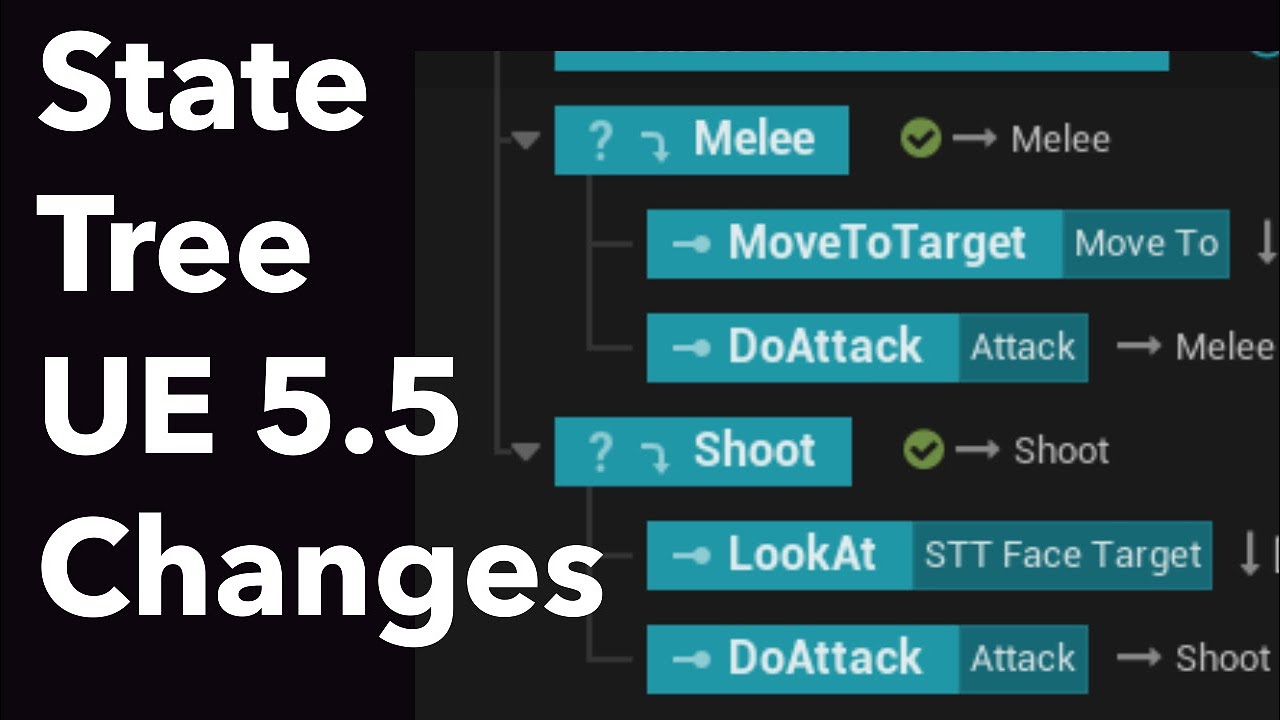
We look at the changes that State Tree has in Unreal Engine 5.5 preview versus 5.4, so that we can make more State Tree Tutorials in the new version.
We open our previous Hide & Flee State Tree in the new version to see the differences.
State Tree: Hide & Flee With EQS: https://youtu.be/5XP4CRtQFO4
EQS Bind Data In State Tree: https://youtu.b...
upbeat tendon
evaluator is super simple, its just like a function
nova prawn
Ye the early documentation isnt too fantastic and theres a lot of outdated stuff in YT
upbeat tendon
I haven't seen this video. I only learned it since 5.6
lmao I love how he instantly deleted camera manager. no one likes or understand why that is in the demo project
nova prawn
I started about 2-3 weeks ago i thought it was gonna be fairly simple to work out but i was wrong 😄 lol
upbeat tendon
it's basically a whole programming language, I'm pretty sure it's turing complete
Run Parallel Tree 
polar cypress
upbeat tendon
all good, lets leave this for tomorrow 🙂
Holy fuc@#ing bananas.
I finally understand what the issue was.
"Auto Success Range from Last Seen Location" is set to 1cm. I was just testing this value. So it keep as visible while it is in 1cm of the last seem location.
The unit is moving so it should lose sight at some point. But my test problem was, only 1 unit is moving, so only 1 unit loses sight. if I make the other move as well then both lose sight...
Setting to -1cm, which is the default disable this and both get the event at the same tick
how the hack are you still awake..
 nova prawn
@upbeat tendon Sleep well and thanks again!
polar cypress
I slept, then I'm back here, and hi still rocking here like a zombie 🤯
nova prawn
LOL
cold timber
chilly nebula
Did you consider using Smart object persistent collections?
But yeah the rest o...
Here's the PR, hopefully everything is up to Epic's standards and was done correctly 😄
https://github.com/EpicGames/UnrealEngine/pull/14148
harsh storm
nova prawn
The video i saw basically said Evaluators are the newer version of Global Tasks ...
It's not. It is the other way around. Global Tasks are the newer version of Evaluators. Though, Evaluators still have the ability to do something when the tree starts/stops. But the Global Task doesn't to my knowledge.
Evaluators were here when STs were released in 5.0
upbeat tendon
this is so weird. I'm sending an event called Player Suspected but when I step through I see that the state tree has sent Player Spotted which is a different tag. wtf?


I think something got corrupted. I removed the only task from the tree which raises this event and it's still being raised 
noooooo I'm a noob. it was being thrown from some random place in my ai controller presumably for testing
 upbeat tendon
I can't get EQS to trace correctly. I tried following this tutorial and using the EQS test pawn https://dev.epicgames.com/documentation/en-us/unreal-engine/environment-query-system-quick-start-in-unreal-engine
The main issue is that tracing between my player context (GetPlayerCharacter()) and each EQS grid point always succeeds even if there is an obstacle in the way. I've tried adjusting the heights and also manually computing the single location instead of using my auto possesssed character. So far no luck in having a trace ever fail. Any ideas?


I've also tried playing the visibility channels and using different trace types like sphere but nothing has helped so far
I've also tried using the trace as a score and as a filter. As a score it always assigns 1 because the bool is always true for every grid point
I'm guessing at edit time my player character is invalid. Even though I can see in a video that's doing the same as me that it's not, if I do distance to my player context then I'm not seeing the score reflect the distance in the same way I do with the querier context
yep that was the issue. I created a backup which works in edit mode incase the player pawn is invalid
upbeat tendon
why is result not marked OUT? it doesn't seem to write to this parameter

ugh it's async. found the magical tooltip suggestion 🙂
 fresh basin
How to make AI avoid BP_Trap actor only if it has "Inventory.NightVision" tag (reroute path/raycast), but run straight into it if no tag?
chilly nebula
upbeat tendon
why is `result` not marked OUT? it doesn't seem to write to this parameter
You can always look at source code to answer your questions you know 🙂 get comfortable with looking at engine code, it often has helpful comments too!
 rugged vapor
hello, my project is in unreal 5.5 and I am currently using Behavior Trees. I would like to switch to State Strees, should I upgrade to last version or i am fine ?
rugged vapor
Also, I have a question about State Trees to handle multipe types of ennemy. Right Now in Blueprints I have a BP_NPC parent Class, BP_Creature and BP_Human that inherit from BP_NPC, and BP_Cat etc... as BP_Creature child and BP_RangedSoldier BP_MeleeSoldier etc.. as BP_Human children. I was wondering how I can handle ai controllers and statetrees with this kind of architecture. should I create 2 ai controller : AIC_Creature and AIC_Human ? A Single one AIC_NPC ? Same for statetrees. Honestly I am a bit lost
harsh storm
rugged vapor
hello, my project is in unreal 5.5 and I am currently using Behavior Trees. I wo...
I wouldn't use State Tree pre 5.6 personally. It wasn't until that version that I felt that they were actually comparable to BTs.
harsh storm
chilly nebula
You can always look at source code to answer your questions you know 🙂 get comf...
it often has helpful comments too!
😛
 harsh storm
rugged vapor
Also, I have a question about State Trees to handle multipe types of ennemy. Rig...
harsh storm
rugged vapor
Also, I have a question about State Trees to handle multipe types of ennemy. Rig...
The way I typically handle this would be that my pawn would have a reference to the state tree (or behavior tree) asset. Then, when the ai controller possesses the pawn, it gets that reference and then sets it on the state tree component or the behavior tree component (through the "Run behavior Tree node)
rugged vapor
harsh storm
I wouldn't use State Tree pre 5.6 personally. It wasn't until that version that ...
I just upgraded my project to unreal 5.7 without issues ahah, So I think I am good now
rugged vapor
harsh storm
The way I typically handle this would be that my pawn would have a reference to ...
the structure I have now is this : BP_NPC > BP_Creature > BP_Cat
BP_NPC Implements an AI Controller AIC_NPC, and the BP_Cat Implements as a component, the Creature State Tree ST_Creature.
But this doenst seem to be working as the State Tree first state is never called 🙁
rugged vapor
harsh storm
The way I typically handle this would be that my pawn would have a reference to ...
ok I figured out what you said, I implemented a similar approach and it work 🙂 tank you
upbeat tendon
is there a single variable pattern for IN/OUT? currently I'm doing this in a bunch of places
 drifting ginkgo
upbeat tendon
is there a single variable pattern for IN/OUT? currently I'm doing this in a bun...
drifting ginkgo
upbeat tendon
is there a single variable pattern for IN/OUT? currently I'm doing this in a bun...
If the types are the same wrapping in a struct, or alternatively there's a flow in which your context just holds a 'data' object.
So say your STComponent has a variable that's like DataAsset and within that you have all your data needed as opposed to parameters.
Then you can add that context object in your 'base' parent task or just add it manually and it 'autoconnects' nicely for you
drifting ginkgo
I prefer this pattern over parameters cause it's simplified but it can feel abit against the grain of ST parameters existence
harsh storm
You could also use a property reference
upbeat tendon
harsh storm
You could also use a property reference
what is that?
harsh storm
In BP - it is called StateTreePropertyReference or something like that
In C++, I forget what it is called.
But it allows you to actually alter the underlying value
upbeat tendon
oh that version can't be used as a UPROPERTY
chilly nebula
upbeat tendon
oh that version can't be used as a UPROPERTY
Use the search 😉 I posted an example earlier this year that is using FStateTreePropertyRef as a uproperty
hallow compass
harsh storm
But it allows you to actually alter the underlying value
I assume it copies the address instead of the value so you can edit the var at the original address ?
For a player and flying sword "AI" state trees im only using 1 state tree asset for each. So only one dev/design can work on it at the same time.
But for the tasks it only asks a given Object class as input.
So you can have one designer working per "task" since they edit a seperate BP asset
If you have very complex behaviours thats cant be only set in a BP asset this wont work very well for tou
harsh storm
hallow compass
I assume it copies the address instead of the value so you can edit the var at t...
Couldn't tell you. Never looked at the underlying type. That's Siggi's problem, not mine.
It depends™ - there is no clear cut answer. A lot of teams typically don't have a bunch of people working in AI at once. But, I suppose using the linked state trees would be one route to go. As for your solution of using state enums - that's kind of odd. You're tracking two different state machines for the same purpose. It is just redundant.
polar nexus
Hey guys
Does the path following component check if the capsule can actually fit into the path?

Its not able to get to the other side
I intentionally inreased the capsule radius
Time to dig into code I guess 
 robust veldt
polar nexus
robust veldt
polar nexus
You need to create new nav mesh for new capsule radius.
polar nexus
robust veldt
You need to create new nav mesh for new capsule radius.
;-;
seems pretty hard ngl
robust veldt
polar nexus
;-;
It is in project settings, you don't need to do much.
upbeat tendon
can that capsule even fit without the path?
 grim tartan
I think thats the point.
The capsule can't, so they don't want the AI to path through it
upbeat tendon
oh
fresh basin
Can I use multiple AI Perceptions? I want to create seperate AISense_Sight_Boosts to allow AI sees only powerups? Or I just should global task with MultiCapsuleTraceForObjects and filter by object types?


 polar nexus
upbeat tendon
can that capsule even fit without the path?
polar nexus
upbeat tendon
can that capsule even fit without the path?
nope it cant, but the path following component keeps getting stuck on that gap
polar nexus
robust veldt
You need to create new nav mesh for new capsule radius.
but then how would different AIs with different capsule sizes coexist?
upbeat tendon
fresh basin
Can I use multiple AI Perceptions? I want to create seperate AISense_Sight_Boost...
I tried multiple perceptions of the same type but they just get grouped into that same type when they raise events related to the perceptions. so there is no advantage. you'll have to just go with one and sort based on the actor type for the actor that was sensed. so your range would be long enough to detect the powerups and then you can add an extra distance check or something for players that are detected to see if they are close enough
or use C++ and get more control
upbeat tendon
hey how do you guys handle the case where your ai pawns possess before your player pawn (and you start eg. a statetree), but there is a dependency on the player pawn? I noticed this happening for me and is nullptr, so I need an event which is like OnAllPossessed
harsh storm
Is this a single player game?
upbeat tendon
yeah
harsh storm
Use the node GetPlayerPawn - check if the result is valid - if not, try again in like a quarter of a second. Keep doing that until the pawn is valid.
If you need the controller to possess the pawn - do the same thing, except get the player controller
upbeat tendon
that seems to work
harsh storm
Then you can get the pawn from the controller. If it is valid, then the controller successfully possessed the pawn
This won't work as well in multiplayer - as an FYI.
On multiplayer, because AI only runs on the server, you can get the gamestate and then iterate over the playerstate array. Then from there you can get the controller for each playerstate. Then just do the same checks.
Well - that's if you have your state tree on the AI controller I guess. If you have it on the AI Pawn - you just need to do a HasAuthority check and just do the same logic.
slow bobcat
Has anybody here managed to get navigation as Dynamic With Modifiers Only working in a World Partition level that has nothing but a landscape?
I have the simplest level, 3 nav bounds volumes in different parts, I can see the nav generated (both in eidtor and through the commandlet) but, when I hit play... no nav at all.
I'm lookig into many different places and I can't see why is it not working.
Any advice?
Thanks!
 woven bobcat
hey folks, im new to state tree and want to ask, i want to build of basic AI behaviour like patrolling, sensing, running towards someone as part of a state tree and i can build a state tree behaviour off another state tree.
basically, can i have a state tree in another state tree?
like a master state tree will have like 4 state tree to activate basic state tree(moving around,sensing enemy etc), second tree task is for attacking or other behaviour etc.
something like that.. is that possible
also with these kind of state tree i have in mind, can two tree activate at the same like like the first tree is movement and another tree is for injure and combine we got moving while injured for example
rugged vapor
hello, can I have your thoughts on this very simple task and state tree that handle patroling and following the player ? I am not sure that not calling the Finish Task is a good Idea, but it works fine.


I was also thinking about using "Bind event to" after calling patrol/chase so I can finish Task when the npc as reached the patrol point, so it can trigger Finish Task, and go again in Patrol state
upbeat tendon
you can do it like that, yeah. I think with state trees they are designed to work a bit lower level if you want as well, I decided to use MoveTo as my lowest common denominator, so my chase is split between multiple states and there are micro tasks which do everything from ticking exposure to player, to running EQS queries, to navigating waypoints. that's all done directly from the state tree. one advantage of that is the async becomes a bit easier to manage once you get used to it. there is also some code re-use which is cached live in the statetree. the disadvantage is a complex state tree I guess and using blueprints less heavily except to implement micro tasks (I've started using c++ for those)
eh easier to show you probably. another advantage of this is they enemy can get interrupted from anything and then resume back where it was later. for example, it can give up a chase and return to waypoints - the waypoint index is stored at the parent level and is retained. you can start to see the different advantages when you can see how I've simply added a delay task in order to implement giving up a chase, for example. that's where the power of state trees starts to come in, with the parallel tasks
 upbeat tendon
rugged vapor
hello, can I have your thoughts on this very simple task and state tree that han...
upbeat tendon
rugged vapor
hello, can I have your thoughts on this very simple task and state tree that han...
forgot to mention that not calling Finish Task is fine, that just leaves the task running. You can also turn off the task from contributing the the completion of the active branch by toggling the teal clipboard icon on it
rugged vapor
upbeat tendon
you can do it like that, yeah. I think with state trees they are designed to wor...
Wow thank you so much for the response
 static raven
Hey guys, I'm a little bit lose with this.
I need to reduce server CPU consumption by AI, so I need a way to identify when they are not relevant for any client.
Taking a look at how the NetDriver works, I can't find a reliable way to get all actors that are not relevant to any player.
Can I use Significance Manager for this? or its only intended to be used by clients?
static raven
well, it seems you can create your significance manager instance in the server, so I think I would try that.

 static raven
well, it seems you can create your significance manager instance in the server, ...
static raven
static raven
well, it seems you can create your significance manager instance in the server, ...
it seems its working really well 🤔

 nova prawn
Is it possible to pass an Output value from a task to another state? I mean I know I can pass outputs from a task to another task that resides in the same state, Example you have GetRandomLoc and it generates a vector output and then you have another state "MoveToRandomLocation" is it possible to pass the vector from the GetRandomLoc to the MoveTo state? (This is just messing about and tring out things to see)
 wise sluice
Hello !
I migrated my project from 5.4 to 5.6 and It seems that i completely lost access to the StateTree bindings from an InstancedStruct contained within a struct referenced as a UPROPERTY(EditAnywhere). Does anyone had to deal with a similar issue?
Edit: I tried to add another struct with the same logic and it works ... whaaaat?!
USTRUCT()
struct FMyCustomStruct
{
    GENERATED_BODY()

    void SetProvidedTargetDataReference(const FProvidedTargetDataReference& _reference) { m_iIndex = _reference.m_iIndex;}
    void SetProvider(const TScriptInterface<ITargetDataOutputProvider>& _provider);
    void SetResult(const FGameplayAbilityTargetDataHandle& _data);

protected:

      /* Some kind of TargetData Wrapper that tell which data the StateTree is waiting for. */
#if WITH_EDITORONLY_DATA
    UPROPERTY()
    TScriptInterface<ITargetDataOutputProvider> m_Provider;
#endif

    UPROPERTY()
    int32 m_iIndex = -1;

    UPROPERTY(EditAnywhere)
    FInstancedStruct m_Result;
};

USTRUCT()
struct FStateTreeTask_MyCustomInstanceData
{
    GENERATED_BODY()

    UPROPERTY(EditAnywhere, Category = Output) // doesn't work in 5.6 but was working in 5.4
    FMyCustomStruct m_OutputData5_4;

    UPROPERTY(EditAnywhere, Category = Output) // works like a charm in 5.6
    FInstancedStruct m_OutputData5_6;
}
I only have access to outputV2 (i named it 5_6 in the code above)


 fickle geyser
Hey guys, Im trying to create an AI controller in unreal engine using State Trees, but Im stuck at the start. Because I created the State Tree AI, then on the new AI controller I added the state tree AI component, but when I got to assign the state tree to the state tree component inside the AI controller it just doesn't let me, when i scroll down on the component to see available state trees mine appears but just doesn't select I don't know why.

 wise sluice
fickle geyser
Hey guys, Im trying to create an AI controller in unreal engine using State Tree...
wise sluice
fickle geyser
Hey guys, Im trying to create an AI controller in unreal engine using State Tree...
Do you use an AIControllerStateTreeSchema? (specified in your StateTree Asset)
fickle geyser
you referring to this part? If so im using the state tree AI version inside the new AI controller aswell, and it recognizes the state tree, just doesn't let me select it.
Edit: It was a problem of location and version controll Solved Now
 wise sluice
Hello !
I migrated my project from 5.4 to 5.6 and It seems that i completely los...
wise sluice
wise sluice
Hello !
I migrated my project from 5.4 to 5.6 and It seems that i completely los...
Okay so in 5.4, StateTree could access protected variable from struct and not anymore 🤯
 static cape
Bizarre question, can you change a state trees parameter from outside the state tree (e.g on a keyboard input from the player character)
for context, i have a state tree with a parameter that is a gameplay tag. for testing purpses i just want to use a keyboard input to change the gameplay tag on thgat parameter, is this feasible and with what nodes?
chilly nebula
nova prawn
Is it possible to pass an Output value from a task to another state? I mean I kn...
To a sibling or child state easy yes, to another state thats outside of the current hierarchy branch you can use a parameter on a common parent and bind it to output on a task (new in 5.7).
 cyan sigil
I'm running into a repeat obstacle with AI: I have monster M fighting character A in melee. M wants to get behind the character. However, after picking a location the monster will try to beeline to that location and often get extremely close to the character. How can I have the monster avoid the character more effectively?
cyan sigil
Is there a way I can create a decorator that binds to a particular event and can force the current task to finish with Success instead of failure?
cyan sigil
The second part is the hard part. Forced success. I think I found why it will not tick, so I 'll try again in the morning
 simple crescent
cyan sigil
I'm running into a repeat obstacle with AI: I have monster M fighting character...
simple crescent
cyan sigil
I'm running into a repeat obstacle with AI: I have monster M fighting character...
You need to break the movement up into two (or more) steps. Find a position to one side of the monster and then when you reach (or have almost reached) that position, move to the final position.
simple crescent
cyan sigil
I'm running into a repeat obstacle with AI: I have monster M fighting character...
You can try to solve it with custom pathfinding to make moving close to A more expensive, but that tends to be unreliable.
 stable robin
Anyone know a good tutorial I can follow online? there are quite a few, been working on my own AI bruteforcing the learning process and I'm getting a bit filtered now when it comes to 10+ BTT/BTS services tied into one BT
cyan sigil
stable robin
Anyone know a good tutorial I can follow online? there are quite a few, been wor...
What kind of AI are you developing? Stealth? Melee combat? Ally?
stable robin
cyan sigil
What kind of AI are you developing? Stealth? Melee combat? Ally?
Melee
I fixed a few issues just now but still getting some weird behavior so its probably just how im setting up my sequences
cyan sigil
stable robin
Melee
I haven't found any melee AI tutorials that go beyond the basics. What I find is that melee combat you usually want four behavior:
- If I'm too far, get closer.
- If I'm too close, get farther.
- If it's time to attack, pick an attack and move into appropriate range.
- Otherwise, shuffle around a little bit.
stable robin
cyan sigil
I haven't found any melee AI tutorials that go beyond the basics. What I find i...
yeah there aren't a lot of tutorials I found that'd help so bruteforcing is the only way atm for me
I'm worrying about
- Opener attack first, (close in, etc)
- Prepare for defensive measures
- Attack using queries on players health/last attack state etc
cyan sigil
One thing that could help is that instead of using SetSpeed as a task, make it a Service so that it resets the original speed when out of scope.
stable robin
Would probably be easier if I used GOAP or HTN
cyan sigil
stable robin
Would probably be easier if I used GOAP or HTN
StateTree is the big new thing in Unreal, and I'd recommend learning it if you plan to do this long-term.
stable robin
Thanks I'll do that
stable robin
cyan sigil
StateTree is the big new thing in Unreal, and I'd recommend learning it if you p...
That new? I'll look into it
I've been eyeballing that $200 HTN plugin because it seems pretty good
cyan sigil
stable robin
That new? I'll look into it
I've only done a little, but it is WAY nicer than Behavior tree, especially for organization.
No more 2D grid, it's all hierarchical list.
stable robin
oh my goodness gracious
cyan sigil
StateTree also lets you directly bind variables to other variables instead of using Blackboard, and most crucially you can jump from any state to any other state instead of re-evaluating the entire tree.
stable robin
so basically similar to a statemachine for blending animations
now you have me curious, I'm gonna google around a bit
im so close to finishing my stupid prototype project i dont really want to swap the AI method yet but I'll definitely try it out for the real demo
harsh storm
stable robin
so basically similar to a statemachine for blending animations
It is just a hiearchical state machine that uses selection logic similiar to BTs. Hence the name "State Tree".
polar nexus
whats the best way to debug state trees?
Is it possible to see the current active state for a character
By choosing a selected instantiated object
harsh storm
You can see the current state through the gameplay debugger
Default key, on a qwerty keyboard, is '
 clear nexus
Hello there
hallow compass
Im surprised the pathfinding logic wasnt made 100% independent on the pathfinding component instead of being present on the AIController and pathfinding comp
 serene fern
any idea why I get a breakpoint being hit there ?

Anyone know why this wouldn't be getting any smart object slots from the search actor even though I know their defo is some on there

seems something has to be set in filter
so i have an issue where after the Get Smart Object calls finish task stuff appears to break and it doesn't return to it default motivation

so worked out it seems something is wrong somewhere in terms of race condition
so sorted that issue
nova prawn
Oh man im having such a hard time with state tree's please can someone explain why my AI moves once and then gets stuck into the GetRandomLocation (I have 1 task marked for StateCompletion as the other 2 tasks i do not want them to complete the state but only when the move has finished i want to return to RandomRoam. Im missing some parts of the information here and Im nto sure what... I understand that it should complete the state and then return to GetRandomLocation and then have a Finish Task in the EQS RandomLocation

Im trying to understand this system but Im not sure what im missing i,ve wathced hours of tutorials and spend at least 2-4 weeks trying to get a good understanding of this but anytime i try to add more than one state to the tree it seems to fail and Im not sure why
Here is the EQSLocation
 serene fern
is there any functions out of interest which can see if a location is reachable
nova prawn
Im using the default MoveTo (If you are asking me?)
serene fern
anyone that knows the asnwer
so i have an issue where after it gets to that force motivation state and completes it seems to get stuck and can't continue
 harsh storm
nova prawn
Oh man im having such a hard time with state tree's please can someone explain w...
harsh storm
nova prawn
Oh man im having such a hard time with state tree's please can someone explain w...
Break up your states. Have one state get the information and then another state do something with that information. Having tasks on one state that rely on async tasks that sit on that same state doesn't work all that well. Epic is working on stuff like this though. But for now, just break them up into two states.
Also - for your EQS, you should bind to the query finished event instead of trying to get the results directly. Running EQS should be an async operation. It'd be better if it was a latent node instead to be honest.
harsh storm
serene fern
is there any functions out of interest which can see if a location is reachable
The navigation system has a method called like "TestPath" or something like that. Alternatively, you can use EQS and check if a path exists as part of a test condition.
serene fern
harsh storm
The navigation system has a method called like "TestPath" or something like that...
Arrr i didnt think of eqs, i might use eqs as its prob gonna be better
harsh storm
I use EQS for all of my pathing queries really. Gives more control on how you decide on how to get the location
harsh storm
serene fern
so i have an issue where after it gets to that force motivation state and comple...
What does your force motivation task look like? Or any of the transitions? Or the root state?
serene fern
So ended up fixing that issue. It turned out it was one of the conditions werent working right and it was getting stuck not being able to get in any states
harsh storm
hallow compass
Im surprised the pathfinding logic wasnt made 100% independent on the pathfindin...
To be fair - Mieszko has expressed some regret about the AIController in the past. He also mentioned that he was kind of a Junior and the only AI person at the time 😅
Nothing stopping you from making Pathfinding 2.0
 warped tiger
simple crescent
You can try to solve it with custom pathfinding to make moving close to A more e...
warped tiger
simple crescent
You can try to solve it with custom pathfinding to make moving close to A more e...
I'm curious about this 👀 . Could you elaborate on why it tends to be unreliable?
simple crescent
warped tiger
I'm curious about this 👀 . Could you elaborate on why it tends to be unreliable...
The two obvious options are to make it more expensive to pass close to the target (by modifying the pathing cost) or to entirely forbid the NPC from passing close to the target (using something like a navmesh modifier).
If you forbid the NPC from passing close to the target then:
- you have to differentiate queries where your moving to the other side of the target and those where your final destination is close to the target
- you can't tell the difference between failing to path to the destination because there is no path or failing because the path gets too close.
- using a navmesh modifier causes retriangulation of the navmesh whenever the target moves
If you modify the pathing cost then: - the final path may pass close to the target anyway if that was the only (or cheapest) option
- you may need to retriangulate the mesh because cost is normally per navmesh face and in an open area the faces may be very large
- you have to do your own string pulling because the funnel algorithm that Unreal uses doesn't know anything about the costs
hallow compass
harsh storm
Nothing stopping you from making Pathfinding 2.0
For now i just copy pasted the missing code in my pathfinding comp adn fixed the issues
Later i might add that to my utils plugin
warped tiger
simple crescent
The two obvious options are to make it more expensive to pass close to the targe...
Thanks for the detailed answer, I hadn't considered the last 2 points for modifying the path cost.
Do you think it would make sense to sample a grid of navigable locations from the navmesh (could be done in editor time and cached if the navmesh doesn't change at runtime) and then use A* on a graph where each node is one of the sampled locations and the pathing cost function makes moving close to the target more expensive?
I mean, it would definitely be more computationally expensive, but I wonder whether it would be worth trying
simple crescent
I think if you're in an open area you probably don't want the NPC to run around the target, even if it is in circuitous manner. (some games want NPCs to circle strafe around a target, but there are better ways to do that). This is where I think the behavior needs to match the game design to decide not only where but how the NPC should move to the goal position.
You could retriangulate the navmesh either offline or during baking to give better results for pathfinding with variable costs in large open areas. I wouldn't use a grid because they are notoriously poor for A* (you can't use something like jumpsearch a* because of the variable costs).
 lost mauve
Not sure if its just me but is the State Tree Request Transition Node broken for anyone else in 5.7? It was working in 5.6 for me. Now I'm just getting (Error) Failed to request a transition. The Instance probably stopped.
lost mauve
Also it looks like State Tree Property Ref is broken from Evalutors & Global Tasks.
 robust veldt
Currently I got issue after SendStateTreeEvent , it is reset before my task can access it.
robust veldt
Okay, So If I send event inside ST Task, It will got clear later. Before other task can access it.
upbeat tendon
robust veldt
Okay, So If I send event inside ST Task, It will got clear later. Before other t...
I found that as well if I disabled consume event, and tried to also listen to the event further down an active branch. It still consumes it (broken). But I've always had it work for a single consumer. Maybe check the debugger carefully
serene fern
harsh storm
The navigation system has a method called like "TestPath" or something like that...
so when it comes to using EQS to simply see if path exist from point A to B, in State tree on the run query task what will it output ?
essentially I'm not fussed what path it spits out for now just simple that one exist so would I just have an array of FVectors and if the length is greater then 1 a path was found ?
serene fern
anyone able to help I have an issue where even though there shouldn't be a path to a particular point it seems there is a path
that to be specific

it seems when the AI comes back to go through the door they seem to see that piece of nav mesh is unblock and trys going through the door when when the door is closed
thats what visual logger says
 serene fern
so I'm struggling here cause i can't work out if it's a nav mesh issue or if it's a slot issue
serene fern
is there anyone to help me with my issue above please, I only have until 5 ish to get it working right before I leave for work
my issue is when I get the smart object slot and then project to nav mesh and do find path function it's getting a path returned even though technically when door is closed there should be no valid path and as such it ends up thinking path is valid and trys to pass through door even though it can't
static cape
Possibly a rookie question but,in UE5 is there a way of changing a state tree's parameters from another blueprint (like for example the player character)
This is merely so I can run a test so it matters not if it's bad practice etc.
serene fern
So changed things up and decided to use nav link proxy but for some reason the ai when reaching it doesnt seem to stop what its doing and instead just carries on trying to force through the door, any ideas ?
warped tiger
static cape
Possibly a rookie question but,in UE5 is there a way of changing a state tree's ...
I think I did this in 5.3, so there's probably a better way of doing it now
// StateTreeRef is UStateTreeComponent::FStateTreeReference. SomeStruct is a custom type, FSomeStruct
// @TODO Could use FStateTreePropertyBag instead. May be a more clean solution. It was introduced in 5.4
FInstancedPropertyBag& Parameters = StateTreeRef.GetMutableParameters();
static const FName ParameterName = FName(TEXT("Parameter"));

FConstStructView ParameterView(SomeStruct.GetScriptStruct(), SomeStruct.GetMemory());
const EPropertyBagResult PropertyBagResult = Parameters.SetValueStruct(ParameterName, ParameterView);
if (PropertyBagResult != EPropertyBagResult::Success)
{
  return;
}

if (const FPropertyBagPropertyDesc* const ParameterDesc = Parameters.FindPropertyDescByName(ParameterName))
{
  StateTreeRef.SetPropertyOverridden(ParameterDesc->ID, true);
}
Is there a way I can turn that into blueprint or is this something exclusive to C++?
warped tiger
static cape
Is there a way I can turn that into blueprint or is this something exclusive to ...
As far as I know I think you would need to create a blueprint callable function to do it. If you were asking how to do it using only blueprint nodes I misunderstood your question, sorry 🙏
static cape
No no it's my fault for not clarifying, I'm so used to coding in blueprint I forget C++ is even an option 🤣
cyan sigil
I want to brag a bit about this decorator: It detects a particular event (in this case, tag presence) and ends the current task but doesn't stop the branch.
UBTDecorator_ExitOnTagChange::UBTDecorator_ExitOnTagChange(const FObjectInitializer& ObjectInitializer) : Super(ObjectInitializer)
{
    NodeName = "WaitForTag";
    INIT_DECORATOR_NODE_NOTIFY_FLAGS();
    this->FlowAbortMode = EBTFlowAbortMode::Self; // Required to make it Tick.
    bNotifyTick = true;
}


// Todo: Replace this tick with a proper binding at some point.
void UBTDecorator_ExitOnTagChange::TickNode(UBehaviorTreeComponent& OwnerComp, uint8* NodeMemory, float DeltaSeconds)
{
    Super::TickNode(OwnerComp, NodeMemory, DeltaSeconds);

    AController* OwnerController = Cast<AController>(OwnerComp.GetOwner());

    if (OwnerController == nullptr)
    {
        return;
    }

    UAbilitySystemComponent* ASC = UAbilitySystemGlobals::GetAbilitySystemComponentFromActor(OwnerController->GetPawn());
    if (ASC == nullptr)
    {
        return;
    }

    if (ASC->HasMatchingGameplayTag(TagToListenFor))
    {
        if (bConsumeTag)
        {
            ASC->RemoveLooseGameplayTag(TagToListenFor);
        }
        OwnerComp.RequestBranchDeactivation(*this);
    }

}

void UBTDecorator_ExitOnTagChange::OnNodeProcessed(FBehaviorTreeSearchData& SearchData, EBTNodeResult::Type& NodeResult)
{
    bool bCanForceSuccess = bConsiderSuccess;

    if (bCanForceSuccess)
    {
        checkf(NodeResult != EBTNodeResult::Aborted, TEXT("Should never change a result set to 'Aborted'"));
        NodeResult = EBTNodeResult::Succeeded;
        BT_SEARCHLOG(SearchData, Log, TEXT("Forcing Success: %s"), *UBehaviorTreeTypes::DescribeNodeHelper(this));
    }
}```can someone help me please my AI appears to get stuck on a nav link where it'll reach it and try to use it but seems to get stuck where it won't traverse the nav link and will just get stuck
visual logger shows this so it must be able to traverse the nav link but just decides not to

so i think I've found the issue it seems when it hits the nav link in the state tree I force AI into an idle state until door has completed it's movement and then it should go back to what it was doing, issue seems to be when I do this the AI when tree resumes its normal behavior it'll try using nav link again rather then just doing stuff
 white wren
Hello!
I'm using FloatingPawnMovementComponent for my AI and when I find a path from the ai to the player it sometimes gives me a two point path, even if the ground is not even. So the pawn is floating in the air.
I guess this is the intended behavior, but is there a way to manipulate how pathfinding works, so it gives path points inbetween too? Or should I do it manually?
 nova prawn
harsh storm
Break up your states. Have one state get the information and then another state ...
nova prawn
harsh storm
Break up your states. Have one state get the information and then another state ...
Thank you for the information, So its better to have mini tasks for each state so like "Get a Location" then pass that to a "Move To Location" and then have another state to check if close enough to player I am struggling to understand how you can chase the player as well because ofc I dont want to Finish Task on that and I want them chase for example say no longer than 30s and then return to a patrolling state But if I do not Finish Task in a Chase Player state wont the tree just get stuck in that state due to it not "finishing?", Thanks again!
harsh storm
nova prawn
Thank you for the information, So its better to have mini tasks for each state s...
I'd put the player range check on the common parent state. Then execute a delegate when they are close enough and do a transition based on that.
nova prawn
I understand a bit of the trees but somethings like distance checks and stuff which could be run on tick or as a global to keep track of playerdistance (Am i close enough to move to attacking or keep chasing/return to patrol)
nova prawn
harsh storm
I'd put the player range check on the common parent state. Then execute a delega...
So basically have a Hostile State which would have a Task (CheckPlayerDistance) which would run with a Finish Task node (So we can move into the next child right?) then this child would use the Distance from this (Attack/Chase) if i understand correctly?
harsh storm
Parent - Check Player Range (don't finish the task, execute a ST delegate)
Child 1 - Get A Location
Child 2 - Move To Location (relies on data from child 1)
You can put the move to location as a parameter on the parent state and have the child states write to it and read from it respectively.
The tree will automatically go into the child 1 state (unless you changed the state selection drop down)
nova prawn
I,ve not used the Delegate options in State trees yet so might need to see what i can find about that.
harsh storm
They are variable types
State Tree Delegate Listener and State Tree Delegate....I can't remember the name.
Make them variables in the task based on if you want to broadcast a delegate (think event dispatcher) or listen for one.
Then you can bind them in the transition section
You'd want to use the not listener one
Whatever its name is
nova prawn
ahh ok thanks i,ll experiment with that too 🙂
harsh storm
Put that in the check range and broadcast when they're within range
nova prawn
that makes sense.
When i was using Behaviour Trees i used to have a Parent Node for Idle, Attack and Roam, Investigate etc but trying to translate it into State Tree's is proving trickier than i expected. 😛
I just had a Decorator and Blackboard Value which kept track of a State Enum
harsh storm
Yeah, that's bad BT design though
You weren't using the BT like a BT
You were using it because someone probably told you that you should use the BT
nova prawn
Ye I,m kinda learned what i know through various tutorials and small courses on Udemy.
which probably are not best practices.
harsh storm
You can make individual state trees for each one of those nodes now and then in your actual state tree, link them all together with a linked asset state type
nova prawn
So i can do a similar thing and just use the Enter Condition "If State = Chase" or something similar?
harsh storm
Put parameters on the state trees themselves and you can even parametrize them to be more reusable
Something that BTs never supported without a 3rd party plugin
nova prawn
I know i can tell the state tree to go to a state with Send State Tree Event
and Gameplay Tags.
harsh storm
nova prawn
So i can do a similar thing and just use the Enter Condition "If State = Chase" ...
You can, but you're still doubling the work
The state tree is your state machine
You don't need that enum
It is extra bookkeeping for the sake of it
nova prawn
that makes sense just need to ensure that I am using the correct transitions, states and tasks for each state.
harsh storm
Yup
nova prawn
Right im gonna try get this working again and probably burn myself out in about 4hrs xD
Thank you for the help !
nova prawn
Q : If an enter condition is met then will a state tree automatically enter the state or do you still need a transition rule for it ? As you can see I have the EnterCondition of If player is less than attack range will it automatically enter this ?
 harsh storm
It needs to pass the enter condition to enter the state, yes.
That may not work as you expect though.
If Get Player Distance is the one providing the data - the task will not have run by the time that enter condition is checked
nova prawn
this is the task should this be done on tick and then add a Finish Task and then transition OnSucceeded move to next state ?
 harsh storm
Yes, but you didn't write it correctly
Override tick - check the distance. If distance is <= range - broadcast the state tree delegate that I told you about
Then, in one of your other states, bind to that delegate
harsh storm
Mainly meant for read
But you can write to them
I don't need to use them all that often though
nova prawn
I set up a global paramater instead of storing it inside the character.
 harsh storm
I'd put it in the character and bind to that. That way it is configurable per character.
Though - you can still set the attack range before the state tree runs
But it is kind of convoluted to update the attack range
So if you want to provide a temporary buff/nerf to the attack range - it can be kind of a headache.
That's why I just bind to the stuff on the character/controller directly.
nova prawn
Ah ok that makes more sense.
harsh storm
Using the parameters makes it more reusable
But meh
There are other ways to achieve that
nova prawn
I m just redoing the task i,ll post it when i think i done it correctly xD
So like this ?
 nova prawn
Ahh seems i wasnt aware of Broadcast Delegate node and then this one can listen to that on the same state for the event to fire, Thanks a lot! Ignore the transition to chase just testing. 😛


 nimble patrol
Hi everyone, small question regarding the behavior tree : are decorators still executed when a task is running ? Or is it only when the tree search a task to execute ?
 pine steeple
it depends if they have aborts
or if they tick, or what they do
but yes they are still in the active tree
nimble patrol
ok thx, found my problem
 rancid wing
anyone now if theres a way to make a latent btt similar to move to?
basically I want the btt to wait until the task is a success then move on
nova prawn
@harsh storm How would i prevent this from going into the attack state again please? I can see the animation playing over and over but when i move out of range it finishes the montage ? I was thinking that doing a check on the mesh to "Is Montage Playing" but cant seem to find a node for that and im guessing the delay is not waiting to finish playing the montage before leaving the task please.

nvm found it in the Get Anim Instance : ) works as expected now.
 harsh storm
You don't want your parent state to finish task
That's why it keeps playing over and over most likely
Because you're constantly going into the state
nova prawn
Yep so i done a check to see if its already playing and if it is then end the task as when it returns it miught not be playing so it can be played again i think thats right.
now I need to work out how to make root motion move in the right direction lol as my enemy goes to punch but turns about 60 degrees to the left of my player character. xD
harsh storm
@nova prawn I'm sorry, I told you the wrong thing. Put the distance check on the child 1 state. Then transition. Don't put it on the parent state. Just don't have the distance check finish task either. The transition will automatically handle it.
nova prawn
Ahh ok thanks!
harsh storm
Then you don't have to do that anim montage is playing check either
Sorry - in the middle of playing games, so answering in between matches.
nova prawn
cool! no problem good luck!
harsh storm
And if you're using the Move To task - you could also just bind the acceptance radius to the attack range
nova prawn
Good idea ! Currently still researching about root motion montages as not sure why a retargeted animation is playing weirdly lol will ask in the animation thread. : )
upbeat tendon
what might I be doing wrong - I'm feeding EQS score values between 0.0 and 1.0 but they seem to be clamping to exactly those two values only, nothing in-between. here is a code scnippet inside of RunTest():
    // Now score each item (location) that EQS generated
    for (FEnvQueryInstance::ItemIterator It(this, QueryInstance); It; ++It)
    {
        // Get the world location of this test item
        const FVector ItemLocation = GetItemLocation(QueryInstance, It.GetIndex());

        // Query the influence map for the heat value at this location
        float InfluenceScore = InfluenceMap->GetInfluenceAtLocation(ItemLocation, 200);
        //UE_LOG(LogStealthAI, Log, TEXT("InfluenceScore: %f"), InfluenceScore);

        // Apply minimum threshold
        if (InfluenceScore < MinInfluenceThreshold)
        {
            InfluenceScore = 0.0f;
        }

        // Invert if requested (for "find safe spots" behavior)
        const float FinalScore = (bInvertScore ? -InfluenceScore : InfluenceScore) / 100.0;

        // Set the score for this item
        // Parameters: TestPurpose (filter/score), FilterType (min/max/range), Score, Min, Max
        It.SetScore(TestPurpose, FilterType, FinalScore, 0.0f, 1.0f);

    }
I've disabled bool test
 upbeat tendon
found it - SetWorkOnFloatValues(true); in the constructor
nova prawn
How do i get the state tree to automatically complete a state? or will it auto finish a state without a finish task it just occurred to me? IE I enter Idle and then have the Transition Rule On Completed go to Next Sibling State which should be patrolling but it seems to get stuck in Idle even thought the transition rule is telling it on completion of Idle move into patrolling please?

If i add Patrolling as a Child of Idle then it runs Idle and Patrolling at the same time but I want it to go "Oh i finished Idle now I,ll go into Patrolling"
Ok if i add a Task which just says "Finish this task" then it works as I wanted just wondered why the transition rule does not automatically do the same thing.The below task makes it "fall" into Patrolling after Idle but the transition rule does not which seems odd to me .
 harsh storm
Debug Text never finishes
nova prawn
Ahh thanks!
harsh storm
In BP, you must call Finish Task for the task to finish
nova prawn
I thought the transition rule would automatically finish the state 🙂
harsh storm
In C++, you have to return the correct enum value
harsh storm
nova prawn
I thought the transition rule would automatically finish the state 🙂
And calling finish task is what triggers those transitions
(Not counting request transition calls)
nova prawn
Yup as discovered thank you @harsh storm !
 slow condor
i dont know if i should put this in here or #mass but basically i want to make a city crowd that interacts with itself like pedestrians interacting with themselves at certain probablityi am using Mass AI for spawning and all so can i use behavior tree with mass AI or is there something in mass AI's state tree to do this?
 pastel moon
is there a way to block dynamic navigation generated by invoker component ? normal methods i used for blocking static navigation don't seem to work for dynamic nav
 paper hazel
slow condor
i dont know if i should put this in here or <#966517152947527740> but basically...
paper hazel
slow condor
i dont know if i should put this in here or <#966517152947527740> but basically...
I would use StateTree and Signals from a processor to make the probability of triggering the behavior. Mass Smart objects might also be a good shout here.
 sterile sigil
not sure here is the right channel, does anyone has example of using State Tree as a manager? for example a turn base manager to handle turn and turn queqe. Is this a good idea?
harsh storm
Handle the overall turn phases? Sure. Handle the turn queue? I probably wouldn't.
State Tree can be used pretty much anywhere a state machine is.
I wouldn't use it for the queue because... it's just a queue, lol. ST is way more overhead than you need for that.
As well as it being kind of troublesome to add/remove states/tasks at runtime. I don't even know if you can to be honest. I know there is an API for it because of the tests that they have. Just don't know how feasible that actually is at runtime.
Could it be used for the turn queue? Yeah, I'm sure someone out there will come up with a way.
drifting ginkgo
If you're in 5.6 or earlier and going mad tryna fix UStateTreeComponentSchema SetContextDataByName GAMEPLAYSTATETREEMODULE_API UE_API - just adding buzzwords I searched for.
This is the change you likely want, I haven't fully implemented it yet but will update this post when I get it running or not.

The most confusing part is if you don't have the proper context how it just silent fails but think that's been brought up before and may be improved in main
Why?
You likely hit this if you're trying to add your own schema, it's valuable because you can steer around parameter management (having structs/objects/comps in the context) and keep your tasks a bit lighter I find. But it's not BP exposed which is why params still seem OP for enabling users.
 celest python
When using ST:
I have something like
- Move character a random direction
- Bounce back when hit to a wall, but do something else if hit to character
- Either after X seconds or bouncing Y times in total, do something else
There are 4 different logic running on
Moving character, detecting a hit
Running timer and counting collisions
Since these are either tasks or conditions - whats a good way to make collision detector or other "central" systems work with the tasks and conditions so code wont be duplicated?
serene fern
so i have an issue which is when i use End behavior function on the smart object it's returning the use of the smart object failed
thing is the AI is moving to the smart object and using it in terms of I use the Move to and Use Smart object function
harsh storm
celest python
When using ST:
I have something like
- Move character a random direction
- Bounc...
Might be a bit late, but you can put these in tasks easily. You can have a task that just binds to the character's hit event. Then it would also increment a hit counter. If it > X hits, broadcast a delegate. This can be on the parent state of everything that is happening (or global task, really up to you). The way I think about these decisions is the same way I think about variable scope. If only the leaf state needs it, that's where the task goes. If multiple sibling states need the data from the task, parent state. If everything needs it, global task.
On that same parent state, you can have a task that just starts a timer as well. Then when that is done broadcast a delegate as well. This setup will only work if you plan on changing to a different part of the state tree, IE - leave the parent state entirely.
Have another task on the same state that is doing the Move To task. That other task will just bind to the hit event and determine if it is a wall or a character and then can handle it how you want. Such as updating the move to vector or broadcasting a delegate to go to a different state or w/e.
Something roughly like that.
drifting ginkgo
serene fern
thing is the AI is moving to the smart object and using it in terms of I use the...
Id be curious if it succeeds when you add a delay until next tick into your SmartObject. I believe if it returns on the same tick it counts as a fail even if it succeeds but forget the exacts
serene fern
drifting ginkgo
Id be curious if it succeeds when you add a delay until next tick into your Smar...
sorry I fixed this issue, it still says the it's failed to use smart object but does actually use the smart object it's very odd
drifting ginkgo
serene fern
sorry I fixed this issue, it still says the it's failed to use smart object but ...
You should try adding that delay honestly I think I had this same issue a
Then with a 1 tick delay it succeeds cause it has an autofail issue.
Otherwise you end up building systems around a fail flow and bleh
serene fern
where you saying to add the delay though
drifting ginkgo
Within the smart Object, your smartObject runs a behaviour right? That succeeds/completes within it?
serene fern
it does yeah
drifting ginkgo
If I remember correctly if yhat succeeds on the same frame it begins, that's what leads to an assumed fail state
So before you call complete/end/finish just try sneaking in a lil delay
serene fern
so what your saying is trigger end behavior on the next frame
doesn't seem you can delay
not within Gameplay Behavior it seems anyway
i can set timer though so i've set timer to be 0.1 before it triggers end behavior
yeah that seems to have sorted it, not sure why tbf they didn't put that into smart object use function in terms of forcing it to wait a frame
drifting ginkgo
Yeh that's what I thought is good to see it's consistent though what engine version are you on?
serene fern
5.5 i think
drifting ginkgo
serene fern
5.5 i think
Have you got the name of the 'completed' node I can poke around epics repo see if they've fixed it or we should inform/make a PR
serene fern
End behavior is what i delay calling
drifting ginkgo
Legend cheers
serene fern
Have to delay calling it on a timer like cause you cant use delays in a gameplay behavior class but set timer seems to work all the same
drifting ginkgo
RIP even in ue5 main it looks to have not been touched in 2 years
There's the culprit, unsure why it wouldn't expose some kind of natural delay until next tick though seems odd it doesn't let you execute and complete a behaviour on the same tick.

It makes sense but for BPs this is a pretty natural flow.
 dry adder
Hi everyone, I’m experiencing an issue with root-motion animation montages in Unreal where the Z axis is being ignored.
I tried switching the CharacterMovement mode to Flying/Falling to enable vertical root motion, which works; however, when the character collides with another actor during the montage, it is unexpectedly pushed upward. Can anyone help or have another solution?
 silent hamlet
dry adder
Hi everyone, I’m experiencing an issue with root-motion animation montages in Un...
silent hamlet
dry adder
Hi everyone, I’m experiencing an issue with root-motion animation montages in Un...
What you mean by ignored? Because the case you reported sounds more like a collision issue
dry adder
silent hamlet
What you mean by ignored? Because the case you reported sounds more like a colli...
By ignoring the Z-axis, I mean the character doesn’t go upward. For instance, in a jump attack, the character stays on the ground rather than actually jumping.
silent hamlet
That is very weird and not related to root motion most likely. You can have a non root motion animation move vertically
When you preview the animation in persona does it move as you want?
Like in the editor
 tribal musk
Hey all, I’m currently creating a stealth game shooter in unreal 5 for portfolio reasons (as I’m looking to enter the games industry) and I am working on the Ai for the game now.
I have been relentlessly searching if I should use state trees or write my own state machine machine. I think either are fine in terms of implementation, but does utilising the unreal technology look better than creating the ai from the ground up (ish, I’m still using ai components etc)?
This is probably subjective but I am collecting any thoughts and opinions, thanks :)
drifting ginkgo
tribal musk
Hey all, I’m currently creating a stealth game shooter in unreal 5 for portfolio...
Be wary of the optimizations in the ai perception system that can make perception events not fire as expected.
State Tree will take a bit to adjust to the quirks but it's very powerful once you spend a bit of time learning. An Enum based statemachine is likely faster but depends if you want newer tech displayed in your portfolio
 heady silo
tribal musk
Hey all, I’m currently creating a stealth game shooter in unreal 5 for portfolio...
heady silo
tribal musk
Hey all, I’m currently creating a stealth game shooter in unreal 5 for portfolio...
I also happen to be working on a stealth game and I might have some input!
As far as what framework you want to use, it’s really down to what you want your AI to do. It’s reasonably easy to get a BT agent to follow a patrol path and break from it to attack the player. But the more sophisticated and complex you want to get, you have to consider the limitations of each method and plan accordingly.
BTs are well documented and fairly easy to setup and test. It’s easy to make a basic reactive AI this way, and with clever design you can make it way “smarter” than you would think. Trepeng 2 managed to pull off surprisingly smart AI with some modifications atop core BT functionality, and the game was functionally designed to mimic F.E.A.R., a game with Goal Oriented Action Planning.
A GOAP plugin does exist for Unreal but it’s not really worth buying, the plugin was more or less abandoned.
StateTree is Epic’s new AI and designed very differently, but the documentation is in flux and enough things are different that not much BT knowledge carries over. You get a lot more control than you would with BTs, but they’re difficult to work with. I couldn’t really get the hang of them, but others prefer it to BTs and Epic is more actively polling the community about where to take it. So if you want free and new, go ST.
My project is at a divergence point. I got an HTN Planner plugin, which some of my BT logic works with quite easily, and is more flexible and dynamic than BTs, but the plugin is EXPENSIVE. I got it on a 50% sale and it still cost me a good $100. But my design might benefit most from it, because I need a lot of actions and detail from my characters, and once I figure out the transition problem it should fit my design best. But the learning curve is steep. The plugin’s author is friendly and helpful on his discord, and he used it himself shipping Metro: Awakening VR. So depending on your goals, it could be worth the investment.
I think Unity has a GOAP variant, so they’re a better bet if that appeals.
One big thing to remember is that UE’s perception system is weird and hates you. There’s an affiliation system, but you need to fix it in C++ directly to make any use of it. So if you need a detection system more complex than just seeing the player (factions of AI fighting for example), you probably should write your own
Hopefully this verbal diarrhea was of some use 😅
tribal musk
Very helpful thank you! I didn’t even think about plugins hmmm
I have a good work flow set up with BT’s so using them won’t be too much of an issue but I know I struggled a little bit on an old project to get logic going perfectly
Yeah Ai is a big thing for me to showcase since I just graduated with a degree in it, I think I might create an Ai perception component from scratch. Can’t wait for this headache :D
Good luck on your stealth game and Merry Christmas to all!
serene fern
drifting ginkgo
There's the culprit, unsure why it wouldn't expose some kind of natural delay un...
So i assume thats why if ypu dont delay by a tick you get use failed even though it used it fine
upbeat tendon
dry adder
By ignoring the Z-axis, I mean the character doesn’t go upward. For instance, in...
You need to set the correct movement mode like Flying.
upbeat tendon
tribal musk
Very helpful thank you! I didn’t even think about plugins hmmm
I have a good w...
I made an influence map in C++ which runs from EQS. My characters use state trees. Its a learnung curve but so far these systems are working really well in my stealth games using the in-built perception system (adjusted so that the eye height calculation comes from the eyes socket)
tribal musk
upbeat tendon
I made an influence map in C++ which runs from EQS. My characters use state tree...
Ooo defo will have a look, tyty
dry adder
upbeat tendon
You need to set the correct movement mode like Flying.
I did that I set the flying mode on jumping and the falling on landing, but it still gives weird behavior as it goes back to idle in the middle of the jump
 maiden dust
Hi. I am using State Tree to make NPC MoveTo a specifc location, but I want to prevent player from intentionally blocking NPC's path to the location. Therefore, I have tried using different method to achieve this, but it doesn't seems to give me the desired result. I have enabled runtime navigation to dynamic, override Crowd Manager and used the CrowdAgentInterface for player character, and also override crowd following component for custom AI controller. I can see that NPC is now trying to avoid player as I can see he is rotating whenever I tries to block his way, but player can still stop him if they try a bit harder.
When I was trying to make NPC avoid player (I have no idea), I discovered if I change player's mesh component collider preset to BlockAll/BlockAllDynamic, if player blocks NPC's path, he will recognize you as obstacle and find a new path. That result was what I want. But the reason I didn't do this is because if player run into NPC while sprinting, NPC will be pushed and flew away like a ragdoll, so it is likely not the correct method.
So I was wondering what I can do to achieve NPC really avoiding player?
 upbeat tendon
dry adder
I did that I set the flying mode on jumping and the falling on landing, but it s...
upbeat tendon
dry adder
I did that I set the flying mode on jumping and the falling on landing, but it s...
I think it needs to go to falling as soon as z velocity is < 0. if it goes back to idle that sounds like your state machine not the animation
maiden dust
maiden dust
Hi. I am using State Tree to make NPC MoveTo a specifc location, but I want to p...
And this video is when I set my player's mesh component Collision preset to Block All Dynamic, it showcased the NPC avoid player's result I want, but this is not the correct method since it cause NPC to bounce away. Please help
 oblique basin
maiden dust
Hi. I am using State Tree to make NPC MoveTo a specifc location, but I want to p...
oblique basin
maiden dust
Hi. I am using State Tree to make NPC MoveTo a specifc location, but I want to p...
If I understand correctly, you want the AI to be able to move round the player even if the player is dynamically moving to block them? If so, that's a real world problem. I could do that to you pretty easily if I were bigger/stronger/more agile.
It sounds like this is a challenge you'll have to solve yourself rather than rely on something inbuilt. Detect if a pawn is in your path, then make a quick movement around them with some manual calculations and physics.
oblique basin
dry adder
I did that I set the flying mode on jumping and the falling on landing, but it s...
Then something is cancelling your animation. Are you using a state machine? If so, you can see what is causing the state change.
 flat trail
heady silo
One big thing to remember is that UE’s perception system is weird and hates you....
flat trail
heady silo
One big thing to remember is that UE’s perception system is weird and hates you....
Could I ask for more insight on the ways in which UEs perception is weird and hateful?
:p
id hoped to mess around with it a bit in Jan, would love to hear if there be dragons
heady silo
flat trail
Could I ask for more insight on the ways in which UEs perception is weird and ha...
basically detection by affiliation requires manual fixes to work, which is why most YT tutorials just tell you to flip all three options on and not touch it to avoid bugs
flat trail
Sure, but how about the basic framework of stimuli and events? Sight and sound, debug draw? Any GDT support? Or is that stuff also not that useful, even as a starting point?
(I’ve skimmed some docs but not actually tried any implementation hence the vague questions, thanks for indulging me so far at least haha)
maiden dust
oblique basin
If I understand correctly, you want the AI to be able to move round the player e...
oh. Thx for the answer.
so the built in codes cannot do that much... I will try to find other ways I guess.
drifting ginkgo
flat trail
Sure, but how about the basic framework of stimuli and events? Sight and sound,...
I can't speak to those directly but what tends to make me avoid it is the auto optimization of missing perception events. Or inconsistent tick intervals that can occur.
Given a custom solution isn't too big a system to setup it often feels "easier". Although I may not have enough understanding of perception system to see its value.
Like a simple interface and some components will get you through most cases you'd want and be easy to debug and optimize as you need.
flat trail
Gotcha, thanks for the additional detail and your initial overview! Will take a look at the HTN plugin you alluded to as well, thanks for that.
Another tech direction I’d like to explore is Reactive State Trees , as alluded to by this LOTF GDC talk - sharing in case anyone else thinks it’s interesting! I like the idea of the atomicity and composability of it, and hopefully getting away from more monolithic architectures, but I haven’t gotten to any actual implementation yet

Game Developer
This volume brings together the collected wisdom, ideas, tricks, and cutting-edge techniques from 20 of the top game AI professionals and researchers from around the world.
In ‘Lords of the Fallen’, CI Games Mediterranean Projects SL customized Unreal Engine’s AI systems to meet the demands of a fast-paced, modular, and scalable AI ecosystem—one that supports rapid iteration and is designed to extend across future titles in the franchise.
This talk recorded at Unreal Fest Stockholm takes a deep dive into...
upbeat tendon
flat trail
Gotcha, thanks for the additional detail and your initial overview! Will take a ...
Interesting. That's pretty much how I've set up my state tree in unreal. There is a main long-term one and then you can interrupt it to go to the more immediate one. There isn't a stack but I can't really think of why you'd need to fall back to multiple previous activities. That's getting complex, maybe even more complex than in real life
slow bobcat
upbeat tendon
Interesting. That's pretty much how I've set up my state tree in unreal. There i...
Same case for us, that's why don't use the stack. In CoD makes sense but in other games...
The reaction trees article is based on the tech described in the previous article in the same book talking about a similar approach used in CoD
 vast relic
upbeat tendon
I made an influence map in C++ which runs from EQS. My characters use state tree...
vast relic
upbeat tendon
I made an influence map in C++ which runs from EQS. My characters use state tree...
Grid or polygon based?
upbeat tendon
vast relic
Grid or polygon based?
grid based, and it associates with the EQS points. which means it can be projected to the navmesh
 silent path
maiden dust
Hi. I am using State Tree to make NPC MoveTo a specifc location, but I want to p...
silent path
maiden dust
Hi. I am using State Tree to make NPC MoveTo a specifc location, but I want to p...
Bit late but couldn't RVO avoidance (it's in the character movement component) work? That way you can have the npc walk around the player but you avoid the problem of collisions sending them flying?
 lyric flint
I need help setting up an EQS query to get a priority target


I want the eqs system to update the target actor to which ever one is the priority
but idk how to set it up
 solid rose
Hi guys, hope everyone's doing well.
I'm new to unreal and state trees (started a month ago) and I'm currently building my first ai.
I created a bunch of components before having delved into state trees.
Now I'm wondering about whether a thing on the NPC should be a task or a component and I can't seem to find an answer. (gemini and gpt are unsure too)
TL;DR: Components or State Tree tasks for NPCs?
harsh storm
Completely up to you and how you want to handle things
We can't answer that for you unfortunately. You have to decide on an architecture.
solid rose
What are the factors that would nudge me in one direction or the other? @harsh storm
I mean: Is state tree to component communication a thing?
harsh storm
It can be - sure
You don't have to use state trees if you don't want to
If your custom component that handles tasks works for you, that's fine.
solid rose
I'm just concerned about not being able to move between behaviors as smoothly as I would like
Right now, the NPC looks at the player and attacks
I still have idle, patrol, etc...
harsh storm
Well, if you do your own custom thing - you have to handle that
State tree just has transitions to do that
solid rose
I figured if I figure out what is best for the long term goal, I can avoid the technical debt in the future by making the right choice mnow
solid rose
Gotcha
harsh storm
So it really is up to you
solid rose
Thanks for the feedback brotha
harsh storm
Not a great answer, I know, but people prefer different things
State tree is very editor heavy for example
If you don't like clicking around a lot - it'll suck for you
If you want to use Epic provided tools, then State Tree is the obvious answer
But its really just a fancy state machine
solid rose
Of course, I've been in this valley before whenever it comes down to programming and architectural decsions
I think the feedback I got from you helped me get a better sense of what I am looking for
Appreciate you!
drifting ginkgo
solid rose
Hi guys, hope everyone's doing well.
I'm new to unreal and state trees (started...
If you're new to the NPCs/AI in unreal in general maybe staying off StateTree would be the play unless you're in a major production or at a scale where the consistency is valuable.
It's mainly because there's already sooo much going on and it puts less balancing of elements. A simple component that emulates tasks with an object base class is just as viable. (May need to thinn through the details alil) but like durox says it's just a state machine.
The issue I've found onboarding people atm is the upfront cost of time for them to adjust and get that natural sense of is my BPs/logic breaking or my StateTree.
Along with the natural iterations, a new feature needs time to get all thr UX Quality of life bells and whistles.
StateTrees amazing though and I'd die on that hill, but using the right thing at the right time.
upbeat tendon
lyric flint
I want the eqs system to update the target actor to which ever one is the priori...
you can create a Context for querying, which could return the top priority actor's location
solid rose
drifting ginkgo
If you're new to the NPCs/AI in unreal in general maybe staying off StateTree wo...
That's quite insightful. I appreciate the clarification.
Lets see if we end up going through with it.
Thanks for the feedback.
drifting ginkgo
solid rose
That's quite insightful. I appreciate the clarification.
Lets see if we end up g...
If you end up going stateTree you have 2 main paths atm I'd say.
Parameters / References for your variables or make your own [schema/object](#gameplay-ai message).
Goodluck on whatever path ya go but understanding that divergence of choice will be important before going in blind.
 grizzled schooner
I'm confused as to why this global variable cannot be set more than once?
Current Behavior -> Global variable gets set to true, does not get set to false when it should
Expected Behavior -> Disable Perception correctly sets global boolean to true. Then, Enable Perception should correctly set global boolean to false.
Additional info for pictures if needed:
Picture 1: STT_Change Parameter - Changes the global state tree boolean and lets you choose whether its true or false.
Picture 2: Evaluate Perception - Shows the initial branch logic where it checks if the state tree property ref State Tree Disabled is false then continue( this starts off as false since we want AI to receive input on start)
Picture 3: State Tree - 1 -> Shows the initial bindings to ensure these are correctly setup. 2 -> Showcases what the value should be at the point in time (Enable perception = true, disable = false as we can see)


 upbeat tendon
hmm when I changed parameters I simply mutated them after passing them in as IN properties. I think the by ref stuff is automatic, I didn't need any Get Property Reference either
grizzled schooner
upbeat tendon
hmm when I changed parameters I simply mutated them after passing them in as IN ...
When I try setting it that way, that global variable only changes one time. I.E. If it starts as false-> I can set is true. But I cannot set it back to false afterwards
So it seems that no matter which way I set it(by ref, or mutated) the global parameter variable only changes once
grizzled schooner
@upbeat tendon I was able to fix it by making the variable onto an actor and reading from it in the evaluator. It seems global parameters are set once and read only
upbeat tendon
grizzled schooner
<@420554826351509504> I was able to fix it by making the variable onto an actor ...
interesting. I have to admit I eventually put my parameters on state nodes (including root) and not as global, I never understood why global is useful
final prism
Does anyone know if there's an easy way to query if the navlink associated with a navlink custom component actually exists on the navmesh? I.e. if I hav a navlink that's supposed to point to an area with no navmesh, it can't generate a navlink on the navmesh, how do I check for that?
 tawdry zephyr
What is the use-case for AI prediction sense
harsh storm
tawdry zephyr
What is the use-case for AI prediction sense
Repn' Godot these days eh?

I've only ever used it to copy the way to do the simple prediction for some other reason lol
Never have I actually used the sense itself.
tawdry zephyr
harsh storm
Repn' Godot these days eh?
Godot is still a pipe dream for my projects, it lacks the features I need
But its designed really well, I have some lightweight projects I started setting up in it
harsh storm
Yeah, I like the overall architecture and the simplicity. But alas - tooling is always a problem.
tawdry zephyr
harsh storm
I've only ever used it to copy the way to do the simple prediction for some othe...
I've never really dealt with senses much before
I need to add an extra property for AISense_Sight
There is SightRadius, LoseSightRadius, but I also want AlarmSightRadius for my stealth game (where if they see you in this range they attack), then I do my scoring between SightRadius and AlarmSightRadius
But looking at AISense_Sight it looks like it would be better to duplicate the entire class instead of subclassing?
Also what did you use the prediction impl for yourself? Trying to see what use-cases there are
harsh storm
tawdry zephyr
I've never really dealt with senses much before
I need to add an extra property ...
I just used the prediction impl for the AI throwing projectiles towards the player.
As for adding an extra alarm radius - duplicating is probably better. This stuff is pretty old so it probably isn't as extensible as other areas. Its been a hot minute since I've looked at it.
I was actually about to add a new sense myself - detecting when the player attacks. But then I just settled on doing an interface call in my attack method, right before I apply damage lol.
tawdry zephyr
harsh storm
As for adding an extra alarm radius - duplicating is *probably* better. This stu...
Yeah that was my initial impression too
tawdry zephyr
harsh storm
I was actually about to add a new sense myself - detecting when the player attac...
Yep that'll be me too. When attack ability activates, who is nearby and should know about it 😄
 steady ermine
Hey, I want to start with Learning Agents (UE5.4 - I don't know which version is the best for learning).
I decided to create a small project like a cube moving to the end zone, but I can't find anything else than a whole AI Enemy or an AI-driven car.
Could you recommend me any good documentation/tutorial/blog or a free course, or guide me through it in your free time?
Like, really, AI driving a car is simpler example than a jumping cube?
tawdry zephyr
@harsh storm did you notice they're copying around a TOptional<AActor*> instead of passing by ref
In AISense_Sight::OnPendingQueryProcessed()
tawdry zephyr
And... yeah. I've been duplicating these classes and this codebase feels really old 😄
harsh storm
tawdry zephyr
<@297744474703134722> did you notice they're copying around a TOptional<AActor*>...
Nope. Last I looked at it, it was before TOptional was available.
tawdry zephyr
@harsh storm Did a thing
 hallow compass
tawdry zephyr
I've never really dealt with senses much before
I need to add an extra property ...
hallow compass
tawdry zephyr
I've never really dealt with senses much before
I need to add an extra property ...
check how the AIsystem works, you could inject you stuff
but if you got some more complex cases duro suggestion is better
 scenic ingot
hi question regarding

when i order another ai moveto, the unit stops and thjen walks to next target, is there a way to not making him "stop" current movement and just like change the destination
steady ermine
never done it, but have you tried changing Target Actor value solely?
@scenic ingot
scenic ingot
but i have to rerun the event if i change the target actor right ?
scenic ingot
coolio
steady ermine
scenic ingot
when i order another ai moveto, the unit stops and thjen walks to next target, i...
Could you send a short clip showing him stopping and more of your code?
scenic ingot
 scenic ingot
steady ermine
Could you send a short clip showing him stopping and more of your code?
scenic ingot
steady ermine
Could you send a short clip showing him stopping and more of your code?
 steady ermine
For me it's not about the AI. It seems to be becouse of physics. He needs to slow down to change walking direction
scenic ingot
steady ermine
For me it's not about the AI. It seems to be becouse of physics. He needs to slo...
so on your side it dident slow down ?
steady ermine
It didn't seem to
scenic ingot
hm u sure :/?
scenic ingot
well im n00b at using BT, and im trying to do a " group of units" that i controll so its not for the AI its for the player
i figured this way i know what im doing atleast
hallow compass
scenic ingot
https://gyazo.com/631b519071a0f4e10fd30e568f767f10
that justs the CMC changing rotation to make your character face the moving velocity
i you put a very high acceleration value it should be instant and not show of to much
scenic ingot
hallow compass
that justs the CMC changing rotation to make your character face the moving velo...
its not, even if i reclick in same direction i still get same output :/
hmm
hallow compass
uh, maybe it internally resets the velocity
hallow compass
scenic ingot
well if i use it via behavior tree he dosent
you mean when you use the BT task MoveTo ?
hallow compass
you arent stopping the previous move manually, you only call MoveTo again (in BP) ?
hallow compass
since your character has animations i assume you enabled acceleration for paths on the CMC ?
scenic ingot
yeah
hallow compass
weird, only place i could find the ai controller to stop the movement when a new move is requested whil another one was already running is doing some checks but it cant run if this is enabled
(it calls StopMovementKeepPathing if it cans)
scenic ingot
well bth this is fine since they will always be running really so
no need for acceleration really
hallow compass
well internally the BT task uses the AIMove to node
 bleak drift
What would be your advice in regards of moving flying AI from point A to B? Since there is no pathing in 3d space out of the box.
upbeat tendon
scenic ingot
maybe it quees it somehow ?
I don't think it queues it, but it does create a path using the navmesh. if you have one, the way it does that using segments might have the appearance of being a smoother transition
I just tried AI MoveTo and if you give it one direction then the opposite direction it immediately jumps orientation on the character and moves it.
scenic ingot
upbeat tendon
I don't think it queues it, but it does create a path using the navmesh. if you ...
hm aye, but wdym with one direction ? or what am i missing
upbeat tendon
scenic ingot
hm aye, but wdym with one direction ? or what am i missing
like how you were clicking, but close to 180 degrees. there isn't any turn around time it just flips instantly
 reef acorn
is there a way a root state can call events on its child states? For example exitstate or finish task? i have a delegate task which i want to end early if the root state isnt active anymore (transitions to a different state). Currently if it transitions away, it doesnt call the built in events in the child states like StateCompleted or ExitState
Found out that they added Delegates to State Trees (i recently upgraded engine). This solved my problem.
harsh storm
reef acorn
is there a way a root state can call events on its child states? For example exi...
If you're transitioning out of the child state - ExitState should be called. That is where you should be doing any cleanup stuff. What does your tree look like? What version are you on?
reef acorn
5.7. the state is in a linked tree and the new state is outside its local range. so probably because of that
 civic bay
My AI characters aren't recognizing AI NavLink Proxies. Both smart and simple links do not work placed in Persistent or Sub Levels. Have the logic set up to where when AI reaches the smart link, they are launched and their projectile velocity is suggested to the destination of the navlink. Which shouldn't be an issue but the character doesnt even know the proxy is there. I'm definitely missing something. Please help. (4.27)
 dim gull
Im looking for resources regarding nav meshes, and AI navigation in general.
My goal is to understand all the ways in which AI can decide how to move, particularly through 3d space using complex stuff like wall running and grappling hooks.
I'm very interested in neural network based AI - i read about how they trained enemies in arc Raiders, and ive seen the UE learning agents tutorial.
If anyone had resources on any of this, please let me know!
 nimble smelt
Is there a way to wait for a dynamic amount of time, set by blackboard key?
harsh storm
In version like 5.4 or 5.5, they made it so a lot of the tasks can now accept a BB key for a number of the properties.
If you're not in that version - you'll just have to make your own task that does it.
It is pretty much just a task that reads a float value from the BB and puts that in the wait/delay/timer.
nimble smelt
Actually it's probably better to ask a higher-level question: I often have AIs that need similar behaviors but not the same behavior. EG two types of enemy where one patrols for a while then enters a dormant state, whereas the other just keeps patrolling forever.
What's the right way to write configuration for Behavior Trees so that similar AIs can share them?
 sullen glen
nimble smelt
Actually it's probably better to ask a higher-level question: I often have AIs t...
sullen glen
nimble smelt
Actually it's probably better to ask a higher-level question: I often have AIs t...
Best practice is to share one Behavior Tree and drive differences through Blackboard values, BT Services, and Decorators. Expose things like patrol duration, dormancy enabled, or state timers as variables per AI. That way you avoid duplicating trees and only change configuration, not logic.
harsh storm
nimble smelt
Actually it's probably better to ask a higher-level question: I often have AIs t...
You can use subtrees as well. They're not that great and pretty underwhelming overall - but they exist. Alternatively, you just use gate logic. This stuff is way better supported in State Trees though. I've set up entirely reusable state trees that just plugin into other ones and expose some parameters and they're good to go.
nimble smelt
I'm vaguely worried about the behavior tree somehow executing before the pawn's beginplay... but I guess that couldn't happen
It's probably not even on another thread is it?
harsh storm
It can
BT is not on another thread, no
But you should be running the BT in the possession event.
nimble smelt
Possession happens before beginplay?
harsh storm
It can
 sick phoenix
Hello(Well, since the Channel cpp advised me to post my question here, here I am 😅), I have a little(maybe big question), I'm trying to work on a BTTask that uses ZoneGraph to move around. Basically, I'm trying to create a fairly coherent urban NPC behavior, but I often end up with NPCs going back and forth in the middle of the lane or at the beginning. So I wanted to know if anyone has already created BTs and BTTasks that use ZoneGraph to move around (I don't want to use mass because these NPCs are supposed to be close to the player and therefore interactable with the player).
harsh storm
sick phoenix
Hello(Well, since the Channel cpp advised me to post my question here, here I am...
Mass still solves that by the way. Instanced Actors.
I don't know of anyone who has done something like this with BTs, but there might be some examples of it with the state tree in the city sample. Could probably convert those examples to BT.
I haven't used zone graph personally, as it feels underdeveloped and in the dustbin from Epic.
sick phoenix
Okay thanks, I'll take a look at it. And which solution do you think is the most suitable?
harsh storm
Depends on how many NPCs you plan on having
CMC can be quite expensive and I don't know if the navmesh walking mode works with zonegraph (I doubt it)
But Mass/StateTree/InstancedActor/SmartObject was literally made for this exact situation pretty much (among other things)
 azure dragon
guys i found something weird with the ai
my ai was able to see me through the wall/door actor i have
i was wondering why but guess what it ended up being the reason after all:
when i set the owner of the actor wall to the player character -> ai can see me through it
can someone explain why this happens? this ai behavior can be mysterious at times
ooh thank god i can set the owner as the pc though and it doesn't lead to this able to see me through wall phenomenon haha
sick phoenix
Actually, what I have in mind is that my NPCs will be in massAI from a distance, and when the player is a certain distance away from them, there will be a promotion to BT, the goal being that the NPCs can be interacted with by the player (who can grab them, eliminate them, etc.).
 obsidian delta
Can navmesh be serialized so that it doesnt re-generate everytime the project gets opened?
 sand salmon
AEnemy01::AEnemy01()
{
// Set this character to call Tick() every frame. You can turn this off to improve performance if you don't need it.
PrimaryActorTick.bCanEverTick = true;
Perception=CreateDefaultSubobject<UAIPerceptionComponent>("perception");
SightConfig=CreateDefaultSubobject<UAISenseConfig_Sight>("SightCOnfig");
Perception->ConfigureSense(*SightConfig);
Perception->SetDominantSense(SightConfig->GetSenseImplementation());
Perception->OnPerceptionUpdated.AddDynamic(this, &AEnemy01::OnPerceptionUpdated);
Perception->OnTargetPerceptionForgotten.AddDynamic(this,&AEnemy01::OnPerceptionForgot);
}
void AEnemy01::OnPerceptionForgot(AActor* Actor)
{
UKismetSystemLibrary::PrintString(GetWorld(),"forgot");
if (Actor==PlayerRef)
{
UKismetSystemLibrary::PrintString(GetWorld(),"forgot");
Cast<AAIController>(GetController())->GetBlackboardComponent()->SetValueAsBool("SawPlayer",false);
}
}
any idea why PerceptionForgot is not being called?
It seems to work on blueprints
the blueprint even is firing , but the cpp one is not getting fired
 sick phoenix
sand salmon
AEnemy01::AEnemy01()
{
// Set this character to call Tick() every frame. Yo...
sick phoenix
sand salmon
AEnemy01::AEnemy01()
{
// Set this character to call Tick() every frame. Yo...
Do you use RequestStimuliListenerUpdate(); to indicate your changes?
simple crescent
obsidian delta
Can navmesh be serialized so that it doesnt re-generate everytime the project ge...
I'm pretty sure that's not meant to happen unless Force Rebuild on Load is set (either in the Project Settings - Navigation, or on the RecastNavMesh object in the level).
 sick phoenix
Hello(Well, since the Channel cpp advised me to post my question here, here I am...
sick phoenix
sick phoenix
Hello(Well, since the Channel cpp advised me to post my question here, here I am...
So Finally, I decided to go with StateTrees instead of BTs. It seems much more logical that way.
sick phoenix
harsh storm
CMC can be quite expensive and I don't know if the navmesh walking mode works wi...
Well, after several days of testing with my BTs, I can confirm that NavMesh works with zoneGraph. It's a bit of a workaround, but it works in fact.
 oak fiber
hello, i have an AI that chase the player, how can i tell it to stop once it reaches a certain location around the player instead of the player itself
hallow compass
You can use the Acceptance Radius parameter
Stop On Overlap also impacts the acceptance radius
For example if your moving AI is a capsule of 30cm radius and your Acceptance Radius is 100cm your MoveTo will be considered finished if your AI is at 130cm (if Stop On Overlap is true, otherwise 100) from the Target Location (Or target actor)
hallow compass
how can i make a state tree state not "re-enterable" if already entered ?
warped tiger
hallow compass
how can i make a state tree state not "re-enterable" if already entered ?
Setting bShouldStateChangeOnReselect to false in the constructor of tasks that are part of the state should do the trick
hallow compass
thanks, i wish there was more a global state thing tho
because, i might have in the future some task accepting reselection, while other don't, and i want to "top" state to have its own rules to
nova prawn
Ok, I,m praying someone can save my sanity because I am clearly not understanding how these tree.s work, I have this Which starts in NoSight (IE..Cannot see the player) so Idles about and does nothing, When it sees the player it Chases the player but then when i transition back to NoSight(IE...Player has gone out of line of sight), the MoveTo is still happening (Albeit to a random location 0,0,0 I presume) But why is it still moving when the parent state has changed from Sight to NoSight surely that should cancel all tasks/states within the Sight State as we are no longer inside it and return to standing about. ???

This is the Controller blueprint which is feeding the Target Actor and ofc transitions are setup to respond to these events usiing the OnEvent function... IE. NoSight can transition to Sight and vice versa.
 reef acorn
nova prawn
Ok, I,m praying someone can save my sanity because I am clearly not understand...
reef acorn
nova prawn
Ok, I,m praying someone can save my sanity because I am clearly not understand...
Make sure to use the "StopMovement" if you use the blueprint node "MoveToLocation" and "EndTask" if you use the blueprint node "MoveTo".
 nova prawn
reef acorn
Make sure to use the "StopMovement" if you use the blueprint node "MoveToLocatio...
nova prawn
reef acorn
Make sure to use the "StopMovement" if you use the blueprint node "MoveToLocatio...
thanks for the reply I am not using the MoveToLocation or Actor its the default Move To function that comes with the state tree (Which I assume Epic is using the move to node to perform the movement) SHould i create my own move to task as maybe epic did not set up the move to to end itself if parent state has changed ?
hallow compass
nova prawn
thanks for the reply I am not using the MoveToLocation or Actor its the default ...
Move To Location, Move To Actor and fancy AI Move To all internally run the same MoveRequest (c++ only) function
And the answer is correct, you need to cancel the move when the state is exited to ensure the AI stops running its current Move (if any)
Since the State Tree doesnt "know" what your tasks are doing, so it doesn't know it has to cancel your AI Move
But it seems you are using the engine built in Move To task, which should do that ...
If i dont forget ill check if it handles cancelling on exit or not
Anyways i would recommend making your own movement tasks if you got time
I would double check that the old move is still running, and that its not a new incorrect move thats running tho
nova prawn
Thank you so much for that info, I,ll try that out because you can understand how its been driving me crazy by not stopping the move to (It seems my thought was correct the base moveto task is using the same thing as MoveTo etc...) Thanks for checking if it does actually exit itself out and cancel movement if the parent state (Sight) is changed.
hallow compass
nova prawn
Thank you so much for that info, I,ll try that out because you can understand ho...
mh, state tree MoveTo task indeed seems to run a cancel (you should have FStateTreeMoveToTask aborting move to because state finished. in logs)

 delicate rain
I am having a very odd problem.
Suddenly my state trees stopped working properly and I don't know why. I have already reverted to a previous version in version control but it didn't fix the issue. It's hard to describe but first of all, the MoveToPlayer state doesn't go to Melee anymore although it is completed. I know this, because the enemy stops moving once they reach the player but they do not attack as the Melee Task does not get called. It did work just a bit ago.
Then, the debugger is always empty and starts at 5 sec and shows multiple executions per play instance. I will attach a vid. I have deleted the saved, intermediate etc. folders and also verified the engine version.
In the end there was some info visible in the debugger once the enemy died which does not make any sense
That's ST_MeleeAttack. The print string never gets called

 warped tiger
delicate rain
That's ST_MeleeAttack. The print string never gets called
warped tiger
delicate rain
That's ST_MeleeAttack. The print string never gets called
Is the Target Player Input parameter of STTMeleeAttack bound?
delicate rain
I have found the issue
Sometimes, sometimes I really wonder how my IQ is not in the negative
I have apparently set the sateTreeAi component on the AIController to Start with Tick Enabled = false
so it didn't update. It just started
hallow compass
from a given sub state tree, how can i bind parameters that are declared in the parent state tree ?
because, as is the state tree asset is standalone, so i assume i have to expose some bindings in the sub state tree and bind on the reference in the parent state tree
warped tiger
hallow compass
because, as is the state tree asset is standalone, so i assume i have to expose ...
That's how I've done it
hallow compass
so you have to declare 2 times your variable ?
for example, lets say i got a float SomeValue in parent state tree, how do i get it from the sub state tree ?
here for example im trying to get my 2 params in the Humanoid linked subtree


 harsh storm
hallow compass
for example, lets say i got a float SomeValue in parent state tree, how do i get...
harsh storm
hallow compass
for example, lets say i got a float SomeValue in parent state tree, how do i get...
Make them State Tree params. Then when you link it in the parent tree, they're exposed as params.
hallow compass
so i need duplicates
i wish there was a way to say "hey, this state tree is expected this other state tree to be run beforehand"
harsh storm
That would be silly imo
hallow compass
"so please automatically sync the parameters"
harsh storm
If you want a state to run before another state, just run that state
If you're building subtrees - don't use them in place of non-subtrees
harsh storm
hallow compass
so i need duplicates
It depends on how you model your data.
hallow compass
also, this is only possible if i hardcode the sub tree as a state in my parent tree
not if i use dynamic overrides in the state tree component
harsh storm
You can override params through C++
hallow compass
how ?
harsh storm
I forget the exact methods, and they have probably changed since I did i like 5 versions ago, but it involves messing with the property bag.
hallow compass
could also been a thing here
 harsh storm
Personally - I'm not that big of a fan of the global params anyway. I just put the data on the actor and read from it directly.
The params shouldn't be so obtuse to change.
hallow compass
that can also be a solution, since i can use subclasses afterwards
harsh storm
And you can even put it all in a component as well. Then have a schema that provides that component. When you start the logic for the state tree, just make sure that the component exists and is initialized and all that.
But Siggi is aware of the pain points with the parameter stuff and has said that they're working on solutions.
hallow compass
im stuck on having Warning: Parameters for 'ST_AI_Base' stored in StateTreeReference were auto-fixed to be usable at runtime. called when trying to have my subclass state tree component override a linked state tree
tried with Type "Subtree" and "Linked Asset"


both state trees have same schema settings
and of course, the subtree isnt run
Edit: got it working
warped tiger
hallow compass
how ?
I think this is what @harsh storm meant
#gameplay-ai message
hallow compass
i will try that, thanks
hallow compass
warped tiger
I think I did this in 5.3, so there's probably a better way of doing it now
```c...
so i would run that on my parent tree ?
i assume there is a way to get a linked state to set a tree reference ?
hallow compass
is it a known issue that the debugger window wont have anything if on a linked state tree ?
the trace red button gets cleared, and i only have some debug info on the parent tree
warped tiger
hallow compass
so i would run that on my parent tree ?
If you want to use a dynamic subtree you could do something like that to override its parameters at runtime
sick phoenix
Hello! For those following my progress, I have some questions about StateTree. From what I understand, Tasks are meant for evaluation and logic, but not for heavy processing. Should those heavy calculations be handled in the Component instead?
final prism
Hey, does anyone know how much unreal supports facing directions for navigation? Specifically for smart objects, I believe I saw some examples of this in the witcher demo showcase - The idea being that when you path towards a bench smart object, you would end up facing the correct orientation to do the sitting anim when reaching it
nova prawn
hallow compass
mh, state tree MoveTo task indeed seems to run a cancel (you should have `FState...
Thanks for that, Should i just create my own moveto task or are you saying that the move to should automatically end because i move out of the parent state which has the child move to task ? At the moment what currently happens is that the enemy stops chasing the player and it looks like it,s trying to move to 0,0,0 instead of chasing.
nova prawn
You can see here whats happening better maybe. https://www.youtube.com/watch?v=GlGozZvW4CY

This is the debugger at the very moment it transitions back to NoSight/Wander

At this rate i think i,ll go back to behaviour trees xD 😄
harsh storm
I haven't experienced this behavior with the built-in move to task. Right now you're going to just need to debug the move to task itself to get an answer.
 devout geyser
Today I realized the state tree is seemingly a pretty subpar implementation
 vagrant python
Would it make sense, to extend the nav link proxy actor, where instead of telling the AI to jump to get across the link, it performs a different action like pushing a button?
silent hamlet
vagrant python
Would it make sense, to extend the nav link proxy actor, where instead of tellin...
Well that would be hacking the system. It would work I believe. But probably then use a custom actor or look into smart objects
Unless maybe you still need for nav traverslal...like press button -> open door, simplemoveto the other navmesh section.
hallow compass
a delegate disptacher on my linked staet tree fails to run, after digging the source code a bit it seems to be because GetActivePathInfoin TStateTreeStrongExecutionContext is invalid
when the delegate is called i am not ending the tree, neither stopping any task that were actually running
inside GetActivePathInfo the red statement fails

 terse bear
Is there a special setup for nav link proxy in a partitioned world? Because it is not working in my level. The bot won't traverse a simple nav link to go down while it works in my test level and also the smart nav link works but my world partition map doesn't work at all
vagrant python
silent hamlet
Unless maybe you still need for nav traverslal...like press button -> open door,...
Yeah thats essentially what I need it for, thanks
 fallen blade
Hey folks, I'm looking to avoid repeating behavior tree logic. I've got small variations in my AIs.
Scenario is a bar fight, some folks are chatting, some are drinking, some are doing both. Some folks are serving drinks, others receiving them.
When a fight breaks out, I'd need the surrounding folks to respond depending on factors like:
- are they drunk?
- confrontational or drama-avoiding personality
- etc, etc
I found gameplay tags but I'm not sure if this is the right solution for this, any pointers?
please ping me when you reply
simple crescent
vagrant python
Would it make sense, to extend the nav link proxy actor, where instead of tellin...
Don't be afraid to completely replace the ANavLinkProxy actor entirely. It is a general actor that holds a UNavLinkCustomComponent so that you can easily place a nav link in the world. You can make your own actor that contains a UNavLinkCustomComponent, and even derive from UNavLinkCustomComponent to create your own component that can enable or disable the navlink when the button is pressed. I think you can achieve a much simpler solution doing that than trying to operate through the ANavLinkProxy.
I have some example code that does something similar in https://github.com/phildunstan/GameAIUncovered_UnlockingDoors

GitHub
Example door implementations as discussed in the Unlocking Doors chapter of an upcoming Game AI Uncovered book (coming soon in 2026). - phildunstan/GameAIUncovered_UnlockingDoors
 keen crow
Does anyone have experience with UE Learning Agents plugin/framework? I'm quite new to all the ML stuff but AFAIU by now UE LA framework provides tools for training only feed-forward networks and thus there's no "memory" concept for observations, it's all just mapping observations at step T to a set of possible actions disregarding all previous observations?
slow bobcat
Morning. Does anyone know if there's any existing debug to draw the navigation grid generated for a World Parition level based on NavigationDataChunkGridSize?
slow bobcat
ah it seems the Visual Logger actually shows what's being loaded/unloaded in the Navigation category
 near condor
keen crow
Does anyone have experience with UE Learning Agents plugin/framework? I'm quite ...
near condor
keen crow
Does anyone have experience with UE Learning Agents plugin/framework? I'm quite ...
I only ever messed with it once, and it was for a shit-post. I do wish it had more documentation
near condor
fallen blade
Hey folks, I'm looking to avoid repeating behavior tree logic. I've got small va...
Have you looked into Utility Scoring? @fallen blade
 warm kelp
hey guys im really stugggling to sort out my ai , its stuggglering to lose my char, right now when its reachers the attack target it goes to wait in the same section then just stays there, when i move it goes back to move to , also when i run away and ti loses sight it dosnt tranfer to the go to last location any help thanks https://www.youtube.com/watch?v=vhGuWR-U0U0&list=PLIP5nRgAhTrbndoqdJwTjJvlg0OIRzg-l&index=5


"Alien: Isolation" Smart AI in UE5 - Part 5: Sight Perception And Attack Behaviour.
Overview:
In the fifth installment of our Alien: Isolation Smart AI series, we add an AI Perception Component to our Alien's AI Controller, and configure Sight Sense information from the game environment. We then use the information to update our Alien's behavi...
nm fixed it i was missing the condition from has attack target
rugged vapor
hello, how does condition in state transition works in behavior trees ? Here for example I would like to transition to state "Fire delay" only if the ennemy can see the player, otherwise, get in range of the player. I would like to create a function to check this condition but I dont see any option for it
 harsh storm
rugged vapor
hello, how does condition in state transition works in behavior trees ? Here for...
harsh storm
rugged vapor
hello, how does condition in state transition works in behavior trees ? Here for...
Create a new state tree condition
It'll run the transition checks, top to bottom, and will execute the first one that it can.
The conditions are just a way to gate them further.
So you'd put the "Can See Player" condition there (it is a custom condition that you write) and then have another transition below that that just transitions to your other state that will get in range for them.
But that has no condition attached to it.
So then when the state completes, it'll first check the one that has the condition (because it is higher in the list) and then if the condition fails, it proceeds to the next one in the list that matches the trigger type.
You can adjust the ordering of the list or change the priority of a trigger to change when it gets evaluated when the transition phase is happening.
rugged vapor
harsh storm
You can adjust the ordering of the list or change the priority of a trigger to c...
so the "state tree condition" is just a normal state with a task for example STT_CanSeePlayer, that will be executed before Fire Weapon state, right ?
harsh storm
Yeah
Well - no
Not task
It is a Condition
In BP, it'd be State Tree Condition Blueprint Base
You can create one from the same menu that you create a task from
rugged vapor
harsh storm
You can create one from the same menu that you create a task from
oh ok I see, will try with this thank you 🙂
rugged vapor
harsh storm
It'll run the transition checks, top to bottom, and will execute the first one t...
so if I make my state tree like this it will not work right ? Because no matter the condition, as I have a condition that says : if Get Within Attack Range succeeds, go to Attack Sequence. It will not check the condition if I understand well
 harsh storm
If you transition TO the state, the enter condition is still checked.
If they are within attack range, go to the Attack Sequence. It will then check the enter condition. If it passes, it will go to the first child and check its enter condition. If it passes, it will select it and active all the states if it is a leaf state (a state with no children)
rugged vapor
ok thank you
 mental quail
AI completely froze on this?
LogStateTree: Warning: AIC_Aggresive_StateTree_Base_C_0: Failed to select root state. Stopping the tree with failure.
LogStateTree: Warning: AIC_Aggresive_StateTree_Base_C_0: Failed to select root state. Stopping the tree with failure.
how can it fail select root state?
harsh storm
I've seen it happen when the context objects don't line up with what is running the ST
So the actor on the state tree says that it is BP_Enemy but the actor running the tree is BP_Chair or w/e
mental quail
hmm
rugged vapor
harsh storm
If they are within attack range, go to the Attack Sequence. It will then check t...
can I ask your opinion about my state tree ? So putting a condition in the Fire Weapon state is working, but I am hesitant on creating a Global Task instead, similar to CanSeePlayer, that will send a state tree event with a Tag, whenever the player is in sight, or out of sight. This way I can always have some kind of transition in my states, if the player is out of sight.
What made me think about this is also the fact that it seems there is no "Else" when using conditions
mental quail
so it's not possible to use parent class as context actor??
bp_enemy is my parent and this one is bp_skeleton - child of bp_enemy
harsh storm
I'd imagine it should be. Children are considered a type of the parent.
Change it and see if it works.
If it works - that should be logged as a bug.
What version of UE are you on?
harsh storm
rugged vapor
can I ask your opinion about my state tree ? So putting a condition in the Fire ...
That's what I have. I have a global task that will bind to the perception component events and then broadcast that information. Then on the root state, I'll transition based off those delegates that task will fire. Works fine.
harsh storm
mental quail
doesn't work with parent class
@chilly nebula Are y'all aware of this issue? Trees can't have their context be a parent class of what is running the tree.
rugged vapor
harsh storm
That's what I have. I have a global task that will bind to the perception compon...
ok I see. So you just keep trace of perception components, no line trace in global task ? Because I would like to track if player is in direct sight AND have the perception forgotten event also.
For this use case for example : AI see player, shoot at him, player get out of sight, AI chase player but still cant see it, perception forgotten is triggered so it goes back to patrol
mental quail
It works with the parent as well, but sometimes it freezes when it tries to go back to the root.
This doesn’t happen with child set as context actor
harsh storm
rugged vapor
ok I see. So you just keep trace of perception components, no line trace in glob...
You can set the age for the sight loss. So if they don't see them for X seconds, then mark them as forgotten. Or you can handle your custom stuff inside of the task itself.
rugged vapor
harsh storm
You can set the age for the sight loss. So if they don't see them for X seconds,...
yeah I thought about that, but if I put 0 seconds ( so the AI forget instantly ), then idk how I could handle my scenario
harsh storm
When they do lose sight, you do get the location of the target when the sight was lost. So you can use that.
chilly nebula
harsh storm
<@187650553168265216> Are y'all aware of this issue? Trees can't have their cont...
...yes? How would you make your context class be a parent for an actor type? Maybe Im misunderstanding you?
harsh storm
chilly nebula
...yes? How would you make your context class be a parent for an actor type? May...
BP_Enemy is the parent class and is what is the context actor for the State Tree.
BP_Goblin is a child of BP_Enemy. State Tree gets wonky if he tries to use the tree that has BP_Enemy as the context actor
chilly nebula
harsh storm
BP_Enemy is the parent class and is what is the context actor for the State Tree...
Are we talking about a custom schema here? that sets the context class to a non-Actor base class? Actors work, so I cant imagine whats going wrong here?
harsh storm
#gameplay-ai message This is what prompted the ping
I don't think they're using a custom schema
chilly nebula
I need a bit more info 🙂 Custom schema? Is the state tree component on a actor-derived class?
If its the standard schema then the context class is an Actor and as long as the BP is deriving from Actor it will work just fine?
harsh storm
@mental quail 👆
chilly nebula
From UStateTreeComponentSchema:
TSubclassOf<AActor> ContextActorClass;
harsh storm
chilly nebula
I need a bit more info 🙂 Custom schema? Is the state tree component on a actor...
In his example, it isn't. BP_Enemy is the parent and BP_Skeleton is the child. The context actor on the tree they're using is BP_Enemy. But when the BP_Skeleton class runs it, they were getting that issue I linked. I imagine he is using the AI schema and the classes are children of ACharacter. So, it should work yeah - but he said that it only started working when he switched the context actor to be the child class.
Just to outline the situation btw

 harsh storm
Provide as much info as you can @mental quail. While you have Siggi's attention 😅
chilly nebula
"when he switched the context actor "
How exactly was that switched?
harsh storm
Changing it in the state tree to do the test I told him to do pretty much
mental quail
I've tried to use child directly and it doesn't produce failure of state tree
while parent class does

 harsh storm
Make sure you give information about the pictures you're sharing
We don't have your project in front of us.
So you need to provide context (🥁)
chilly nebula
as long as your BP_AI_Master is an actor, I cant see why the above shouldnt work
What version are you on @mental quail ?
chilly nebula
oh wait, you are using the AI schema
@mental quail is your BP_AI_Master a AAIController type ?
harsh storm
For the context actor?
chilly nebula
yes
harsh storm
So the AIController and the context actor both need to be AIController?
harsh storm
lol
chilly nebula
nono they dont
harsh storm
I was waitin' for you 😄
chilly nebula
sorry, cooking dinner at the same time 🙂 already evening here
harsh storm
Maybe try and sneak in some extra logging for a .2 release?
So log why the root state couldn't be selected?
(I don't know if it is already logged to be honest - I haven't ran into the issue frequently enough to check)
chilly nebula
looking for more info, this should all work just fine
harsh storm
Yup. Which is why I said it should be seen as a bug if it isn't #gameplay-ai message
But I don't know how much information is actually available to Maso via logs. Because they definitely don't have, what I'd consider an atypical setup.
I'm on 5.6.1 and it works for me. (I use the linked state trees for reusable behavior)
chilly nebula
we've been fixing quite a lot of issues around linked trees lately, but I dont remember this issues coming up at all
harsh storm
I'm not saying he is using linked trees.
I am and my context actor in the reusable trees is my base enemy class and everything works fine.
I'm on 5.6.1 though
chilly nebula
it sounds like its failing to cast the child to the parent type defined in the schema config, which is weird since it definitely works with AActor.
@mental quail what happens if you leave the Context Actor Class as AActor? Does it still give you the error? You can always cast it to a derived type inside your code
maybe it because the defined parent is a BP type, so testing to set it to AActor should clarify that. If so then I will bring it to the team to investigate