#gameplay-ai
1 messages · Page 84 of 1
 uncut slate
the one works
but this one isn't working ?
if i move it over by the first one it's fine
but anywhere else its not showing up
 slow bobcat
Is the green blob on the left nav? It's difficult to see
uncut slate
slow bobcat
Is the green blob on the left nav? It's difficult to see
yes the green is nav
i got it to work at different locations, but i'm still confused as to why it won't work for some of these when it looks like it should be fine
slow bobcat
uncut slate
i got it to work at different locations, but i'm still confused as to why it won...
Can you show the nav tiles? In the recast object you can select an option for it. It will paint some but yellow squares
uncut slate
slow bobcat
Can you show the nav tiles? In the recast object you can select an option for it...

see the green one
it should be valid imo
slow bobcat
uncut slate
I don't see the tiles. Can you:
- paint the polygons as you are doing.
- do not paint filled polys
- paint the nav tiles
- zoom out a but to see a more top-down view
uncut slate
slow bobcat
I don't see the tiles. Can you:
- paint the polygons as you are doing.
- do not ...
if i zoom out it doesn't show them
only around where my camera is ?
slow bobcat
uncut slate
only around where my camera is ?
It's should allow you to zoom enough. How far are the nav link sides from each other? Doesn't look too far, but still worth checkign the tiles
slow bobcat
uncut slate

All that there.... Are those nav polys? What is that blue border/dots? What's going on there?
uncut slate
slow bobcat
All that there.... Are those nav polys? What is that blue border/dots? What's go...
its the water blocking the nav
the links are connecting the green

or the bottom of the navmesh
is what it is
its so you can't nav into the water
slow bobcat
Let's see the tiles by the nav links failing
 slow bobcat
Ok, try moving it to another tile. Just one side. It might be an issue with how the tiles are organised
Also, if you delete the nav link and re-create again, does it fail with the new one?
uncut slate
slow bobcat
Also, if you delete the nav link and re-create again, does it fail with the new ...
yes i tried that a bunch even copy/paste a good one didn't help
 cyan sigil
I am working on a character that hides from the player. I can already detect when they are visible. What's the best way to set up in Behavior Tree to change behavior when a decorator has been true for more than X seconds?
uncut slate
slow bobcat
Ok, try moving it to another tile. Just one side. It might be an issue with how ...
so i can move them and align them like they are, but its weird i can't put them exactly where i want them
slow bobcat
It's maybe an issue with tile indexes. Obscure but known problem.
I can say 100% but without checkign the nav at the locations etc... Also try restarting the editor. Sometimes it bugs out
uncut slate
slow bobcat
I can say 100% but without checkign the nav at the locations etc... Also try res...
first thing i did
uncut slate
slow bobcat
It's maybe an issue with tile indexes. Obscure but known problem.
ok thats a pain lol
uncut slate
slow bobcat
It's maybe an issue with tile indexes. Obscure but known problem.
it looks like i can't span more then two tiles ?
slow bobcat
uncut slate
it looks like i can't span more then two tiles ?
Yeah, usually that's the issue
uncut slate
slow bobcat
Yeah, usually that's the issue
i just increased the tile sized lol
seems to have solved the issue, thank you
what does a larger tile size effect ?
it solves my problem but does it have any side effects ?
ig i'll find out
cyan sigil
Any help for my task above?
slow bobcat
cyan sigil
I am working on a character that hides from the player. I can already detect wh...
add a service that changes the decorator value back so the decorator aborts execution and re-evaluates for example
In code you can force a tree restart from tasks too
slow bobcat
uncut slate
it solves my problem but does it have any side effects ?
More polygons per tile, larger times to rebuild tiles, more area covered, so more memory used for it I would assume
cyan sigil
I found a solution:

The second one checks on tick
Now I need to be able to detect if the character has taken damage or not. I already have a damage event but am unsure how to have a decorator or service react.
slow bobcat
cyan sigil
I found a solution:
What is that? You have a mod to use bt's horizontally. They quite difficult to read
What the heck is an IF in behavior trees?
cyan sigil
slow bobcat
What is that? You have a mod to use bt's horizontally. They quite difficult to r...
Hierarchical Task Network. Very similar to BT.
slow bobcat
Aaaaaaah
Yeah but no. This are technically finite state machines. But OK that's cool. Is that for. Unreal?? Never seen it before
Or is it a plugin?
cyan sigil
It's a plugin.
Main difference is that it's capable of "Planning" with a simulated blackboard, instead of only looking at current world state.
slow bobcat
Yeah. Those are for goal planning strategies. What's the name of the plugin?
slow bobcat
cyan sigil
IF node is what they have instead of Selector.
Old AI Programmer rant: selectors are not ifs.
But I get it, I was confused because I thought it was a bt
slow bobcat
cyan sigil
IF node is what they have instead of Selector.
This looks fantastic. Wonder how performance is. Goal planners tend to be expensive on cpu
 harsh storm
slow bobcat
Yeah but no. This are technically finite state machines. But OK that's cool. Is ...
harsh storm
slow bobcat
Yeah but no. This are technically finite state machines. But OK that's cool. Is ...
Look up the HTN plugin on fab. Actually. I can just do that for you, lol https://www.fab.com/tr/listings/1423ad9b-9c53-43be-b4c8-af1b655377bf
@brittle lynx is the author - he can speak on the performance.
 brittle lynx
I have been summoned.
To be more precise, the Prefer node is what this has instead of Selector.
https://maksmaisak.github.io/htn/docs.html#/prefer
An If is its own thing.
https://maksmaisak.github.io/htn/docs.html#/if
Performance-wise it's very much on par with Behavior Trees. Rendering becomes a bottleneck far before AI does. For characters that are just capsules (so no complex rendering or animation), people have benchmarked hundreds active at a time. If memory serves someone on this server brought it up to ~8000 with some tick rate optimizations.
Description
Goal planners tend to be expensive on cpu
It's not a goal planner, unlike GOAP. HTN just forward-plans through the branches until it finds a plan that ends in a node that has nothing after it. You define which tasks can go after which tasks, so you don't get this combinatorial explosion of possible plans that you see with GOAP-like systems where any action can follow any other.
 undone trellis
 slow bobcat
Sounds like you want to abort the execution flow to interrupt sleep.
One solution would to have a decorator checking a bbk bool (canSleep). If true the sleep task will execute. If false, it will not. The key part is to set the decorator to "Abort Self". Then all you need is to change the value of CanSleep to false and the task sleep will finish
slow bobcat
harsh storm
Look up the HTN plugin on fab. Actually. I can just do that for you, lol <https:...
Yeah this is the plugin that was linked after my comment. Looks great
slow bobcat
brittle lynx
> Goal planners tend to be expensive on cpu
It's not a goal planner, unlike GOAP...
Thanks a lot for the explanation. Amazing work you have done here
 celest python
I really like we can keep track of the "future" in HTN
slow bobcat
@harsh storm my friends pointed to another plugin, which has almost the same name?
https://www.fab.com/listings/5ac2e509-9918-4eeb-90f8-f257e5cd230f

Fab.com
| Discord | Documentation |The Ultimate Lighting Detection and Perception Plugin for Unreal EngineLXR is a powerful and highly optimized plugin designed to revolutionize lighting detection and perception within Unreal Engine environments. With a comprehensive suite of features, LXR empowers developers to create immersive and dynamic gameplay...
harsh storm
slow bobcat
<@297744474703134722> my friends pointed to another plugin, which has almost the...
Yeah - that's the same thing
cyan sigil
What's the best way to make a branch that is entered or exited based on if an Event has occurred that frame?
In behavior tree, or equivalent.
I could make a service that sets a blackboard value enabled for one frame but I feel like there's a better way.
 misty wharf
🤔
misty wharf
cyan sigil
What's the best way to make a branch that is entered or exited based on if an Ev...
I would try creating a decorator which aborts on the frame when the event occurs or something like that
Not really sure but seems worth a try
cyan sigil
misty wharf
I would try creating a decorator which aborts on the frame when the event occurs...
So the decorator would bind, and then what happens during the broadcast? Is there a function a decorator can all to automatically abort itself?
I wound up making a service that adds the number of times the event has fired to a blackboard key.
slow bobcat
cyan sigil
So the decorator would bind, and then what happens during the broadcast? Is the...
Yeah you subscribe to the event delegate from the decorator
(we usually have the function callback withing the memory of the decorator). Use on be come relevant/on cease relevant to register / unregister. Then, in your callback, you call the abort logic. You can check the blackboard decorator to see how is it done.
We do this for gameplay tags and gameplay events
 paper basin
Hello. I have a small problem with positioning my AI after it gets up from the chair.
When the AI sits, I adjust the location, disable collisions, and set the movement to flying. It works, so it stayed like this.
But I have a problem with teleporting it back to the navmesh. As you can see on the screenshot 1, the AI gets placed between the chairs, even though there is no navmesh there. There is a small bit of navmesh directly under the chair but I'm not sure if this is the cause - other tables that have the same chairs but further away work great.
I tried to eliminate this small square by adjusting the chair simple collision and setting the value of blocking navigation under the mesh on mesh component - but it didn't change anything. The chairs have BlockAllDynamic collision with QueryAndPhysics.
Second screenshot shows what I use for the teleport. Right now I'm still messing around with the height of the Point and the Extent but it didn't change anything yet.
Any tips how could I fix/improve this?
EDIT: Turns out making the navmesh higher fixes spots under the chairs... but adds navmesh on top of them. Which is the same kind of problem again.


 stone coral
Hello. I have a small problem with
 upbeat hamlet
Hi guys, I want to run an EQS query for 8 different actors as querier. Then I want to store the resulting locations in a map, with the actor as the key.
Now obviously this doesn't work as the EQS query runs async and I can't access the for each loop's actor anymore.
How do you solve something like this? How do I pass the actor through the async event?

 vagrant quarry
Did you ever fix this? I think I'm experiencing a similar issue
 near condor
vagrant quarry
Did you ever fix this? I think I'm experiencing a similar issue
near condor
vagrant quarry
Did you ever fix this? I think I'm experiencing a similar issue
I believe when I upgraded to 5.6 it was all good again
 oblique surge
anybody have an idea why State Tree breakpoints would not be working (5.6.1)?
I have tried setting on enter/exit state, I have tried setting on tasks. The state tree is running but the breakpoints are never hit
slow bobcat
oblique surge
I have tried setting on enter/exit state, I have tried setting on tasks. The sta...
I have seen this with someone else here and turned out the state tree was not running. If you open the debugger for your state tree, is it recording and doing things? Can you see the state with the breakpoint running in the debugger?
oblique surge
it is moving the object that the state tasks tell it to, and if I add a PrintString to one of the tasks, it prints at the appropriate time
I'm just moving an object around through a series of states, all of which execute correctly
Hmm I put breakpoints in ST_Shooter in the FP variant and they are also not firing, but the bots are running around and shooting me
slow bobcat
Check with the debugger to be sure things are working as expected
oblique surge
normal BP breakpoints are working (I can break inside the tasks themselves).
just yeah the state tree breakpoints entirely fail to trigger
slow bobcat
again, check with the debugger
slow bobcat
I mean the State Tree Debugger
 slow bobcat
I strongly recommend reading the documentation of State Trees before using them
oblique surge
with all respect, "the debugger tab" is not the clearest instruction
slow bobcat
dude... there's a picture about how to open it and a text explaining what is it
oblique surge
"Use the dedicated State Tree debugger" would be much clearer, particularly since it looks exactly like the visual debugger
slow bobcat
it does not
oblique surge
yes, me and lots of other people not getting this is entirely our fault, not bad documentation.
slow bobcat
It even says the menus you need to click...
oblique surge
it does not say you need to be on the state tree "blueprint" to get that custom drop-down
slow bobcat
I suggest reading this in case there are some other things to be learnt
https://dev.epicgames.com/documentation/en-us/unreal-engine/statetree-debugger-quick-start-guide

Epic Games Developer
Quick start guide of the StateTree Debugger in Unreal Engine.
oblique surge
if you are on your level window, and click the Window tab, there is no debugger
I have read the quick start guide. I have a functioning state tree
also, if you do not have the State Tree Debugger open, it does not break
given that you are first told to set breakpoints and see it stop before you are told to open the debugger, I maintain this is a documentation issue
in any case, thanks for your help
slow bobcat
Do your breakpoints stop now with the debugger open?
oblique surge
yes, they work with the debugger open
slow bobcat
That might be a new thing. I recall breakpoints stopping without the debugger in earlier versions. I think? Can't remember
 cyan cairn
Guys do you have any idea how i can abort all task in patrol sequence, when my state changes to chase. When it changes from patrol to chase Move to Task is still executing.

Same with when AI is in chase mode, state changes on patrol and move to in chase sequence is still executing
slow bobcat
cyan cairn
Guys do you have any idea how i can abort all task in patrol sequence, when my s...
Call StopMovement
That will cancel any movement task running
cyan cairn
Yeah, i mean thats one way for movement itself, but what when i have a different longer task changing state key will not be sufficient enough because it will not just abort itself and still go on
slow bobcat
Not sure I follow. Correct me where I'm wrong.
You have 2 issues: you don't know how to abort the current task in the BT + you don't know how to also stop movement.
To abort the flow you need your decorator to be able to have abort conditions.
To abort the movement, you need to call StopMovement on your character when you get our of Patrol, chase etc
cyan cairn
Yeah, my overall problem is how to stop/abort an task node (for example Move to, but it can be something totally different) or entire branch in my case when i change State (My ai State) for example from Patrol to Chase when Patrol sequence is executing, My Behavior tree wont execute Chase sequence, it will end Patrol sequence first. I want to abort sequence of Patroling and momentarily change it to Chase sequence
When my AI sees me and its in patrol state, it changes state key yes but it does not fail Patrol state
harsh storm
Honestly - with the way you're using the Behavior Tree, you shouldn't be using it. You should be using the State Tree. Behavior Trees are not State Machines.
But you are writing your stuff to be that way
To abort those branches, you need to set the Observer Aborts stuff in the Decorator for Is In State.
Decorators have a way to abort whenever the value of w/e it is observing changes
cyan cairn
harsh storm
To abort those branches, you need to set the Observer Aborts stuff in the Decora...
Tried setting them, but even when value changes it is still executing
cyan cairn
I will probably change to state machines, see that BT have problems with this kind of stuff
 harsh storm
cyan cairn
Tried setting them, but even when value changes it is still executing
harsh storm
cyan cairn
Tried setting them, but even when value changes it is still executing
Show your decorator. BTs are pretty old and haven't received much love over the years, so they're pretty solid.
I find BTs to be much more simple than STs personally. And the data handling is also much more straight forward.
cyan cairn
I don't know if i understand this correctly, if Observer Aborts is on self will decorator abort when state will change


Like will it abort this particular branch?
 harsh storm
cyan cairn
I don't know if i understand this correctly, if Observer Aborts is on self will ...
harsh storm
cyan cairn
I don't know if i understand this correctly, if Observer Aborts is on self will ...
Pretty sure you need the blackboard key property to be the one that has the actual value you want observed.
The "Observer aborts" stuff probably just pays attention to that.
Instead of any BB key
cyan cairn
harsh storm
The "Observer aborts" stuff probably just pays attention to that.
Okay that makes sense 
harsh storm
Check out the decorator for "blackboard key is set"
 dense solar
The apostrophe (') is working and when i click the 4, 5 any other it won't working.
 slow bobcat
dense solar
The apostrophe (') is working and when i click the 4, 5 any other it won't worki...
slow bobcat
dense solar
The apostrophe (') is working and when i click the 4, 5 any other it won't worki...
those are numpad numbers. You can't use the top row numbers on the keyboard, only numpad (in case that's the problem)
 storm needle
cyan cairn
Like will it abort this particular branch?
storm needle
cyan cairn
Like will it abort this particular branch?
if "Is In State" is your custom native decorator, check the BlackboardKey Decorator when it observes the Blackboard key to have changed to have the decorator evaluate itself and use the "Abort - Self or Both" to take effect.
If you could set the state on the Blackboard and just use the blackboard decorator node would work out of the box.
@cyan cairn your custom decorator would need to listen to your state changes in "OnBecomeRelevant"
then call this once the state has changed
        const EBTDecoratorAbortRequest RequestMode = (NotifyObserver == EBTBlackboardRestart::ValueChange) ? EBTDecoratorAbortRequest::ConditionPassing : EBTDecoratorAbortRequest::ConditionResultChanged;
        ConditionalFlowAbort(*BehaviorComp, RequestMode);
to have the decorator evaluate your raw condition value of this decorator.
in "OnCeaseRelevant" you have to unregister your decorator again from state changed.
dense solar
slow bobcat
those are numpad numbers. You can't use the top row numbers on the keyboard, onl...
😅Yeah now its working. just wasted 1 week for find that problem.
slow bobcat
dense solar
😅Yeah now its working. just wasted 1 week for find that problem.
you can re-map the buttons if needed in the editor options
dense solar
slow bobcat
you can re-map the buttons if needed in the editor options
I'm trying to get into Unreal C++. Do you have any tips or advice for a beginner? I'd really appreciate it.
slow bobcat
dense solar
I'm trying to get into Unreal C++. Do you have any tips or advice for a beginner...
I would look for a course in youtube most probably. There's probably something for beginners. I would checdk Tom's Looman courses, heard they are super good
dense solar
slow bobcat
I would look for a course in youtube most probably. There's probably something f...
Thank you brother💖
slow bobcat
these ones
https://www.tomlooman.com/

Provider of Intermediate/Advanced Unreal Engine tutorials and courses focusing on C++, Performance Optimization, Shaders.
I would avoid chatgpt and the likes for a good while because they are missleading. If you use them, double check the code, check the source etc
 signal island
guys the state tree ai component schema is not exported? i cant use it as a base to override a new context
 harsh storm
You can just look to see if it is
If it isn't - its not that big of a deal to be honest. All it really does is add the AI Controller
misty wharf
It isn't, but yeah you can just copypasta it
slow bobcat
so how's people supposed to extend the Schema? I thought that was something expected to happen
harsh storm
slow bobcat
so how's people supposed to extend the Schema? I thought that was something expe...
 misty wharf
slow bobcat
so how's people supposed to extend the Schema? I thought that was something expe...
misty wharf
slow bobcat
so how's people supposed to extend the Schema? I thought that was something expe...
Yeah I thought so also, but the schema just defines what stuff is valid to use in that particular schema, and if you copypaste it, you achieve the same result
Might be an oversight I guess
harsh storm
Same thing exists with the DetourAIController. It isn't exported. So you have to just do the same thing that class does.
Sure, less of a headache - but meh
slow bobcat
yeah but... then the engine source changes... you didn't notice and... re-copy...
 brittle sapphire
**Training a neural net for full skeleton control as a way for players to control characters with zero animation. **
Using: https://github.com/AlanLaboratory/UnrealMLAgents (port of Unity ml-agents) + a custom tick system to speed up unreal.
- Clip was achieved in 6 hours (24 hours simulated time)
- Boxes are center of mass bounds (moves with feet)
- White balls are reference animation skel bones, green balls are neural net skel bones.
*Training Test 2 - Goal is to learn forward locomotion. *
- Animation matching system is working as intended, but the network is just learning the best average pose to hold to reap consistent reward. Which is cool because it's a lot more stable standing in place, but that wasn't the desired outcome.
- Custom foot shape working well, toe pressure providing stability as intended, heel ball shape allows foot to rotate to counteract lean.
Need to:
- deep dive leg motor power, too weak (probably audit all motor drives)
- check to see if foot friction is too high... it probably is...
- reduce foot contact sensor reward
- add strong reward for forward velocity (but penalize for too fast to avoid reward via falling)
- maybe slow down the walking animation, or put greater reward on leg position matching over the other bone-match-points.
Anyone else doing ML/RL training in unreal? would love to collab or brainstorm.
GitHub
The Unreal ML Agents Toolkit is an open-source project that enables Unreal Engine games and simulations to serve as environments for training intelligent agents using deep reinforcement learning. T...
slow bobcat
brittle sapphire
**Training a neural net for full skeleton control as a way for players to contro...
I strongly recommend joining AI in Games discord. Lots of. People doing research for ML in games, doctorate and profesionals. Very good place to ask for help / colaboration
https://discord.com/invite/SUhttg6
brittle sapphire
slow bobcat
I strongly recommend joining AI in Games discord. Lots of. People doing research...
oooh thank you!
 signal island
is there a way to expose functions?
 harsh storm
Seems to be the way
Pretty much - inherit from FStateTreePropertyFunctionCommonBase
signal island
harsh storm
https://discord.com/channels/187217643009212416/221798778208780288/1414188414479...
really cool
signal island
wtff this is soo powerful

 hallow compass
dense solar
I'm trying to get into Unreal C++. Do you have any tips or advice for a beginner...
hallow compass
dense solar
I'm trying to get into Unreal C++. Do you have any tips or advice for a beginner...
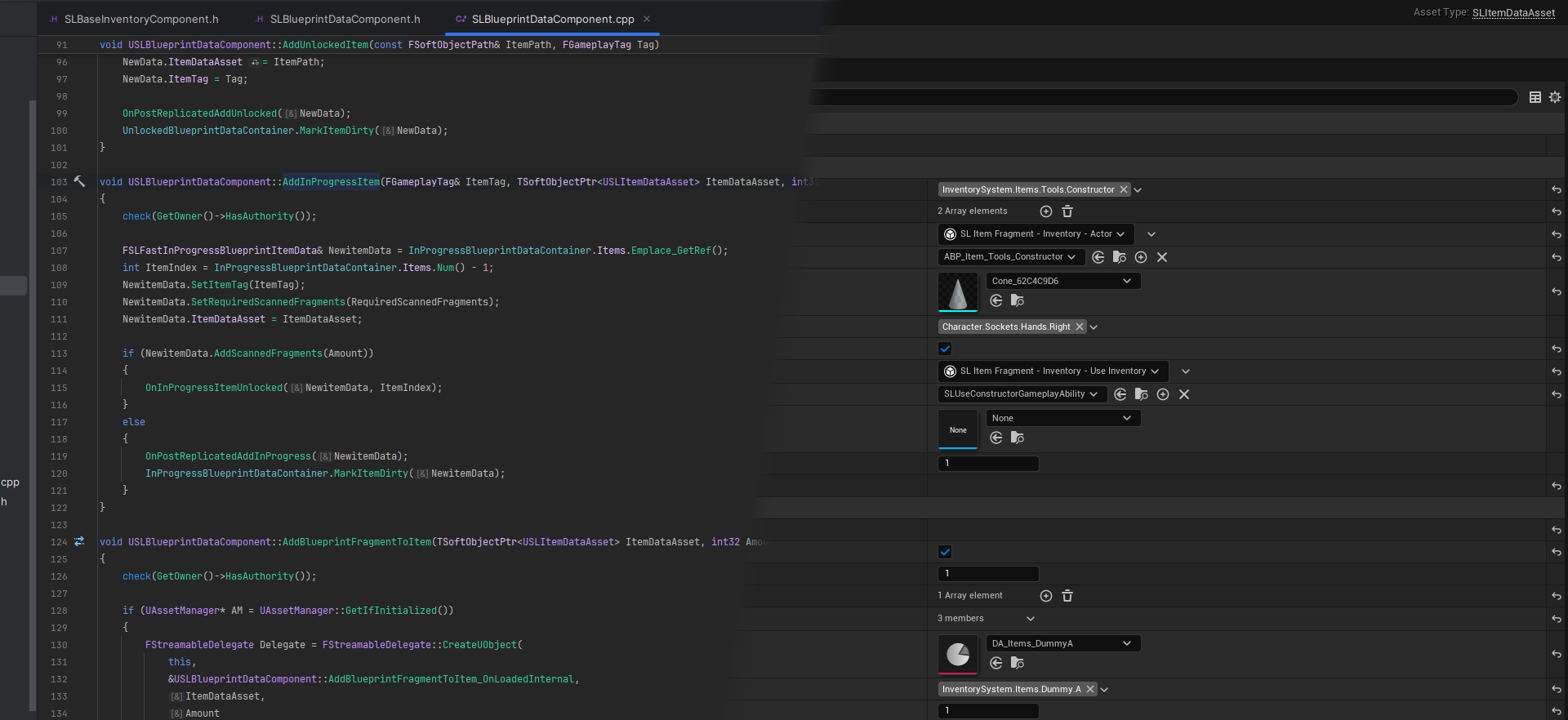
More stuff can be found in the various pages in the blog, here is a not exhaustive list of great external blog/pages Join the super cool Unreal Source Discord Server! If you are completely ...
harsh storm
@slow bobcat Well well well - it looks like you're giving a talk at UE fest next week?
hallow compass

slow bobcat
 harsh storm
 slow bobcat
stop spying my Only Devs accounts
harsh storm
I was actually just curious to see if there were any talks at this UE fest that I'd look forward to being put up on youtube. And noticed a familiar name....
celest python
slow bobcat
so how's people supposed to extend the Schema? I thought that was something expe...
likely api forgotten again
 mortal spoke
Did you figure it out?
 iron roost
kind of, I stopped building map and just packaged. Also made sure to use a new folder each time. I use to build, cook package.
slow bobcat
iron roost
kind of, I stopped building map and just packaged. Also made sure to use a new f...
Are you using sublevels with World Composition or World partition?
hallow compass
arent sub levels broken with world partition ?
also, whats world composition ?
nvm found it, legacy system using level instances
mortal spoke
iron roost
kind of, I stopped building map and just packaged. Also made sure to use a new f...
If you are using world partition, make sure you have correct main RecastNavMesh.
My problem (navigation working in PIE, but not in packaged build), was caused by other recast being pulled from level instance actor and being set as main, causing NavigationDataChunkActors to never register because the RecastNavMesh was different.

 onyx basin
Hi, im making a procedural dungeon. do u think is possible to turn off the dynamic nav bound to save cpu since i dont need that after the dungeon has been generated?
slow bobcat
onyx basin
Hi, im making a procedural dungeon. do u think is possible to turn off the dynam...
Yeah, there are function to lock and pause nav generation in the nav system
onyx basin
slow bobcat
Yeah, there are function to lock and pause nav generation in the nav system
how?
are they accessible in bps?
slow bobcat
In Bp's... I doubt it but no idea. You will have to check in code what's exposed. Or grab the navigation system in BP's an check what's there
onyx basin
slow bobcat
In Bp's... I doubt it but no idea. You will have to check in code what's exposed...
yeah i did but i dont think its here
do u remember what they are called in c++
slow bobcat
I think you do it with the Update Locks in the navigation context
TSharedPtr<FNavigationLockContext> NavUpdateLock;
UWorld* World = CurrentComponent->GetWorld();
if( World )
{
  NavUpdateLock = MakeShareable( new FNavigationLockContext(World, ENavigationLockReason::MaterialUpdate) );
}```Not sure if that's the right way or this one
    FNavigationLockContext Lock(NavSys);

    UE_LOG(LogTemp, Warning, TEXT("NavMesh updates are now locked by FNavigationLockContext."));

    // 2. Perform your batch operations
    // ... code to spawn or move many actors ...
    UE_LOG(LogTemp, Warning, TEXT("Batch operations complete."));


    // 3. No need to manually unlock!
    // The 'Lock' variable will be destroyed when the function ends,
// automatically calling NavSys->UnlockUpdates() in its destructor.```Being the lock within a function scope
ok I asked chatgpt and seems to agree with me?
#include "NavMesh/NavMeshBoundsVolume.h"

void YourClass::SpawnStuffSafely()
{
    // Lock the nav system — navmesh updates won't happen until this object goes out of scope
    FNavigationLockContext NavLock(FNavigationSystem::GetCurrent<UNavigationSystemV1>(GetWorld()), TEXT("PauseNav"));

    // Perform any navigation-affecting changes here
    SpawnYourActors();
    MoveThingsAround();
    AddNavRelevantModifiers();

    // Once NavLock goes out of scope (end of function, or when destroyed),
    // the navigation system will resume and rebuild as needed
}
this other way so you can control the lock lifetime yourself
TUniquePtr<FNavigationLockContext> NavLockPtr;

// When pausing nav updates
NavLockPtr = MakeUnique<FNavigationLockContext>(FNavigationSystem::GetCurrent<UNavigationSystemV1>(GetWorld()), TEXT("PauseNav"));

// Do your operations...

// When ready to resume nav updates
NavLockPtr.Reset();  // Unlocks and triggers dirty area processing / rebuilding
According to chatgp you have to pass the NAvigation System to it, I have seen in code they pass the world, so not super sure
Ah ok it doesn't really matter, it's a world context object

so I guess in you case it will be
- create context lock
- build the world proceduraly
- On World generation finished, release the lock
but this is definitely not possible in BP's
onyx basin
slow bobcat
so I guess in you case it will be
- create context lock
- build the world proced...
wow thx, too bad im not familiar with c++ . i have to work on it for a bit
 rigid sage
Hey all, quick question about State Trees, is it not possible to read variables from actor components? My 'current health' value lives in a HealthComponent I made that lives on the character blueprint, but said component is apparently invisible to the state tree 🤔
slow bobcat
rigid sage
Hey all, quick question about State Trees, is it not possible to read variables ...
The component has to be public and use a specific meta tag IIRC
rigid sage
Ahhh, interesting. I couldn't find that in any in any of the writing, you wouldn't happen to know if that's documented anywhere?
slow bobcat
rigid sage
Ahhh, interesting. I couldn't find that in any in any of the writing, you wouldn...
Can't recall. Not in front of my pc so I can't check if I'm tripping like bad AI about the tag. Check the actor/controller in the schema. I believe you can bind to their components?
But we definitely access components in our tree. Worst case scenario I can help you tomorrow
rigid sage
Yes, I saw that some of the object variables and some components like CharacterMovement are exposed, just not my Health component. I'll keep looking tonight but failing that any help would be appreciated 🙏
slow bobcat
rigid sage
Yes, I saw that some of the object variables and some components like CharacterM...
Check in code how is the character Movement component declared in the character actor class you use in your schema.
slow bobcat
In the schema itself there must be a tag where they store the pointer to the actor
 merry totem
Hello, AI MoveTo does not work with Nearest BP_Envy
im using find nearest actor node and it finds that correctly because I tried to print it
also casting is working correctly with printing
but the problem is this actor is not moving towards Nearest BP_Envy
actor is character, have character movement and default AIController Class
when I try to use AI MoveTo with get player character [0] it goes towards player correctly

 misty wharf
merry totem
Hello, AI MoveTo does not work with Nearest BP_Envy
im using find nearest actor ...
misty wharf
merry totem
Hello, AI MoveTo does not work with Nearest BP_Envy
im using find nearest actor ...
Is it printing Fail or Success?
merry totem
Fail
misty wharf
Visual Logger is generally helpful in debugging movement, you can find it in the Tools menu I think under Debugging
You first open it, press record, then press play, and let the game run the logic you wish to debug, and it should show info on it in the visual logger window
At this point my guess is that the navigation fails to get a path for some reason, either the target is outside the navmesh, or it can't project the target's position to the navmesh
merry totem
yep, problem was actor can't reach destination cause near actor there was no navmesh volume
I just disabled "Can Ever Affect Navigation" inside actor bp and it works
thanks a lot that I learned visual logger stuff
 rotund peak
i've been wondering, can i add aiperception to the player's actor? or is there something better? the goal is to have the server push info to the player when the player's character perceives something. i was thinking that it is effectively the same thing as a npc perceiving something. (but it needs an aicontroller to access the aiperception, so yeah, it'd need both a playercontroler and an aicontroler?)
slow bobcat
rotund peak
i've been wondering, can i add aiperception to the player's actor? or is there s...
But do you need all the senses, factions, debug etc the Perception system gives you? Maybe you can do a simpler version within a player component. Moreover if it's a 1st or 3rd person game, where you will need to consider the camera FOV etc
rotund peak
probably will need all of it, displaying server validated conditional info based on LoS, multiple fov angles, multiple distances, and other conditions. displaying sounds through walls.
harsh storm
I'd check if the actual perception system needs an AIController or if just the component does.
If the perception system doesn't - just write you own player perception component that hooks into it.
Will probably still be kind of awkward to use - but w/e
rotund peak
thx will look into that
rotund peak
harsh storm
I'd check if the actual perception system *needs* an AIController or if just the...
!! going to try adding the UAIPerceptionComponent to the player's pawn. aicontroller isnt necessary
 steel cloak
I have a question regarding some issue I'm having with my AI. I'm currently trying to debug this and I'm at a loss. I am currently making an AI that can follow the player, I've got it working sort of except that when the AI reaches the player's last known location (which is what I want) it fires a OnPerceptionUpdated event and then runs the logic that follows, which is not what I want. I hope this makes sense? Basically how do I maintain the perception sense so the AI doesn't lose the player
 shadow furnace
Maybe just have the perception updating know about how close it is to the goal? Does it suddenly lose all context inside of the perception update?
steel cloak
shadow furnace
Maybe just have the perception updating know about how close it is to the goal? ...
Once the move to function runs in my behavior tree it runs the TargetPerceptionUpdate event again. So basically it sees the player, moves to a location, then the perception event runs again even though the AI had line of sight the entire time. I'll try your suggestion tomorrow when I'm working on the project again and report back
misty wharf
steel cloak
Once the move to function runs in my behavior tree it runs the TargetPerceptionU...
Perception updated only runs when the perception state changes, so only when gain sight or lost sight
steel cloak
misty wharf
Perception updated only runs when the perception state changes, so only when gai...
Yep! And I don't want it to run again, the issue is that it is after the movement ends, its like it loses sense for some reason
misty wharf
Check rotation and any blocking objects
Eg if it moves up to a point and at the end quickly rotates to face some direction, this could cause loss of sight, and similarly if either of the characters is holding a separate actor like a weapon or such, those could block the sight traces as well
 burnt wraith
Do state trees work? I am adding a very simple state tree that should just go between 2 states with a 5 second delay task between them and it just continually iterates between the 2 states
With no delay
misty wharf
burnt wraith
Do state trees work? I am adding a very simple state tree that should just go be...
They work just fine. You probably configured something incorrectly with the states or their transitions
burnt wraith
misty wharf
They work just fine. You probably configured something incorrectly with the stat...
It seems like when I issue a Status of Success in any of the tasks, it immediately executes the next task even in the "EnterState" task
Do I need to make it so that it only succeeds in the "good" state inside my tick functions?
misty wharf
Yes, if any of the tasks finish (succeed or fail), this will trigger the related transitions. I think 5.6 introduces a feature to allow you to choose whether this happens or not, but in previous versions you have to design your tasks with this in mind.
burnt wraith
misty wharf
Yes, if any of the tasks finish (succeed or fail), this will trigger the related...
Gotcha. Almost feels like I need a specific task for setting success or something weird. I just assumed that if I set an "Idle state" and it doesn't fail, it's a success instead of setting it to running
So if I for example create a delay task (I know UE already has a built in one), and I set it to running, but I have a second task that is "Set AI Behavior State" and it sets an enum to "Idle" then returns success (instead of running), this will trigger the entire State of the tree to succeed?
misty wharf
Correct
burnt wraith
Weird. So it's not specific to the task succeeding, but the entire state
misty wharf
Yeah, I guess this is why they introduced the feature in 5.6 that lets you choose whether the state requires a single task to finish or all of them :)
burnt wraith
So if I have a state that has a bunch of tasks, how do I make sure that it only succeeds on the very last one?
burnt wraith
misty wharf
Yeah, I guess this is why they introduced the feature in 5.6 that lets you choos...
Oh, I don't see that option. Am I blind? haha
"On State Completed" I assume?
misty wharf
Uhh... I'm pretty sure it should be in there somewhere, folks here have talked about it. I've not updated to 5.6 yet so can't really say where exactly
 proud timber
is it possible to make an eqs with actors AND locations?
I even tried using the composite node but it still only returns either actors OR locations and never both
slow bobcat
proud timber
is it possible to make an eqs with actors AND locations?
I even tried using the ...
You could create a context that gathers the actors and uses their locations + generates other locations. It will return only locations, but some will match actor locations. Another option is that you create a custom type, a struct with an array of actors and an array of locations inside. Your generator will generate one object, then your tests will be customised for that struct. The result of the eqs will be that struct. But it all sounds like too much work fir something you can probably handle another way.
What is it exactly what you are trying to do? Why do you need both?
steel cloak
misty wharf
Eg if it moves up to a point and at the end quickly rotates to face some directi...
I just wanted to pop back in and say that it was an issue with my behavior tree  and I was very very confused. I appreciate everyone taking the time to assist though!
misty wharf
Good that you got it solved :) They can sometimes be kinda annoying to debug yeah
proud timber
slow bobcat
You could create a context that gathers the actors and uses their locations + ge...
thanks
I want to make the npcs decide depending on their sizes if they should attack or run away
so I thought if the eqs returns an actor it should move to that actor (attack) or if it returns a location it should move to that location (run away)
I already have a custom eqs test to compare the sizes so that is not a problem
slow bobcat
Maybe you can create the concept of "target" and have the info there. A target to approach would be a location or an actor etc
 warped tiger
Hi, can someone tell me how to deal with this kind of looping behavior in state tree? I'd like to transition from the 2ndFindResources to ClaimResource when a resource has been found, but ClaimResource won't call StateEnter on its tasks because I have set bChangeStateOnReselection = false . If I don't set it to false StateEnter would be called when the transition DoSomethingWithResource1 -> DoSomethingWithResource2 happens.

 unreal wolf

how would i go about figuring out nav link proxies to make this escalator one way? 
it's fine if the ai walks up it, because i can just switch the animation manually upon entering the escalator and since it's not root motion it'll look fine
but i can't have them walk up and down the 1 way escalator 
slow bobcat
Nav link proxies have an option to allow navigation only in one direction. Check the details panel
 sonic yoke
does anyone know a good workaround for the bug in state trees that makes tasks finish before a move to is excecuted?
slow bobcat
sonic yoke
does anyone know a good workaround for the bug in state trees that makes tasks f...
Don't know that bug. Can you show your tree with the state and task failing?
sonic yoke
Well basically when I use a move to node it never gets to finish execute even when the pawn reaches the end. It's the same if I use the built in node or a custom one
slow bobcat
sonic yoke
Well basically when I use a move to node it never gets to finish execute even wh...
Sounds like an issue with your state tree. If you post an image we can try to help out
hallow compass
is avoidance what i need to make the AI try to find another root ? or should i place a nav modifier on each AI so it blocks

 slow bobcat
hallow compass
is avoidance what i need to make the AI try to find another root ? or should i p...
slow bobcat
hallow compass
is avoidance what i need to make the AI try to find another root ? or should i p...
You could use avoidance but that narrow space with so many enemies will not be easily solved
hallow compass
im trying with nav modifiers, but i dont know how i can have the AI to ignore its own modifier
rotund peak
ok so mass moves processing of homogenous ai actors off the game thread. at a high level, i want to move all ai off the game thread.
@small meadow I'm very interested in following and learning from your work on this. is there a git or write-up on your multithreaded ai framework?
slow bobcat
hallow compass
im trying with nav modifiers, but i dont know how i can have the AI to ignore it...
This is a bad idea. You are forcing re-build the affected nav every frame the nav modifier moves
hallow compass
slow bobcat
This is a bad idea. You are forcing re-build the affected nav every frame the na...
mh, can i nudge the path finding to give him some points to follow or start with ?
feels like not a uncommon issue for close range fighting AIs so they have to be some not super heavy and long to implement solution
slow bobcat
hallow compass
mh, can i nudge the path finding to give him some points to follow or start with...
I would try with crowd control first and see what happens
You could always implement a heat map, calculate how crowded the area is and pass that info to a navigation filter somehow
hallow compass
slow bobcat
You could always implement a heat map, calculate how crowded the area is and pas...
ill have to dig how to do that
slow bobcat
You will need to change the nav poly flag to indicate the "level of crowdness" and exclude said flags
hallow compass
ill come back in a few days or weeks for this, rn i have some higher task to do
but i appreciate the directions
cyan sigil
I am getting started with state tree. It seems like if I have a Delay task it still makes all tasks in a state run at the same time instead of in order. Is there a way to make them run in order?
harsh storm
Tasks are meant to run concurrently
If you want to delay stuff - make a sibling state
slow bobcat
cyan sigil
I am getting started with state tree. It seems like if I have a Delay task it s...
I recommend to read "your first 60min with state trees". It's a bit outdated but the core principals are still current and well explained.
cyan sigil
slow bobcat
I recommend to read "your first 60min with state trees". It's a bit outdated but...
I'm following that now.
cyan sigil
harsh storm
If you want to delay stuff - make a sibling state
I managed to try that. I made the first sibling have a delay, then an explicit transition to the next sibling state. What happens if the parent runs and the first sibling fails? Will the parent try to pick the second state instead?
slow bobcat
cyan sigil
I managed to try that. I made the first sibling have a delay, then an explicit ...
There's a way to control the flow. By default it is set process children in orden. If the child state is not one, but two sibiling states, first one finishing will trigger the transition I believe, whether it's a failure or a success
paper basin
Hello. So I'm designing my behavior tree for a customer in a tavern management game. This is my first project with a behavior tree, so the first one was pretty bad. Now I'm in the middle of watching a course on behavior trees and I'm trying to design a better tree.
The first one I made looked like a state machine, so I think it is kinda hard for me to break out of this approach. I don't want to use state machines since I want to have more emergent behavior later (like customers reacting to weird things happening around them) and behavior tree seems better for this - at least to me. And it just feels better to make personally.
Anyway, I have a slight problem with the part highlighted on the screenshot. SitDown sequence can both fail and succeed during normal gameplay (fe if the ai got blocked or interrupted). So I added a decorator for "IsSitting" with NOT and "IsSitting" on the next branch.
But it seems.. weird. Is there a better way to design it here or is using the same decorator like this a normal practice?
I squished the tree a little and threw away unnecessary nodes. I hope the descriptions on nodes are understandable

 tranquil meadow
what is the best practice for pathfinding in combat zones for large maps? I presume separate navmeshes on each combat zone right?
slow bobcat
paper basin
Hello. So I'm designing my behavior tree for a customer in a tavern management g...
Yeah it is common to use it like that. Usually you would have a selector with a branch gated by "is sitting" and then another branch that doesn't check (which is the same as "is not sitting")
slow bobcat
tranquil meadow
what is the best practice for pathfinding in combat zones for large maps? I pres...
Do you mean in between combat zones?
misty wharf
I have a bunch of complicated BT's in my video rental store sim for NPC logic with some vaguely similar sounding ideas like Verael... I'm honestly thinking of revamping it in state trees because it feels more suitable at this point 🤔
It works but it's a little bit clunky to deal with error handling in particular, but also redoing them would be a lot of work so not sure if I'm going to feel like doing it lol
tranquil meadow
slow bobcat
Do you mean in between combat zones?
no. Basically parts of the map will have combat zones. I just want enemies to stay within their own combat zones.
I would've assumed it's just multiple navmeshes (one for each zone) but it seems that only one navmesh can be active in a level
slow bobcat
tranquil meadow
I would've assumed it's just multiple navmeshes (one for each zone) but it seem...
How are you handling your level? World partition or World composition (sub levels)? Are you using Dynamic navigation or static?
You should just need to add nav bound volumes where needed and have nav where they are
tranquil meadow
slow bobcat
How are you handling your level? World partition or World composition (sub level...
static navigation, i'm not using world partition (i think).
basically wanted a small level to explore, nothing big like open world
slow bobcat
Then just drop nav bounds volumes where you need nav and generate it. That's all you need
 night relic
I wonder if there is built-in functionality to make an ACharacter to move through the navmesh following a spline
night relic
Just want to make sure I'm not reinventing the wheel
 steel imp
The run eqs doesn't seem to run at all on my enemy character.
I have also added print string task, it just outputs the result of query.
When I press ' key and numpad 3... nothing shows
if I remove the print string task and debug, then it shows me eqs grid but only where the character spawned and not where it moved currently

Got it to work. Had to remove print from same state and add different state for it
 uncut cloak
Im pretty new to behavior trees and state trees so im just practicing to learn the systems better. does anyone have any suggestions on videos or content that helped them learn how to make better ai?
 proud snow
Hello, is there a way to achieve this sort of navigation for the ai? Instead of walking in a straight line, the ai would try to smooth it out, or interpolate it or something.

 slow bobcat
proud snow
Hello, is there a way to achieve this sort of navigation for the ai? Instead of ...
slow bobcat
proud snow
Hello, is there a way to achieve this sort of navigation for the ai? Instead of ...
You can try checking rotatin rates. Set a low rotation rate and calculate a path. The AI will slowly turn to face it, causing a curve like the one you painted
proud snow
slow bobcat
You can try checking rotatin rates. Set a low rotation rate and calculate a path...
How would i calculate a path? I'm using ai move to in the behavior tree, along with a target actor as a destination
slow bobcat
proud snow
How would i calculate a path? I'm using ai move to in the behavior tree, along w...
That calculates the path for you
Is what happens in the background without you noticing it
proud snow
slow bobcat
Is what happens in the background without you noticing it
Okay i feel like i misunderstood something. By rotation rate you mean the one in the character movement component, right? Thing is i already enabled use controller rotation and set it to 180~. The thing is, it really only affects the rotation of the actor, the ai itself still takes sharp/straight corners
 final prism
Has anyone done leashing in Unreal? The only way I can think of properly doing it is by marking up nav polygons, otherwise the pathfinding could path outside of the range, or is there a better approach?
 slim egret
Hi all, I'm trying to create a state tree that doesn't tick (UE5.6), so I set the Scheduled Tick Policy to Denied.
I have a global task to query the week day and day time (morning, evening etc) and want my state tree to evaluate every day time change.
I have a root that I tagged so I'll be able to SendStateTreeEvent to "force" the state tree to evaluate every day time change.
Is that the correct approach? (This currently doesn't work for me for some reason)
Also, would the global task evaluate every time I send such event, as I understand, global tasks evaluate only on tick, so I'm not sure what happens behind the scenes in a case of sending state tree event... does it considered as a tick or makes the tree tasks to tick for 1 frame?
paper basin
Hello, it is me again. I still have some trouble with understanding the correct flow for the behavior tree, so maybe someone with more knowledge could point me in a good direction - it can be a video or a blogpost, anything that could help.
Basically I keep being worried about Tasks failing in sequences. Especially the Move tasks. And it makes it hard for me to think around it. I attached my current design for the tree (It is for a customer npc at a tavern) - the place I'm talking about is marked with a red circle. Can this MoveTo fail? If yes, it would fail the sequence, which means my tasks for reputation and cost could run more times? How else could I make it work? Or am I just imagining problems?
General criticism is welcome too if I'm doing something completely wrong.
 slow bobcat
proud snow
Okay i feel like i misunderstood something. By rotation rate you mean the one in...
slow bobcat
proud snow
Okay i feel like i misunderstood something. By rotation rate you mean the one in...
180 is quite high. That means your AI can rotate up to 180 degrees per second. Try setting it to 35 por example
slow bobcat
final prism
Has anyone done leashing in Unreal? The only way I can think of properly doing i...
I have use (usually combined) 2 flavours: one measures distance from the spawn location, the other whether the AI is within a volume. When too far or out of the volume, we interrupt the BT (call stop movement) and make it go back to the spawn location for example
slow bobcat
slim egret
Hi all, I'm trying to create a state tree that doesn't tick (UE5.6), so I set th...
Denied means the tree will tick every frame (always). When enabled, the system will handle when to tick it or not
Even if you send an event, not ticking will not work. The events are processed in tick, same as tasks, transitions etc. You need your tree to tick to function
How it works is:
- you send an event
- the event is added to a collection (IIRC an array)
- next tick all events are processed (then transitions, then conditions and tasks)
Before everything else ticks, the global taks tick. They are the first ones
slow bobcat
paper basin
Hello, it is me again. I still have some trouble with understanding the correct ...
Have you considered using the decorator Force Success?
You can add it to your move task and, even if it fails, the sequence will continue the execution of the flow
paper basin
slow bobcat
Have you considered using the decorator Force Success?
Hmm, I didn't think about it, I'll look into it. But in this case it wouldn't fix the edge case problem but it could prevent the worst case scenario which is a good start
slow bobcat
I would suggest you star looking into organising things in sub-trees. That will help
 nimble smelt
I just realized something basic I dont understand. I'm "launching" a missile by calling SpawnActor, and supplying the BP for AI missile pawn, and this works fine. But it must have a controller too, right? That's where all my detection logic lives.
So when an AI pawn is spawned like this, what creates the controller? How does it get assigned as the controller for this particular pawn? Where is that logic?

(This is all in aide of extending my save/load system to AIs. There's a lot in the controller I'd like to save but it's tough to restore when I don't know how they come into being)
slim egret
slow bobcat
How it works is:
- you send an event
- the event is added to a collection (IIRC ...
mmm I see.. So I need a different approach altogther. Thanks!
tranquil meadow
slow bobcat
Then just drop nav bounds volumes where you need nav and generate it. That's all...
how do i generate? Does it do it automatically?
final prism
slow bobcat
I have use (usually combined) 2 flavours: one measures distance from the spawn l...
Oh I guess that's a lot simpler and makes sense
slow bobcat
tranquil meadow
how do i generate? Does it do it automatically?
Put a nav bounds volume on the level. Scale it to cover the area you want to have nav (you can use several volumes). The in the editor menu "Build -> build paths". I suggest you check a tutorial about basic concepts for nav in unreal. It will solve many questions
paper basin
nimble smelt
I just realized something basic I dont understand. I'm "launching" a missile by ...
You configure this in the Blueprint of the Pawn/Character. There are two things there: possession setting and the default AI controller. You need to assign it your controller and set possesion of AI to "Spawned" or "Placed and Spawned".
I don't remember the names of these setting, but if you type in the blueprint details posses and controller it should find them
tranquil meadow
slow bobcat
Put a nav bounds volume on the level. Scale it to cover the area you want to hav...
Gotcha
nimble smelt
paper basin
You configure this in the Blueprint of the Pawn/Character. There are two things ...
That's not the question though. If I set the pawn to be possessed on spawn, and then spawn it, where does the controller come from? What calls its constructor?
paper basin
nimble smelt
That's not the question though. If I set the pawn to be possessed on spawn, and ...
Still not sure if this is what you are asking for but:
https://dev.epicgames.com/documentation/en-us/unreal-engine/API/Runtime/Engine/GameFramework/APawn/SpawnDefaultController

Epic Games Developer
Spawn default controller for this Pawn, and get possessed by it.
nimble smelt
That IS what I'm asking! So the pawn builds its own controller. That's politically dark, but very useful for what I'm trying to do
slow bobcat
nimble smelt
I just realized something basic I dont understand. I'm "launching" a missile by ...
Rather than make your missile a pawn and spawn an AI Controller (which is overkill if we are talking about a projectile), I would spawn a simple actor with a Projectile Movement Component.
You have a tutorial here about this approach
https://dev.epicgames.com/documentation/en-us/unreal-engine/implementing-projectiles-in-unreal-engine

Epic Games Developer
Get familiar with the method example of the implementing projectiles for the First Person Shooter character to the project.
nimble smelt
slow bobcat
Rather than make your missile a pawn and spawn an AI Controller (which is overki...
Eh, it's a guided missile that also exists as a standalone actor in level sometimes (which activates and pursues if the player gets too close). It needs cornering and wayfinding. I think the pawn and controller make sense
slow bobcat
nimble smelt
Eh, it's a guided missile that also exists as a standalone actor in level someti...
Nothing you can't do with the approach of the link, but no wrong answers here. If it works for you as pawn... A pawn it is
cyan sigil
Can anyone provide an example of correctly declaring a new FStateTreeTask in C++?
slow bobcat
cyan sigil
Can anyone provide an example of correctly declaring a new FStateTreeTask in C++...
Just check how unreal does it. It's your best guide
If not... Check zomg blog about state trees
cyan sigil
I've managed, thankfully.
 subtle totem
Hello guys should I use Behavior Trees for my AI or State trees . I am planning to have 15-20 alive enemies on average on my game. Which solution do you think offers the best performance ?
harsh storm
subtle totem
Hello guys should I use Behavior Trees for my AI or State trees . I am planning ...
Either would be fine for that scale. Your issues will come in other areas.
That said - BT's are more stable and have more information about them and ST's is the direction Epic is going.
celest python
if you are just prototyping and has no experience at all BTs are easier to start with
BTs are designed with prioritization of behaviors, ST allows arbitrary jumps between states and has a nice hierarchical execution system and utility feautures embedded into it
hallow compass
Honestly State trees are better now
Super hard to keep a clean BT over time if you got a not simple AI behavior
harsh storm
That's just a skill issue
harsh storm
@slow bobcat Any neat info around AI from UE fest?
harsh storm
A bit late, but the reason this happens is because this line FStateTreeReadOnlyExecutionContext Context(GetOwner(), StateTreeRef.GetStateTree(), InstanceData); in the method. It is the first line in the method. If your component doesn't have a state tree, the StateTreeRef.GetStateTree() will return a nullptr. But the type FStateTreeReadOnlyExecutionContext requires a non-null pointer.
So that's why it crashes. It is at least fixed in 5.7
(In case you never actually figured out why it happened)
slow bobcat
harsh storm
<@397712228435886091> Any neat info around AI from UE fest?
Umm some.
SlateIM is getting there but light years from Imgui COG plugin.
Missed the network movement talk, but heard the thing has moved forward quite a bit, still far from being production ready.
Nothing new on AI, Siggi had to cancel his trip due to personal reasons and we never met.
Saw a talk where they profiled a game live with insights + the new Chaos Visual Debugger and that was very good.
And my talk was good it seems. Got people stopping me to ask for questions and advice during both days. Will post the video here as soon as it's up (might take months)
hallow compass
slow bobcat
Umm some.
SlateIM is getting there but light years from Imgui COG plugin.
Missed...
Never heard of ImGui COG
hallow compass
Never heard of it
 restive imp
Hello everyone !
I need some help with a basic task for my AI but i'm having some problem
My IA is able to see all my player and i want it to be able to sort it out by distance and always choose the closest target to him
(See Screen) can someone tell me where i did wrong ? https://blueprintue.com/blueprint/t7w3xgob/

No description provided
slow bobcat
hallow compass
Never heard of ImGui COG
Almost nobody has and it the very best set of debug tools you will ever find for unreal. Unbeatable so far
slim egret
Hi, if I want my state tree to be purely event driven, does it makes sense to set the root tick rate to something like 9999999? or is there a more reasonable approach for this?
paper basin
restive imp
Hello everyone !
I need some help with a basic task for my AI but i'm having som...
Uh, your loop body is not connected, you use completed instead - which means it will chose the last actor that was in the array, since that will be left over in the foreach in most cases. Also your branch checking for Player tag probably shouldn't be connected out of False pin. Also why do you even have two loops there, the first one also connected only on completed...?
Also why do you name variables confusingly - if a variable contains a singular actor, and is called "ActorsSeen", it makes it confusing to read through
restive imp
paper basin
Uh, your loop body is not connected, you use completed instead - which means it ...
The tag actor is connected on false because i didn't define the tag atm i've just put in for future purpose, i though completed mean it should take into account every player seen | it's shoud be better like that https://blueprintue.com/blueprint/ok7f6ofq/
No description provided
paper basin
restive imp
The tag actor is connected on false because i didn't define the tag atm i've jus...
I recommend going back to a Blueprint course, because errors like this suggest a lack of basic knowledge - and I'm not saying it to be mean but you will have problems on each step without understanding simple things like loops and functions.
The problem now comes down to the return node. You return as soon as you find a distance closer than the default. SO basically the first actor in the array.
Return itself should be on completed, so the loop runs through all actors before returning.
Return in general means "Exit the function here". Even if it is inside a loop, the loop doesn't continue.
And you don't change the best distance after finding a closer actor, you need to also set it where you set the best target
restive imp
paper basin
I recommend going back to a Blueprint course, because errors like this suggest a...
thank's for the input, i'm not taking it the wrong way don't worry but i'm here to learn so that why i ask which part i didn't understand well i'm not trying to create some AAA i'm trying to do a project for myself and learn i didn't use loop before so that why i'm having trouble understanding everything
everything working as it should now
paper basin
Of course, but the number of errors suggest that you are stumbling in the dark. I know it is popular to say "don't get stuck in tutorial hell" but at first it is important to go through a course or two so you don't waste time on said stumbling around - so when you need help it won't be 6 errors but 1 for example
restive imp
paper basin
Of course, but the number of errors suggest that you are stumbling in the dark. ...
i understand but usually tutorial explain one precise things and when you want something a little more specific it's hard to find a clear explanation and i don't really know where to seek help, (english not being my first language also make some things harder to understand)
warped tiger
Is it possible to create grand-child classes of FStateTreeTaskBase that override the parent 'sFInstanceDataType? Context: I want to create a state tree task child that has different instance data
misty wharf
warped tiger
Is it possible to create grand-child classes of `FStateTreeTaskBase` that overri...
Isn't it just a matter of overriding GetInstanceDataType as you would need to do anyway?
warped tiger
misty wharf
Isn't it just a matter of overriding GetInstanceDataType as you would need to do...
I don't think so. FStateTreeExecutionContext::GetInstanceData(const T& Node) is reading T::FInstanceDataType which is an alias defined in FSTateTreeTaskBase subclasses and as far as I know, it can't be overriden in grandchild classes, right?
misty wharf
warped tiger
I don't think so. `FStateTreeExecutionContext::GetInstanceData(const T& Node)` i...
I use this and never had any problems with it
using FInstanceDataType = FMyInstanceData;

virtual const UStruct* GetInstanceDataType() const override
{
    return FInstanceDataType::StaticStruct();
}
(Similar to how the builtin tasks do it)
warped tiger
misty wharf
I use this and never had any problems with it
```cpp
using FInstanceDataType = ...
But how do you access the instance data in StateEnter, StateExit and Tick functions? Don't you use the function I mentioned before? 🤔 GetInstanceDataType() will only return the data type, not the actual instance data.
misty wharf
warped tiger
But how do you access the instance data in `StateEnter`, `StateExit` and `Tick` ...
FInstanceDataType& InstanceData = Context.GetInstanceData(*this);
warped tiger
misty wharf
`FInstanceDataType& InstanceData = Context.GetInstanceData(*this);`
Is that working for you when you have ST tasks that inherit from other ST tasks that have different FInstanceDataTypes?
harsh storm
@chilly nebula Any neat things coming for AI in 5.7? The roadmap is pretty much void of any gameplay framework stuff.
misty wharf
warped tiger
Is that working for you when you have ST tasks that inherit from other ST tasks ...
I don't think I've actually tried that... I could imagine it being problematic 🤔
harsh storm
As long as you override the GetInstanceData - you should be fine
Because that returns a UScript*
So it doesn't matter what the parent overrides. Unless you're trying to do some parent call
In which case, then just have your instance data struct also inherit from the parent's instance data struct
warped tiger
harsh storm
In which case, then just have your instance data struct also inherit from the pa...
That's the problem, if the child InstanceData does not inherit from the parent one, the returned instanced data will still be the parent one because I can't override the
using FInstanceDataType = SomeType; alias in the child class, right?
template <typename T>
typename T::FInstanceDataType& GetInstanceData(const T& Node) const
{
    static_assert(TIsDerivedFrom<T, FStateTreeNodeBase>::IsDerived, "Expecting Node to derive from FStateTreeNodeBase.");
    check(CurrentNodeDataHandle == Node.InstanceDataHandle);
    return CurrentNodeInstanceData.template GetMutable<typename T::FInstanceDataType>();
}
You can
If it doesn't work - just don't inherit from a task that is actually filled out.
 robust veldt
I have output parameter AttackRange in ST, but chill state can not access it, always use default value. Does anyone has idea.

 warped tiger
harsh storm
You can
warped tiger
harsh storm
You can
You're right, I can. Unfortunately if I call a parent ST task function that uses InstanceData it will use the parent's InstanceDataType rather than the child's
harsh storm
As expected
harsh storm
robust veldt
I have output parameter `AttackRange` in ST, but chill state can not access it, ...
It depends on your tree setup. Keep in mind that all tasks in the active tree will run. So, the parent state's task that actually calculates the range may not complete before the child state accesses it
And it depends on when the bound properties are actually copied
Which I've never looked into
harsh storm
TIL that if you fill out the description in a State Tree condition - the ST will display that for the If text in the tree.

 dim gull
Getting some mixed responses on the performance of state trees, I can profile myself but I'm hoping somebody here might know -
For 20k+ units with potentially different behavior (different targets, different attack states, etc.) is StateTree an appropriate AI solution? All single player, if that matters at all.
harsh storm
I'd imagine it should be doable. Considering STs were kind of designed for #mass. So that's the channel that would probably know more on how to handle that.
robust veldt
harsh storm
It depends on your tree setup. Keep in mind that *all tasks* in the active tree ...

Thanks. I unbind/rebind property several time and it is working somehow.
cyan sigil
When using State Tree DebugText, where does the debug text appear?
harsh storm
It used to show on the actor many moons ago - but it has been borked for a couple of versions now.
I think its like in the corner of the screen or something now.
I can't remember. I don't use it anymore.
cyan sigil
I found the problem. Somehow the State Tree Component is saying the State Tree reference is invalid, even though I have it set to a state tree. 😠
{
    STATETREE_LOG(Log, TEXT("%s: Start Logic"), ANSI_TO_TCHAR(__FUNCTION__));

    if (!StateTreeRef.IsValid())
    {
        STATETREE_LOG(Warning, TEXT("%s: Trying to start State Tree component with invalid asset."), ANSI_TO_TCHAR(__FUNCTION__));
        return;
    }

    FStateTreeExecutionContext Context(*GetOwner(), *StateTreeRef.GetStateTree(), InstanceData);
    if (SetContextRequirements(Context))
    {
        const EStateTreeRunStatus PreviousRunStatus = Context.GetStateTreeRunStatus();
        const EStateTreeRunStatus CurrentRunStatus = Context.Start(&StateTreeRef.GetParameters());
        bIsRunning = CurrentRunStatus == EStateTreeRunStatus::Running;

        if (CurrentRunStatus != PreviousRunStatus)
        {
            OnStateTreeRunStatusChanged.Broadcast(CurrentRunStatus);
        }
    }
}```Don't know what I'm doing wrong. Does a State Tree Component have to be attached to an AI Controller? I have it on my player character because I just want actor reference.
harsh storm
It does not have to be - no. Unless you're using the AI schema
 harsh storm
Turn off start logic automatically
Then start it manually
(Though, it should still work with it on)
The only reason I could think at the moment that it would be invalid is if you're spawning the wrong class
cyan sigil
Seems to have worked after clearing and resetting the reference in editor. However, the print is still not appearing attached to the character, and the delay is being skipped entirely 🙁
Any idea what I'm doing wrong?

InstanceData.ReferenceActor is always null in the DEbugTextTask
robust veldt
cyan sigil
When using State Tree DebugText, where does the debug text appear?
Check Visual Logger
cyan sigil
OKay this is weird. Every time I restart my editor, the state tree is considered invalid compile.

It worked properly the first time I ran it, but not after.
And the instance actor is still null!
Ahhh I figured it out. I had to actually link the Actor parameter.
Still getting the compile error.
cyan sigil
I'm not quite there yet, but I will need this: In state tree, I want the character to be able to respond to an input "P" or "K". In addition, it should have a mounting counter of how many Punches and Kicks it has done since going back to the root state. What's the best way to track that counter?
I guess it would be a service within the Punch/Kick parent state.
And a variable at the State Tree level.
I'm starting to SEE
 wide robin
cyan sigil
I'm not quite there yet, but I will need this: In state tree, I want the charact...
wide robin
cyan sigil
I'm not quite there yet, but I will need this: In state tree, I want the charact...
I would probably:
- Send a callback when you throw punches and kicks (either when you press the input or when you actually execute the punch and kick action)
- Make a global task that:
2.1 On enter listens for that callback and every time increases the counter, that are exposed as Outputs
2.2 On exit resets the counters - Assignt that global task to the subtree you'd want to use
 chilly nebula
harsh storm
<@187650553168265216> Any neat things coming for AI in 5.7? The roadmap is prett...
chilly nebula
harsh storm
<@187650553168265216> Any neat things coming for AI in 5.7? The roadmap is prett...
Theres a few new things for state trees, including debugger integration with rewind debugger and finally debugging a specific instance.
Also, multi config support for auto navlink generation
cyan sigil
Auto navlink generation?
slow bobcat
chilly nebula
Theres a few new things for state trees, including debugger integration with rew...
Why wasn't this mentioned at all at Unreal fest?
Watched the 5.7 talk and it was all render and animation stuff pretty much
shadow furnace
cyan sigil
Auto navlink generation?
it's exactly what it says it does... it's in project settings for ai stuff
instead of manually placing navlinks it tries to find edges and test for nice places to make new navlinks
hallow compass
im working on some AI perception system for my game, but it has some common grounds with what you would have in combat games.
here is a very broad graph that shows what I plan to have, im interested in any suggestions people might have from their experience.

this is for an open source plugin on github, im not working on a paid product.
 static raven
Hey Guys, I'm looking for a good example of how to setup NavMesh for big world partition maps. Is there any Epic demo project I can take a look at? Valley of the Ancient implements nav mesh?
 mighty geode
Can somebody help me understand and explain how can I achieve what days gone did, with their hordes?
I wanna implement horde of zombies such as 200, 300 or more
harsh storm
That is a very broad question
mighty geode
harsh storm
That is a very broad question
Like?
harsh storm
mighty geode
Like?
It involves optimizing logic, animation, bones, models, CMC, so on and so forth
It is a very very broad question
Use navmesh walking in CMC
Look into animation sharing potentially
Don't give full logic to every zombie until alerted - have them "follow the pack leader" pretty much
Minimize how many bones the model has
Just a few things off the top of my head
mighty geode
harsh storm
Use navmesh walking in CMC
Look into animation sharing potentially
Don't give fu...
I was thinking it in such a way.
-
Reduce Lod
-
Have a sphere radius, it'll work as a pool and other zombies will share the animation from that lead zombie (Problem: if all zombie would have sphere, who'd they follow)
-
If they overlap player (like acceptance radius) the zombie would be in full alert, independent state.
-
Use dynamic NavMesh.
Problem: choose player target (multiplayer)
static raven
having a SphereComponent in each zombie will kill your performance
dim gull
Currently, there is no way to dynamically add states to the state tree or anything like that, is that right?
or, I guess a better question could be, what dynamic elements currently exist for a state tree, if any?
I guess you can always make a state that represents some abstracted thing and modify runtime values / settings in order to have more dynamic behavior
chilly nebula
slow bobcat
Why wasn't this mentioned at all at Unreal fest?
Probably too much material to cram into one presentation would be my guess?
slow bobcat
chilly nebula
Probably too much material to cram into one presentation would be my guess?
Booo! Give us the AI! We don't care about how many polygons and lights you can use! Booooo
XD
harsh storm
slow bobcat
Booo! Give us the AI! We don't care about how many polygons and lights you can u...
I just want performance out the wazooo
I want an empty scene to be able to run at 2k fps like it does in Godot 😅
slow bobcat
Imagine... Moving 100 enemies without praying to the gods
celest python
Best we can do is 25 characters bottlenecked by animation overhead while playing montages 
UAF will save us.. in the not near future 
harsh storm
celest python
UAF will save us.. in the not near future <:praisethesun:773490663245348864>
I reckon it'll be a UE6 thing sadly.
chilly nebula
celest python
UAF will save us.. in the not near future <:praisethesun:773490663245348864>
it absolutely will 🙂 you saw what it can do in the Witcher demo, and that wasnt even finished
cyan sigil
wide robin
I would probably:
1. Send a callback when you throw punches and kicks (either w...
Seems like a Service for the required state scope would be ideal, right?
 heady silo
How do I pass tags into the AI Controller? I'm trying to do a detection system where an agent has the ability to recognize other agents by faction. So for at least the initial test, I want to filter perception to only members of a faction other than its own to select as a target for combat. But I can't seem to find a way to pass that information into the AIC to influence the perception update. So everyone just shoots at each other unless I have them only able to percieve a player tag, which would be fine if all factions are hostile to the player, but I want something a bit more complex where enemies can prioritize each other for combat and only attack the player if they pose a more direct threat (they're closer, or damaging them more directly, etc.). Anyone have a good way to do this? What am I missing?


 static raven
heady silo
How do I pass tags into the AI Controller? I'm trying to do a detection system w...
static raven
heady silo
How do I pass tags into the AI Controller? I'm trying to do a detection system w...
I would use GenericTeamAgentInterface. Its already integrated with PerceptionSystem.
You can configure senses to only process stimuli coming from actors with specific relationships (for instance: hostile, neutral or friendly)
AIC already implements the interface.
I don't know how much in-build blueprint helpers are for this system, but yeah..., I would first use what is already there
mighty geode
static raven
having a SphereComponent in each zombie will kill your performance
That's the problem
 keen crow
if my NPCs can vault over/climb obstacles under 2 meters and safely fall down from 2m height, is it a good idea to change navmesh agent properties to set max step height to 2 meters and then make a MoveTo task child that, while active, would do shape sweeps to decide if the NPC needs to jump down/vault/climb? An alternative I see is to try to use auto generation of navlinks, but I'm kinda worried that my project is an open world game and I doubt hundreds of navlinks would go unnoticed performance-wise 🤔
 hushed crag
any idea why slots ina uniform grid panel are spaced unevenly?
the padding is all the same

inconsistent spacing
very annoying
misty wharf
hushed crag
any idea why slots ina uniform grid panel are spaced unevenly?
Are you confusing AI with UI? :D Try #umg
hushed crag
misty wharf
Are you confusing AI with UI? :D Try <#221799467689574410>
OOPS
 dusk condor
Following this tutorial to set up Mass Traffic
https://youtu.be/RRWr_Hnn5Bg?t=938
Where I bookmarked the video the author says you must set the following cVAR
ai.traffic.parallelize 0
to avoid crashing.
Problem is, this CVAR does not exist in 5.6!
And of course I crash on simulate with the following error
Assertion failed: ZoneGraphStorage [File:D:\build\++UE5\Sync\LocalBuilds\CitySample\Windows\Plugins\Traffic\Source\MassTraffic\Private\MassTrafficInitInterpolationProcessor.cpp] [Line: 47]
Any Zone Graph Mass Traffic AI experts able to help?
Discord server https://discord.gg/XrQjK7hseN
Traits for 5.1.1 https://drive.google.com/file/d/1ohnWG7xh5AMfO3C1b3D3N1Hn7L6w589j/view?usp=share_link
In this video I'm going to show how to use UE5's new MassAI Traffic plugin with CitySampleVehicles in your own project.
5.1 TrafficPlugin: https://drive.google.com/file/d/1pVF20N9fJOpkm9Eem1wOjD7EJ9i...
Possible solution
https://forums.unrealengine.com/t/mass-ai-traffic-crashes/874813/7
 dusk condor
Anyone experienced with AI based traffic tools in Unreal?
After spending a few days exploring the native MassTraffic AI plugin (part of City Sample) I've given up.
Prone to crashing, almost no documentation. The only Youtube video I cam across is several years old.
I came across this in FAB and was hoping someone could comment
https://www.fab.com/listings/0c8bafd7-aca4-4b8c-a11d-38741d744b54
Also a more expensive option, probably way more features than I need
https://www.fab.com/listings/b4aedd9f-2ca9-499d-b283-0d9864520a0d

Fab.com
YouTube Trailer - Join the Discord Community - DocumentationTraffic Control System is designed to very quickly create and iterate on large traffic systems. Every tool is made to use as little clicks as possible to get to your desired result. Intersections and traffic lights can generated at the click of a button, and modified if the results are ...

Fab.com
City Traffic Pro is a complete, flexible, and performance-optimized traffic AI system for Unreal Engine 5. Simulate realistic vehicle movement on roads, intersections, and highways with dynamic behavior like lane switching, parking, and obstacle avoidance. Whether you’re making open-world games, cinematic sequences, or traffic simulations, Cit...
near condor
Built a custom logging system for the state tree system. I have learned how the current system works but I wanted to try out how a more "legacy" approach to logging the state changes would work for debugging.

 ember pilot
hey guys, i have an enum and try to use it in my blackboard but i cant find it:

 harsh storm
dim gull
Currently, there is no way to dynamically add states to the state tree or anythi...
harsh storm
dim gull
Currently, there is no way to dynamically add states to the state tree or anythi...
There might be. Look at StateTreeTest.cpp and you can see how they're adding states and transitions in pure C++. I don't know if it persists and all that either.
@slow bobcat Tagging you as well because it might be something you're interested in as well
cyan sigil
It's time for me to add a way to have my state tree track player inputs. Any ideas?
heady silo
static raven
I would use GenericTeamAgentInterface. Its already integrated with PerceptionSys...
How do I access it? Every AI tutorial I've seen so far has been like "check these boxes for detecting and don't think about them" because to actually do stuff with this it's still locked behind C++
does StateTree handle this sort of thing better?
I've mostly been sticking with BTs for now because I at least can get the AI moving and firing, but I still feel like I'm not getting anywhere
 terse coral
I just have a issue anoying :
I have a Main Level Persistant that contains several Sub Levels,
while I disable a level's visibility there is automaticaly a building navigation,
then while I play my game and load stream that level, its like the navigation (nav) mesh do not exist,
Its why all of AI in that level wasnt moving : if (!NavSys->GetRandomPointInNavigableRadius(TargetLocation, 0, NavLocation))
that line is supposed be always true, but cause that building navigation after disabling level's visibility, it come always false because there is no navmesh no more,
In project Settings, I could set RunTime Generation to Dynamic, it fixe all navmesh issue, but the game is stuck under 10 fps, I dont understand why people tell to put it to Dynamic, and Unreal do not give a function to Rebuild navmesh by uself at runtime or Idk,
but for now one solution to fixe my issue is to enable all my sub levels visibility to true, but that's not the real good way to fixe it, if I have 100 sub levels with very large map, I would have 1 fps
cyan sigil
I'm having some trouble. I'm making a State Tree Task that iterates through a map of Input Actions and binds to the input component, hoping to send a gameplay event to the tree once the action is triggered. However, I can't seem to figure out how to properly bind a struct like FStateTreeTaskCommonBase to input action, especially because the callback will not include the proper instance data.
slow bobcat
harsh storm
<@397712228435886091> Tagging you as well because it *might* be something you're...
Yeah saw this some months ago, but it was not very useful for us
slow bobcat
cyan sigil
It's time for me to add a way to have my state tree track player inputs. Any id...
What for? What's your use case?
cyan sigil
I'm using a state tree to handle how my player character performs different melee combat moves based on button presses and state.
Example: They have a Punch and Kick button. There are 4 punces and 4 kicks. Pressing each button uses the ability at that point in the combo. So you could do Punch 1, Kick 2, Kick 3, Punch 4.
Or Kick 1, Kick 2, Punch 3, Punch 4.
State Tree seems like a good way to accomplish that.
While also integrating other kinds of moves.
slow bobcat
terse coral
I just have a issue anoying :
I have a Main Level Persistant that contains seve...
For level streaming with nav:
- add a nav mesh bounds volume in the persistent level (doesn't matter where, we add a small one at 0 0 0)
- load all your sublevels in editor and place nav mesh bounds volumes in the sub levels where you need them
- build navigation as static (pure static or Dynamic with modifiers only)
What will happen is:
- because you places a nav mesh bounds volume in the Persisten level, you ensured that the Recast object will be generated in that level and will be always loaded
- because you places nav bounds volumes in the sub levels, as you stream in/out sub levels they will stream in/out the nav data they own (each sub level has something calles Nav Chunks where that data exists). The data will be added/removed to/from the recast object
slow bobcat
cyan sigil
State Tree seems like a good way to accomplish that.
But wouldn't this be a problem because you will interrupt the state for kick 1 to play punch, 2, causing the anims to stop before they should? Don't you need to accumulate the buttons pressed over the last X frames and play a sequence of animations based on that?
cyan sigil
slow bobcat
But wouldn't this be a problem because you will interrupt the state for kick 1 t...
That's easy to avoid via transition conditions.
slow bobcat
cyan sigil
That's easy to avoid via transition conditions.
Ah I see what you want. My suggestion would be something through the enhance input, register the input happening in a global task and expose it through an output array that contains all the buttons pressed in the current frame
cyan sigil
I was anticipating using a Global Task for the tree. I can see the value of using an array.
However, there are advantages to using tags that I want to pursue as well.
Though perhaps I can go input -> Array, and then array-> tags?
slow bobcat
cyan sigil
Though perhaps I can go input -> Array, and then array-> tags?
Massive fan of g.tags here so yes, go for it. Much easier to handle since you can do tag queries etc. As an example, we have over 1200 tags in our game (counting all parents). Impossible to handle everything we do any other way
terse coral
slow bobcat
For level streaming with nav:
- add a nav mesh bounds volume in the persistent l...
Thanx for answer,
but I'm not sure, I added a nav mesh in the persistant level,
then I added a nav mesh to each of my sub level (that need),
I load all my sublevel (visibility true), that make building navigation,
but if I unload (visibility false) my sub level, that still make building navigation,
so its still the same issue in game : no nav mesh,
do we are supposed always keep all of our sub level loaded (visible) before playing in editor, and also before build the game ?
slow bobcat
terse coral
Thanx for answer,
but I'm not sure, I added a nav mesh in the persistant level,...
- make sure you use static or dynamic with modifiers only
- disable rebuilding nav automatically in project settings
- build the nav with the whole game loaded
That's should work. Are you using streaming volumes to load/unload sublevels?
terse coral
slow bobcat
- make sure you use static or dynamic with modifiers only
- disable rebuilding n...
Thanx,
I fianlly got it,
- actually stop navmesh from building automatically in Editor Preferences->Leve Editor-> Mescellaneous
- then manually Build -> Build paths
 lyric zodiac
Not sure if this is the best place to ask as it's a question involved with state tree tasks but also GAS. I want to create a state tree task that takes an ability class and dynamically populates properties of the task to reflect the properties of the ability class itself so that they can be edited/bound from state tree.
The goal is to be able to grant and activate abilities with custom values throughout state tree for enemy AI.
The ability params would be dynamically constructed based on the ability class passed in. I am able to see the variables reflected but their types are not truly reflected and I cannot bind to them like you normally would. I'd like to just expose blueprint class specific variables (not base CDO parameters such as bMarkPendingKillOnAbilityEnd, for example) and have these variable types as boundable properties in state tree
Has anyone does something similar for state tree and granting/activating abilities for NPC? Any advice would be appreciated 🙂
 lyric zodiac
The closest that I've come, that works, is having a matching struct parameter in my ability and in the task. The task is responsible for taking the property values, and copying them over to the Ability CDO when its granted/activated. However, this method requires that I either:
-
Create a holistic struct that can satisfy every possible need across all abilities in the game.
-
Create a unique struct and unique state tree task for each ability so that it can be read from state tree in the same way.
Neither is ideal and I would prefer that a single state tree task read the parameters of the ability class passed in and dynamically expose them as boundable state tree parameters that would then be passed to the ability itself when granted/activated.
 slow bobcat
lyric zodiac
Not sure if this is the best place to ask as it's a question involved with state...
slow bobcat
lyric zodiac
Not sure if this is the best place to ask as it's a question involved with state...
We do this in Bt's. What we do is:
- we have UPROPERTY's designers can tweak in the task (in your case this will be params) that are things the GA will need
- when the task runs, we pack all those values in the GA payload's optional object using a custom struct
- within the ability code, we grab the payload optional object, cast it to our type and read/use all the data
To give an example, we have the Task Approach Target, where designers set an Actor bbk representing the goal actor and things like if the AI should walk or run, the anim to play, the min distance from the target to reach an many other things.
We pack that data designers set (plus a bunch of internal data we gather in code) and send it in the payload of the GA. When the GA_ApproachTarget runs, it reads the bShouldWalk value from the payload and changes the character velocity based on that. It read the montage it should play for the approach. It launches a MoveTo async tasks and for the movement request distance we pass the Min Distance to Reach from the payload
slow bobcat
lyric zodiac
The closest that I've come, that works, is having a matching struct parameter in...
As you can see it's pretty much what you described here. I don't think it is possible do a reflection system that will read a GA and automatically create a class task with all the params. At least not "on the spot". You could definitely have a script that generates c++ code for a tasks when passing a specific GA
lyric zodiac
Yeah that is what I am doing the example that I have working; I just wasn't sure if its the best way to go about it; I guess I could generalize categories of abilities like Grant Reaction Ability, Grant Melee Ability, Grant Projectile Ability, etc; having structs that contain parameters that we know we'll need in each ability category and then copy those over in the optional object of the payload
slow bobcat
We kinda do that. We have general ga's we inherit from for particular cases. General Ga's have a Payload struct we inherit from for the the children ga to add their specific stuff.
lyric zodiac
Thank you for the insight 🙂
hallow compass
for some reason, once i transition to ChasePlayer to ChargePlayer, ChasePlayer tasks seems to not be executed at all


the transition is evaluated on tick, but it can only be suceed once (because the charging bool becomes true once ChragePlayer state is executed)
hallow compass
also, how can i make a On State Suceeded transition on leaf state take over the Tick Transition placed on parent ?
slow bobcat
hallow compass
for some reason, once i transition to ChasePlayer to ChargePlayer, ChasePlayer t...
Are you waiting for all the task to finish or is the first one finished triggering the transition?
hallow compass
slow bobcat
Are you waiting for all the task to finish or is the first one finished triggeri...
im not sure what you mean by that
ember pilot
heyyy i have problems with implementing a C++ Enum into my Blackboard someone able to help?
slow bobcat
hallow compass
im not sure what you mean by that
In a state, by default, the first task to finish will trigger the state transition, which can cause other task to never execute or be interrupted. In 5.6 you can define if you want that or if you want all task to be finished before triggering the transition
slow bobcat
ember pilot
heyyy i have problems with implementing a C++ Enum into my Blackboard someone ab...
You posted code right? Can you link it again please?
hallow compass
slow bobcat
In a state, by default, the first task to finish will trigger the state transiti...
well here the transition is done via checking conditions on tick
so ChasePlayer runs, then at some point ChargePlayer will, but tasks in ChasePlayer arent re-entered anymore
ember pilot
slow bobcat
You posted code right? Can you link it again please?
yep
slow bobcat
hallow compass
so ChasePlayer runs, then at some point ChargePlayer will, but tasks in ChasePla...
What does the state tree debugger say about your problem?
ember pilot
ember pilot
hey guys, i have an enum and try to use it in my blackboard but i cant find it:
.
slow bobcat
ember pilot
hey guys, i have an enum and try to use it in my blackboard but i cant find it:
Umm code seems fine. Could it be it didn't compile? Had that in the past. Try using the enum in a cpp file somehow and re-compile, just to be sure
ember pilot
for context - i made today a new file called VillagerJobEnum.h : ```#pragma once
#include "CoreMinimal.h"
#include "VillagerJobEnum.generated.h"
UENUM(BlueprintType)
enum class EVillagerJob : uint8
{
Farmer UMETA(DisplayName = "Farmer"),
Lumberjack UMETA(DisplayName = "Lumberjack"),
Soldier UMETA(DisplayName = "Soldier"),
None UMETA(DisplayName = "None")
};``` but it didnt change anything
slow bobcat
But if you use that enum in a cpp, does it work?
ember pilot
and if i try to use the enum in my Villager Blueprint i see every Job
slow bobcat
Ah ok
ember pilot
slow bobcat
But if you use that enum in a cpp, does it work?
ye
i just cant see it in Blackboard
slow bobcat
Umm weird. I don't recall doing anything special to use the enum in a bbk...
Can you see any other enum declared in code from the engine?


 slow bobcat
ember pilot
i dont know why i cant see it
slow bobcat
ember pilot
i dont know why i cant see it
Check how any of those enums are declared in the engine source code, in case there's something missing
I'm not going to be in front of my pc until next week so I can't double check on my side
ember pilot
where do i find them?
slow bobcat
ember pilot
The reaps you see it here is because you are declaring the property with your enum type. Bbk 'a are a bit different
slow bobcat
ember pilot
where do i find them?
Engine source code. If you are compiling your own code for the game, you should have it
ember pilot
ye i only need the path
slow bobcat
If you use ctrl+shift+F the enum name and reuskts will be thrown, check files
slow bobcat
harsh storm
There is a special way to get Enums to show up in the BBK
This is buzzing in my mind but I can't recall either
harsh storm
Type in the Enum Name @ember pilot
ember pilot
im a little stupid to find it lol

 harsh storm
Yeah
ember pilot
ok and now?
harsh storm
You're done
slow bobcat
Wait what?
Why couldn't you see it before and can now? You already searched for your enum name before no?
ember pilot
i had to enter the name manuelly in the enum Name thing and then you can see all enums in ur tree
the enum type window is ass
so stupid
dont know what epic games thought when they programmed it this way lol
slow bobcat
Umm I don't recall writing the name there but haven't looked into this for a very long time
ember pilot
it works so we dont ask xd
paper basin
I thought I'm going to be smart (a'ka lazy) with the Behavior Tree Tasks and just make a task parent with all the key names, so I don't have to create them in each task separately.
But then I noticed it does this during play and debug - basically displaying every variable even from the parent task:

Sigh. It's going to be bad if it continues like this. Can I turn it off somehow or is my lazy approach doomed
harsh storm
I'd say your lazy approach is doomed
And your overall design is doomed
Requesting the chair shouldn't need so many keys
Tasks are meant to be small, reusable things
paper basin
It is not going to be anything big nor complicated, I just didn't know it will obscure the debuggin with all of the parent variables though
 lavish vault
I'm trying to make a blueprint interface between two states of two different actors, but it's not triggering. Both have implemented the interface, but I suppose the interface must be implemented on actor as well? Not sure what to use as Target on the bpi call either (how does this matter?)
harsh storm
lavish vault
I'm trying to make a blueprint interface between two states of two different act...
The target should be what implemented the interface
So it should be some kind of reference
lavish vault
harsh storm
The target should be *what* implemented the interface
hmm yeah that is difficult because how do i reference the instance of a specific state tree task of another actor? if i was able to i'd probably not use an interface to begin with.
the problem is basically that I need a way for two different actors/AI's (with state tree) to coordinate with each other, acknowledge each other and execute logic in turn. Like "ActorA: hello, can you move to this location" -> "ActorB: acknowledged, moving to position x" -> "ActorA: thank you. (exit state)"
harsh storm
lavish vault
hmm yeah that is difficult because how do i reference the instance of a specific...
What is your end goal? Like - what problem are you trying to solve with this approach?
lavish vault
harsh storm
What is your end goal? Like - what problem are you trying to solve with this app...
I have two cats that are meeting each other. They need to figure out the following:
- Is the first meet positive (become friends or enemies)
- As this "befriending"-process (states) are on-going, they will circle each other, meow etc
- Depending on the result (of befriending process) they will react differently in terms of movement, animations etc.
Since they are running separate states which might be triggered at different times (seconds difference) and with an unpredictable deviation of distance, I can't estimate exactly where cat x is in the process. I basically need a way to have them talk/update each other
so far i've gotten away with just having sub/child states etc, like for when they're fighting. But anyway, I want to figure out a way to do this communication more directly
harsh storm
lavish vault
I have two cats that are meeting each other. They need to figure out the followi...
Get a reference to their state tree and send a state tree event
lavish vault
yeah like when you send with a gameplay tag? i do that with some things, but feels like kind of a nuclear option/reserved for major state changes.
but guess i might as well
misty wharf
lavish vault
yeah like when you send with a gameplay tag? i do that with some things, but fee...
You could always abstract it behind an interface or something so you're not directly calling it from the other NPC
harsh storm
Live Property Binding: Tasks can now push value updates to bound outputs dynamically during execution, resolving issues with outdated or static data in async/tick workflows.
👀
wide robin
cyan sigil
Though perhaps I can go input -> Array, and then array-> tags?
I also support the idea of using tags. Was away during the weekend so didn't check replies here :)
Did you manage to make this work?
cyan sigil
Havent tried yet. Still converting to instanced task
 pine quarry
Hey all, I was adviced to maybe and try to ask here, but if there is someone here from Epic that can have a look at a PR I've created for the UE Source Code, I would really apprecaite it 🙂
https://github.com/EpicGames/UnrealEngine/pull/13719
It's a really small QOL improvement to the StateTreeDebugTextTask class.
slow bobcat
Maybe @chilly nebula
 lone heart
Hey!
I been using State Trees recently and I was wondering if there is a way that an state is marked as completed only when all its tasks succeed? They way it seems to be working is that when the first task is marked as succeded will determine if the state succeeded.
wide robin
lone heart
Hey!
I been using State Trees recently and I was wondering if there is a way th...
Yes, if you're on 5.6
This is what you're looking for in the detail panel when clicking on a State
 lone heart
Great, that's what I was looking for. Thanks!
 runic flare
Hello, I'm trying to use an enum match condition in my tree. I have defined a public BlueprintReadOnly member variable on my AIController. In my schema my AIController class is set to my custom class, and it's available as Context. However, I don't see my enum variable showing up to bind to in the condition. Is there anything else I need to do to get it to show up? (I'm on 5.5 currently)
 runic flare
Hello, I'm trying to use an enum match condition in my tree. I have defined a pu...
runic flare
runic flare
Hello, I'm trying to use an enum match condition in my tree. I have defined a pu...
Ah I made it BlueprintReadWrite and EditAnywhere, works now. I tried using a provider function but seems like that might only be available in 5.6...
signal island
is this correct to pass a struct to the context?```cpp FStateTreeDataView Data{AIInstanceData.StaticStruct(),AIDataInstance->GetAIInstanceData()};
ContextDataSetter.SetContextDataByName(AIInstanceDataName,Data);
you can just ```cpp ContextDataSetter.SetContextDataByName(AIInstanceDataName,FStructView::Make(*AIDataInstance->GetAIInstanceData()));
@dim gull can I DM, I had some questions for ya
dim gull
near condor
<@195262904956747785> can I DM, I had some questions for ya
Here is fine, DM is fine, np either way
paper basin
Hello. Could anyone point me to something (text, video, example) that would help me learn how to properly implement Blueprint Behavior Tasks that take time to complete? Like the default MoveTo or Wait.
 regal creek
anybody have any ideas why AI doesn't work only in Standalone game mode? in PIE i can click my interact button and the npc will start Moveto'ing and the "walking" print sting will fire, but in standalone "not walking" fires.
I spawn this actor in via button press and i have of course set the auto possess to place in world or spawned
 wide robin
regal creek
anybody have any ideas why AI doesn't work only in Standalone game mode? in PIE ...
wide robin
regal creek
anybody have any ideas why AI doesn't work only in Standalone game mode? in PIE ...
Did you check if there's a navmesh?
regal creek
Without it it wouldnt have worked at all
wide robin
regal creek
Without it it wouldnt have worked at all
I'd use the Visual Logger then to see why the move to it's failing
 lyric flint
hey guys how can i differentiate between senses like for example hearing and sight
misty wharf
lyric flint
hey guys how can i differentiate between senses like for example hearing and sig...
You can use get sense class or something like that from the stimulus value and compare it
lyric flint
misty wharf
You can use get sense class or something like that from the stimulus value and c...
i tried thatt but cant seem to find the function or wtvr to get the class
misty wharf
It should be called "get sense class for stimulus"
lyric flint
misty wharf
It should be called "get sense class for stimulus"
ah im in cpp ill see how to call it in cpp
thank you
misty wharf
Oh, yeah if you're in C++ then you can probably just check it from the stimulus struct directly
regal creek
wide robin
I'd use the Visual Logger then to see why the move to it's failing
man what the hell, i woke up, turned my pc off, started my project, wanted to mess around for a bit, spawned my npc, clicked on it and now it walks, all in standalone mode...
i mean im glad but man why cant it save me the frustration and just work without a pc reset
 sinful geode
Hello guys!
May be anyone had something simmilar before. AI pawns tend to select not the shortest path in some cases. There is no crowd avoidnace or RVO enabled. I'm using basic MoveTo task in BT.
Some times it desides to take the red path over a yellow one (witch will obviously be shorter)
It is because AI don't want to use another navmesh cell. Is there an easy way to fix it?
I know that I can make cells bigger but still in some places that will remain an issue.
 sinful geode
Lowering the Heuristic Scale of a NavMesh helped a bit. But still in some cases it happens
 worn mesa
Is there a reason that a behavior tree can be inactive despite being connected to a pawn? I’m not sure if it’s conflicting with something but everything seems like it should be connected
I’ll send screenshots in a few minutes


 dense owl
worn mesa
Is there a reason that a behavior tree can be inactive despite being connected t...
dense owl
worn mesa
Is there a reason that a behavior tree can be inactive despite being connected t...
Did you use run tree node on it ?
dense owl
worn mesa
What does steps back: -1 mean?
I think that just shows you how far down the tree it is. Root is before the first step
worn mesa
dense owl
Did you use run tree node on it ?
I don’t believe I did
dense owl
worn mesa
I don’t believe I did
Well for the tree to run you have to tell the AICon to run behaviour tree
worn mesa
Had to run out for a bit but I’ll be back with more screenshots of what I’m doing
dense owl
Np. Also make sure the pawn is using the correct AIController
worn mesa
They should be….. I think😂
Pretty sure they’re connected where they should be
This is a local 4 player game by the way. But I’m also running into an issue where my behavior tree simulates correctly when there are no players connected (all ai players), but if I connect a player it breaks and stops running
dense owl
Ah… #multiplayer has its own other set of rules tho
You could be looking at issued stemmed from that
final prism
Does anyone have any ideas what could cause a custom navlink to disappear at runtime but generate fine on the initial navmesh build?
I'm not even sure which part of the engine I should debug to see what on earth is happening lol
 wise basin

hello can anyone help me solve the issue where the AI are looking at eachother's feet instead of their face?
i assume this is because they are focusing on eachother's root bone
i tried spawning a invisible actor at their face but it messes up their perception
static raven
wise basin
If I remember correctly, AIController uses AActor::GetTargetLocation() to get the actual location to use as FocusLocation
nope, I was wrong, it uses AIController::GetFocalPointOnActor()
what I did was to override it and call GetTargetLocation of the target actor inside GetFocalPointOnActor
default implementation of GetTargetLocation is the ActorLocation, which are the feets
so I overrided GetTargetLocation to return whatever I want to be the optimal target point for my characters
AIController::GetFocalPointOnActor is exposed to BP
but AActor::GetTargetLocation doesn't
wise basin
Oof, i dont know how to write cpp
but thank you for pointing me in the right difection
static raven
you should be able to override AIController::GetFocalPointOnActor, thats the important part, you can use your own BP function instead of GetTargetLocation to ultimatly define what is the optimal location for each of your characters
I hope I'm not overcomplicating my explanation
wise basin
this is exactly what Ill try to do
thank you very much
im kinda ok with bp
ill try to make something like this with timers and calls from behaviour tree
runic flare
Can someone explain to me the use case for Output variables in State Tree? Are they meant only for global tasks (or Evaluators)? What I would love to do is have my Patrol state run its FindNextLocation task and Output the location, and then have my subsequent MoveTo task bind its Input location to that Output. I technically CAN do this by running these tasks "sequentially" within the same state, but I've read this could result in unexpected behaviour. I can simply have Task A write to a property ref that Task B can read from, but I find that obscures the data flow and I much prefer the idea of explicitly binding an Input to an Ouput. Any thoughts are appreciated.
slow bobcat
runic flare
Can someone explain to me the use case for `Output` variables in State Tree? Are...
I would recommend reading Your First 60min with State Trees, it's in the pinned messages
It clarifies use cases and base functionality
slow bobcat
final prism
I'm not even sure which part of the engine I should debug to see what on earth i...
What type of navigation are you using? I would assume dynamic?
paper basin
What sort of AI system would you guys suggest to use for a simple AI that has a rigid schedule? Like an AI that is supposed to be at different places depending on the time of day and physically move between them.
- coded through a controller? It will work, but maybe not the first solution I would go to
- behavior tree? Seems kinda pointless for it, since the schedule will be sort of static
- state tree? I didn't use them yet, so I don't know
- something else?
misty wharf
This is a surprisingly common question I've noticed :)
misty wharf
paper basin
What sort of AI system would you guys suggest to use for a simple AI that has a ...
I don't think it really matters how you implement it. Any of those solutions would work for it. I would probably look at state trees at this point, because it sounds kind of stateful - eg. states like "moving to scheduled location", "doing scheduled task", "idle" (eg. after finishing scheduled task but schedule hasn't changed yet), etc.
paper basin
Hmm, maybe I'll use state trees for it then, just so I can learn what they are about at the same time.
final prism
slow bobcat
What type of navigation are you using? I would assume dynamic?
modifiers only, but I've sort of figured out it's an issue with the projection. The custom navlink component projects via geometry instead of navmesh, which causes some issues with our custom geometry
slow bobcat
misty wharf
This is a surprisingly common question I've noticed :)
We should ping a FAQ where one question is that and the other just says "have you check visual logger?"
misty wharf
haha
harsh storm
slow bobcat
We should ping a FAQ where one question is that and the other just says "have yo...
No one reads pins anyway
slow bobcat
A pin about reading the pins
dusk condor
Is anyone expereinced using the new AI 'Production Assistant'? What are its strengths and weaknesses? Would you use any of the suggested code in production?
 odd kestrel
Hello everyone. I'm using StateTrees to control enemy logic, and when an Enemy dies, I call StopLogic in the state tree to, well, stop the tree. Sometimes, however, I get the following errors. Does anyone know what is causing it? Is there another way to stop a StateTree?

 wide robin
odd kestrel
Hello everyone. I'm using StateTrees to control enemy logic, and when an Enemy d...
wide robin
odd kestrel
Hello everyone. I'm using StateTrees to control enemy logic, and when an Enemy d...
Where are you calling the StopLogic from?
odd kestrel
wide robin
Where are you calling the StopLogic from?
I'm using GAS and have an attribute listener that tracks health. When health reaches zero I call a function to cancel abilities, remove effects, etc. At this point I get the controller for character and do Controller->BrainComponent->StopLogic(FString("Character Died"))
wide robin
Have you tried to fetch the StateTreeComponent and run StopLogic there? Instead of doing it on the BrainComponent
odd kestrel
wide robin
Have you tried to fetch the StateTreeComponent and run StopLogic there? Instead ...
BrainComponent is the StateTreeComponent instance in this case
wide robin
I remember doing that with a cheat for our project and it worked just fine, so I don't think I have other ideas about what might cause it
odd kestrel
It's a bit of a weird issue. I have other state trees that are just fine. Not sure what is different about this one and why this is happening. I was looking at the code and is almost as it expects the state tree context to be in an specific state so the tree can be stopped or something
runic flare
I want to create a state tree task where I can bind to a delegate and update task instance data when that delegate fires (or at least queue an update). This isn't possible (afaik) with FStateTreeAIActionTaskBase or any other struct parent because I can't ensure UStruct validity when the delegate fires. I'm thinking that overriding UStateTreeTaskBlueprintBase makes the most sense since it's a UObject but I've seen some comments suggesting that's not ideal -- thoughts?
slow bobcat
runic flare
I want to create a state tree task where I can bind to a delegate and update tas...
You can do this. The delegate should bind to a function in the task instance data struct itself instead to a function in the task object. I do this in some places
runic flare
slow bobcat
You can do this. The delegate should bind to a function in the task instance dat...
oh interesting, had not considered that… thanks will give that a shot
 grim reef
Hello everyone. I wanna ask some questions. Does anyone here use NVIDIA ACE or NVIGI in Unreal Engine. Not many instructive vids about this so I want to consult the way to implementation in UE as well as you guys’ feeling when using this tech from NVIDIA. Thank you
 fair raven
Hello All. Why does my enemy AI’s perception fail to detect me when I’m standing still? It only detects me when I move into its perception area, but not when the enemy moves or looks in my direction while I’m stationary.
slow bobcat
fair raven
Hello All. Why does my enemy AI’s perception fail to detect me when I’m standing...
Which function are you using to check for detection?
fair raven
slow bobcat
Which function are you using to check for detection?
UFUNCTION()
void PawnSeen(AActor* SeenPawn, FAIStimulus Stimulus);
slow bobcat
fair raven
UFUNCTION()
void PawnSeen(AActor* SeenPawn, FAIStimulus Stimulus);
Is that an engine function? From which class?
misty wharf
Ugh why is this so complicated... I'm working on creating a task system for my game's NPC's, so that for example, when a "storage slot" becomes empty, the game will generate a task that an NPC must fetch an item to put into the slot
But... if someone else puts an item into the slot, the task must be canceled... so it needs to pass around info about who put something into the slot (eg. like the instigator in some events), because if the item being put into the slot is from the NPC working on the task to fill the slot, then it shouldn't cancel the task...
But...... other NPC's will sometimes temporarily pick up the item in the slot. And it wouldn't make sense for it to generate a task when this happens. So it needs to somehow also handle that scenario...
ugh lol
And I guess to make it even slightly more complicated, it's possible the player might pick up an item from the slot to just look at the item and then put it back... so it also might just need to have a small delay between generating a task when the slot becomes empty so it doesn't immediately try to fill it, because there's no way to determine whether the player intends to put the item back or not :P
 agile eagle
I need help.. the binding option for actor is all gone is the newest version of ue5 when using AI State tree.

it suppose to look like this
 misty wharf
have you tried removing and readding the task?
(assuming it worked in an earlier version)
 spring inlet
also i kinda doubt that it was ever possible to bind to an actor there
best you would be able to set is likely a class reference for the player class and then fill it in during runtime 🤷
never used StateTree tho
misty wharf
You can bind actors there but not arbitrary actors
For example, if you have a task which returns an actor as its output, you could bind to that, or bind to actors from the context
 bleak drift
how can i disable a AIPerceptionStimuli?
misty wharf
bleak drift
how can i disable a AIPerceptionStimuli?
By stimuli do you mean a sense? Because a stimuli is the data from a particular sense, and I'm not sure what it would mean to disable the data
bleak drift
misty wharf
By stimuli do you mean a *sense*? Because a stimuli is the data from a particula...
AiPerceptionStimuliSource - The component that is percievable
is what i meant
misty wharf
It should have a function like unregister from system or something like that
bleak drift
yea that somehow didn't work 🙁
misty wharf
🤔
bleak drift
But it should?
misty wharf
What type of actor do you have the stimuli source on?
bleak drift
A palyer pawn
misty wharf
Have you disabled the automatic registration of pawns as stimuli sources?
bleak drift
but maybe I'm overseeing smth, if it should work i know where to look
bleak drift
misty wharf
Have you disabled the automatic registration of pawns as stimuli sources?
noo how do i do that?
misty wharf
bleak drift
ohhh wow ok
bleak drift
misty wharf
Have you disabled the automatic registration of pawns as stimuli sources?
Awesome now it works as expected!
Thanks a lot! 🙂
misty wharf
👍
hallow compass
hallow compass
im working on some AI perception system for my game, but it has some common grou...
im still interested for soem critics for this system
misty wharf
Hard to say, it seems like it could work. It might be helpful to expand on why you're designing it this way, rather than using the builtin bits
hallow compass
im not rebuilding an AI perception systems, i will use UE's one in mine
for example stuff like perception params such as range will be used from the AISense configs
misty wharf
Ah
hallow compass
what im doing is more like a wrapper
with little features added to it for now, but if i ever need more stuff later i can easily add it
instead of redoing same stuff over again on each new project
misty wharf
"in case I need it" sounds like a danger zone lol
you probably need to redo them at least a couple of times before you've figured out most of the potential issues hidden in there
at least this is my experience with things I haven't built before :P
I'm working on the task system stuff I posted about and I'm already starting to think the approach I'm using is wrong
hallow compass
yeah i got my fair share of that to
ill just build it in a "general" way as much as i can, test it with my game, and over time ill see how i refactor it if i see some issues as i use it with other projects/systems
 lunar schooner
https://streamable.com/vd46ia anyone have any idea why my nav mesh in this particular line is behaving this way?

to clarify, that's a nav mesh modifier i'm moving in the video
and there's no other collision causing this
lyric flint
so i have two nav mesh bounds, when playing in game, they are floating above the level, even tho in editor they are placed properly, how could i fix this?


 grim tartan
lunar schooner
and there's no other collision causing this
grim tartan
lunar schooner
and there's no other collision causing this
Are you sure theres no other collision affecting this?
Cuz, you bring the modifier pretty far back, and the line doesn't follow it anymore.
Suggesting theres possible weirdly slanted collision there.
 lunar schooner
grim tartan
Are you sure theres no other collision affecting this?
Cuz, you bring the modifi...
lunar schooner
grim tartan
Are you sure theres no other collision affecting this?
Cuz, you bring the modifi...
no other collision that I can see.. i've also gone through each object placed in the level and found nothing that appears to be affecting it
https://streamable.com/uio9ps here's another example
 lyric flint
so i have two nav mesh bounds, when playing in game, they are floating above the...
lyric flint
lyric flint
so i have two nav mesh bounds, when playing in game, they are floating above the...
this is where is placed in level,

but this is where its being placed when i play the game
 cyan sigil
I'm having some trouble with StateTree. I have an array of structs that is being maintained by a global task. I want to have a Condition check the values within that struct. However, performing a parameter binding is causing the struct to be erased every frame. What should I be doing instead?
cyan sigil
OKay, I found that I have to NOT mark the variable as parameter or output. If I leave it as default category the value is preserved.
Next step: I have a task within a state that activates an ability and ends when the ability ends. Is there a way I can have the state tree continue to evaluate and potentially interrupt?
cyan sigil
Now I'm having a problem where the task seems to be evaluating four frames in a row.
How can I force the state tree to re-evaluate on event or condition?
misty wharf
cyan sigil
How can I force the state tree to re-evaluate on event or condition?
Not 100% sure but I think you would have to trigger a transition to the state which condition you'd want to re-evaluate
Since I think they only evaluate when the conditions are "relevant"
paper basin
Hello, I'm not sure how to figure out what is happening here or what I could do about it. My Behavior Tree MoveTo task fails on the chairs in the middle. Even when I set the acceptable radius to be very high, MoveTo just refuses to go near them.
What setting could help with that if any? I want it to only move close enough to the chairs, not to literally stand on top of them, I thought that is what the acceptance radius was supposed to do. But I think it just doesn't even start the pathing and this is failing the moveto.
Or is the only solution just finding a navigable location in radius by myself instead of relying on the position of the mesh component?

I managed to get it working by unticking these two boxes on the moveto. But I guess I will have to find a better solution for this in the future anyway because it is still a little weird
 misty wharf
paper basin
Hello, I'm not sure how to figure out what is happening here or what I could do ...
misty wharf
paper basin
Hello, I'm not sure how to figure out what is happening here or what I could do ...
Based on this and how you got it working, it sounds like you're trying to navigate to a point that's not in the navmesh. Radius affects how close to the point it needs to be before stopping, but the point still needs to be reachable for that to do anything.
What you can try is using project point to navigation (or something like that) which can project a point from outside navmesh to the navmesh
paper basin
Yeah, I figured as much. I misunderstood the acceptance radius
The chair origin is in the middle at the bottom of it. Seems like it works for the side chairs since the agent radius reaches this point from the side, but it doesn't from the back
misty wharf
Yeah iirc the default projection option uses the agent radius or something like that
But you can manually project it as far as you want
It's worth noting that depending on your geometry and navmesh shape, it's possible it could end up projecting the point to the wrong place, so you may need to consider some other options, like having specific entry points that you navigate to, rather than the specific point
paper basin
I was thinking about adding a scene component to the back of the chairs and using that to pathfind instead of the chair model itself
misty wharf
Yeah that could be one way to do it
hallow compass
can i request a move (or more low action) to the AI with given path/points ?
if yes, what functions should i look for
misty wharf
maybe you can do it through the path following component? That's what I'd look at for starters at least
lunar schooner
lunar schooner
https://streamable.com/uio9ps here's another example
no one knows?
hallow compass
at runtime can i tell the state tree to no longer call tick ?
bShouldCallTick can only be set in ctor since state tree functions are const
misty wharf
lunar schooner
no one knows?
Hard to say, could be some artifact with how the navmesh gets generated. If it's problematic you could try tweaking the navmesh generation settings like resolution and such and see if it has any effect
hallow compass
in 5.6 if i try to bind a task property to my custom func one i get this laggy behavior

it only does it on my custom one, other engine func bindings work correctly in UI
USTRUCT()
struct FCAIBGetIdleComponentInstanceData
{
    GENERATED_BODY()

    FCAIBGetIdleComponentInstanceData();

    UPROPERTY(EditAnywhere, Category=Parameter)
    TObjectPtr<AActor> Input;

    UPROPERTY(EditAnywhere, Category=Output)
    TObjectPtr<UCAIBIdleComponent> IdleComponent;
};

USTRUCT(DisplayName = "Get Common Idle Component")
struct FCAIBFunc_GetIdleComponent : public FStateTreePropertyFunctionCommonBase
{
    GENERATED_BODY()

    using FInstanceDataType = FCAIBGetIdleComponentInstanceData;

    virtual const UStruct* GetInstanceDataType() const override { return FInstanceDataType::StaticStruct(); }

    virtual void Execute(FStateTreeExecutionContext& Context) const override;
};
once i add this func binding, all slate bindings lags in the state tree until i remove the task with the "bugged" func binding
cyan sigil
misty wharf
Not 100% sure but I think you would have to trigger a transition to the state wh...
That's frustrating. One advantage of BTT is that it can re-check higher decorators constantly.
cyan sigil
Or maybe I can put the transition on a parent state?
misty wharf
You should be able to yes
hallow compass
hallow compass
in 5.6 if i try to bind a task property to my custom func one i get this laggy b...
Still stuck on that
hallow compass
update: this UI glitch only happens when i use my component as the output type
and when i use UActorCOmponent or any child as a the type
it doesnt happen if i use some other non UObject type or AActor
lunar schooner
misty wharf
Hard to say, could be some artifact with how the navmesh gets generated. If it's...
do you mean these settings?
 lunar schooner
misty wharf
Cell size I think it was
lunar schooner
misty wharf
Cell size I think it was
yeah there's cell size options inside of each of those drop downs
for low, default and high
 amber lark
Hello, I currently working on my AI Behavior, and a made a "Roaming Query" for my State Tree to use. My Issue is that the result of the Task doesn't give any Output. When I start the game the AI is Running to the middle of the Level and start roaming there. Does someone have a clue what the issue is or what I'm doing wrong?


 wide robin
Roaming in State Tree with EQS
lunar schooner
lunar schooner
yeah there's cell size options inside of each of those drop downs
are these settings more expensive? seems like it takes forever for nav mesh to rebuild after making changes
hallow compass
what can cause the transition to fail ?


okay, seems like its because the parent state "Idle" was blocking it since the state selection mode was "None"
cyan sigil
Does anyone have experience subclassing a statetree state instead of only tasks? I have a situation where I frequently have a state represent an ability, and it should test CanActivate when deciding to enter, then call Activate when entered. It seems more reliable to combine those into one state instead of an enter condition and a task.
hallow compass
im curious, what is the merge thing ?
 slow bobcat
You might get a different path and you want to merge it with your current path instead of just using the new one. Useful if you calculated parts of the path manually that you want to conserve
Never used it myself
wide robin
<@&213101288538374145>
hallow compass
dunno if this would interest people, im currently working on a generic open source "Common AI Behaviors" plugin, right now the "planned" content is the following:

example for the static idle stuff


you use a State Tree tasks to run it
internally a world subsystem ticks the stuff
currently working on the patrol stuff


it all runs using polymorphisme, so the idea is that you and I can add any kind of behavior (new states, or childs of exisitng ones)
almost nothing pushed for now, but here is the repo https://github.com/hzFishy/CommonAIBehaviors
(this has a dependency on my FishyUtils plugin)
misty wharf
Seems somewhat game-specific tbh
Could be useful for those that need those types of behaviors I guess?
Also, I don't know how good of an idea it's to use anim notifies for game logic stuff - there's some discussion about it on #cpp regarding how they're unreliable
I think there was some way to make them a bit better but there might've still been some gotchas on it
Although I'm currently using them in my game just fine, not sure if there is potential for issues down the line
hallow compass
misty wharf
Also, I don't know how good of an idea it's to use anim notifies for game logic ...
im not using the regular UE notify pipeline, i do what Vaie suggests which is registering a callback using trigger time in code
you add the notifies in your animation, in c++ i get them all and have 1 callback for each, which can run w/e
this way none are skipped
hallow compass
i wrote down what Vaei said here: https://notes.hzfishy.fr/Unreal-Engine/Animation/Concepts/Anim-notifies
hallow compass
misty wharf
Seems somewhat game-specific tbh
yeah, thats how AIs are in games.
you can still use the core system which is behavior agnostic
current setup


and plop in your AI behavior


 sacred stone
Has anyone here managed to get references to individual automatically generated navlinks?
They are not treated as individual smart link actors and are actually treated as collections that are part of the navmesh.
Functions from INavLinkCustomInterface treat them as a collection.
The CustomNavLinksMap from UNavigationSystemV1 contains the IDs of the collection, not individual links.
 topaz inlet
hello! Using random reachable point in radius, is there a way I can make sure it's using thte collision radius of my player. I have a super simple setup, using floating pawn, I have it pathing to the positions on teh way to the target, but it gets stuck sometimes at smaller meshes that do not block the navmesh, but well, do block my "character". It's currently just a small boxy robot that moves around.
Edit: Actually, perhaps my move to function is wrong.
There is this concept of nav agents, but i'm unsure how it showuld be used with that function.
slow bobcat
sacred stone
Functions from `INavLinkCustomInterface` treat them as a collection.
The `Custom...
You say an ID points to a collection, what's the collection itself? Is it an array or what are we talking about here?
Because the ID's are part of a t-map (CustomNavLinkMap), what's the object used as a value?
sacred stone
slow bobcat
Because the ID's are part of a t-map (CustomNavLinkMap), what's the object used ...
the ID of all the navlinks generated by the JumpDown config
you have 5 navmeshes in the level that are generating navlinks? you have 5 IDs
They are basically the IDs of the owner (something that implements INavLinkCustomInterface
The whole system is very counter intuitive for me atm. Especially since a lot of the functions in the interface make it sounds as if they're for individual links
slow bobcat
sacred stone
the ID of all the navlinks generated by the JumpDown config
I'm not following and I don't have the code in front of me right now but you have a TMap<FNavLinkID, customLinkOwnerInfo>
The TMap has one entry per nav link generated no? Then, per nav link, you have the owner info.
Can you post here what does that struct look like?
sacred stone
slow bobcat
I'm not following and I don't have the code in front of me right now but you hav...
One entry per NavMesh that generates Navlinks, so to speak. But the entry owner value isn't the navmesh itself, but the handler that implements that interface I mentioned above.
{
    FWeakObjectPtr LinkOwner;
    INavLinkCustomInterface* LinkInterface;

    FCustomLinkOwnerInfo() : LinkInterface(nullptr) {}
    NAVIGATIONSYSTEM_API FCustomLinkOwnerInfo(INavLinkCustomInterface* Link);

    bool IsValid() const { return LinkOwner.IsValid(); }
};
Link owner here is the UBaseGeneratedNavLinksProxy instance
If anyone here is more experienced with this feature, do correct me if I am wrong please.
slow bobcat
sacred stone
Link owner here is the `UBaseGeneratedNavLinksProxy` instance
Yeah that's the proxy you can set for custom behaviors with the nav link. Through the proxy and the interface you should be able to get some data and access the nav link detour information.
If I find time tomorrow I will take a quick look, see what can I find
tranquil meadow
slow bobcat
Put a nav bounds volume on the level. Scale it to cover the area you want to hav...
was late to the reply. The Build -> Build Paths thing was what i was missing
slow bobcat
sacred stone
One entry per NavMesh that generates Navlinks, so to speak. But the entry owner ...
Solution for your issue
slow bobcat
ok I might be wrong. I missed this comment
{
    ensureMsgf(false, TEXT("Should not be called on a generated navlink proxy since it's not representing a single link."));
}
Didn't look at the implementation.
Ummm weird
chilly nebula
FYI - we just published an article on tick changes/scheduling in State Tree. Hopefully clears up some of the confusion around this feature.
https://dev.epicgames.com/community/learning/tutorials/z3km/unreal-engine-tickless-statetree-changes

Epic Games Developer
Tips and tricks for optimizing performance for StateTree by utilizing the new Scheduled Tick Policy to limit the amount of ticks or to use async tasks t...
misty wharf
Nice :)
celest python
chilly nebula
FYI - we just published an article on tick changes/scheduling in State Tree. Ho...
Hi Siggi! Are there any plans to create property access bindings for utility weights in nodes?
hallow compass
crazy how little virtuals the perception system and component has
Cant do anything
 regal patio

Upload Labs gameplay with Orbital Potato! A sci-fi automation management game where you build and optimize your computer's system from the ground up. Connect and configure interconnected nodes to efficiently download, process, and upload files. Manage your setup, solve system challenges, and become the ultimate system architect
Help make videos...
tranquil meadow
question, if i want an AI enemy to look at the player constantly while moving around, what do I need to do?
So far I have them set the player as their focus and disable orient rotation to movement but that just has them not rotate while moving
slow bobcat
tranquil meadow
question, if i want an AI enemy to look at the player constantly while moving ar...
Usually is solved in animation with head IK's.
tranquil meadow
ah so focus doesn't do anything
slow bobcat
Focus is related to movement and capsule forward orientation. Looking at is a different thing
slow bobcat
For example, if you set the focus to the player and you move the AI to the left, it will rotate around the player. But if you want to move in a straight line to the left and look at the player, you need a head IK in your animation
tranquil meadow
eye sea
when you say rotate dough
do you mean they move around the player?
the capsule itself doesn't rotate?
slow bobcat
hallow compass
Cant do anything
It's not great but you can do lots of things. Most of the cases is a matter of gathering the information provided by the system and process it yourself
slow bobcat
tranquil meadow
do you mean they move around the player?
Yes, they will move around the player, looking at it, in a circle trayectory. The capsule rotates toatch the focus.
We have different ways to do this in our game, one is by having "move to the left / right" root motion animation where we force the focus on the target (the player)
tranquil meadow
slow bobcat
Yes, they will move around the player, looking at it, in a circle trayectory. Th...
The capsule rotates toatch the focus.
ok so the capsule is supposed to rotate to look at the focus
look at again just means to rotate towards it
slow bobcat
Yeah.
tranquil meadow
hmm, let me see if the capsule actually does cause atm, it doesn't seem to do that
slow bobcat
That's what focus does: aligns the forward vector of the capsule towards a point or a direction
tranquil meadow
hm
yeah atm it's not doing that for my end and unsure why
atm setting focus via decorator

but unsure if i should just be setting focus every frame
oh ok
now i know why
cause this was checked off (and had to check off orient rotation to movement)
 slow bobcat
Yeah, that's the key part. Sorry I didn't mention
bleak drift
Is there a way, I could make a AI patrol a dynamic path, meaning I'm just adding path points on the go and in proceeds the points I'm giving it?
I have this setup now with move to, but the issue is, that when i wait until the move is done and then continue, the ai stops for a short amount at the point until continuing. I also have set: MaxAcceleration = 100000, BrakingDecelerationWalking = 100000, BrakingFrictionFactor = 0 and GroundFriction = 0.
But there is still a tiny stop.
Can I do something with the path follow component, where I just push points to it or what would be the best way of doing it?
slow bobcat
You would need to merge the new points into the path before you reach the last one, otherwise the movement will end
bleak drift
slow bobcat
You would need to merge the new points into the path before you reach the last o...
Can i do that with the PathFollowComponent?
slow bobcat
bleak drift
Can i do that with the PathFollowComponent?
You could yeah, but not sure at what moment. Is this because you are adding random points or what?
bleak drift
slow bobcat
You could yeah, but not sure at what moment. Is this because you are adding rand...
Yea it's like a new point is chosen when the one is reached or it's in quite close proximity.
It started because AI with move to hugs the walls, and I want it to walkt in the middle of the path.
I can't really create a spline and make it follow along that, because there is quite a lot of branches and on top of that, some paths might change at runtime. So i decided to make it just grab a potential point in range and move to that.
It should just be like patroling and constant movement, but i feed it the locations.
slow bobcat
then I suggest this:
- have your own AI Move To task (like the one the engine uses)
- upon finishing calculating the path, move the path away from the corners and replace the path calculates by the engine
- Then start moving on the path (whyich will start the logic in your path following component).
It's better to post-process the path to move it away from corners than do it on the go
There's an explanation on how to move the points away from corners here. The talk will be available online at some point (youtube)
https://archive.org/details/unreal-fest-25-scalable-aisouls-like-games

Internet Archive
Slides used by Bruno Rebaque during the talk Crafting Scalable AI for a AAA Souls-like game in Unreal Engine at Unreal Fest Stockholm on 23/09/2025
bleak drift
slow bobcat
then I suggest this:
- have your own AI Move To task (like the one the engine us...
But that just gives me a static path, I need it to be dynamic.
bleak drift
So you can look at it two way, either I'm already doing what you are saying, by having my points being the path it moves.
But then the issue is still that it is not smooth, because it stopfs for a few frames.
Or I would create a longer path, which then has the same issue at the end when i generate the next one.
The other thing is, that the Path might not be valid at some point anymore, because it gets blocked and is not navigateable anymore.
slow bobcat
the way I see it:
- calculate a path to a patrol point. Then to the next and so on.
- merge the paths into one (they are just arrays of points)
- post process the path to move it away from corners
- start moving.
in your path following component you can deal with points not being reachable when a new path segment gets set and re-calculate just that one path point
if you generate points on the go, generate 2, so you have some marging before the path ends
bleak drift
slow bobcat
the way I see it:
- calculate a path to a patrol point. Then to the next and so ...
Yea so basically just push points dynamically to the to the path follow component, what i was asking at the beginning?
Is that possible and how would I do that?
I basically just want to avoid move to so that it gets a constant forward movement
also it appears there is not to much documentation on the path follow component out there 😅
bleak drift
slow bobcat
the way I see it:
- calculate a path to a patrol point. Then to the next and so ...
But if you are suggesting to just move some partial points at a time, I'm doing that right now with move to, but then you always have the small stop between so thats not an options with move to.
Hope what I'm saying makes sense
slow bobcat
bleak drift
But if you are suggesting to just move some partial points at a time, I'm doing ...
The issue is that you are waiting to reach the last point to add a new one. You need yo add points to your path within the same move request before reaching the last one. Only way I can think of right now is to do that in FollowPathSegment checkign if you are Xm from the last point (since you are technically always moving to the last point) and add another point to your nav path
slow bobcat
by your explanation I would imagine you are doing something like this:
- the AI is the blue dot and you calculate a path to the first point (the line to the obstacle corner)
- then you want to pick another point (any of the 3 red dots).
- you will need to decide where to go while at the yellow cross, before reaching the end of your path (that only has 2 points), which will cause the move request to finish.

you will need to calculate a path to the next point and merge the new path points into your current path
in our project we use our own extension of NavMeshPath and we have a function to insert points into a path
{
    if (PathPoints.Num() > 0)
    {
        const int32 maxIndex = PathPoints.Num();
        const int32 indexToUse = index != INDEX_NONE ? FMath::Clamp(index, 0, maxIndex) : maxIndex;

        uint8 areaID = RECAST_DEFAULT_AREA;
        uint8 flags = indexToUse == maxIndex ? DT_STRAIGHTPATH_END : 0;

        FNavMeshNodeFlags navPointNodeFlags(0);
        navPointNodeFlags.PathFlags = flags;
        navPointNodeFlags.AreaFlags = areaID;

        FNavPathPoint point;
        point.Location = locationToAdd;
        point.Flags = navPointNodeFlags.Pack();
        PathPoints.Insert(point, indexToUse);
    }
}```another option is to use the merge path function in the AI controller and replace the path you are using in your current movement request from the path following component
AIMODULE_API virtual void MergePaths(const FNavPathSharedPtr& InitialPath, FNavPathSharedPtr& InOutMergedPath) const;```can i get the UAISense live object instance from a FAISenseID ?
slow bobcat
hallow compass
can i get the UAISense live object instance from a FAISenseID ?
Do you mean the thing you sensed for the ID sense?
slow bobcat
Ah you mean the sense object itself
slow bobcat
Yes, and then you apply sense config onto it
hallow compass
oh nice
slow bobcat
you can grab your currently use sense config, change its params (radius or whatever) and refresh the sense with the new params calling OwnerAIPerceptionComponent->ConfigureSense(yourSenseConfig)
hallow compass
im doing a tracking thing
where i get a tag for each sense for storage
for user friendly tags
bleak drift
slow bobcat
by your explanation I would imagine you are doing something like this:
- the AI ...
yes you are right, to add the point before it reaches the actualy point would be not issue, not just fully in advance have the whole path
bleak drift
slow bobcat
in our project we use our own extension of NavMeshPath and we have a function to...
ok thats sounds really awesome, but how do you tell the ai to move along the path?
I think thats the only thing I'm really unclear about, how I can say follow that path?
And what you are saying is that when i add a point to the path before it reaches the last point, the ai will continue right?
slow bobcat
bleak drift
ok thats sounds really awesome, but how do you tell the ai to move along the pat...
You don't have to do anything. Change the path and the move to task will simply handle it. That if course assuming you are changing the "future point paths". I have never tried this but maybe the path observer has an event to deal with such case, I would imagine that OnGoalChanged event might trigger
In any case it should be fine
bleak drift
slow bobcat
You don't have to do anything. Change the path and the move to task will simply ...
but where is the paths array on?
which object
I just know move to location, i think thats where my confusion comes from in that case 😅
slow bobcat
That's your homework. Check what does the AiMovetTo async task do, how does it pass the move request generated to the path following component and what's inside
bleak drift
ahh ok i see
slow bobcat
Btw all this can only be achieved in code. I have assumed you are doing c++
There's no way to do any of that in BP's
bleak drift
yes I am
slow bobcat
Cool. Then... Happy debugging
bleak drift
ok so you are saying I'll find some truth in the MoveAITo function right?
slow bobcat
That's your start. Or you can set a breakpoint in SetPathSegment in path following component. Both will tell a different part of the same history
bleak drift
Ok thank you a lot for all the info, I'll try to figure something out there 🙂
slow bobcat
slow bobcat
in our project we use our own extension of NavMeshPath and we have a function to...
You have some clues here
 torpid juniper
I'm trying to have a guy get next to an object from a specific orientation.
The red line traces from the character to the object. the green/pink line offsets it from the nearest point in the collider back towards the character. The blue line is the result of trying to find a navigable point from the pink / green intersection point. Anyway I can better identify blue points that correspond to the green/pink than doing an iteratively larger "random point in radius" check until it succeeds? I want the angles to be as consistent as possible.
 misty wharf
I guess you could just take a point at a certain distance from the object's origin in the direction of the trace?
bleak drift
slow bobcat
You have some clues here
yes thanks a lot! :))
hallow compass
hallow compass
in 5.6 if i try to bind a task property to my custom func one i get this laggy b...
still got this issue
slow bobcat
Had that issue once. It is still there sometimes. To this day we have no idea why it happens
hallow compass
on a side note, does tasks has unique ids ?
im trying to cache on an external object the "static state id" wit hsome data, so when its re-entered i can get the mapped data back
torpid juniper
torpid juniper
I'm trying to have a guy get next to an object from a specific orientation.
Th...
The answer was Project Point to Navigation which is apparently Get Nearest Point on Nav Mesh
mighty geode
How did Witcher 4 inside UE5.6 achieved such 300 crowd with all complex AI along with optimization?
And can we use that technology too or not?
slow bobcat
mighty geode
How did Witcher 4 inside UE5.6 achieved such 300 crowd with all complex AI along...
Mass + a shit ton of custom optimisations with the help of Epic. But just using mass you will get good results

6core/12thread 2.2GHz i7-8750h laptop cpu
25k interactive entities chasing player and avoiding each other.
mighty geode
slow bobcat
https://youtu.be/F-v6Xz6-pf4
Tbh it's only single thread with no much gameplay. And I've lot of gameplay mechanics, heavy world. And would require multithreading too, so I thought using mass would be more complex work into it. But I'll give it a try then
slow bobcat
mighty geode
Tbh it's only single thread with no much gameplay. And I've lot of gameplay mech...
Mass is multi thread. That's how it works. You don't have to do anything
I can recommend couple videos
https://youtu.be/eJR82WyIl_U

In this video, I cover the basics of an Entity Component System (ECS) and the terminology specifically for MASS, how MASS works and why or why not you would use it.
Timestamps:
00:00 Start
00:25 What is MASS
00:12 Why Use MASS
03:45 Why NOT Use MASS
06:47 MASS Structure and Terminology
09:30 Archetypes and Chunks
10:50 Processing Phases
12:00 ...

Although many platforms have multiple CPUs and technology pushes us forward to utilize this architecture, in many cases game developers stay behind holding on to the easier but much less efficient solutions. My lecture will present an easy way to step into the next level of efficiency in your games using a well-known, but less popular paradigm, ...
mighty geode
thank you for this
slow bobcat
If you check YouTube you will find other examples with animation, AI etc
chilly nebula
mighty geode
How did Witcher 4 inside UE5.6 achieved such 300 crowd with all complex AI along...
Many things, some of which you can learn about from talks given at UEFest Orlando and Stockholm.
In short: Mass, State Tree, new animation system, Mover + a lot of work 🙂 It was a hybrid actor/Mass entity setup.
For AI specifically, we optimized State Tree a lot to be able to run tick-free for actor components, made navmesh work in Mass and leveraged the new Mass-based avoidance system that was originally created for City Sample.
slow bobcat
chilly nebula
Many things, some of which you can learn about from talks given at UEFest Orland...
The mass avoidance system, is that something available as a feature for other projects? Is it Boid Flocking or closer to ORCA/RVO?
mighty geode
chilly nebula
Many things, some of which you can learn about from talks given at UEFest Orland...
Navmesh isn't supported for mass?
slow bobcat
mighty geode
Navmesh isn't supported for mass?
It uses zone graphs, splines and other stuff but not out of the box
You can still generate nav but you don't have all the hooks in code you have with a Movement component etc
mighty geode
slow bobcat
I can recommend couple videos
https://youtu.be/eJR82WyIl_U
The rogue entity says mass not good when to use less simulated entities.
Mine is, hordes. Zombie horde, but trigger at certain mission
And they have a simple job
Move to Soldiers
And kill them
When horde is not present, but zombies are coming. Those are fully simulated zomhie
Searching for food, eating dead bodies, moving around, screaming
slow bobcat
mighty geode
The rogue entity says mass not good when to use less simulated entities.
Mine i...
Yeah mass is only for crowded situations. If you have just a few entities, it's not worth the effort, there's little gain there
mighty geode
Have AI preception
mighty geode
slow bobcat
Yeah mass is only for crowded situations. If you have just a few entities, it's ...
My current Target is 100 atleast for a horde
slow bobcat
mighty geode
Searching for food, eating dead bodies, moving around, screaming
What's your average number of zombies at any given point vs a horde?
mighty geode
slow bobcat
What's your average number of zombies at any given point vs a horde?
20-50 around the military base
And 100 specifically from mess (yk food court area) the horde triggers when the soldiers fix generator
slow bobcat
Over 20 fully working characters will require a decent amount of optimozations already.
mighty geode
Yes
Actually we had a 200 Zombie target but we reduce to 100 looking at our the game, optimization and minimum hardware requirements
slow bobcat
Honestly knowing you will have over 30 I would just go mass, that covers your horde cases
mighty geode
1080p 6gb Vram
8gb ram
i5 6-thread processor
Windows 64-bit
This is our minimum hardware requirements target along with 60fps
slow bobcat
If it was soemthing like having 20 enemies at all times, it's not worth the implementation effort, but in your situation seem a reasonable approach
slow bobcat
mighty geode
1080p 6gb Vram
8gb ram
i5 6-thread processor
Windows 64-bit
This is our mini...
Ufff good luck having 20 enemies working properly with those requirements. Will depend a lot on the type of game but... Character movement component and animation alone will already be an issue
mighty geode
slow bobcat
Honestly knowing you will have over 30 I would just go mass, that covers your ho...
Let's see, perhaps could be reduced if the level gets small

This is a blockout
slow bobcat
Keep an eye on things like the significance manager, animation sharing (can't recall how is it actually named) and the likes
Also keep a close eye with Chaos Physics, because their overlaps are not cheap precisely
mighty geode
I was looking at days gone approach
A pool of zombie with lead that will animation sharing
And when at certain range, they activate their complex AI simulations
slow bobcat
That's what you would do with mass I think
mighty geode
Oh, gotta check more into the mass and planning
slow bobcat
Keep me posted. I'm very interested in these approaches (didn't have the chance to work in massive crowds or open world projects)
mighty geode
Yeah sure
slow bobcat
Appreciated
chilly nebula
slow bobcat
The mass avoidance system, is that something available as a feature for other pr...
yes its in the Mass experimental plugin. Its a simpler force based approach.
chilly nebula
mighty geode
Navmesh isn't supported for mass?
it is since 5.6
 green loom
Hey all!
I finally decided to take the plunge and get back to developing the AI for my third-person combat game (I am going for Khazan type combat) and I am struggling a little with the simplest of things.
I am starting basically with a 1-on-1 setup but want to understand how I would operate crowds as well to facilitate smooth natural movement for the enemies.
I have a system running that does some EQS queries to try and idle move between attacks but it looks a bit clunky (i.e. it picks a point and walks to it regardless of how the player moves rather than adjusting the movement in a smooth curve) and I would run into issues if there was more than one enemy (clumping etc.)
Are there any resources I should look at in terms of implementing this sort of natural “surrounding” or “keep your distance while waiting to strike” type behavior?
Furthermore, AI move to by default is very abrupt, I assume if I want acceleration, I have to manage that myself by adjusting the max walk speed or by overriding the default node logic?
I found some references to things like UCrowdFollowComponent but I am not sure if thats what I would want to use in a case like this. The AI itself is using StateTrees.
I would take any guidance on how to make this kind of movement look and feel natural. I would offer Malenia’s movement from Elden Ring as a reference point.
harsh storm
slow bobcat
Over 20 fully working characters will require a decent amount of optimozations a...
It depends on the zombie honestly. I can regularly have 100+ zombies without mass. ACharacter btw.
slow bobcat
Yeah but you have been working on optimizations for how long now?
Yours are quite good for what I heard
harsh storm
slow bobcat
Yeah but you have been working on optimizations for how long now?
Honestly, for zombies? Not too terribly long. I pretty much do the same stuff that Kaos does to achieve those numbers.