#gameplay-ai
1 messages · Page 82 of 1
 warped robin
how do you implement the abort call?
I could have sworn I've made decorators in the past in BP's by just overriding PerformConsitionCheckAi... but could absolutely be misremebering
warped robin
pretty sure PerformConditionCheckAI should work
warped robin
I'm SURE I'm just completely blanking on something important
warped robin
OK I think what might be happening is you actually need to implement the abort in your new tasks, and I think I have some tasks that have not done this. and so.... I think perhaps they are not abortable....
perhaps... testing
ok NO. but... whaaaaaattt the schmidt is this????

This FOR SURE is the issue... does anyone know why this would happen?
I think the smart object latent tasks are preventing the abort.....
they pause the tree when active
UAITask_UseGameplayBehaviorSmartObject
I hate myself

the smart objects have the ability to pause the BT's
warped robin
which I think is... a super not great tool. but yeah... that was it
 neon sparrow
hello guys
how can i calculate ai turn in place float

here i'm doing this but still can't figure out how can i get rotation angle so i can play turn left and right animation
 slow bobcat
warped robin
which I think is... a super not great tool. but yeah... that was it
slow bobcat
warped robin
which I think is... a super not great tool. but yeah... that was it
Aaaah I see. Great find though
slow bobcat
warped robin
pretty sure PerformConditionCheckAI should work
Ah ok I checked and I miss lead you. The abort conditions check I do is for cases where the decorator listens to events (like adding/removing gameplay tags)
 carmine finch
Is there a more precise way to move ai when first spawned? I'm calling Move To on Event Possessed but I'm having to add a delay before it will work
 bleak drift
how does one go about moving a group of AI in formation?
Would you still use move too and constantly update it so that they stay in formation?
 graceful wind
bleak drift
how does one go about moving a group of AI in formation?
Would you still use m...
graceful wind
bleak drift
how does one go about moving a group of AI in formation?
Would you still use m...
#gameplay-ai message check this out
slow bobcat
carmine finch
Is there a more precise way to move ai when first spawned? I'm calling Move To o...
That's odd. One thing thay can happen is that On Possessed can call before begin play since the controller can possess the a tire before the actors calls finish spanwning. Check just in case, set a breakpoint in the character begin play and on Possess. If on possess calls before, then you need to wait for the begin play of the character to be sure the CMC is ready
slow bobcat
neon sparrow
hello guys
how can i calculate ai turn in place float
Do you need a signed angle?
Or just "left / right"?
bleak drift
graceful wind
https://discord.com/channels/187217643009212416/221798778208780288/1392762449865...
but how are you controlling them, like simulating input to move them left and right or use move to?
graceful wind
bleak drift
but how are you controlling them, like simulating input to move them left and ri...
If I am not mistaken, the proxy actor has their own predefined location and offset relative to the leader. you can make something like formation data asset for this. The reason using actor is to make the follower keep reevaluating the path when the proxy actor position changed
warped robin
'a formation data asset' is the most unreal engine sentence I've read today
bleak drift
graceful wind
If I am not mistaken, the proxy actor has their own predefined location and offs...
But how are they actually moving in formation, I agree with all of that, but using move to will probably not work, do i have to control the AI controllers input directly?
graceful wind
bleak drift
But how are they actually moving in formation, I agree with all of that, but usi...
you can do this to but thats mean you need to handle obstacle avoidance etc manually, I tried this using MoveToActor, the ai follower will keep evaluating the latest ProxyActor position even though I keep checking if it is still following the path before making another MoveToActor request
I use timer to execute this every second with some flag check to ensure it is not execute the move to request every time. I interpolate the ProxyActor position formation to the leader. It should work as expected without this though. can simply attach those actor to the leader
 graceful wind
warped robin
'a formation data asset' is the most unreal engine sentence I've read today
graceful wind
warped robin
'a formation data asset' is the most unreal engine sentence I've read today
I am not native english speaker, sometimes I invented unique phrase, lol
warped robin
oh it was more a comment on how Unreal makes you use it! I didn't mean to sound rude!! 🙂
fwiw I would recommend creating a system of 'slots' for this problem that don't have to be directly parented to the lead actor, but can be sprung or adjusted how you want, and always find a spot on the navmesh
graceful wind
Agree, I realized that the formation was breaking on my experiment since I didnt parent them directly to the leader. I create new ProxyActor leader for that issue as direct parent. This PA leader will interpolate the position to the actual pawn leader. the positioning logic can be adjusted base on needs, like, having a buffer if the pawn leader just rotated without moving, the leader will not adjust the position
 cyan sigil
I'm getting some really weird behavior in a behavior tree where I am simply trying to have a character move to a location and then wait. But instead the character just shuffles around randomly. Has anyone heard of this before?
 cyan sigil
Okay even a simple moveto is causing them to face many different directions.
cyan sigil
Found the problem. Another person on the project had marked the character's capsule as a nav obstacle so it was trying to avoid itself.
 obtuse dome
How does the behavior tree MoveTo node work when configured to move to a target actor? For some reason, it fails when targeting the lumber pile but succeeds when targeting the white box (resource node). The failure is ARecastNavMesh::FindPath returns an error:
if (RecastNavMesh->RecastNavMeshImpl == nullptr)
{
    return ENavigationQueryResult::Error;
}
which is happening I expect because the target point for that actor is at its origin which is blocked off from the navmesh by the actor itself, but that should apply to both of them, not only the lumber pile. I don't think it's something to do with the collision settings since they're fairly similar. Any idea why move to actor works for the resource node but not the lumber pile?


ahhhhhhhhh of course I notice it only after I post it after several hours of debugging
it's because of the tiny navmesh island on top of the white cube. When navigating to the cube's origin, it snaps up to that navmesh island, but the lumber pile doesn't have one. So the resource node working was just an accident and not because it was well-behaving
I guess that means the MoveTo actor option is only viable for actors that don't affect navmesh. Anything else you have to manually find a point on the navmesh around them and move to that ...which is a little disappointing since even if your acceptable radius from that unreachable point touches the navmesh, it won't even go to that point. It will auto abort immediately
slow bobcat
obtuse dome
I guess that means the MoveTo actor option is only viable for actors that don't ...
You need to setup a bigger extent projection vector
If the actor doesn't move (looks like it's a static actor), what you can do is to project the actor location onto the nav using a big enough extent, then use that location with the move to
A more designer friendly approach would be to have property vectors with the meta tag MakeEditWidget = true and use those pre-defined/tweak able locations for your move to
That way you will be able to even pick the one that makes more sense, since projecting locations will give you "random" places
obtuse dome
slow bobcat
You need to setup a bigger extent projection vector
The BehaviorTree MoveTo has ProjectGoalLocation, but it's just a bool (defaults to true). It just calls AAIController::MoveTo which passes INVALID_NAVEXTENT for the projection extents https://github.com/EpicGames/UnrealEngine/blob/803688920e030c9a86c3659ac986030fba963833/Engine/Source/Runtime/AIModule/Private/AIController.cpp#L686. So I think I will need to still manually project the actor location onto the navmesh and MoveTo point instead of MoveTo actor
though that's a little unfortunate since the acceptable radius will be around that point instead of the actor
I guess I could fork all of this into my own MoveTo
Ah, if I create an agent in the Supported Agents project settings, I can control the default query extent for them without having to change MoveTo / manually project, but you're right, it's not the best option & it would be better to be able to configure it per object. E.g. issue would still occur if I have some massive object I want to pathfind to
slow bobcat
Exactly
 runic flare
Can anyone point me to a good resource related to choosing BTs vs State Trees? I'm wrapping up a prototype and I found some of my enemy behaviour became difficult to structure with a BT and I'm wondering if StateTrees would help, or if it's just a "grass is greener" situation...
 harsh storm
I would say it is a "grass is greener" situation. That said - use STs. They are getting all of the attention from Epic now and BTs will eventually be depracated in favor of STs. You can replicate everything from a BT in the ST now as well (as of 5.6). BTs are just more stable. So if that is what matters to you, then stick with BTs.
 rugged vapor
hello,
As someone already worked with zone graphs ? Is it production ready ? Do you think its a good system to create NPCs roaming around naturally in a small hub ( city ) ?
I cant find any official documentation
 golden sparrow
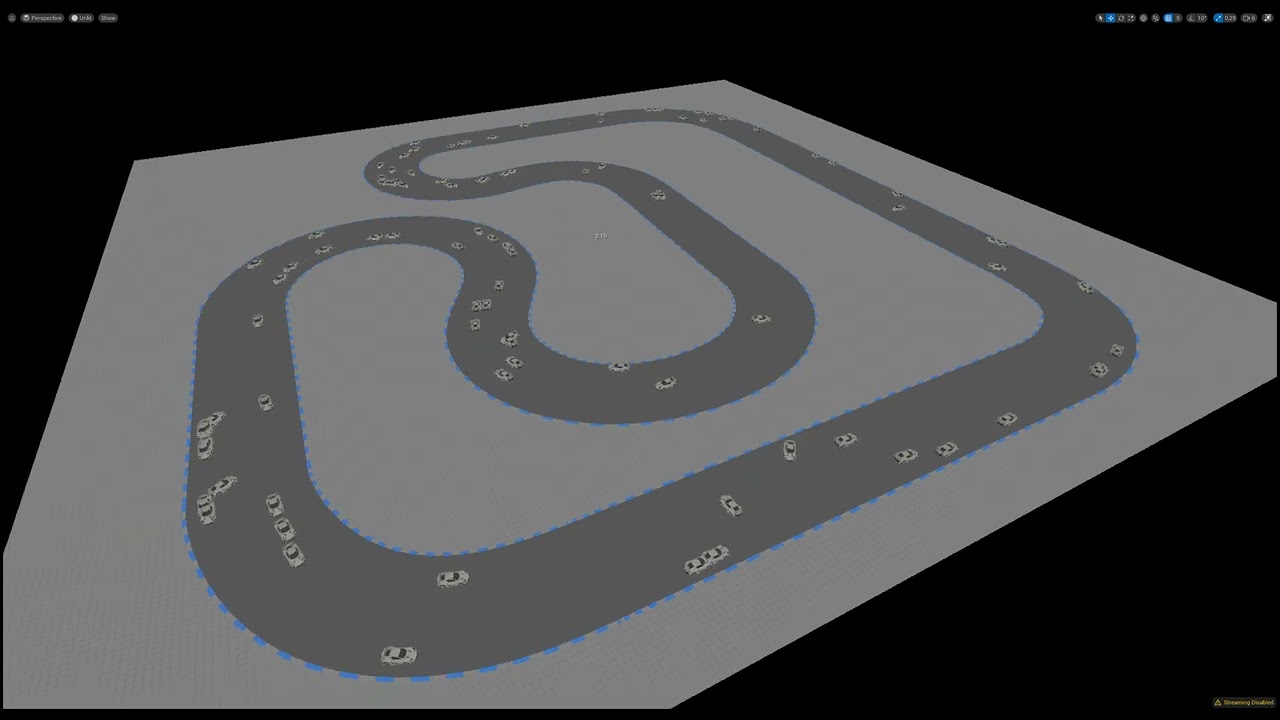
Hi, I’m using the Learning Agents plugin in Unreal Engine. I followed the tutorial(https://dev.epicgames.com/community/learning/courses/GAR/unreal-engine-learning-agents-5-5/bZnJ/unreal-engine-learning-agents-5-5), and it worked well. Then I extended it by adding custom logic for rotating at the start and stopping at the end of a spline.
However, before reaching the maximum reward, the agents seem to "forget" how to rotate. I’ve tried many adjustments (reward tuning, observations, parameters), but nothing has helped so far.
Any help would be appreciated!

Epic Games Developer
Get familiar with Learning Agents: a machine learning plugin for AI bots. Learning Agents allows you to train your NPCs via reinforcement & imitation le...
 umbral trail
Hello,
I am new to working with AI in Unreal and I need some help. I am using 5.5 and this is what I would like to achieve:
- Spawn number of AI characters in a level – works
- Spawn an actor/blueprint with tag e.g. fire at random location – works
- Have AI from point #1 to sense/detect actor (fire) – not working correctly
- AI to move to close to another actor with the tag (e.g. FireExit)
Blackboard is simple with single Boolean variable I am setting and checking. Behavior Tree attached.
For AI controller I think setup should be simple – when On Perception Update fires set the Blackboard variable as below but I don’t know if that is sufficient.
I am getting lost where and how to configure sensing of fire. Is it on AI controller or pawn AI? Both?
I am happy to share the project if anyone is willing to have a look and give advice.
Thank you.


 south mulch
umbral trail
Hello,
I am new to working with AI in Unreal and I need some help. I am using 5....
south mulch
umbral trail
Hello,
I am new to working with AI in Unreal and I need some help. I am using 5....
I have my sensing setup on my AI_BP and run actions/set values from there.
This as usually your controller doesnt have the AIPerception Componet as you AI Char/BP has it 🙂
 river storm
personally i put my ai logic in the controller so i dont have to have a second pawn for my AI player characters or unused AI logic... but lots of times it makes sense to have a pawn dedicated for ai though so its really use case based
 clear ravine
slow bobcat
clear ravine
clear ravine
slow bobcat
clear ravine
Does it ever get to enter the BT task chase player?
clear ravine
slow bobcat
Does it ever get to enter the BT task chase player?
idk how to check i only started yesterday
slow bobcat
clear ravine
idk how to check i only started yesterday
ah I see.
I recommend watching this video, it covers the bases quite nicely. Even though it's a bit old, everything still applies.
If you open your BT while the game runs and you set this combo box (image) to the character failing, you can see the execution flow.
The image is an example of a simple BT


In this presentation, Epic's Paulo Souza uses Unreal Engine's built-in AI features to build smart enemy behaviors for a game with stealth-like mechanics.
By relying on the Gameplay Framework in Unreal, we're able to quickly create convincing AI using Behavior Trees. Behavior Trees are great for creating complex AI that can be presented in a way...
 errant mist
Hello!
I am having a problem about my AI's stopping way before their acceptable radius. Quick summary:
1- I am using behaviour tree and the MoveTo task.
2- I dynamically update the acceptable radius depending on the situation. However it is always a lower value than where my AIs are stopping. (Example: The values I set are between 1600-2000, the AI randomly stops at distances above 2500.)
3- The MoveTo task succeedes. (It passes from PathFollowingComponent.cpp line 1041). Therefore I think that it is not a path finding issue. I debugged the path using the visual logger and the path is visible with no obstacles in between. UPathFollowingComponent::GetFinalAcceptanceRadius recieves the correct acceptable radiues value before calculation. However returns true despite the current distance being larger.
4- This only happens sometimes. When I spawn 50 AIs only 3-4 of them have this.
I can provide additional data if anyone has an idea or has met with this problem before.
Thank you in advance.
slow bobcat
errant mist
Hello!
I am having a problem about my AI's stopping way before their acceptable ...
If you do a tests with 100 acceptance radius, does the bug happen?
errant mist
Weirdly enough no. With 100 radius no AI is stopping before getting to 100cm distance.
slow bobcat
When you repro de bug, is the off distance constant? Say you set the Aceppt radius to 1600. Is it always +200 (or whatever other number). If you can repro with different distances, is it always the same offset?
errant mist
slow bobcat
When you repro de bug, is the off distance constant? Say you set the Aceppt radi...
No the offset is never consistent. Sometimes it is only around 50 over sometimes it is more than 1000 over sometimes in between.
slow bobcat
errant mist
No the offset is never consistent. Sometimes it is only around 50 over sometimes...
And move to always returns succeed? That's very very strange
errant mist
Yes it always returns success
I thought UPathFollowingComponent::GetFinalAcceptanceRadius function would provide some insight however it didn't so far. I am open to suggestions.
slow bobcat
Ummm honestly the only thing I can think of is to set a breakpoint in the function that returns the succeed state and check the callstack to see who decides it has ended. Then you will have more clues about where does the number come from
errant mist
Yeah I am wandering around in there. I'll post the solution when I find it. Thank you for your help!
 strange plank
Has anybody worked with procedural zone graphs? I havent seen any examples, not sure if its something thats possible to procedurally generate zone graphs in a level, if anybody has any confirmation on whether thats something thats possible before i get too deep down the rabbit hole it would be appreciated
strange plank
errant mist
Yeah I am wandering around in there. I'll post the solution when I find it. Than...
Are you making sure StopOnOverlap is false? move to can complete early if it detects overlap events (any collisions on the AI) with its destination which can cause problems similar to what youre describing
errant mist
strange plank
Are you making sure StopOnOverlap is false? move to can complete early if it det...
Only StopOnOverlap I could find is in AITask_MoveTo. And BTTask_MoveTo doesn't call the part that uses StopOnOverlap. Even if it somehow did I think what StopOnOverlap does is setting ReachTestIncludesAgentRadius bool to true:
MoveReq.SetReachTestIncludesAgentRadius(FAISystem::PickAIOption(StopOnOverlap, MoveReq.IsReachTestIncludingAgentRadius())); So far it doesn't seem like this is the issue in my case.
 lament haven
Hi all. Having some issues with nav mesh and generating links...I ahve a volume that I use an algorithm within to determine some edges within the nav mesh, then I generate some nav links based off that info. I am hooked into OnNavigationGenerationFinishedDelegate to regenerate my data, but the nav mesh isn't picking up the new nav link information (not calling GetNavigationData override). I tried telling the nav system that my object's been updated but it triggers a regen, which kicks off an inifite loop. Anyone know how I can tell the nav mesh/system to just update my nav link info?
slow bobcat
lament haven
Hi all. Having some issues with nav mesh and generating links...I ahve a volume ...
Have you checked how the auto generate nav links handles it? Maybe that can give you some clues
Another option is to check of a nav modifier volume triggers the changes on the nav data
 dim lynx
Hi, I don't know why, but on my AI, the Focus on the Player Character only gets set after I leave the AI's line of sight, and I have no idea how to fix it, where the cause lies — any ideas?
dim lynx
even if I set the focus every tick

The AI will turn towards the player and set focus when I leave my field of view.
slow bobcat
dim lynx
Hi, I don't know why, but on my AI, the Focus on the Player Character only gets ...
Are you running a path to follow logic to other place that is not the player? Is the AI looking towards the aoth during that time?
 upbeat hamlet
Hey guys, I need some help, dunno what's wrong 😦
I'm setting a Blackboard value in my AIC. I triple checked with print strings that everything is fine.
Then in my BT I have a task to debug print this value I set.
But it's not there, I always get 'failed'.
Setting other values and printing them in the exact same task works, but not this one.
What am I missing?
I even tested getting the blackboard value again right after setting it in the AIC and it's there. Just not in the BT.


I'm running the task every 2 seconds in case there is a timing problem... but no
 slow bobcat
Check it's spelled right.... Common mistake
Aside that... Could it be your tree is not using the right BB?
upbeat hamlet
I only have one BB, and copy-pasted the name
slow bobcat
When are you setting the value in the AIC? Begin play?
upbeat hamlet
OnPossess
I tried the exact same thing with a vector value and it prints fine, just not the actor
I'm setting like 20 other values and have a complete BT with roaming, attacking, seeking, etc., everything works
but not this new value I added
slow bobcat
Could it be you are setting it before you run the tree.
upbeat hamlet
no, run BT is the first thing OnPossess
slow bobcat
Ah only one value? Umm what kind of value is it?
upbeat hamlet
an Actor reference, Object type
slow bobcat
Any chance the actor pointer is being destroyed or something like that? Try something like placing a cube in the persistent level, get a ref to it and set it yo the BB. Does that work?
upbeat hamlet
slow bobcat
Any chance the actor pointer is being destroyed or something like that? Try some...
yea, creating a BP_Test, get all actors from class etc., setting that, printing, works
but the other actor I use is there, it's not destroyed
slow bobcat
upbeat hamlet
but the other actor I use is there, it's not destroyed
so setting the bbk to any actor works ok but that one actor in your game doesn't ?
upbeat hamlet
slow bobcat
so setting the bbk to any actor works ok but that one actor in your game doesn't...
yea, I dunno, looks like it, I'm lost
That print string is the actor name from AIC, you can see it's there in the world
The location print is from the BT task (get actor location), 0,0,0, not existing
 slow bobcat
upbeat hamlet
Hey guys, I need some help, dunno what's wrong 😦
I'm setting a Blackboard value...
slow bobcat
upbeat hamlet
Hey guys, I need some help, dunno what's wrong 😦
I'm setting a Blackboard value...
About this.... Try something. Get the blackboard component and get the value of the bbk from it rather than using that bbk ref
I think there's a function for it
upbeat hamlet
you mean like this? same result 😕
 slow bobcat
This is weird. So to recap:
- if you set that same bbk to another actor (let's say your BP_Test actor), it works
- if you set the bbk to any other drone, it works
- if you set the bbk to drone 7, it doesn't work
What about getting the bbk value just after you set it? Set and get nodes next to each other
slow bobcat
upbeat hamlet
you mean like this? same result 😕
And to confirm: is you check if the BB is valid, it is no? Just in case the BB is going bonkers
upbeat hamlet
slow bobcat
This is weird. So to recap:
- if you set that same bbk to another actor (let's s...
yea, BP_Test works
the drones are spawned dynamically
getting it right after setting it in the AIC works, it's properly set
I'm also getting PIE: Error: Blueprint Runtime Error: "Accessed None trying to read property CallFunc_GetBlackboardValueAsActor_ReturnValue".
as if it wasn't there, but it is in the AIC........... arrrgg what the hell is going on
slow bobcat
upbeat hamlet
I'm also getting PIE: Error: Blueprint Runtime Error: "Accessed None trying to r...
That could mean the BB is not valid.
Add a IsValid node when you get the BB and print on each out pin
upbeat hamlet
but why would it not be valid in this case, it works for everything else, including BP_Test in the same BT task
slow bobcat
upbeat hamlet
but why would it not be valid in this case, it works for everything else, includ...
Don't know... Just discarding things at this point
How's the flow?
AI-1 spawns
Drones spawn
AI-1 registers drones in BB
Something like that?
upbeat hamlet
slow bobcat
How's the flow?
AI-1 spawns
Drones spawn
AI-1 registers drones in BB
Something ...
crap, it's something with my logic.... I have IsSquadLeader and SquadLeaderRef, but there's a mismatch
BB and BT are fine
time for bed.. 😕
thanks for the help!
slow bobcat
upbeat hamlet
crap, it's something with my logic.... I have IsSquadLeader and SquadLeaderRef, ...
Good luck!
 zinc sky
Hey I am trying to make my random move setup for my AC_AI Brain to have a minimum distance to move to, from origin to destination, I think I am close but am stumped right now

 obsidian igloo
regarding state trees, im a tad confused. I have a custom move to, and when the state switches to chase enemy the move to HAS to finish before the ai starts chasing the enemy, is there a way to force the AI out of the state so it immediately starts chasing the enemy if seen?


i may be missing something simple but I cant figure it out rn lol
graceful wind
obsidian igloo
regarding state trees, im a tad confused. I have a custom move to, and when the ...
you can listen to state tree event on root transition routed to ChaseEnemy
slow bobcat
zinc sky
Hey I am trying to make my random move setup for my AC_AI Brain to have a minimu...
What's the issue exactly?
zinc sky
the minimum distance does not seem to be working, I am trying to say "Hey move here, but you have to move this amount of units first" before the event is done or another action is triggered, to prevent it from only moving in smaller units, resulting in the random movement being too small or unnoticable, I hope that explains it a bit better
slow bobcat
zinc sky
the minimum distance does not seem to be working, I am trying to say "Hey move h...
I suggest you use EQS to do this, it will be easier
 mighty geode
How do you design the AI for story games ? Like I've a story about plane crash survivors, and I want design AI for it. How do you design, architect and structure them?
State Machine, BT, Code, System, Decision Making, Path finding or specific travel way
Game is Linear
Also, does anyone know good crash course / youtube video (free) for AI in UE
 static raven
mighty geode
How do you design the AI for story games ? Like I've a story about plane crash s...
static raven
mighty geode
How do you design the AI for story games ? Like I've a story about plane crash s...
The question is too general, you design your AI based in the characteristics and needs of a game, not the genre or setting.
I mean, It doesn't matter if it is a "story game", it matters if the AI its just a few guys with animations that you can interact with, or you need 1000 creatures that fly around, for instance.
mighty geode
static raven
The question is too general, you design your AI based in the characteristics and...
game is story driven, so the character. i want to know like COD or TLOU linear games make AI design.
slow bobcat
mighty geode
game is story driven, so the character. i want to know like COD or TLOU linear g...
Ah that's what you mean. I was thinking you referred to games like Wolf Among us and what not. Naughty Dog has good talks about their AI in both YouTube and the free gdc vault videos
The channel AI in Games also does a nice analysis of games
Super stirngly recomend the books Game AI Pro 1/2/3 (free online)
mighty geode
slow bobcat
Ah that's what you mean. I was thinking you referred to games like Wolf Among us...
i havent played that Wolf Among us or Cyberpunk
 abstract chasm
Hi, would you recommend any project which has some AI combat behavior sorted out nicely to learn how to approach it better?
 still kettle
Is there a search tool that can find strings in behavior trees?
zinc sky
slow bobcat
I suggest you use EQS to do this, it will be easier
Okay thanks I will look into that
slow bobcat
still kettle
Is there a search tool that can find strings in behavior trees?
What are you looking for?
Ah you mean in general like the one that searches in bt's? Nope. Nothing like that
You can search within a tree in its search tab though
still kettle
yeah, sometimes you have a BBKey name or some other string and let's say there's 50 behavior trees. I want to grep them for the string.
(aka Find in Files)
It seems I should write a commandlet to walk all properties in all nodes, decorators, services and tasks. But it's hard to find the time.
slow bobcat
still kettle
yeah, sometimes you have a BBKey name or some other string and let's say there's...
We have our own set function for keys so we can log who's changing what if needed. For key names we use variables defined in code so we can look for them etc (const FString) and the like
slow bobcat
still kettle
It seems I should write a commandlet to walk all properties in all nodes, decora...
Yep. I did this too. A widget in my case
graceful wind
slow bobcat
We have our own set function for keys so we can log who's changing what if neede...
neat, we can get lost track very fast on how BB values get updated
state tree somehow even though there are alot of magic on how the data moved, still pretty much readable
 steep zenith
I have to get my AI to stand still for a bit while moving to an item so it can play an animation
the problem is that the animation takes long enough that the AI move task times out
is there a way i can increase the time it takes for the moving task to time out
graceful wind
normally for this case i will just give the ai move task after the animation completed or interupted
 uneven garden
Anyone here on Unreal 5.6? My characters can't walk in package build but works fine in editor. Navmesh broken when packaging? There are no errors in log.
slow bobcat
uneven garden
Anyone here on Unreal 5.6? My characters can't walk in package build but works ...
How are you using nav? Static, DWMO, dynamic? Nav volumes? WP or World Composition?
static raven
uneven garden
Anyone here on Unreal 5.6? My characters can't walk in package build but works ...
Go to Build>BuildPaths and check if any error is printed, sometimes errors prevents the NavMesh generation process to complete in the build process
as an example, I had the same problem and it was because one LD put by accident two WaterManagers in the level 💀 l
 serene fern
so my state tree is getting hung up here I hit finish task


but it doesn't seem to be moving to the next state even though the task has succeed
 rugged cloak
How can I change my actor while debugging?

 hallow compass
you can see it in the controls up left iirc
obtuse dome
Is there a way to work with pathfinding to prevent NPCs from cornering too closely when pulling a cart behind them? I can set the nav agent radius much higher which makes them search for a much wider berth for turning, but then they won't be able to walk in a straight line unless there is a very wide free space -- I just want them to give enough clearance for turning
 slow bobcat
obtuse dome
Is there a way to work with pathfinding to prevent NPCs from cornering too close...
slow bobcat
obtuse dome
Is there a way to work with pathfinding to prevent NPCs from cornering too close...
One thing you could do is to have a nav agent who's radius is enough to have a capsule that would cover character and cart, as if it was one single character. When pathing using a character with a chart, use the nav data produce by your chart nav agent. When pathing with the character only, use what you have now
serene fern
So got an issue where I am trying to pass in a float to a function in my state tree but even though theres a valid value the one inside the function doesn't seem to match up

you can see there I have tied m function speed input to the output of the speed on the global function which is running on tick
nevermind sorted it
 simple crescent
obtuse dome
Is there a way to work with pathfinding to prevent NPCs from cornering too close...
simple crescent
obtuse dome
Is there a way to work with pathfinding to prevent NPCs from cornering too close...
A common approach for long actors like vehicles is to set the nav agent radius to match the width of the vehicle. To prevent the vehicle from cutting the corner during a turn you would modify the path points after the navigation path finding to push the points away from the corner. You have to be careful when you move the points that there is still room on the navmesh for the new path.
You also have to prevent the cart from doing very sharp turns, or turning on the spot, since the character and cart will leave the navmesh if it is at a point close to the navmesh boundary edge and not parallel to it.
 hushed crag
how come all my AI's are sharing information?????
when 1 meets the player. ALL AI's stop moving ):>::
very frustrating.


 hushed crag
 slow bobcat
Well if everyone is using the same tree and if you set whatever everyone is reading for that decorator on the left, and if the decorator aborts lower prio... But with the info you passed... No idea. If you observe the tree execution for couple enemies... How does it look like?
 static crystal
I'm trying to make a custom state tree schema and am getting an error suggesting I can't access the SetContextDataByName function
0>StateTreeEnemySchema.cpp.obj: Error : LNK2019: unresolved external symbol "public: bool __cdecl UStateTreeComponentSchema::FContextDataSetter::SetContextDataByName(class FName,struct FStateTreeDataView)" (?SetContextDataByName@FContextDataSetter@UStateTreeComponentSchema@@QEAA_NVFName@@UFStateTreeDataView@@@Z) referenced in function "public: virtual void __cdecl UStateTreeEnemySchema::SetContextData(struct UStateTreeComponentSchema::FContextDataSetter &,bool)const " (?SetContextData@UStateTreeEnemySchema@@UEBAXAEAUFContextDataSetter@UStateTreeComponentSchema@@_N@Z)
void UStateTreeEnemySchema::SetContextData(FContextDataSetter& ContextDataSetter, bool bLogErrors) const
{
    const FName AIControllerName = UE::TheStoreIsClosed::Private::Name_AIController;
    const FName EnemyAnimInstanceName = UE::TheStoreIsClosed::Private::Name_EnemyAnimInstance;
    const FName AbilitySystemComponentName = UE::TheStoreIsClosed::Private::Name_AbilitySystemComponent;
    const FName PerceptionComponentName = UE::TheStoreIsClosed::Private::Name_PerceptionComponent;

    // Get the AI controller first
    AAIController* AIController = ContextDataSetter.GetComponent()->GetAIOwner();

    // Set AIController context
    ContextDataSetter.SetContextDataByName(AIControllerName, FStateTreeDataView(AIController));

    // Get the controlled pawn from the AI controller
    if (AIController)
    {
        if (APawn* Pawn = AIController->GetPawn())
        {
            // Set EnemyAnimInstance context
            if (USkeletalMeshComponent* SkeletalMeshComponent = Pawn->FindComponentByClass<USkeletalMeshComponent>())
            {
                if (UEnemyAnimInstance* EnemyAnimInstance = Cast<UEnemyAnimInstance>(SkeletalMeshComponent->GetAnimInstance()))
                {
                    ContextDataSetter.SetContextDataByName(EnemyAnimInstanceName, FStateTreeDataView(EnemyAnimInstance));
                }
            }

            // Set AbilitySystemComponent context
            if (UAbilitySystemComponent* AbilitySystemComponent = Pawn->FindComponentByClass<UAbilitySystemComponent>())
            {
                ContextDataSetter.SetContextDataByName(AbilitySystemComponentName, FStateTreeDataView(AbilitySystemComponent));
            }

            // Set PerceptionComponent context
            if (UScpAiPerceptionComponent* PerceptionComponent = Pawn->FindComponentByClass<UScpAiPerceptionComponent>())
            {
                ContextDataSetter.SetContextDataByName(PerceptionComponentName, FStateTreeDataView(PerceptionComponent));
            }
        }
    }

    Super::SetContextData(ContextDataSetter, bLogErrors);
}
 obsidian gorge
Hi guys, I have a problem with updating the nevmesh after destroying objects.Can you give me a quick fix for that ?
 shy whale
Small question on Bevahior Trees and BlackBoards. Is it recommended to make child classes?
Suppose I have a BaseEnemy and a derivative called DamageableBaseEnemy, should I make derivatives of the BT and BB too?
 warped tiger
static crystal
```cpp
void UStateTreeEnemySchema::SetContextData(FContextDataSetter& ContextDat...
warped tiger
static crystal
```cpp
void UStateTreeEnemySchema::SetContextData(FContextDataSetter& ContextDat...
Have you included "StateTreeExecutionContext.h" and added StateTreeModule to your {ProjectName}Build.cs 's PrivateDepedendencyModuleNames List?
slow bobcat
obsidian gorge
Hi guys, I have a problem with updating the nevmesh after destroying objects.Can...
Either use dinamic with modifiers and have your object to not affect nav + have a nav modifier component. When the object is destroyed, the nav mod component will be removed with it and the affected tiles will be reconstructed. Or use dynamic nav and have your object affect navigation
slow bobcat
shy whale
Small question on Bevahior Trees and BlackBoards. Is it recommended to make chil...
This... Depends. Usually what you have is a common tree and then the specific parts are run by sub-trees that are related with the enemy type
shy whale
slow bobcat
This... Depends. Usually what you have is a common tree and then the specific pa...
Like, what would be the architecture if we have
BaseEnemy
-OffensiveEnemy
-MeleeEnemy
-LongRangeEnemy
obsidian gorge
slow bobcat
Either use dinamic with modifiers and have your object to not affect nav + have ...
How can i set it to not modify the navigation system ?
slow bobcat
obsidian gorge
How can i set it to not modify the navigation system ?
Can you explain your test case and the problem? Will be easier to help
slow bobcat
shy whale
Like, what would be the architecture if we have
BaseEnemy
-OffensiveEnemy
...
Bt for long and melee will be the same but with a difference. Say your generic tree has a task to Attack Target that is a run dynamic tree.
- for melee, the attack target tree would be "run to target, once distance is <= 1m, attack with crow bar / sword"
- for long range, the Attack Target tree will be something in the lines of "find a shooting location (like behind cover etc) and then shoot"
shy whale
slow bobcat
Bt for long and melee will be the same but with a difference. Say your generic t...
The difference can be customized and decided by a blackbord variable, right?
slow bobcat
shy whale
The difference can be customized and decided by a blackbord variable, right?
The approach I have follow is more a data asset for enemies that define things. melee and an range will have each their own data asset where you define stats, their trees etc. Upon initializing their AI, you inject the trees reading them from the data asset
Ie: the data asset can have a TMap<tag, bt asset> that you use to initiate everything
obsidian gorge
slow bobcat
Can you explain your test case and the problem? Will be easier to help
I could fix it thank to you. i didn't know about the navmesh modifiers. but i searched about them and solved the problem
shy whale
slow bobcat
The approach I have follow is more a data asset for enemies that define things. ...
i see. I haven't exactly implemented a data-like approach as I only have two classes.
I haven't advanced much in the game yet so I guess it's still doable?
slow bobcat
shy whale
I haven't advanced much in the game yet so I guess it's still doable?
It's a good point. Better to start approaching it with 2 classes than later with 10 and re-favtir things around
shy whale
slow bobcat
It's a good point. Better to start approaching it with 2 classes than later with...
Definitely. The hardest part with UE5 I think is how I should organize a project from the get-go, like with an action game.
Not many videos talk about the data stuff
slow bobcat
shy whale
Not many videos talk about the data stuff
That king of architecture info is more book material. There are a good bunch of AI books addressing different issues in the same realm. I recommend read Game AI Pro books (free online)
harsh storm
slow bobcat
That king of architecture info is more book material. There are a good bunch of ...
Welp time for me to make a video about this kind of architecture so you can share it. Thanks for volunteering Bruno.
(Because we both do the same kind of architecture anyway)
hallow compass
The content of the links are updated over time as resources are shared in this channel, you can ping me if you find something useful that's missing
AI talks (mostly not UE related): https://notes.hzfishy.fr/Other/_Resources-(Other)#ai
Talks and resources about State Trees in UE: https://notes.hzfishy.fr/Unreal-Engine/AI/State-Tree/State-Tree#resources
AI talks
Not all UE related
slow bobcat
harsh storm
Welp time for me to make a video about this kind of architecture so you can shar...
What am I volunteering for? Sharing your video? Sure thing
That said, unreal fest talk incoming with some insights about data driven AI
For what I heard
slow bobcat
hallow compass
*The content of the links are updated over time as resources are shared in this ...
This looks great. Can and admin pin it? Maybe?
hallow compass
Could be good
Let me edit that
Calling @potent iris to the rescue 
Btw duro talks (the one on the pinned message) are included in my list (if we wanna avoid duplicated pinned messages)
 potent iris
hallow compass
*The content of the links are updated over time as resources are shared in this ...
potent iris
hallow compass
*The content of the links are updated over time as resources are shared in this ...
 sturdy pollen
I hope this is an easy one, I am learning blackboard, these animations wont play but they are triggered if I observe the selector logic. But the characters Move To -> Walking looks great... However when it changes onto one of the play animations, those animations wont play. Yes I have a default slot and yes they are on the same skeleton as the player all retargeted and the same animations play fine on the same character on begin play when tested.
 static crystal
I'm trying to make a customer schema. I've made a child of UStateTreeComponentSchema and overriden SetContextData and using ContextDataSetter.SetContextDataByName(. Basically copying exactly what the UStateTreeAIComponentSchema does. Except I'm getting an error
0>StateTreeEnemySchema.cpp.obj: Error : LNK2019: unresolved external symbol "public: bool __cdecl UStateTreeComponentSchema::FContextDataSetter::SetContextDataByName(class FName,struct FStateTreeDataView)" (?SetContextDataByName@FContextDataSetter@UStateTreeComponentSchema@@QEAA_NVFName@@UFStateTreeDataView@@@Z) referenced in function "public: virtual void __cdecl UStateTreeEnemySchema::SetContextData(struct UStateTreeComponentSchema::FContextDataSetter &,bool)const " (?SetContextData@UStateTreeEnemySchema@@UEBAXAEAUFContextDataSetter@UStateTreeComponentSchema@@_N@Z)
@static crystal its the same liner problem you posted before. Ales gave you some guidance here about how to solve it
static crystal
warped tiger
Have you included `"StateTreeExecutionContext.h"` and added `StateTreeModule` to...
yeah
 warped tiger
static crystal
warped tiger
static crystal
Did you also add #include "StateTreeExecutionContext.h"?
static crystal
warped tiger
Did you also add `#include "StateTreeExecutionContext.h"`?
yeah
warped tiger
static crystal
yeah
Does regenerating project files help? If it doesn't, would you mind sharing UStateTreeEnemySchema?
static crystal
warped tiger
Does regenerating project files help? If it doesn't, would you mind sharing USta...
Pastebin
Pastebin.com is the number one paste tool since 2002. Pastebin is a website where you can store text online for a set period of time.
static crystal
warped tiger
Does regenerating project files help? If it doesn't, would you mind sharing USta...
that didn't do anything either 🤷
warped tiger
static crystal
that didn't do anything either 🤷
what UE version are you using?
static crystal
warped tiger
what UE version are you using?
5.6
warped tiger
I think FContextDataSetter::SetContextDataByName() is not exposed to other modules (UE_API macro is missing in FContextDataSetter) and can't be called from your project's source files 🤔
static crystal
warped tiger
I think `FContextDataSetter::SetContextDataByName()` is not exposed to other mod...
yeah, but SetContextDataByName is how it's done with their own example UStateTreeAIComponentSchema. so if their method doesnt work is there some secret way of having a custom Schema? 😅
has anyone made a custom schema that overrides CollectExternalData? I want to expose my aiperceptioncomponent
warped tiger
static crystal
yeah, but SetContextDataByName is how it's done with their own example UStateTre...
I think that's because UStateTreeAIComponentSchema is defined in the same module as FContextDataSetter, GameplayStateTreeModule, so it can access that struct
warped tiger
static crystal
has anyone made a custom schema that overrides CollectExternalData? I want to ex...
It seems FContextDataSetter was introduced in 5.6, so perhaps there's a chance this is an engine bug. I think you can do it like they did it back in 5.5.4
https://github.com/EpicGames/UnrealEngine/blob/5.5.4-release/Engine/Plugins/Runtime/GameplayStateTree/Source/GameplayStateTreeModule/Private/Components/StateTreeAIComponentSchema.cpp
bool UStateTreeAIComponentSchema::SetContextRequirements(UBrainComponent& BrainComponent, FStateTreeExecutionContext& Context, bool bLogErrors /*= false*/)
{
    if (!Context.IsValid())
    {
        return false;
    }

    const FName AIControllerName(TEXT("AIController"));
    Context.SetContextDataByName(AIControllerName, FStateTreeDataView(BrainComponent.GetAIOwner()));

    return Super::SetContextRequirements(BrainComponent, Context, bLogErrors);
}
Can you try declaring static bool SetContextRequirements(UBrainComponent& BrainComponent, FStateTreeExecutionContext& Context, bool bLogErrors = false); in UStateTreeEnemySchema and calling
Context.SetContextDataByName(AIControllerName, FStateTreeDataView(PerceptionComponent)); in the function definition?
static crystal
warped tiger
It seems `FContextDataSetter` was introduced in 5.6, so perhaps there's a chance...
Ok, giving it a go now. ty for the help
 regal elbow
why is my navmesh not going through?

 slow bobcat
regal elbow
why is my navmesh not going through?
slow bobcat
regal elbow
why is my navmesh not going through?
Seems the door is too thin for your agent radius. You can test with a smaller radious or using a nav link in the door asset. The nav link approach is common
 golden shoal
Anybody knows about the support for StateTrees in 5.1? I want to give them a try - but unsure if they are prone to bug or give packaging errors
harsh storm
What about them? They were still pretty rough around the edges back then.
I was pretty anti-ST until 5.6, as an FYI.
Specifically because of the stability of them in the editor
So I didn't dig much further with them. But as of 5.6, they're pretty good overall.
golden shoal
thanks for the insight, I asked asked specifically for 5.1 because I'm not updating to a newer version, will still give them a try though
 rancid surge
Hi all, I have an AI with a dynamically generated navmesh around him. At some point in my behavior tree, I have a move to node that would normally work just fine. However, after upgrading from 5.3.2 to 5.5.4, I noticed the AI generates his first path to the object until the end of the current generated navmesh (the closest point on the current navmesh) but as he progresses further, we will not generate a path for the next navmesh and just stops at the edge of the initial navmesh. Do you have any idea how to fix this or why does this happen?
static crystal
warped tiger
It seems `FContextDataSetter` was introduced in 5.6, so perhaps there's a chance...
this worked in the end. but yeah I think it's an engine bug that I can't use the new stuff
slow bobcat
golden shoal
Anybody knows about the support for StateTrees in 5.1? I want to give them a try...
I started using them in 4.x and released a game in 5.2 and it was fine. Quite limited in features so, if you want to do something advanced is going to take some work
But for "basic" stuff, more than enough
warped tiger
static crystal
this worked in the end. but yeah I think it's an engine bug that I can't use the...
Thanks for the update! I'm glad you got it working 🎉 . It's not the first time I see a missing API macro in engine code, so it probably is
 ocean plover
~~Uhm.. maybe a small Question..
want to have a second Character being controller by AI, so i have set the AI Controller as Class in the Character, And it Auto possesses the Player Characters by Spawn and lace.
This works.
How, when the PlayerController possesses one of the Characters, i cannot walk around.. as if the AI Controller blocks the PC stuff.. cause i can walk, if i don't possess the Character by the AI.
Is there a way to unpossess the CHaracter by AI, before adding the PC in?
Ps.: Working with BP.~~
nvm - seems like the Controller got stuck somehow..
regal elbow
slow bobcat
Seems the door is too thin for your agent radius. You can test with a smaller ra...
the door isnt the problem, it wont go through the door, the door doesnt have nav mesh affects on
mighty geode
slow bobcat
Ah that's what you mean. I was thinking you referred to games like Wolf Among us...
Hey, I'm looking for that video. GDC last of us AI, not able to find it.
mighty geode
Which AI is suitable for Linear Story Driven game with small environment for AI to behave.
Survival story
- Unstructured AI
- Behaviour Tree
- State Tree
- Goal Oriented Action Planning
Or any else method
graceful wind
regal elbow
the door isnt the problem, it wont go through the door, the door doesnt have nav...
you can play around with nav cell size

 slow bobcat
regal elbow
the door isnt the problem, it wont go through the door, the door doesnt have nav...
slow bobcat
regal elbow
the door isnt the problem, it wont go through the door, the door doesnt have nav...
Have you tried the test I mentioned about using a smaller radius in your nav agent? That will give us some clues
slow bobcat
mighty geode
Hey, I'm looking for that video. GDC last of us AI, not able to find it.
Sorry, my bad. The video is for Uncharted. LOU is a book (game AI Pro, free online)
https://youtu.be/G8W7EQKBgcg

In this 2017 GDC session, Naughty Dog's Matthew Gallant explores the development process of Uncharted 4, and the lessons they learned about partitioning control of the AI between design and engineering.
Register for GDC: https://ubm.io/2yWXW38
Join the GDC mailing list: http://www.gdconf.com/subscribe
Follow GDC on Twitter: https://twitter.co...
slow bobcat
mighty geode
Which AI is suitable for Linear Story Driven game with small environment for AI ...
So.... All of them. It's a personal preference.
This question is a bit like asking "what's better to drive from home to work?
- Ford
- Christler
- Honda
- A motor bike
- A van
It's really up to you and your needs.
My advice is, since you are using unreal, stick to bt's. They are a industry standard an vastly documented
mighty geode
slow bobcat
So.... All of them. It's a personal preference.
This question is a bit like aski...
thanks
slow bobcat
mighty geode
Hey, I'm looking for that video. GDC last of us AI, not able to find it.

This talk covers the technical and design decisions made to produce the human enemy AI as seen in The Last of Us. It covers the systems that formed the core of the AI decision making, as well as a higher-level look at the behaviors that formed the...
Ah ok there was a video too
 thorny stirrup
Hey guys, got a wierd finding. Made a BT with 960 entities using it (not rendered), and then remade the exact same setup in state trees to learn state trees.
In shipping build, I get the same CPU usage between both; negligible differences. However, I get much better FPS with the state tree, but I also get ~15% increased GPU usage for some unknown reason.
Again, same logic being used in both. I have a 4070, so a 15% boost in something that shouldn't impact GPU is really weird. Any ideas, or ways that I can find out the reasoning with profiling?
 slow bobcat
thorny stirrup
Hey guys, got a wierd finding. Made a BT with 960 entities using it (not rendere...
slow bobcat
thorny stirrup
Hey guys, got a wierd finding. Made a BT with 960 entities using it (not rendere...
960 entries??? Daaaaamn
I suggest you measure in a test build (or even dev) with Unreal Insights to understand exactly why things are happening
thorny stirrup
slow bobcat
960 entries??? Daaaaamn
I suggest you measure in a test build (or even dev) with...
Scaled it up for testing purposes, but the game that we'd be having would 100% probably have close to 1000 entities. Just weird that it's affecting GPU....
I did a trace, but don't even know where to look
slow bobcat
thorny stirrup
I did a trace, but don't even know where to look
YouTube has some nice tutorials. If you look for "ue5 unreal insights" you will get some nice results explaining how to read things
thorny stirrup
Did a little bit of profiling, and the gpu usage is still baffling me. This is not my area of expertise, I can tell you that.
simple crescent
thorny stirrup
Did a little bit of profiling, and the gpu usage is still baffling me. This is n...
Could the higher gpu load just be the higher framerate?
thorny stirrup
simple crescent
Could the higher gpu load just be the higher framerate?
Potentially, though it's weird that it caps at ~65% with vsync off, but my thought is that it might be overloading the game thread, and that's the bottleneck.
 celest python
slow bobcat
Sorry, my bad. The video is for Uncharted. LOU is a book (game AI Pro, free onl...
celest python
slow bobcat
Sorry, my bad. The video is for Uncharted. LOU is a book (game AI Pro, free onl...
This is one of the most insightful videos in the GDC
i like it a lot
abstract chasm
Is it possible to attenuate noise event or does it require creating custom hearing perception ?
 hushed crescent
why this node does not want to abort when state is another than excepted? It still waits for task to be finished
IIt is under selector composite node
 abstract chasm
hushed crescent
why this node does not want to abort when state is another than excepted? It st...
abstract chasm
hushed crescent
why this node does not want to abort when state is another than excepted? It st...
Which node is it stuck on, move to?
hushed crescent
abstract chasm
Which node is it stuck on, move to?
yeah
abstract chasm
Are you sure it’s failing the check? I think it would have a red bar on it
hushed crescent
yep it is failing
 hushed crescent
ok stopmovement() function solved the issue
hushed crescent
ok what the hell I just did xD better peeking by my shitty AI than 90% of cs2 players 
static raven
If I have two very radically different mobs size, lets say one is height and radius 20 and the other one is height and radius 150, how should I approach this? because right now the bigger one is trying to go throw places where obvioustly it cannot fit.
I got the UpdateNavAgentWithOwnersCollision parameter set to true in CMC but doesn't seems to matter
harsh storm
Did you make those buckets in the project settings?
It should automatically be handled if so.
slow bobcat
static raven
If I have two very radically different mobs size, lets say one is height and rad...
You need to create a nav agent for each. Then nav will generate 2 sets of nav data with different geometry based on their radiuses. When pathing, the engine will use the nav data that fits best the querier capsule radius
static raven
ohh I see, I'll try it. I think I remember reading some part of the code where it actually selects the supported agent as you says when dealing with a bug a few weeks ago. Thank you!
 vale sierra
Hi, I'm trying to change the avoidance group of my AIs at runtime using the "Set Avoidance Group Mask" node, but it doesn't seem to work. Has anyone found a solution for this?
hallow compass
slow bobcat
https://gdcvault.com/play/1020338/The-Last-of-Us-Human
as these get sent in this channel ill add them up on the pinned link, so everyone can easily find them back
made a "from game" section, abstract AI talks are cool but sometimes to much abstract to get the grasp of it

 lyric flint
Hey guys is there a good place where i can better understand and learn how to work with eqs documentation is kinda not workin out for me the best
slow bobcat
YouTube has some decent tutorials for it
hallow compass
so, how does navigation static build process works ?
im used of using the simple and easy dynamic setup, i wonder how i make it static for perf, and what the editor uses to know what collisions exists
seems like its static by default, is this only for packaging ?
 slow bobcat
hallow compass
seems like its static by default, is this only for packaging ?
slow bobcat
hallow compass
seems like its static by default, is this only for packaging ?
If that's the project navigation settings, that's for everything.
The static works the same as the others more or less:
- gather bounds of assets that can affect nav within nav mesh bounds
- run tile generators to generate the nav mesh data
 vernal oasis
state tree question: I have a gameplay task that gets data and stuffs it into an output. I also have a task that takes in an input. I would like to set the input of task 2 to the output of task 1 plus one. so if 1 return 10, I want 2 to receive 11
should... I make a task that just increments an integer? totally happy to, just wanted to confirm I was doing the right thing here
 silent hamlet
vernal oasis
state tree question: I have a gameplay task that gets data and stuffs it into an...
silent hamlet
vernal oasis
state tree question: I have a gameplay task that gets data and stuffs it into an...
hey! why not directly outputting the value you need? else yea somewhere you need to increment it so you likely do it in the task that consumes the output
lyric flint
slow bobcat
YouTube has some decent tutorials for it
thanks bruno mars!
 final prism
What's the best way to react to events in a state tree task? Just check the queue on tick?
slow bobcat
The thing is that everything bt related and many nodes like MoveTo are tied to AI Controllers. Same thing with Perception
slow bobcat
final prism
What's the best way to react to events in a state tree task? Just check the queu...
The queue tick is emptied (consumed) when the tree ticks. First tick the global tasks, then the events (queue is emptied), then the tree itself. Not sure how you would handle it other than jumping to the right state when the event happens (usual approach is to listen to them in the Root node to handle transitions)
final prism
Tasks always tick before transitions are handled (which empties the queue), so task tick will still have a valid queue
slow bobcat
Then you can use event payload if you need to do something in a task within the state that executed as a consequence to the transitions
slow bobcat
final prism
Tasks always tick before transitions are handled (which empties the queue), so t...
Umm sure about this? I recall checking the queue within tasks and conditions and was emptied because how the Execution Context empties the queue
final prism
If you look at the execution context tick function, you can see it calls tick all tasks and only afterwards handle transitions
slow bobcat
Ummm could swear the transitions are ticked first, then tasks in that damn 'tick 5 times just in case' loop. Will re-visit. But if you set a breakpoint in a task start or tick, you will see the queue in the context is empty
Something doesn't add
upbeat hamlet
Any ideas why I would suddenly get this warning and the game hiccups for a split second?
I've never seen this warning before and the EQS is really simple with only a handful of points and no tests.
LogEQS: Warning: FinishDelegate for EQS query EQS_FindEnemyUnitSpawn_Flying_RandomBest25Pct took 0.101417 seconds and is over handling time limit warning of 0.025000. Delegate info: object = EnvQueryInstanceBlueprintWrapper_17 method = None
slow bobcat
That usually happens when your eqs (usually a test) takes long to process. The eqs might be simple but what are the tests actually doing?
upbeat hamlet
slow bobcat
That usually happens when your eqs (usually a test) takes long to process. The ...
It's distance to querier, nothing else.
What's weird is that this has worked fine for weeks. I dunno why I would suddenly get this warning.
Must be unrelated to EQS, I think it's because of something else I implemented.
slow bobcat
upbeat hamlet
It's distance to querier, nothing else.
What's weird is that this has worked fin...
Might be how you grab the locations or soemthing? Difficult to say without checking it
upbeat hamlet
slow bobcat
Might be how you grab the locations or soemthing? Difficult to say without check...
Wasn't related to EQS. Just me spawning 1000 actors at once accidently at the same time when EQS runs 😄
harsh storm
 slow bobcat
upbeat hamlet
Wasn't related to EQS. Just me spawning 1000 actors at once accidently at the sa...
slow bobcat
upbeat hamlet
Wasn't related to EQS. Just me spawning 1000 actors at once accidently at the sa...
Yeah that would do it XD
 lime laurel
Hey guys, why doesn't it let me select this actor? I even tried to pick it on the level and it still doesnt select it.

using state trees ue5.5
slow bobcat
lime laurel
Hey guys, why doesn't it let me select this actor? I even tried to pick it on th...
Which category is the parameter? You have Input, Output and Parameter
lime laurel
slow bobcat
Which category is the parameter? You have Input, Output and Parameter
Its an exposed variable on the task
slow bobcat
lime laurel
Its an exposed variable on the task
Ah ok. So what are your trying to select originally? An actor from the level?
lime laurel
slow bobcat
Ah ok. So what are your trying to select originally? An actor from the level?
Yes an Actor from the level
the bp queuemanager
slow bobcat
lime laurel
Yes an Actor from the level
That's not how variables work in unreal.
If you want an actor, you need some code/BP reference to it and then assign it to that variable. That will not show actors on the level because is not "tied" to a specific level. It's a "hey, I will point to an actor" but it doesn't know anything else
One thing you could do is register that actor to some variable on begin play or run a node like GetAllActorsOfClass of you are sure you only have one
You could run that from the task itself
lime laurel
slow bobcat
One thing you could do is register that actor to some variable on begin play or ...
Yes, I see.. will do that. Thanks for the help!
lime laurel
Trying to update or change a global parameter in a State Tree task so that it can be used in other states, it works fine with other variable types (such as bool or int) but doesn't work for enums? is this a bug?


 covert blaze
Is it currently unsupported to have DelegateDispatchers / Listeners in a State Tree's Parameters. I am able to make property variables in a state tree of either type, but the moment I try to bind that delegate to a listener in a task i get a compiler error.
Task 'FooTask': 'Foo Task" StateTreeName/NodeName/InstanceDataVariable is bound to unknown dispatcher Parameter 'Global/Parameters'.
I do feel like this is not really the intended use of the delegate dispatchers, so unsprirsed if this is unsupported, but I am curious as to why you can have them as properties if you cannot have any tasks reference them.
graceful wind
covert blaze
Is it currently unsupported to have DelegateDispatchers / Listeners in a State T...
you can always pass uobject or actor for callback implementing same interface, just call it LambdaActor, lol
covert blaze
graceful wind
you can always pass uobject or actor for callback implementing same interface, j...
ill probably fall back to something else before that, but yea that'd work 😅
i'm trying to pass through a delegate from a parent tree to a linked-asset subtree.
passing it into the subtree's parameters and then referencing that in a task felt like the right way to do that, but i can't quite get it to work
i'll probably just not have this be a sub tree if i can't figure it out tbh, but im increasingly not excited about having one big asset that needs to be locked to edit.
ive found it surprisingly annoying to break things into linked subtrees.
graceful wind
covert blaze
i'll probably just not have this be a sub tree if i can't figure it out tbh, but...
I'd still prefer passing something like "Context" variable passing through any functionality including statetrees for future scalability, just imagine if you need to change or add some parameter later, you need to modify every single thing
covert blaze
yea ill have to think on it hrm.
rancid surge
Hi all, I have an AI with a dynamically generated navmesh around him. At some point in my behavior tree, I have a move to node that would normally work just fine. However, after upgrading from 5.3.2 to 5.5.4, I noticed the AI generates his first path to the object until the end of the current generated navmesh (the closest point on the current navmesh) but as he progresses further, we will not generate a path for the next navmesh and just stops at the edge of the initial navmesh. Do you have any idea how to fix this or why does this happen?
slow bobcat
rancid surge
Hi all, I have an AI with a dynamically generated navmesh around him. At some po...
Double check your navigation project settings (you can diff them) in case you override something during the upgrade. It can also happen that there are new settings you need to tweak
lime laurel
lime laurel
Trying to update or change a global parameter in a State Tree task so that it ca...
anyone got any ideas 
slow bobcat
lime laurel
Trying to update or change a global parameter in a State Tree task so that it ca...
How/were are you declaring that enum?
lime laurel
slow bobcat
How/were are you declaring that enum?
It's just a blueprint enum
lime laurel
tried to declare it in c++
UENUM enum class with uint8 and still get the same exact issue with Get Property Reference.. state trees can't handle this I guess?
slow bobcat
lime laurel
tried to declare it in c++
UENUM enum class with uint8 and still get the same e...
Umm and if you drag the pin from the mode and do a Make... Does it work? Have you tried with any other enum from the engine?
lime laurel
slow bobcat
Umm and if you drag the pin from the mode and do a Make... Does it work? Have yo...
No it doesn’t, it makes a variable with the Integer type
which can still not be connected
lime laurel
i think its a limitation at this time unfortunately, maybe could wrap it in a ustruct to trick it
static crystal
what are these state tree property function bindings? I can't figure out how you make them
 slow bobcat
lime laurel
Trying to update or change a global parameter in a State Tree task so that it ca...
slow bobcat
lime laurel
Trying to update or change a global parameter in a State Tree task so that it ca...
@chilly nebula potential bug?

 unreal inlet
Anyone have any elegant solutions for when AI gets blocked on eachother? Lets say in a door way for example?
I know you can respond to Path Completion events with the Blocked flag to get a general notion of being blocked (or even have your own blocked sampling that just checks position changes every N seconds) but then what is the best approach for "unblocking" things :/
slow bobcat
unreal inlet
Anyone have any elegant solutions for when AI gets blocked on eachother? Lets sa...
Have you tried RVO or Detour Crowd management? Those are the solutions the engine offers. Not great for doors but it depends a lot on the game.
One thing you can do is to use nav links on doors and claim them / make them as "in use" and avoid other AI's from using them. I think smart links have a Can Use function you can override
harsh storm
Screw doors. Just remove them from your game.
unreal inlet
slow bobcat
Have you tried RVO or Detour Crowd management? Those are the solutions the engin...
Doesn't work for my type of horde game
I was actually just looking at black ops 3 and it seams they change the zm collision to ignore other ZM after a second or two of being blocked, seems like a "reasonable" strategy when the alternative is experience breaking I suppose
It seems like 5s of being stuck they change collision preset to ignore other zms and that leads to a knock on effect where ones that were stuck now move so they themselves dont also go and change their preset, then once some kind of periodic overlap check says "yep not colliding anymore" it changes back to a regular collision preset
At least thats how I observed it, might take some inspiration tbh
slow bobcat
I have really bad exp with "temporal collision changes". Horrible bugs due to it. "just 3 frames. That's safe". Horror
celest python
unreal inlet
Anyone have any elegant solutions for when AI gets blocked on eachother? Lets sa...
I think you'd have to queue them on collision to door either with game logic or something on navigation/pathfinding level
unreal inlet
For this project it's more of a mindless hoard or group of these animals, queueing them would look a bit funny and out of place, I suppose there might be a way to do it elegantly
unreal inlet
slow bobcat
I have really bad exp with "temporal collision changes". Horrible bugs due to it...
Yeah well they seem to only revert once they know it isn't overlapping
celest python
unreal inlet
For this project it's more of a mindless hoard or group of these animals, queuei...
root montage in root montage out
through smart objects
other colliders might try to "swarm" around the door elegantly
and all of this can happen quickly
a nice experiment to work on it
problem would be when player move in a threshold where going 2m left would repath everything
and 2m right repath again
so you have to check for if player moved enough to repath
and control pathfinding agent through the movetotask
unreal inlet
alright I'll keep that in my train of thought when I try tackle it tomorrow, worth an attempt I suppose, appreciate it
slow bobcat
unreal inlet
Yeah well they seem to only revert once they know it isn't overlapping
Yeah but you will need to check they also don't overlap among themselves or any other asset, unless you have assets that are OK to overlap, like a wooden crate or something
And that goes on and on. Then you have issues with bullets and what not, because those need to work when you disable collisions, which means you only need to control vs static. But then... You might have dynamic objects too... Gets complicated fast
Ah... And hope the player doesn't notice and runs towards the door and overlapping the enemies....
unreal inlet
If I was to do that approach It would be a preset that simply has Overlap set for the Custom Object type, then I would overlap test for Object type X, it wouldn't affect any other channels such as bullets etc, overlap test wouldnt need to account for crates or static meshes because the capsule would still block those the entire time, its just Object Type X we start overlapping/ignoring
slow bobcat
Sounds like a plan. I still prefer the controlled queue approach
 prisma quarry
Hello. I have a problem with a StateTree MoveTo logic.
I have two states:
Patrol — picks a random navmesh point and sets it to a shared variable.
WanderToLocation — runs AI MoveTo using that destination.
StateTree goes: Patrol → WanderToLocation → back to Patrol (loop).
Everything works fine only if I add a wait (0.0) after WanderToLocation.
Without the Wait state:
- the pawn reaches the first point,
- MoveTo completes successfully,
- but StateTree starts looping hard,
- new points get generated every tick,
- the pawn doesn’t move anymore.
The problem seems to be related to instant task completion and transitions happening in the same frame.
Is this expected behavior? Is Wait(0.0) the only correct way to avoid that loop?
1st pic - Get location task, 2nd - working state tree setup, 3rd one does not work
Thanks in advance.


 prisma quarry
Hello. I have a problem with a StateTree MoveTo logic.
I have two states:
Patrol...
prisma quarry
prisma quarry
Hello. I have a problem with a StateTree MoveTo logic.
I have two states:
Patrol...
to clarify, it is clear that there will be no instant transition between patrol points in the game, I'm just testing a simple ai using State Tree, it is rather a general question of whether this is worth fearing in the future, and whether it is normal practice to add zero delays in such cases.
graceful wind
prisma quarry
Hello. I have a problem with a StateTree MoveTo logic.
I have two states:
Patrol...
I wonder how you defined the state transition, and how to execute the move to task
slow bobcat
prisma quarry
Hello. I have a problem with a StateTree MoveTo logic.
I have two states:
Patrol...
The projection on nav is using a query extent of 000. There's a good chance is failing to project the point onto the nav. If you draw debug the generated points as small spheres, are they on nav? If you debug the move to checking the visual logger Navigation category, what does it show / say in the log? Is it failing? Succeding?
 bitter trout
Hi, this is a call for help for Unreal Engine experts
I've been trying for several days to code an ia that can walk on walls and ceilings. Like a spider. It must be an autonomous ia, not controlled by the player.
I can't find any resource or document talking about this topic. Would you have any clues as to how I can make progress on this subject?
slow bobcat
bitter trout
Hi, this is a call for help for Unreal Engine experts
I've been trying for seve...
What has been your approach so far?
cyan sigil
bitter trout
Hi, this is a call for help for Unreal Engine experts
I've been trying for seve...
I've got a decent amount of experience on this. Unfortunately you'll be in for a very heavy amount of C++ modification to CMC and NavMesh.
bitter trout
cyan sigil
I've got a decent amount of experience on this. Unfortunately you'll be in for ...
Yes, I've done quite a bit of research and from what I've seen, there are no simple solutions to achieve this result. It's really strange that there are still no simple tools to do this...
bitter trout
slow bobcat
What has been your approach so far?
Just a lot of research because it's a field (AI behavior) that I'm discovering
slow bobcat
bitter trout
Yes, I've done quite a bit of research and from what I've seen, there are no sim...
There are. Kythera plugin has wall navigation among other features
https://content.kythera.ai/home

Advanced game AI middleware for NPC navigation and behavior in Unreal Engine. Scale, innovate and empower your game development with Kythera 2.0.
slow bobcat
bitter trout
Just a lot of research because it's a field (AI behavior) that I'm discovering
You have 2 approaches:
- what grug mentioned
- or make it more anim based where you process the wall assets to generate points on them, then you have animations that follow the points, combining ground paths that lead to the walls and the anims to surpass them
bitter trout
slow bobcat
You have 2 approaches:
- what grug mentioned
- or make it more anim based where ...
Ok I see, but in my world, everything will be generated by PCG. There is no landscape, only static meshes and actors, so I don't yet know what would be simplest for the AI
I was thinking of a system, but I don't know if it's possible: basically, I would like the AI (a spider, for example) to be able to move only from one sphere to another. These spheres would be generated on the surface of the static mesh, and they would represent the only path that the AI could take, by configuring a kind of custom gravity to prevent it from falling. I don't know if this is possible or even configurable in the PCG system
slow bobcat
bitter trout
I was thinking of a system, but I don't know if it's possible: basically, I woul...
Should be possible since you are using static meshes you create and feed to the pcg
prisma quarry
graceful wind
I wonder how you defined the state transition, and how to execute the move to ta...


 prisma quarry
slow bobcat
The projection on nav is using a query extent of 000. There's a good chance is f...
prisma quarry
slow bobcat
The projection on nav is using a query extent of 000. There's a good chance is f...
the question is off topic because
- I can't see the moveTo result from the StateTree moveTo (built-in) task
- if there is a delay (Wait with 0.0 time state), the pawn moves correctly, there are no problems with ProjectPointToNavigation.
- I have created custom task that does the same thing, it always succeeds with a delay, without it it becomes "Aborted" due to frequent calls. For example, the task is called, the pawn starts moving, then before the task is completed, MoveTo is called again, the previous attempt becomes "Aborted", and a new one begins.
Also, the points that are drawn using DrawDebug are located on the NavMesh.
The question was not about points, but about StateTree transitions.
prisma quarry
prisma quarry
This is what I get if I remove the wait state (I've removed "Cosmetic" state from state tree for clear demonstration)
prisma quarry
prisma quarry
This is what I get if I remove the wait state (I've removed "Cosmetic" state fro...
loop supposed to be
Root -> Patrol State (select random point) -> do patrol stuff (e.g. MoveTo) -> back to root/patrol state again
without delay, it just selects a bunch of points every tick.
with 0 delay, it works as expected.
slow bobcat
prisma quarry
Yehq you are right about the projection not being important. Didn't think it hard enough.
Checking the transitions, any chance the transition event is the one forcing the early out (abort)? If you disable the transition, does it happen?
slow bobcat
prisma quarry
This is what I get if I remove the wait state (I've removed "Cosmetic" state fro...
Strange. The debugger tell you why that happens, which transition is following etc. You should get a good explanation there no?
prisma quarry
slow bobcat
Yehq you are right about the projection not being important. Didn't think it har...
any chance the transition event is the one forcing the early out (abort)?
nope, transitions are set up simple: on state succeded -> to another state. No events yet.
prisma quarry
slow bobcat
Strange. The debugger tell you why that happens, which transition is following e...
it just says that "all states completed"

which is strange indeed
it's just two tasks - select location and move to. State succeds when move to task ends, and then it should go to root, than to patrol, and to move to again. But for some strange reason, without a delay, state tree just stucks on "Patrol" state in infinite loop
and the only solution i've found for now is to use 0.0 delay, which seems a bad crutch
lol. and now I'm encountering a bug...
states are not displaying in editor, and reopening window/restarting the editor didn't help...
I'm using launcher 5.5 UE version, btw

lmao, moved window to the left section, and they've showed up
 slow bobcat
prisma quarry
slow bobcat
prisma quarry
I'm this image Wander To LocNtion has an On Event transition.
prisma quarry
slow bobcat
I'm this image Wander To LocNtion has an On Event transition.
event transition was for "cosmetic" action
to do something while going to locatino
on video only this transition is showed
 slow bobcat
prisma quarry
it's just two tasks - select location and move to. State succeds when move to ta...
slow bobcat
prisma quarry
it's just two tasks - select location and move to. State succeds when move to ta...
Could it be your location is not what you think it is? If you print the location passes to move to (you can add another task that debug draw the same param location and never call Finish Task), does it make sense?
prisma quarry
that transition breaks the logic
 slow bobcat
That's the transition out of Wander no?
prisma quarry
slow bobcat
That's the transition out of Wander no?
points are correct, as I can assume. I've also tried to bind draw debug point (black one) to MoveTo->Destination, same result.
Without a delay only first loop succeds, all other fails for some reason
I think I'll have to leave a Delay for now. In any case, in the future, there will be an animation instead, when the pawn has arrived at the point, and it will look around there, but in any case, it's very strange
slow bobcat
Should work without a delay. There's something off with your logic somewhere
prisma quarry
slow bobcat
Should work without a delay. There's something off with your logic somewhere
logic is very simple, I can't even guess where the error might be
slow bobcat
prisma quarry
logic is very simple, I can't even guess where the error might be
Side question: why is the pawn not following the line but having like a curved movement to the location?
It's super weird that adding the transition to wait makes it work. Would be interesting to know why the movement aborts.
You only have a transition on Succeed. If you add another on fail to root, does anything change? Abort fails the task execution
prisma quarry
slow bobcat
Side question: why is the pawn not following the line but having like a curved m...
because line simply draws pawn location and destination location, not the actual path points
prisma quarry
slow bobcat
It's super weird that adding the transition to wait makes it work. Would be inte...
Would be interesting to know why the movement aborts
as I already said
I have created custom task that does the same thing, it always succeeds with a delay, without it it becomes "Aborted" due to frequent calls. For example, the task is called, the pawn starts moving, then before the task is completed, MoveTo is called again, the previous attempt becomes "Aborted", and a new one begins.
prisma quarry
slow bobcat
It's super weird that adding the transition to wait makes it work. Would be inte...
You only have a transition on Succeed
no, all the transitions happen on completed.

 carmine urchin
Hey everyone! I’m currently working on the architecture of enemy AI in my Unreal Engine project, and I’d appreciate some advice regarding how best to organize the system.
To clarify, I’m not struggling with how to implement individual features—my main concern is the high number of possible combinations creating a messy explosion of Blueprints, AIControllers, and Behavior Trees.
Here’s the scenario:
Enemies have two main behavior categories:
-
Origin (defines enemy initial and general behavior),
-
Spawner: Patrol, aggro/reset logic,
-
Totem: Spawn/despawn based on player actions,
-
Triggered: Idle until activated by an external event,
-
Chaser: Initially pursues a specific NPC, switches to player if attacked,
-
Neutral: Idle until attacked by player,
Combat (defines enemy attack behavior),
-
Melee: Circles around the player (strafing) and attacks up-close,
-
Ranged: Keeps distance, finds strategic positions, and shoots at the player,
Additionally, certain weapons grant special skills (like blocking & counter-attacking for shielded enemies, or melee strikes and evasions for ranged enemies carrying rifles). These skills slightly modify behavior but don’t fundamentally change the melee/ranged behavior trees.
AI perception is handled by AIPerception component, and I want it to be cleanly integrated into whatever architecture I use.
My question is: how would you structure such a system in Unreal to minimize Blueprint, Behavior Tree, and AIController explosion?
-
Would you suggest a single flexible AIController or multiple specialized controllers?,
-
How would you approach integrating small behavior differences (like weapon-based special skills) without creating dozens of slight variations of Behavior Trees?
slow bobcat
prisma quarry
> You only have a transition on Succeed
no, all the transitions happen on comple...
Ah right. Sorry about that. Brainfaet
slow bobcat
prisma quarry
> Would be interesting to know why the movement aborts
as I already said
> I h...
Yeah, this what makes 0 sense.
- movement doesn't finish (finishing the task) until is either aborted or success. It doesn't return success when the pawn starts moving. If that happens it's because the stop happens and the movement query ended.
For example, there's a check in code for "already at goal" and that insta finishes the movement query as success. When that happens, the task finishes.
Your path is finishing immediately and it would be ideal to figure out why.
If you record that with visual logger and you check the path following category it will talk about the state of the path following process. If you check the navigation category, you will see what nav corridor was used, the path calculated and so on. There must be something in the logs of one of the frames recorded by visualogger
The scenario "movement starts - return success", unless other stuff happens, points to "already at goal"
slow bobcat
carmine urchin
Hey everyone! I’m currently working on the architecture of enemy AI in my Unreal...
Ideally a data driven approach. You have data assets that define enemies behaviors and stats. When spawning an enemy, you apply the data. A common approach is to have a generic tree (idle, attack etc) and each state is a dynamic tree you set when initializing the enemy. Same thing with stats. When initializing the enemy, you set the health, speed etc.
Usually you have a data asset that points to other data assets etc.
Data asset for Melee-enemy will point to a Stats Data Table, row "melee enemy". That row has columns for health, speed etc.
It also points to a weapon data table, row "baseball bat", which defines a path to its asset.
The yiu can have the same for behaviors, where a field Idle points to a "melee idle" bt, "attack" points to attack melee BT.
The range enemy will have a similar data asset
With that approach you create just few bt's you recicle.
We have data tables/assets for weapons, animations, sound, AI's, attacks... You name it.
GAS works great for the stats but might be overkill depending on your game
static crystal
I can't figure out why none of my state tree conditions are being evaluated. I can set them up in states in the editor. but by putting a break point in test condition function I can see they never get ran. I'm not sure if I'm meant to register them somewhere
/**
 * StateTree condition: Check if an ability (identified by gameplay tag) can be activated on an actor's Ability System Component.
 * This checks all the standard ability activation requirements like cooldowns, costs, tags, etc.
 */
USTRUCT(DisplayName="Can Activate Ability", Category="Abilities")
struct FSTC_CanActivateAbility : public FStateTreeConditionCommonBase
{
    GENERATED_BODY()

    using FInstanceDataType = FCanActivateAbilityInstanceData;

    FSTC_CanActivateAbility() = default;

    /** External data handle for the Ability System Component */
    TStateTreeExternalDataHandle<UAbilitySystemComponent> AbilitySystemComponentHandle;

    virtual const UStruct* GetInstanceDataType() const override { return FInstanceDataType::StaticStruct(); }
    virtual bool Link(FStateTreeLinker& Linker) override;
    virtual bool TestCondition(FStateTreeExecutionContext& Context) const override;

#if WITH_EDITOR
    virtual FText GetDescription(const FGuid& ID, FStateTreeDataView InstanceDataView, const IStateTreeBindingLookup& BindingLookup, EStateTreeNodeFormatting Formatting = EStateTreeNodeFormatting::Text) const override;
    virtual FName GetIconName() const override
    {
        return FName("StateTreeEditorStyle|Node.Ability");
    }
    virtual FColor GetIconColor() const override
    {
        return UE::StateTree::Colors::Blue;
    }
#endif

    UPROPERTY(EditAnywhere, Category = "Parameter")
    bool bInvert = false;

private:
    /** Helper function to find ability spec by gameplay tag */
    FGameplayAbilitySpec* FindAbilitySpecByTag(UAbilitySystemComponent* ASC, const FGameplayTag& AbilityTag) const;
};
What are you doing in the link override? also, can you post your tree? maybe the problem is there
 cloud hemlock
Can someone help me with my AI code? Im losing my mind here and cant find where im going wrong. Im just trying to make a 2D turret see my enemy, and I feel like ive watched 15 different guides now to find what I am missing. I would appreciate some input here.
https://blueprintue.com/blueprint/e_fhzmvq/

No description provided
slow bobcat
cloud hemlock
Can someone help me with my AI code? Im losing my mind here and cant find where ...
what is Handle Sight Sense?
To check:
- Your turret ai controller has a Perception Component
- Your enemy is pawn based (auto added as a stimuli source). If not pawn based, add a Stimuli Source component to it
- Your team affiliation setup is correct in the perception component
- Check the Gameplay Debugger for Perception and see what does it show
side note: not sure about your experience, but in mine Unreal for 2D sucks quite a bit
 light knot
how can i stop my ai units from walking in a single file, they all seem to eventually take more or less the same A* path
 wise sluice
bitter trout
Yes, I've done quite a bit of research and from what I've seen, there are no sim...
wise sluice
bitter trout
Yes, I've done quite a bit of research and from what I've seen, there are no sim...
You can use Dynamic Surface Navigation plugin which is pretty cheap
bitter trout
wise sluice
You can use Dynamic Surface Navigation plugin which is pretty cheap
Yes, I've already seen it. But it's a personal project with no budget so 100€ is a bit too expensive for me. But thanks 🙌🏻
wise sluice
Sure!
final prism
Has anyone tried having multiple agents with a single navmesh? Typically, Unreal will generate a new navmesh with the different agent params for each configured agent type, which seems very inefficient..
slow bobcat
final prism
Has anyone tried having multiple agents with a single navmesh? Typically, Unreal...
We do this. Is waaaay too long to explain it here, but I wrote a chapter in deep detail for Game AI Uncovered vol.5. Not sure when the book will release. I might give (and record) a talk explaining it, but that will not happen in the near future.
High level:
- my implementation is not suitable for dynamic generation
- add one agent using the radius of the smallest enemy you have
- process the nav to detect corridors width and flag them with a flag that indicates max bug if the capsule that will fit. This is done during cooking, when we build the navmesh (we use dynamic with modifiers only)
- when pathing, add logic that will skip polygons flagged with a flag that indicates a capsule smaller than the one querying the path (this is achieved with a nav filter)
- after obtaining the path, post process it to move it's points away form the nav edges enough to avoid the capsule of the querier stuck
final prism
slow bobcat
We do this. Is waaaay too long to explain it here, but I wrote a chapter in deep...
Cool I was thinking of something very similar. Ah so you post process the paths to circumvent the erosion problem
slow bobcat
final prism
Cool I was thinking of something very similar. Ah so you post process the paths ...
Yep. You can also modify the engine and re-write the string pulling logic. I decided to leave it as it is and just do another pass on the path with a technique inspired by the Simple Stupid Funnel logic (the sting pulling logic in unreal also uses this approach)
final prism
slow bobcat
Yep. You can also modify the engine and re-write the string pulling logic. I dec...
interesting thanks for the info
slow bobcat
light knot
how can i stop my ai units from walking in a single file, they all seem to event...
Check this
#gameplay-ai message
 west gorge
Hi lovely people! I'm having an issue with AI Perception that I can't figure out. I want the AI to enter alerted state when it detects a sound event (easy) but also to build up suspicion points when it sees you by sight, and enter alerted state when it exceeds a threshold. This means you can dart in and out of sight but will eventually get spotted if you linger in sight for long enough.
The common sense approach would be to increment some counter while the AI is perceiving the player via sight, then turn on the alert status when this counter reaches a threshold. The counter should stop incrementing while the AI is not perceiving the player via sight.
I can't figure out how to do this:
- The bool output of Get Actor Perception turns true when you get perceived via sight, but then stays true for the max age of the sight sense (20 seconds). (I don't want to reduce the max age to 0.1 seconds because then the AI loses object permanence, and the perception component apparently doesn't support changing this value at runtime.)
- Event On Target Perception Updated triggers once when you get perceived via sight, and seems to randomly trigger again periodically if you stay within line of sight. It definitely doesn't trigger every tick, so it is not useful for my purposes.
- Event On Target Perception Forgotten triggers only when you hide for 20 seconds and the max age runs out.
The perception component must be checking for sight every tick so it knows when to start the 20 second timeout, is there really no way at all to find out what the result of the most recent check is?
 mystic root
does box bush affects navigation?
west gorge
Update: "Get Currently Perceived Actors" works differently from the rest of the perception system and seems to only return actors that are currently being detected. This makes it useless for audio detection etc but it works well for sight. 🙂
simple crescent
west gorge
Hi lovely people! I'm having an issue with AI Perception that I can't figure out...
You can set the NotifyType on the sight sense so that you get updated every frame that a target is seen instead of only when the perception changes.
west gorge
You can do that 😮
simple crescent
It's not really exposed very well. One way is to add this to your DefaultGame.ini
[/Script/AIModule.AISense_Sight]
NotifyType=OnEveryPerception
You could also inherit from AISense_Sight to create your own sense and sense config that sets it.
 umbral relic
i'm trying to set parameters in a State Tree like BB values in BTs, using C++ I want something similar to GetBlackboardComponent()->SetValueAsVector("Name", Vector); any ideas?
hallow compass
Usually you would have the params set as OUT in the state tree task instance, and write to it in c++.
Then you declare it again as INPUT on other tasks
This sometimes requires you to use a global task
 obtuse igloo
Need some quick opinions, when doing Utility AI or GOAP, what would you prefer to use between Behavior Trees or State Machines?
I’m not 100% sure but I heard that the development with state machines has been better up-kept than behavior trees so I wanted to garner opinions :0
slow bobcat
obtuse igloo
I’m not 100% sure but I heard that the development with state machines has been ...
The opisite. Bt's are standard and uber tested while state trees in unreal are the new thing. Solid evolution but need love and time (which they are getting)
As for what to use: if you go for utility, state trees already have it.
simple crescent
It's a bit of weird question. Utility, GOAP, BTs, and State Trees are each independent techniques, with some techniques being better at solving certain types of problems than others. If I was using GOAP or Utility I would implement them as a replacement to BTs and State Trees, not on top of them.
It does make sense to use a layered approach, possibly selecting different techniques at each layer depending on which one is better to solving the problems for that layer. For example, you might use a state tree at the top layer to handle high level state transitions since they might be well defined and state trees do transitions well, but then Utility or GOAP to choose the actions performed within a state. The utility scoring node of 5.5 provides a lite utility system which might be sufficient, but for larger contexts a dedicated system might be better.
slow bobcat
Yep. We use utility to decide what to do within our bt's
So... Everything is possible
obtuse igloo
slow bobcat
As for what to use: if you go for utility, state trees already have it.
Ooohh I suppose I could try switching over to state trees, test, and see if that’ll benefit me more! Thank you
obtuse igloo
simple crescent
It's a bit of weird question. Utility, GOAP, BTs, and State Trees are each indep...
Honestly I thought that using GOAP would require something to help organize all the actions which is why I’d been using behavior trees! I’ll do more studies on this then. Maybe I’ll end up not even using state trees and just try to combine behavior trees and GOAP since I’ve already set up my ai to use bt when they perform actions
simple crescent
That’s not a bad strategy if you mean using goap to select a sequence of actions with each implemented as a BT. Though if your actions are so large that they require a BT then maybe your plans will only be two or three actions. In that case I wonder whether a planner is necessary.
Alternatively I could see a BT or ST being useful to identify the goal that is passed to the planner
obtuse igloo
simple crescent
That’s not a bad strategy if you mean using goap to select a sequence of actions...
What I'm doing is something similar to this article here; https://medium.com/@morganwalkupdev/easy-ai-in-unreal-engine-c0f4ba1998cc
When the AI calls the Perform Action event in the respective Action.C, it'll tell the AI's controller to run a dynamic behavior tree! :D
I can also choose if whether or not I want the AI's Utility AI Component to get disabled so that no other Actions are evaluated, making it so that when a higher score is evaluated, the component wont call to cancel the current action, since it's currently being disabled. (this is for when I want actions to be seen fully through and finish)


Medium
Stop struggling with behavior trees and learn to create complex AI behavior entirely in blueprints
I just wanted to figure out if there were a better way than using behavior trees, due to like, draw calls or complexity, if theres a way to simplify or use a better system. I didnt know much about Utility AI, GOAP, or Behavior trees, so Im assuming what I've already got here is a mixture of them
This is an example of one of the actions I have set up
 simple crescent
@obtuse igloo That's a reasonable approach. Using a utility system to determine what action the NPC should do and then run a small behavior tree to execute that action.
You could implement the actions as BTs, STs, blueprints, or as code tasks. Each has its own advantages and disadvantages.
BTs for example are great at expressing if-else style logic and retrying that logic repeatedly, but they aren't very good at expressing actions that should run if the character transitions from one state to another (since the context of the old state is normally lost when you arrive in the new state). They also aren't very good at loops, so if you have an attack that applies to multiple targets you might want to implement that attack either as a blueprint or a code task.
STs on the other hand are great at being able to perform different actions when an NPC transitions to a new state but can struggle a bit with readability when there is a lot of if-else style conditional logic. They can be a bit harder to debug then BTs as well since the BT execution looks linear through a tree whereas the ST execution can bounce around between states. It's also a little difficult right now to get information into an out of a ST without creating custom tasks.
Blueprints are super at simple logic, and are very easy to get information into or out of. The GAS system for example typically uses a blueprints for implementing both player and NPC actions.
Which you choose depends a lot on the type of actions that your NPCs are going to perform.
 winged cargo
carmine urchin
Hey everyone! I’m currently working on the architecture of enemy AI in my Unreal...
winged cargo
carmine urchin
Hey everyone! I’m currently working on the architecture of enemy AI in my Unreal...
you can build using components
prisma quarry
Hi everyone, I’m trying to make my AI always rotate in place toward its destination before starting to move, rather than rotating while walking. I know I could hack this in a custom state tree task (because I'm using state trees), but is there any built-in way or pattern at the AIController/PathFollowingComponent/MovementComponent level to enforce a “PreRotate → Move” sequence, and is it even worth doing that instead of just handling it in state tree?
harsh storm
I'd just do it in the state tree/bt
Just do it as its own task and then on complete, finish it
Far easier to do
Also wouldn't really consider this as a "hack"
prisma quarry
harsh storm
Far easier to do
I know that that's easier, but... I'm trying to aim for max useful way to set up it like overall movement behaviour rather then just create a task with lerp using find look at rotation.
There is a "Set Focal Point" method in AI Controller, so as I can assume, It would be more consistent from the point of view of architecture to separate the movement itself from the move command.
It would be eaasier to have all movement configuration, e.g. movement speed, turn rate and other movement related stuff in one place
Like, we have generic AIMoveTo command, and then pawn, depending on it's movement configuration, does in it's own way.
Sometime last year, I've made a modified PathFollowingComponent that smoothed out the points of the path.
That's why I see this as a hacky workaround
harsh storm
It very much isn't a hacky workaround
You want things to happen in a sequential order - ST/BT both are setup to easily facilitate this
prisma quarry
harsh storm
You want things to happen in a sequential order - ST/BT both are setup to easily...
anyways, I'd like to know the alternative options besides ST/BT logic
harsh storm
There isn't anything in any of the things you mentioned that has some built in logic/flag that will let you do what you want to do
None that I'm aware of at least
prisma quarry
harsh storm
There isn't anything in any of the things you mentioned that has some built in l...
well, maybe not built-in, but another way to implement this.
I've looked at AI Controller source code, and there's private methods called MoveToLocation and MoveToActor that handles this logic. But it's non-virtual and can't be overriden.
harsh storm
Move requests are typically sent to the AIController to actually create the move request and send to the pathfollowing comp. So you can start there.
Could always check to see what virtual methods there are on the path following component and if you can just write your own premove logic.
slow bobcat
prisma quarry
Hi everyone, I’m trying to make my AI always rotate in place toward its destinat...
If your movement is nav based and you always get a path to the destination, you can create your own path following component, override Set Move Segment and rotate to face the new assigned path segment. Then override Follow Path Segment and don't let the AI move until you have finished your turn animation
That would work for every AI that follows a path.
prisma quarry
slow bobcat
If your movement is nav based and you always get a path to the destination, you ...
that's actually what I've wanted, thank you!
If your movement is nav based and you always get a path to the destination
There are more options for ai movement rather than nav based?
Like, moving on spline or what?
harsh storm
prisma quarry
that's actually what I've wanted, thank you!
> If your movement is nav based an...
slow bobcat
You could just apply an input or a velocity to the character and make it move
prisma quarry
harsh storm
https://discord.com/channels/187217643009212416/221798778208780288/1402692448655...
thank you too
prisma quarry
slow bobcat
You could just apply an input or a velocity to the character and make it move
well, I know that AI can use input, but... how to make it work normally? You have to calculate everything manually for ai to reach the destination point?
harsh storm
Yeah
prisma quarry
is this used for vehicles?
harsh storm
Can be
I mean, that's all the pathfollowing stuff is really doing
Gets the points, finds the direction, then gives it velocity
prisma quarry
I just don't really understand why do this manually, when recast-detour nav movement exists
harsh storm
You don't have to. He was just saying that you could
prisma quarry
harsh storm
You don't have to. He was just saying that you could
yea, I understand that. I just wondering in which case this way would be more applicable
harsh storm
If your movement was based on Flowfields for example
You wouldn't be using recast-detour necessarily
slow bobcat
prisma quarry
yea, I understand that. I just wondering in which case this way would be more ap...
Imagine you have an AI that steps to the side to dodge or moves backwards to keep distance form a target before hitting it.
harsh storm
Or if you just needed simple flocking behavior
What if you're making a 2.5D platformer? Wouldn't be using navigation there either
prisma quarry
slow bobcat
Imagine you have an AI that steps to the side to dodge or moves backwards to kee...
that could be handled by EQS and AIController and animations or something, isn't it?
slow bobcat
prisma quarry
that could be handled by EQS and AIController and animations or something, isn't...
I guess? it's a matter of calculating what input do you need
prisma quarry
well, thank you guys for giving me food for thought.
prisma quarry
harsh storm
What if you're making a 2.5D platformer? Wouldn't be using navigation there eith...
UE has navigation in paper2d....
harsh storm
prisma quarry
UE has navigation in paper2d....
I'm not saying it doesn't. But it isn't all that useful for a game like Mario
2.5D isn't only topdown-ish
serene fern
Anyone able to help I have an issue where I can't seem to get it to be this actor simply follows the flow the issue seems to be it goes back and forth between get target move to and move to location constantly

but the AI never moves
harsh storm
Show the code for the get target move to
serene fern
so new problem
i do this

and that sets the target location it needs to move to
yet the move to thing just keeps failing
thats what I'm doing for the move to

the odd thing is as well it seems to be able to enter the room fine but it leaving the room just isn't wanting to work
thats where it should be going

as you can see there is nav mesh there

 mint terrace
Smart Objects: For future folks upgrading from 5.5 to 5.6 where they have used USmartObjectDefinition::GetAssetVariation to create a runtime smart object definition variant and are saddened to learn it is not exposed for usage anymore (missing UE_API) -- fret not, you are looking for FSmartObjectDefinitionReference -- create one of these with your base definition, GetMutableParameters and set up your changed parameters and then GetAssetVariation on that struct instead. (And make sure to mark the properties you set as overridden on the FSmartObjectDefinitionReference or they'll be dropped)
Too bad that couldn't have been added to the comment on USmartObjectDefinition::GetAssetVariation
 misty wharf

I'm tweaking my navmesh to better work with spaces where it looks like the NPC should fit through - and this feels like a kind of a strange result here
You can clearly see that the NPC's capsule fits through here with even some space around it
But for some reason if I set the navmesh agent radius to be the same as the capsule... it won't generate anything there. If I set the radius to lower than the actual capsule radius... then it does?
I could possibly just set it to lower than the actual radius but it feels like this could cause problems, but I don't know how else could this be solved either 🤔
Even these gaps look way too large

Hmm looks like tweaking the new mesh resolution params and reducing the cell size there affects this. Kind of unclear why it has three settings for this, and how that is supposed to work 🤔
serene fern
Anyone know best way to deal with this ?

I'm wanting it to be if the AI encounters a smart object it'll try to use it but I need to slot this into State tree somewhere
slow bobcat
misty wharf
But for some reason if I set the navmesh agent radius to be the same as the caps...
- agent radius: how far from the objects will the nav edge be
- cell size: how big the cells used to define what the nav should look like will be around objects collisions. The bigger the less accurate but faster gen times
- nav resolution: how accurate the nav will adjust to the objects affecting it.
In your example, try scalling the door to make it twice the width of the capsule, see if that will work
misty wharf
Yeah I dropped the cell size which fixed it, but I don't really understand how it chooses which resolution to use when generating the cells
It appears that changing low or high has absolutely no impact on it, and only changing default affects the generated mesh
serene fern
Anyone have any idea on my query ??
slow bobcat
serene fern
Anyone know best way to deal with this ?
What's the issues exactly?
serene fern
so in that message I bassically am trying to work out a method to do the following
the AI moves to the location set and I bassically what it to be whilst it's doing this if it meets an object smart object it can use so a door I want it to do so and then continue movement
not 100% best of doing it though
slow bobcat
serene fern
the AI moves to the location set and I bassically what it to be whilst it's doin...
Let see if I get it:
- pick location
- got to location. But if while going a smart object is available, go for that instead. Do what you need. Continue going to the location
That?
misty wharf
Tbh it sounds like if it's a door it should be a navlink and not a smart object 🤔
Assuming if "it meets" means that it literally walks into it because it's in its way
serene fern
slow bobcat
Let see if I get it:
- pick location
- got to location. But if while going a sma...
in a way yeah
so it'll spawn bottom left and move to top right the door bottom left though would be something Id want it to interact with

so like a smart object
misty wharf
It definitely sounds like it should be a smart nav link :)
serene fern
i'm fine with either tbf
slow bobcat
aaaah so you just want the AI to open the door on its way inside?
Smart Navlink and use the functions that let you know when the AI starts using the navlink etc
serene fern
i'm on UE 5.5 so i'd prob want to go for the method which is most releavent for 5.5
slow bobcat
You get there, start using the nav link, run you open door logic, continue movement
misty wharf
navlinks are most relevant I think, because this allows the object to be part of the navigation path
serene fern
slow bobcat
aaaah so you just want the AI to open the door on its way inside?
Smart Navlink ...
so at a basic level yeah
misty wharf
if you have some particular reason for the object to be a smart object for some other purposes, you certainly could have it be a smart object, and make a navlink which just makes the actor interact with the smart object to pass through the link
serene fern
so whats purpose of smart object and then doing the nav link option ??
just thinking which is the better one cause it's not all the gameplay prob a small part of it so
misty wharf
Not sure with doors to be honest. I guess if you wanted to have some behavior where the NPC looks for a door and opens it, this could be implemented as a smart object search if the door was a smart object
serene fern
so the idea down the road is the AI will hack the door eventually opening it and then going through
misty wharf
I guess it ultimately depends on how the pathfinding will work with all that in mind
If they need to pathfind to their goal through a locked door, and along the way they will hac kit, it still sounds like a nav link would make sense so that they can actually do the pathfinding in the first place
Once they reach the nav link, they could make the choice of what to do with it based on the smart nav link logic
serene fern
so at the moment they path find to the room so that would be top of screenshot
misty wharf
Tbh not sure how this is generally approached in games that have this behavior, but at least to me a navlink makes sense as mentioned since it allows you to do the pathfinding as desired
The other option that comes to mind is that the door would simply not affect the navigation at all, but in this system, the NPC would need to detect it's being blocked by a door and then choose what to do
serene fern
would I be able to interrupt the path though cause the AI would need to wait until it's done what it needs etc
and then continue pathing
misty wharf
Yeah navlinks can take however long you want them to take
Smart navlinks are basically just points where you can insert custom logic to do whatever you want the NPC to do
serene fern
hmm would you say it'd be easier to do nav link and then step up to smart object if I want to ?
misty wharf
I don't think it makes any difference because smart objects are implemented in a different way from smart navlinks
serene fern
so how would I would the nav link approach guessing i'd be a smart nav link
misty wharf
eg. you use GameplayBehaviors or StateTrees for SO's usually, but smart navlinks don't have these frameworks built into them so how you implement those is entirely up to you
Yeah I think there's a guide to using smart nav links somewhere which shows the basic idea
serene fern
so it looks like nav links can't be put inside a actor
they have to be purly based in the level so
misty wharf
uhh pretty sure there is a navlink component you can use
serene fern
so I've found the nav link component but doesn't seem to have any event you can thingy to
misty wharf
There is something in there somewhere :D I forget where but if you search for something like "ue smart nav link" you should find videos on the topic
serene fern
so I'm going to have to put something in the State Tree to stop the movement of the AI cause at the minute it'll just use the nav link rather then stopping and checking
simple crescent
serene fern
so I've found the nav link component but doesn't seem to have any event you can ...
UNavLinkCustomComponent has an FOnMoveReachedLink delegate.
serene fern
arr it might be a event I have to bind to rather it being avalble on the right to just add
at the moment the smart on that you place into the level seems to work quite well
serene fern
so using this how can I tell it to use a different nav mesh thing

so bassically I want one which prevents it hugging the walls when normal movement and then when chasing player allowed to go move into the corners etc
serene fern
Anyone able to help please. I bassically need it to be when AI is moving normally they use a specific navigation which moves them away from edge of the walls, but when chasing player use default Nav
@slow bobcat sorry to bother you but I have that for my AI and then I have this in the world

now what I'm trying to do is have it where the pink is what the bigger AI will use when moving around normally issue though is this doorway as not sure why it's done that
 slow bobcat
serene fern
now what I'm trying to do is have it where the pink is what the bigger AI will u...
slow bobcat
serene fern
now what I'm trying to do is have it where the pink is what the bigger AI will u...
To do that you have to code your own move to. There's a function called GetDefault navigation that is called at some point. It's there were you can send the pink or the green for your path calculations into the move to call. There's other function where the engine decides which one is the most adecuate based on the querier capsule radius. Not at the pc now to check where was it
serene fern
So setting agent radius seems to make npc use specific one
It was more so the gap on pink being filled
static raven
There is no way to turn off NavMesh auto-generation in editor?
hallow compass
any talks on managing multiple AIs (scope is 5-50) at close range ?
i feel like the bottleneck will be the CMCs and Characters class and not the navigation math/state trees
 bleak igloo
Hi guys, how would you fix a situation where there is a group of enemies, six of them is around the player and the rest cannot get to him so they walk around trying to while rotating chaotically.
I was thinking of just making them not move if the player cant move and wait for their turn but not sure how.
Its a simple game Im making so this behavior for me would be fine
 agile wigeon
hi guys, can anyone point me on what to read on to make vertical nav-meshes?
i'm trying to make an AI move vertically but i've been hitting dead ends
simple crescent
bleak igloo
Hi guys, how would you fix a situation where there is a group of enemies, six of...
A common approach is to allocate NPCs to melee slots around the player. There might be six slots in a circle 1m around the player at equal angles. When an NPC tries to engage the player it is allocated a slot. If all the slots are full then either that NPC doesn't move, or there might be a second row of slots further out from the player that could be assigned to the NPC.
This Game AI Pro chapter actually looks at a more advanced approach based on that idea
http://www.gameaipro.com/GameAIPro/GameAIPro_Chapter28_Beyond_the_Kung-Fu_Circle_A_Flexible_System_for_Managing_NPC_Attacks.pdf
simple crescent
agile wigeon
hi guys, can anyone point me on what to read on to make vertical nav-meshes?
i'm...
I've never done it myself, but I've heard of people rotating the geometry when generating the navmesh so that the navmesh generation works horizontally without any changes. Then at runtime, you would map the vertical position to the position on the navmesh when find a path and then do the reverse for the path points generated.
You can override GetNavAgentLocation on either the character or controller to convert from the agent's world space position to your navmesh coordinates.
You'd probably have to override AAIController::FindPathForMoveRequest and a countless other places to convert the path back into worldspace.
bleak igloo
simple crescent
A common approach is to allocate NPCs to melee slots around the player. There mi...
That's interesting, I'll give it a go tomorrow, thank you!
 coarse galleon
Hi guys, Im learning my way around state trees but been running into some issues with entering my child states in the tree below. Exploration and Encounter is supposed to be bound from a game state enum I've setup so the AI do different things based on a global state. The enum is definitely updating correctly, but for whatever reason it's not updating inside the state tree. Anything I might be missing?


this is for party AI for a turn based RPG im working on, so the party behaviour will change from following to rallying around the player when entering an encounter state.
 mint bronze
has anyone done interviewing for AI positions? what are good portfolio items you've seen that demonstrated strong understanding
 cosmic gull
how do i pass an output from one task to the next? rn the first task just sets the point in its own local area so the second task just defaults to 0,0,0 for the point TargetLocation.
 cosmic gull
how do i pass an output from one task to the next? rn the first task just sets t...
cosmic gull
cosmic gull
how do i pass an output from one task to the next? rn the first task just sets t...
Looks like i needed to set the Category to Output on the variable, inside the task. Then as Input inside the other task.

 slow bobcat
mint bronze
has anyone done interviewing for AI positions? what are good portfolio items you...
slow bobcat
mint bronze
has anyone done interviewing for AI positions? what are good portfolio items you...
What kind of position is it? Programming? Design?
slow bobcat
coarse galleon
Hi guys, Im learning my way around state trees but been running into some issues...
Not clear how/where are you reading the enum from
mint bronze
slow bobcat
What kind of position is it? Programming? Design?
programming
slow bobcat
mint bronze
programming
Portfolios are not much of a thing for programming positions. If anything, games you have published. It's more important to have a solid understanding of core principles, like navigation (path finding / A*), BT's, FSM, HSFM, GOAP. You don't need to know everything by the book, but at least read a bit on everything and understand what are they meant for. It will be brought into the conversation for sure. Most important thing is to have a solid code knowledge base. You will definitely have to pass a programming test for the required language. If it's c++, usually companies ask about things like Virtual tables, inheritance, pointers, references, copy functions... Sometimes they have separated test for AI / Gameplay, where you need to do X things in an engine (I have done games in custom SDL engines they sent, demos in Unreal and live coding modifying features in a project I remotely accessed). If you know what game are you going to join, play the game. If you don't, study what the company does, which games have they released, platforms they work with etc. It always help. Keep your linkedin up to date.
harsh storm
slow bobcat
Portfolios are not much of a thing for programming positions. If anything, games...
Uggggghhhh - that sounds like work 🤮
slow bobcat
Examples of questions I had in the past:
- We have narrow corridors and cliffs etc. We need the AI to play a side-walk animation, slower pace when going though those. How would you solve the issue?
- Design a game about a Paper Plane (this was on site, just snow-balling ideas). Then they would add ideas
- We need to solve an issue where a large path is to be calculated. Very large. Then the conversition had a twist "we also need to avoid objects that move while the AI follows the path"
slow bobcat
harsh storm
Uggggghhhh - that sounds like work 🤮
work to get a job. Disgusting.
slow bobcat
harsh storm
Can I just get money please 🙏
isnt's this what new CEO's are saying when they implement LLM's to replace workers?
mint bronze
i disagree about portfolios not being a thing. five years ago maybe but now its too competitive to not have your reputation precede you. got a decade of industry experience in c# and c++, proprietary engines and unity, and 8 months of full time unemployment and still applying now that im juggling contracts, i have yet to apply to a studio that uses unreal and have a chance to code anything
or even get to a technical call
slow bobcat
mint bronze
i disagree about portfolios not being a thing. five years ago maybe but now its ...
It's not a thing like the portfolio for an Artist where you have to select your best / most fitting pieces from your ArtStation. For a programmer it's more "let's see which companies have you been at, which games have you released with them and what did you do in said projects", which is mostly a 3 lines paragraph per company in your linkedin + a conversation during the interview where you explain what you did in X or Y.
Nobody has the time to play your indie game in itchio to check how cool you AI is, but every one will recognize the value of "I was a Senior AI programmer in God Of War" <- this is why portfolios for programmers are not really a thing.
About the 8 months looking... it's tough as fuck out there right now. Usually there aren't many AI positions, let alone now. It's the end of a Game's Industry Bubble Burst. Or that I hope
Stay strong, keep trying and scout linkedin. It will come
slow bobcat
if anything... super short videos of things. Things that tend to sell well are crowd control (groups of enemies moving in formation and attcking), tranversal mechanics of AI (enemies chasing a player and going up walls, mazes etc), Enemis smart behaviors for planning (here's is where planners like GOAP come into play), combat stuff where you have things like parry, attack interruption etc (shows you understand the link between gameplay and animation, which is crucial)
but I would do that, short videos (under a minute) showing the thing and a text next like "I uses crowd control + whatever custom logic on top" and a link to a longer explanation there in case someone want to read it
mint bronze
yeah its a weird time. like i have a lot of experience in AI and proc gen so trying to sorta spread out the breadth of my existing knowledge, and got some unreal books to further formalize my learning, fully anticipating I'll be unemployed again in a few weeks lol. more likely just getting spoon fed contracts
slow bobcat
One thing that sells well is to have a blog where you explain things to other people. some examples. I have work with these people (and still do with one of them) . 2 of them got into the company because someone knew their blogs
https://www.quodsoler.com/
https://vorixo.github.io/devtricks/
https://wizardcell.com/
Unreal Engine gameplay tutorials. Gameplay Abilities tutorials. Learn Unreal Engine and Gameplay Programming.

 mint bronze
does GOAP work nice in UE? havent tried it but i have been playing with that model in unitys behaviors system
harsh storm
Not really engine specific
slow bobcat
mint bronze
does GOAP work nice in UE? havent tried it but i have been playing with that mod...
nothing out of the box available. Some plugins here and there. That could be a good project to do and learn Unreal.
Utility AI is also greatly perceived
mint bronze
yeah i haven't dug into unreal state machine stuff so would be a good excuse
slow bobcat
well state trees have its own Utility AI, but I was talking more about implementing your own. Maybe get inspired byt the state trees and try to do the same in BT's for example
mint bronze
i know it doesnt have to be state machine based per se, you can do like a heuristic property bag approach or w/e
oh that's an idea
slow bobcat
THe main problem I see for you is that nothing here says "I'm an AI developer", and that's your last 5 years -ish of work

and that's the very first thing any recruiter will look at
this doesn't help either. In my experience (both as a candidate and as someone evaluatin candidates), this kind of funny remarks scream "problems".

I would make more visible in your Linkedin that you participated in the Credited Titles of your Portfolio Site. Those are a strong Eye Candy for recruiters. Also in your portfolio nothing in the Samples is about AI.
As an AI candidate you will not pass the first filter of the company I work at.
mint bronze
well i wasn't an AI programmer. i was an everything programmer. thats a good point. just ex-rockstar just sounds super cringe. gotta juice the algorithm i suppose
slow bobcat
don't say ex-rockstar but you know, that nice RDR logo will look nice with a "I did X thing for RDR"
If you weren't an AI programmer, you need to become one. I can see you are a generalist, but now you want to specialize and there's nothing in your online persona that says so.
Ask yourself this: If you were to hire an AI programmer and someone like you shows up with your CV, what would you be missing there to say 'this is a nice AI candidate. Let's call him'
mint bronze
something to demonstrate all the independent study ive been doing
cause this guy has shipped games sure so he knows the dev cycle but how do i know he understands AI when he hasnt had a dedicated AI role? thats my thought process in having an eye catching demo reel piece, or maybe just rethinking my demo reel to do like flyovers pf categorical knowledge
slow bobcat
For my first job all I had was my Game Programming Masters course, which I used to learn AI (and made it clear in my cv) and the game we did during it (Where I coded the BT's and what not)
mint bronze
and similarly have my linkedin bio reflect that. though LinkedIn is a cesspool of tech gurus borderline indecently grayifying each other about LLM AI so the noise to static is a losing battle
slow bobcat
so, if my experience is of any advice:
- show that you learned it
- prove it with something
mint bronze
well that kinda circles back to my first question doesn't it xD
slow bobcat
"I also know about recursive patterns" procceeds to show this conversation
mint bronze
that explains my memory leak
i can do 2 birds with one stone, well 3
i have a sound engineering background, i tinkered with procedural music layering, could do a GOAP implementation with a goal heuristic driven soundtrack, ticks the proc gen and AI boxes with some bonus audio programming
like the amon tobin infamous soundtrack kinda
slow bobcat
don't. That's audio stuff. Focus and precise aim: do F.E.A.R. AI. That's what you want to show
mint bronze
but GOAP instead of behavior tree
slow bobcat
GOAP can be behavior trees too. Transformers did it that way I believe.
mint bronze
but goap isnt like, stochastic
(inherently)
im not familiar eith F.E.A.R AI. i was little when it came out and dad didnt let me watch lol
noting it
automated planning
slow bobcat
GOAP is just a way to plan what to do. How to do it can be in many different ways, from a stack of gameplay abilities to a runtime constructed tree. It can be a constrain planning where you add rules like "trace a plan but it has to be move, attack, leave. Up to you where/how to move, how to attack, how to flee" and then inject the 3 selected trees in a dynamic tree. Many ways to do things
harsh storm
HTN > GOAP - fite me ✊
mint bronze
yeah its just goals and dependencies at the end of the day
isnt HTN technically GOAP?
slow bobcat
harsh storm
HTN > GOAP - fite me ✊
fig me
mint bronze
fig tree
harsh storm
slow bobcat
fig me
 slow bobcat
mint bronze
isnt HTN technically GOAP?
slow bobcat
mint bronze
isnt HTN technically GOAP?
cousins, but yeah, very similar. Different data structures
mint bronze
possibly some slight inbreeding
but yeah just thinking its goal oriented, but the goals and their dependencies are a static construct
like a cooking game would love htn
slow bobcat
jokes aside, HTN's are predifined and predicable. They remove the difficult part of GOAP which is "don't do stupid shit like jumping 7 times in a row because it's faster than walking", but less emergent cool moments
mint bronze
yeah. i feel like GOAP is very similar philosophically to some ML stuff
cause you gotta avoid things like wire heading
slow bobcat
in case it helps
https://youtu.be/3Of2NtTYcvU?t=884
Support 'AI and Games' to help finance new content and earn bonus rewards!
http://www.patreon.com/aiandgames
https://www.youtube.com/@AIandGames/join
http://aiandgames.com
Almost 20 years later, Monolith's F.E.A.R. is still considered one of the best examples of AI for video games. To celebrate 10 years of @AIandGames we revisit the subject of...
time stamp to the part relevant
mint bronze
neat. im gonna pass out listening to this and watch it for real tomorrow. appreciate the chat. night!
 brittle lynx
slow bobcat
jokes aside, HTN's are predifined and predicable. They remove the difficult part...
brittle lynx
slow bobcat
jokes aside, HTN's are predifined and predicable. They remove the difficult part...
Depending on how you set it up, with HTN you can still set up behaviors where it has more freedom on what actions to pick and how to string them together, but all that gets to be contained in a subnetwork you're free to use as part of a predefined flow.
coarse galleon
slow bobcat
Not clear how/where are you reading the enum from
I'm doing an enum compare to the new state enum I have grabbed from the game instance in the evaluator. The original enum in the game instance 100% works though as it drives some other logic in the game that is working, I just don't know why when I grab the variable from the evaluator it doesn't seem to change from default.

In the evaluator I bind to this event dispatch on the game instance to get the Current Game State.

this part works fine though
I have a found a slight workaround by using selection utility for each main AI state matching the state im checking against, this seems to work, but I thought usng an enter condition for the matching enum would be the preferred way of setting it up?
 celest python
harsh storm
HTN > GOAP - fite me ✊
celest python
harsh storm
HTN > GOAP - fite me ✊
why not both
I started as "GOAPish", now evolving into a "GOAP-like AI" that can also plan ahead
solves the predictability problem Bruno mentioned
Cant wait to write an article about it once its finished, IDK if any other game doing something similar
serene fern
anyone know how to disable the nav mesh regenerating automatically on stuff in the world changing. I'd rather manually build paths
slow bobcat
serene fern
anyone know how to disable the nav mesh regenerating automatically on stuff in t...
doyou mean at runtime or while you work on the level in editor?
serene fern
On level in editor
In previous ue version I remebee theres a tick box that can stop editor auto generating nav mesh and allow the user to build paths at their leisure
In ue 5.5 I cant seem to find that setting
slow bobcat
harsh storm
<@268218246820265994> <https://forums.unrealengine.com/t/stop-navmesh-from-build...
This
 west carbon
Why do some of the built-in AI decorators let you customize their flow control and other don't ? For instance "IsAtLocation" doesn't have any options for what it should abort. So how would I abort a continuous task once the pawn has reached a certain location ?
slow bobcat
west carbon
Why do some of the built-in AI decorators let you customize their flow control a...
Custom decorator that does the same + checks the abort conditions. I that case I guess it would be "it's further than Xm from the location".
In terms of reaching, in theory your movement task should stop when reaching the destination and then get out
west carbon
Okay that's what I figured, I just wondered why the built-ins are incomplete like that
 swift otter
I started working on my Enemy AI to chase the player when they see them, and now I noticed that he sometimes stops in the middle of doors. Before I always had the enemy AI roam around and they would walk through all the doors with the NavLinks, but now that they chase me, they have a chance to get stuck and stop in the door, which I guess is due to the gap in the NavMesh. What should I do?
I guess it's when the MoveTo location is in the door between the NavMesh, they will go there and get stuck.
simple crescent
Since there isn't navmesh in the middle of the door they shouldn't be able to reach that point as a target.
It's possible that the NPC tried to repath to the new target location while in the middle of traversing the navlink.
swift otter
simple crescent
It's possible that the NPC tried to repath to the new target location while in t...
Yea, I suppose that’s what’s happening. Any solution to that
simple crescent
I had a look and that shouldn't be possible either unless you're doing something custom with navlinks. There is a function AAIController::ShouldPostponePathUpdates that checks if the character is on a navlink and delays handling the re-path request if it is.
Another possibility is that character's behavior is changing, thereby interrupting the movement task, while the character is on the navlink. If this is the case, then you could pause the behavior tree or state tree updates with UBehaviorTreeComponent::PauseLogic while on the navlink.
@swift otter (tagging to bring attention because I forgot to reply)
west carbon
I just found out that the AIPerception component automatically detects any actors that descend from the Pawn class and not just pawns with an AIPerceptionStimuliSource component. Is there a way I can disable this default behavior ? I only need a few select pawns to be detectable not all of them
harsh storm
west carbon
I just found out that the AIPerception component automatically detects any actor...
[/Script/AIModule.AISense_Sight]
bAutoRegisterAllPawnsAsSources=false
Put this inside of DefaultGame.ini
west carbon
Thank you
Also where should my AIPerceptionStimuliSource component go ? I thought putting it in the player controller blueprint would work but it has to be on the character blueprint itself ?
swift otter
simple crescent
I had a look and that shouldn't be possible either unless you're doing something...
It's a basic navlink when an event receive smart link reached that fires an event to open the door. So If I want to stop logic, I would put that on that event, is there an event that fires when the AI finishes the navlink to resume logic?
I searched online and saw something called onlinkmovefinished but don't see it
cosmic gull
I'm just beginning w/ state trees & have this AI roam tree setup. The AI actor successfully randomly moves around & then stops once a character approaches it (is nearby), however, once the character leaves, it doesn't resume roaming. I'm assuming that has to do w/ this 'error' in the debugger, saying it couldnt select root & stopped the tree with failure.
How do I make the state tree just keep running always & never stop?


 cosmic gull
I'm just beginning w/ state trees & have this AI roam tree setup. The AI actor s...
cosmic gull
cosmic gull
I'm just beginning w/ state trees & have this AI roam tree setup. The AI actor s...
Adding another state w/ a task that simply had a Finish Task(true) created the desired behavior.

 swift otter
simple crescent
Another possibility is that character's behavior is changing, thereby interrupti...
swift otter
simple crescent
Another possibility is that character's behavior is changing, thereby interrupti...
Here is the problem. The AI hears me outside the door, so he moves to the location of the sound, and then when the door is opening, he is able to see me, which changes the behavior tree to chase the player and sets the move to location to me. At that point he is in the middle of the NavLink outside of the navmesh.
simple crescent
swift otter
Here is the problem. The AI hears me outside the door, so he moves to the locat...
That sounds like the issue.
There are a couple of ways to fix it, none of them particularly easy.
NavLinkProxy assumes that you are going to do something special on a navlink, like playing a jump animation montage. Once the montage is complete you would call ResumePathFollowing to continue the normal movement. At that point you could unpause your logic. In your case, instead of a montage you could do a separate move task to the other side of the navlink and unpause the AI logic when that is complete.
To be honest, it's not a great solution.
Though the other solutions I know of aren't much better.
They mostly revolve around modifying or overriding PathFollowingComponent, which is not a route I recommend.
NavLinkProxy is a simple implementation of a general purpose proxy built on top of UNavLinkCustomComponent. That component has an OnLinkMoveFinished virtual function, but that is only called when you UPathFollowingComponent::FinishUsingCustomLink (typically from ANavLinkProxy::ResumePathFollowing). You could call that from UPathFollowingComponent::OnSegmentFinished if the current segment is a navlink.
coarse galleon
coarse galleon
I'm doing an enum compare to the new state enum I have grabbed from the game ins...
Hey guys, just bumping this. Any ideas/suggestions would be appreciated. 🙂
slow bobcat
coarse galleon
Hey guys, just bumping this. Any ideas/suggestions would be appreciated. 🙂
How are you exposing the value in your evaluator? BTW evaluators are on their way to be deprecated. It's recommended to do things in global tasks
To be clear, the flow is:
- your evaluator exposes the value
- you read the clue in a condition
No?
 queen furnace
Hey all, I've got a what should hopefully be a quick one... How do I set a state tree on a StateTreeAIComponent with C++?
I've tried using the SetStateTree function in both the constructor & OnPossesed but my application crashes out with the following which I've been unable to figure out:
[File:D:\build\++UE5\Sync\Engine\Source\Runtime\Core\Private\Misc\NotNull.cpp] [Line: 12]
Null assigned to TNotNull```

I've validated both my component and state tree variables aren't null so I'm not sure what the error is related to.What does the rest of the callstack look like?
Also how are you getting the StateTreeRef from the StateTreeAIComponent to change it? Are you deriving from StateTreeAIComponent?
queen furnace
It doesn't give me anymore of a callstack unfortunately, I believe because it's crashing so early. I'm not getting the ref though, I'm using the SetStateTree function on the component itself.
queen furnace
queen furnace
It doesn't give me anymore of a callstack unfortunately, I believe because it's ...
In case it provides context I'm not getting:
 simple crescent
Ah, that's new in 5.6 apparently.
simple crescent
I tried it with a scratch project I have in 5.6 and didn't have any problems.
I've uploaded it to https://github.com/phildunstan/Scratch
queen furnace
simple crescent
I tried it with a scratch project I have in 5.6 and didn't have any problems.
Thanks for taking the time to look into it! I'm just comparing your repo to mine now as I can see you don't create a state tree component, but I do.
Ok, I don't think I'm missing something. The crash comes when the application actually tries to call SetStateTree, compiling the project seems to work fine
coarse galleon
slow bobcat
How are you exposing the value in your evaluator? BTW evaluators are on their wa...
I set the states using a binding in the evaluator, then I use the enum compare in the enter condition using the Evaluator to grab my variables. If this doesn't work though I might just give the global tasks a try instead then.


the variables aren't set to public as I don't want to override them in the state tree, just want to compare variables to it.
slow bobcat
coarse galleon
I set the states using a binding in the evaluator, then I use the enum compare i...
I'm still confused.
Where do you edit said variables calling SET
A) Just in the evaluator
B) In the Task within a State
C) Both A and B
Side topic:
Don't know who need to know this, but you can change the draw distance of the nav mesh debug in Unreal, which helps a lot when taking screenshots of the data
[/Script/NavigationSystem.RecastNavMesh]
DefaultDrawDistance
in 5.6 you even have a console command for it ai.debug.nav.DrawDistance
coarse galleon
slow bobcat
I'm still confused.
Where do you edit said variables calling SET
A) Just in the...
You mean where are these enums originally originally set? I set the original variables in my game instance bp using a function I can call in the game to update the overall gameflow. I have the enum set to a different state for each part of the game e.g. Exploration, Encounter, Dialogue, Game Menu etc. That part works fine outside of the state tree.
In this state tree for party AI, I only want to get that enum from the game instance to check against so I can go into different branches of the tree based on that variable. Does that help clarify? 😅
slow bobcat
coarse galleon
You mean where are these enums originally originally set? I set the original var...
ah ok yeah, that helped.
So the issue seems to be your evaluator is alwyas outputing the same value?
coarse galleon
slow bobcat
ah ok yeah, that helped.
So the issue seems to be your evaluator is alwyas outpu...
basically yeah
slow bobcat
I would start by setting a breakpoint in the evaluator tick, see what is it grabbing from the Game Instance
I'm assuming you are doing this in its tick
ReceiveTick I think it's called
Ah wait, Just went all the way back to your original message. I see you are listening to an event from the evaluator. Could it be that's never calling on the evaluator? or maybe just calling the first time?
coarse galleon
Yeah I think thats what I'm having, I moved over the script to a global task and that helped a bit, but for some reason I couldn't exit the encounter branch.. I think something else is going on now though, sometimes I make edits to the state tree and it just stops randomly working completely when starting the game, global task isn't firing anything off, and I never get any breakpoints on anything. - are there bugs around state tree just randomly stopping in 5.5?
breakpoint doesnt even work on the event tick in the global task :S
serene fern
Can someone help me please

I'm bassically doing this
It's getting a location in world space for the space ship to travel towards however even though it all succeeds etc the state tree is getting stuck on the task and never moving on from it
nevermind fixed it
 reef wharf
I'm trying to run EQS in blueprint, but it always fails for some reason? Is it not as simple as running the blueprint node, setting the template, querier and thats it?
The same template succeeds when I do it in an behaviour tree
and its a basic query too
Okay, its because it needs to be async, even though run async is unticked in the test...
 vapid night
EDIT: Nvm I miss read the state tree doc...
simple crescent
vapid night
EDIT: Nvm I miss read the state tree doc...
What does the ST debugger show when that transition occurs?
vapid night
simple crescent
What does the ST debugger show when that transition occurs?
chasing and attacking at the same time
simple crescent
What does it say about the transitions in the text window next to that?
vapid night
What text window?
simple crescent
 vapid night
Whattttttt there is a built in debugger for that 😮
serene fern
Anyone know why in my state tree when I debug I have this

multiple execution things but only one of them actually shows what the specific AI controller is doing
prisma quarry
serene fern
Anyone know why in my state tree when I debug I have this
it is just recorded sessions
serene fern
oh okay thats fine then
serene fern
Can anyone help here

I bassically get a location for AI to move to and then tell it to move to it however for some reason it seems to be unable to do this and I've checked there is a nav mesh etc
so found the issue when I play level the nav mesh seems to disapear
 old lichen
My BT is stuck on this node but only when the AI is close to the player character, I can't figure why, any ideas?

Murphy's law, I needed to post just to immediately find the solution
harsh storm
Rubber ducking
umbral relic
When my AI walks into the player sometimes the player gets sent flying. I've tried sorting out collision settings with mesh being query only and stuff. I want the AI to be blocked by the player but not be able to push them
simple crescent
umbral relic
When my AI walks into the player sometimes the player gets sent flying. I've tri...
Do you have Simulate Physics enabled on one of the components on the character? You should have a collision set to query and physics so that it is blocked by other characters, but Simulate Physics should be set to false if you don't want it to be physically moved.
umbral relic
simple crescent
Do you have Simulate Physics enabled on one of the components on the character? ...
yeah simulate physics is false for capsule component and the mesh
simple crescent
umbral relic
yeah simulate physics is false for capsule component and the mesh
can you also check the player character capsule component if you didn't already
umbral relic
simple crescent
can you also check the player character capsule component if you didn't already
yeah everything simulate physics false


 obtuse igloo
Hi guys! I'm currently trying to make my AI find toys and use them, one of them being a toy ball. In a behavior tree, I have them find the toy ball and they use it and it triggers the ball's gameplay behavior. But how would you go about looping the behavior of it kicking the ball (i have it send an interface function to the ball, adding impulse to it), until the ai's boredom variable is below a certain threshold?
Do I just do the logic for checking within the behavior itself or am I able to somehow call to end the behavior someplace else?
Kinda wish there were a channel for the smart objects system, there's so little documentation or information dos and donts and what's possible.. 😭
 simple crescent
slow bobcat
simple crescent
slow bobcat
@queen furnace is that the crash you were seeing?
queen furnace
simple crescent
<@152394152204566528> is that the crash you were seeing?
I'd be willing to bet a penny it is. I'll get the new build installed
Been using a blueprint to set it so far
hallow compass
how does parallel state trees work ?
does it work on its own or do i have to enable it ?
static raven
obtuse igloo
Hi guys! I'm currently trying to make my AI find toys and use them, one of them ...
what are we seeing in the picture? is that your AI BP?
I would have a BT with the behavior you want, lets call it BT_PlayWithBall.
That BT would do the loop and break it based in the conditions you want (time or any other BB condition)
so kicking the ball would be a task
obtuse igloo
static raven
what are we seeing in the picture? is that your AI BP?
In the picture is what’s in the smart object gameplay behavior bp
This is what my ai’s behavior tree would be activating after finding the smart object and moving to use the gameplay behavior on the smart object.
The ai looks for a smart object with the tag ‘toy’ to interact with using its gameplay behavior, then uses it, but in this case I want it to continue interacting with the smart object it’s using, until they are no longer bored (float variable the goes down each time they use/kick the ball)
So if kicking the ball would be a task in the bt, I guess they would be looping the ‘use gameplay behavior’ bt task from the saved smart object handle until finished?
static raven
oh I see.
Well, I'm not sure what would be the recommended approach for this.
I like to keep actions I trigger call from inside my BT the most atomic as possible. For me AI behavior when playing with a ball should be a BT (if I wanted to keep the interaction as generic as possible I would use the DynamicBehaviorTrees).
But again, I think this is more of a personal decision and project architecture decision (I think).
obtuse igloo
static raven
oh I see.
Well, I'm not sure what would be the recommended approach for this.
...
I just realized by reading this... i'm so silly, I could have a sub behavior tree do this task like you said, instead of going through the gameplay behavior blueprint haha i completely forgot that smart objects can directly do that
i'll try this out then thank you lots for the suggestion
 lavish vault
I'm using state tree and I've been using onEvent with gameplay tag to transition in certain circumstances. However I've just noticed that if I run Finish Task (both with Succeeded and not) and try to transition with On State Succeeded, On State Completed or State Failed - nothing happens.
Why should onEvent work and not the others? What's also weird is that ExitState and Event StateCompleted on the stuck state does not trigger, even though the event tick stops. wtf?
slow bobcat
slow bobcat
@lavish vault check that message and the previous one. Maybe you should update with the hotfix just in case
slow bobcat

This talk covers how the God of War Ragnark team creates AI behaviors, level design systems, and animation tech to support the player and multiple companions traversing independently within the same systems. It describes how navmesh is utilized to...
lavish vault
slow bobcat
<@276790776598364161> check that message and the previous one. Maybe you should ...
Good to know, thanks. While I do have the bug that State Complete does not trigger, the issue is that transition does not trigger except in case of onEvent.
The state was a leaf state, but when I gave it child states - the issue resolved itself. I'll have to make a list of all these observations because I feel like state tree is very unintuitive, in the sense that it's rarely behaving the way I would expect. I'll just have to learn what it does.
 uncut slate
is the state tree more efficient then blueprint or its the same thing ?
slow bobcat
uncut slate
is the state tree more efficient then blueprint or its the same thing ?
Than behavior trees you mean?
uncut slate
slow bobcat
Than behavior trees you mean?
yes thats what i mean
behavior tree is more/less performant ?
slow bobcat
State trees are more performant but, in the end, it's what you do in your tasks, decorators/conditions, services/global tasks
lavish vault
I do a mix, like most of the weight calculation happens in a component of the actor (before being sent to selection weights) - but what I like about state tree is that it's a more organized way of configuring/design. I did consider outsourcing more of it to the blueprint because I've had so many frustrations with state tree, but as I start to envision what it would look like it's a nope. But this is the first time trying state tree properly so apply anything I say with copious amount of salt. AFAIK state tree is the continuation/replacement of behavior trees, so might as well go with what's new?
edit: i see you meant behavior tree not blueprints 🙂
celest python
slow bobcat
ooooh yessss
https://gdcvault.com/play/1029003/Companion-Traversal-in-God-of
Hi Bruno! will you be attending to Unrealfest?
slow bobcat
celest python
Hi Bruno! will you be attending to Unrealfest?
Yeah
celest python
slow bobcat
Yeah
oki. appearently we have some mutual friends 😄
warped tiger
Hi, does anyone know any good GDC talks or articles on AI multi-agent coordination?
I don't know if that's the correct term, but I'm talking about handling interactions between NPCs such as NPCs giving commands to another NPCs, or executing a sequence of actions where one NPC's actions depend on the outcome of another NPC's actions.
slow bobcat
warped tiger
Hi, does anyone know any good GDC talks or articles on AI multi-agent coordinati...
I vaguely remember reading and watching stuff on halo games doing this
Might be wrong, but worth checking just in case
simple crescent
warped tiger
Hi, does anyone know any good GDC talks or articles on AI multi-agent coordinati...
I can't think of any of the top of my head.
On Tom Clancy's The Division we flipped the problem a little bit. When an NPC decided to do certain actions it would send an event to nearby teammates so that they could "tell" it to do that action.
warped tiger
simple crescent
I can't think of any of the top of my head.
On Tom Clancy's The Division we flip...
Interesting. Did you have to deal with multiple phase interactions? Something like the NPC waiting for answers/replies from other teammates and teammates waiting for answers from the NPC
simple crescent
No, the reason we did it like this was so that we didn't have to sync the behaviors or actions between the two NPCs. One thing that makes sending orders to other NPCs hard is that the NPC sending the order doesn't really know what action the other NPC is doing and whether interrupting it will result in inconsistent behavior.
We did have some cases where we sent orders to NPCs (mostly from level scripting) but these were cases where we knew we wanted to interrupt whatever the NPC was doing (unless it was already responding to a higher priority order).
We did support back-and-forth conversations but these were only barks. They could therefore be responded to in parallel with whatever the behavior was doing.
They were also opt-in. The NPC would decide whether to respond or not in case it was doing some thing more important (like playing a more important bark).
Mostly the call-response barks were out of combat.
warped tiger
simple crescent
No, the reason we did it like this was so that we didn't have to sync the behavi...
This is one of the problems I've found whenever I have to deal with agent coordination
warped tiger
simple crescent
We did support back-and-forth conversations but these were only barks. They coul...
May I ask how did you implement the back-and-forth conversations? Did you build a system specifically for that or used some sort of dialogue system that directed the coordination?
simple crescent
I talk a little about the level scripting orders in The Division in https://www.youtube.com/watch?v=Vre9qqoEBpE

In this 2016 GDC session, Massive Entertainment's Philip Dunstan & Drew Rechner explore the design and creation of the combat NPCs that populate Tom Clancy's The Division.
Register for GDC: http://ubm.io/2gk5KTU
Join the GDC mailing list: http://www.gdconf.com/subscribe
Follow GDC on Twitter: https://twitter.com/Official_GDC
GDC talks cover...
For our call-response barks we use something like this technique from Elan Ruskin, https://youtu.be/tAbBID3N64A?si=soNfmDO2NrHoQZTb&t=1775

In this classic GDC 2012 session, programmer Elan Ruskin shows a simple, uniform mechanism made for the Left 4 Dead series for tracking thousands of facts and possibilities, allowing intelligent characters to remember history, cascade from special to general cases, and select the optimal dialog, script, behavior, or animation for every situation...
The implementation was very different, but the rough idea is the same.
There is another GDC talk on the Barks implementation in The Division 2 https://www.youtube.com/watch?v=WXPWQFe8NYQ

In this 2020 GDC Virtual Talk, Ubisoft's Adam Ritchie offers gain insight into the effort that goes into making NPCs talk and the pipeline and tools behind it, as well as challenges faced and overcome by the Voice Production Team on a Massive, online, open-world game.
Join the GDC mailing list: http://www.gdconf.com/subscribe
Follow GDC on Twi...
warped tiger
Thanks for sharing them! I will watch them over the weekend. I also found this halo talk about "joint behaviors", which may be what Bruno was talking about. Sharing it here for future reference:
https://youtu.be/m9W-hpxuApk?t=2299
Damian Isla GDC Game Developers Conference 2005
 little swan
warped tiger
Hi, does anyone know any good GDC talks or articles on AI multi-agent coordinati...
little swan
warped tiger
Hi, does anyone know any good GDC talks or articles on AI multi-agent coordinati...
This GDC talk on Watch Dogs Legion has information that might be helpful for your needs.
https://www.gdcvault.com/play/1027239/AI-Summit-Branching-Out-Watch

In the open world of Watch Dogs: Legion, a key component of world tone is having believable AI performing realistic behaviours. While much can be accomplished using individuals, having multi-character interactions provides a richer experience....
slow bobcat
simple crescent
I can't think of any of the top of my head.
On Tom Clancy's The Division we flip...
Yep. This is what I tested in the past too. False sense of command
hallow compass
how does parallel state trees work ?
does it work on its own or do i have to enable it ?
warped tiger
little swan
This GDC talk on Watch Dogs Legion has information that might be helpful for you...
Yes, this is exactly what I was looking for, thank you!
slow bobcat
hallow compass
how does parallel state trees work ?
does it work on its own or do i have to ena...
You assign it and when the state runs the parallel tree task, it runs for the main state tree owner I think
prisma quarry
how to properly setup multiple agents on recast nav mesh?
- following this video, I've created two agents in project settings
- created an empty level
- placed two NavMeshBounds volumes (with "supported agents" params)
- Built paths
- Only one Recast actor appears and nav mesh seems to be missng
what am I missing there?


 prisma quarry
okay, I've needed to save and reload the level and both recast actors have generated, problem solved

 frank trellis
my enemy won't follow the player upon sight despite having this code

i have a nav mesh too
 heady silo
Is there a way to get some kind of breakpoint on a blackboard key? my reload bool keeps flagging true on load for some reason and will not go back to false, even after setting a BTT that manually changes the value

 slow bobcat
heady silo
Is there a way to get some kind of breakpoint on a blackboard key? my reload boo...
slow bobcat
heady silo
Is there a way to get some kind of breakpoint on a blackboard key? my reload boo...
You can do it in code. Or if you need BP, do a function that sets the bbk and call that one (we do that in our project to monitor where bbk's are r/W)
slow bobcat
frank trellis
my enemy won't follow the player upon sight despite having this code
Pawn sensin us uber-deprecated. No idea why epic keeps it in the engine at this point. I recommend using Perception component
harsh storm
slow bobcat
Pawn sensin us uber-deprecated. No idea why epic keeps it in the engine at this ...
I even deprecated it!
I am removing it this weekend though
Specifically because of situations like this
So they must be on pre-5.5
frank trellis
AIPerception? how does it work?
harsh storm

Jokes aside, it is the replacement for pawn sensing.
You set up the perception and stimuli config stuff and then register other things to the system.
Best to go out and read about it rather than us type it out to be honest.
It's already ancient, so there are plenty of learning things out there for it.
slow bobcat
Lots of tutorials online, specially in YouTube
frank trellis
slow bobcat
Lots of tutorials online, specially in YouTube
is this an advanced thing? I am bad at unreal and I don't want to bite off more than i can chew.
frank trellis
then why does everything in this tutorial that i'm following feel like it makes no sense
harsh storm
I am bad at unreal
Because you need to work at getting good.
slow bobcat
frank trellis
then why does everything in this tutorial that i'm following feel like it makes ...
Which tutorial are you following? It might also happen it's a bad tutoriak4
frank trellis
I'll share it when I'm done with lunch. I'm not in the best mindset rn so maybe that could be the reason it feels like nothing makes sense.
frank trellis
slow bobcat
Which tutorial are you following? It might also happen it's a bad tutoriak4

In Part 3 we look at how the perception system works and how we can set up the sight sense and use it for our behaviour tree.
SUPPORT ME
Patreon I https://www.patreon.com/ryanlaley
Buy Me a Coffee I buymeacoffee.com/RyanLaley
Donations I paypal.me/ryanlaley
PRIVATE 1-2-1 SESSIONS
Email me at support@ryanlaley.com for more information and rate...
slow bobcat
That seems fine
frank trellis
i'm feeling a bit better now after my break so I might be able to follow it better now
it's just frustrating i don't know all of what I'm doing
harsh storm
That's just how the cookie crumbles
frank trellis
harsh storm
That's just how the cookie crumbles
i think imma try learning something else for a while to see how that goes. This might be a bit much for me.
 solid spire
Anyone know anything about how large patches of foliage are used to modify perception systems in most games? I'm thinking of examples like horizon where you can walk through tall grass to obscure ai vision unless the AI is in the grass with you
Is it painted zones? Can something be generated by PCG?
hallow compass
usually you use invisble shapes that acts as cover zones (then simply use traces or shapes overlapping to know if the player is "hidden" or not)
but this depends how large your foliage areas are
slow bobcat
solid spire
Is it painted zones? Can something be generated by PCG?
If your pcg is also generating nav mesh bounds volumes that mark nav area as Visibility Reduction or something like that. If the perceived target is in one of those areas, then handle it
solid spire
Oh interesting, I haven't messed much with Nav areas but I'll look into that, thanks
 toxic flax
sorry for reviving this old topic, but i'm struggling with the same right now and maybe you found a solution back then or someone else can help me here:
i'm simply trying to add a small UNavArea under/around some of my actors (spawned at runtime, but don't move) which should make AI characters walk around them, unless they are specifically moving towards them.
as there is no "slight cost increase" preset class (only "obstacle", but that makes everyone avoid it, and characters stop at the border even if the MoveTo target location is inside it), i'm trying to create my custom UNavArea subclass. but no matter what i'm setting up, it's treated as a full "blocking" area, even if i set the cost multiplier to 1 or 0. and the most crazy thing is that when i'm using UNavArea_Default, it works as expected even if it's not what i need (i.e. the navmesh is uneffected, because this class is applied to the whole navmesh by default), but when i subclass this, or create an exact copy with a different name and use that, it blocks everything again... the only explanation i can imagine is that there maybe is some configuration map or array somewhere where i have to add my custom NavArea to make it work? i spent way too much time to debug this already...
TL;DR: my UNavAreas don't work & even an 1:1 copy of UNavArea_Default behaves differently
heady silo
slow bobcat
You can do it in code. Or if you need BP, do a function that sets the bbk and ca...
I found out there was a tick function setting it to true. However, even when the bool is set correctly, I still only get one shot out of the AI before it locks up
 oblique basin
toxic flax
sorry for reviving this old topic, but i'm struggling with the same right now an...
oblique basin
toxic flax
sorry for reviving this old topic, but i'm struggling with the same right now an...
You'd set the cost to >1 to achieve what you're talking about, using a child of the base class not default/null etc.
toxic flax
yeah, these were just experiments to figure out what is going wrong, as the expected behavior didn't happen. so far i found out that part of the issue seemed to be because of a corrupted BP (i changed the C++ component's name that sets up the nav area, which kinda broke the BP child class), so agents can now properly walk through these areas.
one issue that remains is that if i let it calculate a path towards a point inside my custom nav area, agents stop at the edge of it and end their movement with "success" (but not "target reached!"), even though their path has another point inside the nav area which they just ignore. i debugged this and saw that the PathFollowingComponent just changes my intended goal to that point on the edge of the area instead.
all while other agents that have their goal set outside of the area can easily walk through. i would expect the opposite actually - the area should be avoided (because of higher cost), but if your goal is inside of the area, you still move into it as there is no alternative. so nothing here makes sense to me...
(and again, this is a different behaviour from UNavArea_Default, even if i'm just copying that class, which is just an empty child of UNavArea)
 sacred breach
Hi all, is there anyone who knows about making a GAS based character an AI with Behaviour? Cause im having problems with the animations, im using the same configuration of my main Char in the NPC AI one, but when it walks, seems like the legs have some sort of unfinished animation! I'm stuck in this for days :/ ! Thank you all
 pine steeple
is it possible to manually copy properties from a task
as i can see in state tree the only way is if i have the task ticking, but i dont want the task to tick, but i want to update some shared data when events happen!
 spring inlet
pine steeple
as i can see in state tree the only way is if i have the task ticking, but i don...
spring inlet
pine steeple
as i can see in state tree the only way is if i have the task ticking, but i don...
can't you access the node memory if you have a reference/ptr to the node?
pine steeple
Yes but there's something funky going on. I set the data but any task after it doesn't see that change
It's so weird
Maybe I'm failing to understand how this works
pine steeple
yeah its weird
cause in BeginState i bind the delegates
all works great, but in a state that reads this property, its garbo..
this is a global task that fetches the data with delegates


this state reads it for the location to move to
but it only works ```EStateTreeRunStatus FStateTreeGlobalTask_AvatarData::Tick(FStateTreeExecutionContext& Context, const float DeltaTime) const
{
/*
* We no longer need to call tick, its data driven above.
*/
// FInstanceDataType& InstanceData = Context.GetInstanceData(*this);
// if (InstanceData.ASCCache.IsValid())
// {
//     InstanceData.ASCCache->GetOwnedGameplayTags(InstanceData.OwnedGameplayTags);
// }
// if (InstanceData.OrderComp.IsValid())
// {
//     InstanceData.CurrentOrder = InstanceData.OrderComp->GetCurrentOrder();
// }```
if i uncomment this and use tick
but this data doesnt change eveyr tick
and i dont needd to check on tick
harsh storm
@pine steeple So you want Task A's data to be readable by Task B?
pine steeple
this is a global task
harsh storm
So you want Task A to set the global task's data and Task B to read it
pine steeple
it works if i do the above on tick
no?

this is a global task
that gets some data
its always running, it binds to delegates
if i pull the values on tick, then everything works fine
if i use the delegate bindings, the tasks NEVER ever get the right data, ever.
harsh storm
Okay - so the global task binds to some delegates that updates data and then tasks read from it or something?
pine steeple
even if it enters the same task twice
yes

simple case is this moveto
that data is always invalid
BUT i know for a fact it set it BEFORE
this got called
this hits first


data is good
this hits after

look at the Destination..
just wondering if something is wonky
with this instancedata i got
            InstanceData.OnOrderChangedHandle = OrderComp->OnCurrentOrderChangedNative.AddLambda(
                [this, InstanceDataRef = Context.GetInstanceDataStructRef(*this)](const FDominanceTurnOrder& NewOrder)
            {
                    if (FInstanceDataType* InstanceData = InstanceDataRef.GetPtr())
                    {
                        UpdateCurrentOrder(InstanceData);
                    }
});```ie its not updating the storage internally here
cause maybe its not on the correct frame
it doesnt know what to do and this data is just simply shoved to the void
like this CurrentFrame is wrong, and indeed it just doesnt know what to do
 harsh storm
I'd bind to some delegate from the ordercomp that would update its own variable for the order. Then it'd broadcast a delegate that would trigger the transition to the move to.
5.6 introduced the state tree delegate stuff
 harsh storm
womp womp
pine steeple
and i cant upgrade.
thing is im using transitions
but i need things like GameplayTags etc also in here
for state entering tests
i dont see how this is not working
cause it def returns

mutable struct from the storage
but i wonder if the storage is kinda never updating the rest of the tree?
harsh storm
Is it a struct? Maybe there is some crappy copying that is happening? Or lack thereof
pine steeple
i havent assigned it yuet

but you can see the original value was correct for the old order
but its just other tasks are not seeing it lo
lol
i would like to know where this movetotask
is getting there data
i assume somewhere before entertask is called
harsh storm
I think all tasks actually get their data before enter task is called
Because those variables should be safe to access, with accurate data, inside of enter task
But I haven't the faintest idea on how the binding stuff actually works under the hood
pine steeple
thing is
if i do it on tick and just pull them directly
it works
so something MUST be happening
to update all states values for it
that im missing
thing is the state is also ticking
but it never updates either
err task not state
well fuck it for now, ill just leave this on tick
not ideal, cause we have 200 in the world
and its costing a fair bit on this circa 800us
and i dont need them tick for event driven
can see it here

all those small green ones
are this task
that don't really need to happen
harsh storm
@slow bobcat May be able to provide some more ideas tomorrow I'd imagine. They've had to do more stuff in ST than I have.
Probably keep it on Tick for now to keep it working I guess.
pine steeple
i though state tree would be cheaper than BT here
but urgh it feels just as bad
maybe 5.6 has better optimizations
thing is i simply do it on tick, works perfect lol

see lol
harsh storm
I've been team BT up until 5.6. 5.6 finally made it where STs can actually do everything a BT can.
Now I just say to pick w/e you feel better with.
I think the performance for ST will come when you run them in parallel.
They're supposed to be able to be done so. But I haven't looked much into it.
Witcher is doing that though.
pine steeple
i mean
this tree is all event driven for most stuff
(transitions,etc)
cause we don't need to do stuff on tick
harsh storm
Yeah, my trees are generally purely event driven now as of 5.6
pine steeple
and its super simple
i mean its pretty much just doing some simple stuff and movetos

but this is ridiculus for 128 ai
sure theres a few heavy things there
but even if i turn that off
its still high
harsh storm
Are they all C++?
pine steeple
yes

thats with that battle checker task disabled
450 for 128
suppose 3.5 microseconds per tree isnt bad
but its still pretty high
harsh storm
What were you getting with BTs?


