#gameplay-ai
1 messages · Page 81 of 1
 slow bobcat
On result changed: if the result is different from the previous value. Ie: before it was false, now it's true
On value changed: whenever the value changes, even if it changes to the same value as before. Ie true and now true again
 winter moon
Is there a good approach to make a state tree state have a random chance? Right now my state tree selects in order, but I want one of the states to have a random chance of being selected - I havent found anything that is a good options for what Im looking for other than a custom solution
slow bobcat
winter moon
Is there a good approach to make a state tree state have a random chance? Right ...
Maybe through utility?
slow bobcat
If not that, you could have a task generating a rnd number in the parent state and have conditions with ranges? Like a rnd between 0 and 1 and conditions like > 0.2, > 0.5, >0.8
winter moon
That would basically be a custom solution
You would think this would already be built in functionality, but im assuming they want you to implement it on your own or use weights
slow bobcat
winter moon
You would think this would already be built in functionality, but im assuming th...
Yeah that's why I mentuined Utility. It has a built in utility system. It's a matter of handling the weights
Not sure if 5.6 has something else. It now has ticking management for tasks, options for how tasks completion should be considered etc
 harsh storm
I'd imagine this option would work. Just have all the utility scores the same.

Or this one
 slow bobcat
Is that new or didn't I notice it in 5.5.4?
harsh storm
I believe it has been there for awhile. But can't confirm. I was team BT for forever.
 royal hemlock
#gameplay-ai message . Hi, I have a similar issue. It seems Parent.GetThing is not available of child to evaluate? and it force BOTH condition to be false? (the original logic is A = true, b = false). Isn't parent active when it entering its children?


 woven bobcat
hey folks so update, the only way i can think of if just create abilitytask/abilityasync foer this as there no way of doing this for the chjaracter.. make sure to change the AAIController to APlayerController.. im currently writing abilityasync and abilitytask based on UAITaskUseGameplayBehaviourWithSmartObject
im using GAS so i need to create abilitytask/abilityasync
if anyone wondering tyo use smartobject with playercharacter instead aicharacter..
i heard from twitter and some messages from here that there going to be playercharacter version of this but its coming in the future. no ETA. they have this working for lego fortnite just not in engine yet
so make tasks based on UAITaskUseGameplayBehaviourWithSmartObject with abilitytask/abilityasync
i'll update when i finish writing my version
 obtuse dome
Is there any way to integrate navmesh with terrain layers or physical materials so I can paint on unnavigable areas to the landscape rather than manually making a bunch of navmodifiervolumes over the river?
slow bobcat
obtuse dome
Is there any way to integrate navmesh with terrain layers or physical materials ...
Are you using static or Dynamic with modifiers only by any chance? Also, is it a c++ project?
obtuse dome
Dynamically generated, and yes I have access to C++
slow bobcat
obtuse dome
Dynamically generated, and yes I have access to C++
Umm dynamically might make tings expensive but you can post process the generated nav, detect the material on the ground (with a trace), if an unwalkable material, detect the nearest poly in nav (find nearest poly is a function you can use) and mark the poly with a flag 0 in both poly and area
I do something similar in our project but we use dynamic with modifiers only, which allows us to do that post process during cooking of the build. I could imagine it's quite expensive in runtime but maybe there are workarounds to skip unmodofied tiles etc
obtuse dome
Is there a cheaper way if the navmesh is dynamically updated for player buildings, but the obstacles like rivers I want to block are known statically?
I've blocked them off with modifiervolumes at edit time for now & was mostly interested in painting on the modifiers for ease of iteration, but if there is a big perf hit I guess I can just eat the cost to iteration time
 slow bobcat
obtuse dome
Is there a cheaper way if the navmesh is dynamically updated for player building...
slow bobcat
obtuse dome
Is there a cheaper way if the navmesh is dynamically updated for player building...
Maybe? You should be able to generate nav chunks pero sub level (or World partition cell) and load them? Never mixed nav concepts like that
slow bobcat
I asked a friend and he told me that they do have baked data in the nav chunks of the cells (WP) and then they generate nav dinamically around agents
woven bobcat
woven bobcat
hey folks so update, the only way i can think of if just create abilitytask/abil...
update: its workss now the player can claim the slot with my custom UseGameplayBehaviourWithSmartObjects abilitytask 🥳 its working.. now just need to cleanup it a bit..
works on ym bench if a player claim the slot
tested if an ai already claim the slot, the player cant claim it
now , want to replicate ho movetoand usegameplaybehaviourwithsmartobject since i want the player to move to the locaton.. current implementation doesnt do that
 static crystal
I'm trying to make some custom state tree evaluators in cpp but I can't get them to show up in the editor. is there something I'm missing? The tasks and conditions I create show up
USTRUCT(DisplayName="Perception Checker")
struct FSTE_PerceptionEvaluator : public FStateTreeEvaluatorBase
{
    GENERATED_BODY()

    using FInstanceDataType = FPerceptionEvaluatorInstanceData;

    /** External context actor (the actor with the AI perception component) */
    TStateTreeExternalDataHandle<AActor> ActorHandle;

    //~ FStateTreeEvaluatorBase interface ------

    virtual const UStruct* GetInstanceDataType() const override
    {
        return FInstanceDataType::StaticStruct();
    }

    virtual bool Link(FStateTreeLinker& Linker) override;
    virtual void TreeStart(FStateTreeExecutionContext& Context) const override;
    virtual void TreeStop(FStateTreeExecutionContext& Context) const override;
    virtual void Tick(FStateTreeExecutionContext& Context, const float DeltaTime) const override;

protected:
// rest of function
am I meant to subclass the UStateTreeEvaluatorBlueprintBase instead?
slow bobcat
Use global tasks. Evaluators will be deprecated
static crystal
slow bobcat
Use global tasks. Evaluators will be deprecated
wait so what's the difference? or is there not much hence the depreciation?
and where did you see that they'd be deprecated?
static crystal
I got the evaluator working by subclassing UStateTreeEvaluatorBlueprintBase but I can't bind to the outputs.
it works fine when making a blueprint evaluator. but I can't get the cpp one to work
UCLASS(Blueprintable, BlueprintType, meta = (DisplayName = "AI Perception Evaluator"))
class USTE_PerceptionEvaluator : public UStateTreeEvaluatorBlueprintBase
{
    GENERATED_BODY()

public:
    USTE_PerceptionEvaluator(const FObjectInitializer& ObjectInitializer = FObjectInitializer::Get());

protected:
    /** Currently targeted actor (output) */
    UPROPERTY(EditAnywhere, BlueprintReadWrite, Category = "Output")
    TObjectPtr<AActor> TargetActor;


 warped tiger
Hi, does anyone know how can I change StateTree parameters at runtime?
slow bobcat
static crystal
and where did you see that they'd be deprecated?
Commented several times here, originally stated by epic members in the chat
slow bobcat
static crystal
wait so what's the difference? or is there not much hence the depreciation?
Consistency. You make taks for everything, then some run globally (before states are evaluated) to achieve what your did before with evaluators.
static crystal
static crystal
I got the evaluator working by subclassing UStateTreeEvaluatorBlueprintBase but ...
oh I think the properties needed to be public. they work now
slow bobcat
static crystal
I got the evaluator working by subclassing UStateTreeEvaluatorBlueprintBase but ...
Is the pointer to bind in your taks also a T Object Pointer?
slow bobcat
static crystal
oh I think the properties needed to be public. they work now
Ah yeah, that too
static crystal
slow bobcat
Consistency. You make taks for everything, then some run globally (before states...
fair enough. I'll swap mine to tasks
ty for the help
slow bobcat
warped tiger
Hi, does anyone know how can I change StateTree parameters at runtime?
State tree param refs (some example in the chat I think and online) or binding to global taks that modify them
FStateTreePropertyRef
static crystal
interesting that enter conditions can bind to parent task fields
slow bobcat
static crystal
interesting that enter conditions can bind to parent task fields
And to values passed through the payload of a State tree event.
static crystal
slow bobcat
And to values passed through the payload of a State tree event.
yeah I've set up my perception component and Ability system components to fire off state tree events
I really like listening to using events/messages rather than hard coding connections
its nice that unreal is moving towards that
I'm remaking all my ai with state tree stuff. I've never liked the BT visual scripting
warped tiger
slow bobcat
State tree param refs (some example in the chat I think and online) or binding t...
Thanks! It doesn't work with structs, right?
static crystal
if I want to have a time limit on a state. Should add a delay task, and have "any" task complete the group. Or should I add a transition on tick, with 10 second delay?

 slow bobcat
warped tiger
Thanks! It doesn't work with structs, right?
slow bobcat
warped tiger
Thanks! It doesn't work with structs, right?
No idea mate. Never used them
warped tiger
slow bobcat
No idea mate. Never used them
Nevermind, I was doing something wrong. It works with structs and the header file states so in a comment (StateTreePropertyRef.h):
- Supported types are: bool, byte, int32, int64, float, double, Name, String, Text, UObject pointers, and structs
Also found another way of doing it without FStateTreePropertyRef. I'll post it just in case someone stumbles across this problem in the future and can't use FStateTreePropertyRef, which I think it was introduced in 5.4. Source is: https://forums.unrealengine.com/t/modifying-statetree-parameters-during-runtime-in-unreal-engine-5/1216696
template <typename T>
EPropertyBagResult SetStateTreeReferenceParameter(FStateTreeReference& StateTreeReference, const FName ValueName, const T& Value)
{
    auto& InstancedPropertyBag = StateTreeReference.GetMutableParameters();

    const auto PropertyBagResult = InstancedPropertyBag.SetValueStruct(ValueName, Value);
    ensure(PropertyBagResult == EPropertyBagResult::Success);

    // set overriden flag
    if (auto* Desc = InstancedPropertyBag.FindPropertyDescByName(ValueName))
    {
        StateTreeReference.SetPropertyOverridden(Desc->ID, true);
    }

    return PropertyBagResult;
}
 minor solar
Does anyone know why my zombies lose interest in the player when there is a crowd of zombies surrounding the player? It will attack forever if the zombie is alone although. Is there any way to ignore the other zombies? They clearly see the player but for some reason switch to patrol as if they cant? I am using behavior tree by the way and ai perception
 mental knot
hello! I have a big AI and i made a larger nav mesh agent to accomodate it, but I'm encountering an issue where if my player stands near an obstacle, the AIMoveTo will just entirely fail (due to player standing on no nav mesh). Is there a way to instead move as close as possible? Instead of entirely failing?
slow bobcat
@minor solar
If you look in your video, the AI's are blocking each others rays for sight. Notice how the age of the perceived actor starts counting and then they loose interest. You should make. Changes in code so they ignore each other (use a physics profile that ignores other zombies for your sight trace or add the other zombies to the array of Ignored Actors). Another solution is to propagate the target: if a zombie sees or targets the player, any zombie in radius of X meters gets the same target. You could also create another sense that simply checks if the player is in radius of X meters. It they are attacking the player and close enough, that sense will always detect the player. Make sure you don't set the radiua too big or thyw will detect the player behind walls etc.
slow bobcat
mental knot
hello! I have a big AI and i made a larger nav mesh agent to accomodate it, but ...
There's a function to find the closest point on nav. Upon failing move to, you could use that with the player location and a extent that is at least as big as the agent radius used to generate nav
mental knot
slow bobcat
There's a function to find the closest point on nav. Upon failing move to, you c...
thanks! i think i found it. Would I use this like
putting a selector between my current AIMoveTo (target actor) and a new AIMoveTo (target location determined by ProjectPointToNavigation)?
slow bobcat
mental knot
thanks! i think i found it. Would I use this like
putting a selector between my...
Yeah, that's sounds reasonable.
minor solar
slow bobcat
<@693315556408819752>
If you look in your video, the AI's are blocking each oth...
Thanks! I'll try that!
 final prism
What's the best way to pass data out of state trees? I understand it's meant to be quite encapsulated, but there must be some feature to pass data outwards?
royal hemlock
final prism
What's the best way to pass data out of state trees? I understand it's meant to ...
I usually put it in task and access MyActor->GetComponent<UMyClass>()->SetMyValue(InValue);. In C++ you can acess GetMutableParameters, but I don't think it is the best way though.
final prism
Yeah that's how I've been doing it too, though once state trees move to being threaded accessing an actor directly like this would probably be unsafe (plus having a single way to do this might be nicer)
slow bobcat
obtuse dome
I've blocked them off with modifiervolumes at edit time for now & was mostly int...
a friend sent me this.
I think this plugin might help a lot if you can define your river with a mesh or a spline
https://www.fab.com/listings/c20533c5-8f2c-4718-b801-350aef942c9d

Fab.com
Transform your project's navigation capabilities with the Runtime Navigation Area Modifiers Plugin for Unreal Engine. This tool allows you to create dynamic, flexible navigation zones using complex shapes that surpass Unreal’s native limitations, enhancing your game or simulation’s interactivity and responsiveness.Key FeaturesComplex Convex ...
mental knot
mental knot
thanks! i think i found it. Would I use this like
putting a selector between my...
in case anyone is looking for reference to this issue
I had to create this BTTask in C++ (in BP you can't get nav data for a particular agent): https://pastecode.io/s/emdbh0we
then I replaced a regular MoveTo with whats in the image attached
Note: for this to work, you still can't have an AI with a capsule that exceeds the max agent radius/height. AI will still get stuck. This mainly fixes the issue of a big AI failing to move to a target when the target is near an obstacle
 royal hemlock
Hi, anyone has an working example of setting up linked asset (LinkedStateTreeOverrides) in statetree properly? the context is invalid when entering the linked tree.
 simple crescent
royal hemlock
Hi, anyone has an working example of setting up linked asset (LinkedStateTreeOve...
simple crescent
royal hemlock
Hi, anyone has an working example of setting up linked asset (LinkedStateTreeOve...
Are you using 5.6? I think the condition is incorrect in UStateTreeComponent::AddLinkedStateTreeOverrides. I think it should exit if nullptr or not IsChildOf(UStateTreeComponentSchema)
It looks like there was a fix submitted last week in ue5-main
https://github.com/EpicGames/UnrealEngine/commit/f602e71240d38286955b13232cdbb436f3186ada
 pastel moth
Do delay tasks actually work in state trees?
It seems like when I add a delay task it never fires off
 hasty turret
They work,
but in 5.5, a delay task may be ignored if another task finishes first.
 broken vine
How can i get my BTS_FindPlayer to always fire every ~1second. If it is in the middle of moving to the location it wont fire until it reaches that. I want it to check if there is a different player closer and then switch directions

 misty wharf
broken vine
How can i get my BTS_FindPlayer to always fire every ~1second. If it is in the m...
misty wharf
broken vine
How can i get my BTS_FindPlayer to always fire every ~1second. If it is in the m...
How did you determine it isn't firing?
The service is independent of tasks so looking at it, it seems it should fire roughly once a second since you have it ticking at 0.9 and 1.1
My guess looking at this is that it does fire. But your task will not update anything within it if it's already in progress, and your decorator doesn't seem to be set to abort anything so even if the TargetActor value changes, nothing will happen until the task finishes.
broken vine
It wasn't swapping players as I ran past which made the enemy closer to them. Also watching it while playing it wouldn't light up as if it were running that service.
Ah right, at the start of the service I clear the blackboard value so I thought that would make it abort as its no longer set
royal hemlock
What does the little diamond mean exactly in statetree debug?
 woven bobcat
hey folks anyone here use state tee, i have a dialouge system in my state tree. it goes like this:
Player Interact with the StateTree->Play the state tree-> in the dialouge,have options to play minigame->play minigame->if we done playing the minigame->play another dialouge->dont want to play minigame-> -end
now how can the possessed minigame actor, when its end, when i repossess back to the player, it play the state tree but it goes to the next dialouge in the tree
i have three stages where in this dialouge, where it asked if you want to play minigame
in my minigame, i have an event that call send gameplayevent to actor when it end which call gameplayability to repossess back to the player character
BUT i want it to go to the next dialouge
since after the minigame end, it should go the next dialouge
currently, after the minigame end,we just repossess the character and the dialouge is lost
woven bobcat
found soemthing called FStateTreeEvent and have a node inside statetreecomponent called SetStateTreeEvent
To listen to State Tree state events in Unreal Engine 5, you need to use the "Send State Tree Event" node within a Blueprint or C++ class, and then create an event listener within the State Tree asset that corresponds to the event tag. This setup allows for communication between external actors and the State Tree, triggering state transitions or actions based on events.
Detailed Steps:
1. Create the Event:
In a Blueprint (e.g., an actor) or C++ class, use the Send State Tree Event node.
This node requires a StateTree component reference, an event tag, and an optional origin.
The event tag identifies the specific event being sent.
The origin can be used to pass additional data with the event.
2. Create the Event Listener in State Tree:
Open your State Tree asset.
Create a new Event transition within the desired state.
Set the Event Tag to match the tag used in the Send State Tree Event node.
Define the transition's behavior (e.g., transition to a new state or execute a task).
3. Example:
In the example provided by Epic Games Developers, a "Hit Reaction" event is sent from a Blueprint actor to a State Tree.
The State Tree has an Event transition with the tag "Hit Reaction".
When the Send State Tree Event node is triggered, the State Tree detects the event and can then trigger the corresponding transition.
4. Additional Notes:
You can use multiple Event transitions within a state, each listening for different event tags.
You can debug State Tree events using the State Tree debugger (see the Epic Games Developers documentation).
You can also use Blackboard variables to communicate data between the State Tree and other actors.
from google ai
this is probably bullshit but maybe the statetreeevent is what i need to use after i end the minigame, when repossessback, trigger the dialouge again but at the state it was before?
i dont know how to do this ngl or if this event the right solution
slow bobcat
You can have event based transitions in the Root node to any node in your tree. Send the event needed to force the tree to any state. Since the root always run, your events will always be considered
woven bobcat
is it using sendstatetreeevent?
slow bobcat
Yeah
woven bobcat
i'll try that
slow bobcat
- in root add a transition On Event
- in the Required event fill up the tag section and the "transition to"
- in the state to transition to set the "required event to enter" flag in the Conditions if you only want that state to run because the event happened
woven bobcat
so on repossesion after the minigame end, how do i send the sendstatetreeevent node? in my current setup, after repossessiong, the dialouge is lost and you kinda have to interact with the interactable again
am i misunderstanding?
this is bad practive but i asked Chatgpt for idea on how to approach this:
To handle your StateTree dialogue flow correctly when switching between player character and minigame actor, you need a way to preserve and update the StateTree's state so that upon finishing the minigame and repossessing the player, the dialogue advances properly.

Here's a general approach to achieve this:

1. Preserve StateTree Context Before Playing Minigame
Before you possess the minigame actor, save the current state or the next dialogue node to continue from after the minigame ends. You can save this information in:

The player character,
A globally accessible game state or manager,
Or in custom StateTree context properties.
2. Trigger Minigame and Signal Completion
When the minigame starts, you possess the minigame actor as you currently do. Upon completing the minigame, send a gameplay event back to the player character or the controlling system.

3. On Completion: Repossess Player and Restore StateTree
When you receive the event signaling minigame completion, repossess the player character and restore the dialogue StateTree's saved state to ensure it starts at the next dialogue.
the idea that it give is what i want to do technically but just the implementation i kinda dont know if that the right way.. might try the statetreevent thingy
slow bobcat
woven bobcat
so on repossesion after the minigame end, how do i send the sendstatetreeevent n...
Not sure what you mean by all this. Hard to follow the logic without seeing it.
Let see if I get this right:
- you control the player
- player interacts with some object
- a dialog opens asking if the player wants to play a mini game (this is your state tree)
- the player says yes, you un posses the player, posses the mini game and plays
- mini game ends and re possess the player
And then? The dialogue is not here anymore or what's the issue?
woven bobcat
slow bobcat
Not sure what you mean by all this. Hard to follow the logic without seeing it.
...
yes, after minigame end, after repossession, it should open the dialog again but play the next dialouge instead of closing entirely
slow bobcat
woven bobcat
so on repossesion after the minigame end, how do i send the sendstatetreeevent n...
Ah ok... The interaction is lost...
Inguess you could keep somewhere a value to check if you need to re-engage with the interactable object.
Keep track of that to Re open the interaction, keep track of the state you need to jump straight into after re-interact.
Then trigger an event to jump to it
Basically you need to code a way to keep track of the state of your interaction
woven bobcat
the flow like this:
Question:want to play minigame?
A: yes->we play the minigame->play next dialouge(dialouge 2)
B:no->end the state tree
(Dialouge 2)After playing minigame:
Statement: wow, you pay that minigame impressively, want o play minigame again?
A:Yes-> play minigame again->go to next dialouge
B:No->end the state tree
something like this
aftet the minigame end, it should go to the next dialouge
woven bobcat
slow bobcat
Basically you need to code a way to keep track of the state of your interaction
yeah, thats the idea that chatgpt gave me, but tbh im not sure where to approach this tbh
😦
pastel moth
You could just make this simpler and not use state trees for your puzzle flow IMO. Not really the answer you're looking for though.
I think Bruno's answer is on the money though. You need to keep track of the state of the puzzle
slow bobcat
woven bobcat
yeah, thats the idea that chatgpt gave me, but tbh im not sure where to approach...
you could try this:
- when you interact with the object, keep a pointer in the player character (or the interact component if you handle things that way) called CurrentInteractionObject.
- When the player decides to play the minigame, assign it a gameplay tag like "interaction.minigame"
- When you re-posses the player:
* If the CurrentInteractionObject pointer is valid, start the interaction again automatically (as if the player would have clicked on it)
* if the tag interaction.minigame is present on the player, send the state tree event to force the dialog state you need and remove the tag
woven bobcat
so for the keep track, what things do i need to keep track? the statetreestate?
i remember each state tree state have a tag on it, can we use that somehow?
i also see in the sendstaetreeevent have tag,payload on it..
slow bobcat
woven bobcat
i also see in the sendstaetreeevent have tag,payload on it..
- if you have a tag in each state, you could keep that recorded to identify later which state you need to go back to.
- The payload is to pass objects and data with your event (I don't think you need that)
what things do i need to keep track?
this I already answered here but I'm just guessing. You are the only one that knows which data needs to be loaded to recover the same situation you had before unpossesing the player
#gameplay-ai message
woven bobcat
slow bobcat
- if you have a tag in each state, you could keep that recorded to identify late...
thank you, that is insightful! let me try it on my end and see how it goes
🙂
 robust veldt
Why it is hitch when first time call this method. Any idea @slow bobcat

Next call only took few pico second
 slow bobcat
I guess it needs to gather the data for the querier/nav and later is already cached?
does it look different if you call it while the ai is in a different place the first place? It might be the first time you are out of nav and takes longer to look for it?
it could also be you are hitting some ensure. Does the log spit anything that first time?
robust veldt
Oh, it could be ensure. I will check the log.
robust veldt
Error: Ensure condition failed: AsAIController  [File:./Runtime/AIModule/Private/Navigation/NavFilter_AIControllerDefault.cpp] [Line: 20]
Error:
Error: Stack:
Error: [Callstack] 0x0000006E8FDBA37C libUnreal.so(0x00000000185AA37C)!UNavFilter_AIControllerDefault::GetSimpleFilterForAgent(UObject const&) const  []
Error: [Callstack] 0x0000006E8FB81BE0 libUnreal.so(0x0000000018371BE0)!UNavigationQueryFilter::GetQueryFilter(ANavigationData const&, UObject const*) const  []
Error: [Callstack] 0x0000006E8FB82D4C libUnreal.so(0x0000000018372D4C)!UNavigationQueryFilter::GetQueryFilter(ANavigationData const&, UObject const*, TSubclassOf<UNavigationQueryFilter>)  []
Error: [Callstack] 0x0000006E8FBA2A6C libUnreal.so(0x0000000018392A6C)!UNavigationSystemV1::K2_GetRandomReachablePointInRadius(UObject*, UE::Math::TVector<double> const&, UE::Math::TVector<double>&, float, ANavigationData*, TSubclassOf<UNavigationQueryFilter>)  []
Error: [Callstack] 0x0000006E8FBA2868 libUnreal.so(0x0000000018392868)!UNavigationSystemV1::execK2_GetRandomReachablePointInRadius(UObject*, FFrame&, void*)  []
Error: [Callstack] 0x0000006E8B499AC0 libUnreal.so(0x0000000013C89AC0)!UObject::execCallMathFunction(UObject*, FFrame&, void*)  []
Error: [Callstack] 0x0000006E8B4A3A9C libUnreal.so(0x0000000013C93A9C)!UObject::execLetBool(UObject*, FFrame&, void*)  []
Error: [Callstack] 0x0000006E8B49AF28 libUnreal.so(0x0000000013C8AF28)!ProcessLocalScriptFunction(UObject*, FFrame&, void*)  []
Error: [Callstack] 0x0000006E8B49A300 libUnreal.so(0x0000000013C8A300)!void ProcessScriptFunction<void (*)(UObject*, FFrame&, void*)>(UObject*, UFunction*, FFrame&, void*, void (*)(UObject*, FFrame&, void*))  []
Error: [Callstack] 0x0000006E8B49B6B8 libUnreal.so(0x0000000013C8B6B8)![Unknown]()  []
Error: [Callstack] 0x0000006E8B49B618 libUnreal.so(0x0000000013C8B618)!ProcessLocalFunction(UObject*, UFunction*, FFrame&, void*)  []
Yeah, it is ensure

 summer basin
Hey, any advice appreciated! Is the capsule component of a default Character actor is the one driving collision? I can't seems to get a character's mesh physics asset to be a hit box whatsoever, unless capsule also blocks the projective, mesh would just ignore the collision. Is that common? Is that how collision hierarchy works in unreal?
The simple goal is just have a correct hit box for the ai characters where they have a proper physics asset as part of mesh, but it's so far was far from simple
I have a Projectile that would block pawn and the mehs of object type pawn that would block the projectile. When the capsule collision however ignores the projectile, no collision happens 😢
slow bobcat
You can set different physics profiles and channels to capsule and mesh(es). Also you can attach collision shapes to your skeletal mesh through bone sockets and use them for colision. If the capsule ignores the collision is because your physics setup for it and the projectile is not correct
summer basin
slow bobcat
You can set different physics profiles and channels to capsule and mesh(es). Als...
So there is no a known thing like capsule drives the mesh collision and mesh responses are ignored then, due to a hierarchy of collision shapes?
slow bobcat
summer basin
So there is no a known thing like capsule drives the mesh collision and mesh res...
No. That's entirely up to you, your physics channels/profiles configurations and how you handle them
summer basin
Ok Thank you, this nonsense was bothering me since yesterday. I tried to resist to believe there is a hierarchy. Seems like character's mesh component only responds to overlaps on it's own if it is simulating physics, otherwise something about physics asset config of bodies that makes one mesh to respond to hit events and another mesh won't respond
Eg I have one AI that uses epics skeleton and physics, and a custom ai mesh, the second one doesn't register collision even though it's all exact same with epics one. Except configs and setup of physics asset itself ...
Oh... Ok solved, thanks Bruno for doubting nonsense I imagined. Apparently it helps, if one won't override physics asset on a parent AI class and then inherit it with different mesh in a child class..
 little bridge
I believe this is the right channel that can help me.
I'm having an issue with my game's nav mesh. It will always work in the first level, but never will in any of the other levels. If I load the game from level 2, let's say, it would work, but if I load from level 1 and then get to level 2, it no longer works
It used to work fine, and then all of a sudden it just stops
little bridge
I got a video of the bug if that would help
slow bobcat
Is level 1 a persistent level and level 2 a sublevel?
pastel moth
Im trying to do a utility AI and I have a state tree with two tasks to consider but the tree only seems to enter one of the tasks no matter how high I set the constant. Could I get some help?
Could the issue be with my selection behavior? The debugger doesn't even say that cleanup trash was considered.
My two tasks are "Chill" and "Cleanup Trash".
I've confirmed my constant is being set for cleanup trash.
**
Selection Behavior**
My utility selector has select children with highest utility. Chill has select "children in order" and cleanup trash is "try to follow transitions"
Chill has a constant of .5
Cleanup trash has a constant of 0 otherwise its set to 5000000 by my utility selector.
Ive removed my chill state and even then it fails to consider cleanup trash. Here's what my tree looks like.
 hasty turret
Note that Score is normalized
(0,1)therefore your 5000000 will be 1
 pastel moth
Ah okay I got you
Maybe I should just do all this in C++. It feels like a black box in blueprints where if I twist the wrong knob its not super apparent and things break. I know part of this is my own ignorance lol
I got it to work. I had finish task in my utility selector being checked off once it finished calculating all the utility scores. I removed the finish task and voila. Not sure why it was causing the tree to freak out.
Maybe Im not understanding how the states are evaluated..
If the utility selector has select children with highest utility, and the children have their own selection behavior such as try enter etc..
Will the utility selector select the child with the highest utility score? Or will the children with their selection behavior overrule that?
I thought it was the former.
oooo
Instead of having 5000000 I put it back down to 1.0
and voila
it considered the state properly
maybe there's some wonky going on the BP side
hasty turret
hmmm
pastel moth
I got rid of the variables and tried it with just the constants. Set chill to 0.0 and set cleanup to 1.0 then it selected cleanup as expected.
Then I bound the constant to my weight variable and set the weight variable to 1.0.
I'll try to screw it up again just to verify.
hasty turret
You have to squint really hard at the State Tree debugger or dig through the source code to understand what's happening. I ended up writing my own utility selector.
 pastel moth
Okay nevermind that wasn't it. Some knob I must have turned got it working. Jesus I feel like a monkey with at typewriter.. next game Im doing all CPP for AI...
That's probably more wise 😄
Thanks Snake
I appreciate the help
 hasty turret
np bp is fine it is just we are not familiar at how state transitions
we are so used to using bt
pastel moth
Im not use to either haha
hasty turret
hhh
royal hemlock
Within a tick how to stop ChildB being entered twice? The condition for ChildB binding to Count which is evaluated with global task. On same tick even the AddCount is performed, the evaluated value still remain til next tick.

 graceful wind
guys, is it common to use smart object as interaction manager for character to character interaction?
slow bobcat
royal hemlock
Within a tick how to stop ChildB being entered twice? The condition for ChildB b...
I want to help but I can't make sense of the logic. Can you explain it in more detail? A step by step guide of what happens?
royal hemlock
slow bobcat
I want to help but I can't make sense of the logic. Can you explain it in more d...
Let's say EnterCondition of Child B is Count == 0.
Count is evaulated by a global task.
ChildB has a Task incrementing Count (Task_AddCount).
Then I noticed within 1 tick, Child B is entered twice and Task_AddCount did made Count = 1.
However since it is still at the same tick, the evaluator still return Count = 0.
And next tick Count = 2 where evalator now trigger properly
 glass onyx
graceful wind
guys, is it common to use smart object as interaction manager for character to c...
glass onyx
graceful wind
guys, is it common to use smart object as interaction manager for character to c...
There’s not really a precedent but it seems reasonable
little bridge
little bridge
I believe this is the right channel that can help me.
I'm having an issue with m...
Fixed the problem, I had to go in each and every level and hit "Build all levels"
slow bobcat
royal hemlock
Let's say EnterCondition of Child B is Count == 0.
Count is evaulated by a globa...
Global tasks (evaluators) tick BEFORE the rest of the tree. When you say "Count is evaluated by a global taks" what do you mean? That the value is exposed by the global taks or that the global task does count++ on each tick?
If child B is entered twice in one tick, shouldnt count be 2? You said "enters twice, count = 1".
royal hemlock
slow bobcat
If child B is entered twice in one tick, shouldnt count be 2? You said "enters t...
the value is exposed by the global task. Yes the value is 2. But just because the value from global task is 0, causing ChildB being entered twice.
slow bobcat
royal hemlock
the value is exposed by the global task. Yes the value is 2. But just because th...
I can't make sense of your explanation.
START OF TICK Frame#1
- Global task exposes a value through an OUT param -> Count == 0. It only exposes the value as a param, it doesn't manipulate it
- Tree runs and selects states in order
* Child A does something and transitions to child B- Child B has a task that binds to the OUT param Count and does Count++ in an attempt to change the value of the param. Transitions to Root.
END OF TICK Frame#1
- Child B has a task that binds to the OUT param Count and does Count++ in an attempt to change the value of the param. Transitions to Root.
START OF TICK Frame#2
- Global task exposes a value through an OUT param -> Count == 2. It only exposes the value as a param, it doesn't manipulate it
- Tree runs and selects states in order
* Child A does something and transitions to child B- Child B has a task that binds to the OUT param Count and does Count++ in an attempt to change the value of the param. Transitions to Root.
END OF TICK Frame#2
- Child B has a task that binds to the OUT param Count and does Count++ in an attempt to change the value of the param. Transitions to Root.
Three questions:
- Am I missing anything there? What does Child A do? Asking in case it interfeeres somehow
- the task in Child B, does it try to change the param value directly or is it accessing some variable in some component/actor?
- I have seen cases where conditions/tasks execute up to 5 times in a single frame. It usually happens due to a bad transition planning. What does your State Tree Debugger say?
royal hemlock
slow bobcat
I can't make sense of your explanation.
START OF TICK Frame#1
- Global task exp...
Count is a gameplay attribute, Thing B is the task to add a gameplay effect which Add 1 to Count.


 slow bobcat
royal hemlock
Count is a gameplay attribute, Thing B is the task to add a gameplay effect whic...
slow bobcat
royal hemlock
Count is a gameplay attribute, Thing B is the task to add a gameplay effect whic...
I'm bit confused with the debugger captures. Aren't them all from a second run?
I can see transitions from previous states etc
Also: you are adding a GE to change the value. Is it a one time GE with limited life or infinite or what is it? That could be the issue too
royal hemlock
all the screencap are within a tick.
slow bobcat
and it's the first tick? Just to confirm
slow bobcat
no what I mean is: is it the first tick of the tree?
royal hemlock
no, it is in the middle of the tree alive time.
slow bobcat
It would be easier if we could see the very first time the tree runs.
But looking at that screenshot things make sense (except for Child C, no idea where that comes from).
But is as expected. Child A runs. On complete transitions to child B. Child B runs, runs its task because it passes the condition
Not saying there's nothing wrong, just saying I can't see it in that debug info
You picked the frame where the child A enters again, so we can see the transitions, exit nodes etc
To do a sanity check: if you print logs with the current time stamp (or even better, current frame in the game) from within the task in Child A and the task in child B, do you see the same number several times?
Do you see them printing several times per frame? Just to corroborate you are not being lied
At this point I question hard that the tasks are running twice in the same frame but need confirmation
The other test I would do is to add logic to the Child B task to add +1 to a variable in the owner actor. Some variable in a component. See if it matches your Count value. Just to discard weird things happening due to GAS
royal hemlock
yes, serveral times is printed. Yes, the behaviour makes sense, what bugs me is that, since the condition is referring to an global task and the task does not update after any actions happened in that tick but til next tick.
slow bobcat
royal hemlock
yes, serveral times is printed. Yes, the behaviour makes sense, what bugs me is ...
, what bugs me is that, since the condition is referring to an global task and the task does not update after any actions happened in that tick but til next tick.
But this makes sense. The global task writes the value it reads at the beginning of the tick, writes it to a parameter that you use for the condition. You might be changing the original value but the parameter value is not changing until the global task ticks again, because that's the only thing writting to the parameter.
If you make a custom condition that, instead of reading from a parameter written in the global task , directly reads the value from the Attribute Set of the character, does it work?
royal hemlock
Actually I found the solution, I move the GetCount to Parent and make sure the update value happened in EnterState instead of tick. yep the global task make sense too, but i think there should be a feature to listen to value change in global task level? or we need to be careful with the global task getting value.
slow bobcat
If you want to change the value of the global task you need to look into FStateTreePropertyRef
royal hemlock
I'll look into it. Once again, thank you.
graceful wind
glass onyx
There’s not really a precedent but it seems reasonable
yeah, looks neat to utilize the slot availability, position, and behavior feature. but I've seen it utilized just for static environments
 eager trellis
Hey all! Beginner question. I have tow actors that share the same logic as per image. The first one work as intended and it perceive every actor in the level instantly. The second one it sense other actors but when i ask him, inside a task, what has perceived, he says nothing (it means that the branch goes to the false route). What can prevent my second actor to give me the name of what he has perceived? I've tested directly inside the AI controller that he can sense the surroundings

 eager trellis
nope, its not the culprit, tried to select ai sense, doesn't work, and the first actor has no class selection and still works, indeed the description itself says that if no sense is selected, automatically it store data from every sense, if i read correctly
let me give it another try selecting the right sense, anyway
nope, doesn't work
hasty turret
Maybe there's another problem lying around
eager trellis
fun fact, if i make a loop of the state tree, it start sense after 5 or 6 cycles
hasty turret
I was wrong
eager trellis
hasty turret
Maybe there's another problem lying around
i can't figure out, i'v tried to isolate the task, tried to debugging with classical print string here and there, using visual ai debugger.....
The logic in the pic comes from a tutorial of the epic documentation about state tree
hasty turret
Try Start the StateTree at later time, maybe after calling RequestStimuliListenerUpdate
eager trellis
ok i've delayed the initialization of the state and seems to work
@hasty turret thank you, you're a life saver
slow bobcat
eager trellis
ok i've delayed the initialization of the state and seems to work
sounds like you are initializing your tree in Begin Play rather than OnPossessed and after initializing the senses
eager trellis
yeah, the component has an option to start automatically on begin play
oddly, my logic is inherited from this tutorial https://dev.epicgames.com/community/learning/tutorials/lwnR/unreal-engine-your-first-60-minutes-with-statetree

Epic Games Developer
A practical guide to understanding and working with StateTree as it relates to AI. It covers key concepts, terminology, and execution flow for StateTree...
and the tutorial actor works fine, with state tree firing at begin play
 agile widget
Hi everyone, I have a problem where I Spawn multiple NPC’s and assign them a position based on some EQS Tests and the available positions for each reach, there are three as of now but I could add more based on reach, right now I have Melee, Long Distance and Wait zones has shown bellow:
Right now I’m testing two zones, the Melee zone and the Wait Zone, each of them are getting assigned correctly but for some reason the NPC’s assigned to the Wait zone stop moving to their assigned spots after some time, even thought there are a lot of open positions:
Has can be seen here, there are a lot of open spots for the NPC’s to move
But for some reason they simply stand where they land and won’t move
Even though the Behavior tree is executing and the movement node is executing
But they still won’t move for some reason, here is a photo showing where the NPC was supposed to move to.
Where he should have moved to
And here is a Gameplay Debugger data:
and here is the EQS and the Behaviour Tree with added location reachable validations:
Location EQS
There is a Path
I use a custom Decorators that checks if there is a valid open position for the NPC to fill, which is working has expected, and another one that checks if a position has been opened when a enemy dies, if not, it turns off the behaviour tree and waits for an NPC to die and then gets activated.
Thank you for any information and let me know if there is any other information that I might need to add.


 neon sparrow
so im using mass ai plugin to creating a mass civilian npc for my game so i impliment mass ai is roaming in my desired path but a also wnat one thing that some the the npcs from the mass ai can do some work or like talking together and one more thing i am using state tree in it
 misty rune
Hello!
I am attempting to add a UStateTreeAIComponent to a AI controller C++ class located in a custom plugin. I have defined a UStateTreeAIComponent variable in the header and created the component in the constructor of the AI controller class. After setting the the State Tree AI asset in editor, I closed the editor and restarted the project. Upon restarting, the editor fails to load and gets stuck at 73%. The only working fix so far is to get rid of the UStateTreeAIComponent and the State Tree asset. This does not happen if I set things up in Blueprint.
Is anyone else running into this issue?
 grave sequoia
How to build async MoveTo in AIController
simple crescent
grave sequoia
How to build async MoveTo in AIController
Not sure I understand the question. Do you mean like what is done in the UAITask_MoveTo?
misty wharf
misty rune
Hello!
I am attempting to add a UStateTreeAIComponent to a AI controller C++ cla...
Launch from IDE, it will probably be much more useful for debugging what goes wrong
If you added the component and compiled (hot reload or otherwise) while UE was running you could have broken something.
glass onyx
graceful wind
yeah, looks neat to utilize the slot availability, position, and behavior featur...
Up until recently smart objects were not really meant to be used on movable objects
 bleak igloo
Hi, I have a task that refuses to stop even after I stop logic, I made a bool a decorator so it aborts self on change but its still going Because I assume if the tree is lit like on the screenshot it means its running, right?

 slow bobcat
bleak igloo
Hi, I have a task that refuses to stop even after I stop logic, I made a bool a ...
slow bobcat
bleak igloo
Hi, I have a task that refuses to stop even after I stop logic, I made a bool a ...
Does your task call finish task? Also, could it be your tree re-evaluates and runs into the taps again?
bleak igloo
It does when a response/button on a widget is closed
So when I click a button it finishes and goes through rest of the tree start again from begining and pauses on this task again to wait for a button click
okay I see my problem
When I start the tree it goes too fast and is not able to get the variable from the service on time, so If I want to see the new options added I need to restart it again
I can 'solve' it by adding a wait node but that makes the options take time to load obv
 pine steeple
@bleak igloo surprised your using BT foe a dialogue/quest system
It's rough doing this, trust me
There's better options available
Flowgraph and common conversation are two plugins that exist
bleak igloo
yes I am aware that there are other options
found the solution to this problem is working perfectly now
 signal olive
So I'm having trouble making an AI agent respond to sounds not directly made by the player

 pine steeple
is it not triggering the ai stimulus code?
are you in the range?
Gameplay Debugger can show all stimulus ranges
and will show what events happened
signal olive
It's a projectile that triggers a noise when colliding with something
For some reason even when the collision is within the hearing range the AI doesn't pick it up
It does pick up noises like footsteps, though
signal olive
As far as I can tell, yes
 rugged garnet
https://forums.unrealengine.com/t/fstatetreepropertyref-is-not-working-on-macos/2585730
I have the same problem as this person.

Epic Developer Community Forums
Hi, I am using FStateTreePropertyRef in a StateTreeTask to bind a FVector to Parameres in StateTree, but it is giving me an error, in header I define as below UPROPERTY(EditAnywhere, Category=Out, meta=(RefType = "/Script/CoreUobject.Vector")) FStateTreePropertyRef Result; implementation as below. if (FVector* VectorPtr = InstanceData.Resul...
It could have worked at 5.5, but it didn't work in 5.6.
signal olive
Cripes I feel like I should either find an alternative to hearing perception on Fab or roll my own system because it's jank and an unintuitive mess that feels like it'd be incredibly hard to design stealth games around despite it being one of the few cases where you'd want a hearing sense for AI in the first place :/
glass onyx
signal olive
Cripes I feel like I should either find an alternative to hearing perception on ...
Another thing you can check is if your agent is configured to hear things from neutral and friendly sources as well, that might be filtering stimuli. That said the AI perception system is old, from UE4. Im using the hearing stuff in my game but it’s limited for sure
signal olive
The annoying thing is that there is a fab plugin for explosing the remaining perception functionality to blueprint, including the 'faction' stuff, but it hasn't been updated to 5.4+
misty wharf
signal olive
The annoying thing is that there is a fab plugin for explosing the remaining per...
I get the feeling it's probably going to be fairly trivial to update if you know even the tiniest amount of C++
Those APIs haven't changed I don't think.
signal olive
I eventually figured out that the noise report event requires a persistent instigator, so I put the projectile's owner as the noise instigator, and it works now, which doesn't make any sense but whatever :/
 vast relic
Just starting with state trees, any insight as to why my move to wouldn't use the output of the find random location?

Are tasks within a state executed in order or how does that work
So I added a print of the target location in the move to and now it works? WTF? Are there some sort of compilation shenanigans with ST?
slow bobcat
Tasks run in parallel. In 5.6 there is an option to choose how they run I think? Usually, if you want to do that "gather data - use data" pattern in ST's, you make them nested states
Gather data
Use data
Check the pinned messages for the video about state trees and the link to "your first 60min with state trees"
slow bobcat
signal olive
I eventually figured out that the noise report event requires a persistent insti...
Not a persistent instigator but any actor that is registered as sense stimuli. For that you need a component and register it, handle the teams part (friend/hostile) etc. People usually use the AI actor or the player since those work out of the box. And that's fine.
https://youtu.be/w0t75DdkazU
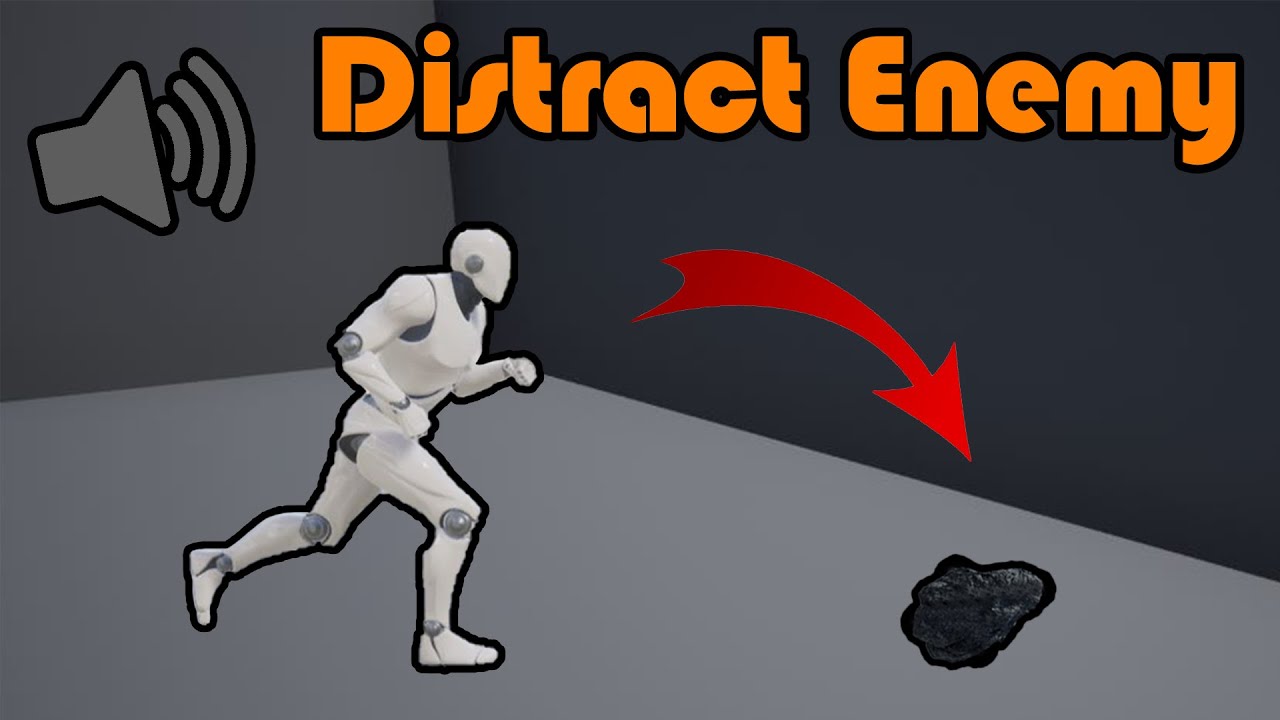
Hey guys, in today's video, I'm going to be showing you how to set up AI hearing for it's perception and sensing. In this example, we will throw a rock which creates a noise, so the AI will go and investigate it.
Throwing A Rock (Stun Enemy AI): https://youtu.be/-Lg-_EU6NoU
Rock SFX: https://freesound.org/people/Pól/sounds/385938/
#Ue4 #U...
In your case, what does the gameplay debugger show? Does it not detect anything? Could it be you are trying to use the projectile location later (trying to grab the projectile actor) rather that the stimuli location and that failing because the projectile is gone (actor is destroyed)? I have seen someone with a similar bug not long ago
slow bobcat
glass onyx
Another thing you can check is if your agent is configured to hear things from n...
The Perception system is a Peeve Pete for me. Next project I start at from scratch, if given the decision, I would simply not use it. It's waaaay too convoluted for the simple things it's supposed to do
harsh storm
slow bobcat
The Perception system is a Peeve Pete for me. Next project I start at from scra...
....I...like it 😅
 hybrid crypt
I'm trying to understand why my bot is not moving, I made a simple service to display the "MoveGoal", and it shows the correct location vector, but only with the "node1" prefix, not the "node2" one. The navmesh looks fine and the bot has a simple path to reach the goal


What really strange is that after doing a bunch of these debugging changes (adding services, removing services, adding logs, etc.), all of a sudden the bot starts moving again (as if an asset was corrupted and fixed when saving?)
(force success isn't supposed to be there, just tried it for debugging)
slow bobcat
harsh storm
....I...like it 😅
It's OK for simple use cases but... As soon as you need to tweak performance, management of senses, extend it.. It's a nightmare
graceful wind
hybrid crypt
I'm trying to understand why my bot is not moving, I made a simple service to di...
In order for your bot to move, you need to make sure
- your bot is a pawn
- has ai controller running that behavior tree
- MoveTo task need reachable location or actor, make sure that you already have nav mesh on your level
hybrid crypt
graceful wind
In order for your bot to move, you need to make sure
1. your bot is a pawn
2. h...
yes these are all ok, the nav mesh is good, the target location is quite close, and in BP I see that my nodes are firing (only the node1 debug string is showing up though)
graceful wind
hybrid crypt
yes these are all ok, the nav mesh is good, the target location is quite close, ...
how close? could possibly it works, but the acceptance radius is too big
hybrid crypt
graceful wind
how close? could possibly it works, but the acceptance radius is too big
5 - 10 meters, while acceptance radius is 10 cm
hybrid crypt
graceful wind
In order for your bot to move, you need to make sure
1. your bot is a pawn
2. h...
I found the issue, there was a small exclusion zone in the nav mesh right around my goal target; I was only looking at the nav mesh from far away to make it was ok
graceful wind
hybrid crypt
5 - 10 meters, while acceptance radius is 10 cm
hmm, strange, how you set that MoveGoal?
hybrid crypt
graceful wind
hmm, strange, how you set that MoveGoal?
move goal is the location of a Flag mesh/actor, there is something on the same location, maybe a volume or something, which is creating a hole in the nav mesh
graceful wind
ah, i see, it makes it unreachable
hybrid crypt
graceful wind
ah, i see, it makes it unreachable
yes!

moving that blue pad on the bottom a little bit fixes the issue
(even when putting it back on the initial location, it works now)
graceful wind
hybrid crypt
you can try to disable this on that mesh, just to make sure it works, if it has collision, the ai will keep trying to reach that location forever, usually I play around with acceptance radius for that
 hybrid crypt
graceful wind
you can try to disable this on that mesh, just to make sure it works, if it has ...
hybrid crypt
graceful wind
you can try to disable this on that mesh, just to make sure it works, if it has ...
cool thanks for the help!
signal olive
slow bobcat
In your case, what does the gameplay debugger show? Does it not detect anything?...
Nah, it was the instigator that was the issue
slow bobcat
signal olive
Nah, it was the instigator that was the issue
If you want the projectile to be the instigator, you can add the stimuli component for it I believe
signal olive
I've tried, it doesn't work
slow bobcat
Umm weird. I will check how we handle it in this project put if curiosity. I can't remember
signal olive
When self is used as instigator right before being destroyed it seems the stiimulus immediately disappears
slow bobcat
That's probably because by the time the stimulus is processed, the self is already marked for destruction. Stimulus are not processed immediately. At best it will take 1 frame. Destruction is maked in the same frame
agile widget
agile widget
Hi everyone, I have a problem where I Spawn multiple NPC’s and assign them a pos...
Hi All, has I asked in this question I have an AI that should be able to move to their designated positions, but for some reason they don't I implemented a small debug to see if the locations they where getting are inside the Navmesh or not, but for some reason it's still failing even though the assigned locations are inside the NavMesh and should work, can anyone help me with this? i'm going to do a step by step debbug in one that fails, but I would still appreciate any help.
slow bobcat
agile widget
Hi All, has I asked in this question I have an AI that should be able to move to...
Hey. Let's simplify things a bit for debug. If you use one character only, does it fail? Is it a bug that happens when you use multiple character only?
Then, use Visual Logger, record, repro de bug and check the navigation and path following categories
agile widget
Hi @slow bobcat, the issue only arrises after a lot of the characters have been spawned and they are looking for their respective position, some time start to fail after the 30th spawned enemy and sometimes is after the 20th, it varies from execution
slow bobcat
agile widget
Hi <@397712228435886091>, the issue only arrises after a lot of the characters h...
Umm ok. Chances are that they are getting stuck against each other. Of you spawn them in a line next to each other with enough space and make them move in a straight line forward (so the don't cross paths) does this happen?
In any case, record with visual logger and check navigation and path following categories for a stuck enemy. Let's see what the logs say
agile widget
Perfect, let me see what Visual Logger says
It seems the path is blocker for some reason, even tough in the video I don't see anything that might be blocking it
@slow bobcat
slow bobcat
And if you show the nav while ejected pressing P in runtime?
Does it show anything ususual?
It could also be that you have an issue with your movement logic and no velocity is being applied (remote chance, but that would cause a block too).
That exact same test (same start end etc) with just one enemy works?
agile widget
I'm not using any custom movement, and the AI is using basically the standard Move To logic, I only change the acceptance Radius dinamically, in the PIE the Nav data doesn't show anything unusual, I did fix some small issues a couple of days back, but it still doesn't work
slow bobcat
I would try to repro the exact same example with just one enemy
See if that works or not. It should not work
I think soemthing is off with your AI because it's not even rotating to face the path
agile widget
give me a sec
agile widget
@slow bobcat has you can see they move at the beggining, but later on the new spawned enemies, just stop going to their designated positions
slow bobcat
Are we taking about the ones in the background or the ones around the player?
agile widget
the issue is with the ones that need to encircle the background zone
they are all the same and use the same things for everything
@slow bobcat can we talk more about this tomorrow, It's pretty late here and I need to try and put my baby to sleep
sorry and thank you
agile widget
Thanks I'll ping you tomorrow
 tawdry zephyr
Oh did Miezkoz leave the server
agile widget
Good morning @slow bobcat , I'm back and ready to continue debugging the error if you are available
slow bobcat
agile widget
Good morning <@397712228435886091> , I'm back and ready to continue debugging th...
Working but will check here whenever I have time. Can your record a video showing the AI at runtime while the bug happens?
final prism
agile widget
It seems the path is blocker for some reason, even tough in the video I don't se...
Are you using crowd or normal path following?
agile widget
yes, give me some time, I'm on the same boat has you also working but I will do this whenever I can
I'm also using UCrowdFollowingComponent in my AI
slow bobcat
agile widget
I'm also using UCrowdFollowingComponent in my AI
Ah... Important detail. This might be causing issues on its own. Will see
final prism
the [blocked] flag is an unreal fallback, I think it triggers if the NPC hasn't moved within a time frame. My theory would be that at some point you've spawned so many npcs that they completely block each others path
Or the spawning logic is somehow borked and the move component isn't able to move the NPCs properly anymore
Different question, out of interest, this may be more of a generic question..
How do you guys link designer-facing data to AI-facing systems? Typically you'd have some DB, a data asset or something like that where all of the values are tweaked. How would you link those?
I've been working with Data Providers with okay-ish success, though they are EQS specific and seem to not be used much at all in the engine. Any alternatives people use?
slow bobcat
final prism
Different question, out of interest, this may be more of a generic question..
H...
We have data assets with all the data. Different ones for behaviors, animations, character customizations (mesh, weapon etc etc). We spawn enemies deferred and, before calling Finish spawning, we read their data assets and set whatever is needed in their different components.
For the AI ones are mostly read on runtime on a need base since they are things like "what bt should I run for combat" etc
final prism
Hm yes that might be a better idea, I'm not actually sure of the performance issues of reading from a data asset at runtime anyway
agile widget
final prism
the [blocked] flag is an unreal fallback, I think it triggers if the NPC hasn't ...
Thanks I will try to also look into this, I do have a lot of Spawning enemies right now really fast for test purposes, and I also hope to make them spawn Faster at some point, but at least not for now
slow bobcat
We also have very big excels (Google calc) sheets with all the stats for character balancing. Designers tweak the numbers and a tool inside the editor imports the files into data assets. For them it's much easier to handle and track changes that way for stats
final prism
slow bobcat
We also have very big excels (Google calc) sheets with all the stats for charact...
that makes sense, we were playing with unreal data tables but they are kind of tricky to work with
agile widget
slow bobcat
Working but will check here whenever I have time. Can your record a video showin...
By the way I can create the Video when they start spawning, but if I wait until it starts getting stucked, it might be to heavy for Discord, how do you want me to upload it for you?
slow bobcat
final prism
Hm yes that might be a better idea, I'm not actually sure of the performance iss...
Nothing you will notice if you are careful with soft references. If you reference assets (animations, Bt's, meshes etc), make sure they are soft pointer objects that you load asynchronously when you need them. If you use hard references, you will be opening a door to performance hell
final prism
We've actually noticed the opposite, where soft references would take up a bunch of loading/editor time if they were overused
slow bobcat
agile widget
By the way I can create the Video when they start spawning, but if I wait until ...
Maybe you can just record the few second it takes for the failing one from spawning to fail? I'm your previous video it happens fast
slow bobcat
final prism
We've actually noticed the opposite, where soft references would take up a bunch...
I would imagine that's because you guy load all of them when loading the editor synchronously instead of on a need-base and async? You are probably flushing the buffer constantly
final prism
agile widget
By the way I can create the Video when they start spawning, but if I wait until ...
The best method would be to put a breakpoint in the "IsBlocked" check on the path following component and just.. see where it leads you
final prism
slow bobcat
I would imagine that's because you guy load all of them when loading the editor ...
yeah maybe
agile widget
Well it's not that fast but here is one from start to error, basically it always starts to fail after the 25th enemie is spawned
slow bobcat
agile widget
Well it's not that fast but here is one from start to error, basically it always...
ummm as soon as one fails, all the rest spawning after fail too.
final prism
slow bobcat
We have data assets with all the data. Different ones for behaviors, animations,...
but if you need to set something like a timer value on a state tree, how do you do that? Blackboard keys?
final prism
agile widget
Well it's not that fast but here is one from start to error, basically it always...
Aren't all the slots occupied here? I'd assume they couldnt move there if somebody else is already standing on it
agile widget
no, let me take another one showing all the available slots
slow bobcat
final prism
but if you need to set something like a timer value on a state tree, how do you ...
If the time value is something that will be different depending on which enemy type runs the tree, then same approach:
- data asset has the value (ie: attack cooldown)
- spawn deferred, read the value from the data asset and store it in a component before calling Finish Spawning (in our case many of the state values are transformed into GAS attributes). Or if your prefer to read it from the data asset, have a function to return the value in your preferred component.
- when the tree needs the value, you can have a task that reads it fork the component and exposes it as an put parameter for the next task that needs it or you could have a Global tasks that exposes all the values as out parameters OnEnter (no need to expose them on tick since they are static).
In our case we have lots of custom tasks and conditions that read the values internally. We don't rely much on exposing thug s through params because it's way too much and will make our trees dirtier for no good reason
agile widget
Here is tha Ranges where they are supposed to go, there are a lot of open spots in the Wait Zone, I'll take a video now

Here is the Video and it always seems to fail on the 25th character, is there maybe an Agent that indicates the amount og Characters can be moving at one time?
agile widget
slow bobcat
ummm as soon as one fails, all the rest spawning after fail too.
Yes this seems to be the case
slow bobcat
agile widget
Here is the Video and it always seems to fail on the 25th character, is there ma...
Umm not that I can think of but I do recall Crowd Manager having a setup for home many characters could handle at once. Maybe you should take a look into the crowd control configuration
agile widget
Yes I have it at 50 Max Agents at once and I disable them when they have stopped moving
robust veldt
agile widget
Here is the Video and it always seems to fail on the 25th character, is there ma...
If you destroy some of AI, does other will start to work?
agile widget
only the newly spawned will start to move, but the ones that are stucked, they will stay there
slow bobcat
agile widget
only the newly spawned will start to move, but the ones that are stucked, they w...
Ok so you are definitely hitting the limit somehow. But you don't have 50 spawned AI's... Are you changing that limit anywhere else? Or maybe you are spawning more than you think?
agile widget
no, I don't change it and the limit should not be reached, there are 25 actors and thats all
I'm going to look where the blocked flag is getting set to see if there is something else happening
agile widget
@final prism and @slow bobcat I have found that the error happens in the UCrowdFollowingComponent UpdatePathSegment, but I'm not sure what is happening since I can't debug the Unreal Engine code
 slow bobcat
I think you can download the engine source simbols (pdb's) to debug it. Most values will be optimized though
The block detection is just checking if the AI hasn't moved more than X seconds
agile widget
I do have the pdb's downloaded but like you said almost everything is Optimized so I can't really follow what the issue is
slow bobcat
yeah... that sucks.
I would be very interested in see this objects and corroborate your limits are not being hit
 final prism
You can deoptimize using the pragma macro and running in debug mode
agile widget
slow bobcat
yeah... that sucks.
I would be very interested in see this objects and corrobora...
Give me a moment
final prism
Crowd manager is probably the next spot to check, maybe where it sets the velocity or updates the agent state
agile widget
do you want the values when the error starts?
@slow bobcat, @final prism I really don't see anything strange

plus I haven't been able to actually make the Crowd detour work correctly at all, so I think I'll disable it later on
 celest oracle
How do I store a result in my state tree global parameters?
Lets say a vector location that i made in one of my state's task.
How do i get that to either the global parameters or stored in a global task?
See this float for example, the change in my wandering state task does not go to the global parameter
 agile widget
I Think the issue is related to the Crowd Manager, I'm going to bump up the max agents and see if it works
@slow bobcat and @final prism I bumped it up two 200 max Agents and now 100 of them have no problem reaching their respective locations, so I need to fix the issue with them not getting removed correctlly when they arrive so that I can keep the agents in a lower value
but It seems the mistery is solved, I'll start working on this and let you know
thank you for all the help
final prism
celest oracle
See this float for example, the change in my wandering state task does not go t...
needs to be a statetreeref type in order to modify the value
 orchid marlin
celest oracle
See this float for example, the change in my wandering state task does not go t...
orchid marlin
celest oracle
See this float for example, the change in my wandering state task does not go t...
As Mortiz mentioned you could use FStateTreePropertyRef. Take a look at FStateTreeRunEnvQueryTask, it exposes its result to configured property.
slow bobcat
final prism
You can deoptimize using the pragma macro and running in debug mode
Only if you compile the editor yourself
final prism
Oh I've done that for so long I forgot there's other ways
celest oracle
orchid marlin
As Mortiz mentioned you could use `FStateTreePropertyRef`. Take a look at `FStat...
Yeah I noticed that the provided env query task was able to store its results in the global parameters
Thanks guys 😃 for the help again
final prism
Does anyone know if the child blackboard stuff is functional in 5.6? Last time I tested it didn't work at all
 neon moth
hi everyone!
I wish to get a grasp of all possible ways to make enemy behaviors
I've already used Blueprints and Behavior Trees. I'm aware of GOAP and HTN, but still need to gain hands-on experience.
Which other decision-making frameworks should I know about?
final prism
Hierarchical Finite State Machines, MCTS and other tree searches (minimax etc). There's a ton of ways depending on the type of decision making you want
Heck even Reinforcement Learning is a way to create behaviours if you really want to, or a combination of algorithms, like Unreals State Tree is a mix of HFSM and BTs
simple crescent
Add Utility Systems, Decision Trees (Rule-based systems), and Case-based reasoning to the list
celest oracle
neon moth
hi everyone!
I wish to get a grasp of all possible ways to make enemy behaviors...
Im growing to like Unreal's state trees which kind of combine FSM, Utility AI (GOAP) and Behavior trees.
It has a visual graph so designers can see more easily how the AI behavior flows. It makes a web like FSM more palatable for me.
celest oracle
May I ask if I can receive state tree events with their payload inside a global task?
So far I only know how to get it from On Event Transitions and the enter condition to use its payload inside a state's task
celest oracle
I wish to get the event payload data inside my task BP like this, but how?

Or is the only way now what Bruno said a few days back to :
slow bobcat
I don't think you can. State tree events are used through transitions and there aren't transitions to global tasks. They simply run at the start of every tick for the tree and that's it.
Ah wait
There is a way
The instanced data has the event queue
@pine steeple didn't you end up doing something similar? manipulating the EventQueue in a global task or something like that?
 spring jetty
Hey any clue on how can I make the walkable areas limited for big AIs in a game ?
there is an array called **SupportedAgents ** under NavigationSystem in project settings that you can add to, that has some variables like agent radius, agent height, but I have seen the same variables in a few different places like in CharacterMovement, and in RecastNavMesh actor, which rly confuse so I dunno how to start, didn't find much on google.
celest oracle
For future reference, this how it looks like in BP to set global parameters from one of your state's tasks.

 strange plank
Is it needed to build paths for World Partitioned Nav Mesh Volumes? if im working in a procedural level can I just set the mesh to dynamic and check world partioned in the recast nav mesh?
slow bobcat
spring jetty
Hey any clue on how can I make the walkable areas limited for big AIs in a game...
Supported agents are to create different sets of nav data that will be used by matching the AI's capsule radius with them.
The most important value is the agent radius.
If you have a regular enemy of 42u radius and a bug one of 125u radius, you can set a nav agent for each. When your nav builds, it will create a nav data for each.
A corridor of 90cm will get nav data for the regular AI, allowing it to navigate through it, but will not get nav data for the bug ai because it's too narrow to fit
slow bobcat
strange plank
Is it needed to build paths for World Partitioned Nav Mesh Volumes? if im workin...
Yeah, you can generate nav dinamically. Initially that was the only nav generation supported for WP. Ideally you would do it around invokers
graceful wind
Guys, any idea why the OnSmartLinkReached event is not triggered? the nav link is working though. My ai can walk through separated area. I tried to remove it, my AI cannot walk through the separated area. But this event is not triggered. I am using UE5.6

this actor extends NavLinkProxy
spring jetty
slow bobcat
Supported agents are to create different sets of nav data that will be used by m...
So The matching happens automatically ? what if the values I provide are different ? so the NavAgent may have a radius of 40 but what if the AIs capsule has 70 or 80 ?
I also found this checkbox "Update Nav Agent With Owner Collision" in CharMovement.
so I thought if it's checked it will use the CapsuleComponent's radius as the agents size, and then I tried unchecking it and giving a really big number to both height and radius as you see, but the AI I have in the game is still able to move around.
idk this is confusing... is there any tutorial that covers these in depth that you know of ?
 simple crescent
graceful wind
this actor extends NavLinkProxy
simple crescent
graceful wind
this actor extends NavLinkProxy
Just checking that you checked bSmartLinkIsRelevant. I believe that if it isn't checked, the navlinkproxy will still work as a nav link for pathfinding, but you don't get the additional functionality of the smart link.
slow bobcat
spring jetty
So The matching happens automatically ? what if the values I provide are differe...
I believe it uses the closest one. You can always provide the nav data to use (in c++ at least is possible, no idea in Bp's)
About the tutorial yeah, plenty of them in YouTube form ue4 (hasn't changed)
spring jetty
slow bobcat
I believe it uses the closest one. You can always provide the nav data to use (i...
Wdym by Nav Data here ? like I can set which Agent each AI uses ? or you meant something else ?
slow bobcat
spring jetty
Wdym by Nav Data here ? like I can set which Agent each AI uses ? or you meant s...
Exactly that. Nav agents are settings to generate nav data. The nav agent radius tells the nav data how far from objects/walls it should be. In code (I would imagine in BP too) you can pash which nav data to use for your move to request. If nothing passed, the engine will try to finde the right one I believe
spring jetty
slow bobcat
Exactly that. Nav agents are settings to generate nav data. The nav agent radius...
Thx for the help ❤️
slow bobcat
Any time
 rare hemlock
Hey guys. Has anybody tried to implement a queue system with the help of smart objects and the state tree? Lile a queue in front of a vending machine.
 iron roost
I'm having issues with my Navdata not showing up in packaged game in 5.6? Any help?
 stable plover
iron roost
I'm having issues with my Navdata not showing up in packaged game in 5.6? Any he...
stable plover
iron roost
I'm having issues with my Navdata not showing up in packaged game in 5.6? Any he...
wdym by not showing up
iron roost
Yeah everything works fine in editor but if I try standalone or package I get a NAVMESH needs to be rebuilt error. but it's built.
iron roost
stable plover
wdym by not showing up
In editor and PIE it's perfect. But in Standalone and Package I get an error regardless of what I do.
Using Static Nav Mesh, 5.6 is suppose to include navdata with the map. But isn't.
 iron roost
If I make a new map it works fine. So it must be something in this map. I start making the new map now its broke again. I don't get it.
graceful wind
simple crescent
Just checking that you checked bSmartLinkIsRelevant. I believe that if it isn't ...
Thanks man, still not triggering, I will try to make base C++ class for this and debug there
graceful wind
graceful wind
Guys, any idea why the OnSmartLinkReached event is not triggered? the nav link i...
I will drop this, and use overlap event instead, I hope someone has some solution though
celest oracle
How does one get the current state again? 😅 Im trying to make a conditionBP that checks if current state is not X state.

I need to do this in C++ ? 😦 No BP Function yet ? Seems like a critical function for a State Machine 😦 ```cpp
TStringBuilder<256> stringBuilder;
if (StateTreeRef.IsValid())
{
const FStateTreeExecutionContext& stateTreeExecutionContext = FStateTreeExecutionContext(*GetOwner(), *StateTreeRef.GetStateTree(), InstanceData);
for (const FName& stateName : stateTreeExecutionContext.GetActiveStateNames())
{
stringBuilder.Appendf(TEXT("[%s]"), *stateName.ToString());
}
} ```
hasty turret
celest oracle
I need to do this in C++ ? 😦 No BP Function yet ? Seems like a critical funct...
Yes. I created my own bp function library for things like getting current state, get parent state, get child states etc. Not sure it's the intend way to do it, but used it with no problem.
slow bobcat
iron roost
If I make a new map it works fine. So it must be something in this map. I start ...
Describe step by step your settings for nav
slow bobcat
celest oracle
I need to do this in C++ ? 😦 No BP Function yet ? Seems like a critical funct...
Yep... And this is new in 5.6. When we started using ST's in 5.4 there wasn't a single way to do it but to have a state tree task in each state for it
slow bobcat
graceful wind
this actor extends NavLinkProxy
How are you setting the nav link points?
The nav link proxy has two sections in the details panel, the regular one and the Smart Nav Link. You need to set that
graceful wind
slow bobcat
How are you setting the nav link points?
Looks like this is the problem, the smart link was not bridging the nav areas, it tried to fix it, now the event is triggered. But somehow the character sometimes uses the smartlink or the regular one. if the character uses smartlink, somehow it cannot move to another area

still play around with this, thanks lot man, I am planning to make this link dynamic though, thats why I need this
simple crescent
graceful wind
still play around with this, thanks lot man, I am planning to make this link dyn...
You can also look at https://github.com/phildunstan/GameAIUncovered_UnlockingDoors
It has some example code for making a door actor which contains a UNavLinkCustomComponent instead of using a separate NavLinkProxy actor.
graceful wind
simple crescent
You can also look at https://github.com/phildunstan/GameAIUncovered_UnlockingDoo...
I see, so it is actually not common to use NavLinkProxy, yeah, it is more reasonable to use component for this, I can add it to all my doors. Let me check that, thanks a lot!
slow bobcat
It has some example code for making a door actor which contains a UNavLinkCustomComponent instead of using a separate NavLinkProxy actor.
we do this in our game too. Link si enabled/disabled when the door open/close
If you happen to have a Statetree condition where you store data from the world that might change (like a timestamp), don't.
Turns out that, for some unknown reason, someone at epic decided to make data instance in conditions Shared.
This is like if you wanted to store data in the memory of a decorator but epic told you "nah you can't do that. All decorators of the same type use the exact same memory block".
I'm surprised by the decision and confused too, can't think of a single good reason for it.
Epic message I got about it:
/--------------------------------------------------------------------------------------------/
Hi Bruno,
Sorry about the extended delay. Here's the bug tracker number: UE-302300. It should become accessible once the engine devs mark it as public.
One of the reasons it took me a while is that I did some more research on this issue, and I ended up finding the following commit/CL:
* StateTree: shared instance data
- Separated condition instance data into a shared instance data (mutable but no persistent state)
- Made BP TestCondition() const, conditions should not hold state
- Added macro to define runtime data POD for faster init
- Added custom serialization version for UStateTree, older assets need recompile
- Updated memory reporting to be a bit more accurate, separated shared and unique data

#jira UE-147508
#rb Mieszko.Zielinski
#preflight 627b657d2d608c533b5cde15

[CL 20134929 by mikko mononen in ue5-main branch]
So, it now seems clear to me that this commit consciously made State Tree Conditions share a single "InstanceData" between all actors and PIE sessions. The assumption expressed on the commit message is that "conditions should not hold state".
I also found this on the StateTreeConditionBase.h header:
Note: The condition instance data is shared between all the uses a State Tree asset. You should not modify the instance data in this callback.
This is a comment above methods EnterState(), ExitState() and StateCompleted(). It is not repeated above TestCondition(), but I believe it applies there too.
So, based on my findings above, I believe there is some chance that the bug report will be flagged as "by design" or "won't fix". I did mention your use case on the report, though, so we'll have to wait and see.
/------------------------------------------------------------------------------------------------------/
agile widget
Hi @slow bobcat and @final prism just wanted to thank you again for your help the other day, thanks to you I found the issue and fixed it, at the end of the day I disabled all the Crowd Following Component since I couldn't make it work has I wanted, I'll look into another avoidance solution
final prism
celest oracle
I need to do this in C++ ? 😦 No BP Function yet ? Seems like a critical funct...
be wary of that function, it is a gameplay debugger only function, that will not work in a shipped game. Getting the state names externally is classified as debug functionality so yeah
final prism
graceful wind
I see, so it is actually not common to use NavLinkProxy, yeah, it is more reason...
The navlink proxy is an actor containing a navlink component. It's more of an example of how you can setup a navlink contained in an actor. If you have a separate actor like a door, its best to put the component on that
final prism
graceful wind
Looks like this is the problem, the smart link was not bridging the nav areas, i...
Not quite sure what this means. The smartlink is just a wrapper around the actual navlink tied to the navmesh. It adds the callbacks so you can run custom logic when the navlinks are used, but it always ends up going down to the "true" navlink on the navmesh. It probably doesn't move when you use a smartlink because you didn't add any logic to move from point a to b in there, that's what the smart links are for, to add custom movement logic
graceful wind
final prism
Not quite sure what this means. The smartlink is just a wrapper around the actua...
Yeah, nothing wrong actually, just my lack of understanding. I create custom navlink component now for custom event to handle the navlink usage action and continue the navigation
celest oracle
slow bobcat
Yep... And this is new in 5.6. When we started using ST's in 5.4 there wasn't a ...
Seems like we still have to do it that way ourselves for now.
celest oracle
final prism
be wary of that function, it is a gameplay debugger *only* function, that will n...
Thanks for letting me know, I guess we have to do it ourselves manually for now
simple crescent
I'm trying to use linked state tree asset overrides with parameter overrides in 5.5. I can run the overridden state tree, but I haven't been able to get the parameter overrides to work. Are there any limitations on the parameters.
The linked state tree has a global gameplay parameter called "AbilityTag" (FGameplayTag).
I'm setting the override like this:
    FStateTreeReference StateTreeReference;
    StateTreeReference.SetStateTree(LoadedStateTree);
    FInstancedPropertyBag& Parameters = StateTreeReference.GetMutableParameters();
    Parameters.SetValueStruct(TEXT("AbilityTag"), AbilityTag);
    StateTreeComponent->AddLinkedStateTreeOverrides(StateTreeLinkedAssetTags[AbilityIndex], StateTreeReference);
I'm not seeing the overrides at all. The parameters still have the original default values.
final prism
What's the typical way to get context parameters from a state tree in code?
I know you can bind to them easily, but what if i want to do so in code?
 rich marsh
What would be the best way for me to debug why this EQS Query starts to fail after a certain point (it's the far left Run EQS Query Node)?

I can see that both my pawn and the enemy pawn are on a navigation mesh still
 slow bobcat
Check with visual logger, it has an EQS category. Will throw some clues
 static raven
Hello guys, I have two quick question about Visual Logger.
one, should I expect a significant performance impact? and the other one, Is there a way to start recording on server initialization?
stable plover
static raven
Hello guys, I have two quick question about Visual Logger.
one, should I expect...
Performance impact depends on your scene etc, I haven’t had any issues, it’s just a tool, for the next question idk, I think you may need to write custom code for it
slow bobcat
static raven
Hello guys, I have two quick question about Visual Logger.
one, should I expect...
Drawing shapes with visual logger is extremely Un-optimized, it can tank your editor framerate to show a frame if you draw many things. The recording part is fine aside creating/saving the file and its size
About the second part, you can start/stop VisLog programatically. There's a command you can call from bp and code functions from c++
static raven
slow bobcat
Drawing shapes with visual logger is extremely Un-optimized, it can tank your ed...
yeah, I was asking about the recording part, since I'm gonna be using it in build.
thanks @slow bobcat
 cyan sigil
Anyone have recommendations for having crowds of NPCs spread out when following the same path? It seems like when going around a corner, every NPC crowds around the closest point to the wall instead of taking a wider path.
static raven
cyan sigil
Anyone have recommendations for having crowds of NPCs spread out when following ...
you are talking about regular AI? (no mass entity)
cyan sigil
static raven
you are talking about regular AI? (no mass entity)
That's correct.
static raven
I will have the same problem in the near future. I'm planning about implementing the team sense or a custom way to detect nearby friendly AI and implement some kind of restrictions when generating the actual path. My idea is to create some kind of pseudo flock behavior rules
cyan sigil
From what I was seeing, they're all generating the same path because the world is broken up into very large navmesh polygons, and they all choose to cut the corner as tight as possible and bunch together.
That's... not a bad idea. If I can get the NPC to wander across the nav polygon boundary they should move on instead of backtracking.
static raven
cyan sigil
From what I was seeing, they're all generating the same path because the world i...
yeah, the navmesh works exactly like that, a bunch of polygons generated based on the resolution parameters. But you can modify the path generation algorithm if you want, I'm doing it for my flying mobs for instance
other approach, I think this could be my way to go, its to use the same data to desing one "leader", so every X mobs one will be the one who calculates the path, the other ones will somehow follow him in some kind for flock relationship, one they are close to an interest point, maybe the player, they can think by themselves again
I'm just sharing some of my very early ideas, sorry if I can not give you anything more tangible right now 
cyan sigil
I can adjust the height and step of the virtual agent, but that doesn't make the polygons any smaller.
graceful wind
cyan sigil
Anyone have recommendations for having crowds of NPCs spread out when following ...
I use spline as guide for this, can use random right vector for each AI to move along the spline. but need to calculate the path several times. for example every 300 distance and need to have new path before the AI reach the destination to make it seamless. Might not the best approach though, but at least it works for me
cyan sigil
Do you generate the spline at runtime?
graceful wind
cyan sigil
Do you generate the spline at runtime?
no, it is on editor, it is just for the traveling ai actually that the path already decided
graceful wind
cyan sigil
Do you generate the spline at runtime?
have you tried this?

and also this, might help a bit for randomness ADetourCrowdAIController
cyan sigil
I am using both. That makes characters repel each other but they still try to pick the same point
static raven
cyan sigil
I can adjust the height and step of the virtual agent, but that doesn't make the...
making it smaller would not help either, they will still pick the best path, will be the same for everyone
cyan sigil
Not exactly. My project has tech where it can tell how many other agents are in a polygon and use that for cost.
static raven
oh I see, interesting aproach
so its kind of like increasing the cost of the polygon by a factor depending on agents inside it
hasty turret
by doing that, the path will be evaluated (and maybe recalculated) during move though.
slow bobcat
static raven
yeah, I was asking about the recording part, since I'm gonna be using it in buil...
We do it all the time. You need to hack the engine a little but though.
slow bobcat
cyan sigil
Anyone have recommendations for having crowds of NPCs spread out when following ...
We used this approach (17:17) in a game. Works quite well.
https://youtu.be/O66mmqOjEy0?t=1037

GDC talks cover a range of developmental topics including game design, programming, audio, visual arts, business management, production, online games, and much more. We post a fresh GDC video every weekday. Subscribe to the channel to stay on top of regular updates, and check out GDC Vault for thousands of more in-depth talks from our archives...
The way I did it, instead of the angles for movement, was by using proxy actors for movement. Each AI has an assigned invisible actor (no mesh, no physics, just a scene component for the transform)
That actor is positioned to the side of the path segment (with a simple nav trace to ensure it's in a reachable spot from the path). Each AI following the path will place its proxy actor on one side at a specific distance, each distance is different. This we handle in a proxy actor manager. Every time a new actor was enabled for movement, we swapped the side (1st left, 2nd right, 3rd left) and place it further from the path (1st follows exactly the path, 2nd is AI radius * 2 from the path on the left, 3rd is ai radius *2 on the right, 4th is AI radius *4 on the left) and so on. Then, when they get close to the destination, we shorten that distance progressively
Thus works quite well when chasing a character (like in the talk I passed)
the main idea is to calculate just one path for your group of AI's


PA: proxy actor
the traces are nav traces
When the AI's are close, the proxy actors will match the chased character or the path goal
The trick is to pass the location to the PA. You can have couple functions, one that retrieves an Actor and another that retire es a path segment. For the actor you calculate the location in the PA actor tick (enable and dsable tick on a need basis). For the path you can pass the end point of the path when the new segment is assigned in the path following component. Then the PA location function can calculate the right location, asking for the assigned offset (L/R + distance) to the PA Manager
slow bobcat
cyan sigil
I am using both. That makes characters repel each other but they still try to p...
About this: you can't use both. They contradict each other. If you use crowd control, RVO is not used and the other way around. At least outside mass. No idea if mass uses a novel approach that can combine both somehow
cyan sigil
static raven
so its kind of like increasing the cost of the polygon by a factor depending on ...
Precisely. However that doesn't help as much if the polygons are huge.
cyan sigil
slow bobcat
We used this approach (17:17) in a game. Works quite well.
https://youtu.be/O66m...
Ooh this is cool. However, it seems like it's for converging onto a particular point, when I want them to be able to go to several points (like filling a hall)
cyan sigil
slow bobcat
About this: you can't use both. They contradict each other. If you use crowd con...
Oh yeah? I know our project is using Crowd Control. I'll look more closely into RVO.
slow bobcat
cyan sigil
Ooh this is cool. However, it seems like it's for converging onto a particular ...
ah I see. Your problem is that you have several enemies going from A to B (each a different A and B) but all paths go through the same point. LIke this no?
 cyan sigil
slow bobcat
ah I see. Your problem is that you have several enemies going from A to B (each ...
cyan sigil
slow bobcat
ah I see. Your problem is that you have several enemies going from A to B (each ...
Almost. I have several enemies starting (spawn point) and ending (player) at the same places. I have some tech that lets them spread out on straightaways (via a wander behavior), but they are forced to converge around corners. I'd like to be able to have them take longer paths.
slow bobcat
so... this?
 cyan sigil
Yes.
We need the npcs to spread out as they travel so the player has more interesting thigns to shoot at. In the above setup they wind up going single-file, even with crowd avoidance, because they all have to path to that corner
slow bobcat
if this is more what you need, this is what my proposed solution does for paths

Because you only calculate 1 path (red) and deviate the movement to the rest
In our game we have coordinated patrols where the PatrolLead follows the patrol points and the rest jsut follow in pre-defined locations using the same concept of ProxyActor
The lead (Red) calculates the path and follows it in between patrol locations and his Followers (blue) get they PA's updated to be at the location of the Follow Locations (the black dyamonds)

designers can link spawners and place dyamonds wherever they want to create different formations etc
graceful wind
interesting, we need proxy actor as guide and let the follower ai recalculate the path to it right? this PA is not necessarily to be an actor, it might be arrays of relative location to the main actor
slow bobcat
graceful wind
interesting, we need proxy actor as guide and let the follower ai recalculate th...
The key thing of using an actor is that the engine will use the same movement request to re-path to the actor when it moves without causing a start/stop like when you use a location. There's nothing in the engine tracking if a point moved but there is for actors moving
If you use points, when you move the point you will need a new movement request (move ai to). If you use actors, the same request (move ai task) will use the path observer event On Goal actor moved and re-path without hitches
Hence the Proxy Actor usage
@stable plover used this exact same approach recently and he's happy with the results. The first 2 images I posted are form my explanation back in the day. I can vouch for simplicity and results when using proxy actors
 elfin smelt
Hello guys
I encounter an issue when creating custom BTDecorator in C++.
I override CalculateRawConditionValue and it works fine when the Decorator is not EBTFlowAbortMode::Self
I have a case with the decorator on a Abort Self and isInverse to true.
The decorator return false all the time and it abort the Behavior Tree
I tried to find some sources on Decorator in C++ like good pratices and tips and didn't find much.
I tried to manage the abort self with the TickNode (found that in the BTDecorator_TimeLimit from Unreal) but it didn't manage the IsInverse in the tick and it was weird to manage manually the IsInverse in the tick.
If someone can give me some tracks to follow or tips ?
I think that overriding the CalculateRawConditionValue is fine when the Decorator is never Aborting self.
but I miss something to manage the Aborting part of a decorator
I found something, the UBTDecorator_BlueprintBase implemented the TickNode with the function EvaluateAbortType
It seems to be the functionality that I have miss
Edit: Yeah it was that, Custom decorator in C++ need to manage manually the different abort mode and the IsInversed in it
neon moth
hi guys, anyone know how to make the state tree select an instance to debug?
I have multiple enemies on scene and want to debug one of them
harsh storm
There is probably a dropdown somewhere in the ST itself - if it is like some of the other tools in UE
neon moth
harsh storm
There is probably a dropdown somewhere in the ST itself - if it is like some of ...
I thought that, but didn't find anything like it (pic.1 - state tree)
normally would be at the top (pic.2 - common blueprint)

 harsh storm
Look at the debugger itself
neon moth
debugger is empty, and the state is not highlighted,
even if there's only one enemy active

also tried the gameplay debugger (' key), since I use it a lot with BTs, but I guess state trees are not integrated with it yet
celest oracle
neon moth
hi guys, anyone know how to make the state tree select an instance to debug?
I h...
Usually for me it shows all instances of AI using the state tree in the debugger window. Not sure why yours is completely empty. there is supposed to be some debugger ui too
Maybe you need to use a different schema, for me i used statetree ai schema
You are using "statetree" schema without " AI "
There is supposed to be AI Controller in your context tab, i think the debugger connects through the AI controller
Edit : Lol nevermind just needed a unreal restart
neon moth
aaaa new features flow
the good old "close every window, restart unreal and reopen everything manually" solved it

thanks for the help, guys
celest oracle
I have a bigger problem right now actually lol, All my includes got messed up and I cant open my project got messed up
Edit: Fixed by deleting guilty template c++ files
graceful wind
neon moth
aaaa new features flow
the good old "close every window, restart unreal and reo...
lol, man, I thought it is a bugs and accept it, usually in btree the debug is seamless, thanks to you too
 maiden cargo
For a TPS open worldish game. Is AI Perception the component to use currently or is there a better free alternative?
It works okay with low AI number, but does it scales?
harsh storm
Define "low AI number"
Because open world games typically don't have a bunch of enemies on screen anyway
static raven
slow bobcat
That actor is positioned to the side of the path segment (with a simple nav trac...
this is really cool, but why actors? why not just handling the location in runtime?
maiden cargo
harsh storm
Define "low AI number"
In this case, low AI number is 1-5, high would be 50 at most
static raven
it depends of how much AI activly perceiving stuff you have
if you have 50 AI roaming around but only 10, 15 actively seeing the player or hearing stuff, you should be fine
even 50 activly perciving something could be fine.
The most important part about performance when using perception system is YOUR implementation when processing the stimulus
try to do an event based implementation rather than just fetching information in a ticking component
graceful wind
I am more worried about ai animation cost than this
static raven
definitely, the "oh damn, you again" problem
maiden cargo
harsh storm
Have you actually hit perf problems?
No, it was just a check to make sure it's what should be used or if there are better alternative already 
Thanks!
slow bobcat
static raven
this is really cool, but why actors? why not just handling the location in runti...
maiden cargo
graceful wind
I am more worried about ai animation cost than this
Yeah, VAT/TuboSequence is what i'm looking at for this problem 🙂
slow bobcat
maiden cargo
For a TPS open worldish game. Is AI Perception the component to use currently or...
Duroxx has a good number, in a project I was it stopped working for any AI after the 20-ish. They never updated due to how perceptionamages its budget times. Depends a lot in what you do within your senses updates
static raven
The key thing of using an actor is that
warped tiger
simple crescent
I'm trying to use linked state tree asset overrides with parameter overrides in ...
What's SetValueStruct() returning? is it succeeding?
Can you try this instead?
FStateTreeReference StateTreeReference;
StateTreeReference.SetStateTree(LoadedStateTree);
FInstancedPropertyBag& Parameters = StateTreeReference.GetMutableParameters();
FConstStructView AbilityTagView(Abilitytag.GetScriptStruct(), AbilityTag.GetMemory());
const EPropertyBagResult PropertyBagResult = Parameters.SetValueStruct(TEXT("AbilityTag"), AbilityTagView);
if (PropertyBagResult != EPropertyBagResult::Success)
{
    // something went wrong
}
Thanks for following up @warped tiger. I figured it out. There is an additional step to call SetPropertyOverridden on the StateTreeReference.
StateTreeReference.SetPropertyOverridden(Parameters.FindPropertyDescByName(AbilityTagPropertyName)->ID, true);
Ohh, thanks for letting me know. Glad you got it working 🙂
static crystal
I'm confused at how to set up a custom state tree schema. I want to have my perception component accessable from context.
stable plover
graceful wind
interesting, we need proxy actor as guide and let the follower ai recalculate th...
Yea proxy actors are actually really great just like @slow bobcat said, plus they take some time to setup at the start but have them pooled and it’s really efficient
stable plover
static crystal
I'm confused at how to set up a custom state tree schema. I want to have my perc...
What are you trying to do
graceful wind
stable plover
Yea proxy actors are actually really great just like <@397712228435886091> said,...
Yeah, actor can make path calculation more efficient than point I guess. If I use point, I need to always recalculate full path everytime the main actor moves if I'm not mistaken
slow bobcat
graceful wind
Yeah, actor can make path calculation more efficient than point I guess. If I us...
Path calculation is exactly the same. What you do with actors is to get advantage of the path observer within the AI MoveTo task. It will seemesly re-calculate a path without causing a stop
graceful wind
slow bobcat
Path calculation is exactly the same. What you do with actors is to get advantag...
yeah, this part, utilizing the observer is neat. otherwise I need to keep recalculating the path to the last known point, or stop first on complete then recalculate, which is not good
static raven
graceful wind
Yeah, actor can make path calculation more efficient than point I guess. If I us...
I have a obstacle avoidance function inside my PathFollowingComponent used by my flying mobs that adds new points to the path if there is a obstacle, so mobs can fly around.
You can totally manipulate the generated path with extra data.
In my case, to keep the system simple, I'm moving the mobs directly to the target point, so my path its just two points. Then I add one or two in the middle to fly around any detected obstacle
Sometimes the decision about using one thing vs another its just asking what fits better to the game and the already existing code.
neon moth
hi all, me again with state trees again
is there a way to update a variable within a state tree (like a for loop between states)?
I have a list of waypoints and the routine is simple: moveToNextWaypoint, shoot, wait, repeat until the last one. Each one is a separate state
the MoveTo state completes when the unit reaches the waypoint. On the next cycle, I want to input the next waypoint
With BTs I would simply update a "NextWaypoint" variable in the BlackBoard when MoveTo is done. How do I store variables using State Trees?
I bypassed storing it in the enemy actor and changing directly but what I really wanted was a way for the state tree to update the value of a bound variable
graceful wind
static raven
I have a obstacle avoidance function inside my PathFollowingComponent used by my...
I see. i always want to play around with path modification, i know graph algorithm a bit, but I don't know where to start. looks like this path following component is good start to look into. I'm sure I will reach the point that i will have to do this next.
static raven
I'm having an issue I neven had before, I have a tall AI character, not too much, but it seems its over the limit by something like half a meter.
I cannot find a way to change the default AgentHeight. I tried in ProjectSettings>Navigation, tried overriding the default value from DefaultEngine.ini file
[/Script/NavigationSystem.RecastNavMesh]
AgentHeight=300.0
Nothing seems to work
simple crescent
static raven
I'm having an issue I neven had before, I have a tall AI character, not too much...
The agent height lives in the nav agent properties defined in the project settings - engine - navigation system - Agents - Supported Agents
You can then override it in the RecastNavMesh object on the level that is placed when you add a navmesh bounds volume
I think the value in the project settings (stored in DefaultEngine.ini) is copied into the recast navmesh object when you place the navmesh bounds volume, so changing after you add the volume won't have any effect.
static raven
I'll try adding the "Default" supported agent then, but not having any defined agent and changing default values in DefaultEngine.ini shouldn't be the same as creating the "Default" agent?
simple crescent
Do you have multiple supported agents, or only the default?
What do you have for the Agent Height in the RecastNavMesh-Default (or whatever other supported agents you have)?
Actually, I was wrong. Changing the height in a supported agent setting in the project settings (DefaultEngine.ini) does change the respective RecastNavMesh object the next time the level is loaded.
static raven
only the default one
still nothing works
default one = default values from ini file
simple crescent
Is there any chance you have the Mark Low Height Areas option checked?
static raven
nope, false
wait, reading the code, that variable doesn't do anything if bMarkLowHeightAreas its set to false, right?
 proper pawn
navigation system question for y'all:
I'm trying to cost out a feature where AI agents can jump onto/off of a spline-driven zipline for faster movement over long distances
I figured the way to do this was to make a NavLinkProxy every X meters along the zipline but the more I dig into that it doesn't look like it'll give me anything more than connectivity between two navmesh points, even though it does have the interface for taking/returning control to the path follower
What's the thing I should be looking into so I can actually write the bits that the pathfinding can use to cost it? I've looked through the code for NavigationSegmentLinks but there's also comments warning about them being broken
slow bobcat
proper pawn
navigation system question for y'all:
I'm trying to cost out a feature where AI...
You can try something: set a straight spline and put a nav modifier volume to generate an area alongside it where you reduce the cost (not sure now if the default cost is 1 or 0. If it's 0 maybe you can use a negative value? Not sure about this part) and then add the nav links as you said.
The path calculation will favour using the spline because it reduces transversal cost over walking on the ground
proper pawn
slow bobcat
You can try something: set a straight spline and put a nav modifier volume to ge...
How would the modifier volume work? The zipline itself has no navmesh to modify, unless there's something about modifier volumes I'm missing.
Conceptually I want something I can give the nav system where I have nodes with costs my code has calculated that it can consider when pathing (which are then linked to the navmesh)
slow bobcat
proper pawn
How would the modifier volume work? The zipline itself has no navmesh to modify,...
Ah.... There's no nav... OK I misunderstood that part.
The easy way would be to have an invisible mesh in the spline that can affect navigation, there are examples where people generate pipes and cables from splines in unreal. You could do the same but with an invisible mesh. Then you will get nav.
Whay you mentioned is also possible but not sure how. You would need to check into the detour code. Maybe you can add them as small nav polys in a fake tile? Not sure how. Nav links are simply references in detour polys to other polys, there's nothing specially added
 solid pond
I found a section of the ai perception where it says that the delegate for when our target perception is forgotten should have the update stimulus yet how it is define it only contains the actor in the delegate. Is this just incorrect docs or a mistake from the code or is there something I am missing here?
DECLARE_DYNAMIC_MULTICAST_DELEGATE_OneParam(FActorPerceptionForgetUpdatedDelegate, AActor*, Actor);


    /**
     * Notifies all bound delegates that the perception info has been forgotten for a given target.
     * The notification get broadcast when all stimuli of a given target expire. Note that this
     * functionality requires the the actor forgetting must be enabled via AIPerceptionSystem.bForgetStaleActors.
     *
     * @param    SourceActor    Actor associated to the stimulus (can not be null)
     * @param    Stimulus    Updated stimulus
     */
    UPROPERTY(BlueprintAssignable)
    FActorPerceptionForgetUpdatedDelegate OnTargetPerceptionForgotten;
it broadcast when all the stimuli expires, not sure why the comment says otherwise
There are two delegates, one for forgotten (The one you posted) which will not need stimuli passed because they are all "invalid", and there's update, that will call when each stimuli update. That one passes the stimuli updatinge
 slow bobcat
it seems they copy/pasted the coment and forgot to edit the variables part
 elfin smelt
Hello
Do you have tips, things to search/look at when you want to optimize Behavior Tree ?
I thought that passing BTNode in C++ without instantiation would optimize the Behavior Tree Launch but it didn't do much.
When AIs starting their BT, the BTComp could take in the worst case 7 ms on the frame (GameThread)
I'm using the task RunBehavior but maybe it is something that I should avoid ?
slow bobcat
elfin smelt
Hello
Do you have tips, things to search/look at when you want to optimize Behav...
that sounds very very off.
What in RunBehavior is taking so much time when using Unreal Insights with -trace=cpu -statednamedevents?
elfin smelt
slow bobcat
that sounds very very off.
What in RunBehavior is taking so much time when usin...
each small part is a node (BTDecorator_Blackboard, BTComposite_Selector, CustomTasks, CustomServices, etc)
 slow bobcat
ok so you have a massive BT?
elfin smelt
It is in Editor so maybe I'm just way off because I'm not in the right environment 🤔 (but I think 8 ms won't be 0.5 ms in a build anyway)
slow bobcat
ah yeah
do not measue in editor these things. If there are ensures or debug...
Check in a Development build at least. Or even better, a Test build
elfin smelt
It's a BT with 23 nodes but 4 nodes are RunBehavior
and the biggest RunBehavior has 248 nodes :/
slow bobcat
elfin smelt
It's a BT with 23 nodes but 4 nodes are RunBehavior
and the biggest RunBehavior...
ufff yeah. But even with that, many would be excluded due to decorators and branching, it's not that you run the tree fully constantly
248 nodes is... a nightmare for me. We tend to split the trees in sub-trees when possible (which has other issues)
elfin smelt
Ok I will go profile that in build
Maybe in Editor, it load all the Node and BT in the same frame for debug purpose
Because I don't have anything that take so much time in the behavior and it appends only on the first instantiation of the Behavior Tree
elfin smelt
slow bobcat
248 nodes is... a nightmare for me. We tend to split the trees in sub-trees when...
You have totally right
I wanted to split more in state (FSM launching BT) AI but my DT said "More State equal more bugs and more transition." soo I have an yggdrazil that I will be happy to burn when the game will be ship x)
slow bobcat
yeah your DT will have a hard time if at any point someone says "ah but we need this new behavior that should interrupt this other behavior" and then... tree balancing.
Been there, done that, nightmare
you can achieve the same splitting in subtrees if you don't want more higher level states
elfin smelt
thats why I have 248 nodes and just the BT is not the right tools for the AI
harsh storm
I'd cry if I had to deal with 248 nodes
elfin smelt
I used Sub Tree for reusing same sequence of action in BTs but Yeah I have not splitting just for better understanding of behavior
harsh storm
Having 248 nodes is what gives those incorrect talks, "Behavior Trees are bad"
slow bobcat
elfin smelt
thats why I have 248 nodes and just the BT is not the right tools for the AI
but... it is. Or... it is most of the time.
I see the problem as: "no no no, don't split the code in clases. More classes means more bugs. Better to have the entire game in one single bug class. And also don't use functions, just one. More functions, more bugs"
harsh storm
slow bobcat
but... it is. Or... it is most of the time.
I see the problem as: "no no no, don...
Do you really need anything except int main()?
slow bobcat
harsh storm
Do you *really* need anything except int main()?
not me. I just need Java Script and main
and off we go to the races of Gaming
XD
elfin smelt
Yeah, I have already tried to talk about it but hey... I have not found the right ear soooo I will ship this yggdrazil and then try to move (already tried but no success for now)
slow bobcat
Anyway Bapti, I would check in a Test Build with -trace=cpu -statenamedevents and, if that's bad still, then jump to a development build and see where can you cut off things
stable plover
slow bobcat
Anyway Bapti, I would check in a Test Build with -trace=cpu -statenamedevents an...
But a test build is only available in source right?
slow bobcat
stable plover
But a test build is only available in source right?
you can use the project launcher to build any type of build you want
 stable plover
slow bobcat
you can use the project launcher to build any type of build you want
stable plover
slow bobcat
you can use the project launcher to build any type of build you want
Didn’t know that thanks
static raven
static raven
I'm having an issue I neven had before, I have a tall AI character, not too much...
I finally found why I was not able to set my navigation system to use bigger mobs.
UWorld::InitWorld calls the function FNavigationSystem::AddNavigationSystemToWorld that grabs the navigation class used for that particular world (by default NavigationSystemV1).
inside NavigationSystemV1::PostInitProperties the function "ApplySuppertedAgentFilters" get called, which populates the SupportedAgents array with the CDO value.
If your array its empty (by default it is) it calls the function FNavigationSystem::GetFallbackNavDataConfig, which uses two HARDCODED values to initialize the default RecastNavMeshData.
So, setting the values for AgentRadius or AgentHeight in DefaultEngine.ini has no effect, since were being overriden by those hardcoded values when the world was initialized, (even if you had change the values in the ReacastNavMesh actor).
Adding a new element to SupportedAgents from ProjectSettings was not working either since I had my custom class so inside DefaultEngine the array was being populated only for my custom class, not for NavigationSystemV1.
So the solution is to set the NavSystem to the correct subclass in world settings or add the element to SupportedAgents to NavigationSystemV1 base class inside DefaultEngine.ini.

 rich marsh
I have a MoveTo node in my BT. I was expecting that, when a service modifies the MoveGoal's value, the AI character would change direction, moving to the updated value. But it doesn't seem to do that. Isn't that the whole purpose of TrackMovingGoal?

If my custom service updates the move goal in the middle of the character running to a far away point (for testing, my first point is deliberately far away - ~4k distance), the character keeps running to the originally requested position.
slow bobcat
rich marsh
If my custom service updates the move goal in the middle of the character runnin...
Move to runs AI MoveTo task. Inside the path is calculated and a path observer listens to path events. There's an event called OnGoalActor moved, that will then recalculate the path within the same MoveTo (no stop/start happens). For locations there isn't any code to do it. I'm unsure if the track. Moving goal bool does anything. If I were you, I would check the code. Might not be used
rich marsh
Ok thanks. I will do that then.
simple crescent
static raven
I finally found why I was not able to set my navigation system to use bigger mob...
Thanks for the update @static raven. Glad you got it to work
slow bobcat
rich marsh
Ok thanks. I will do that then.
Does it say anything if you hover the variable with the mouse?
rich marsh
The comment says:
/** if set, path to goal actor will update itself when actor moves */
It looks like the values are copied to the move request. So, at least when using a location vector, it wouldn't be able to react to changes.
I did try to change the key type to be an actor and use the updated actor instead, but that also did not work
I'll dig into the code some more. Maybe there is a way to brute force what I want
Basically, I have different goal actors I have the enemy character run to. If a goal actor becomes no longer navigable (a player shuts a door, blocking the only path to the originally selected goal actor), then I want the enemy AI to run to the next available one.
But I don't want it to have to run all the way to the original goal actor before it tries to go to the next one. That would not work with the current design very well.
At a glance, it looks like maybe if bUseContinuousTracking was enabled, and I used an actor as the key type, then I might get what I want
But bUseContinuousTracking is set to false at the constructor level of UAITask_MoveTo, so maybe I can override that with a child class
I should be able to. The property is protected. I'll try that and see what happens
slow bobcat
rich marsh
At a glance, it looks like maybe if bUseContinuousTracking was enabled, and I us...
That's not to swap goal actors.
If you want to detect whether the target is reachable and interrupt the chase, you have 2 ways:
- you can use a service that runs while your move to task runs and checks now and the if the target is reachable and store the result of said check in a variable. The same move to node also has a decorator that aborts itself if the variable "reachable" is false (set by the aforementioned service).
- you do a move to without supporting partial paths. When the target moves to a unreachable area (not in nav), the move to will finish because a complete path can't be calculated.
Whenever that happens (any of the two I described), the tree will re-evaluate, pick a new target and move to it
Correct me if I'm wrong, but I have the feeling that you think that those variables are for "whenever I change the bbk I use to move to, it will then correct to it", but that not the case
rich marsh
Thanks for your assistance and yes, you are 100% understanding my intention.
slow bobcat
I'm not 100% sure but I believe continuous tracking is used to ignore the offset to know when the actor moved to far from the original location to recalculate and instead recalculates as soon as it move 1cm
rich marsh
Oh ok
I was trying to find a way not to leave the current sequence. It sounds like what I want to do, in the way I am wanting to do it, is not supported.
I would, in one way or another, have to abort / fail the current task and then start over, using a new goal / actor.
slow bobcat
A bbk is just a way to point to things for the BT to access easily. The BB is container of variables to have a centralised way to access variables for the BT.
Your bbk is pointing to an actor and your move request is saying "chase this actor", but it knows nothing about the bbk. That's between the BT and the BB
slow bobcat
rich marsh
I would, in one way or another, have to abort / fail the current task and then s...
Exactly
rich marsh
Or, maybe I could build my own wrapper to do what I want, making it an instanced task and track the initial values with the current.
slow bobcat
rich marsh
Or, maybe I could build my own wrapper to do what I want, making it an instanced...
Honestly, not worth it. You are better reevaluating that re-inventign the wheel
Great exercise though
rich marsh
Essentially, I have an enemy char that will, when aggroed, run up and steal the item the player is holding. The enemy then will try to flee (if the last time it tried to flee was greater than the allowed time since last attempt) to return the item back to the hive. If the enemy runs out of available hives or gets stuck, then it will try to attack those around it. So I was trying to simplify the graph a bit.

So right now, I have things cleanly separated between the "Enemy is fleeing / trying to drop the stolen item off at the hive" from the "I'm hostile and I am going to attack you" tasks
Having to abort / fail that task makes things a lot more complicated, because now I have to somehow implement a retry and specify those conditions with the graph. Maybe I am overcomplicating things in my head here, but it seems like that is going to really make this graph ugly.
slow bobcat
To me is a tree with flee, steal item, drop item etc.
If you enter the drop item branch, pick a hive. If something fails, abort, tree re-evaluates, ends up in "drip. Item" again, pick a hive... No hive? Do the next thing to do while having an item
But you know better what works for your game. If you think having a tasks that handles the te-selection etc is better, go for it. It might as well be a sub tree
rich marsh
If it fails, and the fleeing time limit has not been yet passed, then it will stop trying to flee all together and just be stuck trying to attack.
I'm more thinking out loud here. Obviously I don't spend all of my time making behavior trees, so you are probably 100% correct in warning me that what I am suggesting is not a good idea, I am just trying to think through how I can retain my clean separation while also achieving what I want with the abort / fail approach.
slow bobcat
My suggestion is that you separate each behavior in a tree and you create a high level tree that decides which of those behaviors to run. That will help a lot to encapsulate behaviors and see how revaluations will go
rich marsh
Additionally, when I looked over the UBTTask_MoveTo source, it didn't seem like it was doing a whole lot inside of there. It looked like it was mainly prepping / initializing things, with the main bulk of the work being done in the UAITask_MoveTo class.
And ok, I will put some thought into that, thank you.
 oblique basin
I think you could do what you want if you're willing to make a child of your moveto ai task. When you call it, you create an object to that task that you could reference inside a delegate that's called when the state you're describing changes.
Or more simply just deactivate the move to task being run and recreate with a new target
static raven
rich marsh
I have a MoveTo node in my BT. I was expecting that, when a service modifies the...
just to add something to this:
when using a vector as target for movement, UBTTask_MoveTo listen to that blackboard key value changes and trigger re-path on value change.
you can set ObservedBlackboardValueTolerance to control how much change is needed to trigger the re-path.
sometimes this is very useful so you only have one "interestingLocation" that can be modified by multiples places
oblique basin
So I'd handle it like this:
- create a move to ai task with your initial params and call activate
- set up a delegate that you broadcast whenever you hit a condition that requires a change in target
- have your ai task bind a function to that delegate that restarts the process with new parameters
In reality it'd be far easier to just re-run the sequence and make sure any logic that is independent of the sequence entirely external
But fun exercise if you fancy getting your grubby hands all over c++
rich marsh
oblique basin
But fun exercise if you fancy getting your grubby hands all over c++
Thanks. Yeah I am weighing the different options. When I looked at the source code of ubtmoveto_task, it seemed like it wouldn't be too hard to achieve what I wanted to do.
slow bobcat
rich marsh
Additionally, when I looked over the UBTTask_MoveTo source, it didn't seem like ...
Look into AIMoveto_Task, not the BT task, but the async task
rich marsh
slow bobcat
Look into AIMoveto_Task, not the BT task, but the async task
Ok
Yeah that's what the BT creates from what I saw
and also where the bulk of that work is done
oblique basin
My general advice would be to not fight the engine. You can curse it all you want for not having a specific application you want, but there will always be a way as long as you colour inside the line.
 celest python
How can I debug a stimuli component in an actor doesnt make perception component of an AI perceive the owner?
TL;DR Base character has stimuli component, auto registering sight sense, AI characters have perception in controller and has sight sense config
Perception is active but perceptionupdated is not executed ever
graceful wind
celest python
Perception is active but perceptionupdated is not executed ever
the last time I encountered this was because of detection affiliation, by default I think it only want to detect enemies. or implement GenericTeamID on ai controller if it is the problem
 obtuse igloo
Anyone know a workaround equivalent of this unity nav? https://www.youtube.com/watch?v=LBh8XZHTnLg
I'm specifically trying to make it so that my AI can start climbing anywhere on a climbable wall instead of just at the start of a nav link. (ex. if they're in the air from jumping and they hit a climbable wall, they continue their navigation to their destination by climbing toward it)
If all else fails, might just make a custom movement mode for wall climbing and make functions for climbing a wall when the AI detects they're running into one by tracing climbable walls, then temporarily pause navigation on the Nav Mesh to their destination until they get to the top of the wall they're climbing.
Although, this would make it so that they have to climb up the wall no matter what before deciding what to do next after getting to the top.
For reference I'm trying to get something similar to SA2 Chao Garden climbing that the Chaos do if anyone knows! ( timestamped https://youtu.be/bUWuGzRuySE?si=OjMEOFd66aYobmSm&t=2708 )
 slow bobcat
celest python
TL;DR Base character has stimuli component, auto registering sight sense, AI cha...
slow bobcat
celest python
TL;DR Base character has stimuli component, auto registering sight sense, AI cha...
Gameplay debugger and/or visual logger will give you a good overview.
slow bobcat
obtuse igloo
Anyone know a workaround equivalent of this unity nav? https://www.youtube.com/w...
I think you can use the same approach I used for covers.
My logic was inspired by this article https://horugame.com/real-time-dynamic-cover-system-for-unreal-engine-4/
The approach will not work in areas where nav is dynamically generated due to it being expensive, but if you use Static or Dynamic with Modifiers Only (or you use dynamic but you load Nav Chunks for certain sublevels or tiles) it will help.
On a high level, you can use the nav mesh data to define the entry points of a wall.
What you do is, just after you generated the nav (during cooking your build or in editor) , you have a proces that loops all the tiles in the nav. In each time you look for the nav edges. A nav edge is the darker-green line you see next to the bottom of the wall, where the nav cuts out, the nav limit - > nav edge. If there aren't any nav edges, go to the next tile because that tile is continuous (doesn't have objects in it affecting navigation).
A nav edge has a start and an end point, which gives you the direction of it. Using that direction you can split the nav edge in parts, let's say a point every 30cm.
Now, member that Edge direction? If you cross product that with FVector::Up, it will give you a vector that points inwards the nav. If you do a cross product with -FVector::Up (down), it will give you the direction towards outside, which will point (potentially) to your wall. If you line trace from the point you calculated towards that direction, you can check against the object next to that nav edge. If it's a wall, record the point in the nav edge (more on this later).
You found a point, move to the next: another 30cm towards the nav edge direction and so on.
At some point you will have checked all the tiles in the game and found all the connection points to your walls.
Now things to consider:
- I recommend storing the points in an octree. When you need to find one it will be super fast and you will be able to do things like
"check if there's a wall entry point in X meters radius" from an EQS
- when analysing the tiles, you can use async tasks in background threads, one per tile. That will make the process super fast. You just need to make the taks report back the points found (if any) to whoever triggers the tasks and, once all the tasks are done, add the points to the octree
Something like that (ignore the blue line, I'm reusing an image for a different system that can be solved in a similar way)
That red hit on the wall will say "yep, the edge point is good as a wall entry point"
If you want to do this dynamically... I guess you could monitor the affected tiles and check5of they have nav edges. If they do, launch a background thread task to analyse it. Your AI will not be able to jump into the wall until that's done but... Sounds doable
The blue and red traces are yo check the heigh of the wall. You might want to record different points (2 octrees) for low and high walls. Try blue, hit? It's a high wall. No hit? Try red. Hit? Low wall. No hit? Something too small to be a wall
Or you could use the blue to define walls that are way too tall.
The good thing is that you don't need to label assets as walls or anything. If the measures check... It's a wall.
The for the put point... I guess you can figure that one out when you get there
 hot hollow
Does anyone know what I am missing? Right now one of the AI is stuck and wont move, this goes for all the levels
 slow bobcat
hot hollow
Does anyone know what I am missing? Right now one of the AI is stuck and wont mo...
slow bobcat
hot hollow
Does anyone know what I am missing? Right now one of the AI is stuck and wont mo...
If you print the failure reason, what does it say?
celest oracle
slow bobcat
I think you can use the same approach I used for covers.
My logic was inspired b...
Whoa @slow bobcat thanks for sharing in detail.
rich marsh
@slow bobcatAs I am reading through more and more of this source code, I am a little confused on how my scenario isn't already supported. The code really is giving me the impression that it is meant to dynamically handle position changes via OnBloackboardValueChange
Specifically, this portion of that method:
// this means the move has already started.
if (MyMemory != nullptr && BehaviorComp->GetAIOwner() != nullptr)
{
    check(BehaviorComp->GetAIOwner()->GetPathFollowingComponent());

    bool bUpdateMove = true;
    // check if new goal is almost identical to previous one
    if (BlackboardKey.SelectedKeyType == UBlackboardKeyType_Vector::StaticClass())
    {
        const FVector TargetLocation = Blackboard.GetValue<UBlackboardKeyType_Vector>(BlackboardKey.GetSelectedKeyID());

        bUpdateMove = (FVector::DistSquared(TargetLocation, MyMemory->PreviousGoalLocation) > FMath::Square(ObservedBlackboardValueTolerance.GetValue(Blackboard)));
    }

    if (bUpdateMove)
    {
        // don't abort move if using AI tasks - it will mess things up
        if (MyMemory->MoveRequestID.IsValid())
        {
            UE_VLOG(MyController, LogBehaviorTree, Log, TEXT("Blackboard value for goal has changed, aborting current move request"));
            StopWaitingForMessages(*BehaviorComp);
            BehaviorComp->GetAIOwner()->GetPathFollowingComponent()->AbortMove(*this, FPathFollowingResultFlags::NewRequest, MyMemory->MoveRequestID, EPathFollowingVelocityMode::Keep);
        }

        const EBTNodeResult::Type NodeResult = PerformMoveTask(*BehaviorComp, RawMemory);
        if (NodeResult != EBTNodeResult::InProgress)
        {
            FinishLatentTask(*BehaviorComp, NodeResult);
        }
    }
}

return EBlackboardNotificationResult::ContinueObserving;
So then, with the character positioned at 5,50,1, moving to the original location of 111,111,1 and having the MoveGoal vector change to 777,777,1 why wouldn't that cause the move task to change the character's movement / final destination?
slow bobcat
Yep, that's is made to work. No idea why it doesn't. You would need to debug that code
I never realised you could call abort with a NewRequest + the requests ID to do that
rich marsh
Ok, cool. That's fine. I can try to debug. I just wanted to make sure that I wasn't going crazy
celest python
graceful wind
the last time I encountered this was because of detection affiliation, by defaul...
hmm, lets see. thank you
celest python
slow bobcat
Gameplay debugger and/or visual logger will give you a good overview.
I only see the perception shape debug, not why it doesnt perceive stimulis
rich marsh
So... I can see that bObserveBlackboardValue is 0 (false)... but it defaults to 1 (true) and I don't see anywhere where that is being set to 0

 slow bobcat
rich marsh
slow bobcat
rich marsh
No that is not default to true, that's the bit, it means the uint32 will use just one bit, but the default value will be 0
rich marsh
Oh, ok
Untested / incomplete funcationality then? Nowhere does that value change.
Yet there is code around it
Well, inheriting from the UBTTask_MoveTo and setting that to true explicitly in ExecuteTask made it work
slow bobcat
Ni idea tbh
rich marsh
So, shrugs
slow bobcat
Let me know how it goes
obtuse igloo
slow bobcat
I think you can use the same approach I used for covers.
My logic was inspired b...
Holy hell, thank you so much for this! I’m a beginner at this but this gives me an idea and direction on how to get what I want, and I appreciate it!! 🥺
I’m gonna try to figure this out the next time I have time!
slow bobcat
rich marsh
*working
Really? Niiice.
slow bobcat
obtuse igloo
Holy hell, thank you so much for this! I’m a beginner at this but this gives me ...
Let us know how it goes
obtuse igloo
🫡 😤
celest python
celest python
TL;DR Base character has stimuli component, auto registering sight sense, AI cha...
Setting a different TeamID to perceptioncomp's owner didnt work, any other ideas?
Gosh I hate AIModule so much
I guess I'll deep dive into source 
slow bobcat
The whole perception API is a fucking nightmare for me.
celest python
slow bobcat
The whole perception API is a fucking nightmare for me.
At my first job they made me do a simpler version of perception and after that never worked on perception systems so I'm also starting as someone who is completely alien to API, its 2x more brutal to work with that way 😦
slow bobcat
I'm on my 4th profesional game and I still think it's torture
simple crescent
You can eliminate the team id/attitude being a problem by checking all of the team attitude boxes in the perception component (hostile/friendly/neutral).
 lucid ingot
Is there an easy way to make it so that an AI is moving to a location, the AI will wait to continue executing any nodes until it reaches the location, but if the player has moved, the AI will restart this chain if the player is outside a certain radius of the last location? I'm struggling to map out how this would work in behavior trees
So far this is what I've come up with, but my problem is that the AI will attack the player before it reaches its destination

Oh I guess this actually works, partly

But if there is a better way, I'd love to hear it
graceful wind
celest python
At my first job they made me do a simpler version of perception and after that n...
lol, I think the last time I implement the generic team id the hearing is working, but the sight not, or hearing I forgot. Ended up disabling faction filter for one of them and do team checking on the triggered event it self. and dont dig any deeper on this since i still need to learn other things. but now I am glad I didnt
hot hollow
slow bobcat
If you print the failure reason, what does it say?
Didnt know I could do that, but AI sais "aborted"
 slow bobcat
hot hollow
Didnt know I could do that, but AI sais "aborted"
slow bobcat
hot hollow
Didnt know I could do that, but AI sais "aborted"
Ok and to confirm: there is nav right? If you eject (f8) and press P while playing, you can see the green nav mesh right?
hot hollow
Yup this is nav
 slow bobcat
Ok, can you debug draw a sphere at the movement location that is failing and show it here please?
hot hollow
slow bobcat
Ok, can you debug draw a sphere at the movement location that is failing and sho...
Wasn't sure best way to do this, I couldnt spawn an boject but I could do a sphere trace

 slow bobcat
Ummm does it move it you tell it to go to some random location? Let's say 000 or something?
hot hollow
Ill test
slow bobcat
hot hollow
Wasn't sure best way to do this, I couldnt spawn an boject but I could do a sphe...
Btw you have functions like DrawDebugSpehere and the likes
hot hollow
Ah good to know
hot hollow
slow bobcat
Btw you have functions like DrawDebugSpehere and the likes

Still stuck like glue, he does see me and he does hit me when I am close, its just his movement it seems like
slow bobcat
Ummm
You could try not run the BT and run an AI MoveTo node in begin play to some random location, see if that works
Let's discard BT shenanigans
hot hollow
 slow bobcat
The other thing I could think of is soemthing related to settings in the velocity. Is path calculation OK? If you look in visual logger, does it show the path calculated in the navigation category?
slow bobcat
Tools - debug - visual logger.
Check a video on how to use it, but pretty much hit record, play, do the thing, stop recording. Right click the navigation category - disable all but this
And check the marks for each frame for the character. The very first one would show the path
hot hollow
LogBehaviorTree (VeryVerbose) BT(94633) schedule next tick 0.000000, asked 0.000000.
LogBehaviorTree (VeryVerbose) Suspending branch actions.
LogBehaviorTree (VeryVerbose) Resuming branch actions.
LogBehaviorTree (Log) Task BT_Enemy_Melee::BTT_MoveToIdealRange[20] finished: InProgress
LogBehaviorTree (VeryVerbose) Resuming branch actions.
LogAINavigation (Error) MoveTo request failed due missing PathFollowingComponent
LogAINavigation (Log) MoveTo: Actor(BP_ThirdPersonCharacter_C_0) Mode(partial path) Filter(None) AcceptanceRadius(100.0 + overlap)
LogBehaviorTree (VeryVerbose) Suspending branch actions.
LogBehaviorTree (Log) Execute task: BT_Enemy_Melee::BTT_MoveToIdealRange[20]
LogBehaviorTree (Verbose) Testing node: BT_Enemy_Melee::Get Close[17]
LogBehaviorTree (VeryVerbose) Suspending branch actions.
LogBehaviorTree (Verbose) Ticking aux node: BT_Enemy_Melee::BTD_IsTargetAttacking[10]
LogBehaviorTree (VeryVerbose) Resuming branch actions.
LogBehaviorTree (Verbose) Deactivate node: BT_Enemy_Melee::BTT_SetMovementSpeed[19]
This error line is highlighted for me
LogAINavigation (Error) MoveTo request failed due missing PathFollowingComponent
LogAINavigation (Log) MoveTo: Actor(BP_ThirdPersonCharacter_C_0) Mode(partial path) Filter(None) AcceptanceRadius(100.0 + overlap)
slow bobcat
You don't have a path follwoogm component?
How?
Did you make the AI Controller yourself and forgot to add that?
hot hollow
There is a chance I have deleted it
Most likely since everything stopped working on friday
slow bobcat
Yehq you can't path without a path component
 slow bobcat
Yeah that's the one
hot hollow
This was here, to be honest Im still a bit lost on how to get it working again
Its been awhile and I never learned this deeply
oblique basin
Is the AI controller possessing the pawn (check if get pawn is valid)? Movement component? Any attached static meshes with physics collision on that could be blocking movement?
slow bobcat
If that's there and it still complains...
- check your character is pointing to your AI Controller
- check what Sean mentioned above about the controller actually possessing the pawn
hot hollow
Ill check

Checking movement component next
Is there a way to delete and re-add or reset all settings on movement component?
 slow bobcat
Is the log not complaining about the path following component anymore?
hot hollow
I should be still complaining as I havent changed anything
oblique basin
I think it's the lack of movement component
hot hollow
Except for the prints,, but the aic already had the path following component
oblique basin
Pawns usually use a floating pawn movement component. Try adding one to your base class and see if they start trotting
I've almost exclusively used character classes for ai which comes with a movement component
slow bobcat
Also delete all AI's but one, having more than one only complicates things
hot hollow
Just adding floatingpawnmovement didnt work, and still stuck when using as a world context object
 slow bobcat
oblique basin
Pawns usually use a floating pawn movement component. Try adding one to your bas...
slow bobcat
oblique basin
Pawns usually use a floating pawn movement component. Try adding one to your bas...
A character is a pawn. CMC should work just fine.
@hot hollow what's the base class of your AI's?
hot hollow
Parent class is Character
oblique basin
I think it's a pawn no?
hot hollow
 slow bobcat
Yeah then don't use floating pawn.thats a but outdated (although it has its own usages nowadays)
 slow bobcat
Umm weird. What are the settings in your movement component for accelerarion, max speed etc?
oblique basin
hot hollow
What was this screenshot of then?
slow bobcat
hot hollow
Make sure you are not playing and save first, just in case
oblique basin
Oh sorry that was your controller right
slow bobcat
oblique basin
What was this screenshot of then?
The AI Controller
oblique basin
Sorry my bad
hot hollow
slow bobcat
Make sure you are not playing and save first, just in case
Yup sorry a bit fast in the swings, was playing
hot hollow
slow bobcat
Umm weird. What are the settings in your movement component for accelerarion, ma...
I am not seeing anything broken here

 slow bobcat
project the point on nav before sending it to the AI Move To
oblique basin
And if that doesn't work, try adding a 2 sec delay before calling move to. May be that some dependency hasn't fully initialised when called. Just to check it off the list.
hot hollow
slow bobcat
project the point on nav before sending it to the AI Move To
we trying directly in the character bp?
Hey I checked out autosaves, seems like I have an autosave before it broke, might be easier to just check that one out
hot hollow
Tried replacing the ai character to no success but replacing the AIC seemed to work. Thank you so much Bruno and Sean for being so helpful!
slow bobcat
Sorry didn't get the solution. What was going on then?
Also: please set up a github locally for version control so you can diff with previous changes etc
oblique basin
It's possible the characters begin playing was being called before ai controller on possess, which is why I suggested the delay. Would've suggested moving the logic over to the controller.
Glad you got it sorted anyway.
hot hollow
No clue what the issue was (just overwrote using an autosave from two weeks ago), but definitely going to setup a version control. Thanks guys:)
neon sparrow
For Ai Rotating Toward a Character how to Calculate Delta Angle Between Character and Ai (It Was Animal )so i can play it left and right Rotate Animation
like what should i take from Ai to calculate delta Rotationo
final prism
What's the typical way to expose behaviour info from state tree externally? I've been thinking of setting gameplay tags on the character, but not sure if there's a better way
obtuse dome
neon sparrow
like what should i take from Ai to calculate delta Rotationo
If you want a Rotator, use Find Look At Rotation. You probably want to take the world location of your character and the world location of the animal with the Z axes zeroed out so that if they are at different heights in the world, you don't rotate the character so that they flop over unbalanced (you would need to implement headtracking or something else if you wanted them to look at a higher/lower location). If you just want a float angle, then you can use atan2 https://math.stackexchange.com/questions/707673/find-angle-in-degrees-from-one-point-to-another-in-2d-space, again discarding the Z position
neon sparrow
ohk 🫡
slow bobcat
has anybody ever got this error in visual logger from the Behavior Tree Component?
I'm having it and I have no idea what is this about or if I should be worried
    if (bTickedOnce && NextTickDeltaTime == 0.0f && bUseWorldDTForCurrentFrame)
    {
        const double CurrentGameTime = World->GetTimeSeconds();
        if (CurrentGameTime - LastRequestedDeltaTimeGameTime - CurrentFrameDeltaTime > KINDA_SMALL_NUMBER)
        {
            UE_VLOG(GetOwner(), LogBehaviorTree, Error, TEXT("BT(%llu) expected to be tick next frame, current deltatime(%f) and calculated deltatime(%f)."), GFrameCounter, CurrentFrameDeltaTime, CurrentGameTime - LastRequestedDeltaTimeGameTime);
        }
}```guys, how usually you pass state tree event transition payload to the next state? the payload automationcally become output, but cant bind it on the next state
this next state is the child of Root, the transition happened in Root
slow bobcat
    unsigned short downDirPolyFlag = 0;

    /// User defined flags assigned to upwards traversal of the off-mesh connections
    unsigned short upDirPolyFlag = 0;

    /// User defined area id assigned to downards traversal of the off-mesh connections
    unsigned char downDirArea = 0;

    /// User defined area id assigned to upwards traversal of the off-mesh connections
    unsigned char upDirArea = 0;
has anybody used this new flags in navlinks from 5.6? what is the intended use?
slow bobcat
graceful wind
guys, how usually you pass state tree event transition payload to the next state...
you need to tick the tick for the Event enter condition in the new State.
Then assign the required payload.
Then in a task you can have a Parameter value with the type of the payload and bind to it
graceful wind
slow bobcat
you need to tick the tick for the Event enter condition in the new State.
Then ...
It works, thanks man!!
 nimble smelt
I've got this AI pawn that's using FloatingPawnMovement with just a real simple MoveDirectlyTowards command set. Trouble is, while I can change the max speed of this thing, it acts like it has infinite acceleration.
I have the acceleration set to a really anemic 0.01 with no turning boost, but look at how it still manages to change directions instantly

 static raven
It seems that claiming AILogic resource does not prevent PerceptionSystem from tick, anyone has deal with this?
One idea is to make my own implementation of resources into perception system but it means a lot of code, anyone has solve this with less heavy modifications to the in-build implementation?
slow bobcat
static raven
It seems that claiming AILogic resource does not prevent PerceptionSystem from t...
You can enable/disable senses at runtime. You can do a simple function that handles all of the senses you use
static raven
hmm, good idea, I'll try going in that direction, thanks!
static raven
nimble smelt
I've got this AI pawn that's using FloatingPawnMovement with just a real simple ...
could be that you actor is not actually turning but bouncing?
nimble smelt
Nah, it's got zero collision, these things fly at you right through the walls like ghosts
Solved it! Turns out you need to have UseAccelerationForPaths set in Nav Movement even if you aren't using the navigation system
 celest python
this perception system thing is a dumpster fire
harsh storm
celest python
this perception system thing is a dumpster fire
Show me on the doll where perception hurt you
celest python
harsh storm
Show me on the doll where perception hurt you
i cant debug why perceptioncomponent can not perceive my stimulicomponent on sight sense without deep diving into source code
harsh storm
celest python
i cant debug why perceptioncomponent can not perceive my stimulicomponent on sig...
Did you set the collision channel to like ignore or something?
By default the collision channel for the sight trace is like Camera I believe
You can see it in the project settings

 slow bobcat
celest python
i cant debug why perceptioncomponent can not perceive my stimulicomponent on sig...
slow bobcat
celest python
i cant debug why perceptioncomponent can not perceive my stimulicomponent on sig...
Does this sentence mean you added a stimuli component to the un-detected character? If that's the case, remove it. Pawns are automatically registered as stimuli.
harsh storm
I actually turn that feature off. I think it is annoying personally.
celest python
slow bobcat
Does this sentence mean you added a stimuli component to the un-detected charact...
Didnt change anything unfortunately. this project is something I work on after my day job ends so I was avoiding putting energy to debug AIModule but I guess I have no other option
slow bobcat
it's probably something super stupid. My guess is the same as Durox: something in your physics configuration, but you will have to check
Maybe it would be a good idea to watch a youtube video about how to setup senses, see if you are missing a step somewhere or something is off
celest python
thanks 🤞
elfin smelt
So I tested in build my yggdrasil creation and it is not 8 ms but "only" 3.2 ms with a Load time of 2.6 ms
is there something that I could do beside trying to decrease my number of nodes ?
slow bobcat
elfin smelt
So I tested in build my yggdrasil creation and it is not 8 ms but "only" 3.2 ms ...
Even with the number of nodes... It feels like you are evaluating the entire tree. As if you didn't have important branching points that would discard big branches of it.
Also, os that per single tree (you only have one AI on the level test) or for multiple AI's? Key question
elfin smelt
the 3.2 ms, is not the Behavior tree execution
It's only it's creation i think
the main BT has 4 big sub trees for different roles in a squad. and in sub trees there is a famous "Reachable/Unreachable" selector that split each sub tree.

I could pass more task in C++ removing there instantiation (I started that) but I don't know If It could give me enough optimization 😅
slow bobcat
Removing instancing will reduce the creation time heavily
Moving things to c++, really on memory (which implies no Instancing)
- the befits how how much faster c++ is vs BP
elfin smelt
okkk so it is the right way ?
i'm just thinking that removing one small event won't do much on the 3.2 ms 😅
slow bobcat
Yeah it's the right way to avoid instancing and rely on c++ when possible. It's a PITA but worth the time
hasty turret
check size map of your behavior tree.
if you cast to bp all the character stuf will be loaded with the tree
slow bobcat
Yep. That was my next paragraph:
Check your hard references. Chances are you are pointing to characters, animations and what not hard referenced. You should use soft class/object pointers and load the assets asynchronously when needed.
Also, when casting, try to cast where possible to c++ base clases. When you cast to a BP, you load the BP in memory. If the BP hard references anims, meshes, textures.... It will load them.
elfin smelt
It should be pretty clean on that side 🤔
The big BT has 4.1 MiB. I don't have valid examples of what is good or bad on the size tho
final prism
Question: Is there a way to have an EQS query that scores in a binary format? I.e. instead of filtering I want to give it a low or 0 score, there doesnt seem to be a way to do that?
An example would be something like, from distance 0 to 500, give this item a score of 1, over 500, give it a score of 0 instead of filtering
slow bobcat
And what's the plan for the 0 scores?
final prism
To still use them, for example it might be possible there are no or only very few points between distance 0 and 500, so I would still have points outside of that range, albeit scored very lowly in comparison
slow bobcat
That's what scoring does.
If you just score the items (no filtering, no score and filter, just score), that's what you get
Scores are normalized [0..1] in the end
final prism
yes Im trying to achieve a scoring function that does that for me. I am not trying to score linearly or anything
graceful wind
looks like you want to group the result
final prism
I mean sort of? I dont think eqs has that kind of functionality anyway
graceful wind
you can combine multiple test score i guess, but not sure
slow bobcat
I think I'm not followign the issue but... isn't that how EQS works for scoring only already?
A test scores and then you average that score. Then the next one applies and averages etc?
In the end, you get the escore obtained after running all the tests.
don't you use these two to achieve what we are discussing?
Sorry if I'm wrong with this, it's been a while since I have to deal with this
 final prism
Yes but there is no scoring equation that does what I want. In the case I described I do not want to give it a linear score based on distance, it would be a constant score of 1 if within the range and a constant score of 0 if not.
Sort of like a binary step function

Unreal provides a constant function, but that only gets me half of the way there
I would have thought this would be a common use-case, since you usually want fallback points?
I could run a second query with and without the test if the first one fails, but that means running all the other tests again (which include pathfinding tests too..)
slow bobcat
And what are you getting with the different normalisation types if not 0/1?
pastel moth
is it possible to set tick rates of global tasks?
 upper mural
Hello, I'm using the Twinstick template and for some reason the enemies seem to wander to a certain part of the map and only then follow the player. They work fine on the default twinstick map but not on custom ones. I can't seem to figure out why they dont follow as they spawn
graceful wind
I am going to sleep but this question is bothering me. how do you usually handle firing an event to a State Tree A when the AI is interacting with a Smart Object that has its own State Tree B? I need both State Trees to be aware of the event so they can make decisions accordingly.
Would it be better to directly fire the event to both State Trees, or should I instead store the event in a shared subsystem or global variable that both State Trees periodically check to decide their actions?
or maybe another pattern
vast relic
What's the equivelent to a service from BTs, a global task?
Like for example, I want to transition from passive to aggro when an enemy is near
and I'd like to do it all from the ST if possible
or do I give Passive the LookoutForEnemy task and have it complete if enemy is found, transitioning to Aggro?
harsh storm
Just running a task on tick really.
(To answer the equivalent for a service)
Having a global task - in your case, is fine for what you want as well
All a service really was, was a task that would tick that you could attach many to a node (in BT). It was sort of a way to achieve running multiple tasks at once.
In ST terms - you just do the same thing. You can put the task on w/e state you need for the logic to run.
I have a task that binds perception component stuff that handles the typical transitions and what not.
 fringe cloud
Hello, I need help with StateTreeAIComponent please.
I'm trying to use it for my actor (in server side), but nothing happens.
I tried with a test actor and a StateTreeComponent, it works except that as soon as I use the AI version (StateTreeAIComponent) nothing happens anymore, my actors are owned by an AIController and the debugger is empty (no actors with state tree detected)
UE5.5.4
warped tiger
graceful wind
I am going to sleep but this question is bothering me. how do you usually handle...
You can use USmartObjectSubsystem::SendSlotEvent() to send events to a USmartObjectComponent and USmartObjectComponent::OnSmartObjectEventNative to susbscribe to the events. If the AI is interacting with a smart object it probably has access to the smart object slot handle, which you can use as a parameter to call USmartObjectSubsystem::SendSlotEvent(). Once you receive an event in the smart object component you can try forwarding it to the state tree
simple crescent
fringe cloud
Hello, I need help with StateTreeAIComponent please.
I'm trying to use it for my...
Is your state tree ai component on the ai controller or the actor? It needs to be on the controller.
slow bobcat
fringe cloud
Hello, I need help with StateTreeAIComponent please.
I'm trying to use it for my...
Put the AI state tree component in the AI Controller and call Start Logic (or was it Init Logic?) OnPossessed
That should work
slow bobcat
simple crescent
Is your state tree ai component on the ai controller or the actor? It needs to b...
Ah this, just saw it.
fringe cloud
simple crescent
Is your state tree ai component on the ai controller or the actor? It needs to b...
mmmh ok, yes actually is it on the controlled actor not the controller
i try that now, thanks
final prism
slow bobcat
And what are you getting with the different normalisation types if not 0/1?
It just normalises the values, the function is the same. So a linear function for the values 0-500 will be normalised to be between 0-1, but 250 will still be 0.5 and a value of 600 will give me a value of 1 instead of the desired 0
slow bobcat
final prism
It just normalises the values, the function is the same. So a linear function fo...
Aaaaaah I get you now
Ok sorry took me that long
So... You can assign scores to items in your tests. I'm not on my pc but I can show how tomorrow
celest python
Looks like
if (!FAISystem::CheckIsTargetInSightCone(Listener.CachedLocation, Listener.CachedDirection, PropDigest.PeripheralVisionAngleCos, PropDigest.PointOfViewBackwardOffset, PropDigest.NearClippingRadiusSq, SightRadiusSq, TargetLocation))
this if statement returns false
thats why perception doesnt see
I am right in front of the AI though 🤔
graceful wind
warped tiger
You can use `USmartObjectSubsystem::SendSlotEvent()` to send events to a `USmart...
looks like something worth taking a look, thanks a lot man
graceful wind
warped tiger
You can use `USmartObjectSubsystem::SendSlotEvent()` to send events to a `USmart...
I think this is the designed way, I forgot that this smart object slots state tree is a feature specifically for new GameplayInteraction framework, state tree is one if the option on how AI behave when using the smart object. this state tree behaviour definition looks very modular that I am interested in. I think I will keep track this slot handle on my interaction manager (subsystem).
In case the AI have gameplay tags "Interacting" I will fire the event using slot event instead of firing the event directly to the AI state tree.
harsh storm
@celest python Can you take a screenshot of your complete setup with the perception stuff? I just set up a fresh project and it worked perfectly fine. 5.6
celest python
harsh storm
<@748517221608980631> Can you take a screenshot of your complete setup with the ...

    UFUNCTION(BlueprintOverride)
    void BeginPlay()
    {
        UAIPerceptionComponent perceptionComp = GetAIPerceptionComponent();
        if (perceptionComp == nullptr)
        {
            Error(f"{GetControlledPawn()}::{GetName()} - AIPerceptionComponent is null in the controller!");
            return;
        }

        SetTeamID(1); // NPCs are 1 by default

        perceptionComp.Activate();
        perceptionComp.OnPerceptionUpdated.AddUFunction(this, n"OnPerceptionUpdated");
        perceptionComp.OnTargetPerceptionForgotten.AddUFunction(this, n"OnTargetPerceptionForgotten");
        perceptionComp.OnTargetPerceptionUpdated.AddUFunction(this, n"OnTargetPerceptionUpdated");
    }
(SetTeamID doesnt change the outcome)
harsh storm
And the stimuli source?
celest python
its not set
    // appearently pawns are already registered as stimuli sources for sight sense automatically
    // UPROPERTY(DefaultComponent)
    // UAIPerceptionStimuliSourceComponent PerceptionStimuliSourceComponent;
    // default PerceptionStimuliSourceComponent.AutoActivate = true;
    // default PerceptionStimuliSourceComponent.RegisterAsSourceForSenses.Add(UAISense_Sight::StaticClass());
i commented it out after bruno warned me about its automatically registered
harsh storm
[/Script/AIModule.AISense_Sight]
bAutoRegisterAllPawnsAsSources=false
Throw that in the DefaultGame.ini and then uncomment your stuff.
And then restart the editor as well
slow bobcat
celest python
```
UFUNCTION(BlueprintOverride)
void BeginPlay()
{
UAIPerce...
have you tried to activate it after registering to the delegates? you might be missing the callback if it spawns in range
celest python
slow bobcat
have you tried to activate it after registering to the delegates? you might be m...
gameplay debugger also verifies its not updating
harsh storm
I literally have never used perception without that in my DefaultGame.ini and haven't encountered issues
celest python
it only updates once

and its only if AI is not moving
restarting the editor rn
slow bobcat
that's super weird
harsh storm
It is. That's why I'm doing this hail mary play of just mirroring my setup.
celest python
celest python
Looks like
```
if (!FAISystem::CheckIsTargetInSightCone(Listener.CachedLocat...
I copied body of this function to angelscript and printed the result:

so it also returns true in angelscript
while not in cpp - tho i might be missing parameters maybe
harsh storm
Also - have you tried doing the setup in BP?
Maybe some funkiness with AS's bindings.
I know Hazelight doesn't use most of UE's tools.
celest python
actually, that makes sense (and adding the new config made my pawn not register as source with my pawn)
same

this is something I have to debug thoroughly i am afraid
harsh storm
Did you set it up with the thing I had for the .ini?
celest python
yep
harsh storm
Oh dang
celest python
 harsh storm
Can't say I've ever seen this
celest python
ComputeVisibility call in UAISense_Sight::Update() only returns true on first call, then never returns Visible
thats something I'll have to debug but there are a lot of variables and its the end of the day for me.. will have to continue tomorrow
thanks for walking through it with me
harsh storm
@slow bobcat Do you recall if Siggi mentioned if the state tree delegates that came in 5.6 are going to get payload support?
slow bobcat
harsh storm
<@397712228435886091> Do you recall if Siggi mentioned if the state tree delegat...
Ummm I recall the payload conversation but not the "when" part I'm afraid.
I will be in 5.6 by next week (upgrade in progress). If you can wait, I can check for you
harsh storm
Oh, I'm already in 5.6. I get to be a lot more nimble than you in that regard 😅
I know that the new delegate stuff doesn't have payload support though
slow bobcat
@final prism you can set custom scores in your tests doing something like this
{
     flost score = distance < 500 || distance > 500 ? 0 : 1;
    QueryInstance.Items[ItemIndex].Score = score;
}
you have examples in the engine, check how they use FEnvQueryItem
static raven
Claiming resources is still a modern approach to solve tasks overlaps? I'm having a few issues with an ability where the AI must override movement and logic behaviors and I solved claiming AI_Logic and Movement resources, but I'm not sure if this is ok or there is a more modern approach for these complex problems
slow bobcat
static raven
Claiming resources is still a modern approach to solve tasks overlaps? I'm havin...
I don't recon this thing you mention. How do you claim them?
static raven
there is an in-build GameplayTask and a few functions in AIController aswell
slow bobcat
static raven
there is an in-build GameplayTask and a few functions in AIController aswell
And what are they doing internally?
static raven
its kind of complicate, TaskManagerComponent (AbilitySysComp if using GAS) prevent task activation based on available and claimed resources, resolving conflicts based on prioprity, so, for instance, if a task request the "Logic" resource with higher priority than default, BT (BrainComponent) execution will be paused
I still have to read the details, because claiming Movement resource doesn't seems to prevent PathFollowingComponent or CMC to keep with the current movement request
but again, I'm not sure if it is intended to be used or if it is a modern replacement, to be fair, all AIController code looks old and deprecated if you judge too harsh
slow bobcat
Aaah I see. Thanks a lot for the explanation. I will check tomorrow if we use it. I don't recall reading (or writiting) code using this feature.
harsh storm
static raven
but again, I'm not sure if it is intended to be used or if it is a modern replac...
That's because it is old 😅
Pretty sure AIController and a decent chunk of the architecture of the AIModule happened when Mieszko was the only AI dev and possibly a junior-ish dev. (I don't recall the last detail)
static raven
yeah, like you said, a decent chunk need a little bit of modern love
there are many features that are not correctly integrated, like resources and PerceptionSys. you can't "pause" PersSysComp the way you can pause BrainComponent and just to try to implement it yourself you need to override several classes and copy-paste several functions that are not virtual
celest python
welp
i gave up on fixing perception system
gonna write my own again
too much bs just for a simple math function doesnt work
who knows what causing it
 errant mist
rich marsh
Untested / incomplete funcationality then? Nowhere does that value change.
errant mist
rich marsh
Untested / incomplete funcationality then? Nowhere does that value change.
Turning this on in the details panel of the movetotask makes this automatcally true.
 slow bobcat
celest python
who knows what causing it
slow bobcat
celest python
who knows what causing it
Super weird. And have you de bugged the code? Or are you in a BP project or using vanilla engine (you don't compile it)?
celest python
slow bobcat
Super weird. And have you de bugged the code? Or are you in a BP project or usin...
I'm on source, thoroughly debugged the code
Having exact same C++ function running on my on character class provides the expected result but doesnt in AIModule's classes
probably I'm missing something very small somewhere but still, too much work and energy to fix a simple cone check
slow bobcat
celest python
I'm on source, thoroughly debugged the code
But if you debug the update function in Sight, what fails? Is it the physics ray check or anything else? It's a small function, should be easy to run both examples and compare
celest python
slow bobcat
But if you debug the update function in Sight, what fails? Is it the physics ray...
UAISense_Sight::ComputeVisibility fails after its first ever call. The dot comparision at the end of the function returns false even though doing same math returns true in my own code
I could continue debugging and find out why somehow but would require a lot more time
it became a chore instead of engineering 😄
slow bobcat
celest python
`UAISense_Sight::ComputeVisibility` fails after its first ever call. The dot com...
haha forgot about the amazing comment here
 slow bobcat
celest python
I could continue debugging and find out why somehow but would require a lot more...
slow bobcat
celest python
I could continue debugging and find out why somehow but would require a lot more...
sounds like you are almost there though. It's a matter of checking the values passed to the function no? I would imagine they are different
graceful wind
I hope Eren didnt trap forever within that rabbit hole 💀
fringe cloud
Hello guys,
I do not understand why my ai go to the back of the target and do not use shortest path (I tried with a offset but no more result)
Can you help me to solve this please


 graceful wind
maybe the actor's pivot location is there at the end of the red line
rich marsh
errant mist
Turning this on in the details panel of the movetotask makes this automatcally t...
I don't see it doing that in the source code and testing did not show that working
slow bobcat
fringe cloud
Hello guys,
I do not understand why my ai go to the back of the target and do no...
I wonder if you are suffering this exact same issue
#gameplay-ai message
You can check by drawing the polygons (option in the recast object) and showing the path using visual logger Navigation category
fringe cloud
slow bobcat
I wonder if you are suffering this exact same issue
https://discord.com/channels...
probably yes
 fringe cloud
slow bobcat
You can check by drawing the polygons (option in the recast object) and showing ...
fringe cloud
slow bobcat
You can check by drawing the polygons (option in the recast object) and showing ...
mmh, i don't know how to draw path with Visual logger and i can't find "Draw Paths" and draw polygons bools make nothing (pict)
 slow bobcat
fringe cloud
mmh, i don't know how to draw path with Visual logger and i can't find "Draw Pa...
slow bobcat
fringe cloud
mmh, i don't know how to draw path with Visual logger and i can't find "Draw Pa...
Record with visual logger, repro the issue and then, stop recording. Right click in Navigation category - hide all but this. Then check frame by frame. One of the marks will show the path and the nav corridor it relies upon
In recast, you need to do this
 fringe cloud
slow bobcat
Record with visual logger, repro the issue and then, stop recording. Right click...
fringe cloud
slow bobcat
Record with visual logger, repro the issue and then, stop recording. Right click...
ok i succeed to display a path with visual logger, thanks!
But this confirms the problem, all AIs want to go behind the target and take the longest path..
I saw on the message you quoted that is probably a engine bug? I use UE5.5.4 for this multiplayer project
And i have a question, why navmesh generate green area IN my tower?? it's good behavior? (pict 2)
I think i have only one solution, get a shortest point between AI-Tower and nearest from the tower (in navmesh) and go to this point

 fringe cloud
graceful wind
maybe the actor's pivot location is there at the end of the red line
fringe cloud
graceful wind
maybe the actor's pivot location is there at the end of the red line
oh sorry, I forgot to answer you, I had already looked at that and no, it is indeed in the center of the cube
slow bobcat
fringe cloud
ok i succeed to display a path with visual logger, thanks!
But this confirms th...
the problem is that you are passing the center of the cube as a goal location and that is not on nav (cube affects nav). The engine is projecting that location onto the nav and picking the closest point to it on nav, which is the point selected.
do a test and set to false bCanAffectNavigation in the cube and build nav. Then path. Observe how the path will go straight to the cube
if you want it to force the path to the cube side facing the start point, that something you will need to calculate rather than leaving it to whatever the projection thinks it's the closest point
And i have a question, why navmesh generate green area IN my tower??  it's good behavior? (pict 2)```
meshes will genewrate nav inside or on top unless specified otherwise. This is common. You can add a nav modifier component to your tower and set it to null for example.Hey guys, I'm having a little bit of a trouble trying to implement IVisualLoggerDebugSnapshotInterface in a custom actor.
I'm overriding GrabDebugSnapshot, I add a new category and just set the snapshot location, but when using the Vislogger my actor doesn't show up
I place a breaking point inside the function and its never getting called
 static raven
nevermind, I was using it wrong, GrabDebugSnapshot only gets called if you have put any log data for that frame using any of the UE_VLOG macros
 tight oxide
Is anyone here aware of a way to spawn new nav mesh bounds on runtime? I've got the navigation set to be fully dynamic with navigation invokers and want the nav mesh bounds to be spawned in on runtime
fringe cloud
slow bobcat
if you want it to force the path to the cube side facing the start point, that s...
yes i will do it 🙂
fringe cloud
slow bobcat
```I saw on the message you quoted that is probably a engine bug? I use UE5.5.4 ...
Ok i didn't know, thanks you for you help!
 humble spruce
Good afternoon, hoping somebody can provide me a quick understanding of what I am lacking here....lol
I need to add the sensed actors to my array (not the one from OnPerceptionUpdated) and then from there, I need to use my EventDispatcher from my HealthComponent to remove the actor from the array

Is this the right place to add the actors? I assume its done on FOR EACH, with an add to my array
the goal would be, when the AI has no more actors in the array, it would set state to passive and move on with its life
Right now, it works great... but when it kills an actor it just sits there and watches the other 50 actors in the sensed zone
slow bobcat
tight oxide
Is anyone here aware of a way to spawn new nav mesh bounds on runtime? I've got ...
What's the use case? Usually when people needs this is because they are doing procedural levels and things need to be handled in a different way.
I think you might be able to spawn volumes from code, but let's see if we can help you with a workaround.
slow bobcat
humble spruce
Right now, it works great... but when it kills an actor it just sits there and w...
you mean that the AI becomes passive even though it has 50 entries in the array?
humble spruce
slow bobcat
you mean that the AI becomes passive even though it has 50 entries in the array?
Yeah, I think I figured it out by forcing it to get the first index, setting it to the attack target, and moving on from there
when no valid array index, it sets to passive
tight oxide
slow bobcat
What's the use case? Usually when people needs this is because they are doing pr...
Actually figured out, so you are totally able to spawn the volumes through the code, the caviat is that you can't use the default brush component. As long as you attach a new BoxCollission component, it works just fine. You do need to set the collission to be fully dynamic, but that was already the case in a project
slow bobcat
tight oxide
Actually figured out, so you are totally able to spawn the volumes through the c...
Why is the brush component an issue?
tight oxide
Because you can't actually properly edit it in a packaged build, it's more of an editor concept
So just slapping a box component is simpler and achieves the same effect
slow bobcat
But... I'm not following sorry. You are attaching a box component to who?
tight oxide
To the newly spawned Nav Mesh Bounds volume
The engine behind the scenes doesn't actually check if it's a brush component or a box component, or whatever else, all it really checks is the component bounds, which can be changed by attaching a box component
The more you know
slow bobcat
Aaaaah OK ok. Yeah makes sense
slow bobcat
But quesiton still stands: how come you need to spawn nav bounds at runtime? Is it procedural without modules?
tight oxide
The players can make stuff in the world basically
Create structures mazes stuff like that
slow bobcat
I see. Nice
strange plank
Im working with smart objects for the first time, trying to get the position of it using the default state tree tasks, but for some reason the move to task always fails? The "FindSlotEntranceLocation" task seems to be finding a slot, and even outputting a transform, but move to always fails to move to it, any ideas or help would be appreciated
slow bobcat
strange plank
Im working with smart objects for the first time, trying to get the position of ...
Guessing here but.... Are both tasks inside the same state or in sibling states?
strange plank
slow bobcat
Guessing here but.... Are both tasks inside the same state or in sibling states?
both tasks are in seperate states, it seems like two weird things are happening, the entry point slot destination doesnt seem to be anywhere near the slot itself, and then move to is failing even though the point is perfectly navigable
 slow bobcat
strange plank
both tasks are in seperate states, it seems like two weird things are happening,...
slow bobcat
strange plank
both tasks are in seperate states, it seems like two weird things are happening,...
Try setting the move to state as a child of the one getting the location
Get location
Move to
And about point being perfectly navigable... Try Project Point to Navigation after getting the location and pass the result to the move to
strange plank
slow bobcat
Try setting the move to state as a child of the one getting the location
Get loc...
Setting the state to a child isnt helping, the states just infinitely check eachother and fail as soon as they enter, unsure why. Thank you for the advice, if you have any other tips i would take them

 warped robin
I have debugged this several different ways and verified this isn't user error - I have created a decorator, set it to abort lower priority (and self, for the record). It is returning TRUE for a couple of seconds before it activates. it seems like the only reason it does activate is just because the tree evaluates it normally - as in, it's NOT aborting lower priority.
I am overwriting PerformConditionCheckAI. Has anyone seen this? I'm sure I'm just doing something wrong
This is a simple BP test to make sure I'm not going mad. this evals to TRUE but does not abort.

 warped robin
as far as I can see, none of the flow abort control flags that are set in BTDecorator.h are overridden by any children
slow bobcat
If you have a custom decorator and you want it to abort, you need to implement the abort call. Only you know how your custom decorator should abort. What I mean: the bbk decorator aborts upon the bbk changing. A distance decorator could abort when the distance is shorter or larger.
At least in code is how it works