#gameplay-ai
1 messages · Page 72 of 1
 stable plover
is anyone else experiencing an issue with state trees where it wipes data related to state tasks
or is it just me
stable plover
 hallow compass
from code, can i set the value of a parameter in the state tree ?
hallow compass
from code, can i set the value of a parameter in the state tree ?
there is a way in 5.5, a guy called Three Ways talks about a potential approach that is cumbersome but does it https://www.youtube.com/watch?v=AQn8KtyMsSE around 16 min is where you will be interested
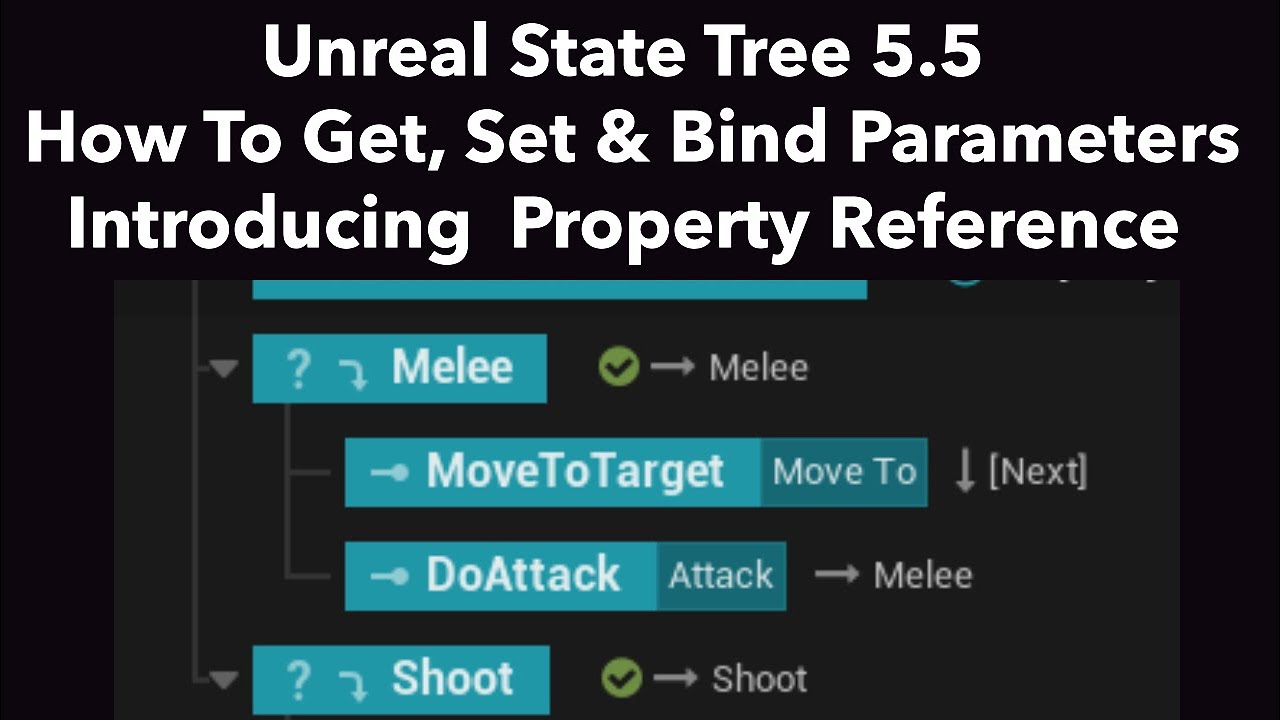
We look at how variables should be accessed and set in State Trees and their Tasks in this Unreal 5.5 Tutorial.
We learn about the different categories available and the new Property Reference Node available in State Tree Tasks in UE 5.5
hallow compass
stable plover
there is a way in 5.5, a guy called Three Ways talks about a potential approach ...
Thanks ill check that, but ill rather find a solution for 5.4
 fresh cove
With pawn sensing there is like a way to see the range and size of ai senses. Green for sight, yellow for hearing, etc. is there a way to see it with ai perception?
 misty wharf
fresh cove
With pawn sensing there is like a way to see the range and size of ai senses. Gr...
misty wharf
fresh cove
With pawn sensing there is like a way to see the range and size of ai senses. Gr...
afaik only via the gameplay debugger during actual gameplay
you probably could create a custom component visualizer for it if you wanted to though
fresh cove
misty wharf
afaik only via the gameplay debugger during actual gameplay
How do I turn on the ai debugger?
misty wharf
fresh cove
How do I turn on the ai debugger?
fresh cove
misty wharf
See here <https://zomgmoz.tv/unreal/Gameplay-Debugger>
Nice shameless plug, lol
stable plover
hallow compass
Thanks ill check that, but ill rather find a solution for 5.4
yea I dont mess with parameters, there is just not that much flexibility for them, what i have is a actor component that acts like a blackboard but for state trees, have a global task that gets the component and boom you have all the data you need
 halcyon briar
Are you talking about this setting?
We run automated stress tests. Can we pass this as an argument?

 slow bobcat
halcyon briar
Are you talking about this setting?
We run automated stress tests. Can we pass t...
slow bobcat
halcyon briar
Are you talking about this setting?
We run automated stress tests. Can we pass t...
you have all the flags and everything you might need here for your tests (link).
When I profile, I launch the build from rider using EzArgs (same as if you use VS Unreal plugin) with the arguments -statnamedevents -trace=cpu.
You can do exactly the same with your automated tests

Epic Games Developer
Unreal Insights reference covering input shortcuts, macros, and command-line options
 tough nexus
Hello Somehow using AiPerception Sight and want to read the stimulus the tag it dont work iit gives me always none at the aicontroller
misty wharf
tough nexus
Hello Somehow using AiPerception Sight and want to read the stimulus the tag it ...
How are you changing the stimulus tag for sight?
because I'm pretty sure you can't set it and thus for sight it would always be empty
 stoic rose
Hello everyone.
Is there a Begin Play-esque function for BT services? I'd like to just get some information once and then can deal with that in the rest of the service, but I'm not sure whether InitializeFromAsset or anything of that nature would be the 'Begin Play' in C++
tough nexus
misty wharf
because I'm pretty sure you can't set it and thus for sight it would always be e...
i was justthinking that a normal actor tag can be used
 harsh storm
stoic rose
Hello everyone.
Is there a Begin Play-esque function for BT services? I'd like...
harsh storm
stoic rose
Hello everyone.
Is there a Begin Play-esque function for BT services? I'd like...
Should be some function like, "Enter Node" or something like that.
Can't remember the exact name
stoic rose
harsh storm
Should be some function like, "Enter Node" or something like that.
OnSearchStart?
harsh storm
Yeah
Or is it the activation one?
Can you list out all of the ones it lets you override?
stoic rose
Well that depends on the parent I go to lmao
harsh storm
What do you mean? It is a service node
stoic rose
Right but there are functions you can override from AuxiliaryNode, Node, etc.
In UBTService, there's OnSearchStart
In UBTAuxiliaryNode there's OnBecomeRelevant
harsh storm
That's the one
stoic rose
OnBecomeRelevant?
stoic rose
Is relevance determined by the execution flow of the BT?
harsh storm
Pretty much
stoic rose
I'd like something that ideally only fires once, i.e like a BeginPlay
harsh storm
So once the node that the service is on becomes active
stoic rose
Okay, so that'd be close, then. That's still event-based
harsh storm
The nodes don't have a BeginPlay like thing at all.
stoic rose
Gotcha, okay.
harsh storm
Service/Decorator/Task - none of 'em do
stoic rose
Thank you very much for your help!
harsh storm
If they do - it'd be news to me!
misty wharf
tough nexus
i was justthinking that a normal actor tag can be used
That doesn't work with it. Stimulus tag can be specified with some perception things, like if you use report noise event, but sight doesn't use it
stoic rose
If I want the node to act differently based on whether the AI is on the player's team or not, do I need to instance it or do anything in particular with the service outside of the logic to make the team determination?
misty wharf
(You could read the actor tags from the sensed actor though if you wanted to)
harsh storm
stoic rose
If I want the node to act differently based on whether the AI is on the player's...
Hard to say. Depends on what you're trying to do specifically. But all instancing does is creates an instance of the node per BT. This allows you to store state on the class, instead of relying on the memory.
stoic rose
Is the BT instanced per AI controller?
I'm sure the answers to my questions are blindingly obvious but I rarely work with AI and am being tasked with this for work.
harsh storm
BT is shared, but the nodes themselves might be instanced or not.
So, each AI controller will use the same BT
But they each have their own Blackboard
And their own nodes if the node is instanced
If the node isn't instanced, then it is a shared node throughout.
stoic rose
Right, so then to get this node to execute differently based on team, say by setting a different tick time, I need to instance the node itself
harsh storm
It is one way, yes.
But you can also use AI Tasks.
Look at how Move To works
The slight advantage that AI Tasks have over instanced nodes is that it pretty much delays the object creation
So, if your tree never hits that branch, you'll never pay the cost for creating a new object
Instanced - you always pay that cost
This difference can matter in certain situations.
stoic rose
Yeah well it's a fire-rate service for a shooter MP game so I have no advantage to gain there
Okay, is making the node instanced just a matter of setting a flag in the constructor?
 harsh storm
Yeah
stoic rose
Fantastic, thanks so much
slow bobcat
harsh storm
If the node isn't instanced, then it is a shared node throughout.
The node instance is shared but each node in each tree for each controller has its own memory, which is where you would put its state control variables.
They way it works is this:
- when you run a tree, the behavior tree component gets an instance of that tree. Within the instance. There's an array called Known Instances, which will contain all the memories from all the nodes your AI Controller executes within the tree. There's another array for Instanced nodes.
So: ai controller owns the behavior tree component. Bt comp owns a tree instance. Tree instance owns the Known instance executions of your nodes, which contains the memory of each.
So while the node instances of each node type are shared, they get their memory passed to their execution functions.
You can write your own memory struct to save whatever you need the node execution
slow bobcat
stoic rose
Is the BT instanced per AI controller?
Yes
slow bobcat
harsh storm
Here comes Bruno's *acktually* 🤓
Just trying to add to your answer.l XD
harsh storm
slow bobcat
The node instance is shared but each node in each tree for each controller has i...
Yeah - this is the long form proper answer of what I said. This is what you would put in your college essay answer. Mine is what you tell someone at the water cooler at work.
slow bobcat
Oh man I miss water cooler conversations... Work from home took that from me
stoic rose
I am so much more confused than I was before
harsh storm
Which is why I answered it how I did the first time 😅
stoic rose
Which, honestly, is the thrilling part.
 deep bramble
I want to have my AI disabled by default and only begin running the behavior tree and tick once the player reaches an overlap box collider which calls an event. I made an actor with the box collider to handle the overlap detection and made a variable reference to the AI and setup logic to enable tick and posses during the begin overlap. The problem is that when I use GetAIController it returns null and I can't possess the pawn. The AI pawn is level placed and has the correct AI controller assigned to it on the details panel. It also has auto possess and tick off (to save on performance). What am I doing wrong? Why is the AI controller null when it's assigned but not possed yet?
slow bobcat
harsh storm
Which is why I answered it how I did the first time 😅
But when you said the nodes are shared, it sounds like, if you don't make it Instanced, they share their values across the tree, which is not true. 2 decorators "do whatever" with int32 A as a parameter can have different values each while them being Not Instanced, as far as you out that value within each's memory
harsh storm
Yeah - I didn't expand on the node memory stuff because it confuses a lot of people.
stoic rose
I'm presuming that's related to the uint8*
harsh storm
Yeah
slow bobcat
Yep
slow bobcat
You cast that uint8* to your memory type
stoic rose
Right so the memory is instanced and not the node, so the node being shared means what you do is pass in a pointer to the memory for a particular instance of that node
Cast the memory to your type, get and set your stuff?
slow bobcat
Then store stuff there. Otherwise, you will have to store values as properties of the node and, that's when you need to instance them so the properties have different values per each use of the node within a tree
stoic rose
R......r........ri...right.
Okay so rather than instancing the node, I can create my own 'memory'
harsh storm
Yes
stoic rose
Follow-up, why the ||fuck|| is it like that and how the ||fucking goddamn bullshit|| do I do that
slow bobcat
stoic rose
Cast the memory to your type, get and set your stuff?
Yep. You need to create a struct, override couple functions in your node and off you go
stoic rose
Wow
harsh storm
Look at the delay task
stoic rose
That's insanely cool
harsh storm
It is probably the simplest example for the node memory stuff.
stoic rose
Okay so the struct I create is the 'memory' that will be passed through to some of those virtual functions
Ah, explains why it's a pointer and not a reference
harsh storm
References are pointers
stoic rose
:headdesk:
harsh storm
🙃
stoic rose
I promise I'm competent at this
harsh storm
It's not you. It's C++.
stoic rose
Okay so which functions do I override in the node for this?
I mean this sounds like the right way and the cool way to do it
harsh storm
deep bramble
I want to have my AI disabled by default and only begin running the behavior tre...
I'd check to see if the auto possess actually creates the AI Controller and then possesses. The controller most likely hasn't been created.
Because if you have the auto posess turned off, it'll never create the controller
slow bobcat
stoic rose
Okay so which functions do I override in the node for this?
Can't recall the names, you will have to check within the engine. You have to override one that says how big is your custom memory struct and some other
The node Durox recommended is a good place to check
slow bobcat
And you will see there's a special cast called cast_memory
slow bobcat
stoic rose
`` virtual uint16 GetInstanceMemorySize() const;``
Check where's that used in the spruce code, you will see examples on how to handle the memory
stoic rose
Yeah I'm not entirely sure where to find that node @harsh storm
deep bramble
harsh storm
I'd check to see if the auto possess actually creates the AI Controller and then...
This makes no sense... its there in the on the pawn AI Controller Class = AICon_Shark but on the GetAIController node its null.

 harsh storm
@deep bramble Yup - that's why.

This is what gets called inside of PostInitializeComponents
Yes. The class is there. But not the instance of the class
stoic rose
Ahhhhhh
 deep bramble
hmm okay so what am i missing? I need to make the instance?
harsh storm
Yeah
stoic rose
So you give back the sizeof of your custom memory struct, then when you need it, cast to it
harsh storm
Or just spawning it
You have to manually create it if you are not auto possessing
So create it like any other actor
Then possess the pawn
harsh storm
stoic rose
Yeah I'm not entirely sure where to find that node <@297744474703134722>
My bad, it is called "Wait" not "Delay"
So look up BTTask_Wait
slow bobcat
stoic rose
So you give back the sizeof of your custom memory struct, then when you need it,...
Yep. I think there's another thing somewhere. Check the header of the class where you saw the function implementation,jist in case. Look for usages of the struct FBTMoveToTaskMemory
harsh storm
But looking at MoveTo is a good one too
stoic rose
slow bobcat
Yep. I think there's another thing somewhere. Check the header of the class wher...
FBTMoveToTaskMemory* MyMemory = CastInstanceNodeMemory<FBTMoveToTaskMemory>(NodeMemory); like this?
harsh storm
MoveTo will show you pretty much everything with the nodes. The memory shenanigans and the AITask shenanigans.
slow bobcat
stoic rose
``FBTMoveToTaskMemory* MyMemory = CastInstanceNodeMemory<FBTMoveToTaskMemory>(No...
Yeah. Check if they do declare soemthing within the class header with that memory struct. I recall a typedef but I might be mixing things with state trees
stoic rose
No typedef that I can see
Yeah just the memory struct declared alonside the class in the header
This is wildly cool.
Dude this is so cool!
Thanks for your help @slow bobcat and @harsh storm ❤️
 slim quest
hi all, i have an issue with my nav mesh bounds and I'm not sure what's causing it. Essentally, I am making a dungeon crawler, and as such my nav mesh needs to have dynamic run time generation. I have turned off the fill collision underneath, as suggested by another friend of mine, and when that didn't work tried to see if it was the collision and turned them to have no collision, and I have made sure to build the level, replace the nav mesh, nothing has been working. Any ideas?

 misty wharf
slim quest
hi all, i have an issue with my nav mesh bounds and I'm not sure what's causing ...
misty wharf
slim quest
hi all, i have an issue with my nav mesh bounds and I'm not sure what's causing ...
If you mean the problem is that you don't want the characters to affect the navmesh - turn off "can affect navigation" on the capsule and if that doesn't fix it, also on the character mesh and any other primitives on it
slim quest
thank you so much, this fixed it
stoic rose
slow bobcat
Yeah. Check if they do declare soemthing within the class header with that memor...
Now if I wanna make a Blueprint of this, am I able to just make it as Blueprintable, or is dealing with Blueprints a whole other kettle of fish?
stoic rose
okay so then this memory stuff is totally irrelevant to a BP service
harsh storm
Yup
stoic rose
Fantastic.
I mean at least I learned something
Okay I imagine, then, that inheritance with custom memory would have to be pretty well-thought-out.
Wow this is presenting some interesting mental challenges.
I suppose if you wanted to make a memory struct for a child of a service node, that memory struct would have to inherit from its parent's struct and then you still override the GetInstanceMemorySize to sizeof your new child struct
So that any calls in the parent node that cast to the parent struct will still be correct
Yeah the <= here does imply that would be the desired way to implement child nodes with child memory

oh jesus that's exactly what that comment says, I didn't even read it lmfao
 bronze birch
What needs to be done for blueprint task in behavior tree to tick?
slow bobcat
bronze birch
What needs to be done for blueprint task in behavior tree to tick?
I do everything in c++ but, isn't there a "start with tick enabled" flag? Or maybe "set tick enabled"?
bronze birch
slow bobcat
I do everything in c++ but, isn't there a "start with tick enabled" flag? Or may...
I found the problem i had, it was because of move to location or actor node running in the task, for some reason it stops execution of behavior tree and nothing can tick while its running, i'm not sure why
Simple Parallel doesn't work as well
misty wharf
bronze birch
I found the problem i had, it was because of move to location or actor node runn...
iirc there's a "lock AI logic" pin on it, just turn that off
bronze birch
misty wharf
iirc there's a "lock AI logic" pin on it, just turn that off
u right, i didnt even notice that, thx
 ruby shard
is it possible get effected nav mesh polys of a nav modifier volume ?
 north oriole
is there a way to add a NULL modifer around a character (so that other actors will avoid it), but make the character itself ignore?
misty wharf
Possibly via using nav query filters, but I would consider trying RVO or crowd avoidance
slow bobcat
ruby shard
is it possible get effected nav mesh polys of a nav modifier volume ?
Yeah, in code only. There are functions in both, NavigationSystemV1 and Recast Detour to obtain information from the nav. IIRC there's a get nav polys in area where you pass a AABox
ruby shard
i know those kind of query functions but i think the nav modifier object has already kept the poly ids somewhere 🤔
slow bobcat
No, that's what we all think at some point but, unfortunately, that's not how the nav system works. The nav volume is nowhere stored, but the octree (which stores transform and bounding box). Then the nav data for a tile is generated based on that octree (I'm skipping several steps here for the sake of explanation). There's no direct link between objects in the scene and data in the nav data, only a functionality layer in between
The nav volume is just a nav relevant object with a flags' config for polys and areas that is read to write info in the nav mesh.
ruby shard
so nav objects do not know what polys are effected by them, they just send tile update events when created, removed ? 🤔
misty wharf
Essentially yeah
slow bobcat
Yep
The objects pop up in existance with a note "I affect navigation as null". The object doesn't really care about the note. But the nav system is checking who has notes on them and maps them creating the nav data.
hallow compass
is there anyway to change EAISenseNotifyType NotifyType (in UAISense)
its protected, and there is no setter function, do I have to make my subclass ? its not exported so idk how is this possible
hallow compass
nevermind, it seems you can subclass it
 coarse smelt
Hello, I have the basics of the AIPerceptionComponent and StimuliSource working in Blueprints, but I'm keen to do a bit more research into how the PerceptionSystem works. For example, is it basically creating and invoking delegates? If so, is the StimuliSource broadcasting and the PerceptionComponent listening, etc...does anyone know of any existing documentation or tutorials that cover this?
 zenith hill
As soon as I add a test, the Grid never comes up again. Any idea?
 slow bobcat
coarse smelt
Hello, I have the basics of the AIPerceptionComponent and StimuliSource working ...
slow bobcat
coarse smelt
Hello, I have the basics of the AIPerceptionComponent and StimuliSource working ...
As in many instances in unreal, the source code is the documentation. But pretty sure there are tutorials in YouTube about it. To clarify a bit, it's not an event driven system really, more a "iterate over stimulis, run functions on tick, flag the ones that can be perceived (or not)
slow bobcat
zenith hill
As soon as I add a test, the Grid never comes up again. Any idea?
Happens with any test?
zenith hill
slow bobcat
Happens with any test?
ahh nah, that was a mistake on my end, was spawning it on the wrong AI and got the querier mixed up.
I ran into anotehr issue though
Trying to test dot product with the character forward vector, but didn't get the result that I want.
The test is
Line A -> Character's forward vector. Mode is rotation (probably wrong of me to do it?)
Line B Two points
From Player Loc to query Item


but as you can see from the image, it doesn't respect the character forward vector
slow bobcat
Draw your forward vector with a debug draw line just in case. Looks like it's pointing to the right
You shoudl also be able to see it if you eject in runtime and select the players capsule with World cords selected in the editor widget
zenith hill
No matter what direction the character face it's giving the exact same result
I probably give incorrect rotation?
Isnt that supposed to be the forward vector?

it's asking for rotation though 🤔
slow bobcat
The forward is already normalised
Aaaah yeah
Sorry
You can't put forward there
Pass the querier
It will grab the rotation of the actor
slow bobcat
zenith hill
This is also wrong. A direction is not a location. Forward is a direction
zenith hill
So what can I use?
 slow bobcat
Not sure what's the intent with that BP, but if you want to provide a location for soemthing, you can do something like PlayerCharacterLocation + (forwardVector * 100.f)
That will give you a location 100cm in front of the player
But try passing the querier context to the rotation
It should grab the querier actor and, from that, the rotation
zenith hill
slow bobcat
It should grab the querier actor and, from that, the rotation
the querier can only return Actor, location and Single actor as far as I can see
slow bobcat
Similar issue from this message onwards
zenith hill
and the intent of the bp is to simply scoring Query Items based on the dot product
slow bobcat
Return the actor
zenith hill
Can i view the EQS while Unpossessing the controller?
slow bobcat
zenith hill
Can i view the EQS while Unpossessing the controller?
What do you mean? You mean at runtime while you un posses?
zenith hill
slow bobcat
What do you mean? You mean at runtime while you un posses?
Yeah
slow bobcat
But if there's no controller... You can't run queries I think? Not sure, never tried, but I believe it's tied to the AI
 storm sail
zenith hill
Can i view the EQS while Unpossessing the controller?
storm sail
zenith hill
Can i view the EQS while Unpossessing the controller?
if you mean see the EQS running ingame at runtime, while flying around the map on your own AI. yes you can do that
zenith hill
the momment I unpossess the debug sphere dissapear
any idea why this is reversed?

i want green on item that can see my character
storm sail
I'm a little confused, are you using EQS within your own character
or is that an AI Character
zenith hill
The EQS is generated around the player character.
the idea is to find the best point for the A.I to go to
2 vanguards, one at the left of the player and one on the right
with support at the rear
storm sail
zenith hill
The EQS is generated around the player character.
I think you can check for Errors. There's like an EQS log
is the player character still being returned when you unposess. I would imagine it returns your spectator pawn, which there is no AI Navigation for
slow bobcat
I'm a bit confused @zenith hill Do you mean while unpossing a character due to logic or while you eject in runtime editor (Pie) while playing to move the camera around?
To see the points, debug etc?
zenith hill
Yeah it's being returned but I am not worried about visualizing while possessing anymore
trying to figure out how to do a trace test that gives me a good socre when it can hit the context (the player in this case)
right now it's inverted
the items that don't hit the player is the one that get score
storm sail
zenith hill
the items that don't hit the player is the one that get score
there's usually a boolean in the default tests that invert the result
zenith hill
storm sail
there's usually a boolean in the default tests that invert the result
you are a champion, it was the bool match
I can sleep without crying my self to bed now
cheers
 quartz forum
Hello, In an AI Decision Making context. How do you handle event-driver Behaviors (patrol, heal, hit reaction, ...) and "on-tick" Behaviors (attack target X if it is close enough, change target to closest one Y, ...) ?
misty wharf
You would probably need to determine the priority of an action in some way
Ie. if we assume a hit reaction would supercede other actions
stable plover
quartz forum
Hello, In an AI Decision Making context. How do you handle event-driver Behavior...
just as zomg said also there is multiple ways to go about it
the sight the handles the closest target should not be dont in state trees, use an eqs percieved actors query and every stimulus update run that query, thats what lyra does kinda
the result of the eqs sets a target variable
 full wing
Any recommended videos for state tree tutorials?
slow bobcat
full wing
Any recommended videos for state tree tutorials?

Epic Games Developer
This talk will explore the new experimental State Tree feature for AI development. Learn the strength and limitations of State Tree and its use case in ...
full wing
slow bobcat
https://dev.epicgames.com/community/learning/talks-and-demos/yj09/unreal-engine-...
thank you
 buoyant pebble
Hi! im creating a behavior tree using Unreals behavior tree entirely from C++ and am currently trying to run a UBTTask_RunEQSQuery and store its result to a blackboard key; but the only reference i can find to it is the BlackboardKey from BTTask_Blackboardbase, which doesn't seem to work. Has anyone else encountered this issue / knows a potential solution?
 simple crescent
I'd like to change the vision cone in AISense_Sight to add different checks for vertical angle and offset. Is there a recommended way to do this. It doesn't like like it is simple to override AISight_Sense. Very few functions are virtual and it relies heavily on FDigestedSightProperties and AISenseConfig_Sight, both of which appear to be difficult to replace with derived versions. Is there an easy way to do this (besides doing all of the changes in AISight_Sense itself)?
misty wharf
simple crescent
I'd like to change the vision cone in AISense_Sight to add different checks for ...
Bit hard to say - You can do some things via IAISightTargetInterface but it might not be what you're looking for. You could consider creating a custom sense.
simple crescent
It looks like I could do it in IAISightTargetInterface, but I'd end up with two very different locations for the existing and new vision cone parameters.
 crimson karma
Hi guys, I ran into a problem with my AI where it slows down before reaching the target actor. If the target actor is also moving (but at a lower speed) then the AI never reaches the target actor. (Video 1)
I am using the AI MoveTo node in blueprint.
I managed to solve the problem temporarily by setting the "Fixed Braking Distance" to 0. That way the AI reaches the target actor (Video 2), but it also causes a weird "swaying effect". (Video 3, edited, see the message below)
Any advice?
These are the settings atm. Does anything look wrong?


Video 3:
 near condor
Hey all, packaging question relating to State Trees, do we have a fix for packaging when using State Trees in 5.5? Specifically for the crash that occurs because it loses references?
misty wharf
Didn't they address that in 5.5.2?
near condor
misty wharf
Didn't they address that in 5.5.2?
I had thought so but a packing test on 5.5.2 is causing the same issue
slow bobcat
crimson karma
Hi guys, I ran into a problem with my AI where it slows down before reaching the...
Set the Use Path Acceleration flag to false.
crimson karma
slow bobcat
Set the Use Path Acceleration flag to false.
Alright, I'll try this!
Thank you, that indeed did fix it, although it also creates another problem. By unchecking that setting. The velocity resets everytime the AI recieves a new MoveTo instruction. Is there a way to have the AI not reset the velocity?
crimson karma
slow bobcat
Set the Use Path Acceleration flag to false.
.
near condor
misty wharf
Didn't they address that in 5.5.2?
Here is the crash report snippet:
[2025.02.03-16.15.57:841][833]LogOutputDevice: Warning:

Script Stack (3 frames) :
/Game/TDRPG/Assets/Blueprints/AI/StateTree/Evaluators_Gen_04/STE_IG_HealthCheck_Gen_04.STE_IG_HealthCheck_Gen_04_C.ExecuteUbergraph_STE_IG_HealthCheck_Gen_04
/Game/TDRPG/Assets/Blueprints/AI/StateTree/Evaluators_Gen_04/STE_IG_HealthCheck_Gen_04.STE_IG_HealthCheck_Gen_04_C.ReceiveTreeStart
/Game/TDRPG/Assets/Blueprints/AI/AI_Gen_03/BP_IG_AIController_Gen_03_StateTree.BP_IG_AIController_Gen_03_StateTree_C.ExecuteUbergraph_BP_IG_AIController_Gen_03_StateTree

[2025.02.03-16.15.57:850][833]LogWindows: Error: appError called: Assertion failed: Result [File:D:\build\++UE5\Sync\Engine\Source\Runtime\CoreUObject\Public\UObject\Stack.h] [Line: 416]


[2025.02.03-16.15.57:850][833]LogWindows: Windows GetLastError: The operation completed successfully. (0)
[2025.02.03-16.16.57:863][833]LogWindows: Could not start crash report client using ../../../Engine/Binaries/Win64/CrashReportClient-Win64-Debug.exe
[2025.02.03-16.16.57:863][833]LogMemory: Platform Memory Stats for Windows
[2025.02.03-16.16.57:863][833]LogMemory: Process Physical Memory: 1622.82 MB used, 1878.49 MB peak
[2025.02.03-16.16.57:863][833]LogMemory: Process Virtual Memory: 5195.05 MB used, 5196.97 MB peak
[2025.02.03-16.16.57:863][833]LogMemory: Physical Memory: 72347.41 MB used,  58655.68 MB free, 131003.08 MB total
[2025.02.03-16.16.57:863][833]LogMemory: Virtual Memory: 113161.28 MB used,  26033.80 MB free, 139195.08 MB total
[2025.02.03-16.16.57:863][833]LogWindows: Error: === Critical error: ===
[2025.02.03-16.16.57:863][833]LogWindows: Error:
[2025.02.03-16.16.57:863][833]LogWindows: Error: Assertion failed: Result [File:D:\build\++UE5\Sync\Engine\Source\Runtime\CoreUObject\Public\UObject\Stack.h] [Line: 416]
[2025.02.03-16.16.57:863][833]LogWindows: Error:
[2025.02.03-16.16.57:863][833]LogWindows: Error:
[2025.02.03-16.16.57:863][833]LogWindows: Error:
[2025.02.03-16.16.57:863][833]LogWindows: Error:
[2025.02.03-16.16.57:875][833]LogExit: Executing StaticShutdownAfterError
[2025.02.03-16.16.57:876][833]LogWindows: FPlatformMisc::RequestExit(1, LaunchWindowsStartup.ExceptionHandler)
[2025.02.03-16.16.57:876][833]LogWindows: FPlatformMisc::RequestExitWithStatus(1, 3, LaunchWindowsStartup.ExceptionHandler)
[2025.02.03-16.16.57:876][833]LogCore: Engine exit requested (reason: Win RequestExit)
I see someone asking if they are bugged for packaged builds back in December for 5.5.1
So I am rebuilding the blueprints for the state tree and evaluators from scratch. Putting the updates here in case someone else runs into this issue as well.
Will update to see if it worked.
slow bobcat
crimson karma
Thank you, that indeed did fix it, although it also creates another problem. By ...
That looks like you are using move to to a locations. If you move to an actor, that doesn't happen. When the move to task is created to follow and actor, and the actor chased moves, the AI move to task updates the end goal. When you chase a location and the location moves, there's no update, but an end call to the task (which causes a stop) and a new task is created
Try spawning an actor (just an aactor with a scene component to handle its transform) and make your AI move to that actor
crimson karma
slow bobcat
Try spawning an actor (just an aactor with a scene component to handle its trans...
Oh, I see, I'll give that a shot 😊
near condor
Did you find a solution for this
near condor
near condor
Will update to see if it worked.
As of now, my understanding is that Get Property reference does not work in 5.5.0 or 5.5.2 (in packaged builds for both, Editor is fine).
 naive oar
near condor
Did you find a solution for this
naive oar
near condor
Did you find a solution for this
No I didn't, overall i wouldn't consider State Tree production ready. Overriding Linked State Trees also doesn't work in shipping
But they have so many advantages over BT that i don't want to go back
they'll fix it, eventually 😄
near condor
naive oar
No I didn't, overall i wouldn't consider State Tree production ready. Overriding...
I agree with you. I submitted a bug ticket to them
near condor
naive oar
they'll fix it, eventually 😄
I hope, but the thing is, that bug has been there at least since 5.5.0 and I did not find any bug reports other than what you said about it here in the discord.
Nothing on git in pull requests or the ue bug site
naive oar
I think property reference was just exposed to blueprint in 5.5, and many people are still using BT, so it's quite fresh
they'll fix it when Fortnite needs it 😄
misty wharf
From what I can tell the property ref is not that useful anyway unless you want to do something like write data out from a state tree task
naive oar
Yeah but that's quite essential, because if you using any sort of async stuff in your tasks you need to wait for it before going in another state, so the normal out properties are not an option
misty wharf
Oh yeah I guess that's one usecase for it 🤔
harsh storm
I'd imagine you just write the async stuff the same way you do it in a BT.
Just return that you're still in progress until you have what you need.
naive oar
You can't "write" to a state tree without Property Reference, that's the point
harsh storm
I guess I don't understand the problem enough. I haven't had much issue with async state tree tasks yet.
misty wharf
harsh storm
I guess I don't understand the problem enough. I haven't had much issue with asy...
Basically if you have State A which does something async and outputs some data, and state B which needs to use data from A, there's no way to connect them in a nice way
Only way to bind a property in B to A is to make A the parent of B which then doesn't really work
I think you can work around this via property refs but I've not used them myself yet so don't know the specifics of that
naive oar
For example, all my nav stuff is async. So if find navigable location in radius is async, you need to wait for the location in the task that actually moves the character.
You can't use out properties, because it won't wait for async.
The only option is to have 2 tasks which are siblings, and you transition from one to another when the async stuff is done. And only Get Property Reference can write to a shared variable in a higher up state which both tasks can access
harsh storm
Oh, okay. So it is a structural problem
misty wharf
Yeah it's almost as if they forgot that asynchronous tasks are incredibly common
But it's good that the prop ref thing works now (except if it's defined in BP's I guess?)
naive oar
I found that it works in shipping if you use a source build, but not an installer build. Who knows whats going on 😄
misty wharf
Could be your source build isn't from the same tag as the launcher build?
naive oar
I use the regular release branch source, so it should be the same, i just need it for better debugging. You can't set breakpoints in engine code without engine source
crimson karma
slow bobcat
Try spawning an actor (just an aactor with a scene component to handle its trans...
I found the problem, I had a Stop movement node that caused the behaviour. My bad
Anyone know how to abort an active AIMoveTo operation?
stable plover
slow bobcat
Set the Use Path Acceleration flag to false.
sounds like someone else had the same issue, I actually figured out a way to bypass that
stable plover
crimson karma
I found the problem, I had a Stop movement node that caused the behaviour. My ba...
you can still use the use acceleration for paths, I had the same issue yesterday if you want to keep using it
crimson karma
Yeah, I'd like to keep using it, since the movement becomes very jittery with it off. (It becomes too "snappy")
Any ideas?
stable plover
these are the current settings that im using currently and help with what im working with, but my current setup for what im doing is different from yours so not sure if it will work for you
 crimson karma
These are the settings atm. Does anything look wrong?
crimson karma
crimson karma
These are the settings atm. Does anything look wrong?
^ These are my settings
stable plover
my ai move to has a small acceptance radius though
your first pic is too high
the friction factor, i use a seperate braking function as well and make the braking distance smaller
stable plover
crimson karma
I'll try copying your settings
i mean not sure if this is the result you want but this is what actually happens for me
stable plover
crimson karma
Anyone know how to abort an active AIMoveTo operation?
should just be stop movement no?
crimson karma
Yeah, that's what I'm using at the moment, was just wondering if there are any alternative ways.
stable plover
ah im not sure tbh
stable plover
its prob the friction factor
set it back to 2
but keep the braking distance small
actually you may want to mess with the braking friction settings
it will prob be braking friction that you need to mess with
crimson karma
This is the problem I'm facing
 stable plover
crimson karma
Seems like my character overshoots if I use your settings.
stable plover
crimson karma
Seems like my character overshoots if I use your settings.
he stops when he reaches the target but the friction value is low and thats what causes the overshoot, it works for my case but not yours
crimson karma
He slows down before reaching the target
crimson karma
stable plover
he stops when he reaches the target but the friction value is low and thats what...
gotcha
stable plover
crimson karma
He slows down before reaching the target
whats your moveto acceptance radius set to
mine was set to 10

 stable plover
crimson karma
These settings didn't work neither
stable plover
crimson karma
These settings didn't work neither
ah
crimson karma
The behaviour I want is for the AI Move To to move as close as possible to the target without stopping until it finishes.
But it keeps slowing down before it calls On Success and On Fail,
Thus never reaching the moving target
stable plover
crimson karma
im not sure tbh the zombies can get away with the lower braking friction but since you dont want to overshoot but it will work when its chasing though, maybe if you are going to a point dynamically change the friction factor to 2 and when you are going to a target change it to .5
 crimson karma
Good idea
I can try that
I was wondering myself about just turning on and off the "Use Acceleration For Paths"
So that it's On by default but I turn it off once the MoveTo starts, and when it finishes I turn it on again 😅
stable plover
crimson karma
I was wondering myself about just turning on and off the "Use Acceleration For P...
yea I tried but thats not blueprint readwrite
 stable plover
no the other one
use acceleration for paths
bruno was saying that you would have to override the function and expose the variable
its under nav movement
 crimson karma
Btw, do you know what the difference is between these two?
 crimson karma
stable plover
crimson karma
stable plover
Yeah, I did that before, and it became VERY snappy haha
crimson karma
stable plover
bruno was saying that you would have to override the function and expose the var...
Haven't tried this though
stable plover
crimson karma
Btw, do you know what the difference is between these two?
I think the differences are minor tbh
stable plover
crimson karma
Haven't tried this though
yea unfortunately I cant do that because my project is in bps
atm
crimson karma
Yeah, turning "Requested Move ..." off did nothing for me😅
stable plover
crimson karma
Yeah, turning "Requested Move ..." off did nothing for me😅
yea, i thinkk that is if you are not using navigation
crimson karma
Imma try your approach with the friction value
crimson karma
stable plover
yea, i thinkk that is if you are not using navigation
Aha okay
crimson karma
stable plover
Is this the correct way of getting the friction factor from a Pawn btw?
stable plover
i just get the character movement component thats all
so yea
i mean how else are you going to get it?
crimson karma
Wohoo success. Your solution fixed it!
I saved the initial "braking deceleration walking" on begin play. Then right before the AI MoveTo i set the Braking deceleration walking to 0 and after the MoveTo fails or succeeds I reset the Braking deceleration walking to the initial value. Works like a charm.
Thank you BilliamsFluster 🎉
crimson karma
stable plover
i just get the character movement component thats all
I tried the same with the braking friction factor, but that didn't work, but the normal Braking deceleration Walking worked great :D
Nvm, correction, I have to set both to zero for it to work 😅 (both braking deceleration walking to 0 and braking friction factor to 0)
stable plover
crimson karma
Nvm, correction, I have to set both to zero for it to work 😅 (both braking dece...
it works as intended?
stable plover
crimson karma
Wohoo success. Your solution fixed it!
I saved the initial "braking deceleratio...
beautiful glad I could help
crimson karma
stable plover
it works as intended?
Seems like it, yeah. When I zero out both then it reaches the target, and once the target is reached the values are reset.
stable plover
its weird because you would think someone would have talked about this problem on forums or youtube but no,
I had to think for a few on a approach that worked but I haven’t tried what you just did
crimson karma
stable plover
I had to think for a few on a approach that worked but I haven’t tried what you ...
I have to give you all the credit though for leading me in the right direction :D
stable plover
Appreciate it and wish you best of luck
full wing
does anyone know if i can set those parameters outside of state tree, like in aicontroller, not it the details panel?
 stable plover
full wing
does anyone know if i can set those parameters outside of state tree, like in ai...
stable plover
full wing
does anyone know if i can set those parameters outside of state tree, like in ai...
you can in 5.5 but its cumbersome, but other versions not dynamically i dont believe
what I did to get around that was to make an actor component, attach it to the player controller, I called the component StateTreeAIBlackboard, then I made a global task to fetch the blackboard
full wing
stable plover
you can in 5.5 but its cumbersome, but other versions not dynamically i dont bel...
Do you know about default way of changing variables in statetree in actors or controllers?
you know like in behavioral trees i could just get blackboard and set its variables by name
stable plover
full wing
Do you know about default way of changing variables in statetree in actors or co...
its exposed in the editor you cant change the values at runtime unless in 5.5 but even then its cumbersome
stable plover
full wing
you know like in behavioral trees i could just get blackboard and set its variab...
thats exactly what my actor component approach mimics
and thats what im using for my current Ai project
because state tree's storage system sucks right now
the system is still technically new if you think about it
full wing
ahhh i get it, you attached other component to your actor with state tree, then somewhere is state tree you get it, and communicate between tree and actor through this
full wing
stable plover
thats exactly what my actor component approach mimics
am i right?
stable plover
full wing
am i right?
if you have a custom ai controller I attach it to that


then i have a global task to actually get and return it
stable plover
 stable plover
full wing
thats smart
stable plover
full wing
thats smart
and here is it being accessed
its a good way to get around the storage issue
because you can just go into the component just like a regular blackboard and get the data
as well as access and change the data dynamically
full wing
And in your get state tree blackboard you just do get component by class
alright
will do it then
big thanks
stable plover
you can do that if you want to but i just do this

make sure to use the correct categories
 lyric flint
hey I know this is the wrong chat, but I’ve really been struggling trying to get this right for the last two weeks. Do you mind helping me in https://discord.com/channels/187217643009212416/846520322642411570
stable plover
lyric flint
hey I know this is the wrong chat, but I’ve really been struggling trying to get...
why are you in this chat if you know its the wrong chat?
lyric flint
stable plover
why are you in this chat if you know its the wrong chat?
Cuz I have been to 7 different servers, across the entire internet and even went as far as to ask ChatGPT and nothing had given me proper results
And this is the only chat right now that’s actually active
stable plover
what type of issue is it?
lyric flint
A VFX issue. I’m trying to make a tornado, a have a reference in https://discord.com/channels/187217643009212416/846520322642411570 but all the tutorials look… less than pleasing
full wing
you gotta experiment with that stuff, try to make one and look at examples of other games that have tornados
stable plover
im trying to make an attack behind cover query for my soldier ai and its not working as expected. the first image is the actual query and the second is what im actually doing. Im basically casting 2 line traces, one at the bottom of the enemy which needs to hit some piece of cover and the second line trace starting at the eyes and needs to not hit a piece of cover. This should work in theory and it does some times but all of a sudden the enemy just camps outside of cover for some reason. if anyone can help me that would be appreciated thank you


 stable plover
Nvm I got it wasn’t the eqs lol
full wing
stable plover
Nvm I got it wasn’t the eqs lol
what was it?
stable plover
I was running another query called reposition if they couldn’t see the player which gave that result, the reposition should only be used for regular attacking
full wing
good catch, btw you using ai stimuli detection method?
stable plover
full wing
good catch, btw you using ai stimuli detection method?
Kind of, I use the stimulus to fire individual events/functions like sight and etc. but for sight specifically I run an eqs perceived query that biases the closest actor
Then I implement my own forgotten functionality for each sense
full wing
stable plover
Kind of, I use the stimulus to fire individual events/functions like sight and e...
Nice, i was asking because i was wandering if people use other things than just stimuli which after my last project I realized that it is much better to do in c++ at than blueprints. btw nice skin in your lil game xd
stable plover
full wing
Nice, i was asking because i was wandering if people use other things than just ...
Haha, she’s a classic
stable plover
full wing
Nice, i was asking because i was wandering if people use other things than just ...
Yea it’s much better in c++ you have more flexibility
But I don’t like to just use the stimulus check functions, and the forget actor
So you branch out and find what works best for you
What you use?
full wing
Right, do you think just making simple line trace with multiple lines would be better for example? just finding alternatives
stable plover
full wing
Right, do you think just making simple line trace with multiple lines would be b...
For what exactly?
Oh I’m not sure tbh
One of my friends did that, it’s all what you want to do
full wing
stable plover
What you use?
i used stimuli and my code got so messed up, i just left it like that i called it a day, right now storming through state trees, i find out that in 5.5 you can use something like this to make the parameter go from task to set global variables

 stable plover
full wing
i used stimuli and my code got so messed up, i just left it like that i called i...
stable plover
full wing
i used stimuli and my code got so messed up, i just left it like that i called i...
Yes that’s the approach that I said was cumbersome
full wing
hahah
full wing
i think we watched the same guy, he knows his stuff
stable plover
Yes I like watching his videos
full wing
If you really want a good yt guy who literally makes videos on everything you should watch codelikeme
i made display settings, keybinds, and graphics settings based on his vids
the guy talks slow, is mostly boring to watch but the guy is really good
stable plover
full wing
If you really want a good yt guy who literally makes videos on everything you sh...
He’s got some good stuff and some interesting ideas but some of his ideas could be implemented better. But I watch him to see how he approaches stuff, so I can get familiar how it works
stable plover
full wing
the guy talks slow, is mostly boring to watch but the guy is really good
Indeed he is
What Ai are you making? I’m hoping off so I’ll answer tomorrow
zenith hill
quick sanity check, do you guys have AffectNavigation on your character pawns or A.Is?
or do you guys implement detour A.I so they don't bump into each other?
misty wharf
If your AIs have affect navigation that's going to break their own navigation usually
Assuming you use dynamic navmesh generation. If you don't use dynamic navmesh generation then that does nothing
Plus navmesh generation can be expensive so it might not be a good option from that point also
zenith hill
misty wharf
If your AIs have affect navigation that's going to break their own navigation us...
Right, that does happend before.
I never worked with A.I before, how would I address A.I trying to get around each other?
previously touched detour A.I , I guess that would be the go to method?
near condor
naive oar
I found that it works in shipping if you use a source build, but not an installe...
stable plover
misty wharf
If your AIs have affect navigation that's going to break their own navigation us...
Exactly the problem I had yesterday, I have a zombie melee Ai with box collision attached to the hands and each attack broke the navigation then all of a sudden the zombie would glitch and jitter all around
stable plover
zenith hill
previously touched detour A.I , I guess that would be the go to method?
There is a setting in the movement component called RVO I think
But if they are chasing a player then that won’t really work, you will probably need to create your own navigation algorithm or use a proxy system @slow bobcat helped me with mine. But I think the setting in the movement component is called use RVO avoidance
slow bobcat
zenith hill
I never worked with A.I before, how would I address A.I trying to get around eac...
Crowd control and rvo do not modify the path to go around. What they do is to handle the situation where AI's collide. They both do the same: push each other out of the way, but they calculate how to do it in very different ways.
With crowd control there's a radius value you can tweak to make the push happen with more distance in between (so they don't touch) but I personally never got a good result (depends on the game you are doing)
I helped put @restive loom with a similar problem. He's working on a solution which can be summarized as "detect which 2 AI's will collide 0.5s in the future based on their trajectory, then pause the movement of one of them so the other passes, resume the paused movement"
Maybe you can work together in a solution that, instead of doing the pause, you re-calculate the chunk of the path needed to go around each other
I helped @stable plover with something similar, but it was not so AI's could go around each other, but for AI's chasing an actor to not collapse in an single line behind the target
Check this message. I posted couple images that might help playing when around with Crowd Control
stable plover
slow bobcat
Crowd control and rvo do not modify the path to go around. What they do is to ha...
ahh gotcha
 restive loom
zenith hill
I never worked with A.I before, how would I address A.I trying to get around eac...
restive loom
zenith hill
I never worked with A.I before, how would I address A.I trying to get around eac...
Wow it's you with the same problem
Wanna dm and see what I got done?
zenith hill
restive loom
Wow it's you with the same problem
Well the problem is there by default. In my old project I used AI detour
 upbeat hamlet
Does someone have any insight into how AI Sense Hearing works? I can't find any documentation and ChatGPT is giving me some mashed up bullshit which doesn't exist 😉
So, my AI Controller has Hearing Range 10000 cm.
Which values do I use in Report Noise Event Loudness and Max Range?
Currently, my AI can hear noises which are a lot further away than the 10000 cm. Maybe because I'm using loudness 500? But what should I use?
zenith hill
restive loom
Wanna dm and see what I got done?
Sorry, class is starting soon. I'm taking a nap atm. Thanks for the offer though.
restive loom
zenith hill
Well the problem is there by default. In my old project I used AI detour
Yeah true
zenith hill
restive loom
Yeah true
You solved your issue?
restive loom
zenith hill
Sorry, class is starting soon. I'm taking a nap atm. Thanks for the offer though...
Yeah np just hmu if you wanna try to solve it with me or if you find something
restive loom
zenith hill
You solved your issue?
Not yet, working on it
Kinda stuck rn I got some bugs
zenith hill
restive loom
Not yet, working on it
I haven't go there yet, if I got it working I will let you know.
I would probably gonna go with roi avoidance.
But not sure what the result will be
restive loom
Rvo only works with agents
 light trail
I'm populating 4 positions around the player by doing an EQS circle but find no easy way to assign different positions to different AI because the result returning in behaviour tree is best match or 25% etc. Right now, I do the EQS in blueprint and manage the position result array myself but wondering if there is a better (or easier) way? 🤔
 plucky knot
has anyone found a way to find out why Behavior trees keep breaking sometimes? The debugger doesnt help
 mint terrace
that presumes behavior trees are breaking, and they certainly aren't for me
there are plenty of things you can do that make it look like it's BT's fault though, maybe share some more details on what you're doing
storm sail
restive loom
Rvo only works with agents
I think you're referring to Unreal engine's crowd control, RVO is different
restive loom
storm sail
I think you're referring to Unreal engine's crowd control, RVO is different
Well do you know how rvo would work with other things?
And also rvo is just really basic avoidance so that's kinda mehh
slow bobcat
plucky knot
has anyone found a way to find out why Behavior trees keep breaking sometimes? T...
Yeah, they don't. 100% it's something in your game.
slow bobcat
When you say breaking, does the game crash, the BT gets stuck or what are we talking about?
stoic rose
Hello all! Quick question, the UBehaviorTreeComponent reference passed into ScheduleNextTick is a component that's placed on the AI Controller, correct?
So GetOwner would return the AI Controller in question? Or should I use GetOuter for that?
misty wharf
GetOwner returns the owning actor of a component
So yes that's the function you can use to get it
stoic rose
Right, I just wanted to be sure the component was indeed on the controller, too.
Thanks! 😄
 lunar cedar
im having an issue that im not sure is a possible bug. long story short, i have a state tree on my ai pawn (call it ST1). the first state is a linked state that runs another state tree (call it ST2). ST2 finds a smart object, then calls UseSmartObjectWithGameplayInteraction on it which runs another state tree (call it ST3). ST3 makes the AI move to the smart object and perform an interaction. this all works as expected and is super simple. once ST3 completes, ST2 moves to the next task and the AI moves to a random location, then tries to find another smart object and claim it again (constantly doing this). im trying to send a event to break out of this so when an event is received, ST1 transitions from state 1 (that runs ST2) to another task. my issue is, while the UseSmartObjectWithGameplayInteraction task is running none of the state trees can receive events until after the UseSmartObjectWithGameplayInteraction finishes for some reason. so when an emergency happens and i need the AI to stop what their doing and go do something else (ie go from the first state in ST1 to the second one)
misty wharf
How are you sending the ST event?
I vaguely recall that the gameplay interaction actually holds and processes the ST associated with it... so I'm not quite sure how the events would function in this case 🤔
It does seem like if you were to transition away from the task running the interaction, this would in turn abort the ST within the interaction
lunar cedar
misty wharf
How are you sending the ST event?
right now im testing like this in the ai controller
 misty wharf
How is the transition set up in the tree for it?
lunar cedar
misty wharf
I vaguely recall that the gameplay interaction actually holds and processes the ...
that is likely the case given if i dont run that specific task it works as expected
misty wharf
Ah okay, sounds like the transition is set up correctly then
Unless someone here is familiar with how gameplay interactions work, you might have to dig into the source code to figure out what's going on with it. If you're lucky maybe the visual logger might have some info on what's going on with it, but I've not used gameplay interactions myself so can't say for sure
lunar cedar
heres ST1. essentially im trying to move from PassiveInteraction to Murderous
 lunar cedar
misty wharf
Unless someone here is familiar with how gameplay interactions work, you might h...
lunar cedar
misty wharf
Unless someone here is familiar with how gameplay interactions work, you might h...
yea ive skimmed through but not deep enough to figure out what all is happening. its a shame to as youd think the events would at minimum be passed along since it has a handle on the original state tree
lunar cedar
misty wharf
Unless someone here is familiar with how gameplay interactions work, you might h...
from digging the GameplayInteractionContext's tick is calling tick on the state tree's context which does make its way down to call and process events returned from GetMutableEventsToProcessView and GetEventsToProcessView so now im even more confused as to why the events are not seeming to be received
 heady silo
I'm trying to figure out how to get my AI to stop moving and stay stopped unless other input is passed in. I kludged together a holdup mechanic where aiming at an enemy will play a line and relevant animations, as well as ordering the AI to stop its movement and execute a unique task that holds the enemy in place, but the patrol behavior keeps taking back over despite putting the holdup task call and the relevant branch of the tree at the highest priority task. Additionally, units that die still move and play dialog lines after ragdolling. How do I make these guys stop?
the holdup triggers by doing a overlap check and a line trace from the player's gun barrel and triggers the behavior if both overlap on a nearby enemy


I hesitate to find a way to completely disconnect the AI from the AI controller, because I want them to be smart enough to break the holdup if another enemy spots the player and engages them
and I might try having held-up AI eventually be commandable by the player to move around or something
https://youtu.be/p5YDra9ieF4?si=jmSohsXmiUffWAh5
the bug in action

I try to show off my latest feature, when hilarity ensues
tough nexus
Hello ! i want to make a behvaiour tree task where an ai chracter follows a pre computet spline in another event, one problem is i cant make the ai follow the spline smoothly? i was thinking of using a timeline but unfortunenatly its not available in the behaviour tree task blueprint
stable plover
upbeat hamlet
Does someone have any insight into how AI Sense Hearing works? I can't find any ...
I think it works like this, if there is a hearing event within the hearing radius it does a distance check from the event to the ai, so if you use a make sound with 500 or etc it will check the distance, and if the distance is greater than that it wont hear it even if its in the radius, thats how i think it works tbh i could be wrong, but thats what my tests show
stable plover
plucky knot
has anyone found a way to find out why Behavior trees keep breaking sometimes? T...
use the visual logger that may help
tough nexus
alright its working but how can i then implement that the character is using the locomotion? @stable plover
 stable plover
lunar cedar
from digging the GameplayInteractionContext's tick is calling tick on the state ...
stable plover
lunar cedar
from digging the GameplayInteractionContext's tick is calling tick on the state ...
are you telling the state tree how to handle the event?
stable plover
heady silo
I'm trying to figure out how to get my AI to stop moving and stay stopped unless...
stop movement function for the controller
makes them stop
stable plover
lunar cedar
heres ST1. essentially im trying to move from PassiveInteraction to Murderous
ahh i see nvm
@lunar cedar events work fine for me I basically do the same thing that you are doing, you try using the debugger?
 stable plover
heady silo
I'm trying to figure out how to get my AI to stop moving and stay stopped unless...
stable plover
heady silo
I'm trying to figure out how to get my AI to stop moving and stay stopped unless...
why not just have a simple boolean that says is held up?
stable plover
tough nexus
Hello ! i want to make a behvaiour tree task where an ai chracter follows a pre ...
what do you mean by smoothly?
are you just trying to follow a spline path?
tough nexus
stable plover
what do you mean by smoothly?
so basically it should just move on the spline because i tried a setup where its using steps
yes#
but also using the ai move to so teh character use the legs so the locomotion
stable plover
im a little confused because if its moving you want locomotion to play right? and smootly im not sure what you mean by that
just get the spline and get the first spline point, assuming your spline has multiple points move to one point, then move to the next point in a loop
tough nexus
so this setup is working that the character follows the spline, but its not using the locomotion so the walk animation
 stable plover
instead of using location and rotation why not just the move to?
just a question, even if you use the location and rotation it should play the locomotion though
tough nexus
ok i dont know its working now with ai move to but the last 2 days it wasnt working xD
no its not using it
because its not bypassing the ai state
stable plover
tough nexus
ok i dont know its working now with ai move to but the last 2 days it wasnt work...
so problem solved?
lunar cedar
stable plover
<@190975358684626945> events work fine for me I basically do the same thing that...
just checked the debugger, once the state tree enters the smart objects state tree it stops recording, then once that state tree finishes and it goes back to the normal one the debugger kind of backfills everything. the first screenshot is after the ai claimed the smart object and started to use it, it walked over to this bench and stayed there for its idle. the second screenshot is immediately after it exited the idle (finished the tree of the smart object)

 stable plover
lunar cedar
just checked the debugger, once the state tree enters the smart objects state tr...
stable plover
lunar cedar
just checked the debugger, once the state tree enters the smart objects state tr...
how about the visual logger if that will help
the visual logger gives more information than the debugger
@lunar cedar not sure if you know about three ways but he is using events with smart objects in this video https://www.youtube.com/watch?v=OZIhkmTZyp8&t=29s 43:50 he is using the event, hopefully this helps

We look at how AI agents can interact with Smart Objects using State Trees in this Unreal Engine 5 Tutorial.
We work through an example to demonstrate the power of Smart Objects for controlling AI behaviour.
State Tree 5.5 - How To Get, Set & Bind Parameters & Use New Property Reference Node - UE5 Tutorial
https://youtu.be/AQn8KtyMsSE
lunar cedar
stable plover
how about the visual logger if that will help
visual debugger shows about the same steps. starts the linked state which claims a smart object, that new tree runs, once that tree is finished the event is received and the state changes to murderous
lunar cedar
stable plover
<@190975358684626945> not sure if you know about three ways but he is using even...
heard of him, ill check that out thank you!
stable plover
lunar cedar
heard of him, ill check that out thank you!
it should solve your problem, apologies i havent used smart objects yet but his channel is a gold mine for state trees
lunar cedar
stable plover
it should solve your problem, apologies i havent used smart objects yet but his ...
all good. this i smy first week going into them and so far they are awesome but quirky
lunar cedar
oof
misty wharf
At least the state trees seem to work with SO's reasonably well other than this
There's a behavior tree thingy for it also, which has the capability of returning to the previous BT... but it's also completely incapable of returning the BT to the state it was
so it's... pretty useless and bad
Although it can be useful I guess if you design everything with that in mind
harsh storm
I don't like how you communicate with the ST from outside of the ST personally.
lunar cedar
or get deep in the woods before knowing about the feature and try to use it as a great solution to your problem only to realize its lacking out of the box lol
heady silo
stable plover
stop movement function for the controller
If I issue it to the controller, will it stop everyone using that controller?

like that?
upbeat hamlet
stable plover
I think it works like this, if there is a hearing event within the hearing radiu...
For me the Pawn is hearing the noise even outside of it's hearing range for some reason.
 lunar cedar
heady silo
lunar cedar
heady silo
it shouldnt let it move, for example adding movement input is ignored
stable plover
heady silo
If I issue it to the controller, will it stop everyone using that controller?
no just cancel the movement
lunar cedar
stable plover
no just cancel the movement
derp i was thinking of something else
stable plover
lunar cedar
derp i was thinking of something else
when ever i use the stop movement with the ai move to such as in the middle of the patrol and it sees an enemy i want it to stop and wait a sec, i use the stop movement and it cancels the move to operation
stable plover
upbeat hamlet
For me the Pawn is hearing the noise even outside of it's hearing range for some...
wow thats interesting , im not sure tbh but im absolutely sure it does a distance check from the make sound location to the actors, it seems like the most logical thing to do
heady silo
lunar cedar
it shouldnt let it move, for example adding movement input is ignored
so this needs to go in the ai controller.... with an event dispatcher?
lunar cedar
heady silo
so this needs to go in the ai controller.... with an event dispatcher?
ignore what i said, but StopMovement is used on the controller class, so get your AI's controller and call StopMovement when you want them to stop
lunar cedar
stable plover
<@190975358684626945> not sure if you know about three ways but he is using even...
well darn in his example he didnt actually use the event, he just showed "you could do it this way" and went a different direction lol
stable plover
lunar cedar
well darn in his example he didnt actually use the event, he just showed "you co...
crap I apologize, I thought it would be useful but it isn’t
its weird how state trees wont work in your example
lunar cedar
stable plover
crap I apologize, I thought it would be useful but it isn’t
eh im going to post in his comments and just see lol
lunar cedar
stable plover
its weird how state trees wont work in your example
its weird, it works, but not if its running the smart object state tree with the GameplayInteractions schema
stable plover
weird
maybe a problem the devs need to fix, i love state trees but they have a lot of problems and features they need to implement
heady silo
lunar cedar
ignore what i said, but StopMovement is used on the controller class, so get you...
...I wired up a tick in the AIC from OnPossess to check for if we're held up every tick
probably the worst possible way to go about it
lunar cedar
stable plover
maybe a problem the devs need to fix, i love state trees but they have a lot of ...
ok now im getting some weirder stuff happening. in the state tree (smart object one) if i just set a delay in it so it just chills there idle, the event is received and works
lunar cedar
heady silo
probably the worst possible way to go about it
agreed
lunar cedar
heady silo
...I wired up a tick in the AIC from OnPossess to check for if we're held up eve...
do you have some sort of event or anything that fires when you want them to be held up?
stable plover
lunar cedar
ok now im getting some weirder stuff happening. in the state tree (smart object ...
possibly a timing issue?
heady silo
lunar cedar
do you have some sort of event or anything that fires when you want them to be h...
Basically my check for a holdup is if the player's HOLDUP_RANGE collision sphere overlaps the enemy's capsule, and the player aims down sight at them, the player character speaks a line and an event is fired in the enemy to react and put up their hands and stop moving
but what seems to be happening is, if the player isn't actively aiming ADS at them, it cancels the logic
I want them to stay frozen for awhile
heady silo
heady silo
Basically my check for a holdup is if the player's HOLDUP_RANGE collision sphere...
https://youtu.be/p5YDra9ieF4?si=jmSohsXmiUffWAh5
this is how it currently looks

I try to show off my latest feature, when hilarity ensues
the guard will play the animation, but then continue patrolling while having their hands up
and even though I tell them to stop paying attention to their senses, it still works and they can go to a combat state anyway
lunar cedar
stable plover
possibly a timing issue?
no idea at this point. i replaced my move to task with epics and it partially worked once, now it wont work again at all
heady silo
I guess what I could do is swap behavior trees for the enemy to a special subtree where they are captive
and be like CaptiveIdle to keep them frozen, and then if I add a function later for the player to give them orders to move somewhere, it would do a simple MoveTo
like this, maybe?


or should I use a StateTree for this
 solid wedge
Is Spawn Default Controller reccommended for "repossessing" the old character when i possess another?
I see ai controllers piling up in my level. Do i need to destroy them?
heady silo
heady silo
like this, maybe?
With a bit of additions, this DOES at least stop the combat behavior and patrols from happening
lunar cedar
solid wedge
Is Spawn Default Controller reccommended for "repossessing" the old character wh...
wouldnt you just unpossess and possess the old pawn you had possessed? if the ai controller still exists there shouldnt be a reason to create a new one when you can reuse it unless you need a new one
heady silo
heady silo
With a bit of additions, this DOES at least stop the combat behavior and patrols...
nvm it's not quite working
solid wedge
lunar cedar
wouldnt you just unpossess and possess the old pawn you had possessed? if the ai...
If i possess another character, 1 node only, what should I do to make sure the character i just lost control of, gets possessed by the ai?
 silent hamlet
solid wedge
If i possess another character, 1 node only, what should I do to make sure the c...
silent hamlet
solid wedge
If i possess another character, 1 node only, what should I do to make sure the c...
You can get the ai controller and possess that character
lunar cedar
stable plover
possibly a timing issue?
ok, figured it out. i put the event on the root of my main state tree and i switch from my move to task to epics, now it works. it still continues to run the smart object's state tree though, thats the last part im unsure on is when that event is received how to get it to stop that tree so it also frees up the smart object without having to run it through completion (the AI still moves towards the smart object and such and does its stuff while in the Murderous intent)
silent hamlet
silent hamlet
You can get the ai controller and possess that character
There should be a possess function on the aic
lunar cedar
solid wedge
If i possess another character, 1 node only, what should I do to make sure the c...
so you want to have your ai controller thats possessing a pawn, possess another pawn, then have that previouslly possessed pawn have a new ai controller possess it?
heady silo
heady silo
nvm it's not quite working
apparently the output only fires when I hook it into tick @.@
solid wedge
lunar cedar
so you want to have your ai controller thats possessing a pawn, possess another ...
Basic character switching. 2 characters in level. I press button to possess the other one. But no AI happens on the character i just left.
harsh storm
It needs an AI controller
When you unpossess it, spawn a new AI Controller and then possess it.
solid wedge
But then ai controllers start flooding my scene in the list.
Spawn default controller works. But my outliner keeps showing them pile up
harsh storm
Either delete the AI Controller when you unpossess it or cache it when the player takes control and when the player leaves, give it back to the pawn
harsh storm
solid wedge
Spawn default controller works. But my outliner keeps showing them pile up
So?
It is a whole different actor
Each AI is going to have 1 pawn and 1 controller
I'd be concerned if I spawned an actor and it didn't show up in the outliner
silent hamlet
There is a nice example of this in the content examples, blueprint section (can't remember which map)
Uh wait it does not involve spawing an ai controller though to replace the currently possessed character though. Nevermind
solid wedge
harsh storm
So?
So what happens when my game has thousands of unused ai controllers just sitting there? Is it not intended to keep the same one per char. Instead of spawning a brand new one?
harsh storm
That's why I said to either destroy them or cache them for reuse
solid wedge
Im caching and repossessing, but thats not enough. Going to try the reset behavior tree node
harsh storm
So you're saying by calling Controller->Possess - you are creating a whole new controller?
solid wedge
No
harsh storm
Then how are you creating a new controller?
Because that is all you need to do if you're caching the pawn's AI controller before swapping.
solid wedge
I saved AI controller as a variable and then on event Unpossessed, I'm taking that AI controller and possessing the character with it.
I would like to avoid creating a new controller, if there's already one just sitting in my level somewhere
harsh storm
Use GetAllActorsOfClass. Search for a controller that doesn't have a pawn. Then possess the pawn.
If you get through the entire list without finding one, spawn a new one and then possess.
stable plover
lunar cedar
ok, figured it out. i put the event on the root of my main state tree and i swit...
interesting issue
thats weird about the event placement
stable plover
lunar cedar
ok, figured it out. i put the event on the root of my main state tree and i swit...
isnt there a function to exit the tree?
solid wedge
harsh storm
Use GetAllActorsOfClass. Search for a controller that doesn't have a pawn. Then ...
This does not work either. I guess spawning a new ai controller and destroying the old one is the way. Annoying!
lunar cedar
stable plover
isnt there a function to exit the tree?
not sure, usually i just transition to Tree Succeeded or Tree Failed but neither of which i can seem to figure out how to do manually how i have it now
i dont have access to the actual state tree afaik for the smart object thats running
harsh storm
solid wedge
This does not work either. I guess spawning a new ai controller and destroying t...
You need to show code or something. Because possession does not spawn a new controller.
stable plover
lunar cedar
i dont have access to the actual state tree afaik for the smart object thats run...
oh crap i thought you did
harsh storm
Something you're doing is weird.
solid wedge
Ok ill start fresh
lunar cedar
stable plover
oh crap i thought you did
closest thing i have is the async task that gets returned which i can abort but doesnt seem to work
 solid wedge
Ty
stable plover
lunar cedar
closest thing i have is the async task that gets returned which i can abort but ...
really so its not finishing the task when the event gets fired?
lunar cedar
stable plover
really so its not finishing the task when the event gets fired?
nope, even weirder, if i try to abort the task like this that kicked off the state tree starting before i send the gameplay event, i never get the gameplay event
 stable plover
i have an approach and this may not be what you want, but in your state tree bind to a delegate and once you call the delegate it will execute the finish task, calling the delegate will occur when you send the murdous event
so when the delegate gets called the state can finish and the event will then get sent
lunar cedar
stable plover
i have an approach and this may not be what you want, but in your state tree bin...
your right, thats not what i want but i might not have a choice lol
stable plover
lunar cedar
nope, even weirder, if i try to abort the task like this that kicked off the sta...
just my theory but when the smart object executes it pauses the state tree events and shifts its focus so even if you send an event it wont work because it not in the smart object, before you send an event there is no way to stop the tree right?
can you destroy the smart object reference?
not sure how it works
lunar cedar
stable plover
just my theory but when the smart object executes it pauses the state tree event...
correct, the non smart object trees can receive events, it just seems theres certain cases where they cannot for some reason (such as the move to and the abort example above). i cannot seem to get the smart object state tree to receive anything though
im about to ditch the smart object setup and just try to do it manually by claiming and unclaiming
stable plover
lunar cedar
im about to ditch the smart object setup and just try to do it manually by claim...
why did you want to use the smart objects, mind me asking?
im not really familiar with them exactly so i dont know
lunar cedar
to learn and it seemed like a good case in my position. so right now as an experiment i have essentially a mall. the ai will pick a smart object that is categorized by tag. so i have browse and sit tags. if they select sit, they will find a smart object that has that sit activity tag (a seat) and move to it, then sit down and chill for awhile before getting up and moving again. likewise browse they will walk up and browse at clothes and such in various shops as if their "shopping" or walk up to a scenic part of the mall and hang out before moving to a new task
harsh storm
They're pretty simple in concept, so not too bad to write your own.
Pretty much - they're just an object that holds the logic on how to interact with it.
Think the game "The Sims". Especially because they're the ones that popularized it.
stable plover
harsh storm
Pretty much - they're just an object that holds the logic on how to interact wit...
oh then what Cody is doing should work then
harsh storm
So the character doesn't know what animation to play. But the blender does. So the blender tells the Sim to do that correct animation.
lunar cedar
harsh storm
They're pretty simple in concept, so not too bad to write your own.
it would moreso be piggy backing off of it. in this case instead of using the GameplayInteractionSmartObjectBehaviorDefinition id either use the normal behavior and run the logic in the object it creates or honestly doing it in my existing state tree would probably be dirt simple to
harsh storm
lunar cedar
it would moreso be piggy backing off of it. in this case instead of using the Ga...
I'm just saying that you could entirely avoid UE's SO system and build your own fairly quickly to be honest.
lunar cedar
harsh storm
So the character doesn't know what animation to play. But the blender does. So t...
this is where its convinent. since my ai are using the ability system, i set up each behavior to give the ai once it gets to its task a gameplay effect which adds a tag that the pawn is listening to to replicate the state such as sit/browse/hide and what not
harsh storm
I haven't heard many good things about UE's SO system.
lunar cedar
harsh storm
I'm just saying that you could entirely avoid UE's SO system and build your own ...
could yes, its just a shame it was workin so well until it wasnt lol
harsh storm
 stable plover
lunar cedar
could yes, its just a shame it was workin so well until it wasnt lol
stable plover
lunar cedar
could yes, its just a shame it was workin so well until it wasnt lol
im sure there has to be around it, are the docs helpful?
solid wedge
Straight up does not work unless you spawn a controller
harsh storm
What "does not work"
lunar cedar
stable plover
im sure there has to be around it, are the docs helpful?
not in this case unfortunately. just got a response from someone who mentioned "Smart Object State Trees should exist on the items themselves and so they are not tied to the NPC's State Tree and therefore can be ran independent of them" which explains some of the behavior here. also mentioned apparently if you unload an active state tree for any reason while in use it will crash. bout to test that one when i get back
stable plover
ahh thats a shame
solid wedge
Must create + destroy default/ai controller in order to possess a character that was recently left unpossessed, like when i possessed another ai
silent hamlet
solid wedge
Must create + destroy default/ai controller in order to possess a character that...
You don't need to destroy any controller. You can simply swap them out. Share your code maybe
solid wedge
I figured it out. I just decided to manually spawn cash and manage ai controllers on event begin play
I was having difficulty caching and possessing them when spawned as a default controller
I couldnt simply cashe the AI controller if the character spawned already possessed by me. But It was still in the level, I jusy didn't want to loop through, find it and cache it. It puts my mind at ease, manually, spawning it and caching it per character
solid wedge
Now, to make camera look at the same location when possessing another, I tried SetFocus and C++ override of the aicontroller but failed. Need to research into cameras
 stiff ibex
solid wedge
Now, to make camera look at the same location when possessing another, I tried S...
stiff ibex
solid wedge
Now, to make camera look at the same location when possessing another, I tried S...
assuming your camera/spring arm uses control rotation, you can just pass that variable around when possessing other characters
solid wedge
Cant. Must move actor and setfocus service
Cant simply send rotator to ai controller.
lunar cedar
stable plover
ahh thats a shame
welp switched out for normal gameplay behavior and im facing the same problem again lol. when the behavior is active no state tree events are received. guess at this point i just need to ditch unreals smart objects entirely
stable plover
lunar cedar
welp switched out for normal gameplay behavior and im facing the same problem ag...
that sucks and you are in 5.5 too with the latest improvements to state trees
i atleast expected that to work atleast
misty wharf
lunar cedar
welp switched out for normal gameplay behavior and im facing the same problem ag...
That's bizarre
Because I use state trees and gameplay behaviors and smart objects and events sent to the ST work perfectly fine
You're not using something that blocks AI logic during the behavior execution are you?
Eg. a moveto with that flag enabled?
near condor
I am starting to wonder about some "best practices"...
I built a State Tree Evaluator that overrides On State Tree Start and creates a timer for a function to execute (and loops until it detects the Actor is dead).
But after running for a little bit (about half a minute, with this timer being triggered every 0.012 seconds), I start to see this in the logs:
LogStateTree: Error: Trying to GetMutablePtrToProperty while node is not active.
Which has me wondering, is it improper to have a timer executing code within an Evaluator for a state tree, and said code is regularly accessing properties set within the State Tree (Get Property Reference node) and updating it?
I have it set up in a way where it verifies if it is executing first before trying to get the property, but I am not sure what is tripping it up or if this is just a bug
 wind summit

so I had a chest object that used to block AI pathing, and I turned that off, but the holes remain, and rebuilding the pathing doesn't fix this. Help? lol
I've tried deleting the navmesh volume and the recast thing, and it just comes back
nvm, fixed it

having this on and then just reloading the level fixes it, I turned it back off after
slow bobcat
near condor
I am starting to wonder about some "best practices"...
I built a State Tree Eva...
Hello! I don't think I have a solution, but you can start by moving the logic from the evaluator into a global task. Evaluators will be deprecated
I wonder if the evaluator is not there (it's instance?) when the timer runs somehow. Just guessing here, no actual facts
near condor
slow bobcat
Hello! I don't think I have a solution, but you can start by moving the logic fr...
Interesting... Thank you for the tip. With evaluators, the intent was to have something happen on a timer for updating the conditions of what state to switch to. Do we no longer do that?
Or what is the alternative?
slow bobcat
near condor
Interesting... Thank you for the tip. With evaluators, the intent was to have so...
you do that in a global task. Global tasks are the replacement for Evaluators
Not saying that's the solution, but doesn't harm to switch. You get the new approach in your code base and, if you are lucky, might even solve the problem
near condor
I understand that they are the replacement, I suppose my confusion is that I thought evaluators just ran and could update properties, where Global Tasks can still update properties but they are ran before state changes?
slow bobcat
near condor
I understand that they are the replacement, I suppose my confusion is that I tho...
Global tasks and evaluators are ticked at the same moment, just before everything else in the tree
first events, then Evaluators and Global tasks (keep in mind I'm in 5.4, so the code might differ from yours if you are in 5.5)
 near condor
Thank you for that insight. I am working right now on migrating it over to the GlobalTasks. I really really appreciate it.
slow bobcat
I hope it helps. If not, you will have to show us your callstack etc
solid wedge
Solved. Silky smooth with no ai logic at all.
-cache control rotation
-possess
-set control rotation
-set view target blend (previous character, 0 seconds)
-set view target blend (possessed character, .5 seconds, lock outgoing)
near condor
Hmm I am stumped, how would you convert this from an evaluator to a Global Task?
Global tasks don't have an On Tree Start override.
I would just move it to the AI Controller where the perception component resides, but the UpdateTargetActorSeen function updates values within the state tree, which is something I cannot do from the AI Controller.
 slow bobcat
near condor
Hmm I am stumped, how would you convert this from an evaluator to a Global Task?...
slow bobcat
near condor
Hmm I am stumped, how would you convert this from an evaluator to a Global Task?...
You use EnterState
And never call finish task, because that will stop the tree
misty wharf
Some of these design decisions with how these things work really feels like a limiting factor in flexibility 🤔
near condor
slow bobcat
You use EnterState
Ugh yeah you are right, I am still getting used to the definitions of states and tasks. Thank you again
misty wharf
But I suppose it would be easy to work around by providing a bool to select whether it should finish or not
near condor
weird, having migrated to the global tasks now vs the evaluators... My FPS went up around 3 times what it was lol
lunar cedar
misty wharf
You're not using something that blocks AI logic during the behavior execution ar...
that LockAILogic yes i had that enabled without thinking -_-
i am finding some limitations here such as passing params to a gameplay behavior with how i want so im going to give the state tree SO another shot since ive learned some of what issues i was having were caused from
lunar cedar
misty wharf
Because I use state trees and gameplay behaviors and smart objects and events se...
so i reverted back to using gameplay interactions for smart objects to test further. heres my setup, the state tree starts, 10 seconds later 2 events are sent, one which is supposed to abort the smart object state tree while the Murderous event it supposed to change the main state tree to do something else. so far its half working, the Murderous event is received but the Abort is not. ST_AI_Civilian is the main tree. it starts at PassiveInteraction which runs ST_AI_PassiveInteraction, when Murderous event is received i want it to go to the state Murderous, which it does just fine. ST_AI_PassiveInteraction simply finds a smart object, claims, then uses it which makes ST_PassiveAction run. ST_PassiveAction simply moves to the smart object slot, once there it performs the action i set on it which is applying a gameplay effect and interpolating precisely to the slot location. i setup this tree to receive the Abort event, problem is it acts like its never received and does not abort the state tree. my goal is when the murderous event is received, i want to stop doing the smart object logic/tree entirely and just do whats in the murderous state


 sacred tide
Hi, I’ve been working on implementing a state tree for my simulation type ai, I am trying to learn unreal’s state trees and the best approach for my use case.
For the basic loop I want my animal to leave their home during the day and return at night. I created a Task that I originally included in the root, it queries the game state and sets the Instance Data enum, TimeOfDay. (I’ve also considered this as a general task, bound to DayChange to set a parameter, but the conditions states still seem to struggle) The state Day or Night don’t ever seem to meet the condition.
Anyone have any pointers? Is this even the best approach, an alternative thought was 2 state trees for day and night and swap on the actor during sunrise/set.
I was going to use the root node to calculate all the animal’s states (health, hunger, sleep) and then use those as conditions for the states, but so far the basic one is struggling.


 solid spire
What are the common solutions to detect when an AI gets knocked off the navmesh? Does unreal cache the last valid position, or detect when an AI is off the navmesh?
coarse smelt
Hello! I'm looking for examples of interesting things that people have made with BehaviorTrees and the Perception System in Unreal...I can find a few videos that cover similar things (e.g. chasing the player or a stealth system, some combat behavior), but I'm wondering whether anyone has links for more interesting or advanced tutorials or examples? I'd also be interested in ideas for things I could try to implement with Unreal's AI features now that I have the basics down...I think squad mechanics could be interesting...any other suggestions?
stable plover
sacred tide
Hi, I’ve been working on implementing a state tree for my simulation type ai, I ...
use events simple
you can send state tree events and define how you want the tree to handle them
upbeat hamlet
I'm having problems with FindLookAtRotation and my AI Pawn.
To make FindLookAtRotation work, I need to spawn the AI with Rotation 0,0,0.
As I need an initial rotation, I added a scene component with that rotation and then I'm attaching the AI to this component.
Now the problem is, that the attach happens after the AI is possessed by the controller, so AI Sense Sight is looking the wrong way.
How to fix this? 🤔

 azure bloom
Probably the wrong channel, but yolo. Do nav mesh volume's update? For example, let's say a bridge is up so the path is inacessible, but the bridge comes down later in the game, can new navmesh update there where the ai can walk on it?
 reef flax
Heyo, was on a version of UE4 that I have recently taken all the way up to UE5.5, we used to have a slight source modification so that in the RecastRasterization::RasterizeTri function we had a check if a tri was above/below a mesh marked as RC_PROJECT_TO_BOTTOM, there was a limit to the height that the mesh would effect if the new tri could be added. Essentially allowing us to have things like bridges that went over top or beneath meshes with the "Fill Collision Underneath for Navmesh" enabled on the mesh; then only have that affect within a certain height, it looks like a lot of that code has changed now and there is something similar there with a few new variables, I was wondering if this rcSpanData::smin and rcSpanData::smax would allow this now and if they are a value exposed in ini/settings? Currently recompiling source so I have an hour or more of downtime, before I can test but just curios if things had changed to do with that Fill Collision Underneath for Navmesh flag to be a bit more forgiving now?
reef flax
azure bloom
Probably the wrong channel, but yolo. Do nav mesh volume's update? For example, ...
It can do if you set your navmesh to rebuild dynamically in your project settings
 tight crag
What's the best way to setup navigation for a large, world partition, mostly procedurally generated map?
Placing a NavMeshBoundsVolume per LandscapeStreamingProxy?
Like if the Project Titan sample were to have navigation, how would they likely set it up?
slow bobcat
solid spire
What are the common solutions to detect when an AI gets knocked off the navmesh?...
Nothing out of the box. You have to track the last location on nav yourself
slow bobcat
azure bloom
Probably the wrong channel, but yolo. Do nav mesh volume's update? For example, ...
Check what a nav mesh modifier volume is. You don't need dynamic nav, it will be enough with Dynamic with nav modifiers only (it's like static, no new tiles will be created/destroyed but the existing ones can be modified at runtime)
slow bobcat
reef flax
Heyo, was on a version of UE4 that I have recently taken all the way up to UE5.5...
Unfortunately, nope. You still get the same functionality as in ue4 for fill collision underneath. Quite limited. No idea about the params you ask for, but my bet is that you will need to implement the same changes
slow bobcat
tight crag
What's the best way to setup navigation for a large, world partition, mostly pro...
I think it does have navigation. I have seen ai and other stuff shown during unreal fest in project Titan. The best way would be to use world partition with dynamic nav generation around nav invokers
tight crag
slow bobcat
I think it does have navigation. I have seen ai and other stuff shown during unr...
Epic actually didn't include it due to some technical issues otherwise I would just use the same setup.
Bad news: some concerns were raised about NavMesh and performance impact this close to the end of the jam. It's possible we'll still get NPCs, but it's been pushed beyond the end of the jam.

Sorry guys, I tried :frowning:```

The main issue I'm running into is the `NavMeshBoundsVolume` has a max size ( unless you adjust the tile size iirc. )

So just covering the map with a `NavMeshBoundsVolume` and turning `dynamic navmesh` on won't work.

I could just add overlapping `NavMeshesBoundsVolumes` per `LandscapeStreamingProxy` but there isn't a good way to spawn them programmatically so it'd require hand placing them, which is doable but annoying, and makes me think there's probably a better way.No no, placing a massive volume and dynamic nav is completely unfeasable. Even if you didn't have the volume size limitation, that will kill your performance down to 0 frames.
You could do the programwtically thing within a commandlet or using things like python in unreal to manipulate levels automatically.
But those are "the bad" options. Your best approach is to use World Partition. Open world is the reason it exists
Try World partition with dynamic nav generation around nav invoker actors
tight crag
slow bobcat
Try World partition with dynamic nav generation around nav invoker actors
I have a world partition map, just like Project Titan. You still need to have the entire map covered with NavMeshBoundsVolume(s) even with dynamic nav generation / nav invokers.
slow bobcat
tight crag
I have a world partition map, just like Project Titan. You still need to have t...
Ah yeah, sorry. I completely misunderstood the problem. Do you really need nav everywhere in your map?
If that's the case, maybe place a volume per world partition tile so they stream in/out when needed. That should be easy enough to program since each tile is Axis Alligned and with a fixed size
 loud flame
Hi guys. With the arrival of UE 5.5 I've started to look into state trees. I know that it is a new tool to implement AI, and I know that it supposed to be more flexible than behavior tree, but is there a website or someone who can point out the advantages and disadvantages of using state trees instead of behavior trees?
slow bobcat
loud flame
Hi guys. With the arrival of UE 5.5 I've started to look into state trees. I kno...
You can find a bunch of links about it pinned in the channel
I personally like this one, it has a good pros/cons
https://dev.epicgames.com/community/learning/talks-and-demos/yj09/unreal-engine-exploring-the-new-state-tree-for-ai-unreal-fest-gold-coast-2024
Epic Games Developer
This talk will explore the new experimental State Tree feature for AI development. Learn the strength and limitations of State Tree and its use case in ...
loud flame
slow bobcat
You can find a bunch of links about it pinned in the channel
Thank you 🙂
 rigid tulip
Is there a point in using dynamic obstacle in fully dynamic navnesh?
slow bobcat
rigid tulip
Is there a point in using dynamic obstacle in fully dynamic navnesh?
I would need to check more, but for starters, a dynamic obstacle will not get nav on top. Also with dynamic obstacles you can set AreaClass, which you can't otherwise

 rigid tulip
Thanks! Another quests- if I want that every actor that affect navigation to rebuild nav if it changes (move, spawns, removed) is there a reason in working with "Dynamic with Modifiers" instead of fully dynamic?
slow bobcat
rigid tulip
Thanks! Another quests- if I want that every actor that affect navigation to reb...
You add a nav modifier component to it. We use that for walls that show up enclosing the boss fight for example. You enter the boss arena, fog walls show up that "cut" the nav with their nav modifier, impeding outside enemies from walking into it. When the fog walls goes away, it takes the nav modifier with it
Same thing for bridges for example
rigid tulip
No no I mean:
 slow bobcat
When the bridge is down, we disable the nav modifier and nav is generated. When the bridge is up, enable it and a hole in nav shows up
rigid tulip
If there's any advantage using Dynamic Modifiers Only, if I anyway need every naviagtion actor to rebuil nav
slow bobcat
Yeah sorry, misread. But kinda the same answer
The advantage is that dynamic will recalculate the nav and add new tiles if needed
Or remove some
Dynamic with modifiers only will rebuild the affected tiles and only for nav modifiers (whether they are components or volumes in the map)
Much cheaper
Nav with modifiers is baked, then updated. Dynamic is re-calculated every time. That's why they created the Nav Invokers, so you can just rebuild around them
Even though dynamic with modifiers is called that, it can also be called a "static nav that allows you to modified existing tiles with nav modifiers"
rigid tulip
But with dynamic I also bake the navigation in the editor, and during gameplay only whenever I change an actor it rebuild the tile, which is the same when I'm working with dynamic with modifiers so I still dont get it
slow bobcat
Nope. Dynamic will create the navigation data when loading the game for everything loaded. Then, when you stream in sub levels (or tiles if using world partitioning) containing nav volumes, the nav will be calculated for all new nav volumes
Nothing is baked in dynamic
It's a trait: convenience for cpu
This also applies for nav links btw
near condor
Bruno, quick question, seems like you know state trees pretty well, is it just working experience with them that you know them well? Or another reason?
slow bobcat
@rigid tulip I'm just having a conversation with a colleague from another company and he's telling me that Dynamic (pure dynamic) in World Partitioning works exactly the same as Dynamic with modifiers before with level streaming: the nav is bakes into nav chunks own by each WP tiles. So you might be right on that
which means Epic took a very weird decision (smart) but weird
slow bobcat
near condor
Bruno, quick question, seems like you know state trees pretty well, is it just w...
I have been working with them for a while now. Our previous game used them (the first version they released) but in this one I use them heavily. That said, I barely use tree params, I don't use linked trees at all (that was not an option when I started this project, so I went with a custom solution)
near condor
Understood, I appreciate the response. I really love these over Behavior Trees for my uses.
slow bobcat
near condor
Understood, I appreciate the response. I really love these over Behavior Trees f...
it's a matter of taste and need. I use both. So far so good
rigid tulip
slow bobcat
<@543567232332988432> I'm just having a conversation with a colleague from anoth...
Thanks for verifying!
I noticed 1 different between them: when rebuilding, the fully Dynamic will rebuild everything in the tile while Dynamic with modifiers only rebuild obstacles/modifiers in the tile so it's still better to go with the modifiers if possible
slow bobcat
yeah that makes a lot of sense. It's the baked part that was new to me (I think that was introduced recently). Very nice change
 novel pilot
has anyone here found a way to use "Launch Character" on AI? it works on player characters, but not AI
misty wharf
novel pilot
has anyone here found a way to use "Launch Character" on AI? it works on player ...
It should work, but if your AI's are actively trying to navigate when you launch them, this can prevent them from launching
novel pilot
misty wharf
It should work, but if your AI's are actively trying to navigate when you launch...
I've tried stopping logic, stopping movement, setting movement to falling and flying, nothing works
misty wharf
Is your CMC set to NavMesh Walking or regular Walking?
novel pilot
I believe regular walking
misty wharf
Hmm, hard to say then... Maybe try having the AI just jump (by calling Jump on it), and see if that works. If that doesn't work then it could be indicative of some other issues, but if it does jump, then it's kinda hard to say what could be up with it
novel pilot
ok I'll try that
slow bobcat
I would also suggest to change the movement mode in the CMC to Flying, so the CMC doesn't try to stick it to the floor
novel pilot
slow bobcat
I would also suggest to change the movement mode in the CMC to Flying, so the CM...
before or after I launch it?
misty wharf
Yeah flying might affect it, but I do recall if you launch it, it should automatically detect it starts flying as it leaves the ground
slow bobcat
misty wharf
Yeah flying might affect it, but I do recall if you launch it, it should automat...
Ummm could be? I can't remember if the find floor sets flying mode automatically tbh
slow bobcat
novel pilot
before or after I launch it?
Ideally before but I would first check what Zomg says
novel pilot
`bool UCharacterMovementComponent::HandlePendingLaunch()
{
if (!PendingLaunchVelocity.IsZero() && HasValidData())
{
Velocity = PendingLaunchVelocity;
SetMovementMode(MOVE_Falling);
PendingLaunchVelocity = FVector::ZeroVector;
bForceNextFloorCheck = true;
return true;
}
return false;
}`
yeah it sets movement mode to falling automatically on launch
misty wharf
Ah right it was falling, not flying. I think setting it to flying effectively makes it float
So if you were to launch a flying character, it most likely would go up but not come down
novel pilot
I'm still not able to get the AI to launch, I can get a player to launch, but not AI
using navmesh
misty wharf
have you tried setting your launch velocity to some ridiculously high number?
novel pilot
yea
slow bobcat
Wait... Is the AI following a path when the launch happens? I think that doesn't work. You need to stop the movement, then launch and, while in lunch, do not process any paths. If not that... Maybe something in physics? The weight or something?
novel pilot
slow bobcat
Wait... Is the AI following a path when the launch happens? I think that doesn't...
I use Task Graph, so the AI is usually either attacking the player or moving to the player
I'm trying to make heavy attacks knock them backwards
slow bobcat
Not sure what you mean by "using the task graph" in this context. I have dealt with knowckbacks in 2 ways: adding a push force and/or using root motion
novel pilot
I meant the AI is following its task graph (not using blueprint for logic)
slow bobcat
novel pilot
I meant the AI is following its task graph (not using blueprint for logic)
Ah ok, so you are using a MoveTo task. Yeah that will not work with launch beacsue the path following component will make sure the AI follows the path and override the rest I think. Take this with a pinch of salt since I'm talking from memory and that's feeble at times. Try to call stop and then launch
novel pilot
ok, this makes no sense, but I finally got it to work. I had to call the Launch Character function from inside the AI blueprint instead of from within the player blueprint after getting the ai bp character. It makes no sense, but it works now
I was casting my hit actor to ai bp then calling launch character on the casted valid reference, now I made a separate function that I call instead which simply passes the velocity into launch character
it makes no sense
but it works
slow bobcat
Eeeeh.... OK.... Weird yeah. Maybe you check in code what's going on in each of those cases
misty wharf
Task Graph for AI sounds like trouble tbh since it works outside of the usual AI mechanisms 🤔
would probably be better to use BT or ST if you want some kind of graph for it
novel pilot
is that a trap
slow bobcat
misty wharf
Task Graph for AI sounds like trouble tbh since it works outside of the usual AI...
Isn't Mufasa just meaning that the AI moves using move to task?
I'm confused with the task graph part. Is that a replacement for Bt's or what are we talking albout? Is that something you can show me @novel pilot?
I'm genuinely curious
misty wharf
slow bobcat
Isn't Mufasa just meaning that the AI moves using move to task?
I assumed he was referring to this https://dev.epicgames.com/documentation/en-us/unreal-engine/tasks-systems-in-unreal-engine
novel pilot
I meant behavior tree graph, sorry
misty wharf
Ah okay :)
novel pilot
got my graphs mixed up
misty wharf
You can potentially use the claim resource node to lock ai logic or movement to avoid issues with launching during ai execution
slow bobcat
novel pilot
I meant behavior tree graph, sorry
Aaaah OK ok
novel pilot
they got em
 wispy nexus
is there any free tools to use to be able to use a text generating ai in my ue5 game? I want the npc to be able to output text, or better yet text and speech, but I'm not familiar with any tools you can use for that in ue5, and preferrably thats free and run on the local client (this will be for solo player).
 vital heron
Longshot but I'm wondering if anyone has encountered the same problem : I have a project that uses recast navmesh and have added navigation data to some static meshes that are in my map. They have navarea_obstacle so that a navmesh exists around them but they are very high cost. This works perfectly in the editor but once packaged it doesn't work (it's as if they had the same cost as regular navmesh). Any ideas on how to fix/debug ?
vital heron
Ok I found out what the problem was, it has nothing to do with the fact that the project is packaged. I had unchecked "Create on client" and it looks like that also applies to a ListenServer.
 nova fiber
Hey, for ai piloted spheres to fight enemies would you use pawns or characters for them?
 vernal owl
nova fiber
Hey, for ai piloted spheres to fight enemies would you use pawns or characters f...
vernal owl
nova fiber
Hey, for ai piloted spheres to fight enemies would you use pawns or characters f...
Probably character so you can make use of the character movement component.
coarse smelt
azure bloom
Probably the wrong channel, but yolo. Do nav mesh volume's update? For example, ...
There is a resource intensive option to turn on Navmesh runtime generation in the ProjectSettings. Then Navigation will update automatically, but it's experimental and will be processor heavy.
lunar cedar
nova fiber
Hey, for ai piloted spheres to fight enemies would you use pawns or characters f...
if your willing to do some programming work id recommend the pawn class. it was pretty simple to extend the floating pawn movement component to support gravity and orienting the actor to movement so youd end up with a cheaper cost with them. for easy of use/ready to go use the character class
 little mulch
Is a EnvQueryContext the correct thing to use if I want to query for actors whose mesh is a certain distance from my querier? For example, I have actors that are placed in a level but their mesh moves around relative to their actor location. I only want to "select" the actor if the actor's mesh is < some distance to my character.
slow bobcat
little mulch
Is a EnvQueryContext the correct thing to use if I want to query for actors whos...
You could either do that in the context or in a custom test. If it was my call, I would tag those actors that have that special mesh property and use that tag to filter in the context
 rugged vapor
Hello,
Is it possible to tweak the time between each loop in the loop decorator of BehaviorTrees ? This is my sequence for my ennemy shoot player. I want the AI to shoot the player until no ammo left but I would like to be able to tweak the fire rate
 misty wharf
rugged vapor
Hello,
Is it possible to tweak the time between each loop in the loop decorator...
misty wharf
rugged vapor
Hello,
Is it possible to tweak the time between each loop in the loop decorator...
iirc only tasks really can choose how long executing something (itself) will take
so the solution here would probably be either to make your attack task not end until the next attack is valid, or add another node which waits until the next attack can be taken
rugged vapor
misty wharf
so the solution here would probably be either to make your attack task not end u...
ok i see thank you
vernal owl
If I want to unset a blackboard value that is set by the OnTargetPerceptionUpdate event, is it best to just set "bForgetStaleActors = true" in UAISystem? I can't see any other way to make the AIController forget the target value once that target leaves its line of sight.
 nova fiber
should i use the character movement or floating pawn movement for a hovering ai piloted orb that will move and attack enemies? orb doesnt have to move up or down.
 ebon shore
Looking for a tutorial on making an enemy ai pace back and forth like a koopa in mario - anyone have a good rec
stable plover
ebon shore
Looking for a tutorial on making an enemy ai pace back and forth like a koopa in...
just look up ai patrol
its the same thing as patrolling
if you dont like that approach you could basically move in a direction and when you hit something do a dot product to turn the other way and repeat
stable plover
vernal owl
If I want to unset a blackboard value that is set by the OnTargetPerceptionUpdat...
well i think the forget stale actors only fires when you forget everything about an actor, for my use case I wanted to forget individual senses and that function couldnt cut it so, what i made was a timer that basically works like this, when you see a target first clear the sight forget timer, then make a timer called sight forget(same timer just clearing it before we make it) set it to execute in 5 secconds or whatever time you want to fire the forget event. inside that what i do is try to see if i can see the target again then if we cant see anything i try to simulate an auto suiccess range with a sphere overlap, for example if the ttarget is just around the corner i may not want to forget about him


in the third picture the false on the branch indicates that the target isnt in the success range and we cant see him
nova fiber
the behavior tree / blackboard does get the correct target as varriable value but the sphere (Character) is not moving at all


 loud flame
nova fiber
the behavior tree / blackboard does get the correct target as varriable value bu...
loud flame
nova fiber
the behavior tree / blackboard does get the correct target as varriable value bu...
it seems the sphere creates a hole in the navmesh. I would suggest to check colliders on sphere and uncheck "Can affect navigation"
nova fiber
thanks this seems to be it, it now moves 😄
stable plover
nova fiber
thanks this seems to be it, it now moves 😄
make sure your affect navigation option is off that will most likely create that issue
 abstract vessel
Hello, I’m trying to get the Behavior Tree Quick Start setup, and I have an issue where the enemy character doesn’t move at all. This includes when it has line of sight on me and should chase me as well as when it is supposed to randomly patrol. In the behavior tree this appears as it skipping the chase player sequence entirely, and very briefly flashing through the patrol tasks before waiting the duration. It then rinses and repeats.
Worth noting, I did redo a good part of this because originally I was using my own custom enemy character. But when it wasn’t moving I figured I would use the 3rd person character like suggested in the guide just in case that was the reason. After switching a lot of it over, the not moving issue obviously still persisted. But, I say this just in case I didn’t switch something over properly when redoing the setup and maybe something is still referencing the old character. I checked thoroughly and couldn’t find it, but, worth pointing out. The current enemy is called “Hatman_Character” while the old one was just “Hatman”.
I ran a debug by using breakpoints and found that the chase player task never even triggers the initial “Event Receive Excutive A.I.”. When I step in front of it, however, the “Has Line of Sight” is triggered in the A.I. Controller.
On top of this, the enemy doesn’t move to new patrol locations. I ran some debugging on this and found that the Find Random Patrol Task runs all the way through the last couple of nodes.
Attached are some screenshots to help show what I am talking about.


 coarse smelt
Suppose that I have the following setup...(see attached image)
From what I understand, this Event will get fired whenever any Stimuli is sensed, and this includes
- Start Seeing ActorA
- Start Hearing ActorB
- Stop Seeing ActorA
So if things happened in that order, the actor set as PerceivedActor would be ActorA, even though I've stopped seeing A. Is that correct?
If I didn't want to set PerceivedActor on a "stop seeing" stimuli event, how could I do that? Is that what the "Successfully Sensed" bool is for? i.e. does this return false if I get a "stopped seeing" stimulus
Are there other kinds of Stimulus that can be recieved aside from "start sensing" and "stop sensing"?
Lastly, is there a way of setting the "Tag" of a stimulus in Blueprints?
 misty wharf
coarse smelt
Suppose that I have the following setup...(see attached image)
From what I unde...
misty wharf
coarse smelt
Suppose that I have the following setup...(see attached image)
From what I unde...
Your understanding is correct. successfully sensed will be false when sight is lost, so you can use that to choose what to do with the information. As far as I know there are no other builtin senses that use successfully sensed as false. The tag function is possible to use with the hearing sense, since the report function for it takes a tag parameter. As far as I know it's the only one.
coarse smelt
misty wharf
Your understanding is correct. successfully sensed will be false when sight is l...
Thank you!
vernal owl
stable plover
well i think the forget stale actors only fires when you forget everything about...
Interesting. I ended up just setting bools for each sense and then branches after the "Perception Forgotten" event that lead to clearing the appropriate blackboard keys. For example, if the target was spotted but not heard, it sets my blackboard key to the target and bSpotted = true. bSpotted is checked after "Perception Forgotten" fires and the "true" branch leads to a "Clear Value" node that clears my blackboard key; bSpotted is then set to "false". Seems to all work as I need it to right now but I guess I'll see if bugs start cropping up.
stable plover
vernal owl
Interesting. I ended up just setting bools for each sense and then branches afte...
if it works good for you then dont worry about it, im using state trees and the process is a little different
vernal owl
My AI with EQS works nicely for areas with obstacles but the same AI will have very plain and unnatural looking patrol behaviour if in an open area. Is there a good way to add randomness to when an EQS picks a winner or is it normal to just swap out the AI for a different one that uses the "get random location" BP method if you know an NPC won't have to deal with obstacles?
stable plover
vernal owl
My AI with EQS works nicely for areas with obstacles but the same AI will have v...
when you run the query you can set the arguments for the scoring
like best of 25%
bet of 5%
etc
what i do in state trees is have a task that runs a query then bind on finished to it, get the locations then do a random on them
vernal owl
stable plover
when you run the query you can set the arguments for the scoring
Yeah, I've tried altering scores but it seemed to always pick the same kind of result every time. I haven't looked in to state trees yet though, they somehow haven't come up until now.
stable plover
vernal owl
Yeah, I've tried altering scores but it seemed to always pick the same kind of r...
just create a custom task in the behavior tree that calls run eqs query
then bind the finished delegate to it
then call get results as locations and get a random location
vernal owl
Will probably do that then and look at state trees too.
stable plover
vernal owl
Will probably do that then and look at state trees too.
i like state trees tbh, the way that they are structured allows for better performance, you can do so much with them but the downside is that they dont have many features as BTs do so you will have to get clever and implement your own little additions, for example state trees doesnt really have a storage system like blackboards, you can get around this with a unique approach but you can’t give eqs queries property bindings to my knowledge
misty wharf
The fact ST's tick makes me wonder how much of an impact that will have 🤔
heady silo
Getting a weird error with my navmesh. I have an object with accurate collisions that is absolutely walkable by the player, but the navmesh refuses to generate within its bounds except for specific areas. Adjusting step height and slope heights don't appear to affect anything. I tried additional volumes and a modifier volume but nothing seems to work. Do I need to regenerate collisions for the mesh or something?


 slow bobcat
heady silo
Getting a weird error with my navmesh. I have an object with accurate collisions...
slow bobcat
heady silo
Getting a weird error with my navmesh. I have an object with accurate collisions...
Looks like a problem with that ground/asset. Have you tried checking the "can ever affect navigation" flag, check if there's a nav modifier affecting it etc?
heady silo
turning off "can ever affect navigation" does this


collision for reference
god rid of the modifier, it didn't change the mesh at all
the combined fuel silo has a similar problem, though at least there is a path across it

would reducing the grid size help?
It seems to have helped with the combined area

ngl wish there was a way to manually paint on a navmesh like counter strike or half life
I'd rather it worked than have it be shit and take less time
harsh storm
You could always build that tooling.
heady silo
that would imply I have any degree of skill at programming
 ancient wedge
How do you guys usually handle ocean navmesh in your games?
I currently have a nav modifier on the ocean level. But if I want navigable areas below ocean level it also blocks it. :/
slow bobcat
ancient wedge
How do you guys usually handle ocean navmesh in your games?
I currently have a ...
You mean as in having navigation on the floor and on the bottom at the same time?
slow bobcat
heady silo
It seems to have helped with the combined area
Pretty sure that floor has some weird settings. Have you tried placing a plane or boxes or soemthing on top? Do they get nav as the stairs do?
ancient wedge
slow bobcat
You mean as in having navigation on the floor and on the bottom at the same time...
Yes, pretty much. So if I have a building that goes below the ocean level it should be navigable.
Since I'm working with an island, I would love to only have the water nav mesh where the ocean is.
heady silo
slow bobcat
Pretty sure that floor has some weird settings. Have you tried placing a plane o...
I added a box, it maps over the box fine

since it's just a test anyway I'll just roll with this
heady silo
slow bobcat
Pretty sure that floor has some weird settings. Have you tried placing a plane o...
thanks mate
although even with the navmesh fixed up, none of my agents are even bothering to move
maybe it's all the assets in that pack
shit's weird
slow bobcat
Try with visual logger, you might get some extra info. As a general advice, never trust anything you buy from the asset store
rugged vapor
hello,
Do you know how i could modify this behavior tree to make the AI shoot 3-6 bullets, then stop for like 1 seconds, and shoot again ? Right now it just shoots continuously and I cant picture how to do this

the first wait in the first sequence is a delay between aiming at the player, and begin shoot.
misty wharf
I would consider implementing it as part of the attack
 silk fulcrum
Did you ever find a fix fro this?
rugged vapor
misty wharf
I would consider implementing it as part of the attack
so after your comment i tried to move the fire rate into the BTT_DefaultAttack but for a reason the ennemy only shoot once and stay in the task without doing anything. I dont understand, isnt Sequence supposed to keep playing it until it fails ?
 stable plover
misty wharf
The fact ST's tick makes me wonder how much of an impact that will have 🤔
stable plover
misty wharf
The fact ST's tick makes me wonder how much of an impact that will have 🤔
both have their upsides and downsides but I would say that state trees gives you more flexibility rather than the sequence and selector approach, im sure you have tried state trees and know what i mean
 wise yarrow
Question, I am creating my own decision tree using C++. However, in my own AI i use entropy, alpha ,split values (to choose left or ride node) and features as a way of online supervised learning. To my knowledge UE doesn't incorporate such a thing in their decision trees, am I re-inventing the wheel or am I expanding on something here? The reason why I'm using real machine learning techniques is so that the decision trees aren't strictly rule based, i.e., "if this happens, do this"
vernal owl
If I have multiple NPCs that use the same AI controller and Behaviour Tree, how do I specify which NPC I want the Behaviour Tree live visualisation to track when PIE is turned on?
 rose canyon
vernal owl
If I have multiple NPCs that use the same AI controller and Behaviour Tree, how ...
rose canyon
vernal owl
If I have multiple NPCs that use the same AI controller and Behaviour Tree, how ...
F (great question want to follow)
vernal owl
rose canyon
F (great question want to follow)
Thanks, got that to work when already running in PIE but is there a way for it default to a specific NPC before running?
Actually, it seems to show the NPC I need on the Behaviour Tree when I just open the debugger.
heady silo
vernal owl
If I have multiple NPCs that use the same AI controller and Behaviour Tree, how ...
when running PIE there's a drop down menu to pick from agents using the tree
heady silo
vernal owl
Thanks, got that to work when already running in PIE but is there a way for it d...
this I don't know, and I'd dearly like to
zenith hill
Anyone actually implememt butter smooth detour crowd?
Mine jitter sometimes
When it's about to reach the destination
Or in narrow spaces
I'm at the brink of just disabling A.I collision.
slow bobcat
vernal owl
Thanks, got that to work when already running in PIE but is there a way for it d...
If you select the AI in the outliner, it will show you that one. If your AI is placed on the scene, maybe you can select it before playing? If not... Maybe there's some functionality to select it programatically?
zenith hill
is RVO avoidance not working for player character?
My A.I avoid each other but not the Player character
for context, both the player and the A.I have RVO bool ticked
solid wedge
Player character isnt possessed by the same parent AI Controller at that time. I'd assume you are SoL, or try the "affects navigation" settings in char move component? Guessing
I always have trouble sending my AI to a world space location, they always run to 0, 0, 0. But invisible actors work perfectly. Is the default AI Controller intended to nav to actors instead of world space locations? (In my case, i'm using the basic MoveTo function, and passinga vector BB Key, instead of an actor key.)
I for sure have some data mamagement issues, as it works half of the time. But using empty invisible actors feels like I could implement / iterate much faster.
misty wharf
Moving to location should work just fine with vectors. Try manually using project point to navigation before using it as a move target and see if that helps
 mild spire
Anytime my navmesh is updated, my pawns stutter/slow during it's rebuild. This happens even when it's far away using my NavigationInvoker component attached to my player.
How is the NavigationInvoker supposed to work if this always happens when moving around?
stable plover
mild spire
Anytime my navmesh is updated, my pawns stutter/slow during it's rebuild. This h...
What’s your nav invoked tile properties?
 nimble smelt
My AI pawns can "see" and target actors that they shouldn't be able to see, even purely procedural pawns like the anchor that gets moved around when when the player scrolls the world map. No element of these things should be interactable to any other pawn, how do I stop the AI from interacting with them?
slow bobcat
nimble smelt
My AI pawns can "see" and target actors that they shouldn't be able to see, even...
Bit confused. No idea what you mean by the anchord etc. Is the problem that your AI's can perceive all this actors through their sight sense?
Are all those actors pawns?
nimble smelt
Yeah, so my map screen is actually a scenecapture with wild filters on it, attached to a pawn that moves around with the map controls like pan or zoom.
It's actually a pretty common way to do it. Skyrim's map works like that.
Problem is, players could strategically position that map pawn to distract otherwise-hostile AI
It's obvious not registered as a stimulus source, but it needs to have a collider (so it knows what room it's in and can populate info based on that)
slow bobcat
Pawns are automatically registered as stimulus sources. If you want it to not be a stimulus source, you have to manually un-register it. Maybe that's the problem?
slow bobcat
you mentioned this It's obvious not registered as a stimulus source but not sure if you actively unregistered it or you asume it's not since you didn't manually registered it
 keen crow
It seems there are 2 dozens or parameters in UCrowdFollowingComponent, but I can't find any example or explanation for use cases of those. Can anyone suggest me an article/video to look at?

I mean I can guess what they are for from the names, but what I would like to find is something like "check this out, if you set these to true, these to false, then NPCs would walk this way, and if you do Y, then they will do Z, but if W then D" and so on
slow bobcat
keen crow
It seems there are 2 dozens or parameters in UCrowdFollowingComponent, but I can...
Bit outdated but a good start
slow bobcat
keen crow
I mean I can guess what they are for from the names, but what I would like to fi...
This you will have to do yourself and document. I haven't seen anything detailed about it
 low stump
Is there a way to get all behavior tree nodes/tasks of a type?
misty wharf
Get from where?
low stump
misty wharf
Get from where?
I have a behaviortree reference in an asset action utility blueprint
If I drag from the behaviortree reference I can't find anything about getting its tasks
misty wharf
🤔
Kind of sounds like something you might need to do in C++ to be able to pull out that kind of data from it if it doesn't expose it
Iirc there is a node you can use to pull properties from objects in editor utilities even if they're not directly BP-exposed, but you would still need to know what the property is called
slow bobcat
low stump
If I drag from the behaviortree reference I can't find anything about getting it...
What are you trying to do?
 ocean wren
Why not get the recast & detour codebase and look at how it works there? I think Epic kind of fudged it when they got a junior to implement it or some such 🙂
Recast was created by Mikko Mononen back when he was at Crytek.. there was a github with a maintainer last I recall
But it had a load of demos and stuff in his library codebase
misty wharf
I've looked at those and they're not exactly easy to understand either
Forget what I was looking for at the time though :D
Oh right, it might've been that I was wondering if there was some way to make it so the navigation system would only navigate in the cardinal and ordinal compass directions
slow bobcat
I'm knee deep in that code today for the Nth time in my life. It's never easy to read and understand.
nimble smelt
slow bobcat
Pawns are automatically registered as stimulus sources. If you want it to not be...
Oh shit that's it for sure! How do you deregister a pawn as a stimulus source?
harsh storm
There is a config file you have to alter
I forget what it is
By default though, all pawns get registered as a source.
DefaultGame.ini
[/Script/AIModule.AISense_Sight]
bAutoRegisterAllPawnsAsSources=false
nimble smelt
Huh, I've added that but it's still getting seen
harsh storm
Did you restart the engine?
nimble smelt
Yeah
Maybe there's something funky in how I'm using these? First I get all known perceived actors (Awarness level by actor is the output of previous run) then I iterate through current perception info by sense and find the strongest to use. So if it cant perceive this actor it shouldn't ever be on the list, and if it can't see the actor there's no way sight gets onto the list. Yet it's there.


 nimble smelt
Maybe there's something funky in how I'm using these? First I get all known perc...
nimble smelt
nimble smelt
Maybe there's something funky in how I'm using these? First I get all known perc...
FUCK i put it in the wrong config file lol
Ignore me
vernal owl
Would anyone happen to know how, in Lyra, the AI Controller (B_AI_Controller_LyraShooter) is able to detect damage sources? I can see the controller has AISense_Damage implemented on the AIPerception component but I can't seem to find anything with both AIPerceptionStimuliSource and AISense_Damage actually registered. I checked the character BP and that just has AISense Sign and Hearing stimuli sources.
 wicked surge
I have been following this tutorial here https://dev.epicgames.com/community/learning/tutorials/lwnR/unreal-engine-your-first-60-minutes-with-statetree
My GetRandomLocation task keeps runing non stop. I have all the arrows on the state tree pointing the exact same way.
In the tutorial he is saying it should only do it once and done. But he returns everything back to the root and his root is set to run all children in order. So it does sound like it would just run forever. Makes NO SENSE

Epic Games Developer
A practical guide to understanding and working with StateTree as it relates to AI. It covers key concepts, terminology, and execution flow for StateTree...
 supple hare
in the ai controller how does the get blackboard node know which blackboard asset to use?
i know there is a run behavior tree, does it just use the blackboard from whatever behavior is currently running? What if you are running multiple behaviors on the same ai controller
stable plover
wicked surge
I have been following this tutorial here https://dev.epicgames.com/community/lea...
Do you ever finish the task?
That sound like behavior from forgetting to finish a task
slow bobcat
vernal owl
Would anyone happen to know how, in Lyra, the AI Controller (B_AI_Controller_Lyr...
Damage works by sending a damage event to the damaged character. Look for that, there's probably somewhere where they send the event. I never looked at the Lyra project but I would imagine they have some logic for the shooting, either with a projectile class that handles the damage or with a line trace or similar approach upon shooting
slow bobcat
supple hare
in the ai controller how does the get blackboard node know which blackboard asse...
- each ai controller runs 1 behavior tree instance
- each behavior tree instance has one blackboard associated that you defined in the behavior tree asset
- you can't run more than 1 bt per controller at once. It simply not possible out of the box
 hollow dock
my ai 5v5 offline multiplayer in progress
 vernal owl
slow bobcat
Damage works by sending a damage event to the damaged character. Look for that, ...
vernal owl
slow bobcat
Damage works by sending a damage event to the damaged character. Look for that, ...
Found it and the "Report Damage Event" code. It's on "B Shooter Hero Mannequin". I was looking at the wrong character BPs like "B Hero Default".
wicked surge
stable plover
Do you ever finish the task?
I tried finishin the task and same thing as well so I decided to leave it exactly how shown in the guide
hallow compass
it seems that my AI isnt using its own nav agent radius since it tries to pass though small areas


if i edit the agent radius param on the navmeshraycast actor it works
 slow bobcat
hallow compass
it seems that my AI isnt using its own nav agent radius since it tries to pass t...
slow bobcat
hallow compass
it seems that my AI isnt using its own nav agent radius since it tries to pass t...
If you delete the recast object and build nav again, do you get the same nav? Do you have more than one agent specified?
hallow compass
whatever i do with these ill have two raycast (one human and one rat), and neither working on PIE, and if i try to display the tiles i get nothing
 slow bobcat
hallow compass
slow bobcat
hallow compass
Ok so:
- if you have more than one agent defined in your project settings, each agent will generate a set of nav data.
- unless things changed in the past few years, I think the editor can't show one or the other. I remember to have to hack ue4 to be able to show the different nav meshes
- when you have several nav datas, you need to pass the querier to the move request, otherwise the engine will not know which nav data to use and will grab the defualt
I would delete one of the agents from the settings and leave just one that matches that AI capsule radius. Then generate nav and try.
hallow compass
well maybe the issue is because the AI capsule size is small, but im scaling the actor in the level
should i directly scale the mesh and up the capsule size in the BP ?
slow bobcat
Yeah, that will not work. When you specify a radius in a supported agent with a the nav settings, what you are saying is "build a nav where a capsule up to this size will fit". If then you use a bigger capsule, that will not work. The AI assumes that the nav data used to calculate its path is ready for a capsule matching its size (at least)
hallow compass
well i increase the size directly in my BP, so the capusle and nav agent data for my AI character MATCHES the supported type agent i added in the nav settings
but i still cant see the nav
i deleted all nav actors and added a new one with the only one possible supported type
every time it added the Raycast-Human actor, some properties looks saved, because stuff like "enable drawing" is ticked.
can it be a serializeation issue ?
looks like i had to update Nav Mesh Resolution Params
slow bobcat
Debug nav is famously buggy in unreal. Wouldn't surprise me if you run into a visualization bug too
hallow compass
now i have the Navmesh need to be rebuilt error message x)
while im using a single player that is a listen server
also, the AI debugger says the AI "is to far from navmesh"
 slow bobcat
Yeah that could be. If your capsule is very high, the center would be further than the projection extension used by the CMC to navigate. You will need to tweak that (can't remember where)
hallow compass
slow bobcat
Yeah that could be. If your capsule is very high, the center would be further th...
I tried to raise everything one by one and didnt solved it. Some params description are vague
Ill try more
hallow compass
setting Nav Agent Step Height to 999 makes my AI walk again, idk why since the floor is flat
either way it doesnt take into accaunt the capsule radius
slow bobcat
That has nothing to do. You need to look on code for the projection extent
hallow compass
its probably not high enough
slow bobcat
Look for Project Point on Nav function in code (or the node in BP). You will see you can pass a projection extent. That means "how far from the point should I look for to find the nav"
If yor point is at 0,0,60 but your extension is 0,0,50, it will fail. You are 10 units too far
That same logic happens when things request for a path
You capsule center is further away from the nav than the Z component on the projection extent
That is something you can tweak and pass to the movement query in code
There's probably some para in dome settings on config file you can tweak for it, but I don't know it from memory.
hallow compass
i guess that doesnt mean shit
 slow bobcat
Nah that has nothing to do
That's to use that param to match the capsule size with the best fit among your different nav datas (for you that's human and rat)
There should be a default query extent in the navigation settings of the project I think
Tweaking that (if that actually exist and I'm not hallucinating like bad AI) should work

 hallow compass
slow bobcat
And you still get the "point to far from nav"?
hallow compass
slow bobcat
And you still get the "point to far from nav"?
with increased cell size it now walks
slow bobcat
That's weird. That only matter for how the nav is generated. If you have nav below the AI, resolution doesn't matter, there's nav and that's all that matter. I'm not sure why that works if the nav was already generated with the previous params