#gameplay-ai
1 messages · Page 66 of 1
 slow bobcat
1 ai controller that can be used by each (each with it's own associated instance that is)
 still lark
slow bobcat
1 ai controller that can be used by each (each with it's own associated instance...
still lark
slow bobcat
1 ai controller that can be used by each (each with it's own associated instance...
Thank you, but how goes to behavior trees? Same one gets instance of it or need different, or just different if i want differentbehavior? Sorry for dumb questions, never went deep into all of this.
Also,if curious here is little bit of my project
https://forums.unrealengine.com/t/labyrinth-turn-base-adventure-game-with-card-system/2048484

Epic Developer Community Forums
Hello beautiful people. I am Tashkas, maybe some of people around knows me, but if not I am solo indie developer, avid participant in Epic Games MegaJam. But now I want to introduce on my Work In Progress project code name Labyrinth. This is turn based adventure game with card system to build your path to Dark One and defeat him. ...
 tardy raven
Hello all, something very strange is happening. When I have my Behavior Tree asset open in the editor and play in editor, the AIs all behave as expected and everything functions perfectly. When the Behavior Tree asset in use is NOT open in the editor, I'm seeing some strange behavior. It's hard to describe, but the AI is just.. wonky in this scenario. It does extra movements when it doesn't need to, and seems to freeze up fairly regularly (which is game-breaking).
Furthermore, if I have the BT open before pressing play, I can select AI Controllers as Debug Objects to see the behavior tree performing. But in this unhappy path scenario (not having BT open beforehand when they freeze), I can't even select a debug object after seeing the freeze and opening the BT after.

Here's some details of my AI setup, showing the AI Character and AI Controller:


I can confirm that when the BT is open in editor, it calls tasks as expected. When the BT is not open in editor, some tasks are actually being spammed - this may be causing the eventual freeze.
slow bobcat
still lark
Thank you, but how goes to behavior trees? Same one gets instance of it or need ...
Not sure I follow the question. Maybe you can reformulate it like if I was 5 YO please?
still lark
slow bobcat
Not sure I follow the question. Maybe you can reformulate it like if I was 5 YO ...
😄 it's simple do I need separate behavior trees for each AI character or I can reuse only one 🙂 sorry for confusion. And also,thank you for answers
slow bobcat
still lark
😄 it's simple do I need separate behavior trees for each AI character or I can ...
Ah ok ok. Bt's are Instanced per character when they play it. All the instances are kept in an area within the brain component (it's called known instances). You can have a main bt and inject bt's at runtime based on the type of enemy that runs it for example
slow bobcat
tardy raven
I can confirm that when the BT is open in editor, it calls tasks as expected. Wh...
Ummm shooting in the dark here but... I think you can't get the BB from the BT you want to run before running it.
I wonder if, when you have the BT open in the editor, the asset is loaded and you have your BB etc but, when it's closed, it's not loaded and you are passing a nullptr? Maybe? Worth try setting a breakpoint in on posses and. Check what are you passing in
tardy raven
slow bobcat
Ummm shooting in the dark here but... I think you can't get the BB from the BT y...
good guess, but the BB/BT seem to be loading fine in that order
One of the tasks in my BT is a custom one that I made, and it's a child of UBTTask_Wait. I suspect there's something wonky with that task, and UBTTask_Wait is not designed to be a parent (relatable lol)
tardy raven
turns out it was indeed this task causing issues. Still interesting that having the asset opened in-editor affected things... not sure why
 dense owl
tardy raven
turns out it was indeed this task causing issues. Still interesting that having ...
dense owl
tardy raven
turns out it was indeed this task causing issues. Still interesting that having ...
You’re coding cpp with editor open?
tardy raven
dense owl
You’re coding cpp with editor open?
Debugging with rider, yea
dense owl
I think you’re still supposed to close the editor if you’re editing files. At the very least you need to turn off HR and re-instancing
 wicked tapir
I'm building a map and I'm trying to decide if I want to use one giant nav mesh to cover the whole map, or use multiple smaller nav meshes for the mobs. What could be more efficient for people to run? I have several distance set boundaries for mobs when they roam, so I'm not too worried about them roaming too far in any direction. I'm just worried about performance
slow bobcat
dense owl
I think you’re still supposed to close the editor if you’re editing files. At th...
Not really. Unreal uses Live Coding since 4.27 or so. You can compile cpp files even while running the game PIE. You can also compile headers if the change doesn't involve a UProperty or a UFunction
You have to enable it though. Then to live compile use Ctrl+Alt+F11
slow bobcat
And for pure debugging no need to close assets. Animation is a bit different since some anims play in the anim editor and that van be confusing
slow bobcat
wicked tapir
I'm building a map and I'm trying to decide if I want to use one giant nav mesh ...
If the map is big, you will need to do sub levels. Either by creating them or using world partition. Sub levels can stream nav volumes (but you will need to load the entire map to build the nav. If it's too big you are gonna need a commandlet or a pc with an insane amount of ram to open it in editor). For world partition I believe you are forced to use dynamic nav generation around invokers
Having a big nav volume is a bad idea for large maps because you will have your nav data for the entire game loaded at all times, which is a waste of memory. Cpu wise... Not a problem unless you are trying to calculate super large paths
wicked tapir
Okay, I'm fairly new to AI navigation systems, so I'm not sure about world partitions or anything like that. Would it be a good idea to research into that and go that route, or just go to multiple smaller nave meshes? Half the world is about 2KM in length, and probably about 1KM in width. It's a cave system with tunnels, so it's hard to say for sure
slow bobcat
I would say start studying what type of nav generation do you need (there are 3) and then research about splitting maps (there are 2 ways)
You can't load such a massive map with all it's actors etc. It's gonna tank your cpu
dense owl
slow bobcat
Not really. Unreal uses Live Coding since 4.27 or so. You can compile cpp files ...
#cpp might disagree with that statement but sure
slow bobcat
I've been doing that constantly for the past 5 years. I even add logs and debug drawing while playing, modify our ImGui interface in runtime etc. There's some weirdness sometimes but the solution is just to close the editor and launch it again as you would do without live coding
It's a massive time saver. I strongly recommend people try it
dense owl
slow bobcat
It's a massive time saver. I strongly recommend people try it
LC is one thing, but I’ve experienced the “joys”of Hot Reload myself.
slow bobcat
Ah no no, hot reload is the old shitty thing. Wasn't it even removed from the engine at some point?
dense owl
Nope, it’s still there, and you have to turn it off manually
Or you get some nice bp corruption
 summer hazel
Hey i know i can bind the point picked by eqs to a blackboard key but how can i do this inside a task so i can store the vector somewhere inside it?

 dense owl
summer hazel
Hey i know i can bind the point picked by eqs to a blackboard key but how can i ...
dense owl
summer hazel
Hey i know i can bind the point picked by eqs to a blackboard key but how can i ...
Aren’t you doing this in your first screenshot?
summer hazel
dense owl
Aren’t you doing this in your first screenshot?
Yeah but I wanna run the eqs inside the task
Not in the tree
dense owl
summer hazel
Yeah but I wanna run the eqs inside the task
Why
 lunar cedar
question for handling AI (maybe not specific to AI). how do you handle moving through things like holes in the wall. right now im trying it with a root motion montage (never tried root motion before) and its clear that collision is still there. im wondering if theres any ai tools to aid in getting the zombie through this cut out
 summer hazel
dense owl
Why
summer hazel
dense owl
Why
Cause I also want to change an eqs param
Which as far as I understand has to happen in a task
dense owl
🤔 haven’t tried doing that tbh, but afaik, inside a BT, you can only run EQS through a service or the built-in task.
summer hazel
dense owl
🤔 haven’t tried doing that tbh, but afaik, inside a BT, you can only run EQS th...
So how am I supposed to change an eqs param and also get the new location it picks for me ?
 tired glen
So, I have an enemy with a behavior tree that follows the player and attacks him
I made a spawner so enemies can get spawned, but when they spawn they arent moving
Like if they werent linked to the Behavior tree or AI
 harsh storm
Does the controller possess the pawn when spawned?
When do you call Run Behavior Tree in the controller?
Show screenshots of those two things
tired glen
harsh storm
When do you call Run Behavior Tree in the controller?
At beginplay
 cosmic stag
Anyone know where AISight tracing happens? is it on another thread than GameThread? I never see it come up anywhere in Unreal Insights profiling
 misty wharf
cosmic stag
Anyone know where AISight tracing happens? is it on another thread than GameThre...
misty wharf
cosmic stag
Anyone know where AISight tracing happens? is it on another thread than GameThre...
It's on gamethread. Iirc AISense_Sight does them
It's timesliced though, so it will simply not do them more than a certain time per frame and schedule them for the next tick
 neat hatch
I think the method of using multiple recast agents has changed.... or I'm doing something wrong...
no matter how close the values are to each other, my ai character would use the other recast which does not allow it to faceplant into a wall that can be jumped over
these are my settings for each recast

ooohhh I see now
so the conditions must be set to false
cause at first I had them enabled by default
can crouch, jump, swim, etc
then I disabled them all, and changed the agent step height to -1
still using the dumb ai recast
but now that I've changed the agent step height back to those values, it is now using the expected recast
 stoic cove
Hello. Is there a way to disable pathing while a character is falling? I'm trying to launch an AI character, but the pathfinding keeps overriding.
slow bobcat
Set movement mode into Falling
 cyan sigil
Hello, AI. I am dealing with a large number of AI monsters in an enclosed area. I've noticed that if their destination is around a corner, all of them try to turn the corner as tightly as possible and wind up going single-file. Is there a name for this phenomenon? I'm not sure how to begin fixing it.
 covert solstice
navmesh bounds might need adjustment?
not sure. or programmatically check if stuck
slow bobcat
cyan sigil
Hello, AI. I am dealing with a large number of AI monsters in an enclosed area....
Not a name that I know but a very well known problem. That's because all their paths are calculated through the same point in the corner. You have different ways to solve it. Take a look into crowd control. They will still go through the same point but they will try to solve the collapse and not move in a single line. There's also the possibility of calculating better paths that move your AI's away from the corners. That's not an easy thing to do for a single AI, let alone several, but it's doable. One thing you can do is calculate one path with one AI and post process the path to find the corners. You will have a path point at the corner connecting 2 path segments that make an acute angle (you can check for that angle to find the corner). With that point you can calculate a line (with a nav path ray trace) that moves away form the corner. Now you can place points alongside that line and assign, to each AI, the exact same path you calculated at the beggining but changing the points in the corners to one point in the line.
You are going to have a headache though: keeping the paths calculated turning left/right not crossing themselves. In one corner a path will need to use the first point, in the next the last one. If you assign to enemy A always point[0], to enemy B point [1] etc, the paths will cross and will look weird.
In the image (sorry, I draw on my phone) :
- green is the original path
- red are the"away from corners" lines
- blue are the modified paths using point calculated on the red lines

Option B would be to calculate a path that goes through the middle of the corridor (like the middle of the red lines), assign that path to all units and use Crowd Control.
That's probably easier but kid you not, all this "path displacement" business is always a pain in the ass
Been there, done that, still not understand why there aren't better tools for it in any engine
Test crowd control (it will force you to change the system to move on nav only) and see if you like it. It's generally enough for a first pass
cyan sigil
Thank you! I am pretty new to AI so I will have to find the interface in code for planning a path directly
slow bobcat
When you calculate a path you get a FNavPath with the points and other info. There's a PostProcessNavPath callback too
Good luck
summer hazel
Hey i have a question, when i bind an eqs value like here where i binded the max min distances what is the default? Because after binding the values they dont seem to work, like they have no defaults
 slow bobcat
Those will be whatever you set them to. Default will be same as other types default (int is 0, bool is false, flot 0.0 and so on)
 lucid yarrow
Hello guys, I'm working on a very basic State Tree AI for learning. I've set up a Task to get my enemy character to move to a point but since its updating the destination target at every tick my NPC just does a confused little dance.
What would be the correct way to handle this problem? I'm having a hard time managing tasks that last more than a single tick.
Thank you in advance
 summer hazel
slow bobcat
Those will be whatever you set them to. Default will be same as other types defa...
summer hazel
slow bobcat
Those will be whatever you set them to. Default will be same as other types defa...
Yeah but if I wanna run EQS on behavior tree I can't set them to be anything. Does that mean that I'm forced to use EQS inside tasks always so I can set the params?
 serene fern
So out of Interest has anyone implemented AI before that's more floating AI so not bound to floor movement like a character pawn ??
Just as for my game I have an idea which I'm thinking of doing but it may need some floating pawn movement and I'm not 100% best way to do it
Espically of there's some sort of collision blocking direct movement from a to be
B
I did have one idea though on a transitional ai movement where it starts as floating pawn movement and then moves to more moving along nav mesh
 lost ferry
lucid yarrow
Hello guys, I'm working on a very basic State Tree AI for learning. I've set up ...
lost ferry
lucid yarrow
Hello guys, I'm working on a very basic State Tree AI for learning. I've set up ...
What do you mean it's updating the destination on every tick?
lost ferry
Check the value of radius, it seems to me the state is just rerunning all the time. The destination shouldn't change unless the state runs again
lucid yarrow
lost ferry
Check the value of radius, it seems to me the state is just rerunning all the ti...
That is what is happening, every game tick the code runs from start to end. So the destination changes. I don't understand how this works, is it normal for it to be reentering the state and I need to learn how to handle it internally? or the state should just run once and stay?
lucid yarrow
I got it working, I have no idea what I was doing wrong, but thank you for your help Punlight!
slow bobcat
summer hazel
Yeah but if I wanna run EQS on behavior tree I can't set them to be anything. D...
I'm confused. If you don't run the eqs within a task/service/decorator, where are you running it? What do you mean by "run eqs on behavior tree"?
slow bobcat
lucid yarrow
I got it working, I have no idea what I was doing wrong, but thank you for your ...
But what did you change? I was going to suggest you return "running" from the task until the movement finishes and you return "finished".
lucid yarrow
slow bobcat
But what did you change? I was going to suggest you return "running" from the ta...
I think I might have a made a mistake when I was setting up the transitions. I just started learning AI so everything is new, lots of places to make mistakes.
I also noticed somewhere along the way I was plugging my actor into the target Actor making it stand still since it was aiming at itself so no reason to move.
If you dont mind, What does Running do? and how can I use that? Thank you!
slow bobcat
lucid yarrow
I think I might have a made a mistake when I was setting up the transitions. I j...
State tree tasks can return different running states to determine if "the state is still waiting for something to happen" or if it has finished. Setting the state tree task running state to Running is what your task would do while moving. Then it will return success or failure depending on the movement result (that's what the Finished function you call does)
lucid yarrow
slow bobcat
State tree tasks can return different running states to determine if "the state ...
I still haven't found this return running, in the tutorials I've been following. Do you have an example you could screenshot?
slow bobcat
lucid yarrow
I still haven't found this return running, in the tutorials I've been following....
Not on my pc right now but in c++ you can set the running status. Not sure in Bp's. As soon as I get back to my computer (might be tomorrow Monday) I will post a screenshot of what I mean. But check what the FinishTask does in code and you will see it
lucid yarrow
slow bobcat
Not on my pc right now but in c++ you can set the running status. Not sure in Bp...
Oh! C++... I'm an artist way outta my depth with BPs already, havent touched C++ yet. If you remember tomorrow I'd love some more info. Thank you!
lost ferry
AI State tree question: I got an issue while trying to re-enter a state with an event and it just exits it instead. I'm not sure why I'm seeing that behavior.
I have the following state tree:
- Root (on some event on some gameplay tag X, go to Move State
- Idle State -> on conplete transition to Root
- Move State -> on complete transition to Root
* AI_Move Task
What I basically do is, on mouse click, I send a state event with the specific gameplay tag (so that the event on the Root will transition to the move State - IIUC, since it's a parent state, it will work even if we're in a descendant State). This works the first time, but while we're in the Move State already, it seems to exit this and just go back to Root -> Idle
- AI_Task is just the basic AI move task, with its destination some vector field on the AI controller, which also updates by the mouse click
Any help figuring what's going is appreciated.
slow bobcat
You would need to use the debugger and read what/who iantriggering the transitions
slow bobcat
Also a picture / code snippet would help
 dusky prism
Hi, I am an architecture student. My goal is to create a world where the characters aren’t just generic bots—they each have unique personality traits and behaviors that make them feel more human.
I’d like these AI NPCs to have specific personalities, like introverts or extroverts, and even cultural behaviors. This would mean, for example, that an introverted NPC might prefer quiet spaces or avoid large gatherings, while an extroverted one might seek social interactions. The idea is to make each NPC’s actions and reactions align with their "personality," so they naturally respond to what’s happening around them and the other NPCs in believable ways.
I'll be 3d modeling in rhino3d. If you can help with this with any tutorial or open source project. It will be very helpful for me. And also I'm kinda new to this engine.

Project Files: https://www.patreon.com/posts/90364162 .
This is the 35th episode of unreal engine 5 open world tutorial series. Here we are going to add Homes for NPC characters. So, We will setup a house that allows NNPCs to move in the house and the beds to sleep and chairs to sit and rest will be there inside houses. In the day time, NPCs wi...
lost ferry
slow bobcat
Also a picture / code snippet would help
The generic AI task is really bad for some reason, I just implemented my own which uses the AI move node which seems to work..
It consistently fails movement for some unknown reason when it runs a second time
summer hazel
slow bobcat
I'm confused. If you don't run the eqs within a task/service/decorator, where ar...
There is a default task named run eqs which you can use on the BT so I was trying to use this
summer hazel
hey can someone tell me if im missing something, in my eqs i have set the min and max distance values as paraams so im trying to initialize them here. I have cretaed a custom run eqs task doing just that. When i run this I never get the string "finish" which means my eqs isnt finishing. Whats going on?
 slow bobcat
summer hazel
hey can someone tell me if im missing something, in my eqs i have set the min an...
slow bobcat
summer hazel
hey can someone tell me if im missing something, in my eqs i have set the min an...
Umm if you check in Visuka Logger what the eqs is doing, does it make sense?
summer hazel
slow bobcat
Umm if you check in Visuka Logger what the eqs is doing, does it make sense?
how do i do that?
slow bobcat
Open Visual Logger, record, sleect the eqs category and check on your AI. If you don't know what VL is, check ue5 docs/videos. I think it's in the pinned messages
summer hazel
wait lemme check
summer hazel
slow bobcat
Open Visual Logger, record, sleect the eqs category and check on your AI. If you...
yeah i openned visual logger there is no eqs category i can only find my specific ai controller
wait i fixed it
i needed to pass in a different querier
thanks for the help
 lyric flint
Hello everyone, I hope everyone is having a good day.
I'm trying to learn how to move lots of AI like Total war RTS game. Currently, my progress is:
• Spawning 1000 AI using Pawn class, FloatingMovementComponent, Basic Cube mesh.
• Each 50 AI is controlled by Squad Leader. Squad leader Calculates formation of the squad and issue move command.
• Main Commander manages positioning and spacing of Squads.
When Squads start moving (1000 actors moving on the same time), my FPS drops obviously. Looking at insight, PendingTaskTick eating the performance, which I think is the moving(MovementComponent) command waiting to be completed.
Searching through the internet, this is impossible with raw BP. Suggestions are:
• Learn CPP
• MassEntity
• iSM (niagara, nanite)
I'm currently learning CPP, still on basic stage but eager to improve.
MassEntity & iSM (niagara, nanite), is very new to me. Can anyone share some learning resources to me that will be helpful with handling many AI Actor?
dense owl
lyric flint
Hello everyone, I hope everyone is having a good day.
I'm trying to learn how ...
For #mass try that channel and its pins
summer hazel
Hey is there a way to run a task inside another task?
Like I want to make a task which can happen in multiple parts of my other tasks. Is there a way I can create a function of some sorts that can be called inside all tasks in the behavior tree?
misty wharf
summer hazel
Like I want to make a task which can happen in multiple parts of my other tasks....
You would probably want to use a custom AITask or GameplayTask
slow bobcat
summer hazel
Like I want to make a task which can happen in multiple parts of my other tasks....
What do you want to do exactly?
summer hazel
slow bobcat
What do you want to do exactly?
I want to create an attack task so my enemy attacks my player but I want for example this task to happen inside another task sometimes after an RNG roll and on the behavior tree
summer hazel
misty wharf
You would probably want to use a custom AITask or GameplayTask
What do you mean ?
misty wharf
I mean you want to use a custom AITask or a GameplayTask :P
As in - AI Tasks and Gameplay Tasks are blueprint nodes which are asynchronous
so you can use the same AI task in multiple BT tasks fairly easily
they can only be created in C++ though
summer hazel
misty wharf
they can only be created in C++ though
That's fine I can write c++ code I will check it out thanks
misty wharf
There's a few builtins for those that might help as examples, like UAITask_MoveTo
summer hazel
misty wharf
There's a few builtins for those that might help as examples, like UAITask_MoveT...
Yeah I noticed that inside BT I could use an AI task move to and another move to task I assume that was what it was
slow bobcat
summer hazel
I want to create an attack task so my enemy attacks my player but I want for exa...
But wouldn't this be simply a 2 nodes sequence to run the rng and the the attack? Sorry I'm just confused about the "task running within another task" part
Or dies your rnd always happen and you want it to be part of your attack task?
harsh storm
Having a task inside of a task sounds like a bad design decision
summer hazel
slow bobcat
But wouldn't this be simply a 2 nodes sequence to run the rng and the the attack...
Yeah so my right might decide there is an attack but it might do some other stuff inside the task that's what I meant that maybe I could use my attack task on my regular attacks or for example some random sounds and also use the sounds or the attack inside my rng under some specific circumstances(basically in the case of the random sounds I want to use this task a lot and sometimes I need it to be right within a task because I don't need it when it's finished but I also need to be able to use it in the BT)
slow bobcat
Sounds to me you want to organizs your "actions" into tasks (play sound, rng, attack etc) and build sub trees with them
 eternal grotto
Ok, so, I have a problem I think should be simple but it is apparently not. I'm building a tower defense game and I want to build a behavior tree and navmesh combination that allows me to build towers dynamically and have the enemies attack those towers if there's no path to the target object.
I have tried a behavior tree that looks like this, with a couple custom nodes that find the nearest tower and activate a gameplay ability (ATTACK in this case)
The problem is that it doesn't seem to get as far as understanding the path doesn't exist. I put dynamic nav modifiers on my towers and the nav mesh is set up to be Dynamic Modifiers Only. When I look at the navigation using 'ShowFlag.Navigation = 1' it shows my defended object encircled by towers, and red unnavigable territory around them, but the enemies keep trying to walk to it instead of going to the next step in the sequence.
So, I guess my question is how I get the enemies to recheck for the validity of a 'moveto' regularly and when it's invalid to move along in the sequence. I've tried watching quite a few tutorials about pathfinding, but none of them seem to cover dynamic pathfinding all that well.

 vernal oasis
state tree question: I have a "move to location" state tree task and I want my AI to move to a random location
I can create a totally new "move to random location" task but is there a better way? for example, can I generate a new random location via something like... an evaluator (but that seems wrong?) and use that as an input to the "move to location" task?
 rancid wing
how do you guys have enemies communicate with each other?
for instance if the camera sees the player send the player location to all other enemies
what Im thinking of is having a event dispatcher in a btt
 karmic wadi
How does detection by affiliation work under the AIPerception? My AI keeps detecting other AI and running my combat code against the player even though they dont actually see the player. Can I use this detection by affiliation to somehow prevent that?
 rancid wing
karmic wadi
How does detection by affiliation work under the AIPerception? My AI keeps detec...
rancid wing
karmic wadi
How does detection by affiliation work under the AIPerception? My AI keeps detec...
have you tried debugging?
also you can check the perception and make sure there not the player character
karmic wadi
I've set up tags for the AI and the player, and they detect them correctly. I have it coded to do nothing if they detect eachother, but it still manages to fire into the "detection" code
rancid wing
have you debugged though
karmic wadi
I dont know what else to do, Im brand new to AI
karmic wadi
okay I'll start with this, thank you
karmic wadi
Yeah I got nothing
I don't understand how they are successfully "seeing" me when I make a noise by seeing each other
slow bobcat
eternal grotto
Ok, so, I have a problem I **think** should be simple but it is apparently not. ...
When you mention the red unnavigatable territory, what do you mean? You use a nav area specific for that? Can you show a picture?
About "does path exist" : are you allowing for partial paths? Can you show in a picture form where to where are you checking the path?
What do you mean for dynamic path finding?
slow bobcat
vernal oasis
state tree question: I have a "move to location" state tree task and I want my A...
You can handle that with a sub state
Move to random state
Find rnd location
Move to location
State tree tasks can produce output parameters that are used by other state tree tasks
vernal oasis
slow bobcat
You can handle that with a sub state
Move to random state
Find rnd locati...
Ooo interesting! So they’re like computation only tasks
slow bobcat
rancid wing
how do you guys have enemies communicate with each other?
You can use a Blackboard key named Player Location. There's a bool called "synced" you can enable. That pretty much makes the bbk a static variable. Will share value across all instances of said BB. Or you can have a target management component in your AI's and handle it through delegates as you mentioned and then write the result in each AI's BB. Both are valid
eternal grotto
slow bobcat
When you mention the red unnavigatable territory, what do you mean? You use a na...

So, That's the territory that should be unnavigable. It looks pretty blocked off to me, and the red stuff (from ShowFlag.Navigation) agrees. Here's a larger picture of a more appropriate area:

So the enemies are just...... Continuing to try and walk in. It's not flipping to the next step in the sequence like I believe it should.
slow bobcat
Orange is a custom nav area you created right? that only means "going trough this orange nav polys is more expensive than going through green nav polys", which implies "if orange is the only path, that's what it will be used"
Unless you play with navigation filters and exclude the orange areas from your path finding
The only "by default" not navigatable areas are NavNull, which is pretty much a hole in the nav mesh
eternal grotto
Ok. Yeah, that makes sense. I thought NavObstacle would do what I wanted but it turns out...... No. Needs to be full-on NavNull, which is interesting.
 haughty edge
Hey, anybody knows if global tasks in a linked tree could call exit state when the linked tree is exited?
 haughty tide
Is anyone familiar in using navigation invokers in an big project. Are there any perfomance gains from using invokers + dynamic navigation ? Because you end up having to change a lot of things since navigation is missing when there is not invoker around.
 near condor
I see a lot of varying opinions on State Trees vs Behavior Trees, and my general assumption now is "sorta disregard the opinions saying one is better over the other because in the end they are tools fit best for the tasks that need them".
With that said, I have spent about half a year on Behavior Trees without going into a State Tree until now. My game is a top down roguelite game, and so far State Trees look more attractive for the task at hand as enemies won't have real complicated behaviors... Is my want to transition to State Trees in the wrong for this task? Of course I have more to learn about but so far this feels a lot more clean and more wieldy when working on it to make changes.
I know you can code states within services running on a behavior tree, but I feel like the state tree itself helps make those far more apparent and easier to tweak rather than code in c++, close editor, reopen, test, repeat;
 dire bay
Hey everyone, I have a very basic sliding door script that open 2 primitives to the side when the player enters the collider. However it seems to block the path for my nav mesh making it impossible for the enemy to follow trough the door.

Is there a way I can make the enemy cross the gap?
The white in this image is the door
I'd like to connect the nav mesh so that the enemy can pathfind trough the door if it is open
rancid wing
slow bobcat
You can use a Blackboard key named Player Location. There's a bool called "synce...
I see, thats really usefull, also how would you guys have enemies communicate for instance one blocks the players exit route and one attacks , for like 20 enemies or all the enemies in the level?
Im thinking of using pre defined locations and assigning them to enemies randomly using gameplay tag manager
slow bobcat
rancid wing
I see, thats really usefull, also how would you guys have enemies communicate fo...
Umm not sure form the top of my head. I would need to give it a thought. But probably some management with locations, using an Octree to track them... Soemthing like that
rancid wing
Hmmm I see
And is it possible to have a manager behavior tree to direct the group of enemies?
And would it be a good practice to do so?
slow bobcat
Difficult to say. You are entering in the realm of what's good or not for your game. At that point, nobody has the right answers but you
 kindred stratus
Whats the difference between STAT_NavigationMemory and STAT_Navigation_RecastMemory ?
 silk fulcrum
Has anyone figured out a good way to set which state tree will run dynamically at runtime?
 spiral bone
When you apply multiple decorators, do selectors behave in such a way tha will only call if the decorator above returns true, or it will always call all the decorators?

To elaborate, the first decorator checks if there is already an enemy attacking, if it does, it should return false (inverse condition) and should go to the next selector / task on the right. If doesn't find anyone attacking, it will call the second decorator. The reason why I wanted to know if this is the correct behaviour is because the second decorator resets the cooldown of the enemies if true.
dense owl
spiral bone
When you apply multiple decorators, do selectors behave in such a way tha will o...
far as I know, if your decorator returns false, it’ll abort up the branch
There might be different abort settings on it that can change that behaviour tho, can’t rmbr off the top of my head
summer hazel
Hey in my eqs is there a way to exclude points that can be seen by the player? Like any points recently rendered
slow bobcat
silk fulcrum
Has anyone figured out a good way to set which state tree will run dynamically a...
In c++ is more or less easy. You have the statetreeRef, you can stop it, reassign it and Initialize/start it
Form bp's no idea
slow bobcat
summer hazel
Hey in my eqs is there a way to exclude points that can be seen by the player? L...
You will have to create a custom test for it. Line of sight tests are quite common. Ray Trace from context (usually querier) to each item. You will have to do some time management to not spend a crazy ammoutn of ms doing hundreds of points
summer hazel
Yeah I am already using a line trace test bur how would I know if the line is hitting something visible to my camera or not ?
slow bobcat
summer hazel
Yeah I am already using a line trace test bur how would I know if the line is hi...
Is this an fps?
summer hazel
slow bobcat
Is this an fps?
Yeah
slow bobcat
summer hazel
Yeah
I would first discard as many items as possible checkign if it was recently rendered. With what's left, LoS checks using Ray tracing from the camera location to the item location. Then discard or score based on what you need (los or no los)
silk fulcrum
slow bobcat
In c++ is more or less easy. You have the statetreeRef, you can stop it, reassig...
in C++ is it easy to set a state tree's linked asset? Basically I want it to run a different state tree as a sub task, but have what state tree it is be dyanmic and passed in
slow bobcat
silk fulcrum
in C++ is it easy to set a state tree's linked asset? Basically I want it to run...
I don't used linked trees myself (started with St's before that existed and have our own thing), so I can't confirm if it's ez or not. Can't help you there sorry
summer hazel
slow bobcat
I would first discard as many items as possible checkign if it was recently rend...
Oh ok good idea thanks
neat hatch
does anyone know what I'm doing wrong here?
when it tries to fire "Find Path To Location" node, it returns NULL and comes up with an error

the target actor is already set in the behaviour tree graph
and the blackboard object value returns the expected target actor when I print it
and selecting any of the filter classes doesn't help
misty wharf
What is the error specifically
neat hatch
misty wharf
What is the error specifically
its the error where a value is null when the engine tries to fire a node
misty wharf
Yes but that doesn't really tell me which node it's coming from, so it's difficult to know what the problem could be
neat hatch
 neat hatch
misty wharf
Yes but that doesn't really tell me which node it's coming from, so it's difficu...
neat hatch
misty wharf
Yes but that doesn't really tell me which node it's coming from, so it's difficu...
pretty sure I have specified it above 🙂
misty wharf
Right, so that means the return value of Find Path is incorrect
Or rather, null
So my guess would be that the pathfinding is failing, so it returns null
neat hatch
yet if I use the default MoveTo task, the pathfinding works as usual
misty wharf
Try checking in the visual logger if it outputs anything useful for this, usually that contain more info on navigation queries
If it has nothing useful in it, try using draw debug sphere to mark the locations you're trying to path between, and see if they are in reasonable locations
It is also possible that the output log could contain a warning or error if this is failing so be sure to check that also if you didn't
neat hatch
misty wharf
Try checking in the visual logger if it outputs anything useful for this, usuall...
did you mean the output log?
neat hatch
misty wharf
If it has nothing useful in it, try using draw debug sphere to mark the location...
how could it draw if the Find Path to Location returns nothing?
neat hatch
misty wharf
It is also possible that the output log could contain a warning or error if this...
its the very same error
misty wharf
visual logger is a separate debugging tool, it's under the tools menu iirc
draw the start and end points using draw debug sphere, those should work even if the path doesn't
neat hatch
misty wharf
draw the start and end points using draw debug sphere, those should work even if...
you think so?

I'll be real upset if "Find Path to" nodes aren't supported in the behaviour tree
neat hatch
misty wharf
visual logger is a separate debugging tool, it's under the tools menu iirc
no useful info there
misty wharf
BT or not should make no difference here
I'm not sure about those errors you posted - why is a foreach loop even involved?
If you put the draw debug sphere into your BT node just before the find path node, it should work
neat hatch
 misty wharf
Oh yeah you're gonna have to put it before that, it isn't going to return any points from it if it's coming out as null
neat hatch
misty wharf
Oh yeah you're gonna have to put it before that, it isn't going to return any po...
it doesn't matter how I do it
its the same error
misty wharf
show the graph
neat hatch
 misty wharf

Put the draw debug sphere nodes to where the red arrow is, and use them to draw the values from the two circled nodes
misty wharf
How do you know that?
Okay
Hard to say then, it's almost guaranteed to be some issue with it not being able to find the path. If you use draw debug sphere it would be easier to tell it's in the right spot vs. looking at the raw numbers
It's possible that find path to location uses different settings for the navigation query compared to move to
so for example it might not be projecting the points to the navmesh before trying to get the path, which could result in the query failing
you might want to try doing that manually first to ensure the points are on the navmesh
neat hatch
misty wharf
Hard to say then, it's almost guaranteed to be some issue with it not being able...
and as usual, values are valid and correct 🙂
so the problem lies on the find path to node
I haven't tried getting the navmesh tho
misty wharf
Yeah, there are a number of settings on the nav queries, like allowing incomplete paths and the aforementioned navmesh projection, which can affect the result... not all of the builtin nodes use those in the exact same way
neat hatch
which is something that is optional in the pathfinding context input
tho idk how I could do that
misty wharf
Yeah I'm not entirely sure what that is intended to be, you would probably have to check the C++ code unless it gives a useful comment when you hover over it
neat hatch
the same node setup doesn't work in a service either
tho, the funny thing about this is that the Find Path to node works fine if I use it in my character blueprint
misty wharf
There must be some difference between the parameters if so
neat hatch
one detail I forgot to mention
I have two recasts
so thats probably the reason why it fails
lemme try using the node setup from my character blueprint
confirmed
I can no longer use the find path to from the character blueprint either
misty wharf
Oh, yeah that would probably be what the pathfinding context might be for but not sure what it does with that
neat hatch
it needs either a navmesh, pawn or controller
I tried using those and still didn't help
unless... I was getting the navmesh the wrong way
one sec
hmm
even if I use get all actors or class and finds the valid ones
it still fails
even with any of the available filter classes
misty wharf
Yeah these are kinda tricky to debug sometimes, you might need to look at the C++ code to find out what's going on if visua logger says nothing of value
neat hatch
Or maybe its because find path to nodes don't support multiple recast agents
misty wharf
Yeah that's something you could probably see from the C++ side
neat hatch
yeah...
no way to use find path to with multiple recast agents
the closest approach is to use queries
slow bobcat
I think you can. Isn't there a way to grab the nav system and pass the querier in the nav path request in BP's? The engine solves which nav has to be used when you pass the queirer by checkign the capsule radius against the different nav agent config you have
misty wharf
It should be but it might be somewhat unobvious how to do it... That's why I said you might need to look at the C++ side because that makes the usage patterns somewhat clearer since you can see exactly how the things are being used, especially when the parameter name is as vague as "pathfinding context" lol
 random slate
so if I have a smart object claim handle, how can I get a reference to the object that's claiming the smart object?
Looking at stuff like UAITask_UseGameplayBehaviorSmartObject::UseSmartObjectComponent and the claiming object is passed-in (as the controller), not read from the smart object subsystem or smart object component
I've got a thing where I just want to check that it's probably valid to mark a slot as occupied with my actor, so I put in a if (SmartObjectSubsystem->GetSlotState(ClaimHandle.SlotHandle) != ESmartObjectSlotState::Claimed)
but I realised that I'm not checking that the actor reference I have is the actor that's claimed the slot
and I don't see any methods for accessing that
just seems weird
what am I missing
"trivial" #gameplay-ai message
I suspect they might be referring to the ai stuff that pulls the controller along in the gameplaytask
random slate
ah
I think it requires associating the actor data with the slot via SlotData/StateData/UserData (is this different terminology for the same thing?)
which you can get via the slot view
see this snippet from FGameplayInteractionContext::Activate
    FSmartObjectSlotView SlotView = SmartObjectSubsystem->GetSlotView(ClaimedHandle.SlotHandle);
    if (SlotView.IsValid())
    {
        if (FGameplayInteractionSlotUserData* UserData = SlotView.GetStateDataPtr<FGameplayInteractionSlotUserData>())
        {
            UserData->UserActor = ContextActor;
        }
        else
        {
            SmartObjectSubsystem->AddSlotData(ClaimedHandle, FConstStructView::Make(FGameplayInteractionSlotUserData(ContextActor)));
        }
    }
/**
 * Data added to a Smart Object slot when interaction is started on it. Allows to look up the user.
 */
USTRUCT(BlueprintType)
struct GAMEPLAYINTERACTIONSMODULE_API FGameplayInteractionSlotUserData : public FSmartObjectSlotStateData
{
    GENERATED_BODY()

    FGameplayInteractionSlotUserData() = default;
    explicit FGameplayInteractionSlotUserData(AActor* InUserActor) : UserActor(InUserActor) {}

    TWeakObjectPtr<AActor> UserActor = nullptr;
};
 copper grotto
Is most AI stuff done purely using assets like black boards, behavior trees, BT tasks, etc? Or do people make a lot of logic in c++? I'm fairly new to AI programming in general, and I'm not finding a lot of info online about it in UE that involves c++ at all, but I'd also prefer not to start setting everything up one way and then later have to switch to c++ if it gets too advanced. Just looking for general best practice tips from people with more experience! Thanks!
random slate
copper grotto
Is most AI stuff done purely using assets like black boards, behavior trees, BT ...
you can go a long way with behaviour trees and tasks
in the engine/blueprint
copper grotto
random slate
you can go a long way with behaviour trees and tasks
Awesome! From my limited experience with them, it certainly feels like I should be able to do everything I need in there, but I just wasn't sure. I'd definitely like to keep it in there if i can since i'm already semi-familiar with setting that stuff up.
random slate
the way I tend to do stuff in the engine is do it via the GUI tools, then figure out how to do the same thing in C++ and then evaluate which one feels better
some stuff is a lot easier to do in one environment vs the other
copper grotto
random slate
the way I tend to do stuff in the engine is do it via the GUI tools, then figure...
This is how I've been doing things as well for the most part. AI just scares me. 😂 It feels daunting and I've rarely worked on any sort of ai stuff before so I feel like I'm partly asking questions and researching in a way to subconciously avoid it. hahaha
random slate
the hardest part is usually just closing the gap between how you imagine you'll go about solving a particular problem and how you will need to solve it with the tools that UE provides. Once you've adjusted your mental model so you can express your mechanics with UE's frameworks, you'll mostly be able to port that model between both BP & C++ (with few exceptions, like Slate/Async)
random slate
copper grotto
This is how I've been doing things as well for the most part. AI just scares me....
yeah just get comfortable with Blackboards, BehaviourTrees, BT Tasks etc in the editor, and the rest will come
copper grotto
Thanks for the advice! I very much appreciate it!
 livid raft
Hello,
i wanted to build out a drone that either recharged its battery, patrolled the x by range of a location, or swoop down to specific ground points.. but im realizing nav meshes only work on the ground..
should i be trying to write a 3D space nav blueprint or just use a ground based ai nav but adjust the height of where the drone it to simulate it flying?
or does something else exist?
my "flying spawn movement" component doesnt seem to be driving the pawn at all. so im not sure what it is i am missing from the setup. but i would rather not waste the effort if im making it more complicated than it needs to be
slow bobcat
livid raft
Hello,
i wanted to build out a drone that either recharged its battery, patroll...
Writtign your own 3D navigation is extremely hard. If you really need that, you might want to check plugins like Kythera
If your drone only floats above the ground, you could use the default nav and then move all the points of the path up
You will get weird stuff like the drone going around objects it could fly over. To solve that you can post-process the path by using physics ray traces from point like this:
ray from point 0 to point 2. No collision? Remove point one from path and repeat 0 to 2. Collision? Ray from point 1 to 3 and so on. It's gonna be a bit slow to do it if you have very long paths.
Image:
- upper part (over dot red line) is a side-way view: a path calculated on the ground around a box in green. Same path moved up (added on the Z axis in every point) in blue
- bottom part (below red dotted line) is a top-down view: physics traces made from 0 to 2. No hit, remove point 1.
- trace from 0 to "3" (which will be #2 now since you removed a point). No hit, remove point in between
- repeat and you realize there are no hits in between 0 and 5 of your original path, which means your drone can fly in a straight line over the box
You have a second alternative: add a nav component to each asset you place in the environment for objects with a hegith than X meters. Said component produces a nav area called "fyable". When you calculate your drone paths, you pass a nav filter that allows you to transverse said areas. That way, your path will go through the box. Then you just move the path up.
The last thing for both approaches: moving the path up is problematic by it self because the drone might get stuck in tunnel, against objects that are high with collisions (like tree branches, lamp posts etc)

Play this video at 42:55. They talk about problems they had in spiderman and they show problems they had exactly like the one you are dealing with. They didn't solve it but it's a good way to see what kind of stuff you will have to deal with (assuming you don't do 3D navigation)
https://youtube.com/watch?v=LxWq65CZBU8

In this 2019 GDC session, Insomniac Games' Adam Noonchester discusses the largest problems and changes that were made to Insomniac's artificial intelligence techniques during the development of Marvel's Spider-Man.
Register for the all-digital GDC 2021: https://gdconf.com/passes-prices?_mc=sm_x_3pvr_un_x_gdcsf_x_x-yt-gdc21
Join the GDC mailing...
slow bobcat
livid raft
Hello,
i wanted to build out a drone that either recharged its battery, patroll...
If the described situations are "static" (like the drones in horizon forbidden West), you can always use curated splines and forget about nav
 proud mist
hello hello. have some problem with nav mesh. i have world partition map and try to do nav mesh.
i try this guide from epic's, but it doesn't work for my case (https://dev.epicgames.com/documentation/en-us/unreal-engine/world-partitioned-navigation-mesh), cause i have so many cells. What i must try?
slow bobcat
proud mist
hello hello. have some problem with nav mesh. i have world partition map and try...
How is not working? What does the log / visual logger say?
proud mist
slow bobcat
How is not working? What does the log / visual logger say?
it's a half full.
slow bobcat
proud mist
it's a half full.
Is it a very big map? Nav debug draw has a distance limit. If you move the camera towards the empty area, does it draw?
The other thing is that you are probably using dynamic generation around invokers?
proud mist
slow bobcat
Is it a very big map? Nav debug draw has a distance limit. If you move the camer...
Yep. it's big map. but again, i dont want use this method. are there any others?
slow bobcat
If you are using world partitioning, I think you are forced to use dynamic nav generation. But I can't be sure because in all the projects I've been involved we have used level streaming volumes and we streamed in the nav data with eqch sub level. No idea if WP allows you to have nav data generated statically (either pure or nav with modifiers) and store that nav data in the tiles.
That you will need to research in code
Wonder if you are seeing this
https://forums.unrealengine.com/t/why-is-my-world-partitioned-navmesh-only-being-generated-partially/1324582/2

Epic Developer Community Forums
I’m like this too. I tested it and it didn’t happen in 5.2, so I guess it’s a bug that occurred in 5.3. please give me a solution.
 glacial heron
Attempting to add an agent but we have no more vacant ids.
How do i get this right ?
slow bobcat
glacial heron
```Attempting to add an agent but we have no more vacant ids.```
How do i get th...
Never seen this. Is this when you try to add a nav agent in the project settings->navigation?
livid raft
slow bobcat
If the described situations are "static" (like the drones in horizon forbidden W...
Thank you so much!
glacial heron
It's on the 5.4 branch.
https://forums.unrealengine.com/t/ue5-4-learning-agents-cant-be-use-in-c/1932449/2
this changed it

Epic Developer Community Forums
This is a bug on the 5.4 version which has been corrected on the main branch in GitHub. All the code in “PostInitProperties” should have been called instead during “OnRegister” like: void ULearningAgentsManager::OnRegister() { Super::OnRegister(); // Pre-populate the vacant ids OnEventAgentIds.Reserve(MaxAgentNum); OccupiedAgentIds.Reserv...
slow bobcat
Aaah that's about learning agents... OK ok. I think there's a ML channel in the forum, not sure. Maybe you can get better help there
 pastel moth
In Unreal HSM's can tasks be executed concurrently?
Like if I have an enemy attacking, can I out of the box have it move and attack at the same time or is there some extra work involved needed to get that up and running?
slow bobcat
In bt's you have the parallel tasks
pastel moth
Yeah but that doesn't really help if I want to use state trees 😅
slow bobcat
5.5 has parallel trees
If not in that version... Override the state tree component and evaluate trees in its tick. You would need to have an array of state tree refs and override the initialization, reset, tick tree and so on (they are all virtual)
pastel moth
thanks!
pastel moth
If I have a context actor such as "BP_CustomPawn" shouldn't I be able to call its functions etc in my state tree tasks? I thought I was able to before but maybe Im smoking crack.
slow bobcat
pastel moth
If I have a context actor such as "BP_CustomPawn" shouldn't I be able to call it...
You grab the actor from the context (if you use the AI context you have both, controller and actor) and you cast it to your type
dense owl
One of you needs a profile pic
 oblique basin
slow bobcat
You grab the actor from the context (if you use the AI context you have both, co...
oblique basin
slow bobcat
You grab the actor from the context (if you use the AI context you have both, co...
And also learn interfaces early on
 rancid mural
wait, composite decorators can't abort? am I missing something?
 sacred stone
any way to temporarily unstick the AI agent from the navmesh?
to apply physics to it
Tried GetPathFollowingComponent()->Deactivate(); but doesn't seem to do it. And setting movement mode to "Falling" will do it but the agent will be able to fly after the target.
livid raft
I have a behavior tree that switches behaviors based on a state enum change. the ai is supposed to go dormant until the state change wakes it back up. But i noticed that the branch for the dormant mode is still looping through the branch for its state over and over. this seems like a waste of reources at scale. How do I tell it to do no more looping through until the state changes?
i tried adding a loop decorator onto the sequence set to only once, but it still loops.
 livid raft
do I just add a bool to check whether to run a branch? and have it disabled at the end of the behavior branch?
Seems like a jenky approach, but i can do that for now.. but better alternatives are greatly appreciated
slow bobcat
rancid mural
wait, composite decorators can't abort? am I missing something?
What do you mean by composite decorators? The ones you place in a composite (selector, sequence etc)? They abort just like any other
slow bobcat
sacred stone
Tried `GetPathFollowingComponent()->Deactivate();` but doesn't seem to do it. An...
Applying forces is not a problem with nav UNLESS the AI is moving following a path. If it's moving, the CMC is already calculating forces for the Movement. Have you tried to stop the movement and then apply forces to it? Or do you need the AI to keep following a target while you apply forces to it?
slow bobcat
livid raft
I have a behavior tree that switches behaviors based on a state enum change. the...
Your decorator is checkign for said enum, approving the execution and executing the tree. You could add a decorator that checks to execute once, but at some point you will need to reset the logic for that execute once.
slow bobcat
livid raft
I have a behavior tree that switches behaviors based on a state enum change. the...
Loop decorator doesn't prevent execution. It's there to execute more than once if allowed
sacred stone
slow bobcat
Applying forces is not a problem with nav UNLESS the AI is moving following a pa...
Either way would be fine. I tried to temporarily stop the AI movement with AIController->GetPathFollowingComponent()->Deactivate(); and AIController->StopMovement(); and it does stop the movement but applying forces doesn't seem to do anything as the agent is stuck in one place.
I have also tried using pathfinding and moving to a target while applying forces but again, those forces don't seem to affect the AI movement.
It feels like mixing physics with AI movement isn't really possible.
The goal is to achieve a more natural streering behavior rather than a rigid pathfinding.
 mild umbra
Hello everyone! I'm working on a multiplayer game in Unreal Engine with an AI monster, similar to the gameplay style in Lethal Company. I’m facing issues with getting the AI to work correctly in a multiplayer setup. When I try to adapt my single-player AI approach, it feels clunky and doesn’t sync well with multiple players.
Does anyone have experience or advice on creating a functional, smooth AI for multiplayer games in Unreal? Specifically, I'd appreciate tips on replication, AI movement, and behavior syncing across clients. Any guidance, tutorials, or resources would be greatly appreciated!
 graceful wind
livid raft
I have a behavior tree that switches behaviors based on a state enum change. the...
graceful wind
livid raft
I have a behavior tree that switches behaviors based on a state enum change. the...
this "dormant" state mean "sleep" state? why don't you put "wait" task, I assume this state was updated outside btree
slow bobcat
sacred stone
Either way would be fine. I tried to temporarily stop the AI movement with `AICo...
Maybe it's the way you are applying forces what is wrong? How are you doing it?
sacred stone
slow bobcat
Maybe it's the way you are applying forces what is wrong? How are you doing it?
I think I figured it out by applying the velocity directly to the Movement Component's velocity instead of using AddForce
But I would like to find out why AddForce doesn't work.
Nevermind, turns out my steering force wasn't a high enough value. 🤦♂️
slow bobcat
Classic
sacred stone
For people that would find this helpful:
Make sure to do AIController->GetPathFollowingComponent()->Deactivate(); and AIController->StopMovement(); , then apply forces to the character movement component as needed and when you're done make sure to reactivate the path following. AIController->GetPathFollowingComponent()->Activate();
And double check your physics calculations! 😝
misty wharf
Interesting, I don't recall deactivating it ever and it has worked - although in my case, I think what I did was I locked the movement resource from the AI controller, which would prevent it from attempting to do any other kind of movement
 frigid coral
hi guys is anyone familiar on how to set up tensorboard for learning agents - i cant seem to get it to work
 visual mountain
Hi everyone,
I'm new to AI development and have just started learning about Behavior Trees (BT) and Environment Query System/Context (EQS/EQC). My goal is actually quite simple, but I'm having a lot of difficulty with it. I have a multiplayer game with several players and bots, and I want the bot to choose the character closest to it to start following and attacking. That's all I want to achieve.
I've tried running a test where I only get the Blueprint actors of the players and then instruct the bot to follow, but the Run EQS Query doesn't pass the result to the Key (object actor) I created. This is my current setup:


 serene fern
is there a way to implement a feature of my AI where it first turns to the goal and then walks towards it ?
I was gonna do set rotation but if I did would it correctly do the ABP stuff on my NPC skeletal mesh ?
 fresh vortex
Did UE 5.4 change something when it comes to AI? I've updated from 5.3 and my enemy unit stays in place. I'm not using behavior trees, just simple AIMoveTo function. I've rebuild everything. Navmesh seems fine...
dense owl
fresh vortex
Did UE 5.4 change something when it comes to AI? I've updated from 5.3 and my en...
migration can always have unintended effects. Try deleting the navmesh volume and creating it again
fresh vortex
@dense owl Didn't help :(. I've created a simple character BP with this setup, nothing else and it works in UE5.3.2 but fails to move in UE5.4 and UE5.5. Is it possible that something got unplugged/switched, like a navmesh reference in engine settings?
 misty wharf
fresh vortex
<@179343890409717771> Didn't help :(. I've created a simple character BP with th...
misty wharf
fresh vortex
<@179343890409717771> Didn't help :(. I've created a simple character BP with th...
look in Visual Logger, it should tell you why it's failing
fresh vortex
@misty wharf Something related to path finding? :S


It's has something to do with the AIController class. I've changed it to the detourCrowd and it moves now

@misty wharf I appreciate Your help. I don't know why this worked in 5.3 but not in 5.4+
 clear linden
Can someone please tell me why if I use the Blueprint node "Move to Location or Actor" does my NPC float a little bit above the ground? When I use the behavior tree Move To command with an NPC set up the same way, it doesn't have this problem. Same navmesh in both cases.
misty wharf
fresh vortex
<@286140789304721417> I appreciate Your help. I don't know why this worked in 5....
If all it took was replacing the default with detour, my guess would be some kind of BP corruption issue 🤔 You would probably need to debug it further by breakpointing the C++ code if you want to find out what's going on
 mossy hollow
Can anyone help me with this behaviour tree?
The AI is meant to patrol (right branch) until a value is set to InvestigateOrigin at which point the middle branch should take over. However, when the InvestigateOrigine is set at the moment, it continues to run the patrol nodes until either MoveTo or WaitBlackboardTime have completed. Can these nodes not abort? And if so, what is a way around this so I get an instant reaction?
 fresh vortex
misty wharf
If all it took was replacing the default with detour, my guess would be some kin...
fresh vortex
misty wharf
If all it took was replacing the default with detour, my guess would be some kin...
I don't know what i was doing wrong, but even a simple bp with nothing but moving object to random location on navmesh didn't work with the AIController. I don't have enough knowledge to check C++ code sadly
misty wharf
That's pretty strange
I'm not sure but it's possible that the output log might've had additional errors/warnings, although I would have expected the visual logger to have more than it did
serene fern
Antone bale to help My AI for some reason seems to keep trying to move to other side even though there is location point near it that it can move to, it's random point on nav mesh its grabbing as well

Simply BT nothing fancy yet it fly through that and apparently that but not actually moving

So i've found out that it will only move if it's on the right hand side which doesn't make sense to me as the nav mesh covers from left to right so it should be fine on other side ??

Any ideas
please any able to help cause I just can't work out why on the one side the AI can't move but on other side it can
 median rune
I'm using the new state trees for AI, but I'm having trouble with actors spawned at runtime. If I drop an AI character in the world then run the game, it works totally fine, but if I try to spawn one in, none of the logic fires from the state tree. I've tried spawn AI from class, and spawn actor from class. Does anyone know how to spawn a character with a state tree and have it run immediately?
misty wharf
median rune
I'm using the new state trees for AI, but I'm having trouble with actors spawned...
Most likely result of this https://zomgmoz.tv/unreal/State-Tree/Troubleshooting-State-Trees#incorrect-use-of-beginplay--on-possess
median rune
misty wharf
Most likely result of this https://zomgmoz.tv/unreal/State-Tree/Troubleshooting-...
Ah this makes sense: make sure to only call Start Logic after both Begin Play and On Possess have ran. I think I found my first issue. If I have a spawner in the world, how do i set the AI controller? on my AI Character class, I have the AI Controller set to my AI Controller, but when I spawn it in, neither it's BeginPlay nor OnPossess events trigger
 misty wharf
median rune
Ah this makes sense: *make sure to only call Start Logic after both Begin Play a...
misty wharf
median rune
Ah this makes sense: *make sure to only call Start Logic after both Begin Play a...
Oh, if you are spawning them at runtime and neither those run, then the problem is most likely that your controller isn't getting spawned to begin with. This can occur if your pawn isn't setting "auto possess by AI" to "placed and spawned". You can also use the "Spawn AI" node, or spawn the pawn and the controller with separate spawn actor calls
Auto possess by AI is set by default to "placed only" or whatever it was called
meaning only the ones that are placed into the level during edit-time get a controller spawned automatically
 hardy tree
Guys help me out why is this behavior of the enemy i spent hours but couldn't figure out, the enemy ai suddenly loses sight and rotate around him self
misty wharf
Hard to say, if you are using AI perception, then chances are something is blocking LOS towards the player or whatever it is following
This could be geometry in the level, or a model you have attached to the enemy if you do something like that (eg. a weapon they are holding)
misty wharf
Yeah I would start by checking those weapons aren't blocking the Visibility channel
That's used for sight linetraces by default
hardy tree
How to do that check but i tried it with smaller swords as well
misty wharf
It depends on how you are attaching them... If it's just a static mesh component on the character, then go into the component settings and look at the collision settings
If they are not blocking visibility, then the issue is somewhere else and most likely a problem in how you are handling the perception updates, so you would need to debug it
median rune
misty wharf
Oh, if you are spawning them at runtime and neither those run, then the problem ...
Yeah this was it. I totally forgot to update that. I set it to autoposses and then enabled the state tree on posses. Thanks!
 nimble smelt
So I'm trying to work on stealth systems with AIPerception. I figured I'd just tune some threshold for AISense_Sight where it doesn't react unless the stimulus strength is over that threshold.
Except. I'm printing out that stim strength now, and it just immediately goes from 0 to 1 as soon as I get close enough to be seen. Is there some way to tune how visible an object is to an AI?
Actually different question. When you call Get Actors Perception, how can you tell which of those is sight?
 misty wharf
nimble smelt
So I'm trying to work on stealth systems with AIPerception. I figured I'd just t...
misty wharf
nimble smelt
So I'm trying to work on stealth systems with AIPerception. I figured I'd just t...
This would require implementing IAIPerceptionSightTargetInterface which allows you to perform the sight checks yourself and allows returning different values for strength
misty wharf
nimble smelt
Actually different question. When you call Get Actors Perception, how can you te...
iirc there's a node that gets the sense type from the AIStimulus struct
nimble smelt
misty wharf
This would require implementing IAIPerceptionSightTargetInterface which allows y...
oh shit! I had no idea that existed. Do I implement that on the target or on the AI?
misty wharf
Target
nimble smelt
misty wharf
This would require implementing IAIPerceptionSightTargetInterface which allows y...
Wait, how's this work, I added the interface but there are no interface functions to implement. Just my savegame stuff from the other interface

 misty wharf
It's C++ only
rancid mural
Does a lot of Unreal AI stuff just ignore the Z axis entirely by default?
Enemies a floor above swinging away like they've reached the player, movedirectlytoward on a BT leading to flying enemies piling up in the sky overhead, etc
any simple fix for this stuff or do I need to work it out myself?
slow bobcat
rancid mural
Does a lot of Unreal AI stuff just ignore the Z axis entirely by default?
Enemi...
How do you detect "has reached"?
slow bobcat
rancid mural
Does a lot of Unreal AI stuff just ignore the Z axis entirely by default?
Enemi...
The piling up sounds like you are not using nav etc
rancid mural
I think I might know what's going on (two separate things instead of a single Z-axis blindness across both), so I'll poke around a bit before I try to write something up
 coral widget
hey whats the best way to code minions like league of legends?
which method is the best or how they code the minions in lol
that they dont block each other
visual mountain
Hey guys
I want to adjust the probabilities for certain actions. Specifically, I want the bot to have a higher chance of selecting the attack action compared to defend and dash actions.
How can I set up my behavior tree to assign different weights to these actions, Is there any way to do this?
(ps: I'm working on a behavior tree)
nimble smelt
visual mountain
Hey guys
I want to adjust the probabilities for certain actions. Specifically, ...
Oh I made a system like that once one sec
maybe not in a BT but you can just wrap it in a service if it isnt
Dang it, cant find it. But basically you'd roll a random float in range, then have a decorator that's like if (randomFloat < myWeightedProb) { // Do Action } else { randomFloat -= myWeightedProb }
visual mountain
nimble smelt
Dang it, cant find it. But basically you'd roll a random float in range, then ha...
Ahh, I understand. By using the decorator, you trigger the specific action call by assigning a weight to each one in the "float". If I don't find something specific for this in BT, I'll follow your approach. Thanks @nimble smelt!! 👊
nimble smelt
Okay team, I'm one step away from just throwing the entire AIPerception system in the trash and writing my own version of it
Is that a really awful decision? Any consequences of that which might not be immediately obvious
misty wharf
If you don't have a large number of AIs using it probably not much
BP's for ticking systems like that can be a bit slower if you have a lot
But beyond that it's really just a system that does a bunch of linetraces
nimble smelt
The debugging tools is the main thing. Plus this all seems like really well-trodden ground, it would be a shame to start from scratch here. Things like passing signals between all these things wouldn't be trivial
God this would be easy to sidestep if I could just LOOK at the AIPerception config at runtime
I don't even need to edit it at runtime just know the INDEX of the AI_Sight sense
The problem is i'm using GetActorsPerception and the order of the resulting array seems unstable.

If I knew WHICH of these stimuli were sight, I could run my own perception logic then
coral widget
how can i exactly code the minion like league of legends??
nimble smelt
coral widget
how can i exactly code the minion like league of legends??
So the reason why no one's answering you is that you seem to be coming in pretty cold, IE without much information yourself. It sounds foolish, but it's much better to come and ask question when you've got a solution that doesn't work, rather than just a blank slate
It's the difference between asking "What's wrong with my car?" and "How do I build a car from scratch?"
coral widget
i have ai move to node attack... but they block each other..
even with crowd and avoidance they block each other
nimble smelt
OH now we're talking. have you tried just making them not collide?
nimble smelt
If you spawn just one, does it navigate correctly?
coral widget
- avoidande RVO 2. crow controller 3. affect dynamic nav mesh
yes 1 navaiget correct
how should the minion know where the other stay?
they dont know so they jsut collide
cause they dont know where th other ai is atm
nimble smelt
You're outside my ken now, unfortunately. But if I were you I'd take a quick video of the problem occurrining, someone more knowledgeable than me will probably learn more from a video than a description of the issue
coral widget
...
slow bobcat
visual mountain
Hey guys
I want to adjust the probabilities for certain actions. Specifically, ...
Research what Utility is in AI. It's exactly what you want
State trees have their own in 5.5, maybe that can inspire you. For Bt's you have yo create your own unfortunately. There are plenty of talks about it.
This talk is particularly good about the topic
https://www.gdcvault.com/play/1021848/Building-a-Better-Centaur-AI

Today's MMOs often have hundreds of types of agents in their game world - each with potentially dozens of actions they can take. Hand crafting the AI for every agent can be a time-consuming process fraught with brittle, unpredictable results....
slow bobcat
coral widget
how can i exactly code the minion like league of legends??
Play league of legends a lot and write down how the AI works, the decisions it makes, how it moves. Then translate that to Bt's or state machines in unreal
Ez
slow bobcat
coral widget
i have ai move to node attack... but they block each other..
They block each other how? Any chance you can show us a video?
slow bobcat
coral widget
cause they dont know where th other ai is atm
Rvo or crowd control don't know about others locations really. One will use forces pushing each other away without caring about the nav, the other will do the same in a different way but keeping them in nav. How are you implementing crowd control? Is your movement mode setup correctly?
IIRC crowd control needs to be set in c++ doing a component override in the AI Controller's constructor using the Object Initializer, but that was in ue4. It's probably easier to set up nowadays. Is there a guide or anything you are following?
dense owl
slow bobcat
IIRC crowd control needs to be set in c++ doing a component override in the AI C...
DetourCrowdAI can be used in bp as a premade solution but it’s not without its flaws
slow bobcat
dense owl
DetourCrowdAI can be used in bp as a premade solution but it’s not without its f...
What are the downsides of using it in BP's?
dense owl
slow bobcat
What are the downsides of using it in BP's?
Well it’s experimental iirc so even tho it’s exposed to bp, you’ll likely need to make your own adjustments in cpp eventually
I can’t recall the exact issues I had in my project when I tried it, but it was far from perfect 😄
slow bobcat
It's funny how unreal still is perceived as "you can do everything without code!", until you need performance, custom tweaks or the shit hits the fan. Then... Oh boy are you screwed without programming...
dense owl
slow bobcat
It's funny how unreal still is perceived as "you can do everything without code!...
I don’t know of anyone saying you can do everything without cpp, maybe if you’re strictly doing design
slow bobcat
dense owl
I don’t know of anyone saying you can do everything without cpp, maybe if you’re...
There are a bunch of released BP-only games out there, but no idea how performance is, if they released to any other platform but pc etc.
Definitely not multiplayer games, that's for sure
dense owl
Even aside from perf reasons, there’s some things that you just can’t do with bp only, even if it just means exposing cpp functionality to bp
slow bobcat
Yeah... I can't imagine making a game without c++. The amount of workarounds you will need to figure out will take as much time as learning code.
misty wharf
iirc detour crowd works fine as a drop in in BPs
some things you can't do however is adjust the avoidance behavior, or control what they avoid/don't avoid, unless you do that in C++
serene fern
Anyone know whats broke ?? My AI is trying to go through the walls etc rather then following the nav mesh
 slow bobcat
As usual: what does visual logger say?
serene fern
slow bobcat
As usual: what does visual logger say?
not gonna lie but I can never work out how to use that and what to look for on it

says that apparently, thinks theres a path through the wall
as you can see in screenshot above though the wall is affecting nav mesh
@slow bobcat
slow bobcat
That's very strange indeed
Can you delete the recast object and regenerate nav?
Do you have several nav agents or just the one?
serene fern
so that seems to have fixed it but thats really wierd how deleting that and regenerating solved that
slow bobcat
My guess is that you somehow selected the recast object and moved it
I have seen a similar bug when that happens
Recast can't be moved
serene fern
slow bobcat
Recast can't be moved
i don't remeber moving it but maybe I did without knowing at some stage
so now another issue

that selected AI thats meant to random move around now is broke, it seems to get a new location rotate to it and (Move to) however it doesn't actually move to it

I'm confused how this is breaking though in terms of now the ai to the right is fine the one roaming to the left is broke
okay so deleting it and replacing seems to have solved that bug
So i've got the AI Debug thing on and perception on where I would normally see the bounds for the various stuff, however I don't in this case ?

any ideas
serene fern
sorted it
coral widget
slow bobcat
My guess is that you somehow selected the recast object and moved it
they block each other
i cans end video if you want
slow bobcat
That answer you replied wasn't for you, but yeah, send a video
Because "they block each other" says little to me right now
coral widget
1 moment
how should they know where the other ai stay?
its normal they block?
they dont know where the othe ai stay?
when ai run from A to B and beewtend this position is a ai
they dont register the ai ?
??
slow bobcat
coral widget
It's really hard to see what's going on due to the super low framerate. Can you record soemthing with a higher framerate?
coral widget
the problem ist
the ai dont affect the naivgation
a static mesh they avoid cause its affect the navigation
mein play dont round around the ai the go straight into it
character and ai dont know its anything stand in the way
do you udnerstadn what i mean?
they dont run around ai
its like they run into static mesh
slow bobcat
Yep, but you are not understanding how crowd control works.
Crowd control doesn't affect navigation. They run into each other and the system resolves how to get out of each other's way. The more enemies you have and the narrower the corridor, the more difficult it will be for it to resolve.
Looking at the second video I see them stopping to attack. Crowd control is working because you can see them aligning. One spawns, the second spawns, collides with the first one, moves to the side
let me draw something. one sec
coral widget
in league of legends they find a path around ai
they never stop moving
never! the ynever stop moving or getting blocked in lol
never.
how can i do this? how can i make them like league of legends?
slow bobcat
First you need to understand what crowd control does.
Dude #1 will collide at X (red) with the dude in front of it.
Crowd control, seeing #1 wants to get at the same location, it will push your AI around the blocking capsule to the side, the closest point to reach (green arrow).

THen dude number 2 will collide with the 1'st one and the others, and crowd control will push it to the best possible location

My guess is that you are making all of them go to a single point (like the yellow X)
Crowd control (or rvo for that matter) do not calculate paths around things, it uses forces to achieve the original goal location when possible
now, you want crowd movement and that you will need to create yourself the same whay Riot had to do it.
You can start understanding what you need.
slow bobcat
you want to create logic to spread out units.
I recomend you check this out
https://youtu.be/O66mmqOjEy0?t=1037

GDC talks cover a range of developmental topics including game design, programming, audio, visual arts, business management, production, online games, and much more. We post a fresh GDC video every weekday. Subscribe to the channel to stay on top of regular updates, and check out GDC Vault for thousands of more in-depth talks from our archives...
Link to the relevant time stamp at 17:17
You can do that
slow bobcat
coral widget
with crow control it will not work too
Because Crowd Control / RVO ARE NOT to achive what you want. One thing is pushing each other around, another one is spreading.
You want spreading
coral widget
i want exactly like lol?
how the code fro lol is?
grid path?
rvo?
crwod controll?
behavior tree?
how they code lol minions?
which method?
slow bobcat
those are unrealted things. Watch the video I sent and you will understand your problem a little better
Grid path: a way to split the nav areas
RVO: a way of avoidance through forces (nothing to do with navigation)
Crowd Control: a way of avoidance that considers navigation
Behavior Tree: a way to organize/create AI
You need to study your tools a bit before copying others
slow bobcat
never played lol in my life, so no idea how they work. Welcome to game development, where half of the time you have to figure shit out yourself through stugy, trial and error
coral widget
so hwat i need to do to coe minions like lol? do you know=?
slow bobcat
nobody knows except the coders at Riot, which btw use their own engine for lol I believe
coral widget
the video does me nothing
i know my problem...
but how can ai know where other ai stays?
do you relaie wha ti mean?
you go with your friend to shopping
but you dont know where your firend stay
you eye closed and you will run into your freind
static mesh like shoppin mall stress etc etc you knwow here stay
but you dont know where you freind stayt
you will run into him 24/7
slow bobcat

O’Reilly Online Learning
start there
Floking behaviors
But basic question: can you draw (for yourself mostly) where does your AI start and where should end? each of them in those 2 groups
then imagine how they should move to achieve that, read what floking is and think how can you code it
coral widget
wenn ich click from 1 to ab and between this is taci mesh my character dont run into static mesh
slow bobcat
you ask where the AI is and do a system that tracks everyones locations
and create your own avoidance
you are expecting some magical function that doesn't exist
because staic meshes use null areas that create holes in the nav, holes are not considered in the path calculatino
learn your tools. start with basics
coral widget
yep it create holes
slow bobcat
you are just lacking knowledge. be patient
coral widget
and the ai dos not exist in anivagtion mehs
so they will run into it 24/7 no matter waht you do
slow bobcat
you have 2 ways:
- using a floking behavior approach that will make your squad move like a unified platoon
- or somehow make each AI mark its position with a nav area that is very expensive to transverse for other AIs so when they calculate a path they avoid it <- this is extremely expensive on cpu when handling multiple AI's as you do the way unreal handles it
and no matter what, you are gonna have to code everything yourself
there are probably better solutions out there, but I'm not doing your homework
slow bobcat
coral widget
in your video i ll know anything?
nah... it only explains the math and shows the results of exactly what you need.
coral widget
when a zombie horde follow a player... they only blocking
idk now what i do
can you tell me emtho?
bht? blackboard? crwod ai controller? some especial codes?#
or hwat i have to do
i dont even now method
or mayb grid path?
idk
and what is the best method
which not cost much
slow bobcat
you need to write down your problem, make some drawings, imagine it in your head and paper, then go step by step coding a solution.
In the way, learn how the engine works + learn techniques for group movement in games.
Welcome to game development, one of the hardest jobs in the programming industry
start simple. Have 2 guys doing what you need.
coral widget
this is the first problem when you start coding ;D#
slow bobcat
nobody wil have the answer you are looking for
coral widget
i thought someone here know with 10 years experience
every game needs this
very game!
every game!
slow bobcat
not really no
slow bobcat
I doubt you can achieve what you want in BP's, but feel free to prove me wrong
coral widget
there are many zombies
etc every game men
every
battelfield many ai
games who dont have ai are not games 😄
slow bobcat
you clearly never played pong
coral widget
that not game for me xD
so you dont know how can i do that?
like zombies following you dotn block eacht other
slow bobcat
oh I do... but I've been a professional game programmer for about 9 years now, No way I'm giving you a master class in game development with unreal. Time to study kid
I would start undestanding everything I linked to you
then learn how to program that (either with BP's or code)
good luck
slow bobcat
Ai following component + crowd component + target management system you will need. And probably some ai director in the mix like l4d
You are asking "how do I create a uber complicated feature with tools I don't understand?". You need to take smaller steps
It's gonna take time
 severe kayak
hey question on ai movement:
So I have this character that has the movement comp on it and I simply call
AIController->MoveToLocation(TargetLocation);
in the character to move.
But there is a corner that the character needs to turn and I made it specifically really big so that it will do a big arc around the corner.
Can you advise on why it gets stuck like that?
so it basically gets stuck there and kinda "boinks" into the static mesh
 slow bobcat
severe kayak
so it basically gets stuck there and kinda "boinks" into the static mesh
slow bobcat
severe kayak
so it basically gets stuck there and kinda "boinks" into the static mesh
Do you have a nav agent matching the radius of that capsule for your nav? Or is it using the nav generated by nav agent with the capsule radius or the red mannis?
coral widget
i have same issue with my cahracter
look this video
my cahracter dont register other character
he jsut run into it
slow bobcat
severe kayak
so it basically gets stuck there and kinda "boinks" into the static mesh
My guess is that, if you show the nav, the margins to the building are the capsule radius of the red dudes
severe kayak
slow bobcat
My guess is that, if you show the nav, the margins to the building are the capsu...
when I do show navigation in the console, I dont see the path that is calculated. How do I show it? Is it even possible?
slow bobcat
severe kayak
when I do show navigation in the console, I dont see the path that is calculate...
Easiest is to record with visual logger
coral widget
how can i make my character run aroung other characters -.-
slow bobcat
coral widget
how can i make my character run aroung other characters -.-
Make logic that creates a path around it. For more reference, the links I passed you + learn how the pathing works in unreal so you understand how to mdofiy the system. Again, you can use nav areas but that's expensive. Still a very good start
coral widget
nav areas dont work it reid
it looks weird
the cahracter have to know other chracter
how can i do this
my character have to know where other character is like staic meshed
severe kayak
slow bobcat
Easiest is to record with visual logger
holly molly how did I only learn this today!?!?
Yea so I see that the path the was crated for the AI is hugging the wall and the radius is very huge (i set it to 600) so essentially breaks movement.
Does the radius of the nav agent supposed to be taken into account when calculating paths?
 slow bobcat
coral widget
how can i do this
slow bobcat
coral widget
how can i do this
Last time: learn the systems and think a solution. For real, there's no other way
coral widget
its just a little thing?
10years of covind and you dont know?
every game need this
this is the first setu you do when you make a game 😄
every game all chracter know where other character are
slow bobcat
severe kayak
holly molly how did I only learn this today!?!?
Yea so I see that the path the w...
Yep. So... Nav agents in the settings create nav data. Each of them creates a set of nav data. Add one with the radius of your big capsule. Then in the path request, make sure you pass the querier in the context so it uses the best fit among your nav datas (it matches the capsule radiuses defined in the nav agents)
slow bobcat
coral widget
this is the first setu you do when you make a game 😄
Ok, let's make a example so you understand my issue with me not explaining such a complicated matter to you specifically.
Imagine I build cars. You come into my shop and ask me "how can I build a Ferrari", and I start asking you questions about aerodynamics and torque forces. But all you know is that a car uses a driving wheel and doors. And you start asking "but what do I use? A wheel? A door? A wrench?". Then I explain to you that first you need to understand the basics of mechanics so we can talk about complicates stuff. Then your answer is "but how do I make ferrari? How do I engine and chasis? Every car needs one!"
I can't get into all the details, you need to come with a more or less working car
slow bobcat
coral widget
its just a little thing?
It's not. Check games you like and see how 99% of them behave the way your video shows. Not lol, that's in the other 1%
severe kayak
slow bobcat
Yep. So... Nav agents in the settings create nav data. Each of them creates a se...
I wonder though why are you saying "agents" and not one agent? I mean I only have the one..
And the code is very simplistic for me:
    if (AAIController* AIController = Cast<AAIController>(GetController()))
    {
        AIController->MoveToLocation(TargetLocation);
    }
    else
    {
        UE_LOG(LogTemp, Error, TEXT("Cannot cast to ai controller"));
    }
So I don't have much control on the movement, don't I?
coral widget
i ask you block character i didnt ask you build full game or build full ferrari
lol.
10 year of progrmaming 😄 really?
slow bobcat
You are so ignorant about this that you don't realise how far from it you are. Good luck mate
coral widget
-.-
dense owl
slow bobcat
You are so ignorant about this that you don't realise how far from it you are. G...
he asked you to "block character" so block him 😄
dense owl
severe kayak
I wonder though why are you saying "agents" and not one agent? I mean I only hav...
read Bruno's first sentence again.
 coral widget
so know one know here? how to avoid AIs???##
and dont run into them?
know one? -.-
severe kayak
dense owl
read Bruno's first sentence again.
oh wow never knew this is important to set this up in project settings. Thanks!
By the way how do I fix the Navmesh needs to be rebuild?
I am building it via the Build menu but it doesn't help
"Navmesh needs to be rebuild" - Actually restarting the editor made that error disappear.
slow bobcat
severe kayak
"Navmesh needs to be rebuild" - Actually restarting the editor made that error d...
Yeah... Nav mesh system is finicky like that
serene fern
so really confused that my AI perception isn't runnning all the time like when player is moving with the valid range
only seems to be firing the update thing when either the player is seen or not
any ideas on this please ?
slow bobcat
coral widget
so know one know here? how to avoid AIs???##
Several people here, me included.
It's easy.
you chose your approach: either you calculate a path around based on nav flags (expensive) that your AI sets in a nav area way or by marking the nav polys (a better alternative is divide the occupied tiles in a virtual grid and mark each sub tile as occupied when relevant, then on path point calculation, avoid occupied sub tiles) OR you face it with a flock behavior approach, like crowd control but usimg a bigger repel radius applying forces sooner while considering narrow path cases and multi-blockage. That considering all your AI's go to the same point. Maybe the problem can be approached by using a simple crowd control and distributing the arrival points. You will hey cases where the paths are super similar and cross, but that can be handled the way the video show you from the gdc or, again, some other form of flocking behavior.
All of this requires you accessing to the different process and post process parts of the path generation through FNavPoints, handling the nav (polys, tiles or grid if you go that way) and/or understanding how to apply forces in a navigation-friendly way during movement.
Ah you can also have an Octree that updates every x frames while ai move and check your path calculation against that, treat the points as expensive (as if they where obstacle nav areas). You need yo figure out how to mix the capsule radius into the mix
But you are clearly not building anuthong advanced like a ferrari
slow bobcat
serene fern
only seems to be firing the update thing when either the player is seen or not
Are you subscribing to some callback for when the stimuli are processed?
serene fern
if (Perception)
    {
        Perception->OnTargetPerceptionUpdated.AddDynamic(this, &ABaseNPC::OnRecievedPerceptionUpdated);
}```Uff I don't remember how this works. I can check tomorrow if I have time how we handle that in our project (haven't looked st that since early days from the previous project some years ago)
serene fern
well i'm doing it on 5.4 so not sure if somethings changed in there but when I've done this before it's been simple of subscribing to the updated and it fires out the stuff
my confusion is even when player moves within the valid range it's not updating which don't make snse
slow bobcat
serene fern
my confusion is even when player moves within the valid range it's not updating ...
And your pawns implement the corresponding interfaces etc too?
severe kayak
slow bobcat
Yeah... Nav mesh system is finicky like that
if it helps someone: previously to having this nav mesh issue not rebuilding, I did change some settings in Navigation System in Project settings so I think it was the cause for the issue. Restarting helped.
serene fern
slow bobcat
And your pawns implement the corresponding interfaces etc too?
i believe so
my AI has the perception

player has the stimuls
 slow bobcat
serene fern
my AI has the perception
slow bobcat
serene fern
my AI has the perception
Not sure. Will check how we poll results tomorrow
serene fern
slow bobcat
Not sure. Will check how we poll results tomorrow
well i've noticed that I've put it onto the actually enemy actor rather then it's AI Controller so i've moved it over to see what happens
it is confusing me though cause I'm sure that way I'm doing it is literally how it works unless I am super mistaken
slow bobcat
serene fern
it is confusing me though cause I'm sure that way I'm doing it is literally how ...
The Perception component goes in the AI Controller, the stimuli component goes in the actor yeah.
serene fern
slow bobcat
The Perception component goes in the AI Controller, the stimuli component goes i...
as in I put the AI Perception comp in the enemy actor BP I've changed that though it's where it should be now but still isn't working how I would expect
as in the Perception Target updated only fires once so I end up with only getting the stimulas source once on detection
unless I do it on tick but I kind was hoping I wouldn't need to do that#
serene fern
@slow bobcat if you can let me know how you guys do it but I feel actually I will need to input my own logic to track player logic whilst player can be seen which is a shame as I was thinking the perception updated thing would handle this but so far seems it won't
mild umbra
Hello. I've been following the AI tutorial from Ryan Laley, and it's been very helpful! However, I've run into an issue with multiplayer. The AI only updates and chases one player, instead of consistently targeting the closest player within its sight radius. How can I adjust the AI to dynamically update its target to the closest player in real-time during multiplayer?

this is how my sight perception works now
but i would think that i need to make it update by tick or something and calculate the closest player
serene fern
mild umbra
but i would think that i need to make it update by tick or something and calcula...
Out of interest how do you get your perception to update with the movement of the player ?
As I can only seem to get a fire from the on target perception updated when player enter or exits the perception sight area
serene fern
But how do you get the players location
Cause for me I can only seem to get the on target perception updated to fire only when player walks in and put of range
@mild umbra is your updating on tick though the player location etc ?
mild umbra
serene fern
Cause for me I can only seem to get the on target perception updated to fire onl...
Yeah that is the thing for me too, i would some how need it to update or something
mild umbra
serene fern
But how do you get the players location
I know a code that gets the vector for the closest player to the "enemy"
serene fern
mild umbra
Yeah that is the thing for me too, i would some how need it to update or somethi...
So do your on target perception updated only fire when target is and isn't detected ?
mild umbra
its from youtube
mild umbra
serene fern
So do your on target perception updated only fire when target is and isn't detec...
like you said when players walk in and out of the sight perception
serene fern
mild umbra
like you said when players walk in and out of the sight perception
You will prob have to do what I'm doing which is run a timer whilst player can be seen to track their location
Or better on behavior tree a service that tracks player location
mild umbra

this code is from youtube
this code need to tick for it to work
but i dont feel like its the most efficient
it tells the AI what player is closest to it
the last branch is not needed, it was just a experiment i made
mild umbra
serene fern
You will prob have to do what I'm doing which is run a timer whilst player can b...
How would u do that?
serene fern
mild umbra
How would u do that?
How does ryan layley do it in their tutorial as surly they do it in their tutorial
mild umbra
i acually think it does that, but it only does it to one player at the time so it desnt work well with multiplayer
if the enemy sees a player it will start a chase
but nothing can stop it from chasing that player until the player is out of sight
and while one player is being chased the others cant be till the enmy loses sight of the first player
and that is what i want to solve
serene fern
mild umbra
if the enemy sees a player it will start a chase
So yours is getting the stimulus location then whilst the player can be seen
As for me that's not happening
For me the location from the stimuls source doesn't update so where are you getting player location to pass into the behavior tree ?
mild umbra

doesnt (move to) update the location constantly?
im so confused bro, my english is not top tier and im not the best at unreal
the target actor in the move to is the first actor the sight sees
serene fern
mild umbra
doesnt (move to) update the location constantly?
So when using an actor reference yeah move to will do that
However using the actor is a bit dangerous, it'd be better to get the location of the actor and use the location in the move to instead
mild umbra
serene fern
However using the actor is a bit dangerous, it'd be better to get the location o...
why would it be dangerous? first time im hearing this
serene fern
mild umbra
why would it be dangerous? first time im hearing this
Because if the target actor is null but some how you still try calling move to actor it could cause a null exception
And dangerous may be a harsh term to use, I would say it's a bit more direct referencing when doesn't really need it
Everyone codes differently so not a biggie
mild umbra
mhm its still good to know acually
graceful wind
mild umbra
this might help
 mild umbra
graceful wind
this might help
mild umbra
graceful wind
this might help
does this update every 4.75sec?
graceful wind
mild umbra
does this update every 4.75sec?
it is radius changes tolerance
mild umbra
graceful wind
it is radius changes tolerance
I don't get it
dense owl
serene fern
Because if the target actor is null but some how you still try calling move to a...
In an BT Move task it’ll just fail the move silently, you’ll only get Accessed None in the task that is responsible to find the actor if you didn’t properly validate the ref
Even if you did all this in bp, there’s nothing wrong with using the actor pin rather than the location. Provided you set your refs and failsafes properly
slow bobcat
coral widget
bruno flocking system is for birds
For real.... You need to read and comprehend what you read. Maybe with images it's easier
https://youtu.be/Ief0zoKzuuQ

Flocking behaviour made in Unreal Engine from three simple rules.
Had a lot of fun making this and am excited for the next step in this project!
slow bobcat
coral widget
it will work on my minions? o.O wtf
Do your homework. Research stearing and spreading behaviors. At least try YouTube with the info you were given
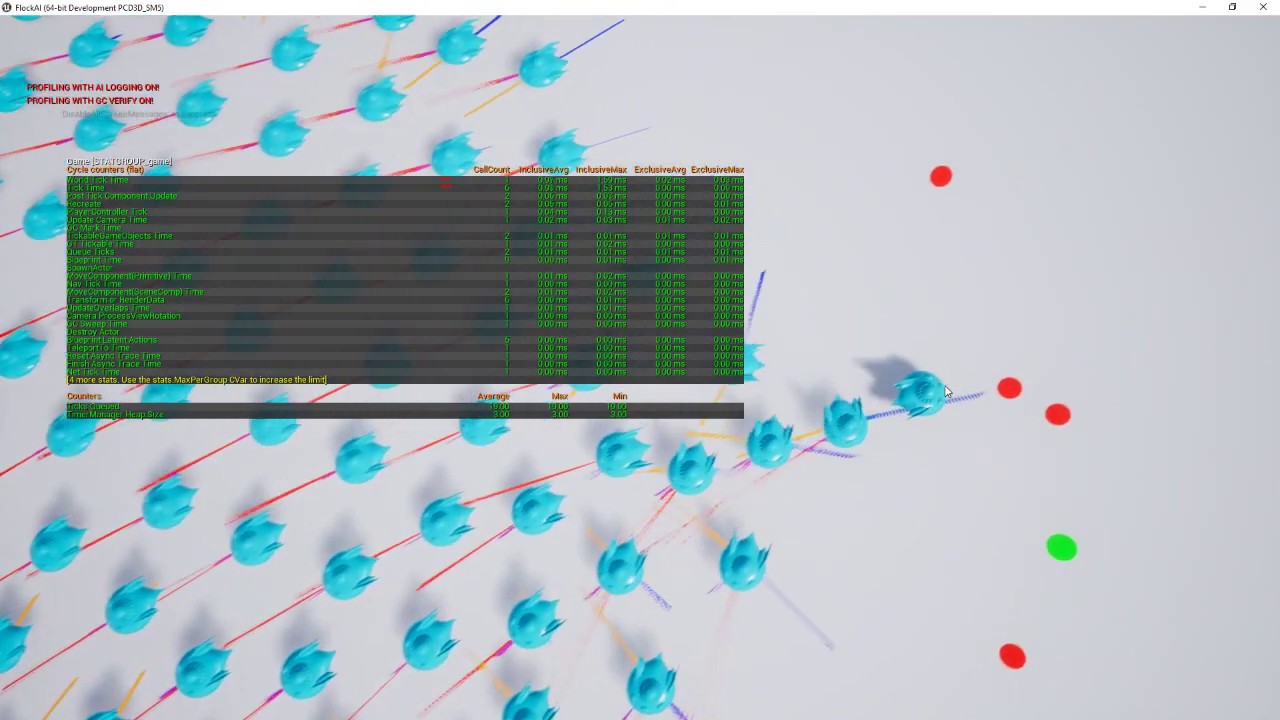
Using a base project I created the code in C++ and Blueprints so you can have thousands of boids running in each flock.
Source code:
https://github.com/juaxix/FlockAI
slow bobcat
@serene fern we are not doing anything special.
ProcessStimuli is handled in the AIPerceptionSystemComponent Tick.
It's that function the one calling ProcessStimuli in the AIPerceptionComponent, which will end up calling the OnTargetPerceptionUpdated delegate if bound (the bBroadcastEveryTargetUpdate bool is just caching IsBound on the delegate)


worth mentioning the comment on the delegate. Maybe there's something off in your config?
 slow bobcat
And as usual: we have the aiPerception component in the AIController and the AIStimuli Source Component in the BP's of the characters. Base logic is the vanilla stuff from the engine, then some custom stuff for our games on top
 low stump
Hello :) Could anyone explain to me what this means? I googled it but found nothing about it, I found a reddit post of a person asking the same thing but they got no answers...
So the image shows "Navigation data... Too far from navmesh"
This only happens in a package or standalone but not on PIE. This causes the navmesh to not function at all
 slow bobcat
low stump
Hello :) Could anyone explain to me what this means? I googled it but found noth...
slow bobcat
low stump
Hello :) Could anyone explain to me what this means? I googled it but found noth...
If you show your nav in the packaged build, does it look OK?
serene fern
slow bobcat
<@1258928379822870583> we are not doing anything special.
ProcessStimuli is hand...
Hmmm I wonder then what'd off in my configuration for it not to be working as that's very strange
slow bobcat
serene fern
Hmmm I wonder then what'd off in my configuration for it not to be working as th...
The only thing I can suggest is what I would do: set a breakpoint in that tick and see why is not updating when you expect it to
Also open the gameplay debugger in game and check the perception category, maybe that will help
Check VisLog too, just in case
serene fern
slow bobcat
The only thing I can suggest is what I would do: set a breakpoint in that tick a...
Is there a default setting anywhere maybe that stops it running on tick I'm thinking
slow bobcat
serene fern
Is there a default setting anywhere maybe that stops it running on tick I'm thin...
unless you disable the tick on the component, it should just work
slow bobcat
coral widget
there are no tutorials for spreading or flocking -.-
you are really bad at googling and reading. I would start by improving patience at learning and attention to source materials.
From the video I sent you, made in unreal...

one simple google search
 coral widget
cant open this project -.-
slow bobcat
coral widget
cant open this project -.-
a good start. learn why you can't and how you need to procede to be able to open it. Back to square one: learn your tools. Can't build a ferrari without knowing how to use a wrench or how a car works
slow bobcat
not gonna do your homework. I'm not even trying. You need to make an effort. Embrace the pain, it's the devs way
coral widget
i getting this
 slow bobcat
that said: you need to do the usuals with any other c++ project:
- generate visual studio files
- open the solution in VS (or rider)
- compile and run the project in Development Editor (mandatory before making builds to ensure everyting is compiled)
slow bobcat
coral widget
i getting this
yeah, you are using a different unreal version. you need to recompile for your version
coral widget
which version i need?
slow bobcat
if it doesn't say in the github page, try compiling for yours. It's gonna be easier than downloading an entire editor just for that one project
serene fern
@slow bobcat so it's really odd cause it seems to not be ticking on the on target perception updated thing
i just don't get how the that one is firing constantly as long as theres a player within range

i've bound it on Cpp end as well so don't worry about it having the + there
like I can see the AI is chasing which includes a Move To

anyone at all help with whats causing my issue cause this don't seem right @slow bobcat I also can't see where in the source code the Ontarget thing runs on tick
slow bobcat
thiking about this... I think we actually check this things in a component. As the comment says, that will only trigger once it's updated.
Here you have 1 in range. Try this:
- go in range
- then go out of range

it will trigger in bot cases
what we do is that we have a component that registers the targets and we handle them (with aggro logic etc)
I understand now what you meand an I'm sorry for the confusion: no, perception will not call anything every frame to let you know "hey, this guy is still in range"
it will let you know when is it in range, when it gets out of range and the age (how long since it's in range)
serene fern
slow bobcat
it will let you know when is it in range, when it gets out of range and the age ...
ohhh so it's down to me to handle what I do with the target when it's seen ?
serene fern
maybe in the past I'm miss thought about it as I thought it fired over and over whilst a target was in range
thing is though the green debug sphere that tacks location of stimulus why they not fire that out ever frame, just a strange one
coral widget
slow bobcat
yeah
i have install the version 4.27 its the right version for the plugin
i got the sme issue
slow bobcat
coral widget
i got the sme issue
so the project is a solution for the issue and you can see it when you run it and in the videos, but when you apply the solution to your AI, is not working.
Time to figure out why is not working for you
slow bobcat
lol. Then how do you expect it to work? XD
The whole point of you running that project is so you can see how the guy does the things you want to do and you replicate them in your project, your own way, for your own AI
i got the sme issue
ah you mean the running project issue
coral widget
yes i cant open the project from github
slow bobcat
I can't help you there. It's a good moment to learn how to load a c++ solution in Visual studio, compile and run it
here you go champ
https://www.youtube.com/watch?v=wGq-XK8mffg

In episode 2 of the UE5 game development series, we'll look at setting up access to the Unreal Engine source code on GitHub, cloning the repo, checking out a version to build with git, and compiling it using Visual Studio.
Previous Videos - https://www.youtube.com/playlist?list=PLLIn4osBl0FsKVoxTF0Xi8tvO34XALuNP
Github Project - https://github....
if you can do that, the world is yours. Any help with that, #cpp
- compile your own editor
- once up and running, add a c++ project
- add the files from github
- compile the project
this might be easier, but you will miss the power of compiling your own editor
https://medium.com/@ricardoemiranda/compiling-a-c-project-in-unreal-engine-5-0-971a1b07af20
Medium
In this article, I’m going to outline the process for compiling a new C++ Project in Unreal Engine 5.0.
spiral bone
In my behaviour tree, blackboard with the red squared, goes to the next selector on the right when it returns false (I believe this is expected). Is there a way to reset to the root of the behaviour tree instead?

My solution replacing the task with a selector and adding a Wait task of 0.0s if the red squared box task returns false works, but I was wondering if there could be a cleaner solution for this.
 coral widget
is there any plugin or asset in marketplace for ai that avoid each other?
dense owl
spiral bone
In my behaviour tree, blackboard with the red squared, goes to the next selector...
Both branches would need to fail for it to travel up the tree to the root iirc
but realistically you have nothing between the top selector and the Root and the latter is not technically an actual node, so there's nothing to go up to
 stable plover
I have a question and hopefully its a simple one, is it possible to assign a linked asset to a state tree at runtime?
 light void
Hola, I would need some help here.
I have a rather simple smart object. Nothing amazing. What it does is simply take the character that triggered it and have them perform a small animation.
The thing is, I have 2 handles on my smart object. What I want is that if both handles are full, they play an animation. And the problem is that there is nothing in the GameplayBehavior class that allows me to reference the smart object itself and check if the other spot is also claimed. Now I'm pretty sure I'm going to have to have to call the Smart Object Subsystem and ask it for the handles (Which is fairly easy to do by plugging in the actor into the find smart object) but how do I find the handle I need? I don't know how to filter the list of handles I have to get them depending on the activity tag and how to check if said handle is claimed or not. The handles do have activity tags.


 silent hamlet
spiral bone
In my behaviour tree, blackboard with the red squared, goes to the next selector...
silent hamlet
spiral bone
In my behaviour tree, blackboard with the red squared, goes to the next selector...
If you want to stop evaluating this tree when the red square task fails then you'd want to use a sequence instead of a selector at the root of the tree. But, this will affect execution on the other tasks. So in your case if the task decorated as PlayerOutOfRange fails, the same would happen instead of trying the next task after it.
Sequences fail when any of the subtasks fails.
Selector proceed with execution when a subtask fails
coral widget
can someone tell me how i can make the ai avoid another? that they dont collide?
that they allways keep distance to another ai
serene fern
Anyone know best way to have the AI know if you've hidden and where you've hidden
I could use a system of binding to certain disptahcers on the player whilst the AI can see the player and then unbind from them when AI can't see the player
The dispatchers would give various information like where they've hidden, room their in etc
nimble smelt
I've got a CanBeSeenFrom implementation that I'm pretty happy with, but I want it to include distance as a factor too. No problem, right? I've got the observer and target locations.
EXCEPT I want that distance factor to be relative to the AI's sight range. And that's where this becomes a real bitch.
I cant figure a way to access the AIPerception config in BP, but even if I could, that's a LONG chain. Get the controller of the ignoreActor (gross), cast it to my controller type (also gross), reference the AIPerception component, get the senses array, get the sight config, read the value from that? It sucks.
Is there a better way? How would you go about this in BP?
 slow bobcat
coral widget
that they allways keep distance to another ai
slow bobcat
coral widget
that they allways keep distance to another ai
Stop asking this please. You already got several answers about how it is done, links to articles, videos, a github project, several ideas on how to approach it. You already have your answers. Put work and time to learn and understand everything you have been given.
At the very least understand why does the path go through the AI's and which mechanisms exist in unreal to modify a path calculation (I already told you too how btw).
slow bobcat
nimble smelt
I've got a CanBeSeenFrom implementation that I'm pretty happy with, but I want i...
I don't think there's a better way tbh. If you were in c++, you could always have everything data driven and have some data asset / config file with all the info and you would do both, apply it to the Perception and read the data from there. Since you are in bp' s, I'm not sure. You might as well have a function in your AI Controller to catch all the data OnPossessed. Then simply access your cached data. It can be a variable in the actor
harsh storm
Could also just make a BP function library in C++ to do this as well. Stuffed away nicely 😅
nimble smelt
Haha that's what I did to get CanBeSeenFrom working in the first place. I guess I could go back in for seconds
 rare ruin
Hello ! Is that a good idea to implement AISense_Touch Event when a projectile hurt an agent?
Or is that specific to close contact?
silent hamlet
rare ruin
Hello ! Is that a good idea to implement AISense_Touch Event when a projectile h...
Touch event? Isn't that for detecting events on a touchscreen?
rare ruin
No i'm talking about AISense_Touch
slow bobcat
It's not a bad idea if it fits your needs. Touch will trigger, you check what did touch the character and apply logic from there (forces, damages and what not)
serene fern
Anyone able to help me on this, I have this bind event being done in the Enemys Behavior Tree when they meet a obstical. I bind to the disptacher and then do the connected event.
My issue is it seems even though the distpacher is firing and I've checked everything is valid that connected custom event seems to not be firing
 slow bobcat
serene fern
Anyone able to help me on this, I have this bind event being done in the Enemys ...
slow bobcat
serene fern
Anyone able to help me on this, I have this bind event being done in the Enemys ...
Where in the tree are you binding /listening to the event?
serene fern
slow bobcat
Where in the tree are you binding /listening to the event?
within the obstical task
that selected task

thing is I've had it work literally yesterday
slow bobcat
As soon as that task stops executing, nothing you listen to will work.
So, if you move to wait, it will just not run and your callback will not work
You could have a service in the sequence node that registers to the delegate in BecomeRelevant and un registers in Cease Relevant
serene fern
slow bobcat
You could have a service in the sequence node that registers to the delegate in ...
ohhh, any idea how I'd do that as I've not really done anything like that
slow bobcat
literally what I wrote
serene fern
slow bobcat
You could have a service in the sequence node that registers to the delegate in ...
how would I registed the delegate sorry ?? Also, I was hoping to keep it all contained within the interact task as if a task response is particular well I can do that
slow bobcat
serene fern
how would I registed the delegate sorry ?? Also, I was hoping to keep it all con...
ah sorry, Bind to Event is really binding to a delegate.
So:
- create a service
- enable the flags bNotifyBecomeRelevant and bNotifyCeaseRelevant
- Override those two functions and add your bind/unbind to them
- add the service to the sequence in the image, so you listen to the event while the sequence runs
Since I do everything in c++, I'm not sure if you need to enable the flags in an BP service or not (they might be enabled by default)
serene fern
don't know how I would see them two flags tbf
slow bobcat
My suggestion is assuming you want to listen to the event while all that logic under the selector runs. If you only need it while the task runs, what you have is what you need
serene fern
slow bobcat
My suggestion is assuming you want to listen to the event while all that logic u...
so let me use an example
the AI request a door to open
I want them to obvs wait for the door to open as either it isn't fully open or say I'm having them perform a montage or something
and then once the interacted object calls back their done with whatever the AI is allowed to carrying on pre-actives
which means only this part would run

the set BB key task on right would force it out and back into normal running
the wait is just a buffer
slow bobcat
serene fern
which means only this part would run
both nodes?
serene fern
it isn't essential
slow bobcat
if you need to listen to the event while either of those two run, do the service thing.
I'm looking at the flags thing, they are not exposed in BP's I think.
But neither is the tick flag and you can definitely make them tick so... check if there's any flag expose. There might be some indirection I'm missing
 serene fern
slow bobcat
I'm looking at the flags thing, they are not exposed in BP's I think.
serene fern
slow bobcat
I'm looking at the flags thing, they are not exposed in BP's I think.
I can make a service one I think
 slow bobcat
serene fern
I only got them functions
slow bobcat
serene fern
I only got them functions
ummm might be c++ only logic then.
You could try with ActivationAI / DeactivationAI but I think those trigger at weird moments. try those, set a breakpoint in them and check when do they trigger, might be good enough
too bad become relevant is not available. It's super useful
not exactly the same, but for your use case the difference does not matter

 serene fern
so what could you call the service that would do stuff like this ?
reason I say is cause I am thinking of making a child BT service in Cpp
I could do it as derived BTService or the Blueprint Base one which might be useful

@slow bobcat so how would I use these two functions ?
on become relevant and on cease relevant ?
serene fern
slow bobcat
from code
no sorry I mean how would I go from this and the service node being able to track it for when it's fired ?

normally I would simply pull from the Event pin either creating an event or custom event but as we've discovered that doesn't work in my situation
@slow bobcat sorry to ping you but I don't have a lot of time on this thats all
slow bobcat
so... the event drag will not work, that only works in the Event Graph, but I think you can have a function in your Service with the same signature (aka retrieve the same params the event sends) and bind that. I think. I'm a bit rusty in BP's sorry
serene fern
slow bobcat
so... the event drag will not work, that only works in the Event Graph, but I th...
how would it be done in Cpp cause I can always make it in Cpp
harsh storm
Pull off the event and you can do a "Create Event From Function" node or something like that
serene fern
harsh storm
Pull off the event and you can do a "Create Event From Function" node or somethi...
doesn't work cause of how the BT task works
serene fern
it doesn't listen constantly to here the response so the linked custom event doesn't fire
harsh storm
Not necessarily one of the red events
serene fern
harsh storm
Not necessarily one of the red events
so why would a function work and not a event
?
harsh storm
For all I know you're doing this inside of a function
I don't know the full situation of your problem
Your snippet of code says nothing pretty much
slow bobcat
serene fern
how would it be done in Cpp cause I can always make it in Cpp
ah you have access to code? then skip BP's.
Use become relevant / cease relevant and bind to the delegate in question (what is called events in bp's) passing the function.
If you don't know what I'm talking about... you need to research that. But pretty much something like this
MyClass->MyDynamicEventDelegate.AddDynamic(this, &UBTService_CoolService::OnEventTriggeredCallback);
serene fern


 harsh storm
But an overwhelming majority of the time, when you can't bind to a custom event, it is because you're trying to do it in a function
serene fern
it's being done within the event graph of the BT task
harsh storm
Okay, then just doing a custom event should be fine.
serene fern
harsh storm
But an overwhelming majority of the time, when you can't bind to a custom event,...
no sorry the issue is the Binding isn't firing
harsh storm
Then you're not broadcasting it.
serene fern
harsh storm
Then you're not broadcasting it.
I am I've checked with debugs etc
slow bobcat
serene fern
it's being done within the event graph of the BT task
in this case, a custom event will work. In the case of ActivationAI within the service, it being a function, you can't do that. You need to bind to another function in the service
serene fern
slow bobcat
in this case, a custom event will work. In the case of ActivationAI within the s...
this is within the BT Task, just pointing out the issue so all on same page
serene fern
slow bobcat
in this case, a custom event will work. In the case of ActivationAI within the s...
it's an event
 harsh storm
Something else is happening because I do this all the time and it isn't like the graph works differently than regular BP
slow bobcat
serene fern
it's an event
aaaah ok... my bad.... then you pull your things from there and do the binding etc, same as with the task
serene fern
harsh storm
Something else is happening because I do this all the time and it isn't like the...
this is whats confusing me cause I'm debuging every step
serene fern
slow bobcat
aaaah ok... my bad.... then you pull your things from there and do the binding e...
the doing stuff needs to be done elsewhere
slow bobcat
you need to do this basically
 serene fern
harsh storm
Something else is happening because I do this all the time and it isn't like the...
serene fern
harsh storm
Something else is happening because I do this all the time and it isn't like the...
So you can see task is firing
 slow bobcat
I thik Duroxxigar was talking about the event binding issue etc. Just do the service thing and you will (most probably) solve the issue
serene fern
slow bobcat
I thik Duroxxigar was talking about the event binding issue etc. Just do the ser...
well i've got a new issue which is something isn't right within my task
@slow bobcat how would I break out of this service node out of interest ?
slow bobcat
what do you mean?
serene fern
this is what I have at the moment, that the BTT Task you see in screenshot

And thats what I have within my Service task


 slow bobcat
I might be blind, but I still don't get what do you mean by break out here
serene fern
its fine ignore that haha
this altered thing though still isn't working
I have the service task their as well

So i've confirmed this bind is being done as in the flow it getting to the print string

so from that I don't understand how the binded event isn't firing when the door send out the delegate call which I've checked is happening
Anyone able to help at all please as this is very confusing
I've found the issue haha
it was literally a bool tick box else where
nimble smelt
Am I misunderstanding what it means for AI to forget a target? I'm just doing this basic debugging with events and I never get the Forgotten event, no matter how far away I get or long I wait. Second image is the AIPerception config.

 dense owl
nimble smelt
Am I misunderstanding what it means for AI to forget a target? I'm just doing th...
dense owl
nimble smelt
Am I misunderstanding what it means for AI to forget a target? I'm just doing th...
You need to enable forget actors in Project settings
nimble smelt
dense owl
You need to enable forget actors in Project settings
Holy shit I would never have found that
misty wharf
I wonder why that is a project setting
slow bobcat
Unreal, the engine with the most secret flags ever
nimble smelt
misty wharf
I wonder why that is a project setting
yeah it's not hard to imagine a reason you'd want to enable that for one AI but not another.
I guess you can just set that AI's perception max age values to -1. But then why have the flag at all?
harsh storm
dense owl
You need to enable forget actors in Project settings
@crystal hatch Any historical context for this? For the AI Perception, in order to forget actors, you have to enable it in the project settings.
 crystal hatch
harsh storm
<@333981651245727755> Any historical context for this? For the AI Perception, in...
crystal hatch
harsh storm
<@333981651245727755> Any historical context for this? For the AI Perception, in...
I don’t remember anymore, but if I was to guess I’d say that the functionality was disabled by default to maintain the pre-existing behavior of the system.
stable plover
is there any way to set a linked asset for a state tree at run time?
i wanted to make a system where depending on a specific eneny type it would load its specific state logic for the linked asset to a main tree that its using
but i cant find any functionality to get the linked asset as a reference
slow bobcat
stable plover
but i cant find any functionality to get the linked asset as a reference
In c++ you can change the state tree (statetreeRef) that the state tree component runs. Maybe form code? No idea if you are referign to BP's or not. I'm working heavily with state trees but we don't use linked trees
stable plover
slow bobcat
In c++ you can change the state tree (statetreeRef) that the state tree componen...
Yes I’m referring to BP, when you select Linked asset you can link a state tree for that state, I wanted to do it at run time
So that way I could have a generic tree that I can substitute certain states into
slow bobcat
stable plover
Yes I’m referring to BP, when you select Linked asset you can link a state tree ...
Yeah... No clue mate. If you don't find a solution by Monday (it's Friday night for me now), ping me and I can check in code to help out
stable plover
slow bobcat
Yeah... No clue mate. If you don't find a solution by Monday (it's Friday night ...
I appreciate you, don’t worry about it, I have a feeling it’s not possible yet, so I’ll just find a workaround
 cyan ivy
it's time to start making some basic AI for my shooter (nothing advanced it's based off old games like Halo CE), where should i start?
I have VISAI but know nothing of it, but again - looking for suggestions
 potent steeple
anybody know a way to dynamically filter nav link proxies? specifically I want to be able to check the max jump height of a character and ignore nav links that it shouldn't be able to use.
slow bobcat
potent steeple
anybody know a way to dynamically filter nav link proxies? specifically I want t...
I had to do custom stuff + small engine changes for that. Smart links have a function for filtering , but you don't get any info about the user AI! Massive flaw if you ask me.
slow bobcat
cyan ivy
it's time to start making some basic AI for my shooter (nothing advanced it's ba...

YouTube
In this series we are covering how to make AI in Unreal Engine 5. We take a look at all the available tools and show case how to use these tools to create so...
 wet fjord
What is the collision channel of the ai perception? Or it's something else? I've already set a specific pawn's BP class collision channel to ignore all. I don't want my AI to detect the actor of this pawn class.
Instead of using C++ to set the affiliation, is there a way to ignore all the actors of that specific pawn class?

 mild python
doing navmeshes with world partition / open-world landscape, 9×9km at only 6k×6k resolution (scale 150). following UE's WP navmesh guide here which worked fully fine for the built-in 2km "open world" template — but for mine, doing Build / Navigation / Build Paths only ever completes (or shows) half the map!
it's all flat country there in the middle along that cut-off, there's no "barrier geometry or elevation" there at all..
anyone know why that might be or what critical settings should be doublechecked or tweaked? totally mystified here..
 slow bobcat

Epic Developer Community Forums
It’s a Engine bug that is already fixed in ue5-main branch on Github. Here is the solution to fix this bug if you build engine from source code: 1./Engine/Source/Editor/UnrealEd/Private/WorldPartition/WorldPartitionNavigationDataBuilder.cpp TObjectPtr compilation fixes ahead of enabling GC barrier 2./Engine/Source/Runtime/Engine/Private/W...
potent steeple
slow bobcat
I had to do custom stuff + small engine changes for that. Smart links have a fun...
You got any tips on how I could implement that too then?
harsh storm
slow bobcat
I had to do custom stuff + small engine changes for that. Smart links have a fun...
You should make a PR for it. AI team is very receptive to community PRs. I always tag Mieszko in the PR.
mild python
slow bobcat
https://forums.unrealengine.com/t/why-is-my-world-partitioned-navmesh-only-being...
thx, great find! so a curious bug from over a year ago — appeared fixed for someone there only with 5.4.1 back in may, but I'm 5.4.4 so that's odd..
edit: "Navigation Data Chunk Grid Size" apparently not ideal in the ue wp nm guide, will try that out..
update: that was already high, set it even higher, no dice — not the solution for this issue at my end with 5.4.4 😭
slow bobcat
potent steeple
You got any tips on how I could implement that too then?
I would need to check my code. Can't do that until Monday
slow bobcat
harsh storm
You should make a PR for it. AI team is very receptive to community PRs. I alway...
Yeah... We have several engine fixes related to nav... But never find the time to do PR's.
potent steeple
slow bobcat
I would need to check my code. Can't do that until Monday
Would def appreciate it!
 mental timber
hey folks. Really struggling with behavior trees. I have the little creatures that I want to move around and path to food etc. but the player should be able to interrupt that at any time to pick them up. Is there a way to stop a task like that or are BTs just the wrong tool for the job here?
dense owl
mental timber
hey folks. Really struggling with behavior trees. I have the little creatures th...
you can just StopLogic on the brain component if you want
mental timber
dense owl
you can just StopLogic on the brain component if you want
that might do it, feels hacky but at this point I'm ok with hacky
silent hamlet
You can also consider using state trees if you want to handle interrupt logic as a state change and in general if you are dealing with a state based ai
mental timber
yeah I took a look at them, its a possibility I just didn't find all that many tutorials
and the ui isn't as flashy as behavior trees
 analog mural
Is it possible to set variables of decorators programmatically?
slow bobcat
analog mural
Is it possible to set variables of decorators programmatically?
As in...?
analog mural
slow bobcat
As in...?
I want to change the cooldown time during gameplay but I can't figure out how
slow bobcat
You could have the decorator access some variable in the AI Controller owning the tree (or the pawn possesses by the controller)
Then you simply, during gameplay, set the value of said variable
analog mural
Well it's the Cooldown decorator, not a custom one
slow bobcat
Right... Can't remember how it works but is it possible use a Blackboard key for it? We use our own cooldown decorators because of this limitations
analog mural
I don't think so. So you just derived a class from UBTDecorator_Cooldown?
slow bobcat
Not even that, we inherit form the decorator base class and imitate what the vainilla cooldown does + our own stuff (exposed float, use a gameplay tag etc)
analog mural
Was there a reason why you inherited from the base class instead of cooldown?
slow bobcat
Can't remember but basically I was going to inherit from it but the re-write completely the test function so... What's the point?
I think, it's been ages, literally
Ours can subscribe to gameplay tag events etc
You have different options for it
 tiny trellis
Hi.. question.. I would like to print out the name of the current state (above the head of my character) (using StateTree). I am unsure how to get the current state the tree is in. For example:
there is this information available on EnterState event, but I can't seem to actually use the information in those pins in any way. (this is all via blueprints)
 tiny trellis
Hi.. question.. I would like to print out the name of the current state (above t...
tiny trellis
tiny trellis
Hi.. question.. I would like to print out the name of the current state (above t...
It seems to be a State Tree State Handle Structure
slow bobcat
tiny trellis
Hi.. question.. I would like to print out the name of the current state (above t...
There's no way. Not even in c++. The whole state name concept is on the state trees editor, but all you have in runtime is the context (no idea if it's exposed in Bp's, I use them from code) and what you see in that node (none of that has the info you seek) If you figure out anything, let me know please
If you look in code how the debugger works, it does stuff that is not exposed (within the execution context logic) to obtain the names (the state tree debugger class talks with the state tree editor to say it simple)
tiny trellis
slow bobcat
There's no way. Not even in c++. The whole state name concept is on the state tr...
I see...
slow bobcat
I ended up having a task that assigns a g.tag to the actor on enter, removes it on exit. That way we know when the character is in idle, combat etc. It's not ideal but... Easy to implement
tiny trellis
yeah I think that's where I am going...
thank you for confirming
do you by chance know how I can expose settable boxes on my custom tasks like these?

oh.. parameter
so I just did this... which means I have to add this task anywhere I want this displayed and manually set the state.. but it works I guess
 slow bobcat
tiny trellis
so I just did this... which means I have to add this task anywhere I want this d...
slow bobcat
tiny trellis
so I just did this... which means I have to add this task anywhere I want this d...
Yep
It's weird to me how important it usually is when using FSM systems to know which state are you in but Ue5 St's don't have a way to do it but by adding that kind task everywhere
 sterile viper
Hi, need an advice. I want to make idle autobattler, with camera attached to main character, but without direct character control from the player.
I need character to stop when see enemy and start attacking. But easy way, via pawn sensing, doesnt work - seems like I need to stop controlling character pawn for it to work.
Which of next options can you recommend me to choose?
- Attach camera to character in dirty way and rewrite whole character logic to AI + Blackboards (it will be a lot of time)
- Continue to use character controller and rely on workaround solution - i.e. attach a big colliding sphere to every enemy and trigger "stop + attack" when entering it. I foresee some possible problems here, i.e. battles with 2+ enemies.
 vagrant badge
Has anyone found that AISense_Sight stimulus doesn't work if the player stands still?
I have a situation where I'm spawning a boss to walk towards the player and aggro. But if the player stands still it doesn't aggro. Using the AI perception debugger it seems like it only starts sensing when i start moving. even then, it's spotty. I'm within the sight radius and no obstacles in between..
slow bobcat
sterile viper
Hi, need an advice. I want to make idle autobattler, with camera attached to mai...
Why is the sensing not working? If you interrupt your walk when you sense a character, what happens?
slow bobcat
vagrant badge
I have a situation where I'm spawning a boss to walk towards the player and aggr...
That should work. Does the callback On Target Perception Updated trigger?
It should
Sounds to me you are missing the very first call to that function, maybe because you are registering to the callback too late. Educated guess of course
vagrant badge
So I enabled the Ai debugger which shows the perception events as well, and it doesn’t trigger
slow bobcat
How/when are you subscribing to the event?
 tulip nova
can anyone make ai like poppy playtime?
sterile viper
slow bobcat
Why is the sensing not working? If you interrupt your walk when you sense a char...
No, I attach pawnsensor to my character, and nothing happens when I call "On See Pawn", not even string can be printed.
Similar issue as here. By the way, thanks, it seems I misunderstood the solution in that thread, it may be working, I just read it in wrong way
https://forums.unrealengine.com/t/putting-the-pawn-sensing-in-the-player-character-make-it-not-to-work/617237
slow bobcat
Aaah no... Don't use pawn sensor. That's the old system and it's been discontinued for ages. You want to use the AI Perception system that relies on the Perception component and the Stimuli source component
 vagrant badge
slow bobcat
How/when are you subscribing to the event?
vagrant badge
slow bobcat
How/when are you subscribing to the event?
I'm using a Blueprint Event in my AI Controller blueprint and the On Target Perception Updated event from the AIPerception component attached to this controller.
slow bobcat
vagrant badge
I'm using a Blueprint Event in my AI Controller blueprint and the `On Target Per...
And your player has the stimuli component?
I think pawns are detected automatically, but worth trying
serene fern
Anyone know why when I try to debug a BTT Task why I have so many and some for the same actor ?
