#gameplay-ai
1 messages · Page 62 of 1
 dusty elk
 misty wharf
Oh?
dusty elk
If I have it like this there is no way to connect it to deactivate and having it like this stops the music instantly
 misty wharf
Uh, did you try just disconnecting the white pin between the stop and the spawn nodes, and then connecting the white pin from the deactivate side into the stop node?
misty wharf
👍
dusty elk
Its working but I am getting a weird error

and once the ai touches the player it spams the audio
Blueprint Runtime Error: "Attempted to access AudioComponent_2030 via property CallFunc_SpawnSound2D_ReturnValue, but AudioComponent_2030 is not valid (pending kill or garbage)". Node: Fade Out Graph: EventGraph Function: Execute Ubergraph BTService Chase Music Blueprint: BTService_ChaseMusic
 vivid fern
honestly its separate enough from AI i'd question whether the BT should be setting the music or a music managing system that monitors AI state
like AI should not be concerned with music, imo
dusty elk
Yeah right now if seems it spams the audio once the ai gets close to player I not sure about music managing system, I heard of it but never messed with it
vivid fern
tbh in a lot of games what would happen is the encounter system would send events that "hey its combat time, play the combat music" the music system would respond to those events and handle all the transitions and stuff to the right music
 harsh storm
IE - event dispatchers in UE terms
vivid fern
do note "the encounter system" and any customization for music playing in your game are all things you would have to create, usually from scratch
harsh storm
Pretty much - make some actor (could make it where the game state spawns it if you want) that manages this stuff. Then talk to that. Instead of it being tied to the BT
vivid fern
but the main point here is that its best to separate concerns: AI and the BTs that drive it should just do AI things.. by adding music management here you are going to get into trouble later when you need to manage music for some other situation that isnt ai driven
harsh storm
I only say actor because you seem to be using only BP. "Proper" would be a subsystem - but you can only create those in C++
vivid fern
yeah definitely is a subsystem kinda thing 😄
dusty elk
vivid fern
but the main point here is that its best to separate concerns: AI and the BTs th...
is their a guide or anything about this system ?
vivid fern
in most cases its "what your game needs" there's not really guides on this kind of thing
you have to look at the needs you have and design a system around that
dusty elk
Hm ok
I am still learning a lot so
certain things are easy to do, audio has not been fun
dusty elk
misty wharf
👍
thanks for the help btw you saved me a lot more time
misty wharf
Yeah I kinda left out all the "maybe you should use a different approach for this" because easier to just get some stuff working first as a beginner :D
dusty elk
misty wharf
Yeah I kinda left out all the "maybe you should use a different approach for thi...
yeah I have something to use rn and its not bad
eventually I will learn how to do something else
misty wharf
Yeah I think this is a good start, it's easy enough to change this later
dusty elk
yeah I only been working on this game for less than a week so
a lot of time left to learn
thanks everyone 🫡
vivid fern
totally its not a bad solution if its serving a very narrow focus, but definitely something that in a big project should be its own stand alone system
dusty elk
I hope I can figure out why ai is spamming the right side of the behavior tree once its next to the player lol
dusty elk
Should I be worried about this error tho as it doesn't really effect anything as once the player gets close to ai the player will get destroy instantly anyway so should I be worried about the error.
Blueprint Runtime Error: "Attempted to access AudioComponent_1 via property CallFunc_SpawnSound2D_ReturnValue, but AudioComponent_1 is not valid (pending kill or garbage)". Node: Fade Out Graph: EventGraph Function: Execute Ubergraph BTService Chase Music Blueprint: BTService_ChaseMusic
 torpid coyote
hello, does anybody know if this could help reduce the performance impact from recalculating navigation when something moves with dynamic navmesh generation?
 vivid fern
generally the approach for navregeneration is when movement starts, stop cutting navmesh with the object, once it stops, re-enable it
dont cut navmesh in motion
basically only regen on no motion
misty wharf
dusty elk
Should I be worried about this error tho as it doesn't really effect anything as...
You can fix this by using an Is Valid node to check if the component is valid before the Stop node
Generally while warnings like this might not cause any problems you do want to find out why it's happening and fix it, because it could be a bug, cause problems later, and eventually if you have a lot of them because you never fixed them, they will make debugging actual bugs and errors harder :P
dusty elk
misty wharf
You can fix this by using an Is Valid node to check if the component is valid be...
I did put a is valid node it didnt work, but than I added a delay and is valid node and seems to be fine now
vivid fern
tbh its probably because the audio component is still doing work and hasnt removed itself from whatever is depending on it when it's parent is removed
 uneven cloud
dusty elk
I hope I can figure out why ai is spamming the right side of the behavior tree o...
uneven cloud
dusty elk
I hope I can figure out why ai is spamming the right side of the behavior tree o...
Because you have no fallback behavior for when the AI is close to the player.
dusty elk
uneven cloud
Because you have no fallback behavior for when the AI is close to the player.
What fallback behavior should I have?
vivid fern
what do you want them to do when they are close to the target?
dusty elk
vivid fern
what do you want them to do when they are close to the target?
well I guess attack
vivid fern
i'd add a cool down or wait and then just have them attack again, until they arent near their target, and then they can move to it again
dusty elk
this is what I have attack at rn
 uneven cloud
dusty elk
this is what I have attack at rn
uneven cloud
dusty elk
this is what I have attack at rn
Your chase sequence is failing, because the the move to is failing. The move to is failing, because they are at the target. How would you change that to get the behavior you want?
dusty elk
uneven cloud
Your chase sequence is failing, because the the move to is failing. The move to...
I honestly not sure, would I add a new task about being next to the player or something?
vivid fern
i like to think about these things like how i as a player would do this sort of thing, and break that down into smaller tasks
uneven cloud
dusty elk
I honestly not sure, would I add a new task about being next to the player or so...
Break the problem down into smaller problems, until they are solvable.
vivid fern
honestly thats my startegy for game dev as a whole haha
dusty elk
uneven cloud
Break the problem down into smaller problems, until they are solvable.
I am trying lol, just new to a lot of this stuff so I getting my way through with guides mostly and figuring out some things on my own
uneven cloud
dusty elk
I am trying lol, just new to a lot of this stuff so I getting my way through wit...
If what you are trying to do is outside your skills, then you should work on something simpler. People aren't going to walk you through making your game.
dusty elk
uneven cloud
If what you are trying to do is outside your skills, then you should work on som...
yeah I know, this game thing was more of a joke at first with some friends but I am actually enjoying it so I am trying to learn
uneven cloud
dusty elk
yeah I know, this game thing was more of a joke at first with some friends but I...
That doesn't change what I said. If you want to learn, then learn. There's an AI with Blueprints course on the learning library that will teach the AI systems. It is pinned in this channel
dusty elk
uneven cloud
That doesn't change what I said. If you want to learn, then learn. There's an ...
I will look into it more, thanks
 wild storm
Hi , Finally I got multiple supported agents to work with multiple nav agents. My enemy who grows and shrinks in size now dynamically gets the correct supported agent and he no longer bumps into the walls. Huge thanks to @uneven cloud . I literally did what he told me . Even a decade old forums got no answers to get the supported agents to work. I derived a c++ class from UBlueprintFunctionLibrary and wrote these lines.
This is the header file.

And its .cpp file

And I set the nav agent props of the enemy at runtime. Now that MakeNavAgentProperties struct node has a purpose lol.

 languid shard
does anyone know how to stop UAIPerceptionComponent from processing stimuli in a clean way? deactivating seems to have no effect
 vivid drift
dusty elk
this is what I have attack at rn
vivid drift
dusty elk
this is what I have attack at rn

replace move to with a task that just moves towards the target actor repeatedly and does not finish successfully if it reaches the target. You just want it moving towards the target indefinitely
You'll likely need to provide some more logic of what to do after it reaches the last known location as that seems like a dead end
dusty elk
vivid drift
Thanks but I remaking a new behavior tree from scratch, and so far its performing far better than my old one
its a lot more clean and not half baked
 dawn wadi
A stupid question: Is there an example that using State Tree to implement GOAP? Is that possible?
misty wharf
Example no, possible who knows, maybe?
Seems GOAP requires something else than a HFSM as its base though 🤔
vivid fern
i'd expect you'd have to write this yourself
 harsh hedge
can someone give me a brief description of eqs?
vivid fern
it queries an area in the environment for a point that satisfies the rules you define
uneven cloud
harsh hedge
can someone give me a brief description of eqs?
The environment query system (EQS) gathers locations or actors in the world and runs tests on them that you define in order to reasonably choose something within the environment.
 mint terrace
think of it as user-defined whiskers -- if you want to select from a field of points around a target based on arbitrary criteria, eqs is for you
misty wharf
It's a list generator and list filter/scorer lol
I think you could extend it to generate other things besides locations and actors - there's a generator that generates lists of smart objects for example
 silk scroll
Anyone got a video where you can make AI spread out when running or walking towards you? They seem to hug eachother when running to any direction
vivid drift
Make one the leader and make the others target a position near the leader
dawn wadi
😧 Horrible, I have zero experience on ai, and GOAP is such a theory that hard to understand.
wild storm
silk scroll
Anyone got a video where you can make AI spread out when running or walking towa...
Did you try using the crowd avoidance techniques like RVO and detour crowd AI controller?
uneven cloud
misty wharf
I think you could extend it to generate other things besides locations and actor...
The items are only locations and actors, but it's not hard to add new types. C++ only though.
uneven cloud
dawn wadi
😧 Horrible, I have zero experience on ai, and GOAP is such a theory that hard t...
You really shouldn't start with GOAP if you are new to AI. Most games don't actually need it anyways.
silk scroll
wild storm
Did you try using the crowd avoidance techniques like RVO and detour crowd AI c...
No, I'm going to look into it now
 narrow grove
🤓
 flint trail
what's the best way to handle navmesh on massive levels? I have 100 km^2 level (made of 100 sublevels with world composition)
wild storm
flint trail
what's the best way to handle navmesh on massive levels? I have 100 km^2 level (...
I guess navigation invokers are supposed to be used for those massive levels. Personally , I have never used them yet .
flint trail
that's what I use
but I was told that nassive nav volume (which is still required) would still need to generate nav mesh and since it's huge, it will be slow (althoug I don't see how, since it will be obly generated around invokers)
wild storm
flint trail
but I was told that nassive nav volume (which is still required) would still nee...
I don't know about those invokers , but I am trying to make a game set in an infinite building. I use the endless random worlds plugin. In one of the videos of that plugin's author , he asked us to attach the nav mesh to the player so that when the player moves , the nav mesh also moves. Also we set the nav mesh runtime generation to dynamic and regenerate the mav mesh periodically by calling OnNavigationBoundsUpdated from the navigation system. It worked for me with almost no performance drop. I don't know if this is suitable for your game.
@flint trail if you are trying this ,please remember that it still has some disadvantages such as the enemy may go out of the nav mesh which is carried by the player(and forever stucks out of the nav mesh). Also you need to adjust the timer delay of calling OnNavigationBoundsUpdated. If the delay is too small like 1 second it will not work .The delay should be reasonably higher but within a limit such that it will get updated before the player goes out of bounds.

Want the endless world blueprint?
🛍️ Endless World Project-Ready Blueprint Download: https://jacksonnexhip.gumroad.com/l/EndlessWorldProject
🛍️ Endless World Step-By-Step Tutorial: https://jacksonnexhip.gumroad.com/l/EndlessWorldTutorial
🛍️ Blueprint Download AND Tutorial (Discount): https://jacksonnexhip.gumroad.com/l/EndlessWorldPackage
🎮 Foo...
uneven cloud
flint trail
what's the best way to handle navmesh on massive levels? I have 100 km^2 level (...
By using level streaming. Why are you still using world composition? That's been deprecated for a while.
uneven cloud
flint trail
but I was told that nassive nav volume (which is still required) would still nee...
Using invokers means that you do not need to build a static nav mesh. However invokers are incredibly expensive, especially if you are using an older version of the engine and you put the invokers on moving actors. They have improved the performance of them recently, but I haven't checked how much it actually has improved.
uneven cloud
wild storm
<@223204723031932929> if you are trying this ,please remember that it still has ...
Yet another tutorial that teaches the worst possible way to do something.
wild storm
uneven cloud
Yet another tutorial that teaches the worst possible way to do something.
Any alternative to achieve that functionality? Especially in an infinite building.
 pure cradle
Hey guys
I'm building ai to a space rts I'm building
For the ai I fuse together both goap and utility
Utility for the decision of the goal and goap for devising a plan and run through it using a* algorithm
What I'm trying to do is make the ai players for each faction try to make long terms plans base on the environmental and to be able to respond if the environment changed
I made components to manage big aspect like currency management fleets control and extra
What do u guys think?
I'm trying to get ai to be as human as possible to the positive and the negative
Would love some feedback and opinions on it
flint trail
uneven cloud
By using level streaming. Why are you still using world composition? That's be...
Cuz it's still there and it works (although there is no way to control it aside from the few hardcoded parameters)
flint trail
It would take more effort to set up same kind of streaming managers from scratch.
Regardless, are you saying each sublevel should have its own nav volume instead of having one global volume in the persistent level?
uneven cloud
wild storm
Any alternative to achieve that functionality? Especially in an infinite buildin...
You move the nav mesh bounds volume occasionally then call OnNavigationBoundsUpdated. The nav mesh should not be moved.
wild storm
uneven cloud
You move the nav mesh bounds volume occasionally then call OnNavigationBoundsUpd...
You mean that we can move nav mesh bounds volume but not nav mesh? Actually that's what I meant in my head. Sorry I mistyped it.
uneven cloud
pure cradle
Hey guys
I'm building ai to a space rts I'm building
For the ai I fuse togethe...
GOAP is really expensive. If you think you must use a planner, look into HTNs.
uneven cloud
wild storm
You mean that we can move nav mesh bounds volume but not nav mesh? Actually that...
I still wouldn't recommend attaching it to the player. Only move it when you add new tiles.
wild storm
uneven cloud
I still wouldn't recommend attaching it to the player. Only move it when you ad...
Ok I will try that
uneven cloud
flint trail
It would take more effort to set up same kind of streaming managers from scratch...
Navigation streaming is already implemented in the engine. I have instructions here if you search for it.
 flint trail
uneven cloud
Navigation streaming is already implemented in the engine. I have instructions ...
flint trail
uneven cloud
Navigation streaming is already implemented in the engine. I have instructions ...
I couldn't find your instruction in this chat, only link to the official docs: https://dev.epicgames.com/documentation/en-us/unreal-engine/world-partitioned-navigation-mesh?application_version=5.4
However, it's for World Partition, which I don't use:
Building the Navigation Mesh with the World Partition Navigation Data Builder
Epic Games Developer
An overview of how to use a Navigation Mesh with World Partition
 cold timber
I've just started dipping my toes in StateTree's, but I'm having a few issues trying to achieve my goal, I am basically trying to minimize the amount of classes I make for each enemy type. I've noticed that the StateTreeAI does not work without being on the AI controller, which is ok, but I want the pawn to dictate what state tree to use on BeginPlay so I don't need to make a new controller for each enemy type that would have a unique StateTree. The problem is that you can't make children of the StateTreeAI component and the StateTreeRef is protected, so I haven't been able to find a way to change the state tree the component should use through code. Is there any way of getting around these issues?
I have also tried making a 1:1 duplicate of the StateTreeAI component, where I got access to StateTreeRef and was able to get my desired results, but for some reason it completely breaks transitioning from one task to another and would infinitely get stuck on the first task.
vivid fern
if state tree data is protected, maybe you should derive a type ?
and use that
or copy it whole sale and make your own
those ways didnt seem to work tho? wonder if there's just some bad config then
or assumptions somewhere that need updating
cold timber
Those methods didn't seem to work. Like I mentioned, something seems to break and the tree gets stuck on the first task. This would be much simpler if StateTreeAIComponent would have the module macro in its UCLASS declaration since that is preventing me from making a child of the component to get access to the state tree ref.
There's also the problem of making a child will prevent any schema's using the AI schema from appearing in the state tree selection drop down, which there is no documentation I can find that answers why that happens
so it seems like my issue is getting fixed in 5.5, the missing module macro has been added on the main branch. That's slightly annoying

 misty wharf
It seems they just never intended you to be able to switch the state tree asset
I would look at how the code works that runs a dynamic child state tree
cold timber
Yeah that was going to be my final resort. I was about to attempt having the component on the enemy actor, then on BeginPlay reparent the component onto the controller but I think I'll work on other things until 5.5
misty wharf
I don't think extending the StateTreeAIComponent is going to fix not being able to set a dynamic state tree asset?
Since you said it's just getting stuck immediately and not working with the way you tried it now, which seems to be a separate issue as far as I can tell
cold timber
Yeah maybe, but maybe more changes have been made in 5.5. What I do know so far is that in 5.4 they don't seem to have designed StateTree around the behavior I'm trying to achieve, like you pointed, so I'm going to come back to this in 5.5 and hopefully it'll "just work"
vivid fern
hmm interesting.. tbh i havent messed much with state trees.. its all felt very.. not quite ready ahha
granted i was using them in conjunction with mass so .. pretty different as well
cold timber
Oh right, doesn't Mass assign a state tree through a fragment? Maybe there's a clue on how to do what I want through that 🤔 (I haven't dipped my toes that much into Mass but I feel like I remember seeing something like that)
vivid fern
yeah
i would look at how mass does it because its obviously not attached to the ai controller
but it also has a set schema that is probably defined in a similar way.. so maybe that also has a similar limitation
buuuuuuuut it might be informative in making your own
misty wharf
cold timber
Yeah maybe, but maybe more changes have been made in 5.5. What I do know so far ...
I think the issue must be somewhere in how the ST stuff gets initialized in the component, because surely you can assign one at runtime because you can start STs at runtine (eg. when you spawn an actor using one) 🤔
So it seems fixable but might require digging quite deeply into it to find out what the problem is
cold timber
misty wharf
I think the issue must be somewhere in how the ST stuff gets initialized in the ...
I've not found any scenario, other than Mass (which seems to be doing some other custom stuff from what I'm seeing), where a state tree might be getting assigned at runtime. The only time you assign a ST to the component is through the details panel, which is then ran during runtime. The only way I have been able to reassign a ST during runtime is to make a child of a ST component, from there you can call SetStateTree and InitializeComponent which will assign a new state tree, but the AI component can't have children in 5.4
misty wharf
Right, yeah probably gotta do something like that to fix it
I don't think you need the AI one anyway - all it does is include the AI Controller in the context
I guess you could just make your own with the same kinda context and bits. All of the tasks etc. should work just the same
cold timber
Do you not need the controller for things like perception?
vivid fern
perception just needs the perception component iirc
cold timber
Haven't tested placing it on the actor but the documentation and all sources I've seen of perception is that it should go on the controller
 vivid fern
i imagine thats because thats where you'd use it in like nearly every case
and the ai controller has lots of functions to manage it
AIController itself just defines a getter function for example
misty wharf
cold timber
Haven't tested placing it on the actor but the documentation and all sources I'v...
What does this have to do with the state tree though?
vivid fern
it does seem like you should be able to use perception on any actor tbh..
you have to manage the perceptions in your code most of the time anyway
misty wharf
Perception comp is intended to be on the AI controller and it will nag if it isn't
It works on pawns as well but I'm pretty sure it still requires an AIC to exist
vivid fern
tbh im not sure why you'd want to not use it on an ai controller
honestly tho im not seeing any requirements to AIC in the AIPercpetionComponent's code
its got a few places where it does something with it, mostly to tell the AI controller about itself it seems.. but these are gated with a null check
mint terrace
vivid fern
tbh im not sure why you'd want to not use it on an ai controller
one use case would be updating the player's UI based on noises heard etc
unfortunately it does look like UAIPerceptionSystem is highly coupled to UAIPerceptionComponent
// Whilst it should be possible with some code changes, to make perception components work when being added to other AActors than AIControllers, it's not something Epic support.
i mean i'd expect that
but what exactly is the issue with that?
the ai perception system doesnt seem to care about AI controllers
the perception system is what processes stimuli for a perception component
so makes 100% sense that the two are tightly coupled
but neither really seems to be dependent on an AIC
mint terrace
they dont have to be tightly coupled -- if i wanted to listen for stimuli somewhere else -- perhaps from a subsystem or from a custom component, it could have been designed for that.
That being said that you are right that the AAIPerceptionComponent doesn't care too much about being hosted on something other than a AAIController. 100% of the usages of AIOwner (its cached copy of the casted host actor) are guarded for nullptr, so it should at least not crash. Whether you can use it effectively on something other than AAIController is another matter, and as zomg says, it will in fact yell at you in the logs.
vivid fern
maybe i didnt dig deep enough for logging, but on a cursory search didnt see anything
i suspect though you will probably have to then write your own thing for player awareness type stuff
mint terrace
happens in UAIPerceptionComponent::OnRegister(), AIPerceptionComponent.cpp:195 in UE 5.4.3
yeah
vivid fern
honestly my guess with that is that they're maybe guarding against folks who dont know what they're doing haha
mint terrace
Yeah it's obviously a "YMMV, we aren't saying this will work" since the rest of the component is careful to guard for it not being there
vivid fern
like surfacing it to folks expecting perception on the normal use flow, but attaching it to a non AIC
i could see why you'd want to use the system on your player tho if you want to be reporting senses in a similar way ot AI to the player
mint terrace
right -- uh i think the normal BP events come from AIC?
vivid fern
yeah you have to add handlers in BP (or i guess you can write code too)
mint terrace
nvm they come from the component actually (On Hear Noise for instance)
vivid fern
but like from what i've seen the perception system really just kinda tracks things that senses have detected and stores them .. and your AIC or whatever has to handle that
AH
mint terrace
oh wait thats Pawn Sensing
vivid fern
yeah
but yeah the perception component defines 3 dynamic delegates that you can hang handlers off of
and mostly its just "detection stuff happened" kind of events
mint terrace
an interesting, but ancient, discussion from the answers archive https://forums.unrealengine.com/t/where-should-ai-perception-components-be-attached/361158/3
uneven cloud
flint trail
I couldn't find your instruction in this chat, only link to the official docs: h...
pure cradle
I look into hnt and I did took a few things for it since my max amount of ai that are gonna be using goap is no more than 12 in the maximum players map
And I've constructed action sets so that ai won't have to check actions that arnt even relevant to it
 final thicket
somebody can help me? my AI enemy use to get stuck on the walls while following the player, even if the nav mesh is fully set to identify obstacles
uneven cloud
final thicket
somebody can help me? my AI enemy use to get stuck on the walls while following ...
Are your nav mesh settings based on your pawn's settings? Specifically the radius and height?
 scenic ingot
hi guys ive got alot of enemies(characters) in my project around 400, 90% are patroling by defaulty (Using the CMC) and all are loaded at the same time, its is causing a Huge Fps Drop since everyone is moving anyone got any tips on how to solve ?
vivid fern
dont move them all at once 😄
but in all seriousness, profile your game
find out whats expensive
its easier than guessing
scenic ingot
well ive made this workaround with a 10000 radius sphere on the player that activates colliding Npcs it improved fps by 50% but still at times around 50 mobs will be in the sphere andw alking costing alot
vivid fern
profile your code see whats expensive
scenic ingot
yeah well i dont know how to profile really >_> but i know its related to when theyre moving
vivid fern
there's lots of documentaiton on epic's site about the profiler, probably should look through that?
scenic ingot
well sure but i know its when theyre moving im giving an AI order to move many is moving at the same time what could i possible get from profiling :/ ?
like settings or whatever ?
vivid fern
no one can telepathically know what your issues are...profiling will tell you what they are and you can then address them
there's not "some setting" .. you have to investigate whats causing the slow down, then address it
scenic ingot
hm ok ty anyways
 vital sandal
The ai move to node works for enemies which I dragged into the scene
But the automaticaly spawned ones are just static
Help?
misty wharf
"automatically spawned" you mean your code spawns them via spawn actor?
if so, did you set the auto possess by AI value on them to "placed and spawned" or whatever the option was called?
vital sandal
vital sandal
The ai move to node works for enemies which I dragged into the scene
But the aut...
Found the solution
Had to use the spawn ai from class node
misty wharf
Yeah that bypasses the requirement for "placed and spawned" as it will always spawn the controller with it
 dense owl
Only it doesn’t have all the input pins iirc
 median socket
Is there a good way to exclude an entire streaming level from navmesh generation?

This debris, for instance, isn't persistent, but only spawns under some circumstances, so I don't want it to cut the navigation.
Hiding the level I guess works but it automatically regenerates it sometimes.
 slender tree
Im having problems with a AI that dosent want to move at all, as you can see in the video, the behavior tree is working.
And here is my cpp code for the AI Controller:
// Fill out your copyright notice in the Description page of Project Settings.


#include "AI/SAIController.h"

#include "BehaviorTree/BlackboardComponent.h"
#include "Kismet/GameplayStatics.h"

void ASAIController::BeginPlay()
{
    Super::BeginPlay();

    RunBehaviorTree(BehaviorTree);

    APawn* MyPawn = UGameplayStatics::GetPlayerPawn(this, 0);
    if (MyPawn)
    {
        GetBlackboardComponent()->SetValueAsVector("MoveToLocation", MyPawn->GetActorLocation());
    }
}
I dont know if this is supposed to happen, when i delete the navigation mesh volume.
 misty wharf
slender tree
Im having problems with a AI that dosent want to move at all, as you can see in ...
misty wharf
slender tree
Im having problems with a AI that dosent want to move at all, as you can see in ...
start by looking in Visual Logger for the more detailed logs from the navigation system/pathfollowingcomponent
slender tree
misty wharf
start by looking in Visual Logger for the more detailed logs from the navigation...
I recorded a session, but im new so i dont know what i should look for here, and its quite hard cuz i dont know why its not moving, the bt is running, and i have debugged my code and its seems to be fine.
 misty wharf
You want to move the indicator along the track and look at the log messages in the list to see what happens when it tries to move
You can probably try disabling the other logs except for AINavigation, PathFollowing and Navigation (by clicking on them in the bar) to reduce the amount of markers so it's easier to find the relevant ones
slender tree
misty wharf
You can probably try disabling the other logs except for AINavigation, PathFollo...
In the visual logger i seleceted my ai controller and then i looked in my viewport. Then the ai had a "!" mark over him, and my player start location had this red sphere where next to it said "AAIController::MoveTo failed to project destination location to navmesh".
 slender tree
i solved it
misty wharf
Yeah failed to project means it wasn't able to place the target location onto the navmesh so it can't navigate to it
uneven cloud
slender tree
Im having problems with a AI that dosent want to move at all, as you can see in ...
This should not be done in begin play. It should be in on possess.
misty wharf
I wonder if this is also affected by BeginPlay vs OnPossess running in different order depending on whether the actor is placed into the level or spawned at runtime
I know State Tree has problems with that and you have to run it when both have triggered
 regal granite
is anyone aware of any bugs that occur on children AI BP's? My child is the same as its parent but is bugging
vivid fern
nope.. maybe start by stating the issue?

 coral widget
someone know how can i get exact middle of e mesh in blender?
or exact middle point of a plane?
harsh storm
That has nothing to do with #gameplay-ai. Try #artist-hangout.
Or the blender server in general
coral widget
there is no blender server in general
harsh storm
Yes there is. I'm in it.
coral widget
can you send me?
harsh storm
Just google for it
coral widget
i have to put my phone number? o.O to join sever?
i put a wrong number... now i cant use my right number lol... how can i change this?
dense owl
#gameplay-ai is not the place for this, try discord support
 visual sluice
Okay so I’m making an ai tree and for ai states I have eating, idle, drinking, but for events where the ai is low on health I wanted to label a state that’s more than healing because you do a lot when your on low on health and I can’t come up with anything, any suggestions
 coral mesa
Have anyone looked into how Mass ECS system calls to State Tree?
 rotund dock
Is there a way to turn the pawn sensing 'camera' with the rotation of the character it is attached to?
coral mesa
@misty wharf do you mind if I DM you sometimes? Because Im currently trying to port State Tree to another ECS solution. Hopefully if my integration goes all right and ofcourse documenting it all in your website
uneven cloud
rotund dock
Is there a way to turn the pawn sensing 'camera' with the rotation of the charac...
Pawn sensing has been deprecated for years. Use AI perception instead
uneven cloud
visual sluice
Okay so I’m making an ai tree and for ai states I have eating, idle, drinking, b...
What do you mean that you can't come up with anything?
coral widget
anyone know how can i make thiw fill to square?

i wana this

anyone know^^
i wanna fll the corner
in blender
uneven cloud
coral mesa
Have anyone looked into how Mass ECS system calls to State Tree?
You don't usually have something call into the BT/State Tree.
uneven cloud
coral widget
in blender
This channel is about AI, not blender. Try an art channel.
coral mesa
uneven cloud
You don't usually have something call into the BT/State Tree.
referring to what needs to be done to make a "proper" State Tree system with debug and stuffs properly
to any other solution
Mass ECS is still very primitive and bad compared to other C++ solutions like EnTT/flecs
uneven cloud
coral mesa
referring to what needs to be done to make a "proper" State Tree system with deb...
You're trying to take the state tree out of UE?
coral mesa
more like touching existing state tree system but use it with any other solutions
visual sluice
uneven cloud
What do you mean that you can't come up with anything?
A word but nvm I already came up with an idea
 dapper spear
so basically this helps the ai nav mesh on obstacles so that we dont need to increase the quality of nav mesh as this actors tries to help ai avoid it?
https://www.unrealengine.com/marketplace/en-US/product/anydetourcomponent-plugin

Unreal Engine
DetourCrowd Avoidance for Non-Detour Controller Agents
harsh storm
No
That looks like a component that just hooks into the system already
You're still going to be bound by the same rules of the system
 river totem
Hi all, I have an AI that seems to be getting body blocked by dead AI. Their collisions are all set to ignore except static but the Behavior Tree custom AI Move To command keeps saying "blocked". Does anyone happen to know a fix for this? Thank you!
river totem
Some more info to help troubleshoot this:
It seems collisions don't matter. I can turn off all collisions except static mesh, so they don't fall through the floor, on the pawns that are "blocking" the main AI from moving and it still returns blocked if it's surrounded by them.
Other actions that launch the character, or my own movement that uses the same parent as the AI, moves through these "blockers" without any issue.
So I've pretty much ruled out collision being the problem. but if it's not collision, what does AI Move To use to say it's blocked? None of the pawns have "Can Ever Affect Navigation" off as per default too.
Any help would be greatly appreciated!
 slow bobcat
So... Now that Mikko left Epic... Are State trees Fatherless? I hope this doesn't mean they will be added to the half-done-forever-experimental features box in unreal
slow bobcat
river totem
Some more info to help troubleshoot this:
It seems collisions don't matter. I ...
One thing you could do is play with the collision channels. You can change them in runtime (at least from c++, not sure in Bp's). You could set the type of object to dead-ai and make any other AI ignore the dead-ai channel. You can probably do this with physics profiles. Sorry I'm not more accurate, but I don't have a pc available at the moment and it's been a while since I touched that code
river totem
slow bobcat
One thing you could do is play with the collision channels. You can change them ...
I tried that. On death all channels get set to ignore except static mesh (So they don't fall through the ground). But still they avoid each other.
I do a set response to all channels = ignore. Then set static mesh to block.
slow bobcat
Thet's probably not enough
river totem
What else is there?
slow bobcat
You also need to tell the other AI's to not collide against dead ai's
river totem
I gave the "blockers" their own collision channel, and told everyone else to "ignore" it. I can walk through it, and so can other enemies using attacks and forced movement. But AI Move To says NOPE.
slow bobcat
So, to simplify:
- when an AI dies, set it to dead
- that dead profile ignores pawns, players etc
- all the other AI's use a profile where they ignore dead
I see... When you debug where the move to replies with Block, what's blocking it? Maybe there some component you forgot about and still colliders?
river totem
Unfortunately I don't think it's possible to find out what specifically is blocking it. No option for it.
 slow bobcat
Ah you are in Bp's... Then it's gonna be very difficult indeed
Try with visual logger
The navigation categories my be throwing some info about it
river totem
I'm using behavior trees in my case.
I'm not familiar with visual logger unfortunately
Will need to look into it
slow bobcat
I short, it's a video tape recorder that records debug stuff in a time line you can rewind and fast forward
Shows stuff drawn on the scene, log info and what not
Unreal has a bunch of default debug stuff in it for many things, nav among them
You might need to enable console variables in order to get more detailed info.
river totem
I see. Is there also a way to get AI to allow overlapping between itself? I have all collision off besides static mesh but they still ignore each other.
I feel like it's possibly related.
That's with AI Controller and Detour Crowd AIController parents. No difference on that one.
slow bobcat
Yeah, you do that setting channels properly in both involved AI's
Ah... You are using detour crowd control? That changes results
river totem
I told them all to ignore each other but no luck. 😦
I tried setting it back to normal AI Controller, but nothing changed
slow bobcat
I would test without it and play around with the collision channels and profiles. That's the way to do it. That's how I handled in different games.
Mu gut says that the channels are not set in all components within your AI's
You will have to debug thoroughly
river totem
It's off right now, though a bunch of my testing. Been bashing my head against the wall with this for a few hours cause everything screams that it should work.
slow bobcat
Feel you champ
river totem
These are my collisions for the AI. It itself is also on Ignore, yet it doesn't even ignore itself. Moves around.
 slow bobcat
Been there, check visual logger and if not, you can always test with actor with just one component (the capsule)
You are blocking character....
river totem
Yeah, I'll look into the Visual Logger when i can
Character is a custom trace channel I made
slow bobcat
That will make the AI collide against other character
river totem
It's for attack traces
slow bobcat
Nope
river totem
It's not an object trace
slow bobcat
It's for both
You have query and physics enabled
That means the character channel will be used for both
Any channel really
river totem
Ok, how do I have a custom channel that's just for traces then?
slow bobcat
With a profile
You have one that uses it for physics
Then, when you want to avoid collisions (dead), change the profile to one with query only
To do a test, change that profile to query only and run your test case
harsh storm
slow bobcat
So... Now that Mikko left Epic... Are State trees Fatherless? I hope this doesn'...
They recently hired another AI person - so can't say
slow bobcat
Should work
slow bobcat
harsh storm
They recently hired another AI person - so can't say
Let's hope
river totem
Ok, let me change it so on death collision is set to query only
This should work?

Damn, no luck with this one
slow bobcat
That's only changing the primitive component. If you have more components colliding, it will be a problem
river totem
I don't have any other collision things except that
slow bobcat
Try building a test with simple actors that only have that component and nothing else
Just to discard it
river totem
Yeah, when I have more time I'll do some more tests
slow bobcat
river totem
I don't have any other collision things except that
Famous bug. I would not trust myself and double check just in case
Good luck mate, tag me if you figure something out. I'm on holidays but coming back in few days
river totem
I did, only other thing is a Sprite

Thanks for the help. I'll look into Profiles. It's not under the Collisions section so not something I'm familiar with.
slow bobcat
Go to project settings - collision and enjoy the madness
river totem
@slow bobcat So... destroying the character movement component fixes the blocking problem... Can't really do that when they're alive though but clearly it's not collisions that's my problem as I thought.
dense owl
river totem
<@397712228435886091> So... destroying the character movement component fixes th...
Try changing movement type to none
river totem
dense owl
Try changing movement type to none
Nope, that has no effect. Which in this case is what I expected thankfully. lol
vivid fern
when you say blocked what do you mean exactly?
misty wharf
What do you mean?
See which one is active for debugging purposes at runtime or...?
Ah. You would use a decorator for that then
If you're using the blackboard to store it, you can use the blackboard decorator to check. If the variable is stored somewhere else, you'd need to make your own decorator which checks its value
Sequence
The decorators run when the tree tries to enter that node... if the decorator does not pass, it will consider that branch as having failed, so because you have a selector on top, it will then attempt the next branch
Could be many reasons for it, you have to debug it
Note that you may have to also set the abort self value if you want the sequence to stop if the blackboard value changes
misty wharf
👍
rotund dock
uneven cloud
Pawn sensing has been deprecated for years. Use AI perception instead
might be deprecated but does exactly what I need to do. moves when I am not looking and stops when I am
misty wharf
Your best bet to finding an answer to your Q is probably looking at the source code for it then... I'm not sure if there's really any folks here who know much about pawn sensing other than AI perception is much more flexible in terms of how you can customize its behavior
 haughty coral
Looks like UE 5.5/ue5-main supports simple Utility AI within State Tree :)
https://x.com/skylonxe/status/1823730170978820230?s=46&t=QHNsAcitZd7faS_X_A7TCA
ue5-main
State Tree is getting more powerful by supporting Utility AI approach and combining it with HFSM. Also some nice UX improvements.

 Twitter
·
misty wharf
Twitter
·
misty wharf
Yeah saw that, looks like an interesting idea
think one of the AI guys left Epic, the one who wrote recast and a bunch of other stuff... hopefully that isn't going to impact this much
slow bobcat
river totem
Nope, that has no effect. Which in this case is what I expected thankfully. lol
This is very strange. I would expect something like that when using some form of crowd control (unreal has two different options), but not as it is. In the games I have done, as soon as an enemy dies, we disabled every tick and interrupt async operations like pathing (when possible), so maybe that's why I never experienced this particular problem.
Out of curiosity, is the dead AI doing anything within the movement component?
slow bobcat
haughty coral
Looks like UE 5.5/ue5-main supports simple Utility AI within State Tree :)
http...
Had the chance to talk with Mikko during unreal fest and, while all this is cool, we are still lacking basic features like a decent way to debug trees in builds (applicable to bt's too btw) or cooldowns for states and trees. Also the possibility of reading from Black board values (games are gonna combine both ideally). And now he's off... Hopefully this problems will be addressed as he mentioned back then. I already had to write bunch of code to solve them for our current project
river totem
slow bobcat
This is very strange. I would expect something like that when using some form of...
I actually figured out my problem, and as I thought it was something really small and stupid, as always. I have a Master Parent character > Enemy Parent > The enemy. I was checking things for the movement component and all seemed good on the master. Turns out at some point I turned on RVO Avoidance on the Enemy parent, not the master. Probably very early on testing something and forgot. God... so many hours of frustration, cause of a forgotten checkbox. 🤣
Figured it out like 10 minutes ago after some much needed sleep.
slow bobcat
Aaaah hahaha
Knew it, crowd control....
Glad you found it. You will never forget the lesson for sure
river totem
I even disabled the Detour Avoidance AI Controller but they still avoided. So much confusion had there. But thankfully it's fixed and back to syncing that setting from the master.
Oh definitely. Always check the entire chain, just in case lol
slow bobcat
river totem
Figured it out like 10 minutes ago after some much needed sleep.
Classic. Like beating that boss on the first try the next day...
river totem
Yup lol
dense owl
slow bobcat
Had the chance to talk with Mikko during unreal fest and, while all this is cool...
Mikko != Mieszko right ?
misty wharf
slow bobcat
Had the chance to talk with Mikko during unreal fest and, while all this is cool...
Fwiw nothing stops you from using BB's with ST's even right now. It just lacks a UI like in the BT editor so it's a little bit more clunky I guess :)
I think we talked about this here in passing in the past and someone said that perhaps some other approach would be better for ST's but I don't think any of us had any particular ideas what that would be - but I definitely think that some kind of "variable bin" like a BB can be useful in ST's also
haughty coral
I hope BB will stay where it is. It is quite dated implementation with annoying UX. Better approaches can be done nowadays with stuff like property binding.
From what I saw in recent months, Mikko was not working that much on ST anymore and other devs continued on debugger and utility support. So I am not that worried about the feature.
Would be maybe nicer tho if the framework was modular enough to add utility stuff withou hardcoding it inside ST core.
misty wharf
I find that unlikely considering they were like "you can use state trees anywhere!" and then proceeded to hardcode it to a state tree component
and yes I know it's technically true that you probably can write your own implementation of it that lets you run it outside of a ST Comp it's not exactly super trivial lol
dense owl
so I have an issue where a char won't ragdoll if they are on top of a navmesh, even if there's no logic running on the AI, i.e. a MoveTo order
I am using supported agents btw. Has anyone encountered something like this?
Before you ask, I've eliminated everything else from collision to AI logic, to type of actor/mesh - also tried Unpossessing just in case before ragdolling but that did not fix the issue, plus they seem to work fine when possessed but not on a navmesh.
It only happens (doesn't ragdoll) when there's a navmesh underneath
misty wharf
dense owl
It only happens (doesn't ragdoll) when there's a navmesh underneath
How are you ragdolling it?
 serene fern
Anyone know if there's a way to have an AI be able to path over stuff if there's room above it
But if no room above or below then path around
dense owl
PhysBody and SimulatePhysics
misty wharf
dense owl
PhysBody and SimulatePhysics
I assume you're actually setting those on the skeletal mesh - I don't really know why that would be affected by the navmesh, have you checked there isn't any code hiding in the CMC that would reattach the skeleton? I don't think that's the case but that seems like the only thing that would affect it, if something turns physics back off on it 🤔
Also- if you have any animation bp's running on it, try setting the anim bp to nullptr when you ragdoll it, that could affect it as well
vivid fern
in one of my projects ai ragdolling on navmesh works fine
are you stopping the cmc before you ragdoll?
 gritty peak
I am having an issue where when my charecter dies and ragdolls. it effects the nav mesh, as in the other enemies try to avoid it. How can i make the nav mesh ignore the ragdoll, so enemies can walk through it?
vivid fern
why is your character cutting nav mesh
are you sure its not some crowd avoidance and not navmesh?
gritty peak
I am for some ai, but to test i removed it and its still avoiding the ragdoll.
vivid fern
seriously tho why are characters cutting navmesh O_O
gritty peak
so update its not the rag doll. now i just need to narrow down what it is.
vivid fern
is the navmesh actually cut? like did you turn on the debugger to see
dense owl
misty wharf
I assume you're actually setting those on the skeletal mesh - I don't really kno...
Problem is the anim runs fine when not on navmesh but I’ll try anyways
dense owl
vivid fern
are you stopping the cmc before you ragdoll?
I tried stopping movement, changing movement type to none, disconnecting all logic, you name it 😀
I’ll have to try removing the animation too, see if that’s doing something
dense owl
gritty peak
I am having an issue where when my charecter dies and ragdolls. it effects the n...
Likely has can ever affect navigation turned on or your chars are set to collide with physicsbody
vivid fern
when i kill my characters this is what happens.. no issues on my end.. no idea how "right" it is
    DetachFromControllerPendingDestroy();
    if (UCapsuleComponent* Capsule = GetCapsuleComponent())
    {
        Capsule->SetCollisionEnabled(ECollisionEnabled::NoCollision);
        Capsule->SetCollisionResponseToAllChannels(ECR_Ignore);
    }

    if (UCharacterMovementComponent* CMC = Cast<UCharacterMovementComponent>(GetMovementComponent()))
    {
        CMC->StopMovementImmediately();
        CMC->DisableMovement();
        CMC->SetComponentTickEnabled(false);
    }

    if (USkeletalMeshComponent* SkeletalMeshComponent = GetMesh())
    {
        SkeletalMeshComponent->SetAllBodiesSimulatePhysics(true);
        SkeletalMeshComponent->SetSimulatePhysics(true);
        SkeletalMeshComponent->WakeAllRigidBodies();
        SkeletalMeshComponent->bBlendPhysics = true;

        // Setup ragdoll impulse
        const FVector ImpulseVector = -LastHitResult.ImpactNormal * 50000.0f;
        const FVector ImpulseLocation = LastHitResult.ImpactPoint + FVector(0,0,100);
        SkeletalMeshComponent->AddImpulseAtLocation(ImpulseVector, ImpulseLocation);
    }
works on both ai and player so /shrug
dense owl
vivid fern
when i kill my characters this is what happens.. no issues on my end.. no idea h...
Could be because you’re running this onDestroy and I’m not 😅
vivid fern
its a ue func
 tranquil meadow
question and i imagine this is simple, how do I get an AI to immediately jump to a task/node regardless of their current action on the behavior tree?
basically i want the AI to stop whatever they are doing and dodge an incoming attack from the player in my case
vivid fern
decorators are probably a good first step
gritty peak
ok i think its something to do with my character. i turned off all things that could impact the nav and its still having issues. I also create a brand new test charecter which seems to work fine. I made sure all the settings that would effect nav and collision the same and no luck.
my other thought could be ragdoll, de attach comp and delete actor. But that seems to delete the detached comp aswell. maybe i am doing it wrong?
vivid fern
are you using crowd avoidance stuff?
gritty peak
no rvo avoidance, i did have dynamic obsticle / nav obsticle. But Me turning that off and switching it to none i still have the issues. can effect nav is off too.
oh i am using some sort of crowd ai system. is there a thing to turn that off dynamically?
tranquil meadow
vivid fern
decorators are probably a good first step
i do have decorators and even had it set to abort lower priority tasks but it still doesn't override the current task
and i did put that task all the way to the left
slow bobcat
misty wharf
Fwiw nothing stops you from using BB's with ST's even right now. It just lacks a...
Yeah, had to make it myself (not difficult, just need to do a wrapper for it and use it as instanced etc).
slow bobcat
misty wharf
I think we talked about this here in passing in the past and someone said that p...
Well, in theory that's what the prams and Evakuators are for, but then you will have to store everything in the tree itself (which can't be accessed from bt's) or in different components (which will make things bit cumbersome).
slow bobcat
dense owl
It only happens (doesn't ragdoll) when there's a navmesh underneath
Try stopping animations/montages running in the character and then call your ragdoll logic. Could it be you have logic anywhere that runs when the character is on nav? Don't know, like a bt behavior that plays and idle anim or something?
If you are gonna ragdoll (I suppose death), I would stop the brain component, ticks on everything (except the anim component, you will need it for the ragdoll physics simulation), stop all running montages/anims and then call the ragdoll. That way you make sure that's the only thing going on (as it should)
Ragdoll logic might be interfered/blended with some other anim
slow bobcat
dense owl
Mikko != Mieszko right ?
Yeah, different people
dense owl
slow bobcat
Try stopping animations/montages running in the character and then call your rag...
No, I turned off all logic, manually disconnected it for testing purposes
I didn’t touch the anims tho so I’ll try that next
Just weird that it’ll work fine even with anims running when not on the navmesh, but 🤷
 pale pewter
I need a sanity check on how to approach a basic AI. It'll be doing a predetermined set of actions. It's a chef so for example what it'll be doing is pick up ingredients from a cabinet, prep ingredients for 30 seconds, cook for a minute and then bring that dish to a table
There should be some randomisation in timing and so on
Is this something I should be looking into Behaviour Trees with?
misty wharf
BTs or STs would probably work fine for that
BTs are going to be easier to get started with
flint trail
How would one handle NPCs having manually streaming levels (no sublevels in the persistent level)? If I have NPCs in the streaming levels, then they won't cross over by default from their level to another. And I assume I'd have to save/restore their "state" in the world before unloading/streaming levels back in.
pale pewter
misty wharf
BTs or STs would probably work fine for that
What are STs?
misty wharf
StateTree
It's Unreal's HFSM system
It's kinda new and slightly rough around the edges - hence why BT's are easier to get started with - but it works reasonably well as long as you're not afraid of poking around to figure out any issues you might run into
 light void
I have made a SmartObject for a shop. Most of the time a Shopkeep will be waiting at the counter. Sometime, they can move.
I have figured out how to claim a spot, but how can I ensure that only a cashier will use the Shopkeep spot and only a client will use the Client spot? Both Client and Shopkeep have the same parent of BaseNPC.

I figure I should do something on the tag side of things, but I'm not sure what all the tags are and their differences.
 flint trail
so, levels streaming and AI NPC handling, anyone?
 gleaming vigil
hey did someone knows where can i find a playlist or video tutorial to how can i make an ai flying and walking?
gleaming vigil
 hushed holly
<@828589822175215627> look at the pinned stuff in this channel
hushed holly
<@828589822175215627> look at the pinned stuff in this channel
pinned stag? what do you mean??
gleaming vigil
hushed holly
otherwise YT
i search on YT and google for both c++ bps systems but i diddnt find something which really can help me
misty wharf
It's unlikely you will find guides for every exact scenario
You'll need to learn how the system works in some other context and then adapt it to your requirements
gleaming vigil
yes i know lol
gleaming vigil
misty wharf
It's unlikely you will find guides for every exact scenario
but the problem is i want find and impliment a flying ai for the beggining and for the walking i know exactly what can i do
misty wharf
What's the specific problem you have with it?
gleaming vigil
1st all of the ai flying systems isnt replicated and 2nd i want just the ai flying in random locations and when is detect the player chasing him
misty wharf
light void
I figure I should do something on the tag side of things, but I'm not sure what ...
Have you tried using Activity Tags for this? The shopkeep slot would have eg. Activity.WorkAsCashier and the client would be Activity.DoCheckoutAsClient or whatever you want to call them. This way you can query for the appropriate slot
misty wharf
gleaming vigil
1st all of the ai flying systems isnt replicated and 2nd i want just the ai flyi...
For any multiplayer stuff it's probably best to ask on #multiplayer - but for the flying to random spots, this seems like you can just use the same approach as for walking to random spots, no?
light void
misty wharf
Have you tried using Activity Tags for this? The shopkeep slot would have eg. Ac...
I assume "activity tags" are tags given to character based on what they're doing. But searching for activity tag I only find Gameplay tags. Are these the same?
gleaming vigil
misty wharf
For any multiplayer stuff it's probably best to ask on <#221799385611239424> - b...
i tried but for some reason when i put nav mesh and the ai is in the air it doesnt work but when is in the ground it works
gleaming vigil
misty wharf
For any multiplayer stuff it's probably best to ask on <#221799385611239424> - b...
and i use this node maybe this is the probelm ??idkGet Random Point In Navigable Radius
misty wharf
light void
I assume "activity tags" are tags given to character based on what they're doing...
Activity Tags are what you can use in the filter when you query for smart objects from the smart object subsystem
misty wharf
gleaming vigil
i tried but for some reason when i put nav mesh and the ai is in the air it does...
Right - so if it's in the air it won't be on the navmesh, so it might not work. One solution to this is to "fake" the flight, in that you have the flying NPC actually walking on the ground, but you move the mesh into the air so it looks like as if it's flying. If this doesn't work for your usecase, you might need to find some other solution, like using EQS to generate points that you can move to manually
gleaming vigil
misty wharf
Right - so if it's in the air it won't be on the navmesh, so it might not work. ...
or second solution is to have 2 ais 1 walking and the other flying and when i want to make the ai walking ill spawn the ai which has the walking system and the oposite for the flying ai
gleaming vigil
misty wharf
Right - so if it's in the air it won't be on the navmesh, so it might not work. ...
anyhow thanks for your reply bro!
pale pewter
pale pewter
I need a sanity check on how to approach a basic AI. It'll be doing a predetermi...
Ok, I've been looking into the BehaviourTree system of Unreal and I can't figure out how exactly to apply it to my specific use case.
To expand, I've got a Cook character that goes through a predetermined sequence of actions. A very brief example would be he grabs food from the fridge, brings it to the stove and cooks it, and brings it to a table.
Ideally that would be controlled via Blueprint, and not really dynamically based on dynamic inputs which the BehaviourTree system seems to be geared towards
Basically I want to tell my Cook to do Task A, when that's finished follow up with Task B and so on
Depending on what they're cooking they might have to grab something different of course from somewhere else
Ok I just managed to trigger an task when I wanted to, maybe venting helped
misty wharf
heh
The way you could structure this in BT's is to have an enum or such in the BB which is the current task type, which would then control which part of the tree gets executed
Although if the actions are always done in the exact same sequence in the exact same order, then you wouldn't really need that
pale pewter
Well, you got something there maybe
There'll be slight variances in it
But maybe I just had a eureka so I'll keep going with it for now
misty wharf
Another method would be to drive the task selection in your BP graph (or where ever you feel like), and have that logic produce a behavior tree
So for example your BP graph looks at what it should do next, and assigns the appropriate BT, and runs it
The BT itself would only contain the behavior for that particular task in question
pale pewter
misty wharf
The BT itself would only contain the behavior for that particular task in questi...
Thank you! That is indeed what I'm going to try and look at
misty wharf
I have a system in my game similar to this that I'm currently prototyping, where I have a state tree which runs this kind of task selection logic, and a behavior tree which runs the specific behavior for a particular task
pale pewter
Possibly Sequence node could have condition based on the ENUM too...
misty wharf
So far it works quite well, and you don't necessarily need to use state trees with it, a regular BP graph could do the task selection just as well
pale pewter
How do you deal with listening to when a task is finished?
misty wharf
I have a somewhat elaborate setup where each task is actually wrapped in a GameplayBehavior, which runs the behavior tree in a single run mode, and ends the behavior when the behavior tree finishes
but you could achieve something similar fairly easily for example by having a specific node in your BT which finishes it which may be simpler to implement
pale pewter
Thank you very much for the pointers
I think I'm starting to get how to use it for my use-case.
Most tutorials were good but I think were steering my mind in the wrong direction
I just saw there's an ENUM conditional so that's very handy
misty wharf
yeah the blackboard decorator can be used to run checks against I think almost all of the types the BB supports
pale pewter
Also I just realised that the BehaviourTree and Blackboard actually use the same window. I kept wondering where the hell it went to
uneven cloud
flint trail
How would one handle NPCs having manually streaming levels (no sublevels in the ...
NPCs really shouldn't be placed in the level.
uneven cloud
pale pewter
I need a sanity check on how to approach a basic AI. It'll be doing a predetermi...
I would use smart objects instead of hard coding that into the BT.
flint trail
uneven cloud
NPCs really shouldn't be placed in the level.
why not? It was never an issue in old games
pale pewter
uneven cloud
I would use smart objects instead of hard coding that into the BT.
Hm that's a new thing for me
uneven cloud
gleaming vigil
1st all of the ai flying systems isnt replicated and 2nd i want just the ai flyi...
AI systems are not replicated. They are server owned actors and the AI exists on the server. The movement component handles the replication of movement on the pawn.
uneven cloud
misty wharf
Right - so if it's in the air it won't be on the navmesh, so it might not work. ...
Moving the mesh up is probably the worst solution. You can offset the Z using a movement mode to fake it. You can just use move directly towards and not use navigation. You can use steering behaviors. You can look for a 3d navigation system in the marketplace or make your own.
uneven cloud
misty wharf
Another method would be to drive the task selection in your BP graph (or where e...
This is completely over engineering a very simple problem.
uneven cloud
pale pewter
Hm that's a new thing for me
They allow you to put the behavior in an object in the world. So they look for a fridge based on conditions, such as needing ingredients, walk to it, get the item, then look for another object to cook it.
misty wharf
uneven cloud
This is completely over engineering a very simple problem.
How exactly is having a behavior tree per task type and having some logic to select the appropriate task type over engineering?
uneven cloud
pale pewter
Hm that's a new thing for me
So instead of BT tasks to do each step, they just look for objects and then use the object. It's a system that the sims use for doing tasks.
gleaming vigil
uneven cloud
AI systems are not replicated. They are server owned actors and the AI exists o...
basically the problem i faced is when i have an ai and i play with server and client the ai just buged and he doesnt know who must chase
uneven cloud
flint trail
why not? It was never an issue in old games
It causes a hard reference of every NPC to the map, can cause map corruption, ties the NPC to the sublevel and other issues.
uneven cloud
gleaming vigil
basically the problem i faced is when i have an ai and i play with server and cl...
Then there is/are bugs in your code.
flint trail
uneven cloud
It causes a hard reference of every NPC to the map, can cause map corruption, ti...
so I'd just have spawning spots and spawn them from respective classes after level is done streaming ?
uneven cloud
flint trail
so I'd just have spawning spots and spawn them from respective classes after lev...
Or when the player is near
gleaming vigil
uneven cloud
Then there is/are bugs in your code.
i dont think so the problem is the ai cant select 2 players so when has the game 2 or up players the ai just gliched
flint trail
and to save/restore their state in the game's world, do I just use UE's save game system @uneven cloud ?
uneven cloud
gleaming vigil
i dont think so the problem is the ai cant select 2 players so when has the game...
Then you need better target selection
uneven cloud
flint trail
and to save/restore their state in the game's world, do I just use UE's save gam...
Yes.
gleaming vigil
uneven cloud
Then you need better target selection
ok did you know a tutorial to do that??
uneven cloud
gleaming vigil
ok did you know a tutorial to do that??
I recommend doing the EQS section of the AI with Blueprints course. Then use the EQS to select a target.
gleaming vigil
uneven cloud
I recommend doing the EQS section of the AI with Blueprints course. Then use th...
so i need to make an ai eqs system??
https://youtu.be/Oy_LojjRiWo?si=bTDEdZrjWcZexPsJ like that i guess

In this Unreal Engine Game development Tutorial you will learn the following:
- EQS: How to create Environment Queries to position your AI in a more advanced and smart way
- Run EQS: How to run the EQS in your behavior tree
- Strafing: How to make the enemy AI strafe around the player using the EQS
- Taking Cover: How to make the enemy AI find c...
uneven cloud
gleaming vigil
so i need to make an ai eqs system??
Uh. No. How did you get that? The EQS is already there. You just need to learn how to use it. I don't recommend tutorials.
vivid fern
gleaming vigil
pinned stag? what do you mean??
at the top of the discord window there's a pin button, there are messages from this channel that are pinned there that might be relevant to your needs
vivid fern
light void
I assume "activity tags" are tags given to character based on what they're doing...
Activity tags are gameplay tags its just the variable name smart objects gave this particular tag collection... ideally so it could be obvious what the system would use them for.
 willow yoke
couple state tree window questions, if theres even one human being that uses state tree, what is this?

and how does the On Event transition type work?
 misty wharf
willow yoke
couple state tree window questions, if theres even one human being that uses sta...
misty wharf
willow yoke
couple state tree window questions, if theres even one human being that uses sta...
I think that's basically same as using parentheses in conditions. I've not used it though, so it could be that it's purely visual also
misty wharf
willow yoke
and how does the On Event transition type work?
You can trigger events on the state tree component, those can then trigger transitions of this type
I forget what the function on the comp is called, it's probably something like send event or something similar
willow yoke
misty wharf
You can trigger events on the state tree component, those can then trigger trans...
ah, thank you, i see what the expressions do now also, I probably should've added a few in the first place to see

state tree seems very feature rich with a lot of this
 oblique ridge
Hi, I have a question. Is there any point to using Pawn Sensing? Is it just better to use AI Perception component?
vivid fern
use ai perception
oblique ridge
That was easy, Ok
pale pewter
Ok, I slept a bit on this and maybe my thinking and approach was a bit wrong. For AI, what I need to do is to design the behaviour and then create the circumstances where the AI wants to do the behaviour, rather than telling them to do it
 tidal seal
Hello, is there a way on state tree to have task updating variables inside the state tree somehow ?
I would like to have my state tree task to run a number of time configured by designers, and stop when it reach that number of execution
 dreamy tulip
tidal seal
Hello, is there a way on state tree to have task updating variables inside the s...
dreamy tulip
tidal seal
Hello, is there a way on state tree to have task updating variables inside the s...
I assume you have created a statetree for a spesific actor? Cant you just store your variable on that actor, set it as Context actor and change the variable from inside the tree task?
 tidal seal
I could, but I find the solution not that pretty, but if that's the only reasonable and the way to do that, I'll go for that solution
dreamy tulip
What variable do you want to change?
Just give a designer an int they can change to make a loop run longer or something?
tidal seal
Basically, I'm creating a "investigation" state tree, and i would like designers to be able to configure how much time the AIs will be looking around when he reach the investigation point, i'm using a pretty complexe setup, but long story short, I'm retrieve from a UObject the configuration that designers made from a data asset
I'm thinking that I may store that inside my Investigation UObject though ? Given that UObject is store on the cpp part, I should be able to modify those transient variable, and have them properly encapsulated into the class made for it
misty wharf
tidal seal
I could, but I find the solution not that pretty, but if that's the only reasona...
State Tree parameters could perhaps be used for this, but not sure if there's any particularly elegant solutions. Another would be to use a blackboard, but you'd have to set up some tasks or conditions that can read the BB value yourself since there isn't anything builtin for it
 hardy sable
hey, if I wanted to make a character move in an arc to turn, instead of just moving in a direction and rotation to match that direction, what is the best way of going about that? Do I need to generate a spline and travel across it, or is there an easier solution?
 misty gale
hardy sable
misty gale
hardy sable
While I know I could do that for custom movement, how would I go about doing that in the context of behavioral trees and the character movement component?
median socket
Is there a way to configure an EQS distance scoring to give items roughly in the middle a higher score?

So a curve that is a bell curve.
light void
So, I realized that you can put a gameplay tag as decorator on a node of a behavior tree.
My issue is: How can I define the tag that an actor has? All "Tag" entries in the class default are base tags, not gameplay tags. Same for the AI Controller


 misty wharf
light void
So, I realized that you can put a gameplay tag as decorator on a node of a behav...
misty wharf
light void
So, I realized that you can put a gameplay tag as decorator on a node of a behav...
All UE builtin gameplay tag things like that use IGameplayTagAssetInterface. Implement the GetGameplayTagContainer or whatever the function on it was
 old vector
I'm making an enemy AI (without behavior trees cause it's very basic for a college project), and the hearing perception doesn't work. I gave my enemy character blueprint the ai perception component and set up sight and hearing. sight works flawlessly, but hearing doesn't even show up in the perception debugger, and it does not generate events whenever i make noise, any ideas?
misty wharf
Pretty hard to say. Are you triggering the hearing events correctly?
old vector
misty wharf
Pretty hard to say. Are you triggering the hearing events correctly?
i'm using the "report noise event" and "make noise" functions
but the thing is, the hearing doesn't even show in the debugger, the yellow circle is nowhere to be seen
 misty wharf
I'm not sure if it's even gonna show in the debugger tbh... it's been a while since I used it and it worked fine at the time
I would verify that the sense is configured with a sufficiently large radius for starters
old vector
it's bigger than the others
misty wharf
Then, every time you trigger a noise event, use draw debug sphere to draw a marker into the position you trigger it at
old vector
 misty wharf
just to ensure that they trigger at the location you think they are triggering at
misty wharf
What does your perception handling code look like?

 misty wharf
So I take it Perception Updated isn't getting printed?
old vector
this event is only fired through sight, it's like i didn't add the hearing perception at all
misty wharf
Try using On Actor Perception Updated or whatever the other event was called
 misty wharf
You posted a pic of the sight sense and not the hearing, what's the hearing one look like?
 misty wharf
Try checking all the affiliations in the detection by affiliation part if you haven't
old vector
it's all checked
i tried deleting and readding hearing but that didn't work
what the fuck
i just deleted the sight sense and it's still showing in the debug and working
misty wharf
heh
I'm noticing you have max range at 0 in the noise event, try setting that to be some higher value
old vector
i swear to god if this is unreal cache trolling me
how is the sight sense still working if i deleted it 😭
im so tempted to throw this out the window and just use sphere colliders instead
you have to be kidding me
seriously? restarting the engine worked?
come on man
😂
misty wharf
🤔
That's pretty strange
There's some stuff like config changes that require it but perception shouldn't need that
 fierce zealot
Is NodeMemory passed to some AITask being re allocated or is the address stable?
old vector
no clue
i found out that deleting the enemy from the scene and adding it back again forces the ai perception to update and it now works
 plain epoch
Heya guys, I'm trying to get the PathFinding Component to drive my pawns movements, but I'm a bit stuck.
I've already got my AIController with PathFollowingComponent & Behavior tree, and my Pawn with it's PawnMovementComponent.
However I can't figure out how to get the Pathfollowing component to interact with my pawns movement component. Is there some initialiation function to set?
vivid fern
hardy sable
hey, if I wanted to make a character move in an arc to turn, instead of just mov...
give them lower rotational speed, so it will take them time to make turns
hardy sable
vivid fern
give them lower rotational speed, so it will take them time to make turns
That seems to mainly be a mesh thing and just makes them walk backwards
vivid fern
not if you do it right
also this isnt an AI thing this is definitely a body motion thing
hardy sable
It relates to the move to node, which is ai. If I was doing it based on player controlled movement it wouldn't be too hard
hardy sable
vivid fern
not if you do it right
And how do you do it right?
vivid fern
honestly AI just has to say where to go, you can let other systems deal with how to get there.. like for example the PathFollower component deals with moving down paths, the AI MoveTo function basically tells it where to go, a path gets generated and the path follower component follows the path
navmesh paths themselves tend to be pretty direct though, but just because you have a path doesnt mean you have to stick to it exactly
the path following component is on the ai controller fwiw
what kind of curve are you looking for?
hardy sable
So is it easy enough to access the path following component and alter how it instructs the character to move?
hardy sable
I'm looking for basically just a turning arc. I want the characters to have to walk a bit to turn around instead of doing it mostly in place
vivid fern
lowering the rotaional speed wouldnt affect the overall direction they walk.. it just would slow down how fast the steering gets there
hardy sable
Yeah, but that's not what I'm going for in this case. Thank you for your time to discuss this btw
vivid fern
you may need to sell it through animation instead? like would a 180 or 90 pivot work?
hardy sable
I'm not sure animation would work or not in this case. I could be wrong but I think I'd have to detect I'm walking backwards, call a root motion animation of them turning around in an arc, maybe adjust for obstacles, and then reconvene walking in that direction which sounds very difficult to setup compared to generating a spline path to walk in that direction
vivid fern
i guess im having a hard time understanding the look of what you're after.. is your character a humanoid shaped thing? are they big? how big is this arc? due to navigation concerns a large arc seems not great without some kind of obstacle avoidance.. like what are you trying to simulate?
hardy sable
I'll try to find a clip showcasing it in a game
@vivid fern so like how the zombie here walks in an arc to turn around
And yes my ai character is humanoid
vivid fern
honestly i have done stuff like that with a really slow rotation speed haha but i suspect you could try to fit a circle in the space (with one point on the ai, and the other points backed away from collision, then use the arc of the circle as a sort of path.. maybe you could convince the path follower to follow that path.. i suspect you might have to derive the ai move to behavior tree node to switch to it though
no idea what that looks like if you are doing blueprints, i always approach those things from code
at least this is the "non trivial solution" haha there might be a simpler way that ue already has, i've made a lot of games but only recently had any work in UE (most of my time is with proprietary engines)
hardy sable
vivid fern
no idea what that looks like if you are doing blueprints, i always approach thos...
I'm a programmer, so I can do it in code if that makes it easier
in my experience, the slow rotation speed stuff just have the ai walking backwards, so I'm not sure how to get it to arc move to do this
vivid fern
as a programmer i think it does haha
if the cmc's rotation settings has a slow rotation speed i think you are good tbh? i've had a few characters i've done a bunch of weird speeds working fine
hardy sable
but how would I make sure the ai walks forwards rather than just walking backwards in the direction it wants to go?
while slowly rotating to face the right direction
vivid fern
alternately you can give rotaiton control to the AI contorller, and control the facing angle explicitly there
vivid fern
hardy sable
but how would I make sure the ai walks forwards rather than just walking backwar...
i usually control the movement vector
i think the issue is probably the path follower component
it points the cmc's move vector down the path
hardy sable
I'm still new to some of the ai stuff in unreal, but doing things in c++ won't be an issue
so you think I should make a child class of teh path follwer component?
vivid fern
i honeslty dont know i've never looked at it
hardy sable
and adjust how it directs the ai to follow the path?
vivid fern
it might have some settings tho
hardy sable
where do you access the movement vector in the context of ai?
hardy sable
so you make a child of the cmc and change how it handles movement?
vivid fern
nah it has settings i just tune them thus far
hardy sable
wait how do you control the forward vector in settings?
vivid fern
there are a few things: the pawn has a bunch of settings for who controls movement and facing
around the same spot as the rotation speed stuff
hardy sable
pawn or cmc?
vivid fern
and from there, you can have the controller's facing and move vector stuff dictate character facing, or you can have them point down the velocity vector iirc, things like that
i mean the cmc is on the pawn so the settings dig up from there
 dusty fox
Hi guys, I'm trying to use state tree's "Break on transition", doesn't seem to work. Are there any requirements to do (i.e setting up something, enabling something) before I can use it?
 kindred zephyr
dusty fox
Hi guys, I'm trying to use state tree's "Break on transition", doesn't seem to w...
kindred zephyr
dusty fox
Hi guys, I'm trying to use state tree's "Break on transition", doesn't seem to w...
You have to open the debugger
I wrote up my experiences of working with State Tree- https://jeanpaulsoftware.com/2024/08/13/state-tree-hell/ . If anyone's got any feedback I'd love to hear it!
Jean-Paul Software
I’ve been working with Unreal Engine 5 for a little while now, in between various contracts that pay actual money. The previous game idea is on the back-burner for now, partly because it’d require too


 plain epoch
hardy sable
so you make a child of the cmc and change how it handles movement?
plain epoch
hardy sable
so you make a child of the cmc and change how it handles movement?
I just dealt with this yesterday, dont use cmc if you want any custom movements.
I use an APawn with UPawnfollowercomponent > implement the requestmove function. It will tell you the direction the Ai wants to move. In order to do resident evil style turning your enemy needs to use vehicle controls, that is, they can only walk forwards and need to turn in the direction of where they want to go.
They shouldnt follow the pathfinding direction exactly because its very straight, so just let them walk off path a bit as they turn. And if they bump into a wall or are very close to the player you can increase the turn speed temporarily
hardy sable
plain epoch
I just dealt with this yesterday, dont use cmc if you want any custom movements....
thank you. The research I was doing into it was telling me similar stuff, so it's good to get a second opinion agreeing with it
plain epoch
hardy sable
thank you. The research I was doing into it was telling me similar stuff, so it'...
Yeah, going off the ai path slightly actually works in this kind of game because it makes sense that enemies may bump into or fall off things by mistake. If you are also making zombies*
dusty fox
kindred zephyr
You have to open the debugger
Ah I see, thanks for the info!
 alpine rover
in the behaviour tree, is there a sequence node that continues if a child fails?
/any workarounds
EDIT: i can use run behaviour tree
misty wharf
alpine rover
in the behaviour tree, is there a sequence node that continues if a child fails?
force success decorator on the child
vivid fern
alpine rover
/any workarounds
EDIT: i can use run behaviour tree
this.. doesnt do that, the force success is the way to make sequences continue regardless of if a node fails
 torpid juniper
hardy sable
I'll try to find a clip showcasing it in a game
torpid juniper
hardy sable
I'll try to find a clip showcasing it in a game
I'm 90% sure what's happening under the hood here is the zombie is entering a stagger montage where it lurches forward during the turning
it may look like he's intentionally arcing his movement but he's actually just getting distracted during the turn and going forwards when he "wants" to be turning. The zombies do this somewhat randomly to make their movements harder to predict
if you were actually playing RE2 you'd notice zombies frequently enter states where they aren't able to quite respond to you while you try to run past them. This is why.
plain epoch
heya guys, how do I pause an AI?
vivid fern
torpid juniper
I'm 90% sure what's happening under the hood here is the zombie is entering a st...
nod most of the time things like this in games you dont really drive with AI, generally its an animation or some sluggish body response that creates the illusion of zombies or similar taking wide arcs
sell this stuff via animation not ai behavior
hardy sable
torpid juniper
I'm 90% sure what's happening under the hood here is the zombie is entering a st...
well either way I seem to have gotten it working in ai. Will see how sensible it is to do it this way as I go I guess
 novel dune
Hey there, I know this is 3 years old, but would copying the boilerplate from blabkcoard selector key and apply it to a gameplay tag variable be good enough in a custom blackboardcomponent class to get it to work ? im about to dive in this and I wanna make sure there isnt anything full stopping
 pine steeple
you can check my plugin
novel dune
😮
 novel dune
thank you for your time
 novel dune
thank you I see it
oof it worked right away omg lol

you're the man ! Im gonna make a message so people can easily find it in research on discord
pine steeple
sure np
novel dune
Blackboard component gameplay tag set value setvalue black board
Enable plugin AI Behaviors to access GameplayTag value in Blackboard AI Behavior Tree
Courtsey of KaosSpectrum
pine steeple
btw GameplayBehaviours are pretty smart
you have a new BT Node
and you can design fire and forget behaviours
works great with Smart Objects
novel dune
Im very fresh on that and my behaviours should be somewhat simple (RTS zombie units so quite dumbish)
I'll take it one step at a time, your help was invaluable
this is a bit of new territory to me so I don't wanna bite more than I can chew just yet haha
pine steeple
just remember to make full use of the Decorators
your AI Pawn must have a IGameplayTagAssetInterface
and point to a container of FGameplayTagContainer
(which requires c++)
novel dune
They have a custom ability system component and Attribute Set linked to them, I will make sure all this is covered aswell
pine steeple
and use the "Gameplay Tag Query" BTDecorator, not the other ones
yes even with ASC
your pawn needs to impements that interface
else the decoratos, etc wont work
novel dune
okok thank you, any documentation for that somewhere ?
pine steeple
hmm no
novel dune
dang feels like it's quite the powerful and useful thing to use 
pine steeple
class SPECTRUMGAMEFRAMEWORK_API ASpectrumCharacter : public ACharacter, public IGameplayCueInterface, public IGameplayTagAssetInterface
we just implement the TagAssetInterface here
(ignore the cue one)
novel dune
roger that ! and then we fetch the tag from a function in that interface ?
pine steeple
we override
    virtual bool HasMatchingGameplayTag(FGameplayTag TagToCheck) const override;
    virtual bool HasAllMatchingGameplayTags(const FGameplayTagContainer& TagContainer) const override;
virtual bool HasAnyMatchingGameplayTags(const FGameplayTagContainer& TagContainer) const override;```from the interface
{
    if (AbilitySystemComponent)
    {
        AbilitySystemComponent->GetOwnedGameplayTags(TagContainer);
    }
}

bool ASpectrumCharacter::HasMatchingGameplayTag(FGameplayTag TagToCheck) const
{
    if (AbilitySystemComponent)
    {
        return AbilitySystemComponent->HasMatchingGameplayTag(TagToCheck);
    }
    return false;
}

bool ASpectrumCharacter::HasAllMatchingGameplayTags(const FGameplayTagContainer& TagContainer) const
{
    if (AbilitySystemComponent)
    {
        return AbilitySystemComponent->HasAllMatchingGameplayTags(TagContainer);
    }
    return false;
}

bool ASpectrumCharacter::HasAnyMatchingGameplayTags(const FGameplayTagContainer& TagContainer) const
{
    if (AbilitySystemComponent)
    {
        return AbilitySystemComponent->HasAnyMatchingGameplayTags(TagContainer);
    }
    return false;
}```then we pipe them to get the tags from the AbilitySystemComponent
novel dune
ok, so a lot more flexible than what I originally just wanted : I only wanted to check an enemy type hierarchy to split their behaviour (Ranged.Spitter, Ranged.Screamer kind of thing)
But I feel like it opens an even better pandora box
Well explained this will be all very useful to me ! thank you
 brave phoenix
there is something i don't understand with the AI Perception

that is triggered each time an actor is percepted by the AI
but any actor...
so how i can know when an actor is not percepted anymore?
if i want the AI only check for an actor: MainCharacter
even if i cast the actor to MainCharacter, to AI will perceve all type of actor
misty wharf
brave phoenix
even if i cast the actor to MainCharacter, to AI will perceve all type of actor
For sight, check the stimulus. It has Successfully Sensed set to false if the update was the result of the actor no longer being visible
brave phoenix
do you mean it will stack all actor and their state?
in the sight?
if 2 actors are into the sight each of them will have it's own Stimulus?
misty wharf
No, you get one per actor
So if you want to distinguish when the player becomes visible, you cast Actor to your player and check Successfully Sensed
brave phoenix

i expect to have a print each time i enter into the sight but it's not the case

it sees me but the print is not triggered.
misty wharf
Have you changed the forget speed or anything like that
brave phoenix
the forget speed?
misty wharf
there's a feature on the perception component that affects how quickly actors are "forgotten" which might affect this, I've not really used those settings myself and what you're describing works fine for me
 misty wharf
yeah I think it's the max age setting actually and yeah it doesn't look like you've changed it
So that definitely should be working
brave phoenix
but it's not triggered each time i enter into the sight of the enemy. only 1 time at start and after never
lol it is, but when you activate the AI debug you don't see print screen anymore 😄
i disable it and was able to see lol 😄
guys if i go where i put the circle the AI is able to see me

why?
i'm not inside the sight so why it's able to see me?
misty wharf
brave phoenix
lol it is, but when you activate the AI debug you don't see print screen anymore...
ooh good catch, would never have thought of that
novel dune
pine steeple
well its good practice
After implementing it, everything works nice and dandy and its SO MUCH BETTER than what I had before
SO grateful thank you so much ❤️
brave phoenix
brave phoenix
guys if i go where i put the circle the AI is able to see me
no one have an idea?
misty wharf
brave phoenix
no one have an idea?
There might be something going on if you're overlapping with it, but I don't think it should see you if you're outside the cone
brave phoenix
misty wharf
There might be something going on if you're overlapping with it, but I don't thi...
yes your right i didn't disable all overlapping box component previously implemented
brave phoenix
is the task the good place to get actor information and execute some action on the actor
for example here i move to the MainCharacter

if i reach the character i want to hit the character
i will think "On Sucess" get the pawn from the character, and cast to MainCharacter and then execute the action that i want
is it the good approch?
or i should go like that

get the owner controller, then get the blackboard where i set the actor and after call an interface with the function that i want
misty wharf
If it's a singleplayer game the get player char approach is fine
and if they will always just go to the player
the blackboard based approach would be something you would use if you might have other targets to move to, since you can assign the target dynamically with that approach
or if you want to make a "general purpose" task which can be used for more than purposes of moving to the player
brave phoenix
thanks for the answer
vivid fern
@misty wharf and @brave phoenix max age doesnt do anything unless you have enabled the forget event in project settings
And then you can hang logic off that to do processing on targets the ai has forgotten
Otherwise yeah its pretty binary "yes I see you, no I dont"
 digital sparrow
I'm making an enemy which is basically a Weeping Angel that stops moving when you look at it. The freezing is a core part of the enemy and doesn't really affect the AI, so I'd like to make it freeze in code outside the behavior tree. What would you say is the best approach to this?
Basically, I want to pause any move to tasks rather than canceling them.
misty wharf
digital sparrow
Basically, I want to pause any move to tasks rather than canceling them.
There's a claim resource or some function like that which you can use to claim movement and/or logic. Movement should stop movement, logic will pause behavior trees
I don't recall whether it stops movement in such a way that once you release the resource it can continue though, but if it doesn't, you just need to make it so that you have it continue moving after you release it
misty wharf
Up to you.
digital sparrow
Also, somewhat unrelated, how does task execution work?
I know how the behavior tree works, but when a task is "being executed" what does that actually mean?
Like, is there a function on the task being called for every tick of execution?
misty wharf
Effectively it means the tree is not going to execute any other tasks until that task has finished. Iirc there is a tick function on them which can be called
digital sparrow
So it's basically just metadata for which one is being "executed"
I guess some tasks might not need to be called every tick they're executed
Because of how latent blueprint nodes work
digital sparrow
misty wharf
There's a claim resource or some function like that which you can use to claim m...
I wonder if there's a way to override the movement itself so that any kind of "move to" will be affected
misty wharf
Yes, with claim resource
I recall all the builtin movement nodes are affected by that
digital sparrow
Do you have a link to documentation on that? I can't seem to find it
misty wharf
I don't remember whether it was called exactly that, try looking just for "resource" and turn context sensitive off if it won't find anything
digital sparrow
Gameplay task resource?
misty wharf
if it has the options of logic and movement then yes
digital sparrow
cool great
misty wharf
but I don't think that was it
although maybe I misremember, if it was then it should work as I described
digital sparrow
Maybe I should just cheat it by setting movement speed to zero lol
 distant snow
Are State Trees intended to eventually obsolesce Behavior Trees?
dense owl
no
 spare lintel
just found an hour ago if you put your mouse over the empty space next to conditions in State Trees, you can add nested conditions with it.
In case anyone else finds it useful
edit: looks like yall know about it, dont mind me 🙂
 obsidian igloo
So I want to expand upon the AI perception component, is there a way to get the AI perception to "see" different bones of a skeletal mesh instead of the pawns world location?
for example, in my VR game, the players capsule changes size, so the AI perception only detects the pawns location or the center of the capsule, the player is standing upright and the cover he is behind is just slightly taller than the pawns center location, the player cant be seen by the AI which doesnt feel right.
does anyone have anything they can point me to in this regard? or have any ideas?
 misty wharf
obsidian igloo
So I want to expand upon the AI perception component, is there a way to get the ...
misty wharf
obsidian igloo
So I want to expand upon the AI perception component, is there a way to get the ...
You need to implement IAISightTargetInterface (C++ only) https://zomgmoz.tv/unreal/AI-Perception/IAISightTargetInterface
uneven cloud
brave phoenix
for example here i move to the MainCharacter
Why are you making a new move to task? You are losing a lot of functionality by not using the built-in one.
uneven cloud
vivid fern
<@286140789304721417> and <@209619984006119425> max age doesnt do anything unles...
Yes it does. You have currently sensed actors and known actors. Currently sensed means that they are currently being seen. Known means that they had been seen, but the max age hasn't run out of time.
Once the max age has run out, when you query the perception component for sensed actors, it will not return it.
uneven cloud
digital sparrow
Maybe I should just cheat it by setting movement speed to zero lol
No reason to add a bad hack. Just call the function LockResource on the BT component and the path following component. Then ClearResourceLock to resume.
vivid fern
uneven cloud
Yes it does. You have currently sensed actors and known actors. Currently sens...
🤔 i had weird results without the forget option set, but in any case i do like the forget event
but maybe the senses didnt work the way i expected, not that its wrong, just my expectations were
uneven cloud
vivid fern
🤔 i had weird results without the forget option set, but in any case i do like ...
The forget event is the only thing that needs the forget actors turned on. With known + max age you can do things like investigate the last sensed location when the target goes out of sight.
vivid fern
nod i was trying to do that but getting unexpected results so maybe i just didnt have the right expectation
uneven cloud
I use the EQS for target selection and don't use the events at all, because you can do a lot more with it.
vivid fern
yeah im starting to lean away with dealing with perception for everything hah
uneven cloud
The sight sense doesn't trigger an event when it's no longer sensed, so maybe that's what you were experiencing.
vivid fern
yeah i wanted to start tracking last known locations after losing sight, and without the event that was not as convenient hah
granted, i only use that location as a general spot to run EQS on haha
uneven cloud
It can be easily fixed, but you need to change engine source.
vivid fern
so i can "look around corners" and things
nod, atm we are in prototype so im not really worried about like good solutions haha
uneven cloud
Fair enough. I was just letting you know that it existed.
vivid fern
yep yep!
brave phoenix
uneven cloud
Why are you making a new move to task? You are losing a lot of functionality by...
Im not making a new one
Im asking if it’s better to cast the actor, or to get them from the blackboard. Because I’m inside a task
vivid fern
why arent you using the behavior tree move to?
you dont need to make a new task because one exists already
(and if you are loading up a task with a lot of other tasks, rethink your design imo
uneven cloud
brave phoenix
Im not making a new one
Your screenshots say otherwise.
brave phoenix
uneven cloud
Your screenshots say otherwise.
2.screenshot to ask which approach is better. The first one or the second one
It’s not really related to the move to. Even if use the blackboard move to the issue will be the same
A new task without move to but same question : do I cast? Or do I get information from the blackboard ?
Because move to is the first step… after move to I need to perform an action when I reach the destination
And an action on a specific target
So for that target is the cast enough. Or it’s should be handle by the blackboard for better performance ?
We told me for a single player game a cast should be good
vivid fern
brave phoenix
i think the point here is this isnt a task you should be writing. Instead there should be a task that selects (or gets) a target and stores it in a bb key, you use a move to behavior task to move to it, and then you use a "do something" task to do something to that target on the blackboard.
By nature, this involves casting and putting stuff and getting stuff in the bb
if you look at ue provided nodes you can see they cast a bunch
brave phoenix
so the good approach is to put actor into the BB to be able to manipulate them with the BT.
vivid fern
put stuff you want your behavior nodes to have access to in the BB
 cosmic spear
Has anyone else run into the issue now in 5.4.x that when streaming in levels that have nav mesh data, that they don't load properly unless you change their Spawn Collision Handling Method in the level to Always Spawn, Ignore Collisions? It worked in 5.3 but now I have to manually change the spawn setting otherwise it won't work. Didn't find anything in the release notes so I'm curious if this is by design, if I'm doing something wrong or why this is a thing.
uneven cloud
brave phoenix
Because move to is the first step… after move to I need to perform an action whe...
Which should be multiple tasks, not in one.
It's better to use the blackboard instead of hard coding.
vivid fern
^^ it lets you write a bunch of nodes and all you have to do is pass around keys
uneven cloud
Also you should be using blackboard key selectors instead of hard coding the blackboard key name.
vivid fern
yeahh its real easy to mess up manually entered key names 😄
imo behavior trees work best when you've got nodes in the tree that are basically atomic. Meaning they do one thing. Attack a target, move toward some destination, pick a weapon, use said weapon, etc.. the idea is this allows for a lot of reuse down the road, and you'll be able to compose complex behavior from how you arrange your tasks in the tree or sub tree. And since tasks should be small and to the point it means they're relatively easy to debug and maintain
as soon as your tasks start having side effects, you've probably got a design problem with your behavior tree
brave phoenix
uneven cloud
Which should be multiple tasks, not in one.
It's better to use the blackboard...
ok the BB can manage the type of actor

then you can directly set the BB Key and use the BT with all function related to the actor
even if you follow some tutorial video, and read documentation the BT logic is hard to understand
for example, when i try to put the Wait first

i notice it wait but by performing during 2sec the BTTask_ChasePlayer
so that means, i need a task to stop the movement first and after wait and patrol.
so the logic is not so intuitive in the BT
 ivory rune
brave phoenix
so that means, i need a task to stop the movement first and after wait and patro...
ivory rune
brave phoenix
so that means, i need a task to stop the movement first and after wait and patro...
You can use the decorator abort
uneven cloud
brave phoenix
so that means, i need a task to stop the movement first and after wait and patro...
If you listened to us about using the built-in move to, you wouldn't need that hacky solution.
ivory rune
And in your case, it is better put the wait outside of this sequence
After the wait, check has player spawned or not, then patrol or chase.
brave phoenix
uneven cloud
If you listened to us about using the built-in move to, you wouldn't need that h...
i will, i'm just starting to understand the big concept first
i have already check some feature that are into the Move To from the BT that is not into the MoveTo node
uneven cloud
brave phoenix
i will, i'm just starting to understand the big concept first
I recommend doing the AI with Blueprints course on the learning library. It's pinned in this channel.
brave phoenix
uneven cloud
I recommend doing the AI with Blueprints course on the learning library. It's p...
already done, it's not the bible
i'm on the step where i try to recreate everything on my own
and understand better those concept. so it's my second run into that
the first time was not good and did lot of bad implementation
lot of code inside a BP class instead of the BB and BT
the point is to really understand it now
which is more difficult 🙂
uneven cloud
brave phoenix
already done, it's not the bible
Well it should explain how the BT structure is a priority sequence of actions. Chasing the player should be a higher priority than patrolling, but you have it as a lower priority.
brave phoenix
i follow that one last time
 brave phoenix
ivory rune
You can use the decorator abort
brave phoenix
ivory rune
You can use the decorator abort
I don't see that decorator?
brave phoenix
uneven cloud
Well it should explain how the BT structure is a priority sequence of actions. ...
where you refering to another tutorial?
ivory rune
brave phoenix
I don't see that decorator?
Any decorator can set to abort self or both, just check the settings when you click your decorator.
But anyway, in your case, instead of abort, just make the branch for patrol/chase after wait by selector
brave phoenix
can you show the looks of your BT?
just to see how an good BT is supposed to looks like
in a real project
vivid fern
brave phoenix
This tree is just built incorrectly
digital sparrow
uneven cloud
No reason to add a bad hack. Just call the function LockResource on the BT comp...
Do you have an example of what this would look like? What's the BT component in this instance? I thought the behavior tree was started in a blueprint node in the AI controller.
uneven cloud
digital sparrow
Do you have an example of what this would look like? What's the BT component in ...
Nothing that I can show. Do you really need an example of a function call? The BT component is a component on the AI controller that drives the BT.
digital sparrow
Oh there's an actual component it calls into?
I'll take a look at that
So when you call "Run Behavior Tree", is it looking for the behavior tree component?
vivid fern
if you go look at the AI controller code, you can see exactly how it assigns and runs behavior trees fwiw
plain epoch
Heyas, is there any way to detect when an AI has reached it's mark?
vivid fern
what are you trying to do?
plain epoch
I set MoveTo, ai moves to a spot, and I can do something when it gets there
Ex: Look turn to look at a specific direction
vivid fern
i mean you'll know the move to is finished when the node in the behavior tree ends successfully
so.. just add your next behavior task after it in a sequence
plain epoch
Well it's for a turn based combat system. When the combat starts, I want to disable the behavior tree.
Set the AI to run into position and do manual control from there
So I can't really continue to use behavior trees at that point
vivid fern
why disable behavior tree in TB?
plain epoch
What is TB?
vivid fern
turn based
plain epoch
Well it's no longer wandering around wandomly every 2 seconds lol
vivid fern
sure, doesnt mean you cant use them tho?
albiet it wasnt in ue, but i just shipped a game that did realtime/turn based combat with one single behavior tree drivng it all
plain epoch
So you're able to control the behavior tree through code/bp?
Like get it to stop randomly moving and stuff
(I'm VERY new to behavior trees)
vivid fern
behavior trees are just a way to make decisions really.. in turn based stuff you generally dont even need to make decisions all that often
like you run the behavior when its that AI's turn
dense owl
digital sparrow
So when you call "Run Behavior Tree", is it looking for the behavior tree compon...
She’s talking cpp component not bp
plain epoch
I just want to be able to switch control here and there. The AI has a hard time getting on it's mark
So I'd want to manually ease it over when it arrives
vivid fern
makes sense we did that sort of thing
plain epoch
Unreal stuff is nice, but I find 90% of the time it doesn't do exactly what you need without some tinkering
vivid fern
nod i mean it cant right? like its a general purpose engine, and you are making something specific, at some point you are gonna have to invent something
plain epoch
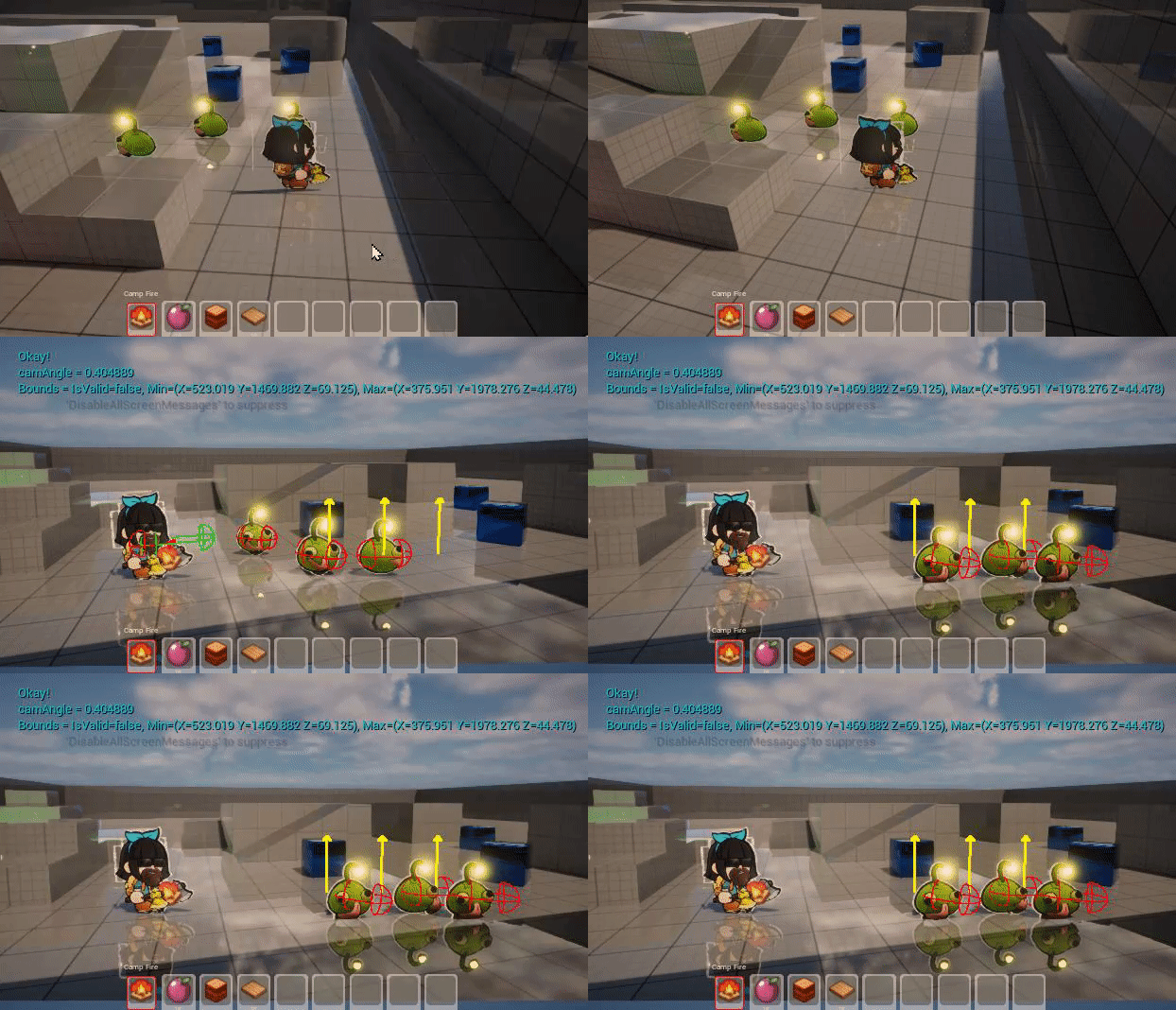

None of them quite hit their mark when the combat starts lol
Ideally I would love manual control over the brains and just use the AI for it's pathfinding
digital sparrow
dense owl
She’s talking cpp component not bp
Ah
dense owl
plain epoch
Ideally I would love manual control over the brains and just use the AI for it's...
Oh no, don’t tease Allora about making a custom BT lol
plain epoch
I'm testing things out in blueprints atm but can't find any way to pause their Blackboard AI (for the combat), or receive events on when they arrive, or even cancel current move to fix their positioning, etc.
plain epoch
dense owl
Oh no, don’t tease Allora about making a custom BT lol
lol
dense owl
You don’t pause the blackboard you pause the logic
Get brain component from the AI controller there’s some functions there
plain epoch
if it was possible I'd love to avoid blackboard all together, as it's just another weeks worth of stuff I need to learn. Could code this all perfectly if the right events/controls were exposed
Oh
C++ had full control over everything, but blueprints seem pretty limited
plain epoch
dense owl
Get brain component from the AI controller there’s some functions there
I don't see much in there, sadly
plain epoch
Oh shit, nice
dense owl
plain epoch
C++ had full control over everything, but blueprints seem pretty limited
Nothing stopping you from using cpp tho
In UE the ideal is using both
plain epoch
Well I'm using angelscript, it's scripting based off blueprints (They made the game 'it takes two' in it) and it's incredible. Don't think I'd ever want to go back to cpp lol
But yeah I guess I could try and expose a few things myself in CPP
plain epoch
dense owl
I think there’s also a PauseLogic
This sounds great though for now though
dense owl
plain epoch
Well I'm using angelscript, it's scripting based off blueprints (They made the g...
Yeah I know it
There’s also U# in early access
dense owl
It might reset it from the top when you start it again tho
But if that’s good for you then yeah
plain epoch
I have no problem with C++, just don't like restarting the editor every 3 min when a single error occurs
That's cool, stopping is just for combat which would be expected to restart anyway
Might look into blackboard a bit more for the lookAt logic
Spanks
vivid fern
plain epoch
I'm testing things out in blueprints atm but can't find any way to pause their B...
you were asking about pausing
it links to this: #gameplay-ai message
plain epoch
vivid fern
it links to this: https://discord.com/channels/187217643009212416/22179877820878...
Oh lol, you linked the wrong msg up there 😛
Thank ya, not sure where I could get the behavior tree though
I run it through AIController but don't seem to have a way to get the currently running behavior tree
plain epoch
Nothing that I can show. Do you really need an example of a function call? The BT component is a component on the AI controller that drives the BT.
This?
plain epoch
Oh okay I see, however I don't see any way to get the BT from the AIController, at least not from blueprints?
Is it not exposed I guess?
vivid fern
    UPROPERTY(BlueprintReadWrite, Category = AI)
TObjectPtr<UBrainComponent> BrainComponent;``` UPROPERTY(BlueprintReadOnly, Category = AI, meta = (AllowPrivateAccess = "true"))
TObjectPtr<UBlackboardComponent> Blackboard;```from the AIController.h
plain epoch
Ah was just looking through the codes now lol thanks
BlackboardComp
Was looking for behavior-something 😛
vivid fern
if you look at BehaviorTreeComponent.h its a BrainComponent
plain epoch
Oh cool
Aw fudge, can't access it through angelscript, they must have their own implementation
🤦♂️
But still, thanks for the info! Knowing what braincomponent is, is definitely a step forward 😄
Still might just expose all the AI stuff from Pathfollowingcomponent and dig my dirty fingers in it lol 😛
vivid fern
from the path following component?
plain epoch
Yeah, and looking through there I just found that AIController has a ReceiveMoveCompleted event, which is BP exposed
So that's a releif lol
dense owl
plain epoch
Yeah, and looking through there I just found that AIController has a ReceiveMove...
Prly what the out pin on the AIMoveTO nodes is connected to
plain epoch
ah maybe, I'm using a scripting language based on the blueprints, so sometimes it's a bit tricky finding your way around that sorta stuff 😛
But awesome. thanks!
dense owl
misty wharf
I assume you're actually setting those on the skeletal mesh - I don't really kno...
was something really stupid again, I've had issues from these before. I'm spawning some Chaos Kill Fields along with the rooms, to help keep GC fragments from spreading too far. Unfortunately, these are also causing the simulate physics to not work properly so it tries to ragdoll but doesn't do it very well. 🤦♂️ Should've figured out it's the kill fields sooner, I've had collision detection issues because of them in the past
so, not the navmesh 😅
 sleek grotto
I'm working on a behavior tree, and I'm trying to build the tree out to do stuff in a certain order: having trouble figuring out how to ensure only some of it runs one time per condition change.
There's an animation I have of a worm that comes out of the ground when a player is close to them. After they are out they stay out and 'rotate to face' the character (and attack if close enough), but once the player is out of sight, they bury themselves underground.
I have all but the coming out and going in figured out. I can't figure out how to only run them each once and only once, per condition change (enemy becomes in range, enemy becomes out of range)
Is there a recommendation for handling that ?
I considered setting the in/out montages up on the sight sense functionality I have (that sets the 'target' or unsets the 'target' as the player gets sensed, but wasn't sure if that was the best place to do that. (On sensed, play show montage, if not sensed, show hide montage)
vivid fern
i'd have two sub trees.. one for "combat" and the other for "out of combat" .. entering combat, makes them emerge, then run a looping sub tree for combat.. when they lose sight combat tree aborts. Then they enter non combat makes them burrow, and non combat behaviors run in a loop until combat starts again which aborts the non combat tree and enters the combat tree
sleek grotto
Oh im using two branches already, one for in combat one for out. I just couldnt figure out how to run a single task "once", so it was emerging over and over again once the player was in sight
vivid fern
nod use a loop
sleek grotto
Are sub trees able to be looped through different than the sequences/selectors ? I'm using selectors with a "target is set" decorator right now
vivid fern
what do you mean?
using a selector as a target set/not set decorator would work, then each branch of the tree from there would have a sequencer at the top.. the first step in the sequence: emerge/burrow, the second entry in the sequence: another sequencer or selector with a loop decorator, that does the behaviors of combat/non combat
whenthe target is set decorator is changed, then those trees abort and the behavior tree re-evaluates which branch to go down
sleek grotto
I might need to lay it out and see what it looks like. Im out of the office for the night though so I'll have to do it tomorrow.
What you described makes sense I think, but I'll put it together and provide a screenshot to make sure I'm understanding it right though. Thanks!
vivid fern
yep!
uneven cloud
plain epoch
Well I'm using angelscript, it's scripting based off blueprints (They made the g...
There's a lot of functionality that is not exposed to BP. Especially in the AI systems. You'll have a really hard time not using some C++.
The things you are asking for not only exists, but are very easy to do.
Doing turn based combat is also easy to with a BT. The reason why we use AI architectures is to structure the code so it doesn't get so messy and difficult to debug like scripted AI is.
 steel moat
whats the alternative for TestPathSync function? it works fine in 5.0 and returns the incorrect value in 5.3
ive tried ProjectPointToNavigation but the bool is still true even when the point is outside the navigation.
ok ProjectPointToNavigation works, I was using wrong values.
vivid fern
uneven cloud
There's a lot of functionality that is not exposed to BP. Especially in the AI ...
honestly too, its just easier to deal with the code .. at least when building out behavior tree nodes and basic components of a tree that are used to build actual ai characters.. then folks can assemble trees how they need
steel moat
When the MoveTo Location is in the highlighted red Area, the AI stops in their place instead of patrolling(its default behaviour)
 misty wharf
Your logic is not handling navigation failures if so
If the point it's trying to navigate to is outside the navmesh it's likely that the navigation/move attempt will fail
steel moat
misty wharf
Your logic is not handling navigation failures if so
Im handling the failure, im using ProjectPointToNavigation function before calling MoveTo in behaviour tree but it returns true here
but when the point is outside the nav mesh it returns false
misty wharf
That indicates the projection failed
You can try increasing the size of the dimensions for the projection
steel moat
misty wharf
You can try increasing the size of the dimensions for the projection
you mean nav agent dimensions?
misty wharf
I don't think that was it, for the project point to navigation node there should be a parameter it takes which allows you to specify how far it attempts to project the point from where it starts
steel moat
misty wharf
I don't think that was it, for the project point to navigation node there should...
Im doing it in c++ and I figured out, I was not using the FNavLocation parameter that i pass when calling the function which is why the AI was not moving
sleek grotto
@allora Sorry for the ping. There's been some discussion since our last talk. Is this what you were talking about?

because with that it continually runs the 'emerge' over and over
sleek grotto
Hmm, maybe in my sight sense logic for the enemy, when the player is first sighted I will just run the emerge montage and when the player is no longer sighted I'll run the burrow montage, and just leave the behavior tree for the stuff to do 'after' it's in combat.
 stiff gale
Is it still not possible to have collisions so that i can damage mass ai and vice versa?
dense owl
steel moat
When the MoveTo Location is in the highlighted red Area, the AI stops in their p...
AI can’t move if there’s no navmesh underneath, turn off can ever affect navigation on that container thing to remove the massive hole in the navmesh you have
sleek grotto
dense owl
AI can’t move if there’s no navmesh underneath, turn off can ever affect navigat...
Curious, what does UE use to determine a 'safe' distance from objects? Is it some invisible collider or something?
dense owl
sleek grotto
Curious, what does UE use to determine a 'safe' distance from objects? Is it som...
Generally the agent radius
sleek grotto
Is that something on the individual meshes? Is it possible to make it smaller per-object?
I've seen some instances where small meshes for some reason have a really large radius when ideally you'd want the AI to be able to get closer to it
dense owl
Well if you have fat collision on the meshes themselves, that also affects it
But otherwise using supported agents and reducing the radius (project settings) does the trick
sleek grotto
Ah so there's not really a way to make, for example, a barrel have a really small radius, but a storage container to have a really large one.
vivid fern
steel moat
Im handling the failure, im using ``ProjectPointToNavigation`` function before c...
If you project from the point of your destination, in an area, it will definitely return true because some navmesh touches your projection... you have to also use the point it returns as your new destination. Are you doing that?
vivid fern
sleek grotto
@allora Sorry for the ping. There's been some discussion since our last talk. Is...
yeah, but id probably use aborts lower priority for your combat loop and no aborts for the other
vivid fern
sleek grotto
Ah so there's not really a way to make, for example, a barrel have a really smal...
its based on agent radius not obstacle size