#gameplay-ai
1 messages · Page 53 of 1
 naive veldt
 west gorge
naive veldt
Every time I create a new level the navmesh never works, no matter what, the npc...
west gorge
naive veldt
Every time I create a new level the navmesh never works, no matter what, the npc...
I had a similar issue, it had to do with runtime generation of the navmesh and the NPCs getting spawned before that happens and not finding a navmesh on spawn.
How would I make a behaviour task that locks the tree until it is finished? The task triggers an attack, but it keeps cancelling itself before the attack goes through. I know AI Move To has a flag to lock the AI until it completes, but I need something like that for an arbitrary task. 🤔
Apparently it is really easy to do... 🤔

 uneven cloud
west gorge
How would I make a behaviour task that locks the tree until it is finished? The ...
uneven cloud
west gorge
How would I make a behaviour task that locks the tree until it is finished? The ...
What is cancelling the task? That sounds more like a bug than missing functionality.
 celest python
Mikko isnt active since 2022
 lyric flint
I have faint recollection of the issue, but details are lost. The commit you linked links to this commit, which sounds like it could be the fix:
https://github.com/EpicGames/UnrealEngine/commit/2372c0c1e75d3f37dce0a7cb8aead2efc013a8cc
 harsh storm
Hi Mikko! 🥳
 steel moat
@misty wharf sorry to tag u but yesterday u told me to use AI perception component instead of Pawn Sensing, there was a even in Pawn sense component "On See Pawn", that event gets fired every frame till pawn is in sight but in ai perception theres no such event that works same as the On See Pawn, so how to work with that? Im new to this AI Stuff so idk much. Lemme know if theres a way
 misty wharf
steel moat
<@286140789304721417> sorry to tag u but yesterday u told me to use AI perceptio...
misty wharf
steel moat
<@286140789304721417> sorry to tag u but yesterday u told me to use AI perceptio...
With AI perception, you should use On Actor Perception Updated. It will be called once when the status of perception for some actor changes. For example, when an actor becomes visible, it will get called, and when it is no longer visible it gets called
You can use the successfully sensed value to determine which one it is, it will be false for when it's no longer visible
If you need to run logic on tick based on what's being seen, you can use get perceived actors in tick
although I'm not entirely sure why you would need to do this on tick
steel moat
misty wharf
With AI perception, you should use On Actor Perception Updated. It will be calle...
yea so my code only shoots one time
misty wharf
Right, so you would need to check if the AI still sees the player once you've finished shooting once or whatever you're doing
There's tutorials for how to do enemies that chase and attack you on YT if you look up something like "unreal ai perception"
 serene hollow
lyric flint
I have faint recollection of the issue, but details are lost. The commit you lin...
serene hollow
lyric flint
I have faint recollection of the issue, but details are lost. The commit you lin...
Thanks Mikko! I’ll cherry pick that commit and rebuild the engine and see if it fixes it!
 pearl fern
Hey!
Is there a way to use the EQS with state trees instead of behaviour trees?
misty wharf
Yes, EQS is not dependent on BT's
You will need to create a custom task to do it though since there is no builtin one
steel moat
misty wharf
There's tutorials for how to do enemies that chase and attack you on YT if you l...
i managed to do it but idk why it doesnt detect the target, and the ai perception debug is also not showing in the editor when i play and when i turn on the perception system it says 0 listeners is this related to hear config??
pearl fern
@zomg yup, thanks 🙂 I managed to generally run a query inside a State Tree Task, but now I gotta set up a Query that is tailored towards my needs and not using blackboard keys
I guess it is not possible though to create an Input on the State Tree Task and somehow send that into the EQS query
Say I already defined a certain actor in the task beforehand, I could not send that over so the EQS would use that
misty wharf
steel moat
i managed to do it but idk why it doesnt detect the target, and the ai perceptio...
If it isn't detecting anything you may have to check all the boxes in detection by affiliation but it's a bit hard to say if that's the issue here
steel moat
misty wharf
If it isn't detecting anything you may have to check all the boxes in detection ...
it is true
misty wharf
pearl fern
Say I already defined a certain actor in the task beforehand, I could not send t...
It kinda depends on what you want to send, it has the same limitations as it would have with BTs with regards to that
steel moat
SightConfig = CreateDefaultSubobject<UAISenseConfig_Sight>(TEXT("Sight Config"));
if (SightConfig)
{
    SetPerceptionComponent(*CreateDefaultSubobject<UAIPerceptionComponent>(TEXT("Perception Component")));
    SightConfig->SightRadius = 1000.0f;
    SightConfig->LoseSightRadius = SightConfig->SightRadius + 25.0f;
    SightConfig->PeripheralVisionAngleDegrees = 90.0f;
    SightConfig->SetMaxAge(5.0f);
    SightConfig->AutoSuccessRangeFromLastSeenLocation = 520.0f;
    SightConfig->DetectionByAffiliation.bDetectEnemies = true;
    SightConfig->DetectionByAffiliation.bDetectFriendlies = true;
    SightConfig->DetectionByAffiliation.bDetectNeutrals = true;

    GetPerceptionComponent()->SetDominantSense(*SightConfig->GetSenseImplementation());
    GetPerceptionComponent()->OnTargetPerceptionUpdated.AddDynamic(this, &ATurret_AIController::OnTargetDetected);

    if (GetPerceptionComponent()->OnTargetPerceptionUpdated.IsBound())
    {
        UE_LOG(LogTemp, Warning, (TEXT("BoundSuccessfull")));
    }
}
You should not bind delegates in constructors, it can cause various problems
best to do it in BeginPlay
steel moat
ohhhhhh
misty wharf
whether it's the cause of the issue you're seeing, not sure
If you made any blueprints based on this C++ class, you may need to recreate them if you bound delegates in the constructor
otherwise the delegates can be saved into the BP itself and the problems will persist
steel moat
this code is in controller and there are not any bp derived classes of that
steel moat
misty wharf
whether it's the cause of the issue you're seeing, not sure
theres another issue too, the function im binding is not getting called
serene hollow
lyric flint
I have faint recollection of the issue, but details are lost. The commit you lin...
Unfortunately, it doesn't seem like that resolves the issue. I guess I'll have to give 5.4 a chance at some point and see if it resolves it, and otherwise file a bug report
misty wharf
steel moat
theres another issue too, the function im binding is not getting called
Try placing two AIs near each other, they should detect each other at the very least if everything is working as expected
They should detect players as well by default assuming your player is a pawn
steel moat
misty wharf
Try placing two AIs near each other, they should detect each other at the very l...
i found the bug, i accidentally deleted the config
misty wharf
heh :)
steel moat
GetPerceptionComponent()->ConfigureSense(*SightConfig);
this line
Stimulus.WasSuccessfullySensed()
the pic and the line both are same variable???
 misty wharf
Yes
steel moat
misty wharf
You can use the successfully sensed value to determine which one it is, it will ...
its not getting called
misty wharf
Add some logging on the line before the delegate is bound and see if it's even being bound I guess
steel moat
misty wharf
Add some logging on the line before the delegate is bound and see if it's even b...
i did
the delegate is getting bound
misty wharf
how did you determine the delegate is not being called at all?
steel moat
the delegate is getting called
but
wait i will just show the code
void AIController::OnTargetDetected(AActor* Actor, FAIStimulus const Stimulus)
{


    if (Stimulus.WasSuccessfullySensed())
    {
        if (APawn* TPawn = Cast<APawn>(GetPawn()))
        {
            GetWorld()->GetTimerManager().SetTimer(TimerHandle, this, &AIController::AIShoot, delay,true);
        }
    }
    else
    {
        UE_LOG(LogTemp, Warning, TEXT("CancelTimer"))
        TimerHandle.Invalidate();
        GetWorld()->GetTimerManager().ClearTimer(TimerHandle);
    }


}
im saying the successfully sensed bool is not getting false
misty wharf
Then it means whatever was visible is no longer being perceived
steel moat
steel moat
im saying the successfully sensed bool is not getting false
i meant "not" my bad
misty wharf
Ah if it never gets set to false then it would suggest it's still visible
Although you have the max age also set - I don't know how that affects these
Same with the auto success
I vaguely recall those values can affect how the stimulus gets updated
 misty wharf
Well it says cancel timer so that seems to suggest it's definitely being set to false sometimes?
misty wharf
That probably means something blocked line of sight momentarily
steel moat
even when ai is not looking at the target
misty wharf
By default the sight linetrace channel is Visibility, so if you had something that blocks visibility between this and the target then it could happen
misty wharf
When you shoot are you shooting projectiles
And I'm noticing it says "attachment", if you have actors attached to your pawns, they can also block
steel moat
misty wharf
When you shoot are you shooting projectiles
yes
steel moat
misty wharf
And I'm noticing it says "attachment", if you have actors attached to your pawns...
skeletal mesh component
misty wharf
Yeah so it's possible your projectile blocks LOS if its collision settings block on Visibility
or any attachments you have
misty wharf
Could be, check their collision settings
The sight sense works by doing a linetrace between the source actor and any targets so if something blocks the trace then it won't see it
steel moat
the projectile had a block on visible i changed that yet no difference, the ai keeps on shooting even after moving away from pawn
but it starts shooting whenever ai sees a pawn
but doesnt stop
 dapper crest
I'm having an issue where the characters sometimes seem to lose focus but I can't find how or why. Basically, I use a RotateToFaceBBEntry to keep the character facing its target and I see that this internally uses focus. But sometimes the AI doesn't have any focus and reverts to orienting itself towards its movement direction, but there's no place where the focus is being disabled. Are there any ways or BT nodes that clear focus where it's not entirely clear?
 jade haven
dapper crest
I'm having an issue where the characters sometimes seem to lose focus but I can'...
jade haven
dapper crest
I'm having an issue where the characters sometimes seem to lose focus but I can'...
Maybe it's not focus that's at play here. Are you setting focus directly or setting it to a Blackboard Key reference
If the latter, then something might be clearing the key value and thus clearing focus
dapper crest
jade haven
Maybe it's not focus that's at play here. Are you setting focus directly or sett...
No it was focus. I didn't know the RotateToFaceBBEntry set and cleared focus internally.
 coral mesa
I want to write my local avoidance. Where should I start for? Btw its not CMC
celest python
coral mesa
I want to write my local avoidance. Where should I start for? Btw its not CMC
PathFollowingComp
coral mesa
celest python
PathFollowingComp
got no avoidance
celest python
I want to write my local avoidance
thats where you will write it
coral mesa
just sticks into navmesh.... sometimes
coral mesa
celest python
> I want to write my local avoidance
thats where you will write it
but where to start and how to actually make one?
celest python
read about RVO, ORCA, detour and check GDCs
avoidance is a solved problem
you wont be inventing something completely new
pearl fern
Still struggling a bit with passing around variables in state trees.
How can I use the output of a previous task as the input of the following?
It seems to be marked correctly as output, yet I cannot bind it.

 coral mesa
celest python
read about RVO, ORCA, detour and check GDCs
coral mesa
celest python
read about RVO, ORCA, detour and check GDCs
where is the GDC talk for that?
really wanted to repurpose internal avoidance but thats just heavily designed towards CMC
uneven cloud
coral mesa
really wanted to repurpose internal avoidance but thats just heavily designed to...
Why can't you use detour?
coral mesa
uneven cloud
Why can't you use detour?
internal detour is heavily integrated with CMC and you can't just make derivatives out of it as it stands
Seems like you have to touch directly to Engine codes
atleast where it initializes
regardless can you access more internal detour avoidance?
if so what are the steps in rough TLDR?
uneven cloud
coral mesa
internal detour is heavily integrated with CMC and you can't just make derivativ...
It actually isn't integrated with the CMC. You can make your own movement component that is a child of the nav agent movement component.
coral mesa
uneven cloud
It actually isn't integrated with the CMC. You can make your own movement compo...
im using 3rd party ECS which is very outside of traditional Actor system
uneven cloud
coral mesa
im using 3rd party ECS which is very outside of traditional Actor system
Why would you use an engine and then not actually use the engine?
coral mesa
uneven cloud
Why would you use an engine and then not actually use the engine?
for my work case UE Actor is slow and mainly due to how CMC is designed
cant run NPCs more than 200
when I need something like around 2k
so need something like ECS memory management to compensate that problem
Mass doesnt comes with pathfinding solution and very much at its infancy
uneven cloud
Mass does come with a pathfinding solution. Your version can't even use the default pathfinding anyways, because that's tied to having a movement component.
There are also many ways to optimize the CMC, because you can make a child class of it.
coral mesa
uneven cloud
Mass does come with a pathfinding solution. Your version can't even use the def...
im using direct pathfinding calls like findpathsync(plan to go async) and getting points to move
coral mesa
uneven cloud
There are also many ways to optimize the CMC, because you can make a child class...
tried it and was very bad and complex
celest python
using ECS only to avoid movement cost is awful
MoveComponentImpl is what you are going to run no matter what
and it cant handle 2k entities regardless of ECS or not
search "vblanco trick" on this discord
utilize it with something you can utilize better cpu cache and parallelism, it does wonders
misty wharf
pearl fern
Still struggling a bit with passing around variables in state trees.
How can I u...
Data from tasks inside sibling states cannot be bound to each other, only parent-child or from global tasks or evaluators, or within tasks inside the same state
pearl fern
@misty wharf I see, thanks!
pearl fern
@misty wharf do you know the difference between state completed and state succeeded?
misty wharf
iirc completed is any kind of state other than "running"
so both success and failure counts as being completed
coral mesa
celest python
and it cant handle 2k entities regardless of ECS or not
managed to got 2k+ rn with ECS
celest python
2k MoveComponentImpl wont run well, but 2k with maybe ISM or so could work
but then you would suffer from other things ISM induce
coral mesa
celest python
2k MoveComponentImpl wont run well, but 2k with maybe ISM or so could work
yeah that. Using TurboSequence which handles anim side nicely
its open source
regardless my problem with Movemment Comp was regardless of what I use, performance its just bad and can be blamed mostly on CMC
I turned of Skeletal Anims and still no solution
there is weird smoothing behavior with CMC which reruns code several times in a single frame
coral mesa
celest python
search "vblanco trick" on this discord
im not finding the message regarding to this
celest python
harsh storm
celest python
search "vblanco trick" on this discord
Stop polluting the search with this. It is now a pinned thing in #cpp. Point to that.
 proven flint
Hi, if i want to use the Nav Modifier Component to dynamically change the navigation in some areas of a navmesh, do i really need a Box/Sphere collision and normal static meshes won't work ?
I mean With all the fitting into collision logic, the failsafe box extent works but i can't change it runtime in the Blueprints so yeah
west gorge
uneven cloud
What is cancelling the task? That sounds more like a bug than missing functiona...
Let's say there's an ability being used based on a condition, but the condition becomes false before the ability completes (eg. the enemy has LOS to you and starts shooting at you but you take cover, the shot should still go through)
 midnight compass
Anyone here that can explain or show graphs of the Learning Agents setup in 5.4 preview?
uneven cloud
coral mesa
regardless my problem with Movemment Comp was regardless of what I use, performa...
Except now your problem is that you have to rewrite nearly all the functionality that you need.
uneven cloud
west gorge
Let's say there's an ability being used based on a condition, but the condition ...
It's only cancelling because you have it set as an observer abort.
west gorge
uneven cloud
It's only cancelling because you have it set as an observer abort.
But if I don't, it keeps repeating the action forever...? 🤔
uneven cloud
west gorge
But if I don't, it keeps repeating the action forever...? 🤔
Why is it repeating the action forever? It only does that if you set it to do so.
coral mesa
uneven cloud
Except now your problem is that you have to rewrite nearly all the functionality...
blame UE for that. It doesn't have anything lightweight like Unity where you can just add a NavigationAgent component and call it a day. More importantly it's far more optimized
coral mesa
btw what's CrowdFollowingComponent?
 dense owl
More of a blob really 😀
uneven cloud
That is not actually true. It's just means you have to make a movement mode that supports it.
Why does the capsule need to be rotated instead of turned off? They don't move around when they die. If you are using ragdoll, typically you turn off the capsule.
 silent fox
uneven cloud
Why does the capsule need to be rotated instead of turned off? They don't move ...
silent fox
uneven cloud
Why does the capsule need to be rotated instead of turned off? They don't move ...
yeah thats what i did but thank you
coral mesa
Is there any documentation about CrowdManager?
uneven cloud
coral mesa
Is there any documentation about CrowdManager?

Epic Developer Community
This guide shows how to use avoidance with the Navigation System in Unreal Engine.
 abstract yarrow
Hey guys. I'm trying to use a procedural generation level layout system for my game (dungeon architect) and I'm unable to get my enemy AI to chase my character throughout the levels. I've changed the navigation mesh runtime generation to dynamic and I've added the navigation invoker component to my enemy AI. This is what my gameplay is looking like right now
I'm using a simple behavior tree system that I've verified works in a test level, and when the player collides with the enemy he does die and spawn correctly
I forgot to disable character movements and accidently got a fixed camera look for a second 😂
 fierce carbon
I added AI Perception to my AI controller (settings attached) - but I noticed if the player goes behind something (partly blocking player from view) it sort of glitches a bit. Are my settings right or am I missing something? Thanks in advance.

 hardy shuttle
What does State Machine mean when compared to Behavior Trees?
"Do not try to implement a State Machine into Behavior Trees."
https://dev.epicgames.com/community/learning/tutorials/L9vK/unreal-engine-common-issues-with-behavior-trees-and-things-you-should-competely-avoid


Epic Developer Community
This article explains basic do's and dont's about Behavior Trees that majority of community missing.
 stray pulsar
i think it means don't put condition, not sure though
dense owl
hardy shuttle
What does State Machine mean when compared to Behavior Trees?
"Do not try to imp...
I mean that text pretty much tells you everything no?
State Machines are generally used in animation, allowing the user to use bools to transition from one state to another
But they can also be used as an AI tool. The point there is to use the right tool for the job not try to force a BT to act like an SM
lyric flint
Hey guys im trying to make blackboard variable and set default value where's can set default value?

 lusty nebula
Hi - sorry to necro a comment from so long ago. I'm currently trying to research Vislog and work out how I can use it for some stuff I need. I was specifically hoping to include the ability to toggle it in a packaged build if needed. I was looking at the source code and it seems reliant on ENABLE_VISUAL_LOG. Is there any licence reason we cant include it in a packaged build if we're only using it to capture the data?
And then replay it on a development version that has the editor?
celest python
hardy shuttle
What does State Machine mean when compared to Behavior Trees?
"Do not try to imp...
What I'm trying to say there is basically dont try to force BT's execution method by using decorators to switch between tasks randomly
Switching between same exec depth nodes is ok if context is apt. but dont jump into a very deep small and irrelevant node to some other irrelevant deep small node that is far away from you
thats where (H)FSMs shine
BT is rather meant to work by deciding whats more prior to execute
misty wharf
Tbh the distinction seems very very thin to me
Almost all BT logic I've seen is literally states
The canonical example of chase an enemy when the enemy is visible is literally a state machien lol
celest python
misty wharf
Almost all BT logic I've seen is literally states
its about transition
not states
 digital girder
What is the best way to have Do-nothing Behavior tree?
When I supply nothing to "Run Behavior tree" node it just continues to run the previous one.
How do I completely stop it from execution? Can I do it even?
Best way I came up with is to have another BT with 1 wait node.
misty wharf
Stop Logic or whatever it was called should entirely stop it
misty wharf
I'm not sure if I follow but if you just want an input field to type something into, change the category fo Parameter
instead of Input
 oblique basin
misty wharf
Almost all BT logic I've seen is literally states
oblique basin
misty wharf
Almost all BT logic I've seen is literally states
I agree. States with a side of prioritisation.
misty wharf
There's some examples I think in the State Tree "folder"
Oh, yeah the website lol
But yeah in UE source just pop open one of the builtin C++ tasks, that should give you a decent starting point
uneven cloud
lusty nebula
Hi - sorry to necro a comment from so long ago. I'm currently trying to research...
You used to be able to, but a late version of 4 tied it completely to the editor, so you can no longer record in a packaged build.
uneven cloud
lyric flint
Hey guys im trying to make blackboard variable and set default value where's can...
You don't set a default value. The default is whatever invalid is for that type.
lyric flint
uneven cloud
You don't set a default value. The default is whatever invalid is for that type...
isn't it a default value? how can I set a default value?
dense owl
lyric flint
isn't it a default value? how can I set a default value?
You don’t set a default for the key, you set a default for a variable and then set that key to point to (or hold if you will) that variable
A key itself is either set or unset.
 velvet yacht
how do i get sense config array from aiperception component?
uneven cloud
velvet yacht
how do i get sense config array from aiperception component?
What is it that you are trying to do?
velvet yacht
i am trying to dynamically change sense values
some guy said this is not possible and i need to use pawn sensing
some other guy said no you can do it easy just follow these steps
and these steps don't work
uneven cloud
Those instructions are wrong. You need to use the ConfigureSense function to change it at runtime.
velvet yacht
where can I find this? is it a component, variable?
uneven cloud
The AI perception component
 uneven cloud
I don't think you can in BP
velvet yacht
ohhh that's probably why
😦
I'm mainly working in BPs, tbh I have no idea how to code
I should use the pawn sensing component instead then, that provides more options?
misty wharf
pawn sensing is old and bad and I wouldn't touch it unless you really really have to
what's the reason you need to change the sense settings at runtime?
velvet yacht
well, how else can i adjust the different values of the AI while in-game?
misty wharf
maybe there's some workaround you can use
velvet yacht
I just want the Ai to be affected by different things such as time of day
misty wharf
Looks like Luthage's got the solution as usual :)
velvet yacht
i think i've seen that and it looked sus
but um, I might try it as I am out of options
uneven cloud
That reddit thread you posted has a link to a marketplace plugin that exposes it to BP
misty wharf
"Combat System AI Framework NPC Behaviors Enemy Animations Universal Monster UM" well that is one long marketplace product name lol
velvet yacht
they do that on amazon too for SEO optimisation
misty wharf
Yeah just never noticed people doing this on marketplace lol
uneven cloud
It's probably just a BP function library that exposes the C++ functionality.
velvet yacht
ya fair enough I'll have a look into it, thanks again
uneven cloud
Looking at the nodes, they did it in a way that I wouldn't, but it doesn't look suspicious. Just naive, like most plugins
hardy shuttle
celest python
What I'm trying to say there is basically dont try to force BT's execution metho...
I'm still not quite sure what switching between tasks randomly means
For example, what if you have decorators that switch behavior (such as Actions which also include Play Montage) based on the amount of HP/Mana the enemy has?
Like this:
 celest python
hardy shuttle
I'm still not quite sure what switching between tasks randomly means
For example...
celest python
hardy shuttle
I'm still not quite sure what switching between tasks randomly means
For example...
thats fine, what I mean is model your transitions based on prioritizations not arbitrary jumps between irrelevant nodes
thats when you start to abuse BTs
not arbitrary jumps between irrelevant nodes
this is something you understand when you end up doing it for some reason
hardy shuttle
celest python
> not arbitrary jumps between irrelevant nodes
this is something you understand ...
Could you provide an example of this? Just curious what it might be
celest python
Imagine you have decorators per node and each you have a quite deep BT, you try to make BT snap to other nodes in the tree by manipulating the tag through execution flow instead.
Doing this for high level states, like RUN, FIGHT, PATROL etc fine - but you supply those states with some external data you set through world events and/or services. When it starts to look like FSM, its when you try to snap to a random node from a completely arbitrary node in the tree so it more looks like a sphagetti execution flow rather than a clean high level state to more specific behaviors BT design
The thing here is FSM can jump to any node from any node, while BT is more "top to bottom"
coral mesa
wait detourCrowd got a limit or something?
hardy shuttle
celest python
Imagine you have decorators per node and each you have a quite deep BT, you try ...
I think I understand, it should not look like spaghetti
Also, by FSM, is there a FSM thing that exists in UE that you can use instead of BT?
celest python
hardy shuttle
I think I understand, it should not look like spaghetti
Also, by FSM, is there a...
there is a paid marketplace plugin
LogicDriver
<notanadvertisement>
worth the price even if its expensive imo, my subjective experience was pretty good with author and the plugin
</notanadvertisement>
celest python
coral mesa
wait detourCrowd got a limit or something?
25
coral mesa
celest python
25
wait it is for only 25 agents?
celest python
you can increase it
its slow for PS4 like old patato hardwares, thats why limit exists
coral mesa
celest python
you can increase it
can i increase it like 2k+. feels like im moving towards totally custom avoidance solution
hardy shuttle
celest python
there is a paid marketplace plugin
Okay, thanks for the clarification
I'll stick with BT
 misty gale
coral mesa
can i increase it like 2k+. feels like im moving towards totally custom avoidanc...
misty gale
coral mesa
can i increase it like 2k+. feels like im moving towards totally custom avoidanc...
Are you actually gonna have 2k actors that all are gonna mash and collide in a single group?
dense owl
Cause if so, good on you!
misty gale
For the setting its in Settings -> Engine -> Crowd Manager -> Max Agents
coral mesa
misty gale
Are you actually gonna have 2k actors that all are gonna mash and collide in a s...
doing something like RTS games
using ECS
misty gale
I get that but 2k colliding/detouring at the same time sounds extreme
And is unlikely to ever happen in most rts's
Cant imagine more than a few at thensame time tbh (and surely thats what the limit is? Currently Active detours? )
 blazing reef
What is the correct way of binding data in environment query generators? I am currently doing the following:
// As class member in header file:
FAIDataProviderIntValue NumberOfPoints;

// .cpp file
UMyQueryGenerator::UMyQueryGenerator(){
    NumberOfPoints.DefaultValue = 1;
}
UMyQueryGenerator::GenerateItems(FEnvQueryInstance &QueryInstance) const{
    NumberOfPoints.BindData(BindOwner, QueryInstance.QueryID);
    const int32 Num = NumberOfPoints.GetValue();
}
When I set the number of points now in my query request UMyQueryRequest.SetIntParam(FName("NumberOfPoints"), Num) this works as expected, however if I don't set it, the default (1) is not being used, instead the value is 0 returned from GetValue(). Why is that, am I binding the data incorrectly?
 toxic osprey
for some reason my ai isnt moving and in the output log it says "LogSpawn: Warning: SpawnActor failed because of collision at the spawn location [X=-343.157 Y=480.532 Z=351.791]"
how do i fix this?
blazing reef
toxic osprey
for some reason my ai isnt moving and in the output log it says "LogSpawn: Warni...
By either not making it collide or to set it to ignore collisions when spawning
blazing reef
You have to provide more information, based on your problem description, the provided answer is guaranteed to work.
toxic osprey
idk, they just stopped moving. the animations are fine but they are standing still. i made a print node to "on request failed " and it pops up whenever the ai spawn
toxic osprey
misty wharf
Look in the visual logger
i cant find whats wrong, i dont know how the visual logger is used
misty wharf
Open it, press record, then start play in editor
toxic osprey
i did
misty wharf
Look at the events it logged
toxic osprey
how?
misty wharf
In the window it has the markers on the logger window, click on them
toxic osprey
then what?
dense owl
Then read.
toxic osprey
damn. no reason to be so aggressive
harsh storm
There isn't really another step though
dense owl
toxic osprey
damn. no reason to be so aggressive
I wasn’t, that’s literally the answer lol
Click on the frames, and read the log underneath, it’s just verbose enough to understand what it is saying
Usually just a matter of clicking the right marker
velvet yacht
is someone available to help me with a quick question relating to AI please
i want to know how I can handle a change a player initiates such as when a player presses a button the AI can't see them, but the issue I have is that this applies globally, so other players also cannot be seen
I want this change to only be applied to one player that is pressing the button if that makes sense, the rest should still be seen
i feel like i'm missing something and this should be easier
maybe i'm overthinking it
 novel snow
can't really help you much without info on how you're doing it currently
velvet yacht
using ai perception
novel snow
can't it be a variable on the player character & the AI checks the state of that variable for each player separately or something
velvet yacht
the ai senses whether the player is within visual cone and BT tree state changes to follow
so what i am trying to do is reduce the visual cone to 0 but when one player does that, the AI becomes useless
i want the AI to keep chasing others
novel snow
don't reduce the visual cone then, add some additional step that checks a variable on the player or smth
velvet yacht
novel snow
don't reduce the visual cone then, add some additional step that checks a variab...
yeah but that is kinda what i am doing already
if the player sends a signal an interface picks it up and changes the vision
novel snow
as far as I can tell from what you said it isn't
velvet yacht
so it's an event on the enemy bp that activates the whole 'don't see me' process
novel snow
that's not the same thing as what I said
velvet yacht
but if that process is activated on the enemy, the enemy will not see anybody, but i want the enemy to just not see the player the called the event
if that makes sense
novel snow
you're disabling their vision entirely instead of filtering out invisible players from their active vision
velvet yacht
but what if i don't want to entirely disable it per se
like if i want to lower it to 100 units
i want to be able to adjust this value
based on what the player is doing
novel snow
player has "is invisible" variable, player changes variable when invisible, AI does its usual logic, cone vision, gets all players from that, for each player check if they're invisible + distance check to see if they're more than 100 units away or whatever, keep players that aren't invisible or are but are within 100 units
like, literally that sequence of event
velvet yacht
ok that makes sense, only thing i am not sure is how do i check distance? do i extract that from the sight function?
oh or should i use a line trace? seems a bit long winded but I guess that could work
novel snow
vector length of player world location subtracted from AI character world location
unless your characters are very large it should be good enough
uneven cloud
Adding an "is invisible" functionality is completely naive approach. You can just make that player no longer a sight stimulus source.
novel snow
that too
although he does want the player to still be visible, just at a lower max distance
velvet yacht
yeah like reduced vision rather than 'invisible' tbh
 queen horizon
yo question, how can I incorporate AI to let the users generate their desired environment based on the user's inputs e.g in a airplane(doesn't have to be good/realistic graphics) with Unreal Engine or any other app/game development resources?
uneven cloud
queen horizon
yo question, how can I incorporate AI to let the users generate their desired en...
How is that using AI?
dense owl
He’s prly thinking LLM
 potent loom
text to airplane game 
dense owl
Yeah, make GPT hallucinate code that doesn’t work
west gorge
Performance wise, is this amount of blue okay or should I consolidate?

I'm not seeing much CPU thread load so far but my CPU is pretty beef and may hide performance impact on reasonable systems. 🤔
misty gale
If only we hade a more objective metric
west gorge
I mean the reason I'm asking is because I don't know the answer so a sarcastic reply doesn't help me 🤔
celest python
west gorge
I mean the reason I'm asking is because I don't know the answer so a sarcastic r...
It doesnt look like it will hurt, but you should always profile to be sure
CPUs and compilers are extremely complex so you always get surprised after profiling
west gorge
It doesn't cause a noticeable spike in my CPU thread stats, but not much would and that doesn't tell me about the performance on a typical system. 🤔 Maybe 1 ms really means 5 ms on a laptop CPU and the game is unplayable.
 wise sluice
west gorge
It doesn't cause a noticeable spike in my CPU thread stats, but not much would a...
wise sluice
west gorge
It doesn't cause a noticeable spike in my CPU thread stats, but not much would a...
Are you planning to deliver a build on PS4 / Switch?
Else what i learned from profiling is that :
- Blueprint execution is far more expensive on ps4 compared to c++
- Ticking logic can hurt a lot when made in BP
west gorge
Decorators technically tick, but apparently they use special logic so they don't tick every frame? 🤔
wise sluice
I don't remember BT that much (i'm only using StateTree right now)
But if that's a kind of event based decorator, it should be ok i guess
I remember having used Decorator in my previous project and it was ticking each frame
However there is maybe option on the node
 prisma sun
I'm learning a lot nowadays in StateTree, should I make my AI with StateTrees or BehaviorTree
Making an RTS game and with a lot of AI / units, and StateTree is making more sense for me, I don't like blackboard with behavior tree
Also if you have some example of StateTree and transition Patterns to share ❤️
west gorge
I looked into state trees but it doesn't seem able to fetch variables from actor components so that's awesome and totally not useless.
misty gale
west gorge
I mean the reason I'm asking is because I don't know the answer so a sarcastic r...
It wasnt sarcastic, but i can see it being read that way 😅
StateTrees seem powerful. Havnt gotten into those yet
It seems easy enough to debug tho, contrary to my own custom clunk
misty wharf
west gorge
I looked into state trees but it doesn't seem able to fetch variables from actor...
They can do it just fine
misty gale
Anyone compared them for speed? 😅
misty wharf
ST's seem fairly performant and in general performance focused at least when using C++ based tasks
I've never really had any performance issues with BT's that weren't easily solved though
misty gale
Good to know 👌
west gorge
misty wharf
They can do it just fine
How 😮
west gorge
misty wharf
They can do it just fine
All I'm seeing is specifically the movement component and actor properties, none of my 10 actor components are in here. 🤔

Context is set correctly

And the only actor component I can see is this one. 🤔
 misty wharf
west gorge
And the only actor component I can see is this one. 🤔
misty wharf
west gorge
And the only actor component I can see is this one. 🤔
Ah, yeah I'm not sure if you can really do it that way, but if you make custom tasks or such they can grab any data you want
west gorge
😦
Hm, here's a thing I would have to do with state trees that I don't know how to do without persistent storage of variables:
- The character is in Peaceful state.
- When a player controlled actor gets within line of sight, it goes into Alerted state and takes that actor as a Target.
- As long as the actor is Alerted, the Target can be changed by external logic (eg. taunts).
I want to switch to state trees to reduce clutter but I don't see a way to do this with the current state tree system. 🤔
It seems I need two evaluators with the same output variable (impossible?) and a way to affect the output of an evaluator based on an event (ugly?)
wise sluice
@west gorge
I have an unreal subsystem hooked on the perception event of all my loaded AI
Each time the AI perceive something, it goes through a target selection algorithm and update the current focus
In my statetree, i have an evaluator that listen for target focus changed from my subsystem
west gorge
googles "Unreal Subsystem"
 midnight scroll
Has anyone ever done dynamic navareas? ATM I mostly just need a navarea following a spline, and I'm not too keen on the idea of spawning meshes along the spline to manage it. I was kind of hoping that DynamicMesh or similar would be able to use them to avoid having so many objects on a larger map.
misty gale
^ i ended up with invisible iisms
Worked like a charm. Dirt cheap
But annoying that spline mesh didnt work
celest python
wise sluice
Are you planning to deliver a build on PS4 / Switch?
Else what i learned from pr...
side note; anything that relies on you to parallelize game logic will be slow to run UE on it btw
all consoles expect you utilize cores properly and spread your logic so their single threaded perf is terrible
thats why BP runs slower than usual on them because it suffers from cache coherency penalties and branch prediction terribly
celest python
west gorge
It doesn't cause a noticeable spike in my CPU thread stats, but not much would a...
raw BT execution will never be a problem
the content you have in tasks will cause overhead
and default tasks are very unlikely to cause issues
BTs in UE are "overoptimized"
midnight scroll
misty gale
But annoying that spline mesh didnt work
Yeah, I noted that myself. :/ Blew an hour trying to mess with collisions and settings on them. I would really love a version for DynamicMesh because I literally already have code set to cut out a perfect path for it. Were you spawning the ISMs at runtime btw? I'll have to try this a little later. Sidetracked on another task atm.
misty gale
Yeah at runtime , along the runtime spline
Think it was just 100uu cube every 100uu of spline or smth
Pretty straight forward
west gorge
I realised you can't modularise state trees without C++. 😦
misty wharf
"modularise"?
west gorge
misty wharf
"modularise"?
Like a subtree "patrol" you can reuse in multiple state trees for different enemies
west gorge
😮
dense owl
I wonder if this explains why my navmesh is not generating properly past a certain height:
[2024.04.14-22.38.27:670][905]LogNavigation: Error: RecastNavMesh-Default> Failed to add tile (0,0:5), 16 tile limit reached! (from FRecastNavMeshGenerator::AddGeneratedTileLayer)
dense owl
idk why it says 16 tho
it's definitely that, but nothing on google about this, just people talking about 32km landscapes which doesn't apply here
uneven cloud
dense owl
idk why it says 16 tho
Did you make some weird changes in the project settings for tile sizes?
dense owl
uneven cloud
Did you make some weird changes in the project settings for tile sizes?
nah, I hadn't touched the tile sizes, and this error just magically appeared in the output log when running the game, but then after testing with different cell sizes and reverting those values to default, it went away. But the navmesh generation height restriction issue didn't. Found some people on reddit saying it's because of cell height and changing that fixes it, but that didn't work either, it just pushed the navmesh above the floor more
 dusky lodge
Is there any specific reason why I would be seeing Navmesh Islands appearing inside Geo?


How do I combat that?
uneven cloud
dusky lodge
How do I combat that?
There's a check box for the mesh that is something like "fill geometry inside for navigation".
dusky lodge
uneven cloud
There's a check box for the mesh that is something like "fill geometry inside fo...
Interesting, ill take a look
Thanks.
 green epoch
I have an ai controller and behavior tree that is mean to have the ai chase a player around. Its working on a pawn but bc i could not get the pawn to focus nor rotate. I was going to update that ai to be a character. When i changed it to a character the ai stopped working. However, it is still working on my pawn ai. as far as i can tell i retraced all my steps correctly. Does anyone have any idea why this could be happening? bc my prototyping map is made out of two differnt platforms, with differnt collision channels, ive been testing it on the two differnt platforms. on a simple actor it will chase once and then stop, whereas the pawn will continue. whereas on a custom platform with this collision channel it wont follow at all.
 uneven cloud
green epoch
I have an ai controller and behavior tree that is mean to have the ai chase a pl...
uneven cloud
green epoch
I have an ai controller and behavior tree that is mean to have the ai chase a pl...
The nav mesh will not build on a mesh with those collision channels
green epoch
i thought it was building because the object in shaded (Im fairly new to nav meshs so im not really sure, sorry)

what would i have to change so that it builds on that object while still ignoring pretty much everything i can
 terse panther
Hey there everyone...
can someone suggest me a good way to set a blackboard value after a certain time after finishing a task...
like i have some BB values that i want to set true/false after a certain delay( AI is accessing delay value from their data asset) depending on the tasks the AI is currently performing …
my current solution is that I created separate timer for each value inside of AIControler (which i guess a bad idea)
abstract yarrow
Hey can anyone help me fix my AI? He worked fine in a test environment but I had to switch over to a nav mesh invoker system to reduce lag
abstract yarrow
abstract yarrow
Hey guys. I'm trying to use a procedural generation level layout system for my g...
.
abstract yarrow
abstract yarrow
this is what's happening right now
 keen crow
Remind me please how do I run eqs query outside of AI actors? I want to use it to find good camera positions for dialogue between player and NPCs. I remember it was very familiar to code of the BTTask_RunEqs, but I think there was some differences regarding how to catch the result of the run EQS
misty wharf
You just use the Run EQS node or whatever it was called. It returns the query BP wrapper, on which you have to bind an event to Query Finished or whatever the event was called
keen crow
yeah I forgot to mention I need it for cpp. I guess I'll just look what's inside of BT wrapper
west gorge
abstract yarrow
.
Do your navmeshes touch?
abstract yarrow
I'm using one large nav mesh bounds volume in my persistent level and my enemy AI blueprint has a nav mesh invoker component on it @west gorge
 placid halo
I'm trying to debug why we are able to get the BT MoveTo task to actually go to an actor that has navigation collision (thus making a hole in the navmesh), whereas using the "Move To Location or Actor" doesn't give the same result (and the projection to navmesh fails because the Extent is always set to 50,50,250). And it seems like the BT MoveTo sets the FMoveRequest::bRequireNavigableEndLocation to false, whereas the UAITask_MoveTo doesn't set it anywhere. Is that right?
mmmm.... UE_DEPRECATED(5.2, "Please use FindPath with the added bRequireNavigableEndLocation parameter (true can be used as default).")
placid halo
argh! https://github.com/EpicGames/UnrealEngine/commit/43dcae9b48c7eb434e1e4b196810966e2c91ca2e
I guess we need to update to 5.4...
misty wharf
If that's all you need you could fairly easily just expose it yourself
Just make your own node for it
placid halo
yeah, looks like it. We need some weeks before we can upgrade to 5.4. Also would be best to wait for 5.4.1
misty wharf
Yeah I'm probably not gonna bother with it until .1 either, tends to have all sorts of oddities in the initial one which get fixed in .1
west gorge
abstract yarrow
I'm using one large nav mesh bounds volume in my persistent level and my enemy A...
Is it dynamic?
🤔 In what ways are state trees actually better than behaviour trees?
keen crow
they are not.
placid halo
west gorge
🤔 In what ways are state trees actually better than behaviour trees?
You control your blackboard and you don't have to have a variable with the name of the blackboard variable to set BB data and get BB data
west gorge
Do state trees even have a blackboard equivalent? 🤔
west gorge
Is the fact that parameters are read only a bug or feature? I currently have some blackboard variables that are set by multiple services in different branches of my behaviour tree as well as externally, and I don't think you can do anything like this in state trees. 🤔
placid halo
you can use an evaluator to get the variables, then anything in the StateTree can bind to those variables from the evaluator (as long as the variable is set to the "Output" category, case sensitive). I didn't find a way to set variables or call functions on the evaluator from the outside though, which would be very handy
west gorge
For example, "Target" is:
- Set to the aggroing opponent in the PatrolAI behaviour tree, and retained in the blackboard during the switch to CombatAI;
- If melee attacking, runs a service with % chance per tick Target is switched to the nearest opponent if it is nearby and the original target is far away
- If ranged attacking, runs a service with % chance per tick Target is switched to any opponent within cast range that is using an ability worth interrupting
- When the character is hit by an opponent, one of the hit consequences is a % chance Target is switched to the attacker
- Confusion debuff changes Target randomly and forces it to not change for the duration
- Attract debuff charges target to a specific character and forces it to not change for the duration
- Voided if the Target is gone or dies, at which point it should either switch to the nearest opponent or if none is nearby, leave combat.
Most of this would require one hell of an evaluator and some of it would be impossible, or am I wrong about this? 🤔
placid halo
well, you can split up evaluators, and you also have global tasks. And it seems a lot of that should be calculated under a given state/task/condition. It still sounds doable, it's just a bit of a change in the mentality/approach to the problem. In the end both BTs and STs are tools, you just need to pick the best one for the job. 🙂
west gorge
Wait, you can have limited scope evaluators? 😮
placid halo
in my case, the whole string based get/set variable of the BB was really confusing and error-prone for designers, STs just felt more straight forward in every aspect (except the "set something on the ST"). you can of course get the variables on tick, in our case we only do that when a pointer to a given object with the information we need changes.
placid halo
west gorge
Wait, you can have limited scope evaluators? 😮
yes, you can have states that are only "information gathering"
placid halo
west gorge
Wait, you can have limited scope evaluators? 😮
@misty wharf has some good info here: https://zomgmoz.tv/unreal/State-Tree/Custom-StateTree-tasks
west gorge
@placid halo Big thanks for the link and @misty wharf for the content ❤️
 verbal shore
west gorge
🤔 In what ways are state trees actually better than behaviour trees?
verbal shore
west gorge
🤔 In what ways are state trees actually better than behaviour trees?
Based on my experience, State Trees are great for AIs that could benefit from transitions between behaviors. Let's say you have an AI that can sit on the chair and also run away from the enemy. You can directly control the transition from "Sitting on a Chair" to "Running Away". This is difficult with Behavior Trees because of its nature. You would end up something extremely weird.
I began testing State Trees two weeks ago and realized that my AI characters could really benefit from it, especially I like to have control over the design, and want to be more deliberate. I've made the switch and I'm quite happy with the results. It's really powerful and have some really cool features.
But everyone's needs are different, so I wouldn'T say State Trees are necessarily better than Behavior Trees.
misty wharf
🤔
What a strange bug if it really works that way, it seems the copy paste function should be the same regardless of whether you use keyboard shortcuts or the context menu
uneven cloud
abstract yarrow
Hey can anyone help me fix my AI? He worked fine in a test environment but I had...
Invokers don't fix perf issues, they cause them.
abstract yarrow
uneven cloud
Invokers don't fix perf issues, they cause them.
Oh fr!
At first I was making smaller nav mesh volumes in each of my sub levels and the lag was atrocious
Switching to the invoker way did make level streaming faster but my AI is broken now
uneven cloud
keen crow
Remind me please how do I run eqs query outside of AI actors? I want to use it t...
I recommend looking at the code for the run EQS AI task. You need to bind to the delegate before running.
uneven cloud
terse panther
Hey there everyone...
can someone suggest me a good way to set a blackboard valu...
What is it that you are trying to do? Not how you are trying to solve it, but the behavior you are actually looking for.
uneven cloud
verbal shore
Based on my experience, State Trees are great for AIs that could benefit from tr...
Transitions out of sitting in a chair is extremely easy. You don't put that logic in the BT, but in the sitting functionality.
uneven cloud
abstract yarrow
Oh fr!
Yes. Generating the nav mesh is actually really expensive. It's even worse when you have it on a moving actor. Every time that actor moves, the nav mesh needs to be rebuilt.
verbal shore
uneven cloud
Transitions out of sitting in a chair is extremely easy. You don't put that log...
Yes, I could probably give a better example for that. Getting up can be done while aborting the task easily, but there are sometimes different scenarios where you need to switch to an entirely different task, and from there, move to another one based on certain conditions etc. That's I believe much better with State Tree.
uneven cloud
abstract yarrow
At first I was making smaller nav mesh volumes in each of my sub levels and the ...
Nav mesh streaming, if set up correctly, does not cause performance issues. Lag and performance problems are very different things. Navigation has nothing to do with lag.
abstract yarrow
Okay. I guess lag isn’t the proper term then. I’m experience severe fps drops and it becomes impossible to navigate the space. It usually happens when new levels are streamed in. That and the AI are separate problems though I’m assuming
misty wharf
You should probably run Unreal Insights to try and find out what's happening
 steady quartz
Hi! Im in unreal 5.3., and using a blueprint enviroment query context to provide a single location ALWAYS returns an invalid location, no matter if I manually set the location. Does anyone know if it is broken in 5.3?
Also, I put a custom eqs in a eqs testing pawn with said context, and no points are drawn in editor.
Note: it works fine if I use the provide a single actor function
abstract yarrow
Okay so I was able to figure out the enemy AI naviation. Turns out I had the nav mesh bounds way too large. I didn't realize they were already pretty huge by default
Now I'm having some serious performance issues that I haven't been able to figure out with Unreal Insights.
You can see it start becoming unplayable at 0:59
uneven cloud
abstract yarrow
You can see it start becoming unplayable at 0:59
No one can tell from a video of your game what is causing your performance problems. You need to learn how to use the profiling tools.
harsh storm
And this doesn't seem to be a question for #gameplay-ai, but instead #profiling
terse panther
uneven cloud
What is it that you are trying to do? Not how you are trying to solve it, but t...
ok what i am trying to do is after switching the cover or after finished firing, i want my AI to wait for a certain time(each AI type has different delay time), to again ask for the permission to switch cover or for fire....
i do have a ticket system for this and each ticket has its own timer, but i also want to make a timer for the AI, so that other AI can get a chance to fire or switch cover,
 half kiln
is there a way to enable AI debug in Simulation?
wise sluice
west gorge
Wait, you can have limited scope evaluators? 😮
In 5.4 you'll have substatetree so yeah
steel moat
Ive made an AI detect player and follow system. At first AI is randomly moving until it detects a pawn, when AI detects pawn it starts following it and starts shooting, now idk whats going on but ai stops following player and goes on moving randomly again, when its withing the acceptable radius, I cant reduce the radius cuz I want AI to be in certain distance only. What i wanna do is when pawn not in sight AI is moving randomly and when its in sight AI should follow and shoot the pawn, when AI is withing the acceptable radius it should stop following but keep on shooting while facing the pawn
can anyone guide me through it
pearl fern
Hi all,
Is there a way to bind to a state tree event; for example inside a state tree evaluator?
I want to update a certain variable only at given moments and I have not found a clean way yet.
To be a bit more precise: I want an AI to store a location (e.g. where it heard a noise) once, and then in a different state I want to make it move there.
But I can't share data between state siblings and if I parent the states, the execution does not work how I envision it.
But if I poll the variable constantly with an evaluator, it also leads to weird behaviour
uneven cloud
terse panther
ok what i am trying to do is after switching the cover or after finished firing,...
Why don't you just use the cool down decorator? If it needs to be a variable time wait, it wouldn't be hard to make your own that takes in a blackboard key instead of a set time.
terse panther
uneven cloud
Why don't you just use the cool down decorator? If it needs to be a variable ti...
yeah i guess making custom cooldown decorator will be a better idea than sending things to controller...
I'll try it and see if it works with me
misty gale
How do you draw the line of what goes into the BT/BB compared to having it in the pawn ?
Feels like I'm choosing between multiple decorators and BB keys, vs just doing the logic in the pawn and calling a simple function ..
like this part;
Why would I have this decorator vs having the rangeCheck inside the BTT ?

The Attack is gonna do some extra checks aswell.. I could move them all out to decorators i guess, but I'm unsure why i would do that .. doesn't seem all that sensible to me
I lean towards just having the checks inside Attack in the first place .. using decorators for broader things...
Like checking if we even have a target at all

 upper terrace
Hello I want to know how many ai can we control with behavior tree? Because I made a function in which ai follows me and i change the blackboard variable value from ai controller to make ai follow me and unfollow. But when i have more then 1 ai in the map then only 1 ai follows me
uneven cloud
misty gale
How do you draw the line of what goes into the BT/BB compared to having it in th...
AI logic should never be in the pawn. The pawn is the body that executes actions.
uneven cloud
upper terrace
Hello I want to know how many ai can we control with behavior tree? Because I ma...
You can have as many as the perf allows. Something is broken with you follow logic. What have you done to debug it?
harsh storm
misty gale
How do you draw the line of what goes into the BT/BB compared to having it in th...
So, I'm going to respond to all of your stuff. BT is what decides what should be done. Pawn is what decides how to do it. Controller is what is used to provide information about the world. That's how I separate things.
The reason you want the decorator on the sequence node and not the attack task is because the decorator prevents the sequence node from executing. Where as the task would not. So if they're not at the target, it would keep trying to actually attack. Because the BT will see that it can go into the Attack Sequence.
misty gale
harsh storm
So, I'm going to respond to all of your stuff. BT is what *decides* what should ...
Right, that makes sense. So i guess instead of polymorphing the attack conditions in the different pawns id rather try to make some generic decorator using something like a bool which the aiController pushes to the blackboard (which ofc allows me to polymorph it anyways)
upper terrace
uneven cloud
You can have as many as the perf allows. Something is broken with you follow lo...
Not anything yet, I have been checking when I open the behaviour tree of another ai instance and when I click to change variable value then it doesn't change in that ai character instance only in the first ai character that spawned in that only i can change the value of blackboard
uneven cloud
upper terrace
Not anything yet, I have been checking when I open the behaviour tree of another...
Use the visual logger to debug it
 vivid basalt
Hi, is anyone familiar with StateTree? Can I separate a subtree into a different statetree asset?
And when I editing statetree, it is very easy to crash, sometimes just by adding a debug text task.
misty wharf
vivid basalt
Hi, is anyone familiar with StateTree? Can I separate a subtree into a different...
This feature is coming in 5.4
vivid basalt
misty wharf
This feature is coming in 5.4
nice! seems i'm catching up with the era. my tree now is really nested too much~
 pseudo solstice
Hey everyone!
Apologies, this might be a super dumb question but:
Is there a reason why the EQS query points don't show up in my Visual Logger session, despite being recorded? I'm doing the Tom Looman C++ course, and I'm unable to figure this one out so far.
Is there a specific setting I must toggle perhaps? I just wanna see the query points while scrubbing the timeline. Everything else shows up.

 amber saddle
Are there any tutorials out there or videos that anyone knows about, to do directional attacks? I was thinking I could use EQS to test and see if my player is beside my enemy character and if they are, to do an attack from that side.
pseudo solstice
pseudo solstice
Hey everyone!
Apologies, this might be a super dumb question but:
Is there a r...
I found the solution. EQS query points, being viewed from the Visual Logger, only show up when Game View is enabled. Awkward.
upper terrace
uneven cloud
Use the visual logger to debug it
Oh yeah I have used it, it shows only the very first ai that spawned have the blackboard variables and only that ai follows my order and the rest of the ai instances doesn't have my blackboard variables or the variable value isn't changing when I'm pressing the key
dense owl
Sounds like you didn’t use it and just repeated the same thing you said prior
 cosmic gull
Where can i specify the playerstate class to use for my AIController, after enabling bWantsPlayerState? Similar to how you set the default player state in project settings for human players.
steady quartz
Hi everyone. Has anyone else had problem with Environment query context that provide a single point and are also called via a service? For some reason, it always returns an invalid location
uneven cloud
upper terrace
Oh yeah I have used it, it shows only the very first ai that spawned have the bl...
What do you mean by "when I'm pressing the key?"
uneven cloud
steady quartz
Hi everyone. Has anyone else had problem with Environment query context that pro...
No. I have not had that problem. Show your context.
steady quartz
uneven cloud
No. I have not had that problem. Show your context.
The context is just returning the player's location + a custom offset (I don't have the project with me right now). It is not complicated logic
but calling it via a ticking service makes the eqs not work
Hell, just putting it on my eqs testing pawn makes the points don't appear.
uneven cloud
steady quartz
but calling it via a ticking service makes the eqs not work
You're looking to see if it's an engine bug, but it is not. There must be a flaw in your logic.
The testing pawn doesn't work very well, especially when you are using runtime logic for contexts.
steady quartz
uneven cloud
You're looking to see if it's an engine bug, but it is not. There must be a fla...
Okay Okay. But, the thing is, If I change the context to provide an actor, not a single location, it works fine. That's what's giving me a headache
upper terrace
uneven cloud
What do you mean by "when I'm pressing the key?"
When I press the key I change the boolean value which is located in ai controller so first I use get actor of class to get ai controller then change the boolean value, and in ai controller I get blackboard and the set the value of boolean in it
But I found the solution I need to use get actor of all class to make that boolean change value on all ai controller instances, I haven't tested it yet but I will do later.
uneven cloud
upper terrace
When I press the key I change the boolean value which is located in ai controlle...
Yes. Getting actor of class will only give you the first one, not all of them.
upper terrace
uneven cloud
Yes. Getting actor of class will only give you the first one, not all of them.
But I want to ask if I use get actor of all class will it not make load on processor
uneven cloud
upper terrace
But I want to ask if I use get actor of all class will it not make load on proce...
What do you mean by make load?
upper terrace
But I'm not going to loop it I'm just going to click few times throughout the game so it won't matter
upper terrace
uneven cloud
What do you mean by make load?
Like get all actor of class will make whole ai controller come in my player bp it's same as cast node. So it will fill up more memory
uneven cloud
upper terrace
Like get all actor of class will make whole ai controller come in my player bp i...
Not any worse than get actor will or a cast.
abstract yarrow
Sorry I know you guys dont like when I upload gameplay vids but I'm having trouble figuring out how to fix my enemy AI being stuck on doors in my game. I'm using physics doors so I was hoping he could just run through them but it's not working and I'm not sure what to change
I can post my code too. I'm using a behavior tree


 uneven cloud
abstract yarrow
Sorry I know you guys dont like when I upload gameplay vids but I'm having troub...
uneven cloud
abstract yarrow
Sorry I know you guys dont like when I upload gameplay vids but I'm having troub...
Showing your video tells us nothing about how it works. Showing us code that has nothing to do with doors also tells us nothing. How are you handling logic with doors?
abstract yarrow
I'm using a physics door system that allows the player to just walk through the door instead of having to push interact


I'm using a lock and key system that I made but the door the enemy is stuck in is aleready unlocked so that's not the problem
I put them in a test environment and it seems like he won't go through door at all
abstract yarrow
I figured it out y'all. I just had to add a nav link component to my door blueprint and he'll go right through it. My last hurdle is figuring out this severe fps drop when I'm entering the level that has the enemy spawned
steady quartz
steady quartz
Hi everyone. Has anyone else had problem with Environment query context that pro...
If anyone wonders, after looking at the engine code, the query generator that I was using, a cone, does NOT allow the use of points for a query context. Only actors. Changing the generator to a donut solved my problem
dense owl
abstract yarrow
I figured it out y'all. I just had to add a nav link component to my door bluepr...
Do some #profiling to find out what is slowing you down
 nova cargo
having an issue with AI Perception, these are my settings, however when running it they all go back to the default settings, any clues as to why this wouldnt work?


tried restarting UE but still having the same issue
lyric flint
Hey guys I created blackboard variable and try to set a default value as 1 but there's no variable to set default value on blackboard how can I set it ?
 uneven cloud
lyric flint
Hey guys I created blackboard variable and try to set a default value as 1 but t...
uneven cloud
lyric flint
Hey guys I created blackboard variable and try to set a default value as 1 but t...
You can't set a default value. Blackboard values are either set or unset.
lyric flint
uneven cloud
You can't set a default value. Blackboard values are either set or unset.
ahh got it
thank u for answer 🙂
nova cargo
nova cargo
having an issue with AI Perception, these are my settings, however when running ...
Is there any plugins that need to be on for ai perception to work properly? I’m really confused why the settings are not doing anything at all. I did find an asset on UE marketplace that gives the ability to change these radius/range settings during runtime but don’t believe I should need that to get this to work…
dense owl
nova cargo
Is there any plugins that need to be on for ai perception to work properly? I’m ...
No. Did you put stimuli sources on your targets?
nova cargo
Yes all of it works as designed, just seems to only want to use the default settings of the senses.
dense owl
Where is your perception component ?
nova cargo
On the enemy pawn. And the stimuli is on the player pawn.
dense owl
No
Perception component needs to go on the AI controller
And you need to make sure the enemy pawn is being possessed by the correct AICon
nova cargo
Ok I will look into that a bit and reply
Great, Thanks! It turns out that was the issue. I had two perception components. Works 😁
misty gale
Anyone used EQS for simple 3d movement?
 fleet coral
In a top down, zelda viewpoint style project, what's a good scale for the main character and AI agents to avoid navmesh generation issues?
My world used to be way too large which caused lighting and shading issues. I'm working to reduce its size now, and scaled things by quite a bit. I'm finding my new scale to cause issues with nav mesh generation, as I'm hitting the floor of the system's numerical ranges for cell size, cell height, etc.
 crystal hatch
You've literally scaled down your content to avoid lighting issues? Sounds like a catastrophe waiting to happen. Are you using World Partitions?
fleet coral
crystal hatch
You've literally scaled down your content to avoid lighting issues? Sounds like ...
Not just lighting issues, everything was overblown in size which led to all sorts of other issues, it's something I've been carrying for a while being too lazy to address.
It's just a prototype so no worries for now, I'm just looking for the right scale.
crystal hatch
The right scale is 100uu == 1 meter. Most of the engine works with that in mind and even if you can change the scale that's the scale the engine works best in.
fleet coral
crystal hatch
The right scale is 100uu == 1 meter. Most of the engine works with that in mind ...
Yeah I see, the thing I'm looking for is the upper and lower limits of an object's size from which it'll begin to cause issues when interacting with various systems in the engine.
For example if I scale things too small, they hit the lower limit of the navmesh parameters and cannot be detected to be included in it, even if I lower cell size/cell height. Or for lighting, once things are smaller than a certain size they get excluded from the shadow map.
There are probably commands which fix some of these issues but I'd like to choose a good starting point for scale so I have to deal with as little of that as possible
misty wharf
Changing scale used to cause all sorts of physics jank in UE4 so just a word of warning lol
It appears Chaos is a bit better with it as far as I can tell but I also haven't tested it quite as much
dense owl
Wb Mieszko 👋
crystal hatch
I was never gone 😉
crystal hatch
neck-deep in actual Mass work 🙂
dense owl
That’s what I meant hehe
 narrow mason
Is it possible to execute navmesh movement without a controller possessing the pawn? I need the pawn to use acceleration for path so it turns to face the movement direction.
On a related note, I'm working on a RTS project with lots of units. What are the implications (performance) of each unit having an AIController vs not having any? At the moment, the only thing I need the AIController for is navmesh movement
misty wharf
dense owl
Haven’t seen you in this channel much, figured you’re knee deep in <#96651715294...
 harsh storm
narrow mason
On a related note, I'm working on a RTS project with lots of units. What are the...
harsh storm
narrow mason
On a related note, I'm working on a RTS project with lots of units. What are the...
Pretty sure you just need a path following component. I don't think the navmesh stuff is directly tied to AIController. Could be wrong though - never looked/paid attention
narrow mason
harsh storm
Pretty sure you just need a path following component. I don't think the navmesh ...
Yeah, I've gone through it. There's a some stuff that it gets from the controller, but the controller in turn gets them from the pawn.
So, I can make a custom path following component and skip all the stuff I don't need
celest python
you dont even need PFC
you just need a function to query navmesh
UNavigationSystemV1 -> FindPathSync or something
then do whatever you want with TArray<FNavPoint> it gave u
@narrow mason
narrow mason
Hola!!
narrow mason
celest python
then do whatever you want with TArray<FNavPoint> it gave u
This is what I ended up doing 😅. I'm just going through PFC to see if and where there's any avoidance implementation
celest python
avoidance as in steering implemented in ucrowdfollowingcomponent and CMC (rvo)
narrow mason
Yeah, specifically the CMC rvo
Making an RTS is impossible in UE 😂
I have to do a lot of custom stuff.
dense owl
narrow mason
Making an RTS is impossible in UE 😂
Google Manor Lords
Homeworld3 is also apparently made in UE
narrow mason
Oh yeah, I'm exaggerating a bit 😅. But it's hard AF
dense owl
That it is
misty wharf
It's probably the same challenges that exist in all engines when it comes to something like that
Although I think UE has some issues of its own in particular with skeletal meshes and component transforms that I hear perform rather poorly due to dubious design decisions
But I kinda get the feeling that all engines probably end up having some of their own issues
narrow mason
I don't know the engine well enough to use it as a plain renderer. But I've moved most of my logic to use flecs ECS, so performance is looking quite good.
I'm only using Actors for interacting with the world: traces, navigation, collision.
All other game logic is on ECS, including AI
I'm still having some issues with multithreading and non-threadsafe UE objects cause I'm using plain OS threads. But I'm hoping UE Tasks can resolve that issue. Just need Megafunk to help my life 😂
uneven cloud
narrow mason
Is it possible to execute navmesh movement without a controller possessing the p...
What does using acceleration for paths have to do with a controller not possessing the pawn?
narrow mason
uneven cloud
What does using acceleration for paths have to do with a controller not possessi...
I thought that was controlled by the controller (pun unintended). But it's a movement component thing.
Although, digging through the PFC code, shows that a bool property on the controller influences whether the pawn faces the path direction
 rocky finch
Do behavior trees tick every frame?
 haughty tide
Cannot really tell, but based on the BehaviorTreeComponent and the ScheduleNextTick function, it appears that the interval is not directly next frame but rather a very small number close to zero. However there are cases where ScheduleNextTick is called with a zero float param so that may be called directly next frame.
dense owl
I think you change how often they tick but I can’t rmbr
 solid wedge
Ive heard many say behavior trees are very suboptimal by default compared to custom "go here, do this" code. Wondery why
dense owl
Many, eh?
If you use a hammer to staple papers together, it’ll likely be “suboptimal”.
BTs are great for what they’re made for
uneven cloud
solid wedge
Ive heard many say behavior trees are very suboptimal by default compared to cus...
You heard very very wrong.
uneven cloud
rocky finch
Do behavior trees tick every frame?
They can tick every frame, but they don't have to. Often BT tasks are set up to trigger an action and wait for it to end. Such as the path following to a location or an animation being played.
The search for the next task only happens when it's ready for a new task.
solid wedge
uneven cloud
You heard very very wrong.
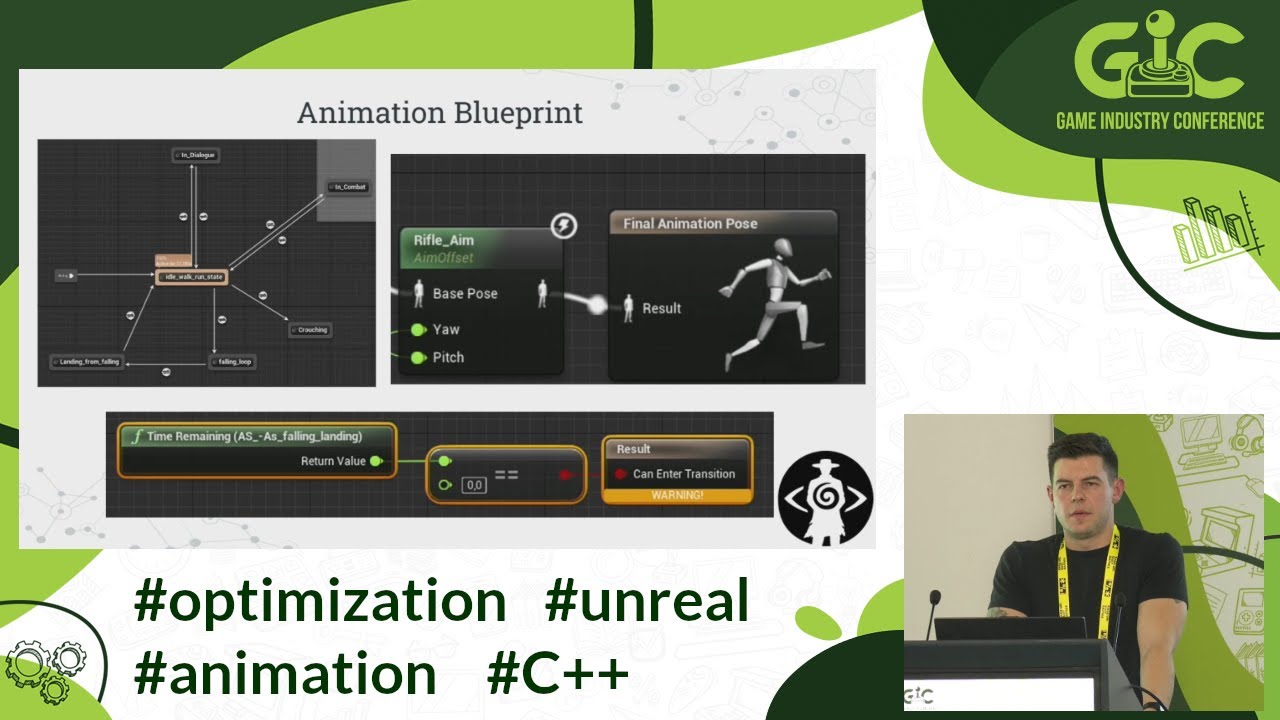
Unreal Engine 4 (and 5 as well) enables various possibilities to optimize animation, AI, movement and rendering on a large scale. Lots of them are actually not so well documented and remain unknown. During this lecture, he will try to present a bit of Epic's magic and how easy is to utilize it to manage, animate and render massive number of unit...
potent loom
Yeah, the unreal behaviour tree is very expensive for what it's doing. That's an unreal thing though, not really a property of bt's
My hand rolled solution that basically does exactly what he's describing, go here, play animation, is about 100x faster
misty gale
Is it tho? Very expensive? Comparing it to a very specific implemenration to achieve 1 single thing is ofcourse not fair
misty wharf
Very expensive? Hardly
misty gale
Ill see how it fares on my next round of my citybuilder. Using it for a few thousand npcs might be overkill , dunno
misty wharf
As long as it isn't constantly searching it seems it should perform fine
harsh storm
solid wedge
https://youtu.be/UBYc-eCRGRw?t=21m51s
Pretty sure she is responding to "Ive heard many say behavior trees are very suboptimal by default". Yes, if you have a simple "go here, do X" thing, a generalized solution is going to be "suboptimal".
Of course, doing the simpler approach has its own cons as well
solid wedge
harsh storm
Of course, doing the simpler approach has its own cons as well
Yeah, my use of the term "sub optimal" a bit too broad. I meant purely based on raw cpu frame time with basic logic.
Interesting topic regarding the tick frequency though. I would hate to have a game so grand that I would need to resort to c++ to enable hundreds of ai on screen. Im very happy with behavior trees and traditional methods for my own use case of 31 ai max at any given time.
I wonder if nanite & nanite tesselation interferes with navmesh & normal detection? Oh well, thats research for another day. 🫣
misty gale
Sub-optimal is a fine term imo 😅 any generic solution for anything is seldom the most optimal one
No-one ||a select|| few expects the submergible flying boat car to be the best at any of those 4 things
pseudo solstice
Hey!
I'd like to ask a quick question about the "Cooldown" decorator.
In UE4, it did not start with it being on cooldown (as others have told me) but in UE5, it immediately puts itself on cooldown, as soon as the game starts.
Is this a bug or the expected behavior?
According to the hinting, it should only put itself on cooldown after execution, but that doesn't seem to be the behavior
 misty wharf
pseudo solstice
Hey!
I'd like to ask a quick question about the "Cooldown" decorator.
In UE4, ...
misty wharf
pseudo solstice
Hey!
I'd like to ask a quick question about the "Cooldown" decorator.
In UE4, ...
This is how it's in UE 5 and it's weird yes. I think in 5.4 they're adding settings to it so you can choose the behavior you want, at least I vaguely recall seeing someone mention this
 zealous maple
Hello! I'm currently trying to make my AI reset without destroying them when the player dies. So an AI with the player as a target doesn't still chase the player after death (I never destroy the player but teleport them back).
What is my best way to reset a BehaviourTree and all it's variables?
Would it be to have two different ones?
E.g.
BT_Inactive, just stands there, no logic inside of it really
BT_WhatEverEachAIWillDo, and this is the one they should use and will make them do their actions
My suggestion above only works if switching between BTs is resetting them though.
Or can someone help me with an idea how to solve this and the best way?
misty wharf
Why not just set the blackboard values to some default values that make the AI behave as it does when it hasn't seen the player?
zealous maple
Hmm, I was thinking I could do that, but it would mean that I need to have a reset function that is special for every AI type. Which might be the best solution. That is what I'm currently trying to figure out to be honest.
Or if there was an easy way to "just" set them back to to their inital value, without doing it per type. I'm fine with that solution though if that is the best way to do it,
misty wharf
Do all of your AI types have their own blackboards?
zealous maple
Not all of them no. Only some special ones. most of them just use the generic one since they all have similar stuff. E.g. IsChasing, HasSeenPlayer, Attacking. So most does not.
Now that you mention it.
misty wharf
Right, so you could just have some base class which has the logic to reset the shared ones used for player detection
zealous maple
Yeah, so that sounds good. Didn't think about that.
I mean, that most of them share it
misty wharf
You could have a base blackboard also and inherit the others from that to make the sharing more straightforward
zealous maple
Since I also have a ParentEnemyClass they all are based on it would be quite simple to add it there, and only overwrite it in the special ones.
Yeah, I have a base blackboard
That the special ones also are based on.
It is only for the bosses, they have special blackboards, since they have some special variables and such I want to use, and they are only used for them. So it would really only be the boss that need special reset.
Thanks! Sometimes it's good to just hear someone else say, but why do you want to do it this way, when you could just. 😄
misty wharf
hehe :)
yeah I think this would probably be a fairly good solution
this would also allow you to override the function if any class requires additional reset handling
zealous maple
Yeah! Sounds like a good solution
misty wharf
I kinda get the feeling there might be a way to collect all the defaults from the BB at the start and save them and just have it reset those back automatically but that'd probably require some C++ hackery and I never looked at that myself at least
zealous maple
I mean I need the reset function anyway. Since I need to reset health, position and such, so they all go back to there they should be.
So adding the BB values is not really a lot of work
misty wharf
Makes sense
lyric flint
Hey guys, I created a ai for example like moveTo playerLocation, but I wonder what if it's multi I mean I'm retrieve player location using this method getPlayerCharacter(index : 0) but it's only for one player right? how can I move To nearest player? (calc distance from them and if it's middle run any skill and move again to target)
misty wharf
get list of all players chars and see which is closest
EQS for example can do this fairly easily or just create some custom code for it
lyric flint
misty wharf
EQS for example can do this fairly easily or just create some custom code for it
Ahh it was EQS I already made it as decorator😂
zealous maple
I have a problem I keep running into and I feel there must be a solution.
I use the MoveToActor node, and I have a flying enemy that is using that flying through walls and everything, and should hit the player. BUT, when the player is standing still, it stops right before the player, even though the AcceptanceRadius is set to -1
But if the player is running away or towards the enemy it hits. So it is only if the player is standing still. Does anyone know why that is the case and if there is a way to fix it?

I just set the "stop on overlap" to false and that might have fixed it, but I don't know if that is a correct solutiuon
 green loom
What is this flat node beauty? A plugin?
Also, I do have another question... I must be daft, but I have a very basic selector. When the condition is false, it does not go to the second branch. What am I missing:

Oh because inside the selector it doesn't care about the blackboard condition 
misty gale
green loom
What is this flat node beauty? A plugin?
Electric nodes, yeah
green loom
Cool thanks!
harsh storm
solid wedge
Yeah, my use of the term "sub optimal" a bit too broad. I meant purely based on ...
Well, UE is designed in such a way that you will need to go to C++ for that kind of level of AI anyway.
potent loom
misty gale
Is it tho? Very expensive? Comparing it to a very specific implemenration to ac...
Yeah, if you implement a custom BT yourself it's significantly cheaper. BT conceptually is very efficient structure, but all the UE overhead makes it less paletable.
Generally ai is not your bottleneck though, you'll choke on the actors walking before the overhead of BT's become a problem
lyric flint
Hey guys, Im trying to get distance from players how can I getting distance?


 dense owl
Get Distance To
lyric flint
dense owl
https://docs.unrealengine.com/4.26/en-US/BlueprintAPI/Utilities/Transformation/G...
Hmm what if player is more than one?
dense owl
lyric flint
Hmm what if player is more than one?
Well you seem to have the right idea with the EQS query but you have it set to search between 0 and 0…
lyric flint
dense owl
Well you seem to have the right idea with the EQS query but you have it set to s...
wdym exactly between 0 and 0?
dense owl
Look at your own screenshots
 stoic pier
Say you want a BTTask to wait for the duration of a montage played via interface in the AI character. How would you handle this? The task calls the function in the character, plays the montage, but not sure what the best way to get back to the task and trigger succeeded is 🤔
misty wharf
stoic pier
Say you want a BTTask to wait for the duration of a montage played via interface...
Interface functions can take delegates as parameters, and at least in C++ I think they could also return a multicast delegate you can bind to
But delegates in general would probably be the best way to go about it. In Blueprints doing it might be a bit iffy through interfaces tho
stoic pier
misty wharf
Interface functions can take delegates as parameters, and at least in C++ I thin...
interesting, haven't tried this king of approach yet but let me see if I can get my noggin around it. Yeah this is in cpp btw
misty wharf
Yeah I think that should work alright then. If you declare a delegate using one of the DECLARE_DELEGATE macros you can pass those around like regular values, or use std::function even
I vaguely recall there's a delegate on montages you can bind to and fire your own delegates from it if needed
There's also a bunch of engine code which uses DECLARE_MULTICAST_DELEGATE, and wraps it in a getter function, so a similar approach could probably be used with interfaces to return a multicast you can bind to if you prefer that approach
stoic pier
yeah I was doing something similar here, just found this bit
        AnimInstance->Montage_Play(DeathMontage, 1.f);

        FOnMontageEnded BlendOutDelegate;
        BlendOutDelegate.BindUObject(this, &AAIEnemy::OnDeathMontageBlendOut);

        AnimInstance->Montage_SetBlendingOutDelegate(BlendOutDelegate, DeathMontage); ```
So I think I can leverage something similar.. what I'm not sure about is ExecuteTask has to return the succeeded so how do you get that function to wait ? Or am I missing smth?iirc there's a value you can return to indicate it's running and you can call something to finish it later
I'd look at the builtin BTTasks like Wait to see how it works
stoic pier
ah ok cool, that should work then
pseudo solstice
pseudo solstice
Hey!
I'd like to ask a quick question about the "Cooldown" decorator.
In UE4, ...
hey y'all
https://gist.github.com/rolandsarosy/2bf226eb260d8cf212ca2cff2a082146
I've made a forked version of the UE5.3 BehaviorTreeDecorator that fixes the issue of it starting prematurely on cooldown, even without invocation.
Feel free to grab it if you need it.

Gist
This file, originally forked from the BTDecoratorCooldown files of the Unreal Engine source code, contains modifications made to rectify an issue where cooldown would prematurely commence even with...
It's 99% the same, I've only fixed the NodeTick and RawCondition issues, and fixed the const-correctness in a few places. Hope it helps someone.
misty wharf
Nice :)
Hmm... that's a bit of a gotcha... it seems that if you use "project goal location" with MoveTo, the acceptance radius is still to the Goal Actor rather than the projected Path End

I would definitely expect the acceptance radius to be to the projected point
Okay or maybe that's not the problem here... 🤔
the character pretty clearly walked up exaclty to the point and within the radius and it still thinks it hasn't reached the goal...
 oblique basin
stoic pier
yeah I was doing something similar here, just found this bit
```cpp
Anim...
oblique basin
stoic pier
yeah I was doing something similar here, just found this bit
```cpp
Anim...
Yeah if it's cpp, return In Progress rather than completed then have your montage on completed delegate trigger a bool in your task memory that is being checked on tick. BP versions of this are quite a bit easier to use imo as the play montage node is async. But if your montage is being triggered outside of a task, cpp ftw.
uneven cloud
oblique basin
Yeah if it's cpp, return In Progress rather than completed then have your montag...
It is completely unnecessary to check a bool on tick. Just end the task when the delegate is called.
 flint trail
pseudo solstice
hey y'all
https://gist.github.com/rolandsarosy/2bf226eb260d8cf212ca2cff2a082146...
flint trail
pseudo solstice
hey y'all
https://gist.github.com/rolandsarosy/2bf226eb260d8cf212ca2cff2a082146...
@potent iris can you please pin this ?
 potent iris
pseudo solstice
hey y'all
https://gist.github.com/rolandsarosy/2bf226eb260d8cf212ca2cff2a082146...
potent iris
pseudo solstice
hey y'all
https://gist.github.com/rolandsarosy/2bf226eb260d8cf212ca2cff2a082146...
 wispy cobalt
dense owl
pseudo solstice
hey y'all
https://gist.github.com/rolandsarosy/2bf226eb260d8cf212ca2cff2a082146...
wispy cobalt
dense owl
pseudo solstice
hey y'all
https://gist.github.com/rolandsarosy/2bf226eb260d8cf212ca2cff2a082146...
Btw that’s already fixed in 5.4 🙂
If we’re talking about Cooldown decorator aborting on first pass
pseudo solstice
dense owl
If we’re talking about Cooldown decorator aborting on first pass
Yes.
pseudo solstice
dense owl
Btw that’s already fixed in 5.4 🙂
That's correct.
Not everybody's projects are on 5.4 yet, however.
 rigid tulip
does anyone know how can I check if a location is inside a limited navigation area like on this rock? Is there a way to get nav area size by location?

 azure ferry
Is anyone available to help me with a tower defense issue? I'm trying to set it so you can't build a wall which would completely block the enemy path, but I can't get the ghost to affect the pathfinding of the path tester, and not the enemies already there.
If the ghost effects the navmesh then it works on both, if it blocks but doesn't affect the navmesh then the path is always clear apparently.
In AI, as its the AI move to pathing which is the issue
misty wharf
azure ferry
Is anyone available to help me with a tower defense issue? I'm trying to set it ...
I would try using a specific nav area on the ghost. You can have the nav area update the navmesh, and set it up so that your path tester code uses a nav query filter which does not allow pathing through the ghost nav area. This way everything else should be able to still path
azure ferry
Amazing! Thank you!
 brisk relic
Hey guys i am getting the decorator error when packaging project to windows64x

Here is behavior tree

and thats how i get those values


So error is caused by only "Decorator_HaveGunN" and "Decorator_HaveMeleeN"
cuz after deleting them, project package successful
plz help
dense owl
pseudo solstice
Not everybody's projects are on 5.4 yet, however.
Granted, more of a PSA than anything 😅
 lucid plover
Hi folks ! I'm trying UE 5.4 and the new State tree and Smart Objects features (linked assets, new possibility of parameters binding in Gameplay Interaction and so on). I'm a big fan of the philosophy of both and was tinkering with custom made systems before, largely less complex than what unreal proposes though. But it's seems to become very powerful and I would love a fully data driven workflow with simple generic behaviors that can execute whatever an object needs to do.
However, I'm having a hard time to understand how to execute properly a linked StateTree asset and run out of idea, maybe someone here has a solution.
I have an actor that look for an event and react to it by entering a new state that would run a linked asset (I'm trying to have generic state tree with parameters that can be reused).
But, the execution stop at the state that would run the linked asset, and the debugger log is "Could not trigger completion transition, jump back to root state".
The state running the linked asset has a transition on state completed, and my linked asset has its root state with a transition to Tree Succeeded on state completed and a child state with a simple Delay with no transition, (I believe that would fallback to its parent on completion, given the arrow icon "Parent").
Anyone has tried this and got it to works ? Do you have an idea where I'm wrong ?
(I can screenshot my setup if it's help).
Edit : this setup works if it's a linked subtree (inside the same asset).
stoic pier
oblique basin
Yeah if it's cpp, return In Progress rather than completed then have your montag...
How would you do this with the task memory? Are you passing the pointer to it somehow then reinterpret_cast in the character's montage callback? Can't seem to get a delegate to callback to the task.
uneven cloud
brisk relic
So error is caused by only "Decorator_HaveGunN" and "Decorator_HaveMeleeN"
cuz a...
Why are you creating new decorators to check a blackboard key?
uneven cloud
stoic pier
How would you do this with the task memory? Are you passing the pointer to it so...
Binding to delegates with non instanced BT tasks should be done by using AI tasks. The BT task triggers an AI task and waits for the AI task to end. The AI task is what binds to the montage delegate.
GDC is the best resource for technical information.
keen crow
Is it ok to call WaitForMessage in UBTTaskNode::AbortTask override? It seems that prior to ::AbortTask, the task gets unsubscribed from all message observers, but I have a task that relies on some logic to be finalized (GAS ability for melee attack to be specific). Judging by the code, both FinishLatentAbort and FinishLatentTask do call UnregisterNodeFromObservers eventually, but maybe there are some pitfalls I'm unaware of?
 cyan karma
Got an enemy design and Curious about the best way to implement it with navigation
The has a behavior that calls for it to run at the player in a straight line
and if it doesn't have sufficient room to stop it should collide into objects and die
what is the best way to have an agent "move to a point off the nav mesh"
like into a wall
i think i have a good outline for calculating all the needed positions etc, but
unsure of that last part of getting the agent to force itself into the wall
misty wharf
If it runs in a straight line then maybe don't need to use navigation for it?
cyan karma
what would you suggest?
i want it to still handle height variations
i just did the early stub prototype by just hard interpolating the actor lol
and trying to find a more consistent / robust method if needed
or am i under the incorect impression that agent move tos need to go through navigation at all
misty wharf
If it's a character you could just feed it movement input forwards and it should move into that direction
misty wharf
👍
uneven cloud
keen crow
Is it ok to call WaitForMessage in UBTTaskNode::AbortTask override? It seems tha...
I would not recommend that direction. How I do that is the GAS ability is triggered via an AI task. When abort is called, the AI task is cancelled, but doesn't finish until the ability has ended.
brisk relic
uneven cloud
Why are you creating new decorators to check a blackboard key?
i want to check if "enemy ai" variable "have gun and have melee" is true or false. so i tried to directly get variables from enemy ai in decorator but it didn't worked at gave error of BT Decorator AI so i made services to set variables in BB key, and tried to check BB key. but this also didn't worked
uneven cloud
brisk relic
i want to check if "enemy ai" variable "have gun and have melee" is true or fals...
You don't need to make a new decorator to check every BB key. There's a built-in one that can check any key. Also services happen at a different time than decorators, so your functionality won't actually work. I recommend doing the AI with Blueprints course that is linked in the pinned messages to learn how the systems work.
 limber maple
How do I make my ai have a longer time until it ignores me and runs away?
limber maple
I have patrol and chase code just wondering because once i break sight it loses interest pretty fast
misty wharf
You could try adjusting the settings in the sight sense for when it loses sight, or if that doesn't get the results you want, then you need to set up some custom logic for it in your code that deals with sight loss
F.ex. you could set a timer which sets a value in the BB to indicate sight was lost instead of immediately setting it
brisk relic
uneven cloud
You don't need to make a new decorator to check every BB key. There's a built-i...
thanks for reminding me. i used build-in decorator for BBkey but it still showing error.
so let me clarify some thing maybe you can tell whats wrong.

- i am checking value for "havegun" var through service

- and here is how i get it

- and then i use build-in decorator for BBkey as you mentioned
and thats it
brisk relic
brisk relic
its default value is false
 drowsy steppe
Hey all 🙂
What is the best approach for flying Ai navigation in your opinion (for something like drones)? Since DoN hasn't been updated for UE5, for now, I just use forward line trace to change direction but I think it will be problematic in more complex situations.
One thing that came to my mind was to create grid cell system around flying object that check collisions for every cell and make decision based on shortest path but I feel it could get taxing on CPU really fast in scale
 zinc juniper
Would this be the right channel to ask for advice considering AI on the client?
dense owl
If it’s UE’s AI, generally yes
Also I just noticed this channel’s description is a bit short
misty wharf
5.4 lets you finally query for smart objects that are in use
Meaning I can hopefully delete my hack on top of their implementation that I needed for supporting queuing on objects since previously you couldn't query for things that had all their slots in use
harsh storm
@uneven cloud Maybe 5.4 improved some perf with invokers? 🙏
 dense owl
alright, I hope someone can help me figure this navmesh height issue out cause I've been troubleshooting it on and off for a while now. Here's a video of what's happening, hopefully one of the legends/AI architects here knows how to fix this because I've tried almost every setting in Navigation and Navigation System in Project Settings, with no success.
when this tower was pre-built before runtime and navmesh was static, it didn't have any issues. Now, it seems like it doesn't want to generate properly past a certain height, one way or another
uneven cloud
brisk relic
thanks for reminding me. i used build-in decorator for BBkey but it still showin...
Are you running the BT in On Possess or Begin Play? It should be done in On Possess.
uneven cloud
harsh storm
<@228699554034221065> Maybe 5.4 improved some perf with invokers? 🙏
You're still regenerating the nav mesh a lot.
harsh storm
uneven cloud
You're still regenerating the nav mesh a lot.
Sure. But it looks like they may have used them for the Lego game.
uneven cloud
drowsy steppe
Hey all 🙂
What is the best approach for flying Ai navigation in your opinion (f...
The "best" would probably be looking up Sparse Voxel Octree navigation, but that's a lot of work and really should only be done with C++. Another option is to look up BOIDS.
uneven cloud
dense owl
alright, I hope someone can help me figure this navmesh height issue out cause I...
What looks like is going on is not necessarily a height restriction, but it's only generating X amount of tiles. I really can't help much without actually debugging it. Do you have engine source?
 celest nebula
Does it sound reasonable to create a custom EQS test for the purpose of scoring based on something such as damage taken from an actor (while considering default provided tests like visiblity, pathfinding, and gameplay tags)?
dense owl
uneven cloud
What looks like is going on is not necessarily a height restriction, but it's on...
I’ll have to check if I installed it again now that I upgraded. Weird tho, the tile limit in settings is set to the default which is quite high
Yeah I have the source. What can I show
uneven cloud
celest nebula
Does it sound reasonable to create a custom EQS test for the purpose of scoring ...
Creating custom EQS tests is pretty common.
uneven cloud
dense owl
Yeah I have the source. What can I show
You'll want to put a breakpoint in the recast navigation generator in the function that starts the generation and step through it.
dense owl
uneven cloud
You'll want to put a breakpoint in the recast navigation generator in the functi...
output is showing this again, idk why it doesn't always do it consistently though LogNavigation: Error: RecastNavMesh-Default> Failed to add tile (-1,0:4), 16 tile limit reached! (from FRecastNavMeshGenerator::AddGeneratedTileLayer). If using FixedTilePoolSize, try increasing the TilePoolSize or using bigger tiles.
where is this 16 tile limit though, the hard limit in settings is like 1M+
dense owl
uneven cloud
You'll want to put a breakpoint in the recast navigation generator in the functi...
k I'll try to find it when I have a chance
celest nebula
uneven cloud
Creating custom EQS tests is pretty common.
Alright thanks
uneven cloud
dense owl
output is showing this again, idk why it doesn't always do it consistently thoug...
Can you show your navigation settings?
dense owl
uneven cloud
Can you show your navigation settings?
In project settings? Sure sec
uneven cloud
dense owl
where is this 16 tile limit though, the hard limit in settings is like 1M+
You can look at the function in the warning to see where that variable is coming from.
dense owl
this should cover it


 dense owl
uneven cloud
You can look at the function in the warning to see where that variable is coming...
dense owl
uneven cloud
You can look at the function in the warning to see where that variable is coming...
k, thank you, I'll look through it when I get a chance, I gotta get ready for work
abstract yarrow
Does anyone think they can help me figure out why my Enemy AI stops chasing me a few seconds after he sees me? Im using a behavior tree and navigation invokers and it works for a second but then the enemy just stands there
Here's my code


sound warning
uneven cloud
abstract yarrow
Does anyone think they can help me figure out why my Enemy AI stops chasing me a...
Your first image is completely unreadable. What have you used to debug this? I recommend using the gameplay debugger to verify that it's still seeing you. Then to use the visual logger to walk through what is happening.
abstract yarrow
uneven cloud
Your first image is completely unreadable. What have you used to debug this? I...
It’s readable if you zoom in. I confirmed that it’s high enough quality through discord to allow that so I don’t blow up the chat with too many images
But I’ll try out the gameplay debugger. I didn’t know that was a thing
brisk relic
uneven cloud
Are you running the BT in On Possess or Begin Play? It should be done in On Pos...
it is how this is
 uneven cloud
brisk relic
it is how this is
uneven cloud
brisk relic
it is how this is
Running the BT is a function. On Possess is a function that you can override.
brisk relic
uneven cloud
Running the BT is a function. On Possess is a function that you can override.
can you tell me where can i find "On Possess" ?
uneven cloud
brisk relic
can you tell me where can i find "On Possess" ?
It's an event that you can implement in the AI controller's event graph.
brisk relic
oh ok
should i tick this which is on top right ?

i am soo sorry if i am being dumb
i know it is kind of irritating
brisk relic
uneven cloud
It's an event that you can implement in the AI controller's event graph.
.
uneven cloud
brisk relic
should i tick this which is on top right ?
No. Do you not know what an event is?
harsh storm
You should probably go through the AI course that is pinned honestly
As well as a BP basic course
uneven cloud
Honestly, the AI course is probably too advanced.
You need to understand at least the basics of blueprints.
brisk relic
harsh storm
As well as a BP basic course
i know basics and mid BP but i think Luthage is refering to custom event or there is on possess event already there
dense owl
OnPossess is built-in
brisk relic
oh ok
so like this right

i made everything by myself in this project https://alexjr.itch.io/advance-superhot-template-unreal-engine
but it just don't package due to BT AI Decorator error line 67 and that is what i am doing here
well same error again
 uneven cloud
Why are you calling Use Blackboard?
brisk relic
uneven cloud
Why are you calling Use Blackboard?
idk i think i did it when i first started creating this project from some YT video on AI
i will change that
thank you soo much for help
brisk relic
uneven cloud
Why are you calling Use Blackboard?
still failed to package
brisk relic
uneven cloud
Why are you calling Use Blackboard?
can i share project with u ?
if u dont share with anyone
uneven cloud
brisk relic
can i share project with u ?
No. I don't debug projects for people.
brisk relic
oh ok. i meant if you could fix this error. you can keep and use project for yourself
uneven cloud
brisk relic
well same error again

Epic Developer Community Forums
This means you have a BP-implemented BT decorator, that uses BB keys, its instance is set to abort lower priority or self or both, but the BB key is not set. Go through your BT decorators and validate the setup. Cheers, –mieszko
brisk relic
uneven cloud
https://forums.unrealengine.com/t/cant-cook-content-for-windows-or-package-game/...
i saw it but will take a look again
harsh storm
brisk relic
oh ok. i meant if you could fix this error. you can keep and use project for you...
That isn't as good of an offer as you might think it is. Especially towards Luthage 😅
brisk relic
harsh storm
That isn't as good of an offer as you might think it is. Especially towards Luth...
looks like it, he is very skilled and dont need my petty bp
harsh storm
She*
uneven cloud
I also don't work on solo projects. I don't think my job would be happy if I took BPs from others.
brisk relic
ye i understand
 fathom sun
Hello, how can I check whether an actor is inside a piece of a navmesh or whether it's on that path?
 stoic pier
if you have a BTTask that returns InProgress shouldn't the tree stay on that task (branch) until FinishLatentTask is fired? My BT just flashes the task then attempts to do something else (with no observer aborts) before the finished task signal is fired.
At least that is the way I would want /expect a latent task to work
misty wharf
stoic pier
if you have a BTTask that returns InProgress shouldn't the tree stay on that tas...
afaik yes
you should probably pause it and see if when it flashes it actually goes red, which could indicate that it actually failed for some reason. I think the visual logger may also have that kind of information in it
stoic pier
misty wharf
afaik yes
Ok cool, I'll debug it further. Just needed a sanity check. After all that time getting the montage callbacks to work and now the tree just triggers it and doesn't wait 😅
but I do have the logger printing a message when the when the callback happens so I know that's working
 signal island
How do you guys deal with AI going to the same spot or near other AI spot with EQS? do i only need one eqs and give the FVector manually?
misty wharf
You mean you have an EQS generating points for the AI to go to, and they mostly go to the same spot instead of any of the others?
wise sluice
I would run the EQS once and distribute the points to all AI that rely on it
misty wharf
You can also use the options on it that allow it to choose with randomness from top 25% or such. This would avoid them all going to the same one
dense owl
@uneven cloud found the piece of code throwing the tile limit reached error, it's getting its max from getMaxTiles() which returns m_maxTiles
trying to track down how that's being set exactly
dense owl
so this points to int maxTiles in struct dtNavMeshResParams, inside dtNavMeshParams I guess, just having a hard time tracking down how it's taking params in to set that, or more specifically, which param and from where
so dumb
if I just turn Fixed Tile Pool Size on with the default value, it magically fixes it.
ig there's some bug in there making it auto-allocate a tiny amount of tiles.
 hexed kelp
Are there any good, complete examples out there of state trees or behavior trees of production NPCs out there? I understand how to use all the basic features of both, but I'm trying to find resources on how to structure fairly complex behaviors and I'm not finding much. It could be old games, pdfs, whatever. Doesn't have to be Unreal, but more about the architectural best practices.
misty wharf
Good question, been wondering the same on occasion. The Game AI Pro books have some stuff but I don't really think it's quite on that level
 distant citrus
I'm using some grid-based path finding and the character's AI MoveTo function sort've has the character skating around the destination points loosey-goosey - where should I start on tightening this up? If in the CharacterMovementComponent, which variables should I pay particular attention to (increase, decrease, etc)?
I also want the AI agent to arrive exactly at the destination vector, and not leave any room for variance... what's the best way to achieve that?
 uneven cloud
fathom sun
Hello, how can I check whether an actor is inside a piece of a navmesh or whethe...
uneven cloud
fathom sun
Hello, how can I check whether an actor is inside a piece of a navmesh or whethe...
The nav mesh is a 2d flat plane. What do you mean if something is "inside?" You can check if a location is on the nav mesh by using the function project to navigation.
fathom sun
uneven cloud
The nav mesh is a 2d flat plane. What do you mean if something is "inside?" You...
What function are you referring to?
uneven cloud
signal island
How do you guys deal with AI going to the same spot or near other AI spot with E...
I find that using a context to get other AI's move to location and doing a distance check with a filter works really well.
hexed kelp
misty wharf
Good question, been wondering the same on occasion. The Game AI Pro books have s...
Yeah, the intermediate learning content is always tough to find... People have made intro tutorials for everything, but "how do I do it in a scalable way?" is tough to find.
uneven cloud
fathom sun
What function are you referring to?
It's in the navigation system. Project Point To Navigation.
uneven cloud
hexed kelp
Are there any good, complete examples out there of state trees or behavior trees...
GDC AI Talks are a great resource. That's really the only place professionals can show that kind of thing.
uneven cloud
distant citrus
I'm using some grid-based path finding and the character's AI MoveTo function so...
You would need to implement your own movement solution. How path following works is they are pushed in the direction of the path point and use velocity to get there. You can't get exact movement using that method.
distant citrus
uneven cloud
You would need to implement your own movement solution. How path following work...
Understood, that makes perfect sense, I appreciate it. Thank you!
misty gale
Lerping would get you there exactly ^
distant citrus
misty gale
Lerping would get you there exactly ^
Thanks @misty gale appreciate that, that makes sense.
lyric flint
out of interest anyone know what I need to do to have my cpp AI controller be the one from the crowd AI controller one rather then be derived from the normal AI controller ?
misty wharf
lyric flint
out of interest anyone know what I need to do to have my cpp AI controller be th...
Look at the builtin ADetourCrowdAIController or whatever it was called. Basically you need to use the FObjectInitializer constructor to replace the path following comp with the crowd following comp
lyric flint
I believe I did it
My Ai Controller has that and it's derived from my c++ so I must have done it right
 misty wharf
Yep :)
uneven cloud
lyric flint
out of interest anyone know what I need to do to have my cpp AI controller be th...
While changing the path following component will work, to change the base class of a C++ class you change it in the header where the class is declared.
lyric flint
.h ```// Fill out your copyright notice in the Description page of Project Settings.
#pragma once
#include "CoreMinimal.h"
#include "AIController.h"
#include "Navigation/CrowdFollowingComponent.h"
#include "Prototype_Hickorys/GenericEnums.h"
#include "BaseAIController.generated.h"
/**
*
*/
UCLASS()
class PROTOTYPE_HICKORYS_API ABaseAIController : public AAIController
{
GENERATED_BODY()
public:
ABaseAIController(const FObjectInitializer& ObjectInitializer);
.cpp ```// Fill out your copyright notice in the Description page of Project Settings.
#include "AI/Controllers/BaseAIController.h"
ABaseAIController::ABaseAIController(const FObjectInitializer& ObjectInitializer)
: Super(ObjectInitializer.SetDefaultSubobjectClass<UCrowdFollowingComponent>(TEXT("PathFollowingComponent")))
{
}```
Thats what I've done in my c++ side of things
never done it before so I'm taking it I've done it right
uneven cloud
lyric flint
.h ```// Fill out your copyright notice in the Description page of Project Setti...
See where it says : public AAIController? That's the class it's deriving from. You change that class to the new one. Then you need to include the header for the new class.
lyric flint
uneven cloud
See where it says : public AAIController? That's the class it's deriving from. ...
i'm confused sorry
what would I derive from instead ?
uneven cloud
lyric flint
i'm confused sorry
What are you confused by? This is basic C++.
lyric flint
what I mean is the detourcrowd one isn't something you can derive your AIController from
uneven cloud
Why not? That's literally how it works.
lyric flint
or at least in c++ when you try to derive it you only have AIController as an option to derive your c++ class from
so what would the detour one be called then
and I'll change the public thing
found it
uneven cloud
ADetourCrowdAIController
lyric flint
I got failed build
it's not happy that I changed the class the c++ is being derived from at all
uneven cloud
Did you include the file?
lyric flint
#pragma once

#include "CoreMinimal.h"
#include "AIController.h"
#include "DetourCrowdAIController.h"
#include "Navigation/CrowdFollowingComponent.h"
#include "Prototype_Hickorys/GenericEnums.h"
#include "BaseAIController.generated.h"

/**
 *
 */
UCLASS()
class PROTOTYPE_HICKORYS_API ABaseAIController : public ADetourCrowdAIController
{
    GENERATED_BODY()

public:
    ABaseAIController(const FObjectInitializer& ObjectInitializer);

    UPROPERTY(EditAnywhere, BlueprintReadWrite, Category=Default)
    EGuestJourney CurrentJourneyStep = EGuestJourney::Idle;

};
I did
@uneven cloud you got idea why it's not happy ?
uneven cloud
Typically unresolved external symbols means that you didn't include it correctly.
lyric flint
well you can see the includes there
uneven cloud
You can just use the changing the path following component method. Something might be weird with the crowd controller
harsh storm
uneven cloud
You can just use the changing the path following component method. Something mi...
It's not exported
So you actually can't inherit from it in C++
uneven cloud
harsh storm
It's not exported
I figured that might be the case. So many AI classes are missing that
harsh storm
But all it literally is, is a normal AI controller with the FObjectInitializer thingy
uneven cloud
harsh storm
But all it literally is, is a normal AI controller with the FObjectInitializer t...
That's what I get for trying to teach someone basic C++

 lyric flint
harsh storm
This is all the class is
lyric flint
harsh storm
This is all the class is
So what I've done above minus the change to what the cpp is derived from will that work for me
harsh storm
I wasn't paying attention to what you've actually done
lyric flint
I can see the comp in my BP derived but sometimes seeing something don't mean it'll work haha
harsh storm
Just copy how they do it and you should be fine
lyric flint
lyric flint
.h ```// Fill out your copyright notice in the Description page of Project Setti...
This is what I done
lyric flint
lyric flint
.cpp ```// Fill out your copyright notice in the Description page of Project Set...
And this
zinc juniper
I'm currently working on an Order System for my RTS and stumbled upon the question if it is better to do requirement checking in the behavior tree or in the AiController?
Scenario: Player issues the AiController to let the selected unit attack another unit. Should the BT check if all conditions are met and start movement if necessary or should the AiController figure things out and start a move task and a following attack task if conditions are met?
misty wharf
It depends
Having the AI controller do the checks can offer more flexibility in terms of sharing behavior trees, as the logic can be in the controller and the BT doesn't need to know how a specific unit type does the check
But whether that's useful in your case or not depends on if you even want to share BT's like that or if you have BTs per type anyway
 glacial harbor
The latent BP Move To task seems broken in 5.4. If the target actor is blocking the nav mesh, the AI won't move towards it. Even if the "Require Navigable End Location" and "Project Goal" are set to Yes. The BTTask version of MoveTo seems fine though.
misty wharf
Glad I decided to wait for 5.4.1 with how many random things seem broken in it again :P
 halcyon briar
Hello.
Where do I find Lyra's AI code ?
I can't seem to find any BTrees ? Do the bots simply shoot the player on sight ?
misty gale
misty wharf
Glad I decided to wait for 5.4.1 with how many random things seem broken in it a...
Same, atleast 4 things now 😅
- string tabels
- moveTo?
- shader compilation
- pasting to name / string? arrays
- spline doesnt trigger construction scrupt of owning actor
misty wharf
halcyon briar
I can't seem to find any BTrees ? Do the bots simply shoot the player on sight ?
Unfamiliar with Lyra but have you checked they aren't using state trees instead?
stoic pier
uneven cloud
Binding to delegates with non instanced BT tasks should be done by using AI task...
I can't seem to find any examples of this kind of usage. My custom Melee Attack task is bound to a Montage end delegate like so which fires fine. The issue I'm having is the leaf the task is on doesn't pause execution of the tree. It tries to continually start it if on the left side or just triggers it and tries to do something else if on the right side of a selector. It's most likely operator error but there seems to be very little information on this.
Also not using task memory for this since I'm really not sure how to access it outside of tick or execute..
 sullen escarp
halcyon briar
I can't seem to find any BTrees ? Do the bots simply shoot the player on sight ?
sullen escarp
halcyon briar
I can't seem to find any BTrees ? Do the bots simply shoot the player on sight ?
The BTs are in the plugin folder inside ShooterCore game feature. Should also be able to press Ctrl + P for the Open Asset hotkey and type in "Behavior Tree" they'll come up too.
misty wharf
TIL you can search by asset type name in that dialog, good tip :D
 cyan sigil
Behavior tree question: I am making Leash behaviors for my AI and I need them to be able to recognize when they exceed their leashing range while moving but not while attacking. Is there a common pattern for this?
If I put it on a decorator it might interrupt attacks.
I could try the inverse: Prevent the leashing branch from firing while the character is attacking.
 uncut rune
Hello guys. I'm just brainstorming how to implement ''combat'' system in my RTS game (commanding units to attack, they attack on ''cooldown/attackspeed"), attacking when in range, if not in range come closer etc. etc. Is the AI Behavioral Tree way to go? I had previously worked in Unity where I just coded whole system that was checking if clicked on enemy > engage in combat > if not close enough to attack > move to target > if in range, deal dmg every 3s (start animation, bla bla bla). Can I also program it with blueprints and just attach that component to the units that I want to use it? I will have Player Units, Enemy Units and Monsters. I'm not looking for ready thing, just brainstorming which way should I choose to make it easiest and the most effective?
fleet coral
Any reason why Agent Radius and Agent Height keep resetting when I reload the engine?
I changed the values in both RecastNavMesh and project settings. The one in project settings saves fine, but the recastnavmesh resets to the engine default values anyway.
 small moat
I'm having weird behavior where the first time a AISense (Sight in this case) is used the behavior is different from subsequent times. Here, the units on the left lag for a sec and attack the further units, which is different from the expected behavior I see in the second round
Is there something I need to do to "prime" or prepare the AISense so that the results are consistent?
dense owl
small moat
I'm having weird behavior where the first time a AISense (Sight in this case) is...
Try deleting and remaking your navmesh
For the first part of that question, regarding settings not saving
uneven cloud
stoic pier
I can't seem to find any examples of this kind of usage. My custom Melee Attack ...
The move to task is an example of how that works. BT tasks in C++ are not instanced per actor by default. Your code is going to be incredibly buggy.
You are also missing the entire point of delegates by sending a pointer to the BT task to the character. The character shouldn't know anything about the BT task.
uneven cloud
cyan sigil
Behavior tree question: I am making Leash behaviors for my AI and I need them to...
You use the prioritization of tasks that is built in to the structure of the BT. Tasks on the right can't interrupt ones on the left.
uneven cloud
uncut rune
Hello guys. I'm just brainstorming how to implement ''combat'' system in my RTS ...
The entire point of using an AI architecture (BTs, FSM, ect) is to organize the logic in a way that makes sense for your game, is easier to implement, is less prone to bugs and saves perf. Sure you can script it in any way that you want, but there are downsides to doing so.
uneven cloud
fleet coral
Any reason why Agent Radius and Agent Height keep resetting when I reload the en...
If you are making the values smaller than the default, then you need to create a supported agent setting in the project settings instead of manually setting it like you are.
uncut rune
uneven cloud
The entire point of using an AI architecture (BTs, FSM, ect) is to organize the ...
I started stuyding about BTs. It starts to make sense. Any other thing I should be aware of ?
uneven cloud
uncut rune
I started stuyding about BTs. It starts to make sense. Any other thing I should ...
I recommend doing the AI with Blueprints course in the pinned messages to learn about the AI systems.
uncut rune
uneven cloud
I recommend doing the AI with Blueprints course in the pinned messages to learn ...
On my way, thanks! ❤️
 remote willow
Hey there, I was hoping I could get some advice on this issue I have. ( well one of many lol) I am working on game that is a jrpg. I'm using 2d sprites that will move in 3d space. My plan is to have up to 3 party members playable at a time ( will be 8 total ) where the 2 characters will follow the active leader with a character switch feature. Anyways as you can see in the video I am having an issue having the follower Characters mimic what the Party leader ( the plyear) moment and animations and continue to face the camera instead of looking flat.
I hope this is the write location for this?
uneven cloud
small moat
I'm having weird behavior where the first time a AISense (Sight in this case) is...
There's something flawed in your logic. I recommend using the visual logger to debug.
uneven cloud
remote willow
Hey there, I was hoping I could get some advice on this issue I have. ( well one...
By default, AI characters rotate towards the direction of movement. You'll need to turn that off. Use control rotation yaw is the variable.
 zinc sky
Hi I am trying to make my enemy abort after a certain period of time, this task makes the enemy attack only if he's in a certain radius of the player. I am trying to make this so that if he does not land the attack after a certain amount of time it will move to the next task in the tree but I cannot figure it out


I tried adding a timer decorator and that didn't work. I think I am overcomplicating it
remote willow
uneven cloud
By default, AI characters rotate towards the direction of movement. You'll need...
How do I update the followers Animation though? I've been trying to figure this out and it's been making cry lol.
uneven cloud
remote willow
How do I update the followers Animation though? I've been trying to figure this...
What do you mean by update the animation?
remote willow
uneven cloud
What do you mean by update the animation?
so The character that is following the player controlled character doesn't mimic what the controlled character is doing. Like running , idle ect.
I am using Paper ZD BTW
uneven cloud
zinc sky
Hi I am trying to make my enemy abort after a certain period of time, this task ...
You really shouldn't use delays in BT tasks. Delays are just timers that you can't cancel, and BT tasks should always be cancelable.
When you say you tried a timer decorator and it didn't work, what do you mean by it didn't work?
zinc sky
the task did not abort after the set time
uneven cloud
remote willow
so The character that is following the player controlled character doesn't mimic...
Did you set it up to actually mimic the player?
uneven cloud
How is it being mimicked?
fleet coral
uneven cloud
If you are making the values smaller than the default, then you need to create a...
Solved! Thanks!
uneven cloud
zinc sky
the task did not abort after the set time
Did it not actually abort or did it not look like it aborted, because you don't have any functionality for the abort?
zinc sky
I have a dodge after this task and it did not trigger after the 2 second timer
could you show me an example of an abort with functionality if it's not too much trouble?
uneven cloud
zinc sky
I have a dodge after this task and it did not trigger after the 2 second timer
Is the next task a part of a sequence? If so, it didn't trigger because the timer decorator fails the task which ends the sequence. I recommend using the visual logger to walk through the functionality the BT does.
uneven cloud
zinc sky
could you show me an example of an abort with functionality if it's not too much...
No I can't. It's just a matter of using the abort event and canceling the attack.
zinc sky
So I have to attach one of these inside the task?
 small moat
uneven cloud
There's something flawed in your logic. I recommend using the visual logger to ...
small moat
uneven cloud
There's something flawed in your logic. I recommend using the visual logger to ...
I've never used this visual debugger, this is super cool, thank you. It'll take some time to figure it out, but it seems to point even more to some difference between the AISense Sight is working in particular. The two on the left remain in the "idle" state with Perception enabled while the two on the right immediately switch from "idle" to "combat"
The logic isn't even complex enough to possibly be flawed lmao but I wouldn't be surprised somehow. I'm basically GetAllActorsOfClass to grab the 4 units and calling SetStateAsIdle on each to set the AISight to enabled  . The BT is responding to the state change as expected


 uneven cloud
small moat
I've never used this visual debugger, this is super cool, thank you. It'll take ...
uneven cloud
small moat
I've never used this visual debugger, this is super cool, thank you. It'll take ...
Any logic can be flawed. Such as you aren't doing any target selection, they just attack the first one they see.
uneven cloud
zinc sky
So I have to attach one of these inside the task?
You have to use the receive abort event.
small moat
uneven cloud
Any logic can be flawed. Such as you aren't doing any target selection, they ju...
Sure, but, ceteris paribus, why would the first one they see be consistently different between the first and second run?
zinc sky
uneven cloud
You have to use the receive abort event.
so id have to put it at the start or somewhere else?


cause I tried at start but got an error
uneven cloud
small moat
Sure, but, ceteris paribus, why would the first one they see be consistently dif...
Because it's not deterministic.
uneven cloud
zinc sky
so id have to put it at the start or somewhere else?
Do you know what it means to implement an event?
zinc sky
not in this case
uneven cloud
zinc sky
not in this case
You aren't calling the event. You need to define what happens when the event is called.
zinc sky
so then I have to make the event fail then for this to work? how can I force it to fail?
uneven cloud
sigh
uncut rune
small moat
I've never used this visual debugger, this is super cool, thank you. It'll take ...
How did you make the nodes to look so nice?
zinc sky
sorry, I don't get it
small moat
uncut rune
How did you make the nodes to look so nice?
Search for Flat Nodes on the Marketplace
dense owl
zinc sky
sorry, I don't get it
Implement the Receive Abort event
And insert whatever logic you want to happen in it
zinc sky
How will my enemy know when to abort?

im trying to set up a timer to abort after a certain amount of time
dense owl
zinc sky
How will my enemy know when to abort?
The abort event executes when that specific node in the BT gets aborted, usually by a decorator observer
Iirc you need to use Finish Abort not Finish Execute for that one
zinc sky
ok I kinda get it now
thanks
so then something like this? I see it printing to the log once failed but the next task is not happening


 final loom
Anyone here worked with car pathfinding in Unreal Engine?
dense owl
zinc sky
so then something like this? I see it printing to the log once failed but the n...
In a sequence, if one fails all subsequent tasks fail. In a selector, if left branch fails, it moves to right branch and so on
Which Luthage mentioned to you earlier
zinc sky
I must have missed it, thanks
harsh storm
So I was actually looking at the OnDestroy aspect for tasks and uhhhh

 harsh storm
@uneven cloud For a play montage task that also needs to work across the network, which sounds better (I'm not using GAS!)
-
AI task that plays the montage and also calls a multicast RPC so clients play the animation as well
-
AI task that just hooks into a delegate from the base AI class of the project that gets executed after the AI class executes the montage (so the AI class will bind to the montage delegates and then broadcast its own, which in turn the AI task will actually be listen to)
uneven cloud
harsh storm
<@228699554034221065> For a play montage task that also needs to work across the...
You really should use GAS. It handles montage replication really well. It also keeps them in sync so the notifies trigger correctly.
-
Is a bad idea. RPC functions should really be avoided. If a client connects after the call, that client won't know the montage has started. Always prefer rep notify variables over RPCs. It's also a lot less network traffic. If you really hate GAS that much, just use a replicated variable for the current montage on the character.
-
Is overly complicated and unnecessary. You only need to bind to the normal montage delegate on the server.
harsh storm
uneven cloud
You really should use GAS. It handles montage replication really well. It also...
Oh, my game doesn't have a join-in-progress support, so that part of RPC doesn't bother me.
uneven cloud
harsh storm
Oh, my game doesn't have a join-in-progress support, so that part of RPC doesn't...
I would still avoid RPCs. They aren't reliable.
Even if you mark them as reliable, they can still get dropped if there's too much network traffic.
misty gale
seem to be quite high limit on the rpc queue tho
but yeah we went for RepNotify, in our current iteration
uneven cloud
harsh storm
<@228699554034221065> For a play montage task that also needs to work across the...
Why are you so against GAS?
harsh storm
Because I'm like 2 years into this project and don't have the time to rework my systems to be GAS friendly 😅
It is on my Todo list though
Just some other things take priority to prep for the Steam Next Fest
uneven cloud
Client prediction and montage replication make it worth it, but that makes sense.
harsh storm
Once my build is ready for the Steam Next Fest, I was going to re-evaluate it.
I'm far more comfy with the engine these days
And for the 2nd point - I wholly agree 😅, but it's late and it came up as a choice. But I was like, "this just seems silly. Let me double check" 🤣
And it is in fact - silly
uneven cloud
Our design team loves it, because they can check in as much tech debt as they want 🤣
But that's an overall blueprint problem and not specific to GAS.
harsh storm
It's probably one of the few popular systems of UE that I'm not fairly familiar with to be completely honest.
 heady coral
Could anyone tell me why is this happening when using the Overlap box in the EQS query


it is also ovelaping with the pawn character
 winged zinc
Open Source Local LLM Chat App : https://github.com/nerve-sparks/iris_android
GitHub
Contribute to nerve-sparks/iris_android development by creating an account on GitHub.
misty wharf
winged zinc
Open Source Local LLM Chat App : https://github.com/nerve-sparks/iris_android
Are you here just to advertise your library that has nothing to do with UE? 
 rustic pond
hello, I am using AIController->MoveToLocation for pawns movement but they seem to always stop when their collision touches the destination, which creates problems if collision is big enough or if i need more precision in movement
so the FVector3d::Dist between actor location and GetPathFollowingComponent()->GetCurrentTargetLocation() returns a number around 100 for me, and is lower when i make collision smaller
is there way to make them to get closer to the destination specified in MoveToLocation?
lyric flint
I have a custom EQS test to filter and score cover locations that (preferably) have their cover normals facing the player. I calculate this score is follows:
const float DotProduct = FVector::DotProduct(CoverSlotNormal, CoverToPlayer);
It.SetScore(TestPurpose, FilterType, DotProduct, MinThresholdValue, MaxThresholdValue);
and I set up the test in the constructor to work on floats:
ValidItemType = UEnvQueryItemType_VectorBase::StaticClass();
SetWorkOnFloatValues(true);
I think I misunderstand or am missing something, though. When I run the EQS test and ask for a Score, it works fine. But if I set it to Filter, it doesn't filter out any points. Here is my filter test (image) which I expect to filter out any points < 0.0 (and I calculate the dot product so I am assuming the range falls between -1 and 1).
 uneven cloud
Using the AI task instead, you can set the stop on overlap settings. It also gives you a delegate to bind to for when it ends.
Be aware that navigation doesn't give you precise movement.
uneven cloud
lyric flint
I have a custom EQS test to filter and score cover locations that (preferably) h...
The filter you have set will filter out any points that are > 0, not < 0. Is CoverToPlayer normalized? You can also use the visual logger to see what the score is.
lyric flint
uneven cloud
The filter you have set will filter out any points that are > 0, not < 0. Is Co...
- I want to keep only the negative scores, so that's okay.
- CoverToPlayer is normalized (right before the calculation). And if I break on
const float DotProduct = ..., DotProduct has a value (0.89, -0.14, etc.) in Visual Studio's debugger. - My visual debugger just reads 0.00 for all items (image 1) and shows all are valid. It reads All Items: 59, ValidItems: 59.
If I change it to Filter and Score (image 2), I see scores under Test 0. And filter starts to work (it reads All Items: 59, ValidItems: 33).

 uneven cloud
lyric flint
1. I want to keep only the negative scores, so that's okay.
2. CoverToPlayer is ...
uneven cloud
lyric flint
1. I want to keep only the negative scores, so that's okay.
2. CoverToPlayer is ...
Are you setting it to filter only? If so, that's why. It only tests them until one passes.
lyric flint
uneven cloud
Are you setting it to filter only? If so, that's why. It only tests them until...
I was and that's definitely my misunderstanding then! So, if I have 100 Items for an EQS test on FilterOnly and 1 of them passes the test, the rest do as well?
uneven cloud
lyric flint
I was and that's definitely my misunderstanding then! So, if I have 100 Items fo...
They don't pass. It's returning the first one that passes.
If you change the mode to anything other than single result, it will test them all. It's just an optimization.
lyric flint
uneven cloud
If you change the mode to anything other than single result, it will test them a...
Damnit, that's exactly it and I've definitely made this mistake before. Thank you!
 olive prism
Hello, a question, I am managing the states of my AI with an Enum and I am changing values in the enum from the AI Controller, is that okay? Is it a good practice?
 dense owl
olive prism
Hello, a question, I am managing the states of my AI with an Enum and I am chang...
dense owl
olive prism
Hello, a question, I am managing the states of my AI with an Enum and I am chang...
I think you’re not supposed to use a BT as a State Tree
olive prism
dense owl
I think you’re not supposed to use a BT as a State Tree
And how should I do it? I saw several AI videos on YouTube and they handled it like this
dense owl
You could maybe use a State Tree?
olive prism
I'll read more of that, thanks.
harsh storm
olive prism
And how should I do it? I saw several AI videos on YouTube and they handled it l...
And they are making the same mistakes that you are. BT's are not state machine's. They are priority pickers pretty much.
Rely on the priority nature of how BT's work
Use conditions to gate things
Not something like "CurrentState == EState::Walk" either
uneven cloud
olive prism
And how should I do it? I saw several AI videos on YouTube and they handled it l...
They are just repeating bad behavior that they saw other YouTubers make. You should really do the AI with Blueprints course that's pinned here to learn the systems instead of relying on bad tutorials.
The primary difference between a FSM and a BT is that it separates the actions from the transition logic. Why that is important is that when you add new behavior, you only need to add it to the tree based on it's priority or how important that behavior is vs the other. For example combat is typically a higher priority than wandering. In a BT, you don't touch the wandering behavior when you add combat behavior. Things can also be removed without touching any other subtree.
Using a "state selector" means that you have to add the enum and then the logic in the AI controller. That logic usually follows the functionality of "if in state x and y is true, change to state z." The more states that you add, the gnarlier that function gets. Which just makes it harder to debug and reason about.
You are also losing out on the optimization of early outs - if combat is the highest priority and it's a valid path in the tree, it doesn't need to evaluate anything else.
BTs that do this also lose out on having reasonable fallback behavior for when something fails. What ends up happening is their trees explode in complexity trying to add fallback behavior for each "state".
harsh storm
@potent iris Can you pin this 👆? People use BT's as state machine's often enough and this goes into enough reasoning on why that isn't ideal. Justifies pinning it imo.
Given enough time, Luthage will have all of the pins
potent iris
uneven cloud
They are just repeating bad behavior that they saw other YouTubers make. You sh...
misty gale
Empress of pins
dense owl
And then we can just say see pins instead of repeating the same things over and over 😀
misty gale
I still gotta delve deeper into it😅
Some things put me in more doubt than others lol
Like would the BT simply decide "Attack" while the pawn decides what that means ? What if there's multiple attacks with different criteria? Controller picks which. And BT just decide when?
I should just continue the tut instead of ask here 😂
dense owl
Is there a resource of similar quality that goes over all the different AI options within the context of UE? I really would like to familiarize myself more with State Trees, FSMs etc
harsh storm
Nope. Just Luthage.
And she'll tell you to read through GameAIPro and watch GDC talks. Then go off and do it.
dense owl
Idk that there are GDCs talking specifically about UE’s state trees for example, but I’ll keep looking
dense owl
Aye, I’m familiar with the usual route, was just curious about the options/ resources out there that are vetted by the Architect