#gameplay-ai
1 messages · Page 37 of 1
 celest python
here's what I did:
- MoveComponentImpl does the trace, returns it result immediately, saves the actual FTransform update request to array
- On last tick group, a singleton loops them in ParalellFor
- After parallel for finished, another GT loop happens to call render dirty
Didn't test, no idea if works. So I only implemented on code level not on practical level
 dawn schooner
celest python
here's what I did:
- MoveComponentImpl does the trace, returns it result immedia...
dawn schooner
celest python
here's what I did:
- MoveComponentImpl does the trace, returns it result immedia...
excelent idea, did you observe a significant performance improvement?
ahh well maybe you didn't profile then
xD
was very curious
celest python
I didnt even run the project after lol
I was just so bored and had to fill my mind with something
dawn schooner
LOL
Well I checked, and my transform updates are NOT multithreaded - mainly because the setup on Mass and the Niagara sync requires a single thread setup
so I didn't bother, performance was very good anyway
but it was significantly faster than the built in transform update
 harsh storm
Imagine, just for a moment, Epic fixed the transform update 🙏
 harsh storm
World peace
harsh storm
Nah, they want to have a critical part of a game be slower than Godot
I've actually heard its more that so many things rely on the transform system to be done the way it currently is done.
I just don't think I've ever heard a good thing about the transform system of UE 😅
dawn schooner
harsh storm
Nah, they *want* to have a critical part of a game be slower than Godot
it's only fair
dawn schooner
harsh storm
I've actually heard its more that so many things rely on the transform system to...
can imagine xD
dawn schooner
harsh storm
I just don't think I've ever heard a good thing about the transform system of UE...
well - it works - that IS a good thing
celest python
dawn schooner
well - it works - that IS a good thing
this is what keeps Epic from being innovative on gameplay framework
when someone finally compete them on their precious ✨ metaverse ✨ fortnite and make their engine publicly available idk what they are going to do
dawn schooner
celest python
when someone finally compete them on their precious ~~✨ metaverse ✨~~ fortnite a...
xd
harsh storm
celest python
when someone finally compete them on their precious ~~✨ metaverse ✨~~ fortnite a...
I don't know for sure, but I'd be willing to bet that it is cheaper to move objects in Roblox than Unreal. And if so, then this is already done.
 wise sluice
Thanks!
 maiden cargo
If this make a 20x increase in speed for moving objects, what's the catch and what does it breaks for it to work?
 misty gale
dawn schooner
but it was significantly faster than the built in transform update
misty gale
dawn schooner
but it was significantly faster than the built in transform update
Did you share what you did or is that hush hush? 😅
dawn schooner
misty gale
Did you share what you did or is that hush hush? 😅
no, I just applied what vblanco says
potentially I mostly copied and pasted vblanco's or megafunk's code snippets
celest python
maiden cargo
If this make a 20x increase in speed for moving objects, what's the catch and wh...
It skips tons of things that a random scene component attached to a AActor doesnt need
Including collisions
misty gale
dawn schooner
potentially I mostly copied and pasted vblanco's or megafunk's code snippets
I see
dawn schooner
misty gale
I see
just in case it's useful:
void ARTSUnit::SetLocationAndRotationFromMass_Cheap(const FVector2D& InLocation2D, float InHeight, float InRotation)
{
    SCOPE_CYCLE_COUNTER(STAT_CheapTransform);
    UnitRootComponent->SetComponentToWorld(FTransform(
        FRotator(0, InRotation, 0),
        FVector(InLocation2D, InHeight),
        FVector::OneVector
        ));

    UnitRootComponent->UpdateBounds();
}
this one only updates root component, megafunk had one recursive function that updated all components from an actor iirc. I'd probably not make it recursive since I'm not sure if it hurts performance
maiden cargo
celest python
It skips tons of things that a random scene component attached to a AActor doesn...
If the scene component doesn't need it, it's not a catch is it? :p
harsh storm
dawn schooner
this one only updates root component, megafunk had one recursive function that u...
I think MF said the recursive one was like a 4x improvement.
misty gale
Guess this is less worth it for me as i dont have components at all
celest python
maiden cargo
If the scene component doesn't need it, it's not a catch is it? :p
thats the thing
misty gale
Sounds like thats the biggest benefit
celest python
it does run same expensive logic even when a scene component doesnt need it
harsh storm
misty gale
Guess this is less worth it for me as i dont have components at all
Everything has components.
misty gale
harsh storm
Everything has components.
Uobjects?
misty gale
Singular
harsh storm
No meshes?
celest python
FSceneProxy go brr
harsh storm
So your game is just a single ismc?
misty gale
Well, for moving "characters" , yes
harsh storm
What are you even making?
dawn schooner
harsh storm
I think MF said the recursive one was like a 4x improvement.
yeah for sure, I just would use the leanest way unless you need to loop through an unknown number of nested components
harsh storm
misty gale
Casual city builder
So, in your game, everything that moves is going to be an ismc?
misty gale
that's the plan, yes
i've tried swapping for hism, but it's far slower at the updates...
 rare ruin
Mass is handling most of the agents as one ISM, what's the issue @harsh storm ?
Also you can turn agent that are close to you to actors
maiden cargo
celest python
it does run same expensive logic even when a scene component doesnt need it
Please spoonfeed me, I don't think I understand then. 
if this is such an upgrade for no cost, why isn't it in engine already?
harsh storm
rare ruin
Mass is handling most of the agents as one ISM, what's the issue <@2977444747031...
I didn't say there was an issue
rare ruin
Oh ok my bad, thought you was concerned about it
harsh storm
rare ruin
Also you can turn agent that are close to you to actors
And I know this. And once this happens, you enter into the land of having more components. Because Actors are just a collection of components.
misty gale
probably just an uncommon approach
harsh storm
rare ruin
Oh ok my bad, thought you was concerned about it
Not at all
dawn schooner
Niagara ftw
harsh storm
misty gale
probably just an uncommon approach
Not at all either. I've seen many people go this approach
misty gale
dawn schooner
Niagara ftw
Yeah i'd prob benefit from that
dawn schooner
misty gale
Yeah i'd prob benefit from that
for things that move yes
for meshes than don't move ISM/HISM is fine
misty gale
wouldnt mass benefit from niagara ?
dawn schooner
they are independent systems
misty gale
Im at an acceptable limit currently tho, so im not gonna convert my system anytime soon
misty gale
dawn schooner
they are independent systems
yes, but for visual representation, instead of ism
dawn schooner
your game will run faster if moving static meshes are rendered through Niagara
but there are caveats
mainly lack of physics
we have to implement a new click-selection system because linetraces won't work on Niagara meshes
misty gale
how many actors are you aiming for ?
dawn schooner
also with Niagara LODs had to be implemented manually, although they'll change that soon (if not in 5.3, haven't checked)
dawn schooner
misty gale
how many actors are you aiming for ?
2k
dawn schooner
goes more brrrrrr
rare ruin
I enabled collision on an ISM recently
I got 1000 agents moving with physics on each agent. It took me 2 ms to update all the physics objects
harsh storm
harsh storm
Not at all either. I've seen many people go this approach
The only reason I was pressing more was curiosity more than anything. It's not something I haven't seen plenty of times.
rare ruin
That's insanely high but i don't need that many 👀
dawn schooner
meanwhile our whole Niagara setup (which also draws minimap, fog of war, etc) takes 0.200ms
harsh storm
Goin' for that 2 FPS?
harsh storm
I was like, "I know GB said Niagara is slow, but jeebus" @dawn schooner
dawn schooner
harsh storm
I was like, "I know GB said Niagara is slow, but jeebus" <@455025316633772032>
LOL imagine that
Fx NO STONKS
harsh storm
But like everything is slow for what GB wants 😅
misty gale
< 1 mill is not acceptable
harsh storm
GB is just on a whole different planet
misty gale
I was thrilled when 20k moved lol
I expect the number to drop significantly once vat enters the room tho
dawn schooner
in my tests VAT vs no VAT barely made a difference
what did a difference was the quality of the meshes (vertex counts basically)
we really need LODing
dawn schooner
with aggressive LODing I've seen 100k meshes in Niagara
misty gale
The update time was like 4x
celest python
maiden cargo
Please spoonfeed me, I don't think I understand then. <:Aqua_cry:818227074124873...
Imagine you have 10 components attached to each other
First one is the base capsule of ACharacter
other 9 is just visual only components, like niagara VFX, that doesnt require collision
if you move ACharacter, it will call MoveComponentImpl of root component, which is the capsule of ACharacter
it will run a very compherensive, accurate but also expensive logic to do factor collisions and sliding towards sides if you are continously moving to forward while getting blocked by things
then call MoveComponentImpl of its childs recursively
then other 9 visual only components also do the same
and waste CPU
vblanco trick solves the issue for other 9
misty gale
Sounds like it should be a bool in scenecomps
celest python
while you keep the main logic for only capsule
maiden cargo
Yes, I got that part but I wanted to know why it wasn't in the Engine already or with a PR?
celest python
There are a lot of things could be in the engine but doesnt, this is just one of them
 dense owl
maiden cargo
Yes, I got that part but I wanted to know why it wasn't in the Engine already or...
dense owl
maiden cargo
Yes, I got that part but I wanted to know why it wasn't in the Engine already or...
The same could be asked about many things, that’s not a valid question around here
misty gale
Fortnite didnt need it :p
celest python
UE is being engineered towards Fortnite
also the reason why AI sucks in UE
they're so careless that they fund* paid solutions to get better so people can use them instead of AIModule
wise sluice
So StateTree and Mass are not made by Epîc 🤔 ?!
wise sluice
MassAI sorry 👀
celest python
I meant Kythera there https://kythera.ai/
celest python
wise sluice
MassAI sorry 👀
MassAI is just a module hooks StateTree API to Mass
wise sluice
Not only
It also include MassNavigation and MassBehavior
To handle SmartObjects and ZoneGraph and any system that you could build around
harsh storm
celest python
also the reason why AI sucks in UE
And yet it is still the best out of the other real engine choices.
celest python
*publicly available and real
harsh storm
That should go without saying
Obviously Frostbite or RE engine don't exist for us
The only engines that matter to us are ones that we can actually use
But make no mistake - I'd drop UE in a heartbeat if I was ever able to use RE engine
celest python
Its others being incompetent not that AIModule is arguably good enough tbh.. It just works™️ until it doesnt
but who am I shitpost
rare ruin
What parts of the AIModule are bad?
harsh storm
Well, Godot will never have an AIModule equivalent. Reduz is firmly against it (as are others)
"AI is so unique to games, we can't offer a generalized solution out of the box"
Not an exact quote mind you - but that's pretty much the sentiment
celest python
rare ruin
What parts of the AIModule are bad?
Majority of it
dawn schooner
@celest python that reminds me I should swap the StateTree actor components by another way to setup state trees with our units, that is quicker to tick, for now I just reduced tick frequency
btw I've been working with State Trees for a while and it's quite fine, probably I only use the basic stuff but no bugs so far
also probs I'm doing it wrong but it works so

celest python
celest python
Majority of it
Fun fact recently one of the ex-epic people at benui's server got puzzled by one of the AIModule's implementations too lol
harsh storm
The navigation stuff specifically
dawn schooner
lol
harsh storm
People like to rag on the AIModule - but I actually have very little issues with it.
Other than maybe how much indirection there seems to be.
celest python
did you even ever interact with AIModule though
harsh storm
I also don't do that complex of AI to be fair.
harsh storm
celest python
did you even ever interact with AIModule though
Define "interact"
harsh storm
Not really. Haven't had much of a need.
I haven't had to make a custom brain component for example
celest python
celest python
something different than inheriting from BTTask, building BT etc
if this part was also problematic "it at least works" argument would be invalid lol
people rag because they go a bit more deeper through API than that
I almost never read/interact with low level stuff
I am still not comfortable
harsh storm
I do think the code itself is a bit hard to follow though. So that part is annoying.
But at the same time, I cut them some slack at least. Because it was one person doing all of the AI for a AAA company
And maybe some of those decisions made sense at the time
Not to mention them admiting that they were much younger and more foolish back then.
celest python
I think there was also a junior
Mieszko wasnt alone
zoombapup was saying blackboard made by a junior
harsh storm
Either way - its low amount of resources for a high expected output.
celest python
I never blame individuals anyway
I saw with my eyes that when individuals do 100x better than how they were when they are at Epic
ofc this depends on team or project but whatever
harsh storm
Part of the issue, I believe, is a lot of this stuff was built for a specific project and then tried to be retrofitted to be more generic but just never got done.
On top of...well Epic seemingly never actually just removing an API. Instead just indirection after indirection after indirection, etc...
UE's tech debt is 100% going to be their downfall imo.
wise sluice
Also retrocompatibility + Unreal is used by ton of ppl
Is that not easier to do something individually without care about other projects that could rely on it?
harsh storm
Oh, 100% they've already said they have to do some of this stuff because of contractual obligations.
celest python
when fortnite needs it desperately they're very comfortable with removing whole API though
wise sluice
Which one?
harsh storm
celest python
when fortnite needs it desperately they're very comfortable with removing whole ...
Because at the end of the day, it is still Epic's engine. And the needs of Epic will always come first.
celest python
from what I can see - could be true or not - majority of the things are up to initiative of the teams
misty gale
dawn schooner
<@748517221608980631> that reminds me I should swap the StateTree actor componen...
Is it to slow or what?
celest python
there isnt a gigabrain council deciding on things and keeping people off from doing things better
misty gale
I wanted to swap my ai setup for statetree for visuals and debugging etc but ..
celest python
celest python
there isnt a gigabrain council deciding on things and keeping people off from do...
once you modify something you're responsible of maintaining
if something gets broken Epic directly contacts you (this part is true)
so when the initiative doesnt come from fancy people teams dont refactor things for the better
especially since they are busy
and as we all already know fancy people at epic busy with fortnite
celest python
wise sluice
Which one?
Mesh drawing pipeline
4.22
idk what it covers completely, but I know a few big projects affected heavily
they even told at some talk "we change things frequently, be in touch with us if you're a client"
wise sluice
I guess you have to do that at one point when you realize you made a misstake
It has been completely refactored not removed right?
celest python
I dont know, affected parts are not my area of interest so didnt care to check
but I assume like at least %80 of the API got wiped out and rewritten?
lol actually
they refactored one part of it again
and its awesome this time
FSceneProxy stuff
I was ranting about that thing a lot
its now both faster and easier to extend
rare ruin
I mean if that's good now, it's worth the pain no?
 misty wharf
I hope they make a sprite based fortnite
because my other project needs paper2d to be better
lol
harsh storm
Epic has never cared about 2D in the entire history of the company since UE1.
I know - I was there 
Pretty sure I've played like every one of Epic's games, lol
celest python
I probably wasnt even a sperm when UE1 released
harsh storm
I was really into Starcraft when it was released.
rare ruin
Starcraft editor?
harsh storm
Nah - custom game modes.
 uneven cloud
celest python
they're so careless that they fund* paid solutions to get better so people can u...
uneven cloud
celest python
they're so careless that they fund* paid solutions to get better so people can u...
Hard disagree. That the UE AI "sucks".
harsh storm
 celest python
uneven cloud
Hard disagree. That the UE AI "sucks".
celest python
uneven cloud
Hard disagree. That the UE AI "sucks".
Agree to disagree then 😄
harsh storm
I agree with Luthage personally. But I've already stated that.
misty wharf
UE's AI stuff has worked pretty well for me tbh
It's obviously not perfect but I really don't want to build my own systems for this from scratch
I have more important things to do :P
harsh storm
I recall there was a point where people were complaining about BT all the time and I felt like zomg and I were the only ones who actually enjoyed it, lol
misty wharf
lol
misty gale
I avoid BT at all costs 😅
misty wharf
Yeah I've been pretty happy with BT's. I'm moving from a lot-of-small-nodes approach to a self-contained bigger nodes approach with it for my other project
For certain bits the state management and action selection etc. works better that way
harsh storm
Perception and EQS have also helped with doin' stuff easier as well.
celest python
There is no framework that all programmers agree its good or bad I think, not to mention usability of things relative based on your scope and habits
misty wharf
I'm messing around with StateTree in a smaller project now just to see... it's pretty good but it has a lot of weird little gotchas
And for supposedly being "general purpose" it seems rather difficult to run without being in a state tree component in an actor
celest python
One could argue my problems with UE AI is skill issue but then I saw better programmers than me also not enjoying it 😄
harsh storm
Maybe another skill issue? 😈
misty wharf
I suspect if you know exactly what you want/need then you might be better off writing your own systems
I just want something that I can use as the basis for building stuff on top of so I don't have to deal with the low level stuff because the low level coding inevitably ends up taking so much time that I'd rather use building my game logic
uneven cloud
celest python
Agree to disagree then 😄
It's complete hubris to say that it sucks. Lots of games are made with it just fine. And the user experience is significantly better than most custom built solutions, including Kythera.
harsh storm
And user experience is super important.
I recall you talking about the experience of actually using Kythera - sounded like a big nope for me 😅
celest python
uneven cloud
It's complete hubris to say that it sucks. Lots of games are made with it just ...
Kythera loses by big margin since its web browser based
celest python
It also crashes often when it's trying to update things from browser to UE assets
celest python
uneven cloud
It's complete hubris to say that it sucks. Lots of games are made with it just ...
Lots of games are made with it just fine.
There are tons of terrible in-house engines that released just fine games too
Amount of workarounds and lack of UX when developing something is what matters for me
harsh storm
Not to mention UE has some pretty cool debugging tools for AI especially!
celest python
Yeah visuallogger is pretty good
wise sluice
Mass Debugging tools are really awesome
uneven cloud
celest python
One could argue my problems with UE AI is skill issue but then I saw better prog...
Skill based and the "not built here" attitude that a lot of programmers have. As someone who has worked on proprietary engines and on UE projects with programmers who think they can do it better, they are always wrong.
celest python
uneven cloud
Skill based and the "not built here" attitude that a lot of programmers have. A...
So no one can do better than UE?
uneven cloud
celest python
So no one can do better than UE?
I have yet to see a toolset that focuses on UX to the level of UE.
celest python
I respect you disagree with me and I acknowledge your experience since I also refer you to people I discuss when they're stuck on something related with AI on UE but its bold to assume no one did better than UE or cant do better than UE tbh. Just because UE is best around its rivals doesn't mean UE is the best among all
 unborn sphinx
Cost vs benefit vs time. UE ai systems win.
The time it would take to research another option alone, then negotiate licensing, or write from scratch. Unless you have a pro dev team, doesn’t compute.
uneven cloud
celest python
I respect you disagree with me and I acknowledge your experience since I also re...
I said I haven't seen it. Every single project I've worked on that some engineer replaced a system in UE, because he thought he could do it better ended up with it being worse. Every. Single. Time.
I've worked with a proprietary engine used by a well known studio where there was one guy who could expose data to design. You had to request it and wait 1-2 months.
celest python
uneven cloud
I said I haven't seen it. Every single project I've worked on that some enginee...
I remember you mentioned that earlier. And it would be funny if a single person could replace UE AI completely, no idea why anyone thought that'd be good idea and allowed it 😄
uneven cloud
I don't like Mass, because the user experience of it is terrible. I had to rewrite smart objects, because the UX is also bad.
UE isn't perfect. Far from it. But if you try to fight it you'll just be putting yourself through a lot of pain.
dense owl
MieszkoZ would die 😀
celest python
I dont enjoy developing my games with Unreal AI, but I do nevertheless, its not like I have any option. But it sucks for me because I often find myself working around things instead of it could be supported at the first place. Like any other module UE's AI system has a solid base to extend upon, but from my experience compared to others in the engine AIModule is extremely unpleasant to work with. I also generally dislike the design principles of UE's BT, I dont find it encouraging me to be more modular on the front-end side, decouple my logic better etc. - not to mention I dislike reliance to AIController with passion. Turns out Mieszko also doesnt like this idea anymore
You might be finding those more pleasant to work with unlike me but I'm arguably a fresh programmer for AI world with no prior experience on other AI systems. so while being aware of the fact UE is pretty good compared to what we have around the industry, I am not into the idea of cheering upon how AIModule is better than others because obviously its also way more worse than others we dont see
uneven cloud
dense owl
MieszkoZ would die 😀
I remember him admitting they didn't work with design on Mass and improving the UX is something they want to do.
wise sluice
uneven cloud
I don't like Mass, because the user experience of it is terrible. I had to rewr...
Would love to know what you did to improve SO 😮
unborn sphinx
celest python
I dont enjoy developing my games with Unreal AI, but I do nevertheless, its not ...
what are you trying to do that the base systems can't accomplish? why do you find yourself fighting it?
harsh storm
uneven cloud
I remember him admitting they didn't work with design on Mass and improving the ...
"Hey design team. So uhhh, I did a thing. Help?"
uneven cloud
wise sluice
Would love to know what you did to improve SO 😮
I had to fully rewrite it, primarily because it doesn't support multiplayer. A player on the client can't tell if an AI is using an object on the server.
wise sluice
Ah right, i was not aware of that, i am focusing on singleplayer game right now
Good to know
Did you see they are extending the logic to include player ? They will probably take that in account
uneven cloud
We spent more time trying to find a non intrusive way to make SO work for our needs, than the 2 weeks it took for me to rebuild it.
misty wharf
There's a couple of issues I had with SO's as well for my project
I was able to so far do without rewriting it and just hacking stuff on top - it would be easier if it was so locked down
For example if all SO slots are claimed, the smart object effectively no longer exists as far as querying for them is concerned
I couldn't think of a good way of allowing actors to queue for using an SO as a result of that
harsh storm
I haven't even looked at the SO system to be honest.
uneven cloud
We also needed more filtering for picking a SO and an interaction.
unborn sphinx
uneven cloud
I had to fully rewrite it, primarily because it doesn't support multiplayer. A ...
I was going to guess that that was why you redid it. Do you think just giving GAS abilities to inanimate objects would work for multiplayr smart-like objects?
misty wharf
That probably depends on what features you need for it
You could probably emulate the gameplay behavior functionality quite well via using a gameplay ability on it instead
say the ability gets granted to the actor using it, and then activated
unborn sphinx
Yeah I am thinking typical use: workstations that can be "worked" at or benches to be sat on etc
unborn sphinx
misty wharf
say the ability gets granted to the actor using it, and then activated
right yeah. Maybe the smart-ish object doesn't need an ASC itself then?
Luthage wat did u do?
misty wharf
Unless you need to let the SO execute abilities or have effects applied upon it, I don't see why it would need an ASC
unborn sphinx
They will be critical for the simulated economy, they will produce economic outputs
wise sluice
uneven cloud
We also needed more filtering for picking a SO and an interaction.
Gameplay Tags is not enough?
unborn sphinx
so I figured I would need to track attributes, etc
misty wharf
Ah, yeah it can make sense if you find the attributes helpful
harsh storm
At the basic level, a SO is an object that tells the interacting actor what animation to play really. So at the most basic level, you just store the animation/montage on your SO and then when you interact with it, get that anim to play. Obviously this is a super basic implementation approach.
misty wharf
The other minor annoyance with the SO system is that it doesn't seem to support multiple behaviors in a nice way
unborn sphinx
Hmm I guess SO are not as complex as I thought they were and I could probably make somethign else work
misty wharf
So you basically need to have two smart object definitions if you need two different kinds of behaviors on the same object
unborn sphinx
misty wharf
So you basically need to have two smart object definitions if you need two diffe...
wild, yeah... hmm..
misty wharf
In my case, I needed a behavior where an NPC is "browsing" objects on a shelf, and one behavior where the NPC picks up something from the shelf
unborn sphinx
that is so brutal that they have to be separate lmao
 spring inlet
you could use different tags?
misty gale
misty wharf
In my case, I needed a behavior where an NPC is "browsing" objects on a shelf, a...
So would shelf be one SO, and items another?
misty wharf
You could potentially use something for it but then you'd need to make your gameplay behavior somehow determine the action the NPC is trying to take, and I couldn't see any really good way of doing it at the time
I think they added some new functionality into SO's in 5.3 again so maybe there's something to help with it by now
uneven cloud
unborn sphinx
I was going to guess that that was why you redid it. Do you think just giving GA...
We do give GAS abilities when they use it. However, with the built-in system the status of a SO is not replicated. And can't easily be made to replicate.
unborn sphinx
misty wharf
I think they added some new functionality into SO's in 5.3 again so maybe there'...
I love the free upgrades every version lmao.
misty wharf
misty gale
So would shelf be one SO, and items another?
In my case the shelf just has two separate smart object definitions on it, one which has the browsing activity tag and the other which has the pick up stuff activity tag
Seems to work ok
uneven cloud
wise sluice
Gameplay Tags is not enough?
Nope. We needed more than just gameplay tags.
unborn sphinx
So my guess is ur new version of SO is some actor that replicates its "in-use" flag?
and then grant abilities to users
I have a bit of time to think about this because my first playable will have only combat lmao... but I really really really have to focus on non-combat more because I am falling into that trap of just combat AI and nothing else god damnit
the whole point of this game is to discourage combat (while always providing it as an option so ur choice of non-combat truly means something)
uneven cloud
misty wharf
So you basically need to have two smart object definitions if you need two diffe...
No you don't. But the filtering of which behavior isn't very good.
misty wharf
That might have been the issue I was having also :)
I don't have the project open atm but I vaguely recall that it wouldn't let you put two GameplayBehaviorSmartObjectWhatever things into it or something like that
Or some other problem in if you had two of them in there
uneven cloud
unborn sphinx
So my guess is ur new version of SO is some actor that replicates its "in-use" f...
It's a lot more robust than that. I've built a SO system in several projects now, so it didn't really take me long.
unborn sphinx
lmao shouldn't have told me that cause in a few months I'm gonna be in here trying to get this workin and I hope I do not annoy u
uneven cloud
A lot of what we did was improve the UX of it. That way designers can use it. So we have things like previewing an animation in the definition.
unborn sphinx
nice
dawn schooner
misty gale
Is it to slow or what?
ye basically, ticking in actors/components without aggregating it is very expensive
misty gale
What a shame
unborn sphinx
@royal mist is doing this. is he bein silly? what does that navigation grid point node thingy do?

 royal mist
ya i still can't figure it out lol, it might be a bad idea. im not honestly sure what the solution is but idk unreal well enough
unborn sphinx
what does that node do tho? like
dense owl
Did you try navigating to native to see?
unborn sphinx
No that is not my screenshot and I am busy working on static mesh assets lmao just asking for him as revenge for throwing me under the bus
 strange jackal
is it ok idea to make AI logic inside NPC event graph itsrlf just using enums ? 😀
(event tick->switch on enum (ai current state))
something like this, will this work for ai states?
or its a bad idea and i must use BehaviorTree with Blackboard ?
 misty wharf
Yes that will work
BT's and such are optional. If you don't need them, don't use them
 modest token
how do i make unreal engine handle a lot of ai characters like vermintide/darktide did?
 daring locust
I want an enemy to return to it's roaming behaviour if the player dies. Can I completly reset the behavior tree somehow, so it starts from the very beggining?
misty wharf
modest token
how do i make unreal engine handle a lot of ai characters like vermintide/darkti...
This is a fairly complex topic as there are many different factors that go into it, including character movement and AI logic performance. I don't know how many vermintide and such have in general though
misty wharf
daring locust
I want an enemy to return to it's roaming behaviour if the player dies. Can I co...
Isn't there like a restart function on it or something? I might remember wrong.... in any case you should be able to just set up some kind of decorator into your BT that would abort the tree if the player is dead and move into another branch
modest token
misty wharf
This is a fairly complex topic as there are many different factors that go into ...
there are usually hundreds of enemies like 100-200 maybe more
misty wharf
You can probably do that with UE's normal stuff with some optimizations on character movement and such, but there is also #mass although I'm not really familiar with how it works
 minor geyser
in smart object definition slots, where exactly is it looking for the "user tag"? is it looking on the pawn somewhere?
 misty wharf
iirc on the pawn yes, through IGameplayTagAssetInterface, or possibly through IAbilitySystemInterface since the ASC also carries tags
minor geyser
for example on this slot, i only want pawns which have "1" as a tag to be able to use it, i am just not sure where i put the 1 for the smart object to find 😛
misty wharf
Looks like it's actually passed into the smart object system through the filter parameter, f.ex. on the Claim function
or the FindSots function since the Claim function looks like it's deprecated in 5.3
minor geyser
yeah i ran into claim being missing already 😛 i only work with blueprints, hopefully i can access these user tags via that and not only through real code
misty wharf
Yeah from the looks of it the tags can be passed in as part of the smart object request as well in some cases
It looks to have a property called Filter, which contains a property UserTags
 tiny elbow
Does anyone have any advice or resource for how to best approach organizing and managing multiple "Classes" of AI that share similar behavior?
For example, would be it be best if each class was it's own blueprint, or just make one blueprint that lets you select an enemy type and it changes the model shown and pulls its data from a Data Asset similarly to how I've some guns be coded.
 ionic beacon
Can you make a 3d grid with EQS, like a 50x50x50 of points? Can only seem to find out how to do a generic x*y
Tempted to jsut manually generate a xyz grid of points but if EQS can do it id prefer that.
 stark tangle
how to tell to a behavior tree in a service node immediately drop current task and go to left branch?
in my AiController i have an OnTargetPerceptionUpdated Event, which is set EnemySighted Key on a Blackboard
i have a left branch Attack logic, with Blacboard Condition Decorator EnemySighted and right branch Move-to-Waypoints logic with a Service node EnemySighted
but left Attack branch is run only when right branch is complete
pawns see enemy correctly, but dont drop move logic, they attack only after move is complete
misty wharf
tiny elbow
Does anyone have any advice or resource for how to best approach organizing and ...
It really depends on how you need to customize the logic. If the logic is shared between different looking AIs, then a shared baseclass or data asset based solution as you described could make sense.
misty wharf
ionic beacon
Can you make a 3d grid with EQS, like a 50x50x50 of points? Can only seem to fin...
I don't remember if there's a builtin EQS generator which does this, but it should be fairly easy to implement a custom generator which does it in 3D
misty wharf
stark tangle
how to tell to a behavior tree in a service node immediately drop current task a...
Services cannot affect control flow. You need to use a decorator which causes an abort, either on the currently active nodes (using "abort self") or on a higher priority node ("abort lower priority")
misty wharf
5.1 removed the ability to have per-state evaluators
I was wondering why the docs keep referencing to state-specific evaluators but that didn't seem to exist anywhere :P
 jagged frost
Could anyone point me in the right direction of making an AI that uses a physics based movement system? Using Addforce and a direction for movement, think Snooker/Pool or Golf. I have tried googling for good ways to do this but can't find one, I was thinking about making a system where it would launch 50 objects invisible to the player and pick the one closest to the goal but not sure if there is a better way.
misty wharf
What exactly is the problem you're having with it?
jagged frost
It's not really a problem, just struggling to find a good way to do it and wondering if someone could point me in the right direction or show me any good resources for it.
misty wharf
Well I'm not quite sure what the physics based movement has to do with it
So it kind of sounds like the issue here is something to do with the way it would move
(eg. the builtin MoveTo nodes don't support physics based movement and such)
because the AI itself (eg. decision making, choosing what to do, and so on) shouldn't really be affected by how it moves
 keen crow
do BTs have some known problems with services under primary task in Simple Parallel node? For some reason in vislog I observe how my service gets
LogBehaviorTree (Verbose) Search node update[Remove]: BT_SWAT_Defend_Overhaul::Aim at[110] and it's missing later in the next vislog records
 keen crow
ok nvm I just moved the service to the simple parallel and everything's working ok now
 rough ginkgo
Looking for some material to help me with 3d ai using nav grids as patrol points, anyone know where I can find something
 little swan
@rough ginkgo There is an old plugin for UE4 - maybe it can help you out - https://www.unrealengine.com/marketplace/en-US/product/don-s-3d-pathfinding-flying-ai

Unreal Engine
Volumetric pathfinding for Flying A.I. bots to navigate complex aerial corridors, aerial obstacles, 6 D.O.F 3D-mazes, etc. This fully dynamic solution supports procedural worlds with ever-changing collision geometry and other advanced use-cases.
rough ginkgo
little swan
<@269930194960252938> There is an old plugin for UE4 - maybe it can help you out...
ty
 ember agate
What are the common causes when AIPerception sight does not work?
I have an ai and a character I play to test, Sight was working fine and the ai was detecting(Seeing) my character, But after adding detection by affiliation the ai stopped detecting(seeing) my character
Also the overridden function "GetTeamAttitudeTowards" does not get executed unless I uncheck "Detect Enemies" in the ai sense but "OnTargetPerceptionInfoUpdated" is still not executed
ember agate
In case anyone else runs into this, I was following a guide and added IAISightTargetInterface to my character without overriding CanBeSeenFrom
 sand kettle
Hello! This is gonna be a bit long so bear with me. Would really appreciate some guidance!
I'm trying to make chasing feel more natural for my game so the enemies don't look like a swarm of ants. I made an EQS Query that tries to find a valid visible path close to the player. I also want the NPCs to stay at a distance from eachother so i'm trying to simulate some sort of influence map. I made a query context that gets all AI target MoveTo's, and I use that context in a distance check that filters the points close to the MoveTo's.
Right now it feels kind of janky. Its kinda decent when the enemies just try to chase you in a straight line on a flat surface because once they pick a target point, they try to stay close to it. I don't want them to look like they are strafing much in the chasing branch, but rather go to your general direction without taking too similar of a path
When they have to recalculate and the point becomes invalid they often move a lot and some try to go towards the same point until the query finally takes the current AI influence into account (see 1:50 in video). And some of them just stay still for way too long until they decide where to move (0:15). I think this is because the queries for chasing are run at relatively the same time in a BTService and for the influence to be taken properly into account, I think they have to finish in order. So an individual AI query has to finish before running the next one in some sort of manager.
Any thoughs? What else can I do to improve chasing and manage an influence system?
Video: https://youtu.be/711f2F1h09E?si=VwJiNsHUekk_WZ7t&t=11 (don't mind the snapping, gonna add directional animations soon)
EQS Query: https://gyazo.com/0b47f00f7d83f28da1c380c657c9abbe
Behavior tree: https://gyazo.com/74e1781c90a988b64c77fcdfd6096f9c
Testing pawn: https://gyazo.com/8cd7dca66f73733894e72ef9046b5a37
keen crow
Can anyone explain me what RestoreSubtree and StoreSubtree values are in UBTNode::InitializeMemory and UBTNode::Cleanup memory? To be more specific, how/why can it be that node memory is stored and restored upon leaving/reentering the subtree? I though that whenever subtree is left, all BTNodes that were being executed in that subtree are finished, aborted or whatever and hence node memory should not matter anymore and be purged, but right now I observe how in UBTNode::InitializeMemory when the InitType is RestoreSubtree the node memory still has non-zero values from previous executions 🤔
P.S. while writing this question I've had a thought - could it be because of usage SimpleParallel BT node when one or both of the children (both primary node and background node) have Run Behavior node within them? I don't really know how BehaviorTreeComponent works in this case, maybe with simple parallel and 2 BTs it like begins to have two instance stacks and whatnot? 🤔

 dense owl
ember agate
What are the common causes when AIPerception sight does not work?
I have an ai a...
dense owl
ember agate
What are the common causes when AIPerception sight does not work?
I have an ai a...
Guessing you didn’t implement generic team interface, hence why using affiliation failed
unborn sphinx
sand kettle
Hello! This is gonna be a bit long so bear with me. Would really appreciate some...
Off the top of my head, one idea would be to have a instance-synced bool to indicate the player is already being chased. If the bool is set, the other AI can go into a different fake chase sequence? It might give u a tiny bit more control
 reef wharf
well that was annoying. Fiddled with the navigation project settings then it broke my maps navigation until i realised the recastnavmesh was broken. and it wouldn't be remade when inserting new nav mesh bounds. thought i was going mentally ill. but duplicating the map seemed to have fixed it
misty wharf
Worth trying to just delete the recastnavmesh actor and such, which contains the actual generated navigation data
reef wharf
yeah thats what i did
misty wharf
Interesting that that didn't fix it 🤔
reef wharf
but then inserting a new nav mesh bounds wouldn't recreate it for whatever reason... i didnt know normal behaviour for it was to create both the navmehs bounfs and the recast
i had no clue why it didnt work and only found out when one post on unreal forums was saying it was supposed to
funni engine
misty wharf
Yeah having the navmesh bounds in there and then generating paths should recreate the recast actor
Sometimes it doesn't trigger the generation though so you may need to do it from the Build menu
misty wharf
 reef wharf
i do remeber not seeing a navmesh be generated at all..
even tho auto build was on
ok ty
harsh storm
Not 100% sure why this fixed my issue, perhaps someone else could help me out. I'm using sight perception and was having an issue where the sight was snapping to the new direction instead of rotating with my AI. This would lead to some jank because visually, the AI would rotate and should see the player, but because the snap may have caused the player to be outside of the Peripheral Vision Half Radius, it doesn't detect.
So I found someone saying that they just overrode the GetControlRotation method on the AIController, and replaced it with return FRotator(0.0f, GetPawn()->GetActorRotation().Yaw, 0.0f); and it would rotate as expected.
I may have missed it, but I didn't see anywhere in the perception system where it was calling that method. It seems to really rely on the GetActorEyesViewPoint method.
My pawn isn't using control desired rotation stuff either.
misty wharf
🤔
Maybe it's using the control rotation for it? In that case the control rotation can probably snap directly into the new direction. Not sure but that'd be my guess
That would explain why changing the get control rotation to use the pawn's rotation would fix it at least
 obsidian igloo
Is it possible via AI perception to sense the actor as a whole instead of just the root component center? a character can be half occluded by a crate or something and the AI will lose sight of the character when he is apparently visible
misty wharf
obsidian igloo
Is it possible via AI perception to sense the actor as a whole instead of just t...
If you implement the IAISightTargetInterface, this allows you to customize how the perception linetraces are performed against the actor, so you can for example trace against different body parts
This is C++ only mind you, so in blueprints you'd need some kind of different solution
sand kettle
How do you listen to a blackboard value change in c++?
wise sluice
@sand kettle
    /** register observer for blackboard key */
    FDelegateHandle RegisterObserver(FBlackboard::FKey KeyID, const UObject* NotifyOwner, FOnBlackboardChangeNotification ObserverDelegate);
From the Blackboard component ?
sand kettle
yeah thats prob what i need ty
 dapper iron
good day gentlemen, i come to you with a simple question:
is there any way to have a dynamic obstacle affect only ONE of two (or more) navmeshes that live on top of eachother?
currently this dynamic obstacle is causing both navmeshes to recalculate, when it really only needs to affect a single navmesh,.
misty wharf
As far as I know in order to choose what affects what, you would need to create a custom subclass of the navmesh bits
I have set it up in one of my projects so that I have two navmeshes where only certain things affect the other one
uneven cloud
dapper iron
good day gentlemen, i come to you with a simple question:
Don't assume everyone here are men. Look into area classes and filters.
dapper iron
grow up, i was clearly only adressing the gentlemen in here, not everyone.
dapper iron
misty wharf
As far as I know in order to choose what affects what, you would need to create ...
this is a good lead, thanks for the input!
dense owl
dapper iron
grow up, i was clearly only adressing the gentlemen in here, not everyone.
Check #rules
misty wharf
dapper iron
this is a good lead, thanks for the input!
This is what I had in my notes for this particular thing, maybe it'll help:
1. Extend ARecastNavMesh, have its constructor set `bUseVirtualGeometryFilteringAndDirtying = true` and override `CreateGeneratorInstance`
2. Extend FRecastNavMeshGenerator, override `ShouldGenerateGeometryForOctreeElement`
3. Have your custom ShouldGenerate function do checks on the `FNavigationOctreeElement`, it contains the component which is being considered for the navmesh. Can do anything there like check if it's from a certain actor type or such
4. Have `CreateGeneratorInstance` return an instance of your custom Nav Mesh Generator class
5. In project settings under navigation system, set up an agent type which uses your custom recast nav mesh instead of the default one

`bUseVirtualGeometryFilteringAndDirtying` needs to be set to `true` or the function on the nav mesh generator won't be called.
Pretty sure area classes and nav filters don't let you change which actors affect which navmesh unless I've missed something 🤔
unborn sphinx
harsh storm
Not 100% sure *why* this fixed my issue, perhaps someone else could help me out....
Are you using orient to motion in the CMC? I experimented with that setting, which can be neat for more natural turning while walking, but it made it so the npc head was not always pointing where it was seeing. Characters would turn around instantly to shoot as where the controller was pointing was not where the head of the npc seemed to be looking.
Probably not relevant to ur issue, but sounds vaguely similar.
dapper iron
misty wharf
Pretty sure area classes and nav filters don't let you change which actors affec...
no you're exactly right. and this is exactly the reason i came for input here :)
uneven cloud
misty wharf
Pretty sure area classes and nav filters don't let you change which actors affec...
No, but they can be set up to have the same effect without major C++ changes.
dapper iron
no, what i'm trying to do is optimise, there's no need to recalculate both grids if i only need one grid recalculated
misty wharf
Hmm.. I guess maybe if you set certain actors to be of a certain area class 🤔
Oh yeah now I remember what the problem with that was
uneven cloud
dapper iron
grow up, i was clearly only adressing the gentlemen in here, not everyone.
Congratulations, you get a block.
misty wharf
You can't have multiple area classes in one place
uneven cloud
That's what filters are for. Filters change how the area class works.
misty wharf
Well it doesn't make it possible for one area to have two separate area classes applied to it at the same time
uneven cloud
It makes you not need to have separate area classes
dapper iron
this is completely irrelevant to the question at hand luthage
misty wharf
If the area class is used to indicate the "type" of an area it doesn't really help
I needed to do pathfinding queries to determine when certain objects are placed correctly
uneven cloud
Give an example of a use case?
misty wharf
Only certain objects were supposed to block this pathfinding query, but I couldn't really do it with area classes because you couldn't have a different area class plus the area class for not allowing the pathing for this particular query
dapper iron
this is almost my exact use-case :)
uneven cloud
The area class can be changed at runtime.
dapper iron
in my case, i'm running a nav query to make sure a destination can be reached before permitting the construction of another object that's a path-blocker
misty wharf
Sure you can change it at runtime, but if you need to apply that the area is of a certain type, and you need to apply another class to tell it that certain areas an impassable, now you can't have both
because the impassable area class will now not count as the area type anymore
misty wharf
dapper iron
in my case, i'm running a nav query to make sure a destination can be reached be...
Yeah sounds pretty similar
uneven cloud
Area classes use bit flags. You can use bit flags to signify multiple bits.
misty wharf
I couldn't figure out how those were supposed to be used
uneven cloud
I've only used them when entering, but you get the area flag and do a bit check on it.
misty wharf
Hmm
Maybe I'll look into it at some point again
The recast bits aren't too bad to adjust for it but there's been the occasional oddity with it that I've not been able to figure out despite it being implemented more or less the same as the default
harsh storm
unborn sphinx
Are you using orient to motion in the CMC? I experimented with that setting, whi...
Yeah, it does. As for the rotation snapping though, you just need to change the rotation rate. So the character's mesh still visibly turns slowly. Just, seems under the hood it snaps.
unborn sphinx
Yeah I have that sorted for sure.
harsh storm
misty wharf
Maybe it's using the control rotation for it? In that case the control rotation ...
That's the thing, I didn't find any calls to the control rotation. So it has to be affected elsewhere by it.
harsh storm
harsh storm
Not 100% sure *why* this fixed my issue, perhaps someone else could help me out....
@uneven cloud Sorry for the ping, but it's a burning question I have. I have a solution, but not sure why it works. Would appreciate any insight you might have.
unborn sphinx
I also misstated what was happening in my example. THe NPC would look where they were moving and the tracers would come from the barrel of the gun, through the backs of their heads behind them
harsh storm
Pretty much this:
The single lines are the vision cone. The black circle is the AI. Player is "Play". When the AI would rotate according to the blue line, visually to the player, the AI should see the player. But the vision cone was snapping instead of rotating along with the character. So, in gameplay it would look directly at you. But the cone snapped to the full rotation instead of moving along with it.

And overriding GetControlRotation the way I did fixes this.
uneven cloud
harsh storm
<@228699554034221065> Sorry for the ping, but it's a burning question I have. I ...
I'm not sure why either. I use a socket for the view location/rotation and it works with look at, so it's definitely not using control rotation. If you want you can try to debug it.
harsh storm
Slap a socket on the skele and then just override GetActorEyesViewPoint (or w/e its called) and return the socket info pretty much?
unborn sphinx
harsh storm
Pretty much this:
The single lines are the vision cone. The black circle is the...
hmm well that seems like an interesting change
uneven cloud
Yeah. We put the socket between the eyes, so when just the head moves it moves
unborn sphinx
So either overriding the getcontrollerrotation or putting a socket, the result is that the pawn's rotation is used instead of the elusive controller rotation for many things?
uneven cloud
Get control rotation is used for a lot of things, so making changes to it might have other repercussions.
harsh storm
Yeah - that's why I don't like this solution.
unborn sphinx
yeah but at first it almost seems like it would be better... but then again I'm sure there are times it would be worse
I really wonder if my NPC exhibit this behaviour now
at first I had such a wide FOV for them that this wouldn't really present itself. But with a new narrower FOV this might affect them
Yeah the probably surely would have this. The rotation of the pawn via the CMC is slowed to 360 units/unit (what are those units anyway? I assumed degrees/sec). But, in reality that controller is snapping so yeah it will miss anything during the invisible snap
uneven cloud
harsh storm
Yeah - that's why I don't like this solution.
To socket version also works for using the AI controller function for line of sight check.
unborn sphinx
So typically the controller provides the sight location but you can replace it with a socket on the actual skeleton?
I know I am repeating myself but I am learning lmao sorry
uneven cloud
The controller doesn't provide the location. It's gotten from the pawn. Get pawn viewpoint
harsh storm
For perception, it calls GetActorEyesViewPoint in the Update loop if I recall correctly.
unborn sphinx
oh ok so what is the benefit of the socket?
harsh storm
More control over where the "eyes" are really.
And it would move along with the bone
unborn sphinx
ok yeah because in debug views I see that my pawns sight is like above their heads lmao
but maybe that is because it's just a 2d cone, right?
uneven cloud
By default it's pawn location + base eye height
unborn sphinx
oh wild I see ok so then the rotation is just the basic pawn rotation
not the head's specific rotation
uneven cloud
Yes
harsh storm
Pretty much, yeah
unborn sphinx
perfect thank you
harsh storm
So what she is saying is to put a socket on the head and when the head is moving around, the sight perception's cone moves along with it.
unborn sphinx
u could basically do a whole gdc talk that boils down to that lmao those things have so much fluff this one tidbit is huge
harsh storm
Being a bit more "natural" so to speak
unborn sphinx
honestly there is so much valuable tidbit knowledge here someone's gotta at least write it down in point form
and share it..
harsh storm
I saw elsewhere that someone used the socket as well. But at the time of me tackling the problem, I didn't want to do that. I can't remember. It was late and I was thinking about Resident Evil anyway.
uneven cloud
Lol might have been me. I recommend it often
harsh storm
Honestly - I find the AIModule a bit frustrating to read through to be honest. So many weird things to me. Like creating a whole enum class or struct inside of a method.
Can just be annoying to parse for me. I can't speak on if it is quality C++ or not though.
unborn sphinx
harsh storm
I saw elsewhere that someone used the socket as well. But at the time of me tack...
editing skeletons is scary but now with 5.3 not so much lmao
actually adding sockets was never scary was it
harsh storm
Not at all, lol
unborn sphinx
right so that is a great solution
uneven cloud
Using a socket allows art or design to edit it easily.
harsh storm
That too
unborn sphinx
yes amazing
sometimes the simplest distinctions have so much thought put into them and work so well it is easy to overlook due to the simplicity
all the complexity of actually coming to the solution is optimized away in the final result of "use a socket" it seems so simple but it is so powerful
 tiny sinew
Hello, i have an issue with AI

When they are near each other they stop attacking

and they stometime stop moving too ( the one on top )
but their brain is still working

(But it seems that sometime the behavior tree turns inactive)
dense owl
Are you using stop logic anywhere?
tiny sinew
is it a node? if its a node then i dont use it
dense owl
Yeah, fair
tiny sinew
My " theory " is the bug come from this (wait

is this correct
( it switch from the 2 BTTask_Attack )
well its switching suickly between the Simple paralel itself AND the bttAttack alone
dense owl
Would prly need to see what’s inside your attack task. On a side note, a 0s Wait is kinda pointless, should be a bit higher to serve its purpose
tiny sinew
(as it should)
uneven cloud
What does your attack task do?


 uneven cloud
Why are you not using the built-in move to?
dense owl
BTs have their own MoveTo nodes for starters (don’t need to use AIMoveTo)
tiny sinew
Also, they stop attacking if they are too close from each other ( it seems )
uneven cloud
Why are you using a delay in your attack task? Delays are just timers you can't abort.
tiny sinew
uneven cloud
Why are you not using the built-in move to?
I dont know, i just follow this tutorial : https://www.youtube.com/watch?v=LL9hpaSLD5g
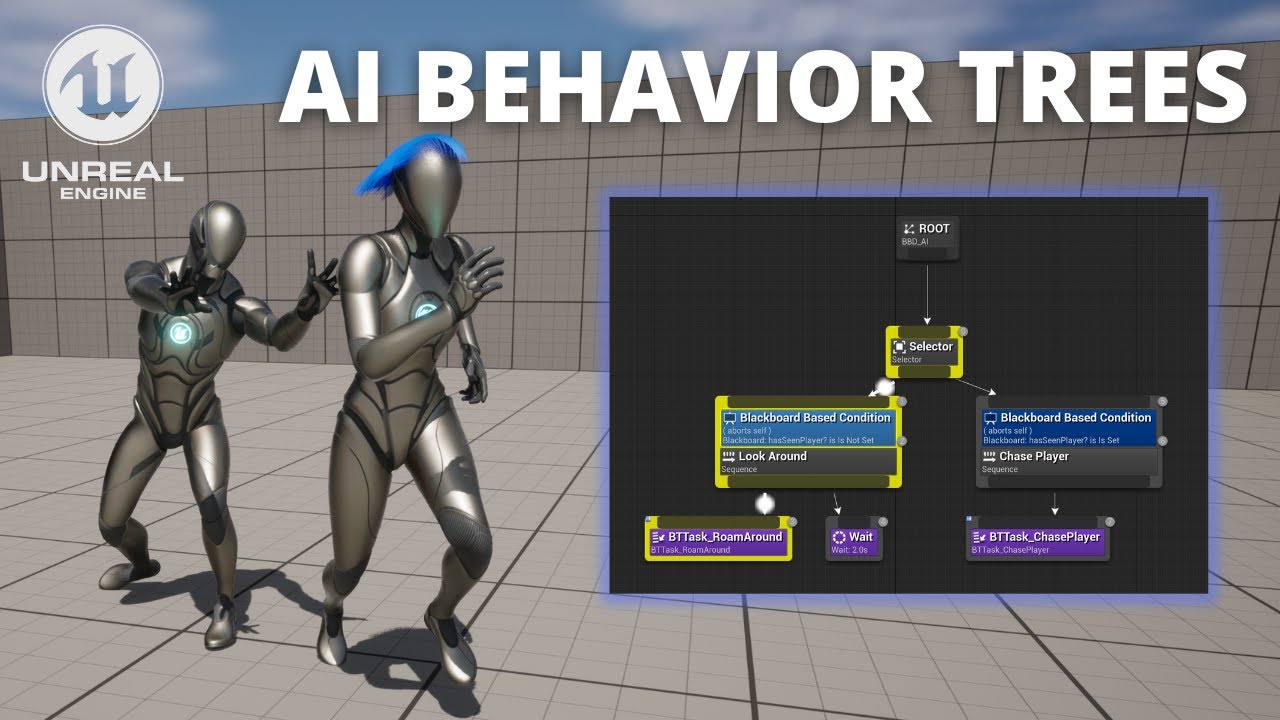
Hello guys, in this quick and simple tutorial we are going to learn how to continue making a simple AI using Behaviour Trees in Unreal Engine 5
↪️Just opened my Discord Server, join NOW: https://bit.ly/GorkaGamesYouTubeDiscordServer
➡️Check out awesome Unreal Engine courses: https://bit.ly/GorkaGamesWingfoxCombat
Episode 1: https://www.youtube...
tiny sinew
uneven cloud
Why are you using a delay in your attack task? Delays are just timers you can't...
Because i want it to be sync with the damage+animation
now i get the damage at the exact moment of the animation touch me
tiny sinew
dense owl
BTs have their own MoveTo nodes for starters (don’t need to use AIMoveTo)
what does it change ?
harsh storm
Ah - Gorka Games. I'd definitely stay far away from them
tiny sinew
they actully help me a lot for what im doing..
harsh storm
They write really awful code. They're whole channel is just pumping out extremely low quality content.
tiny sinew
i cant be autonomous code yet and i follow tutorial, if you have better than them i take it lol but they have everything, short and good explained
But i trust you
harsh storm
Even Ryan Layley's stuff is better
uneven cloud
tiny sinew
I dont know, i just follow this tutorial : https://www.youtube.com/watch?v=LL9hp...
The Ai with Blueprints course on the learning library is better than a random tutorial. Especially ones that give you bad advice, like that one.
tiny sinew
i cant know if one tutorial is good or not since i have no knoledge about
harsh storm
And Ryan does messy code as well. But understand that tutorials aren't going to teach you good code. The point of a tutorial is to teach a concept.
If the concept is not taught, it's a bad tutorial.
tiny sinew
So what should i do 😢
dense owl
tiny sinew
i cant know if one tutorial is good or not since i have no knoledge about
Good, then take our word for it
dense owl
uneven cloud
The Ai with Blueprints course on the learning library is better than a random tu...
👆
dense owl
tiny sinew
what does it change ?
One node instead of a task with several nodes
harsh storm
tiny sinew
So what should i do 😢
Definitely pay attention to what Luthage says. She has years and years of industry experience with multiple shipped games. That doesn't mean she is infallible though!
Here is the course she was referring to.
https://dev.epicgames.com/community/learning/courses/67R/unreal-engine-introduction-to-ai-with-blueprints/mX27/introduction-to-ai-with-blueprints
uneven cloud
tiny sinew
Because i want it to be sync with the damage+animation
Yet you are using an observer abort without being able to handle when the task gets aborted.
dense owl
harsh storm
Definitely pay attention to what Luthage says. She has years and years of indust...
lol snuck in that backhand eh? 🙃
tiny sinew
Actually i just want something like this :
Ai : Patrol in X Area
If AI See Me = Ai chase me
If ai is close to me = attack
harsh storm
dense owl
lol snuck in that backhand eh? 🙃
Not a backhand. More to make sure they don't read it as, "Her word is gospel. Never question it."
dense owl
Eh, I’d wager they should until they’ve actually garnered some real exp
But then again the same could be said about Duro 😛
harsh storm
I'm not saying ignore her right meow 🤣
harsh storm
dense owl
But then again the same could be said about Duro 😛
Oh - I want people to question me about things that I say.
uneven cloud
Programming is about making a lot of decisions. Decisions based on experience. There is NEVER a right answer.
harsh storm
Heck - Luthage called me out some time ago about GetAllActorsOfClass. Had she never done that - I would'nt have actually went and looked at what it actually does.
dense owl
Yeah, I try not to recommend get all actors, unless absolutely necessary
uneven cloud
Get all actors of class is just fine.
harsh storm
It's actually fine to use depending on the class you're filtering for.
If you only have 4 players - you can do that crap on Tick with zero issues.
It literally just reaches into a bucket that Unreal already tracks for you and gets you that list.
dense owl
Right, it just ends up being one of those heavily misused nodes taught by crappy tutorial makers in all the wrong situations
harsh storm
You're not actually going through each actor in the world.
tiny sinew
I Checked this :https://dev.epicgames.com/community/learning/courses/67R/unreal-engine-introduction-to-ai-with-blueprints/K1X/chasing-the-player but im sure about where it will help me to solve my issue
im actually looking for debug more than create it from scratch( i guess? )

Epic Developer Community
This course introduces Unreal Engine's AI tools, exploring how AI agents work within a video game environment and the systems used to achieve realistic ...
dense owl
harsh storm
You're not actually going through each actor in the world.
Yeah I seem to rmbr that convo
harsh storm
So yes - question me!
harsh storm
tiny sinew
I Checked this :https://dev.epicgames.com/community/learning/courses/67R/unreal-...
Don't try and solve your immediate problem. Learn the system.
Because that is your actual problem
uneven cloud
tiny sinew
I Checked this :https://dev.epicgames.com/community/learning/courses/67R/unreal-...
It teaches you the systems without giving you bad ways to do things. You can't debug without understanding the systems
dense owl
tiny sinew
I Checked this :https://dev.epicgames.com/community/learning/courses/67R/unreal-...
You can start by removing delays, changing the MoveTo , increasing the wait node, but ultimately you’ll need to understand the system, and likely have to debug using gameplay debugger, vis log etc, all taught in that course iirc
tiny sinew
Why should i increase the wait node?
dense owl
Cause 0.0 is pointless
tiny sinew
i thought its 0,5
dense owl
If you have it for fallback, make it a little higher at least
tiny sinew
Oh
you right
i did it to test if its bc of this wait node my issue
Also, is my issue can be related to delay?
because i use this delay on purpose
dense owl
tiny sinew
Also, is my issue can be related to delay?
Likely yes
harsh storm
The way I'd do it in BP, is bind to an event dispatcher that says the montage is finished.
Not use a delay at all.
dense owl
My guess is your branch fires over and over again rn and keeps reevaluating before the delay is over
harsh storm
But you really should just go through the linked course.
tiny sinew
without delay it looks like this

they spam attack
im in the linked course but i now sure what i should look about that i dont already know about the basic system
And this courses doesnt say " dont use delay " or things like this
this is why im here to see if people have the answer from previous experience on kinda same issue
and without delay they are also buggy on the animation
 dense owl
Like I said, your branch keeps firing over and over, the delay was masking the symptom
There’s stuff like cooldown you can use, or even simple wait nodes, but to make it work right you gotta understand the basics
uneven cloud
Basics like event dispatchers so you can wait for the montage to end
tiny sinew
By montage you talk about the animation?
because i even remove the animation and everyting, add a printstring at the end of the attack to see if they actually attack
they do attack

but if i move so they are near each other, they stop attack

but IF i kill 1 of them AND move, he attacks again

So it means the problem is not about attacking or not but about the Why they stop attacking
And it looks like there is a information saying " if there is more than 1 contact in the sphere = stop attack "

But i have to know its from the Behavior tree OR from there BP eventgraph
and i think i should change something from here.. cant tell xhat
 tiny sinew
So now my AI is OR attacking me 4 times by 4 times , OR not attacking if another enemy is in its sphere trace
My issue is here
they collide between them and so they stop attacking me
 dense owl
tiny sinew
My issue is here
they collide between them and so they stop attacking me
dense owl
tiny sinew
My issue is here
they collide between them and so they stop attacking me
If your code tests (i.e. casts) for a specific actor but it finds the other AI first and ignored the other results, it’s likely your key is not being set. Should be easy to debug that last part using the gameplay (AI) debugger
misty gale
Anything changed with pathfinding in 5.X ? Regular Async pathfinding now results in Error ..
Cant get much info out of it either
misty wharf
I haven't noticed anything
I think I had one navmesh disappear but build paths fixed it
 fickle vault
Do the AI that use Behaviour Trees need the NavMeshBoundVolume?
harsh storm
If you're trying to navigate around, yes. BT is a separate system from navigation though
misty gale
Seems like the only thing (i can see) returning error is that it cant find NavData
misty gale
Hm gotta be my code , the bp node find path to locatin works
misty gale
Works in 5.2.1, not in 5.3
 fathom sun
Hello, does anyone know how EAIOptionFlag::Type ProjectGoalOnNavigation works in UAITask_MoveTo?
It seems to be breaking what I want to do. All I'm trying to do is tell the AI to move at 0,0,0, and there's some stable ground, however it seems that the destination location change to 0,0,-140 for no reason. I also have tried to pass Disabled for this parameter, still the move request is modified internally resulting into the very same destination location of 0,0,-140.

Apparently it tries to build the pathfinding query, but it results into this weird location. What might be wrong? All I did is create the navmesh volume, and extend it on the whole area. The ground the AI is walking is mostly flat. I don't see any reason to make it try to navigate beneath it
 tropic sundial
Hi All,
I'm trying to use Smart Objects with State Trees in Blueprints (for now).
Note that there is a solution/c++ project as I have added a C++ file to it. And I'm currently using Rider to compile/run it if any of that makes a difference.
I've got to the point of 'Use'ing the smart object, I can use the item, but the return value (the Smart Object Behaviour Definition) gives me a valid value,
but I don't seem to be able to use it in any way.
LogBlueprintUserMessages: [TASK_UseSmartObject_C_2] GameplayBehaviorSmartObjectBehaviorDefinition_1 is what I get back.
I think I should be able to get the GameplayBehaviorConfig from that, which would then allow me to setup the behaviour?
In the code I can see references to the GameplayBehaviorSmartObjectBehaviorDefinition, I don't see to have it available in the blueprint editor
anywhere. No casts, can't create a subclass, doesn't appear to have GameplayBehaviorConfig available under it/etc.
Does this mean I have something misconfigured? Do I need to add anything on the CPP side?
I have plugins turned on: GameplayBehaviourSmartObjects, SmartObjects, GameplayStateTree.
Thanks in advance for any pointers.
misty wharf
Doesn't calling Use Smart Object or whatever it is called trigger the action on the SO?
At least I thought that "Use" was the part of it which would trigger whatever behavior is defined for the SO
Yeah at least AITask_UseGameplayBehaviorSmartObject does whatever behaviors are on the SO
and if you're doing mostly BP this is probably the one you would want to be using
tropic sundial
I thought that too. I'm certainly no expert (obviously hehe).
But it looks like if you use UAITask_UseGameplayBehaviorSmartObject, that will do all the bits an pieces, so does the full process.
However, I'm using SmartObjectSubSystem->Use.. Which appears to only do a bunch of checks/locks and then returns the behavior
Can you use an AITask from a state tree task?
misty wharf
StartInteraction in the AITask goes from a behavior definition into triggering the behavior but I'm not sure if all those functions are BP exposed
tropic sundial
I (possibly mistakenly?) had thought they were for Behaviour trees?
misty wharf
I think you can since you can just set the controller of your pawn as the AI task owner
tropic sundial
Hmm, yeah it pops up. I wouldn't be able to interrupt it at all or anything like that though I don't think?
Might be a decent fallback option.
I'm still a bit worried that I don't seem to be able to access the classes it seems like I should be able to access.
Makes me think I haven't setup something properly
misty wharf
Nah the smart object system is just raw lol
It works but it's clearly still work in progress
For example TriggerBehavior is the function used to trigger the actual smart object behavior and that function isn't exposed to BP's now that I looked at it
I built a bunch of stuff around the SO system in one of my projects so it's certainly usable, but it's not super blueprints friendly unless you use exactly what they're giving you to do so
I made some custom extensions to how the SO's function, and made my own AI Task to use them, but even my own AI task is very similar to how the builtin task for it works, so that's probably the way to go with it
tropic sundial
Fair enough. I'm eventually going to convert everything to CPP, but find blueprint a good way of just throwing things against the wall so to speak
Thanks 🙂
celest python
Anyone saw zoombapup around lately?
misty gale
 dense owl
Died with Auther ig
wise sluice
Hey ! Does StateTree are Hierarchical State Machine?
It seems to be one but i'm not sure 🤔
Ah crap, read the documentation first ... nevermind
tiny sinew
Hello
I had a problem like sometimes the AI STOP moving but the Behavior Tree was still running
And apparently, link "On Fail " to finish execute fix my problem, is it a normal way to fix that?
 fathom sun
Does anyone know whether it's possible to generate path towards some location/actor and store it in the PathFollowingComponent, but not immediately move using it? The thing is that I need to check whether the destination is directly reachable, do something, and navigate towards it afterwards
dense owl
tiny sinew
Hello
I had a problem like sometimes the AI STOP moving but the Behavior Tree wa...
You should just use the built-in MoveTo task if you don’t need to change the acceptance radius dynamically
A task always needs to finish so if it has no way out it’ll get stuck
The other issue is your move is failing so you’ll need to test your goal location, nav mesh etc to find out why
tiny sinew
dense owl
You should just use the built-in MoveTo task if you don’t need to change the acc...
What does it change to use the built-in MoveTo task?
Actually i think i solve all my problem with the AI
It works as i want but i want to learn more so i have to understand why something is better than another one lol
dense owl
tiny sinew
What does it change to use the built-in MoveTo task?
Actually i think i solve ...
Because then you don’t have to make your own task and account for every pin?
tiny sinew
i keep in mind
Other than that, does it have something to do about the perf?
dense owl
tiny sinew
i keep in mind
Other than that, does it have something to do about the perf?
Doubt it
uneven cloud
fathom sun
Hello, does anyone know how `EAIOptionFlag::Type ProjectGoalOnNavigation` works ...
It projects the given point onto the nav mesh. So that the AI can move there.
fathom sun
uneven cloud
It projects the given point onto the nav mesh. So that the AI can move there.
The problem is that the project point is below the floor
uneven cloud
fathom sun
Does anyone know whether it's possible to generate path towards some location/ac...
You can check if the destination is reachable before trying to actually move there.
fathom sun
uneven cloud
You can check if the destination is reachable before trying to actually move the...
Wouldn't that generate a path as well?
As I understand, it would generate the path to check whether the thing is reachable, and then, when I'll try to move to, it'll generate yet another one
uneven cloud
fathom sun
The problem is that the project point is below the floor
Is there navigation generated on the floor? From your image it doesn't look like the floor geo supports navigation.
fathom sun
uneven cloud
Is there navigation generated on the floor? From your image it doesn't look lik...
It's like that. Pretty much flat
 uneven cloud
fathom sun
Wouldn't that generate a path as well?
uneven cloud
fathom sun
Wouldn't that generate a path as well?
No. Has Path does not generate a path and is cheaper, especially if you use hierarchical mode.
fathom sun
uneven cloud
No. Has Path does not generate a path and is cheaper, especially if you use hie...
But what if I've never called move to beforehand? The path wouldn't be generated, and the path always would be invalid. In that case, I need to somehow find out whether the target is reachable. I was using NavigationSystem->FindPathToActorSynchronously(), but it generates a path totally unrelated to any component
I was wondering whether it's possible to do something similar, but on the AI's path following component, and store it there, so that the next MoveTo would use that (obviously if the destination is the same)
uneven cloud
fathom sun
I was wondering whether it's possible to do something similar, but on the AI's p...
Asking if a destination is reachable is TestPath. I do not understand why would want to get a path and sometime later actually move to it, as it'll cause bugs.
fathom sun
uneven cloud
Is there navigation generated on the floor? From your image it doesn't look lik...
Oh, I've found out how I can fix that. In my case I had the ground a bit lower than 0 Z. Every time the nav would try to project the destination, it would go to -140 (which is perhaps the thickness of the ground or something). After I've set the ground to be at 0, the projected destination Z is 60
fathom sun
uneven cloud
Asking if a destination is reachable is TestPath. I do not understand why would...
Asking if a destination is reachable is TestPath
TestPath? What do you mean?
I do not understand why would want to get a path and sometime later actually move to it, as it'll cause bugs.
I'm using coroutines to call the move to, and before that I would like to do different things depending on the reachability. So anytime I call MoveTo, the code after that doesn't run until MoveTo finishes
uneven cloud
fathom sun
> Asking if a destination is reachable is TestPath
TestPath? What do you mean?
...
Test Path is a function in the navigation system. You can test reachability by using test path.
Or you can rewrite a large chunk of code to make it do what you want. I recommend not fighting the engine.
fathom sun
Do you mean UNavigationSystemV1::TestPathSync()?
dense owl
fathom sun
> Asking if a destination is reachable is TestPath
TestPath? What do you mean?
...
What happens if something blocks your path while you’re busy doing whatever ?
uneven cloud
Yes
fathom sun
dense owl
What happens if something blocks your path while you’re busy doing whatever ?
AI is already capable of handling bumping. If it bumps into its alike, it'll switch to another state, cancelling the previous move to, and try to walk around the bumped another AI. If it bumps into player, it'll get some aggro. If it gets stuck somewhere, there are some checks on tick that check its speed, so that it tries to jump some direction to get unstuck. If it even that doesn't help, it'll try to change the destination. If nothing helps for long enough (like 30 seconds), it'll suicide 🙂
The game has a lot of AI characters (more than hundreds), so killing those that are stuck doesn't make much difference
dense owl
fathom sun
AI is already capable of handling bumping. If it bumps into its alike, it'll swi...
My point was why save the path at all, and not just check if reachable, do your thing, then path to it and go? Is this a perf cosideration?
uneven cloud
TestPath is pretty cheap. I don't recommend doing hundreds of them in a frame, but it's significantly cheaper than finding a path especially if you use hierarchical mode. It's not finding the BEST path it's saying there is A path.
fathom sun
uneven cloud
TestPath is pretty cheap. I don't recommend doing hundreds of them in a frame, ...
Oh, if it's cheap enough, I guess I can go with that
uneven cloud
fathom sun
Oh, if it's cheap enough, I guess I can go with that
It's actually cheaper to test a path before finding a path, because finding a path when no path exists is actually really expensive.
fathom sun
dense owl
My point was why save the path at all, and not just check if reachable, do your ...
Initially I was wondering whether it's possible to check the reachabilty and do the move to without re-creating the same path twice losing perfomance (and since there are a lot of characters, it would be considerable). But, as Luthage has said, I can use TestPath that will do the thing relatively cheap, so I'll try to go with that. Still, I would like to achieve the initial idea. If TestPath will turn out to not take that much performance, I'll just end up using that
Which PathFindingMode should I be using in the TestPath? Among Regular and Hierarchical the first one seems to be cheaper
uneven cloud
Hierarchical is cheaper
fathom sun
Oh, all right, thanks
uneven cloud
You're welcome.
celest python
uneven cloud
It's actually cheaper to test a path before finding a path, because finding a pa...
@potent iris pin please? 
 potent iris
uneven cloud
It's actually cheaper to test a path before finding a path, because finding a pa...
potent iris
uneven cloud
It's actually cheaper to test a path before finding a path, because finding a pa...
 tranquil ice
what can cause a delay when I spawn a third enemy which uses behaviour tree? the glitch is when it's spawned it chases me not right when it was spawned but 1 sec later, at the mean time two first spawned enemies run towards me as they were spawned.
and after those two, each enemy has a delay when is spawned and only right after that it starts to chase
the sight perception causes the delay I don't' know why 😦
 thick gorge
I made a BT that has characters pick random nodes, walk to them, idle, then walk to another. It works on the characters I have placed in the level, but when I spawn the same character at runtime, he just stands in the spawn spot idling.
Is there some step needed to initialize/activate a BT at spawn?
harsh storm
How are you doing it with the ones placed in the world?
At some point you're telling them to run the BT - where is that code?
thick gorge
harsh storm
How are you doing it with the ones placed in the world?
Thanks Duroxxigar, looking for that now.
harsh storm
It's most likely the same class, no?
Just how are you running the BT?
Is it on possession?
Make sure the character gets auto possessed on spawn as well. It's a setting in the character.
Near where you select the controller class
thick gorge
Got it. I am making progress, I found where the BT is being run.
harsh storm
And where is that?
thick gorge
Looks like a separate BP. I put this together using a tutorial without understanding how all the parts work.
I'm adding some Print Strings to figure out which parts are executing when. But I do see the Run Behavior Tree node, so I understand that is key to making sure that is happening on placed, and spawned characters. Thanks!
thick gorge
Hmmm, I'm seeing a setting that might be the issue Pawn > Auto Possess AI "Placed in World" vs "Spawned"
@harsh storm That's the issue I was having. Pawn > Auto Posses AI was set to "Placed in World." Changing it to "Placed in World or Spawned" fixed it. Wow, such a literal option. UE5 has so many options for built in solutions. 😅 (only took an hour to find)
harsh storm
thick gorge
<@297744474703134722> That's the issue I was having. Pawn > Auto Posses AI was s...
thick gorge
Thanks a bunch Duroxxigar!
thick gorge
Here's my test of a crowd of Ninjas fighting uphill to bombs being tossed at them (music is incidental): https://www.youtube.com/watch?v=k2MG3C6n2AU

Ninjas can now be killed by bombs. And there's a lot more Ninjas, and bombs. Bu the bombs are A-OK.
fickle vault
fickle vault
Do the AI that use Behaviour Trees need the NavMeshBoundVolume?
If BT doesn't need NavMeshBoundVolume, then why does AI Move To need it?
keen crow
fickle vault
If BT doesn't need NavMeshBoundVolume, then why does AI Move To need it?
BTs are just a form of ordering AI actions, AI Move To is an implementation of AI moving in the world and this implementation relies on navmesh
fickle vault
keen crow
BTs are just a form of ordering AI actions, AI Move To is an implementation of A...
Getting confused here. So does that mean i would still need the navmessh for BT as well?
keen crow
fickle vault
Getting confused here. So does that mean i would still need the navmessh for BT ...
you don't need navmesh for BTs, BT doesn't require it, but navmesh is the only built-in way to make your NPCs actually walk around, so you need navmesh for their navigation and the only built-in way in BTs to command NPCs to go somewhere is MoveTo task which, inside of it, uses AI Move To AI task (not BT task) and that one uses navmesh
is there anything stopping you from just placing a navmesh bounds volume on the map?
 wary ivy
thick gorge
Here's my test of a crowd of Ninjas fighting uphill to bombs being tossed at the...
wary ivy
thick gorge
Here's my test of a crowd of Ninjas fighting uphill to bombs being tossed at the...
This video contains content from UMG, who has blocked it from display on this website or application```laziness mostly
So basically, if I use BT to get AI to move, I won't need navmesh. But if I use AI to Move, i'll need navmesh?
 ivory rune
fickle vault
So basically, if I use BT to get AI to move, I won't need navmesh. But if I use ...
ivory rune
fickle vault
So basically, if I use BT to get AI to move, I won't need navmesh. But if I use ...
You need navmesh anyway
If you wanna AI to move to some place by path finding.
keen crow
fickle vault
So basically, if I use BT to get AI to move, I won't need navmesh. But if I use ...
if I use BT to get AI to move,
as long as you don't use the only built-in BT node (MoveTo) to make NPCs move - yeah, you're fine without it. like you could make your own 3d navigation based on SVO, that'd be easier than putting navmesh on the map
fickle vault
SVO?
keen crow
sparse voxel octree
fickle vault
ah
keen crow
not goida
fickle vault
In the end, navmesh is a hassle
but it is also the easiest option atm
The thing is, i have this minion ability and I want it to be able to move on its own
best if no need navmesh
 young plank
Hi, I'm wondering what's the best way to implement an event-based decorator. In broad strokes, the algorithm looks something like this:
- Start listening on the external event on
OnBecomeRelevantcall. - Once external event has fired, store
EventPendingflag insideNodeMemory - Return state of
EventPendingflag insideCalculateRawConditionValue
The main issue is there no good place to resetEventPendingback tofalse. We haveOnNodeActivationcallback, but it fires only if all other conditions for node activation are met (e.g. some other decorators on this node might evaluate to false andOnNodeActivationwould not be called). But without this callback it's impossible to know when to reset the flag. Technically it's possible to useCalculateRawConditionto reset the flag, but in case of successful node activation, this method is called multiple times and the return value has to staytruein order for activation to finish succefully.
Has anyone managed to find a good way to implement something like this? I've studiedUBTDecorator_GameplayTagQueryfrom the engine's source, but it's not exactly what I want.
misty wharf
BT's aren't great for events. I have something like this in mine but the value it gets is a bool in the blackboard and it has a separate task which resets it - maybe it's possible to do within a decorator itself since you can do it this way also
fwiw, StateTrees have support for events out of the box, but they do have a bit of a learning curve and gotchas due to nearly zero useful documentation beyond the very basics, and some odd bugs here and there (which you can work around, but in any case)
young plank
Well then I'm not sure how to properly structre somewhat complex behaviours. For example, If I want an actor to react to some instantaneous transient events in the world (e.g. grenade just exploded, player started an attack) I need a way for an agent to react to those things. You can't poll everything.
Problem with resetting the event from outside is you have this brief period of time where the decorator will keep returning true even though the event has been already processed. It can lead to some nasty bugs.
 lyric flint
What are good game genres to use behaviour trees for? I feel like with most indie game scopes, it's overkill compared to HFSMs. Cause in an indie shooter or a zeldalike you only have like what, 2-3 states per enemy with clear patterns.
I just need to work with BTs more so I can put a game using it in my portfolio.
 twilit nova
Hey, I have an issue with some of my agents, I think it has something to do with StateTree, sometimes they get "stuck" if you see what I mean.
If anyone knows why, I'd appreciate the help ! Thanks
 keen crow
What's the best way to implement NPC going to some location X while keeping it's distance from it's target (player)? So far I can think of 2 approaches
- After I've got X, do a series of MoveTo with small paths. In BT, under some selector, have a looped sequence that runs an EQS that finds a point that is closer to X and at least N meters away from P until some decorator says that NPC is at acceptable distance to X
- Somehow utilize recast navmesh (perhaps override something like FRecastQueryFilter::getVirtualCost) and/or any other related entities (put navmesh modifier volume on player, consider player in crowd manager, honestly idk)
 wise sluice
twilit nova
Hey, I have an issue with some of my agents, I think it has something to do with...
wise sluice
twilit nova
Hey, I have an issue with some of my agents, I think it has something to do with...
I would suggest to continue this discussion in #mass
twilit nova
wise sluice
I would suggest to continue this discussion in <#966517152947527740>
Yeah, I already ask there but got no answer :/
wise sluice
Ah sorry yes! I encountered the same issue during my test but i'm not sure how i solved it
At first it was because, i had an Idle state and the tree was stuck inside it since there was no MassSignal to refresh the StateTree
But here you got an AI that doesn't finish its path
 sudden citrus
What's a reasonable way of preventing navmesh generation on top of static meshes? Say trees etc.
Or do we just let it happen and check for islands accordingly?
sudden citrus
keen crow
What's the best way to implement NPC going to some location X while keeping it's...
Basically just generate an intermediate location to the side of the player, first go there, then to the target. It will look good to the player and that's all that matters.
I wouldn't worry too much about making it a nice curve because the environment will have a bigger impact on the path than your math
wise sluice
I just checked the setup that I made i got the same issue @twilit nova
Some agents are just "stuck" at distance 0
The only way to solve that is to dig into the MassNavigation logic and add some kind of acceptance radius or just debug it?
twilit nova
wise sluice
At first it was because, i had an Idle state and the tree was stuck inside it si...
Yes it happens at the end of paths but also (sometimes) at ZoneShape intersections (polygon shape type)
twilit nova
wise sluice
I just checked the setup that I made i got the same issue <@312155445785657344> ...
Well at least I'm not the only one 😅 Thank you

Do you know what those numbers mean ?
wise sluice
Hmmm i think it is the ID of the State
Let me check
That's how much the state tree changed since start
 twilit nova
Ok, I see, thanks. So they really are stuck but the question is why
wise sluice
If you can dig into c++ check the MassNavigationProcessor
twilit nova
Sadly I'm not very familiar with c++
wise sluice
More exactly
UMassSteerToMoveTargetProcessor
twilit nova
dense owl
That’s a <#966517152947527740> thing no? 🙂
I asked here also because I was pretty sure that it had something to do with StateTree and not just Mass but yeah, the discussion evolved into Mass 🙂
dense owl
twilit nova
I asked here also because I was pretty sure that it had something to do with Sta...
Not saying you shouldn’t have, only that they’ll be able to provide more support there if you’re dealing with mass
sand kettle
I'm watching this SquareEnix AI presentation https://youtu.be/BV2GTGbSjq8?si=w3nSNJqtGJUgEVwx&t=2556 . At 42:35, how come their agents don't move after they reached their destination? I tried their exact same BT and EQS setup and mine always keep moving around because obv eqs keeps recalculating the destination. Could it be some logic in their custom move to node that prevents this?
harsh storm
I wish I could understand Japanese - they give some really neat talks 😅
sand kettle
I don't understand it either but it still really helpful since they screenshot/visualise all their queries 😅
This is my result 😦 https://gyazo.com/5b7811b146a4333d8ff81349b95886b8
sand kettle
sand kettle
Hello! This is gonna be a bit long so bear with me. Would really appreciate some...
I tried to achieve something similar yesterday before watching this video. Felt really janky. But I kinda got them to stop moving by completely filtering points near other targets, limiting donut angle to 90 and prefering lower distances from querier to item. They dont do that at all in their video so idk how they dont keep moving around after finding a good spot
uneven cloud
lyric flint
I just need to work with BTs more so I can put a game using it in my portfolio.
What you need to do is really understand how BTs work and when they should be used vs other architectures. Since you are talking about a portfolio, which usually means looking for a job.
misty gale
sand kettle
I tried to achieve something similar yesterday before watching this video. Felt ...
What im gonna do with my custom ai task setup is shortcircuit my current task with a really low (good) score, and mostly only let it invalidate itself if the target goes to far away from it .. not sure if saying that gives you any ideas but..
When a spot is first picked it's gonna be superior to other spots unless something drastic happens
uneven cloud
keen crow
What's the best way to implement NPC going to some location X while keeping it's...
You can just use the EQS and as it's moving use a service to update the location. You are overthinking things.
uneven cloud
sudden citrus
What's a reasonable way of preventing navmesh generation on top of static meshes...
Nav mesh modifiers.
dense owl
Realistically if your tree bp has can ever affect nav on, that shouldn’t even happen
sudden citrus
The base - sure
but someone asked me what to do if there's navmesh on leaves high up
like imagine you have a cube, and the cube produces a hole, but then has a poly on top.
my experience so far is that generally you should be more clever about querying the nav, because you will inevitably have silly islands
curious if there's a sane way of not generating silly islands where you can help it
 brittle socket
I'm doing an optimisation pass on my plugin and I've realised we're losing about 3ms a frame to a small number of checks to get the closest point on the navmesh.
I'm not sure exactly what I'm looking for, but is there some knack to getting a nav location or check whether there's a valid path to a point without tanking performance (or is it known to be very expensive)?
I can imagine what calculations I'd need to do to get the same result from say a triangle mesh, and I just can't see why it'd be so expensive, unless it's doing a load of other things under the hood that I don't need it to do.
uneven cloud
brittle socket
I'm doing an optimisation pass on my plugin and I've realised we're losing about...
We can't help you if you don't say how you are getting the closest point on the nav mesh
dense owl
sudden citrus
but someone asked me what to do if there's navmesh on leaves high up
So your leaves are not part of your tree mesh? 😀
brittle socket
uneven cloud
We can't help you if you don't say how you are getting the closest point on the ...
Project Point to Navigation to get the point
GetPathLength to check whether there's a navigable path
uneven cloud
brittle socket
Project Point to Navigation to get the point
GetPathLength to check whether the...
Get path length is your problem. That's even more expensive than just getting a path. And completely unnecessary. To test if there is a path, you should be using Test Path with the hierarchical mode.
sudden citrus
dense owl
So your leaves are not part of your tree mesh? 😀
not my project 🙂 I assume the rest of the tree just doesn't have upward-facing polys
pls refer to the cube example
dense owl
If that poly is its own separate actor, then it will have the same option. Otherwise, just do what Luthage said and use modifiers
sudden citrus
you can't attach a modifer to a static mesh, and we're talking about huge levels
Proc gen trees etc. You could say use proc gen to place nav modifiers... This isn't generally something I would be concerned with but I'm making sure my reasoning is solid
So tl;dr is there are tools in the engine for this, and they're not "do stuff to your static mesh to magically not be navigable", right?
sand kettle
misty gale
When a spot is first picked it's gonna be superior to other spots unless somethi...
Yeah...I need to find some good conditions for when the EQS for one agent has to be recalculated. Right now i'm thinking of recalculating it when the player either moved too far from the position where he was when EQS happened or when there is no direct path/los to the player
sudden citrus
brittle socket
Project Point to Navigation to get the point
GetPathLength to check whether the...
To add to this: Look at BTDecorator_DoesPathExist and see how it's doing a hierarchical check. There is no hierarchical path search in the engine but there is a hierarchical reachability check
dense owl
sudden citrus
So tl;dr is there are tools in the engine for this, and they're not "do stuff to...
Seems a pretty dismissive approach for a reasonable suggestion to use OOP to give every single instance of a mesh the “magical” ability to not have navmesh generated on top of it.
brittle socket
uneven cloud
Get path length is your problem. That's even more expensive than just getting a...
Ah thanks, I didn't spot TestPath, I'll switch to that.
The ProjectPointToNavigation call is still noticeable despite the search volume only being very small (100x100x200) and spanning at most 4 tiles (containing maybe 15/20 nav triangles). I guess that's the cheapest way to get the closest navigable location to a given world location though?
misty gale
sand kettle
Yeah...I need to find some good conditions for when the EQS for one agent has to...
Yesh thats sorta the same as im planning
sudden citrus
dense owl
Seems a pretty dismissive approach for a reasonable suggestion to use OOP to giv...
Okay, but I'm asking about that approach, and I'm being told here to do something else...
dense owl
Who said to do something else? You were given two different solutions, pick one
Figured I’d give you another way to skin the cat, I would never say don’t do what Luthage said if that’s what you thought
She empirically knows better
sudden citrus
1 is to separate the actor, 2 is to use modifiers, neither are that. These are plain SMs placed in the level
My question is basically if anyone has done the "don't let SMs generate nav on top" solution, was it neat enough to implement, do they recommend it
misty gale
I remember seeing a trick for a case that sounds like this
It was some hollow cube with an "internal cliff" so to speak where the navmesh would generate in the middle
sudden citrus
There's a setting in the engine to fill collision underneath a mesh to prevent that, the problem I was asked about is generating nav on top of something that shouldn't have any
misty gale
Perhaps that was just nav modifier really
Plain sm's is also their own actors(sm actors) btw
Generally you have a test if a point is reachable or not, which should exlude all islands (unless nav linked )
uneven cloud
brittle socket
Ah thanks, I didn't spot TestPath, I'll switch to that.
The ProjectPointToNavig...
Yes it is the cheapest.
sudden citrus
misty gale
Generally you have a test if a point is reachable or not, which should exlude al...
Yeah that's my approach. Deal with the data at runtime, don't try to guarantee it's spotless. Just sanity checking the other way here, maybe there is one
making trees BPs is probably it if it doesn't carry a huge overhead over StaticMeshActors.
misty gale
It sounds a tad ludacris to me but what do i know
Not that i care about a cost, its probably very very cheap(free?)
Id expect it to only have a tiny cost during nav mesh generation
dense owl
misty gale
It sounds a tad ludacris to me but what do i know
Ludicrous is the actual word, Ludacris is the singer/actor that used that name as a play on words 🙂
Luda! 😀
misty gale
dense owl
Ludicrous is the actual word, Ludacris is the singer/actor that used that name a...
Sry, my fat phone fingers and spelling is off today(too)
dense owl
misty gale
Sry, my fat phone fingers and spelling is off today(too)
It didn’t really matter it was just funny hehe
dense owl
Accurate
sand kettle
sand kettle
I'm watching this SquareEnix AI presentation https://youtu.be/BV2GTGbSjq8?si=w3n...
Ok I think I got it to work pretty well, the query screenshot from the video is wrong. It should be prefer lesser for tests 1 and 2
misty gale
Nice
lyric flint
uneven cloud
What you need to do is really understand how BTs work and when they should be us...
That's the thing, every AAA game I looked at so far was using HFSM, from DOOM to Final Fantasy to Monster Hunter. So far BT seems useful for shooters and stealth games where you don't have cool behaviour patterns like in a boss fight and where you instead want fluid realistic human-like behaviour.
uneven cloud
lyric flint
That's the thing, every AAA game I looked at so far was using HFSM, from DOOM to...
Lots of games use BTs. All but 1 AAA/AA/Indie game I worked on used BTs. Many also use hybrids. There's a good GDC talk that is pinned in the channel about how we select architectures. I highly recommend watching it. There's a lot of considerations that aren't just what the behavior is.
lyric flint
Tbe arborist one or the flame retardant one?
 deft sedge
ever run into issues with this? This is the last message I'm getting before engine crash atm
uneven cloud
lyric flint
Tbe arborist one or the flame retardant one?
Flame retardant one
sand kettle
What happens when you attach multiple generators to the query root? Does it have any use? Seems like nodes on the right never get executed anyway
harsh storm
I believe the 2nd will only run if the first doesn't meet the criteria or something like that
I think it explains it in a tooltip or the docs on EQS
I've just never done it before
 ember river
Quick question, I duplicated some AI controllers and blackboard. The AIController I want to use seems to still be linked with the old blackboard. How does one change that?
harsh storm
Blackboards are tied to a BT asset. Unless you have a variable for a blackboard in your AIController that you made.
ember river
harsh storm
Blackboards are tied to a BT asset. Unless you have a variable for a blackboard ...
Indeed. I have a behavior tree that is linked to the wrong blackboard more like
Question really is, how to I set the behavior tree to the right blackboard or vice versa
Is it even possible or should I just create a new one with them properly linked
harsh storm
In the BT editor, at the top, you can switch to the BB editor. Then you should be able to switch it there.
ember river

 ember river
harsh storm
In the BT editor, at the top, you can switch to the BB editor. Then you should b...
ember river
harsh storm
In the BT editor, at the top, you can switch to the BB editor. Then you should b...
Aye, that's where the problem is, when I switch to the blackboard, it's a different blackboard
nvm, figured it out. Had to click on Root and change it
Thanks for answering
 harsh storm
Yeah, I don't change it often. Forgot exactly where you changed it at. Just knew it was in there somewhere.
ember river
Dude, I haven't did anything AI in almost 2 years haha
I feel you. I learn stuff, then, move onto a different process in the project. All that old info is semi-lost
harsh storm
Anyone happen to know where the debug drawing stuff is for the perception debug visualizations?
uneven cloud
harsh storm
Anyone happen to know where the debug drawing stuff is for the perception debug ...
Gameplay Debugger Category Perception
 cosmic gull
I can't seem to make my AI actor follow me vertically. It follows me around just fine near the ground but when i go up in the air too much it seems to "lose sight" and just stop moving towards me. Both of us are using flyer movers and im using the AI MoveTo function with Target Actor set to my character. Any ideas what might be wrong?
dense owl
cosmic gull
I can't seem to make my AI actor follow me vertically. It follows me around just...
Your AI can’t nav off the mesh
cosmic gull
Oh ok ty!
 bitter wyvern
Hey so in editor, moving my navmesh works fine at runtime and it updates and everything. when I make a build and play it, the navmesh does not update ever. Anybody know anything about this? for reference the video is what is happening in editor. I change the position of the navmesh and it updates fine. when I play the packaged game build, the navmesh never moves.
uneven cloud
bitter wyvern
Hey so in editor, moving my navmesh works fine at runtime and it updates and eve...
You should not be moving the nav mesh. You should move the bounds volume and then call On Bounds Updated in the navigation system.
bitter wyvern
uneven cloud
You should not be moving the nav mesh. You should move the bounds volume and th...
Sorry that is what i am doing. It seems that is not working in my build however
uneven cloud
bitter wyvern
Sorry that is what i am doing. It seems that is not working in my build however
And you have it set to dynamic regen?
bitter wyvern
uneven cloud
And you have it set to dynamic regen?
Yes
uneven cloud
bitter wyvern
Yes
Single player?
bitter wyvern
uneven cloud
Single player?
No it is local co-op,
uneven cloud
bitter wyvern
No it is local co-op,
Are you moving it and calling On Bounds Updated on the server?
bitter wyvern
uneven cloud
Are you moving it and calling On Bounds Updated on the server?
I don’t think I have a server, it’s local co-op. I’ll go look where I call it when i get home
uneven cloud
bitter wyvern
I don’t think I have a server, it’s local co-op. I’ll go look where I call it wh...
It depends on how you set it up. Sometimes it can be set up as one of the players is the server. That was my last idea. I'd put in some log statements and do a packaged development build to debug where it's failing.
You can also look to see if it's working in a standalone play (when it opens another window), because it's easier to debug than a packaged build
bitter wyvern
Ok thank you for these suggestions i will try them and lyk how it goes!
uneven cloud
You're welcome!
bitter wyvern
uneven cloud
You're welcome!
I am calling this from a BP_Actor that i place in the scene. Also it works fine in Standalone window. I will try a debug build next.

ignore the extra setactorlocation lol
I do assign both the navmesh and recast navmesh in the details panel here, could that have something to do with it? kinda new to unreal idk if thats best practice

 wraith veldt
Hey all, I've got an issue with a misbehaving navmesh. First a little background info: I have a procedural map generator that works by sticking rooms together. Each room is a Dynamic Level Stream that contains a Nav Mesh Bounds Volume, with generation set to runtime so that the navmeshes join together once their rooms stream in. This part works fine.
Enter the problem (image one), and the likely cause (image two). The problem room is always the start room, which is located at the world origin. The room in image two has a set of brush stairs that line up perfectly with the ghost-ramps, and the ramps only appear in maps that include the stairs room.
Updating the navmesh by opening or closing doors, adding new meshes, etc. doesn't do anything to make the ramps disappear. I'm guessing the issue has something to do with Dynamic Level Streaming leaving some kind of collision artefact but I wanted to see if anyone here's had a similar issue with brushes / streaming or has any idea how to fix it.

 bitter wyvern
uneven cloud
It depends on how you set it up. Sometimes it can be set up as one of the playe...
bitter wyvern
uneven cloud
It depends on how you set it up. Sometimes it can be set up as one of the playe...
it does not work in the debug build. :/ let me know if u have any other ideas on why it may not be working. I am gonna try to figure out how to log statements and view them from a debug build.
bitter wyvern
uneven cloud
It depends on how you set it up. Sometimes it can be set up as one of the playe...
I have gotten it to break in editor now, by just trying to print out the return value from set actor location on the navmesh. is there a better way to change the location of the navmesh bounds and then update it?

 uneven cloud
bitter wyvern
I have gotten it to break in editor now, by just trying to print out the return ...
uneven cloud
bitter wyvern
I have gotten it to break in editor now, by just trying to print out the return ...
Where are you setting the reference to the nav bounds volume? You also should always do an Is Valid check on any reference.
bitter wyvern
uneven cloud
Where are you setting the reference to the nav bounds volume? You also should ...
in the details panel, ill add an isvalid check
 uneven cloud
bitter wyvern
in the details panel, ill add an isvalid check
uneven cloud
bitter wyvern
in the details panel, ill add an isvalid check
You really can't do that. You need to get it at runtime.
bitter wyvern
uneven cloud
You really can't do that. You need to get it at runtime.
okay thank you im sure that is my problem. damn unity. is there a node that does this?
uneven cloud
bitter wyvern
okay thank you im sure that is my problem. damn unity. is there a node that does...
You can use get actor of class, since there should only be one.
bitter wyvern
uneven cloud
You can use get actor of class, since there should only be one.
Hey ho my problem has been solved. Thank you so much for you help kind human!
uneven cloud
You're welcome!
 gleaming star
yo what's good guys, i am struglling with some behavior tree stuff where my AI seems to get "stuck" on one of the tasks and i have no idea why...
disclaimer: this is multiplayer game
so
- i have an enemy AI that roams, has AI perception, and on sight will attack, and on hearing will investigate
i want to have it so that when i attack the enemy from anywhere, the enemy immediately targets the player , but it seems that the enemy gets "stuck" on the "moveto" node, but it doesn't really make sense, as i am (to my knowledge) setting this variable of the target correctly.
i'd be happy to share any and all of the current logic if anyone may be able to assist.
i am using an AI controller and a BP for the main base enemy and then using a behavior tree and blackboard all together. it is kinda complex and confusing even to me right now but i still do think everything should be working.
the target reference is being set on "event any damage" on the enemy BP and the variable is being sent into the AI controller to change the state of the enemy to "attacking" but it seems that the "target" isn't being taken or it gets "lost" somehow.
the enemy on any damage will sometimes go towards the player that attacked it but most of the time it will randomly move to a spot and then "reset" or get "stuck" doing pretty much doing and i have no idea why, but in the Debug it is stuck on the "move to " task.
would anyone be able to assist me in finding a potential solution to this?
thx in adnvace. im about to pass out, so feel free to dm me, or write me here, i'll be fresh by the morning. ty in advance
 coral mesa
im using floating pawn component why is it that while following player, they tend to go out of map and cant go back to navmesh?
 harsh storm
bitter wyvern
Hey ho my problem has been solved. Thank you so much for you help kind human!
harsh storm
bitter wyvern
Hey ho my problem has been solved. Thank you so much for you help kind human!
Btw - just yesterday I did a quick measurement of this. Perf should be fine (didn't measure memory complexity though!). That is 300k actors in the world and it still took a fraction of a second. (@uneven cloud Just a ping so you can see this as well, in case you wanted something to point to)

 raven nacelle
Tell me, is it possible in Unreal to configure the calculation of the navmesh path relative to the size of the object?
Is it possible to support multiple Recasts simultaneously out of the box?
sand kettle
sand kettle
Yeah...I need to find some good conditions for when the EQS for one agent has to...
some progress https://streamable.com/9o1b6y 🙂
dense owl
gleaming star
yo what's good guys, i am struglling with some behavior tree stuff where my AI s...
Use gameplay debugger and the Visual Logger to find out what actually happens
gleaming star
dense owl
Use gameplay debugger and the Visual Logger to find out what actually happens
The enemy get stuck on “move to”
dense owl
gleaming star
The enemy get stuck on “move to”
You’ve said that. Did you actually do what I said?
celest python
harsh storm
Btw - just yesterday I did a quick measurement of this. Perf should be fine (did...
How deep was the class hierachy?
I think rather than actor count the hierachy depth matter more
gleaming star
dense owl
You’ve said that. Did you actually do what I said?
Lol yes how else would I know that
dense owl
gleaming star
Lol yes how else would I know that
Really? Show a screenshot of the vislog where the move gets “stuck”
harsh storm
celest python
How deep was the class hierachy?
It does matter more. I was going to test that later today. But often times, people use this on like 3-4 deep.
harsh storm
@celest python This is with a 12 class deep hierarchy.


Still, pretty fast. (But also slow at the same time)
@dense owl You might be interested in this info as well.
Do note, as siliex pointed out though, this isn't taking into consideration memory concerns.
celest python
which CPU you have?
harsh storm
Ryzen 5950x
dense owl
Yeah I mean I don’t personally think that’s a bad node to use, I just avoid recommending it to people because it ends up being misused everywhere
celest python
in BP its bad enough though 😄
that array copy will cost you
C++ semantics eliminate tons of overhead while BP cant
dense owl
Wait, this was not in bp?
celest python
hopefully not
in BP you pay for duroxx's benchmark cost + copy of 8 * 300.000 bytes with some branches inside of the reflection system
gets real slow
dense owl
Well then what was the point of this @harsh storm , I thought we’re talking about the get all actors of class bp node
dense owl
Oh
harsh storm
I'll spin it back up for the BP node version
dense owl
Yeah, I mean most things are fast in cpp 😀
harsh storm
@celest python @dense owl

void AJRealControlActor::CalculateTiming(TArray<AActor*>& TheList)
{
    StartTime = FPlatformTime::Seconds();
    TArray<AActor*> FoundActors;
    UGameplayStatics::GetAllActorsOfClass(GetWorld(), AJRealControlActor::StaticClass(), TheList);
}

void AJRealControlActor::FinishCalculation()
{
    EndTime = FPlatformTime::Seconds();
    UE_LOGFMT(LogTemp, Log, "Total actor count: {0}", GetWorld()->GetActorCount());
    UE_LOG(LogTemp, Log, TEXT("Time taken in seconds: %.6f"), EndTime - StartTime);
}

So I'm literally pretty much doing exactly what the GetAllNodesOfClass does now.
celest python
this isnt 1:1 with node
have a BIE and benchmark its call, and in BP use get all actors of class from that BIE's entry
oh nevermind
harsh storm
I'm literally calling the exact same method from gameplay statics
Which is what that node is
 lunar grove
deft sedge
ever run into issues with this? This is the last message I'm getting before engi...
lunar grove
deft sedge
ever run into issues with this? This is the last message I'm getting before engi...
I didn't end up using the sight sense like that
uneven cloud
raven nacelle
Tell me, is it possible in Unreal to configure the calculation of the navmesh pa...
Yes. There is an array of supported agents in the navigation property settings. I wouldn't make a lot of them, because nav mesh costs a lot of memory. 3 buckets of small, medium and large usually is all you need.
uneven cloud
harsh storm
Btw - just yesterday I did a quick measurement of this. Perf should be fine (did...
What are you measuring? Is this a packaged test build or in editor?
harsh storm
Editor. I know it still isn't optimal.
I only pinged because of our previous talk about GetAllActorsOfClass
I'd expect it to be better in packaged anyway.
.1ms in editor is quite acceptable
I later did one with a class hierarchy of 12 deep as well.
uneven cloud
harsh storm
Editor. I know it still isn't optimal.
Get all actors works differently in the editor vs a packaged build. In editor it iterates through all the level actors. In a packaged build it uses the world TMap, so it directly gets the actors of the class.
uneven cloud
Profiling anything in the editor is frankly pointless.
uneven cloud
No it doesn't
harsh storm
It doesn't
uneven cloud
The BP node eventually uses TActorIterator. Which works differently if you are in the editor vs in a packaged build.
harsh storm
I just threw something quick together. Heck, I used python to create all of my classes 😅
I'll set up a better one tonight and post the results.
gleaming star
dense owl
Really? Show a screenshot of the vislog where the move gets “stuck”
i feel asleep but im back
would you be interested in hoping on VC to take a look? i mean, it gets stuck and break in numerous ways and AI is super compilcated when considering the character/player, the enemy BP, and the AIController
communicatingbetween all of them is super complicated, espcially in a replicated senario
it almost seems like it works for the "first" enemy but the logic "breaks" when many enemys are in play as if the AIC doesn't know who is who and doesn't know how to properly set and forget targets. like the AIC should have a specific instance for each enemy but for some reason it doesn
seem to work like that
dense owl
Sry i don’t really do VC. As for the actual issue, to reiterate our story so far:
I asked you to use the debugging tools to get more details on why your move is failing .
You continued to say it’s stuck.
I asked if you actually did what was suggested.
You doubled down and said yeah you did that already, how else would you know it got stuck?
I then challenged that by asking for a screenshot of the vislog.
You then proceeded to fall asleep, came back and forgot the entire conversation and now asking to hop in VC because “AI is super complicated”
Based on this, there is nothing I can do to help further, but I wish you well
gleaming star
dense owl
Sry i don’t really do VC. As for the actual issue, to reiterate our story so far...
lmao alright man, lemme send you a screenshot so you believe me
lol it's so broken i have no idea how to even start to explian
ggs
it does this one time, does that another
im going to start over
harsh storm
@celest python @uneven cloud @dense owl Development packaged build. Bottom is 12 class hierarchy deep. Top is 3. Both only have one actor the represents the class in the world.
 unborn sphinx
Why is EQS still listed as experimental? Is it not in widespread use?
harsh storm
Because the editor tooling isn't up to snuff according to Mieszko
unborn sphinx
Hmm it seems fine to me. It was definitely confusing at first but now that I know it it seems wonderful. My friend EdWordy is refusing to use EQS because it is experimental. He is struggling to get a grid of points projected onto terrain/navmesh and I feel like EQS could do it for him very easily.
dense owl
unborn sphinx
Hmm it seems fine to me. It was definitely confusing at first but now that I kno...
Do you guys use enhanced input in your game?
unborn sphinx
Lyra does so yes I do too lmao
dense owl
Well that’s experimental, you can’t use it !
dense owl
Ok well, your friend can’t use it
unborn sphinx
he probably wouldn't
I see him struggling with ancient ue4 workflows lmao
not struggling actually
he is quite capable, moreso than me
dense owl
Some experimental flags have been there for a long time, only still there because the system is not considered flawless yet, but may never get a chance to get there or not for a long time
The experimental warning is more so there for liability purposes probably
unborn sphinx
Yeah like if their entry-level designers are all struggling to learn eqs (it seems super complex, scary, and foreign at firsct glance) Epic can say we never said to use it!
"their" being random gamestudio
royal mist
i just dont get how ur supposed to use EQS to navigate a grid
u can use simple grid generators thru EQS but the AI runs straight to the target, the grid is seemingly ignored no matter the density, unless im misunderstanding the use case
dense owl
royal mist
u can use simple grid generators thru EQS but the AI runs straight to the target...
Did you watch 3rd pinned video in full?
 shell mirage
I am looking at UBTDecorator_BlueprintBase, there's a warning at the top which discourage you to use it as a base for creating native C++ classes.
Base class for blueprint based decorator nodes. Do NOT use it for creating native c++ classes!
I am wondering why that's the case, there does not seem to be anything in there that could cause problem. All there is, is a buch of helpers to make your life in blueprint easier no?
In general why must there be a distinction between blueprint bases?
royal mist
dense owl
Did you watch 3rd pinned video in full?
which one?
dense owl
royal mist
which one?
Sry, it got pushed down a bit, 4th link
royal mist
whats the title?
dense owl
Unreal Engine AI with Behaviour Trees
royal mist
kk
i still think i need a grid object
like eqs is cool but i need selected tiles as well
or atleast a visual representation? idk
deft sedge
lunar grove
I didn't end up using the sight sense like that
what did you do instead?
royal mist
my main issue is i have a grid, that i use for navigation, that doesn't conform the the landscape
and idk how to make it generate based upon the landscape, i tried some janky stuff to no avail
so i might just do away with the grid
idk maybe i can use eqs
deft sedge
@royal mist @mechdawn solved that same issue already
idk, why he's not in this server though
royal mist
wym sorry, what did he solve? the grid conforming to the landscape?
unborn sphinx
royal mist
i just dont get how ur supposed to use EQS to navigate a grid
u don't. You use EQS to put points on a grid in navigable areas projected onto the navmesh. Then u get those points that you have and do wat u want with them.
uneven cloud
unborn sphinx
u don't. You use EQS to put points on a grid in navigable areas projected onto t...
The larger problem seems to be is that they are using a grid instead of the nav mesh.
unborn sphinx
uneven cloud
The larger problem seems to be is that they are using a grid instead of the nav ...
I think that is a stylistic choice they want to pursue. To have the characters move along the grid in a grid like fashion to and from only other grid points
uneven cloud
unborn sphinx
I think that is a stylistic choice they want to pursue. To have the characters m...
Sure. But you can't project onto a nav mesh when you aren't using a nav mesh
unborn sphinx
Well, that is true... however they are using the AIMoveTo nodes in BP, so afaik they are using navmesh
Basically I believe they have a landscape, with a navmesh, static meshes etc in there. They also have a custom grid system that has grid points that are not yet conforming to their landscape. They can point and click and tell the characters to go to these points, but they just pathfind directly to the point and don't walk along grid lines. They want the character to walk along the grid lines and for the grid to conform to the landscape. I suggested EQS could at least get them points on their landscape and work from there
Since already using navmesh, just project points on grid. You would have to iterate along some path of your own creation to force the pathfinding to be along grid points but that shouldn't be too too hard
just have a goal to move to in real XYZ coords. Then project a grid of your sizing. Find the point in the cardinal direction that gets u closest to where u wanna go and move. repeat lmao
it seems silly though because u have to essentially build another pathfinding system on top of the previous one...
The more I think about this, the more I think this would be a viable solution. The grid the player sees and interacts with is totally separate, but must be conceptually linked to maintain physical consistency, with an EQS grid that you project for movement with world origin as context. somethin like that
if u can assure ur character stays on the "grid" by carefully only moving to other grid-spaced points, it might work to omit the world origin context and have the player move only by grid amounts
character rather
this is just a crude way to get a grid that neatly kinda conforms to the landscape
but actually it doesnt solve his UI issue of not having a grid that conforms to the landscape
lmao
royal mist
yeah ive been thinking hard about it and i think i wont use a grid, the choice is causing too many issues.
royal mist
but i think i can use eqs to solve certain distance based queries, like getting path length and such
uneven cloud
unborn sphinx
Well, that is true... however they are using the AIMoveTo nodes in BP, so afaik ...
That's all a very roundabout and hacky way to do grid navigation.
unborn sphinx
agreed. what is the better approach, in a few sentences?
lunar grove
deft sedge
what did you do instead?
I ended up writing some custom vision tracker. The problem I've encountered with sight sense for players is that it's cone based, while I needed that for players, that have a pyramid based FOV, with sides usually unequal (monitors are usually wide).
Can't really tell you all the details, as there's a lot of project dependent stuff going on, but essentially I registered all the actors that wanted to take part of this vision tracking process. I had the so called "observers" (players who observe) and "targets" (things being observed by players). At a certain interval, for every observer, I iterate through every target, and firstly check whether they're even in vision range, secondly I check the observer rotation relatively to target, and if they're rotated enough, I consider things in the FOV, but it be sure that the target can be seen. Finally, I launch a trace using visibility channel at the centre of the actor, because it might be behind a wall.
The solution is not perfect, as when target is too close it might be considered non-observed, as its centre is not seen (note that I check whether the actor's pelvis can be seen). There are tweaks to do depending on your project, but for my case that works fine.
dapper iron
misty wharf
Only certain objects were supposed to block this pathfinding query, but I couldn...
just wanted to come back to this from a few days ago.
I've managed to get around my issue by setting one navmesh to have 'dynamic modifiers only' and one to 'fully dynamic' and then just using a 'non modifier mesh' (a cube) to affect the second navmesh, while being ignored by the first navmesh
 inner zephyr
I am totally confused. My nav mesh is displayed correctly in edit mode but as soon as I start the PIE session it is placed much further down. It just floats in the air. What could cause that?
Weird. Can't really make out what broke it but I just created a new level, dragged the old one inside and broke it so it's not an instance anymore. Now it works fine 🤷♂️. But I'll have to setup the streaming levels again 😭
gleaming star
Sometimes my enemy will know I am the target but can’t get to me (or at least thinks it can’t get to me).
How can I make the enemy a bit “smarter” in knowing that it can just go up / down a hill or find a route to get to me? This error still occurs with a nav mesh that covers the entire map ect
shell mirage
Oh they're structs, no wonder I couldn't find them via the class creation menu