#gameplay-ai
1 messages · Page 31 of 1
 midnight light
AI Tip #20230809 - Use Acceleration For Paths ✅

 harsh storm
Somewhere, poor Luthage has shed a tear 🤣
 uneven cloud
Yes. You should store weak pointers and not raw pointers.
uneven cloud
harsh storm
Somewhere, poor Luthage has shed a tear 🤣
I think it should be a sticky. Use Acceleration For Paths in the movement component to smooth out movement.
harsh storm
If it is the more frequent of desired behavior, it should be on by default
uneven cloud
It should be. I turn it on by default in the NPC.
 flint plover
I'm just debating on things like if AI Hearing is a bit like MutiSphere Sphere Trace, I used a MutiSphere Sphere Trace for a basic sound detection, but thinking on using it during foot steps. Just always checking on the idea of performance and such. If I should just use the AI Hearing Sense.
harsh storm
Use AI Hearing Sense until you run into problems. Don't assume. Measure.
flint plover
just wonder if there is much difference if a player emits a MutiSphere Sphere Trace, compared to a Report Noise Event
 still kettle
It seems State Tree tasks no longer provide the owner actor in the EnterState function. What is the proper way to get at our owner now?
(in blueprint, I see some native functions to get there)
 flint thunder
has anyone encountered a problem with the pawn dying after calling eqs query?
i believe thats the reason why i experience this problem, but not sure, might be something else
 still kettle
It seems State Tree tasks no longer provide the owner actor in the EnterState fu...
still kettle
still kettle
It seems State Tree tasks no longer provide the owner actor in the EnterState fu...
Oh wow, it's a secret handshake involving setting a variable's category. WTF
 harsh storm
Yeah, it's one of the weird decisions imo
still kettle
Anywhere else in the engine that's just a cosmetic field.
I guess they don't want people to use the feature if Usability is no concern.
 ocean wren
Yeah, I've used it..
It might help to look at the recast/detour original code if you're interested in how its meant to work
uneven cloud
flint plover
I'm just debating on things like if AI Hearing is a bit like MutiSphere Sphere T...
No. Hearing sense is considerably cheaper.
uneven cloud
flint thunder
has anyone encountered a problem with the pawn dying after calling eqs query?
i ...
Are you turning off the AI when the pawn dies?
 uncut slate
why my ai doesn't work in "standalone" but it works fine in "selected viewport" ?
i first used blueprints and had the problem, so i switched to behavior tree and still the same problem
uncut slate

flint plover
uneven cloud
No. Hearing sense is considerably cheaper.
Ah thanks
uncut slate
uncut slate
i first used blueprints and had the problem, so i switched to behavior tree and ...
i tried it in a fresh project and it works, so something is wrong with my project
 lyric flint
I have a behaviour tree calling Move To which has the AI move to a random location stored in its Blackboard. This works great. However, if I add a Play Animation node to it afterwards (in a Sequence), after some time the AI starts to slide or walk in place. It's not instantaneous, but it does happen if I ever have the Play Animation node connected and it never happens as soon as I remove it. (The animation asset doesn't matter.)
This is tough since I can't share the ABP, but if anyone has any thoughts on what may be causing it and why it would be related to the Play Animation node, it would be much appreciated!
 elder perch
For some bizarre reason, when the game is playing the navigation for my units is above the ground and not allowing for unit movement, but when looking at the navigation when not playing the navigation is on the ground. Any idea what this could be?


 elder perch
For anyone who gets this issue, delete your nav volumes and put them back in. Sorts it
flint thunder
uneven cloud
Are you turning off the AI when the pawn dies?
Bit more complex situation, because its the combat controller that does eqs for pawns as queriers
may have overcomplicated this a bit, but i ended up exposing RemoveAllQueriesByQuerier in blueprint function library
 obsidian star
Hi guys, i'm quite new with AI i wanted to know how can i debug a spawned ai pawn, i have the perception comp on it and want to see how it works , any tips
flint thunder
obsidian star
Hi guys, i'm quite new with AI i wanted to know how can i debug a spawned ai paw...
press ' and use numpad to enable disable things you want
 obsidian star
flint thunder
press ' and use numpad to enable disable things you want
obsidian star
flint thunder
press ' and use numpad to enable disable things you want
i did that and it showed debug object none
flint thunder
obsidian star
i did that and it showed debug object none

obsidian star

i'm spawning a pawn with the ai perception on it , is there a reason why it doesnt work
flint thunder
obsidian star
i'm spawning a pawn with the ai perception on it , is there a reason why it does...
did you try to select the pawn in the outliner?
obsidian star
hmmmm 1s
obsidian star
flint thunder
did you try to select the pawn in the outliner?
nothing
flint thunder
obsidian star
nothing
does it have a controller/blackboard working?
obsidian star
it has an ai controller but nothing is in it
i'm testing it as a client not a standalone , and i need the logic to work on the local client side , so i didnt implement the controller since i don't have a local instance on the controller
so i put everything on the pawn and spawn him in the map
the spawning works but the perception doesnt
flint thunder
obsidian star
the spawning works but the perception doesnt
maybe you found a bug
works fine on my side, made a pawn with no autoposses and it shows me the sight range
 obsidian star
it works fine when placed in the scene , do you play with client mode
?

i think i know where i messed up

this one doesnt log anything so i guess the perception needs to be on the controller
flint thunder
obsidian star
ah, yes that might be it, let me know if it does not work
no i did not use client, you were correct
obsidian star
hmmmmm ill test this further thank you for the help 😄

 slender wing
Any knowledge on why state tree conditions are being disregarded for garbage cleanup and crashing in a packaged build?
 flint trail
ugh, so finally ported my UE 4.27.2 project to UE 5.2 where everything that needed cleaning (at firts glance and BP errors) has been cleaned. Now Editor crashes on my AI when trying to PIE https://pastebin.com/fCFbAiq7
Pastebin
Pastebin.com is the number one paste tool since 2002. Pastebin is a website where you can store text online for a set period of time.
any ideas ?
lyric flint
Anyone have any tips on following a spline based on character velocity or acceleration? Currently, I'm using Move To with a specific location calculated using Get Location at Distance Along Spline where I pass in a float variable Current Distance that begins at 0 and increments by 1.0 after each Move To finishes. This has a few problems:
- Stuttering because it waits for the
Move Toto finish before moving to a new location along the spline. - Changing the character velocity throws it out of whack (i.e., the 1.0 increment is hardcoded)
 spring jetty
Hey folks, is there any way to notice when a sense is forgotten ? I mean like sight sense being forgotten after MaxAge seconds which We can set under each sense's config
I thought OnTargetPerceptionForgotten does that
but that event never fires actually... I dunno.
 opaque coyote
yo forks I came across this plugin, so just wanted to know how much time will it take for me make such a thing
(https://maksmaisak.github.io/htn/front.html#features)
ocean wren
You're asking other people how long it will take YOU to make it? eh? that doesn't make sense
ocean wren
spring jetty
Hey folks, is there any way to notice when a sense is forgotten ? I mean like s...
If I recall, you can loop over the currently sensed senses.. so you can do that and simply remove any that aren't current? There's definitely a way because I had mine doing some "was recently sensed" calculations too
 strange tusk
I am working on a simulation game where I will have more than 100 ai characters in the world at the same time. I can't do performance tests as I haven't built my AI's yet, but is there anyone out there who can make an educated guess? AI's often walk around and perform specific behaviors assigned to them (in fact, you can imagine them as sims characters)
 celest python
i think its just to use different overload for GetNavDataForProps();
spring jetty
ocean wren
If I recall, you can loop over the currently sensed senses.. so you can do that ...
isn't OnTargetPerceptionForgotten for that ? I dunno what's use of this event at all. dunno when it gets called. I have tried printing string on the screen to see when this event fires off. but no luck it never gets called
it's weird
celest python
I dont think there is any difference, im on mobile rn but those funcs are just for data prep and dispatch to recastnavmesh where actual path find exist
And there is only a single find path method afaik
Is that so?  there must be 3 actually sorry.. Others must be overloads. Hierarchical path finding, regular one and raycast based one. No idea what other 2 does. That weird overload might be related with this too
uneven cloud
strange tusk
I am working on a simulation game where I will have more than 100 ai characters ...
No one can make an educated quess on what your performance will be. Far too many variables.
 tardy drift

Epic Developer Community Forums
Hi! Currently I have spawn 3 enemies of the same type and using the same AI and Behaviour Tree. I am trying to make only those that are on screen to attack while others off screen remain passive. This is my current code. However, it seems that all the enemies are linked, and only once all enemies are on screen will it begin to start attac...
I'm having a problem similar to this one. I have two AIs in my map and the only thing they share in common is the visual Service is triggered in one of them and the other is triggered, what should I do to have them triggered separately.

Sorry for my bad English, I'm getting support from Translation.
 dense owl
I mean you prly need some form of level streaming and culling, otherwise you’re prly looking at using line traces that run the behavior tree on hit, which is pretty hacky
 thin zodiac
ive some issue with a bttask, it never seems to end no matter how i set up my conditions to trigger finish execute

ive picked it apart a lot so rn now this is all the code thats running, on tick, and its not aborting but if i run just the 'finish execute' then it seems to finish the task when intended sort of
 thin zodiac
may have solved my issue by using a BT service instead and moving the logic from my custom move to there
while using the basic 'MoveTo'
dense owl
thin zodiac
may have solved my issue by using a BT service instead and moving the logic from...
Why are you using event receive tick
It’s supposed to be receive execute
 karmic pelican
AI
thin zodiac
dense owl
Why are you using event receive tick
the tick was checking for a condition that didnt fit into the screenshot but moving it to a service seems to have yielded better results
so the npc would interrupt running towards player basically, idk the 'Move To' options all seem a litle hard to deal with sometimes
dense owl
karmic pelican
AI
Yeah that’s what I meant mb forgot about deprecated ones
dense owl
thin zodiac
the tick was checking for a condition that didnt fit into the screenshot but mov...
Doesn’t matter, your task’s initial node was incorrect, hence why it was prly getting stuck
But yes if you want to check things on tick or on an interval you use a service
thin zodiac
yeah, only took a day to figure that out it seems 😄 what would you use the tick inside a task for then though
 thorn girder
obsidian star
thorn girder
obsidian star
Perception always has to be on the AI controller
dense owl
thin zodiac
yeah, only took a day to figure that out it seems 😄 what would you use the tick...
Maybe that’s a node you use inside a service, not a task?
Not entirely sure, haven’t used it myself but I’d wager that’s what was causing your issue
 gray olive
episode 4 million of "why isn't this working, what checkbox have I missed?

can anyone point me in the right direction here
Why isn't the dropdown of "ideal range" popping up for me in the decorator?

here's the BTD
another hour of checking dropdowns, remaking BPs and stuff and I give up, I can't find what Im doing wrong
uneven cloud
tardy drift
I'm having a problem similar to this one. I have two AIs in my map and the only ...
BTs aren't shared like that. If you are using the blackboard, you need to make sure they aren't shared. It's a check box on the blackboard key.
uneven cloud
gray olive
episode 4 million of "why isn't this working, what checkbox have I missed?
The variable needs to be set to public
gray olive
uneven cloud
The variable needs to be set to public
thanks XD
I just noticed it myself, but I appreciate it
I was adding more to see how it would change the other keys
and noticed they werent set to public
 brittle lynx
opaque coyote
yo forks I came across this plugin, so just wanted to know how much time will it...
brittle lynx
opaque coyote
yo forks I came across this plugin, so just wanted to know how much time will it...
Hi, I made that. It took me six months of 40h/week work to make version 1.0 of this, and then around 50 updates over the last 3 years.


 leaden frigate
I won't be able to help since I'm headed to work, but there's a couple other pieces of info to provide. How is anim playing? What is the acceptable distance set to on the Move To node? Things like that; the more info you provide the quicker someone might answer
dense owl
uncut slate
any way to stop this guy following me from glitching ?
You have no fallback/cooldown behavior, try adding a wait node for like 1s to the right of the MoveTo
And maybe a selector above the sequence with a wait node as fail safe
uncut slate
so i made him wait, but he still sort of glitches out when he gets to where he's going
it's like it doesn't smoothly go back, it jumps back
dense owl
uncut slate
it's like it doesn't smoothly go back, it jumps back
Open your tree and watch it during play, see if it’s acting all crazy
uncut slate
looks legit
dense owl
Show the new tree
 dense owl
Add a selector above the sequence, put another 1s wait node on its right branch
gray olive
Another one of my "random things I get stuck on." Been at this for 2 hours now, and wondering if I could get any pointers.
Issue: Setting up basic AI for taking cover behind walls from player.
Problem: My AI executes the sword equip but then gets "stuck" on the cover sequence and does not move at all. I have my EQS set to "single best." However, when I change it to "best 5%" he starts moving DIRECTLY away from me by 1 square at a time.
If I set the EQS and switch the grid generate from Quierier to Attack target, and leave the distance on "Query." It works for a while, maybe 30 seconds, but if I wait around too long on one side of the wall, or try to get a weird angle, it breaks and runs directly away from me.
I can also swap the distance check to "attack target" and it somehow seems to work well, deposite making zero sense in the context of the calculate best distance, which is set to inverse.
I am trying to get the AI to hide from the player's line of sight, to the closest point that achieves that goal.


this simply doesn't work for me and the AI remains stationary despite this supposedly being the correct way to do it
any pointers would be appreciated
uncut slate
dense owl
Add a selector above the sequence, put another 1s wait node on its right branch
?
 dense owl
uncut slate
?
dense owl
uncut slate
?
Yeah. Still broken ?
uncut slate
dense owl
Yeah. Still broken ?
it looks pretty good, he just abruptly stops a little more than i would like ig
definately better so you don't see it as much atleast and i'll most likely have more stuff in there eventually
dense owl
uncut slate
it looks pretty good, he just abruptly stops a little more than i would like ig
Use acceleration for paths and braking distance on the cmc
gray olive

after a bit of testing I realized the enemy AI is blocking my LOS
how do I go about fixing this without breaking my other systems such as targeting/damage collision?
is there a setting for this contained in the AI tree?
how do I add a minimum range from query for grid? I can do it on circle, but I don't see the option here
yeah I think I need a solution where my collision setting on my enemy don't interact with Trace from the EQS
dense owl
gray olive
yeah I think I need a solution where my collision setting on my enemy don't inte...
Just add a test on your query to filter him out
gray olive
dense owl
Just add a test on your query to filter him out
add what test and how to filter?

Dont see any filters
dense owl
gray olive
That is, change your trace channel
Make a custom one if needed
Tho tbh I’m not rly sure what you’re trying to achieve anymore
gray olive
dense owl
Tho tbh I’m not rly sure what you’re trying to achieve anymore
im trying to maintain my sanity with my prejectile system and seemingly line tracing on queries conflicting
 muted fossil
Hi guys,
is it possible to have nav areas that use the shape of my dynamic mesh?
gray olive

anyone know why melee is red and the others blue?

does it have anything to do with this? Though all 3 say blackboard not compatible, and Ranged is the only one that has issues
celest python
PathFollowingComponent's enum
i forgot its name
check its tick, it has two separate branches
to continue path following
check if its set to "following path"
you can also check current path ptr from pathfollowing
(i dont have rider open  )
)
cleanest and best would be not using simplemoveto btw
its another Epic™️ antipattern to provide simplicity
celest python
First example comes to my mind is comparing the FNavPath ptr from path following or using the delegates that trigger when pathfollowing started
iirc there should be a multicast delegate fired when path started, otherwise compare FNavPath shared ptrs
uneven cloud
uncut slate
any way to stop this guy following me from glitching ?
-
Turn on use acceleration for paths in the movement component and adjust acceleration and deceleration.
-
If it's still not looking OK, your animation is the problem.
To use the one with a delegate instead of simple move to.
uncut slate
uneven cloud
1. Turn on use acceleration for paths in the movement component and adjust acce...
i tunred on that acceleration for paths, and set the deceleration a little higher, it may have worked
it's looking a little better
uneven cloud
You want the deceleration a little lower. The default is set really high.
uncut slate
uneven cloud
You want the deceleration a little lower. The default is set really high.
thanks
uneven cloud
gray olive
does it have anything to do with this? Though all 3 say blackboard not compatibl...
You can't use a different blackboard for a subtree.
gray olive

can anyone figure out what might be causing this? it keeps getting stuck in a loop of move to LOS and will never re-enter strafe and attack. Any pointers where this logic could be breaking?
the EQS is the exact same, drawing a line trace to check for character LOS and going to the best place to attack. The second is if the LOS is broken, to make it cancel the first tree and immediately go to "the best" result to LOS the player

decorator here from the first rree
dense owl
gray olive
put a wait node on your Combat State selector right branch and get in the habit of setting fallback behaviours
gray olive
Enemy won't stop running to areas on the grid, but WILL go to a location in sight if player breaks LOS
just will never go into the "strafe and attack" tree
dense owl
I don't see this Strafe and Attack, did you mean Evade and Attack?

 dense owl
I meant that in general, for easier debugging, not the actual fix for your problem. Does the gameplay debugger show Attack Target Key being set at runtime?
 dense owl
yes, that's the first go-to for AI debugging 🙂
you see how your AttackTarget Key is None?
Your BTD_CanSeeTarget will always fail

 dense owl
k well idk what you're doing there but the point is you're never putting anything inside the Attack Target Key prior to checking if the Attack Target Key is set, so it will always FAIL.
 gray olive
dense owl
k well idk what you're doing there but the point is you're never putting anythin...
gray olive
dense owl
k well idk what you're doing there but the point is you're never putting anythin...
but it works fine with any of my other trees
so attack target key must be working
dense owl
gray olive
so attack target key must be working
the question is WHEN/WHERE
is it being set
find out
don't just guess
uneven cloud
Move to location if in BP. The move to AI task if in C++.
Then you can make your own in the same way that the move to AI task works. By binding to the path following component's delegates.
dense owl
watching 2 legends working together, it's like the Avengers in here 🍿 🙂
 obsidian igloo
are there any good ways to optimize character movement in ue5? I can barely run 20 AI with very simple move to logic without dropping about 30 frames
celest python
obsidian igloo
are there any good ways to optimize character movement in ue5? I can barely run ...
Tick batching, calling findfloor separately in order, using navmesh walking
first two require solid C++ knowledge
dense owl
Prly start with the 3rd one and go from there
celest python
3 -> 1 -> anything else ->3
but umm..
i think 3 eliminates 2 anyway
findfloor is for non navmesh walking
dense owl
True
 keen crow
Is it possible to parametrize EQS contexts in EQS query asset so that I could expose that parameter in EQS context class and then either set it manually or bind it in EQS asset itself?
uncut slate
why the variable isn't showing up in the behavior tree ? the other one works fine

 dense owl
uncut slate
why the variable isn't showing up in the behavior tree ? the other one works fin...
dense owl
uncut slate
why the variable isn't showing up in the behavior tree ? the other one works fin...
Expose it
And hit compile 😀
uncut slate
Why did i need to expose it one, but not the other ?
this one has the variable in behavior tree without expose on spawn

 granite robin
My AI that I haven't touched in like a year seemed to have broken - they are supposed to wander but if they are about to walk into a crosswalk when it is not clear, they will stop and wait - then they are told they can move on (which is called Queuing) As you can see here it never finishes that behavior tree - and on the blueprint for the character you see I am updating the blackboard every frame - now I"m not sure why I would have done that if it is going to not let these BT finish but can someone give me a nudge - I swear this was working fine before.
 uneven cloud
uncut slate
Why did i need to expose it one, but not the other ?
uneven cloud
uncut slate
Why did i need to expose it one, but not the other ?
It needs to be public, not exposed on spawn
uneven cloud
granite robin
My AI that I haven't touched in like a year seemed to have broken - they are sup...
Use the visual logger to debug. Your tree keeps resetting. Either from a task failure or you are using an observer abort
uneven cloud
uncut slate
but it isn't public by default ?
It is not public by default
uncut slate
if i check instance editable should it be public ? i only see private
granite robin
uneven cloud
Use the visual logger to debug. Your tree keeps resetting. Either from a task ...
I'll check but I thought it was because I was resetting the blackboard key it seemed at least I'm ticking that on the characters AI blueprint
 delicate halo
Hi, if i want to update a move target location with a statetree, where should i update it ? In the evaluator with a timer ?
uncut slate
what would stop the attack from running ? i put a print on event recieve execute ai and it doesn't say "running"
 dense owl
uncut slate
what would stop the attack from running ? i put a print on event recieve execute...
dense owl
uncut slate
what would stop the attack from running ? i put a print on event recieve execute...
Watch the tree at runtime and see if your sequence gets there
If one task fails all fail
 uneven cloud
Watching the tree at runtime is unreliable. Just debug using the visual logger.
uncut slate
well it's not running
dense owl
uneven cloud
Watching the tree at runtime is unreliable. Just debug using the visual logger.
Fair, I meant to start with
uncut slate
uncut slate
https://streamable.com/r8c1ju
i fixed it, i had success false didn't even notice that's default
opaque coyote
brittle lynx
Hi, I made that. It took me six months of 40h/week work to make version 1.0 of t...
dude you do realise this your own plugin I am asking, please don't take offended here, why I am ask my question here because my boss was saying he can make this in one week where in I am pushing to purchase your plugin.
 opaque fractal
Hello! I'm currently trying to make my characters use MoveTo (ai controller) but with root motion animation
I managed to get the path through UPathFollowingComponent, get the position of the points in the path with GetImmediateMoveDestination(), and with that, calculate the direction the character should face and rotation the character needs to offset by which will drive what type of animation to play (rotate by 90 degrees etc)
I've also enabled Allow Physics Rotation During Animation so it can correct the rotation when needed. Allow Physics Rotation During Animation is disabled when running the pivot animations, and enabled again at certain points of the animation with anim notify
However, I seem to have a problem with the path generation that is affecting my initial rotation. The path will always generate a point near the character at the start, and it will always have a small offset away from the character. For example, the point will be a little bit to the right of the character.
This causes issue with my animation since the initial rotation will let say go 90 degrees to the right, but the actual destination (next point) is 180 degrees to the right away from the character. So it will run the 90 degree instead of the 180 degree animation which makes the animation look weird
Any suggestions on how to improve this?
 brittle lynx
opaque coyote
dude you do realise this your own plugin I am asking, please don't take offended...
brittle lynx
opaque coyote
dude you do realise this your own plugin I am asking, please don't take offended...
No offence taken. It seems unlikely that your boss could make this in a week. Even if that was the case, it’s most likely that a week of your boss’ time costs more than 300USD, so it would be more cost-effective to just buy the plugin 🙂
brittle lynx
Good thing I’m not selling it per-seat 😅
celest python
brittle lynx
Good thing I’m not selling it per-seat 😅
Turns out EULA enforce per-seat though
brittle lynx
This bit? https://www.unrealengine.com/en-US/eula/content
Plugins may be offered to you on a per user basis. Such Plugins may only be used by the number of users that you have purchased licenses for.
The use of the bold may seems to mean that it's up to the publisher to sell their plugin on a per-seat or per-company basis.
celest python
brittle lynx
This bit? https://www.unrealengine.com/en-US/eula/content
> Plugins **may** be o...
Duroxxigar contacted marketplace support and they said its per-user
"may" is "should/must" there
brittle lynx
Uhhhh oh well, I'm not enforcing it.
opaque coyote
brittle lynx
No offence taken. It seems unlikely that your boss could make this in a week. Ev...
so true man
harsh storm
brittle lynx
Uhhhh oh well, I'm not enforcing it.
Yeah. I've been having one hell of a time getting them to properly define what they mean by that and what constitutes a "seat" in their eyes.
(I've also been eyeballing your plugin for years. Just haven't had a need for HTN yet 😅)
brittle lynx
Hey thanks ❤️
uneven cloud
You need a way to pick a target. I prefer to use the EQS for it.
still kettle
You would write a target scoring algorithm in general. That could be ChooseClosest (which is really robotic), or Closest with any kind of stickiness (less robotic), or a full Aggro accounting system (high complexity). Or anyything in between.
Or something that deliberately spreads out targeting evenly across all players is a reasonable starting point.
granite robin
I want my AI to wander around the map - I used to have a Queuing system but I guess it was more broken than I realized - I've constructed intersections with collision volumes and DOTs functions to determine if they are entering and leaving a street - these check if the "Walk Light" is green or not - and it updates a blackboard key on the AI controller it it has to wait - that logic is working but when I dug into it, the random locations it was picking was coming back null- you can see on the BT here - The only place I can see where that location variable is set is here - so is the problem then, I need to make sure that function fires? Or possibly modify the BT to check for a valid location first?


Because If I am interpreting the behavior tree correctly during the error, it is failing on that second task, so it repeats until the BT enum changes
ocean wren
Usually the moveto outputs stuff into the log on failure if I recall.. might be worth looking
granite robin
In this case I'm adding something to make sure the vector comes back valid - I'm running this event but it doesn't seem to go to the MoveTo section,

Was I not supposed to use Event TIck to call this BT task?

Okay I guess it's processing it correctly - my only question now is, should that be "event receive tick - shouldn't it be a one shot deal fo the BT task?
still kettle
You probably want Event Receive Execute
but since you called FinishExecute in the tick it will only happen that one time, rather than repeatedly.
uneven cloud
granite robin
Okay I guess it's processing it correctly - my only question now is, should that...
Why are you using event tick?
granite robin
uneven cloud
Why are you using event tick?
That's why I asked - it should be a simple event call right? (I've not touched this thing in 18 months, so maybe I did it wrong when I was first learning about behavior tree tasks
uneven cloud
granite robin
That's why I asked - it should be a simple event call right? (I've not touched t...
If it's a one time thing, then you use event receive execute. If you are checking something while a task is running, then you use tick.
granite robin
uneven cloud
If it's a one time thing, then you use event receive execute. If you are checki...
Thanks - I've read both these tool tips and I get what they mean, but could you give me a practical example of one being the "suitable one" called
 uneven cloud
granite robin
Thanks - I've read both these tool tips and I get what they mean, but could you ...
uneven cloud
granite robin
Thanks - I've read both these tool tips and I get what they mean, but could you ...
The AI one is the newer one. It just gives you the AI controller and controlled pawn without having to use getters. Best to always just use that
harsh storm
Should just remove the old ones at this point.
granite robin
uneven cloud
The AI one is the newer one. It just gives you the AI controller and controlled...
Out of curiosity, and I know it's a LOADED question, but how would you have setup a system to control pedestrians so they would use the crosswalk when it was clear, but wait when it is not? Right now I'm using collision boxes, which you have to set for each intersection (though I default them to the mesh which helps) The boxes have collision events based on DOT products to determien whether the AI is leaving the street or trying to access it - but I feel like there should have been an easier way to do this

The problem was I had no way to cleanly communicate what path was open based on the light -
uneven cloud
granite robin
Out of curiosity, and I know it's a LOADED question, but how would you have setu...
I'd use nav areas. If you use C++, you can get the nav area in the path following component.
granite robin
uneven cloud
I'd use nav areas. If you use C++, you can get the nav area in the path followi...
Thought about that - the tricky part is how do I make the AI just stop when it is about to walk into the street, the light chances, which either turns off the nav area or switches the filter to some ridiculous cost - I could easily end up writing so many edge cases - when I want them to just WAIT ...
wait enough is easy enough on the BT, but how would you structure the behavior so that when the nav area changes, they know to wait - What is the call that happens when it is walking towards a green crosswalk that turns red? YOu see how that could get tricky?
uneven cloud
granite robin
Thought about that - the tricky part is how do I make the AI just stop when it i...
You don't do that as part of the BT. You do that as part of navigation.
gray olive
Any ideas how to fix this?
Each sequence works on its own. Evade and attack circles the player attacking, the Move to LOS (on its own) constantly runs to the furthest point in the range grid to the player, but within line of sight, so will move to get back LOS if the player breaks LOS.
I added a decorator "can see target" in order to interrupt each sequence, if the player breaks LOS during the evade and attack sequence, or if the player becomes visible during the move to LOS sequence.
I've set the abort to "both" so that each can be interrupted by the decorator since it has higher priority.
However, when I run it, the enemy just keeps looping in the Move to LOS query and move to tasks. It never proceeds to attack the player if the line of sight is valid.
Point of interest is set to the "best" value in the move to LOS EQS. And set to "best 25%" in evade and attack.
Any pointers would be helpful, I've remade this about 4 times and all have the exact same problem.
 midnight light
AI Tip #20230814 - Use Controller Desired Rotation ✅
 dense owl
gray olive
Any ideas how to fix this?
Each sequence works on its own. Evade and attack circ...
dense owl
gray olive
Any ideas how to fix this?
Each sequence works on its own. Evade and attack circ...
Did you figure out where your Attack Target Key is being set, since that key was showing as None during Gameplay Debugging and the decorator condition always failed?
 untold whale
Question, i'm working on a stealth game and so the AI is quite complex as in terms of behaviour, patrols and other tasks it needs to perform. Will performance be significantly hampered when these are walking around a level? Or should they be put to sleep and not perform their tasks when the player is not near?
dense owl
untold whale
Question, i'm working on a stealth game and so the AI is quite complex as in ter...
Depends on how many you have, how they’re set up, etc., but you should first set it up and then takes steps to optimize, if necessary
Premature optimization is its own issue
gray olive
dense owl
Did you figure out where your Attack Target Key is being set, since that key was...
Yeah, seems fine though
 uncut slate
this event isn't firing, i'm trying to use aiperception for enemy to see player

i have ai perception stimuli on my character
 dense owl
gray olive
Yeah, seems fine though
dense owl
gray olive
Yeah, seems fine though
Can’t see where that function is called tho
And what feeds it its input
gray olive
dense owl
Can’t see where that function is called tho
function?
It's setting the blackboard key as object actor based on sight perception target
That's where the key is set
you want to see the perception?
uncut slate
it never gets to next sequence
 gray olive
dense owl
Can’t see where that function is called tho
gray olive
dense owl
Can’t see where that function is called tho

this sets the perceived attack target, which then goes on to set the blackboard key of attack target

and here's the perception
 dense owl
gray olive
dense owl
gray olive
That looks very convoluted.You try actively watching that perceived actor value see if it’s actually going through all of that into your function with a non-null value?
dense owl
uncut slate
this event isn't firing, i'm trying to use aiperception for enemy to see player
Did you check if cast is failing?
uncut slate
well it's not even getting there
dense owl
Those events are finicky
I recommend using the perceived actor generator on the EQS composite node instead
uncut slate
that log that says works actually doesn't work, probably should have put "doesn't work" in there ig
uncut slate
dense owl
I recommend using the perceived actor generator on the EQS composite node instea...
no clue what that means, ig i'll look it up. I used blueprints first, now i tried aiperception, so now i need something else ?
uncut slate
dense owl
Those events are finicky
so your saying that event sometimes just doesn't work ?
dense owl
It triggers in ways you don’t necessarily expect
uncut slate
i'm not following how i would i do this otherwise
it makes no sense it's "unreliable" that's kind of shitty
is it just a different event i can use ?
dense owl
uncut slate
<:old_man_yells_at_unreal:989354160925327400>
I told you
dense owl
dense owl
I recommend using the perceived actor generator on the EQS composite node instea...
^
uncut slate
dense owl
^
dense owl
Yeah, make a composite node
And add the perceived actors generator on it
From there you can add tests to filter as needed and then you can either run it as a task or as a service
uncut slate
i'm not sure how to do that, any type of link you could share that shows that ?
 foggy moth
probably asked 1k times before me.. sorry in advance - but i'm trying to find the right way to STOP the AI BehaviorTree/Blackboard....
Have read all up & down online on this and BrainComponent->StopLogic() doesnt work, nor does UnPossess().
Whats the right way to achieve this?
dense owl
foggy moth
probably asked 1k times before me.. sorry in advance - but i'm trying to find th...
Brain component stop logic is the way. Show code
dense owl
uncut slate
i'm not sure how to do that, any type of link you could share that shows that ?
Make an EQS query
3rd pinned video EQS timestamp if you don’t know how
foggy moth
dense owl
Brain component stop logic is the way. Show code
This happens on server when attributeset is HP <= 0.... I can sit and watch the BTree still stay in the same branch UNTIL the actor is killed.

this is obviously in AIController class
dense owl
foggy moth
This happens on server when attributeset is HP <= 0.... I can sit and watch the...
If this is #multiplayer that might be the issue. Did you check if it fires?
uncut slate
uncut slate
this event isn't firing, i'm trying to use aiperception for enemy to see player
i mean this event fires perfectly fine in the tutorial, am i missing something ? you just have aiperception set to sight, and a stimuli source set to sight and that event should fire ?
foggy moth
dense owl
If this is <#221799385611239424> that might be the issue. Did you check if it fi...
multiplayer sure - what issue do you foresee? Any AI should be handled on server anyways - correct? Or are you considering that I need to NetMulticast it?
dense owl
uncut slate
i mean this event fires perfectly fine in the tutorial, am i missing something ?...
The problem is when the target perception updates fires. But you do you 😀
dense owl
foggy moth
multiplayer sure - what issue do you foresee? Any AI should be handled on serve...
Idk enough about that topic tbh, but #multiplayer changes the whole rule set 😀. Does your onDeathHandle fire at all?
uncut slate
dense owl
The problem is when the target perception updates fires. But you do you 😀
right so why is it not firing ? i'm looking into the query stuff but i was hoping not to use an experimental plugin
not a big deal thats how i did the water
foggy moth
dense owl
Idk enough about that topic tbh, but <#221799385611239424> changes the whole rul...
of course it does - as stated before.
dense owl
foggy moth
of course it does - as stated before.
Sry missed that
Either way you might need to do run on server or multicast hence why I recommended #multiplayer
Your stop logic code looks ok from my end
Not sure about unpossses tho
I think that might need to be run on the pawn itself with controller as target
Pretty sure EQS’ been around since 4.27 or so, I think they forgot the experimental flag on.
dense owl
uncut slate
right so why is it not firing ? i'm looking into the query stuff but i was hopin...
I’ve had trouble with it calling the update on actors that it’s already seen at reliable intervals
Or even worse, discerning targets
elder perch
I have som Ai, it is set to follow the player. It follows the player fine except for this weird point here where they just stop and do nothing. there is navigation here and the mesh they are on is completely flat with its collision. Any suggestions on what could be causing this?


 astral sinew
elder perch
I have som Ai, it is set to follow the player. It follows the player fine excep...
astral sinew
elder perch
I have som Ai, it is set to follow the player. It follows the player fine excep...
Have you tried with moving more to the other side and seeing if they can come through that way? Might be a collision issue that something is blocking their path physically.
gray olive
gray olive
Any ideas how to fix this?
Each sequence works on its own. Evade and attack circ...
Turns out the decorator was failing because the line trace was detecting the attack target. I misunderstood the purpose of the line trace to be checking if it hits any objects, but not if it's hitting the player.
I had to add the attack target to the ignore array.
elder perch
astral sinew
Have you tried with moving more to the other side and seeing if they can come th...
Thanks, it was, some sodding invisible mesh was blocking them but not showing up on navigation
astral sinew
 Had something like that also happening when I was working with Custom Collision Channels and a big box. Took me an hour to realize back then that they can't move because they are colliding with the interior of the box.
 craggy ermine
Hey, what's an easy way to set the patrol path of an enemy at runtime? (e.i when spawning the pawn and not setting the reference manually in the view port)
 weak wyvern
Can someone help me figure out why the enemy drone isn't moving to my character location? It can focus on me but not move.
void ADroneAIController::Tick(float DeltaSeconds)
{
    Super::Tick(DeltaSeconds);
    APawn* PlayerPawn = UGameplayStatics::GetPlayerPawn(GetWorld(), 0);

    if(LineOfSightTo(PlayerPawn))
    {
        // UE_LOG(LogTemp, Warning, TEXT("in sight"));
        SetFocus(PlayerPawn);
        UE_LOG(LogTemp, Warning, TEXT("Playerpawn %s"), *PlayerPawn->GetName());
        MoveToActor(PlayerPawn, AcceptanceRadius);
        UE_LOG(LogTemp, Warning, TEXT("going"));
    }
    else
    {
        ClearFocus(EAIFocusPriority::Gameplay);
        StopMovement();
    }

}
I've also tried doing it with a behavior tree and it can get the playerlocation right as well, it just doesnt move towards the player. That MoveTo task is not ending at all.
 uncut slate
why this guy always does the same thing, he moves a couple times then gets stuck on the edge of the nav mesh
https://streamable.com/gls6at

 uneven cloud
dense owl
Pretty sure EQS’ been around since 4.27 or so, I think they forgot the experimen...
uneven cloud
dense owl
Pretty sure EQS’ been around since 4.27 or so, I think they forgot the experimen...
EQS has been around since before 4.7.
uncut slate
it's enabled by default
but it's not working correctly, he keeps doing the same thing every time just going to edge and then it breaks
uneven cloud
Attach to component is a really bad idea. What it is that you are trying to do?
uneven cloud
weak wyvern
Can someone help me figure out why the enemy drone isn't moving to my character ...
Movement is a latent functionality. You should not be calling it on tick. Every time you call it, it will cancel the move. Since you are doing it on tick it never can actually move.
uncut slate
uncut slate
this doesn't pick a random point in the circle ? it seems to be repeating itself
uneven cloud
Don't assume everyone here are "lads".
Depends on how you are creating your behavior.
uneven cloud
uncut slate
why this guy always does the same thing, he moves a couple times then gets stuck...
You need to add tests. The visual logger will also show you how it's scoring and selecting points.
uncut slate
same thing
 uncut slate
uneven cloud
You need to add tests. The visual logger will also show you how it's scoring an...
uncut slate
uneven cloud
You need to add tests. The visual logger will also show you how it's scoring an...
ya how do i get those points to show up ?
uneven cloud
uncut slate
ya how do i get those points to show up ?
The EQS is already being logged. You just need to record it
uncut slate
what this guy does he goes into gameplay debugger mode and press 3
i can't get that to popup
how do you do that ?
uncut slate
i don't see anything when i press 3
so if 3 shows nothing, then it's not working ?
it doesn't seem to be working well at all
uncut slate
dense owl
And it’s numpad 3
nothing
uneven cloud
uncut slate
what this guy does he goes into gameplay debugger mode and press 3
Why are you trying to use the gameplay debugger for EQS? It's hot garbage for it. Use the visual logger.
uneven cloud
Tools/debug
uncut slate
uneven cloud
Tools/debug
i'm getting a lot of warnings but it looks like it's just out of bounds of the volume i figured that would not be a problem

a lot of failed path, end failed
uneven cloud
uncut slate
i'm getting a lot of warnings but it looks like it's just out of bounds of the v...
Why would you figure that wouldn't be a problem? They need to be able to navigate to the points
uncut slate
well for making it initally go to a point it's always the same one, and also i figured it might go out of bounds of the volume not sure why that would be a problem figured it would handle that
i mean it seems weird to just break if your at the edge of the nav mesh bounds
but it's not working on first selection, but if some are out of bounds thats an issue ?
lyric flint
Hello, is it possible to forget the perception of only a specific actor rather than to "forget all"?
uncut slate
even with a small radius he's just moving in the same direction every time i play
uncut slate
uncut slate
same thing
i was assuming this discard unreachable would not include the ones not in bounds
i been having a rough go with ai
 lethal island
In a larger behaviour tree is there a way I can return to part way up the tree to a specific selector?
Been fumbling about with it this afternoon and feel as though I must be missing something obvious 🤦
harsh storm
Maybe - but that seems odd to me personally
ocean wren
lethal island
In a larger behaviour tree is there a way I can return to part way up the tree t...
You don't "return" to anything. Its just a matter of what the current priority is based on the blackboard and the tree. So the way to have a behaviour appear, is to make sure the conditions that cause it to happen are clear (or you gate other behaviour that might override it).
uncut slate
uncut slate
why this guy always does the same thing, he moves a couple times then gets stuck...
still doing the same thing
not getting much from that visual logger it looks like it's finding a place and moving to it
but i want it to be random, he's just moving in one direction
and he moves in that direction actually no matter which way he's rotated always the same
 uncut slate
same thing
uncut slate
uncut slate
same thing
^
uncut slate
dense owl
uncut slate
<:old_man_yells_at_unreal:989354160925327400>
Idk if you’ve already posted it but can we see code on how you’re updating the location?
uncut slate
uncut slate
i ran this
uncut slate
uncut slate
why this guy always does the same thing, he moves a couple times then gets stuck...
and you can see in this video its supposed to be the attached blackboard key as the result of the query ?
dense owl
uncut slate
and you can see in this video its supposed to be the attached blackboard key as ...
Ran it how? Task or service ?
uncut slate
 dense owl
Do you just need a random spot?
uncut slate
ya, then later add attack if hes close
dense owl
Ok did you watch how they do it in the 3rd pinned link?
uncut slate
ya with a cone
i just used the circle
i fixed the blackboard key its still not working
also i dont get those points when i hit 3
dense owl
I meant the random movement using EQS filtering and random loc node
uncut slate
i'll go through the whole thing ig but i already had a problem with ai perception
dense owl
Takes a sec to get it but once it clicks it’ll feel easy
uneven cloud
uncut slate
Your blackboard key is self actor and not target location. So you are never saving the EQS location.
uncut slate
uneven cloud
Your blackboard key is self actor and not target location. So you are never sav...
i fixed that, still the same problem. although it's odd that it worked at all.
or weird that it still had the same behavior

FindPatrolPoint
 dense owl
I don’t rly see why that would ever give you more than one random point
uncut slate
they are just moving in one direction
uneven cloud
What is the run mode?
uncut slate
single best item
uncut slate
dense owl
I don’t rly see why that would ever give you more than one random point
so i'm doing something wrong then
or i'm missing something
uncut slate
dense owl
I don’t rly see why that would ever give you more than one random point
he's moving in one direction, stopping then going that direction again over and over looks like random amounts
dense owl
uncut slate
he's moving in one direction, stopping then going that direction again over and ...
Try using a get random location node in there, see if you get what you want
uncut slate
dense owl
Try using a get random location node in there, see if you get what you want
well i can create an event and make it work but i was trying to use eqs to see if it worked
this works fine

problem was when i tried to use aiperception the event was not triggering for sight
so i was trying this eqs thing out but its not working like i thought
dense owl
Not saying you shouldn’t use EQS , again I’d recommend following that video and do what they do
 rich veldt
Hello, I'm trying to conceptualize a system for my NPCs/AI that "simulates" their location and behavior while unloaded. I'd like to unload or deactivate AI (behavior tree, animation, rendering, tick) when the player is not in a certain area, and load the AI back in for example (a bit more complex than that but for this question it's fine).
I have loading and saving implemented for the AI for when the player leaves the game and comes back, so I have a struct with all necessary AI info for saving and loading.
But I'm wondering about doing that during runtime, if just saving the AI's info like health etc to a TMap and then Destroying it and delegating its position updates to a periodic timer on the AI's route manager (maybe with a slightly randomized delay to the looping timer to make sure they're not all updating in sync), and then SpawnActor-ing the AI at its new current location with the info from the TMap when the player comes back, is a fine way to do it? Or is there another, better way, to deactivate or unload an AI character temporarily that doesn't involve DestroyActor and SpawnActor?
If destroying and spawning is the way to go, I may even use this runtime "saveout info, destroy, spawn" system to reset NPCs when the player rests (like in dark souls etc)...but save out the NPC's default/reset spawn data instead of its current data and using that to respawn..because trying to reset their info and teleport them to their default position was breaking their behavior somehow, just seemed messier than respawning a fresh actor.
Again, slightly async'd.
 crystal sequoia

how would it be possible for an AI to be stuck in this node for dozens of seconds?
haha i am dumb, I had overridden the abort event without a call to the parent (edit. that doesn't seem to fix it, stills just stalls in that function, calling finish execute or finish abort in the event handler doesn't help, removing the event handler fixes it)
 uneven cloud
uncut slate
single best item
uneven cloud
uncut slate
single best item
That's why you keep getting the same result. You have no tests that actually score anything, so it's always picking the first generated item.
uncut slate
uneven cloud
That's why you keep getting the same result. You have no tests that actually sc...
changing that mode definately made it work
single random item from best 5% seems to pick a random spot
i still can't see anything when i press 3
uneven cloud
rich veldt
Hello, I'm trying to conceptualize a system for my NPCs/AI that "simulates" thei...
You really need to think about how much the player will actually notice. Most of the time, they will not notice if a NPC has been simulated while not around. For the most part we can fake it using smoke and mirrors.
Spawning and destroying actors is actually rather expensive. I recommend looking into actor pooling. Saving and loading during runtime is normal.
rich veldt
is actor pooling the answer to "how do i not have all 250 AICharacters and their behavior trees and anim blueprints just running buck wild across the map when the player isn't nearby?"?
rich veldt
uneven cloud
You really need to think about how much the player will actually notice. Most ...
if so do you have a link i can start learning from? googling doesn't seem to be fruitful so far
my question had a lot of layers to it, of course one layer was whether or not it's smart or even useful to fake-simulate the location of NPCs as the player likely won't notice, and thanks for suggesting that.
the main thing i wanted to get into was how to "unload" an actor (AICharacter) without destroying/spawning, so im assuming this actor pooling thing is the key?
uneven cloud
There are lots of results if you Google UE actor pooling.
If you use C++, I recommend using the significance manager to determine if an actor should be pooled.
rich veldt
ah it's just like reusing the same already spawned actors and allocating currently not-necessary actors to the pool to be reused?
i do that with cover points in my cover system, albeit really basic. dunno why i didn't clue in on the concept at first just now lol
i'll look into building a pooling system for my AI and see how i can integrate significance manager, thanks for the tips.
 burnt iris
At this point I beg for help. My Blueprint (Type:Character) refusing to Move anywhere with function AI_MoveTo.
NavMesh is showing "Greenspots" on my landscape. (I also tried deleting navmesh and inserting new one, and also "Build all Levels")
RecastNavMesh - isWorldPartitionedNavMesh - False
I've played with Blueprint capsule and mesh sizes
AI Controller class is set to one created by me (No changes with default one though)
Auto Posses AI - Placed in world or spawned
What else Could it be?
When I'm issuing AI_MoveTo command by using Mouse right click (setting destination by hand) they move.
Please help me. (Photo of Blueprint_task for my Enemy AI)
 celest python
burnt iris
At this point I beg for help. My Blueprint (Type:Character) refusing to Move any...
celest python
burnt iris
At this point I beg for help. My Blueprint (Type:Character) refusing to Move any...
Open visual logger
start recording before running your task
watch logs
AI Move To will log in detail
then let us know about the logs by posting all vislog recorded
dense owl
Curious about these navmesh “spots”. Is it not just one green plane?
 rancid wing
anyone know how to make an enemy dodge a ball?
can i use the ai perception for it?

like so
uncut slate
aiperception is just not working for me
i have the aiperception on the enemy
and a stimuli on the character
but in the behavior tree it's just not percieving the character
i followed a couple different tutorials and it just fails every time to percieve the player
 dense owl
uncut slate
i followed a couple different tutorials and it just fails every time to percieve...
dense owl
uncut slate
i followed a couple different tutorials and it just fails every time to percieve...
Just checking you made sure to bypass the friend or foe system like they do in the vid
uncut slate
dense owl
Just checking you made sure to bypass the friend or foe system like they do in t...

i've tried a couple different videos it works fine in the videos, but the aiperception just isn't triggering
dense owl
When you use gameplay debugger does it show the keys as getting the targets ?
uncut slate
the visual logger i'm not really following it too well
not sure it doesn't seem to be working there is this one space the rest doesn't say much


aiperception on character
obsidian igloo
anyone happen to know why an AI controller wont tick? ive made sure the component starts with tick enabled, and it will properly run a behavior tree on begin play, but the component isnt ticking for some reason 
im using UE5
ah restarting the editor fixes it, weird lol
burnt iris
dense owl
Curious about these navmesh “spots”. Is it not just one green plane?
Its just poor choice of words from me - its green flat area everything is fine in NavMesh.
burnt iris
celest python
then let us know about the logs by posting all vislog recorded
Also added Debug Spheres for locations where AI should move.

I see that it says that my AI_Task_Blueprint is finished, but they havent moved an inch.
Maybe that's gonna add up to something, Characters are being spawned at Target Locations. Also here you can see that NavMesh looks good.
 celest python
I just woke up, will read soon
 raven nacelle
Hy. Quick question, how to disable the visibility of Smart Object objects?
 astral sinew
raven nacelle
Hy. Quick question, how to disable the visibility of Smart Object objects?
astral sinew
raven nacelle
Hy. Quick question, how to disable the visibility of Smart Object objects?
Couldn't figure it out half a year ago, I think I even asked in this server back then. It is only displayed in Editor however, if you package it they should be gone.
raven nacelle
astral sinew
Couldn't figure it out half a year ago, I think I even asked in this server back...
Thanks. In any version?
celest python
burnt iris
I see that it says that my AI_Task_Blueprint is finished, but they havent moved ...
It logs as InProgress, finished there means "BT just called the Execute func of BTTask" rather then the actually finishing the task
So your MoveTo is active, error is somewhere else
Try printing velocity of your AI in tick
If you are on C++ also print EPathFollowingState of path following component
and lasly send a screenshot of your BT when MoveTo is active, lets see if debugger is showing if MoveTo is active or not
astral sinew
raven nacelle
Thanks. In any version?
I tried it in 5.1 and 5.2 Preview back then I think.
burnt iris
celest python
and lasly send a screenshot of your BT when MoveTo is active, lets see if debugg...

 celest python

your pawn is empty 😄
AI Move To is a static function, it requires to know which pawn to move
burnt iris
Jesus christ
welp, dumbest mistakes are hardest to find by yourself
Thank you its working 
 flint trail
I have a pillar (BP actor, movable, Can eve Affect Navigation is unchecked) sitting in the recession on the floor. When nav mesh is built, there is hole in the navmesh around that recession in the floor. The idea is that when BP pillar moves down at some point, it would bridge the recession and becomes flush with the rest of the floor.
The problem is that when it happens - navmesh still has a hole over it and the pillar-floor is not navigable in that area. I want it to become navigable.
How do I do that?
Adding navmesh modifier around the recession doesn't help :/
astral sinew
flint trail
I have a pillar (BP actor, movable, Can eve Affect Navigation is unchecked) sitt...
You could make your navmesh dynamic and the pillar a dynamic obstacle. If that's not an option you can either make navlinks and disable them while the pillar is up and then enabling them when the pillar is down, or a navmesh modifier which is by default NULL and then you change it to something else that would permit the Agents to move over it.
flint trail
astral sinew
You could make your navmesh dynamic and the pillar a dynamic obstacle. If that's...
I use nav invoker on the player, so nav mesh is dynamic. I tried making pillar dynamic obstacle, but it doesn't change anything 😦
maybe UE 5.2.0 is just broken? 😅
actually, pillar is too small (or the nav mesh cell size is too big) - maybe that's why nav mesh isn't covering the pillar after lowering pillar flush with the floor ?
 still crypt
Anyone know how to access node memory of the inherited class when making child classes of BT nodes? Is it possible?
astral sinew
flint trail
actually, pillar is too small (or the nav mesh cell size is too big) - maybe tha...
Could be a mesh sizing thing. You can try playing around with the values to see if it changes anything.
uncut slate
rancid wing
rancid wing
anyone know how to make an enemy dodge a ball?
?
Can perception see smaller objects?
uneven cloud
flint trail
I have a pillar (BP actor, movable, Can eve Affect Navigation is unchecked) sitt...
Can ever affect navigation should not be unchecked on something you want to be considered for navigation.
flint trail
ah, makes sense 😅
flint trail
rancid wing
Can perception see smaller objects?
I doesn't "see" as eyes would. It just references actors inside the "cone".
so any size would be "seen"
uneven cloud
rancid wing
?
You need to calculate the predicted location before it hits, to see if it will hit, when and from what direction. There is a prediction sense you can use, if you want.
uncut slate
this is actually printing when the enemy sees or doesn't see the player it looks like

but this isn't working

 flint sphinx
Hi, how can I add a NavMeshBoundsVolume inside an actor?
I didn't find any component for actors and using a child actor doesn't seem to work.
 uncut slate
here it's failing to == the character bp, this first branch i logged just fine but this one doesn't log

i used cast instead and it seemed to work
uneven cloud
flint sphinx
Hi, how can I add a NavMeshBoundsVolume inside an actor?
Why are you trying to do this?
uncut slate
uncut slate
but this isn't working
using the events i got it to notice the player, but this still no worky
so the aiperception is working, the eqs isn't triggering like in the video i was watching
flint sphinx
uneven cloud
Why are you trying to do this?
Imagine my actor is a door, I have a trigger that forces the player camera to look at it and meanwhile I want to interpolate the player location to a certain location, to do that I use "simple move to location" which requires a NavMeshBoundsVolume.
I want to be able to place my "doors" everywhere without having to put a NavMesh for each one.
uneven cloud
flint sphinx
Imagine my actor is a door, I have a trigger that forces the player camera to lo...
You don't want the nav mesh bounds volume on the door. You want it around anywhere a character can navigate.
flint sphinx
If I need to it wouldn't be a big deal tho, just wanted to check if there is a better way to do it.
flint sphinx
uneven cloud
You don't want the nav mesh bounds volume on the door. You want it around anywh...
I want to use SimpleMoveToLocation on the player character, I don't need to have a NavMesh around.
uneven cloud
flint sphinx
I want to use SimpleMoveToLocation on the player character, I don't need to have...
If you don't think you need a nav mesh then you don't need a nav mesh bounds volume
flint sphinx
uneven cloud
If you don't think you need a nav mesh then you don't need a nav mesh bounds vol...
Well yes I need to if I want to use this node.

I basically want the player to move from point 1 to 2.
 uneven cloud
Then why did you say that you don't need to have a nav mesh?
flint sphinx
I mean I don't need to have it "around" I just need a small NavMesh that covers my actor.
flint sphinx
uneven cloud
You don't want the nav mesh bounds volume on the door. You want it around anywh...
Oh sorry I think I misunderstood that.
uneven cloud
Just put a bounds volume over the entire playable area.
flint sphinx
Yeah I could I just thought that it wouldn't be necessary to cover parts of the map that would never be used.
I guess I'll do it that way, thank you!
uncut slate
i got this working but it's not that good


 acoustic niche
Could someone dm me and help me fix this super simple yet weird issue im having my one of my ai... Thank you!
dense owl
Not likely, just state the issue here and someone will help if they know how
acoustic niche
Alright
well i copied and pasted my ai_bp and changed over somethings to match my OTHER ai that i just added... Everything is working except for the fact that my new ai isnt attacking me... it will chase me but will not attack me, and im dumbfounded by it and have no idea how to fix it.
dense owl
acoustic niche
well i copied and pasted my ai_bp and changed over somethings to match my OTHER ...
Show code
And if you’re using BTs you can just break them into subtrees and use what you need rather than copy paste
acoustic niche
 acoustic niche
dense owl
And if you’re using BTs you can just break them into subtrees and use what you n...
acoustic niche
dense owl
And if you’re using BTs you can just break them into subtrees and use what you n...
i actually didnt know that
do i need a seperate BT for the new ai despite wanting it too do the same thing?
dense owl
Pawn sensing is deprecated, should be using ai perception instead
dense owl
acoustic niche
do i need a seperate BT for the new ai despite wanting it too do the same thing?
Nope, you would just run the same BT or possess it with the same controller bp
acoustic niche
i mean its the same BP as my original ai. I dont see why it does everything except for attacking me.. it will roam, chase, but will not attack.
dense owl
acoustic niche
i mean its the same BP as my original ai. I dont see why it does everything exce...
Make sure your on see pawn actually fires
Debug using breakpoints, not sure if pawn sensing works with gameplay debugger
acoustic niche
See pawn is working
im so lost..
but attack player isnt
i just seen that

i changed that
which was originally this

@dense owl you think this would have something too do with it?
 neat hatch
when working with level streaming, how do I make the ai to work again?
when summoned with a button, it can find the player character just fine
the behaviour tree runs fine
but it just cannot move
even tho I've made a level with the navmesh bounds volume
and set it to load up the navmesh level along with the main playable level
this is the setup
 acoustic niche
nvm i read it wrong my bad
neat hatch
I have the runtime generation for the navmesh set to Dynamic
and have this also enabled
 acoustic niche
I figured it out btw, thanks for the help.@dense owl
dense owl
acoustic niche
I figured it out btw, thanks for the help.<@179343890409717771>
What was the issue
foggy moth
foggy moth
probably asked 1k times before me.. sorry in advance - but i'm trying to find th...
Re-addressing this because I cant find a solution - anyoine know an answer?
uncut slate
uncut slate
but this isn't working
^
dense owl
foggy moth
Re-addressing this because I cant find a solution - anyoine know an answer?
You said that’s on the AICon bp ?
dense owl
uncut slate
^
The purpose of that generator is to replace the on perception updated function not add to it
I'll show you sec
this is the one I used:

the tests are for my use case, you can add your own

left branch runs the attack once a target is set
uncut slate
dense owl
The purpose of that generator is to replace the on perception updated function n...
right, but i was saying it doesn't work
uncut slate
just as an example the query never runs down it's always on the right side
 dense owl
uncut slate
just as an example the query never runs down it's always on the right side
dense owl
uncut slate
just as an example the query never runs down it's always on the right side
Hit play use gameplay debugger and screenshot
uncut slate
gameplay debugger ?
dense owl
;
uncut slate
 dense owl
Not that
uncut slate
i mean that's what i thought you said
dense owl
That’s ~ or something
uncut slate
got it

that's nice i was looking for that stuff, now when i hit 3 it shows what i wanted
dense owl
I can’t read what it says for Player
But I’m guessing None
So yeah press 3 for EQS and check if it’s out of range or something
You should be able to see a green circle displaying the range
uncut slate
i think it says none and then i see it going to bp thirdperson then back to none
dense owl
uncut slate
i think it says none and then i see it going to bp thirdperson then back to none
What’s your char named, bp third?
Like your player
uncut slate
bp third person
from the template
i don't see a circle around him, but now that i can see this i need to fix the patrolling
 dense owl
uncut slate
i don't see a circle around him, but now that i can see this i need to fix the p...
dense owl
uncut slate
i don't see a circle around him, but now that i can see this i need to fix the p...
Press num4
uncut slate
looks like it is triggering something i get a green dot on me like he should be seeing me

the actual aiperception event seemed to work
but the eqs version is not
dense owl
Yep
What’s the range on your query
Just for sanity check
Oh I guess it’s set to perception range so that should be fine
Did you get rid of the perception updated functionality tho?
You don’t want to run both
uncut slate
ya i just removed it, same thing
dense owl
uncut slate
ya i just removed it, same thing
Your decorator, set it to abort lower
uncut slate
dense owl
Your decorator, set it to abort lower
same
also how would i space these spots out so he picks a spot anwhere in the circle

 dense owl
I haven’t played with contexts enough
dense owl
uncut slate
same
Actually try abort both
But that might not be the issue still
From what I can gather it’s spotting the char but then it’s losing it. I’d try running the game and pausing the tree, then use the arrows to see what happens step by step
uncut slate
atleast from what i can tell it's just running the right side the value player either isn't getting set or like you said it's losing it, ig i'll look at the tree and see how it acts
foggy moth
dense owl
You said that’s on the AICon bp ?
sorry for the late reply - was doing dinner & old manned it fell asleep lol.
Yes this is on teh AIController... we talked briefly about whats going on. GetBrain->StopLogic() does not work. This is coming in as Server authmode - lets agree to leave networking out of the picture because i'm confident that the networking isnt the issue.
dense owl
foggy moth
sorry for the late reply - was doing dinner & old manned it fell asleep lol.
Ye...
Fair enough. Are you certain that your pawn/char is being possessed by the correct AIController? Did you change its default?
Or that the stop logic is on the correct AICon bp?
foggy moth
i am 100% certain - its a child class of AIController (C++ base) prototyping in BP atm
am I expecting the BehaviorTree to stop when this function is invoked?
foggy moth
i can for sure try that
dense owl
You’ll prly need to use get controller and maybe cast into the right AICon given you’re dealing with multiplayer and getAIController wants an index
neat hatch
neat hatch
when working with level streaming, how do I make the ai to work again?
How do I fix it?
 pliant ginkgo
Hey, my enemy can only move when using AIMoveTo with its capsule component's size is <3, as soon as the size is >=3, the enemy just cannot move. What can i do in order to allow this?
neat hatch
pliant ginkgo
Hey, my enemy can only move when using AIMoveTo with its capsule component's siz...
if the enemy is placed in the level, make sure you select the Capsule component and disable "Can Ever Affect Navigation" in the Collision Category
 neat hatch
how do you set the scale?
pliant ginkgo
in the capsule component's transform
neat hatch
ah, so no blueprint
lyric flint
hello guys
how can i remove the nav area? inside static mesh..?
 lyric flint
hello guys
how can i remove the nav area? inside static mesh..?
lyric flint
lyric flint
hello guys
how can i remove the nav area? inside static mesh..?
ohh i just found it https://forums.unrealengine.com/t/how-do-i-stop-a-navmesh-from-generating-inside-a-static-mesh/304755
Epic Developer Community Forums
I have made actors that are comprised of a cube shape component, and a cube shaped static mesh component. The cube actors have been spawned in a grid to form a larger cube. (10 x 10 x 10) The plan is to cut out rooms for the units to run around in. But the navmesh is lagging everything out as far as I can tell. I noticed that a navemesh i...
uncut slate
how can i get a bunch of green spots the character can go to inside the circle, right now it's on the outskirts of the circle

it's not a circle because the navmesh blocks it but you can see the points are on the edge
 uneven cloud
pliant ginkgo
Hey, my enemy can only move when using AIMoveTo with its capsule component's siz...
uneven cloud
pliant ginkgo
Hey, my enemy can only move when using AIMoveTo with its capsule component's siz...
Your capsule size needs to be less than the agent settings for the nav mesh. Did you change those in the project settings?
dense owl
uncut slate
how can i get a bunch of green spots the character can go to inside the circle, ...
Make a smaller circle?
uncut slate
dense owl
Make a smaller circle?
ok but i was hoping to get all points within the circle
dense owl
uncut slate
ok but i was hoping to get all points within the circle
I’m confused about what you’re trying to do with this
uncut slate
dense owl
I’m confused about what you’re trying to do with this
these are points the enemy can goto
i'm hoping to fill the circle with more points somehow
dense owl
uncut slate
i'm hoping to fill the circle with more points somehow
K, did you watch that video in full?
Cause they pretty much do that and filter the points from there
uncut slate
ig i will go through it step by step
 dim river
Has anyone had success in making custom StateTree C++ classes in 5.2? It works fine in 5.1 for me but 5.2 I cannot get it to work its giving me these errors. I have the StateTreeModule and GameplayStateTreeModule dependecnies declared in build.cs.
Upon building any custom class even if its empty that inherits from StateTree throws error like the following.
[1/7] Compile [x64] SI_StateTree_TaskBase.cpp
0>StateTree.h(80): Error C4430 : missing type specifier - int assumed. Note: C++ does not support default-int
[2/7] Compile [x64] SI_StateTree_EvaluatorBase.cpp
0>StateTree.h(80): Error C4430 : missing type specifier - int assumed. Note: C++ does not support default-int
 vestal gale
My brother and I are looking to knuckle down and learn basic NPC systems from the ground up (Utility curves, GOAP, and basic smart objects + behaviour tree stuff) for a project.
We've worked in Unreal a decent bit over the last year or so, but stil lack a depth of knowledge in this area, so I'm curious if anyone has any pointers or resources they'd recommend?
 vivid fern
dim river
Has anyone had success in making custom StateTree C++ classes in 5.2? It works f...
vivid fern
dim river
Has anyone had success in making custom StateTree C++ classes in 5.2? It works f...
Had to migrate to 5.3. this seems broken in 5.2
I had this problem with mass + state trees, so likely it is the same one in regular state trees anyway
my guess is the generated code has a bug in it
dim river
vivid fern
Had to migrate to 5.3. this seems broken in 5.2
Thank you for confirming! I thought it was a bigger issue but wanted to make sure it wasn't just me!
 harsh horizon
Sup everyone. Could do with some help on something. I'm working on my report for my project and I need to basically say how I could have done the AI for my enemy better. My current system is basic with just an AI move to node and whilst I'm not looking to upgrade it now I am looking for ways to improve it if I WAS to. My current system is basically this with the green being the path and red dots being points the enemy travels to.
I've mentioned that it would basically be awkward in the future if things like forked paths were introduced as it would likely require a second vector array for the second path. I've also mentioned the fact that it uses manually set waypoints which is pretty bad from my perspective as it requires an array with 12 points on it (in this case) but if the map was bigger it would require more array elements which would require more manual setting.
So with all that being said what methods could I use to improve this? My first thought would be behaviour trees but as I haven't used them for a while I'm not sure on their capabilties.
 foggy moth
I'm trying to track down some delegates/functions when the AIPerception.MaxAge has elasped - and the targetactor is "forgotten" ... i would have thought that it was OnTargetPerceptionForgotten but that isnt firing ... looking in source and I dont see any delegates/functions? Anyone have any ideas on this?


 halcyon dagger
If I have a big open world level and NavMeshBoundsVolume on it wouldn't it be better in terms of performance to place NavMeshBoundsVolume on AIController of my enemy instead of putting NavMeshBoundsVolume on level? or it's bad idea? I'm asking because if level is big it will take some time to calculate path for enemy. and if I attach some small NavMeshBoundsVolume to enemy it will calculate path faster
uneven cloud
vestal gale
My brother and I are looking to knuckle down and learn basic NPC systems from th...
Why are you building several different AI systems? You really should start simple with a FSM or BT.
foggy moth
halcyon dagger
If I have a big open world level and NavMeshBoundsVolume on it wouldn't it be be...
i'm interested in this topic - is NavMeshBoundsVolume dynamically calculated if it is moved?
uneven cloud
halcyon dagger
If I have a big open world level and NavMeshBoundsVolume on it wouldn't it be be...
The nav mesh bounds volume defines the area that the nav mesh is built. What makes you think that attaching it to an actor would make calculating the path faster?
foggy moth
uneven cloud
The nav mesh bounds volume defines the area that the nav mesh is built. What ma...
I was also thinking how much of a canundrum i can think of when you would have >1 AI on the scene - all calculating paths for their respective NavMeshVolumes for each AIController..... could really flop on its face if i think about this right :/
halcyon dagger
foggy moth
i'm interested in this topic - is NavMeshBoundsVolume dynamically calculated if ...
I think there should be some checkbox for that
uneven cloud
Dynamic nav mesh regen is expensive and causes invalidating paths, which triggers more path calculations.
halcyon dagger
uneven cloud
Dynamic nav mesh regen is expensive and causes invalidating paths, which trigger...
so you would recommend just to add NavMeshBoundsVolume to level?
uneven cloud
Yes. It makes 0 sense to attach it to moving actors.
halcyon dagger
uneven cloud
Yes. It makes 0 sense to attach it to moving actors.
Navigation Invokers that is what I need 🙂
uneven cloud
halcyon dagger
Navigation Invokers that is what I need 🙂
Dynamic nav mesh regen is expensive and causes invalidating paths, which triggers more path calculations.
halcyon dagger
uneven cloud
Dynamic nav mesh regen is expensive and causes invalidating paths, which trigger...
Ok, I need to test it and decide if I need Navigation Invokers or not. At list now I know about Navigation Invokers and how to add it to aicontroller
uncut slate

In this presentation, Epic's Paulo Souza uses Unreal Engine's built-in AI features to build smart enemy behaviors for a game with stealth-like mechanics.
By relying on the Gameplay Framework in Unreal, we're able to quickly create convincing AI using Behavior Trees. Behavior Trees are great for creating complex AI that can be presented in a way...
13:33, wtf ?
 lilac pasture
does not work navmesh in the assembled game,
I use level streaming.
what to do ?
foggy moth
flint trail
finally tested it in 5.2.0 - NPCs ignore me :/
theres alot of information missing here man ....
What classifies "ignore me" ?
flint trail
like, I am in front of NPC as he patrols from point to point and there is zero reaction. In UE4 it would go into attack mode.
dense owl
uncut slate
13:33, wtf ?
You’re wondering where that event is or what
uncut slate
i don't have anything like that setup
foggy moth
so you're leaving out entire chapters of information... what would make it attack? @flint trail
dense owl
uncut slate
i don't have anything like that setup
Well you can make it or copy what they did
uncut slate
it doesn't show what they did
i'll have to look into enum i have not used them yet
i was looking for a previous video or something would show it but nothing i can see
dense owl
Doesn’t rly matter how you make it, they just gave an example as that part was not integral to the vid
foggy moth
Hey team! I have some AI that spawns and theyre running GetGenericTeamId() before pawn is set....
I wanted to delay the activation on the PerceptionComponent - but i dont look to be able to do this ... it crashes editor when It ry to set PerceptionComponent->bAutoActivate = false;
Anyone have any experience with this - or can fabricate up an idea on how to delay this behavior?
uncut slate
dense owl
Doesn’t rly matter how you make it, they just gave an example as that part was n...
seems like it is, it's one of the tasks uses that event
i'll have to look into what he's talking about, still new and learning
flint trail
foggy moth
so you're leaving out entire chapters of information... what would make it atta...

this one never kicks in when player enters AI Perception's view
uncut slate
did you try a print string ?
see if it pops up
i also found these three should be checked
 flint trail
uncut slate
did you try a print string ?
flint trail
uncut slate
did you try a print string ?
nothing prints
sense is configured the same as on your screenie
 flint trail
uncut slate
you have the stimuli on something ?
flint trail
uncut slate
you have the stimuli on something ?
yeah, on player pawn
bah, source for senses was different than what AI Perception had senses configured for 🤦♂️
no idea how that happened, but thanks a bunch!!!
works again now
 foggy moth
uncut slate
i also found these three should be checked
foggy moth
uncut slate
i also found these three should be checked
why would you have all 3 checked? Learn to use DetectionByAffiliation: https://www.youtube.com/watch?v=HwBdnviT2vs
Then start debugging - https://docs.unrealengine.com/4.27/en-US/InteractiveExperiences/ArtificialIntelligence/AIDebugging/
uncut slate
foggy moth
why would you have all 3 checked? Learn to use DetectionByAffiliation: https:/...
@flint trail
foggy moth
if anything comes of C++ - this is probably the most easy solution you'll ever have.
flint trail
most likely.. But I have even less free time these days, so I'd rather do what I already can and improve in that spectrum, rather than dive into C++ 😅
foggy moth
dense owl
Try moving all of these to the pawn itself
Moving these functions to the pawn made no difference. Hands down - this functionality does not work.
Does anyone know how to StopLogic properly in the AIController? I need to halt all execution of BehaviorTree on demand.
dense owl
foggy moth
Moving these functions to the pawn made no difference. Hands down - this functi...
Yes it does I’ve used it myself lol
here, since you think it's not you it's the engine:

I call mine from the PC, but regardless
it works perfectly fine
foggy moth
dense owl
Yes it does I’ve used it myself lol
then why does my behavior tree continue execution when this functionality is executed?
if(AVI_EnemyAIController* EAIC = Cast<AVI_EnemyAIController>(GetController()))
        {
            EAIC->GetBrainComponent()->StopLogic("Death");
}```there's no need to be snide....
dense owl
didn't mean to be, just letting you know the functionality *normally * works
foggy moth
am i expecting the executon of the entire behavior tree to stop?
because thast not hte case :/
foggy moth
and by execution - i mean the yellow around this graph chain - is still executing/animated/yellow when i call this function.... to me that means its executing still?
 foggy moth
dense owl
mind you I'm doing mine all with bp
foggy moth
dense owl
mind you I'm doing mine all with bp
all of my BTT's and BehaviroTree itself is all blueprint
dense owl
ahhh
I see what you mean now
I saw that when I was running mine but it's only a visual artefact. I asked MieszkoZ about it and he said it looks like a visual bug. but the execution does stop
it's just that the tree acts like it's stuck running
rather than just go fully inactive
foggy moth
i'll force a test middle of executiono - instead of when i kill off teh pawn... to see if this works. Thanks for hte clarification!
uneven cloud
foggy moth
then why does my behavior tree continue execution when this functionality is exe...
You need to debug it. Put in breakpoints. This works out of the box, so there's something not right with your project.
dense owl
yeah, see mine still looks like it's running when you call stop logic but the Patrol behavior does stop, so it works, just doesn't show you what you'd expect per se:

I thought you were saying you put breakpoints on your StopLogic node and it never fired
foggy moth
dense owl
yeah, see mine still looks like it's running when you call stop logic but the Pa...
you are 100% correct - visual bugs. I did indeed force stop it middle of it running somewhere and it still ran to the task location - but all execution thereafter was halted.
dense owl
oh, good, progress 😄
foggy moth
foggy moth
you are 100% correct - visual bugs. I did indeed force stop it middle of it run...
@uneven cloud
thanks for the eyes on the situation - it takes 2 heads sometimes to make the things go right
dense owl
Don't I know it 😄
vestal gale
uneven cloud
Why are you building several different AI systems? You really should start simp...
Yeah planning to start with a basic BT setup and build out more complex systems project by project as I go.
I'm just planning on spending the next couple of months really building up my skills in the area for a project.
foggy moth
how can i escape/fail out of this right selector when the top Decorator is sufficed? I have tried the decorator set to OnValueChange as well OnResultChange (Aborts Self/Both) and KeyQuery = ISNOTSET but it doesnt exit out until the MoveTo finishes :/ ..... i want to fail the selector children on that decorator.....

will nullptr set as the blackboard key trigger this decorator::IsNotSet() ?
foggy moth
this bottom node was the culprit - using the top node solved this.....

 pine wren
Hello! I'm trying to build a very simple AI that can follow my player and attack it once seen. I'm using the PerceptionAI component. In the Chase task I used an AI MoveTo which it's constantly returning Aborted. The character I'm trying to move has been defined in C++ and I've tried to create a brand new character with the same logic in Blueprints and weirdly enough it works. But the logic is exactly the same. Once an actor is seen it's added to an AttackTarget variable that then is used as destination of the AI Move To. What could cause the Aborted code?

I think what's happening is that with the C++ version it senses the pawn leaving continuously, whilst with the Blueprint version it doesn't
so with the C++ pawn it keeps getting in sight and removed
pine wren
I might have found another difference, the character that isn't working has a sword equipped, I tried removing it and it seems to be working. Is it possible it's colliding with the perception mechanic and preventing the character from being seen?
dense owl
foggy moth
will ***nullptr*** set as the blackboard key trigger this decorator::IsNotSet() ...
Yes, the key should read as None if you use the Gameplay Debugger
as it stands, whatever is below that decorator will fail when the target is SET,
pine wren
for posterity, it was a problem with the collisions set on the weapon. I had a collision volume set around the weapon to damage the player, but the collision settings were "hiding" the target briefly and causing the drop of the target in the logic I programmed.
 still sundial
Not sure if this belongs here but how do I allow my AI go through a Open Door?
The Nav Mesh works every where else
foggy moth
still sundial
Not sure if this belongs here but how do I allow my AI go through a Open Door?
is yoru door wide enough to allow nav mesh to calculate through it? do you have some collision mesh on it that block the nav mesh?
vivid fern
also id imagine you have to have your door cut/uncut the navmesh when its closed vs open
uncut slate
theres a move to in the behavior tree, and i run an event to attack. How can i turn the enemy toward the character in the event ?

you can see has move to and i just slide around him and hes attacking air
foggy moth
OnGoalReached() -> AI->SetRotation(GetLookAt(FeedItSomeVectors))
or - have it lookAt when it goes to attack
thats what i do
then if player moves around the pawn - the pawn will look at it always
uncut slate
i tried this but the rotation is off for some reason

he's moving when i move but he's about 90 degrees off
rancid wing

heya!
anyone know if the target of Set Value as object should be a bb component type?
uncut slate
seems legit
 rancid wing
ty!!
hmm, but my problem still remains then lol
so what im trying to do is:
on target perception update, if the component is a projectile , set the projectile target bb if not, set the player target bb
so basically i want the ai to tell if there is a projectile approaching, and also know where the player is using perception
aaand i feel like my logic is lacking when i explain it
I just dont know what other thing i should do instead of setting value as object each time
uncut slate
maybe have one key for projectile and one for player
still sundial
foggy moth
is yoru door wide enough to allow nav mesh to calculate through it? do you have...
I got it working where it can go through but if I close the door on it when its chasing me It stops and stays there until It sees me again
rancid wing
uncut slate
maybe have one key for projectile and one for player
yeah i did a do once
aaand
LogScript: Warning: Accessed None trying to read property CallFunc_GetActorOfClass_ReturnValue PIE: Error: Blueprint Runtime Error: "Accessed None trying to read property CallFunc_GetActorOfClass_ReturnValue". Node: Set Actor Location Graph: EventGraph Function: Execute Ubergraph BTTask Locate Player Projectile Blueprint: BTTask_LocatePlayerProjectile
is the warning i get
so....yeah
 rancid wing
so how do you configur a stimuli source in c++ for an actor?
I configured one, but when i pause and view the projectiles properties, the stimuli source is none
`// MyProjectile.h
#include "Perception/AIPerceptionStimuliSourceComponent.h"
UCLASS()
class AMyProjectile : public AActor
{
GENERATED_BODY()
public:
AMyProjectile();
protected:
UAIPerceptionStimuliSourceComponent* PerceptionStimuliSourceComponent;
};
// MyProjectile.cpp
AMyProjectile::AMyProjectile()
{
PerceptionStimuliSourceComponent = CreateDefaultSubobject<UAIPerceptionStimuliSourceComponent>(TEXT("PerceptionStimuliSourceComponent"));
}`
this is basiclly the code i put in
 astral sinew
uncut slate
i tried this but the rotation is off for some reason
astral sinew
uncut slate
i tried this but the rotation is off for some reason
You can cast the Controlled Pawn instantly to the enemy character, you don’t have to go through the controller. Other than that there is a BT node you can run easily before the attack task that rotates the AI Character towards a BBEntry
 charred lava
What are the differences between Global Tasks and Evaluators? I don't got it.

 brazen nest
Hey Im using ue4 and have added the CrowdFollowingComponent to my AIController, but it does not seem to be working. Is there anything I need to do in the blueprints or some setting that im missing that needs to be enabled for it to work?


 oak bridge
Is this setup good? because when he sees me he just spams the checkdistance but even if in range to attack or not the sequence of the parallel doesnt work
 astral sinew
oak bridge
astral sinew
oak bridge
Selector Nodes execute their children from left to right. They stop executing when one of their children succeeds. If a Selector's child succeeds, the Selector succeeds. If all the Selector's children fail, the Selector fails.
I assume the DistanceCheck is returned with a succeed? ^^
 astral sinew
I would say yes. The children of that Selector is Simple Parallel, the behavior of which is: The Simple Parallel node allows a single main Task node to be executed alongside of a full tree. When the main Task finishes, the setting in Finish Mode dictates if the node should finish immediately, aborting the secondary tree, or if it should delay for the secondary tree to finish. Since the main task "CheckForDistanceFromPlayer" finishes the secondary tree gets cut off instantly.
oak bridge
but if i set it to succeed false why it still goes on
astral sinew
Because it is a Selector with one children.
The Selector only sees "Simple Parallel", it doesn't tell or wait the Parallel to do the side tree because the task failed.
I think I have a Parallel code somewhere. I'll search for it.
oak bridge
mmm so i remove selector and use a sequence or just connect the simple parallel?
ahhh wait i think i got what you mean, so i should just connect the simple parallel to the root?
but in that case it would run the check distance all times, i wanted each branch to be able to check what they needed
astral sinew
The question is rather why would you want a Parallel node there?
I don't really see the function of it being there.
oak bridge
i dont know, i need to check if the player is in range meanwhile he moves so that he stops to attack
astral sinew
Unless you have complex stuff in the tasks it should be fine to just use a Sequence and do it this way: CheckForDistance -> MoveToPlayer (IfNotInRange), Conditional Sequence (IfInRange) -> Attack -> Wait
These run pretty quickly when not using Wait nodes so at most after Attack it will pause for a few seconds which you can remove if you want to. I would use a Cooldown decorator on the Attack if you wanted to achieve that.
oak bridge

like this?
the thing is that i was scared that movetoplayer was getting called once and so it wont check for distance each time but when the move was ended
 astral sinew
I mean, if you set the acceptance radiusto be the distance that the AI should attack then it shouldn't be a problem. It will call the Success when it's in that range and then it could transfer to the attack part of the tree.
oak bridge
now he's moving to me but when he reaches me it bugs out
 astral sinew
oak bridge
astral sinew
oak bridge
I would raise the DistanceCheck up one part. So the same level as the two sequence nodes.
oak bridge
oh selector maybe instead of first sequence right?
astral sinew
I would keep it a Sequence since you are using a few decorators. :p
oak bridge
and why it doesnt go to the attack but runs only root?
astral sinew

So like this
And you can then remove the Check in the bottom right corner as this one will run first always.
oak bridge
oak bridge
now he's moving to me but when he reaches me it bugs out
i mean here it fails on the second condition so it starts from root again
oh its the abort
nvm
when the condition doesnt work it just stops it and restart
astral sinew
It is the Sequence failing. I'm thinking on how to solve it. >_>
oak bridge
because when i was doing like in the image and switching to selector it was working
but i had to put 2 check
as in the image
oak bridge
oak bridge
now he's moving to me but when he reaches me it bugs out
like this exactly but first sequence was selector
oak bridge
astral sinew
that's why i was thinking about a simple parallel because it was like this somehow
but not working
astral sinew
You could try switching the Sequence to a Selector that checks for the PlayerRef
It should work.
 uncut slate
astral sinew
You can cast the Controlled Pawn instantly to the enemy character, you don’t hav...
uncut slate
astral sinew
You can cast the Controlled Pawn instantly to the enemy character, you don’t hav...
thanks i found it in the behavior tree

 still crypt
uncut slate
How can i cancel the wait all the way to the right if the enemy sees me
still crypt
uncut slate
How can i cancel the wait all the way to the right if the enemy sees me
You can use the same decorator you use on the left most branch, (simple blackboard decorator) and just use 'is not set' instead of 'is set'
 uncut slate
is doesn't seem to work, i tried it on the sequence and the wait @still crypt
i also added to set the value as object to nothing when he goes out of site which seems to be working
i want to cancel the wait if it happens
so if during that time he sees the character he attacks instead of waiting untill after
still crypt
Mm, did you set it to abort self?
leaden frigate
I honestly sorta hate behavior trees for exactly this sort of confusion (I've done my current AI logic in BPs just using a switch node to control a FSM), but looking at what you have there, you'll want your leftmost Sequence node ABORT property set to Lower Priority; behavior trees run left to right in order, so it'll check that node first and if it gets the green light, abort any running branch lower in priority (anything to that Sequence's right).
uncut slate
still crypt
Mm, did you set it to abort self?
that did it, thanks
uncut slate
leaden frigate
I honestly sorta hate behavior trees for exactly this sort of confusion (I've do...
i set that to aborts lower priority
seems to be working ok
 still crypt
If you select a decorator it will highlight nodes it will abort in green
useful to visualize these things
leaden frigate
Nerv might be right that you want your sequence following the player to abort itself, so that when you can't see the player as it's in that branch, it aborts itself and switches to your wander branch
(set your leftmost sequence to abort BOTH)
...again, behavior trees and I don't usually get along. I'm here as much to learn as I am solve problems 😛
still crypt
Abort self will abort all children nodes of a composite afaik, I pretty much never use abort lower prio, but I am no expert
leaden frigate
still crypt
Abort self will abort all children nodes of a composite afaik, I pretty much nev...
Yeah, abort self will abort the currently running branch, return to ROOT, and reevaluate from left to right
It WON'T abort lower priority, though, so an abort self on your left sequence won't cancel the wait in the right sequence, for example
BOTH will abort it's own children and self, and everything to the right of it in the order tree (but not to the left)
uncut slate
 leaden frigate
engage: the real question is, does it do what you want it to do?
still crypt
🤔 Then @uncut slate can perhaps only use the left most decorator and set it to abort both
uncut slate
it seems to be working much better
leaden frigate
still crypt
🤔 Then <@910231430074859570> can perhaps only use the left most decorator and...
in theory, yes. I don't see a problem gating the right branch with a bb key, though, even just as a failsafe
then again, if it's not needed, it's one less thing running on tick
uncut slate
How do i keep him attacking the player untill he forgets ?

i can see why this is doing what it is doing
but i want it to remember the character for a bit
still crypt
Ah, well... there is a way to get a message when a stimulus is forgotten from the Perception system, but I'm not sure if its available in BP
leaden frigate
I haven't tried it, but does Max Age timing out fire the On Perception Updated, or is that only on stimuli sensed?
leaden frigate
uncut slate
but i want it to remember the character for a bit
There is also a sight setting that allows AI to still "see" the player within a certain distance, regardless of line of sight, after the initial perception.
uncut slate
hmm
leaden frigate
There's always a few ways to get where you're goin 😛
leaden frigate
Don't ask me, I'm not a coder. Strictly blueprint
Realistically, c++ is better for ALL of it
uncut slate
makes sense
leaden frigate
Blueprint is a sort of shiny accessibility cover for mopes like me
They are made to work together largely
uncut slate
leaden frigate
There is also a sight setting that allows AI to still "see" the player within a ...
where is this "setting" ?
leaden frigate
Go to your perception component, select the SIGHT sense, and look for Auto Success Range from Last Seen Location
still crypt
I'm a real amateur unfortunately, so I really can't say much for best practices. There're lots of ways to do things, so I'm sure you can get what you want out of BP.
The way I handle this is to override HandleExpiredStimulus(FAIStimulus &StimulusStore) so I can get events when the perception system forgets about a target.
leaden frigate
That would be super-helpful to have in BP, I don't recall seeing an event like that anywhere
uncut slate
leaden frigate
Go to your perception component, select the SIGHT sense, and look for Auto Succe...
still does the same thing, he runs away when out of sight
leaden frigate
I assume because you have that part of the behavior tree aborting as soon as he loses sight
so it goes back up to root, reevaluates, goes "nope, IsPlayer isn't set, that lets me in the wander branch"
uncut slate
uncut slate
How do i keep him attacking the player untill he forgets ?
setting it here, i could not unset it and just have it remember but i want it to forget
leaden frigate
Yeah, as you have it, it's only checking if the AI sees the player right now, not if it has seen the player recently
You want it to keep the player as the IsPlayer target until the sense is forgotten (hasn't seen the player for x amount of seconds, or somesuch)
Which brings us full circle to "can you access the Stimulus forgotten thingy in BP somehow" question
still crypt
Well, an easy if less performant solution is to use this node https://docs.unrealengine.com/4.26/en-US/BlueprintAPI/AI/Perception/GetKnownPerceivedActors/ and a timer. When the AI sees something start a timer to check if the seen actor is in the array listed by this node. If it is you can still see/remember, if not, set the BB key to null.
Get Known Perceived Actors
leaden frigate
That's exactly how I'm having some sheep target grass 🤣
still crypt
Have the timer run every half second or so to save you some performance and it'll probably be fine
Don't do it on tick, there's no need to check it every frame
leaden frigate
I've got basically that exact setup, with the player BP firing a noise event every 1 s when active, and the AI checking it's percieved actors every 1.5s
Enough time overlap to keep the AI aware of the player as long as it's in range. I've run it with a few hundred AI without problems
still crypt
Another good idea for this sort of thing is to add jitter to the timer, so it doesn't repeat exactly every x seconds
That way if you have more than one thing triggering that code they won't all run on exactly the same frame
leaden frigate
I did notice some of my AI going "dumb" when there were a few hundred all trying to sort out which node out of ALSO a few hundred was the closest untargeted node to them, but I think that's expected at that point
Is AI pooling a thing? Like, sort them into arrays, iterate over them in order, to avoid them all trying to go off at once? First AI Array A, THEN AI Array B, etc?
(I shouldn't need hundreds of complex AI for my current project, I'm just curious)
uncut slate
 still crypt
I think that's more or less what Mass/ECS design is about
uncut slate
how do i set the length of when it can forget ?
still crypt
You're gonna need to poll, so your timer needs call itself every x seconds (x should be as large as you are comfortable making it)
and if the player is not found, it stops calling itself
So set the time to like, 0.5 to start, and then just use the true branch of the conditional to loop back into set timer by event
leaden frigate
 still crypt
Set the time using https://docs.unrealengine.com/4.27/en-US/BlueprintAPI/Math/Random/RandomFloatinRange/
Random Float in Range
uncut slate
leaden frigate
it works ok, but i would like to set the time he forgets
 still crypt
You do that in the perception component
leaden frigate
That's the Max Age setting under the Sight sense
By default it's 0, so it's never forgotten
uncut slate
ok that's not too bad
still crypt
yes, also, I suggest triggering the timer if your cast succeeds, and not if does not - since this polls Perception it will not forget until perception does, and you only want to do this for the player (since that is what the BB key is for) I am not sure what your perception set up looks like but that event can fire for lots of actors that are not the player
and you don't want to start timers for them
uncut slate
well if the cast fails it shouldn't even go there ?
leaden frigate
Since this is coming out of a cast, won't ALL of this only fire if the cast succeeds?
still crypt
Oh yes
leaden frigate
And then the timer will only repeat if the Player object is percieved
still crypt
my mistake
leaden frigate
It happens, code melt brain
still crypt
Mistook the branch for the cast 🙃
uncut slate
why do i want to loop back to timer, it runs when input is put into it ?
that would make sense
first time i used a timer i'm guessing it executes after the set time ?
leaden frigate
Wait, how are you triggering all this in the first place?


 leaden frigate
So that's gonna fire when the Perception component first percieves the player
As long as it's still perceiving the player, it won't fire again
leaden frigate
Well hell, that was one of my earlier questions 😆
Just use a friggin flipflop then 😆
still crypt
Er the timer is triggered by the false branch of successfully sensed
so the timer starts running once you go out of sight
still crypt
but the timer will only run one (unless you check looping) , and after 0.5 seconds it checks to see if the player has been forgotten - it probably has not
at this point, you want to wait another 0.5 seconds and check again - so that's why the timer loops back to itself
leaden frigate
Essentially, this isn't checking if it sees the player, it's checking if it remembers the player
uncut slate
sounds legit
still crypt
The reason you don't just use the loop checkbox on the timer is because if the player is forgotten, we don't need the timer anymore
so having it just not queue itself saves us having to clear it from the timer manager ourselves
leaden frigate
That actually reminds me, I think I DO have a timer running eternally somewhere. Whoops.
foggy moth
All of this action bodes a question... i have a spawner that spawns 5 AI (same classtypes) at the same time. The FIRST time this spawner spawns enemy AI ... the perception perceives the player pawn without error....
ANY OTHER time however - the perception never happens. It perceives FRIENDLYS (the same enemy AI class) but never the ENEMY (Player).....
I"m looking to start troubleshooting this ... but i'm up a creek without a paddle... why would this behave like this?
i would assume AIController is spawned 1:1 to each pawn yes? Not a global controlelr class per Pawn(subclass) ?
still crypt
Well, I have no immediate idea, but do you mean the first of 5 words the other 4 do not, or the first batch of 5 work?
As I understand it yes, each pawn has its own controller instance (they can all use the same class)
And when you say perception does not work, do you mean in code? Have you used the Ai debugger to visualize the perception component?
foggy moth
first batch of 5 work
any othe rbatches do not
AI Debugger ... yay... 1 at a time
when i have 20 enemies on teh screen :/
i've settled for print string - so i can debug them all at once.... the first batch of 5 set a variable to the AIC .. for the pointer to player perceived.
The rest that spawn run right past my player - and never set this pointer :/
still crypt
Well, you only need the debugger for one of the not working ones, which sounds like most of them... just to see if the Perception component knows about the player, but post the code/bp where you set this pointer, it might be that the later AI are perceiving the existing AI and overwriting something
leaden frigate
How do you have it differentiating between friendly and hostile?
foggy moth
still crypt
Well, you only need the debugger for one of the not working ones, which sounds l...
they for sure perceive the eexisting AI .... but that should return as FRIENDLY/sameteam... because the TEamID are equal.....
When these spawn and i log the perception - the PLAYER PAWN is not in this list of percieved actors. .... like its invisible to them.
which 10000000% is not the case.
foggy moth
leaden frigate
How do you have it differentiating between friendly and hostile?
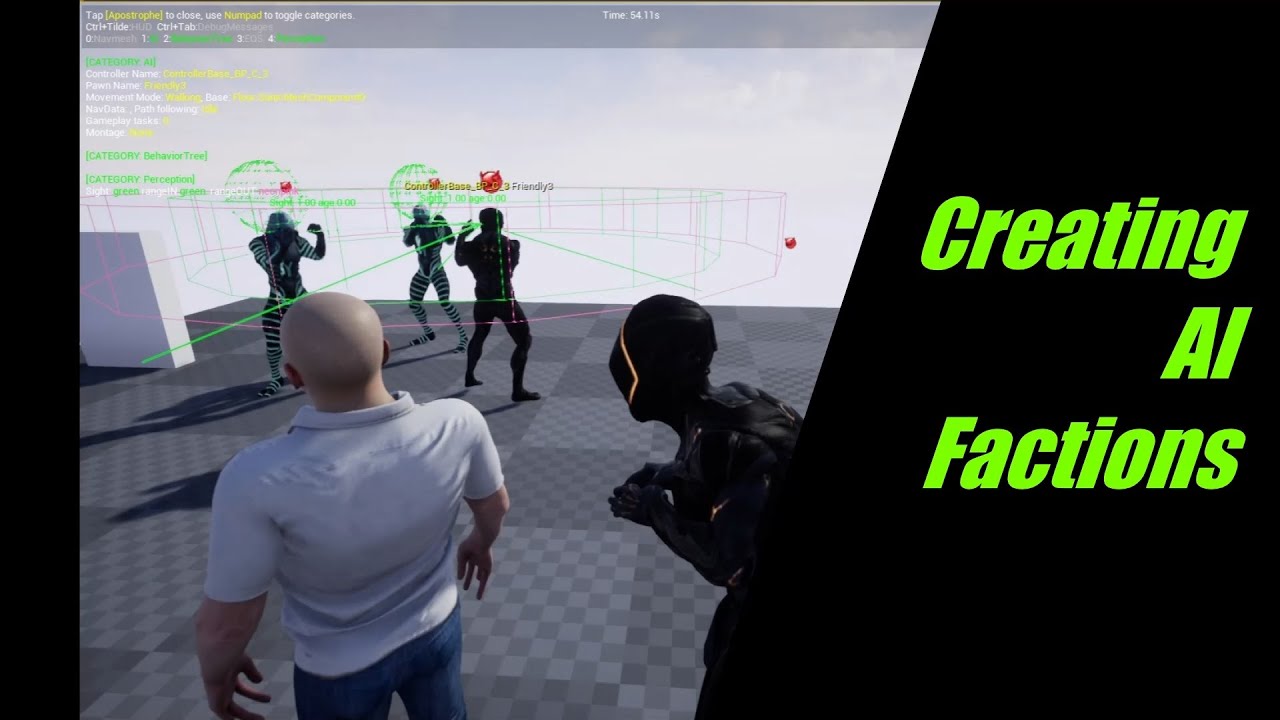
This video shows you how to setup AI Factions in your game using the detection by affiliation system
#ue4 ai #AI perception #UE4 Advanced AI #ue4 c++ tutorial
 vernal vector
how do you make the tree jump to another task? for example, a grenade landed next to the enemy, so the BT needs to jump to task to run away from it