#gameplay-ai
1 messages · Page 22 of 1
 sage lagoon

A new take on the Infinite Runner, now in VR. Dodge, Jump, and Vault with both hands as you make your way through infinite obstacles and Zombies. Unlock more weapons to help you progress further. How far will you go? Maps are randomly generated, so you'll get a different layout each time. The only thing you can count on, is eventual death.Please...
Release Date
2023
1 month to make a game I could play. 4 months of fixes.
First game had ZERO AI, and no animation, because I was just learning.
But each puzzle is a whole different part of UE to learn. Sound, grabbing, doors, climbing, saving, achievements, etc.
The new game is more action and fun, and I wanted to step into AI enemies... so... shooter. Easy choice.
 final loom
Cool.
sage lagoon
Thanks for your help. I will let you know when I get it sorted.
final loom
Ok
 terse panther
you can do a distance check with your player...
like if the distance between your AI and player is < X and tell him to go into melee state
 balmy bane
terse panther
you can do a distance check with your player...
like if the distance between you...
balmy bane
terse panther
you can do a distance check with your player...
like if the distance between you...
I made a sequence with distance and it didn’t work
terse panther
balmy bane
I made a sequence with distance and it didn’t work
make a service
just a sec, let me show you mine
balmy bane
terse panther
make a service
I meant to say service lol
terse panther
balmy bane
I meant to say service lol
this is how i am checking for the melee and ranged,
here the target it AI and other actor is my player
 sage lagoon
balmy bane
I made a sequence with distance and it didn’t work
sage lagoon
balmy bane
I made a sequence with distance and it didn’t work
That part is simple. Liner distance to. So it's not looking at the Z
Not distance to
Question: Why would you need a minimum meelee range? Just do a < lessthan.
balmy bane
I used this since I thought all I needed was a distance to target and target being the ai?
 balmy bane
sage lagoon
Question: Why would you need a minimum meelee range? Just do a < lessthan.
balmy bane
sage lagoon
Question: Why would you need a minimum meelee range? Just do a < lessthan.
So that if the player is within x range the ai does melee and if the player is further than x range the ai would switch to range
terse panther
sage lagoon
Question: Why would you need a minimum meelee range? Just do a < lessthan.
its just the old code, The new one is in cpp, so i thought to send the bp version instead of cpp
balmy bane
This is what I have on the BT
 terse panther
balmy bane
This is what I have on the BT
terse panther
balmy bane
This is what I have on the BT
put your calculate distance on the Attack Selector
balmy bane
terse panther
put your calculate distance on the Attack Selector
Okay, and how would I get it to calculate? It just says the name of the service but that's it.
terse panther
balmy bane
Okay, and how would I get it to calculate? It just says the name of the service ...
inside your service calculate the distance between your AI and your player....
and then your blackboard will check for the distance range and then will execute the lower tree based on the condition
balmy bane
Ohhh okay thats what was above
 ocean wren
I went with a squad actor that coordinated squad members and a command message system that issues orders and notified completions etc. I used the FMessageEndpoint for that and I would recommend it unless you're using BP's. I also had another layer that controlled the squads, because of things where I would want an alarm to go off and cause the different squads on a team to react differently.
balmy bane
terse panther
and then your blackboard will check for the distance range and then will execute...
I tried that and I even set the values to 0 and 500 and still only melee worked. Afterwards I said “oh maybe I need 2 one for melee and one for ranged” so I did another and set the values from 600 to 1000 and it didn’t work it only did the melee again. It’s almost 3am here so I’m going to bed but I want to try again tomorrow
terse panther
balmy bane
This is what I have on the BT
i think your condition are wrong here,
if distance < 1000 then do melee and if distnace >= 1000 do range
 paper hatch
Hi, I had an issue with my AI Character when I executed the "AI Move To" node. It gives a weird sprint animation that shouldn't be animated right that way. Does anyone know how to fix this issue? Thanks.
 keen crow
paper hatch
Hi, I had an issue with my AI Character when I executed the "AI Move To" node. I...
keen crow
paper hatch
Hi, I had an issue with my AI Character when I executed the "AI Move To" node. I...
well the legs jittering looks like anim blueprint issue (if that's even an issue, this might be expected behavior when changing direction every tick (which probably shouldn't happen on every tick)). do you by any chance executing AI MoveTo with different locations every tick in your AI controller?
sage lagoon
I am lost on this Vector setting for AI Blackboards.
I can set a Player Target as a loction to MoveTo, but the vector is all messed up for me.
In the Blackboard I added a new Key, a Vector.
In the BehaviourTree I have a Service called FindTarget.
In the Service I have set a Variable set to Cast to the Player, and this works.
But now I want to get the Player location in a vector, so I add a new veriable called TargetLocation, that is a vector.
When I use SetBlackboard Value as Vector, the input is fine xyz 500 0 70, but when I do a get blackboard vector value it's 98159649581498579084093093409823098.000 for each of the x y and z.
Why would this happen?


The blackboard is obviously reading info from the Service, because i can set enum states , but with the vector it just hates me.
sage lagoon
I found somthing odd, that looks like part of the issue, but i dont know how to correct it. When I pull the vector and make a node Set Blackboard Value As Vector, then Promote the key to a variable, it makes the key listed as 'self' in the BB, not vector.


since the name is VectorKey, it should show up as that.
 short kiln
Hi, I have multiple agents with differents scale in my project who should use different navmesh of their "NavData"
The problem is that it doesn't change as exepted.
As you can see, the AI should be a " TinyAgent" and not a human one
I saw informations on the net but nothing helped me ( not even the UpdateNavAgentsWithOwnersCollision checked to false )
- i didn't found documentation about the settings of the Supported Agents ( : Project Settings > Navigation System )

 sage lagoon
short kiln
Hi, I have multiple agents with differents scale in my project who should use di...
sage lagoon
short kiln
Hi, I have multiple agents with differents scale in my project who should use di...
Have you tried:
Navigation Query Filters (Separating AI movement) - UE4 With Casey
Part 40_ making your AI avoid parts of your level
So you make certain AI avoid certain areas, or prefer certain areas.
As for large and small characters, I have plenty, and they all work off a similar Blackboard. I just change the colliosn capsule, and their mesh size.
That was the first pass with him. He had 5000hp. he now has 2000.
sage lagoon
found the solution. long long day.
 short kiln
@sage lagoon yep i checked those last time but its not what I need
If my AI Nav Data is set to TinyAgent, this is the navMesh that the ai will use ( Yellow )
But as you can see on the previous screenshots, its set to Human wich is using the other navmesh ( Green )
Also, if I uncheck Human, then the only supported agent will be TinyAgent but its not what i want and it show that it's NavData can change as well
All of this without using any nav mesh modifiers with a specific cost ( that will be useless because the ai has no info of the shortest area => green navmesh )


 pastel orchid
Hello,
I have a very annoying issue with my BTs: occasionally, some KeySelector node parameters get reset at their default value (meaning the first key of the list), seemingly at random. It happened at least 3 times in the last month and of course it's a huge pain to debug because there's no simple way to tell when it happens. It seems to be happening on services, decorators and tasks, both BP and C++ ones.
Is this a known bug? Is there any workaround for that?
Thanks
balmy bane
terse panther
i think your condition are wrong here,
if distance < 1000 then do melee and if ...
So the max and min Service should be blank and set those parameters in the BT? I will try again when I get home from work
 crisp coyote
ocean wren
I went with a squad actor that coordinated squad members and a command message s...
crisp coyote
ocean wren
I went with a squad actor that coordinated squad members and a command message s...
Is there documentation on where I could read about the messaging system? I’m interested in learning more about that! Thanks for your detailed response!!
 lunar quiver
how do you disable ai or detach it from a character BP tried using Detach From Controller it works but im getting an error

 ocean wren
crisp coyote
Is there documentation on where I could read about the messaging system? I’m int...
ocean wren
crisp coyote
Is there documentation on where I could read about the messaging system? I’m int...
Documentation? no not really.. I just looked at the class usage in the engine for my examples. There may be some websites with info on it too, can't remember and google seems to be completely non-functional for me lately.
Apparently Gerke Max Preussner did a livestream about it..

Interface for message buses.

GitHub
Demo for the UE4 Message Bus. Contribute to BhaaLseN/UnrealMessageBusDemo development by creating an account on GitHub.
Its basically a publisher/subscriber message system.. so there's plenty of info on those in general
crisp coyote
ok awesome! Yea I will take a look at those terms. Thanks so much for the suggestions, looking forward to diving into this!
Out of curiousity, do you know anything about performance of AI Perception? I've read that it has a high impact and I was hoping to get up to around 60 AI in my levels
But I wasn't able to find anything really useful from the last 1-2 years
 harsh storm
Go for 60 and measure. Don't assume.
 haughty coral
crisp coyote
Is there documentation on where I could read about the messaging system? I’m int...
haughty coral
crisp coyote
Is there documentation on where I could read about the messaging system? I’m int...
You can also check Lyra, it has s gameplay message router plugin for messaging
ocean wren
perception isn't really a bottleneck, you can tweak the number of checks it does.. the biggest hog is usually the character movement component by all accounts.. been a while since I checked
crisp coyote
harsh storm
Go for 60 and measure. Don't assume.
Great point, I hadn't really considered that!
Thanks for the advice guys, this is my first major project that I'm taking on on my own, so its nice to be able to discuss with other people!
ocean wren
Might be worth checking out Mass too..
harsh storm
Ehhh - I wouldn't advise Mass just yet.
crisp coyote
ocean wren
Might be worth checking out Mass too..
as in Mass AI? Going data driven?
ocean wren
harsh storm
Ehhh - I wouldn't advise Mass just yet.
Oh? why so?
harsh storm
ocean wren
Oh? why so?
Still quite experimental and they are quite the novice. So they won't have as many references to learn from.
ocean wren
True, I guess mass isn't ready for primetime yet..
haughty coral
Yeah, it is very techy atm. Probably more engineers focused system than any other system
crisp coyote
yea I'd love to be able to jump into that, but I am trying to stay very focused on my scope and not constantly add features.
crisp coyote
ocean wren
perception isn't really a bottleneck, you can tweak the number of checks it does...
Any thoughts on why the movement component is so expensive? I wouldnt have guessed that
ocean wren
Try watching this: https://www.youtube.com/watch?v=CqXKSyAPWZY&t=28s
Displaying thousands of characters on-screen in real-time has always been a challenge - until now. Unreal Engine's Niagara visual effects system opens up doors to go far beyond what was previously thought possible and this presentation by Epic's Joseph Azzam showcases how you can utilize the power and versatility of Niagara to create massive cro...
Dammit, frustrating being both ill AND not having some of my graphics stuff work as expected
one or the other, I could deal with.. but both? sheeish
building this wibbly-wobbly-world generator is frustrating.. so many undocumented bits to wrangle
crisp coyote
Cool, thanks for the suggestion, I'll give that a watch!
given that I'm working on a WW1 game, I already love the idea of the scale this unlocks!
short kiln
short kiln
<@790997169998004235> yep i checked those last time but its not what I need
If ...
Is there someone who knows how to do that ?
 stoic pier
I'm trying to keep the AI to focus the player if not attacking or doing anything else. It seems t he set focus node snaps less at melee distances than rotate to face target (even with precision turned down on the node).
Anyone have a better way to do this? Putting that dummy selector there with a wait seems a bit of a waste/
 crisp coyote
Are you referring to wanting to smooth out the snappiness of that rotation?
If so, here ya go https://dev.epicgames.com/community/learning/tutorials/ZYVB/unreal-engine-smooth-focus-using-ai-setfocus-setfocalpoint

Epic Developer Community
How to use Smooth SetFocus / SetFocalPoint on a Controller
stoic pier
yes, it's fine further out but at melee range does snap a bit
crisp coyote
i havent implemented that yet, but the video on it seems to work well
stoic pier
oh nice thanks, the answer should be there. I thought it might have to do with a custom task or smth. Just being lazy.
 leaden mural
Is there a way to figure out if a specific area of the navmesh is still dirty?
It seems like the stuff in there to do it isn't expose to game modules
I can easily grab FNavigationOctreeElement but I'm not sure which flag is the one I care about here
 celest python
leaden mural
Is there a way to figure out if a specific area of the navmesh is still dirty?
celest python
leaden mural
Is there a way to figure out if a specific area of the navmesh is still dirty?
I dont think anyone around here knows that type of low level info
leaden mural
celest python
I dont think anyone around here knows that type of low level info
Mieszko is literally on here man lol
I'm holding out for a hero...
oh well, source reading time
celest python
oh yeah true, I didnt see him in #gameplay-ai for a long while though 😄
celest python
leaden mural
Mieszko is literally on here man lol
see FRecastNavMeshGenerator::MarkDirtyTiles
should give some ideas about the flags
leaden mural
celest python
see `FRecastNavMeshGenerator::MarkDirtyTiles`
ooh, sweet
mr "has no idea about low level stuff" over here 😛
ocean wren
Its reasonably understandable if you dig into the code
celest python
all geometry stuff melting my brain
leaden mural
ocean wren
Its reasonably understandable if you dig into the code
yeah, I think recast is the ticket
I was looking at the wrong class
celest python
well it looks like they are only dirty while its generating
and PendingDirtyTiles & RunningDirtyTiles is behind protected
leaden mural
yeah, thanks unreal :U
stream in more level geo > more navmesh bounds appear
I don't want to rely on overall dirtiness as everything else could be messing with it
so there has to be something, the octree probably has it
I have it omega logspammed at least so I can see what's changing
crisp coyote
Can I use multiple decorators on a BT and make them act like an OR statement? So the state activates if either decrator is true
crisp coyote
Awesome, I haven't seen this one before, thankyou!
ocean wren
holy crap people are annoying 🙂 so many hysterical idiots posting about locking AI up and such..
it literally predicts the likelihood of a goddam bit of text coming after a few other bits of text.. thats all!
celest python
i also have no idea what pausing for 6 months will bring
ocean wren
I mean, it does it well and its seen some shit out there on the internet, but cmoooon please grow up and read about what its doing before getting in a fit of the vapours.
it'll bring jack shit.. because nobody will do it
its all a bit of a sharade.. I can't even tell what they're after.. but its likely a smokescreen or a fake out or something
i.e. get everyone else to stop and then put pedal to the metal yourself 🙂
its like society has been mentally crippled to the point we can't even have a reasonable discussion about it
That Larnier guy has a lot to answer for
Hell, even the AI art thing has gotten factional
One GOOD thing from todays shenanigans, is that I've confirmed you can generate a depth cubemap, use that to generate a panoramic texture using a diffusion model, then use that texture in a particle system to paint a wibbly-wobbly-world 🙂
harsh storm
celest python
i also have no idea what pausing for 6 months will bring
Time for the competitors to catch up. That's about it.
ocean wren
phase two of that, is to add voice to the generator so you can describe the world and have it wibbly-wobble into existence 🙂
ocean wren
harsh storm
Time for the competitors to catch up. That's about it.
Yeah, nobody in their right mind is going to pay any of this any heed.. but of course politicians will make it into a big deal
to avoid facing up to the fact they've messed the world up already 🙂 hell, having an AI tell me jokes is probably the only silver lining 🙂
 lean turtle
Hi, I am working on a VR project. Has anyone worked on AI for Oculus Quest and AI?
 hexed plank
Was wondering if anyone can help me with a basic form of 'recruitment'
Idea is to have an 'E' prompt appear above the AI's head, and when you press it while looking at the AI, you will no longer take damage from its hitbox.
 solid pivot
hexed plank
Was wondering if anyone can help me with a basic form of 'recruitment'
Idea is ...
solid pivot
hexed plank
Was wondering if anyone can help me with a basic form of 'recruitment'
Idea is ...
look up interactible object on youtube, this is not really an ai topic
hexed plank
solid pivot
look up interactible object on youtube, this is not really an ai topic
Thanks. ❤️
solid pivot
no problem, its basic stuff, might as well just hit up some tutorials for that!
 cursive star
Hey does anyone know how to reduce lag from AI move to? I wouldn't say I have that many AIs (around 30) but according to insights, movement is costing me a fair amount
I'm using AI move to in a behaviour tree also
 uneven cloud
cursive star
Hey does anyone know how to reduce lag from AI move to? I wouldn't say I have th...
uneven cloud
cursive star
Hey does anyone know how to reduce lag from AI move to? I wouldn't say I have th...
Is it the navigation or the movement component? I'm willing to bet it's the movement component.
balmy bane
terse panther
i think your condition are wrong here,
if distance < 1000 then do melee and if ...
I set it to that and 0'd the calculate distance min and max and still doesn't work
And then set it to 0 and 1000 and still doesnt range attack


I'm past 1000 and the range attack doesn't start
 trail python
I'm running into a problem where my AI is just spinning in place most of the time, I followed tutorial in the UE docs and I'm expecting it to just patrol around. The nav mesh is set to dynamic at the moment.
 shadow furnace
trail python
I'm running into a problem where my AI is just spinning in place most of the tim...
shadow furnace
trail python
I'm running into a problem where my AI is just spinning in place most of the tim...
seems like they aren't lenient enough on reaching their target point
trail python
shadow furnace
seems like they aren't lenient enough on reaching their target point
thanks, ill try updating that tomorrow
terse panther
balmy bane
I set it to that and 0'd the calculate distance min and max and still doesn't wo...
Right now I am not at my pc,
Will ping later then we can do it on voice channel
balmy bane
terse panther
Right now I am not at my pc,
Will ping later then we can do it on voice channel
Okay, usually available after 6pm EST, going to bed rn
 twilit folio
Hello everyone! I am really new here, and for the past week I have been struggling with my AI Not moving when using: "AI MoveTo". I added a PrintString node if the "AI MoveTo" node ever fails, and everytime I see the PrintString in the log.
Can anyone help me?
ocean wren
For all you zombie lovers: https://www.youtube.com/watch?v=vrlFozqB0jA

This video shows how to use the AnimToTexture plugin in Unreal Engine 5.1. The video uses an Editor Utility which is available at the link below. Also provided is a basic crowd instancing blueprint which will scatter a static mesh with VAT texture and put a random animation on each instance. The video walks through how to use both of these bl...
harsh storm
ocean wren
For all you zombie lovers: https://www.youtube.com/watch?v=vrlFozqB0jA
This is the kind of high quality content you come here for
ocean wren
Bloody zombies
harsh storm
twilit folio
Hello everyone! I am really new here, and for the past week I have been struggli...
You most likely don't have a navigation area defined. Bring in a Nav Area volume.
ocean wren
To be fair, this has spurred me on to investigate particle based vertex animations for a silly project 🙂
twilit folio
harsh storm
You most likely don't have a navigation area defined. Bring in a Nav Area volume...
You mean a NavMesh Bounds Volume
?
harsh storm
ocean wren
Bloody zombies
For some reason, this reminds me of Conker's Bad Fur Day. The grim reaper who hates cats, lol
harsh storm
twilit folio
You mean a NavMesh Bounds Volume
Yeah
twilit folio
harsh storm
Yeah
Already have one ready.
ocean wren
You usually get an entry in the log if you have issues with moveto
so check what it says
harsh storm
You may have it in the world, but it still may not be valid.
If you press "P" and can't see anything - it's not valid
twilit folio
I do see the green square along my floor.
 bronze belfry
hi ! How many AI characters can you spawn at runtime ? i have a 3070 with 32gb ram and i was wondering
celest python
ocean wren
For all you zombie lovers: https://www.youtube.com/watch?v=vrlFozqB0jA
we're waiting for you to write an instanced skeletal mesh renderer 
so we can run all of those zombies on SKs without vertex anim
harsh storm
celest python
we're waiting for you to write an instanced skeletal mesh renderer <:Hehe:106561...
I'm still saddened that that one person never finished his 😭
 hushed bloom
How do games even really utilize animation blueprints with behaviour trees
my animation SM is driven by the state of an AI
and then the BT is what changes states
but it causes so many issues for single-play animations and even the statetrees of 5.1 dont look like they would fix it
The solutions to single-play animations are really iffy, in the BT a bool can be used to track if a given animation has played but that would get very messy very quickly
harsh storm
AnimBP gets information from the character (such as velocity, weapons, etc...)
BT just gives tasks for the character to do
Move to X location. Attack when in X range.
So on and so forth
hushed bloom
Hmm, so my animBP is driven by a state machine so in the BT, once it enters a sequence it'll set an enum
unsure if that's an appropriate solution
But it's the only one that even makes sense
If I want to see if the AI is shooting or something i'll need to track its state
And yet it also makes it incredibly difficult when needing to do single-play animations
harsh storm
BT is not a state machine. Shouldn't be dictated by it.
If you're having difficulty with playing a montage in the BT, something is wrong with your setup.
hushed bloom
well right here for example

when the AI detects the player for the first time, I want to play a small animation
the only solution I had was having a bool that is set once it plays the ani for the first time
but that just seems so messy
harsh storm
Play a montage.
hushed bloom
I could play a montage when I detect the player but that wouldn't neccesarily work for every situation and it would probably play the animation while doing another task like walking to the player
 I wish state tree had more docs it looks like a far simpler solution
harsh storm
You just don't understand what you're doing. And that's okay. We all start somewhere.
harsh storm
hushed bloom
I could play a montage when I detect the player but that wouldn't neccesarily wo...
If you're playing the montage, that's the task - your character shouldn't be moving, unless the montage is moving the character.
hushed bloom
That's pretty much what this is doing then
it plays an animation
It just seems so messy to have a dedicate bool for any single play anim
harsh storm
You don't need one.
Just play an alert montage
Wait for the montage to finish before marking the task as completed.
hushed bloom
hold on is there a way to a task as completed so it wont be ran again by the selector

This is what the entire BT is
that bottom left part I just removed the rest like what you described
to me that looks like it'll just play the animation over and over
All I really need is for there to be an alert animation played once when the players detected but there doesn't seem to be a way to handle a transition between two selector children
every second I use this I just get more and more confused LOL I might just have to rework all my AIs into statetree somehow
because statetree has things for transitioning
and it makes more sense to handle AI as a state machine right?
harsh storm
It's up to the game design at hand
There are multiple pinned resources that you can use to get better with BTs. I'd recommend going through them.
As well as some other general courses about the UE framework overall
hushed bloom
Yeah I need to kinda plan the overall structure of the AI I think before going any further
because I was planning to have functionality where AI's would use abilities and things, but if I cant even grasp a stupid agro animation
- I've designed the entire animation blueprint to utilize states, but the BT doesn't use them
makes working between them very difficult, because I can't say,
once an animation ends in the animation blueprint, I can't just go "okay, now set the state to chasing", because the BT doesn't even utilize states
harsh storm
If state machines are easier for you to wrap your head around, you can look into using something like Logic Driver
hushed bloom
yeah I think just having full control over the AI makes it far easier
hushed bloom
It is but doing something as simple as a transitional animation just
its so much work for something so simple
It doesn't make sense how you would have an agro animation, or a spell casting animation inside of a behavour tree
harsh storm
Again - because you just don't understand it.
hushed bloom
hushed bloom
okay, could you say if this is atleast on the right track for having a single play anim at the start of a "state" (in this case, playing an animation when it first detects the player)
assuming I make my own task for play animation
not the one that they've given because it would not work
hushed bloom
are sequences not just a state of the AI
a sequence that does patrolling is the patrolling state
trail python
shadow furnace
seems like they aren't lenient enough on reaching their target point
Turns out it was the shield and sword collision boxes
ocean wren
celest python
we're waiting for you to write an instanced skeletal mesh renderer <:Hehe:106561...
Yeah, its weird that it doesn't already exist.. I might have to actually look at it.
So I went through the steps from that video for the vertex animation texture approach and it works alright, but there appears to be a bug somewhere, because its playing the same anim for all instances 🙂
it looks like its got some BP functions in the plugin that are a bit out of step or something, because it doesn't have the correct start-end frames for each anim index
on the other hand, I can now render 1000's of sheep 🙂
ocean wren
Sheep army
 celest python
nice, they should vote on elections
celest python
harsh storm
I'm still saddened that that one person never finished his 😭
I have a friend who knows how to do it
Did it for a different engine, says it can be done in UE without much effort too (ofc not GB level but around 5k~)
harsh storm
celest python
I have a friend who knows how to do it
Let's goooooooooo
celest python
I'm just not sure if writing code for GPU is easy as CPU, in a context of platform dependency
like it ran on PC, but didnt on android
and we had no idea why
but he didnt put much effort on it either so i'm not sure, maybe it was just a small mistake
harsh storm
I'd love for an instanced skeletal mesh component
celest python
if I ever end up being desperate for it I'll learn how to do it from him and try myself one day
harsh storm
I don't have a need for it on this game. But I might for another!
That's why I'm not too sad per se.
My current game is only going to have a max of like 30-40 on screen at once
celest python
its 50 for me
harsh storm
I was looking at the pricing for Logic Driver - those are some crazy terms
I'd just build my own before I pay that kind of price.
ocean wren
sheesh you guys aren't very demanding of your zombies are you
surely you need a few thousand?
Logic Driver?
celest python
harsh storm
I'd just build my own before I pay that kind of price.
you cant get same editor tools without a few years of work alone 😄
but yeah spicy price
harsh storm
ocean wren
sheesh you guys aren't very demanding of your zombies are you
Oh - fear not my fellow zombie lover, I have a game that I want to make where it is 1k+. Just not this one
ocean wren
You have multiple zombie games on the go?
harsh storm
celest python
you cant get same editor tools without a few years of work alone 😄
To build a graph editor that pretty much mimics the anim state machine?
celest python
harsh storm
To build a graph editor that pretty much mimics the anim state machine?
yes
harsh storm
ocean wren
You have multiple zombie games on the go?
I have a few planned out.
ocean wren
You're all zombie mad
harsh storm
I am a zombie aficionado
I've got third person, first person, turn-based strategy, visual novel, side scroller, etc...
ocean wren
I had a few crazy ideas for games recently
including a GPT powered visual novel one, because it would be crazy fun to have GPT make the characters really weird 🙂
celest python
GPT still not being used for actually weird stuff yet 😄
ocean wren
And generating visual novel characters is definitely do-able with AI
GPT can do some very interesting stuff for character dialogue design
celest python
ubisoft nailed it imo
its similar to your actor pickup line recommendation AI idea
ocean wren
you can just tell it what the character is like in the header of the prompt list and it'll do it for you
Its a very compelling way to design characters once you try it
"You are a character that is obsessed about sheep, all you want to talk about is sheep, you have many friends who are sheep" kind of thing
I might try making a sort of mixture of visual novel and relationship management game over summer
using 2D in unreal engine because why not 🙂
Hmm, I'd have to make an editor though 🙂 hahahaha
harsh storm
I knew it wouldn't be long before the tooling talk came
ocean wren
How can you make games with stock tools? its just.. wrong!
harsh storm
Because I don't have the time 😭
ocean wren
You don't have time NOT to make your tools
ocean wren
Hmm, seems niagara turns off shadows on meshes by default.. weird
uneven cloud
hushed bloom
How do games even really utilize animation blueprints with behaviour trees
Most people don't use anim state machines for one offs or abilities. We use montages.
solid pivot
hushed bloom
How do games even really utilize animation blueprints with behaviour trees
i rolled my first AI in basic blueprints...then i tried behavior trees...i was like wtf? n o t l i k i n g t h i s
so much spaghetti its ridiculous
i have to close down all my tabs if i wanna work on some ai its just cluttery
10+ files per
but im trying to push forward with it still...
not impressed
e.g. in one project i have a character parent blueprint that lets all children have the same ai which is in one blueprint easily look at the entire brain of it...roam, chase, attack, etc...so you just make a child blueprint and it has the ai in it already, but in my newer projects where im using behavior trees to "do unreal correctly", its files galore, fragments of things everywhere like services tasks etc and weird kinds of logic flows like "parallel" node
 fringe ermine
What's the most sophisticated AI npc out there?
ocean wren
It depends on what you mean by sophisticated
fringe ermine
ocean wren
Unreal Engine practically begs you to do it
Hmmm... I've just begun my journey into UE. Barely 6 months in.
ocean wren
Yeah, you've got a long way to go 🙂
in RPG terms, you just got out of your starting village
and are likely to meet some bandits soon
fringe ermine
ocean wren
It depends on what you mean by sophisticated
Can AI play a game like GTA5?
ocean wren
Well, there are AI NPC's in GTA5, does that count?
fringe ermine
ocean wren
and are likely to meet some bandits soon
Blimey!!!
ocean wren
But yeah, we can create agents that can play GTA5 (I mean its a fps so its not complex, the only challenge would be driving)
You often see AI being used to test games like GTA for instance.. a company called modl.ai specialises in that kind of thing
fringe ermine
ocean wren
You often see AI being used to test games like GTA for instance.. a company call...
I dunno, I think where I was going with this was if you fill a world like GTA with just NPC AI with gpt capability would the interaction be interesting?
ocean wren
Not by itself, but eventually we'll build ML models with a bit more character and movement
Right now GPT and models like it are a signpost to the future rather than being the endpoint
But yeah, language models like GPT will be a part of it
Ubisoft released a paper a month or two back about generating movements to go with voice for NPC's
and we can generate voices pretty well now, if you check out ElevenLabs as an example
So we'll have language + voice synthesis + behaviour sythesis models
I'm mostly working on the latter of those, because its the most interesting to me
fringe ermine
ocean wren
Ubisoft released a paper a month or two back about generating movements to go wi...
I think I'm having an information overload here😅
What do you mean movement? Lipsync or actual body motion
fringe ermine
ocean wren
body motion
Like audio2gesture?
ocean wren
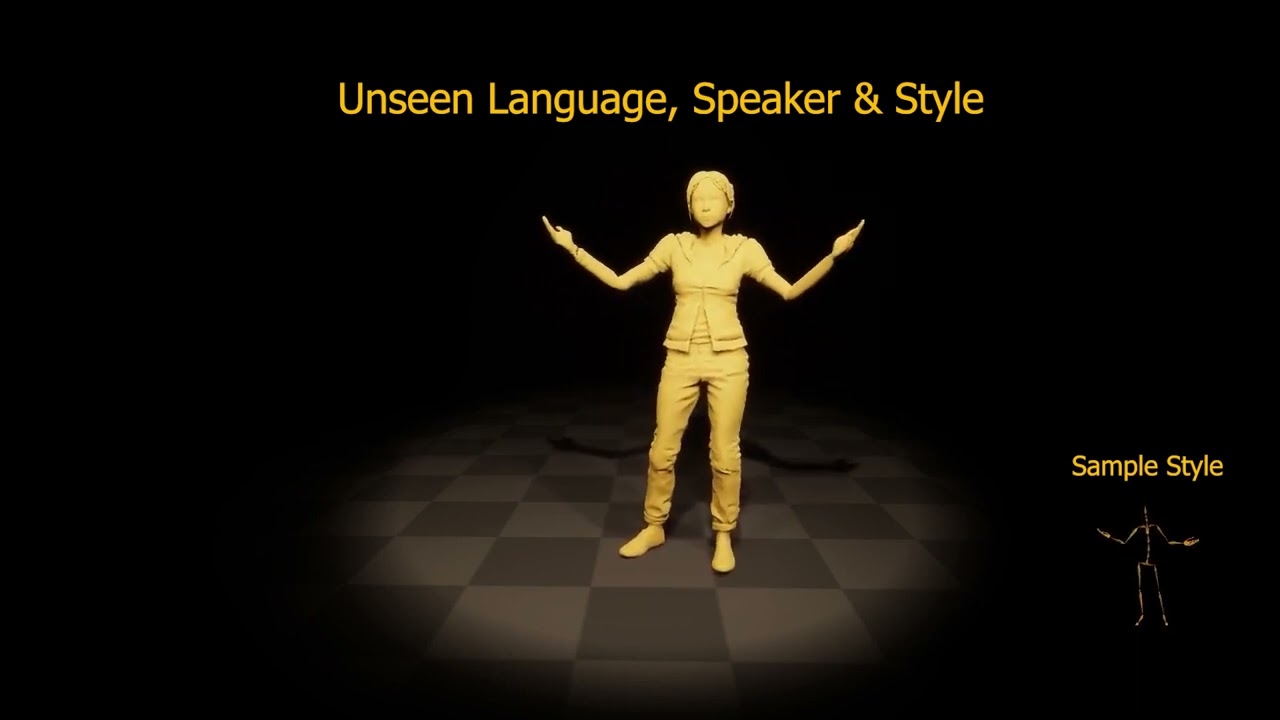
We present ZeroEGGS, a neural network framework for speech-driven gesture generation with zero-shot style control by example. This means style can be controlled via only a short example motion clip, even for motion styles unseen during training. Our model uses a Variational framework to learn a style embedding, making it easy to modify style thr...
Oh wow, it was 6 months ago 🙂
fringe ermine
ocean wren
Oh wow, it was 6 months ago 🙂
Nvidia already has this in machinima
fringe ermine
ocean wren
Yeah, nvidia are working on these kinds of things.. as are a few other labs
All this talk about AI is making me hungry
fringe ermine
ocean wren
hungry for moar AI!!!
Lol... yea... I wish I could integrate gpt to my brain. Best I can do for now is to try to setup a discord bot for gpt
 real sierra


 misty wharf
Have you assigned something to the Status variable?
You can check the box "instance editable" on it, to allow setting it from the node on your behavior tree
Simply having a BB selector does nothing by itself, so unless you've somehow assigned a BB key value into it, you're basically assigning the value into "nothing"
 lyric flint
I don't see a "Set State Tree" node in my bp (I have a state tree component)
Is it bugged right now?
In order to change it I have to destroy the component and create a new one to have a selector
 crimson oxide
How to use EQS with state trees (?
lyric flint
You still cannot set state trees at runtime with 5.2
Which is a bummer
The state tree component reference is broken
 final loom
Could it be from the view of their pelvis, that being the origin blocked?
Can I adjust it somehow, so they will still see the player even when their upper half is sticking out?

Would it be too strange to have the origin as their chest or so?
balmy bane
crimson oxide
How to use EQS with state trees (?

The Environment Query System Quick Start aims to get you up to speed on some of the systems and tools for working with EQS and AI.
crimson oxide
gameplay task do not work properly on state trees ?
I have a GameplayTaskOwner Interface check for some functions
cannot implement those functions in state tree task
final loom
For real. This is a big oversight.
I can't move the collision cylinder down on my character mesh, so I can't make the offset the chest
crimson oxide
balmy bane
https://docs.unrealengine.com/5.0/en-US/environment-query-system-quick-start-in-...
cannot use events on state trees graphs
how do i bind with finished query ?
 cobalt void
Not sure I'm in the right community page here, but I'm new to the concept of procedural mesh and trying to understand if it's possible to create a dataset based on a word to make mesh appear based on that subject. Any ideas?
final loom
Where should I submit a UE5 bug report or feature request?
ocean wren
cobalt void
Not sure I'm in the right community page here, but I'm new to the concept of pro...
Currently there's a bunch of research on trying to do that, but its not part of unreal engine yet no.
But yes, it is possible
Just that the quality is still poor
Have a look at Luma Labs as one commercial vendor doing it
 hallow swift
hi! i was wondering if it is possible to have a 'wide' navlinkproxy. currently i have this setup which lets the AI walk off of the beam only at that one point. is there a way to let it walk of the beam at any point without needing to place a hundred proxies?
 terse panther
final loom
Can I adjust it somehow, so they will still see the player even when their upper...
terse panther
final loom
Can I adjust it somehow, so they will still see the player even when their upper...
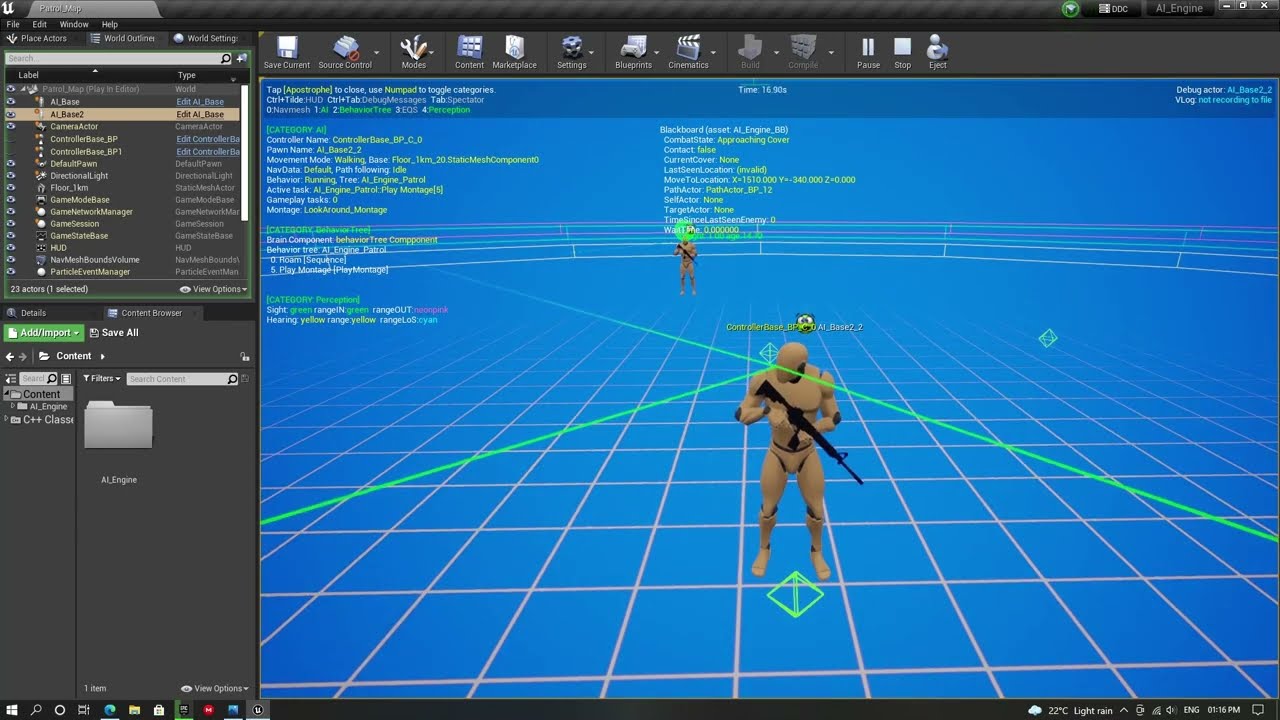
Attach the AI Perception Component to The Head Bone so that it follows the head and rotates along with animations.
Download the project from : https://drive.google.com/drive/folders/15QTUOyvu2jph9fSEJCxhgvIkCZg1wL0u?usp=sharing
This project is in ue5. You may not be able to open the project in a earlier version.
 versed maple
if both are true why not enter the state?
And if both are false, or when the parameter is true and the right is false, Why does it enter?

 versed maple
is this supposed to overwrite on values in the state tree? because it doesn't seem like it does. Is there something special to do?

I have had 3 crashes just with these tests 😅
Is there an option to autocompile the state tree when you hit play, like blueprints do? I think having to remember to compile to simply check something is annoying
twilit folio
Hi everyone! My AI is acting pretty weird, because I use "AI MoveTo" in the level where the game takes place, but It always fails! But that is the only level where it does that, why? I tried deleting my NavMeshRecast and NavMeshBounds, but it always fails, no matter what I do, can someone help me?
Cheers, salutcf.
versed maple
twilit folio
Hi everyone! My AI is acting pretty weird, because I use "AI MoveTo" in the leve...
you can check any problem with nawmesh with press the ' (apostrophe) key.https://docs.unrealengine.com/4.27/en-US/InteractiveExperiences/ArtificialIntelligence/AIDebugging/

Describes the different ways in which you can debug your AI with the AI Debugging Tools.
ocean wren
Can we please for the love of god pin a "my moveto doesn't work, help me!" response once and for all?
 stray pulsar
automate a bot for that easier
 brazen abyss
Is there a way to limit the tick rate of a decorator in the behavior tree?
I have a ranged enemy that shoots a projectile, and before I allow it to shoot, I have a decorator check if the player is in range, and if the enemy has a line of sight on the player. The latter seems to fire on tick and consumes way more resources than necessary, but I can't find a way to limit the code, since inside a decorator's PerformConditionCheckAI function I can't use a timer by event.

 hushed bloom
When doing an EQS query is there a way to specify the collider for the points

so it wont generate points super close to a wall
because im using the points for spawning mobs
if its too close to geometry it'll just clip them inside
keen crow
hushed bloom
When doing an EQS query is there a way to specify the collider for the points
have you considered doing a custom EQS test when you make a capsule overlap shape sweep at EQS items locations? other than that IIRC EQS generators allow specifying trace parameters to allow to envelop geometry or navmesh, maybe there's also a radius parameter for an item
hushed bloom
Oh wow this does exactly that thanks

Kind of confusing using EQS for spawning things
because often times it selects points on the floor
so using it for anything other than pathfinding is hard
keen crow
hushed bloom
because often times it selects points on the floor
well, IIRC you can disable projecting items on surface/navmesh for generators, or even make your own generator that generates items with arbitrary Z offsets up/down
hushed bloom
hmmm yeah I might need to try that
this geo by channel trace is
kinda buggy
It doesn't make much sense how it decides which points collide
Im stupid...
the overlap test is exactly what it means


 !! Detecting points near other geo
 versed maple
crimson oxide
cannot use events on state trees graphs
versed maple
crimson oxide
cannot use events on state trees graphs
I've only been with ST for a while,(few minuts) so this solution may sound ridiculous, you can use latent functions, but the problem is closing the task, since it can only be done from the Start and Tick functions.
Call the latent from the EnterState.
And create a global variable that you can change on tick.
I hope that at some point they will add a node that can be called from anywhere.


 regal willow
hey guys im having a bit of a problem
i have a monster that hides in the dark and does not enter areas with light . how can i make the ai movement avoid light areas with out blocking the nav mesh. the reason i dont want the nav mesh blocked is that there are monsters that enter light areas so i dont want ether interacting with eachother.
terse panther
regal willow
i have a monster that hides in the dark and does not enter areas with light . ho...
nav modifiers and nav filters
regal willow
will that mess with other monsters if it needs to go to that area that is off limits to one.
terse panther
regal willow
will that mess with other monsters if it needs to go to that area that is off li...
you can use nav filters to set a custom custom for each nav modifier for each of your monster class
 sour jewel
Hello! I am trying to have my EnemyAI to move to certain location. but every tutorial i can find is having EnemyAI move towards me. I dont want that. I want it to move to a certain location. How do i go about it?
 green basalt
Hi, which AI(NPC) plugin or template is the best one in the marketplace?
sour jewel
ocean wren
Have you thought about how to do it for yourself?
I dont understand. That's why I am asking
pastel orchid
hello,
does the regular unreal Navmesh work with World Partition? I found this page but I didn't understand if it's required to make navigation work at all with WP or if it's an optional feature to do something more specific: https://docs.unrealengine.com/5.0/en-US/world-partitioned-navigation-mesh/
I'm asking because I'm having an issue where the navmesh isn't working in my packaged build, despite working fine in PIE
An overview of how to use a static Navigation Mesh with World Partition.
also, trying to follow that tutorial I'm missing some pieces: it mentions to change the Loading Range in the World Settings window but I have no such option; then it mentions a RecastNavMesh actor but I don't have it in the level
 winged pasture
AI Walking trough non nav mesh area ( unreal 4.23 ) - any idea what could cause this, im a bit confused
If I block his path with a colliding object he still has a certain craving 
Using very basic BT

 ocean wren
Try using the AI debugger to look at the path generation result?
 stoic fern
hey guys! I have a question.. i want to make a dragon move randomly and after a while get into a spline path without setting the spline path into the dragon from the beginning of the game.. Is this possible in ue4 ?
misty wharf
Nope. You've found the one thing that's impossible to do. You can make a triple-A game though, just not make a dragon fly to a spline.
stoic fern
misty wharf
Nope. You've found the one thing that's impossible to do. You can make a triple-...
So how can i make him fly in a realistic and controlled way?
misty wharf
That was a joke lol
stoic fern
oh
misty wharf
You could for example find all actors of your spline actor class to find them at runtime
Or use some other method of finding the appropriate spline
stoic fern
ok i ll try it.. Thanks!
cursive star
hey I have an issue where my ai's will not start moving properly/will stop moving unless I click on them by ejecting in editor or if the player is close. Does anyone know what causes this?
I have this on my NPC skeleton mesh for performance, but i unticked it all and it made no difference

just gets stuck here

has a move target and will move to it, but only if the player is nearby
 cursive star
Well I just replaced the npc file with an older version and it worked again. Dunno what that was but it works normally again
 leaden jacinth
My AI can't see through other AI so if I have a wave of enemies and some of them stand in front of others, the ones in the back lose sight of me and just leave.
Anyone know what I need to do to fix that?
Default Sight Collision Channel is Visibility, and the AI all have Visibility on Ignore so unless I am mistaken that is not the problem...
leaden jacinth
leaden jacinth
My AI can't see through other AI so if I have a wave of enemies and some of them...
Welp, found the culprit.
I had a UI component (healthbar) attached to the AI actor, and the UI collision preset had Visibility Block. That was annoying to debug...
 nimble cradle
hey guys, quick question. I have a 3d model that is generated from parameters in a houdini class. I want to train a model on the parameters to create the 3d model. That way I can separate the process of generating the model from houdini
winged pasture
ocean wren
Try using the AI debugger to look at the path generation result?
the issue was the recast nav mesh was on a seperate level 
terse panther
Can anyone explain about String Pulling ?
I am not getting it at all 😦
lyric flint
any idea why my nav link proxy isn't working? it's similar to this: https://www.reddit.com/r/unrealengine/comments/pysyeb/nav_link_proxy_ai_move_bug/

 dark warren
Hey, my Behavior Tree does some strange stuff. I'm running a part for flanking the player and it works fine as long as the AI can always see the player. If line of sight is broken the AI will move to the location it should be an gets stuck there. The BT_MoveToLocation node keeps on triggered and running and never finishes. I just don' know why it never finishes.
 crimson oxide
How do I use a State Tree Task even graph (? Not sure how to even start it, should I just use variables from start/ tick ?
lyric flint
why doesn't my ai fall off the ledge when I put a nav link proxy? it just gets stuck
keen crow
lyric flint
why doesn't my ai fall off the ledge when I put a nav link proxy? it just gets s...
I think CMC has can walk off the ledge property, maybe it's turned off for your npc characters?
or maybe there's a problem with nav link proxy direction, maybe it's left to right only or vice versa
lyric flint
keen crow
I think CMC has can walk off the ledge property, maybe it's turned off for your ...
walk off the ledge is on just checked. it just gets stuck. looks like this: https://www.reddit.com/r/unrealengine/comments/pysyeb/nav_link_proxy_ai_move_bug/
lyric flint
a bug i guess?
uneven cloud
dark warren
Hey, my Behavior Tree does some strange stuff. I'm running a part for flanking t...
Why aren't you using the built-in move to? You aren't doing anything it doesn't do and you are missing functionality from it.
The visual logger will help you to debug.
uneven cloud
lyric flint
walk off the ledge is on just checked. it just gets stuck. looks like this: http...
Your biggest problem is that you are calling move to on tick, so it's repathing every tick.
dark warren
uneven cloud
Why aren't you using the built-in move to? You aren't doing anything it doesn't...
because I stripped it back to debug it. It initially had a lot more functions. The visual logger does not show any form of issue.
sour jewel
I'll try again. I want my AI to move to a specific Location in world. I tried everything. But my AI Doesn't Seem to Move. It works fine when i ask to AI to move to me. But i dont want that. Please someone help. This is the last bit of my project and its driving me nuts


 sudden stag
hi! so im learning state trees and i wanted to do a simple compare operation with a variable inside my custom health component but for whatever reason it doesnt appear for me. am i doing something wrong?


i did set the context actor class too
 lyric flint
I'm having an issue where when my pawn tracks the target it'll stutter and stop. I have the BT as "not successful" so it wouldn't stop it unless the ball is out of its sight.

I would love for the AI pawn to smooth track it while it's moving
is there a way I can have this happen? I tried a bunch of things that I don't understand like interpolation and stuff but to my experience with it nothing worked.
sudden stag
sudden stag
hi! so im learning state trees and i wanted to do a simple compare operation wit...
looks like i'll need to add the component in c++ 🫠

 ivory cove
I'm working on an endless runner with ranged enemies that spawn on the sides of the path. How can I have them rotate to face the player without using a behavior tree? Here's the basics that I put together so far in the enemy character BP

I'm getting a reference to the player once the AI spawn in, ideally there would be a simple rotate to face the player somehow?
So many of the youtube videos spend 30 minutes setting up behavior trees and all this other stuff, but surely it can be much more simple than that?
lyric flint
does anyone know how to make the prediction sense stop at a wall? the prediction will go beyond the wall and my AI will still track it while it's predicted path is still being predicted. I want to stop it at the area of my AI on the navmesh. any idea how I can do that?
terse panther
sour jewel
I'll try again. I want my AI to move to a specific Location in world. I tried ev...
try putting a small delay before moveto , and see if it works
 iron scarab
sour jewel
I'll try again. I want my AI to move to a specific Location in world. I tried ev...
iron scarab
sour jewel
I'll try again. I want my AI to move to a specific Location in world. I tried ev...
you should make sure that location is in navmesh, first thing that came on my mind, so check if aiMove to fails or not in case when you passing specific location, if it does, its good, just extend navmash (or make sure that location is not farm in the air), if it succeed ... well, GG, have no idea
sour jewel
iron scarab
you should make sure that location is in navmesh, first thing that came on my mi...
I have navmesh set already. I have figured it out how to cast. but its still not giving me the right result. I have a subway train inwhich my first person charachter spawn. I want to AI to move inside the subway. and the start shooting me using pawn sensing.
but i cant seem to make the AI understand that i want it to move to train and when in train stop moving and just follow and shoot me
 karmic pelican
Is there a way to cancel all tasks in Behavior Tree immediately and rerun the Behavior Tree?
I need full control over a pawn when I do manual inputs and then have it go back to the Ai behavior when the manual task is done.
nevermind, found a way. Adding the BevhaviorTreeComponent manually did the trick. It comes with a restartLogic function
stoic pier
What can you put in a task to act as an abort? Rotate to face BB entry seems to do this automatically., I made an interp version but I want it to abort when it finishes too
looking at the c++ seems there should be a return node
 gilded tree
Hey guys. My various AI will have access to different abilities and behaviors - should I make a specific BT for each unique AI, or just tie all behaviors to what class they are? I.e have a sequence checking for whatever class they are in the start of the BT?
stoic pier
typically you have 1 BT per enemy type / behavior set. You could do it the other way but seems it would get really complicated and hard to debug
 cedar dust
ive recently started using the rundynamicbehaviour task
so i have stuff in a common behaviour tree and i use different bt for combat for example
gilded tree
stoic pier
typically you have 1 BT per enemy type / behavior set. You could do it the other...
Are there any other cons to having it all in one BT? I have a check in the very beginning that checks what class it is, and then executes the correct part of the logic, so debugging it should be fine since it's all confied to their own section of the BT
uneven cloud
gilded tree
Are there any other cons to having it all in one BT? I have a check in the very ...
It makes it significantly harder to debug, harder to share functionality and problems can happen with observer aborts. At the end of the day you likely don't actually need different BTs for each character and doing it that way creates a lot more work.
gilded tree
uneven cloud
It makes it significantly harder to debug, harder to share functionality and pro...
So you're saying containing it in one BT is viable, or the other way around? As having it in one BT would make functionality pretty accessible for each class, wouldn't it?
uneven cloud
sour jewel
but i cant seem to make the AI understand that i want it to move to train and wh...
Does the subway train move? If so do you have dynamic navigation turned on? Is there a door? Is the doorway big enough to generate navigation for the AI to move through it?
uneven cloud
gilded tree
So you're saying containing it in one BT is viable, or the other way around? As ...
I'm saying containing it in one BT that has branches for different AI types is a bad idea.
gilded tree
Gotcha, thanks for clarifying 🙂
uneven cloud
There are ways that you can make sharing functionality easier, such as subtrees and not hard setting abilities.
stoic pier
gilded tree
Are there any other cons to having it all in one BT? I have a check in the very ...
I don't see why it won't work, if anything I would set the class as a BB key in a OnBecomeRelevant of a service at the top level. You wouldn't want to be doing this check on tick
so technically yes but realistically what Luthage said
 wind surge
How can I make the ai climb the ramp?

 kindred valley
I want to set default focus to target actor

how to?
Ok, i missed the subtype of targetactor variable object
kindred valley
How to see created donuts?
I have a simple behaviourtree and the player doesn't move. trying to debug why

 keen crow
kindred valley
How to see created donuts?
keen crow
kindred valley
How to see created donuts?
while PiE or simulating, aim at your NPC and press the apostrophe button on keyboard, an AI debug menu will be shown, then press num 3 (or num 4 i dont remember) , then generated EQS items with their status will be shown
sour jewel
uneven cloud
Does the subway train move? If so do you have dynamic navigation turned on? Is...
No the subway isn't moving and yes there are doors and yes i've set the Nav Bar proxies. AI gets to move to me very easily
wind surge
How can I make nav link proxy cover all the long area instead of that point?
 keen crow
wind surge
How can I make nav link proxy cover all the long area instead of that point?
keen crow
wind surge
How can I make nav link proxy cover all the long area instead of that point?
AFAIK, you can't, which is a sad limitation of built-in nav link proxies. since NLP support multiple points, your best shot might be making a derivative class with an editor callable function that traces down left and right and creates extra points for NLP in both directions until some condition is passed (no more that X height difference, no more that Y angle difference, etc).
But if you find a better way please tell it here
kindred valley
my character moves the first time (without walk animation, he perform only the idle, and stop when moves) but then he stops and next query find location fails
 kindred valley
it choose a green donut out of the navmesh....
why a donut out of navmesh should be green?
I check for discard unreachable


 plush cargo
If i were to completely disregard the AI state managers...
What do i miss out on if i want create my own system that deals with determining states and execute my own behaviours
 sullen prawn
is there any documentation for all ai senses?
plush cargo
StateTree question.
If i do work on the actor/character that HAS the statetree component. Its crashing a lot if i dont always compile the statetree before running.
I have managed to pinpoint an exact crash condition. If i dont compile StateTree if any related statetree bp's has changed, i will crash.
But the same crash happens randomly while working on character related bp
I realise its new and buggy but has someone found a good workaround to keep a flow going ?
sullen prawn
does anyone know how AI touch sense and Team sense work?
keen crow
sullen prawn
does anyone know how AI touch sense and Team sense work?
AFAIK touch sense provides perception event when NPC's capsule is touched, Team sense probably allows you to make a request and receive locations of all NPCs allies (same IGenericTeamAgentInterface::GetTeamId)
uneven cloud
wind surge
How can I make nav link proxy cover all the long area instead of that point?
You add point links across. You can make a helper function to create them if you know C++.
uneven cloud
sullen prawn
does anyone know how AI touch sense and Team sense work?
The touch sense gives you an event you can call when you want it to be triggered, but you actually have to call it when it makes sense for your game. Maybe you want it when capsules touch. Maybe you want it to happen for a different reason.
 mortal umbra
do behaviour tree decorators support arrays?
keen crow
not really. it's more about blackboards don't provide anything like arrays. I imagine you could either wrap an array into an object and store it as a BB key or create your custom array BB key, but I'm not sure base blackboard type will even allow you that
sullen prawn
does anyone know why my ai might see player behind it's back
keen crow
to be more specific i imagine it's possible to make a bb key type of an array of a fixed size but quite unlikely it's possible to make an arbitrary size array bb key type
sullen prawn
even though it doesnt have such field of view
keen crow
sullen prawn
does anyone know why my ai might see player behind it's back
try enabling perception debug in AI debug HUD. maybe your NPC's PoV is sideways because of pawn's mesh rotation
sullen prawn
keen crow
try enabling perception debug in AI debug HUD. maybe your NPC's PoV is sideways ...
no it isn't
FAIDamageEvent AIDamageEvent;
AIDamageEvent.Location = GetActorLocation();
UAISense_Damage::RegisterEvent(AIDamageEvent);
this code gives me error: a nonstatic member reference must be relative to a specific object
sullen prawn
keen crow
try enabling perception debug in AI debug HUD. maybe your NPC's PoV is sideways ...
it seems like it constantly sees and stops seeing the player when he hides behind the ai
causing him to try and turn around to the player
but immediately stop because he doesnt see him after a milisecond
causing weird choppy turning around to player
but i have no idea how to fix this
the output log gets flushed so hard by the amount of logs that it isnt as obvious on the video
this is my behavior tree

please help me
i fixed it
partially
i just stopped setting last seen location when he stops perceiving you
it just seems like his ai perception turns faster than the controller
sullen prawn
sullen prawn
i fixed it
actually no lol
It doesn't seem like my fault but rather some weird perception bug
uneven cloud
sullen prawn
but i have no idea how to fix this
Tweak the max age of the sight perception settings
uneven cloud
I would start with 5 seconds and see where that gets you.
sullen prawn
k
still choppy
i noticed
he only turns around in a jagged manner when i am in his possible field of view not blocked by any objects
ooohh
i found out the problem
when he only hears the sound he moves normally
however when he gets damaged and hears sound it gets a lil sussy
how to prioritise one part of the tree?

considering only this part?
sullen prawn
Also if there is no way to do this in the tree
Can you prioritise one sense above another?
And then prevent sensing stimuli or not save data from the supressed sense
Until the prioritised stimuli disappears
keen crow
how do you get perception updates?
sullen prawn
Using on target perception updated
sullen prawn
keen crow
how do you get perception updates?
If you are asking me
keen crow
sullen prawn
Using on target perception updated
i'd personally suggest make a BT service instead that queries currently perceived data. then you can reorder and prioritize it however you want. reacting to every sense update can lead to your AIs constantly jittering between targets and stuff
sullen prawn
keen crow
i'd personally suggest make a BT service instead that queries currently perceive...
that makes sense but i'm new to ai in ue4 and i have never used BT Services what are they and what are they used for?
keen crow
sullen prawn
that makes sense but i'm new to ai in ue4 and i have never used BT Services what...
its like a timer where every time it ticks you can do some logic. service is a BT node you can put on any composite or task, just like a decorator. but service is "designed" to tick and do stuff when it ticks, for example reevaluate current NPC perception and set some BB keys to tell BT that now NPC senses something new, doesnt sense anything at all, or senses exactly the same thing as before
sullen prawn
hmm alright
sullen prawn
keen crow
its like a timer where every time it ticks you can do some logic. service is a B...
so on wich node should i place a service that handles perception in my behavior tree?
keen crow
Somewhere where decision what to do based on perception starts. Probably on some early sequence/selector
sullen prawn
btw how to check if a BB key is set in c++
sullen prawn
and how exactly to implement what you said @keen crow ?
stoic pier
sullen prawn
btw how to check if a BB key is set in c++
UBlackboardComponent* BBComp = YourAIController->GetBlackboardComponent();
BBComp->GetValueAsObject("SomeBBKey", YourObject);

if(IsValid(YourObject))
thx
sullen prawn
I fixed it actually all of the jitter for some reason came from this part of the tree
 stoic pier
not sure if it makes sense to put all those as individual sequence nodes. All those keys could be set in a BTService
assuming they are just BB keys
 fringe aspen
what's the "standard" way of making flying enemies in unreal?
i've been looking into it and apparently it just comes down to "no navmesh, use projectile movement"
but i'm not sure if that supports the more complex behavior than just fly in your direction menacingly
sullen prawn
I think the problem is that there is none and you have to find a workaround and do most by yourself but it's just my guess
uneven cloud
stoic pier
```
UBlackboardComponent* BBComp = YourAIController->GetBlackboardComponent();
B...
Why don't you use the template version instead of the BP versions?
solid pivot
fringe aspen
i've been looking into it and apparently it just comes down to "no navmesh, use ...
fake it? thats what im doing for now...flying characters are just normal walking characters (so they can still pathfind) but i move the mesh up and down vertically for "flight"...may not work in all cases
celest python
harsh storm
I'd love for an instanced skeletal mesh component
So I'm suffering from a weird engine bug that prevents me from launching the editor, so I'm unable to work on my BP nativization plugin.. ended up being curious about this
good news is, I made it
bad news is, it doesnt work xD
celest python
TL;DR engine already has a perfect way of rendering things as instanced but you need to tweak it for skeletal meshes, but there are tons of esoteric data structures and GPU specific things that you need to be experienced at - which I'm not yet
I've read message history of GB about those and found some code snippet in depths of web/github
then decided on a way to implement it, worked well but so far doesnt actually work but the "bare bones" part is functional
just need to understand about mesh pipeline and GPU programming basics
harsh storm
You just need to understand it or that's what you need to understand to get started?
celest python
I got started and wrote a few thousands of lines code, but having difficulties about specific parts and I'm doubtful about my choice of overall design to implement this
its like trying to write a movement component without knowing how CMC works, gotta read a lot
my biggest worry is, if it ever works, it will save a lot from GPU overhead but since I'm looping nk of data for each render pass (instead of having nk of draw calls, looping nk of data and bake it into a single draw call) it will bloat CPU this time, so no way to actually reach a number more than 10k or something
unless you are glassbeaver
harsh storm
😭
Look - if Dead Rising could do this stuff back in like 06, we should be able to do it, right?
celest python
hey 10k on relatively low end hardware is not bad 😄
good luck about moving them though, scenecomponent transform updates would be 100x more expensive
harsh storm
Just trust 🙏
celest python
but maybe I can have nk meshes in a single skeletal mesh component and just update render transform when anything moves, but then i couldnt update collisions
another day in UE
fringe aspen
sullen prawn
I think the problem is that there is none and you have to find a workaround and ...
aight that's good to know at least lmao
fringe aspen
solid pivot
<https://www.unrealengine.com/marketplace/en-US/product/don-s-3d-pathfinding-fly...
i have inspected the plugin options and both that exist are at 4.25 maximum
and i'm on 5
so yeah i guess faking it is
luckily i don't have a lot of obstacles for jets in the sky to dodge lmao
 night relic
See you guys in 2035
 sullen prawn
HOLY MOLY
sullen prawn
sullen prawn
this is my behavior tree
Btw
I found out what caused the weird turning around
it wasn't actually what i thought
actually it all was because i had two opposite decorators
when i removed the doesnt see enemy decorator
it all started working as expected
 granite robin
I'm building a zone that needs to have a series of waypoint - does it matter that much in terms of navigation, or can I just use billboards to signify and just get the worldlocation of those billboards and use that in a Move To Location on the AI controller?
sullen prawn
The solution you said i think should work
But if you dont want billboards you might just place empty actors on places where you want ai to go
If the waypoint is on a navmesh it should work
But if it isnt he will move to closest point to it on navmesh i think
 wet bronze
HI! Does anyone know why my cube wont show up in my AI Controller blueprint? I added a cube for debugging purposes but it doesn't show anyway. The location is correct, the visibility is on, and I checked that its not just really small. Seems like no objects can render inside an AI Controller Blueprint. Is this true? Or am I missing something?
(Debug_Target is the cube)
wet bronze
wet bronze
HI! Does anyone know why my cube wont show up in my AI Controller blueprint? I a...

 ocean wren
celest python
but maybe I can have `n`k meshes in a single skeletal mesh component and just up...
ocean wren
celest python
but maybe I can have `n`k meshes in a single skeletal mesh component and just up...
Got any recommends for where to start looking in the codebase for current skeletal mesh rendering paths?
 kind wagon
Anyone knows why even if im front of the AI the AI perception dosent update?. thats my sight config
 sullen prawn
kind wagon
Anyone knows why even if im front of the AI the AI perception dosent update?. th...
sullen prawn
kind wagon
Anyone knows why even if im front of the AI the AI perception dosent update?. th...
Could you show your code?
kind wagon
 sullen prawn
Could you also show the rest of code?
celest python
ocean wren
Got any recommends for where to start looking in the codebase for current skelet...
for instanced rendering:
FInstancedStaticMeshRenderProxy, its related vertex factory classes, for occlusion and culling FHierarchicalInstancedStaticMeshSceneProxy's cluster tree algorithm
FMeshBatch and GetDynamicElements function in scene proxy
for current SK rendering:
FSkeletalMeshSceneProxy
btw I don't check slackers often anymore, you can send me a DM instead if you need to contact me


 ocean wren
Gotcha, willdo thanks!
sullen prawn
kind wagon
I will take a closer look at it when i get home
kind wagon
Thanks!!!!!
sullen prawn
Dont thank yet lol
@kind wagon does the on perception updated event even get called?
celest python
ocean wren
Gotcha, willdo thanks!
from what I can see, scene proxies and FMeshBatch combo is poorly designed and instanced static meshes implemented with "hacky" ways
you should try to find a way to combine all skeletal meshes in single FMeshBatch, but other functions of scene proxy class is intended to render a single mesh with multiple materials, so outside of the GetDynamicElements you have to do various of hacks in vertex factory classes and doing some structure of arrays logic in a custom class to contain all instanced skeletal mesh data etc.
since I'm not experienced with rendering much I find all of this very complex, but I guess you'll do better in shorter time once you figure out the API
sullen prawn
kind wagon
But no when the radius is less than 1000
Where does the red node go from here?
 kind wagon
 ocean wren
celest python
from what I can see, scene proxies and FMeshBatch combo is poorly designed and i...
ocean wren
celest python
from what I can see, scene proxies and FMeshBatch combo is poorly designed and i...
There's a lot to do with threading to make sure you're filling buffers maximally really.. Did you say that GB had a thread discussing it?
sullen prawn
kind wagon
So when the radius is larger than 1000 you move to the actor
celest python
ocean wren
There's a lot to do with threading to make sure you're filling buffers maximally...
GB has some messages he is sharing some knowledge about his own instanced skeletal mesh rendering thing across his message history (since 2021 or something) but its not in a single place, I searched #cpp's message history with "instanced skeletal mesh" keywords and collected useful infos from his messages and also a few other people
sullen prawn
kind wagon
Where does the true node go from that branch near move to actor?
 sullen prawn
kind wagon
But no when the radius is less than 1000
sullen prawn
kind wagon
But no when the radius is less than 1000
I think the reason for that is because you break the loop if radius is less than 1000
Causing it to not move to actor
ocean wren
celest python
GB has some messages he is sharing some knowledge about his own instanced skelet...
Oh, thats a bummer, but I guess it is quite arcane knowledge, so have to do some spelunking to gather it
celest python
its actually very simple
sullen prawn
kind wagon
Thanks!!!
No problem mate
If that wasn't the reason ping me and i will try to help again
celest python
ocean wren
Oh, thats a bummer, but I guess it is quite arcane knowledge, so have to do some...
all you have to do is store all skeletal mesh rendering data in an array and put them to FMeshBatch really
I'm only struggling because I'm not familiar with graphics API
I dont know what kind of data skeletal mesh needs, and how to write vertex factory etc
celest python
celest python
all you have to do is store all skeletal mesh rendering data in an array and put...
you can simply mock what instancedmeshsceneproxy doing in GetDynamicElements
ocean wren
Yeah, that stuff isn't too hard, if you know the typical structures
But hey, if you're going to do it, might as well go crazy right? 🙂
I've got a need to use some ML code to predict skeletal meshes, so will likely need to render a lot of possible mesh poses
celest python
if they wont animate and be static i guess you can render up to 100k on a RTX without doing what glassbeaver does 😄
but otherwise i assume with default scene proxy implementation you can only reach up to 30-40k or something
ocean wren
Well, this is calculating the poses into the future as part of a RL loop, using diffusion, so might need a lot, but haven't had time to look yet
celest python
do you actually need to render them though?
cant you just eval animations and bone matrixes
or does it learn by vision
ocean wren
it uses a geometric loss function, so might need to calculate the silhouette
kind wagon
Anyone knows why my perception sight is seeing the player start?
ocean wren
I'll likely pipe the skeletons through a differentiable renderer though.. will need to see how it pans out.. want to do some NeRF stuff first
There's a lot going on in the AI space I want to work on 🙂
sullen prawn
kind wagon
Anyone knows why my perception sight is seeing the player start?
Like it's obstructing his view or what?
misty wharf
Do I remember wrong but wasn't there an A* pathfinding algorithm somewhere in UE's codebase?
ocean wren
Yeah, there's one in the grid pathfinder
and the recast navmesh does an A* search of the navpoly's too if I recall
misty wharf
Ah will have to check the grid thingy.
Working on some logic to determine whether an object is placed inside a room (rooms have an arbitrary player built wall configuration)
ocean wren
couldn't you use the octree for that?
misty wharf
I was testing using a nav mesh query to just pathfind to "outside" from where the object is placed, but unfortunately it doesn't quite work as desired because other objects can block the pathfinding
So I'm going to need to set up a custom system which only blocks parts of it from walls and not from other objects
ocean wren
navmesh doesn't really have the concept of inside/outside anyway right
misty wharf
Yeah the concept of inside/outside is just in my game. The rooms would be built inside a building, so to determine whether something is inside a room, it could simply trace a path to an area outside of the building
If it can't, then it's inside a room
ocean wren
But wouldn't every room have a path to outside?
misty wharf
Via doors yes, but I was testing it by giving doors a specific nav area which was being excluded from the nav query for it
The basic idea works, but it becomes problematic if you for example place objects in such a fashion that it blocks navigation, but that doesn't make it a room
So I was going to try a system where I have a separate tile grid that is updated only when walls are placed, and then I can do a pathfinding query on that grid
since as far as I can tell there's no way to have a second navmesh which is only affected by specific objects
misty wharf
other ideas welcome, I have no idea if this is actually a good way to do it but I can't come up with anything else... would probably be a lot easier if the rooms were predefined or always came with four walls or whatever, since then you could easily define the area that's inside it, but since it's entirely up to the player how to place the walls it's a bit difficult
haughty coral
misty wharf
other ideas welcome, I have no idea if this is actually a good way to do it but ...
Maybe check if the path leading outside contains poly with door nav are
If it does then you are inside
If it does not find the path then you are in disconnected outside area
Simple thing I did before was also flood fill nav area modifier blocked by door area
There is very similar github PR for flood fill nav area modifier
So it was basically a single actor placed inside, going over underlying poly and neighbor polys recursively
And assigning certain nav area
Something like this
ocean wren
Yeah, flood fill is a good idea. I've used probe locations before to determine the start of the flood fill area. Works ok. I kind of want to actually have a decent way of making blueprintable nav areas that are built per building and integrated into the navmesh as a whole though Ideally
misty wharf
Interesting
Having some kind of flood fill could in theory work 🤔 Will have to give it a go
I think the problem is that if you set a specific nav area using it, you can't have another nav area apply to it as well which is a bit limiting on using nav areas for detecting things
uneven cloud
misty wharf
I think the problem is that if you set a specific nav area using it, you can't h...
Nav areas work as bitmasks so theoretically you could.
misty wharf
Oh, at least if you use the nav area modifiers which you can create as assets it doesn't seem to let you do that
But yeah I think I saw in the nav query filters that there was some kind of other thing which was entirely undocumented with no info anywhere on what it did lol
uneven cloud
When you create them in code, you can specify the bits for the area flag.
misty wharf
Hmm yeah something like that would potentially solve it then. I doubt I'd need more than two areas at the same time anyway
The problem is still that other objects can affect the navmesh, and if you surround something with other objects, it won't be able to determine that it's in a room at that point
uneven cloud
Yeah. I wouldn't use navigation to decide if a location is in a room, because other systems like audio usually needs to know that as well.
misty wharf
Yeah, I think if it was possible to determine the room shape then a volume could be generated to do the rest
Which would probably work ok if it was floodfilled on the navmesh polys, but that stops working immediately if something that isn't a wall is affecting the navmesh :\
Hence my solution of using a custom solution to keep track of where the walls are in a tile map which then could be used to do it
sullen prawn
should i check if enemy is in attack range using a service?
misty wharf
Wonder if I could make my own RecastNavMesh that could generate the navmesh with only certain actors affecting it...
ocean wren
To be honest, I'd make my own mesh generator without trying to rework Recast
I did see someone had done that a few weeks ago.. had realtime csg editing and the like
I think Recast is a bit of a stumbling block for Epic now.. unless someone's reworked it for world partition since I looked
misty wharf
I'm mostly just interested in not having to implement complicated crap like this lol
So if I can find a way to tell recast to only include bits that I want it when it generates, that'd probably be the simplest solution
ocean wren
give it up.. its the life of a programmer 🙂
misty wharf
Not if you spend a little bit of time figuring out how to utilize what's already in there lol
So far it appears FRecastTileGenerator is what's doing most of the work, and it has an array NavigationRelevantData which seems to contain the list of actors that are included in the geometry checks
so if I can just tell it to put only the things I want into that array that might do the trick
ocean wren
Add tags to ignore stuff maybe? seems like they're doing that in the PCG tools
misty wharf
I don't think there's a way for it to do that, INavRelevantInterface is the only connection between components that affect navigation and the navigation system and it has nothing that seems to control its inclusion
ocean wren
That's why you get the source code 🙂
brazen abyss
I have an EQS trace from an AI enemy to the player using a line, but the line is too thin, so the projectile it shoots ends up hitting the corner of walls for example.
I tried making the trace shape a sphere but that seems to completely break the AI and it just runs off in another direction if I make the Extent X any larger than 1. Anyone have any idea what I'm doing wrong here?


 ocean wren
Nothing really, raycasts by their nature are a simplification, so you'll get some issues..
brazen abyss
I'd had some limited success with a previous, very inefficient, blueprint hard coded thing using a blueprint sphere trace, which sort of 'widens' the line trace right. But I can't seem to get that working using EQS.
You can see the current issue here:
ocean wren
Try doing multiple traces to different parts of the enemy tank?
brazen abyss
Ah yeah sort of like a cone?
ocean wren
make sure you're tracing from the right place too.. raytrace should never hit a wall at least
Well, typically I'd trace to say the corners of the tank as well as the turret mid or something
brazen abyss
I'll look into that and see if I can get it working.
ocean wren
If you only use one point, then the front of the tank might be out of cover, but you'll not have the AI spot it
the other way I can think of, is to add traces to the left and right of your main trace offset by the projectile width
but parallel to it
hushed bloom
Anyone know how to override moveto?

I need it to instantly exit when another branch can be called
but for some reason it'll move exactly to the players position before doing the other branch
uneven cloud
hushed bloom
I need it to instantly exit when another branch can be called
You really don't want to do that. It will cause a lot of bugs. Try a simple parallel instead.
 oblique basin
hushed bloom
Anyone know how to override moveto?
oblique basin
hushed bloom
Anyone know how to override moveto?
Aborting sequences is done by using the abort drop-down in decorators. The sequence node should have a decorator that, when true becomes false (or vice versa) it should abort self.
oblique basin
brazen abyss
I have an EQS trace from an AI enemy to the player using a line, but the line is...
- Make sure the static meshes in the way are set to block your trace channel, 2. Use multi not single traces so you can loop through results and find your desired traget
misty wharf
Don't tell me I need a source build for this...
 ocean wren
What are we supposed to tell you instead? 🙂
misty wharf
That it doesn't!
(it didn't, it just was a confusing build.cs dependency issue)
Somewhat surprisingly all the navmesh generation related classes are easily extensible to customize how the generation works
Especially weird considering how stupidly hard the smart object system seems to be to extend on purpose :p
misty wharf
lol
I'm suggesting some level of incompetence in the design of the smart object system lol
no idea why else they would've made it so complicated to deal with
ocean wren
I think you underestimate the power of the AI kabal at making things more difficult for average AI programmers
Have you never wondered why it is so damn difficult to get AI Move to to ... actually move?
Its the shadowy underworld that is AI working against you
misty wharf
I don't recall it being particularly difficult lol
ocean wren
dammit, don't ruin my narrative!
misty wharf
    MoveToTask = UAITask::NewAITask<UAITask_MoveTo>(*OwnerController, *this, EAITaskPriority::High, TEXT("KotSmartObject"));
    MoveToTask->SetUp(OwnerController, MoveReq);
    MoveToTask->ReadyForActivation();
it's just 3 lines in C++ lol
ocean wren
Besides, have you SEEN the questions in this channel? its 97.6% "how do I make AI move to... move"
to be fair, the other 10% is "how do I make flying AI"
or "how do I pathfind zombies"
misty wharf
I think the problem with that is that the system doesn't expose the problems in a very obvious way
the system gives you all the info you need but it's hidden in things like the visual logger which no beginner knows exists
ocean wren
crappy user feedback on failures? how dare you suggest so!
misty wharf
it's not really crappy, it's reasonably good, but it's just isn't screaming at your face ERROR ERROR
lol
ocean wren
Are you proposing that somewhere maybe a UX pass should surface issues like that to new users? heresy!
misty wharf
more like tutorial makers should explain it better lol
hushed bloom
oblique basin
Aborting sequences is done by using the abort drop-down in decorators. The seque...
That doesn’t abort it for some reason I already tried. It’s like the move to task just ignores abort requests
oblique basin
hushed bloom
That doesn’t abort it for some reason I already tried. It’s like the move to tas...
Screenshot pls
misty wharf
Okay so that was pretty simple in the end...

So for anyone curious, if you want to customize which actors are allowed to affect navigation mesh generation...
-
Extend ARecastNavMesh, have its constructor set
bUseVirtualGeometryFilteringAndDirtying = trueand overrideCreateGeneratorInstance -
Extend FRecastNavMeshGenerator, override
ShouldGenerateGeometryForOctreeElement -
Have your custom ShouldGenerate function do checks on the
FNavigationOctreeElement, it contains the component which is being considered for the navmesh. Can do anything there like check if it's from a certain actor type or such -
Have
CreateGeneratorInstancereturn an instance of your custom Nav Mesh Generator class -
In project settings under navigation system, set up an agent type which uses your custom recast nav mesh instead of the default one
harsh storm
misty wharf
So for anyone curious, if you want to customize which actors are allowed to affe...
Neato, but what about the setting actors have, bCanAffectNavigation? I'm out of the loop, did that not solve w/e you're trying to do?
misty wharf
bCanEffectNavigation seems to just be a global on/off switch
I wanted to have a secondary navmesh which was affected by different actors than the "main" navmesh
(still for my experiments in trying to determine room stuff)
ocean wren
Hmm, so this was pretty inevitable, but good to see it: https://arxiv.org/pdf/2304.03442.pdf
 oblique basin
a) check that the condition itself is definitely changing and staying changed, b) you shouldn't be moving to selfactor but to whatever your target ss, c) make sure your other branch's sequence is valid/executable
hushed bloom
I just quickly recreated it but that was the general of what i was doing
and ithe condition greater check 100% works
It's just a simple decorator that checks the distance between self and target
its just the move-to task for some reason ignores decorators
and will just keep running itself
oblique basin
If the condition is being set correctly, it will abort the branch. My advice would be to pause the game when you expect the sequence to abort, add a breakpoint to the beginning of the decorator and follow the logic to see why it's returning the opposite value you require
hushed bloom

it's a pretty simple decorator
hmm
would I need to modify it to tick or something?
Aye
So it just does the condition check once
it doesn't actually check the condition over and over

the left one should be accessed but it just sticks inside of the moveto
Like the problem makes sense right? It's issuing the moveto, but the moveto wont return succeeded until it reaches the destination (the player). It doesn't check other decorators in the BT until it returns succeeded/failed
hushed bloom
okay welll i figured out a solution ish

So i can't make it just auto-exit or swap to another sequence
IDK why but just having a timelimit on the AI that'll cause the moveto to stop temporarily every few seconds sort of works, gives them a jolt but ever other solution ive tried doesnt work
wish there was a way to just make certain decorators always tick their conditions say ever 1.s or something, so it could exit when needed
misty wharf
Decorators will abort in-progress tasks
hushed bloom
But are they ticked
misty wharf
"ticked"?
hushed bloom
because moveto is an inprogress task, while its running moveto, greatercheck is not called
it calls it once
and then just forgets about iterating on it
misty wharf
Ah. Yes if the decorator is implemented correctly they should get ticked. Your decorators at least in the image don't seem to be set to abort lower priority
hushed bloom
what im trying to do sounds so simple on paper right
It just needs to move to the player, but I have another task that should run when the AI is within 300-1000 m of the player
it should get priority to stop the moveto
but the decorators of that task never get called because moveto just causes decorators to stop checking
misty wharf
Yeah if it's set up properly that should work. Eg. you have the distance check on left, and move to on right, and distance is set to abort lower priority
hushed bloom
I'll share the decorators c++ im like
its such a simple thing but its so difficult to do

 hushed bloom
misty wharf
Yeah if it's set up properly that should work. Eg. you have the distance check o...
hushed bloom
misty wharf
Yeah if it's set up properly that should work. Eg. you have the distance check o...
yep thats what ive got
 misty wharf
Have you tried just using the builtin distance decorator and seeing if that'd work?
misty wharf
I think there's one called Distance
hushed bloom
 misty wharf
Huh, maybe I implemented it myself then because I could've sworn there was one :D
But either way, I'm using it pretty much exactly as you're describing
hushed bloom
xD hopefully in the future epic add more decorators by default
harsh storm
They probably won't.
hushed bloom
im too stupid to get this to work.
harsh storm
BT hasn't been touched in years
hushed bloom
I tried state trees its just
theres no documentation and not many videos
and it has even less tasks/conditional stuff than BTs
harsh storm
You're going to have to program to make your game. No way around it.
hushed bloom
Its not really c++ im afraid of its just the lack of docs on it made using it really difficult
now with these decorators
hushed bloom
hushed bloom
Is there anything here im missing
that would be causing them to only run once
like I dont know why the tasks on the left just never get called to override the moveto
misty wharf
What are the abort settings on the decorator?
hushed bloom
these are set to lower priority

this is self

the timelimit i just added as a way to hack it into working
but its so janky with a timelimit as it causes the AI to just have a micro stutter
misty wharf
Yeah that seems like it should abort it 🤔
hushed bloom
I remember with tasks I had to enable bTick or something in the constructor
but I dont know if decorators have that same functionality
hushed bloom
misty wharf
Yeah that seems like it should abort it 🤔
After the move-to task completes
it'll do the attack animation
then because it's not doing moveto, the lefter most sequence will run
it's just when its doing move-to, it'll never check the other decorators meaning it's just stuck in a state of permanently chasing the player until it reaches them
it's very annoying
Perhaps I could do like
instead of this


I have no idea xD ¯_(ツ)_/¯
something so the moveto instantly returns true
but then that would cause it to never abort the move-to operation
misty wharf
force success shouldn't cause it to instantly return anything
it just makes it so that when the node finishes, the result will always be success
hushed bloom
Oh, well
yeah this approach didnt really work either
god this is so frustrating LOL
it's such a simple thing I need to do but because the BT just doesn't check any decorators when running moveto
it just sticks in permanent chase mode
misty wharf
Try implementing the decorator in bp's instead of C++ just to see
because I vaguely recall when I did the distance decorator I just did it in BP's
don't have the project around atm though
there are some differences between the C++ and BP decorators, such as what settings they have enabled by default
hushed bloom
hmm
tried it with decorator

hello printed once and then gives up
i think its just because "moveto" is set to inprogress
and then i dont think moveto has a tick functionality
so the entire BT never ticks
misty wharf
This is not the case. Something else is going wrong with it
hushed bloom
hmm
well how do BTs even check decorators
i thought it was when a task was completed
so if the moveto task never finishes until it reaches the player
it would never check the other decorators?
hushed bloom
oimg
I GOT IT WORKING 
I'm so stupid...
I wasn't using the blackboard properly
by creating a service that sets the value of the target location
and then using that instead of getting the players location in all my checks
now it'll constantly iterate
anyone else that has the issue. if your moveto task wont exit/decorators dont get checked, make sure you're using the blackboard properly.... like use it wherever possible because the checks on decorators are tied to BB values changing

 dawn schooner
I'm thinking about how to organize the logic for battalion/unit "AI" in my RTS, since our current setup is a bit messy, I was wondering how to arrange it better, and in the process, I though that probably I am just reinventing state trees and behavior trees.
What is the state of State Trees? Can I use them more or less reliably?
Are there any interesting docs besides the official to look at?
I'd be interested in defining tasks and conditions etc in C++, but have a way to link them in the editor if possible.
 foggy sequoia
Anyone know why my ai CONTROLLER is spamming shoot and stop cease fire alternatively here. it Tried to make it happen only once
 ocean wren
Your is valid logic at the start is wonky
foggy sequoia
 foggy sequoia
foggy sequoia
foggy sequoia
 ocean wren
your execution pins are messed up.
foggy sequoia
how?
ocean wren
You've got event handlers AND a tick function for one thing
but then you're checking is valid only on the start case and not the stop, makes no sense
foggy sequoia
but i made them only do once
foggy sequoia
the events are not currently active
ocean wren
why would you only want to stop shooting when its not valid?
foggy sequoia
its when they cant see me , I want them to stop shooting
ocean wren
and how will that manifest itself?
foggy sequoia
its sending the fire and not fire status to the held weapon to either fire or not
ocean wren
why are your sequences calling reset on the do once nodes of the other execution path?
foggy sequoia
becaue I dont want them constantly being called, just once for on or off
ocean wren
so add a bool to your weapon "is firing" and set the state of that instead?
foggy sequoia
would it not be better for peformance to not have these messages being spammed on tick though?
ocean wren
if you're setting a variable, like a bool, it'll be fine
if you're bothered about performance, don't do it on tick, have a timer do it
foggy sequoia
ok I will try this method 👍
ocean wren
basically, try and simplify your logic
 austere lark
Hi! I hope everyone is fine!
I’m trying to implement navmesh with multi navigation data in my game and I found a problem when using it together with the CrowdManager. It seems the crowd manager has a reference to the “mainNavData” and it doesn’t use the proper one when trying to move a character that it’s not in the main nav data. The problem happens in the crowd following component in which compares the crowd manager nav data against the character it’s trying to move, and since those nav data are different, the move is not executed. It happens when invoking MoveTo of the controller. I can give you more details 🙂
My main question would be: is it possible to use the crowd manager with multiple navigation data? Do I need somehow to create multiple crowd managers as well?
Thanks in advance!
 bronze acorn
I'm making a 3rd person shooter game, with a gimmick where your gravity changes to match whatever surface you're on. This means the pawns can walk on every single surface. However, this makes AIs very challenging. Does Unreal's NavMesh system support this kind of surface, or is the system designed with a static up vector?
misty wharf
austere lark
Hi! I hope everyone is fine!
I’m trying to implement navmesh with multi navigat...
Not sure, but I would assume the crowd manager has some code inside it which chooses the navdata to use. So I would look at the source code for it, and find out if that's the case. Sometimes it's possible to simply override the functions that do so, so you can then create your own crowd manager which uses the desired nav data
misty wharf
bronze acorn
I'm making a 3rd person shooter game, with a gimmick where your gravity changes ...
Almost everything in UE characters assumes static up vector, you're probably going to have to rewrite major parts of the character controller etc. to make this work. I think the navmesh stuff in theory can support this, but the builtin system that generates it won't generate meshes on non-horizontal surfaces so you would have to create your custom generator for this
austere lark
misty wharf
Not sure, but I would assume the crowd manager has some code inside it which cho...
Yeah, I'm actually checking the source code to investigate the problem. It was already too late so I had to stop but that would be the next step, checking the CrowdManager. I quickly checked it and the method that the Crowd Following component is calling to get the navigation data was not receiving any kind of parameter so I might not be able to return one nav data or another. I will investigate a bit more! Perhaps the best approach is exactly that, create my own CrowdManager, as long as I can add my desired behaviour to achieve it! Anyways, thanks for your answer! 
misty wharf
Had a quick peek at it - I think if you override IsSuitableNavData you can set it up to use the other navmesh
Then you just need to switch the crowd manager in project settings to your custom one
austere lark
Thanks for checking it out!
I checked it as well but the thing is that method is not used where I'm having the problem.
The problem is in the CrowdFollowingComponent line 827 (UE 4.27.2)
        else if (CrowdManager->GetNavData() != RecastNavData)
        {
            UE_VLOG(GetOwner(), LogCrowdFollowing, Error, TEXT("Invalid navigation data in UCrowdFollowingComponent::SetMoveSegment, expected 0x%X, got: 0x%X"), CrowdManager->GetNavData(), RecastNavData);
            OnPathFinished(FPathFollowingResult(EPathFollowingResult::Aborted, FPathFollowingResultFlags::InvalidPath));
            return;
        }
The method used there is CrowdManager->GetNavData(), and it returns always the default nav data because it was set only once on OnNavDataRegistered (Crowd Manager)
I also checked and the whole thing is set up to only have one CrowdManager. So I'm sure there should be a way to set this up only with a custom CrowdManager
There is also this method which is called by the CrowdFollowingComponent, which in the end set up the nav data but only once.
void UCrowdManager::RegisterAgent(ICrowdAgentInterface* Agent)
That one invokes this one 👇
void UCrowdManager::UpdateNavData()
{
    if (MyNavData == NULL)
    {
        UNavigationSystemV1* NavSys = Cast<UNavigationSystemV1>(GetOuter());
        if (NavSys)
        {
            for (ANavigationData* NavData : NavSys->NavDataSet)
            {
                if (NavData && IsSuitableNavData(*NavData))
                {
                    SetNavData(NavData);
                    break;
                }
            }
        }
    }
}
The only solution I can see is to deactivate the crowd behaviour for pawns that are not using the main navigation data. Another solution would be to modify the source code but I don't want to go that way 🤣
misty wharf
Yeah you can see the IsSuitableNavData is used there
If you set up that function to return false for everything except the navdata you want, it should use that one instead of the default
(probably)
austere lark
Yes, but then it will only work for one navigation data, and I need it to work for two different nav data (for small and bigger pawns).
I can deactivate it (I think) by changing IsCrowdSimulationEnabled which is defined in the crowdfollowingcomponent
Another ugly "solution" that I found and I might try: I will create my own UCrowdFollowingComponent and override SetMoveSegment. The code will be the same, except I will skip the validation CrowdManager->GetNavData() != RecastNavData
The problem is that I still have to invoke CrowdManager->SetAgentMovePath, which uses the default NavData, and it could give problems if the nav datas are too different...
bool UCrowdManager::SetAgentMovePath(const UCrowdFollowingComponent* AgentComponent, const FNavMeshPath* Path,
    int32 PathSectionStart, int32 PathSectionEnd, const FVector& PathSectionEndLocation) const
{
    SCOPE_CYCLE_COUNTER(STAT_AI_Crowd_AgentUpdateTime);

    bool bSuccess = false;

#if WITH_RECAST
    const FCrowdAgentData* AgentData = ActiveAgents.Find(AgentComponent);
    ARecastNavMesh* RecastNavData = Cast<ARecastNavMesh>(MyNavData);
    if (AgentData && AgentData->bIsSimulated && AgentData->IsValid() &&
        DetourCrowd && RecastNavData &&
        Path && (Path->GetPathPoints().Num() > 1) &&
        Path->PathCorridor.IsValidIndex(PathSectionStart) && Path->PathCorridor.IsValidIndex(PathSectionEnd))
...
Sadly I cannot override SetAgentMovePath in my own crowd manager :/
 quartz shadow
Hello I hope you are all doing good ! 🙂
Is there any way using Rider to check which BT use a specific task/decorator/service (Which are C++ only) ?
THanks
misty wharf
austere lark
Yes, but then it will only work for one navigation data, and I need it to work f...
Ahh I see so you need both 🤔 Yeah that sounds problematic
In theory maybe you could have two crowd managers - one default, one custom. You'd need to create a custom version of the crowd following component that then uses the appropriate one
although that might not work correctly for interactions where one type of agent needs to avoid the other type now that I think of it
uneven cloud
bronze acorn
I'm making a 3rd person shooter game, with a gimmick where your gravity changes ...
No the recast nav mesh does not support this. I worked on a game that did that and we had to build our own solution.
 slow bobcat
quartz shadow
Hello I hope you are all doing good ! 🙂
Is there any way using Rider to check...
slow bobcat
quartz shadow
Hello I hope you are all doing good ! 🙂
Is there any way using Rider to check...
Unfortunately, nope. It's a massive pain in the ass. Same goes for Find In Blueprints etc.
I have done code (bluetility) that pretty much loops over all the assets in a folder and, if they are a bt, check all the decorators used and print in the log if X decorator is found. Tedious to make to say the least
 spice sapphire
Hello fellow unreal people. I have a question that I can't seem to find an answer to. I have a ship actor class AShip : public AActor. The ship has its own AShipAIController : public AAIController which has a custom PathFollowingComponent in the constructor like this
AShipAIController::AShipAIController(const FObjectInitializer& ObjectInitializer) : Super(ObjectInitializer.SetDefaultSubobjectClass<UShipPathFollowingComponent>(TEXT("PathFollowingComponent"))) {}
In addition, the ship has its own UShipMovementComponent : public UPawnMovementComponent
Now let's get to the heart of the matter. On MoveTo() is requested from the BehaviourTree a request is made to the navigation system, which builds the path. I want the path that was found to be rebuilt as a spline (for example), i.e. abrupt changes in direction when avoiding obstacles have been smoothed out. Who should deal with these: AShipAIController in FindPathForMoveRequest() or UShipPathFollowingComponent inside RequestMove() or somewhere else? Further, let's say the spline is built and I can find a tangent and a normal in each specific place to move the actor along the spline. What should the UShipMovementComponent do then? Does it check on a tick whether there is an available path and take data from UShipPathFollowingComponent by updating the input vector? Or should UShipPathFollowingComponent do this by updating the position of the actor inside FollowPathSegment()? And then what should UShipMovementComponent be responsible for?
 woven shale
Hello there, I'm trying to add custom data in Smart objects:
I want my smart objects to potentially have owner(s). Like Bob & Alice would own one smart object (let's say a bed), and only them could claim it. This would be runtime and not static.
I've seen the FSmartObjectSlotStateData struct, which seems designed for this (add runtime custom data to smart objects slots) but.. I'm not sure how to use it.
I've derived my own class, but the only way to add it seems to be through the
Subsystem->AddSlotDataDeferred(ClaimHandle, FConstStructView::Make(NewRuntimeData));
Which requires a claimHandle.
I don't want to claim the smart object, I just want to add custom runtime data to it, so when I fetch all the smartobject available, I can discard those who belong to other NPCs. (I don't think it's possible to do it through tags)
Any idea / experience on that? I'd like to avoid making my own system if there's something built-in I just don't understand. Thanks a lot ❤️
austere lark
uneven cloud
No the recast nav mesh does not support this. I worked on a game that did that ...
Thanks both @misty wharf and @uneven cloud !
Since it's not possible to have the CrowdManager enabled for more than one NavigationData, I decided to only keep it enabled for the Main nav data.
I created my own class extending UCrowdFollowingComponent and in the Initialize method I just changed the SimulationState to 'obstacle' for the ones that do not belong to the main nav data.
In the future I might implement something special for this but it would require a lot of more code. For now I'm fine with this.
void UMainCrowdFollowingComponent::Initialize()
{
    Super::Initialize();

    const AAIController* AIController = Cast<AAIController>(GetOwner());
    if (!IsValid(AIController))
    {
        return;
    }

    AMainCharacter* MainCharacter = Cast<AMainCharacter>(AIController->GetPawn());
    if (!IsValid(MainCharacter))
    {
        return;
    }

    const UNavigationSystemV1* NavigationSystem = FNavigationSystem::GetCurrent<UNavigationSystemV1>(GetWorld());
    if (!IsValid(NavigationSystem))
    {
        return;
    }
    const ANavigationData* NavigationData = MainCharacter->GetNavigationData();
    if (NavigationData == NavigationSystem->GetMainNavData()) return; // Skip.

    SimulationState = ECrowdSimulationState::ObstacleOnly;
}
 delicate brook
hello
this is my first time asking a question here so please be patient with me
im making a boss fight ai and i did the damage as well but the thing is i want the ai to go back a bit if he gets hit and not just take it, what can i do to make that happen
 terse bear
delicate brook
this is my first time asking a question here so please be patient with me
im mak...
terse bear
delicate brook
this is my first time asking a question here so please be patient with me
im mak...
when he takes damage use a MoveTo and assign a location based on the distance you want multiplied by the direction you prefer
what's the difference between OnNodeActivation and OnBecomeRelevant in the decorator class? I know that OnBecomeRelevant is from the AuxiliaryNode class but still don't what's the difference/usage of them?
delicate brook
terse bear
when he takes damage use a MoveTo and assign a location based on the distance yo...
But I don’t want him to like walk or run there I want him to be blown back a bit
terse bear
delicate brook
But I don’t want him to like walk or run there I want him to be blown back a bit
try adding an impulse
delicate brook
I’ll research and see how I can use it, thank you 🙏
sullen prawn
What is the crowd manager?
misty wharf
It's part of the crowd avoidance system
which allows moving pawns avoid bumping into each other
sullen prawn
Thx
 blissful bridge
Why characters alway use the walking movement mode if I move them with pathfinding? 🤔🤔
And why if I set manually NavWalking (with SweepWhileNavWalking true) they ignore all collision?
misty wharf
iirc NavWalking is a special "simplified" movement mode
I don't remember the specifics, you can look at the code for CharacterMovementComponent to see how it handles it compared to regular walking
I think it basically treats the navmesh as the movement surface and snaps onto that, instead of actually colliding with geometry while following the navmesh
 sudden citrus
There used to be a toggle to prevent automatic navmesh rebuilding in the editor, I can't find it anymore. Is it gone?
harsh storm
There's a command that you use. I always have to google it though
sudden citrus
found it 🙂
 harsh storm
Oh neat - didn't know it was in there. My google-fu never lead me there 😭
Here I've been a Neanderthal this entire time
sudden citrus
nothing to worry about, old AI code is inexplicably arcane
 mellow fjord
Very interesting article on social AI : https://arstechnica.com/information-technology/2023/04/surprising-things-happen-when-you-put-25-ai-agents-together-in-an-rpg-town/

Ars Technica
Researchers study emergent AI behaviors in a sandbox world inspired by The Sims.
 brittle lynx
The paper (https://arxiv.org/abs/2304.03442) is absolutely fascinating. It's very Westworld.

arXiv.org
Believable proxies of human behavior can empower interactive applications
ranging from immersive environments to rehearsal spaces for interpersonal
communication to prototyping tools. In this paper, we introduce generative
agents--computational software agents that simulate believable human behavior.
Generative agents wake up, cook breakfast, an...
 sacred shale
running into an AI bug, I have my AI performing a patrol behavior in a specific area. When the camera is pointed away from them, they walk outside of this specific segment and they keep walking into a corner. not 0,0,0 but some weird corner of the map. as soon as my character either starts moving or I point the debug / detach camera at them, they immediately walk back to their patrol area. is this an unreal bug? I have no logic which involves the camera or moving towards the patrol area
the cycle goes like this:
- picks a patrol point
- waits and stops for 1.5 seconds
- walks towards that patrol point
- stop when reaching that patrol point
repeat.
I have no code which determines or influences which patrol point to reach, it is all always within a specific sphere and this has worked for me consistently (until now)
haughty coral
Interesting state tree change
https://github.com/EpicGames/UnrealEngine/commit/51aa286c457384fc89991bac2608456ebc5b6c39
 ocean wren
Does it work?
 signal island
Guys i see that unreal has UPawnSensingComponent and UAIPerceptionComponent. From what i saw, basically Upawnsensing its more simple. is that correct?
uneven cloud
sacred shale
running into an AI bug, I have my AI performing a patrol behavior in a specific ...
Use the visual logger to debug. This is not an Unreal bug.
signal island
harsh storm
PawnSensing is old and not supported
'll do. Thanks!
 dark sequoia
I'm playing around with EQS for the first time to find locations to spawn units. It looks like it uses the location of the "querier" does that mean I need to have a uobject at that location? I don't have one already, but I can create one if necessary at the location of the mouse click.
dark sequoia
oh, I can write my own, that seems better than creating something in the world
dawn schooner
@celest python Hey! Sorry for pinging you, but I got intel that you worked with State trees, I was considering using them for my RTS units AI, our AIControllers already tend to form spaghettis and half the logic is missing 
How did you find them? It is worth it? I'd rather not roll my own solution if possible
celest python
just like BTs, they are also not an answer to everything, for complex and big states it might be annoying to work with, some parts of it are also still experimental and API is still changing a lot
if you break your behaviors into small/mid chunks and find a good way to provide data efficiently to them (in terms of design) it will work great but in the future API will change so the way to manage your data might also need to change so get ready for it
dawn schooner
celest python
just like BTs, they are also not an answer to everything, for complex and big st...
interesting answer. Tbh the reason I was interested was that I could quickly picture out and imagine how ST would perform the logic
It kinda seems to fit the problem well - small tasks with simple conditions
you know
celest python
some parts of design is still cryptic and couldnt resolved by community and Mikko doesnt check discord
its like Iris at this point tbh
dawn schooner
Unit is knocked back -> try to get up
Enemy is not in range -> move towards it
etc
dawn schooner
celest python
some parts of design is still cryptic and couldnt resolved by community and Mikk...
I see
celest python
there is no efficient way of manipulating ST parameters
celest python
yeah but that kills the purpose, actor becomes something like a blackboard
you cant pass ST params to tasks with bindings as ref
it always copy
dawn schooner
mmmm I see
dawn schooner
celest python
yeah but that kills the purpose, actor becomes something like a blackboard
yeah I don't really mind tbh, as long as it works.
celest python
imo AI is always annoying to work with in UE and dont be hesitant to take some or even long time to get it work at the beginning because otherwise you end up in an endless refactoring sessions
dawn schooner
yeah
we had some nice preliminary AI code, and it was ok
but now we need to add the Mass driven movement, more complex combat logic etc
just doing the first implementation drove me insane xD
celest python
i'd say wait for 5.2 if you can
check if ST still stable enough
and carefully consider how you will pass and manipulate data in ST
if all good then start using it
otherwise check commands system
C&C Generals and Red Alert etc. using command system
and zoombapup knows a lot about it
celest python
dawn schooner
Unit is knocked back -> try to get up
Enemy is not in range -> move towards it
e...
but for what you have described, ST is great