#gameplay-ai
1 messages · Page 1 of 1 (latest)
 floral mango
 round sand
floral mango
<@464834010259128322> does your navmesh need to change? If not, make it static a...
round sand
floral mango
<@464834010259128322> does your navmesh need to change? If not, make it static a...
no, it should be static. But if I think then the vehicles are the only things that would change
yeah baking stuff up, it takes time haha
floral mango
takes time either way
 ocean wren
The main thing I'd suggest, is to turn off solid collision and let detour push the agents apart. You'd have to look at the various avoidance forces. There's a neat debug view you can turn on (I think I had to toggle it in the code) that showed you the sampling used for the avoidance
Solid collision means that you get too much fighting in narrow spaces between the collision primitives. In reality the seperation force should be good enough and it saves a lot of core issues having no physics collision between agents.
especially if you have groups going in opposite directions through narrow gaps
 haughty edge
ocean wren
Solid collision means that you get too much fighting in narrow spaces between th...
haughty edge
ocean wren
Solid collision means that you get too much fighting in narrow spaces between th...
I'll definitely give it a try
That's true, they do hug more then I care for :P
ocean wren
My test case, I usually setup a corridor with two teams of agents going to the opposite end.. then I put different obstacle setups in the middle and see how they go
You can see exactly how detour SHOULD work if you download the recast + detour codebase and look at the examples
haughty edge
Sometimes I notice them begin dragged by other agents even though they seem to be going in different directions
haughty edge
ocean wren
You can see exactly how detour SHOULD work if you download the recast + detour c...
I see
ocean wren
The TLDR is that it uses a bunch of samples, so using different sampling can have an impact on things like look-ahead and performance. So I'd tweak it per-game.
But I had a much easier time when the physics capsules weren't causing problems
They're still on for visibility etc.. just ignore each other for movement
haughty edge
they do behave better when I shrink their capsules, might as well just not collide at all :P
Thanks for the tips!
ocean wren
If you MUST have the capsules.. my preferred scheme, is that if they stay in contact for more than a few MS, I simply swap their positions 🙂
on the grounds that its only agents who are blocking each other who do that.. so they're unlikely going in the same direction
But obviously thats game dependant.. you'd probably not want to do it in an FPS view unless they were off screen a bit.
My use case was getting a small squad of soldiers through doorways in a way that looked.. operator-like 🙂
haughty edge
yeah, I'm doing a top down view, that might be a bit jarring
ocean wren
So lots of sequencing the different movements.. like sort of choreography
for top down, you might see it too much.. but you'd be surprised at how hard it is to spot
its for the extreme case of agents blocking.. so best to avoid that in the first place
ocean wren
Yeah, I mean you can do stuff like warp them.. but simple swapping works surpringly well, if you do a dot product first to ensure they're not directly in front of the player in FPS view
haughty edge
I see
ocean wren
I can't remember who I stole that from.. but its pretty common, someone mentioned it at a GDC thing I was at
You can always play a "sideways shimmy" anim and do a warp if you need it to look better
But most of these things I solved by having essentially a choreographer sequence the moves.. so each agent moves one after the other.. like room clearing etc.
I had those as smart objects on doorways and the like.. so the doors knew how to tell the squad to go through them
ocean wren
yeah, basically a few components i could add to actors that did stuff like register with the smart object system.. sequence actions, turn on and off and the like
haughty edge
I should definitely include more smart links or smart objects into the navigation
ocean wren
Hmm, thought I had some videos of this working.. seems not 🙂
haughty edge
ahh bummer
ocean wren
Here's something fun I'd recommend doing...
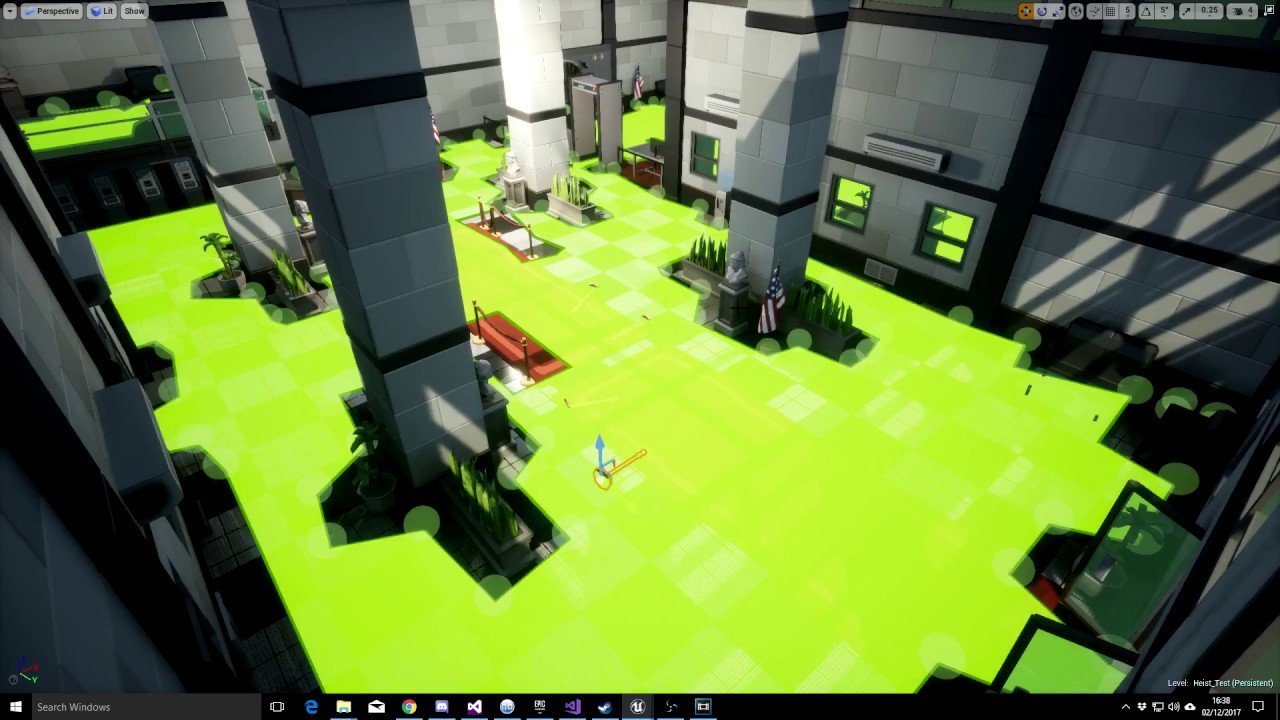
So I bought some art packs in the unreal engine marketplace sale. They are great for testing parts of the AI, here I show a bit of that in practice and a couple of other additions I've made to my testing setup.
I wrote a set of stuff to give squads commands via the FMessageEndpoint
then added ways to setup "Commands" on a spawn component
So basically, rather than having a bunch of random stuff happening with AI, I could give a list of commands on spawn to the group
haughty edge
so the best way to avoid crowds blocking each other is to not let them crowd together :D
ocean wren
Yeah, kind of 🙂
think of a crowd as a sort of compressable set of balloons 🙂
ideally you'd want them to naturally stay apart enough, but also to compress together a bit if force to
If you've got the memory, you can add some info into the world to actually alter the pathing so that they don't path into congested spaces
But its just easier to cludge things
haughty edge
hmm like dynamic obstacles?
but then it will have to only affect some of the agents
haughty edge
ocean wren
But its just easier to cludge things
true
ocean wren
Well, I'd build it into an influence map system personally
Nice info about those from GDC by the guys doing Dishonored 2
But the basic idea is that you build a representation of how many agents are in a given area into a world space data representation (grid for instance) and then use that as part of the cost function for pathing and movement
haughty edge
hmm
ocean wren

So I'm adding a thing called an influence map to UE4 based off a presentation by the guys on Dishonored 2 from GDC (hopefully they release the GDC talk on youtube soon). Here's a work-in-progress video showing it in action. More to come once I've figured some more stuff out and will have a demo of its usage!
Some useful reading links:
http://w...
haughty edge
This can also be dynamically generated like the nav mesh!?
ocean wren
The idea is to hook the navmesh generation completion and then rasterize the navpolies into a influence map grid
haughty edge
so when finding paths, the influence map will also be considered
to make them avoid hot spots
ocean wren
Yeah, thats the kind of thing.. my use case was more about areas of interest, things like dead bodies causing guards to get interested etc.
haughty edge
it might be expensive for moving agents
ocean wren
But you can use influence maps for stuff like avoiding choke points
haughty edge
true true
ocean wren
Well, you can tradeoff performance for update rate.. update parts of the grid every 1/5th second or whatever..
haughty edge
but how do we take the influence map into consideration when path finding
might have to take recast apart
ocean wren
Naah, you'd have to modify the path cost function, basically as its doing the A*, where it gets the cost, you'd lookup the navpoly and get some influence cost for it
haughty edge
ohh
ocean wren
in fact, thinking about it, you could add an "average influence" into the navpoly data and just use that in the area cost
it'd be kind of low fidelity, but would likely work ok.. these things are all about the use-cases
haughty edge
ocean wren
Naah, you'd have to modify the path cost function, basically as its doing the A*...
I'll need to look into this!!
and yes this might work well for my use-case I think!
ocean wren
Look for where it does the GetAreaCost calculations

 gilded basalt
What is the best approach to write an AI, what will be on the pawn and what on the AI, i'm trying to write one but i'm creating a lots of booleans for checking things and i don't know if it is the right apporach
 celest python
AI is an imaginary concept
For anything scalable you use tools like behavior trees, state machines, GOAP editors etc
UE has Behavior Trees out of the box
With a blackboard system, where you put your variables to communicate efficiently between BT and Pawn
gilded basalt
I meant AIController , how does the behaviour tree work in c++?
celest python
You just inherit from BTTasknode
and task appears on BTs
AIController is the proxy of AI's "self" as a player in the game
It's what posssesing your pawn
So you can place variables and functions there if you need to hold them between posessions
Otherwise pawns are mostly fine
gilded basalt
so the decision making process should not be there?
celest python
If you are going to use BTs, no
BTs are also not a decision makers either
They prioritize behaviors based on your values
So most prior one is being executed
It's up to which tool you are going to utilize
All of them has advantages and disadvantages
but none of them are a replacement for any other
they are just alternatives to each other
easy mode is just developing a game where BTs are fine to use
otherwise you either need to create your own systems, which will take very much time
or buy tools from marketplace
like LogicDriver and HTN Planner
gilded basalt
ok thanks, i have a very simple logic that i can achieve with BT but i was trying to do as much as cpp as possible for learning and i never did a BT there, only in editor, so i was trying to make it simple inside the AIController itself but maybe i need to learn to use the BT with cpp after all
celest python
Try to utilize BP as much as you can for AI devolepment
Because AI is not like any other thing
You end up refactoring systems too much than any other gameplay mechanic in projects
And C++ is possibility worst language to do that, because you have to close the editor and compile each time
But for learning, doing some tasks in C++ can make you get used to many things
Like blackboard observers, memory blocks (those structs declared in tasks for efficient memory usage) etc
But for real developement I always try my luck to implement something in BP and unless I see it's taking too much time to process in profiler I don't move things to C++
Because one way or another dumb designers come and ask you to change or tweak things 😄
And simple changes sometimes make domino effects
gilded basalt
Okay thanks, i was trying to go towards cpp because i thought it would have been better but having no experience at all i might have got it wrong
celest python
Nah I'm just explaining possible pitfalls and my experience with AI development, doing many things in C++ is also completely fine. But just possibily not preferred
gilded basalt
that is exactly what i was looking for thanks, i need to think before proceeding then
 cyan sigil
If there are any professional AI engineers or designers in chat, i am looking for someone to give a mock interview so I can practice my skills. I am willing to pay a small fee.
cyan sigil
What is Mass? New system in 5?
celest python
ECS system for 5
cyan sigil
Is that like EQS.
celest python
nothing to do with EQS
 tawny sage
Currently building a Behavior Tree for the Enemy AI and it's been working pretty great for what I need it to do.
Would it be a good idea to have the Friendly AI behaviors also built into this same tree?
Or would you do the Friendly AI as a separate behavior tree of its own?
tawny sage
Also, currently storing my data on whether friendly or not as an enum on the Master Character.
 misty wharf
It depends
If your enemies and friendlies are strictly separated and their behavior never overlaps, and their allegiance never changes, there's probably not a lot of benefits from having all their logic in the same tree
However if in some scenarios there's overlap, then perhaps
 wild dome
I want to create very simplistic point and click ai agent. The greatest challenge for beginner is to decide where put the logic to. In what bp class should be handled click on a level? What are used ai controller , player controleler and ai character for int this case?
misty wharf
It would probably make sense to put it into the player controller if you're using clicks for it
So you put the mouse handling logic into that, and then call functions on the character that you want to move to make it happen, or on the controller of the character
(It doesn't really make a huge difference where you put it)
tawny sage
misty wharf
If your enemies and friendlies are strictly separated and their behavior never o...
Thought as much, thanks for your insight! ❤️
 normal mist
I'm attempting to use Smart Objects to handle a supply truck going to a depot and receiving supplies. It is my understanding that the Behavior Definition Asset would then essentially call Truck->AddSupplies(AmountOfNewSupplies). So, I think I know how the Behavior Definition Asset gets a reference to the agent and can invoke methods on it, but how could the Behavior Definition Asset get a reference to the supply depot to see if it has any supplies to give?
To add further context, lets presume the supply depot is an actor, which has a USmartObjectComponent, and that component has the UTransferSuppliesToTruckSmartObjectDefinition
 uncut pasture
Hi guys , hope y'all doing good
i have a question .
what is the best way to move a simple pawn , because when i used floatingPawnMovement , my object started to glitch and teleporting over the map while following player
 blazing flax
uncut pasture
Hi guys , hope y'all doing good
i have a question .
what is the best way to mov...
blazing flax
uncut pasture
Hi guys , hope y'all doing good
i have a question .
what is the best way to mov...
there are a lot of ways to move a pawn... it depends on what the purpose of the pawn is?
https://docs.unrealengine.com/4.27/en-US/InteractiveExperiences/Framework/Pawn/
You can just move it with "SetActorLocation" if you simply need to move it from one location to another

The Pawn is the physical representation of a player within the world.
normal mist
I just wanted to say that FNavLocalGridData has a function for marking a cell as an obstacle but doesn't have a function for marking a cell as free. I am calling the UN human rights committee.
just kidding, I am grateful for it and am excited to use it 🙂
wild dome
how to make that Move To task executes only when MovePosition is changed? I made the bb decorator to observe this value but this tree constantly invokes itself over and over


 opaque panther
wild dome
how to make that Move To task executes only when MovePosition is changed? I made...
opaque panther
wild dome
how to make that Move To task executes only when MovePosition is changed? I made...
Are you setting MovePosition constantly?
wild dome
opaque panther
Are you setting MovePosition constantly?
no, only when changed
as you can see on the service
opaque panther
wild dome
as you can see on the service
And the locations are not moving a tiny bit? != on a floating point type is brave. You might be getting slight changes there. Have you tried throttling the set? Just in case?
wild dome
opaque panther
And the locations are not moving a tiny bit? != on a floating point type is brav...
what does it mean "throttling"? How to make it?
wild dome
opaque panther
And the locations are not moving a tiny bit? != on a floating point type is brav...
I noticed that move to node does not executes only when move position is not set (at the beginning)
opaque panther
I mean make sure it doesn't run very frame
What's the update time on your service
that might be an easy test
wild dome
have tested it already — does not run every frame
opaque panther
So I might have misunderstood your problem
Are you saying that the MoveTo shouldn't run while the AI is "moving to"
wild dome
opaque panther
So I might have misunderstood your problem
I want to make that move to task exectue only when new destination position is set and untill task is finished
but if I do not click anything, this task constantly "blicking"
opaque panther
It's constantly rerunning the task, when the AI is already there?
opaque panther
ic ic, one sec. I think I konw how to solve that.
Have you tried either using the "IsAtLocation" decorator or clearing the MovePosition in your blackboard when you arrive?
wild dome
nope
opaque panther
nope haven't tried or nope didn't work?
(remember, you can use InverseCondition on the IsAtLocation decorator
wild dome
opaque panther
(remember, you can use InverseCondition on the IsAtLocation decorator
still does not execute when applied isatlocation decorator


the dontition changes to false when new location is set, and it does not execute
okay, nvm it works now
thank you for helping me
opaque panther
yay, glad I was helpful 🙂
wild dome
opaque panther
yay, glad I was helpful 🙂
btw. how to "null" a vector in blackborad?
just set all values to 0,0,0?
 ocean wren
Have an idle subtree, only pre-empt it with a higher priority move subtree when movetolocation is changed, have the higher priority set to aborts lower
 uncut python
Is it possible for me to use the procedural geometry to make a nav mesh? I want to create zones on the nav mesh that have different attributes
 fallow hound
hi all, I'm using navigation invokers - is there a way to not have to use navmesh bounds?
hm well maybe stepping back might be a better question
I'm working on a large dynamically build world, so dynamic navmesh with invokers is a sensible choice
but I need to set my bounds to large I get errors about navmesh being too large
BUT the beauty of invoker is that I only gen navmesh where I need
but having to set bounds to big defeats that benefit it seems
so I'm assuming I am missing something
error is LogNavigation: Error: Navmesh bounds are too large! Limiting requested tiles count (1318688) to: (1048576) for ChangeNotifyingRecastNavMesh /Game/UEDPIE_0_Universe.Universe:PersistentLevel.ChangeNotifyingRecastNavMesh_0
i think a hack might be to move bounds where I need them.... but that feels dumb I'm already moving invokers ot where I need them
normal mist
How can I debug a state tree to see where an agent is at in the tree?
 split vale
normal mist
How can I debug a state tree to see where an agent is at in the tree?
split vale
normal mist
How can I debug a state tree to see where an agent is at in the tree?
In mass there this is done with a GameplayDebugger:
                                                // Current StateTree task
                                                 if (StateTree != nullptr)
                                                 {
                                                         FMassStateTreeExecutionContext StateTreeContext(*EntitySystem, *SignalSubsystem, Context);
                                                         StateTreeContext.Init(*OwnerPC, *StateTree, EStateTreeStorage::External);
                                                         StateTreeContext.SetEntity(Entity);

                                                         if (FStateTreeInstanceData* InstanceData = MassStateTreeSubsystem->GetInstanceData(StateTreeInstance.InstanceHandle))
                                                         {
                                                                 Status += StateTreeContext.GetActiveStateName(InstanceData);
                                                                 Status += FString::Printf(TEXT("  {yellow}%d{white}\n"), StateTreeContext.GetStateChangeCount(InstanceData));
                                                         }
                                                         else
                                                         {
                                                                 Status += TEXT("{red}<No StateTree instance>{white}\n");
                                                         }
                                                 }
See https://github.com/EpicGames/UnrealEngine/blob/ue5-main/Engine/Plugins/AI/MassAI/Source/MassAIDebug/Private/GameplayDebuggerCategory_Mass.cpp
Engine/Plugins/AI/MassAI/Source/MassAIDebug/Private/GameplayDebuggerCategory_Mass.cpp
normal mist
thank you so much @split vale!
 quiet fiber
Does anybody have advice of how to best have AI move around each other to reach a single point. (In BP) I have tried both RVO and detour and fiddled around a bit but it still ends up with them essentially bunching up around the point and slowly walking into the back of the pawn in front of them until they eventually push themselves into a position where they can fit.
 finite parrot
hello, is there a way to move AI without nav mesh? I'm using detourCrowdAIController.
I have accurate destination location the next time AI character should move to, but they are mostly on static meshes and nav mesh fails to catch detailed borders
The collision avoidance with detourCrowdAI is still desired.
finite parrot
nvm simply using MoveToLocationOrActor with pathfinding unchecked solves the problem.
 charred lava
I want my AI to move to Locations with Root Motion Anim Montages. My problem is that the AI MoveTo won't work properly because it can't rotate the Character while he is using a Root Motion Animation. Any workaround for that? I want to ignore the Root Motion Rotation and let the AI MoveTo handle the orientation.
split vale
Custom grid based navigation WIP
 quick current
Is it possible to have multiple AIperception component to know which sens is trigger ?
misty wharf
you can just have your senses in a single perception component and then use get sense class from the stimulus
you can compare that to determine which sense was used
 bronze birch
Rotation for characters that using default AI to move looks way too edgy, is it possible to make path more "smooth" without edgy rotations, basically something like curvy lines instead of straight lines?
 sudden citrus
quiet fiber
Does anybody have advice of how to best have AI move around each other to reach ...
sudden citrus
quiet fiber
Does anybody have advice of how to best have AI move around each other to reach ...
increase acceptable distance or make additional logic to find points around the target to move to
celest python
charred lava
I want my AI to move to Locations with Root Motion Anim Montages. My problem is ...
afaik root motion overrides everything in CMC
so you cant ignore it
but you can find a way to drive the movement with root motion
GAS has tasks for that, you can take the code from there
AbilityTask_MoveToActorRootMotionForce
but probably this won't interact with pathfinding etc. -- so you need to write your own task
and handle the state of movement
-- btw, I misread at the first place, if you are using animation montages, and if animation is moving the "root" bone, i dont think you can achieve what you want
so maybe you can make a slot group for montage and only run it something higher than root bone, maybe in spine etc. - other way it'll override the movement
celest python
bronze birch
Rotation for characters that using default AI to move looks way too edgy, is it ...
either enable orient rotation to movement
or override FaceRotation() function in C++
and lerp to new rotation instead of snapping to it
bronze birch
celest python
either enable orient rotation to movement
i have that enabled and its lerp rotation already, but thats not the problem, movement is separated to rotation, i need to make actual movement path also smooth
celest python
bronze birch
i have that enabled and its lerp rotation already, but thats not the problem, mo...
there isnt a detailed how-to but that explains the idea
you need to intervene the process of pathfinding after a path found, then alter it with
bronze birch
celest python
https://discord.com/channels/187217643009212416/221798778208780288/9544739210197...
ye thats basically what i need, but sucks that i need to implement it manually
celest python
yeah, but at least it's not difficult to implement. if I wasn't bloated into my tasks in daily job probably I would implement it too 😄
this might require a custom move to task btw
moveto task checks the state of movement and communicates with pathfollowing comp constantly
that method bypasses moveto task by finding a path and using splines
so you'll be following a spline not a path
 languid meadow
I'm having trouble making enemies! (I'm just too likeable!)
I have two characters that are spawned on team 0, but one is them switched to team 1 and the other to team 4. The perception system still considers them neutral though (they ignore each other unless the sight sense is set to perceive neutrals).
I read that the following trick could be used to make them reconsider but I haven't had it work:
UAIPerceptionSystem* PerceptionSystem = UAIPerceptionSystem::GetCurrent(GetWorld());
PerceptionSystem->UnregisterSource(*Character);
PerceptionSystem->RegisterSource(*Character);
What do I need to make them consider eachother enemies?
misty wharf
have you set up the teams to be hostile towards each other?
if not, the easiest way to get it working the way you want is probably to set your actors to inherit from IGenericTeamAgentInterface, and then override GetTeamAttitudeTowards, and set up logic in it to determine which team the things are, and return the appropriate attitude
Also if your actors change teams, you can do PerceptionComp->RequestStimuliListenerUpdate() - this should trigger all the correct updates
(unregister/register also should do it)
 verbal shore
How can I completely fail AI Move To task? Doesn't matter if it's on CPP or blueprints
languid meadow
misty wharf
have you set up the teams to be hostile towards each other?
I have this set up and have had it working before, but recent refactors might have messed it up.
Is the following correct?
- I should have
AIPerceptioncomponents on Controllers. IGenericTeamAgentInterfaceshould be implemented/inherited on Controllers.IGenericTeamAgentInterfaceshould be implemented/inherited on Characters (e.g. pawns, actors).- Default
GetTeamAttitudeTowardscallsFGenericTeamId::GetAttitudewith the teams of the actor and itself, and calls theAttitudeSolverImpl, so if I have set aAttitudeSolverImplinFGenericTeamId, I don't have to overrideGetTeamAttitudeTowardsin the controllers/characters.
misty wharf
Sounds about right. Using the attitude solver should work if you have it implemented correctly
languid meadow
It has worked before, though I might have broken it.
Hmm GetTeamAttitudeTowards is only called in the beginning, not when the teams are switched.
misty wharf
The data gets cached, that's why you need to call Request stimuli update or unregister/register when changing teams
languid meadow
Though I haven't triend RequstStimuliListenerUpdate() yet, only the Unreg/Reg
languid meadow
The problem was that my AI Controller did not return the correct TeamID. Problem solved! Thanks for the sanity checks, @misty wharf !
misty wharf
👍
celest python
verbal shore
How can I completely fail AI Move To task? Doesn't matter if it's on CPP or blue...
are you trying to ask why its happening or how to do it? 😄
are you looking for how to abort a move to task?
verbal shore
Yeah I was looking for aborting the task but realized there was something else going on
But I'd still love to learn how to abort it, it's confusing. There are a lot of different Stop Movement node and I'm not sure which one is actually aborting the task
celest python
depends which tool is driving the movement
if BT is running move to node, it will get running again even if you move
so you need to handle this in BT in that case
otherwise just get path following component and call abort
StopMovement is probably in movement component
which doesnt stops the movement actually, just resets the current velocity
next frame path following component will accelerate the movement component again
celest python
verbal shore
Yeah I was looking for aborting the task but realized there was something else g...
for anything confusing about AI, always check visual logger
it's fairly logged
verbal shore
I was using tasks for move to event so I guess it's Path Following Component then, thank you!
normal mist
I'm a little confused on why this isn't running Find Smart Object. It only does it if that task is on the leaf node

The leaf node, Go To, has a bool enter condition predicated on its parent Smart Object node having found something

In fact, even if I just add a second task to the Smart Objects state, the Find Smart Object task doesn't run.
The presence of Claim SmartObject task for some reason prevents Find Smart Object task from running.

If I remove Claim SmartObject, then Find Smart Object will run
It seems to go right to StateCompleted

and in the case of it not being the leaf state, it doesnt trigger tick, statecomplete or exitstate
@stiff ibex you were able to get smart objects working with state tree & mass if I remember correctly?
 stiff ibex
normal mist
<@186282255222702080> you were able to get smart objects working with state tree...
stiff ibex
normal mist
<@186282255222702080> you were able to get smart objects working with state tree...
I think the tricky thing that I found out with state trees is that they need a state to be in. For example, a task that does xyz for some amount of time.
Try setting up the Go To node with conditions the tree can goto and execute for some time. If you have conditional nodes, you should have another node that the state tree can goto instead, not just infinitely loop I believe. (maybe like an idle node that then loops back after a second or so)
normal mist
stiff ibex
I think the tricky thing that I found out with state trees is that they need a s...
Thanks for the response. I'll try putting a sibling node to Smart Objects that it can do while its asynchronously finding an SO
stiff ibex
For a reference, this is my current state tree structure. I also recommend taking a look at the CitySample too when you get the chance. (Since mine might not be perfect)
Also note im using custom nodes so it wont be apples to apples
Also my Idle node Mass Task Move is just a dummy task and simply returns completed. The transition is then delayed by a second
 normal mist
stiff ibex
For a reference, this is my current state tree structure. I also recommend takin...
normal mist
stiff ibex
For a reference, this is my current state tree structure. I also recommend takin...
Yeah, I've been using City Sample's CrowdStateTree as a reference
thanks for sharing yours
I've been pretty much doing the exact same setup it has in theirs
Okay, still no dice. Here is my simplified ST


Find Smart Object never runs. I have breakpoints in all of its functions (tick, statecomplete, ExitState)
(this task doesnt have an enterstate implemented)

If I delete all other states besides the one state with Find Smart Object, then it will run
Correction, this works. its a leaf with no siblings
 stiff ibex
Try adding a Mass Use SmartObject Task + node after claiming. Then when complete, you can transition to 'Loiter'
normal mist
stiff ibex
Try adding a Mass Use SmartObject Task + node after claiming. Then when complete...
like this?
 stiff ibex
I feel that should also work but try separating the claim and use tasks. I would also remove the conditional for now.
 stiff ibex
Also setup the transition for Loiter so it loops back to FindSmartObject
normal mist
Thanks for the assistance @stiff ibex. I am not sure whats going on. Maybe there is a bug with the new task introduced in ue5-main (finding an SO has been moved from an eval to a task). I am asking for assistance in #mass if anyone who has ue5-main can validate
stiff ibex
Gotcha, my bad its honestly hard to explain since I ran into a similar issue. It could also definitely be a bug with ue5 main, Im still on 5.0.3
normal mist
no worries man. thanks for sharing your findings in the repo you published
 limber wind
in my btservice i dont get why we need to do this:
OwnerComp.GetBlackboardComponent()
and then set a value from there rather than go to the owner component and set a blackboard component key
normal mist
I'm a little confused. Here is my entire state tree:

And its showing that I am at state "<None>"

All of my leaf nodes (states) have a transition that, when on completed, goes back up to "Find Smart Objects"
so I'm confused as to how its not ending up at a node
Here is an example of a transition
 normal mist
Where do I set how often a state tree task's "tick" is called? Its only being called once as far as I can tell
normal mist
Okay, I see that it doesn't tick per se, but rather responds to signals
void UMassStateTreeProcessor::Initialize(UObject& Owner)
{
    Super::Initialize(Owner);

    UMassSignalSubsystem* SignalSubsystem = UWorld::GetSubsystem<UMassSignalSubsystem>(Owner.GetWorld());

    SubscribeToSignal(*SignalSubsystem, UE::Mass::Signals::StateTreeActivate);
    SubscribeToSignal(*SignalSubsystem, UE::Mass::Signals::LookAtFinished);
    SubscribeToSignal(*SignalSubsystem, UE::Mass::Signals::NewStateTreeTaskRequired);
    SubscribeToSignal(*SignalSubsystem, UE::Mass::Signals::StandTaskFinished);
    SubscribeToSignal(*SignalSubsystem, UE::Mass::Signals::DelayedTransitionWakeup);

    // @todo MassStateTree: add a way to register/unregister from enter/exit state (need reference counting)
    SubscribeToSignal(*SignalSubsystem, UE::Mass::Signals::SmartObjectRequestCandidates);
    SubscribeToSignal(*SignalSubsystem, UE::Mass::Signals::SmartObjectCandidatesReady);
    SubscribeToSignal(*SignalSubsystem, UE::Mass::Signals::SmartObjectInteractionDone);
    SubscribeToSignal(*SignalSubsystem, UE::Mass::Signals::SmartObjectInteractionAborted);

    SubscribeToSignal(*SignalSubsystem, UE::Mass::Signals::FollowPointPathStart);
    SubscribeToSignal(*SignalSubsystem, UE::Mass::Signals::FollowPointPathDone);
    SubscribeToSignal(*SignalSubsystem, UE::Mass::Signals::CurrentLaneChanged);

    SubscribeToSignal(*SignalSubsystem, UE::Mass::Signals::AnnotationTagsChanged);

    SubscribeToSignal(*SignalSubsystem, UE::Mass::Signals::HitReceived);

    // @todo MassStateTree: move this to its game plugin when possible
    SubscribeToSignal(*SignalSubsystem, UE::Mass::Signals::ContextualAnimTaskFinished);
}
it seems like that section is going to need to be extendable?
but that would require folks to have the source version of the engine to make edits
For example, the "ZG Stand" task (a simple task that mostly acts as a delay) gets the state tree to tick by sending this signal: UE::Mass::Signals::StandTaskFinished
which is a really specific signal to this task
and we see the state tree is actively looking for it
so I'd have to either send that same signal named StandTaskFinished for my other delayed task called DefinitelyNotStandTask, or edit the source to have it listen for my new signal
Like most declarations I make, this is probably wrong, so I would love to be corrected
this now explains why all of my tick-dependent logic was not working 😆
After a heroic amount of time spent debugging, I am making progress on utilizing state tree with mass
charred lava
celest python
and handle the state of movement
-- btw, I misread at the first place, if you a...
Yeah, I figured that I have to navigate my Character myself and that the built in move to won't work with root motion.
charred lava
 lyric flint
Does UE4/5 come with any built in AI frameworks
lyric flint
Does UE4/5 come with any built in AI frameworks
yes
 storm sail
Anyone know if there's a way to know if the AI controller is going left or right?
For players you can get the input axis
I don't know what this would be for AI turning left or right
celest python
Dot product the velocity
with right vector
1.f == going right
-1.f == going left
 thin sandal
What if you just wanted to know if it was walking towards or away from something regardless of facing?
celest python
thin sandal
What if you just wanted to know if it was walking towards or away from something...
not sure if it would work but probably formula would be Dot(NormalizedVelocity, (AILocation - PlayerLocation).Normalize() )
normalized velocity means your current movement direction
and normalized version of ai location - player location means direction towards the player character
if its a positive value it should be moving towards player
but maybe rather than ai and player locations you might need Rotation.Vector() (getrotationXVector in blueprints)
bronze birch
celest python
so you'll be following a spline not a path
as i understand i need to use spline as a component and rebuild it when pathfinding rebuild path, that part is fine, but how do i make character to move based on that spine? especially considering things such as RVO etc
celest python
yeah that's the tricky part
either you're going to deep dive into path following system, alter the path finding based on spline path or forget about RVO etc. and just follow spline directly without a real moveto task
I never went that deep yet, but I'm assuming if you have a little bit familiarity it shouldnt be very difficult
I think you can get the found path, snap the path points to spline edges etc.
ocean wren
Anyone here got a 3090ti?
toying with buying one, but goddam the power draw and the size
 granite vault
that's really rare GPU tier for any normal person to buy
round sand
@peak oxide did you get the answers for damage sense?
 peak oxide
round sand
<@979328169293275146> did you get the answers for damage sense?
peak oxide
round sand
<@979328169293275146> did you get the answers for damage sense?
which ?
round sand
peak oxide
show me the question bro
you implemented it with blueprints?
round sand
okayyyy I am looking for something in c++. Cant find it
peak oxide
ai feel the damage then follow player
round sand
how does it get the direction vector?
peak oxide
start the implement with BP then convert it to c++
i did this with character and animation and now they r 80% in cpp
round sand
I am weak with BPs
round sand
round sand
how does it get the direction vector?
what about this?
peak oxide
round sand
I am weak with BPs
bp easier than c++ just try watch some tutorials on ai with bps
peak oxide
round sand
how does it get the direction vector?
i give him the player location + rotate him to face the player
round sand
peak oxide
bp easier than c++ just try watch some tutorials on ai with bps
I know but I really tend to forget stuff and I can't really see the clarity in BPs which makes me skeptical
round sand
peak oxide
i give him the player location + rotate him to face the player
For this I might not even need to use Unreal's Damage sense. I can just pass the position vector of the player and linecast it
peak oxide
peak oxide
round sand
For this I might not even need to use Unreal's Damage sense. I can just pass the...
i needed it because i am trying to make a full ai pertol, attack. etc
peak oxide
round sand
For this I might not even need to use Unreal's Damage sense. I can just pass the...
it need a report for the damage
so the ai listen to it
 round sand
peak oxide
it need a report for the damage
round sand
peak oxide
it need a report for the damage
the takeDamage function has the pointers to most of the stuff required.
peak oxide
round sand
the takeDamage function has the pointers to most of the stuff required.
i think
u r using a BT right ?
round sand
peak oxide
u r using a BT right ?
yeah, But I think for more complex behaviors I would require FSM+BT
peak oxide
FSM ?
round sand
Finite State Machine
round sand
peak oxide
well i recommend to use BP first for easy and fast testing
I am comfortable with c++ 😄
peak oxide
round sand
I am comfortable with c++ 😄
gl
 graceful panther
Hey yall, trying to set up a custom moveto task for an ai that takes a variable for acceptance radius
the variable value for acceptance radius is working and you can see the follow/stop distance increase from like 0 up to 400/500 but anything higher than that value just stops at the same place as like a 400/500 value? Is there a maximum to valid acceptance radius?

trying to get an ai to follow a target but stop a large distance away rather than reach the target - acceptance radius only works up to a small distance for some reason?
starting to think the only way to get it to work is going to be draw a line from the ai to the target and subtract somehow the distance i want and overwrite the goal location with the adjusted location?
limber wind
uh what does a enviorment query do i don't understand!
celest python
it generates points by a shape you choose and filters those points based on your criterias
and scores to find best one
celest python
graceful panther
Hey yall, trying to set up a custom moveto task for an ai that takes a variable ...
there isnt one - check visual logger if you are encountering something weird
limber wind
celest python
it generates points by a shape you choose and filters those points based on your...
how is this useful?
celest python
limber wind
how is this useful?
its very useful
its literally letting you get/find best location in environment for your very specific needs
for example you can make your AI hide from player, by giving filters based on where your player is
where its looking at
etc.
limber wind
so how would I do that
celest python
and EQS will provide you a location where player is not able to see and far away from etc
by looking at tutorials
there is no easy explanation
lol
it was full of typos and i wrote it in one hour or something like that -- idk how did they even accepted it after review xD
yeah they review first
lyric flint
The built in AI sensing and behavior tree system is it adequate enough for FPS games?
Am I correct that you can customize what emits things that the senses collect
 harsh storm
From what I understand - it's only the initial one they have to accept. Pretty much a small verification step. Afterwards, you should be able to post freely.
At least - that's how I understood the process when I did it. Just haven't done a 2nd UE tutorial yet.
celest python
they told me they'll verify me first
and it wont be published until then
but they made the article public at first second
harsh storm
For the first one, yeah. But what about follow up ones
celest python
i'll do another tutorial soon for a cool trick I know
harsh storm
brb - going to write a quick BT tutorial titled, "slightly less typos than Common Issues With Behavior Trees And Things You Should Completely Avoid"
harsh storm
omg - that would be hilarious. Literally just be a copy paste, but just fix the typos.
celest python
i would laugh a lot tbh 😄
 opal crest
lyric flint
The built in AI sensing and behavior tree system is it adequate enough for FPS g...
opal crest
lyric flint
The built in AI sensing and behavior tree system is it adequate enough for FPS g...
Yes to both. You add Stimulus source components to things you want to produce that stimulus. Each sense has it's own way of working with it, so there is some stuff to learn.
And then a third article appears that adds typos to everything that didn't have one before, lol.
graceful panther
can somebody test an ai moveto like this and set the acceptable radius to something very large like 2000/3000 and see if the ai stops at that range or much closer?
 celest python
did you check visual logger though
graceful panther
yea eren thanks! i did and I didn't see any errors on the movetos being executed
celest python
do pathfollowingcomponent end with success or blocked?
graceful panther
the ai is moving to the actor and stopping further back due to the acceptance radius but its only stopping at yards away and no greater
its success
my problem is they are running too close
they get too close to the target I'm bumping up the acceptance radius but its only working up to around 500 and no greater
celest python
is this a ranged AI, btw?
graceful panther
yea it is!
celest python
why not use EQS? even if you manage to make this work, this is a hack rather than properly positioning it
graceful panther
what is eqs?
celest python
Environment Query System
its letting you get/find best location in environment for your very specific needs
for example you can make your AI hide from player, by giving filters based on where your player is
at last chapter they do a good demonstration of EQS
https://www.youtube.com/watch?v=iY1jnFvHgbE
graceful panther
okay great I'm using trying to make this dyanmic and work for melee range weapons as well i'm guessing this could work for that too?
celest python
yeah, it's working on the parameters you provide
for something veeeeeeeeery specific you might end up requiring a custom system though
there was a pattern to create melee attack systems, something like you have custom grids and AIs position based on the grid indexes etc
graceful panther
this looks great though I see that it works with all the behaivour tree/blackboard stuff I'm already using so should work! Thank you @celest python !
celest python
celest python
there was a pattern to create melee attack systems, something like you have cust...
many games using melee combat applying this pattern
especially assassins creed
graceful panther
wow awesome thought I was going to need moveto tasks to move them to random locations near the target to get that "kung fu circle" effect lol this is gold!
normal mist
Is anyone familiar with how to setup smart object zone annotations?
This is returning nullptr for me:
// FMassZoneGraphFindSmartObjectTarget::EnterState
const USmartObjectZoneAnnotations* SOAnnotations = Cast<USmartObjectZoneAnnotations>(AnnotationSubsystem.GetFirstAnnotationForTag(SmartObjectTag));
I have set up the smart object tag in the processor settings.
celest python
i believe one day you'll get familiar enough with smart objects to guide everyone in this server about that framework if you keep going with these questions 😄
normal mist
haha fingers crossed
normal mist
normal mist
Is anyone familiar with how to setup smart object zone annotations?
This is re...
I got this to work by adding an actor with a SmartObjectZoneAnnotations component onto the level. However, its not building SmartObjectToLaneLocationIndexLookup, so the editor crashes when this is called:
// MassZoneGraphSmartObjectTarget::EnterState
TOptional<FSmartObjectLaneLocation> SmartObjectLaneLocation;
if (SOAnnotations != nullptr)
{
    SmartObjectLaneLocation = SOAnnotations->GetSmartObjectLaneLocation(LaneHandle.DataHandle, ClaimedSlot.SmartObjectHandle);
}

//SmartObjectZoneAnnotations.cpp
TOptional<FSmartObjectLaneLocation> USmartObjectZoneAnnotations::GetSmartObjectLaneLocation(const FZoneGraphDataHandle DataHandle, const FSmartObjectHandle SmartObjectHandle) const
{
    TOptional<FSmartObjectLaneLocation> SmartObjectLaneLocation;
    if (const FSmartObjectAnnotationData* AnnotationData = GetAnnotationData(DataHandle))
    {
        const int32 Index = AnnotationData->SmartObjectToLaneLocationIndexLookup.FindChecked(SmartObjectHandle); // This is empty and the check fails
        if (AnnotationData->SmartObjectLaneLocations.IsValidIndex(Index))
        {
            SmartObjectLaneLocation = AnnotationData->SmartObjectLaneLocations[Index];
        }
    }
    return SmartObjectLaneLocation;
}
Does anyone know what I should be doing to generate the smart object to lane location lookup?
limber wind
how to i make it so the ai can detect certain sounds being played and if there are ones I can make him go to near where the sound was played
normal mist
normal mist
Does anyone know what I should be doing to generate the smart object to lane loc...
I've been working all day on this lmao I have no idea how
celest python
that smart object code looks so alien to me
thin sandal
Is this going to be a problem? It looks like any time there's a complicated tile next to a simple tile they don't get connected without some kind of gap.

 limber wind
what would happen if i had multiple ai perception senses?
 normal mist
Does anyone know what I should be doing to generate the smart object to lane loc...
normal mist
normal mist
Does anyone know what I should be doing to generate the smart object to lane loc...
I think the lookup wasn't being generated because I was using world partition. I think I need to run this command to generate it: https://docs.unrealengine.com/5.0/en-US/world-partition-in-unreal-engine/#worldpartitionsmartobjectcollectionbuilder
 oblique blade
Hello there! I have a problem on my hands at the moment. I have put in the code to make my zombie run towards me, but it isn't working. 5 minutes ago it was working, but then I added zombie health and the zombie stopped working. I can shoot the zombie and kill it, making it do the zombie dying montage, but it doesn't even realize I'm there. I hope you can help
celest python
check visual logger
charred lava
limber wind
what would happen if i had multiple ai perception senses?
They would all trigger this event. You can differentiate on what actually triggered the event with the Tag property.
oblique blade
celest python
check visual logger
Okay. I will try
limber wind
charred lava
They would all trigger this event. You can differentiate on what actually trigge...
Okay
oblique blade
celest python
check visual logger
Where do I find that?
celest python
I guess Tools -> Debug
on left top corner of editor
if not Tools it should be "Window"
oblique blade
yeah i've got it. What one in debug?
celest python
Visual Logger?
oblique blade
Oh yep. Sorry
celest python
is path following component one of them
celest python
Well I'm not the one has the editor opened so I'm confused too 😄
oblique blade
Wait.
i found the path followingVV. It has a yellow check box thing. Do I right click it or left click it?
celest python
You need to click to the boxes/rectangles and see what the log is explaining, then debug your code
see the docs if its your first time: https://docs.unrealengine.com/4.27/en-US/TestingAndOptimization/VisualLogger/
oblique blade
okay. Thanks. I will come back if i have any issues
 shy hare
Hey , can someone please tell me what i am doing wrong ? why my cast always fails
 misty wharf
shy hare
Hey , can someone please tell me what i am doing wrong ? why my cast always fai...
misty wharf
shy hare
Hey , can someone please tell me what i am doing wrong ? why my cast always fai...
Hard to say, log the class of the controller and see what it is (ie. with Get Class)
Depending on where that logic is, it might not have a controller at that point yet (f.ex. in BeginPlay, you may have to run such logic from OnPossess or whatever it was called)
storm sail
It looks like he's trying to connect the controller to the pawn which would be why it's failing
storm sail
shy hare
Hey , can someone please tell me what i am doing wrong ? why my cast always fai...
Looks like you need to drag off of get ai controller, and then call get controlled pawn and plug that into object
shy hare
Hey thanks a lot for your reply , there was actually some respawn logic thats why it was failing , now i got different question , is it possible to rotate "Pawn Sensing" componet ?
storm sail
Pawn sensing is deprecated, consider using AIPerception which is a lot more extensive. As far as rotating, you mean you want the pawn to be able to look around?
shy hare
storm sail
Pawn sensing is deprecated, consider using AIPerception which is a lot more exte...
here is a BP of drone which should search for enemies below him , and as you can see pawn sensing is looking to drons forward not down side
 storm sail
 could have sworn that automatically attached itself to the correct headlevel
shy hare
storm sail
<a:voxelthinking:465253503476957184> could have sworn that automatically attache...
oh crap (((
storm sail
shy hare
here is a BP of drone which should search for enemies below him , and as you can...
sorry I just got home so I was finally able to check. You can set the pawn sensing height by going into your class defaults
search for "Base Eye Height" and set the appropriate eye level
compile, and your pawn sensing component should have changed to the desired location, again... I'd highly recommend using AIPerception over PawnSensing though
shy hare
storm sail
sorry I just got home so I was finally able to check. You can set the pawn sensi...
Oh thanks a lot for you effort ,appreciate it !
languid meadow
What's a common way to stop an AIController from doing anything when the actor is dead?
Stop the AIController from ticking? Stopping the Behavior Tree?
Unpossess?
celest python
whats the exact goal
you can disable tick, deactivate components, stop brain component
but you dont need to unpossess
languid meadow
My enemy character keeps rotating to face my player character, even after death 🙂
celest python
then you need to disable tick
 exotic merlin
Hello got a question on ai controlled pawn and pathfinding

I am using a 3d pathfinding plug-in for a space game
The core pathfinding is based on the regular navmesh
Here is a screenshot of a pawn with its voxels
Whe ln I ask him to move the pathfinding query considers it's own collisions and "take a detour" when it could have been a straight path
Question: with the regular navmesh, does it happen also ? Can it be prevented ?
Obviously enemy 1 must consider collision radius of enemy 2 but shouldn't take its own as "occupied"
I understand I should ask the plug-in developer instead (which I am doing) but wanted some info on the "standard" IA pathfinding

Unreal Engine
A feature-complete and easy to use Navigation System for flying AI agents.
Thanks for your help
It seems it's related to can affect navigation on the pawn but it's already disabled IIRC
Rvo avoidance is not an option(I am using flying movement) neither detour crowd (not supported)
If you have any idea ... ;)
celest python
seems like you require a 3d detour algorithm which UE and that plugin doesnt provide?
opal crest
exotic merlin
Whe ln I ask him to move the pathfinding query considers it's own collisions and...
Yes, you can definitely get non-straight paths from recast, though I don't think it's due to self-avoidance, normally. Epic's documentation discusses it a little bit.
exotic merlin
OK. I'll try to find a bit of info on that
From my test it's really its own radius blocking the path somehow
In static the pawn moves on the side but after that always takes straight path
Because he had his own collision in the way on the first move but cleared after that
Maybe it's a bug from the plugin
 cerulean meteor
Foliage in UE5 not generating collision for NavMesh bounds, has it been up before?
lyric flint
Hey, im still fairly new to AI, but are trying to create a VR Tower defence. The player can teleport between the three red towers shooting the enemies running from the three docks and up towards the fortress. on their way theyll first encounter the fence around where theyll have to attack either the gate or the two open slots to break though it, then they should attack the houses at the next section and then the last gate. But last time i tried using navmesh all my enemies just ran in a straight line looking dumb. is there any tutorials or something i could follow to learn how to make something like this within UE 4.27?
 ocean wren
Sounds like my steamdeck is on its way 🙂
Guess I should think about making some games stuff with it, but really might end up using it as a streaming vj tool 🙂
 limpid void
Hi everyone. The general consensus seems to be that a character class is best suited for AI. I haven't actually touched on AI in my project yet and will be doing so hopefully soon. I've been working with an Actor as I've been prototyping an IK movement system and have just tried changing the parent class to Character in anticipation for when working on AI.
Previously I had used the skeletal mesh as root with the origin set in blender at the feet. This worked great for leg placement as it was easier to calculate targets for the feet being relative to their default standing/straight legged position. However, now it is inheriting from character class it also inherits a capsule. Getting everything to work as character was easy as I just needed to make sure the inherited skeletal mesh pointed to the correct mesh and AnimBP (as well as setting gravity scale to 0 as I am doing my own shenanigans with gravity). The problem is I now have a capsule sunk halfway into the terrain.
Now, this won't be that difficult to add offsets to all calculations to account for the change in origin point AND have the inherited capsule fit nicely around the mesh, and if needs must I will. But just a couple of questions before I do.
1: Is it really that important I use a character class for AI? Sure, having character model will be handy as I'll be using the same movement/animation system for both player and NPCs/enemies, but I won't be using any of the in-built movement systems anyway. I could use actor class for enemies and for player just rig custom code for possession.
- Could I just disable all collision and overlap checks on the inherited capsule and use another collidor that is child of the mesh instead? I mean, I know I can, but are there any wasted resources in having a useless capsule ahnging about for each and every enemy/player?
lyric flint
limpid void
Hi everyone. The general consensus seems to be that a character class is best su...
I'm still new to AI but If you don't use the collision capsule, movement and such from the character class you could just use the pawn
limpid void
lyric flint
I'm still new to AI but If you don't use the collision capsule, movement and suc...
Thanks, to your knowledge pawn class works fine with AI?
Seems strange to me that Actor class would not work with AI, unless it's something to do with how blueprint AI interface is built for characters and anything else would require c++?
lyric flint
As far as i remember then the character class is an child of pawn. and is why the character can be possed by AI or the player.
 boreal bone
does the Run Behavior node incur any performance cost? not sure if i'm crazy, but it seems like the BT specified in the node actually runs one frame after the Run Behavior node itself is hit 🤔
celest python
the "node" itself doesnt incur any performance cost
misty wharf
boreal bone
does the *Run Behavior* node incur any performance cost? not sure if i'm crazy, ...
This is plausible but the BT running a frame later is not really an indication of any performance cost
boreal bone
performance cost is probably a poor choice of words. let me rephrase.
in a very basic scenario, is this:

the same, execution-wise, as if i separate the selector part into a different tree like so:

 misty wharf
I'm not a 100% sure what the question here is tbh :)
celest python
same 
bronze birch
i have problems with crowd following component, most of the time, my agents just stuck behind other agents, even when they could get around other agents to reach the target, but instead they just gave up and think its fine enough, idk, how can i fix that? also they moving very slow when trying to get around, can i make other overall more "aggressive" ?
shy hare
hey devs , can anyone say why "Pawn Sense" isnt sensing pawns at all ? In my case "Pawn Sense" componet attached into an Actor and placed on the map so there are 2 pawn inside of sense volume , "Only Sense Players" is disabled , and still its not printing anything , any ideas Why ?
 harsh storm
Do not cross post. It is against the rules of the server.
shy hare
harsh storm
Do not cross post. It is against the rules of the server.
Oh sorry, didn’t know that
normal mist
FSmartObjectAnnotaitonData::SmartObjectToLaneLocationIndexLookup <-- I can not seem to get this to generate. My level is a world partition level. I've run the WorldPartitionSmartObjectCollectionBuilder. 😦
When I am trying to get the smart object lane location, it crashes from a failed FindChecked

I've used the SmartObjectZoneAnnotation component to verify with its EnableDebugDrawing checkbox to see that the smart object does have an associated location on the zone graph lane
MassZoneGraphFindSmartObjectTarget (a state tree task) is the thing that is invoking the failing function
normal mist
It looks like the SmartObjectZoneAnnotations component found from AnnotaitonSubsystem.GetFirstAnnotationForTag(SmartObjectTag) is a different component than the one I have in the level to debug smart object lane locations
the one I placed in the level is generating the lookup fine
 graceful elk
hello! - I have a (hopefully) very simple question: I've started playing around with State Trees and I would like to bind variables in my own conditions to variables calculated in evaluators (and the docs seem to hint that it is possible) - I see that many of the built-in conditions include variables that have a bind button next to them that works as I want, so my question is: can (and if so how do) you flag variables in your State Tree condition blueprints to be bind-able?
i.e: this == condition has two float variables Left and Right that can be bound - I would like to be able to bind Bool Var and Float Var in State Tree Cond Test

 kind basin
I am using pawn sensing on an enemy character in unreal engine 5, if the enemy senses the player, the enemy starts chasing the player... and never stops chasing the player...

I have tried adding "sequence" and setting a delay of half a second. But then the enemy never chases
misty wharf
What is the desired behavior? That the enemy breaks chase after some duration of time or...?
(also pawn sensing has been superceded by ai perception, you may want to look into using that)
 left mist
Hey. Really need help, i've been struggling with this for weeks.
I need to make AI using EQS in such a way so it prioritises such positions near the player as to allow AI to kick player into corners or pits
I did so far only AI being able to kick ONLY when player is near a wall/ledge

Basically what i need is to figure how to make AI detect walls and ledges using EQS
celest python
hmm
not sure if EQS on its own is able to tell something is wall or not
but if you are willing to use tags (tag array in actors/components) you can filter by that, i guess?
wont be dynamic though
left mist
celest python
but if you are willing to use tags (tag array in actors/components) you can filt...
At this point even this will do
So how do i do that?
my level is pretty simple
 celest python
how about this
do a x amount of traces but towards every direction
if you hit any static/skeletal mesh check its bounds
if Z is higher than x, consider it as a wall
calculate direction towards wall
kick from * -1.f of that direction
no need to use EQS at all
EQS is mostly works based on navigation mesh rather than environmental awareness
formula for creating a circular trace is this:
- for 0 - x (x is your circle point count):
- Angle = index * (2 * 3.14 / x)
- float X = cos(angle) * trace distance
- float Y = sin(angle) * tace distance
- float Z = up to you, but preferrably half of the player capsule component's Z extent
circlepointarray.add(x, y, z)
?
if i understand you right, you simply suggest making a way to detect walls?
I already have that
What i need is AI to position itself in such a way as to kick the player into walls/ledges
celest python
hmm, when you said
Basically what i need is to figure how to make AI detect walls and ledges using EQS
I thought you are not able to detect walls yet
left mist
On the first screenshot i sent is how i made current wall/ledges detection, by using 2 line traces and using 4 arrows for them
 celest python
so detect with arrows?
left mist

Currently AI kicks the player ONLY when player is near wall or ledge
So if i simply stand in such a way that there is neither behind my back, AI is helpless
What i need is to make it able to position itself in such a way as to kick the player into walls/edges
i.e. flank him
celest python
yeah but that's the issue, if you only detect walls with arrows you'll have problems like this
to provide AI info about environmental state you need to structure it properly
like maybe you can still do what I said and update an array of structs
and that struct can contain info of direction towards wall
and AI can try to select a position based on that direction in EQS
etc
I wouldnt use EQS though
left mist
Then i simply don't understand you 😭
celest python
lets go over from zero
- you are using arrows to detect walls, but arrows are attached to player, so they'll be able to know player is close to a wall only if that arrow is colliding with a wall
- you need to implement a way that doesnt depend on something attached to player character so you'll be able to know "where is a wall and what its direction from player"
left mist
celest python
lets go over from zero
- you are using arrows to detect walls, but arrows are at...
Arrows attached to AI
well, actually, both player and AI use the same blueprint
celest python
ok forget about arrows they're just making it more complex one way or another
you can just do this with traces
you just need to do traces to each direction
they'll provide hit actor info
then you'll get player's direction to that wall/actor/mesh
then you'll add some offset to playerlocation + (direction * -1 * distance)
left mist
Multi Line Trace By Channel>/
celest python
dont use it, no idea how it works in bp
celest python
celest python
formula for creating a circular trace is this:
```
- for 0 - x (x is your circl...
implement this
its a formula for finding start and end positions for each direction
x is direction count
left mist
Implement where?
celest python
anywhere? where you want to do traces to detect walls
celest python
celest python
then you'll get player's direction to that wall/actor/mesh
then do this after each trace, you'll find direction to wall, then you're going to add an offset to that position like I said, then project than location to navmesh
here you go your flank position is ready
left mist
celest python
anywhere? where you want to do traces to detect walls
It should be done in C++ somewhere?
celest python
no
I'm just trying to provide pseudo code, you can do it in BP too
it's really something simple, let me know if its still confusing, i'll try to formalize with other ways
left mist
Like this, right?
 left mist
celest python
it's really something simple, let me know if its still confusing, i'll try to fo...
left mist
celest python
it's really something simple, let me know if its still confusing, i'll try to fo...
I think i understand more or less what need to be done, but not exactly HOW it can be done. Like what tools should i use
I am very new to this
celest python

for line trace, start will be player pos, end will the array element in for each loop
when you do the trace it'll provide you hit result
in hit result you will check if actor is valid or not
if valid, use find look at rotation
then do rotation x vector
its the direction to the wall
celest python
celest python
then you'll add some offset to `playerlocation + (direction * -1 * distance)`
then add offset to that position with this
in the end you'll have an array of offsetted positions towards different wall directions
select one of them and do the flank
 misty gale
Keep them local , then youd only need to make them once
celest python
yeah and if it has to be done in event graph rather than function graph empty/reset the array before loops
misty gale
Might me cheaper with a regular sphere overlap
celest python
nope
you would have to filter the array
another loop and check cost
in c++ doesnt matter though
misty gale
Filter would be the channel
celest python
custom channel?
misty gale
Yeah
celest python
doing traces instead gives the flexibility of adjusting the Z since they are 2 dimensional, and you wont have to add custom channels to specific meshes
but depends, just preference in the end
kind basin
I fixed my problem by increasing the sensing interval to 0.01
left mist
celest python
Thanks. So like this?
 misty gale
Id separate the two, and only do the top part once
left mist
Hm, i can only see 1 trace
celest python
left mist
Thanks. So like this?
yes
left mist
and it also makes everything lag a lot
celest python
left mist
and it also makes everything lag a lot
this wont cause a visible lag on its own
its just a few traces and simple math
celest python
left mist
Thanks. So like this?
break out hit, then find look at direction from player to wall
then do make rot x to that rotation output
celest python
celest python
then add offset to that position with this
rest is explained in here
celest python
left mist
and it also makes everything lag a lot
ensure you called empty on the arrays before loops
you might be filling the array until your whole RAM fills 😄
 celest python
if you are not seeing 8 traces math is incorrect
try using two multiply nodes
one for index
one for PI * 2
also
its not (index * PI * 2 / index)
its (index * ((PI * 2 / index)))
order matters
celest python
you need to fivide PI *2 to index
not index * PI *2 to index
dunno bp nodes might be confusing me too
I'm quite used to C++
left mist
What is that x?
 left mist
Ah
 left mist
should not matter though?
celest python
better safe than sorry
celest python
debug
place a breakpoint with f9

Support the channel through donations. Crypto accepted!
PayPal: https://paypal.me/reidschannel?locale.x=en_US
Patreon: https://www.patreon.com/reidschannel
Bitcoin: 1JFwWHr4X6uAeoZadukzqKjzFBj3Qjy7Sk
Ethereum: 0x2B2Bc108F1Cc0fF899959dEF3226637787d8C3dE
Dogecoin: DNQ33YnhpWoTBokBNVkZP5ub8KTLkpyjpv
Join our community discord!
Discord: https://dis...
left mist
It seems like it does go through the loop
celest python
draw the vectors in first loop
after adding
drawdebugsphere function
btw I need to sleep after a few minutes
but I'm using same function in my project all over the place, so if something is wrong keep debugging
either we converted to BPs in wrong way or something else wrong
left mist
How should i do start? With Event Tick or Event Play?
 boreal tundra
Hello guys, I am making an horror game and I need a killer that will have more or less the a.i. of the killers in welcome to the game 2..
Basically will have a chance to spawn in certain circumstances and certain zones of the map and kill you if you don't lock the door, window or whatever.. if you don't he will enter in the house and start looking for you..
Do you think it is a complex a.i. for a person that has 0 knowledge in behaviour tree? Do you know a clue of where should I start? How can I make this possible? Thank you very much!
 still lark
Hey guys, do you guys have any info/read material about best practices for creating? I know there is no such thing as best practices but would like to some of basics for Ai
boreal tundra
Me too please.. youtube has bad videos or
celest python
still lark
Hey guys, do you guys have any info/read material about best practices for creat...
I wrote one a while ago but it's full of typos and there are some incomplete parts, I didnt thought Epic would approve it after the review 😄
https://dev.epicgames.com/community/learning/tutorials/L9vK/unreal-engine-common-issues-with-behavior-trees-and-things-you-should-competely-avoid
and additionally this https://www.youtube.com/watch?v=5ZXfDFb4dzc
blazing flax
anyone ever use a BTService as an attack cooldown timer? I've been mashing my face against this for hours and can never get it to work quite right
my EventReceiveTickAI delta time value seems to be 0.4 randomly for no reason
blazing flax
i've set the tick interval to specific values and I can see those values coming through in between shots of 0.4
what's with 0.4 showing up during debugging?
lyric flint
What did i need to make a character move
lyric flint
Navmesh or smth
storm sail
lyric flint
Navmesh or smth
ye
lyric flint
ah oki thnx
 rugged talon
could there b a reason for the target perception updated is not updating even tho the enemy pawn is being detected
storm sail
rugged talon
could there b a reason for the target perception updated is not updating even th...
it only updates when something new happens
rugged talon
storm sail
it only updates when something new happens
is there a way to keep updating it ?
storm sail
no, why what are you trying to do?
rugged talon
storm sail
no, why what are you trying to do?
soo basically when i have 2 or more enemies on screen sometimes the AI partner will stop shooting or not shoot at all even though the enemy ai is right next to it. it only starts shooting when it loses sight and regains sight
storm sail
The good news is every actor the AIPerception see's is saved in an array that you can call
"get perceived actors" or something like that
You can use this array to pick an enemy for the AI to shoot at
You should be using on perception update to decide what to do next
not as a way to continuously fire on enemies fam
rugged talon
yea i have a function that i made to do that and save all enemies in an array excluding the player
 storm sail
can I see the on perception update event?
rugged talon

the pin coming in from ontop is tick
the problem is in the target perception updated where its not updating the blackboard value
storm sail
you have to update the blackboard value yourself
rugged talon


this is the sight function
when it sees enemy it sets the value
but sometimes when 2 or more enemies present it doesnt set it to can see enemy being false
storm sail
Well that's because it's only one event firing
and you're using a true or false
connect a sequence node before that branch
and then just flat out remove the branch
tbh you don't even need the sequence node
all you need to do is set the value of the enemy, and then set the value of player
don't use a branch because then you're basically only updating one when you might need to update both
@rugged talon
 granite pewter
in packaged game nav link ded

help?
i saw people say to rebuilt navlink on event begin but i dont want loading times between levels so maybe i could put it inside the level?
quiet fiber
does anybody have experience with the detour crowd manager settings, particularly when it comes to navigating around each other in a tight area. I have a system for surrounding a single point where an actor assigns each pawn a specific point based on distances so that the pawns dont try and clump together and it mostly works except for one who cannot work their way around the group once the rest have reached their destination.

sometimes they can reach the target destination but only via slowly walking up against the other pawns and pushing themselves around them rather than actually moving around them properly
I guess it requires all actors to have some sort of velocity maybe?
 hollow crescent
Hi there is this node, it moves my character fine but the problem as I can't figure out how to set scale of movement

Just like how AddMovementInput has scale value (I use this for player)

Is there a way to set scale in controller or something? I can't just directly change maxwalkspeed as its set once per actor and I use scale to move slower.
misty wharf
I don't think the scale is really used on these, the typical solution is to adjust max walk speed as far as I know
hollow crescent
misty wharf
I don't think the scale is really used on these, the typical solution is to adju...
So why would MovementInput have a scale value if that was the case? Changing MaxWalkSpeed should only be set on Actor creation in bllueprint. Its not replicated and none of Epics examples such as Lyra do that.
hollow crescent
misty gale
Scale is clamped to 1 if im not mistaken
I understand that, im just asking if there is a way to move AI with Scale.
misty wharf
No idea tbh. I think Lyra uses abilities to adjust speed
hollow crescent
Ok
cyan sigil
Hey team. I am relatively new to AI and had a basic question. I have a turret actor with a Detection component of sight. I want to ensure it fires at either the closest valid target actor (filtered on detection) or the first one it sees until it dies or moves out of view. How can I represent that kind of "stack" in a blackboard? Or am I doing it wrong?
misty wharf
You can't really store lists of things in blackboards very easily
A simpler approach would probably be to store your current target in a BB value, and use some other logic to update the current target when needed
(f.ex. a service or your ai controller)
cyan sigil
Got it, so have one key on the blackboard and re-evaluate it frequently.
I can try using a service that will look at all perceived pawns and pick one.
celest python
misty wharf
I don't think the scale is really used on these, the typical solution is to adju...
i think scale is for gamepads
misty wharf
Yeah that's my understanding as well, analog inputs would have 0 to 1 value for that
opal crest
cyan sigil
I can try using a service that will look at all perceived pawns and pick one.
Yes, this works well. If you need to have it remember the order in which it detected things, keeping that on the AIC (or whatever is receiving your perception updates) will work just fine.
cyan sigil
Thanks. I am still getting used to using all the special AI classes
 main talon
Hey, I'm building a 3d asteroid shooter and I'm struggling with how to implement an ai enemy for it.
The player and enemy are always facing each other's direction, and can launch projectiles at each other or at the asteroids.
Anyone have any thoughts on what data you'd base the ai's decisions
 left cosmos
@main talon I'm making some assumptions about the game's premise, but I would start with splitting your AI into maybe 2-3 high level states, depending on whether you want the AI to have an "Idle" state. I'm thinking something like Idle, Attack Asteroids, Attack Player. This isn't necessarily all you'll ever need, but it's a good starting point and each of these high-level states can contain multiple detailed states that you can expand upon as you progress to give the AI more complex behavior if desired.
One architecture/organization tip I'll give here that I've found useful is to make good use of subtrees for ease of reading and organization- For example, you might have a Behavior Tree called BT_EnemyCore, which might only contain your root with 3 branches. Each of those three branches can be a subtree containing another Behavior Tree you created- so you could end up BT_EnemyCore, BT_Idle, BT_AttackAsteroid, BT_AttackPlayer. If each of those have lots of different branches/behaviors, you can make even further use of subtrees. Perhaps there's a limit with them, but I've found that breaking down each branch of a behavior tree into its own tree that can be reused is quite useful, especially for basic behaviors that can be shared amongst different trees.
Now onto your actual question about what data I'd use to make the AI's decisions- once again, I can't speak too specifically without knowing more about your game, but I think there's some solid starting points you can use and iterate on as you go. Here's an example of what I mean:
If any asteroids are within a certain range of me, the AI, prioritize destroying them. A starting point could be to just grab the closest one, attack it, grab the closest one again, repeat until none are left in range.
If there are no asteroids in my range, attack the player. This can start simple and just have the AI fire straight at the player, either constantly or with a cooldown/interval between attacks.
If you want to increase complexity for each of these behaviors, here are some other ideas:
If any asteroids are in my range, instead of attacking the closest one, check and sort them based on the direction they are moving and whether they’re going to collide with me. If they are going to collide with me, calculate the “time of impact” based on their distance and their current velocity. This can better ensure that the highest threat asteroids are targeted first.
Using this version of ranking the asteroids, you can choose to forego the “range” check altogether and instead use “time until impact” check if you’d like. You may have to get clever here to avoid heavy & frequent computations, but there are several ways to do this I believe.
When no asteroids are threatening me, I want to attack the player. Assuming the AI can move to some degree, this can be a good exercise in using EQS to find locations with a clear line of sight to the player. You would essentially generate a grid of positions near the AI and grab one that has a line of sight to the player that doesn’t pass through an asteroid, if possible. If none are found, you can move to another location and try finding a line of sight again or this could be a good place to go into Idle behavior until attacking asteroids or the player becomes important again.
I’m sure there’s plenty of details in your game that will affect what kind of behavior you’ll be looking for, but I hope this gives some ideas of what you can do 😊
normal mist
Does anyone know how I can tell if two lanes are in the same shape in ZoneGraph?

I need to amend FZoneGraphPathFilter so that it doesn't pathfind on adjacent lanes in the same shape
normal mist
I believe two lanes will share a FZoneLaneData::ZoneIndex
This should do it too
for (int32 LaneIndex = 0; LaneIndex < ZoneGraphStorage.Lanes.Num(); ++LaneIndex)
{
    const FZoneLaneData& ZoneLaneData = ZoneGraphStorage.Lanes[LaneIndex];
    for (int32 LinkIndex = ZoneLaneData.LinksBegin; LinkIndex < ZoneLaneData.LinksEnd; LinkIndex++)
    {
        const FZoneLaneLinkData& LaneLinkData = ZoneGraphStorage.LaneLinks[LinkIndex];

        if (LaneLinkData.Type == EZoneLaneLinkType::Adjacent)
        {
            // They're adjacent
        }
    }
}
Found from UMassTrafficSubsystem::BuildLaneData 🙂
left mist
Hey, do you mind if i bother you again? @celest python
I finally figured what was wrong with my lines, so now i have 8 line traces around my characte.r What do i do next?
celest python
It was a while, I dont remember exactly
I should have been written though
probably save hit locations to an array if traces blocking hit and add offset etc?
ocean wren
Am I going senile here, didn't UE used to render a box gizmo handle thingy if you had "show 3D widget" ticked on a blueprint vector variable?
ocean wren
Yeah, I just can't see it anywhere in the level
and for some reason the BP has some very weird default value too
seriously, when programs get so complex that they're just a random crapshoot of stuff that might work, its getting bad
For some reason I've got this space lazer and its being culled and its not showing its 3D gizmo for the endpoint and fuuuuuk 😉
celest python
Is there any possibility your component hierarchy is broken and relative location is not working accurately in world space?
if you hot reloaded/reinstanced BPs with live coding etc. it happens 😅
it appears on me


 ocean wren
That in UE5.0.3?
I'm doing this on a particle system BP, so maybe it needs some kinf of special component.. but I can't see why
celest python
yes this is 5.0.3
in a regular AActor BP
components might not have this feature
since they rely on AActors to exists in the world
ocean wren
So, created a test component, with almost the same setup and the previous BP and it works
same niagara, same vectors... sheeit 🙂
Haha.. this stuff is so random.. so on the new test BP, we get the 3D widgets for the vectors... only, the naigara renders the endpoint (its being passed in via that vector) but renders it offset by like 40 in one axis 🙂
It clearly is toying with me
Ah, I think I've found it.. its a naigara actor? what the F is one of those? 🙂
main talon
@left cosmos Thanks for the detailed response. It's a pretty simple game concept. Player and ai start on opposing sides of an asteroid field and first one to kill the other 3 times wins. Shooting asteroids just changes their trajectory. So you can use them as part of your play strategy.
I'm gonna start with avoidance and then work on attacking. Thanks again for the suggestions!
ocean wren
So, two things I need to do.. 1 is to figure out a way to convert a component space location to world space in a niagara system
and the other is to figure out how to animate the length of a beam
celest python
ocean wren
So, two things I need to do.. 1 is to figure out a way to convert a component sp...
there must be a function named ComponentToWorld
if you are feeding user input from a BP
left cosmos
@main talon No problem! Ah ok I see, so my original thought of it sounding a bit like the board game "Crossfire" wasn't too far off hahaha. Good luck!
 vast sail
Is there an O(1) way to determine whether it is possible to build a path between two polygons in Recast? Like, it would return false if polygons belong to isolated islands.
Maybe contour/cluster is somehow related to this? I'm struggling to find documentation on what contour and cluster are.
ocean wren
Take a look at the recast and detour github.. there's a demo executable that draws the various phases recast goes through during generation
 severe cypress
Is there a way to fix AI walking on to an area they can't walk off of?


When I untick "Can Ever Affect Navigation", play and run to the top. The AI will chase you up the slope, and then get stuck forever.
left mist
What Dot test is used for in EQS?
 latent rover
Anyone have any suggestions on playing Metasounds from Behavior trees? Can't find anything on the process, want my AI to be able to play vocalizations from the BT, or is there a better way to go about this?
left mist
Create BT task in which cast to your character and play the sound?
main talon
Or use an interface instead of a cast to keep it a little more modular
 wild gyro
hi,
I can run another Behavior Tree in my main Behavior Tree, so how can I return to main Behavior Tree from it ?
 keen crow
maybe add a decorator in the root tree so at some moment the execution would hop on some other branch?
Can anyone share their experience about what average amount of AI controllers an average PC server (in multiplayer game) can support without a massive FPS drop? And what are, generally, the most performance heavy AI features? BTs? Perception system? Navigation system? EQS? I'm doing something using all of those and kinda wondering how many NPCs can a game support simultaneously performance wise? 50? 100? 200? 1000?
misty wharf
I don't think AI controllers are in particular heavy
A large number of BT's can incur a cost, perception incurs a cost depending on how many things your pawns are trying to perceive, navigation I think mostly costs when it needs to calculate paths, EQS depends entirely on what kind of generators and tests it has
Character Movement Component can also cost a fair bit if you have a lot of them
celest python
BT's execution logic itself wont cause a cost btw, the context of tasks and amount of heavy to execute decorators will be problem
BTs are stupidly fast, thanks to that ugly overoptimization 🥲
left cosmos
@wild gyro Think of running a behavior subtree as being similar to having a group of "collapsed nodes" inside a regular blueprint. So you don't need to do anything special to "return to your original tree" - you're still in that tree in a sense. So switching branches can be as simple as changing a BB key that swaps you out of a subtree you're currently running to another branch and a different subtree.
keen crow
hmm ok thanks. I guess I just have to see it by myself after what amount of all-feature NPCs the game will start becoming laggy
ocean wren
Waiting for my steamdeck.. guess I'll do some AI tests with it at some point
wild gyro
left cosmos
<@898915294284759070> Think of running a behavior subtree as being similar to ha...
ok cool, in my scenario I need to run a BT and when it finish its task it goes back to parent, so I guess I can put it in a sequencer and it run next node after successfully run that BT, right ?
 uneven cloud
keen crow
Can anyone share their experience about what average amount of AI controllers an...
uneven cloud
keen crow
Can anyone share their experience about what average amount of AI controllers an...
The most expensive thing is the movement component. The rest depends on what you are trying to do. Navigation gets expensive if it can't find a path or trying to go long distance.
left cosmos
@wild gyro Sure, you can do that if you'd like, you can have a service that checks for a condition of some kind, there are lots of different options for you.
 flint trail
any thoughts on this asset https://www.unrealengine.com/marketplace/en-US/product/easy-utility-ai ?

Unreal Engine
A fast and flexible AI design framework using only Blueprints
misty wharf
I've used the same author's EasyMultiSave plugin which has been quite good
celest python
One of the studios I know is also using it
i thinkt they refactored it a lot but still nice
harsh storm
For $40 though, can save a decent chunk of time tbh
sudden citrus
What's the correct set of switches etc to get NPCs to face me while they move around me? The set focus BT service seems to get overridden by the path following component setting focus to the next path point. They only face me when idle. Also "Orient to movement" is false
Feels like something I should be able to get without writing custom components
uneven cloud
sudden citrus
What's the correct set of switches etc to get NPCs to face me while they move ar...
You'll want to make a new decorator for setting gameplay focus, which overrides movement focus. You then call set focus and clear focus on the AI Controller
uneven cloud
flint trail
any thoughts on this asset https://www.unrealengine.com/marketplace/en-US/produc...
Utility AI is incredibly easy to implement and really hard to use. It doesn't appear to have any good tools on helping to use it.
celest python
tbh setting bb values by utility method makes more sense rather than just having a utility system does everything directly to me
unless you are doing some kind of a Sims replica
uneven cloud
Utility can be incredibly powerful, but understanding how the scoring works is really difficult, especially for designers. I use a Utility/BT hybrid and it works really well.
sudden citrus
Try to nudge your design towards hard conditions, basically. They will themselves naturally want to describe things in discrete rules rather than numbers
sudden citrus
uneven cloud
You'll want to make a new decorator for setting gameplay focus, which overrides ...
Has this always been the case or did something break? Because this is annoying to have to set up. Not hard, but annoying.
uneven cloud
sudden citrus
Has this always been the case or did something break? Because this is annoying t...
Always been the case. There are 3 focus priorities: default, movement, gameplay. There's a built-in decorator for default, the path following component does movement and you can manually set gameplay.
sudden citrus
Ah! That explains it, I thought the set focus does gameplay but now I realise I missed a word. Thanks
celest python
uneven cloud
Utility can be incredibly powerful, but understanding how the scoring works is r...
Yeah you definitely need some badass designer or most of them doesnt really manage to work with it 😄 Though I'd argue AI design should be done by programmers too
ocean wren
Probably better to provide better tools to designers and make them do all the work, but make them so they can't shoot themselves in the foot
I don't think BT or Utility are fundamentally hard to understand or execute, but I've seen wildly different usability in different implementations
I've noticed that in game engines in general, they're lousy at thinking of usability
I mean stuff like having half finished code in the BT editor
and having the naming stuff kind of reversed
normal mist
has anyone a decent grasp on state trees? just when I think I have an understanding, everything falls apart when I add a new child state 😆
uneven cloud
To get the most out of Utility, you need to be able to conceptualize math or have tools that make it easier. BTs you can easily learn to see how it flows without having to do math.
ocean wren
Being able to visualize utility values in relation to each other is useful too
realtime graphs and the like
normal mist
How do I add text to the AI debug box?
normal mist

Looks like there's no easy way to inject new text into that box. That is in GameplayDebuggerCategory_Mass
 quaint radish
How do I make sure this Root doesnt fire a billion times while waiting for an order?

I am setting diestination by right clicking, sending a trace. AI currently goes to the trace hit location with this behavior tree.
BUT it fires like crazy and this is more a question of optimizing.. making sure the BT isnt going crazy checking things on tick
So basically, want the BT to be chill until Destination vector has a new value.
Eventually I will have the ai patrolling between 2 points but for now I just want to make sure i dont get into the habit of making an AI that kills performance of a game, and only runs when it needs to.

more context

followed a tutorial that told me to use Event Receive Execute AI
opal crest
The thing that's happening here is that once you've reached your destination, all of your tasks return immediately.
When a behaviour tree reaches the last leaf node, it's going to return to the root and start over again.
This is pretty normal, and probably not as costly as you think.
But, if you want this to be a bit more event-driven, you could use a Service to set the destination instead of a task.
quaint radish
It is executing the move to even if there isnt anywhere for it to move to yet. Just trying to learn flow control.
opal crest
Yeah, it's executing the move to (probably) the same destination over and over.
The moveto realizes that this is inside of its acceptance radius, and returns a success and it loops on the next frame.
quaint radish
took this screenshot from an unreal tutorial. Will check out services. Thanks!
 opal crest
Yeah, you'll often use services to update the BB, and Decorators + Selectors to create some flow control.
Selectors will stop after the first subnode returns success.
So you can do a thing like have a move to with a decorator that fails if the Location is "close to the current location". Then in the next subnode to the right, have a wait node.
That creates a decision "move if destination location is different than what I have" or "wait otherwise"
quaint radish
ah nice
opal crest
If there are other possible actions arrange them in priority order.
quaint radish
not yet haha
opal crest
haha, yeah, but that's the idea.
 dense halo
was there anything significant that changed from 4.27 to 5.0 in navmesh volumes? I had a custom nav mesh data class and it doesn't seem to be generating
normal mist
Regarding Smart Objects - its trivial to get the AI agent that is interacting with the smart object, but how do I get a reference to the actor that the smart object is apart of? i.e. I have a fireplace actor that has a static mesh and a smart object component. The AI agent interacts with the smart object....how does it get a reference to the fireplace to change the static mesh to it being lit?
misty wharf
if it's a component you can just do get owner to get the owning actor
normal mist
misty wharf
if it's a component you can just do get owner to get the owning actor
AFAIK, I don't have access to the component from a smart object behavior definition
I hope I'm wrong
misty wharf
Ah, I've not used smart objects but seems there should be some way to interact with the actor's data, I'm not quite sure how it would do literally anything if not 🤔
normal mist
I think I can get the component, and then the actor, through this
USmartObjectSubsystem::GetSmartObjectComponent(const FSMartObjectClaimHandle& ClaimHandle) const;
hey, does anyone remember or know the title of the video where Epic explained how they do AI in fortnite open world?
uneven cloud
normal mist
Regarding Smart Objects - its trivial to get the AI agent that is interacting wi...
The gameplay behavior should be getting the smart object actor on trigger
normal mist
uneven cloud
The gameplay behavior should be getting the smart object actor on trigger
I am unfamiliar with gameplay behavior. My behavior definitions inherit from USmartObjectMassBehaviorDefinition, which may be different than gameplay behavior?
/**
 * Base class for MassAIBehavior definitions. This is the type of definitions that MassEntity queries will look for.
 * Definition subclass can parameterized its associated behavior by overriding method Activate.
 */
UCLASS(EditInlineNew)
class MASSSMARTOBJECTS_API USmartObjectMassBehaviorDefinition : public USmartObjectBehaviorDefinition
{
    GENERATED_BODY()

public:
    /** This virtual method allows subclasses to configure the MassEntity based on their parameters (e.g. Add fragments) */
    virtual void Activate(FMassCommandBuffer& CommandBuffer, const FMassBehaviorEntityContext& EntityContext) const;

    /** This virtual method allows subclasses to update the MassEntity on interaction deactivation (e.g. Remove fragments) */
    virtual void Deactivate(FMassCommandBuffer& CommandBuffer, const FMassBehaviorEntityContext& EntityContext) const;

    /**
     * Indicates the amount of time the Massentity
     * will execute its behavior when reaching the smart object.
     */
    UPROPERTY(EditDefaultsOnly, Category = SmartObject)
    float UseTime;
};
/**
 * Abstract class that can be extended to bind a new type of behavior framework
 * to the smart objects by defining the required definition.
 */
UCLASS(Abstract, NotBlueprintable, EditInlineNew, CollapseCategories, HideDropdown)
class SMARTOBJECTSMODULE_API USmartObjectBehaviorDefinition : public UObject
{
    GENERATED_BODY()
};
I think this is adjacent to Gameplay Behavior Smart Objects
uneven cloud
Wait. They made adjacent functionality for mass entity smart objects? I haven't looked too far into mass, because it's clearly not ready
 terse panther
Hey does anyone know how can I tell my AI to use a particular navmesh?
Like i created 2 nav agents one for larger enemies and one for smaller enemies, so how can I tell my larger AIs to use larger navmesh and for smaller to use smaller navmesh
Thanks
 verbal violet
terse panther
Hey does anyone know how can I tell my AI to use a particular navmesh?
Like i cr...
verbal violet
terse panther
Hey does anyone know how can I tell my AI to use a particular navmesh?
Like i cr...
I think they will know which navmesh is created for them based on capsule height and radius because you in project settings/navigation system/agents/supported agents set nav agent radius and nav agent height, different for each, so character know which should use
I'm not 100% sure but i'm pretty sure, if someone know pls confirm
bronze birch
verbal violet
I think they will know which navmesh is created for them based on capsule height...
there is settings for navmesh in character movement component (by default it set to generate them based on capsule, ye) and iirc the system will find the most suitable supported agent based on that settings @terse panther
terse panther
@verbal violet @bronze birch , yeah i checked that out, and its working but still sometimes it's doesn't works :/ , i think i just had to go with it. And thank you for helping.
verbal violet
my advice is maybe to use nav filter/nav area combination for some areas where you want to restrict access by size or some other reason, that in case you need separated nav mesh only for that. reason is performance ofc and maybe better control @terse panther
 thin zodiac
need a little hand here, my npc's 'perception'(particularly sight in this case) does not seem aligned with the pawns rotation and direction, does this have to be set manually somehow or am i doing something wrong

a bit of a bad screenshot but you can sort of see how the sight perception is pointing to the characters left. i think it doesnt rotate at all but its a bit hard to tell(even though the npc is set to roam randomly, so he does rotate a lot )
ocean wren
quaint radish
took this screenshot from an unreal tutorial. Will check out services. Thanks!
Add an idle lower priority node
ocean wren
thin zodiac
need a little hand here, my npc's 'perception'(particularly sight in this case) ...
There's a checkbox to attach the AIController to the pawn its controlling.. do you have that set on?
thin zodiac
ocean wren
There's a checkbox to attach the AIController to the pawn its controlling.. do y...
you mean this?

 solid pond
Why am I getting this warning? What does it mean?


 exotic merlin
Hi ! I have a question about AI and Services
I am running a game with 4 AIs, with a first node using a service to update player distance and some other calculated fields.
While testing, I noticed something: there is only one service active at a time between those 4 Ais

See, that's a debug on the Service Tick. Each color corresponds to a different AI pawn


White lines are pawn paths. While the green pawn is going to the player position, the service runs, but the other 3 don't
Do I need to setup the Service in a Simple Parallel node to make sure it's executed for all pawns in // ?
Just for reference, this is my behavior tree (if you have ides to make it better ... 😄 )

Thanks for your help.
graceful panther
Trying to open up the gameplay debugger to debug some EQS queries, but the apostrophe key ' was not working so changed it to asterisk on the numpad, still not able to get the gameplay debugger to show up??? anyone seen issues like this with bringing up the gameplay debugger?
left cosmos
@solid pond Hard to be 100% sure without being able to dig a bit more, but my first instinct is that the warning is referring to a missing stimulus setup. I believe inside your Perception Component you can add new "Senses", such as sight, sound, etc. Without any of these set up, your perception component will not know how to "perceive" things. Take a look and see if that's it.
opal crest
graceful panther
Trying to open up the gameplay debugger to debug some EQS queries, but the apost...
The times this has happened to me:
a) I wasn't possessing a pawn (i.e. I had ejected)
b) There wasn't anything AI related in the scene
c) I was in edit mode (not PIE)
graceful panther
i dont think its any of those issues
i will say the ' key is opening up a camera of the npc and when I keep rpessing it will kind of rotate thorugh the npcs cameras displaying :/
i think its selecting the closest npc and bringing up a camera view of them overlayed over the pie window
exotic merlin
graceful panther
Trying to open up the gameplay debugger to debug some EQS queries, but the apost...
Use a US keyboard layout
graceful panther
already am
exotic merlin
Mmhhh
exotic merlin
Because the main issue for me was the ' wasn't working on my Canadian layout. Changing to us fixed it
Oh crap, I think I had the issue
But don't remember what I did except kb layout
graceful panther
def not kb layout for me
this is a 4.2x converted to 5 project
oh i'm not in PIE i have no idea what i'm talking about
i'm in simulate
ITS WORKING
I WASNT IN PIE I WAS IN "SIMULATE"
TY EVERYONE!
exotic merlin
lol, great 🙂
exotic merlin
exotic merlin
I am running a game with 4 AIs, with a first node using a service to update play...
Well if someone wonders: have to set NodeInstance to 1

Else it's shared ... meaning not executed independtly
solid pond
left cosmos
<@205956985236094976> Hard to be 100% sure without being able to dig a bit more,...
I figured out the issue. I think the inheritance for the controller was making things finicky, I removed the inheritance and it started working fine. Strange right?
quaint radish
Is it common that a majority of AI logic is contained within the AI Controller? I came onto a project, gifted the opportunity to learn and improve behavior trees, and just seems odd that the behavior tree makes up about 5% of the nodes, with AIcontroller containing the rest.
opal crest
It's pretty common. There are a lot of ways to approach AI (And you can do a lot of basic AI without touching BT's).
And there are some pretty sophisticated non-BT approaches too. Plenty of regulars in this channel use non-BT styles (or just use BT's as part of an AI framework).
left cosmos
@solid pond That is strange lol. Glad it's working now though.
@quaint radish I can't speak for the greater UE4 AI community, but from my experience trying it a bit both ways I strongly prefer to keep as much in the BT tasks/decorators/services as possible. For readability and portability I like thinking of the behavior trees as self contained systems for the most part that can manage and control themselves without the need for external inputs. In the most recent AI I worked on, I tried my best to stick to this philosophy and found it much more manageable than splitting things up between the AI controller, the BP character class, and the behavior tree, which can easily cause headaches when consistent purposes for each class get muddied.
One exception though- I made a special actor component for my character class that I called a "Behavior Manager"- the entire purpose of this class was to just act as a wrapper around setting blackboard keys, with very little other functionality. This was mainly because I dislike how the main flow for updating your blackboard is setting values by a string name, which is messy, error prone, and impossible to track. By forcing blackboard updates through a junction like this you can know exactly when and where BB values are getting set. In addition, this makes it much easier to update your blackboard and set entire behavior patterns through a simple function call rather than needing to remember what 5 blackboard keys you need to change in order to run an "attack" behavior or something.
Like I said, I can't speak for everyone and I'm by no means a professional AI developer, so take what I say with a grain of salt. As epigraph mentioned there are ways to code AI without even using BTs so there's flexibility.
ocean wren
Personally, I put my logic in BT/Utility stuff and then have execution in my other classes. So the BT does the decision, but the acting is handled elsewhere, because then I can feed the acting code simple sequences of actions and have essentially a scripted AI rather than a dynamic one (useful for testing)
left cosmos
@ocean wren That's actually a pretty sweet idea. You can also use that to decouple your AI logic from the implementation so you can reuse the same behavior trees for different agents.
opal crest
That sounds a little like Hierarchical Task Networks (where you produce a plan, and then run the planner again on interrupt or failure)
ocean wren
To be honest, there's not a single best practice thing here.. I've had tons of discussions with people and everyone does something different 🙂
harsh storm
For me, it depends on the thing I'm doing.
uneven cloud
exotic merlin
Well if someone wonders: have to set NodeInstance to 1
BTs by default run 1 for each BT not for each AI for performance reasons. If you need to save off information, you should do that with node memory (can look at the move to task as an example).
uneven cloud
left cosmos
<@205956985236094976> That is strange lol. Glad it's working now though.
<@2181...
Setting/getting blackboard values is a lot easier and less error prone if you use the blackboard key selector.
celest python
ocean wren
To be honest, there's not a single best practice thing here.. I've had tons of d...
YOLO 😄
if it works, and if its maintainable, who cares 😂
Like UE provides anything other than old ancient tool with incomplete features
 autumn ibex
Is it possible to change the default colors of the Navmesh ? It's really hard to see the NavLink Proxy links when the navmesh green is so overpowering
 uneven cloud
You can change it in the project settings, I think it's hidden in the nav agent settings.
 rustic nova
Been looking into the State tree
Evaluators provide the data needed for decision-making. The data in the StateTree flows from the root to its leaves. This makes the data exposed by any State available to all other States down the tree.
How exactly do you do this? I have an evaluator at the root but don't see any way to store the result or read it from other transitions / states. Trying to do a simple on character hit => transition from walk to attack.
 hoary fog
so I have the deer walk around but it does this
could do with some help, cant seem to figure it out
uneven cloud
hoary fog
so I have the deer walk around but it does this
Does the walk animation have root motion on it?
hoary fog
uneven cloud
Does the walk animation have root motion on it?
Its a root motion animation yeah
uneven cloud
You either need to turn off root motion or fix it. Animation channel might be a better place to get help.
hoary fog
uneven cloud
You either need to turn off root motion or fix it. Animation channel might be a...
i realized root motion was disabled on the animation for some reason, now its fine just as a tiny jump back but not too too noticiably
left mist
For some reason i cannot see the items grid for EQS test pawn when using one of my EQS queries, but can see them when using another, any idea what might be causing this?
 quartz oracle
Hello. A couple of general questions about EQS.
I noticed in the source that a lot of the parameters of the "RunEQS" BT task are deprecated as of UE 5.
Does anyone know of a collection of EQS generators beyond those included? I'm thinking "Cone behind", "Rectangle Infront/Behind", etc.
Do people just use the generators included or is it common to write your own, or is EQS not used very much in practice?
I get the distinct feeling I'm investing time in a tool that won't be around for much longer, but I don't know what the alternative is.
misty wharf
The values that show deprecated have been deprecated for a while. I think they're from an earlier implementation of EQS, and the fields that are there do the same job
Generators are fairly easy to write in C++ and people do write their own generators and tests
left mist
Hey. I need help. I made AI to be able to detect ledges and positions itself to kick player into them. But right now, AI seems walking backwards and forward sometimes, and judging by BT during play, it seems it sometimes cannot complete MoveTo. Any ideas?
 ocean wren
So i finally got my steamdeck.. going to look at getting a UE5 game running on it now..
exotic merlin
uneven cloud
Setting/getting blackboard values is a lot easier and less error prone if you us...
I used constants / define to map yhr BB keys. Then it was very easy to access the BB values, and much more maintenable
keen crow
how do I approach making a bot to approach the player not on a straight line but rather on an arch trajectory (like flanking) Is there something I can adjust/override in BTTask_MoveTo or is this hardcore stuff that requires to dig into the core of navigation and path finding? Also I really wouldn't like to come up with a hack like run an eqs every 0.1 seconds to find a location closer to character with some dot test to move slightly to the left or right
left mist
How to stop AI from moving without affecting its physics? Basically disable its input
ocean wren
switch off any AIcontroller?
 crimson token
Just started learning about AIs for UE5, but most of the tutorials I've found are for UE4.
I've seen Nav Meshes in every UE4 tutorial, but I haven't seen them in the few UE5 tutorials. Are they "obsolete", or are there better ways for AIs to navigate in UE5?
And generally speaking, are there big differences between how AI works in UE5 and 4 that I should be aware of, or are the UE4 tutorials good enough for 5?
opal crest
No, there's little to no difference between UE4 and UE5 AI.
Navmeshes are still current, and anything you see in a UE4 tutorial applies, right down to shortcut keys :). The Engine UI will have changed a little, but otherwise it should all work.
crimson token
Great, thanks
btw, any recommended tutorial to follow, or documentation to read? I still have to understand which source is good and which one is not when it comes to guides
Although that might be more of a general question than an AI question
opal crest
Top 3 pins in this channel are really good.
Watch this first: https://www.youtube.com/watch?v=iY1jnFvHgbE
Then go deeper into what's going on here:
https://www.youtube.com/watch?v=GfNXaRY23rY&list=PLUUXnYtS5hcX5Bq3WRCnkI-p2PW6PBulP&index=1
The game AI pro link is more for when you want to get a sense for "what else could I do". Lots of in depth articles from AI devs on a huge variety of topics.
crimson token
Thanks, I'll check them out right away
uneven cloud
keen crow
how do I approach making a bot to approach the player not on a straight line but...
Why do you think using the EQS to be a hack? Flanking is a good use of the EQS.
uneven cloud
left mist
Hey. I need help. I made AI to be able to detect ledges and positions itself to ...
I would use the visual logger to see where the problem is. It's either finding bad locations to go to or having issues pathing. The vis log will record the entire sequence and you can walk through it.
keen crow
uneven cloud
Why do you think using the EQS to be a hack? Flanking is a good use of the EQS.
Idk I think the movement would look jagged in that case. I was hoping there was a way to achieve a movement like on a curve or a spline without making an entire path finding system of my own
graceful panther
I need basic EQS help! How do I pass a value into an eqs query? I want to score based on distance to another actor, not the querier, I have the actor in the blackboard but don't know how to pass in a value?
#ue5-general message I think this is what I'm asking about, but not sure
oh maybe its this? do I need custom generators? https://docs.unrealengine.com/4.27/en-US/InteractiveExperiences/ArtificialIntelligence/EQS/EQSNodeReference/EQSNodeReferenceGenerators/#customgenerators I"m in UE5 but dont see any docs on this for ue5

Describes how Generators are used within the EQS system.
 vivid jolt
Hello - is it possible to switch off collision for AI for the time of animation ? I have AI sitting on chairs - but they tend not to seat "deep" only on the edge - if I move the position for siting deeper into the chair - AI ignores it and just goes to the next task... If i switch off collisions on the bench completely it works... so somehow AI doesn't like it. when i am a player - all works well, and i seat nicely
ocean wren
Yeah, just turn off their collision capsule
uneven cloud
vivid jolt
Hello - is it possible to switch off collision for AI for the time of animation ...
A better solution is to have the AI ignore the chair. It's a function on any actor.
vivid jolt
@uneven cloud - what do you mean ignore ? would it then just now walk through it ?
uneven cloud
It's like turning off collision, but restricted to just a specific actor - such as the chair.
vivid jolt
so the chair selected by AI - I should switch off collision of that chair only for that one specific AI
granite vault
easy way: capsule ignore chair, mesh collision on for chair. look realistic