#Screen tearing
1 messages · Page 1 of 1 (latest)
 long walrus
 bronze olive
Ur not hte only one
bronze olive
long walrus
I hop on my PC in hopes of being able to play siege yet every second there is a...
Does it happen on other games too
long walrus
bronze olive
Does it happen on other games too
it's not just games it's on my whole PC. if I'm on Google to if I'm playing any game
 delicate vapor
Do not use Driver Rollback and assume that everything will still work

Uninstall your now-limbo-state drivers fully and reinstall them (this will do it for you.)
Do not change any settings in "manage 3D settings".
Enable G-Sync if your monitor isn't a certified G-Sync Compatible or better monitor manually, if needed and your monitor is an AMD FreeSync monitor.
Enable V-Sync and NVIDIA Reflex in-game.
Test if it still tears. (For R6S, you can run the benchmark and observe the scene. It should not tear if G-Sync is set up correctly, and V-Sync is on.)
bronze olive
delicate vapor
Uninstall your now-limbo-state drivers fully and reinstall them (this will do it...
If it still tears is it a monitor issue?
Also @delicate vapor it says in the article I need to get the intel display app, is that necessary or is just nvidia
delicate vapor
bronze olive
Also <@164935426262433792> it says in the article I need to get the intel displa...
Do you have a laptop?
That part is only relevant for these systems
long walrus
@delicate vapor Thanks for the help, however the problem still persist. Could it be due to AMD freesync?
delicate vapor
long walrus
<@164935426262433792> Thanks for the help, however the problem still persist. Co...
See if these tears stop with no freesync. I am assuming you are using an uncertified monitor that is also not FreeSync Premium either
bronze olive
delicate vapor
Do you have a laptop?
No I have a pc
long walrus
delicate vapor
See if these tears stop with no freesync. I am assuming you are using an uncerti...
Okay I tried and it had no effect really. Im not sure if my monitor is "uncertified". Its a 240hz alienware
bronze olive
long walrus
Okay I tried and it had no effect really. Im not sure if my monitor is "uncertif...
Idk if this can help since im not a pro but try redownloading your display adaptors? unless the ddu already does that for u
@delicate vapor
after im done can I delete it
delicate vapor
bronze olive
it shows different things from the guidebook
If this is the case, please show all the screenshots. AutoDDU and the regular DDU have different instructions, but if you are sure it has finished, feel free to delete it or leave it be
bronze olive
delicate vapor
If this is the case, please show all the screenshots. AutoDDU and the regular DD...
btw im finished it was the same thing
delicate vapor
Remember that if you used the regular DDU, you need to download your own drivers. Windows will usually download a slightly old driver for you automatically.
delicate vapor
But if that doesn't happen, or you want a newer one... you know what to do
nice
Now check if you're still getting tearing
bronze olive
Ill check over if my game works again in a sec i got school in 5 min
delicate vapor
long walrus
Okay I tried and it had no effect really. Im not sure if my monitor is "uncertif...
You should be able to see if it's the case in "Set up G-SYNC" inside NVIDIA Control Panel
bronze olive
Someone told me it could be ghosting tho
delicate vapor
Also, this probably should be known already, but only use the "fullscreen" mode in that setup screen. It also covers borderless screens.
bronze olive
delicate vapor
bronze olive
Nah, this is obvious vsync off tear
bronze olive
delicate vapor
Nah, this is obvious vsync off tear
Should I enable vsync when I test it out
delicate vapor
You must enable Vsync even on a Gsync/freesync display
bronze olive
Ok thx
delicate vapor
G/freesync will still tear with vsync off!
delicate vapor
bronze olive
So i dont have it
What's your monitor model?
Many AMD FreeSync monitors have Adaptive Sync turned off by default on the monitor
bronze olive
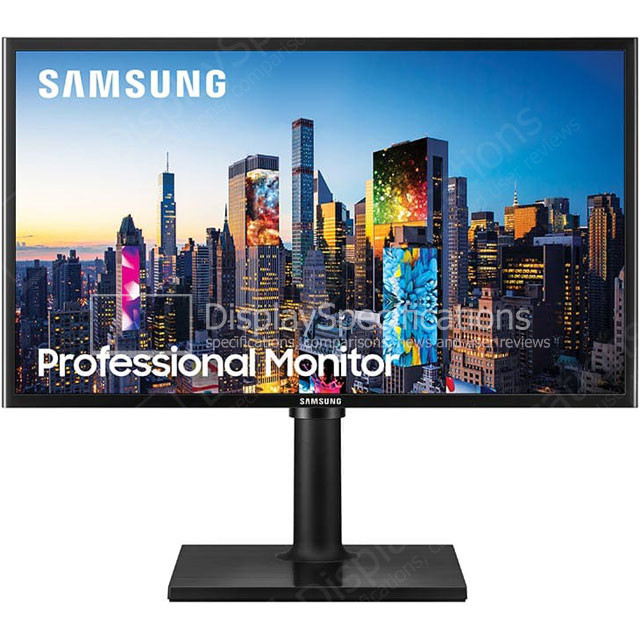
DisplaySpecifications
Specifications of Samsung F24T40. Display: 23.6 in, PLS, W-LED, 1920 x 1080 pixels, Viewing angles (H/V): 178 ° / 178 °, Brightness: 250 cd/m², Static contrast: 1000 : 1, Refresh rate: 60 Hz, Dimensions: 547.7 x 320.7 x 40.6 mm, Weight: 2.5 kg. Samsung F24T40 is also known as Samsung F24T400, Samsung LF24T400FHUXEN.
delicate vapor
bronze olive
https://www.displayspecifications.com/en/model/62791d08
This monitor does not have either a DisplayPort or a HDMI 2.1 input. FreeSync can only be used with AMD video cards. FreeSync on this monitor cannot be used on NVIDIA video cards.
So... yeah, you need a better monitor.
You'll have to live with screen tearing if you keep using this monitor.
(also, freesync isn't really useful on this monitor anyway, with a max refresh of 60hz)
(you need a range of at least 2x, and ideally 2.5x, the minimum, which usually is 48 on cheap monitors)
bronze olive
delicate vapor
This monitor does not have either a DisplayPort or a HDMI 2.1 input. FreeSync ca...
Wait but what if the ddu fixed my tearing
delicate vapor
bronze olive
Wait but what if the ddu fixed my tearing
You do not need G-Sync or FreeSync to have a tear-free display.
You only need them if you also want to minimize lag at the same time, as this way, you can prevent bumping right up to the refresh rate maximum or accepting halved frame rates.
Especially since on a 60Hz display, there's no way of displaying any framerate between 60 and 30 smoothly
long walrus
Ive done it now with vsync on
Do I need to restart to see results?
if it helps this is an example
delicate vapor
long walrus
Do I need to restart to see results?
Remove all USB devices except your mouse and check again
long walrus
delicate vapor
Remove all USB devices except your mouse and check again
Nothings working sadly
delicate vapor
long walrus
Nothings working sadly
What CPU and GPU?
long walrus
delicate vapor
What CPU and GPU?
rtx 3070 and amd ryzen 7 3700x
delicate vapor
See if these stutters stop if you downgrade the PCIe link speed of the x16 slot to 3.0 if it was set to Auto
If the video card was mounted vertically, mount it normally and recheck
(You will need to put in a keyboard again to prevent POST errors!)
If the stutters keep happening, list all the apps in "Installed Apps" (right click Start to find this place)
long walrus
delicate vapor
If the stutters keep happening, list all the apps in "Installed Apps" (right cli...
every single one ?
delicate vapor
might as well (someone else might check for you in the meantime, if not I'll come back)


 delicate vapor
See if the stutters stop with Riot Vanguard exited
long walrus
delicate vapor
See if the stutters stop with Riot Vanguard exited
its not open
should i just delete it
i dont even play val
who cares ill do it
yeah didnt work
man this is a drag
bronze olive
@delicate vapor
Thank u so much]
U fixed 2 issues
Geforce experience being broken and my screen tearing
delicate vapor
long walrus
man this is a drag
Do the stutters stop in Windows Safe Mode?
long walrus
delicate vapor
Do the stutters stop in Windows Safe Mode?
in the DDU process?
ok
it stopeped in safe mode
stopped
delicate vapor
long walrus
stopped
OK. Let DDU do its job, then once the system restarts, let Windows update drivers for you. Once that happens, check if this driver bugs out.
long walrus
delicate vapor
OK. Let DDU do its job, then once the system restarts, let Windows update driver...
ok I did ddu again
is this what you mean?
 delicate vapor
long walrus
is this what you mean?
delicate vapor
long walrus
is this what you mean?
It looks like you have used AutoDDU if it installed the latest possible version.
Still getting these mouse stutters?
long walrus
delicate vapor
Still getting these mouse stutters?
You know
I wasnt to hasty to say it cause I dont want to give false hope
BUT IM NOT
i cant get too happy now
I gotta secure it for another hour
delicate vapor
Well, the latest driver does fix screen flickering in unrelated news
long walrus
it does it every time
delicate vapor
well, report back if it comes back... and also if you get screen issues
long walrus
delicate vapor
well, report back if it comes back... and also if you get screen issues
yeah I really appreciate the help you gave me
honestly means a lot
delicate vapor
Fixed?