#Not able to CHANGE Resolution
1 messages · Page 1 of 1 (latest)
 dense python
 frozen flax
dense python
<@676782891946213377> laptop?
frozen flax
dense python
<@676782891946213377> laptop?
desktop PC
dense python
frozen flax
<@232790573939949569> 😟
What gpu do you have?
Then try this https://github.com/Evernow/AutoDDU_CLI/wiki
 frozen flax
dense python
What gpu do you have?
frozen flax
dense python
What gpu do you have?
NVIDIA GeForce RTX 2070 Super
dense python
frozen flax
NVIDIA GeForce RTX 2070 Super
now try ddu
frozen flax
dense python
Then try this https://github.com/Evernow/AutoDDU_CLI/wiki
Im being honest this doesnt look trusthworthy at all, is there any option that i can do without installing/downloading anything else
dense python
frozen flax
Im being honest this doesnt look trusthworthy at all, is there any option that i...
It doesn't, but it is actualy trustworthy, it's open source..
frozen flax
dense python
It doesn't, but it is actualy trustworthy, it's open source..
& no chance to fix it somehow else?
thats insane man...
dense python
frozen flax
& no chance to fix it somehow else?
google 'display driver uninstaller'
find one you trust
dense python
frozen flax
& no chance to fix it somehow else?
It could be something else, but this seems to be a driver issue. DDU uninstalls and reinstalls the divers. But it does it far more thoroughly than other means of doing it.
frozen flax
dense python
find one you trust
theres nothing really trusted at all... ngl only random links you never heard of
dense python
frozen flax
theres nothing really trusted at all... ngl only random links you never heard of
Well, no link you will have heard of if you're not into tech...
frozen flax
dense python
It could be something else, but this seems to be a driver issue. DDU uninstalls ...
Well i appreciate the help, but i cant download anything third party associated... 😦
dense python
frozen flax
Well i appreciate the help, but i cant download anything third party associated....
is this better?
dense python
dense python
https://www.intel.com/content/www/us/en/support/articles/000091878/graphics.html
@frozen flax
frozen flax
dense python
https://www.intel.com/content/www/us/en/support/articles/000091878/graphics.html
mhmmmm, its intel yeah but can i ask you: why is there no way to fix that without needing to download anything, like how
dense python
frozen flax
mhmmmm, its intel yeah but can i ask you: why is there no way to fix that withou...
I don't know...
All i know is it fixes 75% of complaints we get
frozen flax
@dense python done everything, still doesnt work
 fickle tartan
frozen flax
fickle tartan
frozen flax
First of all reduce monitor refresh rate to 60 and test
frozen flax
fickle tartan
First of all reduce monitor refresh rate to 60 and test
im actually gonna cry
fickle tartan
lmao refresh rate automatically reverts back?
Make sure you['re using Display port 1.4
in nvidia 3d settings restore settings to default
also, disable g-sync
Then try n lemme know
frozen flax
fickle tartan
lmao refresh rate automatically reverts back?
yes whenever i tab out of the settings app, it goes black f0r a few seconds and reverts 😭
frozen flax
fickle tartan
Make sure you['re using Display port 1.4
what do you mean by that
frozen flax
fickle tartan
in nvidia 3d settings restore settings to default
done
frozen flax
fickle tartan
also, disable g-sync
not turned on at all
fickle tartan
frozen flax
what do you mean by that
in order to gsync to work properly you gotta use DP v1.4 cable
fickle tartan
frozen flax
not turned on at all
hm wait
 frozen flax
fickle tartan
Do you get the same when you enable gsync?
frozen flax
fickle tartan
Do you get the same when you enable gsync?
yes

this was ticked before, now i turned it off and still the same
frozen flax
yes
fickle tartan
Check the errors you recieved in both application and system
frozen flax
fickle tartan
Check the errors you recieved in both application and system

Is this right?
frozen flax
fickle tartan
in order to gsync to work properly you gotta use DP v1.4 cable
i use a display port cable?
fickle tartan
frozen flax
i use a display port cable?
Yes always DP > HDMI
frozen flax
fickle tartan
Yes always DP > HDMI
Well so i am good right? because i use a pretty good dp cable
 frozen flax
fickle tartan
frozen flax
fickle tartan
 fickle tartan
frozen flax
Well so i am good right? because i use a pretty good dp cable
fickle tartan
frozen flax
Well so i am good right? because i use a pretty good dp cable
well I hope so as long as it's geniune then probably its v1.4
frozen flax
 fickle tartan
Try recreating your issue and then show me errors
fickle tartan
Lemme think
Lets try this, enable hardware accelerated gpu scheduling, VRR and G-sync in nvidia. Make sure you also enable VRR or Gsync on your monitor panel
Finally restart your PC
frozen flax
fickle tartan
Lets try this, enable hardware accelerated gpu scheduling, VRR and G-sync in nvi...
wdym with monitor panel? & what is vrr?
fickle tartan
frozen flax
wdym with monitor panel? & what is vrr?
What monitor model u got? try use it's setting to make sure free-sync/ G-sync is on
and VRR is Variable refersh rate
frozen flax
fickle tartan
What monitor model u got? try use it's setting to make sure free-sync/ G-sync is...

AOC 24G2W1G4
fickle tartan
okay check onboard settings and make sure g-sync is enabled too
also, are you using the latest nvidia driver?
frozen flax
fickle tartan
also, are you using the latest nvidia driver?
yes
frozen flax
fickle tartan
okay check onboard settings and make sure g-sync is enabled too
sorry im so slow what do you mean with onboard settings
fickle tartan
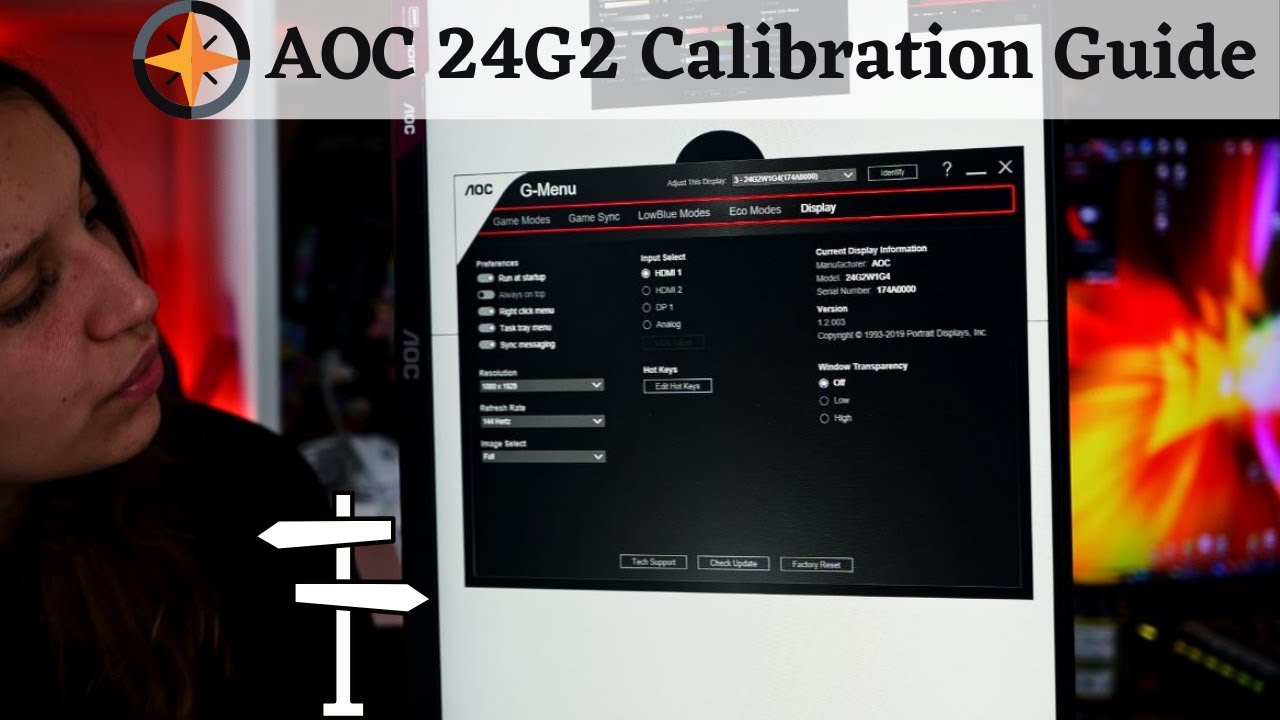
AOC 24G2U Gaming Monitor Calibration Guide - BEST COLORS !
►Amazon US / AOC 24G2U - https://amzn.to/3062mTE
►Amazon UK / AOC 24G2U - https://amzn.to/3uKu726
►Amazon Germany / AOC 24G2U AOC 24G2U - https://amzn.to/3b8F7yt
Today I will share with you, a small calibration guide for AOC 24G2U Gaming Monitor.
The Monitor is IPS, 144 hz 1080 HD....
I'm talking about these settings
frozen flax
fickle tartan
https://www.youtube.com/watch?v=oLumG-m-2J8
so i gotta install their software first, right?
& if yes, where exactly is the VRR located do you know that
fickle tartan
frozen flax
so i gotta install their software first, right?
I mean actually you don't need to right? bcz on my LG monitor has a button. It shows all the settings on display when I press
But since you also have a nice gaming monitor you should install it's software too for more tuning
frozen flax
@fickle tartan how do i enable vrr in nvidia and the aoc app?
fickle tartan
vrr in system > display Variable refresh rate
in aoc you gotta find it idk (If you don't find it anywhere then ig it's on by default)
frozen flax
fickle tartan
vrr in system > display Variable refresh rate
i cant find the "vrr in system" tab?


 fickle tartan
maybe you enabled G-sync? Probably that's why
anyways
Custom Resolution Utility (CRU) is an EDID editor that focuses on custom resolutions. CRU shows you how the monitor defines resolutions and other capabilities and gives you the power to change it. Add
Download cru-1.5.2.zip
 fickle tartan
enable it then
fickle tartan
fickle tartan
Download cru-1.5.2.zip
then run restart64.exe. it'll restart your gpu driver
no need to restart whole pc again n again
Finally try to recreate the issue