183 messages · Page 1 of 1 (latest)
 solid snow
I've created a Powershell project which is supposed to delete the files in the %temp% folder.
However, it doesn't delete anything in %temp% on my computer
Main file : https://sourceb.in/KGljeZWuMW
Script file : https://sourceb.in/CX4Y6o0b9j
 old rampart
Does it work only running the Script file?
solid snow
old rampart
Does it work only running the _Script file_?
No
old rampart
does remove-item work by itself?
old rampart
you want to run remove-item on one file and see if it works first.
and show the error if there is one.
And are you sure [System.IO.Path]::GetTempPath() is what you expect?
solid snow
There is no error on 1 file
old rampart
And it removes it?
solid snow
old rampart
And are you sure `[System.IO.Path]::GetTempPath()` is what you expect?
GetTempPath = C:\Users\UserName\AppData\Local\Temp\
I can rewrite that method to take a custom path maybe
old rampart
you probably want -Recurse here too.
$tempFiles = Get-ChildItem -Path $tempFolderPath -File -Force -Recurse
 tidal gyro
It looks like you have it remove the file only if the file doesn't exist, so it'll never remove it?
$fileInUse = Test-Path -Path $file.FullName -ErrorAction SilentlyContinue


if (-not $fileInUse) {
    Remove-Item -Path $file.FullName -Force -ErrorAction Stop
apparently no im not sure
solid snow
old rampart
you probably want `-Recurse` here too.
```pwsh
$tempFiles = Get-ChildItem -Path ...
That take the correct path? Mine was wrong?
old rampart
tidal gyro
It looks like you have it remove the file only if the file doesn't exist, so it'...
this is probably a bigger problem.
solid snow
tidal gyro
It looks like you have it remove the file only if the file doesn't exist, so it'...
I don't delete if the file is used (this is to avoid blockages)
old rampart
solid snow
That take the correct path? Mine was wrong?
Without -Recurse is a problem because you won't delete all the files.
solid snow
Sorry I dont understand
old rampart
solid snow
I don't delete if the file is used (this is to avoid blockages)
You'd do yourself a favor by using VsCode and a debugger too.
tidal gyro
solid snow
I don't delete if the file is used (this is to avoid blockages)
Test-Path checks to see if the file exists. Then your Remove-Item runs only if the file does not exist, so it'll never remove anything
old rampart
solid snow
Im using VSCode and a debugger
test-path just checks for existence and not whether it is in use.
run get-help test-path to see what it does.
old rampart
solid snow
https://i.imgur.com/DDf8H3V.png
so put a breakpoint on your test-path code and see how it always returns $true
solid snow
If I understand correctly my try catch is not done correctly?
old rampart
solid snow
If I understand correctly my try catch is not done correctly?
no. test-path doesn't do what you think it does. did you write this code?
solid snow
old rampart
no. `test-path` doesn't do what you think it does. did you write this code?
Yes, that's why the code isn't functional xD
tidal gyro
solid snow
If I understand correctly my try catch is not done correctly?
You're getting a list of files in a folder, then you're deleting files only if the file doesn't exist, which doesn't make any sense
old rampart
solid snow
Yes, that's why the code isn't functional xD
do you understand what we are saying about test-path?
tidal gyro
@solid snow change your $fileInUse variable to be called $fileExists because that's what it is
I think the variable name may be confusing you
old rampart
don't check for file in use. Just attempt remove-item , it will fail if in use.
file in use checks involve FileShare.None and code like this in Csharp
protected virtual bool IsFileLocked(FileInfo file)
{
    try
    {
        using(FileStream stream = file.Open(FileMode.Open, FileAccess.Read, FileShare.None))
        {
            stream.Close();
        }
    }
    catch (IOException)
    {
        //the file is unavailable because it is:
        //still being written to
        //or being processed by another thread
        //or does not exist (has already been processed)
        return true;
    }

    //file is not locked
    return false;
}
I'm sorry, I don't understand what you're saying
I've just tried various things, including what you said about the $fileExists
But I don't understand what you're trying to tell me : Perhaps I can clarify what I was trying to do?
tidal gyro
Test-Path only checks if the file exists and returns true or false.
It sounds like you think it checks if the file is being used by something, which it does not do
old rampart
solid snow
I'm sorry, I don't understand what you're saying
I've just tried various things...
tell me what test-path -path '.\file.txt' does in plain language, @solid snow .
We are talking about line 12 in your Script File.
solid snow
Idk its line 12
old rampart
solid snow
Idk its line 12
Do you know what test-path -path '.file.txt' does in plain language? forget all your code. just tell me that.
solid snow
test-path = check a file named "file.txt" in the directory
old rampart
solid snow
test-path = check a file named "file.txt" in the directory
check a file for what?
solid snow
nothing ig ??
old rampart
solid snow
nothing ig ??
you wrote the code, right?
solid snow
you do nothing you just check if the file is in the directory
solid snow
old rampart
you wrote the code, right?
2 time
old rampart
solid snow
you do nothing you just check if the file is in the directory
ok so why did you name your variable, $fileInUse?
old rampart
solid snow
you do nothing you just check if the file is in the directory
$fileInUse does not mean check if a file in the directory.
solid snow
because I want to check if the file are in use to do things with it like "skip" to avoid problems and do other things with file not use
old rampart
solid snow
because I want to check if the file are in use to do things with it like "skip" ...
You are saying two different things for the same command. Do you think test-path checks for a file is in use or if a file exists?
old rampart
solid snow
you do nothing you just check if the file is in the directory
how can your code say $fileInUse in a variable and yet you know test-path only checks if the file exists or is in the directory?
tidal gyro
@solid snow This should be your script file
# Get the user's temporary folder path
$tempFolderPath = [System.IO.Path]::GetTempPath()

try {
    # Get the list of files in the temporary folder
    $tempFiles = Get-ChildItem -Path $tempFolderPath -File -Force

    # Delete all files from the temporary folder that are not in use
    foreach ($file in $tempFiles) {
        try {
            Remove-Item -Path $file.FullName -Force -ErrorAction Stop
            Write-Host "File $($file.FullName) deleted."
        } catch {
            Write-Host "Error deleting $($file.FullName): $_"
        }
    }

    # Display a success message
    Write-Host "Cleaning temporary files completed."
} catch {
    # In case of an error, display an error message
    Write-Host "An error occurred while cleaning temporary files: $_"
}
🤣 i was trying to avoid writing it for them but it seems like that is what they want.
This is the most work that I have spent on a seemingly simple issue ever!
solid snow
I feel like I'm being taken for a fool, it's quite unpleasant.
It seems to me that I'm rather polite, so I don't appreciate your lack of respect. @old rampart
old rampart
solid snow
I feel like I'm being taken for a fool, it's quite unpleasant.
Do you understand the difference between a file existing and a file being in use?!
tidal gyro
@old rampart isn't being disrespectful he's repeatedly tried to explain the problem to you and you're not getting it
old rampart
solid snow
It seems to me that I'm rather polite, so I don't appreciate your lack of respec...
I'm trying my best here. I feel like you are ignoring what we have been saying. I'm having to type the same thing multiple times.
So I am trying to roll back and start extremely simple. Do you know what the difference is between a file existing and a file being in use?
solid snow
I've answered your questions 10 times even when you ask me if I've written my code
old rampart
solid snow
I've answered your questions 10 times even when you ask me if I've written my co...
so why are you using $fileInUse variable name?
If you understand that test-path only checks if a file exists?
solid snow
I wanted to check that the files weren't being used to do things with
old rampart
$fileInUse will most always be true in your code.
old rampart
solid snow
I wanted to check that the files weren't being used to do things with
test-path doesn't do that!
solid snow
1. I retrieve the user's temporary file:
-- I check that the files inside are not in use: if they are in use, I don't touch them.
Other files will be unused: I want to delete them
I display the files used for debugging: and the files are counted so I know how many I've deleted.
When they are deleted: I want to empty the can
old rampart
solid snow
I wanted to check that the files weren't being used to do things with
test-path checks if a file exists and not if a file is in use
old rampart
solid snow
**1.** I retrieve the user's temporary file:
-- I check that the files inside ...
test-path doesn't check if a file is in use at all. it checks for existence. I don't know how else to say it.
Files can exist and be in use.
You have to understand what test-path does before we go forward.
solid snow
Yes, okay, so I need to check $tempFiles for files in use in another way
tidal gyro
You don't need to check if the file is in use. It'll simply not delete if it's in use
old rampart
Yes and I already posted that code, if you must do that. As @tidal gyro posted, you don't need to check if the file is in use.
You would use the [FileInfo]::Open method with FileShare.None if you absolutely must check for file in use.
It isn't necessary though, just attempt removal.
Does that all make sense?
old rampart
solid snow
I'll do my tests and try to understand
Do you know that a file can exist and not be in use or be in use?
solid snow
I understand that I've made a mistake, but even correcting the problem doesn't remove anything, even though I have files in %temp%
old rampart
solid snow
I understand that I've made a mistake, but even correcting the problem doesn't r...
how did you correct the problem?
solid snow
I dont use the $fileInUse anymore
old rampart
Remove line 12,13,14,17,18,19
tidal gyro
solid snow
I dont use the $fileInUse anymore
Are you using the code I provided?
old rampart
solid snow
I dont use the $fileInUse anymore
you are gonna have to repost what you have.
solid snow
# Get the user's temporary folder path
$tempFolderPath = [System.IO.Path]::GetTempPath()

try {
    # Get the list of files in the temporary folder
    $tempFiles = Get-ChildItem -Path $tempFolderPath -File -Force

    # Delete all files from the temporary folder
    foreach ($file in $tempFiles) {
        try {

            # Attempt to remove the file
            Remove-Item -Path $file.FullName -Force -ErrorAction Stop
            Write-Host "File $($file.FullName) deleted."
        } catch {
            # Handle any errors that occur during file deletion
            Write-Host "Error deleting $($file.FullName): $_"
        }
    }

    # Display a success message
    Write-Host "Cleaning temporary files completed."
} catch {
    # In case of an error, display an error message
    Write-Host "An error occurred while cleaning temporary files: $_"
}
ok and that doesn't work?
solid snow
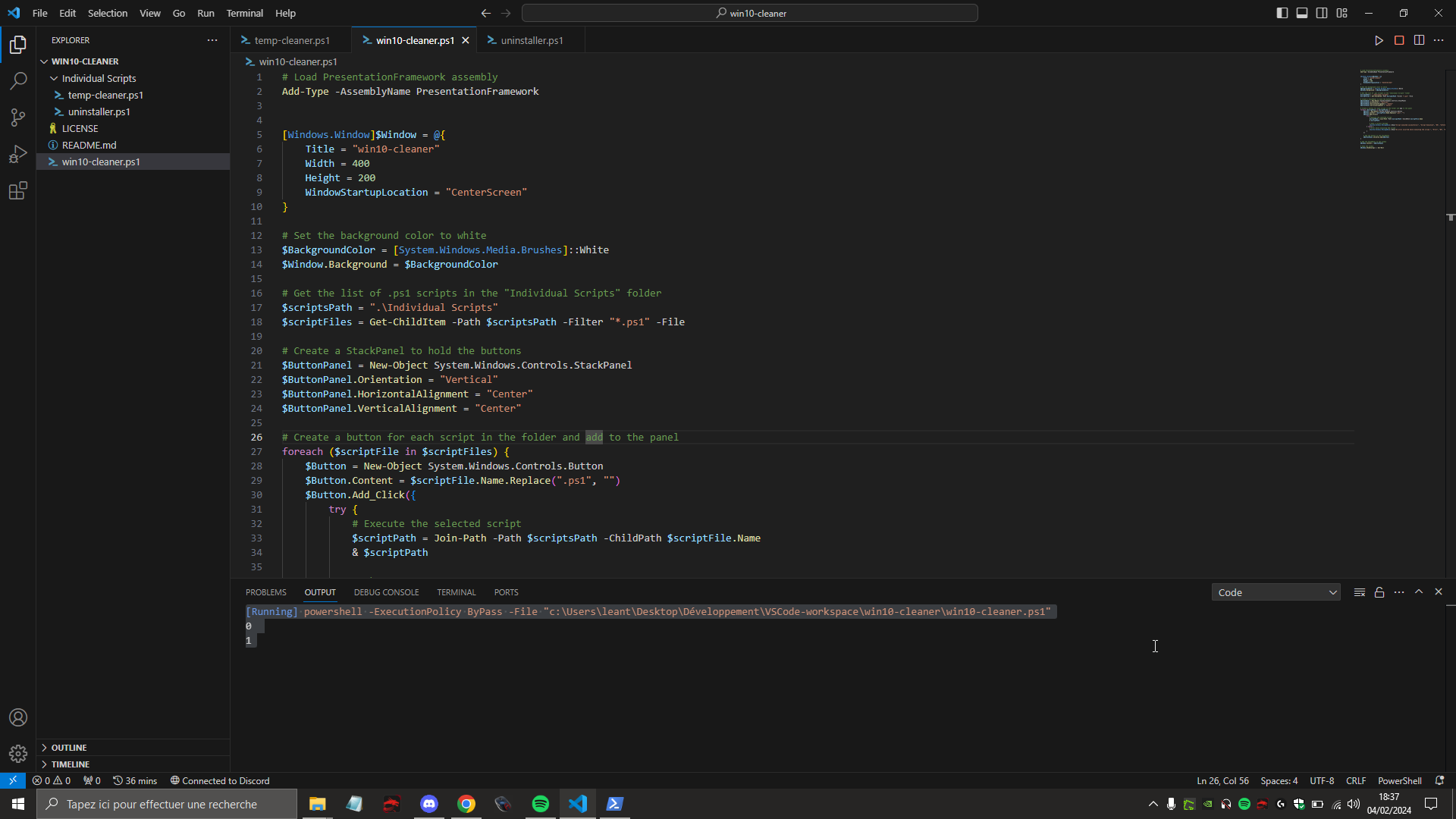
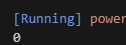
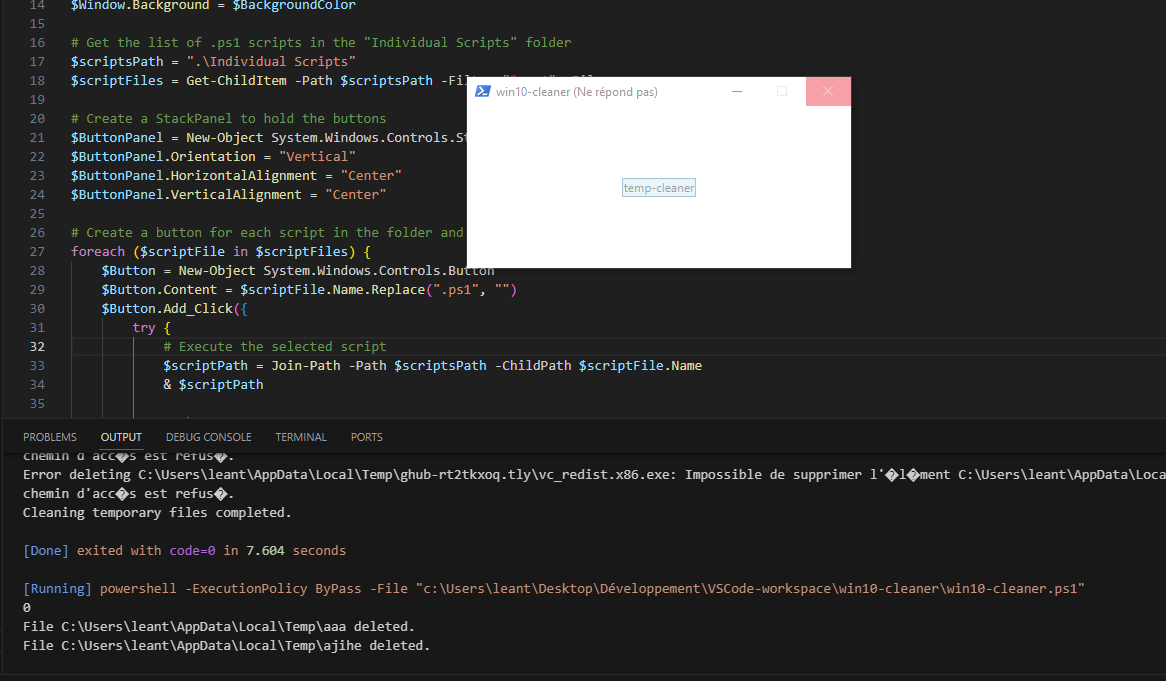
yes he delete 0 item https://i.imgur.com/rXpy5eE.png from the %temp%
old rampart
solid snow
```ps
# Get the user's temporary folder path
$tempFolderPath = [System.IO.Path]:...
Add -Recurse to your Get-Childitem
old rampart
solid snow
yes he delete 0 item https://i.imgur.com/rXpy5eE.png from the %temp%
i don't see where that 0 comes in...
tidal gyro
solid snow
yes he delete 0 item https://i.imgur.com/rXpy5eE.png from the %temp%
How many items are in %temp% before you run the script?
solid snow
old rampart
Add `-Recurse` to your `Get-Childitem`
To include subfolders??
tidal gyro
run this line before and after the script:
(ls ([System.IO.Path]::GetTempPath())).count
Atleast 1 i've created
old rampart
solid snow
To include subfolders??
if you want to clear all files, yeah.
old rampart
solid snow
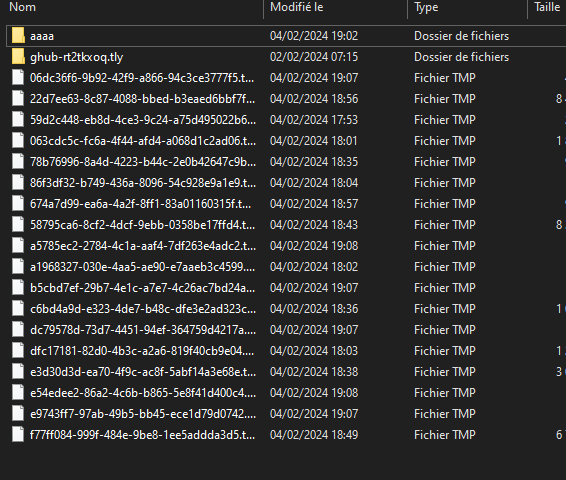
https://i.imgur.com/lenDJSJ.png
and the files could be in use. try to remove-item on one of those fichier tmp files.
solid snow
On a specific file??
old rampart
solid snow
On a specific file??
yes.
old rampart
tidal gyro
run this line before **and** after the script:
```ps
(ls ([System.IO.Path]::GetT...
run this before and after your script too.
I would also create a file in your temp directory to see if it is deleted.
old rampart
solid snow
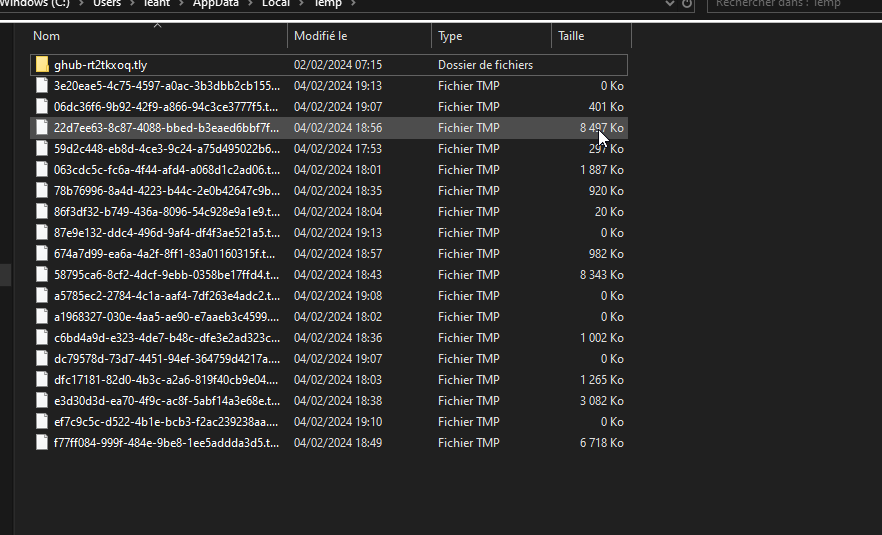
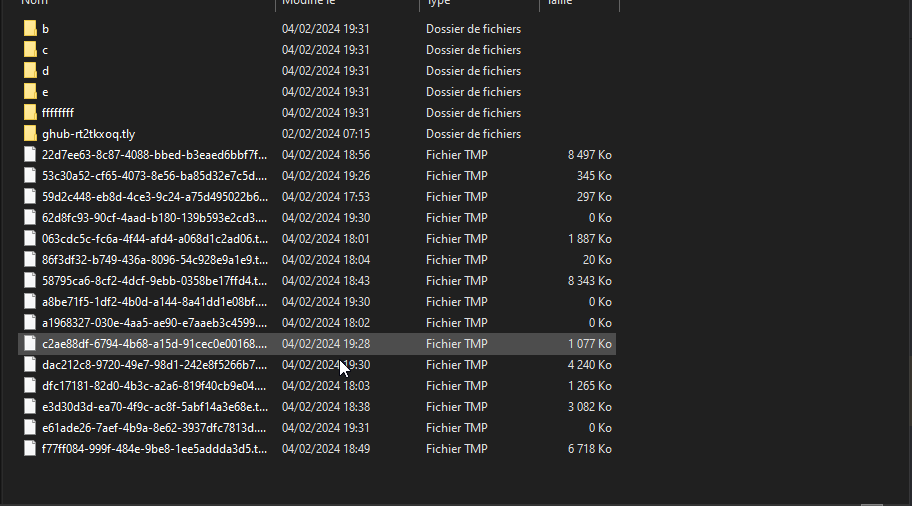
https://i.imgur.com/dJYchrf.png
ok so those files must be in use in your current system.
See what the error is if you run remove-item on one of those files.
run remove-item in another powershell.exe process and window too.
and then show the error if there is one.
old rampart
solid snow
Will try on gthb
what is gthb and ig?
old rampart
solid snow
ghub are in use because its logitech g hub for my mouse
alright.
solid snow
ig = i guess
gthb I mean the folder ghub
tidal gyro
solid snow
https://i.imgur.com/r7A5s7r.png
What happens when you try to remove a file?
Remove-Item $env:TEMP\3e20.....
When I do it myself without the code, it says it's used by Google chrome
old rampart
solid snow
When I do it myself without the code, it says it's used by Google chrome
ok then you can't remove that one.
solid snow
I'll create a few files of all kinds to see if it works
old rampart
solid snow
I'll create a few files of all kinds to see if it works
typically in a running system you can't clear all temp files. Maybe you can get close if you close all user running programs.
tidal gyro
solid snow
When I do it myself without the code, it says it's used by Google chrome
then I would assume thats the same with all of those in the screenshot which is why they're not being deleted
solid snow
Yes, it's the same for the others. I've just tried creating folders containing files for some of them, and none of them are deleted.
old rampart
What is your goal here, @solid snow ? are you trying to free up disk space? I want to avoid an XY problem.
old rampart
solid snow
Yes, it's the same for the others. I've just tried creating folders containing f...
did you add -recurse?
solid snow
The goal is to learn powershell, and this project just lets me learn, and I thought I could create something useful for users, do redundant tasks and why not make the program evolve a bit like Sycnex did https://github.com/Sycnex/Windows10Debloater
Script to remove Windows 10 bloatware. Contribute to Sycnex/Windows10Debloater development by creating an account on GitHub.
Yes
old rampart
solid snow
Yes
well post all your code again.
solid snow
# Get the user's temporary folder path
$tempFolderPath = [System.IO.Path]::GetTempPath()

try {
    # Get the list of files in the temporary folder
    $tempFiles = Get-ChildItem -Path $tempFolderPath -File -Force -Recurse

    # Delete all files from the temporary folder
    foreach ($file in $tempFiles) {
        try {

            # Attempt to remove the file
            Remove-Item -Path $file.FullName -Force -ErrorAction Stop
            Write-Host "File $($file.FullName) deleted."
        } catch {
            # Handle any errors that occur during file deletion
            Write-Host "Error deleting $($file.FullName): $_"
        }
    }

    # Display a success message
    Write-Host "Cleaning temporary files completed."
} catch {
    # In case of an error, display an error message
    Write-Host "An error occurred while cleaning temporary files: $_"
}
What message are you getting?
solid snow
Some files are not deleted because they are in use and then I get the message that the files have been deleted but when I see in %temp% nothing has been deleted even after updating the file %temp%
old rampart
solid snow
```ps
# Get the user's temporary folder path
$tempFolderPath = [System.IO.Path]:...
so this is only Files, if you want Folders, remove the -File param.
solid snow
https://i.imgur.com/faVQuyf.png Thanks got a result but the window crashed
File are now in the can
old rampart
in the can?
Are you saying it works or not? The $env:Temp directory is in constant flux.
solid snow
Yes, it deleted 2 files but the program crashed "The window no longer responds"
old rampart
solid snow
Yes, it deleted 2 files but the program crashed "The window no longer responds"
well that is another issue with your gui.
just run the Script file by itself for now to make sure it works.
you would do & 'c:\path\to\script.ps1' just to execute it. Don't even open the window.
you want to work on this stuff in small units.
solid snow
I'm using code runner but it looks like it only deletes the first %temp% file
old rampart
solid snow
I'm using code runner but it looks like it only deletes the first %temp% file
i'm not familiar with that, don't use your code cleaner gui runner button deal.
just run the script as is.
old rampart
And you want the powershell extension most likely.
old rampart
solid snow
Yes https://i.imgur.com/XqKu22I.png
don't use the code runner. open powershell.exe and run the code there.
code runner might be abstracting away errors.
Open powershell.exe and run your tempCleaner.ps1 inside it.
it should be a separate window to vs code
solid snow
Oh yeah its work now
file, folder, and subfolder thanks
It's my main window that's making a mess in the program well
old rampart
ok that is good.
tidal gyro
It could be because when you launch into another process it's not using the same temp folder?
old rampart
yeah you want to make sure tempCleaner.ps1 does what you want. Then you can run that script in code runner and check. If it breaks, then you know code runner and/or vs code is doing something weird. Then you can work on your win form main window deal.
I've never used code runner extension so I don't know how it handles all the different powershell streams and such.
I would use this extension for developing ps1.
https://marketplace.visualstudio.com/items?itemName=ms-vscode.PowerShell
solid snow
Ok I have it now thanks will try some things to fix that problem
old rampart
solid snow
The goal is to learn powershell, and this project just lets me learn, and I thou...
this is a real premier debloater too. It probably has all those features.
https://github.com/ChrisTitusTech/winutil
And it has active dev by Chris and folks.
solid snow
Wow this is very well done thank you for sharing it will surely teach me a lot
old rampart
And honestly your whole script should just be
remove-item $env:temp\* -recurse
No need for loops, etc.
If you want to really get into WPF and Win Form, I would seriously considering switching to C# and fat Visual Studio. powershell isn't best for developing fullblown GUI applications.
solid snow
Yeah, I'm doing just that, but I'd really like to learn powershell Sycnex has inspired me a lot and I'd like to follow in his footsteps to eventually create a very interesting program of my own
solid snow
old rampart
And honestly your whole script should just be
```pwsh
remove-item $env:temp\* -r...
Will try thanks
solid snow
Hello !
I've worked on your suggestion :
# Get the user's temporary folder path
$tempFolderPath = [System.IO.Path]::GetTempPath()

try {
    # Delete all files and folders from the temporary folder
    Remove-Item -Path "$tempFolderPath\*" -Recurse -Force -ErrorAction Stop

    # Display a success message
    Write-Host "Cleaning temporary files completed."
} catch {
    # In case of an error, display an error message
    Write-Host "An error occurred while cleaning temporary files: $_"
}
Is that better?
@old rampart
I didn't manage to do what you said about the path, but I removed the foreach
old rampart
Yes that looks good.
Well I would probably do -erroraction ignore because you will likely have files in use errors.
And I might remove -force to avoid removing some file that some app marked with a certain property because it needs it.
solid snow
Oh ok thanks
old rampart
And with ignore that makes your try not necessary either.
Because it won’t ever throw into the catch
solid snow
Okay, thanks, I'll work on the GUI part from now on !