#Reset Prompt after 1 second & Right Prompt
808 messages · Page 1 of 1 (latest)
 rancid wadi
 olive magnet
you want to ... reset your prompt?
like ... redraw it?
I think for that you need to mess with the readline
I mean, I'm reasonably sure that running something on a timer while you're sitting at the prompt can only be done by the readline -- because that's the only thing that's running when you're sitting at a prompt.
rancid wadi
ok
but like on zsh
it works not sure about powershell
I mean basically my goal is to reset the prompt after 1 second cuz I set time there but the contents I am typing shouldnt be removed only the prompt
olive magnet
That's because zsh does a lot more work for prompts than any other shell. Not only does it have a refresh, it also has right-aligned prompts, etc.
olive magnet
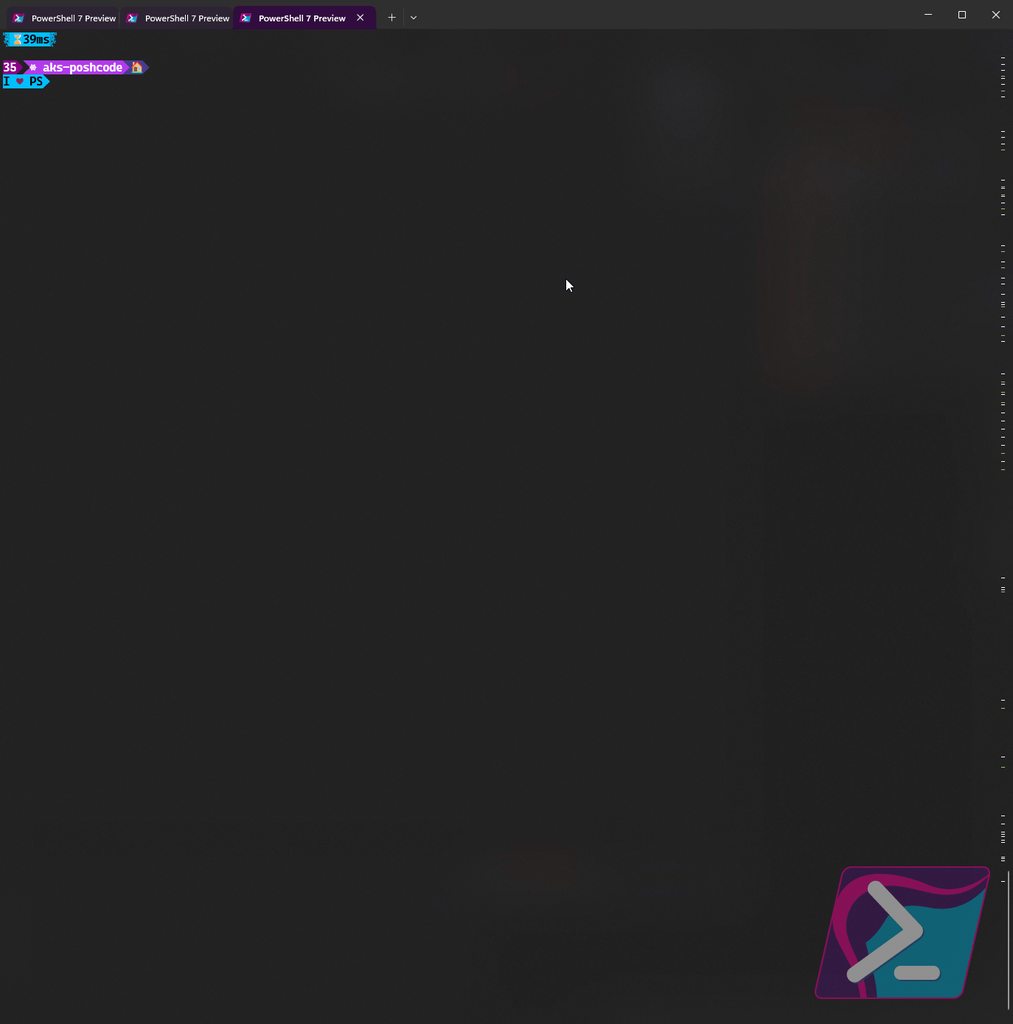
PSReadLine stops emitting the OnIdle once you type something though, so the prompt refreshing will stop at that point.
olive magnet
If you have a one-line prompt, it's enough to do:
Register-EngineEvent -SourceIdentifier PowerShell.OnIdle { Write-Host "`e[0G$(prompt)" -NoNewline }
 near pebble
Here are the docs on the function to redraw your prompt too. You’ll probably need to set [Console] https://learn.microsoft.com/en-us/dotnet/api/microsoft.powershell.psconsolereadline.invokeprompt?view=powershellsdk-1.1.0
Here is the reference to the workaround. https://github.com/kelleyma49/PSFzf/issues/71#issuecomment-961148891
olive magnet
That ... doesn't seem worth it.
near pebble
olive magnet
That ... doesn't seem worth it.
Right. Depending on how complex your prompt is, it could be a nice abstraction.
olive magnet
I mean, I think it's there because you can do it even after you started typing...
but Write-Host "``e[0G$(prompt)" -NoNewline doesn't really need an abstraction.
I guess if your prompt is only sometimes multi-line ....
No, I don't know if they handle that or not
near pebble
Oh I see what you mean. I do like the time ticking away.
olive magnet
Yeah, I think I'm going to add a switch to Powerline to do that automatically
rancid wadi
well sorry to dissapoint but mine is 2 line prompt

my prompt setup using starship
so if it has like 2 lines then does on idle work?
@olive magnet
sorry for the ping
i can ping right?
olive magnet
if you have two lines you need "`e[2A"
olive magnet
`e[0G # means go to column zero
rancid wadi
ok
olive magnet
So this line:
Write-Host "``e[0G$(Write-PowerLinePrompt)" -NoNewline
rancid wadi
Register-EngineEvent -SourceIdentifier PowerShell.OnIdle { Write-Host "`e[0G$(prompt)" -NoNewline }
this write?
olive magnet
If you have a two line prompt, then you make it:
Write-Host "``e[2A``e[0G$(Write-PowerLinePrompt)" -NoNewline
olive magnet
yeah, I mean ... check that it works by running it first 😉
The only thing is .... starship is slow
rancid wadi
🙂
olive magnet
So I don't know if it can keep up with running every 300ms 😉
olive magnet
🙂
 olive magnet
Yeah, there's no rightprompt in PSReadLine, only ZLE does that, as far as I know
rancid wadi
ok
so it doesnt seem to work
or i might have made an error or let me just send my gist
olive magnet
If you press Ctrl+L over and over ... does that update the time?
rancid wadi
ohhhh
olive magnet
not ``e[
olive magnet
Still though ... that's weird.
rancid wadi
what about 2A``?
olive magnet
Write-Host "`e[2A`e[0G$(Write-PowerLinePrompt)" -NoNewline
err, but not Write-PowerLinePrompt
You need to call starship
olive magnet
Write-Host "`e[2A`e[0G$(prompt)" -NoNewline
this line Invoke-Expression (&starship init powershell)
rancid wadi
o
olive magnet
I tried starship and ohmyposh, but they are both slow (like, visibly delayed, if you just hold down Enter).
But you can probably just call prompt
because that's what PowerShell calls when it wants the prompt
olive magnet
Is that your profile?
rancid wadi
yeah
olive magnet
what does starship init powershell output
olive magnet
no. Deffinitely not.
rancid wadi
well if i comment it starship dont work
olive magnet
Sure but it's doing ... https://github.com/starship/starship/blob/master/src/init/starship.ps1

GitHub
☄🌌️ The minimal, blazing-fast, and infinitely customizable prompt for any shell! - starship/starship
ALLLLL of that.
olive magnet
try calling:
starship prompt --path=$($cwd.Path) --logical-path=$($cwd.LogicalPath) --terminal-width=$($Host.UI.RawUI.WindowSize.Width) --jobs=$($jobs)
in () write?
olive magnet
If you run that in your terminal, do you get an extra prompt output?
 olive magnet
use $pwd instead of $cwd
 rancid wadi
well i get a cross
olive magnet
so like, if you do:
prompt; start-sleep 1; prompt
 rancid wadi
 olive magnet
ok, so it seems like the thing I gave you before should work ....
Register-EngineEvent -SourceIdentifier PowerShell.OnIdle { Write-Host "`e[2A`e[0G$(prompt)" -NoNewline }
yeah but it will keep creating new lines i mean like i want it to redraw it
olive magnet
is that making extra lines?
maybe their prompt outputs an extra line at the top, and you need 3A
 olive magnet
That's weird, is it going ... up?
rancid wadi
yes
olive magnet
lol
rancid wadi
but on idle time updates
olive magnet
try `e[1A
rancid wadi
surprising
rancid wadi
both of the two lines update
olive magnet
Get-EventSubscriber | Unregister-Event
rancid wadi
 olive magnet
Are you using white on white on purpose? lol
 olive magnet
lol, I get it. I actually gave up on the cool looking terminal because of that 😉
I mean, gave up using transparency on it
rancid wadi
ohh
olive magnet
ok, so is it still going upward?
olive magnet
right but if you ... run ls or something
rancid wadi
 olive magnet
So it's staying there, but doubling up the prompt?!?
olive magnet
Weird!
rancid wadi
but both lines do update which is weirder
olive magnet
heh
Yeah.
Get-EventSubscriber | Unregister-Event
Run that
or just run the Get
I think you must have two versions set
rancid wadi
get what
rancid wadi
no
olive magnet
And you have it set to 1A?
olive magnet
lol
olive magnet
whew
olive magnet
no problem
rancid wadi
i guess debugging is fun
olive magnet
I'm totally going to build this into my prompt module 😉
rancid wadi
sorry for the trouble caused
🙂
np
feel free to do so
we can share jist sometimes
also how did you set up your prompt?
rancid wadi
although on zsh it updates even when content is written but i aint complaining glad it works
rancid wadi
olive magnet
https://github.com/jaykul/TerminalBlocks/tree/feature/simplify
https://github.co...
nice i will check it out
I like customizing more
XD
also are there study materials for powershell?
cuz i really got interested now
olive magnet
My current prompt is:
Set-PowerLinePrompt -SetCurrentDirectory -PowerLineFont -Title {
-join @(
if (Test-Elevation) { "Administrator: " }
if ($IsCoreCLR) { "pwsh - " } else { "Windows PowerShell - " }
Convert-Path $pwd
)
} -Prompt @(
New-TerminalBlock -Content { Update-ZLocation $pwd }
Show-ElapsedTime -Autoformat -Prefix "&hourglassdone;" -Bg DeepSkyBlue -Fg Black -Caps '', ''
New-TerminalBlock -NewLine
New-TerminalBlock -NewLine
Show-NestedPromptLevel -BackgroundColor Magenta1 -RepeatCharacter "&gear;" -Postfix " "
Show-HistoryId -Bg Magenta4 -Fg White
New-TerminalBlock -Spacer
Show-KubeContext -Bg DarkOrchid2 -Fg White
Show-AzureContext -Bg Purple3 -Prefix "&nf-mdi-azure; " -Fg White
Show-Path -HomeString "&House;" -Separator '' -Bg SlateBlue4 -Fg White -Depth 3
New-TerminalBlock -Spacer
Show-PoshGitStatus -Bg Gray30
New-TerminalBlock -NewLine
Show-Date -Format "h\:mm\:ss" -Bg DeepSkyBlue4 -Fg White
)
oh, except I just adjusted it for that redraw 😉
rancid wadi
olive magnet
My current prompt is:
```PowerShell
Set-PowerLinePrompt -SetCurrentDirectory -Po...
nice
well lets be friends
also i cant seem to find any resources on powershell
olive magnet

Gist
We need a better Measure-Command which can show averages - Measure-CommandEx.ps1
use that to measure how fast your prompt runs 😉
Measure-CommandEx { prompt } -Iterations 100
So, there's a bunch of resources linked in #resources
rancid wadi
but adding the redraw to Powershell should help others right? if someone is like me
olive magnet
Yeah, I posted the idea on https://fosstodon.org/deck/@jaykul/111321760244301625
:-p
olive magnet
you know ... more and more of these "embeds" are useless
rancid wadi
olive magnet
you know ... more and more of these "embeds" are useless
yeah true
olive magnet
(the link previews, I mean)
 olive magnet
and like the fostodon one is like ... "here's what fosstodon is" ... instead of a preview of the actual post
rancid wadi
olive magnet
and like the fostodon one is like ... "here's what fosstodon is" ... instead of ...
true i dont like previews i used to like it but now i dont after being introduced into world of coding
olive magnet
and run that (either paste the script in your terminal, or in your profile, or save it ... and "dot source" it) to define the function
I really need to get those new branches of TerminalBlocks and PowerLine published
sigh
not enough hours in the day
rancid wadi
lol
being mod is hard

2 prompts in 1 second
pretty fast i guess
but it malfucntioned
olive magnet
 rancid wadi
so many events why
SubscriptionId : 6
SourceObject :
EventName :
SourceIdentifier : PowerShell.OnIdle
Action : System.Management.Automation.PSEventJob
HandlerDelegate :
SupportEvent : False
ForwardEvent : False
SubscriptionId : 5
SourceObject :
EventName :
SourceIdentifier : PowerShell.OnIdle
Action : System.Management.Automation.PSEventJob
HandlerDelegate :
SupportEvent : False
ForwardEvent : False
SubscriptionId : 4
SourceObject :
EventName :
SourceIdentifier : PowerShell.OnIdle
Action : System.Management.Automation.PSEventJob
HandlerDelegate :
SupportEvent : False
ForwardEvent : False
SubscriptionId : 7
SourceObject :
EventName :
SourceIdentifier : PowerShell.OnIdle
Action : System.Management.Automation.PSEventJob
HandlerDelegate :
SupportEvent : False
ForwardEvent : False
nice
so i dont get whats wrong
olive magnet
You must have put the register-engineevent into your prompt?
rancid wadi
yeah
olive magnet
you need it in your profile.ps1 but not inside the prompt
I mean, it needs to run once, and only once
rancid wadi
i did it once
its on .ps1
other than that none
so every time i refresh it creates new events
....
also messure command will i just copy all of them on profile.ps1 or anyother way
@olive magnet
olive magnet
why are you refreshing?
I mean, if you want to be able to refresh, you're going to need something like ....
olive magnet
a new tab gets a new session
rancid wadi
yes
olive magnet
That should not re-run the profile though
I mean, it runs it ... once ... in the new session
rancid wadi
it does though
yeah on the new session
i mean i was tryig to set up the ex command
....
like i said i am a complete noob when it comes to coding
olive magnet
can you show where you added it in profile.ps1?
rancid wadi
 olive magnet
Hmm. and is anything re-running your profile.ps1?
rancid wadi
nope
to fix the issue i unregister it
then register it by .$profile
well problem started when i tired to use the messure ex command
olive magnet
but didn't you just measure prompt ?
rancid wadi
rancid wadi
olive magnet
but didn't you just measure `prompt` ?
nope it didnt work
olive magnet
oh, and then sourced your profile?
rancid wadi
yeah
olive magnet
So yeah, anyway, just do:
Get-EventSubscriber -SourceIdentifier PowerShell.OnIdle -ErrorAction Ignore | Unregister-Event
Before you Register it
To make sure you're not doubling up
rancid wadi
well will i register now
nope same problem
it still got doubled
TT-TT
why
(╯°□°)╯︵ ┻━┻
well i removed the messure script but it still not fixed
olive magnet
When you look at the subscribers, what do you see?
Get-EventSubscriber -SourceIdentifier PowerShell.OnIdle
or ...
Get-EventSubscriber -SourceIdentifier PowerShell.OnIdle | % Action
or ...
Get-EventSubscriber -SourceIdentifier PowerShell.OnIdle | % Action | % Command


 olive magnet
Oooh, you said repeats, and I misunderstood
rancid wadi
lol
olive magnet
It's redrawing the prompt, but one line lower every tick?
olive magnet
It seems like you need to try going back to 2A?
rancid wadi
ok
olive magnet
Yeah, but I'm ... counting lines 😉
rancid wadi
lol
now its ok
welp
so how do i use the messure script
cuz it created errors here
olive magnet
I don't think that's what caused errors 😉
But what I do, is save it in my PowerShell/Scripts folder (which is on my PATH)
and then I have to run . Measure-CommandEx.ps1 to load it when I want to use it
Or, you can comment out the function line and the last } line, and make it usable as a script file
rancid wadi
oh
let me see
or you can just send a screen shot
cuz a picture is worth a 1000 words
😉
also i dont think mine will run very cuz
i am using an intel celeron cpu
with 4 gb ram
i am bascially no competition
-_("")/-
and my laptop overheats all the time
olive magnet
rancid wadi
so i use it when i am brewing coffe
olive magnet
lol
rancid wadi
lol
olive magnet
I'm sorry 😄
olive magnet
hehe, this is what I did with the idea 😉
https://github.com/Jaykul/PowerLine/commit/abef22574d0f1b42039cd97629fb4cdccdee1ea2

GitHub
Let's you update the time or weather when PowerShell is idle
Anyway, the whole point of Measure-CommandEx isn't to compare against each other
It's to compare two different options on your own computer 😉
So e.g. to compare starship to ohmyposh to powerline 😉
rancid wadi
oh
i didnt mean like that
i just meant that i had no hope
but let me try
so i will create a file on my home
then run that file right?
also i am its_19818942118 on github
🙂
olive magnet
 rancid wadi
ok
olive magnet

I took off the seconds, because I just find them distracting, but I think I'm going to leave the refresh on there, because it means the prompt will relatively accurately show the time the command was run...
olive magnet
I was just using a double chevron like:
 rancid wadi
ok
olive magnet
.ps1
yeah
you should be able to run .ps1 scripts
by their base name
(i.e. without typing the .ps1) if they are in your PATH
or by relative path, like ./Measure-CommandEx.ps1 or just ./Measure-CommandEx
But I'm going to head to bed.
Because it's nearing 2am, and I have to work in 8 hours :-p
rancid wadi
ohhh
sorry to keep you up
but do sure text me
i will send you the results
🙂
or in here
good night
near pebble
wow! y'all really went at it!
I was thinking invokeprompt would work better because it would redraw . I assumed calling prompt would just double it up
with oh-my-posh
Register-EngineEvent -SourceIdentifier PowerShell.OnIdle { Write-Host "`e[0G$(prompt)" -NoNewline }
does work.
i have a one line prompt though.
That is super cool.
olive magnet
near pebble
I was thinking `invokeprompt` would work better because it would _redraw_ . I as...
Yeah, but all you have to do is go left to zero and maybe up one or two (in my case, three)
I built the feature into PowerLine -- now I just have to release it 😉
near pebble
Yeah I am pretty commited to oh my posh even though it is slower.
For some reason I get an extra space when I come out of idle. And I have to backspace.
rancid wadi
LoL
He stayed awake at 2pm just to help with this project
Well you can say it's a project right
rancid wadi
olive magnet
I built the feature into PowerLine -- now I just have to release it 😉
Cool
I will tryout power line once
Also it outputs the command running
So if I remove sourcefinder then it should work right?
Also another cool feature would be like redraw but right prompt
Cuz we although I didn't contribute at all but right prompt would be cool right and power line is fast so writing out a right prompt script helps improve it further
Although I regret it cuz I can't seem to find ways to use right prompt
With starship
rancid wadi
near pebble
For some reason I get an extra space when I come out of idle. And I have to back...
well might be cuz its redrawing well its not perfect but works cuz for example on my starship i set it so that if a command wont run has error etc it output a X instead of an arrow but it gets removed the moment it redraws
olive magnet
rancid wadi
Also another cool feature would be like redraw but right prompt
yeah, that is on my list too, but I need to ... change PSReadLine for that.
The old PowerLine release (the current version, actually) supports right prompt, but it does not do it well, so I'm taking that feature out in the release I'm working on now.
rancid wadi
Yeah 👍
But to be honest though
I think power line and all that are very cluttered prompt
I would have used power line and all that
Well I first used ohmyposh but it was kind of not very workflow friendly and very distracting
But starship is customizable like keeping it simple but asthetic
😉
@olive magnet I have a question
Just can't get rid of the event id string
 tidal latch
I'll definitely try this working when I get a chance. I'm a starship user and would love to add current time in the second line of my prompt.
olive magnet
PowerLine is waaay more customizable than starship or ohmyposh 😛
tidal latch
PowerShell only?
olive magnet
my module is powerShell only, yes
Why would anyone want to use a different shell? 😉
But honestly -- prompts that run native in the language of the shell are faster
tidal latch
I'll check it out when I get a chance
rancid wadi
olive magnet
But honestly -- prompts that run native in the language of the shell are _faster...
well its true but starship is blazing fast so far with my crappy hardware it so much better
i guess i should move to linux cuz windows is strugling with my crap hardware
i cant even have a decent zoom experience
rancid wadi
tidal latch
I'll definitely try this working when I get a chance. I'm a starship user and wo...
nice do share your gist
rancid wadi
olive magnet
PowerLine is _waaay_ more customizable than starship or ohmyposh 😛
well it might be cuz um it uses shell for output while starship and others re premade
also i am sorry for replying so late cuz by the time you all text its currently 11 (24h) lol i usually wake up ate 10 but currenly sick
🙂
rancid wadi
also the event id string is so annoying

it ruins my configs
also how do install powershell preview in linux using package manager like on ubuntu and debian based system
near pebble
olive magnet
But honestly -- prompts that run native in the language of the shell are _faster...
yeah especially when windows has much slower process creation than *nix
rancid wadi
Nix as in the nix os?
tidal latch
olive magnet
But honestly -- prompts that run native in the language of the shell are _faster...
This makes sense especially when you can keep track of stateful bits that don't need refreshing.
We need a prompt channel @olive magnet . I just wanna nerd out on escape codes 🤓🤣
olive magnet
rancid wadi
also the event id string is so annoying
$null = to make things be quiet
rancid wadi
Oh thanks
And where do I place it?
In source identifier or around brackets
Reset Prompt after 1 second & Right Prompt
olive magnet
$null = Register-EngineEvent ...
near pebble
rancid wadi
Nix as in the nix os?
When I say *nix , the askerisk bascially stands in for like. So I mean all of Unix and Linux flavors and off shoots there abouts. It is a shorthand to talk about the fuller scope of those types of operating systems and the operating systems that flow from and will flow to.
rancid wadi
Oh now I know what the Unix reddit nix config meant
Pretty new to the dev world
Well like started here 1 week trying best to learn
tidal latch
@rancid wadi I see that Jaykul's original event register works in Pwsh but not in PS5 (at least for starship)
That's likely because it doesn't support `e as the escape code.
Register-EngineEvent -SourceIdentifier PowerShell.OnIdle { Write-Host "$([char]27)[2A$([char]27)[0G$(prompt)" -NoNewline } works on Windows PowerShell.
tidal latch
I'm probably not.
tidal latch
Also in starship there's the concept of a transient prompt. I'm probably going this route since I can tweak what previous prompts look like (and get accurate timestamps). https://starship.rs/advanced-config/#transientprompt-in-powershell

Starship is the minimal, blazing fast, and extremely customizable prompt for any shell! Shows the information you need, while staying sleek and minimal. Quick installation available for Bash, Fish, ZSH, Ion, Tcsh, Elvish, Nu, Xonsh, Cmd, and Powershell.
tidal latch
Also, TIL that starship supports prompt profiles. Which means you can have it print a "short profile"
takes note for future blog post
rancid wadi
Oh
Works
Will check it out
Also I found a way to have right prompt
Also will the above code work?
I am confused about both code look about the same so it would be better to tell me which one
rancid wadi
tidal latch
Also in starship there's the concept of a transient prompt. I'm probably going t...
I do have transient prompt 😄 I mean it's useful but I could customize it much I am a total noob when it comes to customizing so I left it plain 😅
rancid wadi
tidal latch
`Register-EngineEvent -SourceIdentifier PowerShell.OnIdle { Write-Host "$([char]...
also it works but the problem is that it is on idle
tidal latch
So profile aren't really documented. But I'll be putting up a blog post about it soon.
rancid wadi
tidal latch
So profile aren't really documented. But I'll be putting up a blog post about it...
where will i find it though
right prompt done
 tidal latch
I'll grab my laptop in a bit and share the code
If you want the full prompt, you can set the transiant prompt to print starship prompt or just prompt
tidal latch
Add something like this to your prompt if you wanna make a different profile. This one makes a profile called short.
[profiles]
short = """
[\uE0B6](fg:purple)[$directory](bg:purple)\
[\uE0B0](fg:purple bg:12)$time\
[\uE0B0](fg:12 bg:none) $character
"""
Then you can tell the transient prompt to call it with:
function Invoke-Starship-TransientFunction {
    &starship prompt --profile short
  }
Enable-TransientPrompt
Would love to know how you added the right prompt.
olive magnet
In PowerLine, just output a "`t" 😉
rancid wadi
tidal latch
Would love to know how you added the right prompt.
oh its simple actually
format = """
[╭╴](bold purple)$os \
| $username\
$directory $fill $shell \
$git_branch\
$git_status\
$lua\
$terraform\
$vagrant\
$docker_context\
$helm\
$python\
$nodejs\
$ruby\
$kubernetes\
$kubernetes
[╰─](bold red)$character
"""
# Right_format
right_format = """
$battery\
$time\
$cmd_duration
"""
$fill module does the trick
pretty asthetic 🙂

😉
olive magnet
as long as your commandline doesn't reach the right side 😛
rancid wadi
true
and as zsh supports right prompt it makes it even easier
can be done on powershell too
tidal latch
 olive magnet
Yeah, zsh does it in the readline though
So they can clear the rightprompt when they need the space
 olive magnet
Yeah, I generally just settle for having a status line and then a tiny prompt.
rancid wadi
yeah at first i did too
but wanted to try out more will i guess it cluttered but not much in my opinion XD
olive magnet
Sometimes, a trailer, like:
 olive magnet
lol
tidal latch
It's not the size of the prompt. It's about how you automate your commands.
rancid wadi
tidal latch
It's not the size of the prompt. It's about how you automate your commands.
true
 rancid wadi
yeah lol
olive magnet
I don't load it all the time, because it takes half a second to load
rancid wadi
but its different though which one did you use?
olive magnet
I themed it
rancid wadi
tidal latch
It's not the size of the prompt. It's about how you automate your commands.
personally i get lost on small prompts so i like to have as much info as possible but keeping it pleasing so that i dont rage
rancid wadi
olive magnet
I themed it
nice i guess i have a long way to go with powershell
olive magnet
TerminalIcons makes me sad, because this does not work:
$Theme = Get-TerminalIconsTheme
<# edit #>

$Theme | Set-TerminalIconsTheme
it can't bind the pipeline
rancid wadi
oh
by the way i didnt know it would actually work but if you
clear | $PROFILE
it actually makes it look like you opened a fresh new tab
i guess you would know right?
olive magnet
Ctlr+L
rancid wadi
ctrl just um creates new line though
rancid wadi
no what i mean is that it clears the screen and draws the profile like when you open a new tab 🙂
olive magnet
Yeah, except that in PowerShell, re-running your profile doesn't reset everything
Because we have a ton more "state" than just environment variables
rancid wadi
like i was experimenting with pipelining but zsh just dies when i apply this
rancid wadi
olive magnet
Because we have a **ton** more "state" than just environment variables
true kinda frustrating sometimes
rancid wadi
😉
but to be honest i was really surprised like most shells dont support transient promt but powershell does so i was surprised its so powerful i didnt know that cuz it requires complex scripting like on zsh where transient prompt might segfault zsh TT_TT
also i cant seem to install powershell preview from debian repo TT_TT
pls help
rancid wadi
tidal latch
Add something like this to your prompt if you wanna make a different profile. Th...
also i just cant seem to get fore ground and background working on starship wanted to try it out
rancid wadi
tidal latch
Add something like this to your prompt if you wanna make a different profile. Th...
in starship.toml or seperate file ?
tidal latch
Starship.toml
rancid wadi
oh basically on my config
tidal latch
Make sure you have a recent version if its not working.
rancid wadi
well i am on the latest version
if i try others config it works but my config deoesnt seem to
tidal latch
Pretty soon we'll be able to distinguish between pwsh and powershell https://github.com/starship/starship/pull/5478

GitHub
Description
pwsh.exe and powershell.exe are currently both identified as powershell. This PR intends to distinguish between the two in the shell module (as well as make the necessary context change...
rancid wadi
isnt pwsh short for powershell
tidal latch
PowerShell VS Windows PowerShell.
tidal latch
What do you mean?
rancid wadi
well the thing is that um when i typr powershell it outputs my windows powershell config and not powershell core
olive magnet
Can't you tell because Windows PowerShell is ... blue?
 olive magnet
I can tell because I put a background on it:
 olive magnet
yeah
rancid wadi
rancid wadi
and normally opening powershell core so i dont know
 olive magnet

GitHub
Using chezmoi to manage dotfiles (including my PowerShell profile) - Jaykul/dotfiles
"backgroundImageAlignment": "bottomRight",
"backgroundImageOpacity": 0.5,
and then ... you know ... different background per shell
all my icons are in that repo, actually


etc
rancid wadi
oh i struggled so much trying to find the powershell preview icon TT_TT to put it on my profile list
olive magnet
the .ico version is there in that folder too
olive magnet
olive magnet

I still need to do a few more
Oh, and chec out those avif one 😉

it's so purrrdy
olive magnet
lol
rancid wadi
so cool image
but can you tell me the location
i cant seem to find it i am bad at scrolling file
to lazy actually XD
olive magnet

See 2,032 of the best free to download photos, images, and wallpapers by Pawel Czerwinski on Unsplash.
I'll point you to the original author instead 😉
rancid wadi
thank you so much
olive magnet
 rancid wadi
this is by far the most helpful community server
olive magnet
He has sooo many nice ones
rancid wadi
also are you awake late at night?
rancid wadi
olive magnet
He has sooo many nice ones
will check em out 🙂
rancid wadi
rancid wadi
also are you awake late at night?
dont mind ok cuz last time you said you were awake at 2pm so if i am keeping you then feel free to go to bed cuz you need sleep 🙂
olive magnet
lol, nah it's only 11
rancid wadi
its 10 am here
olive magnet
I'm trying to decide how to get my PowerLine module to build with a dependency on a pre-release version of my TerminalBlocks.
rancid wadi
lol
habits i guess
by the way where did you find the icons and background icons of powershell etc
olive magnet
¯_(ツ)_/¯ I've been collecting for decades 😉
rancid wadi
TT_TT
for decades really?
but i cant seem to find images
did you keep them in terminal profile? or on seperate dir as photo?
oh found it 🙂
rancid wadi
By the way I have been meaning to ask
Power line setup is difficult
Cuz I will use powershell with starship normally but on windows PowerShell with powerline
 hybrid plaza
rancid wadi
well its true but starship is blazing fast so far with my crappy hardware it so ...
hybrid plaza
rancid wadi
well its true but starship is blazing fast so far with my crappy hardware it so ...
In Benchmarks, starship was far behind many zsh plugin managers leave alone pure zsh. I would guess it still needs more time for performance optimisation
olive magnet
rancid wadi
Cuz I will use powershell with starship normally but on windows PowerShell with...
why?
And why do you think it's difficult?
Honestly, I should have you try the 4.0 preview, because the whole focus there is to make it easier to set up
But I'm curious
olive magnet
hybrid plaza
In Benchmarks, starship was far behind many zsh plugin managers leave alone pure...
I'm not sure it can really be optimized that much
The problem with starship is the actual model
It's an executable that has to parse it's config and recreate everything from scratch each time it runs
rancid wadi
olive magnet
why?
Well cuz um I dont really prefer windows PowerShell
And I like customization to be easy and not be too nerdy 🤓 um don't take it to heart
Its just in my opinion
🙂
hybrid plaza
olive magnet
I'm not sure it can really be optimized that much
Didn't knew that, i had only tried it once. Pretty satisfied with using zsh on Windows. Nothing like it
olive magnet
rancid wadi
Well cuz um I dont really prefer windows PowerShell
And I like customization to ...
No, I meant, if you normally use starship, why would you not use starship with Windows PowerShell?
@rancid wadi what's your starship config look like?
rancid wadi
Also the right prompt setup on the input
The fill module works
But still want to um experiment and you guys are the pros when it comes to this so
rancid wadi
hello
why dead TT_TT
also i have been to ask but i cant install powershell on kali linux
why though?
olive magnet
Yes, why? On Kali you should be able to just sudo apt install powershell
rancid wadi
it doesnt work though
for example the preview version
wait weird
i tried for like the past month but couldnt get it done
tried ubuntu big fail
but surprisingly today it works al of a sudden?
also like how do i execute it i dont have a graphical interface command only guy 🙂
rancid wadi
by the way
@tidal latch um the short profile dont seem to work
i tried everything the same way but it says unknown
tidal latch
Latest version of starship?
rancid wadi
tidal latch
Latest version of starship?
yeah
rancid wadi
olive magnet
you execute it by running `pwsh`
its preview version though?
rancid wadi
olive magnet
😛
ik that but um it seems to not recognize preview only this
 tidal latch
rancid wadi
<@422260363937972226> um the short profile dont seem to work
tidal latch
rancid wadi
<@422260363937972226> um the short profile dont seem to work
Check if --profile flag exists. starship prompt --help You should be able to give it starship prompt --profile short. If you just run that it should print out the short prompt.
rancid wadi
Will check
But is there any options necessary for profile short
Also I configured it on starship.toml
As ```toml
[profile]
short
......
@tidal latch
hello
so um i checked
and i removed profile short it seems to support it but it doesnt output thouh
doing it manually on the command line works
but not in profile
 rancid wadi
Well ❤️🩹 problem solved 😉
Did some brainstorming
But doesn't seem to work on powershell
LoL
rancid wadi
Why is it dead???
olive magnet
What's dead?
rancid wadi
The chat
rancid wadi
@tidal latch sorry for the ping but I tried the code like I said it works manually but if I set it starship on powershell profile it doesn't output saying error
What do I do?
Pls take responsibility 😉🙂
olive magnet
if starship isn't working, you probably need to check the starship setup is in your profile right
tidal latch
rancid wadi
What do I do?
I need way more details to help. What's your current config? How are you calling it? What's the error?
rancid wadi
I used the same call you gave
But I modified the co fig of short prompt works fine on fish
But idk
I think the problem is with the call cuz for fish it worked fine by using ```toml
Starship prompt --profile short
But using the samething on powershell doesn't work I mean only this line outputs error no functions like this 3xist
But doing it manuall works
rancid wadi
rancid wadi
This is my config
rancid wadi
tidal latch
Then you can tell the transient prompt to call it with:
```
function Invoke-Star...
This is pasted on my powershell profile
tidal latch
rancid wadi
This is pasted on my powershell profile
Paste the error.
tidal latch
rancid wadi
I think the problem is with the call cuz for fish it worked fine by using ```tom...
You don't want this for your default. Import starship like normal. Then add the transient stuff after.
rancid wadi
Now I am stuck but mainly it says that prompt profile option doesn't exist from the PS1
Oh
Ok
I will try it
Exams going on
Didn't have time
I mean that on the PS1 on prompt call I just edited prompt to prompt profile short syntax okay
tidal latch
This is how I call it https://github.com/HeyItsGilbert/dotfiles/blob/main/.config/Microsoft.Powershell_profile.ps1#L287-L293

GitHub
Gilbert's dot files. Contribute to HeyItsGilbert/dotfiles development by creating an account on GitHub.
Here's my starship config https://github.com/HeyItsGilbert/dotfiles/blob/main/.config/starship.toml#L15-L20
GitHub
Gilbert's dot files. Contribute to HeyItsGilbert/dotfiles development by creating an account on GitHub.
rancid wadi

this is the output
Invoke-Expression (&starship init powershell)

function Invoke-Starship-TransientFunction {
    &starship prompt --profile short
}

Enable-TransientPrompt
this is in my starship.toml```toml
[profiles]
short = """
$directory $fill
$time
\n
"""
I'm not sure. Make sure your running the latest version.
rancid wadi
It is though
But works in VSC terminal with problems but it shows the prompt
Well broken type prompt rather than not showing it
LoL
tidal latch
So the transient prompt reverts to PS>?
rancid wadi
yeah
i dont know why
worst thing is the fill moudule justt keeps on expanding in vscode
works fine on wsl vscode session
lol
sorry
laptop died
so i couldnt reply back
GitHub
Type: Bug Does this issue occur when all extensions are disabled?: Yes/No YES System Issue so um on windows i used starship prompt. I configured my own prompt, And with the help of the pwsh communi...
rancid wadi
umm sooo anyone there?
olive magnet
hehe, I really can't help you, because I don't use the tools you're using 😉
 tepid plover
rancid wadi
tepid plover
rancid wadi
In the picture there what are using to display specs ?
tepid plover
rancid wadi
Hey see the windows specs in your picture how did you get that ?? What’s it called thank you
rancid wadi
tepid plover
Hey see the windows specs in your picture how did you get that ?? What’s it call...
Neofetch
Sorry I was inactive
Pls don't mind
If you want to know more about my setup I am happy to help
Everything is custom made
🙂
Everything is in my GitHub
Check my profile if you don't find it make sure to knock
Cuz I am too lazy to actually search for links right now
tepid plover
Just wanted to see how that specs was made looks pretty similar to my batch file specs lol cool I’ll check it out
rancid wadi
batch file?
well no but customizing neofetch is a hassle its cutom made
cuz i spent around an entire day customizing it
lol
by the way can i check your one out?
rancid wadi
tidal latch
I'm not sure. Make sure your running the latest version.
hey gilbert thanks man so um it outputs with this actually
function Invoke-Starship-TransientFunction {
&starship prompt --profile short | Out-String
}
``` appreciate it man got help from the starship community but the command display on second line instead of after the arrow rancid wadi
tepid plover
Just wanted to see how that specs was made looks pretty similar to my batch file...
rancid wadi
tepid plover
Just wanted to see how that specs was made looks pretty similar to my batch file...
GitHub
Contribute to its-19818942118/Prefix-config development by creating an account on GitHub.
neofetch configurations pick one you like
2 versions
you can modify it and maybe contribute it in my repo in a different folder 🙂
🙂
man i feel like this issue is um changing contents
lol
ps: make sure to let me know if you like it
tidal latch
rancid wadi
hey gilbert thanks man so um it outputs with this actually
```powershell
funct...
That's weird. Was this in a post? Any idea why you would need to convert it to a string?
If that had the proper escape sequences around the prompt it should be easy to find and replace it. I'm not sure that they do though 🤔
rancid wadi
Idk
A gentle man in starship helped
Well I think problems with starship parser
Or maybe something unsupported on my end
I mean I was skeptical at first by command but worked anyways
Also starship didn't really have much of a guide on this
rancid wadi
tidal latch
That's weird. Was this in a post? Any idea why you would need to convert it to a...
Wel um the solution maybe this to work properly I haven't checked it out yet but will
Try using this instead pwsh function Invoke-Starship-TransientFunction { @(&starship prompt --profile short) -join "`n" }
rancid wadi
tidal latch
That's weird. Was this in a post? Any idea why you would need to convert it to a...
i think its maybe due to utf-8 maybe cuz it needs to convert it and work it out
 warm frigate
wait, this powt has how many answers? wtf
rancid wadi
LoL
It's and entire advanced level config discussion going on here
Feel free to use them
But you need to scroll and find it on your own lol


 lone dove
you're a bit isolated here now in your forum thread. You've a relatively small number of people watching.
I'm not a front end dev, but you should come and join us on #bridge or even #powershell-help and ask there 🙂
rancid wadi
lol
ok
but anyways
i need help
so i officialy switched to linux
but vscode doesnt seem to accept jetbrainst mono nerdfont
and i tried various ways
but its not really working
TT_TT
i use arch btw
rancid wadi
Hey @here
Pls help ne
Cuz I can't seem to upgrade PowerShell on linux
I use arch and PowerShell isn't well supported in Linux
Well in arch to be honest
rancid wadi
lone dove
you're a bit isolated here now in your forum thread. You've a relatively small n...
Well that's not the problem anymore
The problem right now is that PowerShell has really scarce support on arch Linux and arch based distros it would be great it was officially maintained cuz preview packages don't seem to update and I have been dying and feeling uncomfortable PowerShell maybe cross platform but it's way different there should be shell commands like on bash zsh etc Like unix compliant shell if possible cuz PowerShell is great but kinda limited cooming as a windows user it felt very smooth but Linux it's very rough and not really friendly
In my opinion

 static thorn
rancid wadi
Well that's not the problem anymore
The problem right now is that PowerShell has...
static thorn
rancid wadi
Well that's not the problem anymore
The problem right now is that PowerShell has...
make an issue on github and ask them.
rancid wadi
warm frigate
https://tenor.com/view/homer-simpson-the-simpsons-bush-hide-gif-6118837
Lmao
rancid wadi
static thorn
make an issue on github and ask them.
Aight thanks
But implementibg is good I think
rancid wadi
static thorn
make an issue on github and ask them.
Can you pls file this on github
I am confused by the issues page
Pls help me
static thorn
No.


 near pebble
This forum needs to die. Just start a new one with a new topic.
rancid wadi
Nope
I like this one
But I will
But it just has so many messages
And I don't want it to die 😭😭
static thorn
near pebble
This forum needs to die. Just start a new one with a new topic.
You can leave the thread also fyi 🙂
near pebble
static thorn
You can leave the thread also fyi 🙂
Good call. Done.
static thorn
I am doing that right now...