#Is it possible to get the clipboard history with PowerShell?

104 messages · Page 1 of 1 (latest)

jagged compass
#

I try to save clipboard data that contains the image, but I want to get more from history, so I need to know how to get the clipboard history.

function Save-ClipboardImages {
    param (
    [Parameter(Mandatory)]
    [ValidateScript({
        if(-Not ($_ | Test-Path) ){
            throw "File or folder does not exist"
        }
        if($_ | Test-Path -PathType Leaf) {
            throw "The Path argument must be a folder, not the file."
        }
        return $true
    })][string]$outDir
    )

    Add-Type -AssemblyName System.Windows.Forms

    $clipboard = [System.Windows.Forms.Clipboard]::GetDataObject()
    if ($clipboard.ContainsImage()) {
        $bitmap = [System.Drawing.Bitmap]$clipboard.getimage()

        $memoryStream = New-Object System.IO.MemoryStream
        $bitmap.Save($memoryStream, [System.Drawing.Imaging.ImageFormat]::Png)
        $binaryData = $memoryStream.ToArray()

        $md5 = [System.Security.Cryptography.MD5]::Create().ComputeHash($binaryData)
        $md5HexString = [System.BitConverter]::ToString($md5) -replace "-", ""

        $outPath = Join-Path $outDir "$md5HexString.png"

        if (Test-Path $outPath) {
            Write-Host "File already exits:" -NoNewLine
            Write-Host $outPath -ForegroundColor Yellow
            $memoryStream.Dispose()
            $bitmap.Dispose()
            return
        }
        $bitmap.Save($outPath, [System.Drawing.Imaging.ImageFormat]::Png)
        Write-Output "clipboard content saved as $outPath"
        $memoryStream.Dispose()
        $bitmap.Dispose()
    } else {
        Write-Output "clipboard does not contains image data"
    }
}
flat wraith
coral spindle
#

oh noe, i remember this. they disabled the runtime support in ps-core as dotnet doesnt support it? hard to believe. is there another way now, to load these in ps7?

flat wraith
coral spindle
#

i really need to write that Add-NugetType command

flat wraith
#

it's planned to be added as part of PowerShellGet eventually

#

the ability to manage and import nuget dependencies I mean

coral spindle
#

i mean, not exactly the same problem... but related

#

oh wait, they really require you to generate that interop assembly yourself before using it?
i mean ... cool. for c# devs . but how is any powershell non-c#dev expected to do this 😅

flat wraith
coral spindle
#

hmm tried that, but still dont have thy types available

#

never mind. syntax error

#

so go there, download the Microsoft.Windows.SDK.NET.dll
https://nuget.info/packages/Microsoft.Windows.SDK.NET/10.0.18362.6-preview

load it

Add-Type -AssemblyName .\Microsoft.Windows.SDK.NET.dll

use it

[Windows.ApplicationModel.DataTransfer.Clipboard]::GetContent()

and get exceptions 😄

MethodInvocationException: Exception calling "GetContent" with "0" argument(s): "The type initializer for '_IClipboardStatics' threw an exception."
#
        Type           : System.TypeInitializationException
        TypeName       : _IClipboardStatics2
        TargetSite     : System.Object CallSite.Target(System.Runtime.CompilerServices.Closure, System.Runtime.CompilerServices.CallSite, System.Type)
        Message        : The type initializer for '_IClipboardStatics2' threw an exception.
        InnerException :
            Type       : System.IO.FileNotFoundException
            Message    : Could not load file or assembly 'WinRT.Runtime, Version=0.1.0.2153, Culture=neutral, PublicKeyToken=null'. Das System kann die angegebene Datei nicht finden.
            FileName   : WinRT.Runtime, Version=0.1.0.2153, Culture=neutral, PublicKeyToken=null
            TargetSite : Void .ctor()
            Source     : Microsoft.Windows.SDK.NET
            HResult    : -2147024894
            StackTrace :
   at WinRT.WeakLazy`1..ctor()
   at Windows.ApplicationModel.DataTransfer.Clipboard._IClipboardStatics2..cctor()
#

cant find the runtime still

flat wraith
#

yes, you need to load the dependency as well

#

might be in the same package, can't remember

#

what assembly did you load?

coral spindle
flat wraith
#

this is the correct package

coral spindle
flat wraith
#

I believe that's all that's needed

#

the other package is unlisted

coral spindle
#

ah

#

unlisted nugets 🤯

#

didnt even think of that

flat wraith
coral spindle
#

uh here are both of the dlls togehter

#

sounds promising

flat wraith
#

probably the -AssemblyName bit, don't use that for a path

coral spindle
#

ah, let me check

#

are u on win 11 ?

flat wraith
#

no

coral spindle
#

same with path
Type : System.TypeLoadException
Message : Could not load type 'WinRT.WeakReference`1' from assembly 'WinRT.Runtime, Version=2.0.0.0, Culture=neutral, PublicKeyToken=99ea127f02d97709'.

flat wraith
#

did you open a new session?

coral spindle
#

yeah

#

i havnt tried to extract the whole package though.

#

just took the 2 dlls

flat wraith
#

dunno what to tell ya

coral spindle
#

yep, now it works

#

it needs all these pesky files

flat wraith
#

nah

#

only needs the two dlls, just tested

coral spindle
#

ok, then it must be layer 8

#

just tried again with only the dlls and its fine

#

just not with the ones on the desktop 😄

#

so im not totally stupid 😅

#

maybe i am just unable to download files like normal people

#
$> cd ~\Desktop\winrt\
>> Add-Type -Path WinRT.Runtime.dll
>> Add-Type -Path Microsoft.Windows.SDK.NET.dll
>> [Windows.ApplicationModel.DataTransfer.Clipboard]::GetContent()

AvailableFormats           : {}
Properties                 : {}
RequestedOperation         : None
NativeObject               : WinRT.ObjectReference`1[WinRT.Interop.IUnknownVftbl]
HasUnwrappableNativeObject : True
AdditionalTypeData         : {}

glhf @jagged compass

#

and thx @flat wraith 🙂

jagged compass
#

Good morning everyone 😀

#

This is what I tried yesterday following the instructions in this blog to obtain the result, but unfortunately, I encountered an error.

# Await func
Add-Type -AssemblyName System.Runtime.WindowsRuntime
$asTaskGeneric = ([System.WindowsRuntimeSystemExtensions].GetMethods() | ? { $_.Name -eq 'AsTask' -and $_.GetParameters().Count -eq 1 -and $_.GetParameters()[0].ParameterType.Name -eq 'IAsyncOperation`1' })[0]
function Await($WinRtTask, $ResultType) {
 $asTask = $asTaskGeneric.MakeGenericMethod($ResultType)
 $netTask = $asTask.Invoke($null, @($WinRtTask))
 $netTask.Wait(-1) | Out-Null
 $netTask.Result
}


$null = [Windows.ApplicationModel.DataTransfer.Clipboard, Windows.ApplicationModel.DataTransfer, ContentType=WindowsRuntime]
$op = [Windows.ApplicationModel.DataTransfer.Clipboard]::GetHistoryItemsAsync()

$result = Await ($op) ([Windows.ApplicationModel.DataTransfer.ClipboardHistoryItemsResult])

$textops = $result.Items.Content.GetTextAsync() # 👈 Get the error...
for ($i = 0; $i -lt $textops.Count; $i++){ Await($textops[$i]) ([String]) }

blog: https://devblogs.microsoft.com/oldnewthing/20230303-00/?p=107894

#

Later on, I discovered a method for creating clipboard history. You can refer to this place for the complete code.

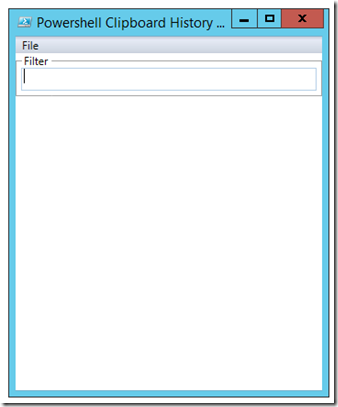
https://learn-powershell.net/2014/07/24/building-a-clipboard-history-viewer-using-powershell/

I saw a question a while back in the Technet PowerShell Forum asking how one might start to build a clipboard viewer using PowerShell that met a few requirements: Have an open window aside from the…

jagged compass
# jagged compass Later on, I discovered a method for creating clipboard history. You can refer to...
GitHub

GitHub repository for sysadmin related scripts . Contribute to chrisdee/Scripts development by creating an account on GitHub.

flat wraith
#

if you drill into the error you'll probably see not all of them are text

#

for example $result.Items.Content | % { '------'; $_.AvailableFormats} shows me

#

$error[0].Exception.InnerException.InnerExceptions | fl * -f to see the inner exception

jagged compass
# jagged compass There is someone who organized the content of this blog. (complete content) http...

I made some minor modifications to the above code and published it here.

https://github.com/CarsonSlovoka/powershell/blob/43bbc38241f69cdbe140536553a9220e03aea02c/src/keyboard/clipboard.psm1#L66-L331

(PowerShell 5 and 7 versions have been confirmed to be able to run.)

GitHub

powershell 相關腳本,提升您工作效率. Contribute to CarsonSlovoka/powershell development by creating an account on GitHub.

sly python
#

Hey @jagged compass just curious if you ever followed up with your Clipboard History tool effort?

#

I too used Boe Prox' code for the foundation of a Clipboard History Viewer for Win 7 and have altered it a bit for my specific preferences/uses.

#

Would be cool to explore more development of it, if you're interested. From what I've read, Boe Prox is not developing much for PS anymore. Though that may be an inaccurate assesment at this early juncture. Only just started to look into his current status.

jagged compass
#

Hi @sly python welcome you join powershell.

I still haven't [added the time](#1128137888681439243 message)
In addition, I made modifications:

Show-ClipboardHistory

  • Adjusted the script to a function (named Show-ClipboardHistory).
  • Added an interval parameter: how often to check the clipboard.
  • Left-click to copy.

Watch-ClipboardImage

Furthermore, I created a Watch-ClipboardImage.

This detects the content of the clipboard. If it finds an image,

it will directly save the image to the specified directory (it will use an md5 value to avoid saving duplicate images).

All of the above content can be found in my repository (although many comments are in Chinese😅

GitHub

powershell 相關腳本,提升您工作效率. Contribute to CarsonSlovoka/powershell development by creating an account on GitHub.

rigid rivet
rigid rivet
#

I tried making a couple of sources to reproduce it. Maybe the plural property exists if the inner error is a collection?
Or maybe I need to call PSCmdlet.* verses throw/write-error?

function ThrowIt { 
    throw ([Exception]::new('bad stuff'))
}
function Whir {  # write / throw error
    write-error 'pre-bad-stuff'
    $someE = [Exception]::('bad stuff')
    throw ([Exception]::new('Nesty', $someE))
}
function Erin { process { # [Er]ror [In]fo
   'Iter: ' | write-host -fore blue
   $_.Exception | % GetType | % Name | Join-String -sep ' '
} }
> $Error.clear()
> get-content ( get-item -ea 'continue' ( 'sdfds jfafes' ))
> $error.count # 2 
> $error | Erin
# Iter0: ParameterBindingValidationException, Iter1: ItemNotFoundException

> Whir
> $error | Erin
# Iter0: Exception,  Iter1: WriteErrorException
$error[0].Exception.InnerException # was usually null or blank, had no child that is plural
flat wraith
sly python
#

...
I have many ideas for this script but I'll go slowly; don't want to throw them all out and overwhelm.

jagged compass
#

The only thing missing now is how to include images in the list and be able to copy them.🤔

sly python
#

I wonder if a copy of the image can be made and sent to a TEMP folder until the application closes and deletes them. Then, the app could just list the name of the images and perhaps a shortcut to the image chosen

sly python
#

Very cool addition.

lavish crag
jagged compass
# sly python I wonder if a copy of the image can be made and sent to a TEMP folder until the ...

I have completed this requirement😀

  1. Added the ability to copy an image and see it in the listBox. git commit history
  2. Added the ability to save the image (can choose to save in the default path without needing to enter a filename each time, or can save via a dialog box) history
sly python
#

suhweet

sly python
#

I'm getting this strange behavior when I tweak the Get-Date code into my History Viewer instance.
(I changed the date format, set the Date to Vertical, so as to be above the Copy entry, and added Separators above and below the date)

#

As you can see, I end up with an extra, apparently empty row between the Copy entry rows.

#

My code for this section being:

            ```<GroupBox Header = "Filter"  Grid.Row = '2' Background = "White">
            <TextBox x:Name="InputBox" Height = "25" Grid.Row="2" />
        </GroupBox>
        <ScrollViewer VerticalScrollBarVisibility="Auto" HorizontalScrollBarVisibility="Auto"  
        Grid.Row="3" Height = "Auto">
            <ListBox x:Name="listbox" AlternationCount="2" ItemContainerStyle="{StaticResource AlternatingRowStyle}" 
            SelectionMode='Extended'>
            <ListBox.ItemTemplate>
                    <DataTemplate>
                        <StackPanel Orientation="Vertical">
            <Separator />
                            <TextBlock Text="{Binding Time}" />
            <Separator />
                            <TextBlock Text="{Binding Text}" />                                
                        </StackPanel>
                    </DataTemplate>
                </ListBox.ItemTemplate>
            <ListBox.Template>
                <ControlTemplate TargetType="ListBox">
                    <Border BorderBrush="{TemplateBinding BorderBrush}" BorderThickness="{TemplateBinding BorderBrush}">
                        <ItemsPresenter/>
                    </Border>
                </ControlTemplate>```
#

Not even certain that this is the section with the problem.

#

...
If you look closely at the picture on the right, you can see in the extra "empty" row, 2 small leading dots, these are to my understanding what <Separator /> ends up looking like if you add to a Horizontal line of items, as opposed to a solid line, like with Vertical.

#

You can see what I mean here, when adding <Separator /> to both the vertical drop down Menu between Clear & Exit, as well as the horizontal Menu Header, between Menu & Settings.

#

...
Even with <Separator /> omitted from the above code, I still get the extra empty row.

rigid rivet
# sly python My code for this section being: ```<GroupBox Header = "Filter" ...

Do you close the all of the tags in the full snippet? For html, that can cause things to unexpectedly render
Does that API throw errors if the XML doc doesn't match the schema? or does it silently coerce them ?

Even with <Separator /> omitted from the above code, I still get the extra empty row.

I think the <separator> elements are rendered as green arrows

I think you're asking about the blue arrows, That might be coming from the zebra stripes ItemContainerStyle="{StaticResource AlternatingRowStyle}
( or styles coming from something other than the separator elements )

If you have a link to the docs, I can take a look

sly python
#

I want the green arrow separators, it's the empty row I'm trying to omit

#

Yeah, I was thinking AlternatingRowStyle or something there of might be the problem. Messing with it now.

sly python
#

Never did find out what that extra row is about.

rigid rivet
sly python
#

Will take a look. Thanks.

sly python
#

Looked into this stuff and still can't get rid of that extra row
It's not that big of a deal right now. I'll revisit it another time.

#

...
What I would like to see added is a way to minimze and/or start the History Viewer script in the Notification Area/Systray. And is there a way to kill the process tree that is initiated when the script starts, once the History Viewer is exited?

#

The process tree, from my analysis being, powershell.exe/conhost.exe/cmd.exe

#

And while I'm thinking about it, is there a way, without turning this into a full blown executable program, to limit the number of instances of the Clipboard History Viewer, that can be opened?