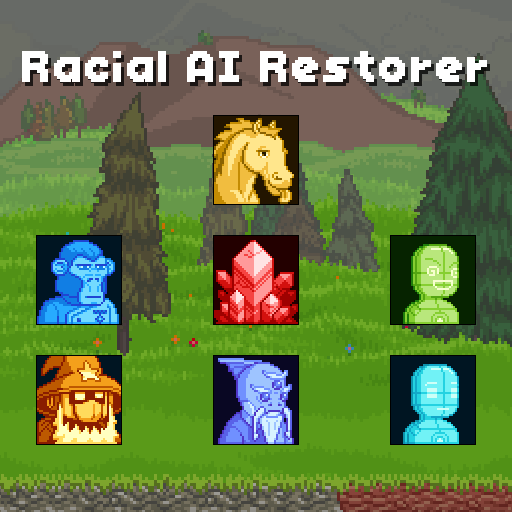
#Looking for Racial AI Restorer - Teleporter Edition
18 messages · Page 1 of 1 (latest)
 solemn shell
 clear frost
you can unpack the steam mod
 fallow oyster
solemn shell
So you may know of the Racial AI Restorer mod: https://steamcommunity.com/worksh...
fallow oyster
solemn shell
So you may know of the Racial AI Restorer mod: https://steamcommunity.com/worksh...
to expand on neb's answer:
1. subscribe to the mod on steam, wait for it to download (you may have to launch the game first).
2. right click on the game, select manage -> browse local files
3. open the workshop -> content -> 211820 -> 729801206
211820 is the game id for starbound
729801206 is the workshop UGC id of the mod, (at the end of the url)
5. copy the content.pak file
6. go back to your starbound folder -> go to the win32 folder
7. paste the file
8. click the location bar, type `cmd` and press enter
9. enter the command: `asset_unpacker.exe .\content.pak .\ai-restorer` into the command prompt and press enter, let it do it's thing
10. a new folder called `ai-restorer` should appear in the win32 folder containing the contain the files stored in the content.pak file


 solemn shell
clear frost
you can unpack the steam mod
solemn shell
clear frost
you can unpack the steam mod
I don’t know if that one has the alternate TP colors though. The one on Steam has the colors of the vanilla teleport, whereas I want the version with the teleport recolored to the Racial AI colors.
solemn shell
fallow oyster
to expand on neb's answer:
```md
1. subscribe to the mod on steam, wait for it t...
Suppose that information would be important to give you too:
Due to repeated requests, there's an alternate version of the mod that also changes the racial teleport colours to match the old AI colours here:
http://r.vorix.net/pub/aiRestorer_1.2_TpCol.zip
Link is broken
solemn shell
Any updates?
solemn shell
fallow oyster
to expand on neb's answer:
```md
1. subscribe to the mod on steam, wait for it t...
Just wanted to know if you saw what I said
fallow oyster
solemn shell
Just wanted to know if you saw what I said
i mean that still doesn't change much from my answer, which is mostly just a tutorial on how to unpack packed assets. I doubt that file still exists if the website doesn't have it anymore
looks like you might need to learn how to do it yourself. in that case. You should be able to change the in-world beam in and out animations by using a patch file to overwrite the effectDirectives property in the .species under that are located in the /species folder for the 7 main species and you'll likely have to recolor the individual beam animation (idk why they didn't just use the effect directive, don't question it, you'll just get a headache). they can be found under /cinematics/teleport
solemn shell
I…really have never made a mod in my life, nor even any art whatsoever.
fallow oyster
most of it is just recoloring so the artwork shouldn't too hard
solemn shell
All of this might as well be an alien language to me.
Worth mentioning I’m not a programmer either, and I’m neurodivergent so I’m already lost with this
fallow oyster
tbh i'd usually probably just do it as it's a fairly short project but i'm busy with other stuff rn so not happening
check #mod_dev maybe someone else can do it
 normal flower
use PAKit its really useful for unpacking .pak files