#linux-🐧
1 messages · Page 13 of 1
 flint laurel
 flint sundial
i really dont use liux, i tested mint and use the raspberry but beside that i know nothing, i would like to go full Linux if the games i play i could run em ( poe and apex right now)
 worn parcel
Poe runs fine on linux, apex doesnt and most likely wont be running in the forseeable future
flint laurel
There are a number of really intrusive anti-cheat systems that would prevent a game from running in Linux. Personally I wouldn't be playing those games on windows either because I don't want my system to be threatened by an unknown proprietary service running at the kernel level on my system. I just don't trust it.
Could I analyze such a service and figure out what it's doing? Probably. Is it worth the effort to do all that just so I can have peace of mind while playing a video game on the weekend? Probably not. Easier to just play a game that is openly not a virus.
Another thing to keep in mind is, even if these anti-cheat services are not innately malicious, they're still network enabled services which have kernel access. So what happens when there is a malicious piece of software that can take advantage of a vulnerability in that service? Even if the service itself is well-intentioned, you're opening a security hole on your machine for basically no reason.
 arctic pumice
If people here got "region blocked" in steam and using Lutris you can still play in steam by using "Add a Non-Steam Game" then find and tick "Lutris" after that set "Launch Option" lutris:rungame/path-of-exile
arctic pumice
It's really great tbh, specially if you have lower end pc. xD
arctic pumice
Really don't know xD i just downloaded have it on my flash install, tadaa. it even installs them drivers for you xD
 idle adder
just like cooking your own food is healthy, linux respect my decisions and my privacy 🙂
idle adder
read windows 10 terms of services.
 stiff pumice
....
THATS SO LONG
i remember once i installed kali linux on my laptop
i couldnt even download anything
idle adder
kali is not suited to desktop use
idle adder
ubuntu/mint/fedora are good distros for desktop use but linux is not windows and its not for everyone.
stiff pumice
maybe one day ill give mint a try
idle adder
just try, its free anyway...
flint laurel
@stiff pumice You can "hack" people with anything. My security teacher in college would use his phone to inject phonecalls into people's bluetooth so it looked like they were calling themselves.
There's also social engineering where you "hack" people with social interaction. Sometimes the easiest way to get a password is to just ask for it. And they'll give it to you because you're dressed like you're supposed to have it.
Kali is convenient for pentesters and security students because it comes with most things they need preinstalled. But you can get some of the tools even on windows.
Zenmap and wireshark come to mind. They run on windows too.
 echo tree
bump
idle adder
echo tree
bump
try proton experimental
 ebon ravine
People awekene trade. does it work well? the whole blank screen grabs me
flint laurel
@ebon ravine Are you running a compositor? It requires one for transparency so it can exist over the game.
I've also experienced very strange things with various trade macros on tiling window managers. Wm tries to tile the program but the program tries to overlay the game. Things get confused.
echo tree
is it safe to delete the pfx (proton) directory for path of exile to force a fresh remapping of wine or should one truly reinstall the game?
echo tree
idle adder
try proton experimental
so, it attempted to play the loadup GGG video twice but failed both times within 1 second.
echo tree
echo tree
is it safe to delete the pfx (proton) directory for path of exile to force a fre...
used this tactic for both 5.13-5 and experimental. Same issue either way.
Guess I'm "blocked" from using Vulkan engine.
 frosty acorn
anyone know how to implement a logout macro?
i was thinking of using ufw to block the server but i dont know the ip address or what port is being used
 pastel pulsar

Path of Exile
Path of Exile is a free online-only action RPG under development by Grinding Gear Games in New Zealand.
 craggy valve
Is there any specific proton setting I should be using?
and version?
I'm getting fps drops everytime a pack appears
I changed to vulkan, that's all I did
craggy valve
is this just shaders compiling? i haven't had the installation for more than a couple maps
flint laurel
Do you have precaching of shaders enabled in your steam settings?
@craggy valve
I've been using 5.13 personally since it released. There are somme fps drops when a new effect appears but then it is cached and won't cause a drop a second time.
To test this I would use a spell you haven't seen used before since switching, see if that spell effect causes a drop. Then after a few seconds use it again and there should be no more drop.
There is also a version of protonGE that has the dxvk async feature which can be enabled with a launch flag. This feature if enabled would cause the game to not wait for shader compilation. The downside is popin of effects would occur more often. This is not as relevant as it used to be with the particle-culling feature now being in the core game itself.
I'll also just note that harbringers still tank my fps super hard. But they're currently the only thing that cause such a drop for me. Everything else seems to be fine once cached.
arctic pumice
anyone here using overlays?
awakened poe doesnt work, well, shift+space work but the rest dont
flint laurel
@arctic pumice Do you have a compositor running?
arctic pumice
flint laurel
<@!629118965658157066> Do you have a compositor running?
I dont have 1 running i think.
flint laurel
Well you probably need one. It's required for awakened overlay.
arctic pumice
Where do i get it?
flint laurel
That depends. What distro are you on?
If you don't know you can open a terminal and uname -a
 full plover
Sorry but is using an overlay not considered to be cheating?
 cedar turret
full plover
Sorry but is using an overlay not considered to be cheating?
cedar turret
full plover
Sorry but is using an overlay not considered to be cheating?
As long as that "overlay" does not change/edit/inject it self in to game files no.
Reading Client.txt is 100% fine
craggy valve
I ended up switching to lutris standalone, performance is much better, but still get stutters
--nologo --noasync --nopreload -gc 2
anything else I should be doing?
craggy valve
yea somethins not right
the entire reef boss fight
sure it would have loaded after the first few secs?
echo tree
i see that load issue all the time
game freezes --> rubber banding me into mobs --> death and/or disconnect (always disconnects anyway).
cedar turret
craggy valve
sure it would have loaded after the first few secs?
if you have somewhat decent CPU remove those: --noasync --nopreload
craggy valve
i removed the lutris version again and tried proton experimental
it fixed everything
cedar turret
Vulkan(like you said befre) > Proton Experimental > Steam Shader Precompile
craggy valve
comparable to windows performance for me now
arctic pumice
feels bad i cant use proton, damn region block
worn parcel
whats this region block all about ?
 quasi lily
poe not avai on steam for some region, even though its free. (like mine, vietnam)
arctic pumice
Yeah, imagine being a linux user and having poe locked on some region,
Tbh it makes me quite mad
flint laurel
You don't need to play a game through steam to use proton. You can add non-steam games to steam. Make a script that launches path with proton. Then add that script to the library.
@arctic pumice
arctic pumice
flint laurel
You don't need to play a game through steam to use proton. You can add non-steam...
Wait i don't know that 1, tell me x I've tried launching lutris through steam, didnt help that much.
echo tree
@arctic pumice I know it'd be a bad workaround, but you could use protonvpn
arctic pumice
echo tree
<@!629118965658157066> I know it'd be a bad workaround, but you could use proton...
tried that 1, i can't login or create an account on steam.
registering new account can't get through captcha
login cant get through password. lool its weird
flint laurel
wut... why would you launch lutris through steam? That doesn't make much sense.
There is likely a lutris script that uses proton to run the game so you can have a look at that. Otherwise you can install proton itself from the releases page on valve's github.
https://github.com/ValveSoftware/Proton/

GitHub
Compatibility tool for Steam Play based on Wine and additional components - ValveSoftware/Proton
 terse cedar
guys i'm on manjaro, what version do i install?
steam proton, steam w/DXVK or Standalone w/DXVK
on windows i used to play through the normal launcher, not on steam
cedar turret
terse cedar
guys i'm on manjaro, what version do i install?
easiest way is Steam Proton Experimental
and Proton Experimental is the best from what i gather here
terse cedar
yeah i just installed the standalone version
gonna test it out in a bit
i just don't get it since i just installed linux today, do these versions influence game performance?
cedar turret
The translation layer does
PoE does not have Native Linux client so you need 2 put it in some kind of a wraper
Proton for example
But thanks 2 PoE's Vulkan support the overhead should be marginal
cedar turret
Lutris is just a "GUI" for automatically setting up wrappers
if i am not mistaken
and yeah dont forget 2 select Vulkan in PoE ofc
@terse cedar #linux-🐧 message
¯_(ツ)_/¯
terse cedar
cedar turret
and yeah dont forget 2 select Vulkan in PoE ofc
ok :D
uh
now i'm sad
i'll see how it performs
if it doesn't perform well
i'll try proton too
:D
terse cedar
cedar turret
Vulkan(like you said befre) > Proton Experimental > Steam Shader Precompile
ok know
seems like lutris won't work for me
won't even open the game
do i try proton?
arctic pumice
Feels bad only having 120gb ssd xX
idle adder
terse cedar
Yeah i'm just gonna install windows on another partition and dual boot xD
just for poe?
steam is mostly click and play lol
terse cedar
for poe and league xD
terse cedar
ok ty xD
full plover
I had LOL working in Ubuntu once but it was buggy and performance was terrible
 mild urchin
league on debian runs better than windows for me lol
client is buggy tho but its jank garbage on windows too
 clever scaffold
@stiff pumice no
stiff pumice
Fgh
 knotty cedar
mild urchin
league on debian runs better than windows for me lol
knotty cedar
mild urchin
league on debian runs better than windows for me lol
I literally just came in to coment this. I went from 10FPS with dymanic resolution anytime I jumped into Valdo's Harbi pack, now on Arch I'm at stable-ish 35-50 range with higher graphical setting and NO dyn resolution.
 wooden forge
anyone got trade companion working?
GitHub
Enhance your trading experience in Path of Exile. Highly customizable. - lemasato/POE-Trades-Companion
flint laurel
Suddenly my game isn't launching today. Any ideas?
Arch Linux, Steam, Proton experimental.
flint laurel
Updated my system and rebooted. Now it is working. Was probably looking for a library version that wasn't there.
 still latch
Quick question to all you linux users, has anyone found a linux option for poe lurker or some other equivalent program?
cedar turret
still latch
Quick question to all you linux users, has anyone found a linux option for poe l...

GitHub
A trade macro overlay for the game Path of Exile. Contribute to zmilla93/SlimTrade development by creating an account on GitHub.
still latch
thanks, will look into it.
well that was wonderful. loaded it up. Crashed the whole computer.
cedar turret
well i use just fine on Windows
still latch
I'm not asking about windows. I'm asking about linux
cedar turret
Well java so i assumed it would work
flint laurel
Java is cross platform. That's true. Windows and Linux have different cpu scheduling among other things. They may handle certain specific cycles differently enough to cause a crash on one and not on the other. Generally something in Java (like minecraft) would need to be simultaneously optimized for both systems.
On another note, I've heard that awakened runs on both systems fine assuming you have a compositor running. Windows 10 has one built in. In Linux, some distros have one preinstalled. In the case you don't, you should be able to get picom from your repos and run that.
still latch
Good to know. I'm running the latest version of linux mint, as far as I can tell it has built in compositing. I'm using Awakened POE Trade as well. But I'm looking for a macro system to handle incoming trades. When I was running windows I found that POE lurker did it best. Just trying to find something similar to that. I assume by looking at it that Slimtrade is similar but I couldn't get it running properly.
cedar turret
still latch
Good to know. I'm running the latest version of linux mint, as far as I can te...
GitHub
Enhance your trading experience in Path of Exile. Highly customizable. - lemasato/POE-Trades-Companion
still latch
Yes! That's the one.
still latch
Welp. I give up. tried to install it. Can't find an AHK port for linux. I know others have got this running in linux. It's beyond me.
 iron charm
AHK is rather Windows-specific. It's unlikely to ever run properly outside that platform
still latch
Yeah I figured that, however, others have gotten POE Trades Companion running on linux, I don't quite understand how
 elfin tree
Why can't you just run ahk with wine?
 hexed pivot
Mostly the (un)availability of certain kernel calls
The wine implementations of those calls under the hood can vary based on your DE, so they get neglected maintenance-wise because they’re rarely actually used outside AHK
elfin tree
You only have to replace the ahk layer though, right? I can't Imagine that there isn't a linux alternative for that, so all you have to do is to translate the stuff you enter into ahk to that software
Or is my thinking completly wrong here?
flint laurel
You would want something that opens a popup over the game when pressing a hotkey which can read the game's txt. This would be the same text that gets copied when you mouseover an item and press ctrl+c.
There are already plenty of hotkey daemons and ways of reading text or the clipboard itself in linux. The tricky part is getting the popup to function properly on certain systems. Each DE or otherwise window manager only system would potentially have a different compositor running and they may all handle calls differently.
In my personal case I haven't been running any macro for trading because I'm using i3 (a tiling window manager) along with picom compositor.
I would suspect that i3 attempts to draw the popup as a separate window beside the game rather than a popup over the game which causes problems (the game window becoming permanently blacked out until restarting the game for example). I'd also suspect that awakened was made with full DEs in mind which utilize floating window managers by default as this is what most people use on their system.
Could I install another DE and switch to that in a different tty just for when I play poe? Sure, I could do that. But I find it easier to manually use the trade site than to constantly switch between ttys and get used to using another environment as I use my system.
@elfin tree
Perhaps an easy but slightly less convenient to use way of doing things may be to have a daemon running which watches clipboard activity for in-game items based on what the format looks like. You could then ctrl+c a bunch of items and then see a list of their prices/details in another window or workspace. This would allow you to just ignore the popup trickery completely but requires another window. Would clearly be a much better idea for people with multiple monitors rather than people with just one.
elfin tree
flint laurel
Perhaps an easy but slightly less convenient to use way of doing things may be t...
That sounds like something I would use. I already have the trade site open on my other monitor, so something like that would give way more information than just a small window
elfin tree
From reading for about two minutes, you can trigger any python script with this so the answer is most likely yes
It says there are issues if your distro defaults to wayland instead of xorg though, so it's prohably not for every usecase
quasi lily
I tried make ahk work on arch, kde, xorg. It does run the trade companion and get the trade whisper few times but its easily got crashed, icons are not visible. The ahk itself run ok, the problem is about the reference link between script and icon/image, so most of the case it fallback into the default. not nice exp to me so I decided to drop using it. The tried was on last league.
flint laurel
If I make something it would run in a terminal. No worries about xorg or wayland. It would use neither.
stiff pumice
still latch
Quick question to all you linux users, has anyone found a linux option for poe l...
i've been using this for 2 months. only problem on KDE if your desktop compositor gets turned off by a program
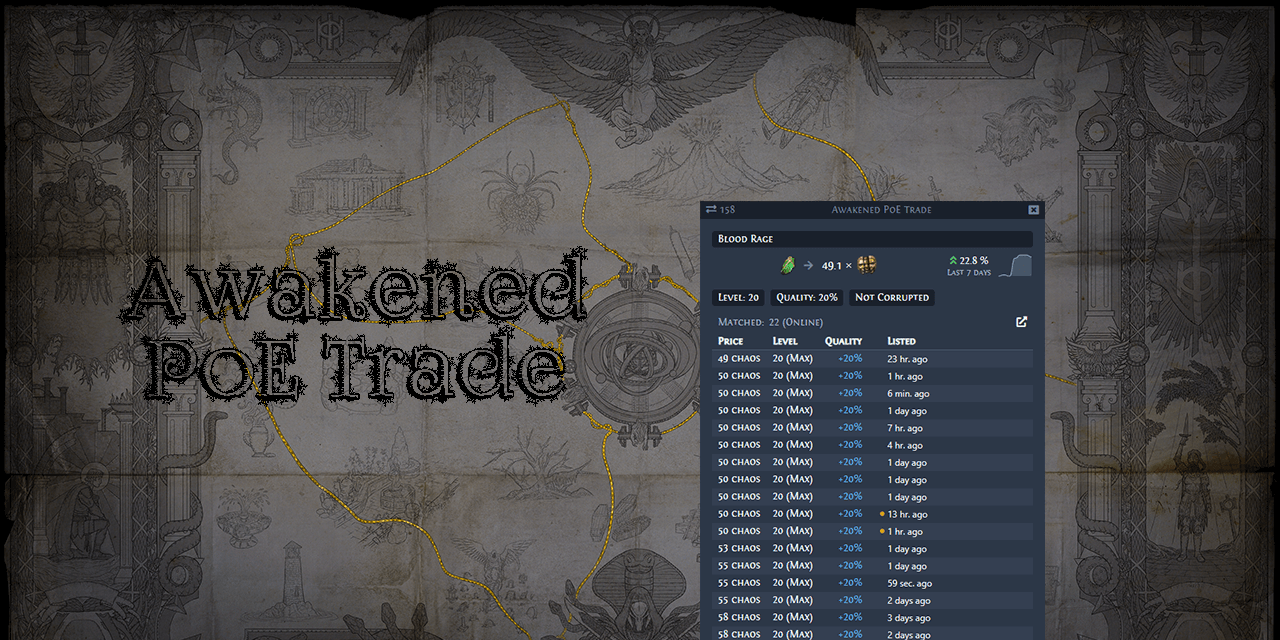
h the game screen will be black (trade utility draws a transparent overlay ontop of the game window and when compositor stops transparency effects gets disabled, so alt+shift+F12 to re-enable then relaunch the trade companion) https://github.com/SnosMe/awakened-poe-trade
GitHub
:heavy_dollar_sign: :hammer: Path of Exile trading app for price checking - SnosMe/awakened-poe-trade
flint laurel
Yes I've said in here many times that it requires a compositor. If the compositor dying is a problem you could easily enable a script as a service which would re-enable the compositor when it dies.
still latch
I have been using awakened POE Trade for a while now and have no issues with the compositor, it works perfectly. Mind you, this program is nothing like poe lurker.
 exotic hearth
guys i am having a problem with my pob ressolution, can you guys help me real quick, i use lutris to run pob
 mild urchin
looks normal?
still latch
yeah, looks normal to me, just use the scroll wheel to zoom in and out on the passive tree screen.
 wide cipher
do we have a logout macro for linux ?
pastel pulsar
wide cipher
do we have a logout macro for linux ?
Path of Exile
Path of Exile is a free online-only action RPG under development by Grinding Gear Games in New Zealand.
exotic hearth
still latch
yeah, looks normal to me, just use the scroll wheel to zoom in and out on the ...
it dont scroll, the window just cuts the bottom part
still latch
I'm by no means a fluent in linux as a recent windows convert myself, so you have probably already done this. Have you tried messing with you panel settings and display resolution? Could it be a leftover setting from relocating your main bar to the top and sides?
 grizzled garnet
 foggy sparrow
Hello. Earlier I decided to install POE on ubuntu but I feel stuck. I can't find the .msi installer of poe, so I downloaded a exe to msi converted and successfully installed it on a windows virtual environment but I can't open it x)
mild urchin
can u use steam versiojn
wide cipher
hello, anyone used sched_fifo on steam linux ?
just wondering should it be only adding these flags after %command% in steam settings for the game ?
any time game needs to spawn in enemies it sows down to a slideshow 😦 and when it has spawned what it needs it resumes to normal flawless operation
 floral spade
Hey guys 🙂 Did you tried playing poe on linux on: http://www.play.geforcenow.com/ ? I'm playing on windows on geforce now and I wonder if this will work on linux too. On android it works 🙂
iron charm
I mean, at that point you aren't really "playing on Linux", you're playing on gfn and viewing it on linux
pastel pulsar
wide cipher
any time game needs to spawn in enemies it sows down to a slideshow 😦 and when ...
Are you using proton experimental? Several reports of vast improvement after switching to it.
wide cipher
I'm using ge-proton 🤔
hexed pivot
Yeah I’ve heard good things about the most recent (non GE) proton
wide cipher
I'll have to try that, thanks :)
 shadow pawn
I can't get the game to start
It worked fine last night with 6.1 GE-2
ah, got it
had to switch linux runtime soldier to previous release
wide cipher
@pastel pulsar damn, i can add my report to smooth mapping with proton experimental, this is like night and day compared to 6.1 ge D:
wide cipher
i could do delirium rituals with smooth 60fps now!, before if i got inside ritual circle it froze down to a slideshow until i guess it finished figuring out the area
foggy sparrow
I got a "D3D11CreateDevice : Invalid Parameter" error help
elfin tree
I'd just use vulkan
foggy sparrow
elfin tree
I'd just use vulkan
how the f. do I use vulkan pls
foggy sparrow
elfin tree
I'd just use vulkan
Can I use Vulkan with Intel GPU?
cedar turret
foggy sparrow
Can I use Vulkan with Intel GPU?
Yes, the newer ones have vulkan support
foggy sparrow
cedar turret
Yes, the newer ones have vulkan support
Thanks, it works, I'm so happy
cedar turret
dont expect much in terms of performance tho
 sonic lodge
lategame is unplayable on my system in linux through steam proton. my windows dual boot plays it fine though.
once the screen gets busy on linux, the game chugs at less than 1 frame per second
and when the screen is busy is exactly when you need all those frames
mild urchin
have u tried proton experimental
elfin tree
foggy sparrow
how the f. do I use vulkan pls
in case you still need to know, it's in the options of poe
flint sundial
someone have a guide or something on how to make it work? im totally new in linux but i wanna try a dualboot and test poe
mild urchin
install on steam use experimental proton or the g.e proton whatever it is
shadow pawn
Proton GE generally gets the best performance in my experience
elfin tree
proton experimental was the best recently
idk about the last 3 weeks or so, but for the rest of ritual league it worked best
wide cipher
proton ge is behind steams experimental proton as they wait for some patches they want to include i think, need to try the just released version 
 steep linden
Just did a valdo rest Harby with Delerium on pop!_os and proton experimental ^^ On avg lower max fps but damn is it stable, almost more stable then windows when it comes to dips. Just a few more pushes and the avg fps is also there! Really cool stuff
Does any have a good way to monitor GPU usage and clock speed? mangohud does not seems to work for me
steep linden
Found this to work on AMD "watch cat /sys/kernel/debug/dri/0/amdgpu_pm_info"
steep linden
Been looking into getting poe running on wayland instead of xorg but running into a error on vulkan client, DX11 starts fine on wayland (Running pop!_os 20.04 LTS)

In wayland it gives this error every time after it runs VK_GOOGLE_hlsl_functionality1
In xorg it passes it fine
idle adder
steep linden
Been looking into getting poe running on wayland instead of xorg but running int...
this is a mesa bug
 steep linden
https://www.phoronix.com/scan.php?page=news_item&px=AMDVLK-2020.Q2.6-Driver
found this mention of poe ^^ I was running on RADV and not AMDVLK, which I actually just now tested! and it works
Using Lutris I set the VLK driver to be AMDVLK
 steep linden
Do you think that RADV has better performance then AMDVLK? What I gather is that I can get it working on RADV as well?
I am running Mesa 21.0.0
 idle adder
i never compared them but people prefer RADV
steep linden
Yeah, a friend of mine had some issues with AMDVLK
I just want freesync to work as that is the last push for me to keep using windows atm
steep linden
Pointing to RADV also fixes it ^^
 steep linden
idle adder
can you post something in gitlab issue?
steep linden
idle adder
can you post something in gitlab issue?
I'm not experienced enough to do it I think ^^ only just started testing out linux yesterday
steep linden
ahh just poke the old issue post? ^^
steep linden
idle adder
just "problem still present with mesa 21 on wayland" or something like that
made a comment and small explanation of this workaround on wayland ^^
 rocky marsh
If you use linux I want to kiss you
quasi lily
FYI I just went back playing on linux, look like the recent proton ge does improve a lot. Valdo rest with delirium is about 20fps to me, and normal is just 50-60 fps. Very decent
steep linden
@quasi lily Not tested the GE proton, have you tested it against the current new proton 16.3 or new proton experimental?
steep linden
Tried GE proton but had much lower frames then current proton experimental, might be that I had set it up wrong?
steep linden
https://flightlessmango.com/games/15975/logs/1578
If anybody is interested in some Ashen wood harby fight fps logs ^^ Runs super smooth and I would say a little better then my windows install
One run was with beyond but all others pretty stock alc and go maps
One thing I feel is weird is that dynamic res seems to hold my fps at 30 and not at 60 which is how I have it set.
still latch
In the last couple days since I've been able to play, steam did an update. Now my games plays with no sound. It sees my sound device but it's greyed out. Anyone else having any sound issues?
steep linden
@still latch Sounds weird, can you see the proper devices in settings? and does other native applications work?
still latch
Yes, I can see the default sound device "Pulseaudio" in the drop down list, but it's greyed out. Other native and non-native applications use the sound device properly. When I go into the device options itself and then attempt to play POE, it even shows up as a request to allow POE to play sounds using this device.
steep linden
If you use lutris to launch the game you can reset pulse audio before the game starts, does this help?
still latch
I'm just launching directly from the desktop, using steam. And up until this latest update it has been working flawlessly.
flint laurel
@still latch What distro are you using? I see that you've said poe is the only thing giving you this problem. Have you tried checking any sort of logs? Either game logs or proton logs.
Maybe you could also try switching to proton experimental.
still latch
The latest version of Linux Mint. I've checked all the logs I could find, maybe you could point me towards other logs?. Saw no issues. It's running on proton experimental, previously and still. However, i have tried other versions of proton since this happened just to see if that would make a difference.
still latch
Got it working... Decided to give it a full reinstall.
flint laurel
It's always the most simple solution lol
I've seen sometimes switching between proton versions on a game can cause problems like that. Didn't think of it until now.
steep linden
Seeing good performance increase from latest patch ^^ up from 170 fps to 200 fps in town! Cool stuff
(running pop!_os 20.10 steam client on proton experimental)
 fickle current
Is there some kind of pinned post or something on the current "status" of POE on Linux and perhaps instructions on how to get it working etc? (sorry if this is asked a lot and I missed something)
 sharp maple
fickle current
Is there some kind of pinned post or something on the current "status" of POE on...
sharp maple
fickle current
Is there some kind of pinned post or something on the current "status" of POE on...
PoE reddit sidebar has two links, this is the one tagged as "newer": https://www.reddit.com/r/pathofexile/comments/9x47or/guide_getting_path_of_exiledx11_to_run_smoothly/
If you already happen to have Steam and don't mind using it, that is the fastest way to get it working in my opinion. You might need to grab a different Proton version (usually Glorious Eggroll's (GE) stuff), but Valve's Proton Experimental provided the best performance for many people in 3.13
reddit
134 votes and 116 comments so far on Reddit
 edgy sierra
That's the gist of it. Install on steam with Proton Exerpimental, select vulkan.
fickle current
edgy sierra
That's the gist of it. Install on steam with Proton Exerpimental, select vulkan.
Rock on, thank you.
stiff pumice
some time ago i was able to run PoE with Vulkan renderer, then i uninstalled it, few minor system updates later i reinstalled PoE and i am no longer able to run it with Vulkan renderer, i am getting an error: vk create physical device: Feature not present
running Fedora 33
DirectX 11 renderer causes very noticeable stutters
stiff pumice
i would appreciate any tps on how to find the cause
sharp maple
stiff pumice
some time ago i was able to run PoE with Vulkan renderer, then i uninstalled it,...
Do you have any other GPUs? I think it might be trying to initialize on the wrong one. You can guide PoE to use the proper one with VK_ICD_FILENAMES="<path to the proper .json file>" %command%, where <path to the proper .json file> is something like /etc/vulkan/icd.d/nvidia_icd.json or /usr/share/vulkan/icd.d/radeon_icd.x86_64.json, depending on your distro and GPU
Edit: forgot to mention, those launch options are for Steam, but the basic principle should be similar for standalone
stiff pumice
sharp maple
Do you have any other GPUs? I think it might be trying to initialize on the wron...
interestingly enough the directory exists but is empty, this must be some weird distro upgrade...
i am only using Intel's integrated GPU and it is new enough to support Vulkan...
the /etc one is empty, the /usr/share contains multiple
nice, it works!
stiff pumice
well, this is even worse, even the UI flickers
sharp maple
stiff pumice
well, this is even worse, even the UI flickers
Try turning off vsync
And/or a different proton version
stiff pumice
i tried playing around with just about all graphics settings, it was the same, i am not using Proton
hexed pivot
would certainly recommend proton
it removes a lot of the headache
there are lots of guides out there for using it stand-alone without steam
mild urchin
u r using wine? you pretty much need to use a version optimized for games
its a night and day difference
probably several years worth of patch differences
stiff pumice
The protondb version runs great so far for me
edgy sierra
Night-ripper you might want to double check you've got the most recent mesa (your vulkan driver) version available on fedora. I will also re-emphasize that proton-experimental with the steam client has been the closest to native performance for many people, including people who previously swore by proton-ge, lutris with dxvk-async, or other
custom proton/wine builds or other workarounds. Proton-experimental has been that good.
steep linden
https://flightlessmango.com/games/15975/logs/1630
If people are interested in some benchmark numbers ^^
Saw a post on reddit talking about disabling SMT for improved minimum frame rates but did not have a impact on my game.
Disabling SMT reduced average frames and worsen or made no improvement to minimum frames.
To make these I use flightless mango hud and lutris ^^
 dire eagle
Hi guys! Are there any current recommendations for improving performance at the moment? I am using Steam Proton.
KERNEL: 5.4.0-70-generic
CPU: Intel Core i7-3770 @ 3.40GHz
GPU: NVIDIA GeForce GTX 1060 3GB
GPU DRIVER: NVIDIA 460.39
RAM: 16 GB```I am using Vulkan. And I'm not very happy with the image. It seems that the FPS is kept at the level of 100+. But the picture quality used to be better!
edgy sierra
You would have to be a bit more specific on what you mean about picture quality. Vulkan is Vulkan, so there's nothing linux specific to really impact things there. It should all just be in the game settings.
sharp maple
Agree with dkamerad, you'd need to be a bit more specific. However, here are a few things you can check:
- Proton Experimental seems to be better for a lot of people this league, I'd definitely try that if you're using the default.
- In the Graphics tab of the Options menu, check the Advanced Settings section on the bottom. If dynamic resolution is enabled and is set higher than your FPS cap, that can cause a huge loss in image quality.
- Having VSync enabled with Vulkan used to cause some flickering and strange graphical artifacts, but I haven't seen them in some time, so I think they're fixed.
- Using Lockstep networking mode might cause stutters, but I wouldn't say that it affects the picture quality
dire eagle
Thanks for answers!
I played yesterday and realized that the quality is normal and corresponds to my hardware. I just haven't played for a long time and my expectations were higher. Moreover, I was influenced by the gameplay videos of other players. Maybe even a video of the second part of the game! 🙂
I set all settings to maximum and my fps is kept at the level of 50-90. Today I will experiment with dynamic resolution. I have not touched these options.
In any case, I am grateful to all the dudes, thanks to whom we have the opportunity to play the games, simply by installing it in the Steam!
steep linden
@dire eagle dynamic res is a saviour ^^ keeps the game from completely chunking due to GPU bottleneck, but I have a sneaking suspicion that the CPU is bottlenecking in high intensity situations
 hybrid holly
is there a guide for standalone client i can refer? im switching to Pop OS with xanmod kernel.. thanks guys..
sharp maple
hybrid holly
is there a guide for standalone client i can refer? im switching to Pop OS with ...
It was updated last May so it might be outdated:
https://www.reddit.com/r/pathofexile/comments/9x47or/guide_getting_path_of_exiledx11_to_run_smoothly/
reddit
136 votes and 116 comments so far on Reddit
 steep linden
@hybrid holly I use lutris and steam version and it's working great ^^ Proton is a life saver
flint laurel
I've done some testing between playing either modded skyrim or poe. Skyrim definitely seems to use the gpu a lot more than poe. Poe definitely wants to use the cpu more.
flint laurel
hybrid holly
thanks.. try to install custom dxvk on wine but not comes with the files needed
I'd still recommend proton because that comes with these things done for you. But if for some reason you're attached to using wine, you can get all those files from winetricks.
mild urchin
skyrim is on a much older graphics api too
steep linden
@flint laurel just got a upgrade from a 1700 to a 3700X, I know get a steady >100 fps in valdo harby packs and got about 100% increase in fps in HO
This is from a pure CPU change, so yes poe is extremelly cpu bound ^^
flint laurel
Yeah so I'm hoping with poe2, it's going to still perform well on older systems despite the improvement in quality because they can actually start offloading some work to the gpu. That might sound like you'll need a better gpu, but really it just means the game might be capable of using 1 gig of vram which isn't much.
I'm using 1.8 gigs right now but that's with the game, steam, discord, firefox on a youtube video, alacrity terminal, and two qutebrowser windows. All three browser windows and alacrity have hardware acceleration enabled.
Skyrim on the other hand uses more than 2.5 gigs by itself almost maxing out my 3gig card. And that's with several optimization mods along with artistic overhaul for low-res textures.
hybrid holly
@flint laurel @steep linden is it working on standalone one? steam get me georestricted 😦
flint laurel
Haven't played standalone for a long time.
But it should be possible to use proton without steam.
hybrid holly
cool thanks
flint laurel
Do you have any game at all that can run from steam? Because you can just borrow it's proton prefix for path.
hybrid holly
i have one will try hopefully it will bypass..
 rich yoke
I updated PoB yesterday and now I can't start it with wine, anybody else having this problem?
steep linden
@hybrid holly as steam worked great for me I did not look into running standalone, I never heard about poe being geolocked, where do you live?
 paper urchin
rich yoke
I updated PoB yesterday and now I can't start it with wine, anybody else having ...
paper urchin
rich yoke
I updated PoB yesterday and now I can't start it with wine, anybody else having ...
What distro? I've had good luck with the aur package
iron charm
steep linden
<@337549639903608832> as steam worked great for me I did not look into running s...
the game itself isn't geolocked, but it's not offered through steam in all regions
mild urchin
paper urchin
What distro? I've had good luck with the aur package
u need an older version of the graphics library, ihad this same issu
need to prevent pob from updating it
edgy sierra
I think the SimpleGraphic.dll problem shooould be fixed. I updated to the 3.14 tree the other day and things worked fine. Did you do any other system updates? There was a Wine release where wine broke wine start Program.exe, which is the format Wine creates shortcuts in. A workaround was to change it to wine64 start Program.exe.
rich yoke
paper urchin
What distro? I've had good luck with the aur package
Kubuntu, but no problems, it worked again after a system reboot.
 feral grotto
I would just install it manually with lutris and then you can try different wine/proton versions and see if that fixes it
 heady violet
hey folks, im pretty new to linux and wanted to see if can get poe running my my laptop since im not at home rn
i tried to install any of the steam versions via lutris, however i always got the an error saying "invalid wine prefix path...", never happened for any game before and i got no idea how to fix it
rn im trying to install poe via steam directly with proton exterimental and atleast its downloading the game.
any advice you could give me, maybe even how i fix my problem with lutris?
if i get poe up and running, i would be happy, if i just learn something im fine too 😉
 copper quiver
Nowadays, you can just run PoE through steam directly. As regards settings, you could try running in vulkan since it could potentially give better performance.
 languid fulcrum
hey, just chipping in while waiting in the queue: does anyone know any price-check tools that work on Linux? I've used Awakened Poe Trade in the last league i played (Harvest), however it doesn't seem to get updated anymore and has weird rendering issues with transparency
anything simple will go, maybe theres a small cli tool or something? :)
steep linden
@languid fulcrum there is the awakened poe trade fork out there that is updated ^^ Might have fixed issues for linux
languid fulcrum
@steep linden thanks, i'll look into it and report back
steep linden

GitHub
An overlay application for Path of Exile(Tracking, Trading, Chat, etc) - Morph21/MercuryTrade-Community-Fork
It was mercury trade fork ^^
languid fulcrum
or is there actually any comfortable way which doesn't require a 3rd party tool? I'm open for anything, just not manually typing things in the trade form...
steep linden
@languid fulcrum I have personally moved away from trade macros ^^
flint laurel
languid fulcrum
or is there actually any comfortable way which doesn't require a 3rd party tool?...
The only way that doesn't require third party tools or using the form would be to obtain skill at pricing things yourself.
Honestly if you play for long enough using the form, you'll start to remember things.
languid fulcrum
@flint laurel that's the goal, i'm just not there yet with my poe skills to price it on my own :)
does the trade site allow parsing of copied item strings? as the copy functionality has already been implemented in the game, it would seem like an obvious step from GGG
and would mostly remove any need for a 3rd party tool too
flint laurel
@languid fulcrum I'm not sure if it would allow for that. My guess would be no.
You likely wouldn't want to be searching for every mod on every item anyway. Price will scale with specificity to the point where it may be unrealistic to sell the item at all.
Nobody wants a random item with stun and block recovery, fire damage, phys damage, reflect 2 points of damage, and reduced attribute requirements.
heady violet
are there any tricks to squeeze out more performance for a potato laptop on linux?
for example like editing production_config.ini on windows (which i cant seem to find on my linux)
steep linden
@heady violet if you run over wine, production_config.ini is located inside the "fake" windows enviroment it creates
Are you running steam?
Also no super big performance increases but I did find that I had a little higher avg fps in linux if not the same
heady violet
still using the steam proton experimental version yes
also i noticed that indoor areas are just ultra dark, like if you would have no light radius at all
global illumination kinda gives a bit more lighting but as im trying to improve performance by tuning everything down its kinda contra productive
this seems to be vulkan related, since it doesnt happen when i switch to dx11
flint laurel
I'm on vulkan and don't experience this issue. Check things that would affect brightness. Monitor settings. Gpu health. Drivers.
 frail basin
Did anyone here manage to run PoE in Fedora?
 native zephyr
I am running it on kubuntu throught steam on Glorious Eggroll proton and its running better than windows minus network issues
edgy sierra
There's not really a whole lot of distro specific stuff to running PoE these days. You basically install your native steam client, install proton-experimental via steam, then install PoE in steam using proton-experimental. If you're on a distro that uses the open source Nouveau drivers, you'll want to install the NVIDIA proprietary drivers.
If you encounter issues, then start trying other stuff, but otherwise that's the starting point.
frail basin
edgy sierra
There's not really a whole lot of distro specific stuff to running PoE these day...
I'll give it a shot, thank you 
 verbal isle
Whats the standard / "approved" macro tool to use on linux for poe? Equivalent to AHK
 sonic hare
idk about anything "approved" but you can get autokey on linux, which is similar to ahk
 limpid oak
Wondering if anyone has any advice on getting this going on my laptop (GPU is an nvidia Quadro M1000M). I have no problem running this on my desktop at home, but when I try and launch on my laptop it gives me a black screen, no audio, but I can move the mouse around.
I tried running it using gamemode to see if that helped and it didn't do anything
I'm wondering if it will be playable even on the lowest settings if I can get it running.
Added detail: I'm running it through proton experimental. I can run the game with the integrated graphics card, but as soon as I use Mate Optimus to swap into nvidia mode it starts doing this. I wonder if it's trying to sue the wrong graphics card.
limpid oak
If I disable hybrid mode entirely and only use discrete it will load...
edgy sierra
I'm not really sure what NVIDIA mode entails, but in general you want the game to just use the discrete graphics card (discrete in this case meaning dedicated).
limpid oak
Right. If I go into the bios and tell it to only use the discrete card the game will load, but if I put it in hybrid it won't (unless I use optimus to put it in integrated mode).
I suspect that when it's set to hybrid (or auto) that it is trying to load the game on the integrated card, even though the discrete card is active, so nothing displays.
I tried using the --adapter launch command with 0 and 1 to see if I could force it to open correctly, but that didn't work.
 ebon prism
@edgy sierra Thanks for that set of steps finally got PoE installed through steam and got it working. Though you don't need to download proton, just enable steam play under settings for all games. I just used Ubuntu for mine
edgy sierra
I have had intermittent problems with the "Steam play for all titles" feature where changing a specific proton version for one game will "unset" steam play for all titles and steam will immediately start uninstalling them.
It's possible Valve fixed that at some point but I've understandably (I think) not touched that setting for a while.
ebon prism
Ah, I had tried to find a current guide for proton but it's wouldn't compile so I just went to the settings plus POE is the only game I'm interested running for now. You might be able to set something in the launcher for each game though I'd have to figure that part out
 white bronze
Hey all. I played a lot of poe this last years but my computer TBH its really bad (AMD R7 360 GPU - A10 5800K CPU). I have seen some comments on Reddit saying that poe works better on linux than on Win10, and wanted to ask about your experiences with it. Does it really works better?
edgy sierra
No, it's not going to squeeze any more performance out of ancient hardware.
white bronze
Welp, worth a shot. Thanks for the answer.
ebon prism
The other issue you are linkely to run into on Linux will be using current releases of Linux distro's as well
stiff pumice
can i ask here a question about windows in general ? not related to PoE.
(there's no channel for windows)
 mellow elm
steep linden
mellow elm
steep linden
@white bronze You could probably see a drop in background usage which might be able to push you a little higher ^^ Worth a shot, I used Pop_OS and lutrix to play PoE through Proton on Steam
 fresh wasp
well, after a long while I've decided to try poe on linux again (DXVK standalone was unplayable) switched to vulkan and it gives me better performance than on windows.
(using lutris DXVK standalone on pop_os)
 hardy surge
Any advice to fix terrible stuttering on linux? Using steam proton, fedora 33, with an nvidia 3080. FPS is good, but the moment a group of monsters comes into view, the game hitches and stutters terribly
edgy sierra
Using proton-experimental or just the latest proton? Proton-experimental fixes hitches and stutters for me and others. Also make sure you're using the Vulkan renderer.
hardy surge
was using latest, I'll try experimental. And yeah, I'm using vulkan
steep linden
@fresh wasp my experience as well ^^ Pop_OS is really nice, get game mode https://github.com/FeralInteractive/gamemode it can be set as a option in Lutris when you launch a game

GitHub
Optimise Linux system performance on demand. Contribute to FeralInteractive/gamemode development by creating an account on GitHub.
fresh wasp
ah yes I forgot to mention I used gamemode
ebon prism
Any of you think that if we used two or three different base Distro's for Linux me might get an official release? I'm think like Debian, Arch, SUSE, and RedHat.
iron charm
@ebon prism If who used them for what?
ebon prism
It's if the players used them so that the developer could have a common bare Linux OS release to look at for packages.
I've always thought that part of the issue is that because Linux is so customize able that it make the Dev's have issue developing for it.
iron charm
Not really. The difficult parts of distributing software for Linux are largely outside of packaging.
Besides, there really aren't that many distributions that would be relevant. Debian/Ubuntu covers most users. Arch users get to figure things out for themselves, Red Hat is too far behind to bother with, and basically nobody uses SuSE outside Germany
mild urchin
windows has the same issue
but windows has massive companies that are paid to keep compatibility up
ebon prism
Thanks I was just looking to see what other people thought. When using the stand alone client I really can't think of a reason that I even have to use wine to install other than that it's packaged for Windows. I also can't really think of any tools that are needed to run it either after Vulkan support came out, so it's kind of annoying that we still have to go throught the hops to get it going is all.
mild urchin
vulkan is the least of our problems
i think compatibility layers end up being the most practical solution
we'll be more likely to see flawless emulation before native releases become a good option
ebon prism
Okay thanks
 abstract sedge
How is everyone's performance during Ultimatum events? I'm getting a lot stuttering when the mobs spawn initially and it takes a while to whittle them down to get acceptable fps...During normal mapping performance is pretty smooth though, around 100fps.
Have tried both Vulkan renderer and DXVK with async, --waitforpreload helps but makes initial loading quite a bit longer. DXVK is actually a bit smoother and higher fps.
I've noticed Win10 users are complaining a lot about it too, so just wanted to see if it's something in my Linux setup or it's this league mechanic/performance.
edgy sierra
I don't get any stutters, just a big old dynamic resolution blur during ultimatums . I would say average FPS seems down for me vs Ritual even outside ultimatums. Steam/Vulkan/Proton-experimental.
abstract sedge
ok so it seems it's possible to have a smooth Ultimatum encounter. I have to just keep trying to figure out why on my setup it's a stutterfest
i'll try STeam's client and vulkan and report back
Vulkan on standalone without --waitforpreload results in much lower average idle fps, and textures sometimes are missing. But it's possible there's fewer really low dips resulting in major stuttering. it's hard to say
 odd fjord
If you aren't using proton experimental, try that
ebon prism
Anyone know if you can make the Steam client text larger. I'm running Ubuntu 20.04.02 on kernel 5.4 with amdgpu-pro 21.10?
ebon prism
never mind I found the settings for that.
abstract sedge
So reporting back on my findings - Steam with Proton and Vulkan without anything extra like --waitforpreload (except lower settings and disabling ambient and music sounds) is much much better. It's no longer a stutter fest! I can finish Ultimatum events and get that fat loot. Dynamic res kicks in already at 60fps so sometimes it indeed gets blurry and pixelated but actually not all the time.
I think it must be Valve's Vulkan Fossilize and the way they deal with those shaders. I don't really see anything else affecting Path of Exile's weird performance issues so much compared to standalone + a recent Wine with fsync. Obviously, in the world of Linux and Wine, there could be many other variables, but I havent' read about any major regressions in wine-staging with POE.
anyways, I recommend everyone to try out Proton experimental with Vulkan if they have performance issues on standalone
edgy sierra
It's probably related to the file system changes in the steam client, something in Wine is probably chugging a bit with memory-mapped IO with the large Content.ggpk file. It would definitely explain my more stable FPS with the steam client rather than standalone on the same game/proton version
abstract sedge
interesting, could be. I remember Valve making some changes regarding the filesystem. Updating used to be a major pain on Steam, but they fixed that.
How do you get Proton experimental fro the standalone client? Lutris? maybe TkG? I thought proton outside of steam was no longer recommended/feasible. not sure where i read that.
edgy sierra
I've written up a shell script to plug in the relevant environment variables then run the game with proton.
export SteamGameId=238960
export STEAM_COMPAT_DATA_PATH=~/.local/share/Steam/steamapps/compatdata/238960/

cd /your/poe/path/here/

~/.local/share/Steam/steamapps/common/Proton\ -\ Experimental/proton run ./PathOfExile_x64.exe```

Note if the EXE needs patched it'll fail to launch, so you gotta run it with regular wine if there's a patch, but it is useful for quick tests between steam/standalone.ah ok i see
i just remembered where i read it
"Proton wine builds (-tkg, -GE, official or others) are not suited for use outside of Steam, even if the option is provided by some third party tools. Doing so can break the whole way they are designed to work and thus is NOT recommended."

GitHub
WARNING: These were built on Archlinux with mostlyportable-GCC/MinGW-w64 against glibc 2.33.
If your distribution ships with older glibc you might run into issues such as nothing actually runs. In ...
but it doesn't really explain why
I remember lutris moving away from it too, not sure if thats' true
in any case, there's usually no issue using the sTeam client to get Proton
unless you're sharing yoru Steam library with your sister and can't get any gametime 😉
edgy sierra
Generally speaking it's not that much worse than say, adding a non steam game to steam, and running it through proton. I actually need to start some games via shell script (Eg. Conan Exiles). Going through proton run still hooks into Steam and sets up the pressure-vessel container and all the jazz.
I think Tkg's disclaimer is more about trying to turn it back into a standard Wine release, which would probably break things.
steep linden
@abstract sedge I have a sneaking suspicion that a long standing problem with Windows is the lead cause of texture streaming/stuttering in poe. ISLC a program used to alleviate stutters in games on linux due to standby memory management issues. It says "It may help users who have stutters in games when using windows 10 Creator update and higher version of windows.". This standby memory issue is more pronounced when you are running in fullscreen which the recent security patch that increased problems with texture streaming mentioned also mentioned.
I have used ISLC for a long time now first to prevent stuttering and recently some in the community said it helps with texture streaming issues as well.
But never heard that Linux has this issue and so the current texture streaming problems does not seem to be present. Even if it feels like running through Wine should increase texture streaming/shader issues.
 normal trench
I've found that Proton experimental, and Vulkan are the biggest factors on my machine (rx 580, ryzen 3600, 16gb ram.) Running in windowed also seemed to help a lot but I need to do some more testing on windowed vs borderless windowed. Previously Ultimatum would stutter for 2-4 seconds every 20-30 seconds and now it's hard to keep track of the amount because its milliseconds worth and very rare.
ebon prism
Is there a way to get Path of Building or a similar tool working in LInux without Wine running?
@normal trench I've been having issues for my RX 470 running in Linux outside of mining when running headless, how are you installing your drivers. I'm assuming your using Ubuntu or some other Debian distro?
cedar turret
ebon prism
Is there a way to get Path of Building or a similar tool working in LInux withou...
ebon prism
cedar turret
https://pob.party/
thanks for the help. I just used wine to run pob community fork. I wanted the ability to import my characters and the web versions don't let me do that.
abstract sedge
ebon prism
thanks for the help. I just used wine to run pob community fork. I wanted the ...
AUR has POB community under the name 'path-of-building-community-git', but you have to compile it again everytime it's updated.
I just use Wine. Why do you not want to use Wine, out of curiosity?
ebon prism
It's nearly an additional GB of storage space for a 40MB app
abstract sedge
good point, but you could use an existing wine prefix so the damage isn't so big
ebon prism
I did just type wine first since I'm using steam for PoE and wasn't installed in a fashion that I know how to use. I did just install wive since I think I'll use it for something else at some point.
My biggest issue now though is getting my RX 470 4GB to work correctly under Linux. I've followed the instructions for installation provided by AMD but it seems to fail I don't know if it's because I'm adding support for opencl for legacy support. I'm currently using one of my old GTX 1060 3GB card but it seem 's to be lacking VRAM at this point for rendering, even on 800x600, though I find that hard to believe . It's playable but is a stutter-fest though not so bad that I'm dying outside the ultimatium before the third or fourth offer
edgy sierra
Unless there's something you really need from official AMD driver package like OpenCL it's usually recommended to use the FOSS kernel driver (is enabled by default) and install Mesa for vulkan/opengl drivers.
ebon prism
OpenCL is about it, I've been learning how to do the programming for it waiting for AMLogic to release the SDK with OpenCL support for the VIM 3 board I've got
I've not tried the MESA OpenCL support though I'll have to check to see if that works. I know it doesn't on the ARM chips Mali GPU's but might be different for x86_64 systems
iron charm
waiting for support from amlogic? don't hold your breath
wait, no, I'm thinking of anlogic, lol
ebon prism
yeah I'm not. The NPU is supposed to support OpenCL but without the tools for it in the SDK it's pretty useless for me sure I could use tensorflow, Caffe, etc ... I just don't want to.
ebon prism
CLinfo is show the RX 470 using the mesa OpenCL driver
Now just need to look for a bit to see if I can get the hdmi output going. It's not a necessity for gaming but would be nice for watching movies and what not though
stiff pumice
What is PoE like for Linux I plan on switch to Manjaro tomorrow
ebon prism
It runs really well through steam and proton experimental. I believe it's proton 6.3 that works just as well imo
I'd install wine as well for the extras like pob, and what not
edgy sierra
Seconded, with proton-experimental and the steam PoE client, it runs really close to native. Use the steam native client, skip lutris or other stuff, just go through steam.
 sudden ginkgo
there is trade/whisper manager like trade companion ?
still latch
Agreed, PoE runs well through steam with proton experimental. Wine for all the other programs like POB, etc.
Gaming on linux has come a long way with many, many people getting away from windows lately.
 vivid badge
I have better perfomance on linux, on windows my fps was all over the place.
normal trench
the only thing missing is native support for overlays honestly
had to fiddle with some settings for awakened poe trade (compositor settings for the poe window for reference)
 tired nymph
still latch
Agreed, PoE runs well through steam with proton experimental. Wine for all the ...
tired nymph
still latch
Agreed, PoE runs well through steam with proton experimental. Wine for all the ...
No need to use wine for PoB
An offline build planner for Path of Exile using PoBFrontend, LocalIdentity's fork
Awakened PoE also runs fine with Linux
no clue about other programs
white bronze
Sometimes my game freezes on the gears at launch, is this something I can fix?
Here is my log if someone can help me.
edgy sierra
Does it still crash if you add --nologo to the launch options?
white bronze
Its already on the launch options.
It freezes on the loading gears, not the video ones.
 rough flint
Two quick questions:
a) When using the steam client discord streaming cant find the application window. It works with the standalone. Anybody had this?
b) Using awakened poe-trade: It doesnt actually save settings. Im just running the appimage, which works fine, but upon closing the macro it will lose all setting changes
flint laurel
Thousands of dollars spent on my steam account and I can't get in.
 steep linden
@flint laurel well the account is still there according to discord ^^ Just need to fix the bug
flint laurel
@steep linden Yeah it started working after restarting steam five times. Really strange.
 safe ravine
Can't open the game anymore after the recent patch?
 solemn ravine
Same. Ran flawlessly for 30~ hours and broke with this patch. Just gets a blackscreen now.
safe ravine
All I get is a cursor
solemn ravine
Yeah. on top of the black screen x)
safe ravine
Tried Proton GE no luck hmm
vivid badge
it doesn't work here as well
solemn ravine
I have windows as dual boot but I'd rather not
safe ravine
Apparently this patch broke the game for some people so
¯_(ツ)_/¯
Including people on older Windows
vivid badge
must be something that the mouse cursors are using now 🤔
 lyric dust
Anyone having issues after patch? I just get a black screen now.
 hallow python
anyone's game actually working after last patch?
lyric dust
Thanks, just saw some comments about this on reddit.
hallow python
Mine also is stuck on black screen, AMD card on latest free drivers
lyric dust
Seems to have broken for anyone who isn't a W10 user.
Not sure if that's good or bad for our future.
safe ravine
There are some windows users who are having issues afaik
solemn ravine
mostly win 7 and 8 users from what I saw
hallow python
hm the game runs whenever the cursor is not focused on the game
hallow python
cant believe they broke the game for cursor packs, im glad I didnt spend on it yesterday. decided to wait a stash offer
 fading topaz
aww man. Here I was thinking something broke on my system 😭
hallow python
yep being on linux makes you question your sanity sometimes, but this time, the fault is on GGG
safe ravine
I reinstalled PoE and rebooted thinking it was me
fading topaz
lol ya this is forcing me to do the ~90 updates I've been putting off
safe ravine
i can't update because apparently the new kernel breaks my login 👀
fading topaz
O.o sure it's the kernel? That doesn't sound right
hallow python
if he has an AMD card, the graphics driver parts in kernel (amdgpu, DRM etc) changes and may break login
hallow python
no idea then, I've no experience with nvidia recently. Did you check dkms modules?
safe ravine
I'm pretty new to Arch Linux so I probably didn't explore all options
I don't think I did
hallow python
I remember there was usually two types of nvidia drivers. One that matches the kernel and another that builds for a range of kernel versions.
fading topaz
which Nvidia drivers are you using?
safe ravine
465.27-2 atm
safe ravine
DKMS, 2070 Super
fading topaz
any reason you're using DKMS?
hallow python
by login you mean graphical session manager? I'd disable session manager and get X logs
safe ravine
fading topaz
any reason you're using DKMS?
Honestly, not sure at the moment. I'm only a week and a half into the linux experience right now 😌
fading topaz
are you using the regular kernel?
safe ravine
There would be no keyboard input when I'm at login, that was the issue
fading topaz
there isn't much reason to use dkms unless you have a use-case for it
safe ravine
I confirmed I have DKMS installed, whether or not I'm using it for something specific is unsure atm. I don't think I have anything that specifically depends on it
Still learning the ropes
fading topaz
so you don't have the regular nvidia package installed?
safe ravine
I do
fading topaz
and you also have nvidia-dkms?
safe ravine
no 👀
solemn ravine
Popos comes with default drivers :D it just ran out of the box
safe ravine
5.11.16 atm
fading topaz
do pacman -Q linux too
hallow python
so it stops working if it updates to 5.12.x right?
safe ravine
System boots fine, I just get no keyboard response when prompted to log in
fading topaz
does the caps lock light turn on when pressed?
safe ravine
It would not no
fading topaz
I assume USB keyboard
safe ravine
Correct
fading topaz
got a PS/2 adapter? :p
hallow python
is it bluetooth/wireless?
safe ravine
unfortunately no i don't have an adapter
hallow python
you're logging in to text terminal or a graphical login (gnome's gdm, or similar) ?
safe ravine
Terminal
hallow python
then also forget about nvidia issues, I wrongly assumed a stuck graphical login
safe ravine
A hunch I had was nouveau issue since no keys were registering but the capslock thing told me otherwise
hallow python
you shouldn't be using noveau at all with a recent card
safe ravine
Wasn't sure if nouveau was in use prior to getting into the system
Nvidia driver kicks in once I log in and startx
hallow python
I'd check arch wiki to be sure but I'm 99% sure you dont want any nouveau stuff installed if you're using nvidia drivers
safe ravine
Yeah I looked later when I got back in, that nouveau should be blacklisted
fading topaz
nouveau comes with Mesa. When you install the nvidia package, it automatically sets that to be used with X11
safe ravine
I checked and it was
fading topaz
are you reaching a graphical login screen?
hallow python
@fading topaz also xf86-video-nouveau - which is separate from mesa
safe ravine
Nope, terminal
hallow python
no he's keyboardless on a regular terminal login
safe ravine
Don't have anything like that set up yet
can you imagine how terrifying that is? I'm at a terminal, but I can't scream
😢
hallow python
how did you rollback, btw? livecd+chroot?
safe ravine
yup
fading topaz
anything come up in the logs?
hallow python
so you already know well enough for a beginner xD
safe ravine
I'm getting there :) Have a friend who helped me, he's been in Arch for over a year or two now
I'd have to go and replicate the issue to check logs again, little too lazy atm
My system works now, so that's what's important to me
hallow python
yeah, you can sudo journalctl -b N where N is the boot number and can be negative, like -1, -2 etc
so you can go back in logs if they're still there
safe ravine
Right, I remember trying to do that
fading topaz
ya unless you have a restrictive log policy, you should be able to retrieve them
safe ravine
Can I list dates and times on the boot logs?
fading topaz
you may also want to try passing it a -k to only get kernel errors
hallow python
you certainly can, dont remember the exact parameters for journalctl though
gotta go, hope you solve your kernel upgrade issue. if not, go to LTS to be able to upgrade the rest of system properly. or simply blacklist upgrades for kernel and kernel headers in pacman conf
safe ravine
take care, thanks for your patience :)
I was planning on blacklisting updates for the kernel
fading topaz
you may want to switch to an LTS kernel. Blacklisting updates like that could cause problems down the road
safe ravine
That's an issue I considered yeah
hallow python
most I get from kernel updates are usually GPU driver enhancements and fixes for my AMD gpu. On a NVIDIA card you're likely better with the most stable kernel anyway
safe ravine
the more I learn the better a decision I'll be able to make
Still trying to grasp how all of these things can come together, it's mind boggling at times
been on Arch since may first
I am pretty pleased
hallow python
good news - GGG just fixed the client
safe ravine
changing the cursor freezes my game 
lyric dust
Is there any way to actually change the cursor size on linux?
ebon prism
What's the preference for the windowing manager X11 or Wayland under Ubuntu?
@lyric dusthttps://vitux.com/how-to-change-cursor-size-on-ubuntu-desktop/#:~:text=Change%20Cursor%20size%20on%20Ubuntu%20Through%20the%20GUI&text=Select%20the%20Universal%20Access%20tab,change%20to%20your%20desired%20setting.

When we move to a new house, we set it up according to our needs. The same is the case when moving to a new desktop environment. Visibility and ease of use is a great concern for any user when
edgy sierra
I use wayland, in my day to day experience it is more stable than X11 and also when a game misbehaves (freezes while grabbing input or other similar issues) it's easier to kill the offending game process in wayland. When things go off the deep end in X11 my usual recourse was terminating the session.
However, I do need to use mailbox vsync with export MESA_VK_WSI_PRESENT_MODE=mailbox and enable vsync in poe, as PoE hitched a lot for me without it
But I use arch, so as always try things out and see what performs better on your hardware
 digital quarry
!atlas
 upper acornBOT
Here's a video guide to the Atlas: https://youtu.be/_rR0Ffk72sQ
A written version of the guide is typed up in the video description!

Check out my stream in the link below!
It's finally here - the complete beginner guide to the Echoes of the Atlas! Let me know what you think, and if this helped you progress your way through the end game and take on Maven Herself!
Sirus Guide:
https://www.youtube.com/watch?v=7Ak_Wq41iz0
Uncharted Realms Rundown:
https://www.youtube.com/watch...
 strange lichen
my friend is saying to always download packages instead of installers (im brand new to linux)
is this true? how do i dowbload poe then?
fading topaz
IMO easiest way to use poe on Linux is through Steam
else, you can try using Lutris
many linux distributions have packages in their stores to install these already
strange lichen
i prefer standalone client unfortunately
yeah i was told about some app store
just wasnt sure if everything was there
fading topaz
Lutris is just a launcher that makes it easier to run games on Linux, particularly ones through Wine
strange lichen
i see
fading topaz
which distro are you using?
strange lichen
havent installed yet as im not home
so i should avoid dowbload links and look for it in the package store instead?
fading topaz
correct. With Linux it's generally preferred to install through the package store
that allows you to keep everything consistent, so you install and remove things all from the same place
strange lichen
i understand thank you :)
strange lichen
@fading topaz i am using pop os now
mild urchin
package managers = installers, linux has standardized this much better than windows
strange lichen
can any1 help with me non poe linux stuff?
fading topaz
what kind of stuff?
 lucid reef
What kind of stuff
 iron charm
some say he's still looking for help
edgy sierra
Existentially, maybe... we're all looking for help?
flint laurel
Sometimes I need help. But then I don't.
still latch
Anyone else experiencing a stutter every one second? I haven't played in weeks because this makes the game unplayable. Every time an update either through POE or steam is done I find myself unable to play.
cedar turret
still latch
Anyone else experiencing a stutter every one second? I haven't played in weeks ...
Try Proton Experimental
still latch
cedar turret
Try Proton Experimental
It's been oln proton experimental the whole time.
 still latch
Cache folder has always been on SSD, but now cleared. Stutter still exists.
Every time I open the program I get a message that it's updating, and I have to remove and reinstall the game after not playing for a few days just to get it to open.
edgy sierra
Is your steam library on an NTFS drive?
still latch
No. EXT4.
edgy sierra
Try clearing the compatdata folder for PoE. Will be located at ~/.steam/steam/steamapps/compatdata/238960/ by default. I would just rename the folder for now so as not to lose any settings.
It'll be automatically recreated when you try to launch again.
Err re-reading this, are you using the Steam PoE client or launching the standalone client via Steam adding it as a Non-Steam game?
still latch
Ok, I removed and re-installed the game yet again. game installed from steam, launching a steam game, stutter still happens. I'm playing on lowest settings, i7-10700k, GTX3060. 16GB ram, linux mint 20.1. Hardware shouldn't be an issue. This ran perfect until about 5 weeks ago. Then I haven't been able to play since. Everytime I open the game there is a new update, playability only get worse.
by stutter I mean, The first half of every second is a completely frozen game, the 2nd half of each second is the game running at 2x speed to catch up. Repeat this effect every second.
cedar turret
still latch
by stutter I mean, The first half of every second is a completely frozen game,...
Thats sounds like internet problem
steep linden
Yeah if enemies also speed up then it's a internet problem, or do you also see fps drops accompaning the speedups?
still latch
cedar turret
Thats sounds like internet problem
Internet is GB fiber connection. Says it's working fine on speedtest.net.
cedar turret
lol
do a mtr to the server you are connecting to
you can find the IP in Client log
edgy sierra
Test by switching from lockstep to predictive under UI.
Could also try a different gateway, but KnoT & Sjatar are right. The freeze->superspeed is definitely a network problem.
cedar turret
@still latch can you provide MTR ?
still latch
MTR?
cedar turret

What is the Mtr command? Mtr(my traceroute) is a command line network diagnostic tool that provides the functionality of both the ping and traceroute commands. It is a simple and cross-platform tool that prints information about the entire route that
cedar turret
not just tracert we need result over multiple packets at least 100
mtr -c 100 InstanceIP
Path of Exile
Path of Exile is a free online-only action RPG under development by Grinding Gear Games in New Zealand.
still latch
Had to do this on a windows machine on my network, as it wouldn't let me copy anything out of terminal. This shows the same as what was coming up in terminal
|------------------------------------------------------------------------------------------|
| WinMTR statistics |
| Host - % | Sent | Recv | Best | Avrg | Wrst | Last |
|---|---|---|---|---|---|---|
| router.asus.com - 0 | 197 | 197 | 0 | 0 | 0 | 0 |
| xxx.xxx.xxx.xxx - 1 | 193 | 192 | 7 | 9 | 20 | 8 |
| rc3so-be106-1.cg.shawcable.net - 1 | 193 | 192 | 0 | 11 | 56 | 9 |
| 24.244.57.102 - 1 | 193 | 192 | 0 | 11 | 55 | 10 |
| 24.244.60.113 - 1 | 193 | 192 | 0 | 12 | 55 | 10 |
| rc3so-be214.cg.shawcable.net - 1 | 193 | 192 | 0 | 11 | 55 | 10 |
| rc1wt-be82.wa.shawcable.net - 1 | 193 | 192 | 0 | 33 | 57 | 31 |
| ae12.bbr01.wb01.sea02.networklayer.com - 1 | 193 | 192 | 0 | 32 | 57 | 36 |
| ae5.cbs02.wb01.sea02.networklayer.com - 1 | 193 | 192 | 31 | 33 | 44 | 35 |
| ae0.cbs01.eq01.sjc02.networklayer.com - 33 | 86 | 58 | 0 | 51 | 91 | 50 |
| e3.11.6132.ip4.static.sl-reverse.com - 1 | 193 | 192 | 0 | 51 | 86 | 49 |
| po2.fcr02a.sjc03.networklayer.com - 1 | 193 | 192 | 48 | 50 | 59 | 52 |
| ba.8c.2ca9.ip4.static.sl-reverse.com - 1 | 193 | 192 | 47 | 48 | 57 | 52 |
| __ | __ | __ | __ | __ | __ | __ |
33% packet loss at one node.
That would do it, but apparently there is nothing I can do to fix it as it's a point well into the chain between my house and the server.
iron charm
That looks fine, actually. Given that all the routers beyond that one are working fine, most likely scenario is that router is just dropping some pings and passing other traffic through normally
 dry kestrel
Can't seem to find the filter folder on linux.. could someone tell me?
steep linden
@dry kestrel if you use steam it's burrows pretty deep into a wine win folder system ^^ cannot fully remember the path but should be able to find it if you click browse local files in steam
dry kestrel
ty I already found it, it's complex tho :S
steep linden
Yeah, can use online filters as well which simplifies stuff a lot ^^
dry kestrel
didn't think about that, should've done that 😄
flint laurel
@dry kestrel
Been using online filters but I was curious about this anyway.
Would it be in here?
$HOME/.local/share/Steam/steamapps/compatdata/238960/pfx/drive_c/users/steamuser/My Documents/My Games/Path of Exile
I have OnlineFilters/ there but don't see one for offline.
dry kestrel
flint laurel
<@!120635929722355713>
Been using online filters but I was curious about this a...
Hard to explain I extracted the filterblade.zip to downloads, and copied those files into wine (there is the path on the bottom to the linux system folders -> and then navigated back to PoE wine folder to paste the filters there
flint laurel
When you say wine, do you mean proton? In the path I showed, 238960 would effectively be the wine prefix.
dry kestrel
comes with this path if I open the "show folder" using steam +proton for poe C:\users\steamuser\My Documents\My Games\Path of Exile
stiff pumice
still latch
Anyone else experiencing a stutter every one second? I haven't played in weeks ...
I got stuttering a couple times so far, once was when my ping was unstable, another time was when I went a long time without restarting my computer. Seems like Gnome lags unless you restart it every couple weeks, rip. Other than that, idk
ebon prism
 fossil fable
my windows hard drive is dead. i wanted to know how we install poe on linux?
fossil fable
my windows hard drive is dead. i wanted to know how we install poe on linux?
Easiest way is to use the steam client and install PoE through their
hexed pivot
fossil fable
@here
here doesn’t work in this server, but you shouldn’t at-here in a server of >50k people. Doesn’t it warn you that you’re attempting to ping loads of people?
But yes, use steam with proton, as far as I know the current default of proton beta gives the best performance
ebon prism
Well we all have the option to mute the channel too, it only broadcasts to those that actually listen to this channel, just saying
hexed pivot
well, @here has been removed for everyone that isn't staff or a moderator, so it really doesn't ever ping anyone, but it's the principle y'know
it gives you a warning saying "whoa there you're about to send 50k pings" and people are like "yeah cool sounds good to me"
edgy sierra
Yup. I don't like it but that's how it is.
steep linden
Yeah no going around it
Anybody done comparative benchmarks of Poe and Linux with the new graphs? Would be interesting to see if CPU or GPU has lower overhead on either setups ^^
ebon prism
Test with SAM/ Resize-able Bar would be interesting
steep linden
@ebon prism I tested it on linux and found no performance increase ^^ It needs driver specific support I guess to have any performance effect
 surreal wharf
still latch
Ok, I removed and re-installed the game yet again. game installed from steam, ...
surreal wharf
still latch
Ok, I removed and re-installed the game yet again. game installed from steam, ...
i tested with medium settings and it will be better
just dont use lowest settings
ebon prism
steep linden
<@!428707851222122497> I tested it on linux and found no performance increase ^^...
The open source drivers support it
Meaning Mesa 21
steep linden
Yeah I know but there was no performance benefits from what I tested ^^
 sharp wraith
Hey, just got the game working through proton on latest pop-os with latest drivers on gnome shell. The only buggy thing is that, when running in borderless windowed, my 2 screens seem to swap positions? left moves to the right of the right one? anyone seen this behavior before? I also have fractional scaling that seems to break and return to 100% when tabbed into the game, but that's less of an issue.
fresh wasp
Hi, could use some help over here. I installed poe on steam (beta) and tried using proton experimental and proton 6.3-5 and both dont allow the game to start (press start, nothing happens, game stops) any common issues with this?
fresh wasp
got it to work with proton 5.0-10, weird but hey, atleast it works
edgy sierra
Failing to start is usually either a WINE prefix problem or a Steam Library being on an NTFS drive problem. You can try backing up ~/.steam/steam/steamapps/compatdata/238960/ (if your Library is in your /home folder) and letting steam recreate it.
It is worth doing a bit of work to get Proton-Experimental working, as the performance is much smoother.
ebon prism
I'm hoping this is coming down the pike even for us SBC users: https://blogs.nvidia.com/blog/2021/07/19/geforce-rtx-arm-gdc/

The Official NVIDIA Blog
A pair of new demos running GeForce RTX technologies on the Arm platform unveiled by NVIDIA today show how advanced graphics can be extended to a broader, more power-efficient set of devices. The two demos, shown at this week’s Game Developers Conference, included Wolfenstein: Youngblood from Bethesda Softworks and MachineGames, as well as The B...
 wind perch
ebon prism
I'm hoping this is coming down the pike even for us SBC users: https://blogs.nv...
wind perch
ebon prism
I'm hoping this is coming down the pike even for us SBC users: https://blogs.nv...
ooh thats cool. too bad a lot of pcie devices are a bit unstable on the raspi 4
ebon prism
Yeah, it doesn't have enough bar space, the chip used is way different than the rpi4
And rockchip screwed up their pcie controller again for discrete gpus
wind perch
darn
safe ravine
PoB Community update yet?
ebon prism
@safe ravine generally not until after league start, and they've got lots to change this time
safe ravine
I mean the PoB update is out already, I'm wondering about the AUR
ebon prism
Oh. I'm not sure o just broke down and installed wine then pob
 deft sandal
I've updated pobfrontend to be compatible with latest changes of pob community fork. Enjoy! https://github.com/bernhardfritz/pobfrontend

GitHub
Cross-platform Path of Building driver. Contribute to bernhardfritz/pobfrontend development by creating an account on GitHub.
 brittle gulch
This game works in Linux? wtf?
ebon prism
Yes it does, very well, if you use steam to get it running
 brisk mountain
no need for steam. Lutris provides good modded wine builds.
ebon prism
Imo little sucks, never got it working well
edgy sierra
The different file system the steam PoE client uses provides a significant performance improvement on my system over the stand alone PoE client with wine/proton. It is absolutely worth trying if you experience any stuttering.
feral grotto
I also use the steam version and have pretty much no issues since they introduced vulkan
steep linden
I did some benchmarks and with proton experimental ~3 months ago I match or was even above windows performance ^^ veyr impressive
elfin tree
which proton version is the best for poe right now? do you still go proton experimental?
feral grotto
Can't say I never changed it and I think default is experimental
elfin tree
I know it was 2 leagues ago but I have not played since
steep linden
elfin tree
which proton version is the best for poe right now? do you still go proton exper...
I have always found that experimental is better, though if you find that you are crashing or other problems going to a stable older version could fix it ^^ No harm in being on experimental though
ebon prism
The only good part about stand alone is that you can get the torrent
I also switched over from windows to Linux because I was having so many issues play on it with vulkan and DirectX
edgy sierra
Some of experimental's changes have made their way to 6.3-5 now, but I still have been using experimental. I don't think versions older than 6.3-5 have any of the experimental sauce though.
ebon prism
I'm very interested to know if it work on the steam deck but that's just a waiting game for now.
abstract sedge
I've had great success with standalone custom wine-staging (TkG's), and now we also have the possibility to get AMD's FSR on POE:
https://wccftech.com/amd-fsr-can-be-applied-to-all-vulkan-games-via-protons-fshack/
I got a whoppnig 20fps+ going from 1440p to 1080p. UI a bit blurrier, but with increased sharpening, it's acceptable to me. I recommend it.
It used to be standalone was quite stuttery compared to Proton and Steam (i think it has to do with Valve's handling of Vulkan shaders and Fossilize, but I'm not sure), but now with 6.13 wine-staging-tkg with fshack and some other bells and whistles, it's smooth.

AMD FSR can now be applied to all Vulkan games (with a few exceptions) when playing on Linux via Proton's fullscreen hack.
rich yoke
Hey guys, any useful tools for calculating dps on weapons ingame that works well under linux?
cedar turret
rich yoke
Hey guys, any useful tools for calculating dps on weapons ingame that works well...
rich yoke
cedar turret
https://discord.com/channels/174993814845521922/723615403531698206/8678511964416...
isn't that just pob native? I'm looking for a overlay that shows weapon dps etc when I ctrl+c an item ingame
rich yoke
okay! I saw https://github.com/Morph21/MercuryTrade-Community-Fork that looks cool, but doesn't have weapon dps as far as I can tell

GitHub
An overlay application for Path of Exile(Tracking, Trading, Chat, etc) - GitHub - Morph21/MercuryTrade-Community-Fork: An overlay application for Path of Exile(Tracking, Trading, Chat, etc)
cedar turret
One thing you could use http://dps.citizenofwraeclast.xyz/
Online tool to calculate the DPS of a weapon in Path of Exile
Not in game
but its something
rich yoke
yes, I found a similar site, should work okay, thants!
cedar turret
You could use this: https://github.com/SnosMe/awakened-poe-trade
GitHub
:heavy_dollar_sign: :hammer: Path of Exile trading app for price checking - GitHub - SnosMe/awakened-poe-trade: Path of Exile trading app for price checking
There is a Linux download so I would asumme it works there
rich yoke
I'll look into it!
limpid oak
Anyone else having trouble getting item filters working (on steam)
It gives me an error saying that it failed to open the file (if I save them to my PoE account). If I stick the files in the OnlineFilters folder itself then they don't even show up in game
edgy sierra
Whoops, I misread.
I'm obligated to ask if the game installed on a NTFS drive.
Proton kind of relies on features the NTFS drivers don't really have full support for. https://github.com/ValveSoftware/Proton/wiki/Using-a-NTFS-disk-with-Linux-and-Windows

GitHub
Compatibility tool for Steam Play based on Wine and additional components - Using a NTFS disk with Linux and Windows · ValveSoftware/Proton Wiki
ebon prism
Just do it right and have two partitons for windows and then one for Linux or better yet just use a second drive
steep linden
ebon prism
I'm very interested to know if it work on the steam deck but that's just a waiti...
I have played poe with a steam controller and their controller interface ^^ it does work really well with certain builds
I think the CPU is to weak for poe though, the ram/disk setup looks decent though, it would be a gamble to get it for poe though
quasi lily
Hi guys, long time come back linux player here. After update POE to catch up the patch, picked vulkan, in game settings, I'm still see my mangohud report as using dxvk, which is very weird (restarted the game). This same setup worked for me 2 leagues ago, and I was playing vulkan (mangohud saying vulkan) for a quite very long time. Just checking if it something on my end or GGG does change how vulkan work in linux. Thanks (arch 5.13, nvidia card)ee
edgy sierra
It should say Vulkan, or at least it does for me. Maybe try backing up production_config.ini and letting the game recreate it?
If it says DXVK it's definitely stuck in DirectX mode somehow
quasi lily
thanks, after quadruple checks, its was ....mangohud bug, display wrong driver version. It was fixed on the latest version 😄
feral grotto
I have some performance issue where if I turn on my performance graph the CPU bar pulses from 4ms to 40ms
It's not in every zone either
I am out of ideas what it could be
is that maybe shader compilation or something like that?
feral grotto
the shader bar is not full when that happens
edgy sierra
Are you experiences frame drops just by turning on the graph or are you just experiencing frame drops in general?
feral grotto
in general
but as I said, it's not all the time
oh it's cpu and gpu doing it and the white graph on top is zigzag when it happens
edgy sierra
Might be worth ruling out potential thermal throttling. 4ms to 40ms seems a bit extreme unless you're running some really juiced content
feral grotto
nah it's in town
my gfx card is pretty old rx480 4gb but it didn't do that before I don't think
edgy sierra
at 4gb you might want to make sure your Texture settings are't set to high.
feral grotto
I have everything set to low
my cpu shouldn't be any bottleneck (r5 3600 and 32gb ram) and I'm using an SSD
where can I see the different command line parameters I can give the game?
There has to be something to avoid this, preload stuff or something
edgy sierra
Just to run down the list of other simple questions. Using Vulkan?
feral grotto
yes vulkan
I think it's mostly when new stuff comes on screen like players in town with MTX and stuff
edgy sierra
Hm. I'm on a Rx 5708gb and a R5 3600 hundred as well and I'm not experiencing that, and we've got pretty darn similar systems. Steam client or standalone? I get fairly pronounced stuttering on the stand alone client, but not on the steam client.
edgy sierra
Distro? Mesa version? Other applications running in the background?
edgy sierra
Using linux-zen kernel?
Running low on ideas, our hardware and software should be functionally identical.
feral grotto
no I'm just running the standard kernel
edgy sierra
That might be it. Have you changed your file limits for esync support?
feral grotto
I have no idea what you just said 🙂
edgy sierra
That's a no. Aight. That's probably the issue. Short version is part of WINE is slow. Proton patches that part of it to be fast. Esync is one patch, where to need to up your maximum open file limits. Fsync is another patch, which you can use by installing linux-zen and using that.
Fsync requires another patch to the kernel (for now), but linux-zen has it pre-applied.
feral grotto
ulimit -Hn
1048576
apparently the esync is working
according to a random github page 🙂
edgy sierra
Yeah that should be ample for Esync.
feral grotto
I will try the linux-zen kernel and see if that helps
edgy sierra
Alright. That's about the last of my ideas so hopefully it does.
feral grotto
I have another weird issue but I'm not sure if that is even related or not. After updating a couple of days ago, steam stared using "steam" only shows black in the shop and game tab
I need to start it using steam-native for it to show anything
I doubt it affects poe in any way though
ah I think I have to update my bootloader
edgy sierra
The only other thing that might be happening is something Desktop Environment related. I use KDE/Plasma with Wayland.
It shouldn't make a difference but I can't rule it out.
feral grotto
man I HATE anything bootloader
do I have to setup anything or is using zen kernel enough?
Didn't make a difference
however I just tried disabling engine multithreading and that fixed it
but now I have 50 less fps 😦
hmm it's definitely the multi threading
well at least now I have something to go on
yeah not sure, I'll keep it turned off for now
stiff pumice
hy guys im in search for trade macro for linux
[16:52]
new to linux btw
[16:52]
for awaken now i only need is trade
worn parcel
@stiff pumice ? 😄 Awakened poe trade is available for linux.
 mint vigil
I am running PoE with Steam proton experimental and every few seconds the game stutters kinda like minecraft when your java is out of date, does anyone know how to fix this?
vivid badge
enabling vsync solved for me
edgy sierra
Vsync or what worked in the past for me was to override the Vulkan Present Interval (requires Mesa, only for AMD cards). I don't use it anymore since my new monitor has Freesync and Plasma supports VRR now, but you can add MESA_VK_WSI_PRESENT_MODE=mailbox before %command% in your steam launch options.
stiff pumice
@worn parcel i know but its a price checker rather then a trade macro
feral grotto
I still haven't fixed my issue with the bouncing cpu/gpu bars and zigzag graph producing stutters
it helps when I turn off engine multithreading but then performance on stuff like chilled ground goes down the toilet
No setting helps at all
I'll see if I can take a couple screenshots to show the problem, maybe I'm really bad at explaining too 🙂
anyone know where the screenshots taken with F8 are stored when the game runs through steam?
cedar turret
feral grotto
anyone know where the screenshots taken with F8 are stored when the game runs th...

 feral grotto
hmm those are steam screenshots aren't they? I mean you can bind a key in poe to take a screenshot
and I can't find the files
cedar turret
feral grotto
hmm those are steam screenshots aren't they? I mean you can bind a key in poe to...
Oh yeah, hmm same place where you put Loot filers in
cedar turret
/home/XXXX/.steam/root/steamapps/compatdata/238960/pfx/drive_c/users/steamuser/My Documents/My Games/Path of Exile/
 feral grotto
ah nice thanks
feral grotto


it's pretty much between the first one and the second one most of the time and it feels really unsmooth
and I'm pretty sure it wasn't a problem last patch
cedar turret
Are you running game on Vulkan ? Do you have dynamic res or fps limits enabled ?
feral grotto
I just checked same thing happens with dx11
fps limits doesn't matter same thing with and without
same for dynres
cedar turret
I am out of ideas then ¯_(ツ)_/¯
feral grotto
I'll test with an fps cap of 60 now
maybe the 144hz monitor and fps cap is an issue
hmm that seems to fix it
I still don't understand the issue though
cedar turret
do you have freesync/gsync enabled ?
feral grotto
yeah
cedar turret
try disabling them just to see if it does anything
feral grotto
I'll try that later but that's a good guess
I actually don't care if it's a steady 60 or a varying 80-144
not in poe at least
cedar turret
I guess then GL & HF
sharp maple
stiff pumice
how can i find my client.txt file guys
For me on steam it's right click on PoE -> Properties -> Local files -> Browse... -> logs directory
stiff pumice
for everyone that have the problem like me ....
you need to unhide the hiden files
and then you will se the .steam folder
 jovial burrow
noobie to this... I just built a windows 10 PC... first PC build.. but i really enjoyed it.. if i attempt a new build would it be worth my while to go with Linux? just want to hear pros and cons..
 ancient wraith
depends what you use your pc for
 river vector
anyone crashing at the ggg intro screen since the latest patch?
 wintry kraken
How is stability on Linux atm been interested in switching over to Pop for a little while just been waiting for VR to become more viable 🤣
mild urchin
jovial burrow
noobie to this... I just built a windows 10 PC... first PC build.. but i really ...
why not just dual boot or use a vm if u want to try it
jovial burrow
mild urchin
why not just dual boot or use a vm if u want to try it
Yea I may.. but I enjoyed my last build I just want an excuse to build again ha
mild urchin
u could use linux if u wanted to build a NAS or something
 halcyon moat
have anybody used ramdisk with path of exile?
the game works fine when I move shader caches to the ramdisk
but crashes when I move particles
halcyon moat
Why linux chat is dead in here?
quasi lily
busy playing game?
lol im kidding, Its probably working out of the box so no chat.. 😉
mild urchin
theres probably 50 unique posters in this room
steep linden
Probably going to get more active once steam deck launches, interested in how that runs poe
Seems to have a streaming function so you could play on your main rig and stream it to the deck
Should also release with some kind of commercial proton version  that will be exciting
edgy sierra
Also probably don't have an answer. No reason to have a cavalcade of "I don't know, I don't have the game on a ramdisk" posts.
steep linden
Yeah I'd say it's a very rare setup ^^ Game should ideally be able to load everything it needs into ram anyways so better to leave it free
 pale robin
hi chat . how i can fix its ? (linux parrot /last version )
 edgy sierra
That's not enough information to tell you anything more than googling the error message will.
mild urchin
i think thats a wine error?
flint laurel
The only way to run the game in linux is by using wine. Even proton is based on wine. So yeah it has to be a wine error.
@pale robin Are you playing standalone or steam version?
Are your graphics drivers current?
Is your version of steam current?
Have you previously forced the game to run with a version of proton that is now broken after some update?
Was the game working before and then broke, or is this your first attempt at running the game?
 weary slate
New to Linux, using PopOS. Poe works out of the box for me. Using Steam proton/lutris. I keep settings lower and have the new “dont load filtered items” checked.
Gl any other users, if you have issues hope this distro helps
vivid badge
this is the only problem for me this league but I guess it must be something messed up with their vulkan renderer because last league was fine.
 cedar turret
vivid badge
this is the only problem for me this league but I guess it must be something mes...
cedar turret
vivid badge
this is the only problem for me this league but I guess it must be something mes...
Are you sure you are not running out of Vram ?
vivid badge
cedar turret
Are you sure you are not running out of Vram ?
yep, it works fine on dx11
tested on windows as well, it makes no sense to be a vram issue
last league it was working fine, the textures just disappear but the fps remains locked at 60
vivid badge
you mean this?
 cedar turret
🤔
vivid badge
like I said again, why then last league it barely used my vram
and then this league only on vulkan it goes like crazy
I hardly think the issue is here
cedar turret
its usualy sticks to 70-80% for my 8GB Card on Windows
after longer session
anyway set textures to medium
vivid badge
I play on the lowest setting
cedar turret
oh
vivid badge
I have this rx 550 for a while now and this is the only league that this happened
never went above 70% usage
cedar turret
well then DX11 is all you have left then
DX11 will use RAM as Vram
Vulkan does not as far as I know
vivid badge
nah, I already did most of the content this league and will wait for some fix or sit out until next league
cedar turret
DX11 just uses less Vram as well
halcyon moat
vivid badge
this is the only problem for me this league but I guess it must be something mes...
their textures never appear or appear after some delay time?
vivid badge
the game starts out fine
then the textures randomly disappear
it happens 100% random that's why I discarded vram issue
saw other people with the same issue on the forum with way more vram than me
this is one of the issues as well, the paths on delve don't show
 steep linden
That is also part of the issue ^^
I did notice they try to fill vram as much as possible this league but it should not lead to it being critical. Do you have any overclock on the vram perhaps?
vivid badge
steep linden
That is also part of the issue ^^
I did notice they try to fill vram as much as...
nope
steep linden
What is your card?
vivid badge
rx 550
steep linden
oo yeah sorry you stated that above ^^
I had no issues on linux but have not tested for a while.
RX550 is a pretty old card atm do you use a version with higher vram size or is it 2GB?
vivid badge
2gb
Ive been playing on linux since early this year with no issues
this league it happened this
steep linden
ahh, I would use DX11 at that point, it allows ram to be used as vram at a hit to performance
PoE always changes so you can't expect a PC from 10 years ago to run it the same way it did back then ^^ Hard pill to swallow, there is some nice upgrades from a 550 though but I understand if money is tight
There might be some kinks in vram usage, Vulkan is still offically in beta after all
vivid badge
Like I said it doesn't bother me too much since I already did almost all the content for the league and it happens randomly. I can wait for a fix or sit out until next league
gladly it never happened on boss fights and I just restart the game when it happens
And i'm waiting for prices on the new amd cards to drop a bit so I can buy one
steep linden
I got a 5600XT and it runs the game really nicely ^^ But as long as you meet some minimum requierments for stuff like vram, (I feel you want around 6-8GB of vram which is standard on most cards these days), you want a good enough CPU to run the game as this is what seems to limit you more then the graphics card atm, you can see this from the bars in the F1 graph.
CPU is at 25ms which limites your fps to 40fps while GPU is at 17ms which puts you at 58 fps. So in this case if you had no issues with vram a CPU upgrade would be better
vivid badge
yep i'm aware of that, i'll upgrade the whole thing because is a bit old now
steep linden
I would hold out until the new proton version comes out ^^ probably around the launch of the steam deck
Do you have the same issues on windows?
steep linden
So Vulkan on windows also does not work? Did not understand
DX11 uses your normal ram for vram like a lot of older games did before the GPU got all vram you needed
vivid badge
steep linden
So Vulkan on windows also does not work? Did not understand
DX11 uses your norm...
yep the same issue occurs on vulkan when I tested on windows
steep linden
Would be nice if they made a low texture quality option as it does seem medium is for people with ~4GB but it's to high for 2GB
vivid badge
that's weird imo since earlier leagues were fine and we barely had any visual improvements but it might be that
also this league have way less stuff going on the screen compared with ultimatum
and I played that until the last day
steep linden
They always change stuff under the hod ^^ But the game becomes more and more advanced, it's just a fact you do kinda need to upgrade to keep with poe
But you did not notice any fps drops? just the vram issue?
vivid badge
nothing that harsh, most of the time when the textures disappear, my game still runs at 60fps
steep linden
I have noticed that the vram is better used now on my card, almost always uses all of it, presuming they changed how preloading works to combat issues with shader/drive spikes that a lot of people have
vivid badge
ah yes it is way better
steep linden
I would make a feedback thread about it ^^ Do wish they came out with a updated minimum and recomended spec sheet
cedar turret
steep linden
I have noticed that the vram is better used now on my card, almost always uses a...
Still hate this change
steep linden
Well it's most likely a step in the right direction I did not have issues before or after the patch though so I would not be able to tell
cedar turret
Wish they would give us some command line options 2 reEnable FULL asset streaming like when they introduced it
Yeah now towns load longer then entire CP2077
2/10
steep linden
yeah the load screens where so nice when it first came out :O I do not understand why people are okey with 1-2 sec longer load times instead of watching some textures load in
steep linden
But this change was not what I was talking about ^^ it seems that they now keep some of the old assets loaded in instead of always cleaning it out
cedar turret
Yep it grows over the time to like 70-80% and then garbage collection kicks in
steep linden
So should improve load times the second time you go into a area
cedar turret
It still slow compared when they added asset streaming tho
steep linden
but no benchmarks to refer to for that statement
cedar turret
like way slower
Well this is what happens where bunch of ppl that has no idea what they are talking about screams at GGG
or just Reddit
=]
steep linden
It did look pretty bad but yeah I prefer better performance over graphical fidelity ^^
Some don't, we have better loading times since before it anyways so let's not complain to much
cedar turret
I just want some options thats it, command line or hidden in config are just perfect just let me set up they way I want it
vivid badge
steep linden
It did look pretty bad but yeah I prefer better performance over graphical fidel...
yep one day I mowed down map after map without break with almost no textures on my screen but rocking a solid 60 fps lmao
steep linden
Yeah they changed to displaying a solid colour rather then having invisible stuff, return of the runescape graphics
cedar turret
vivid badge
yep one day I mowed down map after map without break with almost no textures on ...
all I need is HP bars 😄
knotty cedar
cedar turret
Yeah now towns load longer then entire CP2077
Are you playing on a HDD by any chance? (I know there used to be some decompression tricks helping HDD user way back when)
But for me on a Samsung 860 PRO the load times are usually under 3 seconds (5~6 on a cold boot). And I've got a prehistoric Skylake CPU.
cedar turret
R9 5900x and PoE on Corsair MP510 NVME
knotty cedar
I think there must be a different culprit at play then. I've never tested on an AMD CPU, but for me the game always loaded great on Linux. Even on my SATA SSDs, I am not an I/O expert to even begin thinking of what might be wrong, but I think GGG aren't the only blame on this one.
cedar turret
I can tell you that my old 7700K would load faster on 3.13 before preload patch
than now
Everything went to shit after preload patch
I play on windows anyway
knotty cedar
That's really weird. I've not noticed any slowdown in the last 2 years with my underclocked 6700K
cedar turret
You must not have played when they droped full Asset streaming then as it was on for like 1-2 weeks
zones would load in half, a sec
like loading screen would almost not showup
knotty cedar
I've played almost daily since Breach league. I might not have gotten the faster loading times though. Never noticed significant load time reduction even with the asset streaming patches.
cedar turret
Well when the introduce full astet streaming Loading time were amazing but some ppl had problems as some assets for them would not load on time so there was and outcry on reddit that they prefer 2 w8 on loading screen instead 😒
knotty cedar
Yea, I noticed the outcry about missing assets, never got that either. I think whatever they changed in those patches didn't affect my setup. Don't know why though. I remember that some of my friends also complained about missing textures.
cedar turret
I have even entire SSD added 2 exclusions in Windows Defender so it would not touch any files on execution/read
its still shit compared how good it was :C
Dont get me wrong here Map Loading times are ok compared to pre asset streaming the worst are towns and Door League town
I am just expecting more from the lvl of hardware I have
 stiff copper
running a hideout with 7 items in it, and its just a skybox. very quick load time, and thats my baseline when comparing other loading. Only towns are unpleasant
 tight beacon
Excessive shader generaation crashes my game.
Setup: 3600xt, rx 480 8gb and 16gb ram, on 3.14.2 kernel
DXVK_STATE_CACHE=0 (or 1, it doesnt matter) PROTON_NO_GLSL=1 PROTON_USE_D9VK=1 RADV_PERFTEST=aco PROTON_NO_ESYNC=1 DXVK_ASYNC=1 wine PathOfExile_x64.exe --waitforpreload --noasync --nodx9ex --gc2 --nologo
I am on eggrolls release.
Am i doing something wrong?
tight beacon
radeon settings that somehow work: DXVK_STATE_CACHE=1 PROTON_NO_GLSL=1 PROTON_USE_D9VK=1 RADV_PERFTEST=aco PROTON_NO_ESYNC=1 DXVK_ASYNC=1 DXVK_USE_PLACEHOLDER_SHADERS=1 DXVK_USE_PIPECOMPILER=1 wine PathOfExile_x64.exe --waitforpreload --noasync --nodx9ex --gc 2 --nologo
cedar turret
Dont run game in DX?
tight beacon
I run it in vulkan
cedar turret
why "--nodx9ex" then
tight beacon
OK!
cedar turret
--gc 2 is technically normal so you can leave it but its not necessary
tight beacon
biggest difference was pipecompiler and placeholder
I was crashing during generation of dxvk cache
cedar turret
well
tight beacon
removed those two you said and testing again
tight beacon
I have no idea
Probably a gloriouseggroll thing
I am not very well versed with wine, I don't play many games, or I play very old games
cedar turret
you should use proton experimental via Steam as it offers best performance in this case
tight beacon
Should I install it via steam?
cedar turret
PoE imo yes as ppl reported to have the best performance and success with it that way
cedar turret
GL Exile
tight beacon
Thank you.
quasi lily
anyone know how to change poe cursor in linux?
steep linden
quasi lily
anyone know how to change poe cursor in linux?
You mean the inbuilt cursors? or do you want a custom one?
tight beacon
Custom, no idea.
quasi lily
yeah, sometimes its hard to trace where my cursor. I do see some streamer changed their cursor so that its easier to trace
hexed pivot
It’s just a part of the regular ingame settings, nothing special to OS
halcyon moat
cedar turret
you should use proton experimental via Steam as it offers best performance in th...
nop
don't believe in every report, they just do not know how to set it up and configure it properly
halcyon moat
tight beacon
Setup: 3600xt, rx 480 8gb and 16gb ram, on 3.14.2 kernel
when exactly it crashes? During mob encounters?
if it's already solved then good luck with the game
tight beacon
Solved, although not 100% smooth.
cedar turret
@tight beacon Proton experimental ? With this?
 tight beacon
I am using glorious egg roll on arch. Not steam. It's stable now
hexed pivot
I found the most recent mainline proton to be better than GE’s version, but your mileage may vary
halcyon moat
Valve adding special new tricks to Proton to make it more ready for their handheld console
There are some interesting stuff happening in their git
halcyon moat
@tight beacon https://github.com/GloriousEggroll/proton-ge-custom Try using DXVK Async

GitHub
Compatibility tool for Steam Play based on Wine and additional components - GitHub - GloriousEggroll/proton-ge-custom: Compatibility tool for Steam Play based on Wine and additional components
how-to is written on their github
 dusky goblet
dxvk async doesnt work for vulkan
you don't even need dxvk for poe, you can change to vulkan via settings file
dxvk async requires special patched dxvk libraries
dusky goblet
steep linden
I got a 5600XT and it runs the game really nicely ^^ But as long as you meet som...
you need 4gb, bug game still "playable with 2", but for majority stupid Unity games 2 gb not enough, 3gb is very limited, for these you need 4-6gb
for 4k gaming you want fast 8gb yes, gl getting new card with all these bitcoin mining shit and coronavirus
8gb is basically what all new cards have minimum
ebon prism
You can skip unity all together and just use something light like XFCE, or lxde. I still think wayland is waiting for good support so lxqt is off for now. The Ubuntu distro for those are xubuntu and lubuntu and I think for lubuntu you can just install lxqt if you want to try out wayland. You can honestly install it on any linux distro, but these are just easy versions. Also dumping gdm3 for lightdm is easy way to save ram as well and speed up login's with nodm. The GTX 1060 3GB is kind of the minion for 1080P in linux for PoE. 4GB for sure even my RX 460 runs better for 1080P even though it's the lesser of the two cards
steep linden
I'm waiting for the steam OS release ^^ Might be a nice linux distro for gaming