#linux-🐧
1 messages · Page 12 of 1
 wide cipher
 rough flint
anyone else got trouble with cast on crit
@wide cipher Try capping your framerate at a bit lower value. I had heavy stutters with fps ranging from 0 - 140. I capped it at like 110 now and its stable.
wide cipher
I'm capping at 60 :(
wide cipher
Also thinking of some caching / memory leak issues
Or then just leveling areas are that much better optimised than end game :(...
 quasi lily
I find its heavy slutter if you inside a map has effected ground: freeze/fire/caustic. And I dont fight Sirus on Linux 😄
 rapid hemlock
Or then just leveling areas are that much better optimised than end game :(...
I think it's just that end game has much higher mob density and stuff spawning like conqueror mobs, legions etc, so there's going to be more load. Your build matters quite a lot too, now I'm playing ED contagion and I do stutter when contagion spreads around a large pack, but with builds like cold DOT I don't have FPS spikes as much
 flint laurel
How do you open the fps overlay thing?
Been having some lag spikes myself with large packs. Running all five heralds and cyclone + cast while channeling + blade cyclone as an elementalist.
 green dock
I found something weird in another game that might help you guys out in poe. The other game has weird stuttering where it looks like 20 fps even though it says 80+. When I set the game's nice level to the same as pulseaudio's, it fixed it. (it was a higher priority than pulseaudio)
 livid marlin
F1 to see fps
 stiff pumice
hey fellow linux gamers
what are you using to run PoE?
normal Steam client? Lutris? Manual wine+dxvk?
i'm trying to run PoE on Steam both via Proton and Steam Runtime
my distro is Arch Linux
GPU: RTX2070S
installed nvidia drivers and utils, so vulkan should be working
game is basically crashing without even opening main window
stiff pumice
once again linux gaming defeated me
green dock
install the newest greater eggroll version of proton from github, don't have the link on hand
 crisp current
ye get the 5.9 ge proton version and use that instead of the default steam proton
 analog orchid
(GE == eggroll btw)
quasi lily
I do lutris (my region dont allow poe on stream) and using arch with rx580. It not good as window but I only switch to window when I kill Sirus and running juice map
About steam ppl was complaining about the latest patch of poe that need something call proton lynx week ago, not sure if its still relevant
rapid hemlock
nope proton -5.9-GE-6-ST fixed that issue and was released before the league start iirc. I just do Steam with Proton-GE-ST, running Manjaro so I just use the AUR for the Proton GE
my biggest issue is getting the third party tools to work properly; I've had several issues with them
 worn parcel
what tools are you having issues with ?
rapid hemlock
I've tried a few tools:
- Awakened POE Trade: hotkeys have the tendency to paste the previous trade message rather than the actual thing e.g. when I'm trying to go to hideout it pastes the previous trade message instead, pisses people off
- POE Overlay: hotkeys do not work at all
- DeadlyTrade (launched by using the "show folder" trick where you go to the options menu, under UI, scroll all the way down to the loot filter selection and click "show folder", and launch the exe from there): very unstable, crashes and hangs the computer
- POE Trades Companion (also launched using "show folder" trick): errors out when trying to launch
worn parcel
As awakened poe trade and poe overlay both have hotkey specific issues, the issue might be your DE/WM bindings
rapid hemlock
@worn parcel have u tried these tools without issues on your setup? I'm on GNOME. In the past when I tried the AHK stuff within Proton itself by using the show folder trick, the hotkeys never messed up, but they're just very clunky to launch
worn parcel
I dont run a full DE, so no. I havent had any hotkey related issues
you are running them in the same wine prefix as poe right ?
rapid hemlock
for the ones without Linux clients yes, since I am launching them from within the game UI, my understanding is that it launches within Proton's wine prefix. But Awakened POE Trade and POE Overlay have native Linux clients so I launch the native Linux client
worn parcel
oh overlay has a native client? hmm
I would take a good look at gnome keybindings then
rapid hemlock
ive looked at the gnome keybindings and nothing looks like it would conflict with the hotkeys in awakened poe trade or overlay
also for awakened, hotkeys like price check work perfectly, it's only those that send keys to either the chat or the ones that search your stash tab do not work properly
for overlay nothing works at all for me
worn parcel
hmm well thats odd. I have used awakened but I never had any issues with it
I took a peek at their github and there seem to be no open issues about hotkeys
rapid hemlock
yeah nobody opened any issue on github, but previously @quasi lily and I had asked about this in the awakened discord, and we tried a few things that the dev suggested but at least for me, nothing seemed to work
worn parcel
there is a closed issue tho where the game binds are in conflict with it
Its something to do with your setup as its not an issue that everyone else is having
rapid hemlock
yup, but i have no idea how to troubleshoot what is causing the issue 😦
rapid hemlock
manjaro, and nope ive not tried another DE
i kind of like it for my non-gaming needs, ive gotten pretty used to how gnome works
worn parcel
Yup, understandable. Everyone has their thing
rapid hemlock
ive had bad experiences switching DEs as well, not so much that i dont like the other DEs, but I may have not installed stuff properly and my setup gets borked
worn parcel
thats most likely becouse of polkit's
but in general your install shouldnt get borked becouse of another DE
stiff pumice
ye get the 5.9 ge proton version and use that instead of the default steam proton
@crisp current holy shit it works
and it works actually good
thanks man
i take that back
preloading entities lags the game
on NVMe SSD, and yes, it's installed on my /home drive
 sharp maple
You can try to add --waitforpreload to the launch options (right click PoE, properties, general tab, set launch options button)
stiff pumice
as far as i've tested it on Windows, it doesn't really work for that kind of preloads
because i have similar issues on Windows after the game runs for few hours
but it does not affect the monster/skill textures and effects preloading as far as i've tested
sharp maple
Try capping your framerate at a bit lower value. I had heavy stutters with fps ranging from 0 - 140. I capped it at like 110 now and its stable.
jango#3984 mentioned this 2 days ago. I don't know if it'll help, but it might be worth trying, since you are in a similar FPS range
stiff pumice
huh, that's a nice tip, thanks
stiff pumice
yep, fixes the drops on Windows
so i assume it should do the same on Linux
thank you
flint laurel
Alright I'm trying to get some kind of trade macro thing to work. No luck so far.
I've tried the ahk trade macro by running it in the proton prefix. It runs fine I think, but when I hit the hotkey on an item in-game the window with results just never shows up.
So then I tried poe-overlay and that just covers poe with a black screen whenever it's running so I can't actually play or see anything.
I've read lots of forum posts in various places on how to "fix" poe-overlay. Some say to run a compositor. I'm running picom. Some say to try windowed borderless in the game. I've been using windowed-borderless for years already so that's not the issue. The same behavior exists for me whether the game is fullscreen, borderless, or windowed. Then I saw some people saying to disable vsync. That didn't work either. So what do?
I'm running i3wm if that helps. I've had extremely limited and random success by restarting i3.
The overlay does sometimes randomly work like 1 out of 10 tries and I don't know why.
 dire eagle
Hi all! I have earned the achievement "Immortal"! 🙂 And I noticed that the list of achievements in steam is not updated ... It maybe that this was due to the steam proton?
flint laurel
@dire eagle Have you always played on steam? Have other achievements been working fine? Were you experiencing any kind of network lag at the time you got it?
flint laurel
Made a new discovery on my poe-overlay problem.
If I go to a different workspace, and then back to the one containing the poe window, it allows me to see the game for about 2 seconds before being covered again. So it's only covered when the window has focus.
Another discovery, right clicking the icon in my bar and clicking relaunch has just caused it to work. Not sure if workaround or fluke.
Yep, it was a fluke.
flint laurel
Huh, thought someone would have said something to what I said by now. Guess I'll keep checking back to see.
quasi lily
@flint laurel you used poe-overlay community? Try invest time to awaken poe . I dont think poe-overlay community in a good shape right now. The awaken one might have problem but so far its still the "best" in linux community.
There're also https://github.com/klayveR/xenontrade/releases/tag/v0.4.1 is quite nice, and can be installed as "app" out of the box. But still I'm only using awaken one as its the fastest to me

GitHub
Changed in this version:
The league is now displayed when updating price data
When no price data is available, the flashing icon in the menu bar is now yellow. Unsupported items will still show a ...
flint laurel
So I'm trying awakened and I can see the game which is good. But I can't click anything in the game and my system cursor is there instead of the poe cursor.
quasi lily
when u alt+tab does it show the game cursor back?
flint laurel
Also if I have the game in windowed fullscreen, it tiles the game to the side of steam instead of having it fullscreen. Trying to force it fullscreen in i3 causes the screen to be black.
And no, I don't alt tab. This is a tiling wm.
quasi lily
ohh...
then sorry, I dont have exp about that, you might try it in the awaken discord
flint laurel
Alright I just posted in their discord. We'll see what happens.
sharp maple
Tl;dr - low mana or very high mana reservation might lead to FPS issues on a few systems, GGG is aware of it; they ask for emails with DxDiag and client.txt
https://www.pathofexile.com/forum/view-thread/2939733/page/1
https://www.reddit.com/r/pathofexile/comments/j2v40u/low_mana_causes_huge_fps_drops_video_proof_inside/
https://www.reddit.com/r/pathofexile/comments/j2w0x8/near_100_mana_reservation_causes_hugely_unstable/
flint laurel
how to run dxdiag on linux
sharp maple
I guess they're not targetting linux with that request 😄 Edit: maybe lshw/inxi would be good enough if they're only after the hardware
flint laurel
lspci | grep everything
stiff pumice
add dxdiag from Wine as Steam app and run it using the same Proton as PoE 🤔
 tired nymph
anyone knows how to set nvidia gpu as the gpu for PoE?
Using Steam/Proton and for the life of me I can't find a way to do it
worn parcel
is your xorg set to use nvidia ?
Or does your laptop use optimus to switch between igpu and egpu ?
Im just assuming that your on laptop as it would most likely be incorrect bios settings & screen on the wrong port on desktop but feel free to correct me 🙂 @tired nymph
If you have nvidia optimus, Take a look at https://wiki.archlinux.org/index.php/Nvidia-xrun
worn parcel
and theres the base wiki entry for the whole thing if nvidia-xrun aint your thing https://wiki.archlinux.org/index.php/NVIDIA_Optimus
You can try running steam with the env variable enabled manually as well: DRI_PRIME=1 steam
worn parcel
gl, hope you get it fixed. I dont personally have any machines with optimus but from what I've seen it doesnt always behave with linux 🙂
worn parcel
Yup, it sure does save up on battery usage. The actual amount that you get is a bit 🤷♂️ but every little bit helps
when your at home, you can just force xorg to use nvidia as the wiki page points out
tired nymph
will probably have it set up like that
well, PoE is playable using integrated graphics
nothing great, but it's smooth enough to never get crazy lagspikes like in windows
just want to see the difference now between integrated/nvidia
worn parcel
its gonna be alot better with nvidia at any case
tired nymph
as expected
it's just surprising, smooth as silk with integrated when windows with nvidia is choppy as hell
worn parcel
😮
well if power draw aint your main concern, just keep the nvidia enabled all the time
the egpu will clock down when not in use aswell so the difference is not that big of a deal
worn parcel
ah ye, woulda been too easy 😛
worn parcel
do you use a dm ? like lightdm or something
the force setup with that is alot easier
tired nymph
nope
worn parcel
so your just xiniting straight to a wm/de?
worn parcel
ah, then yea you should have a display manager if its stock
sddm is the base one for kde im pretty sure
worn parcel
Its pretty straight forward then, /etc/X11/xorg.conf.d/10-nvidia-drm-outputclass.conf & /usr/share/sddm/scripts/Xsetup
those are what you need
its in the wiki
and later on if/when you get it working, you can create a seperate entry for sddm to boot with either intel or nvidia
when you want to swap, you just logout and pick another de
tired nymph
time to reboot and hope I haven't messed up anything
tired nymph
🤦♂️
1 step forward 2 steps back
glxinfo does show NVIDIA is now being used
thing is, PoE wont start now
worn parcel
hmm
most likely some depencies missing, did you run it as vulkan with intel ?
vulkan-intel might prevent nvidias vulkan driver from working, id start by removing that
If thats the case you can change the vulkan to directx by modfying:
steamlibrary/steam/steamapps/compatdata/238960/pfx/drive_c/users/steamuser/My Documents/My Games/Path of Exile/production_Config.ini renderer_type=Vulkan to renderer_type=DirectX11
Just to see if the game launches
worn parcel
Went from playing the game with intel to not playing the game, great success 😄
sharp maple
With an Intel on the side you might need to tell PoE where to find the NVidia card, VK_ICD_FILENAMES="/etc/vulkan/icd.d/nvidia_icd.json" in PoE's launch options, before %command%. Make sure to check where your nvidia_icd.json is and substitute that path :D
tired nymph
VK_ICD_FILENAMES=/usr/share/vulkan/icd.d/nvidia_icd.json steam was the final solution
ty guys
worn parcel
good good, if you want to run steam without settings the env variable you should remove vulkan-intel
or if you want to keep it, set the env variable as a global from /etc/enviroment or .bash_profile
worn parcel
Its okish, not as stable of an experience as its in windows
Are you refering to vulkan as opengl? 😄
 pearl flame
vulkan is the game engine?
tux racer 4 lyfe
it's nice to see open gl utilized,
not many games do so
worn parcel
vulkan is the graphical api
pearl flame
ok
worn parcel
vulkan is basicly replacing opengl in a way
pearl flame
talks directly with the kernel?
worn parcel
much lower lvl yea
worn parcel
on par with directx in most cases
pearl flame
it shoulda been a standard, which it is, direct x messed it up tho
i usually like running *nix machines
worn parcel
yep, gotta agree
pearl flame
but the gaming is something else, finding games that run natively is tough
worn parcel
but hey, atleast consoles are saving us from microsoft overlords
worn parcel
vulkan has such a large platform compability
makes sense to develop for vulkan instead of directx atm
pearl flame
that's good, glad it's platform independent
worn parcel
yeah
pearl flame
even if it is proprietary, they made that much happen -
worn parcel
and most engines support both
so releasing for both isnt that big of a deal anymore
or well supporting both directx and vulkan i should say*
pearl flame
too bad all them game company's sold out so fast over the years
microsofts executable file format came from unix
ce-coff or something
gotta big divide
then all the game companies
everything
sad , i like being able to run a slackbox and play my games at the same time
pe-coff*
worn parcel
yup, well heres to hoping itll change in the future
worn parcel
but yea, when it comes to poe. you can totally game in linux
most of the games nowdays work with very low overhead from wine
pearl flame
i play civ 6 and unreal tournament , pre-alpha
otherwise not much, fallout 4
all rely on direct x calls
worn parcel
theres such a thing as dxvk nowdays
pearl flame
so i can't really move - my cpu's not fast enough to replicate the direct x calls on the virtual engine they use on linux
to pretend to be windows
i haven't saw dxvk
been about 8 years since i had linux running though
worn parcel

GitHub
Vulkan-based implementation of D3D9, D3D10 and D3D11 for Linux / Wine - doitsujin/dxvk
in most cases you can have ~95-90% of the performance in linux that you would have in windows
pearl flame
cool
worn parcel
some cases you will have higher fps in linux
pearl flame
when engines are programmed according to standards, (opengl)
sure thing, linux is alot faster
worn parcel
Only thing that we are missing right now is anticheat support
pearl flame
takes me like, 5 seconds to boot my pc on linux, vs 30 on windows
worn parcel
since so many of them tap into windows kernel
pearl flame
on path of exile?
worn parcel
poe has no such problems, but in general
pearl flame
that'd be an account creation issue,
somehow they have access to the files there
hell if i'm gonna write a 30 page long awk script to filter out all bots
you can't pay me enough for that
worn parcel
😛
pearl flame
😄
worn parcel
here you go if your intrested and are out of the loop: https://www.protondb.com/ https://lutris.net/games

Proton and Steam Play game reports for playing Windows games on Linux
Play all your games on Linux. Lutris is an Open Source gaming platform for Linux. It installs and launches games so you can start playing without the hassle of setting up your game. Get your games from GOG, Steam, Battle.net, Origin, Uplay and many other sources running on any...
you can search for games and see how they run on linux
pearl flame
cool, valve software = steam hey
Proton sounds like a great program
the GNU Hurd of gaming
i'll check out how linux handles on this pc
it's an alienware
worn parcel
Yup, thats what they use to play poe
worn parcel
Proton is basicly plug n play from steam, just toggle it on
 hardy bluff
Hey, reddit told me this channel is a thing. 🙂
Is it possible to use the Proton build without using Steam (using the standalone client instead)?
hardy bluff
Great. Will give that a spin.
worn parcel
Gl, you'll still need to setup proton as runner for it, get a version that works.
pearl flame
yeah, proton's built on a library mentioned on the page there
ty for the info bud's, good chatting with you all
(if you're comfortable writing an api on your own), sounds scary, but it's not too bad
abi's where it gets a bit scary, that's like, disc controllers and stuff
teaching c how to communicate with assembly
abi's just making use of the provided functionality
api*
xfree86 is a hell of a thing to understand too
holy smokes, i don't know where to start
that's what windows was plagiarised from though
and the pe-coff file formate came from netbsd
main thing you see is that linux uses virtual memory, where windows uses segmented memory
it's a pretty low level concept
just a way to tell the registers (which themselves don't exist) how to address the rest of the equipment on your computer
i used to chat with theo de raadt once in awhile and linus torvalds a couple times
they're some ultimate hackers
they're not in it to cause harm to nobody though, they love coding
since x86-64's been release i saw only 1 program making use of the 128 bit division
it was cryptography of course
can skip alot of beats with that if you can re-write equations
so you can add a method to the compiler which replaces multiplication with division, where it's good to do so
tags##
an awk script
seeing , manually, why you're changing what you're changing is a good thing to do though
and making sure nothing else gets touched
do it with a timer
speeds up calculations x 4 when implemented right
good coding doesn't sell new hardware, but it doesn't hack hospitals either
most people don't even know that you can do 128 division on 64 bit cpu's
x4 though, check it out, time it
KMFDM - Looking for Strange ❤️ https://www.youtube.com/watch?v=Y1dGwI8uiwc

Provided to YouTube by Ingrooves
Looking For Strange · KMFDM
Tohuvabohu
Released on: 2007-08-21
Writer, Composer: Sasha Konietzko
Writer, Composer: Lucia Cifarelli
Writer, Composer: Jules Hodgson
Writer, Composer: Andy Selway
Writer, Composer: Steve White
Auto-generated b...
 raw moat
Does anyone else have issues with overlays on linux? I've tried all of xenon, overlay-community-fork, and awakened, and they all seem to cause my fps to drop. The FPS graph in-game isn't really affected though (from my eyeballing), so I'm kind of at a loss as to what is going on...
pearl flame
i haven't ran linux for like, 7 years
😦
i'm a plebe
i'd help you trouble shoot otherwise
usually with video stuttering is either the x86 (windows) or the device driver's inability to reach the kernel through it
there's basic graphics, then there's what you download
also , if you run a low enough linux you're dealing in refresh rates and monitor profiles
can get infinitely crazy
that's what i'd start by checking out though
worn parcel
what DE/WM are you running area?
raw moat
Gnome
worn parcel
do you get the same stutter with notifications ?
I remember seeing something quite far back about compositing in gnome causing it with nvidia
if you dont have a nvidia card, i have no clue
pearl flame
maybe gnome doesn't accept the copyrights of nvidia automatically
raw moat
AMD here
worn parcel
well, id take a peek at compositor at any case
pearl flame
i used to have a hard time getting my cards workingn with linux, they're not open sourced
i only had overheating happen with amd , except one radeon i have
that one's alright
i'm sure that's not your problem though
worn parcel
I havent had problems with nvidias drivers, just block noveau if they wont load and its usually fine
pearl flame
computer just dies if that happens
i'm betting is some administrative settings you have to make happen through the x86 profile
to let the nvidia drive access the kernel functions
driver*
post a pic of your /usr/settings/xfree86.conf or whatever it is now
you can copy the original so it doesn't hurt to tweak around with
i'll get you unbugged
it's a new mission
or you could head to freenode.net's irc chat rooms
usually some great hackers on there, probably know it all about everything
collectively
jazzy too pretty, drinks beer
DEATH ANGEL - Hatred United / United Hate (OFFICIAL MUSIC VIDEO)
https://www.youtube.com/watch?v=6WXBob7a9go \m.

Official music video for "Hatred United / United Hate" from the album "The Evil Divide" from DEATH ANGEL Get it at http://nblast.de/DATheEvilDivideNB or deathangel.us SUBSCRIBE to NUCLEAR BLAST: http://bit.ly/subs-nb-yt
SUBSCRIBE to DEATH ANGEL: http://bit.ly/DASubscribe
'THE...
pearl flame
blackocracy probably too racist, lmao
SAMAEL - Slavocracy (OFFICIAL MUSIC VIDEO)
https://www.youtube.com/watch?v=aMzWysnhr5c

Samael "Slavocracy" official music video.
Order at: http://smarturl.it/SAM-SS-NB
Subscribe to Nuclear Blast: http://bit.ly/subs-nb-yt
Subscribe to Samael: http://bit.ly/subs-sam-yt
Directed by Philipp Hirsch of FILM-M
http://www.film-m.de
ORDER AT
Nuclear Blast: http://smar...
\m/
one other, others
Sepultura - Primitive Future () \m/ () https://www.youtube.com/watch?v=5ScMOO9VlYU

Provided to YouTube by Roadrunner Records
Primitive Future · Sepultura
Beneath The Remains (Reissue)
℗ 1989, 1996, 1997 The All Blacks B.V.
Music: Igor Cavalera
Music: Paulo Pinto Jr
Mixer, Producer: Scott Burns
Producer: Sepultura
Composer, Lyricist, Writer: Andreas Kisse...
what was me , will never return
Mudvayne - Scream With Me (Official Video)
https://www.youtube.com/watch?v=7q2bNqe0Xyk&list=RD7q2bNqe0Xyk&start_radio=1

Watch the official music video for "Scream With Me" by Mudvayne
Listen to Mudvayne: https://Mudvayne.lnk.to/listenYD
Subscribe to the official Mudvayne YouTube channel: https://Mudvayne.lnk.to/subscribeYD
Watch more videos by Mudvayne: https://Mudvayne.lnk.to/listenYC/you...
lost monkey on the throne
\m/
😄
sup chonga
riffage
didn't expect you to be around
that's neat
chimmi chunga lol
chonga's easier
always a fun fight
Texas Hippie Coalition - Dirty Finger
https://www.youtube.com/watch?v=XnB-EnAsG7c

New album High In The Saddle Out Now
Vinyl/CD/Merch:
http://smarturl.it/THChighinthesaddle
Spotify:
https://spoti.fi/2vzh1XS
Apple Music:
https://apple.co/2Jo4waF
Follow Texas Hippie Coalition:
Site:
https://www.thcofficial.com/
Facebook: https://www.facebook.com/t...
\m/
iskadoggz used an aimbot against me last time i duelled them
pissed me off, cause they're already good
guess the best has to remain the best though
lol
Unreal Tournament | 1v1 PRO Blood Duster vs ShinDeon (3-2 Intense game)
(me vs shindeon) https://www.youtube.com/watch?v=WLG52UEm5ZU

First comment always gets the most love.
Skip to Game 1: 00:00 (Blood Duster Wins)
Game 2: 11:30 (ShinDeon Wins)
Game 3: 23:23 (Blood Duster Wins)
Game 4: 35:31 (ShinDeon Wins)
Game 5: 47:28 (ShinDeon Wins)
GOALS:
7000 SUBS: Will create a new channel for Nintendo Swit...
i really miss shindeon, was like the best fps player on earth
life just aint fair,
lol
that was a hilarious suicide
another
lol
i wasn't on my a or b game, but that was a fun ass fight
he got the best of me on outpost i think
i went exhumed and chimped out on him
lol
like wrestlers do, act all offended by losing
that's ^^ ultimate 1v1 in fps gaming though
i was #17 in the world in battlefield 4's DMR kills
16 was a sin clan member, the other 15 were bots punkbusted
been playing unreal since 1999 or so
i slaughter people in others
quake too
i always will love UT though
and its players are a hardcore bunch of lunatics
 wicked arch
Did he mix up chats or smth
worn parcel
Just a bit chatty 🙂
quasi lily
k, thanks
 abstract sedge
that was....interesting
 vale flicker
can somebody help me? so I'm new to gnu/linux (linux mint 20) and I watched some videos to get some games installed but I when it came to path of exile, my game opens and closes instantly twice, I looked up some sollutions but I didn't find anything
worn parcel
install either older proton or ge one
https://github.com/GloriousEggroll/proton-ge-custom#installation <- manual native installation

GitHub
Compatibility tool for Steam Play based on Wine and additional components - GloriousEggroll/proton-ge-custom
vale flicker
works well, thank you
flint laurel
So... path-of-building-git in the arch aur is not the community edition correct?
Is there a linux build for pob community / can I build it myself on linux / does it run in wine
worn parcel
Do you have lutris installed?
you can install the community version from there or theres a path-of-building-community-git
flint laurel
Ah didn't notice the other aur package lol
worn parcel
Oh th aur, it has everything 😄
abstract sedge
AUR is amazing. Main reason I'm using Manjaro actually.
Arch is too hardcore for me 🙂
sharp maple
https://aur.archlinux.org/packages/path-of-building-community-git/ this uses the community edition/LocalIdentity fork/the better maintained version (with pobfrontend). There are issues with it like crash on loading builds and updating not working properly (so you have to rebuild it every update).
The Lutris Community version works very well
 stray junco
 worn parcel
https://github.com/GloriousEggroll/proton-ge-custom/releases/tag/5.9-GE-7-ST
more fixes for poe
GitHub
This release just has a butt ton of game fixes. Some full, some partial. Some important notes are that a workaround has been found for multiplayer desync in some games (SUCH AS MK11 AND AGE OF EMPI...
flint laurel
If anyone ever tells you that path runs better in windows, don't listen to them. https://www.youtube.com/watch?v=vLRCbAXCmFs

GG.
Watch Daily At ► https://www.twitch.tv/zizaran
Zizaran's Twitter ► https://twitter.com/Zizaran
Zizaran's Discord ► https://discord.gg/Zizaran
Edited by Skryah ► https://twitter.com/SkryahExists
Support The Stream:
Subscribe to Twitch ► https://www.twitch.tv/products/pcc...
It crashes just as much.
worn parcel
The crashing is kinda 🤷♂️ at any case, I dont recall crashing since delirium
gotta knock on wood on that tho 😛
1 league was really bad but I can't for the life of me remember wich one
flint laurel
I crash about twice a week. Rarely twice in one day.
flint laurel
Not at all. I play standard.
I'm just not a competitive person.
Honestly I just play to relax and I like puzzles.
I do things like running shattering steel on an elementalist.
wide cipher
yeah i crash a few times a day too >.<
flint laurel
Haven't looked into it no. But I can tell you that they look the same as what happened to ziz. There's always a freeze first.
worn parcel
Do you guys remove shadercache between leagues?
flint laurel
I've heard a lot of people talk about the cache and I don't even know what the cache does lol
Something to do with shader compile times?
flint laurel
I remember back when I first tried in linux. I was using the standalone client. This was before dxvk was with wine. Had to custom compile it. And there was a shader pipeline patch that basically made the game not wait for compilation.
Shader popin > lag
worn parcel
you do play via steam nowdays right ?
flint laurel
Yeah I switched to steam because honestly proton just makes things easier.
worn parcel
yup, you can still use proton with the standalone aswell
flint laurel
And they just recently fixed the download times so
And yeah I know proton is on the valve github. But eh, pressing play in steam is pretty easy.
worn parcel
true true 🙂
flint laurel
And I'm using the GE proton
So I guess what the cache does is, although compiling new shaders may cause lag, they only need to be compiled once.
And I'm guessing that since the cache is a file, performance would be largely improved on an ssd even more so than it would be on windows.
worn parcel
yup, and if you crash alot it might be becouse a corrupted shader gets loaded or something
a bit of stuttering to create them again is well worth it if you really crash often
flint laurel
Is the cache file portable?
worn parcel
Actually, I have no idea. I would think its machine specific at some level if thats what you ment
if you want to make a backup, that will work
flint laurel
Well I would think it's at least dependent somewhat on which gpu driver line is being used. But perhaps it would be portable from one nvidia machine to other nvidia machines for example.
worn parcel
well steam does offer downloads of pre-compiled shaders so
flint laurel
Steam also knows what hardware you have.
flint laurel
I always submit the survey when they ask so they know I'm on linux.
worn parcel
Well, according to their surveys linux is gainig people. Thats good.
But we'll see how things roll along, kernel level anticheats might be the end of linux
for gamers that is
flint laurel
I would avoid kernel level anticheats even if I was on windows.
I don't trust that shit being in my kernel
It has higher priv than the user. That's bad.
worn parcel
Ofcourse but when the big boys start shipping those, the smaller companies will follow
flint laurel
Don't you love what they did to doom after it was released? And don't you love how it hampers performance, even on the singleplayer game?
worn parcel
hehe, did doom have drm added? 🙂
I actually have no idea, I've never played the new one
flint laurel
They added a kernel level anticheat to doom. And it even runs during the singleplayer. Even if you're playing on an airgapped machine.
worn parcel
ah
flint laurel
There was some drama surrounding the soundtrack release as well. The composer himself was quite upset with what happened. The audio was compressed improperly and it sounds noticeably worse than it does in the game itself.
Like, shouldn't the dedicated soundtrack sound "better" than in the game?
worn parcel
Oh, I had no idea.
 tropic vale
I get a big fps drop/freeze for like 1 second when exploding very large packs of mobs but otherwise get silky smooth performance, I'm running on the latest GE build with vulkan render and ACO enabled. Anyone know of anything that could help fix it, it's still playable but it'd be a nice bump to smooth out
Oh right ingame graphic settings don't seem to make a difference to it either I've tried both lowest, highest and middling
tropic vale
RADV_PERFTEST=aco %command% --nologo --noasync --nopreload -gc 2 5.8.11 (fsync enabled) manjaro
worn parcel
well fsync woulda been the first thing i'd suggest but as you do have it hmm
custom kernel might be an option but you would have to patch it with manjaro patches aswell
tropic vale
like zen?
worn parcel
yea, xanmod/tkg
have you tried it without --noasync --nopreload -gc 2 ?
makes freezes worse atleast on nvidia
but seeing as you have amd, im not sure
tropic vale
Yea, didn't seem to make a difference from what I remember but i could try it again since the new GE just released
I could just be due a gpu upgrade since it is running at 100%, but i'll try some custom kernel stuff.
tropic vale
Though the freeze doesn't happen in windows I'd rather not boot into it and just put up with the freezes if i can't fix it on the software side
been riding the penguin train for a few months now without having needing to boot into windows
tropic vale
not yet, might be worth an ask too ye
worn parcel
the stutters and freezes are a bit of a pain to get rid of, TKG helped me out alot. But still the low side of fps cannot be compared to windows
tropic vale
ah cool sounds worth a shot then, since I actually get comparable fps to windows 99% of the time (around 100~) which is really neat, it's just those freezes in high pack size things
native client when GGG? : D
tropic vale
ye
worn parcel
and wine aint that bad overall
im getting~30% higher fps in wow for example than i do in windows
with dx12
the stuttering has more to do with poe than running it via wine
tropic vale
ye i get higher fps in ffxiv running in wine than i do on windows as well
by a large margin
worn parcel
Gotta bail for tonight, if you get rid of the freezes / make them noticably better, do post what did it for you.
 mild urchin
how is the game on wayland? is there tearing?
quasi lily
Hi guys, anyone tried the new update from proton GE? I dont know my setup change the env setting or something but its now load amdvkl instead of normal radv with aco. (I installed both). Not sure if it on purpose because amdvlk is better for the game, any idea?
worn parcel
@mild urchin havent tested, wayland doesnt support nvidia 😦 But isnt wayland supposed to be less tearing overall
 gray yoke
Which version of proton I can use to run PoE?
worn parcel
GitHub
Compatibility tool for Steam Play based on Wine and additional components - GloriousEggroll/proton-ge-custom
gray yoke
Ah, thanks.
analog orchid
Does anyone get crashes if they go to the atlas or passive tree too soon after loading? It's like it gets confused trying to load the graphics in the background
worn parcel
doesnt sound like an linux issue, but rather a poe issue
have you checked if there are any bug reports?
analog orchid
Not yet, it wasn't bothering me enough yet to do anything about it
...do you need to post the screenshot in the forum before the /bug comment matters?
worn parcel
actually I have no idea
 edgy sierra
@mild urchin No tearing with Wayland on KDE in my experience.
worn parcel
That should be fixable 😛
Does wayland have compositors that can fullscreen repaint ? that should fix it completely atleast
on xorg you could just do tearfree on the confs and be done with it
wide cipher
now while fossilize is running the next few hours, i was wondering, is there some resource for recommended launch options for steam vulkan poe ?
i've seen some around now and agin but never stopped to think more of them as poe has been running "mostly fine"
worn parcel
theres a list of launchoptions in poe wiki with descriptions for em
wide cipher
oh, thanks
worn parcel
if you wanted some easy way to gain more fps, prolly not
custom kernel / proton does help with stutters tho
wide cipher
yeah i use the zen kernel (not sure if it's any help yet) and newest ge proton 🤷♀️ , just seen 'alot' of people here using launcher options so got curious 😅
worn parcel
Yup, alot of people use launch options, I personally dont see them doing much with vulkan but that might vary from system to system. If zen doesnt make a difference over stock kernel you could take a peak at Tkg, if you have intel cpu it uses acpi over pstate to keep clocks higher overall if power consumption isnt an issue 🙂
wide cipher
I've understood the ge proton is waiting for some packages to be updated before the next major version will become stable, and that would include those sync things zen kernel supports 🤔
And I use Ryzen ☺
worn parcel
fsync?
worn parcel
It should be enabled already, fsync makes a big difference
worn parcel
it should be enabled, you can disable it if you like
wide cipher
🤔 I just remember in lutris it's a disabled by default option
worn parcel
yup thats becouse lutris most likely has a runner (by default) thats not patched with fsync
and the installer that you use in there doesnt turn it on 🙂
wide cipher
So in steam without any options as long as I run in proton ge 5.9 and zen kernel it's on?
worn parcel
yep, i think ge only disabled it for 1 version, but it has never been disabled in st
its been in proton since 4.11 or something
wide cipher
👌 Thanks for clarification
worn parcel
its a bit of a mess unless you really pay attenttion to whats going on anyway
wide cipher
It's a bit confusing when for example you Google fossilize you find year old guides for some outdated ways to do it xD
worn parcel
yup 😛
wide cipher
When I think it's fully integrated to steam nowadays
abstract sedge
@wide cipher you probably found out already, but here they are just in case anyone else is interested as well: these are the common launch arguments used with POE (linux or not)
--waitforpreload --nologo --nodx9ex --gc2
It's arguable how useful they are ;)
as for the wine environment variables, i think that really depends. for example mine look something like this:
WINEFSYNC=1 DXVK_USE_PIPECOMPILER=1 DXVK_USE_PLACEHOLDER_SHADERS=1 PULSE_LATENCY_MSEC=60 DXVK_ASYNC=1 MANGOHUD=1 ENABLE_VKBASALT=1 gamemoderun
Again, some of those may be outdated and don't actually affect much of anything (like the use pipe compiler one, i think that's not used anymore in DXVK...?).
 abstract pilot
wine and all that won't be an issue anymore once the client is converted over to unreal engine.. it'll be trivial to produce a linux/switch/mobile/etc build.
but that comes after the shop integration.. epic vbuck payment processing and re-skinning/shop conversion comes first for development milestones.
quasi lily
I can confirm the launching option is not worth anymore, at least to me (rx580, radv). waitforpreload is obsoleted by dxvk-async and vulkan option, it was used in old days, nologo is like meh, dx9 is now dropped, --gc2 or --gc 2 change nothing during my runs. Latest update from progon ge also removed those params out of the pythonfix code.
I curious if ENABLE_VKBASALT bring any value, anyone saw the improvement using it?
wide cipher
Thanks @quasi lily , so majority of options used that I see here is legacy options people just haven't cleaned up 🤔 ☺
edgy sierra
VKBasalt is a post process injector like reshade. If you don't use any of the shaders it provides it does literally nothing.
I use it to to apply sharpening.
 atomic adder
One thing that I noticed help a lot is to use the Vulkan graphics option in game.
 shut comet
yep, observing better performance, even on a laptop witness crashes for windows PC users, not sure if vulkan and overall efficiency or just hose users
atomic adder
Ok, silly question. Where do I need to put the item filters under Linux? I can't seem to find the My Games/path of exile folder under any of the wine folders...
edgy sierra
For the steam client w/proton it is ~/.steam/steam/steamapps/compatdata/238960/pfx/drive_c/users/steamuser/My Documents/My Games/Path of Exile/. For standalone wine probably ~/Documents/My Games/Path of Exile/. If it's not there you might need to look at the wineprefix under YourWinePrefix/drive_c/users/YourUsername/My Documents/My Games/Path of Exile
atomic adder
I found it. I should have thought to do this before posting here. I'm an idiot. I found a setting in game that lets me open the file in the PoE file browser (which confirmed that it was running under wine). I then found the target I need, and did a bash find for another file in the target directory.
@edgy sierra You are pretty much spot on.
 odd fjord
I'm getting crazy stutters when playing minion builds (zombies and SO spectres), but no real problems when playing ED/C. Is anyone getting the same? Stream + Proton GE, DXVK_ASYNC=1. Nvidia GF GTX 1060 3GB, AMD R5 1060. Vulkan makes the stutter worse :/
atomic adder
I'm playing SO Spectres w/zombies currently, and i've not had any issues.
& i'm playing with Vulkan. I'm not in end game yet though (Act 7)
wide cipher
I think aur pob-git math is broken 🤔
 wide quail
@odd fjord I was in a party with someone playing a minion build the other day, absolutely melted my frame rate
but I don't really play minions myself so I couldn't tell you otherwise
odd fjord
The crazy stutters don't really happen for me until I pop Delirium mirror or Legion monoliths
 late cobalt
can someone help me with installing path of building on linux?
specifically, what are the needed packages to run it?
ah it's on the AUR! nice!
abstract sedge
wait, path of building community fork has a linux version?? i've just been using wine...
yeah just checked - it's there in AUR
no mention of it in GitHub
quasi lily
I using pob community nicely for a while, the latest update seem to bork it. Anyone have the same issue?
edgy sierra
Looks like they updated SimpleGraphic.dll and it's crashing on wine. If you redownload an older zip release (1.4.170.14) from github and replace the updated SimpleGraphic.dll and deny yourself write permissions it should work again and prevent itself from being overwritten.
Until they make any changes where it's really dependent on the new DLL.
wide quail
Anyone have tips for getting POE to run better on really heavy maps? Having a lot of trouble with frame rate on T16 maps with significantly increased pack size, especially on bigger blight encounters and delirium. I'm running POE on steam with Proton 5.9 GE, and using Vulkan graphics. A while ago someone mentioned some sort of DirexctX patch that actually made that the preferrable option for emulation on linux. Anyone have info that might be able to help?
edgy sierra
That would be the DXVK async patch, it's included in gloriousEggrolls proton but needs to be turned on with the DXVK_ASYNC=1 environment variable. If you're running through steam you need to right click Path of Exile in the library and go to Properties->General-> Set launch Options and set that to DXVK_ASYNC=1 %command%
If you've already got some environment variables set in there you can slap DXVK_ASYNC=1 anywhere in there as long as it's before %command%
abstract sedge
I'm not sure DXVK will be used when POE Vulkan renderer is set, so the async option won't make a difference.
To squeeze out some performance, try gamemode after the usual suspects (ingame settings, like turning off global illumination and anti-aliasing - do fxaa or smaa even through vkbasalt for example for more fps) and you might consider framerate limiting with for example mangohud for smoother frametimes.
But the stuttering in late game might just be something very difficult to eradicate, even on Windows, wouldn't be surprised.
 gaunt shuttle
I was running PoB through Lutris on Ubuntu, and when it updated it now wont open, instantly closes when I try and open it? Anyone have a working community fork pob setup they use on linux?
 willow jay
well, just updated my PoB (community fork) and its crashing too
may be its worth to not update it for now if someone still runs version from the beginning of heist league
edgy sierra
@abstract sedge He was asking specifically about people reporting a better experience using DirectX wit the DXVK async patch.
ANyone experiencing issues with POB redownload an older zip release (ex. 1.4.170.14) from github and replace the updated SimpleGraphic.dll. Remove write permissions from SimpleGraphic.dll it should work again and prevent itself from being updated.
livid marlin
anyone using steam with proton 5.13?
quasi lily
@edgy sierra Thanks bunch, finally made it work. The aur version is not really user friendly compare to lutris one
 dawn smelt
So I got PoE running through steam + Proton-5.9-GE-8-ST. It's feeling pretty good minus things like juiced T16 delirium. That tends to tank my frames to under 10 in more dense areas. Though I guess that's more of an issue of me playing Saq' Tornado. 😆
Thank you for the tips here. Interestingly enough, I get higher frames in my hideout on PopOS than I do on Windows 10. lol.
I did try DXVK_ASYNC=1 %command% and directx version, and although it didn't have as many low's, it had less high FPS and when it hit a low it hit it hard on my end (AMD rx 5700 xt).
edgy sierra
That's the long and the short of it. Test and figure out what works best on your hardware/kernel/driver/compositor.
atomic adder
Anyone using an nvidia 1080ti and playing minions got their frames sorted out? Id love to see what steam commands you input compared to mine....
sharp maple
I'm guessing that you have a bunch of auras (and maybe Agnostic), so here's something fun to consider: https://www.reddit.com/r/pathofexile/comments/j3bsf8/psa_delete_active_auras_from_your/

reddit
809 votes and 147 comments so far on Reddit
atomic adder
They are sitting on my CTRL hotkeys, and no Agnostic....
Which raises the next question.... how can I cast the auras, if they are not on my bar?
worn parcel
Are you on vulkan ?
atomic adder
yes
worn parcel
if your happy with your kernel & drivers are up to date, there aint much to do
you cast the auras and take them off from the bar
atomic adder
huh. didn't know you could do that.
worn parcel
thats how it was done earlier for aurabots etc
atomic adder
I did notice a problem with Kernel 5.8 and chamber of innocence in act 5, where it would crash out, but I think that this is an instability caused by the nvidia drivers and the kernel itsef, as I get black screens under that one.
Cool cool. Thanks 🙂
worn parcel
do you have fsync/esync enabled kernel ?
atomic adder
I'm not sure how I can check. I'm pretty new to Linux.
worn parcel
what distro are you on
atomic adder
Manjaro
worn parcel
ah then you do, they prepatch their kernels im pretty sure
and since your on manjaro, going to a custom kernel is a bit harder
so I wouldnt worry about it too much
atomic adder
I wasn't. Just rolled back to 5.7 which had no issues for me.
And the problem dissolved when I did that.
But the FPS is a real issue, but looks like I have the solution to that too. Thanks all! Legends!
worn parcel
manjaro has fsync enabled 5.7 ->
atomic adder
What does it do? Google tells me some kind of logging?
worn parcel
you can google futex to find out more
edgy sierra
Just to clarify, esync doesn't need any kernel patches; just a patched Wine. It piggybacks on an existing type of file descriptor to block/signal processes rather than making more expensive system calls.
stiff pumice
do poe devs specifically program the game with wine in mind?
or does the game just happen to work perfectly with proton
because its literally download and play, still have yet to find a single problem
 alpine star
they do acknowledge its use and try to fix issues when they appear, they just don't test it for it afaik, so they rely on us reporting
sharp maple
stiff pumice
ah i see, thanks
 ember sand
https://www.reddit.com/r/Games/comments/im2x1i/ama_im_chris_wilson_from_grinding_gear_games_we/g3wt62m/?utm_source=reddit&utm_medium=web2x&context=3
@sharp maple other devs are dumb. support ubuntu, that's enough. much less headache than closed garden license gated anti-consumer macos
stiff pumice
the problem is that it's chicken and egg
developers don't develop for linux because not enough users, and there's not enough users mostly because there's not enough game/software support
and game companies only want to look at the current marketshare to go with that
the only real way to make linux a markshare giant would be for software/game devs to take the first step, but most don't.
edgy sierra
Linux gaming has a serious problem of the blind leading the blind. Lots of people copy-pasting commands claiming performance gains on their computer without really understanding. Example: People recommending setting RADV_PERFTEST=aco because you have an AMD processor when it only works when you have a sufficiently recent AMD graphics card. People recommending anything predicated with __GL as an environment variable when that doesn't impact vulkan/dxvk at all and only works on systems with an Nvidia GPU under OpenGL.
I don't blame devs for not wanting to deal with it. People just... don't research anything. Don't learn what an environment variable does and how it works. it's a wash when they've done nothing but it's a nightmare when they've actually managed to mangle things.
worn parcel
Why would ggg take into consideration env variables that people use regarding linux support?
Its no different from windows, people try whatever they can when they are not happy with the performance
If the user wants to setup their system in a way thats not optimal or try to make their game run better by doing something they have no clue about. Theres little to nothing they can do about it in any of the OS they decide to support
stiff pumice
yeah i think that's more of a people problem in general
like i remember when i used windows* i heard that cleaning your registry gives you better performance or some bullshit like that
obviously never actually boosted performance and additionally caused issues in some cases
but a ton of people did it, and didnt actually do research
stiff pumice
heh, 'Linux gaming is coming soon and it's going to takeover' something I've been hearing since 1999 =p
but @blissful sundial it kinda does cause lots of issues tho, most uninstallers leave a small amount of cruft behind in the registry, after a few months/years of software uninstalls and installs that registry will be bloated, and I feel the same way about Dbus
dbus is slightly less evil tho I guess
but ya, most ppl don't have a clue wtf they are doing fair enough
and lets get this outta the way, Vim > emacs
 ebon prism
@stiff pumice None of those just give me Nano. I just would like the installer work without windows crap, I only use Vulkan in Linux for games or Mesa on my ARM devices. As far as I'm concerned they don't need for offer me support in Linux either since that's just the Linux world. If it functions with mesa Vulkan, supports ALSA, OpenGL and OpenAL I'm not sure what else we really need.
stiff pumice
I have no complaints, there used to be lots of 'this is the year of Linux gaming' in the past, just meme'ing on that, phoronix induced
worn parcel
We'll see how the 5.11 kernel patches go, collabora is hard at work 🙂
If nothing else it will make solving anticheats alot easier for the future
Maybe then itll be the year of linux gaming for those who actually want to game on linux atleast. Majority will still stay at Windows and thats completely fine if not preferable.
abstract sedge
'The year of Linux desktop/gaming' depends largely on your definition of it. It will never overtake, match, or even come close to Windows market share in gaming or even desktop. But if you take it as performance and compatibility of gaming, then each year there are tremendous strides made. It's the rate of evolution that's really awesome. I don't even recognise Linux gaming in 2020 compared to what it was three years ago.
But yeah, repeating the meme every year is just funny. And wishful thinking, if you're talking about marketshare.
worn parcel
yep for sure
willow jay
hello all
poe performance is TRASH for me since Heist
here is my setup:
i5-6400, 2.7ghz
nvidia 1660 + proprietary drivers 455.28
gentoo, mix of stable and testing packages
kernel version is 5.7.19 (can upgrade this easily but lazy)
important part: im running poe with vulkan renderer in settings under wine hoping it is the best combo for linux now
question: is it worth the hassle to try something like wine+dxvk+poe with directx renderer? or maybe steam client with some custom launcher (i saw smth about proton-5.9-ge here)?
abstract sedge
I've done some very rudimentary testing with wine+dxvk(with async patch)+dx11 renderer vs wine+vulkan renderer from mangohud metrics.
With vulkan, the gpu utilisation is greatly increased, and though the average fps are comparable (a bit better for Vulkan), the minimum fps favour Vulkan greatly. This is the same pattern for frametimes (except reversed in number obviously, the lower the better) favouring Vulkan.
So overall it's a smoother experience all else being equal with Vulkan renderer, especially during the heaviest scenes (which is the most important parts I think).
Your mileage may vary, and depends on so many factors in your setup, it's very difficult to say if you would even have similar results. But for me, I always go Vulkan, with Steam's fossilize or even without using custom wine. With the new POE optimisations ,the shader stuttering is greatly minimised so that I don't even notice fossilize at work anymore. This also allows me to use the standalone client, which I like.
Note There is no harming in trying DXVK + DX11
DEpending on your GPU vs CPU performance, it might even be better
willow jay
Note There is no harming in trying DXVK + DX11
well, if someone wants to try different versions of proton, for example, its almost required to go with steam client. and I dont want to re-download the game
abstract sedge
Yeah for proton, it's much easier to use Steam
Maybe Lutris can help
But you'll stil have to re-download the game into a new wine prefix
which is a pain I guess if you have limited bandwidth
willow jay
Your mileage may vary, and depends on so many factors in your setup, it's very difficult to say if you would even have similar results
yes ofc!
but!
if someone has something like "dx11 + dxvk is WAAAY better", here is a sign that I should try it
abstract sedge
But Are you using wine (custom or vanillay) already? without proton?
willow jay
yes, wine-staging-5.17
abstract sedge
then you just switch in game options from Vulkan to DX11 and install DXVK in the wine prefix. It will then automatically use DXVK with DX
No need to re-download
willow jay
that kind of tests I did already
abstract sedge
ah ok - still performance issues? well if it doesn't work, then it doesn't work so well. Have you tried other things ingame? Lowering everything etc. making sure it's not your net connection plus the dozens of other issues with POE? POE as an online game is a bitch to troubleshoot 🙂
willow jay
Lowering everything etc
yes
im desperate, actually.
for example, I have this problem: sometimes things ingame just slower, then after 1 sec its faster then normal
abstract sedge
Try Steam's proton with Vulkan - it might help a bit. It uses Valve's fossilize to reduce shader stuttering initially in new areas. Not sure if that's your problem, you didn't specify.
for example, I have this problem: sometimes things ingame just slower, then after 1 sec its faster then normal
@willow jay This sounds like rubberbanding and is network related.
abstract sedge
np, hope you can fix it. I'm sure others will chime in with their own experiences and suggestions, so keep an eye out 🙂
willow jay
also is it possible to play in a party with similar hardware on linux?
fps is trash when I partying with casters, for example
or with someone who uses cyclone
abstract sedge
yeah it's very possible with casters and summoners. Dynamic culling and lowest settings otherwise should help though.
I can play very smoothly 1440p with default settings on a 1070gtx and a good ryzen 3700x cpu, pretty much the same as on Windows. So it shouldn't be a linux problem. It's more a 'online game' issue and 'game optimisation' issue on slower hardware.
worn parcel
did staging-5.17 have esync enabled by default ?
it was re-enabled in 5.20 but cant remember when it was turned off
willow jay
hmmm
what is esync?
also i changed some kernel config options and its kinda worked. now I can at least play solo smoothly
it was config_preempt_voluntary=y
i changed it to config_preempt=y
ebon prism
I've just been using the standalone client with vanilla Wine on Ubuntu 20.04 and have more or less the the same issues as I do on my windows system. I just use Vulkan which finally just allowed to use the client and not have to monkey with a bunch of the wine settings.
Setup is: Ryzen 3 2200G, 8 GB 3000Mhz DDR4, 128GB NVME PCI-e gen 3 x 2, Rog Strix B350-F Gaming, RX 470 4GB and Ubuntu 20.04. I keep the drivers patched so don't really keep track of that as they are the latest.
quasi lily
I did do a test between dxvk async and vulkan during 3.11, here the report: https://flightlessmango.com/games/15975 Basically I'm pretty sure with amd card, vulkan would perform better. I think u can try mangohud run some delve (where its mostly same monster/env) to check if dxvk or vulkan better. One thing noticable when running vulkan this league is : I'm crashed more often compare to dxvk async. I also have a youtube test performance vid regarding vulkan dxvk on steam and lutris if you interested.
ebon prism
Yes random crashes have been very annoying this league, though I've not switched back and forth to find out if it was more stable with one or the other
quasi lily
Its seem my lutris version cant update the latest patch, its saying about "cannot save poe_x64.exe" anyone got same issue?
 amber grotto
Did latest update break Linux again?
amber grotto
Turns out it’s my system’s problem
stiff pumice
if you have radv enabled and turn on the vulkan renderer apparently that doesn't work
in the latest wine release that has been resolved, but it will take a little time for proton to implement that patch from upstream assuming they haven't patched it already
its a minor issue, but just something to look out for
stiff pumice
has anyone done silly things like make a terminal renderer?
alpine star
I have a 3 monitor setup, 2 of them are 1080p and the third is 1440p. I play in one of the 1080p on linux because reasons. If I just play, even if I have anything open in the other screens (say pob, discord, the forums, any browser, anything that is mostly static), it works fine, I get a more or less stable 100+ fps that dips according to load as expected. If I have a browser with a youtube video or a twitch stream open, every second I get 2-3 dips into the 20 fps range and a clear delay on the video. This does not happen on windows on the same machine (4790k, gtx970, nvidia propietary drivers of multiple versions, proton through multiple versions as well, vulkan and dx11 with dxvk). Some other games seem to work fine. I've been toying around with every in game setting or nvidia-panel setting I could find but nothing seems to have an impact. Anybody seen anything similar?
 hexed pivot
I had a similar issue - i had firefox on a separate monitor playing videos, and it turns out that by default, firefox has zero hardware acceleration, and it was doing CPU decoding of youtube videos. For me, when i had a game and youtube open, this would bind up the cpu enough that it would even make the mouse difficult to move, and everything came to a standstill
have a look at your browser settings to make sure that hardware accel is enabled
or if you're not using it, try chromium, which i think has acceleration for most distros now
at least, it has hw accel on arch
I'd also mistakenly enabled a RT kernel version which I really really didn't need
Oddly enough I also had this stutter when i had firefox displaying the in-browser skill tree on the poe website
alpine star
I'm on a non-rt kernel and hwaccel is enabled, though. I had a couple hwa settings enabled and a couple disabled, trying enabling but same result.
I'm also getting the same dips with the passive tree page, but I guess that it's rendering the tree pretty much constantly
hexed pivot
this certainly smells like something's not fully accelerated then
alpine star
ok, it's not the same dips. It dips a bit but not as much as with a video
hexed pivot
all of those problems disappeared for me when I forced acceleration in the browser config
you on firefox?
alpine star
yep, I'll try another one just in case
hexed pivot
yeah try chromium
my setup is very close to yours, too
gtx970, 6600k
go to about:support in firefox and check that you see something like this in the graphics section
alpine star
that's where I was just at, yeah, I have basic compositing instead of webrender
alpine star
bingo, that was it. Instead of webrender switching the render setting to force has picked up OpenGL for me, though, but problem gone, thanks!
hexed pivot
Glad I could help
 burnt cobalt
dunno if this problem exists in linux but im on windows and unable to enter path of exile.it keeps kicking me into the log in screen irrespective of the server i choose. any fixes?
(i3 6100, 8GB DDR3 Hd Graphics 530 Windows 10 pro)
 iron charm
not a linux issue, but your computer is not going to run this game -- a discrete gpu is essentially required
burnt cobalt
it was running just fine for 100 hours of gameplay
hexed pivot
maybe there should be a tech support channel on this discord
sounds like a networking issue, or that you need to patch your game - if you're using steam try verifying game contents
let me dig out the list of "before asking for tech support try doing this" things
stuff like clearing shader cache
burnt cobalt
im using poe standalone
 river vector
does anyone know if steam still has a shader cache it will download for POE? I've got the option checked, but it won't download anything/process shaders
 lyric iron
Wtf is the point of a linux chat or mac-os chat if there is no fucking steam chat or Epic games chat its fucking stupid and I hate it

worn parcel
Both linux & mac chats are Help channels. Do you feel like you need help with steam or epic games? 🙂
flint laurel
I just played more yesterday then I've played on any other day. Using ge proton with steam client. Using vulkan renderer.
Noticed that after a number of hours the game begins to have graphical flickering and then crashes. Does the game have known leak issues?
hexed pivot
I haven’t noticed any flickering and I do some quite long sessions
What version of ge proton do you use?
 acoustic jackal
ge proton was also recently updated and was able to readd esync+fsync again which might help with longer sessions
abstract sedge
It sounds a lot like GPU overheating
quasi lily
yeah, recent updates cause more lag than early league, I have to switch to windows currently for mapping endgame
 odd bloom
the intro video of the gears makes this awful buzz/static noise while starting the game, but the audio during the game itself is completely fine
its just completely annoying while starting the game.. tested with many different proton and ge versions, and still happens for me at 5.21
has this happened to anyone here?
sharp maple
It hasn't happened to me, even when I have the intro enabled. You could try to add --nologo to the launch options, that should disable both the sounds and the animation
odd bloom
yea, seems to be the better option
nologo could have saved me days of my life after 7 years of poe
 prisma umbraBOT
Please don't post discord invites
wide cipher
is this the place or is there a better place to ask about problems with arch pob updating errors ?
hexed pivot
yes, grab an old version of standalone PoB and copy simplegraphic.dll from that into your updated pob directory
looking at my shell history, the most recent old version that works is 1.4.170.2
so, update to the newest version, then replace that file
and it should work

GitHub
After updating the latest PoB version, launching the program attempts to perform the standard green-screen update (quick pop up), then closes. No further execution takes place. Program no longer la...
flint laurel
My game just crashed twice in two minutes. But I've been playing multiple hours a week without problems.
wide cipher
@hexed pivot i don't have the launch problem, i have update problem 😅
@flint laurel i have same, sometimes it's stable whole day, sometimes it just keeps ctd'ing
patching file main.cpp
Hunk #3 FAILED at 746.
1 out of 7 hunks FAILED -- saving rejects to file main.cpp.rej
==> ERROR: A failure occurred in prepare().
Aborting...
error making: path-of-building-community-git
stiff pumice

The Khronos Group
Today, Khronos has released the final versions of the set of Vulkan, GLSL and SPIR-V extension specifications that seamlessly integrate ray tracing into the existing Vulkan framework. This is a significant milestone as it is the industry’s first open, cross-vendor, cross-platform standard for ray tracing acceleration - and can be deployed either...
 lavish apex
Oh, nice! A channel for Linux! :D
Greetings everyone!
 worn sierra
Folks, any modern advice for Linux perf? Using linux-zen with GE-5.21 and running on a 3080. Still crashing and/or getting bogged in end game stuff.
Not sure what I could be missing to improve things. :/ This is using Steam client btw.
 cedar turret
Use Vulkan -> Precompile shaders -> upgrade CPU -> Use Windows
sharp maple
If any logs point towards issues with GE, you could try to downgrade it (you can have multiple GE versions installed at the same time)
List of generic stuff to try (even on windows):
- Try Vulcan (if you're not using it) or maybe even DX11, if you already are (very likely to provide worse performance, especially at end game pace, but if that solves crashing, that might be worth it)
- Try out both Lockstep and Predictive networking modes
- Try to disable sounds https://www.reddit.com/r/pathofexile/comments/ei3d1u/performance_tip_you_can_actually_reap_the_nosound/
- If you have high mana reservation, remove reserve skills from the hotbar https://www.reddit.com/r/pathofexile/comments/j3bsf8/psa_delete_active_auras_from_your/
- If you have a high refresh rate monitor, try to cap your refresh rate way lower (someone reported capping at 110 instead of 144)
Edit: unlikely stuff, but try using different (skill) MTXs, some used to have memory leak issues leading to performance issues. If this is the case and turning something off improves stability and performance, send support a message about it
worn sierra
I have basically been at bleeding edge for GE for ages. Always have issues when there's a lot of action.
I can't upgrade my CPU much more, running a TR 3960X
Predictive might make sense
I'm playing bladefall/bladeblast so I'm imagining there could be a lot of network traffic bogging things down
worn sierra
I think predictive helped, but I haven't encountered any delirium yet.
That's the real stress tester, hitting both delirium and breach
Just get locked on a frame for up to seconds at a time
cedar turret
worn sierra
I have basically been at bleeding edge for GE for ages. Always have issues when ...
Well technically not true as even R5 5600X would probably be significantly faster in PoE like it is in other games
Have you precompiled shaders ? that should help with stutters and freezes while lots of garbage is on the screen and i am betting you are using Nvidia closed source drivers as well ?
In some shader heavy OpenGL and Vulkan games you can experience shuttering, when running the game for the first time. An example is Overwatch or Path of Exile.
What’s happening in the first minutes of the game is shader cache pre-compilation. It’s a process of compiling shader code into GPU instructions .The final cache code is dependent on the ...
Another thing you could do is limit the game to only use one CCX
worn sierra
I'll try manually invoking that shader build command.
I haven't been able to get my BIOS to expose my CPU as a set of NUMA nodes, but maybe I could isolate to a set of cores?
cedar turret
i am not sure how CCX are in 3960X if they are full 8Core then limiting PoE on 0-15 threads could help and improve perf
cedar turret
so 0-9 threads then
as you want 2 minimize or actually get read of cross talk between CCX via infinity fabric to improve core 2 core latency
anyway you probably want 2 do some googling on this
worn sierra
I'm digging into cpuset right now.
I'm not totally convinced this should be necessary, but it can't hurt.
cedar turret
as i remember correctly this is something that ryzen master with gaming profiles does on Windows
worn sierra
Supposedly the zen 2 series doesn't suffer from nearly the same perf issues as earlier architectures.
worn sierra
Two things that may have helped:
- I switched to
Proton Experimental - I disabled dynamic resolution
Very consistent 60FPS with lots of action on screen. Just like when playing on Windows.
 brisk scaffold
anyone having some minor artifacting with proton experimental/vulkan or is it a general poe issue?
only in high action areas tho, like juiced t16s and such
odd bloom
turns out i can't use proton experimental with vulkan on xwayland.. it just reverts to dx11 and vulkan is greyed out on the menu
sharp maple
brisk scaffold
anyone having some minor artifacting with proton experimental/vulkan or is it a ...
It might be from having vsync on, but I would say that is usually more than minor. Vulkan with 5.9-GE-7-ST only produced very rare glitches for me, but I haven't touched maps in a long while
odd bloom
worn sierra
Two things that may have helped:
* I switched to `Proton Experimental`
* I dis...
Yea, finally figured out what was wrong with my setup for wayland.. indeed proton experimental makes poe maintain consistent framerates
stiff pumice
does someone know where pob store trees on linux/noob question
hexed pivot
did you use the installer or the standalone client?
if you used the installer, you'll find a windows C Drive directory under ~/.wine/drive_c
otherwise, the trees are stored in the same directory as the standalone client
for the first one, you can do find ~/.wine/drive_c | grep PathOfBuilding and probably find what you're looking for
stiff pumice
i use aur package for arch and there only /opt/PathOfBuildingCommunity/ i could find
hexed pivot
Doesn’t the aur still use wine? Have a look at the web page for it and see if the comments give any hints
Check if wine is in the aur dependencies
 earnest stratus
hi linux!
 digital drift
Всем привет!
 analog phoenix
hey. im planning to switch to linux soon. is there a post that explains how to get poe running
pls ping me if you answer
 umbral bear
@analog phoenix this is the linux install post that's on the sidebar on the subreddit: https://old.reddit.com/r/pathofexile/comments/9x47or/guide_getting_path_of_exiledx11_to_run_smoothly/
has edit updates for vulkan
analog phoenix
tyvm
 wooden forge
Offline and Online PoB crashes making a build

GitHub
Start a new build, show node power report and start allocating passives. The it will crash. I'm Linux AUR package compiled form Git
wide cipher
ugh, otherwise random crashes & freezes don't matter, but crashing in uber lab 
alpine star
I tried to open pob (last update) after a few weeks off, and I'm getting into a weird situation. Text fields don't pick up keystrokes (I was trying to create a folder for 3.13, couldn't set the name), then realized pob doesn't appear in the task bar either, and the keystrokes are passed onto another application. If I grab onto the title bar it starts to fly around the screen. Opened from command line it doesn't throw any error. Also tried to download the latest zip in case corruption or permissions were a thing, but it doesn't help. Anybody here seen something similar?
 fallen saffron
That's weird. Have you tried the community version?
alpine star
It is the community version. I've made it run via command line proton instead of wine, that fixes the issue, so i suspect it's either some quirk with wine 5.0.4 on Debian testing or the default settings i have.
alpine star
For the sake of completion, I just toyed around with winecfg's settings. Apparently I had disabled by default to allow the wm to manage the app in winecfg, and that was causing it.
 unkempt socket
which launch options do you have on?
@alpine star I downloaded PoB this week, first option didnt work, but zip standalone one did (lutris community PoB)
alpine star
@unkempt socket I was just unpacking the zip and running it with wine. The issue was that in winecfg - graphics tab, I had unchecked the option for the window manager to control the window (sorry, have it in german not sure the wording in english). This was due to some old games behaving a bit weirdly without it, but it made pob freak out. I reenabled it for the pob app and now it works fine again.
unkempt socket
hm
 restive tide
I keep crashing on linux like every 5 instances, are you guys doing ok? I'm using Vulkan + Proton Experimental (steam client)
 iron iris
bois, can anyone help an absolute linux newb set up nvidia drivers on ubuntu so that steam fkin works? (ubuntu 18.04)
restive tide
iron iris
bois, can anyone help an absolute linux newb set up nvidia drivers on ubuntu so ...
try to install official closed source nvidia drivers from their site
 ashen sparrow

@restive tide try use proton from glorious egroll instead of official experimental
but after updates so often it is unplayable :/
 hardy agate
Is anyone else finding that spell effects and other stuff doesn't appear the first time in a zone that they are used? This is my first time running Path Of Exile on a Linux PC and I'm not sure if there's anything I can do about that. I'm running Manjaro Linux using Steam Proton
 lyric dust
PoE is making it so my PC hard crashes with Proton Experimental. I've never seen this before. Very strange.
sharp maple
hardy agate
Is anyone else finding that spell effects and other stuff doesn't appear the fir...
Try adding --waitforpreload to the launch options (right click PoE in Steam, Properties, General tab). It will slow down load times, but it should stop that from happening. More launch options: https://pathofexile.gamepedia.com/Launch_options
 feral grotto
anyone else here having performance issues? probably shader related
fps are good, latency is good but the game stutters
I'm runnig a ryzen 3600 with 32gigs of ram and an rx 480
the shader issues were there in harvest but during harvest my cpu was way worse (i5 3570)
it seems to have gotten worse with ritual
oh and I'm runnig standalone version with the most recent lutris wine (tried older version as well)
hexed pivot
maybe a stupid question but are you running anything in the background?
esp pob or firefox
both of those can bind the cpu
i found that firefox with no graphics acceleration really made my client chug
the vulkan implementation with this patch definitely has issues though

Path of Exile
Path of Exile is a free online-only action RPG under development by Grinding Gear Games in New Zealand.
Players with 3000mb of Video RAM or less are now capped at Medium texture quality with the Vulkan client, which prevents crashes. We will undo this change when we make some other Vulkan improvements within a few weeks.
another thing to try is to use gloriouseggroll proton, the 5.9 train has some path of exile tweaks in it
do you have an ssd, they changed how texture streaming works
etc, etc
clear your shader and minimap cache, etc
feral grotto
well atm I'm not using firefox but chromium and I'm monitoring cpu/gpu load while playing and there is no indication that my cpu is in any way bound. I'll definitely will try the ge proton thing and clear my cache. thanks for the suggestions
so deleting my cache files looks like it helped a bit at least, but I will check further later today
 tight hound
hello, i just saw this channel, is poe fully working in arch linux?
hexed pivot
Well, “working” is subjective
There are versions of wine and proton that will make it work for most hardware
Runs fairly well on my system but I need nonfree nvidia drivers
feral grotto
false alarm btw, performance is still shit 😦
fps and ms great, frametime fluctuates like crazy but not always
 compact apex
Exact same problems on Ryzen 5800X + 5700XT 😦
edgy sierra
Performance is much better for me with proton-experimental, better than I had with heist. Proton 5.13-5 gives me very poor performance. Steam client, R5 1600/Rx570 8GB. Plasma/Kwin with wayland.
feral grotto
I'll definitely try the steam version and see if that helps
 patent quarry
I'm using proton 5.9 ge 8 st with the beta vulkan setting.
I had framerate issues from manually installing wine and poe wine from lutris.
feral grotto
even with steam version the frametime increases during ritual and it stutters
I think it has to be on GGGs end, not sure what else I can do
but in general the steam version runs a little better I think, at least it feels that way
 fickle temple
Is there a simple way to run pob on Linux? I used pob.party but it seems to be outdated and not getting any 3.13 build 😔
 pallid relic
fickle temple
Is there a simple way to run pob on Linux? I used pob.party but it seems to be o...
pallid relic
fickle temple
Is there a simple way to run pob on Linux? I used pob.party but it seems to be o...
Yeah, I run it through Lutris
 swift rain
@feral grotto experimental proton version on steam fixed the massive stuttering issue for me
 idle adder
i can confirm proton experimental fixed the massive stuttering
feral grotto
It is better with it yes but sometimes it's still really bad
but that has to be on GGGs side I think
idle adder
yea this new texture streaming is weird
but proton experimental here made poe smooth again
especially in delirium area
livid marlin
zen kernel w/fsyc, mesa git, and proton experimental running really smooth for me on 5700xt
way better than even a couple months ago
 deep plaza
oh my god i was on an older GE proton and it was unplayable, thanks a ton for mentioning the experimental proton version, it's really smooth now! ❤️
 limber dragon
Anybody will know why my proton is not caching?
feral grotto
can you explain what exactly you mean zio?
idle adder
vulkan shaders?
limber dragon
Pre caching option in steam
Cause when i load game when i see new effect it stuttera
Stutters*
I installed manjaro today
And NVIDIA card
RTX 2080
edgy sierra
From what I've read steam shader pre-caching has been disabled for PoE because it doesn't work. Can't track down the Github issue page I read it at.
limber dragon
Its playable but to the point i would like it to be
Its a little better on lutris dxvk version
Its doing things faster but i still have micro stutters sometimes
idle adder
you tried proton experimental?
edgy sierra
Additionally, if you've just installed Manjaro you might want to make sure you're using the proprietary NVIDIA drivers and not mesa/nouveau.
limber dragon
Yep experimental
Yep did prioprietry install
You guys know how to turn off compositor? Heard it helps in gaming in general
idle adder
what DE?
idle adder
gnome disable compositor in fullscreen applications
try gamemode
maybe it will help with stutter
idle adder
go to poe properties on steam and put gamemoderun %command%
limber dragon
What does it do
idle adder
feral grotto
I don't think disabling compositor will do anything with your specs tbh
hexed pivot
depending on the compositor, it can reduce apparent input lag
it won't have much of an influence on performance
 rich eagle
People like running PoE on Linux?
mild urchin
runs pretty good nowadays, like most games
flint laurel
@strong lance You can probably just hit play in steam and it just works.
There's also a lutris launcher maybe.
feral grotto
steam runs better for me atm due to proton experimental (I think)
flint laurel
I'm using proton ge 5.9 with steam. Been using it since it came out. It's the most recent version that specifically touched poe compatibility.
 strong lance
so the standalone version doesnt work on linux?
patent quarry
You can play poe through steam's compatibility tools (proton). Same with lutris (mostly wine). Or you can grab the poe setup exe and use wine/proton.
flint laurel
@strong lance That's not what I said. The standalone works just as well as the steam version. And you don't need steam to use proton.
patent quarry
I'm using the standalone version, with proton-ge running in a firejail sandbox. I decided to use proton-ge as it is distributed as binary that i can chuck into the prefix and not have it 'baked' into the system. (I nuke my pc a lot so its just copy and paste to have poe up and running again)
wide quail
Having a really hard time with rituals and large harbinger packs, using steam with proton GE, and was working fine last league. Any reccomendations besides updating to latest GE build?
swift rain
wide quail
Having a really hard time with rituals and large harbinger packs, using steam wi...
try proton experimental instead of ge, that fixed it for me
wide quail
swift rain
try proton experimental instead of ge, that fixed it for me
Holy shit poe has never played this well for me, thank you so much
I'm never gonna die again lol, this is a completely different experience
 knotty cedar
Does the game run fine in end game? I've barely do 100% delirium maps on Windows, don't want to install Linux just to get a game that crashes all the time.
idle adder
knotty cedar
Does the game run fine in end game? I've barely do 100% delirium maps on Windows...
its running smooth with proton experimental but depends on your hardware
knotty cedar
I've a 1080ti and i7-6700k, so should be fine, I'll try it later today. Cheers
lyric dust
Does anyone have any ideas on how to make PoE's cursor bigger / a different cursor?
feral grotto
anyone here playing detonate dead?
my fps drop from 120+ to 20 when I cast it with spellcascade and unleash
that's not good
it's not a sound issue, tried --nosound
prisma umbraBOT
Please don't post discord invites
prisma umbraBOT
Please don't post discord invites @stiff pumice
 wind perch
Red hat is an enterprise focused distro. I don't see why you would run it at home over a distro like ubuntu, fedora etc
They prioritize stability over features and tend to be waaaaay behind on stuff you would prob want when running games.
If it's for a server though, go nuts.
green dock
wow the proton experimental version is so smooth compared to ge wtf
feral grotto
yeah I have zero hickups with delirium and legion and stuff
if only I could reduce the particle density though
can't use dd with unleash or my fps tank
green dock
only problem is it won't open the folder from the game ui option so i don't know how to run the trade macro
 full plover
whaaat!!! There is a Linux thread!!! super cool
@wind perch talking of RedHat my company put me on a RedHat Rapid Admin course this week!!
Most of it is over my head, but learning a lot and really enjoying it.
I couldn't get Linux to run without crashing every 2 secs on my rig so don't have it at home yet and I know gaming on linux is a meme so haven't bothered but if its possible I might try again
wind perch
ooh nice
a ton of work has been put in to getting linux to be a good gaming platform by valve and others
full plover
Yeah I know about ProtonDB. Think that has changed things a lot.
I spent an entire month trying to install Ubuntu, Manjaro on this machine on fresh SSD but I suspect something in kernel is not supporting the hardware.
Windows works np but Linux even during installer crashes even when I set
nomodeset and apci off in kernel boot options.
At this point I feel I need to save and switch to AMD to have the best fighting chance but I aint gonna be able to do it any time soon
green dock
I've been using manjaro for close to a year and the newer kernels almost always have problems or break random things like hibernation, nvenc/vaapi, etc... the 5.10 one just wouldn't boot and the manjaro reddit page exploded with pics of black screens with error messages and people having to chroot.
as far as games go the few i play work well. I've never benchmarked any of them in windows to compare but they pretty much feel the same and sometimes require tweaks to get to run better. but I consider myself lucky and a lot of people run into a lot of trouble just to get certain games to run at decent fps without stuttering. so yeah I do agree that it's a meme and a lot of really popular games just flat out won't run at all or have crippled performance.
mild urchin
havent had issues with regular old debian, runs steam poe pretty decently
idle adder
green dock
I've been using manjaro for close to a year and the newer kernels almost always ...
linux kernel updates and nvidia name a better duo...
people has more problems with manjaro than pure arch
full plover
I don't get Arch, I always think why put yourself through that pain? Same for going the sukless route or other minimal route. Are the marginal gains really worth it that much? It seems to be they cut their arms and legs of just to make a sill point.
But it's a nieave opinion. To me I just don't see the benifit for that all that extra effort.
But the Redhat course is showing me how little I know and how much practice I need to put on to start getting somewhat OK Linux
 whole sundial
I've been using minimal distros for years and having one is not a 'pain' it's quite enjoyable actually. There are a lot of pros like you learn a lot about Linux if you try to go deep into it, you can customize it, you have no bloat, most of them are rolling releases, your productivity skyrockets, they are surprisingly stable(in 3-4 years i think i broke my OS only once)
it usually takes 1-2 hours to have a basic arch setup
edgy sierra
The only thing Arch requires is a cursory understanding of how to use a terminal, and if that's pain all Linux is pain.
full plover
I am learning as we speak about this stuff :) been one of the best courses I ever done. So interesting to see more behind the scenes
green dock
installing meme distros is just following a 100 step process from the wiki, and you learn a lot about how stuff works in the process. i learned a ton of stuff I never knew about by installing gentoo where i could have just installed something else by clicking next a couple times in 2 mins (but after 10 hours of xorg compiling i did decide to actually use something else)
mild urchin
if u dont care about what ur computer does then u prob wont understand minimal setups
full plover
I care what it does, I really like the idea of using a tiling window manger. Just never had the energy or inclination to care that much. Maybe I do now. The RedHat course showed me a ton of things and sparked more interest. As I say I never saw the point. My view was this, Ubuntu has a whole bunch of smart people working on it. How could little old me with next to no knowledge even begin to know enough to be able to do a better job than the collective? And why would I not use something just because it uses an extra 10mb of space or ram, it seems a ridiculous argument to me.
But that is not to say I am not open to learning. I never have been inclined to until recently (like this week 😄 ) Maybe not caring enough is where I have been going wrong the most.
I tried to get Ubuntu/Manjaro working on my rig for 2 months. I gave up in the end as it would crash in a few a seconds. Was going to save and move to AMD to get the better supported hardware but maybe that is just me being lazy and I should try again
idle adder
nvidia should work fine with ubuntu
just install nvidia proprietary driver from software & updates in additional drivers tab
 wraith zealot
last few years I've had better plug n play experience on linux than windows 😶
ime manjaro is garbage... arch is great but you gotta put the effort into maintaining it (have fun pacman -Syu after not touching it for 6 months)... honestly I'd recommend debian or arch to windows users depending on how deep they like to get, and fedora or ubuntu to macos users
feral grotto
hmm I just update every day and almost no issues
about once a year something breaks but it's always fixable by downgrading again
 frosty acorn
If i want to use the awakened poe trade macro, is it mandatory that i use a compositor?
Im getting a black screen in-game everytime im using the trade macro
stiff pumice
frosty acorn
If i want to use the awakened poe trade macro, is it mandatory that i use a comp...
Nvidia or amd gpu?
 rose shadow
frosty acorn
If i want to use the awakened poe trade macro, is it mandatory that i use a comp...
rose shadow
frosty acorn
If i want to use the awakened poe trade macro, is it mandatory that i use a comp...
According to https://github.com/SnosMe/awakened-poe-trade/issues/162#issuecomment-653763191 compositor is mandatory
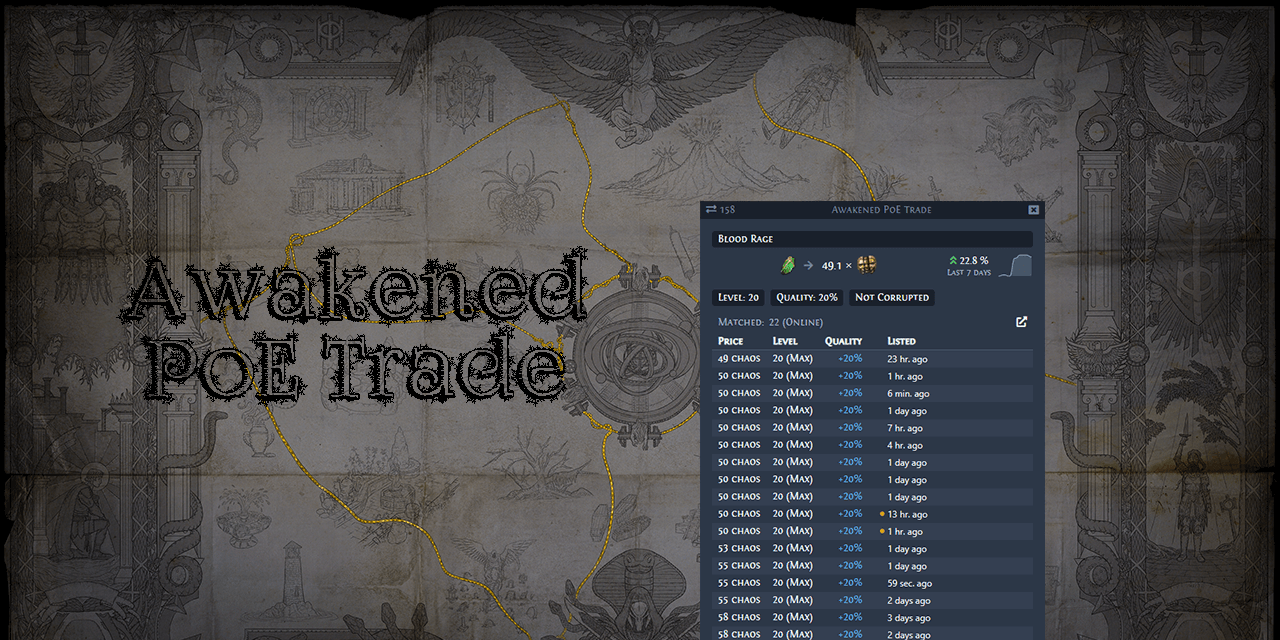
GitHub
For Awakened PoE Trade to function properly on Linux (KDE Plasma with KWin on Arch with AMD GPU and mesa drivers, game is ran on amdgpu-vulkan) since patch v2.0 you need to turn on compositor. This...
 shadow pawn
I'm having trouble starting the game after the latest patch
Steam keeps hanging on "updating configuration"
I've tried updating to the latest version of Proton GE, restarting Steam, and restarting my PC
odd bloom
Same here.. Something updated on steam and i cant launch anything
flint laurel
Compositor is mandatory for awakened because it uses compositor to be transparent over the game. I've had trouble running it though on i3. Seems like it doesn't enjoy tiling window managers. Has trouble staying over the game.
odd bloom
shadow pawn
I've tried updating to the latest version of Proton GE, restarting Steam, and re...
got it to work here.. had to change steam linux runtime soldier from 'client_beta' to 'previous_version' branch on the 'tools' section of the library, might wanna check that
 arctic pumice
anyone here?
arctic pumice
shadow pawn
odd bloom
got it to work here.. had to change steam linux runtime soldier from 'client_bet...
what Proton version did you use?
I did the fix you suggested but I still can't get it to work
shadow pawn
nvm, I got it
I forgot to restart Steam after selecting the previous versionn of Linux runtime soldier
arctic pumice
any tips for fps drops? im using lutris
edgy sierra
@arctic pumice Without having anything else to go on, For the best experience right now, use steam, use proton experimental.
arctic pumice
Can't use steam tho, I'm region blocked.
sharp maple
arctic pumice
Can't use steam tho, I'm region blocked.
Can't use Steam in general, or the Steam version of PoE? If it's the second, you could add PoE as a non-steam game and use proton experimental with that (right click non-steam PoE in steam, properties, compatibility, "force the use of a specific ...", proton experimental)
arctic pumice
sharp maple
Can't use Steam in general, or the Steam version of PoE? If it's the second, you...
Only PoE cos of the region i live in philippines
ooh,
can't add it either, it wont open.
I feel bad now
sharp maple
I found an older workaround, basically add anything that's not a steam game, right click, properties and configure the target and start in fields to point to PoE, and then set up the compatibility.
Method 2 in the first post, but I'm fairly certain that you wouldn't need to start with "wine", since that bit should be handled by proton. But that's just guessing. https://steamcommunity.com/app/221410/discussions/0/846940247744519372
arctic pumice
fixed using vulkan
 craggy valve
I've finally been set free from windows, so I'll be installing linux in a couple days when my nvme arrives. Is the lutris version better than proton? I usually have a good experience with proton but in some cases there's more costumization in the lutris version
I've seen a couple youtube videos showcasing lutris and it seems to work properly
however, no one ever showcases fully juiced maps. does it choke or something?
 elfin tree
Last I heard the experimental proton version has no lag issues while other versions do. Usually both versions run fine though, so pick whatever you used on windows and add it as a non-steam game if it is the non-steam version
mild urchin
the game does choke but new proton versions are only getting better
craggy valve
well, it's just that in poe's case protonDB is completely useless because they rate it based on bugs that also happen on the windows version
so i had to ask
"yea game sometimes crashes in town" yea buddy, that's the game as a whole, not the proton version specifically
arctic pumice
I'm using lutris right now, if you use vulkan in your game settings you wont get any fps drop, well mine is more like hardware issue when i alt+tab w/ lots of firefox tabs
idle adder
craggy valve
I've finally been set free from windows, so I'll be installing linux in a couple...
poe vulkan with steam and proton experimental is the same as windows for me. but if you have nvidia enable gamemode.
arctic pumice
I still cant add nonsteam game from lutris to steam, maybe i have to copy it to my folder?
 echo tree
why's my proton 5.13-5 blocking up poe launch at GGG's load up animation?
it doesn't move past it
echo tree
also, forcing Vulkan renderer from production_Config.ini also prevents freezes launch before GGG intro at 5.0-10b (the version at which directX11 runs properly)
mild urchin
whats so good about cooking your own food instead of getting fast food
idk what a good comparison is lol
linux runs better than windows while using a quarter of the resources, my hard drives are much happier on linux
flint laurel
@stiff pumice Just a few off the top of my head.
- It's more efficient with resources. It's more secure. Some games will run better even if they're windows only.
- Security issues are fixed more quickly.
- There's no need to run an antivirus at all.
- Software is all installed and updated in one place with one command or button (with a script) so going to different sites to update software becomes irrelevant.
- Updating does not require a reboot and will never happen without your consent.
- If you don't like something, you can uninstall it or change it. You have the ability to change literally anything.
- The interactive shell is objectively more powerful than cmd and subjectively easier to use than powershell.
- Optimized virtual machine support at the kernel level by way of kvm.
- Most drivers are built into the kernel itself so you'll never have to install them yourself. They're also more up-to-date on average than the automatically installed drivers in windows.
- You don't need to reinstall your os just because a new major version was released.
- Defragmenting the filesystem on your mechanical drive is not necessary because ext4 does not fragment. There are also filesystems with built-in redundancy for data safety.
stiff pumice
These things sound so complicated
And i dont think i need to use things like the interactive shell
mild urchin
running a windows VM on linux is really nice nowadays, you can get basically perfect performance
stiff pumice
That sounds too complicated for me
mild urchin
it is, thats why windows exists
stiff pumice
Ill end up messing up my laptop
mild urchin
only way u can avoid fast and processed food is by learning to cook
 flint sundial
how poe works on Linux?
flint laurel
@flint sundial I've been playing with steam proton and it seems to run pretty well. Although on my five year old cpu there is some amount of choking. I've heard people on windows are having similar issues so that's probably not a linux thing.
I find it funny that if you look at the protondb page for the game people are reporting random crashes after so many hours of play. That happens on windows too lol
Honestly the game probably needs some more optimization work in the codebase. They just added support for vulkan and cpu multithreading and particle culling so recently that these features likely aren't as close to perfect as they could be yet. If you ask me, they were probably mostly added as a sort of beta test for attempts at better performance with poe2. They've even said in interviews that they'd like to figure out some way to reduce the insane amount of useless crap dropping on the floor. A hundred items on one screen dropping at the same time that each have a different name and different base types and different mods. The cpu looks at that and screams. And the worst part is all that demand on the cpu is largely for absolutely no reason. Everyone doing juiced maps is using an item filter. And even the default item filter hides most of it at that point anyway.
Vulkan does show much better performance in linux than dx though if only because dxvk ends up having nothing to do.