#linux-🐧
1 messages · Page 8 of 1
 strong kraken
 grizzled roost
I mean I did not do anythings shown above to fix the issue but I apreciate the help. I sometimes have a hard time finding the right info through the bunch of info that is presented. guess I can work with an extra key
 cold cloak
cachysos witch pacman and yas for arch
strong kraken
cold cloak
cachysos witch pacman and yas for arch
(I'm interpreting your message as "CachyOS with pacman and yay for the AUR")
if you'd opened the link you'd know that it's packaged in the AUR...
strong kraken
Very well in my (and others') experience.
Steam is probably the easiest/most straightforward way (it is the one I use), but iirc people have also had success with the standalone client through lutris and bottles.
 little chasm
poe2 works great with steam.
 proven needle
Performance is better/comparable to windows.
cold cloak
strong kraken
(I'm interpreting your message as "CachyOS with `pacman` and `yay` for the AUR")...
yes how to know for update, ? is automatic ? nice
 unique depot
Hey I'm having issues with awakened poe trade. It only shows up on half of my screen and I can't find a way to fix it
 solemn lark
unique depot
Hey I'm having issues with awakened poe trade. It only shows up on half of my sc...
solemn lark
unique depot
Hey I'm having issues with awakened poe trade. It only shows up on half of my sc...
I have some issue with it as well (PoE 1 on EndeavourOS). Still trying to figure out how to fix it.
solemn lark
I'm trying to launch PoE via Steam on EndeavourOS (Arch). It runs great, but there is visible screen tearing and I think GSync is not working properly. I have a GSync screen and on the same machine in Windows 11 (dual boot) PoE runs butter-smooth. Any ideas how to force proper gsync in PoE on Steam on Linux? Any gotchas? I think I've tried all combinations of settings I could think of.. getting a bit desperate here 😅
 fierce bone
solemn lark
I'm trying to launch PoE via Steam on EndeavourOS (Arch). It runs great, but the...
fierce bone
solemn lark
I'm trying to launch PoE via Steam on EndeavourOS (Arch). It runs great, but the...
check nvidia-settings
i only have it in wsl so a lot of features is missing, but on a real install the features that the windows version & the linux version has is more or less 1:1


and if this does nothing lmk and we can look at launch args, proton etc
solemn lark
I am missing the right 2 windows of this, I just have the one on the left. Maybe I didn't install the right package for Nvidia settins? It's just called nvidia-settings in my case as well. I am getting an error message also, when launching it, will now dig into what it can mean. Brb
Btw. I am on Wayland, so maybe that's why my nvidia-settings is cut. I am still new to Linux, learning a ton every day.
strong kraken
solemn lark
Btw. I am on Wayland, so maybe that's why my nvidia-settings is cut. I am still ...
what compositor/desktop environment are you using?
solemn lark
Emm, Wayland on KDE Plasma 6. I hope it answers your question, I’m a Linux noob 😅
strong kraken
yes, that does answer my question
the weird thing is that tearing should be impossible on wayland by default. I recommend looking to make sure you didn't enable anything for "tearing" or "immediate" in the KDE Plasma settings. Otherwise, it might be a VRR/gsync bug (nvidia is known to be a bit problematic on Linux), so you can try disabling that in the settings as well.
oh you should also try enabling vsync in the PoE settings, ofc
fierce bone
O i didn't see that you replied, but I wouldn't be much help anyway, i don't use wayland because it's still quite quirky
 shell elm
I can only get 2/3 of the fps in wayland vs xorg, but I'm still on kubuntu 24.04, so I'm still using plasma on xorg
 woeful basalt
is rusty pob2 trustable?
strong kraken
it's open source, so you can check the code if you want. I do use it. You can also use it through flatpak if you'd prefer.
 meager thicket
PROTON_ENABLE_WAYLAND=1 seems to be broken
other than that everything works for me
 arctic raptor
poe2 I keep crashing,, on linux - "GameObject deserialisation failure: Unrecognised task serialised by server; missing registration? 8905"
 feral grotto
Anyone else experiencing random crashes to desktop? Doesn't matter if I go for Vulkan or DX12 after some arbitrary time the game crashes
had them before on arch, got a new ssd and still have them with a fresh system
woeful basalt
- I'm facing dc on area change
- Graphic glitches
- So far only 2 crash
idk what they even optimized before this update it was working good
feral grotto
I had the same issue in PoE 1 in the last league, before it was fine
 alpine star
I was fine in act 1, but in act 2 I have multiple crashes in some areas, it seems to be fine in others. Also used to work fine before this patch
 brisk mountain
i cant get the patcher to get the last ~72MB:
2025/12/13 20:28:02 7045289 587ddce7 [INFO Client 392] Got file list for "Bundles2/Folders/art/textures/items/armour/body/microtransactions" 6
2025/12/13 20:28:02 7045666 587ddce7 [INFO Client 392] Got file list for "Bundles2/Folders/art/textures/environment/act4/belly/1" 5
2025/12/13 20:28:02 7045673 587ddce7 [INFO Client 392] Got file list for "Bundles2/Folders/art/textures/environment/act4/belly/3" 4
2025/12/13 20:28:02 7045680 587ddce7 [INFO Client 392] Got file list for "Bundles2/Folders/art/textures/environment/act4/belly/D" 3
2025/12/13 20:28:02 7045688 587ddce7 [INFO Client 392] Got file list for "Bundles2/Folders/art/textures/environment/act4/belly/B" 2
2025/12/13 20:28:02 7045695 587ddce7 [INFO Client 392] Got file list for "Bundles2/Folders/art/textures/environment/act4/belly/F" 1
2025/12/13 20:28:02 7045702 587ddce7 [INFO Client 392] Got file list for "Bundles2/Folders/art/textures/environment/act4/belly/4" 0
2025/12/13 20:28:02 7045709 587df685 [INFO Client 392] Finished checking files
2025/12/13 20:28:02 7045821 587dd487 [CRIT Client 392] Failed to open PathOfExile.exe with error 32
2025/12/13 20:28:02 7046007 68385450 [WARN Client 392] Error: Failed writing received data to disk/application (Failure writing output to destination
seems to be the belly/4 always...
tried different wine builds, same error
 zenith sphinx
Im trying to change my input setting from controller wasd, but it won't let me change it. I'm playing on the Desktop mode of the steam deck so it definitely has something to do with that.
 true knot
Does anyone else using Plasma have an issue where the game does not go fullscreen. Instead the taskbar stays on screen with a modified resolution. If I change it to 1920x1080 then it crashes within a minute.
brisk mountain
brisk mountain
i cant get the patcher to get the last ~72MB:
2025/12/13 20:28:02 7045289 587ddc...
 brisk mountain
true knot
Does anyone else using Plasma have an issue where the game does not go fullscree...
brisk mountain
true knot
Does anyone else using Plasma have an issue where the game does not go fullscree...
i did start using plasma this month, poe is started using a virtual desktop like this: "$WINE" explorer /desktop=Path_of_Exile_1,1920x1080 "./PathOfExile.exe" "$@"
true knot
brisk mountain
i did start using plasma this month, poe is started using a virtual desktop like...
Hmm interesting, I wonder if this is the same when using proton via steam.
brisk mountain
my wine prefix worked until this patch. game is standalone and the prefix was only created perhaps 2 weeks ago
i did switch back to x11 due to nvidia issues on debian stable with wayland and active nvidia-drm kernel option
brisk mountain
wine output with WINEDEBUG='err+all,warn+all,fixme+all,+seh,-ntdll,-KERNEL32'
it somehow fails to update the exe?
huh, i had to start the game via Client.exe so that the patcher could exchange the PathOfExile.exe..., it works again
woeful basalt
true knot
Does anyone else using Plasma have an issue where the game does not go fullscree...
same issue just using pop os default everything
with that texture issue, random crash and dc on area change
true knot
I have figured out that if I start the game and log in, alt tab out then click the icon to get back on it will maximize in fullscreen and correct resolution.
Yeah lots of crashes for me too.
 fading topaz
Is it normal that my game install is ~55GB, whereas my shader cache is over 60GB?
 outer pagoda
yes
 jovial heart
POP OS is not stable yet. It says that the version is stable, but it is not free of bugs. Some people have such bugs that they have to restart the system every now and then because you can't do anything. A good distribution will be available next year. There is no Secure Boot in this distribution, so you have to manually disable and enable it if you also want to use Windows 11, which can be a nuisance.
 jovial current
My CPU jumps up to 90%+ whenever i enter a new area.
It wasn't like this before, game is lagging like hell, and this is a new computer with high specs.
Anyone else having this problem?
Not sure if it is Linux-specific or not
outer pagoda
is the drive bar also showing higher numbers?

 silent cradle
 late solstice
huh, same problem here
 surreal sequoia
okay same problem here on steamdeck
silent cradle
it seems to happen to a lot of people so may not be linux related
late solstice
i googled it apperently something similar happened in the past but i only found windows solutions
unique depot
Has anyone else been having massive CPU spikes in game? I paused my game to let it get caught up and it was still spiking massively. Never really saw it get below 1k ms. Iv tried changing from vulkan to dx12 and Proton versions. Not sure if this is a Linux issue or game since they said they "improved performance"
strong kraken
unique depot
Has anyone else been having massive CPU spikes in game? I paused my game to let ...
my CPU goes up when shader compilation is happening (usually when I enter a new zone), but then it goes back down after a few seconds and I get GPU-bottlenecked again.
woeful basalt
unique depot
Has anyone else been having massive CPU spikes in game? I paused my game to let ...
prolly server issue i had too but got down after some time
jovial current
I also had this big problem where i got huge CPU spikes every time i entered a new area.
I changed from Vulkan to dx12 and now everything is completely fine.
i'm not sure what they fucked up here or if this is a proton problem.
fading topaz
It varies a lot by system (gpu and driver mostly)
Proton doesn't touch the graphics portion for vulkan, since that can run natively
 tardy trail
jovial current
I also had this big problem where i got huge CPU spikes every time i entered a n...
tardy trail
jovial current
I also had this big problem where i got huge CPU spikes every time i entered a n...
This happened to me in poe1, kept getting freezes in Vulcan not common but it did happen. When I switched to dx12 smooth as butter.
I’m on CashyOS
jovial current
i wonder if it's related to shaders or shader cache
tardy trail
Not sure but the freezes would more often happen when the game got a lot of stuff going on with monster density. I’m not a computer expert though. Wish I had documented the issues a bit more.
woeful basalt
laterst exiled exchange 2 working for anyone? its now same issue as Awakened PoE but it used to work before
looks like they upgraded to new ELectron version
late solstice
"improoved performance"

25% more fps they said
AMD Ryzen 7 7800X3D and a 9070xt if you wonder... abyss just wrecks my performance no idea what i can do
fading topaz
Try switching between Vulkan and DX12?
strong kraken
woeful basalt
laterst exiled exchange 2 working for anyone? its now same issue as Awakened PoE...
Update v0.13.7 (just released 3 hours ago)
Fix issue with Linux becoming non-interactable
I think this might fix your issue.

GitHub
v0.13.7
Fix issue with Linux becoming non-interactable
Fix issue with Chinese resistance mods not being recognized
Make map searching default to any corruption
Fix missing appi18n for certain fiel...
woeful basalt
thanks will download and check
i can interact now but the cant check prices ctl+ d do nothing
 bronze pecan
Just came here to check in one Exiled Exchange not being interactable int 0.13.7

it's still having problmes for me can't find the keyboard
ok found the fix seems like it's a problem with Wayland you can run it with this command "./Exiled-Exchange-2-0.13.7.AppImage --ozone-platform=x11" from the directory where the file is saved
 jolly star
late solstice
AMD Ryzen 7 7800X3D and a 9070xt if you wonder... abyss just wrecks my performan...
jolly star
late solstice
AMD Ryzen 7 7800X3D and a 9070xt if you wonder... abyss just wrecks my performan...
was fine for me when i played a warrior, but i just switched back to minions and now abyss, breach and ritual is going down below 10fps
its so bad i cant dodge shit
on a 9800x3d + 9070xt 
late solstice
jolly star
its so bad i cant dodge shit
yeah i kept pausing and unpausing every 2 sec inbetween abilities otherwise i would have died...
shell elm
great, latest exiled exchange makes my game screen go black
it was working, now blank with .13.7
shell elm
looks like it only works in windowed mode, either FS mode makes the screen blank
woeful basalt
anyone found solution for random crash or dc on area change?
 gentle forum
Windows just decided to update itself and disable the GPU in the middle of my campaign run, time to dual boot...
 shadow path
i have a problem. perhaps someone ca helm. im pretty new to Linux ( distro: CachyOS)
Problem.:
I am so far now that i have installed Exile-Exchange 2 via the AUR (Octopi). Its interactable for the first time. After closing the window clicks pass right through the overlay. This problem is already stated on the github. ANd solution would be to update the EE2 app. My problem is i dont know how to manually update the App. Inside the app the updater is not clickable, as well as not clickable in the browser. The AUR only shows version 0.13.6. Anyone can explain how i can update the version with AUR?
woeful basalt
AUR still got the old version. Maintainer need to update it to 0.13.7
u can either update it manually or wait or use the appimage directly
shadow path
appimage is faulty for me. its bug out instantly. always giving EE2 forefront not letting me click dpoe2 anymore and not toggling any overlay window
question is how to update it manually
never did before
strong kraken
you need to edit the PKGBUILD
I strongly advise against using the AUR if you don't understand the PKGBUILD format, since you should be manually reviewing the build script before you run it. There have been multiple instances of malicious PKGBUILDs being used to distribute malware.
https://wiki.archlinux.org/title/PKGBUILD
to update exiled-exchange-2, I think you'll need to update the pkgver and the checksums in sha256sum for the version-specific downloads.
you can also look at the recent git changes in https://aur.archlinux.org/cgit/aur.git/log/?h=exiled-exchange-2-bin to see how updates have been done before
 vocal patrol
Hi! Does anyone have experience getting Exiled Exchange 2 (or Awakened PoE trade for that matter) to work properly on X11 window managers? I was planning to use it through the browser interface (starting the appimage with the --no-overlay flag) and go from there. It does register my key presses (as seen in the debug screen) but i cannot Ctrl+D to load an item for price-checking into the web interface. Manual copy-paste into the price-checking field works.
I suspect it doesn't properly hook into the PoE 2 window to copy and capture the item stats.
System: PoE 2 is running through steam with Proton version Experimental. OS is Gentoo Linux on an x86-64 platform. I am running dwm as my window manager, through the gentoo distribution of the X11 server without any custom config. Thanks in advance ^^
 sand lintel
Just updated EE and it just flat out broke lmao can't click through it
shell elm
mine makes my screen go blank with windowed full screen
I had to make the game windowed while running it
woeful basalt
i moved from popos to cachcy and so far no crash lets see ( may be due to latest nvidia driver pop still on 580)
exiled exchange still not working though
 halcyon hull
You guys may need to add the flag —ozone-platform=x11. The electron version was updated like 5 major versions to the latest one and there was a breaking change in how it interacts with certain desktop environments
shell elm
halcyon hull
You guys may need to add the flag `—ozone-platform=x11`. The electron version wa...
still blank screen so it wasn't that (plasma/Xorg on ubuntu 24.04)
 worldly steeple
vocal patrol
Hi! Does anyone have experience getting Exiled Exchange 2 (or Awakened PoE trade...
worldly steeple
vocal patrol
Hi! Does anyone have experience getting Exiled Exchange 2 (or Awakened PoE trade...
I had issues with them until I started running them with the XDG_SESSION_TYPE=x11 env variable and --sandbox option
shell elm
I can't run with sandbox ./Exiled-Exchange-2-0.13.8.AppImage [1779351:1227/071916.473349:FATAL:sandbox/linux/suid/client/setuid_sandbox_host.cc:166] The SUID sandbox helper binary was found, but is not configured correctly. Rather than run without sandboxing I'm aborting now. You need to make sure that /tmp/.mount_ExiledM9nOwf/chrome-sandbox is owned by root and has mode 4755.
I'll try xdg session
nope, still blank screen
 halcyon moat
shell elm
I can't run _with_ sandbox `./Exiled-Exchange-2-0.13.8.AppImage
[1779351:1227/0...
halcyon moat
shell elm
I can't run _with_ sandbox `./Exiled-Exchange-2-0.13.8.AppImage
[1779351:1227/0...
set the permissions
and ownership
always run browser apps in sandbox, thumb of advice
woeful basalt
is the constant dc on entering or exiting map only linux issue?
shell elm
halcyon moat
set the permissions
Except it's a bogus warning
ll /tmp/.mount_ExiledM9nOwf/chrome-sandbox ls: cannot access '/tmp/.mount_ExiledM9nOwf/chrome-sandbox': No such file or directory
I even tried making the file myself, and gave it the permissions, and the warning is the same
because obviously the directory extension after Exiled is different on every startup
and chrome-sandbox for firefox?
strong kraken
afaik appimage uses userspace mounting to create a virtual file system with more stuff
presumably that directory is in the virtual filesystem
shell elm
right so it's not up to me to set the permissions or ownership
strong kraken
yeah idts
shell elm
weird thing is it worked fine 2 versions ago
I don't mean the sandboxing, I mean the screen blanking
vocal patrol
woeful basalt
is the constant dc on entering or exiting map only linux issue?
i can only speak for my specific system but i've had no such issues
woeful basalt
vocal patrol
i can only speak for my specific system but i've had no such issues
what distro and proton u using?
halcyon moat
vocal patrol
i can only speak for my specific system but i've had no such issues
can you send the repo link, I will check what got broken from the commit logs
and will suggest a solution for you
 woven crescent
woeful basalt
is the constant dc on entering or exiting map only linux issue?
woven crescent
woeful basalt
is the constant dc on entering or exiting map only linux issue?
no issues here
shell elm
none here either
woeful basalt
not sure whats the issue in my case.
Only thing diff is
i'm on Nvidia and using Dx12
had same issue on Vulkan as well
shell elm
did you run a file check?
 fossil frost
FSR 3.1.5/ingame 2.something
jolly star
Wait, how do you use a different fsr version?
fossil frost
jolly star
Wait, how do you use a different fsr version?
Optiscaler.
woven crescent
nah I'm just gonna dualboot for poe2 tbh. I get hard fps drops on linux in juiced abyss maps when using headhunter belt. cpu times spike here, it also tanks in win11 but not as bad. oh and i can just use my favorite overlay in windows so yea
(9800x3d)
woeful basalt
shell elm
did you run a file check?
dont think its related to that. What i think might be issue is VRAM. My gpu only has 6GB VRAM and the game uses 4GB and may be at some point it spike or something and crashes
it never happed before 0.4 and they did graphic changes in 0.4
jolly star
tried optiscaler once, then removed the launch option and uninstalled optiscaler. but this still pops up, how do i get rid of it completely :(
edit: ~/fgmod/fgmod-uninstaller.sh %command% was the solution
fossil frost
I switched back to XWayland from Wayland, non-X had a lot of instability, frequent crashes on zone change.
Been smooth so far on XW.
 odd crater
Exiled Exchange broken on linux again
 jovial meteor
DX12 works beter than vulkan, don't hesitate to remove VRR shit (KDE or gnome)
 silent cradle
interesting that I feel the in game FSR, even being 2.0, performs better on the Ally/steamdeck than when I use optiscaler patching to use newer versions of FSR
best performance seems to be in game fsr + lossless scaling. Performance and frame pacing really
 copper juniper
I just got a steam deck oled, do you guys think the game is playable? I assume it can run the game fine with barely any enemies but if it's like endgame with breach and abyss would it be able to handle that?
strong kraken
iirc neversink played it on his steamdeck and it was fine for the most part, but I'm not sure about endgame
copper juniper
strong kraken
iirc neversink played it on his steamdeck and it was fine for the most part, but...
Yeah endgame is kinda what I'm worried about but I could test it myself, I just haven't installed the game yet on steam deck
fossil frost
silent cradle
interesting that I feel the in game FSR, even being 2.0, performs better on the ...
Newer FSR (3.1.4+) is slower, but also a lot better in many regards compared to in-game.
Tradeoff of a FPS or two is well worth it in my opinion.
Latest update broke OptiFG, so I'm forced to use LSFG as well. It's been decent and probably doesn't trip anticheat as hard.
FG really helps with frame dips in this game, it's much smoother to do 2x30FPS than 60FPS with dips.
Latency doesn't matter much either, in short PoE2 is a good game for FG.
silent cradle
In general I think lsfg is better than opti. Unless the game has fg it just feels worse most of the time.
For the rog screen isn’t like I can notice too much difference in quality using the 3.x fsr
I would like if they updated their version tho
silent cradle
fossil frost
Latest update broke OptiFG, so I'm forced to use LSFG as well. It's been decent ...
I don’t think it would at all it’s a vulkan layer
fossil frost
silent cradle
In general I think lsfg is better than opti. Unless the game has fg it just feel...
OptiFG lets you pick between FSRFG and XeFG. HUDFix worked normally, so UI wasn't interpolated.
In this game, IMO, FSRFG and LSFG trade blows quality wise, but I still prefer FSR due to better latency and framepacing (especially during dips).
XeFG and LS aren't close, Xe wins out always.
The post-process/vulkan layer nature of LSFG is a big boon in games like this still, can have peace of mind you won't trip anticheat as you say.
Though I wasn't too scared of that, said I'd give it a shot and if I got banned I'd take it up with customer support.
 blazing verge
Anyone else having issues with PoE1 Crashing (seemingly) at random? Been having crashes every 15-30 min in campaign
Fedora 43 KDE, 7900XTX & 7800X3D
Didn't have any issues before I reinstalled my OS
I haven't played for a month since and am now getting the crashes, no changes otherwise
Proton Log only spits out
skipping destruction (fork without exec?)
blazing verge
No I've always been on Wayland, I've already looked at proton log files but couldn't find anything that would point out the issue
 shrewd pewter
In my PopOS install I get a horrible stutter at that 15-30min mark, but it's never outright crashed. I have to set LD_PRELOAD="" %command% in the launch settings for both PoE1/2. It's something about the steam overlay and what "pre-loaded" libraries are used or something. But once I had that in, it's worked rock solid. (I'm on "old" popos which still has X11 ... eventually I'll upgrade to whatever the latest version is with Wayland)
https://www.protondb.com/app/238960 < can be a great source of just learning about what other people have tried on various distros when it comes to debugging. Then if you want to dive into what the configs actually do: https://github.com/ValveSoftware/Proton?tab=readme-ov-file#runtime-config-options (linked to the Readme section, but not all of them are there and you can pull down the git repo and grep through it to find different things ... that's one LARGE ass rabbit hole though)
blazing verge
I'll try that later, thanks!
strong kraken
huh, what about the MATE spin then? Is the spin just unmaintained until MATE supports wayland?
 chrome vector
Lo all,
So far PoE2 runs fine on my laptop (Legion Pro 5 16ARX8 / RTX4070 Max-Q, PopOS 24.04 / COSMIC)
But there have been the occasional framedrop spikes that last a few seconds before it gets back to normal. Seems unrelated to specific in-game events (full maps, quiet maps, in town).
Running with
PROTON_ENABLE_WAYLAND=1 PROTON_ENABLE_NVAPI=1 WAYLANDDRV_PRIMARY_MONITOR=DP-1 PROTON_USE_NTSYNC=1 ENABLE_LAYER_MESA_ANTI_LAG=1 MESA_VK_WSI_PRESENT_MODE=immediate,
CachyOS_Proton_10.0-20251126_v3
trying with CachyOS_Proton_10.0-20251222 now
woeful basalt
i wonder whats the point of native support to exiled exchange if it doesnt work at all.
with more use of wayland
chrome vector
shrewd pewter
In my PopOS install I get a horrible stutter at that 15-30min mark, but it's nev...
I figured I'd try this out but it seems this was a trick meant for X11? I'm on COSMIIC/Wayland and have been using PROTON_DLSS_UPGRADE=1 PROTON_ENABLE_WAYLAND=1 PROTON_ENABLE_NVAPI=1 PROTON_USE_NTSYNC=1 ENABLE_LAYER_MESA_ANTI_LAG=1 MESA_VK_WSI_PRESENT_MODE=immediate PROTON_LOCAL_SHADER_CACHE=1. Performance is pretty good but I seem to be having a similar issue with fps dipping to 20-30fps for a moment before it gets back to 144 again. It's not too bad but definitely throwing a wrench in the works to properly enjoy the game.
fossil frost
LD_PRELOAD is only needed if performance completely goes to shit after a while. Known bug.
It doesn't solve dips.
chrome vector
ah I see
Seems I still need a lesson on how these launch parameters work. While trying to troubleshoot the lagspikes, I found that gamescope seems entirely broken for me and hard-crashed my system with just gamescope -W 2560 -H 1440 -r 144 -f -- %command%
My issue is just the lagspikes every few minutes. Not quite sure how to tackle that though
 dusty aurora
how's the shader graph when that happens?
Also worth trying dx12 render if you're on vulkan. I found vkd3d more stable than ggg's vulkan impl
chrome vector
dusty aurora
how's the shader graph when that happens?
that's the thing, it's difficult to spot. Both network and shaders are green so I'm struggling to figure out which is causing the lagspikes.
From my reading, people experiencing lagspiked keep telling me to use LD_PRELOAD="", but it won't work in combination with PROTON_ENABLE_WAYLAND=1. I'm running on a wayland session, so I wonder if this is at all needed to have it run natively on wayland.
dusty aurora
In my experience those flags are all placebo on a reasonably standard setup but I'm on amd
honestly poe 2 is just weird. it's even worse on windows
dx12 still randomly crashes the renderer on my 3050 laptop. My linux desktop with rx 6600 is way more stable
chrome vector
Strange. I'm not sure how it's supposed to work
Right now, PROTON_ENABLE_NVAPI=1 PROTON_USE_NTSYNC=1 ENABLE_LAYER_MESA_ANTI_LAG=1 MESA_VK_WSI_PRESENT_MODE=immediate LD_PRELOAD="" %command% at least gets me into the game. Adding PROTON_ENABLE_WAYLAND=1 just shows me a black screen, in-game cursor, and audio playing. Removing LD_PRELOAD="" works too, but I'd like to understand why those two seem to not like eachother.
dusty aurora
I don't see why you'd need the Wayland flag since it's running via xwayland anyway
chrome vector
It's usually recommended to run on Wayland natively to improve performance. Definitely has helped performance and input latency
 burnt laurel
Anyone crashing on PoE2 (Arch - CachyOS)? Twice now, on around the same area in Temple of Chaos trials lv 72 (7 stages) on the stairs of first level going down after defeating the monsters on top. I’ve crashed and wasted two of ultimatums twice in a row now.
And it seems like the game crashing doesn’t matter. You still lose the ultimatum orb anyway.
Anyone crashing in that particular spot?
I have AMD Ryzen 7 7700X and NVIDIA RTX 5080 with 32GB DDR5 ram if it helps.
That’s literally the only time it crashes like this
And there’s not even any enemies except for the one that I literally just finished killing (which was like less than 10 in that spot). So it’s not like the screen was clogged with so many dead enemies 😅
shell elm
wayland still halves my framerate on ubuntu 24.04
happy with xorg plasma for now
though I still can't use EE with fullscreen windowed, I have to switch to windowed or my screen goes blank as soon as I start EE. This is the same on wayland so that doesn't help
chrome vector
dusty aurora
how's the shader graph when that happens?
shaders are fine, its def network latency spikes
I'm stuck on wifi so it might just be something I can't fix rn
dusty aurora
Should check to see where the package loss is
using MTR or similar tools

Path of Exile
Path of Exile is a free online-only action RPG under development by Grinding Gear Games in New Zealand.
its a windows guide but that tool has a Linux version
silent cradle
I play on Wayland and it works fine. Using cachyos tho so unsure if there’s some of their voodoo makes it work
shell elm
some weird lag with latest patch , not sure if it's linux specific
key presses are sometimes virtually being ignored for up to 1s wtf
short keypresses aren't even being honoured
shell elm
ok figured out the problem, it was one laggy website on firefox running in the background 💩
silent cradle
has anyone made autohotkey work enough for this https://github.com/Lailloken/Exile-UI . With those act maps and hints where available on a website or something at least

GitHub
UI and QoL overlay for Path of Exile 1 and 2. Emphasizes ease of use, minimalist design, and seamless integration. Formerly Lailloken UI. - Lailloken/Exile-UI
chrome vector
silent cradle
I play on Wayland and it works fine. Using cachyos tho so unsure if there’s some...
with PROTON_ENABLE_WAYLAND=1? are you using Vulkan or dx12?
For me, dx12 doesn't work with PROTON_ENABLE_WAYLAND=1 but it does with Vulkan. But my fps is worse with Vulkan
silent cradle
chrome vector
with `PROTON_ENABLE_WAYLAND=1`? are you using Vulkan or dx12?
For me, dx12 doesn...
Both. I was using that before but started using game scope and scopebuddy. I don’t really notice much difference from dx to Vulkan but I’m 90% sure that I use vulkan. Keep in mind that my desktop has a 5090 so I may not have performance differences just because the gpu is grossly overkill.
On the ally x handheld I noticed better performance with dx12 but that may just be related to framegen working better with dx12 than vulkan in general.
 thick notch
Hi i just switch to cachyOS and wanted to play poe. are there anything I need to configure before I play the game?
 analog phoenix
thick notch
Hi i just switch to cachyOS and wanted to play poe. are there anything I need to...
analog phoenix
thick notch
Hi i just switch to cachyOS and wanted to play poe. are there anything I need to...
you dont, usually
 little pagoda
thick notch
Hi i just switch to cachyOS and wanted to play poe. are there anything I need to...
little pagoda
thick notch
Hi i just switch to cachyOS and wanted to play poe. are there anything I need to...
all i do is is this:
game-performance %command% --nologo --waitforpreload
thick notch
analog phoenix
you dont, usually
it's actually quite smooth, very few lag here and there
thick notch
little pagoda
all i do is is this:
game-performance %command% --nologo --waitforpreload
oh cool thanks
chrome vector
silent cradle
Both. I was using that before but started using game scope and scopebuddy. I don...
PROTON_ENABLE_WAYLAND=1 works for most of my games, but not for PoE2 if set to dx12.
It works with Vulkan, but then performance is a tad worse
 neat breach
anyone know why awakened poe doesnt actually show an overlay or interact with poe whatsoever on bazzite?
 midnight marten
anyone get HDR to work in linux? The box is always greyed out for me :/
shell elm
Nope, always greyed out
fading topaz
I would assume you'd have to a) be on a recent Wayland compositor that has implemented the protocol for it, and b) have a version of Wine (proton) that is supporting it too (might just need to be running native Wayland)
 strong forum
can i download standalone for linux or should i just wirte to support to migrate my acc to steam?
fading topaz
You can use either
halcyon moat
strong forum
can i download standalone for linux or should i just wirte to support to migrate...
You can download standalone anytime
You can also log in the website with username+password then with steam and bind them together afaik
jovial meteor
chrome vector
`PROTON_ENABLE_WAYLAND=1` works for most of my games, but not for PoE2 if set to...
lmao, it works like a charm, i'm running with those steam args :
PROTON_USE_NTSYNC=1 PROTON_LOCAL_SHADER_CACHE=1 PROTON_ENABLE_WAYLAND=1 MLFG_UPGRADE=1 PROTON_FSR4_UPGRADE=1 mangohud %command%
and i'm running DX12 not vulkan because of low perf (-15%)
running 9950X3D with 9070XT
 jovial meteor
midnight marten
anyone get HDR to work in linux? The box is always greyed out for me :/
jovial meteor
midnight marten
anyone get HDR to work in linux? The box is always greyed out for me :/
HDR is working with PROTON_ENABLE_HDR=1 but cost is 5-15% less FPS
 halcyon moat
jovial meteor
and i'm running DX12 not vulkan because of low perf (-15%)
halcyon moat
jovial meteor
and i'm running DX12 not vulkan because of low perf (-15%)
How does Vulkan give lower performance on AMD GPUs I wonder
Btw Vulkan gives higher quality overall visuals than DX12
jovial meteor
issue with POE2 not vulkan itself, same low perf on W11
running best since 0.4 with DX12 instead of vulkan
halcyon moat
If you guys care much about FPS then use Exclusive Full screen straight-out
jovial meteor
halcyon moat
If you guys care much about FPS then use Exclusive Full screen straight-out
does'nt matter
halcyon moat
jovial meteor
does'nt matter
weird
jovial meteor
windowed full screen or exclusive is the same
halcyon moat
They should not on Wayland afaik
halcyon moat
I don't have any problems as well, just trying to solve others' problems
halcyon moat
jovial meteor
running best since 0.4 with DX12 instead of vulkan
Seems like they are beta testing new stuff in poe2 just like they did in poe1 few years ago
people did not like it, messed up with the performance a lot
I mean if you are gonna test something at least announce it to the public if not making a separate beta branch
forcefully making player base to test your stuff without being aware is a shady move
halcyon moat
Not everyone paid for keys
Old PoE1 players got keys for their loyalty to the game
I played on PoE1 beta too, it was not like poe2
if they made a mistake or got negative results from a change they made, they used to revert it back or fix it quickly
but they let players experience that negativity for several leagues nowadays
Do you remember performance problems that happened during Ritual & Ultimatum days?
It is because they have slammed the new rendering backend they were developing for PoE2 over PoE1 without prior user notice to test how it performs on real world scenarios
What happened? Players couldn't play and many forced to leave the game because of being it unplayable
halcyon moat
halcyon moat
Do you remember performance problems that happened during Ritual & Ultimatum day...
Guess how many leagues it took for them to profile the performance problems and fix the bottlenecks
2 years
Half of the old team is gone and it's going downhill in my personal opinion after Chris and Bex left
Tencent should not be ever involved in this...
Their player support is mostly AI as well
Just like their chat moderation
I still remember the days we had actual chat moderators on Global channels
I still have some of the old folk in my in game friend list, they play from time to time
This game lives in our memories
shell elm
does anyone else sometimes get windowed fullscreen rendering at the background rate, and you have to resize it as a window and then back again a few times for it to render at the foreground fps?
midnight marten
jovial meteor
HDR is working with PROTON_ENABLE_HDR=1 but cost is 5-15% less FPS
What version of proton are you using? Also are you using wayland and hyprland perchance?
halcyon moat
Just counting yourself (a single person) as everybody gives out your intelligence level, arguing with you would be waste of time for sane humans
Guy's 70% of the past messages are arguments about LD_PRELOAD and stash tab sales, I doubt he is even able to make any normal sane convo without counting himself as everybody to get a higher spot in his arguments
Just a random brainwashed twitter dude
 next relic
jovial meteor
lmao, it works like a charm, i'm running with those steam args :
PROTON_USE_NT...
next relic
jovial meteor
lmao, it works like a charm, i'm running with those steam args :
PROTON_USE_NT...
does the FSR4 upgrade actually work for you?? i can't seem to make that work for me
 warped pond
Been playing maybe 8-9 hours today, now getting a bunch of crashes
Tried deleting the pfx and letting steam rebuild, still crashing
Do you guys use Vulkan? Been using DX12 for the past few days without issues
fading topaz
It's a toss up which people use. Seems to vary what's best depending on GPU, drivers, etc.
warped pond
It's actually nearly straight up unplayable (poe 2 btw), is up for maybe 5-10 mins, then crashes
:/
fading topaz
This through Steam?
warped pond
Ye
fading topaz
Can you try the instructions from the most recent pinned comment?
warped pond
Hmm, fps drops weren't really my issue, actually really good performance 😅 I had the game open for 8-9 hours yesterday, no issues, not had issues in a few days, then it randomly starts crashing.
This could be when I try and put smth in my stash, or open the atlas map, just wandering around maps. Nothing definitive. Started on penitentiary boss tho.
The only thing that worked was nuking the pfx and just letting it rebuild.
I'm now on Vulkan with no issues
I was on DX12 with no issues for a few days
fossil frost
next relic
does the FSR4 upgrade actually work for you?? i can't seem to make that work for...
It won't work, it needs FSR 3.1 in-game to hook into.
next relic
yeah i learned afterwards the game did not get 3.1 lmao.
unfortunate...
fossil frost
Optiscaler can hook into XeSS or DLSS -> FSR4, if I had a RDNA card I'd definitely do that. Big gains.
shell elm
hilarious, I tracked down a game FPS slowdown to leaving kcalc the calculator app running in kde
halcyon moat
kde apps are always the weirdest ones in my opinion, even their android apps lag like hell on high end devices
They remind me of visual basic era apps, even Fortran apps like PeaZip are much much faster than KDE apps
They should be giving extra care to create the most underperforming apps of the linux scene
 elfin furnace
anecdote for those searching in the future: cachyOS + lutris has worked really well for me coming from other distros. almost everything just worked (vrr / gsync, etc). if you're migrating make sure you read and do what it says https://wiki.cachyos.org/configuration/gaming/
 spring cairn
is there a way to get awakened poe trade run on arch with hyprland & wayland? overlay just won't appear even with setting launch options to run under x11
strong kraken
I just run it in the browser with --no-overlay
spring cairn
spring cairn
is there a way to get awakened poe trade run on arch with hyprland & wayland? ov...
after some looking at issue opened on APT's repo for hyperland I managed to get APT at least show up but the thing is that it was getting all inputs to itself and only mouse worked in poe, and price check still wouldn't show up when I pressed keybind. I wonder if its that bad on wayland... Heard that it got a lot of problems with games & apps
spring cairn
strong kraken
I just run it in the browser with `--no-overlay`
thanks, i'll try that 👍🏻 I wonder how bad it is to actually use it this way. also, does keybinds works good for quick commands like /hideout and stuff?
strong kraken
idts
spring cairn
managed to make APT display somehow correctly. it still thinks that waybar is there when POE in fullscreen windowed mode and because of that there some miss aligns. it actually works for FIRST TIME you price check and then history repeats, PoE just lose all input from keyboard :/
halcyon moat
I assume the app has broken "if focused" check for the PoE window or sth?
spring cairn
After a bit more scrolling thru APT's issues and testing things from them I managed to get it to work.
Im on CashyOS (arch), using wayland & hyprland.
What I did:
- installed
awakened-poe-trade-gitnotbin! to have latest changes from repo
-# rn when installing you need to modify PKGBUILD and bump node version to 22 or higher or set it to "node" to make it use "latest" (I hope contributors will fix this eventually)
-# I did that withyay -S awakened-poe-trade-git --editmenucommand. - copy APT's .desktop to
~/.local/share/applicationsand add--ozone-platform=x11toExec.
I have some preconfigured setup by some other dude and its came a bit "riced" so my tiles have blur and etc. and I had to add some windowrule to make APT's transparent. Or you can just copy rules from this comment
As for PoE itself I use proton-cashyos and have ENABLED_PROTON_WAYLAND=1 in launch options and thats it.
Main issue as far as I can tell from all of those github issues was in some packages and owner/contributors needed to bump their version to the working ones. Before bump you would manually bump it updating PKGBUILD but now its not necessary because needed packages already bumped. But if APT will stop working again I suggest you to look at this first
I hope this will help someone o7
halcyon moat
spring cairn
After a bit more scrolling thru APT's issues and testing things from them I mana...
Good thinking
 steady summit
Hey! I've been having an issue for as long as I've swapped to linux (arch btw), whenever I have a kinda high density of mobs (for example breach+other mech), my fps completly drop and I get insane cpu lag according to the graph, which makes it completly unplayable and I have to restart the game and leave the area. The rest of the time the game runs perfectly well. Has anyone had such an error ? For context I'm on an amd gpu, with an x3d proc and playing through Steam. When I played on windows with the exact same setup I never experienced such a thing
 abstract coyote
did you try adjusting the Launch Options
__GL_SHADER_DISK_CACHE_SIZE=100000000000 %COMMAND%
might be running out of cache
halcyon moat
steady summit
Hey! I've been having an issue for as long as I've swapped to linux (arch btw), ...
arch btw 🤣
halcyon moat
steady summit
Hey! I've been having an issue for as long as I've swapped to linux (arch btw), ...
does your shader bar goes to full during that time?
or disk?
if just CPU alone, do you have multi threading enabled?
outer pagoda
so... is this an indicator of a faulty driver, faulty game code, or a faulty gpu?

started this morning, two hard gpu crashes, rest of the system is unaffected
screen just freezes, cant go to tty or anything
the devcoredump folder doesn't exist
steady summit
Hi ! sorry for the late answer, was away for the weekend.
I tried what you suggested @abstract coyote but it didn't appear to change anything. The biggest improvement came from entirely switching from Vulkan to DX12, I have much better overall performance but still some random crashes that I can't really explain, I'll try to dig further whenever it happens
halcyon moat
outer pagoda
so... is this an indicator of a faulty driver, faulty game code, or a faulty gpu...
does it also happen on in game vulkan? or just with dx12?
I wonder if page fault happens in GPU memory or system memory
halcyon moat
outer pagoda
the devcoredump folder doesn't exist
try to manually create that folder
wonder why it doesn't exist in the first place
cold cloak
for path of building 1 & 2 version (rust ) with pacman. i us temporary for POE2 wine.( POE2 rust dont take fate of vaal)
halcyon moat
@cold cloak Are you a human being?
shell elm
lol
 normal cape
cold cloak
for path of building 1 & 2 version (rust ) with pacman. i us temporary for POE2...
normal cape
cold cloak
for path of building 1 & 2 version (rust ) with pacman. i us temporary for POE2...
 jovial meteor
works great with proton-GE-10-29, cachyos with eevdf kernel (not bore one) , sched_ext_lavd 🙂
 shell elm
Sometimes windowed fullscreen screws up and leaves my plasma taskbar visible - when that happens I can run exiled exchange without it blanking my fullscreen
hilarious, capitalise on a bug
that usually happens when my windowed session is full screen sized but slightly offset and then I switch to windowed fullscreen, so I think I can recreate it regularly
jovial meteor
shell elm
Sometimes windowed fullscreen screws up and leaves my plasma taskbar visible - w...
do u use enable_wayland arg ?
outer pagoda
halcyon moat
does it also happen on in game vulkan? or just with dx12?
trying to play with vulkan was unusably laggy (100+ms frametimes on the gpu), so i was forced to use dx12
still happening using liquorix kernel and latest upstream ubuntu mesa, switching to kisak again now and gonna try again
hoping the bug that caused insane memory leaks with liquorix+kisak is patched 🙃
seems like vulkan is failing to init vram?
 outer pagoda
still happens on stock kernel/vulkan/llvm drivers :x
 patent fern
outer pagoda
seems like vulkan is failing to init vram?
patent fern
outer pagoda
seems like vulkan is failing to init vram?
n/a there suggests that with your Vulkan environment it may not be able to correctly query for things like VRAM sizes or budget allocations.
outer pagoda
seems like upgrading from mint 21.0 to 22.3 is giving me a lot of strife 😅
the game isnt printing any vulkan/drm errors that i can see in syslog, havent checked game logs yet
momentarily fucked my system hard by deleting the builtin amd drivers or something, hooray for timeshift
does anything here stand out as pointing to the environment being broken? just starting the game, switching from dx12 to vulkan and back then closing it
patent fern
outer pagoda
does anything here stand out as pointing to the environment being broken? just s...
This is horribly wrong:
2026/02/05 20:33:35 114497 e9bcbea2 [INFO Client 332] [VULKAN] GPU type: IntegratedGpu
that much i can tell you, yes
its plugged into the dp-0 on the rx6700xt and has that one selected ingame
i'll check in poe2 if it's still fried
all normal here
 patent fern
What GPU type does PoE2 say it sees?
outer pagoda
i'll try deleting production_config.ini ig?
poe2 log

checked launch params, which were ENABLE_VKBASALT=1 LD_PRELOAD="" __GL_SHADER_DISK_CACHE_SIZE=100000000000 %command% and removing them didnt change anything
outer pagoda
outer pagoda
i'll try deleting production_config.ini ig?
no change, still boots disc as i
i dont appear to have any grub cmdlines that affect the gpu

 patent fern
As PoE1 and PoE2 have different release cycles, the engine of one may be a bit older than the other.
So it's a bit apples vs. oranges.
patent fern
Judging by the logs there, PoE2 may be newer as it shows the (AMD) bit for the GPU type.
outer pagoda
its entirely possible i have misconfigured packages given i updated distro version while having kisak, lunarg, and liquorix all installed
but for poe2 to still work normal is kinda weird
i've noticed other graphical artifacts in terraria but thats about it, no other issues in ue5 games like nrftw
outer pagoda
outer pagoda
i've noticed other graphical artifacts in terraria but thats about it, no other ...
downgrading from lunarg seems to have fixed those :x
patent fern
I think the crux here is that the selected device is reported as being an IntegratedGpu and all the choices the application makes from there on based on that property may be detrimental.
outer pagoda
 @patent fern its a bug in proton experimental
switched back to 9.0-4 and it Just Works™

will see later if it still causes ring timeouts on this
now the maven beams arent loading, how fun

they reappeared when i went back in, so prob a caching/loading for first time issue?
patent fern

 round sedge
I'm having a problem with Awakened POE Trade - I launch the .appimage (Debian stock, but I've run into this on PopOS and Bazzite) and nothing ever pops up, and PoE becomes nonresponsive until I kill Awakened PoE Trade. Looks like some kind of window focus issue to me.
analog phoenix
round sedge
I'm having a problem with Awakened POE Trade - I launch the .appimage (Debian st...
are you using wayland or x11?
round sedge
analog phoenix
are you using wayland or x11?
Wayland
Found this under legacy x11 stuff.

Looks good, but I assume that's the issue?
(Also with that info I found https://github.com/SnosMe/awakened-poe-trade/issues/1384, I'll give it a shot.)
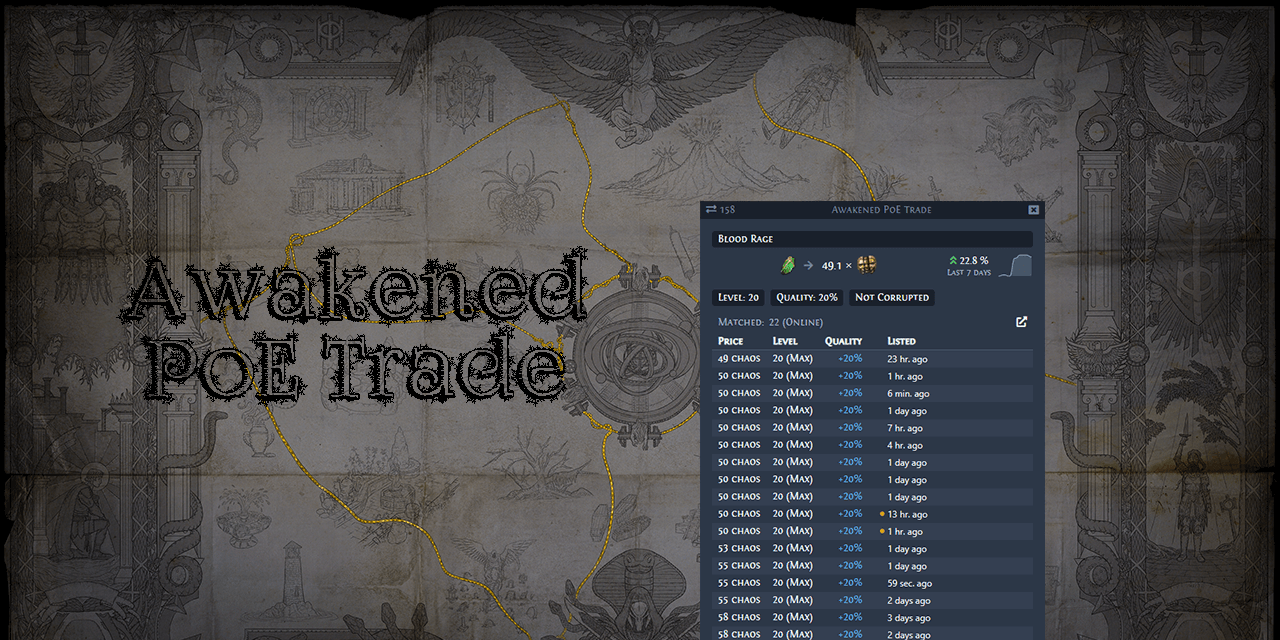
GitHub
:heavy_dollar_sign: :hammer: Path of Exile app for price checking - SnosMe/awakened-poe-trade
analog phoenix
round sedge
Looks good, but I assume that's the issue?
yea it broke some time ago on wayland. starting it with forced xwayland and sandboxing in electron works great so far.
XDG_SESSION_TYPE=x11 "Awakened-PoE-Trade.AppImage" --sandbox
round sedge
Yep, that worked. Thanks!
 sour shale
Hello gents. I want to swap to Linux as my main OS for my first time, due Microsoft bloating their OS
I was previously using W11 Enterprise, but I decided that it is time to give Linux a full chance
The question is, which distro do you gents recommend?
strong kraken
sour shale
The question is, which distro do you gents recommend?
What do you intend to use it for? Just gaming?
sour shale
Gaming 80% of time, maybe watching stuff and doing some excel on it. (I have my work computer for the rest)
I heard that you can't play games with kernel protection and that's fine.
strong kraken
The three main gaming-focused ones are Nobara, CachyOS, and Bazzite. If you want something relatively simpler then I recommend Nobara, if you want something more technical and customizable then I recommend CachyOS, and if you want something similar to the Steam Deck then I recommend Bazzite.
If you have the time, I recommend you play around in the live environment a bit before installing them as well.
if you want to jump into the deep end with Linux then go for a manual Arch install
sour shale
A gentleman in general recommended me cachyos with kde
strong kraken
yeah that's a good option. I'm biased in favor of KDE over GNOME as well.
sour shale
Alright. I asked here because I wasn't sure how Poe works on Linux and if I get driver support on my nvidia
strong kraken
PoE1 and 2 definitely work on Linux, although sometimes it has performance issues (from what I've heard, Windows also sometimes has performance issues, so nothing new there). Nvidia has long "worked" on Linux, but it's gotten especially good in recent times, so you don't need to worry about that anymore (especially not on the gaming-focused distros like the three I listed above).
sour shale
Perfect
I have some minimal experience of using mint in a VM
But I am willing to learn, just because Microsoft is annoying me with their adware
And since path of exile is my main game, it is my main worry lol
 fair pivot
yeah path of exile works perfectly on linux
zero issues
i said earlier but awakened poe trade is a bit finnicky and can be a little annoying, but it does support and work on linux
sour shale
A bit finnicky as in ... not starting or?
fair pivot
no just like
weird with how it windows
hard to explain
sometimes it can be hard to click on
and things like that
it can fight with your window manager or desktop environment i guess
its more problematic if youre using a less normal environment like i am, with a tiling window manager and etc
sour shale
ah, I see
Alright.
Thanks guys. I will back up my data and proceed with install linux
fair pivot
good luck
sour shale
The last straw was windows installing games on the last updates
Games that i previously uninstalled
Silly question but what is the equivalence of .exe on linux
Probably I could google this
strong kraken
Usually executables on Linux don't have extensions
But, if you're curious, the file format is called ELF (executable and linkable format).
sour shale
I plan to use rufus to make a bootable usb, are these settings also compatible with linux, in terms ofpartition ?
 strong kraken
Should be fine. I recommend changing the label to something like "CachyOS Linux" just so you remember which distro it is.
strong kraken
strong kraken
Usually executables on Linux don't have extensions
Linux tends to be more "extension-agnostic" in that programs often look at the actual file contents to detect the file type, rather than at the extension in the filename. The extension is instead meant as a hint to the user.
strong kraken
No worries. It's better to have and ask these questions than to work off incorrect assumptions.
strong kraken
It is Arch-based (like SteamOS), but it removes the need for manual install/configuration.
Which is most of the difficulty.
If you want something that's, in theory, more stable (in practice I'm not sure if there's much difference), you can try Nobara, which is based on Fedora instead of Arch. CachyOS started with people trying to port Nobara's improvements to Arch.
 strong kraken
What happens when you select it?
sour shale
Goes blank for 3 seconds and shows me the same menu
strong kraken
Strange. Did you disable secure boot?
sour shale
No
strong kraken
Try doing that then. There's a way to re-enable it (depending on your hardware) after you've installed the OS, if you want.

 strong kraken
There exist those who say Microsoft pushed for the existence of Secure Boot so they could make it harder to install Linux.
sour shale
Disabled it, let's try again

I feel like I vaal orbed my OS
I saw a line with welcome to cachyos
It's working
What, it installed in 10 seconds
Sorry for pinging but ext4 or btrfs? @strong kraken
I went with btrfs
sour shale
-# This was easier than I thought it would be
strong kraken
sour shale
Sorry for pinging but ext4 or btrfs? <@225775203433709569>
Oh sry I wasn't on my phone. Both are fine. I personally run btrfs, and it is more feature-rich, but ext4 is older and therefore more tested.
sour shale
Starting poe right as we speak
I got so many questions

it works and it is beautiful
sour shale
It is a lot to learn, but Linux runs smooth so I am glad that I made the transition
halcyon moat
sour shale
What, it installed in 10 seconds
it's live iso as you can read
halcyon moat
sour shale
umm I think I messed something
from here
live boot = runs from your RAM without install
everything is temporary unless you explicitly save them to your disk
sour shale
halcyon moat
everything is temporary unless you explicitly save them to your disk
Yeah, I figured it out during the process, very smooth experience, very nice.
10/10
outer pagoda
sour shale
Silly question but what is the equivalence of .exe on linux
typically they'll be labelled as .x86_64, but yeah ELFs can be any format, all that matters really is if the file has the "executable" permission
some games natively will package as .x86_64, like from unity/godot that ive seen, others will just be the filename without an extension
sour shale
Bois helping me install linux
 normal cape
can anyone help me insatll awakened poe
sour shale
unrelated, but wow, cachyos can run a ray tracing game on a gpu without ray tracing

I didn't even knew it was possible.
halcyon moat
gpu ray tracing doesn't allow you to do ray trace
you can do it with CPU as well
or any gpu
how do you think CGI in movies were being made before rtx shit was even a thing?
it's just "ray tracing accelerator"
sour shale

sour shale
~/.steam/root/steamapps/compatdata/238960/pfx/drive_c/users/steamuser/My Documents/My Games/Path of Exile/ here is the filter location for my fellow new linux enjoyers
I'm having some trouble with awakened poe trade, when I open it it asks me to enter some shortcuts and then I can't click anything on the screen
I can't do anything until I close the awakened poe
 sour shale
I was struggling with that too and In the end I just got the one from the official start and running it into gearlevel
tested it in browser mode
 normal cape
sour shale
I was struggling with that too and In the end I just got the one from the offici...
normal cape
sour shale
I was struggling with that too and In the end I just got the one from the offici...
gearlevel is so fucked
lever
i tried it
it launches
but then it overlays and doesnt allow any presses
untill i alt f4
have you ran into this?
sour shale
disable the overlay, for that, I'm testing a fix tho from another reddit
--no-overlay
sour shale
nope
normal cape
so how do i use it
sour shale
you have to use ctrl c ctrl v
cachyos user here and after some digging this is what I found to be the easiest solution.
The issue is something about how wayland programs can't overlay? I'm not a huge buff for this but basically you have to tell the program to run in x11.
If you have awakened poe downloaded to your downloads folder. Right click it then under permissions hit "allow run as executable"
Then I open terminal and I run " Downloads/./Awakened-PoE-Trade-3.27.105.AppImage --ozone-platform=x11 " (replace with your version of awakened poe or file path)
Finally, it has said for me that it cannot find "FUSE" but FUSE3 is installed on cachyos? So I installed fuse 2 and it went away.
Hope this helps someone
normal cape
ah fawk

 normal cape
using awakened poe?
 sour shale
wait it is easy
normal cape
using app image?
 normal cape
how do i get to that
sour shale
--ozone-platform=x11
normal cape
 sour shale
did you download gearlever?
 sour shale
Let me write a mini guide for it and then we can ask a mod to pin it
@strong kraken actually helped me with it, so he is the king
strong kraken
might be good to include what desktop environment/wayland compositor you are using, since whether it works might vary depending on that
iirc i had issues with --ozone-platform=x11 on hyprland when i tried it a while ago
normal cape
- download awakened_poe_trade.appimage
2.download gear lever
3.package type = awakened_poe_trade.appimage
4.code line arguments = --ozone-platform=x11
smth like that
sour shale
Cachyos with KDE (Linux-arch)
How to get Awakened Poe Trade to work like on Windows:
Step 1: Install Gearlever: https://flathub.org/en/apps/it.mijorus.gearlever
Step 2: Download awakened poe trade: https://snosme.github.io/awakened-poe-trade/download
Step 3: Drag the AppImage in Gearlever
Step 4: Use --ozone-platform=x11 in parameters like this

My linux bois, we are not moving back to windows with this one
normal cape
can voice mods pin?
i was litterally about to go to windows
but then this saved my life
so happy
sour shale
What I learned in 3 days of linux is that linux can do everything, you just need to know how to do it lol
normal cape
sour shale
Cachyos with KDE (Linux-arch)
How to get Awakened Poe Trade to work like on Win...
make sure to include cachyos/linux arch for the bricks
normal cape
sour shale
What I learned in 3 days of linux is that linux can do everything, you just need...
been using linux for a year its simple af
worse then windows 10000%
cooler then windows 10000%
sour shale
I would tag a mod, but I don't know which, yet I want to preserve this solution
sour shale
I have no idea haha
normal cape
welp
sour shale
But yeah, this solution saved me
sour shale
i was afraid to use it, but it was easy to get into it
i'm all ready for 3.28
~/.steam/root/steamapps/compatdata/238960/pfx/drive_c/users/steamuser/My Documents/My Games/Path of Exile/ here is the filter location for my fellow new linux enjoyers
 acoustic mirage
 sour shale
acoustic mirage
https://tenor.com/view/huh-cat-huh-m4rtin-huh-huh-meme-what-cat-gif-583448404141...
sour shale
acoustic mirage
https://tenor.com/view/huh-cat-huh-m4rtin-huh-huh-meme-what-cat-gif-583448404141...
Please pin the mini guide above
acoustic mirage
sour shale
Cachyos with KDE (Linux-arch)
How to get Awakened Poe Trade to work like on Win...
I presume that was the right one
sour shale
Yes, thank you
acoustic mirage

sour shale
We eating like kings tonight
acoustic mirage
Your 2025 pin budget has been used 
normal cape
great, we are in 2026 🙂
sour shale
we didn't have one used in 2025, so it makes sense that we could redeem it now

 violet frost
might be time to switch back to linux
patent fern
Surely 2026 will be the Year of the Linux Desktop.
 polar spruce
surely 
sour shale
Poe works, discord works, Poe awakened trade works, what you need more
halcyon moat
wait until an update breaks your system just like windows
seriously if everything works fine, never update unless you do want to spend time looking for a solution after a broken update
this is valid for any OS
jolly star
Never update is weird advice
 craggy pendant
I just update on the weekends usually so if anything is off I have spare time to take care of it.
But then again not all OSes have the privilege of choosing when to apply updates 😎
patent fern
I update whenever I remember machines exist, at which point they will inevitably have reached some unholy update that require manual intervention and a bajillion keyrings.
(on arch btw)
halcyon moat
jolly star
Never update is weird advice
Well, this happened after using Master/Nightly/Canary builds of everything my entire life
After some moment you realise overall coding quality degrades with each year passing
+add AI into this
and sooner or later you realize that old good code is actually better than getting 2 bugs fixed and 8 bugs introduced
halcyon moat
patent fern
I update whenever I remember machines exist, at which point they will inevitably...
this is my guy
Why I can't react to posts btw?
halcyon moat
halcyon moat
Why I can't react to posts btw?
It worked now, used to say "insufficient permission", hmm
halcyon moat
elaborate why it's bad if you are presenting a counterbelief
and then belittling people on the second part of your sentence, huh?
strong kraken
it's fine to update packages frequently if you're on a supposedly stable distro like fedora (not that there will be frequent package updates available). if you're on a rolling release like arch, updating is still almost always fine, but maybe don't do it if you have an important deadline within a day or so. also I recommend checking the news/subscribing to the news mailing list so you're aware if/when manual intervention is necessary
I don't think I've ever had an arch package update actually break my stuff, but there are certainly often cases where manual intervention is necessary
I have had issues with AUR packages after updates though, which makes sense since at one point I had about 100 -git packages installed
halcyon moat
They are mostly fine except these situations in my opinion:
- A package you had gets deprecated and it gets replaced by another package, breaking stuff in your system during migration.
- You have not initiated a system wide upgrade for more than 6 months, so you are risking to get a system wide failure. (Upgrading after one year or more is like guaranteed to failure to boot.)
- If you are using BtrFS with LUKS enabled, you are risking a failure to boot with every kernel update, grub update, or cryptsetup update.
So it's either you continuously update or you do not update at all in my opinion. There's no middle in the Linux.
halcyon moat
halcyon moat
Well, this happened after using Master/Nightly/Canary builds of everything my en...
I myself, gave up on updating after using bleeding edge versions for my entire life as I said earlier.
It is up to the person to do it or not to do it. I can not force them. It is their computer. Just do not be a Twitter idiot like this guy.
strong kraken
i've been using btrfs with luks for years and i've never had boot issues despite sticking to the latest kernel rather than lts
I do agree with the 6 months thing though. waiting too long for an update is worse than updating too frequently
halcyon moat
strong kraken
i've been using btrfs with luks for years and i've never had boot issues despite...
Maybe it's my bad luck, had numerous issues like grub.cfg being changed back to defaults after an update thus removing boot entries, or volume doesn't get decrypted during boot with random various reasons
strong kraken
oh yeah i've been on systemd-boot all that time
strong kraken
which ones?
halcyon moat
used Garuda for some time
strong kraken
garuda is a non-systemd distro? I thought it was just arch slop
halcyon moat
Then used cachy as well
strong kraken
cachy is definitely a systemd distro
halcyon moat
Modified versions of them
they have non systemd flavours as well
I like Void a lot but always causes microcode problems on my devices
strong kraken
halcyon moat
they have non systemd flavours as well
are they official? i've talked to the cachy people before and never heard them mention that.
halcyon moat
The one I like the most is EasyOS
strong kraken
i don't think arch has officially supported non-systemd for ages
halcyon moat
from the former puppy dev
strong kraken
"EasyOS / An experimental Linux distribution" tbf you kinda had it coming lol
halcyon moat
strong kraken
i don't think arch has officially supported non-systemd for ages
there are non systemd arch distros
strong kraken
unofficial ones
halcyon moat
I think that obarun distro was arch too, wasn't it?
yes it was
just checked it
it works well tho
strong kraken
well, clearly not that well if you're running into the issues you described before
i mean i think these distros are fun, but you have to know what you're in for
halcyon moat
We are not sure if they are caused by replacement of systemd
 quasi thunder
Hello everyone!
I've recently switched from Windows to Linux, and I'm unsure which method to choose. On one hand, I have the Steam client, and on the other, there's the Heroic Games Launcher. I haven't done much research yet.
Currently, I use the Steam client for all my gaming needs, but I'm experiencing some issues. It frequently crashes, and sometimes the game freezes at 0 FPS. When I try to log out, it gets stuck on the character selection screen. Although the animations still work, the game completely freezes, and the only way to escape is by logging out completely. (Had 0 problems on windows system)
Should I give Heroic Games Launcher a try, or are there other options I should consider?
strong kraken
quasi thunder
Hello everyone!
I've recently switched from Windows to Linux, and I'm unsure whi...
HGL likely won't help this (other than in the sense that a fresh install might fix it). You can try using something like https://github.com/GloriousEggroll/proton-ge-custom

GitHub
Compatibility tool for Steam Play based on Wine and additional components - GloriousEggroll/proton-ge-custom
quasi thunder
strong kraken
HGL likely won't help this (other than in the sense that a fresh install might f...
I just think to take windows installer and install it via HGL xD
At least I fix thing that: when i change keyboard layout buttons dose not work (was ibus)
Thx, will try it out
quasi thunder
Linux Mint 22.3 , On windows 0 crush and stable gameplay. PoE1, I install it via steam, and performance is not good, random game crush (no msg, just freez and close)
 glacial coral
As of now Linux is better than windows for POE2
glacial coral
quasi thunder
Linux Mint 22.3 , On windows 0 crush and stable gameplay. PoE1, I install it via...

GitHub
Compatibility tool for Steam Play based on Wine and additional components - GloriousEggroll/proton-ge-custom
try ge proton
also linux mint isnt good for gaming
CachyOS or Nobara or Bazzite are better
also try some tinker steps, launch options!
especially with nvidia cards
quasi thunder
not on nvidia card, but ok, i just think its something with league at start. But, most of the time it was ritual - game just start slowing until it freeze (but fps is ok with ping). Im not playing games at all, last 10 years i play only PoE, and nfs xD
 sleek lodge
Kind of sounds like an out of memory issue. Do you have some sort of swap set up?
You're saying the game starts playing fine, then eventually slows down and halts?
outer pagoda
glacial coral
also linux mint isnt good for gaming
as mentioned above, this isnt really a thing
i tried bazzite for some stuff and i found it far more annoying to deal with since it does its best to fulfill dependencies with flatpaks, but being an immutable distro it makes playing with driver packages an absolute pain in the ass
whereas if i have a problem in mint i can just go fix it without needing to reboot to try every change
quasi thunder
sleek lodge
You're saying the game starts playing fine, then eventually slows down and halts...
Nah, can be even on start, i have radeon card
64Gb ram, OS: Linux Mint 22.3 x86_64 Kernel: 6.17.0-14-generic, I use Vulkan in PoE.
i'm just not sure what info you need 😭
quasi thunder
I just installed the game using HGL, and it runs even better than on Windows. I believe the solution is Proton, since HGL includes Ge Proton. Thanks to everyone for their help! I will continue using the HGL option because I prefer it, especially since Steam can sometimes experience downtimes and other issues
HGL is not against GGG rules, correct?
strong kraken
that would be extremely unlikely. btw you can use proton-ge on steam if you just install it manually (or use something like protonup-qt to install it for you)
sleek lodge
GE-Proton isn't always going to be the solution FYI, but glad it worked out in this case.
glacial coral
outer pagoda
i tried bazzite for some stuff and i found it far more annoying to deal with sin...
yeah i dont like baztzite either. Cachy is way better.
I dont like Linux Mint for updates, because
my problem with mint is that afaik kernel is odler than on many other distributions
glacial coral
sleek lodge
GE-Proton isn't always going to be the solution FYI, but glad it worked out in t...
yeah, but it can fix soem stuff
glacial coral
glacial coral
yeah i dont like baztzite either. Cachy is way better.
I dont like Linux Mint f...
and i dont have wayland in linux mint
at least not as standard
glacial coral
quasi thunder
HGL is not against GGG rules, correct?
tbh i dont know what HGL is
strong kraken
heroic games launcher
glacial coral
but why should it be against GGGs Rules?
strong kraken
I think they just want to be safe
halcyon moat
Is dxvk-async still falsely triggering PoE's anticheat?
Did they fix the false positive?
Has anybody been using recently?
quasi thunder
I was banned a few years ago because of that, which is why I asked. However, I got my account back after a lot of conversations with the support team.
halcyon moat
quasi thunder
I was banned a few years ago because of that, which is why I asked. However, I g...
How did you manage to get into a lot of conversations after their "only one chance to appeal" policy?
quasi thunder
It was back when we use poe acquisition that itsyoji talks about. Back then it was email thing, and not via website
Yes, I'm and old man 😄
patent fern
There's always some universal risk when using alternate platforms or otherwise affecting how any game with an online component runs.
Back in the 00s when I beta tested Cedega and moderated the IRC channel, WoW was the big bugbear as it was one of the dominant live service games with active anticheat efforts.
We had one instance when all players on Linux got banned, TransGaming had to work with Blizzard to recognize the problem and even had a custom form Cedega users could use to submit a ban appeal for that particular incident.
We got a lot of actual cheaters that tried to social engineer their way to an unban on IRC, some easily identified by their complete lack of knowledge about what Linux even was. 
patent fern
The PoE Developer Docs touches on different categories of third party tools and mentions which ToU sections are relevant.
While not tools per se, anything that hooks or detours the client may look quite sus.
Notable cases that players have posted to blame when banned are things like OptiScaler, ReShade and the "ultrawide fix", but the amount of truth in such posts tends to be... varying.
Everything that isn't a native client on Linux and macOS is going to look some amount of weird to any program that looks deep enough.
All this is my personal reflections, not any official stance in any way.
halcyon moat
patent fern
We got a _lot_ of actual cheaters that tried to social engineer their way to an ...
lol these people
Thanks for sharing valuable insights Zao
patent fern
Off to a good start 

Straight up defaults to 640x480 over VGA, maxes out at 1024x768.
strong kraken
idk why but VGA is really funny to me for some reason
patent fern
Got an old HP EliteDesk I inherited off my previous job that I install OSes on every now and then to have as a minspec machine for my own code.
It has VGA and two DP connectors, one of which can speak HDMI.
My ancient secondary monitor has VGA and DVI 😄
 gray birch
Anybody got various autohotkey tools working on Linux? I haven't tried Awakened POE Trade yet but I did try ExileUI and haven't gotten it working so far
fading topaz
Awakened PoE Trade works. What kind of automation are you looking to do though?
gray birch
Ok, good to know Awakened trade works. Hoping to get ExileUI working as well by league launch, it's very useful for the first character of a new league
 ancient gorge
Any hyprland users here have experience figuring out how to get pob to be fullscreened when using wine?

 minor pollen
fading topaz
Awakened PoE Trade works. What kind of automation are you looking to do though?
minor pollen
fading topaz
Awakened PoE Trade works. What kind of automation are you looking to do though?
are you on x11 or wayland?
fading topaz
minor pollen
are you on x11 or wayland?
I've had it work on both
polar spruce
ancient gorge
Any hyprland users here have experience figuring out how to get pob to be fullsc...
Not an answer to your question but you could try rusty pob instead https://github.com/meehl/rusty-path-of-building
minor pollen
fading topaz
I've had it work on both
doesn't seem to work on my machine
fading topaz
On Wayland?
minor pollen
yeah, Niri specfically
fading topaz
Oh. I haven't tried on Niri yet (not sure how well it will work there), but you have to pass in a launch option to get it working
fading topaz
Well it definitely launches, but you're right that it doesn't seem to do much (open in browser works fine)
I suspect this is a Niri issue
It likely doesn't support overlays, for one
minor pollen
I know it uses x11satellite
which is not the case in most other window managers
I can't open it in the browser either. do I just pass -no-overlay or do I need something else as well?
fading topaz
If you have tray icons, you can right-click on it to open it there
minor pollen
oh there we go
gray birch
I still haven't messed with awakened poe trade yet, been spending a lot of time trying to get ExileUI to work. I've been putting comments in here in case anyone wants to take a look https://github.com/Lailloken/Exile-UI/issues/446

GitHub
Hey, Does anyone have a guide on how to run the UI under Linux? I have installed AHK in Wine and run the UI script in the Wine context. I see the Lailloken UI icon appearing in my taskbar, but no o...
cold cloak
polar spruce
Not an answer to your question but you could try rusty pob instead https://gith...
i try but league 0.3 not fate of vaal with rust
 opaque snow
no idea why but this channel was hidden for me...
so what is the preferred way to install PoB these days? I used to do Lutris
opaque snow
quasi thunder
Linux Mint 22.3 , On windows 0 crush and stable gameplay. PoE1, I install it via...
this is why i'm tired of people recommending Mint. It's a stabe distro, ergo not good for gaming or programming and too many people think it's good just because it's easy to install and has a gui package manager and everyone has been recommending it forever since it dethroned Ubuntu for most installed for awhile. And tbh that just isn't good enough. Arch isn't even that hard to install if you use the install script and you have an AMD system (proprietary drivers for team Green is well, a pain in the ass.). Now, i can't speak for Bazzite but i have been on Arch before, and Cachy seems like it's less hassle with equal or better performance. I learned Linux on Nobara. Can't recommend it, but it IS performant and plug and play.
polar spruce
opaque snow
so what is the preferred way to install PoB these days? I used to do Lutris
opaque snow
polar spruce
<https://github.com/meehl/rusty-path-of-building> try this
thanks i'll bookmark that
it's on AUR - perfect.
i'll add it to my package list.
also i love that it's using Rust
opaque snow
i do on occasion though i am less interested in that until it's at least fully released. poe 1 is just too polished with too much to do and poe2 by comparison isn't my jam yet. but it is quite fun and promising
quasi thunder
opaque snow
i do on occasion though i am less interested in that until it's at least fully r...
I was using debian for 4 years, and I like it, and was on arch for a half year, but had problems with microphone and some other thing. At that time, was a lot of work, and PC was just to chill. But i get what you want to say.
opaque snow
quasi thunder
I was using debian for 4 years, and I like it, and was on arch for a half year, ...
I have Debian on my laptop. Stable has its uses. When I need a system that works 100% of the time barring hardware failure, I use Debian. Love it.
 gloomy nebula
Hello, I've got an issue, I have PoB Community installed through Lutris, and it was working great, until the middle of last league where (I guess an update?) made it throw an error when I try to open it.
I tried to uninstall and reinstall it, but it didn't change anything, so I'm wondering how I could fix that, if anyone has an idea
Here's the error:
SimpleGraphic v2.5-1389b1f x64 Release, built Nov 19 2025
Executing SimpleGraphic/SimpleGraphic.cfg
Warning: config file not found
Executing SimpleGraphic/SimpleGraphicAuto.cfg
Warning: config file not found
Executing S:games/path-of-building/Launch.cfg
Warning: config file not found--- UI Init ---
Script: S:games/path-of-building/Launch.lua
Script working directory: S:games/path-of-building
Initialising Lua...
Running script...
Could not create window, EGL: Failed to initialize EGL: EGL is not or could not be initialized--- ERROR ---
Critical error at address F9B98065h:
Access violation: attempted to write to address 00000028h
gloomy nebula
Thanks, that seems to work nicely! Nice that it's native and runs much faster too
craggy pendant
it feels like a big upgrade for sure
patent fern
Kind of intentionally made by the author to provide a pobfrontend-like experience on non-Windows platforms.
I want to rip out ANGLE from PoB proper some day as it's a chonker of a dependency, but that means swapping the render API out for something like D3D 11.1.
Got a bit on the way already, but it's a pain to change code that mutates GL state piecemeal into D3D11's cleaner API.
It's also fun to deal with things like how the shading language Really Doesn't Like selecting samplers with anything but constant expressions. Arrays of textures are largerly fine to index, but heaven forbid if you want to select a sampler by vertex attribute before D3D12 ^_^
outer pagoda
then people dog on vulkan like you dont have to reinvent the wheel in every other render pipeline
halcyon moat
patent fern
Got a bit on the way already, but it's a pain to change code that mutates GL sta...
Zao have you thought about migrating to Skia or another multi platform graphic library rather than maintaining graphic API support separately for each platform

GitHub
mpv version and platform 0.26 Windows Reproduction steps dxinterop doesn't work with D3D11VA, likely since it's using DX9 for presentation? Expected behavior It would be nice if there was a...
There's some interesting talk here

GitHub
meta:feature-request Expected behavior of the wanted feature using Vulkan for rendering and DXGI for presentation, just like dxinterop ref: https://evergine.com/directx-vulkan-interop https://githu...
also here
check this out as well:
GitHub
This adds a Direct3D 11 backend based on SPIRV-Cross. I think the code is at the point where I'm happy with it. Everything that's been tested appears to work.
This includes some gen...
halcyon moat
halcyon moat
check this out as well:
https://github.com/mpv-player/mpv/pull/5041
they did replace angle with that commit
Their old dx9 implementation:
https://github.com/mpv-player/mpv/blob/master/video/out/opengl/context_dxinterop.c

GitHub
🎥 Command line media player. Contribute to mpv-player/mpv development by creating an account on GitHub.
patent fern
halcyon moat
Zao have you thought about migrating to Skia or another multi platform graphic l...
Did some experiments with Skia for text rendering, kind of interesting but didn't fit in well overall.
For general accelerated 2D rendering, they tend to want some rather specific types of backends that doesn't fit PoB's minimum requirements.
Also, it's even bigger of a dependency than just ANGLE, and it's extremely underdocumented.
My goals with the experiment I've got right now is to make the build slimmer (due to CI reasons), less complicated for something like Proton and Wine to translate, while still keeping minspec low to not lose users that could previously run the project.
Vulkan and similar DX12-era APIs have a way higher minspec in hardware and drivers, and is honestly way too much fiddling with details than I ever want to learn.
My brain caps out on DX11.
halcyon moat
opaque snow
this is why i'm tired of people recommending Mint. It's a stabe distro, ergo not...
GloriousEgroll is a good developer but I do not understand why he decided to put Brave spyware into Nobara isos for some hot bucks
halcyon moat
patent fern
My goals with the experiment I've got right now is to make the build slimmer (du...
Didn't you have a native Linux for PoBCF fork back in time? Was it someone else? Old times, can't remember much...
There was also a Chinese fork too for Tencent servers but went unmaintained
patent fern
halcyon moat
Didn't you have a native Linux for PoBCF fork back in time? Was it someone else?...
That was one of the driving forces of my initial SimpleGraphic v2 update.
Ported away all Win32-specific stuff and dropped OpenGL 1.1, using modern C++ with GLFW3 and ANGLE from vcpkg instead.
The runtime built on Windows, Linux and macOS.
It, however, required a fair bit of additional work to figure out how to update on each platform, avoid writing to install directory, deployment in general, frontend UI, platform integrations for specific things like opening URLs and stuff, etc.
The remaining 90% of the work 😄
Ultimately, it's a large responsibility to support additional platforms, especially if you don't have developers that daily-drive them.
halcyon moat
patent fern
Vulkan and similar DX12-era APIs have a way higher minspec in hardware and drive...
Yes DX12 support is weird, despite Win10 adding support for DX12, older GPUs which has 11.1 support level as the maximum performs much worse on dx12 games
I believe windows somehow translates 12 to 11 for the drivers
patent fern
As there's viable alternatives rising like Rusty PoB now, there's even less point in having a multi-platform runtime if there's only one platform.
halcyon moat
it's still 11 but worse performance I believe? Not sure although
halcyon moat
patent fern
That was one of the driving forces of my initial SimpleGraphic v2 update.
Ported...
Yes I was one of the first testers of the SimpleGraphicV2, it had window scaling problems, later fixed on
patent fern
So anyway, I'm noodling in my free time on whether I can shake the first party runtime up a bit and do some of the things I've wanted to fix lately.
halcyon moat
halcyon moat
Yes I was one of the first testers of the SimpleGraphicV2, it had window scaling...
Intel based GPUs because of buggy drivers
patent fern
GitHub CI is forcing my hand, making ANGLE very inconvenient.
A clean build of PoB's runtime takes something like 30 minutes as it needs to compile a bunch of dependencies from source.
halcyon moat
patent fern
As there's viable alternatives rising like Rusty PoB now, there's even less poin...
Haven't heard that Rusty, let me check it out
patent fern
We used to cache the binary artifacts from vcpkg via GitHub actions, which worked fairly well.
GH decided that the way they cached them was highly undesired and politely told vcpkg to stop.
So now all my builds are essentially clean builds as the old caching doesn't work and if I want to cache things again, I'd have to manually figure out what on earth to cache and with what keys.
patent fern
halcyon moat
Haven't heard that Rusty, let me check it out
Rust impl of the PoB runtime for hippie OSes with wgpu, pretty much.
halcyon moat
patent fern
<https://github.com/meehl/rusty-path-of-building>
Oh yes, looks like someone took the maintenance chore
patent fern
Mostly works.
halcyon moat
Why do people still use the regular one over wine then
patent fern
Nice thing about it is that it's freshly made and the author is a bit easier to get hold of when things change.
halcyon moat
This Rusty sounds much better
patent fern
pobfrontend has good inertia by being in AUR and the macOS packaging.
Rusty came into existence just before the holidays.
halcyon moat
patent fern
So now all my builds are essentially clean builds as the old caching doesn't wor...
I think you can use different repos each set with separate action runs to cache things
Let me show you an example repo
patent fern
As for running through Wine - that lets you use the first party PoB as it comes out with very few problems.
halcyon moat

GitHub
Android application for online privacy and security - Gedsh/InviZible
patent fern
halcyon moat
I think you can use different repos each set with separate action runs to cache ...
I'm sure it's possible to do in some way, but I really don't want to deal with anything CI.
ANGLE is also stretching the boundaries of what's possible to cache as their artifacts are huge.
halcyon moat
Each are binary blobs auto compiled with latest commit within their own repo, then used on other repos

idk how to do it tho
just know it's possible
this way you don't have to wait for a long time to compile everything at once, you will already have them ready in hand
halcyon moat
halcyon moat
Each are binary blobs auto compiled with latest commit within their own repo, th...
Ah wait these may not be blobs themselves, I have mistaken
There was a workflow recipe to use artefacts from other repos during building
That was the method
I mistargeted you in the first place, my bad

GitHub
Contribute to actions/download-artifact development by creating an account on GitHub.
Yes this was how to do it, I remembered now
Apologize my lack of sleep :)
halcyon moat
patent fern
Rust impl of the PoB runtime for hippie OSes with wgpu, pretty much.
if it's webgpu then it means it's multiplatform, doesn't it?
can't be switched as the main backend? This would open the way for full browser support too
Lua can be compiled to wasm
people can open full pob within their steam browser
would be pog
patent fern
halcyon moat
if it's webgpu then it means it's multiplatform, doesn't it?
Doesn't currently build on Windows, author devs on Linux I think.
And it still has the problem of raising minspec. There's people running PoB on machines that can't run the game, every little bit you raise the system requirements you alienate some previously fine users.
ANGLE and D3D11 are pretty much the lowest capabilities you can run while still having things like BC7 textures, that raised the spec floor a fair bit.
Even just going up to feature level 11_1 would lose several generations of GPUs.
11_1 over 11_0 would lose:
NV cards from 400 series up through 700 series - some mobile chips in 900 and 10 lost too;
AMD cards from HD 5000 up through HD 6000 series - supported in anything GCN or RDNA;
Intel Gen7 (Ivy Bridge).
halcyon moat
Apple is planning to ditch out Apple OpenGL support completely from what I heard
patent fern
It'd be quite a surprise if your laptop on a 10 series NV mobile chip suddenly couldn't run PoB.
halcyon moat
Minecraft is adding Vulkan and Metal backend as well
halcyon moat
patent fern
And it still has the problem of raising minspec. There's people running PoB on m...
That is also true
But it may actually reduce the requirements as well because of aot compilation of Lua to WASM
Would need a benchmark
By reducing requirements I mean smoothness & rendering FPS wise
halcyon moat
patent fern
> 11_1 over 11_0 would lose:
> NV cards from 400 series up through 700 series - ...
Oh that reminded me of my friend who still plays poe1 on a good old GTX 980
You are right, I agree from your perspective and I support you. I love the kind of developers who prioritize compatibility and refrain from taking away things from the people. I still use an old android version and hate when developers increase minsdk level for their apps and drop old version support for no apparent reason.
As such a person I highly respect you.
patent fern
If you're really doomed, there's also the pob.cool website.
halcyon moat
Zao look what I've found:
GitHub
Automatic build of angle for Windows. Contribute to mmozeiko/build-angle development by creating an account on GitHub.
halcyon moat
patent fern
If you're really doomed, there's also the pob.cool website.
Oh I totally forgot it exists
halcyon moat
patent fern
If you're really doomed, there's also the pob.cool website.
doesn't work on my phone sadly, fails to get webgl context despite webgl being enabled and available
maybe Rusty's more modern and lower level webgpu implementation would work
halcyon moat
I actually got an idea, I just checked the available web skill trees
poedb skill tree seems to be the best one, it's html5, smooth and doesn't require webgl
works even in ancient browsers
what if I use pob's calculation and lua mechanism to wasm and combine with poedb'w skill tree
poe.cool's website runs lua converted to js, so very slow and clunky together with webgl
but my method has the possibility for great multi platform support and being buttery smooth
hmm I just got something new to work on
Thank you Zao for giving me the idea
ditch webgl and webgpu, HTML5 canvas is the best
ancient gorge
@sinful flare maybe better to chat over here on topic
you on x11 or wayland?
 sinful flare
had this channel hidden, thanks
So I'm on Wayland (Fedora KDE 43). I installed the AppImage via Gear Lever and have APT running and in my taskbar. However, I'm not able to bring it up in PoE.
APT itself is working, if I right click it on the taskbar or whatever you want to call it on Linux, it gives me an option to pop it open in the browser and that works, so I can interact with it that way, kinda
ancient gorge
if you run it via the command line does it print any interesting logs that might indicate something is wrong?
sinful flare
Frankly I'm not certain how to do that as I only just picked up Linux like two days ago with only a small amount of prior experience, how do I open an appimage in terminal? Just like ./{appimagename}
?
yeah that worked, one sec


full output

 dawn furnace
when you try using ctrl alt d to interact with it what actually happens
sinful flare
the top pin literally has instructions on this, let me see if that works
I'll try what you said first though
sinful flare
dawn furnace
when you try using ctrl alt d to interact with it what actually happens
nothing at all
it's just not picking up the keypresses or something
dawn furnace
sounds like the wayland issue then and you just do the start in x11/xwayland :p
sinful flare
yeah I'm adding "--ozone-platform=x11 " now
Still not getting anything, let me see if running via terminal shows anything new
I think the most annoying thing about KDE to me vs Windows so far is that when I press the meta key and start typing to search, if I press enter too fast it opens whatever the top result prior to filtering was
so I just searched "term" and it opened fuckin steam
lmao
sinful flare
no difference
 dawn furnace
youd have to add it to the end of that since its not going thru gear level if you use terminal
 dawn furnace
are you in full screen i guess? or windowed full screen
dawn furnace
per chance do you have it open in your browser well trying this
because ive just learned that causes to overlay to not overlay over the game 
 dawn furnace
uh the way i read that your steams running on a different xserver and that might be why its not working
sinful flare
Steam running on x11 or xwayland or whatever is normal to my knowledge
or well if it was xwayland it wouldn't show up here I think
the game is running via proton-ge which should be wayland
dawn furnace
unless youve specifically told it to run under native wayland it should be using xwayland
 dawn furnace
yeah native wayland and overlays are very iffy
i hadnt even considered that as a possibility
sinful flare
off to an excellent start here as poe is refusing to render over my taskbar
everything is pushed up and it just reduced the vertical resolution instead
but yes it works


This appears to be (permanently?) fixed by setting the game to windowed and then back to borderless
dawn furnace
ive had it happen anytime the game crashes for the past few weeks
sinful flare
Is there any possible way to get APT to work while using Wayland, or I suppose some other price checker that works with it? I'm getting a small FPS bump from forcing Wayland via PROTON_FORCE_WAYLAND=1, and the game is feeling smoother overall besides.
I'd really really like to run it under Wayland if possible, doubly so because I'm going to run into this exact issue for PoE2 with Exiled Exchange 2, where I'll definitely want to be using Wayland for HDR support
sinful flare
Wondering if anyone else can corroborate these findings and has a workaround.
So in testing I've found that:
-
Wayland feels more smooth than x11, and Wayland has an up-front FPS boost of around 15FPS in DX12. x11 can sort of make back the lost FPS via running Vulkan instead of DirectX12, but it seems to have some wild FPS swings in either direction for some reason just sitting in Lioneye's Watch A1; like walking back and forth will make me fluctuate between 70 FPS and 200 FPS. DirectX12 is a bit better off but has like 80 FPS variance instead. These are short enough that MangoHUD isn't updating fast enough to catch them, I need to see them via the game's own FPS display. Not sure how that'll pan out in gameplay. Wayland on the other hand is extremely stable with a 10-15 FPS variance while moving around in a circle.
-
Vulkan doesn't work on Wayland at all, the game black screens on boot and freezes up when switched while in-game. It's DirectX12 or nothing.
-
x11 has like a 50/50 chance of resizing the windowed borderless mode to accomodate for my taskbar, which looks like this image. I can fix it by setting the game to windowed mode and back to borderless windowed which takes like five seconds, but it's irritating as hell.

I would really, really like to use x11 so I can use APT, but it's looking like the game isn't really playable in x11 for me unless I'm missing something major.
If it helps at all, I'm using an Nvidia GPU.
Yeah I just tried some brief mud flats gameplay in x11 and the FPS swings are just not it
I think I need to try this with another version of Proton to see if it runs better, I'm currently using the latest version of Proton-GE. Or maybe adding gamemoderun to my launch options would help. I'll try that later. Need to get some sleep for now.
craggy pendant
sinful flare
Wondering if anyone else can corroborate these findings and has a workaround.
S...
I run poe1 on nvidia gpu and x11 and I don't encounter the 3rd issue. However I also have a window rule to force focus stealing prevention on extreme level and I confine the game to run in a second virtual desktop, not sure if that's what affects it.
sinful flare
Out of curiosity do you experience these drops? If not, what renderer are you using, and what version of Proton + launch args?
craggy pendant
sinful flare
Out of curiosity do you experience these drops? If not, what renderer are you us...
I run it on Vulkan and Proton 10.0-4 with no launch args. I've read your posts but I'm not sure what exact drops you mean - just ones during regular gameplay? When I walk around in mud flats and fight roas I have stable 135-144, 144 being my enforced upper limit.
as for methodology I used the in-game fps counter that you get from F1 keypresses
sinful flare
craggy pendant
I run it on Vulkan and Proton 10.0-4 with no launch args. I've read your posts b...
Literally just walking from like the stash in lioneyes watch act 1 to tarkleigh and back I was getting those drops
Actual gameplay wasn’t much better
Didn’t happen in wayland
I’ll give that version of proton a try when I hop on later, thanks
sleek lodge
sinful flare
Is there any possible way to get APT to work while using Wayland, or I suppose s...
Installing from source fixed any issue I had with APT.
I'm on arch/hyprland.
sinful flare
I'll give this a look, but I'm not sure how applicable it is to me since I'm using whatever KDE uses, not hyprland
sinful flare
sleek lodge
Installing from source fixed any issue I had with APT.
I'm on arch/hyprland.
To clarify though this is letting you use APT while running the game on Wayland?
sleek lodge
Yes, hyprland is a compositor that uses wayland. I have no x11 at all.
sinful flare
Right but Fedora doesn't come with x11 nowadays either, but Proton runs games on x11 via xwayland unless you specify for the game to use Wayland with PROTON_ENABLE_WAYLAND=1
Are you doing that or just not passing any launch options?
At least that's my understanding, I may be wrong.
sleek lodge
I do not have x11
These are my launch commands in steam
LD_PRELOAD="" %command% --nologo
sinful flare
just to make sure can you do me a favor
launch poe via your normal method, whichever works with APT, then open a terminal and run xwininfo
then click on the poe window
if poe is running in native wayland then this won't do anything
sleek lodge
JFC, I'm not running it via x11
sinful flare
I'm sorry if I'm being an ass about this, what I'm saying is that Proton by default runs applications through xwayland
this is regardless of if you are using x11 or wayland for your DE
you can force wayland with PROTON_ENABLE_WAYLAND=1 in the game's launch properties
but otherwise it is using xwayland
I'll look more into this later, but @craggy pendant I just wanted to let you know that I switched the Proton version to 10.0-4 with no launch args and am running on DX12 right now and it's boosted me to 220-240 capped in quick tests in coast/mud flats, with drops to like 160 while killing shit with my somewhat intensive build. I think you saved me here lol
I am seeing some wider FPS swings in lioneye's watch but not nearly as dramatic as before, so we'll see what happens
vulkan runs with somewhat lower framerates in town but is more consistent it seems like. DX12 was swinging from 160-200-ish, vulkan is swinging from 160-180 at most and is generally more "reasonable" I guess in that it's less extreme
either of these hit 240 cap in the coast
Aonther question, I discovered Rusty Path of Building scrolling up in the chat. I installed it from flathub, however when I start it, it hangs on this and doesn't progress. I've left it like this for a good while now.

Any thoughts?
sinful flare
Went ahead and posted an issue here https://github.com/meehl/rusty-path-of-building/issues/29

GitHub
Describe the bug This application is hanging when starting, on the black "Starting download..." screen. This is after directly installing from Flathub and running via GUI, or via "fl...
halcyon moat
sinful flare
Aonther question, I discovered Rusty Path of Building scrolling up in the chat. ...
check the log file
jolly star
sleek lodge
Installing from source fixed any issue I had with APT.
I'm on arch/hyprland.
Does it work as overlay or still just browser?
sinful flare
halcyon moat
check the log file
Hangs here:
[2026-03-05T19:25:22Z WARN rusty_path_of_building::clipboard] Failed to create arboard clipboard: Unknown error while interacting with the clipboard: X11 server connection timed out because it was unreachable
[2026-03-05T19:25:22Z WARN wgpu_hal::vulkan::instance] Unable to find extension: VK_EXT_physical_device_drm
halcyon moat
sinful flare
Hangs here:
[2026-03-05T19:25:22Z WARN rusty_path_of_building::clipboard] Fail...
hmmmmm, better attach this to your GitHub issue
I couldn't get the cause
sleek lodge
jolly star
Does it work as overlay or still just browser?
Got mine working as overlay.
There apparently is some bug in the rendering engine that is fixed in source, but not pushed out yet.
jolly star
sleek lodge
Got mine working as overlay.
Thanks, it works! Its gonna make this league so much better
 astral blade
The game just updated, and now it's at 1 FPS and the video card isn't showing up anymore. I opened the game before the update and it was normal. What can I do? Zorin OS 18

 edgy sierra
astral blade
The game just updated, and now it's at 1 FPS and the video card isn't showing up...
edgy sierra
astral blade
The game just updated, and now it's at 1 FPS and the video card isn't showing up...
For some reason it's falling back to Mesa's CPU vulkan implementation, is any other game affected?
astral blade
That's very strange, I do the same thing in other games too.
edgy sierra
Yeah something's gone hinky with your vulkan driver then. Have you tried rebooting yet? If Zorin does automatic updates in the background that could cause strangeness.
astral blade
I restarted my computer and the game took a long time to load. But the video card and frame rate returned to normal, and I installed GameMode and Proton Experimental; I don't know if that's the best option.
@edgy sierra Thank you for giving me a direction to follow.
round sedge
Debian Trixie, latest updates, KDE Plasma, Wayland: I've got Awakened POE Trade runniing, but for whatever reason while it takes mouse input, keyboard input (including cut 'n paste) does not work. Any suggestions?
My launch command is XDG_SESSION_TYPE=X11 ./"Awakened-PoE-Trade-3.27.106.AppImage" --sandbox
 left veldt
Anyone using a different overlay than Awaken Poe?
astral blade
I also had a problem with Wayland, and I switched the session to x11 and it worked, but I'm using Zorion OS 18. I don't know how to do it on your system.
I didn't have time to switch distributions, so I'll have to use Zorin until I complete the challanges :/
left veldt
what other distros did you like for gaming? Im using Nobara but i have heard of good things of cachyos
and zorin but havent tried either
astral blade
I saw something about Bazzite, Cache OS, and another one whose name I don't remember.
But there are a lot of distros for games.
round sedge
Hell, even the basic ones can be good - I'm sure if I just switched to X11 from Wayland my problem would go away, and I'm on Debian Trixie.
astral blade
I'm not sure. You can test it after you finish the acts, so as not to interfere with the start of the league.
astral blade
round sedge
Hell, even the basic ones can be good - I'm sure if I just switched to X11 from ...
I have to use x11 because Wayland doesn't allow using globally enabled key combinations in Zorin.
craggy pendant
I just like going for a generic OS that has good support, you can make those work well for gaming
 marsh kite
Hello, anyone got issue for the new season on wayland? It seem that I cannot start my game while it was fine yesterday
astral blade
@round sedge I saw some people using it on the 'awk' git repository. --ozone-platform=x11
astral blade
marsh kite
Hello, anyone got issue for the new season on wayland? It seem that I cannot sta...
I checked the game integrity and restarted the PC.
Try checking for system updates before restarting.
marsh kite
alr im trying check file integrity and restart
if it aint working ill just go on windows
 supple roost
MangoHud shits on game or is it my machine problem? I am getting "Deadlock detected" error when launching the game with MANGOHUD=1
astral blade
supple roost
MangoHud shits on game or is it my machine problem? I am getting "Deadlock detec...
Steam?
supple roost
astral blade
Steam?
No standalone
astral blade
in game launch options if steam: mangohud %command%
round sedge
astral blade
<@231478544792944640> I saw some people using it on the 'awk' git repository. --...
No dice
astral blade
supple roost
No standalone
Add MANGOHUD=1 to your shell profile vulkan only. That's all it says on GitHub.
astral blade
round sedge
No dice
😓
marsh kite
astral blade
I checked the game integrity and restarted the PC.
fixed it, I forgot I used dbus-run-session to run anything aparently
round sedge
astral blade
😓
Should be fine, the price check stuff should still work, and that’s all I really care about.
astral blade
round sedge
Should be fine, the price check stuff should still work, and that’s all I really...
Yes. But if a bug occurs, the only solution I know that worked for me is to change the session from Wayland to x11 in the user selection. Then you do 'echo $XDG_SESSION_TYPE', it should show x11, and then the hotkeys should work correctly.
round sedge
Yeah, if I lose my queue spot I might switch.
astral blade
Good luck to everyone!
 hearty lark
Was having issues for a while trying to get in, tried a fresh install, full deleting of the file directory and whatnot, verified integrity of files multiple times, tried every different proton version, no dice whatsoever.
Turns out it was lossless scaling's frame gen crashing me, so if anyone's still having crashing issues just after the grinding gear games logo and you're using LSFG, turn it off and it should work
On steam deck at least*
 raven canyon
Mirages crashing anyone else?
I click the instance and get an unexpected disconnect
 jolly cipher
raven canyon
Mirages crashing anyone else?
jolly cipher
raven canyon
Mirages crashing anyone else?
Multiple ppl in my guild are getting crashes just loading up the mechanic (not even interacting with it), apparently.
 cedar jacinth
so sad, I got the error reported on PoE 1 news, and now cannot even enter the game
patent fern
cedar jacinth
so sad, I got the error reported on PoE 1 news, and now cannot even enter the ga...
Mar 07, 2026 9:20 AM (GMT+13) - The Apprentice Magus Tome Hip Attachment has been temporarily disabled while we work on a proper fix for the issue.
 ashen trout
i cant enter riverway wtf
astral blade
I've lost count of how many times it crashes when trying to access cities. 😢
 odd crater
Awakened poe trade still completely broken on Linux wayland. Does anyone even test it before they upload it? I dont get it.
Its been like this for atleast 8 months
You open it and you cant interact with the game at all, wont let you click anything.
Annoying
sleek lodge
odd crater
Awakened poe trade still completely broken on Linux wayland. Does anyone even te...
I had to compile from source, there's a bug in the rendering engine that is fixed in the source, but not pushed out.
 brisk geode
odd crater
Awakened poe trade still completely broken on Linux wayland. Does anyone even te...
brisk geode
odd crater
Awakened poe trade still completely broken on Linux wayland. Does anyone even te...
you have to launch it in x11 mode, then it works just fine and has been the entire time
odd crater
brisk geode
you have to launch it in x11 mode, then it works just fine and has been the enti...
/home/user/Downloads/Awakened-PoE-Trade-3.27.106.AppImage --ozone-platform=x11
You mean this? Slightly improves it, now I can actually play the game and ctlr+D stuff. Still its mostly broken, I cant mouse over the menus and toggle any clickboxes.
So irritating everytime I try to play PoE on linux I have the headache of messing with this janky program for hours.
How do I make it work properly?

This finally fixed it
warped pond
Anyone getting random crashes with GE 10-21 prefix?
brisk geode
odd crater
Yeah, i just add XDG_SESSION_TYPE=x11 in menueditor and has been working just fine
 frosty acorn
anyone having issues opening the price checker in awakened trade?
i can open the stuff like settings window but i cannot open the price checker
 ivory delta
frosty acorn
i can open the stuff like settings window but i cannot open the price checker
ivory delta
frosty acorn
i can open the stuff like settings window but i cannot open the price checker
experienced this yesterday. for me it was system keybinds blocking control+d
 full plover
What trade tool do you recommend? I am using Bazzite Wayland. Not sure if that makes any difference.
brisk geode
full plover
What trade tool do you recommend? I am using Bazzite Wayland. Not sure if that m...
Awakened poe trade is the best
 ashen elbow
Anyone else having problems with gpu crash while playing these 2 days
Im running Fedora 43 KDE Plasma 6.6.2
I thought it was cooler control at first so i remove it

then it happened with lact as well so i was like hmm maybe the overclocking not done right
so i reset but then it happened to again
dusty aurora
ashen elbow
Anyone else having problems with gpu crash while playing these 2 days
Not sure if related but I was having gpu crashes on the latest mesa drivers on arch (rx 6600). Reverting to older version fixed it
ashen elbow
Hmmmm weird im on stable versions as well
Thing is it happens only on poe1
No other game even when stress testing
dusty aurora
yeah my crashes were random like that, could be idling on hideout and it would page fault out of nowhere
ashen elbow
nah mine would crash my whole pc
cuz it would reset the gpu
so i would have to force shutdown
and then next one after i removed coler control it just ruined the look of everything
lemme show u the vid i took of it
dusty aurora
ashen elbow
cuz it would reset the gpu
same,
the mesa package had a major version leap so I suspected it was the culprit and it was
ashen elbow
This is when i removed cooler control and used the lact one for the fans
It didnt straight up make my pc dead but basically ruined everything in a way
dusty aurora
damn that's weird