#linux-🐧

1 messages Β· Page 1 of 1 (latest)

wet wadi
#

https://www.reddit.com/r/pathofexile/comments/kzrndx/hard_freeze_then_crash_after_a_few_seconds_must/
https://www.reddit.com/r/pathofexile/comments/sios0q/game_keeps_freezing_and_crashing_with_proton/hvcc2zf/

-//- big freeze that lasts like 10 - 20 seconds and stops my entire computer and the crashes (the PC) -//-
-//- This past weekend it's been freezing once per 2 hours or so. When it crashes, i still have sound, mouse pointer will be moving for a few seconds and then everything freezes. Sound still goes on in the background, which means the system is still running somehow. At this point everything is non-responsive. I have to press and hold the power button for 4 seconds to do a hard reset. -//-
These are almost the exact problems we had on Linux Mint(via Steam, Proton), re-downloading today to see if this still happens.

wet wadi
#

Yeah it still happens.

idle adder
sharp wraith
#

Anyone else's PoB broke on arch recently?

❯ PathOfBuildingCommunity
Loading main script...
Loading passive tree data for version '3.18'...
Loading passive tree assets...
Processing tree...
Loading item databases...
QOpenGLWindow::beginPaint: Failed to create context
QOpenGLWindow::beginPaint: Failed to make context current
QOpenGLTexture::setData() requires a valid current context
QOpenGLFunctions created with non-current context
/usr/bin/PathOfBuildingCommunity: line 2: 575259 Segmentation fault      (core dumped) LC_ALL=C ./pobfrontend "$@"
fading topaz
sharp wraith
#

I actually rebooted and it worked, not sure what that was about

fading topaz
#

Seeing as that log lists OpenGL stuff, could be a GPU driver related thing then. At least it works now

ionic lance
#

what browser do you use?

wide cipher
#

firefox

edgy sierra
wide cipher
#

thanks for the tip :)

eternal swift
#

Hello,
what "tools" do you use on Linux ?
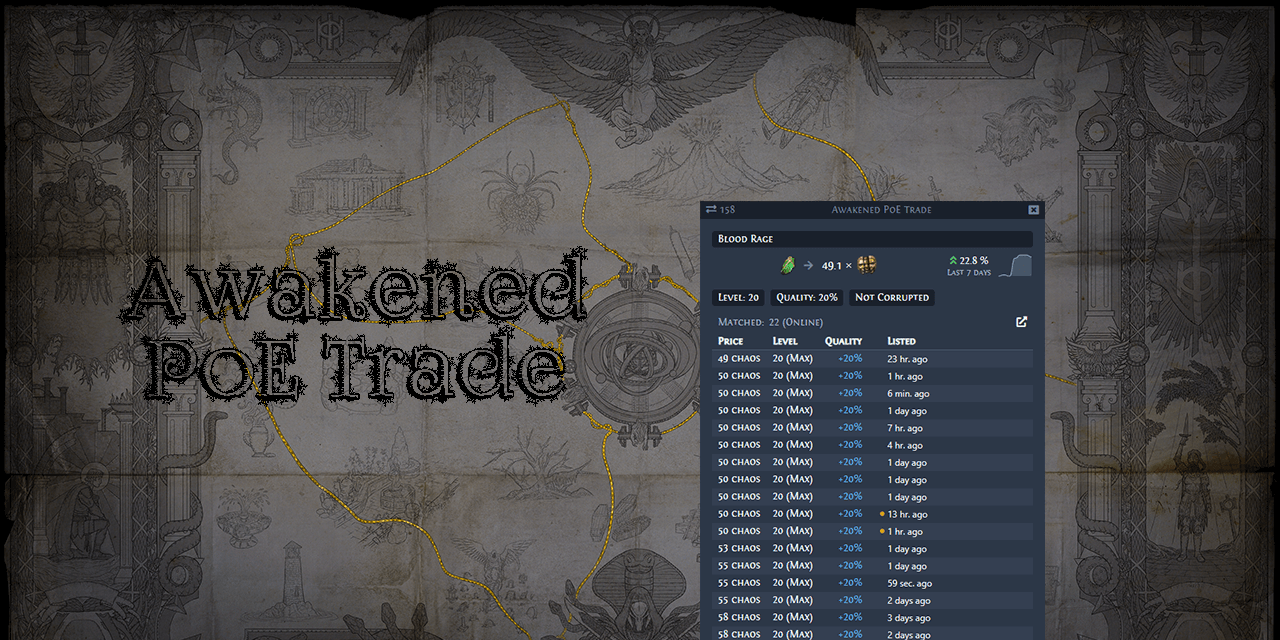
like for trading tool : I use awakened trade, but not working 100% properly
POE Lab for Labytinth, work well
Logout macro : ?? haven't found a good one, like there is an windows, socket based
Chos recipe : haven't found a good tool yet

And you ?

outer pagoda
#

arent logout and chaos recipe autohotkey scripts?

mild urchin
#

remember seeing a linux logout macro that used builtins

wet wadi
#

Trading: None, manual shop and price checking.
Lab: Same.
No macros, we don't play hardcore.
Chaos Recipe: Manual, minor assistance from loot filters because most of them sort low-worth rare items by level anyway.

ionic lance
#

awakened trade works on linux

#

if even has logout macro built in

#

@eternal swift ^

silent cape
#

@analog phoenix that button oddly enough opens a wine-like interface with a Windows folder path

#

C:\users\steamuser\Documents\My Games\Path of Exile

#

Does anybody know the loot filter folder path for PoE on Steam's native linux client?

analog phoenix
#

dont know if its valid for you

silent cape
#

nice find, let me check there

#

so weird steam presents a virtual C drive to a native client

analog phoenix
#

didnt even know that it has a native client

silent cape
#

yep, GGG only distributes it through Steam for some reason

#

I got their windows client working through Lutris, but the Steam version is just more convenient since it's native

#

that path did work, thanks!

#

I had to find that path to configure Awakened Poe Trade

#

and loot filters ofc

edgy sierra
#

There isn't a native client. Steam runs it through Proton, which is Wine+Valve patches+containerization.

stiff pumice
#

You can even use lutris and proton-ge-custom together

analog phoenix
silent cape
#

oh that's odd. Steam gives PoE the Linux tag, and there isn't a compatibility layer set in the game's settings

edgy sierra
#

I think the tags are community suggested.

You might have the global "enable steam play for all other titles" so no need for per-game settings or it might even be filed as steam play compatible at this point. It's been a while since I looked.

eternal swift
# ionic lance you can download it here https://github.com/SnosMe/awakened-poe-trade

ok thanks
I tried it beofre, but it had issue with multi screen.. will try it again.
Also, each time you activate the trading tool, it bring POE on background and you have to alt tab back to the game.
ctrl-d or crtl-space don't work to see price, I have to crtl-alt-d, which is not optimal...
thank you anyway, i will give it a try this next lmeague

if you have anythoer linux tool, don't hesitate to share πŸ™‚

high hound
somber otter
#

how many tools like awakened poe, poe lurker works in linux ?

rough oxide
#

Im not sure if this is the right section but i consider going Full Linux does GGG bans people that play in VM's ? πŸ™‚

#

i will be using virt-manager with GPU Pass-through if that helps on the answer

somber otter
#

ohhh

#

a nice idea

#

i think that should help ,ty

sick canyon
#

Playing two or fewer instances from the same computer is permitted, VM or no. But if you're using VMs to multibox more than two instances of PoE on the same computer, or if you're using control mirroring to use one set of inputs to control more than one box, you're in violation of ToS.

#

If you have any doubt on this sort of stuff, feel free to reach out to customer service; they're very good at answering questions like this.

rough oxide
#

Thanks for answering me maybe i should ask customers services just to be extra safe, but my plan is pretty much just going Full linux and then Play Poe like i always do but in a virtual machine instead πŸ™‚

somber otter
#

i mean if u can just normally play it, are u trying to play two instances ?

rough oxide
somber otter
#

ic ic

rough oxide
#

πŸ™‚

somber otter
#

?

rough oxide
somber otter
fathom ingot
#

Anyone has the notes colors completely fucked in Pob? I get that on both compiled and flatpak versions. Like I can see colors fine on single lines but not if there are multiple colors on the same line.

#

Was wondering if it was specific to Linux or if windows user faced the same problem.

fathom ingot
#

Basically if the tool has a Linux release or is cross-platform, there should be little to no reason for it to not run imo.

edgy sierra
#

The linux native frontend has always been broken for me visually. There's no problem with note colors when you run it with Wine.

lost badge
ionic lance
#

playing in a VM is allowed, i'm doing it since many years already

#

what is not allowed is multiboxing (opening 2+ clients)

#

a VM is just an environment, it is safe

#

https://www.youtube.com/watch?v=h7SG7ccjn-g fun video, shows how much linux empowers you to do what ever you want with your PC

LINKS:
VIRTIO Drivers: https://docs.fedoraproject.org/en-US/quick-docs/creating-windows-virtual-machines-using-virtio-drivers/

Arch Linux GPU Pass-through Guide: https://wiki.archlinux.org/index.php/PCI_passthrough_via_OVMF

It all started from one person calling me out on not having one of those shiny Mac Pros, so I decided to build my own. Th...

β–Ά Play video
#

boot windows/macOS with a single command line, bare metal perf

fleet bridge
#

my in game settings dont save after i save them and exit out eventually. am gonna try to change the values in production_config, does anyone know the numbers to bind mouse 4 and 5?

fleet bridge
rough oxide
#

@lost badge hey dude here the other day you dm me πŸ™‚ above we got the answer and it should be okay to play in vm's so long there is not 2 clients running at the same time πŸ™‚

flint gust
#

Alright so really quick, switching to Linux permanently on my next Desktop because Windows 11 is creepy as fuck

I've used Linux regularly in the past across multiple distro types (mainly XFCE-based distros) so I know the technical basics, don't need a tutorial or anything

Is PoE natively on Linux or do I gotta go the Wine/Proton/VM route

cedar turret
flint gust
#

Gotcha, thanks bro

stiff pumice
#

by "sucks" i mean that proton-ge runs games much better

edgy sierra
#

Runs some games better. The principle reason to use proton-ge is when you need game specific fixes or workarounds, which Path of Exile doesn't require.

#

Or if you need the DXVK async patch, which with PoE's native vulkan support you probably shouldn't be using.

mild urchin
#

any opinions on motherboards for linux? atm i'm having a bios issue on a low end mobo and i want to get a x570, but i saw some ubuntu ppl having problems with modern 300 dollar mobos...

edgy sierra
#

That's a bit of a broad question. I haven't had any issues on my Asrock AB350 pro4 with Ryzen 1600/3600. But, I'm also running Arch so I'm not running an LTS kernel. It's hard to quantify how much of the problems people encounter with a primarily LTS distribution like Ubuntu are due to not having a more current Kernel. A confounding variable is people not having an updated BIOS; firmware blobs can only do so much.

#

I do have some issues, but those are BIOS related not really Linux related.

mild urchin
#

yeah idk what exactly would be the problem, its like obscure chipset compatibility

#

id expect a modern motherboard with updated bios to just work

#

maybe temp readings are still jank but since i'm AMD the overclocking and drivers should be fine

edgy sierra
#

Well that in particular is a problem on the LTS and I think maybe the current kernel. The AMD kernel module k10temp (for reporting voltage/current/power) has been in a bit of limbo since since Zen and it's owing to undocumented behavior leading to unreliable readings. I still have readings on my motherboard with the 5.19.2, so it may be resolved on current kernels.

Temp may report wrong owing to AMD's sensor settings on Windows as well in some circumstances.

#

I think the biggest problem comes into play when people are relying on those readings for fan control in linux. As long as you're using the motherboard fan controls I don't think that's an insurmountable problem.

stiff pumice
#

Yo

#

I wanna play this on steam deck what’s the chances of me doing that

edgy sierra
# stiff pumice I wanna play this on steam deck what’s the chances of me doing that

https://www.youtube.com/watch?v=IOI9MUqUEY0 most comprehensive video on the subject. TLDW: okay, as long as you're not juicing maps

People have been asking me lots of questions about PoE performance on the Steam Deck... so hopefully this video answers all those questions!

If you have any more, however, leave a comment and let me know what else you want to know!

Chapters:
0:00 Intro
1:47 Maps Ran
3:10 Rare Map
4:00 Rare Map w/ Juice
5:28 Beyod Map w/ Juice
6:43 100% Deliriu...

β–Ά Play video
stiff pumice
#

Sweet

pseudo haven
#

im getting invalid vector subscript when i try to launch the game on steam on pop os

#

i verified game files and it said all files validated

pseudo haven
#

reinstalled still doesnt work

high hound
pseudo haven
#

Yeah i figured it out a few hours ago

high hound
#

Great! 😁

stiff pumice
#

Β―_(ツ)_/Β―

edgy sierra
stable stone
#

Hello! I am having difficulty running POE on my Asus TUF 15 laptop. I am running Pop_Os and using GE-Proton 7.28. The entire system randomly freezes. I have no idea where to even look to solve this issue. Please help

#

I do not know even which forum to ask for help in

edgy sierra
stiff pumice
#

Hi there

static notch
stable stone
stable stone
static notch
#

okok wp !

heady grail
#

anyone here using KDE Plasma with KWin on Arch? awakened poe trade unfocuses the game and I have to alt tab back into the game twice, anyone had similar issues?

#

seems like there is a fix but this developer can't be bothered to answer, but instead tells you to go to discord

limpid oak
mild urchin
#

installed pop os on my new nvme, time to set everything up again

mild urchin
#

script errors 🀀

rose shadow
hallow merlin
hallow merlin
heady grail
#

I remember messing around with window rules and adding focus stealing prevention but it still didn't work so I thought focus was not the issue

#

Amazing that it works now, thanks again

mental snow
#

Seems the new update for the kalandra league slightly fixed the map lagg/stutter bug, before you had to exit the map, but now you can just take a few steps and the framerate corrects itself, this makes me very happy ^_^

austere oxide
#

Ive been looking in to getting a steam deck and was wondering, does anyone know if putting POE on a microsd impacts the performance a lot?

#

trying to figure out if the larger size is worth it

vale pecan
#

hi, how can i play with standalone? just install the installer from web then install it with lutris or there is another step? poe steam is not available in my country

fading topaz
#

Ya just do it through Lutris

sharp wraith
simple orchid
#

Where would I go to try and get help for Awakened PoE-trade?

#

It starts

#

And runs

#

But is 100% unresponsive when short cuts are pressed and gives a fully helpful settings screen from the tray

#

But the key presses just log to the log file and don't do anything

heady grail
#

Damn, the game is using 10GB of RAM for some reason

lyric dust
#

Anyone else constantly running out of RAM with only 16GB of RAM?

heady grail
#

not sure why

lyric dust
#

I think the game just uses a lot of RAM. For me Firefox uses like 5GB and PoE uses like 10GB.

#

Game comes up, instantly using 7GB.

edgy sierra
#

Ever since Expedition the game is a lot more aggressive when it comes to using available RAM/VRAM. It is part of the effort to reduce stuttering

heady grail
#

My brother has 16GB on windows and no issues whatsoever

mild urchin
#

u can try the 32bit version

#

but i think its kinda inevitable when u have to use layers on a game with modern asset standards

edgy sierra
mild urchin
#

aka time to upgrade fellas

stiff pumice
#

i've tried PoE on Steam Deck

#

it's

#

suprisingly good

stiff pumice
#

and it even runs PoB lmao

stiff pumice
#

the fact there is a spot for linux makes me happy

idle vapor
stiff pumice
idle vapor
#

and for other games? like my kids play a lot of games on pc

#

descenders/fortnite/god of war

#

etc

stiff pumice
#

I play both older and newer games on it. GZDoom and Devil May Cry HD Edition - great, smooth. Witcher 3 - 60FPS is viable with reasonably high settings. Cyberpunk 2077 - 30FPS, playable, it even has Steam Deck graphics preset.

Fortnite - this is Linux, so you won't be able to run Epic Games launcher there natively. The only option is to do it via streaming. Descenders - don't know, God of War, assuming it's not the PlayStation exclusive version, sure, should run

idle vapor
#

god of war is buyable through steam

#

I think

stiff pumice
#

yeah, i've seen it, it works on Deck

#

Steam makes a community-curated list of games that are playable and possibly playable with little to no tinkering in settings - best way to check if your game runs on Deck is to look at the list

idle vapor
#

awesome, I haven't heard a bad review so far. I was doubting between that and xbox x but I think they prefer the pc and its games more

stiff pumice
#

Xbox Gamepass runs on Deck via cloud gaming, if you have decent enough internet connection

terse thistle
#

Could someone running the game on linux please help me? I'm investigating which fonts are used for the stash tabs names, and it seems partially OS dependent.
Can someone make a screenshot of a tab with this string as a name?
Β§ 1-20Ϋžβ˜«β™†ΰ©΄Ϋ©*⁂*β˜·β™ 

#

here is what it looks like on windows

mild urchin
#

nice try

dim radish
#

Is anyone able to get poe running on steam deck thru proton??

#

The game just won't launch

valid fractal
#

Hey guys , I have problem that the frames drop to 1 when I fight and then back to normal when no mobs around , any one has any idea why? Also sometimes happens in hideout with no mobs around

mild urchin
#

sounds like a shaders problem

edgy sierra
#

I'd make sure you're running Vulkan, not DX11. Also if you're using AMD double check you've got Mesa/RADV installed and not amdvlk.

frigid knot
#

Hi guys, what can i do against 120 fps feeling like 30 fps. Running on 2700x with a vega 64 on arch

#

Game runs fine beside that, just this strange fps not beeing real

frigid knot
#

nvm seems it was still processing shaders after like 4 hours of me taking a nap

#

by the way for the folks looking hot to install the entire vulkan thing: sudo pacman -S --needed lib32-mesa vulkan-radeon lib32-vulkan-radeon vulkan-icd-loader lib32-vulkan-icd-loader

#

should do the job even for more games

#

x86-64-v2 and x86-64-v3 available

fading topaz
frosty acorn
#

Hey guys, I have been experiencing really bad ping spikes these past few days from this game only. I myself am not downloading anything. My ping used to be fine while other people in the house were streaming shows but these past few days have made the game unplayable. Any ideas what is going on?

#

Im using the standalone version of the game with wine version lutris-7.2-2

weak salmon
#

Can't say I've had any problems myself, I play steam version with Proton

#

I don't feel like wine should cause any ping issues though

#

Maybe it's just that your connection is suddenly worse?

#

Which can be a plethora of things

#

Is your ping fine for other things?

frosty acorn
#

typically i play on the Canadian server. I tried both the canadian and washington server and I get the same issues

weak salmon
#

Peculiar

frosty acorn
#

i also only have ping issues with this game

edgy sierra
fading topaz
mild urchin
#

i have a debian 9 installation that never loads, i can get it to a TUI login but it switches back to the start up text wall and it has to do with the kernel i think

#

i think i did an upgrade and deleted my old kernels, so i dont know which one works

#

any tips? i liked that setup and i'm not sure how to properly migrate, currently im on a new install of pop os

marble viper
weak salmon
#

It's either trying that or you'll have to run the Windows version through Wine or so

marble viper
#

i had to chmod +x to run the file, now is there a way to specify the file location?

 ./Awakened-PoE-Trade-3.19.10003.AppImage
error [game-config]: Failed to find game configuration file in the default location. Default values will be used instead. {"file":"/home/zican/My Games/Path of Exile/production_Config.ini"}
hook_thread_proc [101]: Could not set thread priority 49 for thread 0x7F7B517F06C0!
^C%
#

i have poe installed through steam

weak salmon
marble viper
#

ik that

fading topaz
#

awakened-poe-trade is on the AUR

arctic sonnet
#

Anyone know how to improve the performance in poe on linux? I installed the exe of the standalone version (Steam version isn't available in southeast asia) and ran it with wine, I got horrible frames compared to windows. I have a laptop with a Ryzen 5 5600H and GTX 1650

#

I use linux mint if that matters

weak salmon
#

Just because Steam Proton has personally just worked much better than just Wine for me at least

#

In fact, I migrated to Steam just because of Steam Proton

#

Didn't try to run Standalone through Steam Proton though

#

Also I'm not completely sure you even can. Just assuming you can.

arctic sonnet
weak salmon
#

Hmm

#

It's been ages since I managed to get PoE running in Wine in the first place

#

As a first attempt, I think I'd try running the installer itself with Proton

weak salmon
arctic sonnet
#

yeah i'll try that tomorrow

weak salmon
#

Good luck

fading topaz
#

You may want to try running it through Lutris or Bottles. These can tune some performance settings specifically for running games in Wine

arctic sonnet
#

region locks make life harder

outer pagoda
wide cipher
#

hello, i started suddenly getting this kind of error in pob, anyone else seen or know how to fix ?

#

oh, installed lua51 version and it started working

odd fjord
#

Is there a better way to run Path of Building other than through lutris + wine? Like a native version?

fading topaz
#

You can run it native

#

On Arch, it's on the AUR

#

Depending on your distro though, you may have to build it yourself

mild urchin
#

better than steam?

fading topaz
#

IMO there isn't really much of a difference whether you choose to run through steam or go to the native client

valid mesa
#

Has anyone gottwn POB workingfor chromebook?

dusk timber
#

What program are u guys using to trade

#

Like poe trade companion but on Linux

outer pagoda
#

awakened poe

dusk timber
#

Thanks

deft sandal
robust holly
harsh pelican
#

Or just flatpack

fading topaz
#

ya it's on the AUR

harsh pelican
#

Ok thanks

marble viper
#

[arch] so i installed path of building from aur, how do i start it?
its the localidentity's fork

marble viper
#

found out its PathOfBuildingCommunity

obtuse pecan
#

does someone know if gentoo ebuild for PoB exist?

abstract sedge
#

hey do you guys get graphical glitches using Vulkan? I've tried a lot of things, but keep seeing flickering textures etc. kinda annoying.DivineOrbSad DX11/12 works flawlessly though.

fading topaz
#

I don't. What GPU are you using?

abstract sedge
#

Nvidia 1070gtx
Ryzen 3700x
Pop!_Os
Nvidia 525 drivers

Played via Steam Proton (newest/experimental/GE), Lutris (wine-GE or lutris-7.2) or Bottles (soda). All the different methods have the same issue.

#

Could it be the 1xxx Nvidia series somehow?

fading topaz
#

are you using vkbasalt?

#

nah, I've got a 1060

abstract sedge
#

I don't have vkbasalt turned on

#

actually previous league i noticed it caused more glitches

fading topaz
#

is your GPU overclocked?

abstract sedge
#

no, it's at stock. it does run hot though, so i've made more aggressive fan profile with greenwithenvy

#

Are you using Steam/PRoton? version? specs? Maybe i can emulate your success chrisThinking

fading topaz
#

Steam. I think I'm currently using GE, though between that and built-in proton I've had the same results

#

latest version though

#

nvidia 525.60.11-2
proton-ge-custom-bin 1:GE_Proton7_42-1

#

what about gamemoderun?

abstract sedge
#

ok that's a setup i tried and still had these glitches

#

yes i have gamemode on

fading topaz
#

try without

#

personally I've never noticed differences with it

abstract sedge
#

oh? you have it off?

fading topaz
#

I tried using it a long time ago and just ditched it

#

couldn't tell the difference

abstract sedge
#

*goes to check, brb

lost badge
abstract sedge
#

damn, couldn't get it to work. no gamemode on yet saw graphical glitches with Vulkan. I tried it with Steam and GE-42. No commandline arguments, steam overlay disabled, mangohud disabled, vkbasalt disabled etc.

THis is so weird.

Well, at least DX11/DXVK works fine shrugs might have to just give up trying

Do you have default graphics settings in-game? or you changed something?

fading topaz
#

you could try playing around with your settings actually. Possible that a specific one is causing the issue for whatever reason

#

personally I have a bunch turned down so I can get ~90 FPS

abstract sedge
#

ah ok, i'll try fiddling with the settings, maybe I get lucky

abstract sedge
#

so i've been messing about with in-game settings, keeping all else equal and...it seems to be completely unpredictable and dependent on game instances. one boot of the game gives me -20fps on average (even on intro screen) and graphical glitches in Vulkan, the next time I boot up its +20fps without any glitches...?!?

fading topaz
#

O.o

abstract sedge
#

i give up. unless there's something i'm missing out with native Vulkan, i'll stick with DX11. get more fps anyways.

What is the benefit of Vulkan in POE anyways vs DX11?

fading topaz
#

Proton is converting DX11 to Vulkan internally, so there's some overhead

#

that said, if it performs just as well for you, then it doesn't really matter

abstract sedge
#

right. but even on Windows, why did GGG implement Vulkan? There must have been some benefit? Is it less shader compile stuttering, or smoother performance when shit goes down, or what. just wondering.

fading topaz
#

Vulkan is a) cross platform, and b) capable of performing better than DX11

#

Vulkan is also a modern standard

abstract sedge
#

weird i should get 20more fps on DX11/dxvk then on Vulkan. But maybe that's just my POE 😦

I wonder if there are more effects going on with Vulkan that would cause a loss in fps vs DX11.

#

oh well, will be using DX11 tomorrow at launch. THanks for the help man! one mystery unsolved, but not too important.

cedar turret
edgy sierra
#

At the time Vulkan was part of porting PoE to mac (with moltenvk) but after the PoE mobile announcement they admitted that was also part of the Vulkan goals.

steep linden
elfin tree
#

Has anyone tried playing poe on a steam deck? How well does it work?

cedar turret
sharp maple
# elfin tree Has anyone tried playing poe on a steam deck? How well does it work?

I don't have a deck, but from what I've heard it's playable
#linux-🐧 message
https://www.youtube.com/watch?v=D_lZX563_a8

I've been lucky enough to be playing games on my Steam Deck since the very first week it was available. I've consolidated everything I've learned from playing PoE over that time into this getting started video, where I'll go over how to setup and configure PoE on the Steam Deck for a good experience, along with some tips and tricks you may find ...

β–Ά Play video
vestal pier
#

i messed around with it on mine for a little while. definitely playable. the new controls make it even better and easier. i still prefer mouse and keyboard, tho.

lament igloo
#

Hey

#

Question. I have steam deck but im in asia rn

#

And region is locked. If i download standalone can i play it?

weak salmon
#

You can try

#

I've gotten it to work with just regular wine in the past

#

Although it was causing me fps lag

#

Should still be able to attempt to make proton run it

lament igloo
#

Sucks

#

Any one can help with vpn installment on steam deck?

woeful timber
#

Not sure but you may be able to add the standalone as a non steam game and have it launch with the compatible layer but haven't tried that myself

edgy sierra
weak salmon
#

@lament igloo btw I can confirm that you can try running it with Proton, as I tried using a different non-steam app with it now, so there's a decent chance it might just work

#

Haven't tried PoE as I don't particularly want to install it an extra time

marble viper
#

[ARCH] i got awakened poe from aur and when i run it i get:

$ awakened-poe-trade
error [game-config]: Failed to find game configuration file in the default location. Default values will be used instead. {"file":"/home/user/My Games/Path of Exile/production_Config.ini"}
hook_thread_proc [101]: Could not set thread priority 49 for thread 0x7FCA0ABF16C0!

any ideas on what to do?

#

i have poe installed on steam

fading topaz
#

do you have a folder called /home/user/My Games/Path of Exile/

arctic sonnet
#

I'm on Linux mint 21 and i'm trying to play the non-steam version of poe through Lutris, but it gets stuck at "Launching"

#

this is the output i get when i run lutris through the terminal and launch the game:

#

anyone know how to fix it?

mild urchin
#

my only guess is that it doesnt know game it is, as per steams game id tag

#

its trying to read your game library but its not finding what its expecting

#

but thats a steam specific error it seems

#

maybe its trying to use proton

arctic sonnet
#

i have wine selected as the runner

mild urchin
#

is steam installed

arctic sonnet
#

yes

mild urchin
#

hard to say, last time i updated my linux kernel my system bricked so i'm rusty 🀷

#

i think i set my lutris to use steams proton but otherwise run standalone

#

and it worked well

#

and did u use one of the install scripts? im pretty sure wine needs a bunch of packages to run it at all

arctic sonnet
#

no i just downloaded the exe and ran the installer with wine

#

then added the game exe to lutris

#

last time i did this on pop os, it worked

mild urchin
#

well pop os is pretty good to be fair

edgy sierra
#

I'd make sure you're running the absolute latest version of lutris. Lutris reads steam files even when trying to just use a wine runner, this caused me issues in the past when the steamdb format changed, and it looks like the same kind of error

arctic sonnet
#

latest version is 0.5.12 on the lutris github so a little older ig

edgy sierra
#

Yeah you need 0.5.10 at least

arctic sonnet
#

oh shit it worked

#

thank you

edgy sierra
cold cloak
#

for linux (distribution manjaro and AUR ), it is possible to udate ? GIt is ready, but a maintener need to provide release. thnaks

edgy sierra
#

You'd be better off posting on the aur directly

rain shore
#

Do you guys notice a big slow down after a few hours? How can i deal with it? I use recent proton GE on arch linux

#

also, how do i get Awakened PoE Trade to work on arch linux with bspwm? It doesn't show properly

sweet dragon
hard tendon
#

How do I run PoB on Linux?
I'm quite new to Linux systems, so can't figure that out.

hard tendon
#

Ok. I used q4wine and it started successfully.
But seem to fail to update.

#

How can I fix that?

ionic lance
#

@hard tendon if you use Steam it works out of the box

#

i play with Lutris and it works great

#

what distribution do you use?

#

https://lutris.net/downloads here how to install lutris based on your distro

outer pagoda
#

afaik that affects windows too

rain shore
outer pagoda
#

that sounds very odd, mine rarely goes above 20% on 32gb

rain shore
#

I have ryzen 5 2600, 16gb of ram aegis g.skill 16gb 3000mhz, rx 580 4gb, ssd drive from samsung, and the game has like 20-30fps with proton-ge on medium

outer pagoda
#

4gb vram oof

rain shore
#

yeah, ik, but it shouldn't affect performance afaik. It that was an issue, i'd have glitching textures, rather than low fps

#

I have learned it when i tried to play GTA 5 with gtk 560 1gb.
I had problems with loading up higher resolution textures, but the game was relatively smooth

outer pagoda
#

is it long lasting performance drop, or just instance thing that goes away?

rain shore
#

actually both.
For most of the time i am able to get like 30fps, but when there is more mobs / items on the screen, it often drops to something like 20

#

i don't remember performance issues when i was playing on windows, but it was a long time ago. Maybe the requirements are higher than they used to be

outer pagoda
#

there is an incremental performance requirement increase every league yeah

#

are you using vulkan, and what version of proton-ge?

#

im using ge7-20 without any major issues other than the global cpu timer spike

rain shore
#

The game settings shows vulkan. I use proton-ge v7.43

rain shore
#

ok, that sounds stupid. Sorry, it's pretty late, and i am sleepy a bit

outer pagoda
#

every league = every update

#

it wasn't in this leagues patch notes exactly but they constantly do sound/gfx revamps

#

also, have you tried playing with sound turned off?

#

its wack but apparently it's the biggest performance killer in the game lol

rain shore
#

wait what

#

the game is trying to make me a fool.
When i have tried to record what i'm doing to get the frames low, it works pretty good

#

wait. I am playing on frankfurt servers.
In my timezone it's 2am (02:00)
probably the server load is pretty low
Is it possible that i have low frames, due to high server load?

weak salmon
#

Server load shouldn't affect your frames at all

#

Theoretically speaking it could affect the gameplay, but not visuals

rain shore
#

yeah, ik, but that's the only explanation i see, why i have high fps now, while i had crappy fps earlier

weak salmon
#

The only time based fps thing I can think of is overheating

#

But that's probably not relevant

rain shore
#

i don't think so. My CPU and GPU are pretty cool

#

i don't remember my cpu to exceed 75 celsius degrees

weak salmon
#

Weird

rain shore
#

my temperatures after 1 map

#

basically my entire gotop

ionic lance
#

my CPU is an i3 10400f

#

my GPU temp never go past 60Β°C, but i use the power saving profile

#

probably something wrong with the driver, since you play using steam, try to disable the steam overlay

hard tendon
elder ridge
#

Any of you guys got excilence working with Linux?

ionic lance
rain shore
devout egret
#

huh, IDK past that then. but lockstep means what you see is what the server sees so…

rain shore
#

so it might me caused, by high server load?

severe lion
#

Can someone help me? I changed recently to the POP OS distro and when I try to open the game using Steam with Proton Experimental, it just don't open... it opens a steam popup telling "updating configuration" and then it simply close .-.

weak salmon
#

When I randomly couldn't launch poe, doing that fixed it for me

#

Though if you're saying you didn't reinstall while changing distros

#

I'd try that first

#

Or at least verifying files

edgy sierra
#

You can only change lockstep/predictive at the login screen, you can't change it once you've logged in.

crystal juniper
#

i got ubuntu is it easy to run poe?

weak salmon
#

Yeah, steam proton goes brrr

severe lion
#

I was trying to download it on another disk that I didn't format

weak salmon
#

Ah lol

severe lion
#

I downloaded it at the same disk that I installed the distro and it works just fine

weak salmon
#

Makes sense

edgy sierra
#

Proton+NTFS = bad times, there are workarounds, but my experience is that they are temporary, and something will break eventually.

rain shore
#

how can i get poe trade macro to work, on arch linux with bspwm?

neat grove
#

Ahk is not on any *nix style system so you might have to make one based on xdotool or something

#

Unless you’re talking about some other macro I’m not aware of

rain shore
#

it has release for ubuntu 20.04
however, it glitches a lot on my arch install

stiff pumice
#

no glitches in-game

stiff pumice
#

It's DE. Mint uses Cinnamon, it's GNOME3 based. Very simple and light, that's why I like it. It's my daily driver for more then an year now.

#

Never tried arch btw.. I'm used to debian based distros.

rain shore
#

Yeah, the problem with poe trade starts with WMs :/

feral mountain
#

how do you get pob on linux

cold cloak
#

problem with steam and launch for somes games. (could be mesa ). need help

vivid raft
rain shore
#

There were smth about sway

feral mountain
#

Can someone run me through a tutorial on how to get pob on linux please

jagged estuary
#

open lutris

#

search for PoB on lutris

#

click install

jagged estuary
#

looks like trade macro doesn't like ctrl keybinds

#

shift + works though

feral mountain
#

how big is pob

jagged estuary
#

few hundred MB

feral mountain
#

ok

vestal pier
#

has anyone used awakened trade with steam POE client in linux? is there a guide?

#

@feral mountain i, honestly, just downloaded the POB installer and did "wine PobInstaller.exe" then did "wine /path/to/pob.exe" been using it for months

outer pagoda
vestal pier
#

yea, i'm using wayland so i can't run it, unfortunately. kinda wonder if using the wine version would work though, but it's not a huge deal - don't need it - was just curious

void flint
#

Any HC linux gamers here? How do you logout?

wet wadi
#

by dying :^)

limpid oak
#

Anyone have any ideas why awakened poe trade always opens on the wrong monitor now and how I can fix it?

limpid oak
limpid oak
#

Another thing that seems to help is just a full restart.

lavish gyro
valid bison
#

Guys, poe on steam is not available for my country, is there anyway i could get proton to work with standalone version of poe?

#

Im using steamOS

fading topaz
#

Ya you can totally run it standalone. Easiest way would be through Lutris

valid bison
#

I tried lutrix, it run just fine but the controller doesnt seem to work facepalm

#

It will automaticlly revert back to mouse and keyboard control on character selection

valid bison
#

I got it fixed

#

Turnout controller will be fucked up by steam virtual keyboard in steam os mode, just add lutris in non steam game and run it via steam mode, not destop mode

exotic tiger
#

Hello, can someone share their experience playing poe on linux. I'm tryng to run poe on a linux machine, but I get frequent stutters playing through stream with ge-proton-43. It runs best if I use dx11 render on everyting else I get even more frequent stutters. I run the game through lutris an have the following enviroment variables.

fading topaz
#

I'd recommend passing the game the --waitforpreload flag so that it loads up the textures ahead of time. I would also not discount network latency causing stuttering

brisk geode
#

Getting the "unsupported backbuffer image count" when trying to start the game through steam today, was working yesterday. Anyone had that and fixed it ? (tried re-install and deleting config)

weak salmon
#

Didn't get any error codes when I've had issues, but I've been consistently able to get PoE to work again by switching proton version

brisk geode
#

I have tried a few different versions, nothing seems to work

fading topaz
#

Did you install updates or something since yesterday? I'm assuming there was a reboot at some point?

brisk geode
#

Yeah just noted in the logs, there was a mesa update :S

cunning wraith
#

any swayWM user with awakened-poe-trade? Did they update the tool to make it functional?

wet wadi
# exotic tiger Hello, can someone share their experience playing poe on linux. I'm tryng to run...

personally, pretty good, also what kind of stutters are we talking about here? does your whole screen freeze or do only certain things on the screen(you, enemies, allies, animations in general) freeze but some effects, like auras or fire effects, keep spinning/moving around your character?
would generally recommend getting a newer proton version and just running it through steam(you can put custom proton versions into the /home/<yourusernamehere>/.steam/root/compatibilitytools.d/ folder from which you can use them in the steam drop-down menu, if the folder doesnt exist, create it), preferably one after 7-47(the description of which should explain why)
https://github.com/GloriousEggroll/proton-ge-custom/releases
also what's your hardware? ram, cpu, gpu, hdd/ssd?

brisk lodge
#

Hey, I run POE on Kubuntu and wanted to report that I resolved some performance issues (specifically around seismic trap and impending doom) by switching from Xorg to Wayland. It sounds like the underlying issue was VSync, but modern versions of KDE don't let you disable it for reasons related to Xorg, but switching to Wayland fixed the issue for me.

ionic lance
edgy sierra
#

That's the Low Fragmentation Heap patch, it's been part of Proton and Glorious Eggroll builds of Wine for a long time now.

hollow mesa
#

Question when i am playing PoE on my linux machine it randomly crashes itself and steam with it is there anything that i can add to the arguments to make it not or is it something that i will have to deal with?

wet wadi
#

PC specs? What type and version of Proton are you using?

hollow mesa
#

Arcolinux on the LTS kernel
Ryzen 5 5600x cpu
Nvidia 2070 GPU
Proton GE 7-49

wet wadi
#

Can't say we've tried Arch distros much, CPU looks a bit weak but the GPU should be more than enough, Proton's up to date... How much RAM?
So far, not sure, pretty sure our game used to crash due to old hardware. Guess you could try wading through the proton log or just mess around in the games settings menu(e.g. - turn everything as low/off as you can, disable reverb and multithreading, see if you crash).

eternal swift
#

Hello here πŸ™‚
Just to say have been playing PoE on Arch Linux , Kde plasma, on steam, proton experimental and I don’t have any issue and it works very well πŸ™‚
Very happy with it.

wanton fulcrum
#

Ayo is there anyone here playing PoE with steamdeck ?

#

what specific settings are you using to squeeze more performance ?

#

please let me know

edgy sierra
# wanton fulcrum what specific settings are you using to squeeze more performance ?

Probably the only video available on the subject https://www.youtube.com/watch?v=D_lZX563_a8

I've been lucky enough to be playing games on my Steam Deck since the very first week it was available. I've consolidated everything I've learned from playing PoE over that time into this getting started video, where I'll go over how to setup and configure PoE on the Steam Deck for a good experience, along with some tips and tricks you may find ...

β–Ά Play video
woeful hare
hollow mesa
trail vector
#

yall play this game on arch?

hollow mesa
#

Ye

halcyon sable
#

can't remember how i fixed it then, might have just been swap

tranquil pollen
#

sorry since I'm quite sure this gets asked a lot, but do we have logout macro for linux?

woven ibex
tranquil pollen
high hound
# tranquil pollen sorry since I'm quite sure this gets asked a lot, but do we have logout macro fo...

I've been using this to reimplement some random macros
https://github.com/autokey/autokey

And the following would then be the macro itself:

import os
os.system("ss -K dport = 6112")

But if you have other preferred ways of e.g. running a command through a hotkey, you can setup that bind manually to the ss -K dport = 6112 command used in the macro! It is not super battle tested but worked for me when I tried it a bit πŸ™‚

This also assumes you have the ss command of course!

GitHub

AutoKey, a desktop automation utility for Linux and X11. - GitHub - autokey/autokey: AutoKey, a desktop automation utility for Linux and X11.

#

Use at your own risk though

woven ibex
# tranquil pollen but isnt awakened trade just /exit or logout if I remember correctly?

What isark said seems like a better idea for a logout imo, the script needs to be

import os
os.system("sudo ss -K dport 6112")

and you can just make a file in /etc/sudoers.d with the name "poe-logout" or smt like that and paste the text below to allow no passwd for the logout

%wheel        ALL=(ALL)       NOPASSWD: /usr/sbin/ss -K dport 6112

Then in autokey you set on the script (or folder if you make one) a window filter with the regex steam_app_238960.steam_app_238960 to make sure it only works while playing poe

last sun
cold cloak
#

i wait for manjaro (no faltpak version), with say or pacman

fading topaz
#

for those using the AUR you can just build it again

hidden jolt
#

I used the Lutris script

#

It just pulls the latest release and runs it with wine I think. I know it’s just written in Lua but was helpful

#

Import it as yaml in lutris

fair echo
#

Someone has a trade companion for Linux?

split radish
fair echo
#

Now i use awakened poe trade.
What i need its something similar to poe lurker

deft sandal
pliant hamlet
deft sandal
#

Yes, exactly. It uses PoB under the hood.

agile crescent
#

I used to run PoB in a wine bottle. Is this alternative better?

fading topaz
#

That lets it run native. Personally I've found it to be laggier through wine, but that will vary from system to system

compact marsh
#

I imagine poe on linux is quite good these days on proton, right?

weak salmon
#

Yes

feral grotto
#

Are there any command line options I should be using with steam poe (proton-ge)?

fading topaz
#

I recommend:
DXVK_ASYNC=1 If you're setting DX11
--waitforpreload to reduce stuttering

brisk geode
edgy sierra
#

Also the DXVK async patch ahs been removed from the most recent versions of proton-ge

hallow breach
#

Yea, never use DX When you can.
Vulkan at least for me ALWAYS performs better
(Note: Running AMD GFX, not sure if that matters)

Using the latest stable of Proton works fine for me. GE is also good. If you have the steamdeck, it also runs amazing with the defaults.

hallow breach
fading topaz
#

The only issue I've had with Vulkan in the past, though I think it may be resolved now, is that it would gradually use more VRAM over time, and since I don't have a lot, the game would get slow, and sometimes crash

hallow breach
fading topaz
#

Heh. So I just checked, and as it turns out my game is set to Vulkan and I didn't even notice. Definitely more optimized than in the past for sure!

feral grotto
#

I have some issues when certain things are on screen it seems, namely some fires, it feels like I'm running at 20 fps but the fps counter shows well above 100

#

Is there anything I can do about that?

edgy sierra
#

Are you running under wayland? might be refresh rate shenanigans. See if it improves when you enable vsync or cap the framerate to your monitor's refresh rate.

feral grotto
#

I am on wayland yes. I'll try enabling vsync

valid solar
#

Hi folks, I've been playing Path of Exile on and off for a few years (as far back as beta but I'm still pretty bad at the game and follow guides every league). However I'm pretty new to Linux Gaming. I got really tired of Windows and when I installed Windows 11 it was the last straw for me. I've been having an amazing time with Linux gaming so far. The only downside I've hit so far is with PoE tooling. I have not managed to get Awakened PoE Trade or PoE-Overlay-Community-Fork working properly. Has anyone had any luck with these or other tools? I'm on Nobara Linux using X11.

fading topaz
#

Awakened normally works quite well on X11 from what I've seen

#

How are you installing it?

valid solar
#

I can get it to run, and show up in game, but overlay doesn't allow mouse pass through? hard to explain. Basically I can't click on anything in game. And if I use the hotkeys, there seems to be a fight between the overlay window and the poe window for focus.

#

I just used the AppImage

fading topaz
#

Is the game running in Windowed Fullscreen?

valid solar
fading topaz
#

Do you get the same result with both the auto-hide and non auto-hide shortcuts?

valid solar
hazy sundial
valid solar
#

Hmmm... I could try that, even though i'm on X11.

hazy sundial
#

In KDE I think they can disable focus stealing or something as a permanent fix.

#

Shift-Space-Space is just to activate APT's Shift+Space keybind twice, which "opens" and closes the menu, forcing it to re-focus PoE

valid solar
#

I'm on Gnome X11. I specifically chose X11 because I was anticipating issues with tools like these on Wayland as well as potential VSync issues (I play some games where I don't want vsync). I'll try that workaround a bit later (currently not at home). If that works, that might "unblock" me from playing POE this league (once I hit maps I wanted to start pricing stuff and it's too painful without tooling).

#

I play some games where I don't want vsync

I'm aware this was changed and merged or is being merged soon in wayland.

hazy sundial
#

If you don't have a FreeSYNC or GSYNC monitor, Wayland does give you input lag. I haven't been keeping up with any options to disable VSYNC.

#

I have a FreeSYNC monitor so it works great.

valid solar
#

I recently upgraded to AMD video card (from nvidia) specifically to have an easier time on Linux and I didn't bother getting a new monitory. So right now I have a Gsync monitor with an AMD video card 😦

hazy sundial
#

Unlucky, you made the right choice to stay on X11.

fading topaz
valid solar
#

Thanks for your help!

valid solar
#

@hazy sundial @fading topaz thanks for your help, a combination of both things did fix my issue. Hitting the shift-space-space stops the focus loop I was getting and then using the non-auto-hide mode works better because with auto-hide mode the window only stays up for like .1 second.

vast dome
#

maybe I am an idiot, but I can't seem to get the pobfrontend to work, can anyone please write out the steps they used to get it running?

hallow breach
vast dome
#

@hallow breach thanks for the reply, I have it running in lutris as well but I like the idea of running native

brisk geode
feral grotto
#

I am using the AUR version and it works out of the box, what linux distribution are you running?

copper terrace
#

Any other Linux exiles start crashing after the patch today?

#

I hadn't crashed once, and now I can't seem to finish a single map without the game crashing

weak salmon
#

I've gotten some startup crashes after some patches, downgrading proton has always solved those for me

worn parcel
#

Just logged in and yes, I crash everytime I try to change the instance

#

Luckily proton-ge seems to work just fine

halcyon sable
#

trying older proton (doesn't help)

woven ibex
#

Proton GE seems more stable on PoE for me, and with ProtonUp or SteamTinkerLauncher keeping it up to date it's fast and easy

#

Don't disable async though, that would make it crash every now and then

halcyon sable
#

getting exception CreateDXGIFactory1: Call failed.
(apparently someone had the same issue two years ago and it had to do with drivers...)

woven ibex
halcyon sable
#

pretty sure i don't have either, unless they are the default

woven ibex
#

Try it with "--nologo --waitforpreload -gc 2" this are the ones I'm using, if that doesn't help it might be a driver problem

#

Or try proton 5.13

halcyon sable
#

casually started working again fingerguns (with proton ge)

vivid raft
copper terrace
toxic wing
#

Any ideas why out of nothing game randomly freezes? Running Mint, latest Proton,, all up to date - just suddenly today game randomly freezes after several seconds/minutes of playing

#

Or where/how could I check reasons - nothing is been changed in settings, no new hardware or whatsoever

#

Using Vulkan

#

Happens when switching to DX12 beta also

weak salmon
#

Try an older proton

toxic wing
#

Switching between protons and DX versions (in game) does not seem to help

#

All the time some random lag and then game closes to desktop

edgy sierra
#

Proton 8/experimental has pretty reproducible crashes and some pretty hefty performance regressions. Make sure you've tried proton 7 and not just prton 8/experimental.

#

Also a casual reminder that experimental is named that for a reason.

feral grotto
#

Is being stuck on loading screen a linux specific issue?

#

Or is that a general issue?

languid holly
#

am relatively new to linux, especially gaming on it. where can i find this folder

languid holly
#

nvm the folders were hidden

brisk geode
stiff pumice
#

None

feral grotto
#

hmm I cannot type in the popup when trying to buy points in steam

#

Is that a me issue?

sick crystal
#

Hi guys πŸ™‚ Is playing poe in Linux feels smoother or better in any way?

#

I am curious is it possible to play PoE with ASIO support?

#

my audiocard is Creative BlasterX G6

fading topaz
#

afaik sound blaster cards are generally supported by Linux. Are you asking if specifically PoE will play well with it, or Linux in general?

hallow breach
# sick crystal Hi guys πŸ™‚ Is playing poe in Linux feels smoother or better in any way?

I moved from Windows to Linux a few years ago. I have a library of 900 games and about 700-850 work fine.
Most of them (POE included) do perform better. I am now officially frame locked at 144fps on my desktop. (40FPS on my SteamDeck)

Now, its not all sunshine and rainbows. I recommend you research each game you own on ProtonDB to make sure things are going to work out fine.

TLDR: For me at least. POE runs better than Windows
(Vega 64, Ryzen 7 3800X)

I recommend you test out a "Just Works" distro such as Fedora or Ubuntu if you are looking to go the Linux Route. I also heard Linux Mint is pretty good, but I have no personal experience with it to tell you if its good or bad.

outer pagoda
#

mint just worksℒ️ for me without many performance issues, using an nvidia rtx30series card

sick crystal
#

I doubt that during intense loads in poe you still have 144 fps locked... No matter what is your OS. Have you heard about full party magic find gaming?...

#

Клип с Ρ‚Π²ΠΈΡ‡Π° ΠΎΡ‚ minorarkana
https://clips.twitch.tv/BraveRacyGooseFunRun-VsKOBA3CNgkJtNMr
ΠœΠΎΠΌΠ΅Π½Ρ‚ Π½Π° стримС https://www.twitch.tv/videos/1785547465?t=4h06m31s

Если Π²Ρ‹ стримСр, Ρ‡Π΅ΠΉ стрим Π±Ρ‹Π» исходником Π΄Π°Π½Π½ΠΎΠ³ΠΎ ΠΊΠ»ΠΈΠΏΠ°, ΠΈ вас Π½Π΅ устраиваСт, Ρ‡Ρ‚ΠΎ Π΄Π°Π½Π½Ρ‹ΠΉ ΠΊΠ»ΠΈΠΏ ΠΈΠ»ΠΈ ΠΊΠ»ΠΈΠΏΡ‹ с Π²Π°ΡˆΠΈΡ… стримов находятся Π½Π° этом ΠΊΠ°Π½Π°Π»Π΅, просим Π½Π°ΠΏΠΈΡΠ°Ρ‚ΡŒ Π½Π°ΠΌ Π½Π° ΠΏΠΎΡ‡Ρ‚Ρƒ со всСми ΠΏΡ€Π΅Ρ‚...

β–Ά Play video
#

smth like this πŸ™‚

hallow breach
#

Holy Crap! My eyes bleed, but my ears are in heaven

hallow breach
jovial crane
#

Are there tools you would recommend, that work on Linux? I mean PoB is obvious and Awakened PoE Trade is working too, but are there more usefull tools?

fading topaz
#

Personally those are the only 2 desktop apps I use. Many other tools I find are on the web

#

e.g PoEDB, PoE Ninja, Craft of Exile

jovial crane
#

ok, thanks for the reply!

manic blade
#

Yeah we've been seing a lot of web apps recently to replace desktop stuff

#

exilence is a common one, which you can somewhat replace with poestack

#

PoB works with Wine, but you also have poeplanner

compact marsh
manic blade
#

my experience with PoE on Linux so far has been... stuttery when loading into new zones, until it has finished loading certain things (idk what)

#

but other than that, buttery smooth, probably better than on windows for most cases

#

Has anyone here been running PoE in a VM recently?

outer pagoda
#

Usually only does it once per effect, then fine afterwards

#

Though it will recompile everything if you change texture quality pain

manic blade
#

Any idea how the perf inside a vm is?

outer pagoda
#

without passthrough shenanigans, probably awful

ionic lance
#

i use windows only as a VM, with gpu passthgouth for gaming when it doesn't work with wine

#

PoE runs great with wine these days so i no longer play using the vm, but i used to, and it worked great

hallow breach
#

Gonna try POE soon with Proton 8. Cant wait to see the performance uplift.
Many of my games had a huge performance boost.

fading topaz
#

8 does now have a fix for the crashing issue with PoE, so fingers crossed

hallow breach
#

Yup. At least 20fps

fading topaz
#

noice

hallow breach
#

And thats with everything on the highest settings using Vulkan

#

I have never had POE crash on me tho. So I don't think I can even verify your issue lol

#

Its hard for me to test all my games for performance uplifts lol

#

It will take time to make proton DB reports lol

trail talon
#

I know this is a Linux channel for POE, but I am so leaning in trying out installing Linux Mint when I buy a new computer and replace Windows with it. I am just scared that some things might not work or that I always have to troubleshoot to make things work. But one part of me really wants to transition.. argg πŸ˜„

fading topaz
#

You could always dual-boot

hallow breach
hallow breach
# trail talon I know this is a Linux channel for POE, but I am so leaning in trying out instal...

Use Oracle VirtualBox and run it in a virtual machine so you're not making any changes to your existing system, however it will allow you to play around with it.

For distros I would recommend you look into what I call "just works" distros.

Linux Mint
Pop OS
Fedora (which is what I use)

Everything should just work out of box with almost no configuration. Even in a virtual machine

For testing you can use two cores as well as 2 gigs of RAM and 20 gigs of storage space

trail talon
#

I am not gonna make a VM for playing games on Linux. I have a seperate computer with Proxmox on that has several VM's. So I have some basic knowledge with Linux Mint. I am just thinking of trying to get rid of Windows on a new future computer and go all in on Linux, where the decision most likely will be Mint.

Just unsure yet, cause gaming is still a main thing for me and my Linux knowledge is just basic.

outer pagoda
#

linux mint works very well for me

#

with easy anticheat allowing proton in more games, and proton itself constantly indev there's rarely any games i can't play

brisk geode
trail talon
#

Ah cool, good to know, thanks all. Will think about it

nocturne kiln
#

ubuntu 23.04 65 fps nice poe

cedar temple
#

so... I messed up πŸ˜…

  1. I probably tried to install 32 bit teamviewer on 64 bit ubuntu
  2. didnt work (duh) due to some packages missing
  3. unaware of the thing I probably did wrong, I tried to get specific packages manually, I see it start removing a bunch of shit and get somewhat worried but it keeps working and I keep working on it
  4. go afk from that computer, it autolocks due to inactivity normally just requiring a password to start up again
  5. I come back and computer is stuck in a loop trying to autologin without password and not responsive
  6. reboot by power button
  7. computer boots and linux goes into rescue shell
  8. I login to wifi on my phone and try all the save commands, try fsck but get nothing satisfactory, find a guide to go and mess around with greb
  9. mess around with greb using nano by the recommendation of some online thread, still doesnt work
  10. go home from uni, computer wont shut down but eventually runs out of power in my bag
  11. next morning, computer hardware crashes on startup saying someone tampered with the bottom panel
  12. call my brother who says this is because of damaged case (case is damaged and was delivered this way), not me messing with greb, I am still slightly worried though

I know I messed up. But did I blow up the computer or did whoever broke the chassis before delivering it to me do that?

fading topaz
#

The tampering thing is usually a separate connector of some kind to check if it's been opened. Those normally have nothing to do with the system's performance. I believe you can usually disable tamper checks from within the BIOS/UEFI menu

cedar temple
#

it wont let me do a thing before locking though

fading topaz
#

what do you mean by "locking" exactly?

cedar temple
#

it shows dell screen, then bleeps and says it's been physically tampered with, says press esc to continue, and goes into a prompt with no info

#

I can post some screenshots

#

using phone

fading topaz
#

Can you try holding or mashing F2 while it's booting?

cedar temple
#

I'll give it a shot

#

tried ctrl + alt + f9 iirc, didnt work, f2 didnt work either

fading topaz
#

Ya you might have to find the connector or switch used for tamper detection. Could be stuck or busted

cedar temple
#

the computer was delivered like this, not sure if that could be what is causing it

fading topaz
#

holy cow. That's a lot of damage

cedar temple
#

It's just a throwaway laptop. Doing final project in uni and uni collaborates with a company that sent this for me to work on since I dont have an active linux installation myself

fading topaz
#

do you mean you have different PC without Linux? if so, you could do a live boot

cedar temple
#

I got dual boot at home and WSL on the laptop I'm at right now, plan was to get dual boot on this though

#

what's a live boot? that sounds kinda interesting

fading topaz
#

you slap an ISO onto a USB drive (or CD if you have that), and boot off the USB. Doesn't touch your drives unless you explicitly do so

cedar temple
#

according to the IT-support, the bios shouldnt let me use a stick though

#

he said that this password would lock me out either way

fading topaz
#

ah, gotcha

cedar temple
#

fuck, it seems I cant use WSL as a part of windows?

fading topaz
#

what do you mean?

cedar temple
#

Just that the bash terminal didn't access the clipboard. I got a call before I could check if I could navigate the windows file system

#

And now I'm omw home, so won't be able to explore whether WSL can suffice until I get there

#

Probably just getting dual boot though. Just like my PC

fading topaz
#

Ya it can access the windows FS

cedar temple
#

Nice

fading topaz
#

iirc you have to navigate to /c/<path>

cedar temple
#

Then I might not even need/want a full Linux

#

I hope to get used to Linux one day, but idk about messing with a dual boot installation on my private laptop right now

fading topaz
#

a VM is also an option

cedar temple
#

Yeah, but VMs confuse me too πŸ˜…

#

Optimally, I will SSH from this computer into a computer on the roof and do work on the roof computer

#

Idk if SSHing from a VM is any problem though?

fading topaz
#

so long as you didn't block your outbound connections, ya that would work

cedar temple
#

Hmm

#

Pretty good option then

fading topaz
#

If you're looking to have a dedicated Linux box just to SSH into, you could probably just use a mini PC, Raspberry Pi, or something like that

cedar temple
#

Yeah, I know. But we got some extra stuff for it, makes it easier.

#

It's already set up and data already started to be collected. Now I need to process it with Linux tools

half tapir
#

is there an instruction on how to run it under any version of unix?

fading topaz
#

You mean like BSD or something?

cedar temple
#

After my work computer blew up, I'm getting antsy to install things willy nilly on my private laptop without making sure I get the right version. But I can't find up to date info on what virtual box I need, so I'll just get whatever says windows? Then put linux (was thinking manjaro since my brother recommends it) on that?

fading topaz
#

Ya that should be fine

iron charm
# cedar temple After my work computer blew up, I'm getting antsy to install things willy nilly ...

If you're trying to use Linux on a Windows system, I'd strongly recommend that you take a look at WSL as an alternative -- https://learn.microsoft.com/en-us/windows/wsl/install

cedar temple
iron charm
cedar temple
#

I just want to make it as simple as possible

stiff pumice
#

one more linux user here!

cedar temple
#

idgi my manjaro vm wont save shit 😦

#

I put in manjaro installation that my name should be user and keyboard language should be swedish (I prefer working in english but that doesnt make my physical laptops keyboard an english one), but user name is manjaro, keyboard is in english, and the user password I put isnt even working if I log out

fading topaz
#

Are you booting from the ISO by chance? It sounds like what you'd see in a live ISO environment

cedar temple
#

yeah, I think that seems to be the case

#

I don't really know what I'm doing with virtual box, just that it shouldnt mess up my actual computer as long as I dont allocate too much ram or storage? I installed from this

fading topaz
#

Right, ya. Assuming you went through the installation in the VM, all you'd need to do to boot properly is unmount the ISO from the virtual disc drive, then boot it normally

#

you shouldn't have to worry about the RAM/Storage usage, unless you're planning on running massive applications. By default a VM will only use as much as it needs to run, or up to the limit imposed by its settings

cedar temple
#

At first I created the VMs by using the iso as input
This time I created without a medium, got an error in virtual box as I tried to start it, and clicked the iso as boot medium

Are these two ways of doing it actually the same in terms of results?
But either way I should be able to unmount the iso and boot from virtual hard drive instead?

#

sorry for editing, felt I made it made it too unreadable at first

cedar temple
#

Some chatgpt + some help from here + some searching around the UI of virtual box and it worked finally! Ty for the help πŸ₯³

full plover
#

wooop wooop the game is at least working!

just to figure out my mouse freezing issue then it's on like Donkey Kong!
(closest I got so far to being able to switch to Linux full time πŸ˜„ πŸ˜„ πŸ˜„ )

quasi blaze
#

Congrats! I have played exclusively on Linux since 2018, it's been a great experience.

cedar temple
#

Does anyone here know iperf? I'm trying to put an iperf server on a nic on the ground and on the same linux computer iperf client to that through a nic connected to a Starlink

iron charm
cedar temple
#

yup, that's what I went with, sadly too little time for crontab before I had to return the keyes to the janitor though

#

so I got no tests running over the weekend sadgeSwing

#

or no, wait I did:

command promt tab 1:
sudo ip addr add <nic 1> 192.168.2.1
sudo ip addr add <nic 2> 192.168.3.1
iperf3 -s -B 192.168.2.1
command prompt tab 2:
iperf3 -c 192.168.2.1 -B 192.168.3.1

#

not 100% sure it worked though, but I feel like it should work

stiff pumice
#

hello bossman, i have been playing on fedora for a while now, everything works fantastic, but at some points there are huge lag spikes, they are not hardware, and they disapear when i alt tab. anyone having this issue?

ionic lance
stiff pumice
#

oh, i though i fucked something up

#

ty for help

static lance
#

has anyone an easy setup to get Path of Building to run with Wine?

fading topaz
#

Without using E.g. Lutris?

weak salmon
static lance
weak salmon
#

Oh wait pob sorry read poe

#

Well

#

You can still try it

#

You click add game

#

Non-steam

#

Select the executable

#

And then after you confirm and so, manage, use steam Proton

#

But I'm not sure if it will work

#

Honestly probably will

#

My first statement was made in response to misreading pob as poe though

#

Haven't bothered trying myself yet

#

But it has worked for all random programs I've tried to launch with it

static lance
#

where is that use Steam Proton for it though? Can't find it?

#

Managed to add it into my library though, that part was easy

weak salmon
#

It's the same way as you tell anything else to use steam Proton

static lance
#

I never did >.>

#

it just does that automatically I think when I go for linux compatible games?

#

ah, found it

weak salmon
#

Oh are you on steam deck?

#

But yeah it's easy to find when you know it's there

static lance
#

yes, I play it on Steamdeck

#

but it's now installing something, so finger crossed it works.

weak salmon
#

I guess they have steam Proton on by default there then

static lance
#

Many thanks :)

weak salmon
#

You're welcome

#

And if it fails, you can also try an older steam Proton, but it'll probably just work

#

Good luck though, as I'm not sure it will actually work

static lance
#

I did play PoE years ago too on linux directly, but it was always unstable, so now that I have the deck and it's build for that, it's pretty nice

weak salmon
#

Well

#

What's built for running windows games on Linux isn't the steam deck itself

#

It's proton

static lance
#

yes, but well, I like it easy :)

weak salmon
#

Although I think the steam deck is part of why they made proton

weak salmon
static lance
#

Nice, also it seems to have worked. Opened it now and all. Gotta play around a bit with it, thx for the help :)

weak salmon
#

Nice

outer pagoda
static lance
jovial gust
#

Anyone got APT working on windowed fullscreen for steamOS?

edgy sierra
#

For some pre-emptive coverage, Copying my post from the reddit patch thread.

There was a workaround in Mesa's drivers for PoE that is no longer neccessary. You'll need to put a file named ".drirc" in your /home/yourusername/ directory with these contents https://pastebin.com/9KnFpwTb . Then the game should launch, at least it does on my desktop linux system.

You'll probably want to enable triple buffering for smoother performance.

#

Use this if you have AMD and when you launch the game after the 7/23 patch you get "unsupported backbuffer image count" on launch.

rich sedge
#

Tried that and still did not work, getting the same error

weak salmon
#

I'd just recommend using steam Proton to run poe

rich sedge
#

Im using both steam and ge proton

#

none works

#

it just opens and closes quickly

weak salmon
#

Go down the list

rich sedge
#

No, just the most recent one

weak salmon
#

Try it

#

It's what has solved the issue you're describing every time I've seen it personally, at least

rich sedge
#

Tried proton 7 now, same thing

#

instead it showed me the error directly now

#

Instead of closing quickly

weak salmon
fierce python
#

the fix worked for me, Steam + Proton 7.0-6

rich sedge
#

I wonder if this has to do with anything about the resolution i set to it

#

proton 6 no dice either

weak salmon
#

Hmm

#

Unfortunate

fading topaz
#

what's in your proton log?

rich sedge
#

Where do I find that?

#

Managed to get it running

#

Seems like vulkan rendering is whacky

#

weird enough, i wasnt using vulkan in the first place

#

game reset it to vulkan, had to change it in production_config

#

and this was with the .drirc file, in case anyone has a similar issue

hazy crater
#

Had the same thing, I've changed "renderer_type=Directx11" in production, added the workaround to .drirc file, and it started even on Proton8.9 where earlier it just was closing right away

static lance
#

Mh, Steam Deck seems to have the same problem, for today it's too late, but I will try tomorrow if I can get it fixed.

shrewd pewter
#

I was also just getting a quick flash of a black screen when I tried to launch PoE from Steam. Eventually I just used Lutris to install the stand alone client hoping something would work there. It didn't. However, after finding the .drirc fix, I added the values it sets directly to the environment variables of the launch config in Lutris. Which resolved the issue. I went into Configure > System Options and then the environment variables entry is at the bottom. Hopefully that helps your circumstance.

simple dune
#

Anyone with a steam deck who has figured out a work around.

brisk geode
#

just made the .drirc file in the home folder and that worked for me (on desktop)

simple dune
#

It worked for me as well.

#

On steam deck.

rose frost
edgy sierra
#

Hotfix this morning seems to have fixed the backbuffer error completely, no need for the .drirc file or setting vk_x11_override_min_image_count.

static lance
edgy sierra
#

Try setting triple_buffering=true in production_Config.ini

static lance
edgy sierra
#

If you're running on steam
~/.steam/steam/steamapps/compatdata/238960/pfx/drive_c/users/steamuser/Documents/My Games/Path of Exile/

static lance
edgy sierra
#

Somewhere in [DISPLAY]

static lance
#

thx, but didn't work sadly

#

yeah, neither Proton experimental, 8.0-3 or 7.0-6 worked

edgy sierra
#

Could you paste your entire [DISPLAY] section out of curiosity? I'm trying to figure out what else could be effecting it.

static lance
#

that's kinda hard to do, as I don't have discord on the deck...

#

what I think is maybe responsible is this?
directx_version=auto
renderer_type=Vulkan

#

dx9_antialias_mode=0
dx11_antialias_mode=0

edgy sierra
#

I don't think that's effecting it, that's the same as my config.ini and the only thing I can find that triggers it 100% is triple_buffering=Off with the vulkan renderer. I wonder if Gamescope is doing something else.

static lance
#

should I put

vk_x11_override_min_image_count=2
somewhere in that ini file?

edgy sierra
#

No, that's a Mesa environment variable. If you were to put it anywhere it would be in the .drirc file in /home/yourusername/ or in the Path of exile launch options like vk_x11_override_min_image_count=2 %command%

static lance
#

ah, I made the .drirc file now and now it works again, thanks for teling me where to put that :)

pallid shore
#

I've been having problems with booting up PoE. Think it was because of the recent update, I was playing just a couple days ago. I tried booting up today, and all I got was a small black screen indicating initialization. I verified the files, and reinstalled the game with one of the latest GE-proton builds. Nothing seems to work, so I'm not sure what to do

pallid shore
#

I just updated my drivers too

edgy sierra
pallid shore
#

My GPU is AMD RX 6750XT

edgy sierra
#

What's your desktop environment?

pallid shore
#

WM is kwin

brisk geode
#

Have you tried starting the game with directx 11 or 12 ?

edgy sierra
#

Double check the file name and make sure contents are only the pastebin contnets. It's XML so if there's any other characters in there it's not going to work. Are you running the steam client or just running the standalone client via proton?

pallid shore
#

Because the name of the file I touched in my directory is "PoE.drirc"

#

I'll try ".drirc" & see what happens

#

It worked! The name was the problem

#

Novice move on my part, thanks guys

edgy sierra
pallid shore
jovial gust
#

Maybe this has been asked to death but how do I fix PoE on the steam deck after the updates?

brisk geode
#

litterly scroll up a bit

jovial gust
#

It’s a bit unclear, should the .Dric file do the trick then?

#

For launching from steamos non desktop mode too?

edgy sierra
#

the .drirc (all lower case) file is just a way of configuring an override for the graphics driver. It won't matter wether it's in desktop or gaming mode.

#

You'll want to enable triple buffering anyway just because of other performance reasons.

jovial gust
#

K

edgy sierra
#

It's all moot now anyway since the 3.21.2b patch seems to have fixed it.

sonic lodge
#

my computer just locks up when i try to play PoE now

edgy sierra
#

Hardware?

sonic lodge
#

1050 Ti, 5600x, ubuntu 18

edgy sierra
#

That's a new bug then. I don't have any Nvidia hardware so I can't help on that front.

digital idol
#

Also, not directly related to crashes but you might want to look at migrating from ubuntu 18 soon. It's already gone End of LIfe and migrating after they've taken down their apt packages for 18 can be a pain

sonic lodge
#

switched to proton experimental, and now i can play

brisk geode
shrewd pewter
#

I was able to run PoE again through steam (8.0-3) without any .drirc hacks πŸ˜„ I'm surprised it was remediated so quickly by GGG. Is this the year of the linux desktop /s πŸ˜„

jovial gust
#

On the deck after some testing seems like vulkan is performing best?

edgy sierra
#

Linux only natively supports Vulkan and OpenGL. DirectX has to go through conversion layers to Vulkan which incur some overhead.

hidden ether
#

So, I'm having extreme lag after update. Seems like the game compiles shader everytime I load new area, whether it's hideout or maps. Any workaround?

quasi blaze
#

I am also having major performance problems since the update. If a lot of enemies appear on the screen, my latency spikes for some reason and I can lose control of my character for several seconds

#

I hope it's fixed before the patch -- it's unplayable right now 😦

weak salmon
#

Been fine for me. Might've been slightly slower to load in to an area for me, but that might also just be confirmation bias.

Could try making bug reports if you're having issues.

rain saddle
plush mural
weak salmon
plush mural
#

probably is the case nvm it will just be a hassle then

weak salmon
#

Yeah

#

They actually do pack some

plush mural
#

but maybe its the vision chrisThinking

weak salmon
#

It's just that they can't pack everything for everyone

charred tendon
#

I just got a older Laptop with Linux on it... does POE support Linux or I need like wine or something? The Steam client for POE shows it is not for Linux so

eternal kelp
#

Has anyone found any settings that stop large lag spikes on the steam deck?

edgy sierra
#

There is no native linux client, must be run through Wine or Proton. Of the two I recommend running it through Steam client/Proton.

weak salmon
#

Wine or proton isn't really a question, as one is a fork of the other

#

Proton works wonders for poe though

#

Might need to try a couple different versions if the recommended experimental doesn't work at most

edgy sierra
#

For people fresh to linux I've found that they grasp it easier when explained as separate entities. The nuance can get in the way when all they want to know is "How run game?"

weak salmon
#

Can just say regular wine

edgy sierra
#

When I posted about the ~/.drirc workaround on reddit/discord for the swapchain/triple buffering hijinks after 3.21.2 I had people asking what their home directory was. Not saying that to gatekeep or judge, just saying that the details can be overwhelming for the fresh meat.

weak salmon
#

... Adding the word "regular" as a single detail isn't gonna overwhelm anyone

plush mural
#

assuming you fixed your drivers and installed all the packages

plush mural
charred tendon
weak salmon
#

Manage, properties, compatibility tools, or something

#

After you add it to your library

plush mural
#

you unironically will probably get a better performance in poe but be sure to switch vulkan on instead of direct11/12

gray yew
#

I strangely get better perfornace using dx12 thru proton over vulkan.

charred tendon
patent jacinth
#

hey, i'm having issues w RAM usage from POE. the game uses about 8.6G (4.6 just in the title screen), and during gameplay it ends up freezing my OS since it eats all memory and leaves none - have to force a restart to fix. anyone had similar experiences or have an idea on how to fix?

#

my CPU and GPU usage is normal, only RAM go crazy

#

16G of RAM, proton, and arch btw

ionic lance
#

@patent jacinth dx or vulkan?

patent jacinth
ionic lance
#

how do you run the game? lutris, steam or raw wine?

#

and what's your GPU?

patent jacinth
#

through steam w proton, tried experimental, 8.x.x and 7.x.x. gpu is a laptop rtx 2070

ionic lance
#

also try to set your texture quality setting to "Medium" in the graphics tab, that'll help lower your ram usage

#

also if you system freezes, you perhaps don't have a swap partition?, try to setup a swap file, so if game eat little more, it won't freeze your system

fading topaz
#

do you have hybrid graphics?

ionic lance
#

oh laptop, yeah that might be that, maybe it picks the wrong GPU

patent jacinth
#

@ionic lance thank you, ill try your tips in a bit. i already tried lowering settings and it had no impact on ram (surprisingly), but ill update and create a swap

patent jacinth
#

but it definitely is on my dedicated

#

could be some weird interaction between the two though idk

ionic lance
#

in game option: Graphics > Display Settings, what GPU is listed in the "Display"?

patent jacinth
patent jacinth
#

@ionic lance i followed your advice and my game and OS arent freezing anymore, thanks a lot ^^

#

ram usage is still about the same, but the swap is helping out a lot

#

literally just downloaded more ram

worn pond
#

anyone getting crashing issues on character select?

#

updating drivers or something fixed

plush mural
tranquil plover
#

i mean technically all you need is like an ssd but ram is just so much faster

edgy sierra
#

If you fill all the available RAM and don't have swap allocated it doesn't matter if you've got an SSD or not, OOM Killer is coming for that ass.

dark quartz
#

Oo are we mapping Google drive to swap space?

#

Oh that was actually the article

mild urchin
#

thats the next step to truely put everything in the cloud

plush mural
#

You don’t want to be the slave to some demon elf servant. BE YOURSELF AND LOVE FREEDOM

dark quartz
#

No

#

Honestly being slave to a demon elf servant sounds fucking ace

mild urchin
#

more like sissyop

knotty ferry
#

where linux UHM

#

smh

weak salmon
#

I wonder if it's related to the fact that the Linux channel is in the help category while the others are in the discussion category lol

knotty ferry
#

smh fix your game ggg

scenic vector
knotty ferry
sharp gull
#

uhh maybe now is the time to decide my league starter..?

fading topaz
#

meh, don't really need to decide until like act 5 anyways πŸ˜‰

sharp gull
#

im still just under 70hrs πŸ‘

static lance
#

I guess it's not chooseable because it isn't officially supported, so most Linux play is actually done through the window version

tranquil plover
eternal kelp
#

i could already play POE on the steam deck so what’s the difference exactly?

weak salmon
rough valley
#

I'm on Ubuntu and the game works really well on Steam

fast anvil
#

Installed for steam deck. Seems to launch just fine. But pressing the attack button once just locks the marauder swinging his club in place and I can't move until I press the start button. What do?

worn pond
tranquil plover
#

is there a way to set up a button on linux playing with a controller where you can consume multiple flasks with a single button press?

#

because fuck this controller layout sucks for flasks

weak salmon
#

!macros

#

!macro

#

Hm

#

Tldr, no more than one server action per physical button press is allowed

#

When you finish the acts you can automate all utility flasks though

#

Well, technically you can do it sooner but that's when it gets feasible

static lance
onyx magnet
#

Has anyone experienced crashes with some fancy graphical effects? I can't access the league mechanic or Oak fight.

jovial gust
#

Hi, I’m looking for optimized settings for my steam deck, hopefully getting stable 40fps or more even on like delirium maps.

plush mural
#

where it says stuff like

general volume = 40
music = 50
ambient sound = 50
Dialogue = 330
Sound Effects = 60

etc turn the useless ones into false values so your DECK does not have to even to produce any sound.

general volume = 40
music = false
ambient sound = false
Dialogue = 330
Sound Effects = false

#

then chmod the file into 444 so everyone only has reading permissions

#

of course this will alter the game so everything with a false parameter will not produce any sounds

jovial gust
#

Nice tip, thank you

stuck hatch
#

hey recently decided to hop back on after switching to linux a couple months ago and i can't get it to work tried a few different proton versions and i always get this error

#

okay that one worked nvm i guess

worn pond
jovial gust
#

Im experiencing something weird this league: big frame drops and temporary slowdowns when first loading a new map or when a new pack appears on screen. What’s the most likely culprit here? Im running on a steam set at 12gb ram and 4gb vram, from and SD card

#

Oh and proton 8 with direct11 setting

fading topaz
#

I'd recommend you try using the Vulkan backend instead of DX11, for starters. You could also try passing the game the --waitforpreload flag to make it load cache and shaders ahead of time

jovial gust
#

Yeah I suspect shaders are a relevant factor here as I moved the from one drive to another recently

jovial gust
#

Vulkan is crashing in me

#

Queue: devicenotfound error

#

Tried dx12 too and it crashed in the dame fashion

#

Just no error msg that time

#

My steam deck is undervolted, tried lowering the UV amounts now

tranquil plover
#

ironic that vulkan is crashing while dxvk is a translation to vulkan

jovial gust
#

Apparently removing the under volt fixed my vulkan issues

#

And the waitforpreload flag helped a lot with stuttering

earnest elm
#

Ok

weak salmon
#

Huh, game window doesn't appear at all now. Weird.

#

Anyone else have this happen to them after the last patch?

fading topaz
#

Ran fine for me just a few hours ago

rich sedge
#

Anyone has issues with the in game clock showing the wrong time?

#

if so, how do you fix it?

#

if there is a fix

static lance
#

did you check that you have your local timezone in the settings?

rich sedge
#

what settings?

static lance
rich sedge
#

Oh wow

#

had no idea this was a thing

#

welp

#

changed it and its still showing the same time

nova bronze
#

Anyone having regular crashes /w Nvidia and happen to know a fix?

#

I'm using a 1080ti /w latest nvidia drivers; tried numerous versions of wine + lutris configurations as well as multiple revisions of proton on steam, just can't seem to get a stable game

#

power settings are on highest, tried restricting cpus (28 vcpus), 64GB ram -- no swap enabled. Constantly see device lost error. It's the only actual game that crashes.

weak salmon
worn pond
#

has anyone been having hella bad latency issues? unsure if it's a linux issue, my network, or just a path issue rn

#

i've tried my uni network as well though and still had issues

fading topaz
#

I had weird latency issues on the Canada server. I switched to a different one and that helped

rustic reef
worn pond
#

oh, apparently my internet is just absolutely horrible rn (15Mb/s) instead of the expected ~200

#

oh, never mind, its worse

rustic reef
cedar turret
rustic reef
cedar turret
#

Ah yes cuz the light in glass tube is so much faster than electrons in metal wire

rustic reef
fading topaz
#

There was a large outage in my area earlier. I was getting similar speeds