#Weissrolf
1 messages · Page 1 of 1 (latest)
 flat willow
 uncut horizon
Hi there.
flat willow
i will never be 0, because [-10, -5, +5, +10] does not contain 0.
uncut horizon
Yes, I removed the 0, because currently I cannot use it properly. I would add it back, but only if I can make use of it via changing the name: part just for 0.
Else I would create a whole new keybind just for 0, but it would be mostly copy & paste except for the name: part.
Because "Change token elevation by 0" would be a wrong name for resetting it to 0. 😉
Never used threads in Discord before, btw.
flat willow
I believe this is where the localization API is most appropriate.
uncut horizon
Isn't that for translation?
flat willow
Yes. Including the (user visible) names of settings.
uncut horizon
This is the whole part:
    game.keybindings.register("pf2e-f-is-for-flatfooted", `elevation${i}`, {
      name: `Change token elevation by ${i}`,
//      hint: `Change token elevation by ${i}`,
      editable: [],
      onDown: () => {
        elevation(i);
      }
    })
  );
});```
The name: part is correct for all values except 0, so I hoped that I could just insert an if statement. But it seems that you cannot insert an if into such a comma delimited list.Given how few lines are in there this is more about me learning these things than saving less than half a dozen lines.
Once understood it can be applied to bigger things later.
And now that I create a specific keybind just for 0 is when I notice that this is more complex. I cannot just pass the value 0 to the function. At least not without for changing the function to even include a reset part. 😄
So having its own keybind register seems appropriate anyway. I can then just put the reset part directly into that.
flat willow
So, the simple solution would be:
  for (const i of [-10, -5, 0, +5, +10]) {
    const description = (i == 0) ? `Set token elevation to ${i}` : `Change token elevation by ${i}`;
    game.keybindings.register("pf2e-f-is-for-flatfooted", `elevation${i}`, {
      name: description,
      editable: [],
      onDown: () => {
        elevation(i);
      }
    })
  }
however, the better solution would be
  for (const i of [-10, -5, 0, +5, +10]) {
    const description = game.i18n.format(`pf2e-f-is-for-flatfooted.elevation-${i}-hotkey`);
    game.keybindings.register("pf2e-f-is-for-flatfooted", `elevation${i}`, {
      name: description,
      editable: [],
      onDown: () => {
        elevation(i);
      }
    })
  }
And then I would also have to change the elevation function to handle 0 as reset (decrease the old elevation value from itself to get back to 0).
flat willow
And then to create a localization file in lang/en.json, and populate it with the appropriate entries.
Your module.json would also need this added to it:
  "languages": [
      {
          "lang": "en",
          "name": "English",
          "path": "lang/en.json"
      },
Yes
uncut horizon
Preparing a module for localization right away is a good thing.
Of course this all is just a hook into the f-for-flatfoot module for the time being.
flat willow
By the way, the reason the [-10, -5, 0, +5, +10].forEach((i) => didn't work is because an inline function requires braces if it needs more than one statement (params => {})
uncut horizon
And I have to consider if it makes sense to learn JS, good coding practice and the FVTT api just for such a small function. 😉
flat willow
And ? is the only inline conditional allowed in JS.
uncut horizon
Ah, I was trying around with braces at various positions, but that's more like poking at the dark when you don't know the rules.
flat willow
Example:
  [-10, -5, 0, +5, +10].forEach((i) =>
    game.keybindings.register("pf2e-f-is-for-flatfooted", `elevation${i}`, {
      name: i == 0 ? `Reset token elevation` : `Change token elevation by ${i}`,
      editable: [],
      onDown: () => {
        elevation(i);
      }
    })
  );
});
Personally I prefer for...of and regular if statements though.
uncut horizon
I stopped coding at 68k assembler and only ever looked superficially at various languages. Usually I am busy enough diving deep into driver vs. OS vs. hardware vs. software problems. Others do the coding, I do the taking apart. 😄
I copy & pasted that forEach part from what xdy kindly provided.
flat willow
I wish I had your job. I'm currently writing backend services, when I would much prefer taking things apart.
uncut horizon
Well, part of the taking apart part is to find workaround when you don't have access to anyone able or willing to fix it. So it's not just putting the hammer on things.
flat willow
Though, my experience with assembler is more for x86
And MASM, which some don't consider "true assembly".
uncut horizon
Like when you found out that NVidia's mouse-cursor GPU acceleration disrupts USB communication on X99 boards and thus causes audio dropouts, how do you solve that when you don't have NVidia's attention to even look at this. 😉
flat willow
uncut horizon
Like when you found out that NVidia's mouse-cursor GPU acceleration disrupts USB...
Wait, how does that even happen? Dropped interrupts?
uncut horizon
I only ever looked at macro assembly on 68k, so that's low-level enough for me.
I am not sure, because my task was to find the culprit to begin with and then find a workaround. The workaround is to disable said mouse-pointer GPU acceleration. But since Windows doesn't offer that option anymore (it did in the past) the next workaround is to activate mouse-trails. And since no one wants to see multiple mouse-pointers trailing each other the next workaround is to edit the registry to enable -1 trails (instead of 0 for off or >0 for real trails). 😉
Of course you could also disable the whole Nvidia driver and switch to the unaccelerated MS VGA driver, but that obviously is a non-solution.
Or switch the chipset away from X99 or the GPU away from NVidia. Again, not really practicable in most situations.
flat willow
Hm. I'm surprised there isn't something in the registry to disable mouse pointer hardware acceleration.
uncut horizon
That all was just an example, of course. To underline that breaking software isn't just the fun game of Hulk smash. 😉
flat willow
Sure, but it's better than working with reams of unsuitably-architected code, and having to implement features on top of said code. Or at least, I think it would be for me.
uncut horizon
There may even be, but it's not easy to find any documentation about it. If you google any combination of mouse + acceleration you usually land on pages that talk about acceleration of mouse movement. And since the mouse-trails solution is just changing a single registry value anyway (and may even have been the original value that Windows worked with) it's good enough.
flat willow
Yeah... Microsoft is terrible when it comes to documenting registry values.
uncut horizon
Well, Windows 10's process scheduler is broken since "Creators" edition. So someone at MS had to do just that "features on top of said code" part and failed. 😉
Likely when they implemented Game mode.
flat willow
Oh? How so?
uncut horizon
A single overload thread can make the whole system seem to stall. The mouse will stop moving for example, even when the CPU has dozens of other cores being unused.
It improved since Creators days and I have yet to test it on W11.
In fact the system does not stall, but some subsystems do, especially video output.
flat willow
Oh, I've seen that lately. Though I suspect it also has something to do with Docker as well.
uncut horizon
Using CPU stress tests would cause it for example.
flat willow
I just want to talk to the person who decided local registry keys should be read from every time a user mouses over an element in explorer.
uncut horizon
But more practically relevant for me: when you run DAW software (audio) and cause a single audio track (CPU thread/core) to overload then the whole software stalled. I could very much reproduce this on multiple different PCs switching between Anniversary and Creators.
Yes, monitoring registry access isn't exactly easy, because you are drowned by all the data.
When you notice "stalls" with single-threaded (over)load then have a look at whether data is still processed. It is possible that only the UI output stalls while the process is still busy in the background.
flat willow
Just curious, what tools do you use?
uncut horizon
Likely depends on your application then. I could measure CPU context switches stopping for things like playing Youtube videos in Firefox or video in Mediaplayer Classic, but VLC player kept processing. And it even showed in how the videos would react once the stalls were over. One would jump to the new position outright, while the other would do kind of a fast forward (showing the video in between quickly).
Mostly just Process Explorer, because it shows threads, "Ideal Processor" and "Base/Dynamic Priority". It also shows context switches and keeps processing them even when the output stalls.
LatencyMon for looking at DPC latencies.
Don't forget that I don't have to do any debugging of code, so I am looking at the practical side of things.
Also software like HWinfo and SIV to take a closer look at hardware.
And when it comes to testing USB or PCIe transfer for audio dropouts I have a little software that plays test-tones and recognizes dropouts due to buffer underruns.
uncut horizon
flat willow
Just curious, what tools do you use?
The answer started at "mostly just Process Explorer". 😉
The keymapping part worked. Now I have to find a good way to handle the 0 part of the function. Thanks again for the big help!
 flat willow
uncut horizon
The keymapping part worked. Now I have to find a good way to handle the 0 part o...
flat willow
uncut horizon
The keymapping part worked. Now I have to find a good way to handle the 0 part o...
I use process monitor quite a bit. Mostly when I'm curious about the cause of an error (that doesn't have any additional context).
uncut horizon
I use that from time to time, but it's not always easy to find proper filters for the problem at hand and not being drowned in all the information.
Why is Code trying to CreateFile all the time and report back an error? No idea, doesn't even make sense, because I only have one single file open in Code right now (worldscript).

But that one event alone is spamming pages in Process Monitor.
Made it (except for the localization part, because still in worldscript). The function handles the special 0 case now:
  const tokenhover = canvas.tokens._hover;
  if(!tokenhover){
    let updates = canvas.tokens.controlled.map(t => ({_id: t.id, elevation: t.data.elevation + ((value == 0) ? -t.data.elevation : value)}));
    await canvas.scene.updateEmbeddedDocuments("Token", updates); // you didnt hover over a token on key press.
  } else {
    await tokenhover.document.update({elevation: tokenhover.data.elevation + ((value == 0) ? -tokenhover.data.elevation : value)});
  }
};```Not sure if I used more () than necessary.
flat willow
Ah, you're using a world script.
uncut horizon
Yes, for a start I hook this into f-for-flat footed.
That was suggested in the #pf2e channel as a way to get things going quickly without having to create a whole module.
Next I can try to turn it into its own module, once I looked into localization and putting it all into a git etc.
Considering that this is cobbled together from what people provided to me in Discord there is not much original content in there that I created myself.
And the mouse-wheel part is still missing.
flat willow
What does it do, exactly?
uncut horizon
Freeze tried to hack that, but then it fired both the script and the original FVTT bindings.
It allows to change token elevation (in steps of +-5 and +-10) either via token hover or via token selection (if no token is hovered) on. So you hover/select tokens and press the keybindings to change elevation quickly. Would be more useful in combination with the mouse-wheel.
It was important to me that it does not only work on hover, because sometimes you want to change elevation of multiple tokens at once.
And sometimes you need to quickly change just one token (hover) and maybe even a combination of both (select a whole group, but change one token quickly by one step and then the whole group).
flat willow
Ah. I can see that being useful if you're in a situation where token height is changing constantly.
uncut horizon
From Fantasy Grounds I am just used to quickly change token height via ALT + wheel (via extension/module). It's faster than: 1. right-click token, 2. left-click elevation input box, 3. switch to keyboard for input, 4. click anywhere to get rid of token hud.
And I don't even know how to change elevation for multiple tokens at once in vanilla Foundry. 😛
It's especially useful for D20 based games that have characters flying (NPC at earlier levels, PCs at later levels).
flat willow
I think, for me personally, I would prefer just being able to change token height by hovering my mouse over the "height" box and scrolling the wheel, no hotbutton required.
uncut horizon
Indeed. And I expected it to work that way and thus was confused when I could find no modifier/wheel combination to do just that.
But currently anything wheel related is hardcoded and locked in Foundry. So no dice.
flat willow
Really? What do you mean?
uncut horizon

Alt + Mouse-Wheel is theoretically free, but not usable in practice.
For once, because the "Configure Controls" dialog does not allow any mouse input as keybind.
But also because pressing ALT causes Foundry to behave as if you are hovering on all tokens at once.
At least in PF2E.
flat willow
Hm. Depending on where the listener for the scroll event is attached (for the canvas), it might be fairly easy to do, actually.
uncut horizon
I hardly ever use token rotation, and especially not in steps smaller than 45°.
I posted a feature suggestion for unlocking these wheel/mouse events.
flat willow
The token HUD is actually an HTML element, so I think all one would have to do is attach an appropriate event listener to the element on a render event.
uncut horizon
But I sure am willing to smash the scroll event hooks with a hammer if need be. 😉
Control + mouse-wheel would be perfect for me, especially because I have ctrl and shift on mouse-buttons, too.
So having that as an option for a module (plus normal keybinds) would be good.
And something like CTRL + middle button to reset elevation to 0.
CTRL + shift + wheel for +-10 steps. While leaving shift + wheel alone to allow for 45° token rotation.
And while we are at it we can also hook into the HUD html element.
Using mouse-wheel on the hud does not even cause conflicts, because currently the wheel is unused then (no zooming happening).
            <i class="fas fa-angle-up"></i>
            <input type="text" name="elevation" value="0">
</div>```So it's div.attribute.elevation ?
flat willow
Yeah. $('.elevation').bind('wheel', function(e){console.warn(e)});
uncut horizon
Never cared too much for HTML either. And that has been a long time ago.
I fear that I have no idea how to do such hooks.
flat willow
Hooks.on("renderTokenHUD" function(){
  $('.elevation').bind('wheel', function(e){
    console.warn(e);
  });
})
Oh, I forgot a curly brace.
uncut horizon
I assume it should also be possible to change FVTT's default wheel-binds and turn the token rotation part off?
flat willow
Possibly, but manipulating existing event handlers can be tricky.
uncut horizon
Once the wheel is bound to the html element we need a function to change its value and update the token (so that the value is accepted)?
Wait a moment...
flat willow
Yeah.
uncut horizon
Just checked something.
flat willow
Well, that function would be the one that is bound to the "wheel" event.
uncut horizon
When I use my script to change elevation while the HUD is displayed then the input box is not updated until the HUD is closed and reopened.
 flat willow
Ah, yes. You have two options there:
- Modify the content of the elevation element to reflect the new height.
- Call the
rendermethod of the TokenHud (assuming you can grab a reference to it).
Or
Have your script modify the elevation element in the first place.
Since modifying it will change the underlying token object anyway.
uncut horizon
The HUD already includes its own refresh mechanism. When you add/delete an effect to the token then the HUD is refreshed as a whole, including the input box.
At least in PF2E.
I have a module installed that adds Inspire Courage. That should give me a hint on how to do it.
flat willow
Ah, how are you changing the height of the token?
uncut horizon
Although that just changed the effect, so it's not the module doing the refresh...
flat willow
Oh wait, you posted that earlier, nevermind.
uncut horizon
Token elevation is changed via data.elevation field.
token.data.elevation can be read and written to.
I will ask in the #pf2e channel. Maybe someone happens to be around who knows how the HUD is updated when a condition is applied.
Somewhere in the PF2E system code there is a means to refresh the HUD as a whole, which in turn likely just uses something already present in Foundry('s API).
And the HUD does not even flicker on this refresh.
Pressing HUD buttons does not refresh the whole HUD (like the visibility button).
The hook works (you missed one , ;)). But "wheel" is not enough, because I need wheel up and down to increase/decrease.
On it...
flat willow

The wheel event fires when the user rotates a wheel button on a pointing device (typically a mouse).
Since jquery wraps events (I think?) you need to access the event via originalEvent: https://stackoverflow.com/questions/8189840/get-mouse-wheel-events-in-jquery

Stack Overflow
Is there a way to get the mouse wheel events (not talking about scroll events) in jQuery?
(ignore the mousewheel event name, it's no longer used)
uncut horizon
Works.
I found the same post you linked to, just a few seconds earlier. 😉
Next I need to find the way to re-render the HUD and then look at how to get shift + wheel working for +-10 steps. That should be quite enough features for starting a module then.
refreshStatusIcons() may be the one.
flat willow
Are the status icons part of the token, or part of the HUD?
uncut horizon
Part of the token.
There is also:
(async) _render()
Bind the HUD to a new PlaceableObject and display it
clear()
Clear the HUD by fading out it's active HTML and recording the new display state
Unfortunately I have no idea how to call these functions.
TokenHUD.prototype.clear=function(){BasePlaceableHUD.prototype.clear.call(this) is something I found in the PF2E js.
flat willow
Looking at the source code, you probably don't want clear(), that is used to close the HUD. render() is probably what is needed.
uncut horizon
Let's ask in the channel how to call that then.
flat willow
Oh, wait, I was wrong: https://foundryvtt.com/api/Token.html#refreshHUD
uncut horizon
Even better.
These are part of the token class. So I assume I would have to call the function from the currently hovered token, which I already know from canvas.tokens._hover
How do I call functions from classes? Just token.refreshHUD()?
flat willow
Well, there's classes, and then there's instances of classes. canvas.tokens._hover contains the latter. Yeah, it would be token.refreshHUD()
uncut horizon
Tried that, but did not succeed. Will try again differently.
flat willow
I believe _hover is an array.
uncut horizon
canvas.tokens._hover is the instance I need to refresh, correct?
flat willow
canvas.tokens._hover.forEach(t => t.refreshHUD());, I think.
uncut horizon
canvas.tokens._hover is only one, though, not an array (contrary to selected tokens)?!
flat willow
Oh, sorry, yeah.
uncut horizon
I just also noticed that this may not work for scrolling on the HUD, because the mouse is not on the token then.
flat willow
For the scrolling, I would just modify the elevation element directly. Unless you think all selected tokens' heights should be modified.
uncut horizon
You mean the text box of the HUD instead of the elevation of the token itself?
flat willow
Yes
Personally, I feel like the token HUD paradigm kinda breaks down (on a usability level) for multiple selections. At that point some "multi-selection HUD" is really needed.
uncut horizon
Changing the token elevation has the benefit of already working with the current function (I already do that here, just the HUD needs refreshing to show the change).
flat willow
The HUD might have an ID somewhere in it, which you could use to retrieve the token from canvas.tokens
uncut horizon
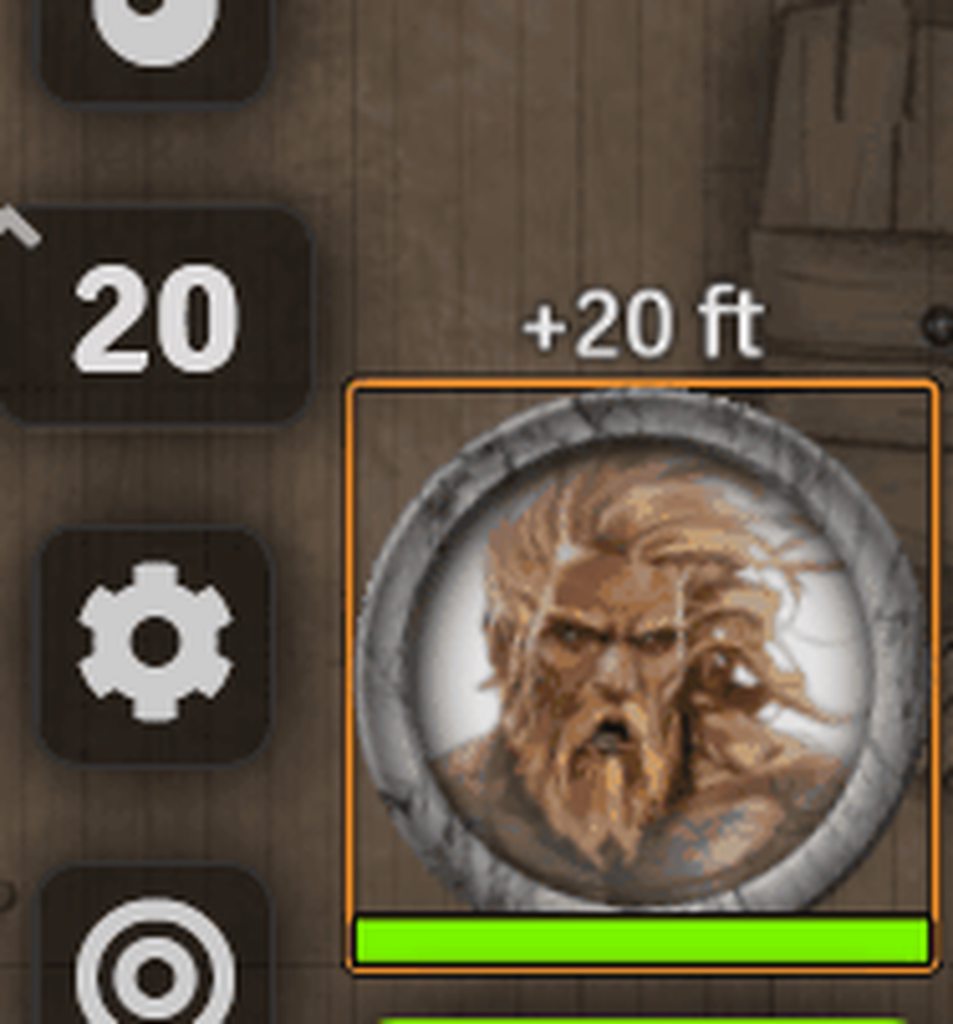

Hovering over the HUD does still count as hovering over the token for the sake of the function. Even though other token-hover specific elements are not displayed (like the token health module stuff and hover on name).
This can be seen by the orange box around the token and the fact that scrolling on the html element changed elevation of the token despite the mouse being off the token area.
Err, nope. I was wrong
This is the orange "select" box.
flat willow
Hm, odd. $('.elevation') should only get that text box.
uncut horizon
As soon as the HUD is opened the hover box turns into the select box.
Selecting multiple tokens then changes them all via wheel on hud.
The hover box on PCs is green instead.
So the reason why my function still works is because it also handles selected tokens when no token is hovered over.
flat willow
I think I'm confused. What are the current problems?
uncut horizon
Even with the orange box the function stays in "hover" mode, but as soon as the mouse moves to the HUD dialog the "select" mode is fired up.
When the mouse is moved from the token to the HUD then the function switched from "change hovered over token" to "change all selected tokens".
This is why it can change multiple tokens then, even when you only scroll over the HUD of a single token.
Too bad, because I hoped to use the same function for messing with the HUD, too. Especially since it already works.
flat willow
I still don't understand. Could you post the entire script? Possibly on gist.github.com?
uncut horizon

It's 3 am here. Time for bed. I will look into this tomorrow again, especially the part on how to refresh the HUD and maybe how to specifically target the token under the active HUD even when the mouse hovers off the token (to hover over the HUD).
Thanks for all the help and hints!
flat willow
I worked on your code a bit last night: https://gist.github.com/Varriount/8c767c0b59f7d657a9ea8b1b67b76221
I'm not sure I 100% agree with myself on how all the selected vs hovered cases are handled.
@uncut horizon ^
uncut horizon
I also did and got it working. Only throws an error now if the HUD is not displayed. 😉
Let me take a look.
What do these do in relation to each other?
const selectedTokensArray = canvas.tokens.controlled;```Take a look at the names:
selectedTokensMapis an object/map, where each property is a token ID, and each value is a token.selectedTokensArrayis just an array of tokens.
uncut horizon
Lol, yes, just reset elevation to 0 instead of subtracting the current elevation from itself. 😄
flat willow
I guess technically a better name would be selectedTokensObject, since there is an actual Map type. But object is such a generic term.
uncut horizon
// - Tokens are selected, hovered token is in selection.
// - Set elevation of selected tokens.
This one is new.
My current implementation always prioritized the hovered token regardless of selection. Not sure which I prefer atm.
flat willow
Oh, that logic probably doesn't properly cover the case where there are neither selected tokens nor hovered tokens.
uncut horizon
I will give it some thought. In my tries I found it rather useful that you could change a single token via hover even when other tokens where selected.
There is a second benefit, mouse-wheel on the HUD is not a hover case, but a selection case, so it allows to use the wheel for all selected tokens at once even when the HUD only shows for one. That only happens when the user deliberately holds shift while openeing the HUD.
In any case I will take a close look and learn from it. The effort is very much appreciated. Should I publish this as a module then the credits need to go to you and Freeze anyway.
uncut horizon
Functionality is working. Now I take another look at your new code to see if I can make it more robust/elegant and think about the combinationa again (especially hover token being selected at the same time as others). 🙂
uncut horizon
@flat willow Hello. I adopted several parts of your code, learned a few things along the way and found two parts in your code that didn't seem to work.
  //       - Set elevation of selected tokens.
...
|| hoveredToken._id in selectedTokensMap```
This still only changed the hovered token, even if it was part of a selection. Since I currently prefer this variant I just removed the parts. But it may come back as a module option, at which point I would have to revisit why it didn't work.