#peer-help
1 messages · Page 46 of 1
 upbeat dew
 dark swift
can I post animations in #creative Channel?
also hi everyone
^_^/ nice to meet you all
 short marsh
of course you can if you made them yourself! :O
 regal falcon
how to make large text?
 sage shale
Yo i've spent weeks. I have stayed up many many nights "spending a lot of time" with it. This is all I do. Everyday. I've seen every video. I have asked every place. I can't even get someone to hear the issue. This isn't how it should be. if it was.. then why even have this server?
 buoyant summit
regal falcon
how to make large text?
buoyant summit
regal falcon
how to make large text?
Like make everything bigger? That's in settings

 warm apex
 void quail
it is working now
void quail
it is working now
this calls for celebration
buoyant summit
CONGRATS!!! 
void quail
yeah
.
∧_∧
(・∀・)
★。:゚〇☆〇゚:。:★
☆。・:+゚ ゚+:・。☆
THANK YOU
・・゚゚゚゚・・゚゚゚゚・☆・
it was worth it to go school coding class
upbeat dew
sage shale
Yo i've spent weeks. I have stayed up many many nights "spending a lot of time" ...
What are you trying to do? Get the onboarding working with a verification system?
 dense moss
Hey guys, I noticed back during snowsgiving that one of the mods / helpers on this server had a really cool gif background for the profile that showed users asking how they got various Discord badges and reminding them to respect the users time. I was really impressed with the design, and it gave me an idea for a similar but different gif background that I'd love to make.
I was wondering if the user who had / has or created that background could point me in the right direction to get in touch with a designer who could create something similar? Or... *reveal yourself * so i can remember roughly how the gif went so i can use it as a starting reference? 👉👈
 vague wharf
dense moss
Hey guys, I noticed back during snowsgiving that one of the mods / helpers on th...
vague wharf
dense moss
Hey guys, I noticed back during snowsgiving that one of the mods / helpers on th...
I can give you the designer’s website in DMs
dense moss
vague wharf
I can give you the designer’s website in DMs
Much appreciated  !
!
 keen void
make me a happy person
 rose iron
I have an issue where anytime I put in a keybind, it deletes itself within a couple hours. I usually have Toggle Screen Share as Ctrl + Shift + G and Push to Mute as -. For the last couple of days, every time I try to put the keybind in, it just gets rid of it and I can't set up more than one custom bind. Is this a known bug?
 past cave
How can I make it so that a role is mentionable only by certain roles?
 vague cedar
how do i change my nickname on this server
 wild obsidian
boost
sage shale
upbeat dew
What are you trying to do? Get the onboarding working with a verification system...
I've had 2 people finally look at it over the past few hours.. It's more than just channel permissions and how the onboarding and verification goes. If feels like i'm on "the truman show"... and there's hidden cameras messing with me. I have tried multiple ways to configure the hierarchy list and every channel individually.. Even admins can't view half my server.. Im told people who join my server can't even see onboarding or the rules. Everytime I look it's a new thing and completely makes no sense.
 regal pumice
dont know if this is the correct place to ask but anyone know how i can add clyde to my private server ?
sage shale
@regal pumice Whoever responds will probably say "DiD yOu ChEcK yOuTuBe?"
vague wharf
regal pumice
dont know if this is the correct place to ask but anyone know how i can add clyd...
You’ll have to wait for it to roll out to your server. More info at https://support.discord.com/hc/en-us/articles/13066317497239-Clyde-Discord-s-AI-Chatbot
rose iron
vague wharf
You’ll have to wait for it to roll out to your server. More info at <https://sup...
This is what I found as well.
upbeat dew
sage shale
I've had 2 people finally look at it over the past few hours.. It's more than ju...
I think having an alt account you can kick and reinvite over and over to test everything with the onboarding is super handy.
Coupled with the preview function so you can dry test what will happen for new arrivals before getting the alt involved
It would definitely be a thousand times easier to set up onboarding with a verification in an entirely new server than to have to reconfigure a server to accommodate for it. Especially keeping the verification system.
For what it's worth I disabled my verification system in favour of the Integrated Discord stuff with the rules, the automod and all this onboarding stuff and barely anything has slipped through.
 crimson galleon
why cant i play games on discord but my friends can?
 zealous jasper
You might hve not enabled it or something
crimson galleon
how do i enable it@zealous jasper
zealous jasper
Check the setting for hardware accelarations
Even I faced problems regarding this but it worked after I enabled this...
crimson galleon
zealous jasper
Check the setting for hardware accelarations
where is it
crimson galleon
i had it enabled
i turned it off, no difference
like i dont have the choice to play discord games/the rocket logo
crimson galleon
i have nitro
 brisk spruce
crimson galleon
like i dont have the choice to play discord games/the rocket logo
brisk spruce
crimson galleon
like i dont have the choice to play discord games/the rocket logo
It has to be done from a VC, unless they added it to DM's.
zealous jasper
that can be it too
 vale jolt
is there any way to stream the sound of my screen too when making a screenshare using my screen INSTEAD of an application? i know that you can do it when you stream using your browser, but not with the desktop client. is there a way to allow it on windows ß
 obsidian raft
hi, embed mp4 videos i sent won't play properly and only a still image is shown. the audio works tho
 manic nymph
okay,
 astral schooner
Any idea when soundboard is coming to all servers
Ive been waiting like three weeks
upbeat dew
one of the catchphrases here is: "Discord doesn't give ETA's"
I'm sure someone would have thrown that in eventually
 gloomy cloud
how do i start an activity in a private call (not on a server)
 valid quartz
Pc or mobile?
 worthy hearth
Could someone please help me with that
 wild obsidian
is there a discord folder in %appdata%/Roaming? (do win+R and type it)
worthy hearth
?
wild obsidian
checking if it thinks it's already installed or something
worthy hearth
When i type it into search bar it find it ya so it does think that
I couldnt open it be4 so i delited it and it stayed for some reason
And i cant delite this one that pops up in search bar
vague wharf
Best to just reinstall https://support.discord.com/hc/en-us/articles/209099387--Windows-Installer-Errors
Discord
Are you having issues with the installer failing and/or shooting out various errors causing the app from installing? Though not intentional, there may be various issues that can cause the installat...
worthy hearth
I delited in somehow so now i can reinstall it
 ocean plank
How can I use the new voice messages feature on Discord,
Is it only on mobile?
past cave
Yeah I know that now lol
 small bloom
E
ocean plank
What if I open it on discord web as a mobile site?
I guess I will just install it on my Android Emulator
yup :3
 opaque flare
Can Steam games be played on phone?
 cosmic viper
why when i try to /msg myself it says they encountered a error
 keen hawk
discord is still not responding why's it taking them days.. its been like 4 days already
ocean plank
If the scam is something like a Steam Gift Card scam, you should contact steam support instead
I don't know if discord can help you /w that..
 quasi carbon
Has Discord announced an official launch date for the updated Moderator Academy quiz? Please ping me when responding so I can get a notification. Thanks in advance!
 empty junco
quasi carbon
Has Discord announced an official launch date for the updated Moderator Academy ...
empty junco
quasi carbon
Has Discord announced an official launch date for the updated Moderator Academy ...
There won’t be one unfortunately
 tulip helm
omg man
 azure shuttle
super reactions are available in anroid?
empty junco
Nope
azure shuttle
hm sad
quasi carbon
empty junco
There won’t be one unfortunately
Why?
empty junco
quasi carbon
Why?
They probably decided just having the resources where better tbh
So they shut the rest of the program down and re did the badge
 spare palm
Discord
🚧 Help center under construction! 🚧
What does this FAQ cover?
What is a Bug?
How can I help?
What is Discord Testers?
Discord Testers FAQ
What is a Bug?
Bugs are unintended behavior of the Di...
 wanton star
spare palm
https://dis.gd/bugs
wanton star
spare palm
https://dis.gd/bugs
Here is mo option to do anything
For getting badge or join server
spare palm
Read it entirely :)
wanton star
Ohk thanks
 marble coyote
I have an art community sever and I want to use forums as a sort of portfolio where you can post all your art. Is there anyway to change the image attached to a forum post without deleting and recreating it
 torpid drift
hello, i know in the past i was able to clone server roles. i can't seem to do that any more in any way, would someone be able to provide insight?
keen hawk
is discord even seeing my ticket atp :( why is it only me out of all my friends who still cant get help its been 4 days already
wanton star
spare palm
Read it entirely :)
Can I get or not
 native flicker
Short answer is you can't
 clever iron
Is there a way to subscribe to a forum post? I want to automatically get added to each new post since I'm a mod and need to keep an eye on posts.
 sour shadow
hello all
empty junco
wanton star
Can I get or not
Didn’t you ask this question earlier this week?
wanton star
empty junco
Didn’t you ask this question earlier this week?
I ask but didn't get answer
empty junco
This looks like a answer to me 🤔
 empty junco
I mean I guess but like that was giving as answer almost immediately after you asked it so I would have assumed you would have stuck around for a bit
Just like your doing now
wanton star
empty junco
I mean I guess but like that was giving as answer almost immediately after you a...
I can't get it so idk when you answer me because I didn't see
And Is hunter badge unavailable???
empty junco
Yes since you can’t join testers
wanton star
empty junco
Yes since you can’t join testers
It says to fill any bug form and they invite new testers
empty junco
Can you paste the line in here where you see that in the support article?
clever iron
Thanks
wanton star
empty junco
Can you paste the line in here where you see that in the support article?
I mean it says new testers will be added
empty junco
Right at some point in the future
empty junco
Besides partner, and then if you get hired by discord staff
 untold haven
Hi someone is trying to join a server but it says he's banned but he's not banned what to do?
He's saying no to both
 errant grotto
i was banned in a sever and i can't even click on it, how does it show that he is banned, is it a temp ban or a perm?
untold haven
😂 lemme ask
cosmic viper
why
untold haven
@gusty agate He's saying no
errant grotto
untold haven
<@379781622704111626> He's saying no
is it a temp ban?
untold haven
He's not in the banned user list
errant grotto
yall checked?
errant grotto
try restarting discord
errant grotto
wait, your an admin?
untold haven
Mod
errant grotto
oh ok
untold haven
y
errant grotto
i was curious how you looked at the ban list
untold haven
hhhhhhh
 unborn lily
damn 💀 ,no longer image perms right now.
untold haven
Probably forgot, no idea why he would lie about that lol
unborn lily
i assume i already got it since i was here but the damn but it keeps taking my role off
torpid drift
hello, i know in the past i was able to clone server roles. i can't seem to do that any more in any way, would someone be able to provide insight?
errant grotto
like what kind of insight?
torpid drift
was role cloning removed? was it moved to somewhere i didn't see?
errant grotto
im not sure, but i gtg
torpid drift
...thanks
unborn lily
alright,but sure rejoining the server fixes the problem (i hate doing that)
torpid drift
it used to exist
there used to be an actual button, then there was also copy last edited. don't remember which was first
now it looks like nothing
hmm
cosmic viper
like why does it not let u msg urself
torpid drift
have i gone crazy? i guess it's been a while since i stood up a server
 torpid rain
What's your problem
cosmic viper
Well.. There Is that hacker Is threading me that he will log out my account if i didn't help him, what do I do?!
torpid rain
cosmic viper
Well.. There Is that hacker Is threading me that he will log out my account if i...
I would change my password if I was you
cosmic viper
Here are some actions you can take:
Ignore the threats: Don't engage with the person making the threats, and don't do what they're asking you to do. Most hackers are looking for attention or a reaction, so by ignoring them, you take away their power.
Change your password: If you're concerned that someone may have access to your account, change your password immediately. Make sure you use a strong password that is difficult to guess, and enable two-factor authentication if it's available.
Report the user to Discord: If the person making the threats is a user on Discord, you can report them to Discord's Trust & Safety team. You can do this by clicking on the user's profile, selecting "Report," and following the prompts.
Consider contacting law enforcement: If you feel that your safety is at risk or you have reason to believe that the person making the threats is serious, you may want to consider contacting your local law enforcement agency for assistance.
I.. Bruh.
Well the threads are, A links that he wants to send.
Its A virus links he wants me to send to other people so they can log out their accounts.
Here are some steps you can take:
Do not click on the link: It's important that you do not click on the link that the hacker is sending you. It could contain malware or other malicious software that could harm your device or steal your personal information.
Report the user to Discord: As I mentioned earlier, you can report the user to Discord's Trust & Safety team. This will alert them to the situation and allow them to take action if necessary.
Block the user: If the hacker is a user on Discord, you can block them to prevent them from contacting you further. To do this, click on their profile
 valid oar
cosmic viper
valid oar
cosmic viper
He told me those links can log anyone out, but thanks anyways.
I shouldn't have done something worst, like it was all my fault from the begining.
Here are some additional steps you can take to protect yourself:
Enable two-factor authentication: If you haven't already done so, enable two-factor authentication for your Discord account. This will add an extra layer of security to your account, making it harder for someone to gain access to your account.
Change your password: If you're concerned that someone may have access to your account, change your password immediately. Make sure you use a strong password that is difficult to guess.
Don't click on any links: If the person is sending you links that you're unsure about, don't click on them. If you click on a link and are prompted to log in to your account, make sure you're on the official Discord website and not a fake login page.
Oh, i din't see the message.
Okay than.
valid oar
This article from Discord is really great advice to making sure you're staying safe! I'd definitely recommend checking it out and going through its recommendations 
https://discord.com/safety/360043857751-Four-steps-to-a-super-safe-account

Get tips on how to set up and manage your account for privacy and safety.
 lyric citrus
hi, discord recently introduced new markdown features, such as headers or masked links. Is it a bug or a feature that they don't work when I edit an older message?
cosmic viper
Yes
2-factor authentication is generally considered a safer method of authentication than using a password alone. This is because 2FA requires the user to provide two forms of authentication, typically a password and a verification code sent to their phone or email. This adds an extra layer of security, as even if a hacker manages to obtain a user's password, they would still need access to their device or email to get the verification code.
 eternal ravine
2FA is putting up another barricade, but it's not perfect. It's just part of the defense-in-depth paradigm crucial to modern information security
Yeah, it's on there.
There are still ways your account can be compromised even with 2FA being on (the most common being token grabbers), but 2FA will prevent password leaks or cracks from compromising your account.
 floral tartan
@buoyant summit i found out the problem
@buoyant summit I was in do-not-disturb mode for the whole time
ocean plank
Coding.
You can make a discord bot using a lot of programming languages.
Most people use Python or Javascript
I personally recommend javascript.
Of course you can do it with languages such as C# too,
But trust me it is hard
For javascript, you need to use NodeJS along with npm discord.js
cosmic viper
But anyways again, hackers can't log out your account right?
ocean plank
cosmic viper
i have a question how are dsc bots made
I can help you get started if you want to make one
errant grotto
do yall have any websites that can get me started with programing?
 gritty summit
It’s all down to personal preference. Python is known for being a beginner language (and one I feel more comfortable using). I’m self-taught and began my bot developing practises since 2020 👀 if you go with python, I’d recommend the nextcord library. Not only is it maintained and always up to date with discord’s api, but the volunteer mods and supporters are suuuuuper friendly and love to help new devs!
cosmic viper
ocean plank
I can help you get started if you want to make one
nah i was just curious
cosmic viper
errant grotto
do yall have any websites that can get me started with programing?
and yt
errant grotto
ok thx
ocean plank
geeks for geeks can be helpful at documention too ( geeksforgeeks.org )
cosmic viper
My answer isn't asnwered at all lol.
errant grotto
ocean plank
geeks for geeks can be helpful at documention too ( geeksforgeeks.org )
ok
ocean plank
cosmic viper
But anyways again, hackers can't log out your account right?
I have no clue, they probably can?
If you can, that means they can.
eternal ravine
Sure!
 proud iris
Question, you still can do the moderator exam but you cant get the  badge right?? (or the
  badge)
cosmic viper
eternal ravine
Sure!
Ehm, I Know this is the same question, but can hackers make your account log out?
errant grotto
yes
ocean plank
cosmic viper
Ehm, I Know this is the same question, but can hackers make your account log out...
I mean they can change the password
So yeah
eternal ravine
They can change password, which will log out all devices, or they can manually log out individuals devices from settings.
Likewise, you can also do both of these things, of course.
ocean plank
As I said, they can do anything that you can do ^^
cosmic viper
I was gonna download google auth, but I saw people saying they Can't get their accounts back.
cosmic viper
eternal ravine
Likewise, you can also do both of these things, of course.
Ok lol, Thanks to moki, I can't worry no more.
eternal ravine
cosmic viper
I was gonna download google auth, but I saw people saying they Can't get their a...
This is because they weren't careful. When you set up 2FA, you are given a set of backup codes in case you lose access to your device. If you don't save these somewhere safe, and then you lose or break your phone, you won't be able to log in to your account, because that's the point of 2FA in the first place!
You can also enable sms backup where Discord will text you a code. You can ALSO get your backup codes from any other logged-in device using just your password.
If you save your backup codes somewhere safe (I put them in my password manager as a secure note), you don't have anything to worry about.
cosmic viper
Thats true.
cosmic viper
cosmic viper
Ok lol, Thanks to moki, I can't worry no more.
No problem 
So if i did 2factor, My account will be safe, and hacker won't log out of it?
Sorry for my stupid questions, I Know im annoying -_-
cosmic viper
cosmic viper
No problem <:Moki_Broken:1088068088181817385>
Okay, imma block em, and leave the server that hes in.
empty junco
proud iris
Question, you still can do the moderator exam but you cant get the <:moderatorIc...
Nope can’t take the exam and can’t get the badge
cosmic viper
proud iris
Question, you still can do the moderator exam but you cant get the <:moderatorIc...
No, exam CLOSED. But theres still course
proud iris
empty junco
Nope can’t take the exam and can’t get the badge
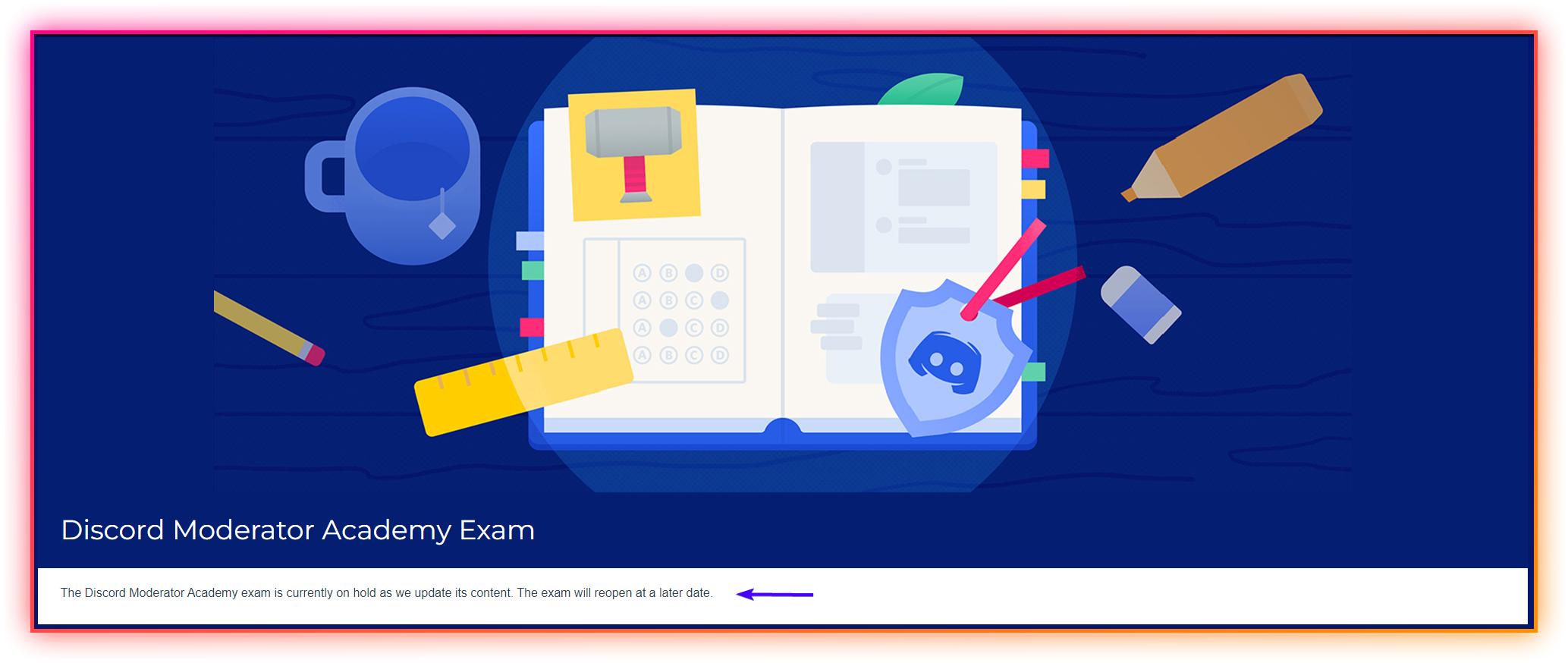
Then how do you explain this??
https://i.imgur.com/TmvEyC1.png
 proud iris
cosmic viper
No, exam CLOSED. But theres still course
proud iris
cosmic viper
No, exam CLOSED. But theres still course
mhm
empty junco
proud iris
Then how do you explain this??
https://i.imgur.com/TmvEyC1.png
It’s outdated just like the hypesquad event page
cosmic viper
empty junco
It’s outdated just like the hypesquad event page
Yep
proud iris
empty junco
It’s outdated just like the hypesquad event page
Ahhh oki, thnx for the info
but also dont ya think they should update it like the exam is closed and you can no longer get the badge
empty junco
Of course! But will they, probably not
 supple star
hi guys, the retroillumination for the keyboard on an asus vivoboook how to active?
proud iris
welp ¯_(ツ)_/¯
cosmic viper
supple star
hi guys, the retroillumination for the keyboard on an asus vivoboook how to acti...
follow these steps:
Look for the "Fn" key and the key with the backlight icon (usually looks like a sun or light bulb). The backlight icon key is often located on the top row of keys, or may be located on one of the function keys.
Press and hold the "Fn" key, and then press the backlight icon key.
This should turn on the keyboard backlight. If you want to adjust the brightness, you can press the backlight icon key repeatedly until you reach the desired brightness level.
Note: Not all Asus VivoBook models have a backlight keyboard feature. If your model does not have this feature, then you will not be able to activate the retroillumination for the keyboard
supple star
thanks, i buy an asus with it but dont work
cosmic viper
it din't worked?
supple star
nop :/
upbeat dew
 crimson jasper
yes it did
crimson jasper
yes it did
as far as I'm aware the limit for voice messages in a server with less than 200 members. I'm guessing once your server exceeded 200 members it triggered some kinda auto thing that removed the ability to do voice messages from your server.
I was searching around and apparently you won't get them back in that server now, even if your member count drops below 200 again
cosmic viper
.
 worthy rain
hello, i have a problem that when i go to the 'server profiles' menu it says 'There was a problem updating your account' what does it mean?
upbeat dew
that was happening to me on Android a couple updates ago. I never figured it out but it doesn't happen anymore. I guess my advice is to make sure you're updated
worthy rain
so it doesnt mean anything?
upbeat dew
no it kept working fine for me, I could even change stuff it just occasionally told me there were updating issues but ignoring it didn't harm my experience
worthy rain
i understand, thanks for the advice
 kindred echo
Hello, this is my server booster page, umm how to see the “name” of the person who boosted the channel? Hehe @cosmic viper

It only shows “the amount of people” not “their username” 🥲
 faint tusk
Anyone know where I can find out why my Discord server doesn't have soundboard but many others do?
 Ok
Ok
cosmic viper
kindred echo
Hello, this is my server booster page, umm how to see the “name” of the person w...
Hey there! To see the name of the person who boosted the channel on mobile, you can follow these steps:
1. Open the Discord app on your mobile device and navigate to the server where the boost was made.
2. Tap on the server's name at the top left corner of the screen.
3. Scroll down until you see the "Server Boosts" section and tap on it.
4. You will see a list of all the members who have boosted the server. Tap on the name of the person whose details you want to see.
If all of these steps does not work, this may because I am wrong or probably because this cannot be seen on mobile!
keen hawk
is there anything i can do to make discord notice my ticket? i keep hearing some say it takes forever and some say they tell u to give up.... i really need my account or else i can never reach my friends there... do i really have nothing besides waiting?(its been 4 days and no sign of any response) can i use twitter or something else to ask for help? are we not able to call or directly message any staff? im so worried...
gritty summit
keen hawk
is there anything i can do to make discord notice my ticket? i keep hearing some...
If your account was terminated by Discord, it takes 30 days to become a Deleted User. 4 days is fine. If you had waited 10, then I would reply to the confirmation email
cosmic viper
Hey guys, Im now deleting my footsteps of my chat in a discord server.
Because of that "hacker".
Or.. Should I just leave and block em?
upbeat dew
I'd say do what makes you feel comfortable. Some might see it as unnecessary to delete your "footprints" but if it makes you feel more secure then go for it
cosmic viper
Well, My footsteps are almost like 488, this is gonna take a while.
upbeat dew
I've been there before. And I could only do it in batches of around 20 and then wait or one like every 10 seconds.
I ended up watching half of the first season of Dexter and slowly clicking away
 vale locust
i need help when i got nitro i spent the boost on my server and it didn't go through
cosmic viper
upbeat dew
I ended up watching half of the first season of Dexter and slowly clicking away
How'd you do it?, I wanna do on my phone.
vale locust
oops sorry wrong one
upbeat dew
cosmic viper
How'd you do it?, I wanna do on my phone.
nah I tried on phone but you gotta long press each message. on PC I just held shift and navigated to my messages with the search function
keen hawk
gritty summit
If your account was terminated by Discord, it takes 30 days to become a Deleted ...
okay,,, i hope nothing goes wrong.. im really worried this kinda thing keeps happening to me :(
 stable vessel
?
 coral glade
so I forgot my password and idk how to reset it without knowing my current password, can anyone help?
 molten coral
coral glade
so I forgot my password and idk how to reset it without knowing my current passw...
molten coral
coral glade
so I forgot my password and idk how to reset it without knowing my current passw...

Discord
Discord is the easiest way to communicate over voice, video, and text. Chat, hang out, and stay close with your friends and communities.
 marble zephyr
is asking to trade gift cards against the rules? 😅
I accidentally bought the wrong one and idk how else to "get my money back" so to say
coral glade
molten coral
https://discord.com/login then
thank you!!
eternal ravine
marble zephyr
is asking to trade gift cards against the rules? 😅
I accidentally bought the w...
Yeah, that's fine from a ToS perspective (as long as you're not actually scamming), but a lot of servers will probably have their own rules because of the extremely high potential for scamming. I, personally, would not trust some internet stranger over that.
upbeat dew
It was murky for me they defined their offerings as virtual goods and virtual currency and then declared you can't exchange it outside the platform for risk of account termination. So I dunno what gift cards for, whatever you're after would fall into
marble zephyr
eternal ravine
Yeah, that's fine from a ToS perspective (as long as you're not actually scammin...
ik, im asking for this server specifically
i know its risky too but idk what else to do, i cant use a freakin google play card for anything 
cosmic viper
Can anyone hack you thought your Deactivated account?
cosmic viper
eternal ravine
Yeah, that's fine from a ToS perspective (as long as you're not actually scammin...
Hi, Can you please asnwer my question?
eternal ravine
I don't even know what you're asking
eternal ravine
marble zephyr
ik, im asking for this server specifically
Oh, yeah, I dunno there. I'd DM @fair tree and ask, that's the surest way to get the correct answer
Yes, I mean that I have no idea what you even mean by that question.
gritty summit
That's done via creating an application that uses DiscordRichPresence
proud iris
Question, idk if i asked this before but when do i get id:guide in my server?? cuz i still dont have it like is it still rolling out or
gritty summit
discord does not give ETA's for features
proud iris
welp.. i gotta wait then
 plush mural
lyric citrus
hi, discord recently introduced new markdown features, such as headers or masked...
plush mural
lyric citrus
hi, discord recently introduced new markdown features, such as headers or masked...
It worked, for me at least, but sometimes I'd have to retype the # and a space after it. I had a lot of messages that used code blocks for formatting headers, like
```md
Header
```
If I deleted the code block markup, I had to retype the # and then it would work.
 scarlet ingot
hey guys i have a problem when joining screenshares this happens: https://cdn.discordapp.com/attachments/936994186765434880/1097151909388894310/2023-04-16_15-29-36.mp4
huh whjy is it not showing
when i join a screenshare my audio starts lagging and the stream runs at 2 fps
here
nope its every stream
and i already reinstalled discord

 forest ferry
anyone have a way to get past this? it's been stopping our server from using onboarding since we have a verification system. i'm looking something in the style of channels where ppl can chat but any message gets deleted, whatever you have would be appreciated
 upbeat dew
forest ferry
anyone have a way to get past this? it's been stopping our server from using onb...
upbeat dew
forest ferry
anyone have a way to get past this? it's been stopping our server from using onb...
as far as I know it's based on the everyone role. you could give that role blanket permissions then set up an autorole that everyone gets upon joining with the limitations the everyone role had previously.
your verification system would give whatever verified role you normally assign and things should run smoothly from there. At least that was the plan I had before deciding to abandon my verification system - I never tested it
 finite nest
guys i need help 😓 i cant cancel by boosts without paying for them again first. i dont have enough money in my account currently to even pay for them so i am trying to cancel my boosts and my boosts only, i would like to keep my nitro subscription, but just cancel the boosts. Its really frustrating because i have to pay for them first, when all i want to do it cancel them
upbeat dew
finite nest
guys i need help 😓 i cant cancel by boosts without paying for them again first....
the method here doesn't work? https://support.discord.com/hc/en-us/articles/360028038352-Server-Boosting-FAQ-
Discord
Want to share some extra special 💖💖💖 perks with your favorite community? With Server Boosts, you and your community will now be able to work together to unlock some fresh new and improved collecti...
finite nest
upbeat dew
the method here doesn't work? https://support.discord.com/hc/en-us/articles/3600...
nope, all that shows up is this. i cant update my payment information because it is already in there.
 finite nest
alr ty
forest ferry
upbeat dew
as far as I know it's based on the everyone role. you could give that role blank...
oh that's smart tysm
 strong breach
I was thinking so it is possible to do role exclusive emojis so mods have idk a ban hammer emoji and boosters can have special emojis for there boost role et c And every role like if u have level role system unlocks a new emoji
finite nest
upbeat dew
ohhh okay I guess you should contact billing for that
alr i contacted them i js hope they get back soon bc i wanna keep my nitro streak lmao
upbeat dew
fingers crossed. I lost my streak recently. It's purely cosmetic but I get what you mean
 naive prawn
hi guys , how do i claim nitro credit qwq ? js cancelled my subscription and there's no option to claim the nitro i was gifted . i tried using an empty credit card to subscribe to nitro basic so it'd use up the credit i got in my account but the payment just got declined
upbeat dew
This article has details about it - it was confusing for me. but there's a link at the bottom for billing if it doesn't help you https://support.discord.com/hc/en-us/articles/360030782312-Subscription-Credit-FAQ
Discord
Note: Subscription Credit can only be used for desktop/browser subscriptions. It cannot be used on Google Play or iOS App Store subscriptions.
What does this article cover?
What is Subscription ...
naive prawn
upbeat dew
This article has details about it - it was confusing for me. but there's a link ...
tysm it actually helped nd i acivated it 
 fossil orbit
its been 5 days man, how long do i have to wait to get my hacked account back, they haven't responded to me yet
 hushed fractal
My Friend recently got banned from Discord, Is he allowed to be on Discord with his new account even though his old account was banned?
 oak karma
How do you make this coloured text?
I know ansi is used, but I don't understand how you use it for coloured text
 buoyant summit
You can google the various ways to do so cuz there are many
You can't see them on mobile tho
 feral blade
hi
crimson jasper
upbeat dew
as far as I'm aware the limit for voice messages in a server with less than 200 ...
wow that’s sad xD any idea why Discord is limiting this only for -200 member servers?
buoyant summit
Because of chaos control
upbeat dew
I don't know at all, I can guess technical limitations or yeah chaos like Nightingale666 said
 thick birch
i dont see overlay game in my settings
how di fix it
 nimble vigil
Yikes!
cosmic viper
Why do role icons keep disappearing for me on mobile
 versed wind
i don't have a question I just want to finish the get started thing
 gentle summit
does anyone know why my discord screenshare is literally 1 fps? I have 80 mbps wifi and good specs. what's the problem?
 cyan trout
Hi
 signal grove
So currently I’m just a basic-Nitro-having Discord user of multiple servers.
Let’s say I wanted to set up a Discord Server for my immediate neighborhood, would there be any extra costs associated with setting up an invite-only Discord server? Or is Nitro subs of various types & Server Boosts how Discord pays their bills?
Edited to add: Please ping me when you reply. Thanks.
cosmic viper
I can't move the channels on my server from my main account but I can from my alt how do I fix this?
 eternal ravine
Your client's not loading images. It's either a problem with your network connectivity (possibly between your geographic region and Discord's CDN, not necessarily your home internet), something stuck in your client, or something broken on the CDN. But, since everyone else's is working fine, probs one of the first two. If it's still happening, refresh your client with ctrl+r and see if that fixes it.
 nocturne acorn
which perm toggles lets ios access age restricted discord servers? not the opt in toggle, the moderators one
 sharp jewel
On android i am not able to reply to others when i add an attachment to the message
cosmic viper
eternal ravine
Your client's not loading images. It's either a problem with your network connec...
CANT FIX
cosmic viper
please fix
 ember flame
In the app, when i go to roles and select one, then tab members, noone shows up. For no role on any server. Tapping members I see that the members are assigned to roles.
Why?

 cosmic viper
how to fix
 peak agate
Hi, we are having a problem in a server with invite links. In the server, anyone is able to create invite links, even though we have taken the permission away from everyone (except moderators). How is this possible?
cosmic viper
peak agate
Hi, we are having a problem in a server with invite links. In the server, anyone...
Have you checked the permissions for each role you created?
peak agate
cosmic viper
Have you checked the permissions for each role you created?
yup
i actually joined the server with another discord account which has no roles at all so i can test it out, but i can still create invite links with the "naked" account
cosmic viper
Is your Discord app beta or stable?
cosmic viper
Ah, gotcha. Have you tried to find out if it still happens on other devices?
peak agate
it happens, everyone can do it on the server
cosmic viper
That's very odd. Try to give permissions to everyone and then take them away again.
peak agate
alright, ill try that
cosmic viper
Ok.
peak agate
nope, did not work
cosmic viper
Try logging out and then logging back in. If it still happens, reload your browser.
peak agate
did that all, still can create links
cosmic viper
Hang on. I'll try to see what else you can do.
It might probably be an issue with the browser version of Discord.
peak agate
but other members are also able to do it on their pc app and mobile apps
peak agate
no problem mate
cosmic viper
Alrighty. I hope you'll be able to get it fixed asap! 
peak agate
yeah i hope so too, we have someone who invited a random to our server already 
email back up?
seriously?
thats dumb
"Note: If you do not have access to your backup codes, we are unable to remove 2FA and you will have to create a new account. Discord cannot remove 2FA or issue you new backup codes."
from discord support website
damn
 molten lake
is it fine to dm people as long as none of them reports me?
 real cosmos
sharp jewel
On android i am not able to reply to others when i add an attachment to the mess...
real cosmos
sharp jewel
On android i am not able to reply to others when i add an attachment to the mess...
me too
real cosmos
molten lake
is it fine to dm people as long as none of them reports me?
this doesn't make sense, what are you trying to say
molten lake
real cosmos
this doesn't make sense, what are you trying to say
like i dm few people
but is not some spam ad or invite link to server, im just dming them to ask for some discord bot items
but i dmed like 10 new people in less than an hour and afraid of getting my account flagged
real cosmos
if you are continuously dming people discord will automatically flag your account as spam
 cerulean sun
I want to redeem this gift, but I noticed that you can only do this by depositing a payment method (microsoft). Is there a way around this?
 molten lake
real cosmos
if you are continuously dming people discord will automatically flag your accoun...
molten lake
real cosmos
if you are continuously dming people discord will automatically flag your accoun...
is there anyway to balance between the two?
like dm people and still not get flagged or i should just gamble my chances
real cosmos
idk what the limit is and i doubt anyone knows
 lusty snow
How do I make bot Commands, I've made a bot with the dev portal, but now I need commands
cosmic viper
this is the 2nd time I had to ask the same question
I can't move the channels on my server from my main account but I can from my alt how do I fix this?
ping me for my dam reply
cerulean sun
lusty snow
How do I make bot Commands, I've made a bot with the dev portal, but now I need ...
I don't know if it's worth answering the question, but you should maybe search for 'discord.js' or 'discord.py'. Commands are usually programmed
 slow comet
I wonder I can change this icons...

I prefer for counting 💯
or memes 💀 not 😂
spam I can understand

but commands will have I don't know 🔧 or 🤖
or like 🔗
that's more liked for me for commands
 lyric raptor
slow comet
or memes 💀 not 😂
lyric raptor
slow comet
or memes 💀 not 😂
memes 🗿 are in my opinion superior
in either case, copy-paste the unicode character
slow comet
thats good too
But I can't change it
That is discord experiment
I wander to change it
lyric raptor
nah you can
just copy paste the unicode character
simple as that
like this is my server
 slow comet
not just like emoji in discord channel name
lyric raptor
unicode can do for now
slow comet
every channel in this experiment have emoji
lyric raptor
so it automatically assigns them?
lyric raptor
actually rip
slow comet
(probably) AI is choosing it for you
lyric raptor
if it rolls out i'm going to probably stick with unicode until i can change the emoji
slow comet
look

this is cool
but I want to have emojis what I choose
even on this server

I don't know why one of them have other emoji then 🎮
 green dew
i have done the setup of onboarding and was going to complete it but i am not able to add the 3rd task as the requirement says

please mention while replying
slow comet
@green dew you must to create guide for server
and then you able for make it
mention while replying
cosmic viper
guys is it me or when i press "boosts" on phone the discord crashes?
green dew
slow comet
mention while replying
i've made the server guide/onboarding but to start it, i need to add one more task in server guide, other steps in it are completed including welcome message and 1 resource channel
 median blaze
cosmic viper
guys is it me or when i press "boosts" on phone the discord crashes?
median blaze
cosmic viper
guys is it me or when i press "boosts" on phone the discord crashes?
Just you :(
I want to make an moderator app but I cant trust them. Ive had an incident in where when they were open 1 guy applied and unbanned a valid ban. Ive restricted EVERYTHING for every rank, Mod, Admin, IA, are all restricted and cant type in announcmeents, cant configure server settings, cant configure channels, etc. unless they are Management, which I can trust. Should I open them again, but make the questions more harder and add more? Will that help in any way?
gritty summit
median blaze
I want to make an moderator app but I cant trust them. Ive had an incident in wh...
in my personal experience, application forms do not really demonstrate someone's ability to moderate properly. in my server, i give a 'helper' or 'trial mod' role, which doesnt have any ban or kick permissions, but they have a probationary period where they demonstrate their skills at upholding the server rules, how they behave and interact with other members etc. this is the best way to build trust. although even the most trustworthy people can do silly things at times. even myself as an owner 😅 i also have a system where new helpers are forced to read a subset of staff-only rules before they even get the helper role
warm apex
median blaze
I want to make an moderator app but I cant trust them. Ive had an incident in wh...
in my experience, dont let questions or a resume decide if they get a place in staff, see if you can trust em through how they talk in the server
median blaze
gritty summit
in my personal experience, application forms do not really demonstrate someone's...
Maybe if i restricted it to a level 20-30?
 glacial nymph
Update on this, had an available driver and it's been idling at around 150mb since updating so no problems since then
gritty summit
median blaze
Maybe if i restricted it to a level 20-30?
that could work, yeah. but chat activity does not always equal quality staff
median blaze
Bcz theyre the highest levels
gritty summit
i would rather have a semi-active moderator that i know i can depend on, than someone who's active all day every day but barely moderates
median blaze
gritty summit
that could work, yeah. but chat activity does not always equal quality staff
I ould b too confused for training, is thee anyhting else I could do to make it more better?
gritty summit
i wrote these subrules for any helper joining my team. you can take inspiration if you'd like
 median blaze
gritty summit
i wrote these subrules for any helper joining my team. you can take inspiration ...
median blaze
gritty summit
i wrote these subrules for any helper joining my team. you can take inspiration ...
I only hav 2 that ic na think of do this will help a lot.
 viscid fulcrum
I've been using this card since feb 2021 😭

is there some sort of 24 hr ratelimit I'm unaware of

 rigid night
retry; otherwise, report to Discord
viscid fulcrum
I did and got that autogenerated response that doesn't apply to me 😭 😭 😭 so I replied and I'm waiting for a actual person to respond
buoyant summit
viscid fulcrum
I did and got that autogenerated response that doesn't apply to me 😭 😭 😭 so I...
Does your card think it's fraud?
viscid fulcrum
buoyant summit
Does your card think it's fraud?
mhm I do have quite a few accs
buoyant summit
You really shouldn't be asking that
viscid fulcrum
I don't do sus transfers tho
or anything like that
I hope it's just a ratelimit that will go away
buoyant summit
Doesn't matter. I tried to buy 2 Minecraft accounts within like 20 minutes of each other for friends and my bank thought the second one was fraud and wouldn't let the payment go through
viscid fulcrum
Could be troublesome if my payment for nitro doesn't go through this month
 we'll have to see
buoyant summit
You should check your email
viscid fulcrum
uh sure
buoyant summit
You could if you get desperate
viscid fulcrum
Nah I mean like at the end of this month what if it doesn't let me get nitro for this acc
buoyant summit
You probably should be able to get it soon if it won't go through now
viscid fulcrum
Yeah I'll check the day before if it works
and then switch to paypal if it's still not
buoyant summit
If it doesn't, use the paypal and contact support
viscid fulcrum
🙏🏻
buoyant summit
Good luck!
 rocky bronze
i was wondering, can i make my friend’s server get verified even tho im a co founder their, like i have administrator and high role, so can i apply for it or i need to be the ownership of the server to apply?
gritty summit
i believe it's owner account only. same with partner program
rocky bronze
alrighty
 light atlas
so i have this one problem where i just could not get discord to start up maximized when my PC start up. I did manage to fix it in the past by maximizing discord and then click quit discord and re open it, but now that wont even work, so anyone have an idea on how i can fix this problem
buoyant summit
My guess would just be to open discord manually after start up instead of it doing it itself
light atlas
okay, let me try that
 tawdry blaze
.
 floral sparrow
heya! i'm trying to claim the nitro from xbox gamepass ultimate, but it won't let me even tho i haven't had a nitro sub for 1 year. am i just not allowed to claim it at all then or?


 rigid night
you can ask Discord about this 🤔
cosmic viper
median blaze
Just you :(

light atlas
buoyant summit
My guess would just be to open discord manually after start up instead of it doi...
ok this does work, thank you. But still its annoying how it cant work with automatic startup
 wild dock
.
 vague trench
floral sparrow
heya! i'm trying to claim the nitro from xbox gamepass ultimate, but it won't le...
vague trench
floral sparrow
heya! i'm trying to claim the nitro from xbox gamepass ultimate, but it won't le...
It's probably just too close to 1 year. Give it a day or two and I bet it'll let you claim it
 rain path
 crimson niche
I want @hexed pilot AKA Clyde in my server
cosmic viper
this is the 3rd time I had to ask the same question
I can't move the channels on my server from my main account but I can from my alt how do I fix this?
AND FOR THE SAKE OF GOD REPLY TO MY MESSAGE WHILE PINGING ME
 fossil talon
Hey!I have a question
can i make that partnership application in my languages or only in english?
crimson niche
cosmic viper
this is the 3rd time I had to ask the same question
I can't move the channels on...
sure both has permissions?
upbeat dew
cosmic viper
this is the 3rd time I had to ask the same question
I can't move the channels on...
Have you got "show all channels" enabled on your main? You can't move channels with that off
cosmic viper
crimson niche
sure both has permissions?
bro my main is the server owner
cosmic viper
upbeat dew
Have you got "show all channels" enabled on your main? You can't move channels w...
ah thanks
crimson niche
cosmic viper
bro my main is the server owner
just asking and phone user and laptop?
cosmic viper
crimson niche
just asking and phone user and laptop?
laptop but I think my problem is solved lemme check what he said
upbeat dew
crimson niche
I want <@1081004946872352958> `AKA` Clyde in my server
You'll have to be patient it will roll out eventually... or not. We'll see how things go
fossil talon
fossil talon
can i make that partnership application in my languages or only in english?
anyone know?
cosmic viper
upbeat dew
Have you got "show all channels" enabled on your main? You can't move channels w...
thanks it worked
crimson niche
upbeat dew
You'll have to be patient it will roll out eventually... or not. We'll see how t...
or not ;-;
upbeat dew
From the way you describe it, it sounds like you were an unfortunate casualty of moderation that happened to people "around" your messages and maybe you got caught up in that.
I'd just wait it out and ask about it when the timer expires tomorrow
 proper crystal
Mod mail, DM mod or wait
cosmic viper
Hello! I’ve been trying to contact discord support by opening tickets, but all I get is an automated response from Clyde. I want an actual person to read my appeal, how can I do that?
 tepid escarp
This happens when I try to change nickname
 upbeat dew
cosmic viper
Hello! I’ve been trying to contact discord support by opening tickets, but all I...
upbeat dew
cosmic viper
Hello! I’ve been trying to contact discord support by opening tickets, but all I...
I think this might be a link that works now: https://dis.gd/appeal
upbeat dew
tepid escarp
This happens when I try to change nickname
Are you on a phone? It happened to me with Android a little bit ago
tepid escarp
upbeat dew
Are you on a phone? It happened to me with Android a little bit ago
I am using phone
It happens just now
 upbeat dew
It went away for me after an update. I dunno if you have any available but it wasn't an issue as far as using Discord while it was there
cosmic viper
upbeat dew
I think this might be a link that works now: https://dis.gd/appeal
This is what I get
 upbeat dew
cosmic viper
This is what I get
upbeat dew
cosmic viper
This is what I get
Sounds pretty final to me, I don't think you'll get any further with your attempt
cosmic viper
upbeat dew
Sounds pretty final to me, I don't think you'll get any further with your attemp...
I have read ToS and guidelines, I’m sure I did not violate any of those, I just need a real person to see this 😦
upbeat dew
Wait @glass thorn I wasnt talking about your issue I'm talking to someone else now sorry
Nono that's fine I think you'll be okay if you just wait your timer out @glass thorn
floral sparrow
vague trench
It's probably just too close to 1 year. Give it a day or two and I bet it'll let...
alr, i'll continue waiting then
upbeat dew
cosmic viper
I have read ToS and guidelines, I’m sure I did not violate any of those, I just ...
If the bot response says there's no chance getting it back it will say that to any human employee you want to talk to. It was probably a human employee that made that decision. I don't believe you can take it any further
 sour hemlock
how do I make a role that disables nickname permissions on a user, with a role that has the same perms enabled?
upbeat dew
It would all be about managing the hierarchy yeah? Higher role gives what the lower role takes... I think? This image helped me get a grasp of that stuff
 violet oriole
 Help?!
When I post a link to the Channels and Roles section, on web it works but on mobile it leads to a "No text channels found" screen.
What am I doing wrong?
 austere axle
sorry, ive been banned on multiple accounts for being "underaged" becuase of my personality? what do i do
empty junco
austere axle
sorry, ive been banned on multiple accounts for being "underaged" becuase of my ...
Unfortunately all you can do is to try and appeal
austere axle
oh, okay thanks!
 real sleet
https://support.discord.com/hc/en-us/articles/13066317497239-Clyde-Discord-s-AI-Chatbot How can i get this on my server?
Discord
What does this article cover?
What is Clyde?
How to set up Clyde
Chatting with Clyde
Considerations
FAQ
Note: This feature is in beta for a small % of servers. Server Admins will be notified a ...
empty junco
real sleet
https://support.discord.com/hc/en-us/articles/13066317497239-Clyde-Discord-s-AI-...
You can’t
The note explains it
real sleet
is it rolling out gradually ?
empty junco
“This feature is in beta for a small % of servers. Server Admins will be notified a few days before Clyde is available to their server via a banner at the top of their channel list. “
upbeat dew
violet oriole
<:aurora_please:1086296376482201770> Help?!
When I post a link to the `Channels...
are you using <id:customize> ??
on my phone sometimes I gotta sit with a blank screen for a bit while Discord remembers that there are questions set up
real sleet
empty junco
“This feature is in beta for a small % of servers. Server Admins will be notifie...
okay thanks
how can i opt in for beta version on PC?
 red patio
It's servers that can get the Clyde AI experiment, not users.
Also, Clyde cannot be enabled on community servers.
violet oriole
upbeat dew
are you using `<id:customize>` ??
No, I just copied the whole URL (obvs 1234 is replacement for my own server id).
https://discord.com/channels/1234/customize-community
I just want to redirect users to this page/section to indicate they can add roles if they wanna be pinged about things. So they can apply various roles themselves etc etc
 fallen vigil
Is discord plug-ins still bannable?
upbeat dew
violet oriole
No, I just copied the whole URL (obvs `1234` is replacement for my own server id...
I didn't even know they had URLs tbh. That must be something you can only get to on the web client? Try <id:customize> I know that works on PC and Mobile (but not sure about the web client)
violet oriole
upbeat dew
I didn't even know they had URLs tbh. That must be something you can only get to...
Interesting..willing to give it a go.
So all I need to do is add <1234:customize> where I want to add the link to the Channels & Roles section? 🤞
1234 being my sever id?
upbeat dew
nono just as it's written
<id:customize> = id:customize
violet oriole
upbeat dew
nono just as it's written
`<id:customize>` = <id:customize>
Ah nice! Even simpler!! Lemmie see 👀
 rancid moon
cosmic viper
this is the 3rd time I had to ask the same question
I can't move the channels on...
rancid moon
cosmic viper
this is the 3rd time I had to ask the same question
I can't move the channels on...
Maybe you haven't gave an admin role to your main acc and you have created that server from your alt acc
upbeat dew
they sorted it. It was "enable all channels"
cosmic viper
rancid moon
Maybe you haven't gave an admin role to your main acc and you have created that ...
Bro my dam alts where made after my server + I already fixed it thanks to @upbeat dew
violet oriole
upbeat dew
nono just as it's written
`<id:customize>` = <id:customize>
 It works! Even from an embed with no extra faff! Thank you!! 🎉 - works in web client too.
But yeah, still a shame that nothing is appearing on the Customize tab, as you said.
upbeat dew
I'm glad I helped a little. as for the loading empty questions thing I think it will get better over time still a relatively new feature they'll get it optimised
rancid moon
cosmic viper
Bro my dam alts where made after my server + I already fixed it thanks to <@5952...
Oh
rancid moon
upbeat dew
I'm glad I helped a little. as for the loading empty questions thing I think it ...
Good job @upbeat dew
rancid moon
upbeat dew
they sorted it. It was "enable all channels"
"They'?
You should be using 'He'
cosmic viper
rancid moon
"They'?
☠️
upbeat dew
best to default to non specific pronouns just for general conversation. Better than getting it wrong anyway
rancid moon
upbeat dew
best to default to non specific pronouns just for general conversation. Better t...
Third person singular = He/him or She/her
violet oriole
upbeat dew
I'm glad I helped a little. as for the loading empty questions thing I think it ...

 Fingers crossed it gets better over time, yis. Thank you again!
cosmic viper
upbeat dew
best to default to non specific pronouns just for general conversation. Better t...
Just use he/she mate if someone it from the lgbtq community they will probably announce it to the world before they start talking
rancid moon
There are many people who don't wanna see anyone use 'they' for directing to a person
upbeat dew
I'll communicate in a way that I feel comfortable with. As long as I feel like I maintain my integrity I'm okay. You can DM @fair tree if you have an issue that requires moderation
rancid moon
cosmic viper
Just use he/she mate if someone it from the lgbtq community they will probably a...
They would shout it out to the whole universe as well
rancid moon
upbeat dew
I'll communicate in a way that I feel comfortable with. As long as I feel like I...
We don't have such issue
red patio
What is that off-topic discussion ? On the server, people got roles for their pronouns.
rancid moon
red patio
What is that off-topic discussion ? On the server, people got roles for their pr...
True, you are smart
empty junco
fallen vigil
Is discord plug-ins still bannable?
Yes
 median swift

cosmic viper
Like bro I had kids trying to date me ☠️
rancid moon
median swift
<:YouBadBad:1097925610136944670>
You are homophobic-phobic
cosmic viper
rancid moon
You are homophobic-phobic
Fr?
rancid moon
cosmic viper
Fr?
I meant, Sith is
rancid moon
cosmic viper
Fr?
Btw check DMs
cosmic viper
median swift
<:YouBadBad:1097925610136944670>
MY MAN
cosmic viper
rancid moon
Btw check DMs
Oka
 glass needle
Hello! I have a question about Discord's Partner Application. I've tried to ask this through Discord tickets, but I've got a clasic copy-pasted response.
If I want to make an application for partnership, can I write it in any language this drop-down have or It must be in English? (sorry for my bad english tho, that's why I'm curious if I can write it in another language)
Thanks.

 stoic mauve
hi, is there a proper way to setup onboarding on an international server with ability to choose the language?
 buoyant mason
Does anyone know why I can't take xbox game pass 3 months, it appears the word " Oh no!, Seems like something's gone wrong. Sorry about that. "
empty junco
buoyant mason
Does anyone know why I can't take xbox game pass 3 months, it appears the word "...
Is it possible your in a region where you can’t claim it?
buoyant mason
empty junco
Is it possible your in a region where you can’t claim it?
can i dm u for send a video?
empty junco
I mean you can just send it here?
buoyant mason
how
empty junco
Oh you don’t have the members role
buoyant mason
um
empty junco
But anyways “To claim in Xbox, this promotion is for Xbox Game Pass Ultimate members only. Available in AU, AT, BE, BR, CA, CL, CO, CZ, DK, FI, FR, DE, GR, HK, HU, IN, IE, IL, IT, JP, MX, NL, NZ, NO, PL, PT, SG, SA, SK, ZA, ES, SE, CH, TW, AE, GB, US.
This promo is available in certain regions.”
 buoyant mason
empty junco
But anyways “To claim in Xbox, this promotion is for Xbox Game Pass Ultimate mem...
buoyant mason
empty junco
But anyways “To claim in Xbox, this promotion is for Xbox Game Pass Ultimate mem...
yup i know, but i cant get the code
 still sinew
whenever i click on somone or a server on discord windows app it opens it on chrome instead how can i fix it
 alpine trout
 empty junco
buoyant mason
yup i know, but i cant get the code
empty junco
buoyant mason
yup i know, but i cant get the code
I don’t see the abbreviation for Indonesia on there though🤔
buoyant mason
empty junco
I don’t see the abbreviation for Indonesia on there though🤔
Yes, I know, but I should have been able to retrieve the code before I could have taken it
empty junco
buoyant mason
Yes, I know, but I should have been able to retrieve the code before I could hav...
Not if your not eligible for it at all
buoyant mason
empty junco
Not if your not eligible for it at all

" Available in MY, VN, ID, TH and PH "
 dense stratus
Un français ici ?
empty junco
 bitter grotto
I get Added in discord servers out of nowhere
bitter grotto
I get Added in discord servers out of nowhere
You authorized a bot without knowing
empty junco
buoyant mason
Have you umm contacted support about that by chance?
bitter grotto
empty junco
You authorized a bot without knowing
Oh I found it, Thx :]
buoyant mason
empty junco
Have you umm contacted support about that by chance?
No
buoyant mason
buoyant mason
No
Do I have to contact Discord support?
empty junco
I would yeah
Because I’m pretty sure the text saying you eligible is wrong
Based on https://www.xbox.com/en-US/regions

Xbox.com
Find a list of countries and regions where Xbox consoles, games, and services are supported.
buoyant mason
empty junco
Based on https://www.xbox.com/en-US/regions
If you see it on the official Xbox website, Indonesia gets PC Gamepass access
empty junco
I would still contact support because something is obviously wrong
buoyant mason
How long does it usually take for Discord to reply to emails?
empty junco
Unfortunately there’s not a estimate because it’s case by case
buoyant mason
ummm, the code will expire on April 26
Have you read this article
Discord
From October 26, 2022 to April 26, 2023, Discord Nitro users based in the Southeast Asia region will be able to claim 3 months of Xbox PC Game Pass!
Promotion Summary
Offer Details: 3 months of fre...
empty junco
Yep so hopefully support gets back to you before then
buoyant mason
Oh yes, how do I contact Discord?
 viscid copper
 frank sapphire
dense stratus
Un français ici ?
frank sapphire
dense stratus
Un français ici ?
Il n'y a pas!
buoyant summit
Y'all we gotta speak english here
 formal ether
buoyant mason
Oh yes, how do I contact Discord?
cosmic viper
formal ether
buoyant mason
Oh yes, how do I contact Discord?
cosmic viper
But discord's e-mail at play store doesn't working, so have a looking at https://dis.gd/contact
 oblique needle
@shadow robin here
so my friend cant talk here so i ask help for him
he cant use slash commands even though he has the proper permissions
 pliant path
hello
oblique needle
also in servers where he's owner
pliant path
what we can do in this server?
cosmic viper
u a
pliant path
oblique needle
dc community server
ok thank you
cosmic viper
oblique needle
he cant use slash commands even though he has the proper permissions
there are a few things they can try to troubleshoot the issue:
Check that the server has enabled slash commands: In order to use slash commands in a server, the server owner or admin must have enabled them. Your friend should confirm that slash commands are enabled in the server settings.
Check for conflicts with other bots or integrations: If there are other bots or integrations running in the server, they may be interfering with the ability to use slash commands. Your friend can try disabling any other bots or integrations to see if that resolves the issue.
Check for any server or channel-specific restrictions: Some servers or channels may have specific restrictions on the use of certain commands or features. Your friend should check if there are any restrictions in place that may be preventing them from using slash commands.
Check for any issues with their Discord client: It's possible that there may be an issue with the Discord client that is preventing your friend from using slash commands. They can try logging out and logging back in, clearing their cache and cookies, or even reinstalling the Discord client to see if that resolves the issue.
oblique needle
cosmic viper
there are a few things they can try to troubleshoot the issue:
Check that the s...
ok
 ocean aurora
i dont have a question this tutorial thing is making me do it
keen hawk
not anymore but i reported my hacked account's messages for impersonation multiple times and told some of my friends to do so.. now the account is suddenly always offline. could it be that the hacker just got tired of it or did discord do something to my account bcs of the reports? can i still log in if i can activate my old phone number?
 mental igloo
there should be an official server for that specifically/ let me find it quick
cosmic viper
keen hawk
not anymore but i reported my hacked account's messages for impersonation multip...
It's possible that the hacker got tired of it and stopped using your account after multiple reports of impersonation. However, it's also possible that Discord took action against your account as a result of the reports.
If your account has been disabled by Discord, you may not be able to log in even if you activate your old phone number. In this case, you should contact Discord support to try and resolve the issue. They may be able to provide more information about what happened to your account and help you recover it if possible.
To contact Discord support, you can submit a request through their help center at https://support.discord.com/hc/en-us/requests/new
mental igloo
idk if I can post links but discord developers
keen hawk
cosmic viper
It's possible that the hacker got tired of it and stopped using your account aft...
i already have an open ticket about my hacked account, its been 5 days still no response from them tho...
cosmic viper
discord developers is cooler lol
cosmic viper
keen hawk
i already have an open ticket about my hacked account, its been 5 days still no ...
It's not uncommon for support requests to take some time to be processed, especially if there is a high volume of requests or if the issue is complex. However, waiting for 5 days without any response can be frustrating
You can try reaching out to Discord support again, but be sure to include your previous ticket number so they can reference your previous request. You can also try reaching out to them through other channels such as Twitter or their community forums.
keen hawk
i tweeted mentioning discord, still no response.. my friend got help in 3 hours from their ticket... im worried will i not be late to save my account right? im also paying for nitro and that account has so many things i cant lose..
only bots responded to my twitter so far
ocean aurora
ok
keen hawk
i also dmed on instagram
ocean aurora
moki how risky is an index fund?
cosmic viper
Investing in an index fund can carry a certain degree of risk, but the level of risk can vary depending on factors such as the type of index fund and the market conditions.
Index funds are designed to track the performance of a particular index, such as the S&P 500, which includes a diverse range of stocks from different sectors of the economy. By investing in an index fund, you are essentially buying a small piece of all the companies included in the index. This can help to reduce your risk by diversifying your portfolio and spreading your investments across many different companies.
cosmic viper
keen hawk
only bots responded to my twitter so far
It can be frustrating when you don't receive a timely response from customer support, especially when you're paying for a service like Discord Nitro. However, it's important to keep in mind that support teams can be overwhelmed with requests, and some issues may require more time to investigate and resolve.
mental igloo
With an index fund you are betting on the whole field (like electronic for instance) instead of a specific company (Samsung) sometimes ya win sometimes ya lose
cosmic viper
If you're worried about the security of your account, there are some steps you can take to protect yourself. For example, you can change your password to a strong, unique password and enable two-factor authentication to add an extra layer of security to your account. You should also review your account settings and make sure there are no unauthorized changes.
cosmic viper
mental igloo
With an index fund you are betting on the whole field (like electronic for insta...
Yes, that's a good way to think about it. With an index fund, you are essentially investing in a diversified portfolio of stocks across a particular sector or market. For example, if you invest in an index fund that tracks the technology sector, you would be buying a small piece of many different technology companies, such as Apple, Microsoft, and Google.
cosmic viper
cosmic viper
Investing in an index fund can carry a certain degree of risk, but the level of ...
@ocean aurora (heres a ping in case you din't see it.)
keen hawk
okay thanks! should i mail the team reminding them or something? if so how should i mail? do i reply to the first mail they sent for confirmation?
ocean aurora
ok, thanks
cosmic viper
keen hawk
okay thanks! should i mail the team reminding them or something? if so how shoul...
If you haven't received a response from Discord support for your existing ticket, you can follow up with them by replying to the confirmation email they sent you when you first opened the ticket. In your reply, you can politely remind them of your issue and ask for an update on the status of your ticket.
Alternatively, you can try reaching out to Discord support through other channels, such as their community forums or a support chat, to see if you can get a faster response.
cosmic viper
ocean aurora
i got about 35 pounds
Many index funds have a relatively low minimum investment requirement, which can make them a good option for investors with a limited amount of money to start with. However, the minimum investment requirement can vary depending on the specific fund and the brokerage firm you use to invest.
For example, some index funds may have a minimum investment requirement of only a few hundred dollars, while others may require several thousand dollars or more. The brokerage firm you use may also have their own minimum investment requirements or fees.
keen hawk
cosmic viper
If you haven't received a response from Discord support for your existing ticket...
okay thank u sm,, what are these community forums or support chats? ill try if i dont get a response for a little more maybe
mental igloo
ocean aurora
how much money do i need to gvet started
depends on what you are buying. I think they can be anywhere from like 50-400 but its been a while since I've looked. the main thing is what one. The S&P for instance would cost a lost more then others
ocean aurora
is vanguard a good one
cosmic viper
keen hawk
okay thank u sm,, what are these community forums or support chats? ill try if i...
Some of these channels include:
Discord Support Center: This is the official Discord support website where you can find answers to common questions and troubleshooting guides.
Discord Community Forums: These are public forums where you can ask for help from other Discord users or discuss any issues you may be experiencing.
Discord Twitter Support: You can contact Discord support on Twitter at @discordapp for assistance with your account or any issues you may be experiencing.
Discord Email Support: You can also contact Discord support by email at support@discord.com.
Discord Support Chat: You can access the Discord support chat by going to the Discord Support Center and clicking on the "Contact Us" button at the bottom of the page. This will open a chat window where you can speak directly with a support representative.
mental igloo
thats what I use personally. They do however take a small fee out. What I live by is only put money in the market that you can afford losing
cosmic viper
Sorry, my Info can be wrong.
ocean aurora
i can afford to lose a 50 ig, if i have one
cosmic viper
Thanks For your reply
ocean aurora
my mum isnt willing to do it though since shes worried that the governemtn will class it as income and tax her for it or smth like thaty
is that true
cosmic viper
But surely, i wasnt giving Info about where he can find support.
Theres already links
at #💡-resources
keen hawk
cosmic viper
Some of these channels include:
Discord Support Center: This is the official Di...
omg thank u sm!! ill do my best and be patient
cosmic viper
keen hawk
omg thank u sm!! ill do my best and be patient
No problem at all 
keen hawk
i also thought the support email was disabled?
thats what an automatic email told me from them
cosmic viper
ocean aurora
my mum isnt willing to do it though since shes worried that the governemtn will ...
I understand your concern, but it's important to note that investing in an index fund or any other type of investment may have tax implications. In most cases, the taxes will be based on the profits or gains you make from the investment, rather than the initial investment itself.
However, the tax laws and regulations can vary depending on the country or region you live in, so it's important to do your research and consult with a tax professional or financial advisor before making any investments.
ocean aurora
ok
mental igloo
is moki a bot or just the worlds fastest typer?
ocean aurora
they speaks like a formal bot
cosmic viper
ocean aurora
they speaks like a formal bot
im not a girl ^^
ocean aurora
yue i changed it to they, sorry
keen hawk
moki types so fast i couldnt believe they're a real person..
median swift
cosmic viper
I understand your concern, but it's important to note that investing in an index...
Are you copying and pasting from somewhere?
cosmic viper
keen hawk
moki types so fast i couldnt believe they're a real person..
im using an AI for fast responds at #peer-help.
not in chat.
median swift
That makes sense
keen hawk
ooh!! makes sense thank u for your help tho!
ocean aurora
Chat GPT/
cosmic viper
ocean aurora
Chat GPT/
No.
ocean aurora
Yes
cosmic viper
im using other AI, chatgpt not the only one.
ocean aurora
bing
cosmic viper
keen hawk
ooh!! makes sense thank u for your help tho!
No problem at all.
median swift
Google Bard?
mental igloo
now I have a question of my own that I cant figure out. when I screen share my share is extremely bright. how can I fix it?
 bronze sparrow
ocean aurora
bing
bronze sparrow
ocean aurora
bing
Bing AI lol
median swift
Lol
cosmic viper
Still not the best.
cosmic viper
mental igloo
now I have a question of my own that I cant figure out. when I screen share my s...
some potential solutions that you can try:
Adjust your display settings: It's possible that your display settings may be too bright, causing your screen to appear washed out or overexposed when you share it. Try adjusting your display settings to reduce the brightness, contrast, or saturation.
Check your lighting: If you're in a brightly lit room, the ambient light could be affecting the brightness of your screen when you share it. Try reducing the amount of light in your room or adjusting your position so that you're not sitting directly in front of a bright light source.
Disable hardware acceleration: Hardware acceleration is a feature in Discord that can improve performance, but it can also cause visual issues on some systems. Try disabling hardware acceleration in Discord by going to User Settings > Appearance > Advanced > Hardware Acceleration and toggling the switch off.
Update your graphics drivers: Outdated or corrupted graphics drivers can cause a variety of display issues, including brightness problems. Try updating your graphics drivers to see if that resolves the issue.
Try a different screen sharing method: If none of the above solutions work, you can try using a different screen sharing method, such as sharing your screen through a video conferencing app or using a dedicated screen sharing program.
cosmic viper
keen hawk
ooh!! makes sense thank u for your help tho!
No problem!
keen hawk
^^!!
emailed support@discrod to see if it really worked or not, it doesnt but one of the automatic mails gave me different numbers than my ticket? what do i do should i close it to not burden them more and how do i do that?
 honest kindle
how long does it take for someone to get banned after a report?
native flicker
Depends on what the report was for (different categories have different priorities) and reporting doesnt guarantee Discord will take action, if any.
TLDR there is no definitive answer
cosmic viper
keen hawk
emailed support@discrod to see if it really worked or not, it doesnt but one of ...
If you received different ticket numbers in an automated email than the ones you were given earlier, it's possible that your original ticket was closed or resolved and a new one was created.
I would recommend checking the status of both ticket numbers to see if either of them have been resolved. If one of them has been resolved, you can consider closing it. To close a ticket, simply respond to the email thread with the support team and let them know that your issue has been resolved and you no longer need assistance.
If you're unsure which ticket number is the most up-to-date or if you need further assistance, you can reply to the email thread and ask for clarification from the support team. They should be able to help you figure out the best course of action.
 median pier
Is a 5800X and 4070 Ti enough to stream 1440p60 on discord? And 200k down/50k up internet connection?
cosmic viper
honest kindle
how long does it take for someone to get banned after a report?
The length of time it takes for someone to get banned after a report on Discord can vary depending on several factors, such as the severity of the violation, the number of reports submitted, and the workload of the moderation team.
In some cases, the moderation team may be able to take swift action and ban the offender within a matter of hours or days. In other cases, it may take longer if there are many reports to process or if the violation is more complex.
cosmic viper
median pier
Is a 5800X and 4070 Ti enough to stream 1440p60 on discord? And 200k down/50k up...
Yes, a system with an AMD Ryzen 7 5800X processor and an Nvidia RTX 3070 Ti graphics card should be powerful enough to stream 1440p60 on Discord, assuming that you have sufficient RAM and storage as well.
However, streaming at high quality also depends on your internet connection, which in your case seems to be 200 Mbps download and 50 Mbps upload. This should be sufficient for streaming at 1440p60, as long as your internet connection remains stable.
 limpid kelp
why in discord I have one hour, but in windows 11 I have another? how can i fix it
cosmic viper
limpid kelp
why in discord I have one hour, but in windows 11 I have another? how can i fix ...
It's possible that the time settings on your computer are not synced properly, causing the time discrepancies between Discord and Windows 11.
keen hawk
cosmic viper
If you received different ticket numbers in an automated email than the ones you...
how can i check the status? how do i know if they closed my previous ticket(or tickets) im sorry its my first time doing these i keep making mistakes
cosmic viper
keen hawk
how can i check the status? how do i know if they closed my previous ticket(or t...
You can check the status of your previous ticket by logging into your Discord account, going to the support center, and checking the ticket status page. This page will show you the status of your open tickets as well as any closed tickets. If your ticket has been closed, you will see a summary of the resolution and any actions that were taken.
If you're unsure whether your previous ticket has been closed or not, you can also try contacting Discord support through their website or social media channels and ask for an update on your previous ticket. They should be able to provide you with the status and any relevant information.
limpid kelp
cosmic viper
It's possible that the time settings on your computer are not synced properly, c...
how do I solve it?
keen hawk
i have only one ticket with so many information and one that i opened and was told to close it but idk how to do so...
median pier
cosmic viper
Yes, a system with an AMD Ryzen 7 5800X processor and an Nvidia RTX 3070 Ti grap...
I have 32GB of RAM. And my streams are very laggy recently. Can't seem to find the issue on my internet side - It's reduced if I change my quality to 1080 e.g. That's why I am asking.
cosmic viper
limpid kelp
how do I solve it?
Go to the date and time settings on your computer. On Windows 11, you can do this by right-clicking the time display in the taskbar and selecting "Date and time settings".
Make sure that the time zone is set correctly. If it's not, click the "Change" button under "Time zone" and select the correct time zone.
Turn on "Set time automatically" and "Set time zone automatically" if they are not already on. This will ensure that your computer's clock is always synced with the correct time.
If the time is still incorrect, you can try syncing your clock with an internet time server. Click the "Sync now" button under "Synchronize your clock" to do this.
Finally, close and reopen Discord to ensure that it's using the updated time settings
 lean ivy
keen hawk
how can i check the status? how do i know if they closed my previous ticket(or t...
lean ivy
keen hawk
how can i check the status? how do i know if they closed my previous ticket(or t...
create an account on https://support.discord.com/hc/en-us with the same email as you have with your Discord account. this should be able to automatically fetch your previous tickets
keen hawk
cosmic viper
You can check the status of your previous ticket by logging into your Discord ac...
do i log in with this account? or the email i always mail them with?
lean ivy
lean ivy
create an account on https://support.discord.com/hc/en-us with the same email as...
actually seems like they do support Discord sign in. never noticed that. I just made an account with the same email and it all worked
keen hawk
lean ivy
create an account on https://support.discord.com/hc/en-us with the same email as...
the hacked account's email(which was most likely changed by the hacker)
cosmic viper
You should log in with the account that you used to create the ticket. This is the account that is associated with the ticket and has all the relevant information related to your issue.
lean ivy
keen hawk
the hacked account's email(which was most likely changed by the hacker)
with the same email as you created the tickets with then
cosmic viper
keen hawk
i have only one ticket with so many information and one that i opened and was to...
If you were instructed to close the ticket, you should have received an email with instructions on how to do so. Check your email inbox, including your spam or junk folder, for any messages from Discord support regarding your ticket.
If you can't find the email with the instructions, you can reply to the ticket or create a new one explaining that you were instructed to close your previous ticket but don't know how to do so. The support team will likely provide you with the necessary steps to close your previous ticket.
keen hawk
cosmic viper
You should log in with the account that you used to create the ticket. This is t...
okay thank u sm!!!
limpid kelp
cosmic viper
Go to the date and time settings on your computer. On Windows 11, you can do thi...
Windows does not have my country registered in the time, how do I do it?
keen hawk
cosmic viper
If you were instructed to close the ticket, you should have received an email wi...
no i was told to close it in this server i think
stoic mauve
stoic mauve
hi, is there a proper way to setup onboarding on an international server with ab...
?
keen hawk
what...
cosmic viper
@keen hawk
keen hawk
yes
cosmic viper
Sorry wrong one
keen hawk
oh dw
cosmic viper
limpid kelp
Windows does not have my country registered in the time, how do I do it?
Click on the Start menu and select "Settings" (gear icon) on the left side.
Click on "Time & Language" option.
Click on the "Region" option on the left side.
Click on the "Add a region" option and select your country from the list.
Click on "Set as default" to make the changes effective.
Once you have done this, Windows should automatically update the time and date settings based on the new country you have selected.
fossil orbit
how long should i wait for trust and safety team to respond to me?
cosmic viper
stoic mauve
?
Create a separate channel for each language: You can create a separate channel for each language, and make it clear in the channel name what language it is for. This will allow users to join the channel that corresponds to their language preference and receive information in that language.
Use a multi-language bot: There are several bots available on Discord that can automatically detect the language preference of a user and respond in that language. You can set up these bots to provide information about your server and its rules, as well as help new members get started.
Provide translations for important information: If you don't want to set up separate channels or use a bot, you can provide translations for important information in your server, such as the server rules or frequently asked questions. You can do this by creating a separate document or channel for each language, or by including translations directly in the original message.
Allow users to choose their language preference during onboarding: When new members join your server, you can create an onboarding process that allows them to choose their preferred language. This can be done using a bot or by setting up a series of channels that correspond to each language.
Whichever method you choose, make sure to clearly communicate to your members how to access the information they need in their preferred language. You can do this by creating a channel or document that explains the different options available for language support on your server.
fossil orbit
can I expect to wait*
upbeat dew
stoic mauve
?
I was thinking about this earlier. you could give the everyone role blanket permissions then set up an autorole that everyone gets upon joining with the limitations of someone who hadn't chosen a language
your language roles would give whatever perms they normally assign and things should run smoothly from there. At least that makes sense hypothetically I didn't test it
limpid kelp
cosmic viper
Click on the Start menu and select "Settings" (gear icon) on the left side.
Clic...
thankss
lean ivy
fossil orbit
how long should i wait for trust and safety team to respond to me?
support works by case by case. theres no estimate. usually, few hours to a couple of days. but it all depends
fossil orbit
lean ivy
support works by case by case. theres no estimate. usually, few hours to a coupl...
its been 6 days
stoic mauve
guys a big thanks for your replies, going to read them and test your suggestions right now 
cosmic viper
fossil orbit
its been 6 days
It's hard to say exactly how long you should wait for a response from the Trust and Safety team, as response times can vary depending on the volume of tickets they receive and the complexity of the issue. However, if it has been six days and you haven't received a response yet, you could try following up with them to inquire about the status of your ticket. It's possible that they may be able to provide you with an estimated timeframe for when you can expect a response.
lean ivy
fossil orbit
its been 6 days
should have clarified. by usually, I meant in my experience. still a case by case situation so might take longer
cosmic viper
stoic mauve
guys a big thanks for your replies, going to read them and test your suggestions...
No problem at all, but they not %100 working, as i say.
cosmic viper
limpid kelp
thankss
No problem.
fossil orbit
cosmic viper
It's hard to say exactly how long you should wait for a response from the Trust ...
what can I exactly write to them? i don't wanna get my ticket marked as spam coz i had sent like 3 follow ups on what happened with the scammer, right after my 3 follow ups in real time somebody responded to my ticket by saying that there's no estimated time frame on when my ticket could be handled but to be patient and wait for trust and safety team to arrive
vague wharf
cosmic viper
It's hard to say exactly how long you should wait for a response from the Trust ...
You should not do this
fossil orbit
i didn't write anything since
fossil orbit
vague wharf
You should not do this
makes sense
vague wharf
Replying or creating another ticket moves your position in the queue backwards and will delay their response
cosmic viper
vague wharf
Replying or creating another ticket moves your position in the queue backwards a...
Understandable, i can make mistakes in my replies, thanks for your reply.
Still, im trying to make no mistakes at all.
fossil orbit
vague wharf
Replying or creating another ticket moves your position in the queue backwards a...
i see makes sense
mb, wrong info
i did add another message after the guy replied to me
lean ivy
fossil orbit
what can I exactly write to them? i don't wanna get my ticket marked as spam coz...
if your case is about what happened to someone ells, I'm afraid you wont get an answer about that. Discord wont hand out information about other users. if you were the one who got scammed, you should focus the case on what you experienced, your losses, and what Discord can help you with.
cosmic viper
It's important to be clear and concise when following up on a support ticket. In your message, you can include the following information:
The original ticket number
The date you submitted the ticket
The issue you are experiencing
Any additional relevant information or updates since your original submission
A polite request for an update on the status of your ticket
fossil orbit
i cant send the message here
vague wharf
fossil orbit
mb, wrong info
all good 👍
upbeat dew
grab the member role from id:customize to send images here - make friends
fossil orbit
lean ivy
if your case is about what happened to someone ells, I'm afraid you wont get an ...
i dont clearly get what you mean, i myself got scammed
fossil orbit
upbeat dew
grab the member role from <id:customize> to send images here - make friends
theres no member role
upbeat dew
the one that says "make friends"
upbeat dew
nono that's cool
fossil orbit

see was the thing that i sent right after they replied to me about being patient for trust and safety team to arrive
cosmic viper
You have to respond from their website ^^ are you sure you did that?
fossil orbit
yes
lean ivy
fossil orbit
i dont clearly get what you mean, i myself got scammed
ok, I mean regarding this
I had sent like 3 follow ups on what happened with the scammer
You wont get any information about what happens directly to the scammer. You need to focus on getting your account back. thats what I meant.
that took about 3-4 weeks or so for me, but can take much longer. as I said earlier its all case by case
cosmic viper
lean ivy
ok, I mean regarding this
> I had sent like 3 follow ups on what happened with...
thats true at all.
 coarse seal
anyone know why I'm not seeing the activities button while I'm in a call?
fossil orbit
lean ivy
ok, I mean regarding this
> I had sent like 3 follow ups on what happened with...
the thing is, all the details they need for the account on what email was used, how it got hacked, and all the vital info is inside those screen shots, so i think i did the right thing
cosmic viper
Thats guy is from server?
fossil orbit
ik that they least care about how i got hacked
lean ivy
coarse seal
anyone know why I'm not seeing the activities button while I'm in a call?
they are not available in private calls
fossil orbit
lean ivy
ok, I mean regarding this
> I had sent like 3 follow ups on what happened with...
imma kms
coarse seal
That's odd since my gf was able to start one just now, but since she doesn't have nitro only a couple showed up
fossil orbit
 cosmic viper
if that guy from server send it at @fair tree to ban this guy then please report that person from https://dis.gd/request
And block that guy*
lean ivy
coarse seal
That's odd since my gf was able to start one just now, but since she doesn't hav...
Discord
If you’ve ever stayed up way too late playing games and watching videos with people in Voice…well, you’re probably about to again. Now announcing Activities: a way to enjoy shared experiences with ...
cosmic viper
honest kindle
wym from server? hes in my server not from here
Than ban that guy and block it for other ways, please use a bot to help.
You can use bot's to block these bad actions.
upbeat dew
it's awful enough to report according to moral standards so report, ban, block is my advice
cosmic viper
upbeat dew
it's awful enough to report according to moral standards so report, ban, block i...
Thats what i said : >
i hope these reply can help
fossil orbit
fossil orbit
the reason I'm sh***ing my pants is coz that scammer logs in to my account everyday between 1-3 am and then leaves after idk doing what
vague wharf
Change your password then
coarse seal
lean ivy
https://support.discord.com/hc/en-us/articles/4422142836759-Activities-on-Discor...
yeah I saw that, just confused as to why my gf was able to start one in a private call and I wasn't
fossil orbit
vague wharf
Change your password then
the scammer has full control of my account
it all fu**ed when there was an error of 2fa code
which usually shouldn't happen
i was pretty dumb
coarse seal
fossil orbit
the scammer has full control of my account
do you still have access to the account?
cosmic viper
fossil orbit
the reason I'm sh***ing my pants is coz that scammer logs in to my account every...
can take to help protect yourself and your account:
Change your Discord password immediately. Make sure to choose a strong password that is difficult for others to guess. Avoid using common phrases, dates, or personal information.
Enable two-factor authentication (2FA) on your Discord account. This adds an extra layer of security to your account by requiring a verification code in addition to your password.
Check your Discord account settings to make sure that no unauthorized devices or applications have been granted access to your account.
Contact Discord's support team and report the scammer's activities. They may be able to help you take additional steps to secure your account and prevent further unauthorized access.
Consider contacting your bank or credit card company to report any suspicious activity on your accounts.
It's important to take these steps as soon as possible to protect yourself from potential financial losses or other negative consequences. Remember to stay vigilant and cautious when it comes to sharing personal information or engaging with strangers online.
fossil orbit
coarse seal
do you still have access to the account?
absolutely no
coarse seal
I doubt you have the 2 factor recovery codes?
cosmic viper
fossil orbit
he changed the email
Thats bad..
fossil orbit
i was dumb
cosmic viper
fossil orbit
i was dumb
Thats why you need to take some actions to protect your account from these things.
fossil orbit
cosmic viper
Thats why you need to take some actions to protect your account from these thing...
i had 2fa
i removed my phone no. coz i didn't wanna risk as it is connected to the bank
honest kindle
cosmic viper
if that guy from server send it at <@889963798599966730> to ban this guy then pl...
is it better to report from website? i already reported from inside the client
coarse seal
probably no other way to recover it apart from contacting discord support and hope that they can verify that you truly own said account
cosmic viper
Then he had acsess to recovery codes and your token? @fossil orbit
 ebon ivy
fossil orbit
thats why I'm scared
ebon ivy
fossil orbit
thats why I'm scared
You can reach out to https://dis.gd/contact and select the “Hacked Account” option and support may be able to help you out. Remember to reach out with the email that was associated with the account before it was changed
cosmic viper
honest kindle
is it better to report from website? i already reported from inside the client
But you can use bot's for that bad actions, to never happen again.
ebon ivy
cosmic viper
Then he had acsess to recovery codes and your token? <@848615975803944980>
You just need token to log in. It bypasses 2FA
lean ivy
its all up to Discord support. nothing we can do. you will have to wait for them to decide to intervene, or to tell you to learn from the mistake. a hacked account is a difficult situation. on one hand Discord dont wanna do anything, as opening a account that has 2fa registered is a security risk. on the other, Discord dont want you to lose your account. they have some guidelines on when they can or cant open it. but you will have to see for what happens to your account
cosmic viper
ebon ivy
You just need token to log in. It bypasses 2FA
Yeah, mostly.
ebon ivy
No, it does
fossil orbit
cosmic viper
Then he had acsess to recovery codes and your token? <@848615975803944980>
il explain a bit of what happened, once i gave him the 2fa code, he said you're wasting my time and removed me from all of my devices, right after that, i tried to log back in but it showed invalid 2fa code, this has never happened, i have given my account password to people 2 times with the same thing that has happened twice but never in my life have i gone through this
i come to my alt and then
.......
cosmic viper
Hm, i din't know that
cosmic viper
fossil orbit
il explain a bit of what happened, once i gave him the 2fa code, he said you're ...
Just use contact like we say
lean ivy
fossil orbit
il explain a bit of what happened, once i gave him the 2fa code, he said you're ...
you gave them your passord and 2fa codes?
fossil orbit
ebon ivy
You can reach out to https://dis.gd/contact and select the “Hacked Account” opti...
already did 6 days ago
cosmic viper
No youre not.
fossil orbit
lean ivy
you gave them your passord and 2fa codes?
not my actual password but yes
i changed the password before giving him the pass
 visual cosmos
I hate this feature so much ngl
ebon ivy
A way to protect yourself is to practice good internet safety. Don’t download random files on your computer, whether it’s from someone you know, or not. Remember to always double check the source if you’re downloading something from the internet
fossil orbit
so he doesn't know the actual pasword
fossil orbit
ebon ivy
A way to protect yourself is to practice good internet safety. Don’t download ra...
i already know, i just was dumb enough to trust my friends
cosmic viper
it happens when you typing a lot of dms in same time or times youre typing very fast to people at their dms or send a lot of people servers, still theres a lot of way.
lean ivy
you live and learn
ebon ivy
If you’ve done a lot of actions very quickly, like sending a lot of dms or joining a lot of servers, that can be the reason
lean ivy
case by case, no estiamte
fossil orbit
should I wait till 15 days?
ebon ivy
fossil orbit
i already know, i just was dumb enough to trust my friends
It’s not a bad thing! You just never know who it truly is. I don’t trust anything from anyone that sends me a file, unless I can verify that it really was from them
cosmic viper
fossil orbit
back on topic, how long should i wait
Theres not a current time sadly, its when team respond.
No problem at all.
upbeat dew
are you clicking on "edit link"? maybe you can force it to reconfigure
fossil orbit
ebon ivy
It’s not a bad thing! You just never know who it truly is. I don’t trust anythin...
siggh
upbeat dew
should have trusted us when we told you not to do it Pallorium
fossil orbit
cosmic viper
Theres not a current time sadly, its when team respond.
is there someone who faced the same thing and got their account back?
cosmic viper
You just need to wait a long time and not use your discord, don't forget to do it after verify your phone and password 🤔
cosmic viper
fossil orbit
is there someone who faced the same thing and got their account back?
i did.
fossil orbit
upbeat dew
should have trusted us when we told you not to do it Pallorium
true i was not gonna do that until 5 of my friends confirmed that he's a good guy coz he did the same with others
ebon ivy
You have to do it on a channel that everyone can see. I just made one
fossil orbit
the main problem that led me to this was that invalid 2fa code
which shouldnt happen
median pier
Anyone here that can help me with my "lagging stream" on discord? I've tried reinstalling and it did not make a difference
fossil orbit
upbeat dew
should have trusted us when we told you not to do it Pallorium
its pax btw, also I'm surprised you remember
fossil orbit
cosmic viper
i did.
how long
upbeat dew
lol yeah I remember you guys
ebon ivy
Did you edit the invite?
upbeat dew
try editing it anyway and confirming it should change the code
ebon ivy
Cause if you edit the invite parameters, it should create a new one
fossil orbit


 ebon ivy

upbeat dew
glad it worked
fossil orbit
upbeat dew
lol yeah I remember you guys
no wayy
cosmic viper
fossil orbit
how long
Like after 2-3 days, maybe its my luck.
cosmic viper
median pier
Anyone here that can help me with my "lagging stream" on discord? I've tried rei...
you can try to improve your streaming quality:
Check your internet connection: Make sure that your internet connection is stable and strong enough to handle streaming. You can use an internet speed test to check your connection speed.
Lower your streaming quality: If your internet connection is not strong enough to handle high-quality streaming, try lowering your streaming quality to a lower resolution or frame rate.
Close other applications: Make sure that no other applications are running in the background that may be using up your computer's resources and causing lag.
Disable hardware acceleration: In Discord's settings, under the "Appearance" tab, try disabling hardware acceleration. This can help improve performance on some systems.
Check your Discord server location: Make sure that you are connected to a Discord server that is closest to your physical location. This can help reduce lag.
upbeat dew
remember I mentioned someone here shared a wait time of 20 days so be ready for that
cosmic viper
fossil orbit
then will come bsck here again to seek help
Okay, good luck then 👋
fossil orbit
upbeat dew
remember I mentioned someone here shared a wait time of 20 days so be ready for ...
indeed
im gonna wait a max of 1 month
il give up and start setting up things here if they don't respond
upbeat dew
Best of luck 🤞
fossil orbit
i hope they respond by tomorow
proud iris
Oki i have an question, Let say i wanna Subscribe to  Discord on
  Twitch how do i receive the role then??
upbeat dew
could it be the linked roles setting from the server dropdown menu on PC?
or maybe disconnect and reconnect your Twitch from your account to "wake it up"
proud iris
what??
cosmic viper
If you want to receive a Discord role by subscribing to a Twitch channel, you need to make sure that your Discord account is linked to your Twitch account. Some servers may have an automated system in place that assigns roles to subscribers, while others may require you to manually request the role from a server administrator.
If you're unsure of the process for receiving a role, it's best to reach out to the server's moderators or administrators for guidance.
upbeat dew
disconnecting and reconnecting my youtube account from my Discord helped me get a role with perms in a different server
cosmic viper
upbeat dew
could it be the linked roles setting from the server dropdown menu on PC?
Theres no linked Roles here sadly.
proud iris
cosmic viper
If you want to receive a Discord role by subscribing to a Twitch channel, you ne...
Well i havent subscribed yet, cuz i gonna ask my parents first but like i wanted to know how you will receive it
fossil orbit
cosmic viper
If you want to receive a Discord role by subscribing to a Twitch channel, you ne...
that automated system is usually using custom bots which need api so basically a person has to link his twitch first before he can subscribe and get the role or get the role as soon as he links it
cosmic viper
fossil orbit
that automated system is usually using custom bots which need api so basically a...
its the best to ask it to admins or mods.
upbeat dew
oh it's usually automatic once you sub
median pier
cosmic viper
you can try to improve your streaming quality:
Check your internet connection: ...
I did several speed tests with good results. And according to my web interface of my router, it's not even close to fully use my internet.
Lowering the streaming quality does not affect the problem too much, might made it worse.
And disabling hardware acceleration does make it way worse.
And my server location should be good - 10ms ping.
Not sure what applications I am supposed to close - my CPU doesn't seem to be overused nor any other part. There's no bigger program open.
What else may cause these lags?
 strong basin
Is it possible for me to work on the discord programming team being from Brazil?
fossil orbit
median pier
I did several speed tests with good results. And according to my web interface o...
sometimes it depends on the game too, for example when i stream rocket league its usually a slide show but when i stream other games for example melatoninz it's smooth af
cosmic viper
median pier
I did several speed tests with good results. And according to my web interface o...
Here are a few things you can check:
GPU/CPU usage: Even if your CPU usage is not maxed out, some applications can take up a lot of resources without showing up on your task manager. Make sure to check your GPU/CPU usage while streaming to see if there are any spikes or high usage.
Firewall and antivirus settings: Check to make sure that your firewall and antivirus software are not blocking Discord's connection or throttling its bandwidth.
NAT issues: If you're using a router, check if there are any NAT issues that may be causing lag.
If none of these solutions work, you may want to reach out to Discord's support team for further assistance. They may be able to provide additional troubleshooting steps or suggest other solutions specific to your situation.
upbeat dew
You can check job ads at https://discord.com/careers
Apply for jobs at Discord and build an easy-to-use communication service for people to talk, chat, and hang out.
median pier
fossil orbit
sometimes it depends on the game too, for example when i stream rocket league it...
I am only streaming a youtube video
fossil orbit
median pier
I am only streaming a youtube video
ok wow no idea then, same thing happens for me too, did you try lowering bit rate?
cosmic viper
strong basin
Is it possible for me to work on the discord programming team being from Brazil?
note:
Discord's orginal Office is at san fransico.
strong basin
Ah, okay
upbeat dew
yeah they must have half the town employed
strong basin
Thanks
fossil orbit
upbeat dew
yeah they must have half the town employed
no s*** sherlock
cosmic viper
median pier
I am only streaming a youtube video
Here are a few things you can try to improve the streaming quality:
Try playing the video directly from your computer instead of streaming it through Discord. This can help eliminate any potential issues with streaming.
Use a different video player to stream the video, such as VLC player, and see if that improves the streaming quality.
Check the video quality settings on the YouTube video to make sure that it's not playing at a high quality that your system can't handle.
Check your Discord voice and video settings to make sure that they're optimized for streaming. Make sure that you have the correct video input and output devices selected and that the quality settings are set appropriately.
fossil orbit
median pier
I am only streaming a youtube video
did you try using acitivities for that?
cosmic viper
Yeah, theres a YouTube activity
cosmic viper
upbeat dew
yeah they must have half the town employed
lol
fossil orbit
cosmic viper
Yeah, theres a YouTube activity
that might or might not make the video smoother
the last thing i can recommend him is to lower down quality to 720p and fps to 60
otherwise it's a discord issue
that i too face myself
median pier
fossil orbit
did you try using acitivities for that?
Well, that is not the point. I lag in every stream I do. If I stream in like 480p/720p it does seem to work, but that's the point - I have nitro and want to stream in higher quality. And my PC should be able to do so, so should my internet. I thought. But it does not. Last time I tried, it even worked on OBS without lag
fossil orbit
median pier
Well, that is not the point. I lag in every stream I do. If I stream in like 480...
pc specs?
Ram, cpu, gpu
median pier
32GB RAM, 5800X, 4070 Ti and 50k Upload glas fibre internet connection
fossil orbit
the fu**??
i give up hoenstly, yes i face the same streaming issue, try contacting discord support
median pier
the funny thing is, I am pretty sure I already streamed at that quality. But I often have had problems with discord and stream sharing
fossil orbit
they might be useless as they might suggest the same thing as we did here but who knows
median pier
Ye I messaged them. Not really optimistic that they can help me
fossil orbit
it might fix ur problem
median pier
I hope so. With the AV1 update I thought my problems may be gone
but in fact it feels like they returned worse
fossil orbit
i feel ya
 lunar bough
None
median pier
fossil orbit
<@300570127869411329> did you try running discord as admin?
i don't think i did. Will try. And yes, drivers up to date
fossil orbit
median pier
i don't think i did. Will try. And yes, drivers up to date
and the last trouble shooting option i can give is to clear discord cache
cosmic viper
I cannot use the channel favorite feature on other servers. how can i activate
median pier
fossil orbit
and the last trouble shooting option i can give is to clear discord cache
Already did that. And no, as admin does not affect anything
strong basin
Is there any way I can work on discord without having to go to a headquarters or company?
median pier
The "weird" thing is, that the stream runs fine for like 30s or sometimes more and then gets blocky and laggy. This is also with 1080p which worked fine before. And in my screen preview it's not lagging at all. Only for others. I only get a "lag" notification when im not in my preview. And when I go in, it's not laggy for me but for everyone else
 median elk
cosmic viper
I cannot use the channel favorite feature on other servers. how can i activate
median elk
cosmic viper
I cannot use the channel favorite feature on other servers. how can i activate
you can only fully utilize the favorites server on mobile with the new ui
on other devices, you can only sort channels and categories, remove them, and create new categories
cosmic viper
strong basin
Is there any way I can work on discord without having to go to a headquarters or...
Yes, there are ways to work on Discord without having to go to a headquarters or company. Discord is a widely used communication platform that offers various opportunities for remote work and collaboration. Here are a few ways to work on Discord remotely:
Join a remote team or community: Many organizations, businesses, and communities use Discord for remote collaboration and communication. You can search for Discord servers related to your field of interest and join them to find opportunities for remote work or collaboration.
Freelancing: You can offer your skills as a freelancer on platforms like Fiverr or Upwork and use Discord to communicate with your clients.
Start your own business or community: If you have a unique idea, you can create your own Discord server and use it to build your business or community. Discord offers various features that can help you grow and manage your server, such as roles and permissions, moderation tools, and bots.
Game development: Discord is a popular platform for game developers to collaborate and communicate. You can join game development communities on Discord and find opportunities for remote work in the gaming industry.
strong basin
Thx
median elk
to add along, I'm a remote freelancer that mainly networks on discord. this platform's amazing to get your work out there and center yourself with individuals who like what you like. 
personally though, I would recommend pushing your portfolios and networking skills outside of discord. behance and dribbble could be some cool places to start putting your work on
cosmic viper
That's great to hear! Discord is a powerful platform for networking and finding freelance work. It offers many features that can help you connect with potential clients, collaborators, or partners.
strong basin
cosmic viper
Yes, there are ways to work on Discord without having to go to a headquarters or...
I literally wanted to work for DISCORD
cosmic viper
Than thats not possible right now sadly.
cosmic viper
But theres a way but they doesn't doing it, that thing stopped like 2-3 years ago.

 gritty summit
If your bot has the green {/} badge and you’ve used a slash command, it can take 2-4 days for the activity to catch up
 river linden
I didnt get charged for the nitro i bought but i still have the nitro somehow? what do I do? will something happen to my account? I am extremely paranoid about this its my first time buying nitro
cosmic viper
i currently have discord classic i want to upgrade to nitro and it wont work on the monthly plan it says (this purchase will result in a negative balance) but if i click the yearly option it works i want to pay monthly though.
river linden
wdym a free month??
um i dont think so
does it say if youve gotten a free month?
um it says $0.99 but it took that back from my account and said canceled
i mean wrong way round
it gave it back to me
um credit card
do i do the link you sent earlier to contact support?
cosmic viper
hi guys i’ve a question should a bot that i use to moderate be under the “admin” role or under the trial mods role or where exactly does it go?
strong basin
What badges can I have besides nitro, active developer and hypesquad?
cosmic viper
cosmic viper
i currently have discord classic i want to upgrade to nitro and it wont work on ...
any thoughts?

 fiery aurora
i cant hear any other audio exept the call that im in while in a call on discord
 unreal island
fiery aurora
i cant hear any other audio exept the call that im in while in a call on discord
unreal island
fiery aurora
i cant hear any other audio exept the call that im in while in a call on discord
true, happen to me
 drowsy bear
Can I send a picture because I have a question
fiery aurora
unreal island
true, happen to me
then how do you fix it
drowsy bear
Ok
unreal island
fiery aurora
then how do you fix it
still,i don't know
drowsy bear
Can I show
cosmic viper
How can i get bug hunter badge?
versed wind
hunt bugs
ebon ivy
Discord
🚧 Help center under construction! 🚧
What does this FAQ cover?
What is a Bug?
How can I help?
What is Discord Testers?
Discord Testers FAQ
What is a Bug?
Bugs are unintended behavior of the Di...
 cursive plinth
Guys, is there any way that I can hide Nox Player (emulator) from showing up on my Discord game activity without unchecking the "Display currently running game as a status message"?
buoyant summit
Remove it from the activities
cursive plinth
buoyant summit
Remove it from the activities
From registered games you mean?
Cuz I did that and it just comes back
 modest widget
So… I found my hacker’s IP by accident. He tried to sign into my facebook. He works for a Telecom scam company in Turkey. Should I submit a new request to support showing the screenshots and the IP address?
 warm lintel
modest widget
So… I found my hacker’s IP by accident. He tried to sign into my facebook. He wo...
warm lintel
modest widget
So… I found my hacker’s IP by accident. He tried to sign into my facebook. He wo...
I believe so. It's not right for people to be hacked.
cosmic viper
modest widget
So… I found my hacker’s IP by accident. He tried to sign into my facebook. He wo...
If you believe that your Facebook account has been compromised by a hacker, it is essential that you take immediate steps to secure your account. You should consider changing your password, enabling two-factor authentication, and reviewing your account settings to ensure that they are secure.
In terms of reporting the incident to Facebook, you can certainly submit a new request to their support team with the screenshots and the IP address. Facebook takes security very seriously and has a team dedicated to investigating and responding to reports of hacked accounts. Providing them with as much information as possible, including the hacker's IP address, can help them investigate the matter and take appropriate action.
Additionally, you may want to consider reporting the incident to the appropriate authorities, such as the police or your local cybercrime unit. This can help ensure that the hacker is held accountable for their actions and prevent them from targeting others in the future.
 autumn otter
Greetings, Unsure on where to ask this but feel free to point me in direction.
Basically i'm playing a game (Old school Runescape) There are client plugins (for runescape/runelite) that allow servers to notify users of item drops etc, Now most users playing the game have these in their discord running.
Its basically a "web hook" anyhow, my question is. are these plugins allowed and not against ToS, We are wanting to add them to our server but a lot of the members are believing it to be against ToS. (in confusion to the app with a similar name)
Thank you in advance
The webhook in question is: "better discord loot logger"
modest widget
cosmic viper
If you believe that your Facebook account has been compromised by a hacker, it i...
I just reported it to the authorities in Turkey. I reset my passwords and strengthened my Facebook account. Now I wonder if I should submit a new ticket to discord support. My last ticket was submitted a week ago
cosmic viper
If you have already taken steps to secure your Facebook account and reported the incident to the appropriate authorities in Turkey, you may not need to submit a new ticket to Discord support unless you have new information or concerns that you want to report.
@drowsy bear
there are a few steps you can take to try and resolve the issue:
Contact Discord support: If your account has been disabled, you can contact Discord support to try and get your account reinstated. Once you have access to your account, you should be able to remove the bot from the server.
Ask someone with server permissions: If you have friends or other members in the server with the necessary permissions, you can ask them to remove the bot from the server on your behalf.
Start a new server: If you are unable to access the server or get your account reinstated, you may want to consider creating a new server and inviting the members of the old server to join. This can be a good option if the server is small and does not have too many members.
Keep in mind that if the bot is causing issues or spamming your server, you can also report it to Discord support. They may be able to take action against the bot and prevent it from causing further issues.
drowsy bear
cosmic viper
there are a few steps you can take to try and resolve the issue:
Contact Discor...
I have a question do you mind I send a image and explain it
drowsy bear
I don’t have a ID what do I take a picture of
 drowsy bear
Yes I don’t have one
cosmic viper
Some alternative forms of identification that may be accepted by Discord include:
A birth certificate
A school ID
A library card
A voter registration card
A social security card
When submitting an alternative form of identification, make sure that it includes your name and date of birth, and that it is a reliable and valid form of identification. Keep in mind that the acceptance of alternative forms of identification may vary depending on the jurisdiction and the specific policies of the online service.
@drowsy bear btw what is your age?
drowsy bear
Can I say my age by dm
ocean plank
Info: Discord doesnt accept users that are younger than 13
ocean plank
gud
drowsy bear
I said I was 9 as a joke
ocean plank
ok
drowsy bear
And now they disabled my account
cosmic viper
cosmic viper
Some alternative forms of identification that may be accepted by Discord include...
Oh thats why? no problem at all you can get a help from your parents or legal guardians, or just theres chooise's you can make @drowsy bear
drowsy bear
This sounds stupid does Apple ID count?
cosmic viper
No, i send things that discord accept