
#ADVICE: Resin sticks to build plate & marks on supports
1 messages · Page 1 of 1 (latest)
 sonic cairn
 frail violet
sonic cairn
1. There's a layer of resin that just gets STUCK to my build plate. Is it a bad ...
frail violet
sonic cairn
1. There's a layer of resin that just gets STUCK to my build plate. Is it a bad ...
I forwarded it to #✅|help-resin as the resin people are usually there
sonic cairn
Gotchya. Didn't know if this was the right place or not
frail violet
Technically yes
 mild dagger
sonic cairn
Gotchya. Didn't know if this was the right place or not
mild dagger
sonic cairn
Gotchya. Didn't know if this was the right place or not
#✅|help-resin is where we try and do this.
If it weren't for mvd, I'd never see it.
Heavy supports will do more damage, but there are several factors.
What printer are you using?
What resin?
Have you dialed in exposure with the Ameralabs Town test?
Can you post your settings?
Are you using auto supports?
sonic cairn
mild dagger
<#576711196829286400> is where we try and do this.
If it weren't for mvd, I'd ne...
Printer: Phrozen Sonic Mega S
Resin: elegoo standard grey
I have not dialed exposure. Never heard of the test. Will look it up and try it.
Settings: included a picture from elegoo's PDF. I will post a screenshot of what I actually have in Lychee when I get back from work.
I used auto supports and then added some manually. I can share the file if that helps, too.
Thanks for the help. This is my second print ever, so I'm very new. I will get the rest of the details to you as soon as I can.

 mild dagger
sonic cairn
Printer: Phrozen Sonic Mega S
Resin: elegoo standard grey
I have not dialed expo...
mild dagger
sonic cairn
Printer: Phrozen Sonic Mega S
Resin: elegoo standard grey
I have not dialed expo...
The test is pinned in #✅|help-resin.
It's our calibration bible.
Not my preferred resin.
Standard resins are more brittle, so will usually mark more from support tips.
But you definitely want to calibrate.
When you post your settings from the slicer, I can advise.
Then we should print that test.
I would advise not using auto supports -- they do not properly understand their job.
I rarely use heavy supports on anything.
Lychee default lights (.3 tips) are a good place to start.
But you may want heavier anchors, or .2 for finer details.
 frosty saffronBOT
This post has been closed due to inactivity.
This post has been inactive for over 1 hour and so has been closed. To reopen this post simply send another message.
sonic cairn
Thanks benchybot. I'm getting to it 😂
mild dagger
sonic cairn
Thanks benchybot. I'm getting to it 😂
You can just post settings in #✅|help-resin instead.
It won't close you out, and that's where we "live" to serve.
Just ping me there.
Or, you can always DM me.
I'm also fine with here, if you want to keep the thread contained. 😉
frosty saffronBOT
This post has been closed due to inactivity.
This post has been inactive for over 1 hour and so has been closed. To reopen this post simply send another message.
sonic cairn
mild dagger
When you post your settings from the slicer, I can advise.
Then we should print ...
These are my settings. I included a picture of the supports to give an idea of where they were.
I prefer to keep the thread contained if you don't mind. It makes my programmer brain happy 😂 . I'll just ignore Benchy :)
Also, I have abs-like Creality resin on the way, but I have 2 kg of this elegoo stuff, so I'd like to use it if possible, so I should probably tune still.
Thanks again for your help.

 mild dagger
sonic cairn
These are my settings. I included a picture of the supports to give an idea of w...
mild dagger
sonic cairn
These are my settings. I included a picture of the supports to give an idea of w...
For future, I'd recommend Sunlu ABS-like, Dark Grey.
I've not been impressed with Creality resins.
You can and should absolutely use the Elegoo (and now Creality) resins up - no need for this liquid gold to go to waste.
It's just so much nicer when you find the resin that works for you.
So many of us swear by Sunlu ABS-like. It's my resin of choice.
Supports could use some work, particularly (from what I can see) beneath the base.
I can post some vids on supporting.
Autos really don't know what they are doing.
I'll advise on settings.
I'm a Phrozen user myself, but you really have more of a challenge with a Mega.
Printers don't like to be so big.
We recommend a Medium format (Mighty) or smaller, unless you have a specific need for a large format.
It's more to wrestle with, and it wrestles with itself too.

Your lift distance is seriously insufficient.
5mm isn't even enough for a small printer.
You want at least 10mm (5+5) lift with a plate this size.
A small printer 6mm.
Medium 8mm.

I'd ditch the cupped raft - it's a waste of resin, and a suction cup.
If you use Lychee Plus, go with the triangle line raft.
If you don't, use basic coin feet.
(no raft).
This vid is a great starting point for learning the concepts of supporting.
https://www.youtube.com/watch?v=MU0Cq_bjhy4
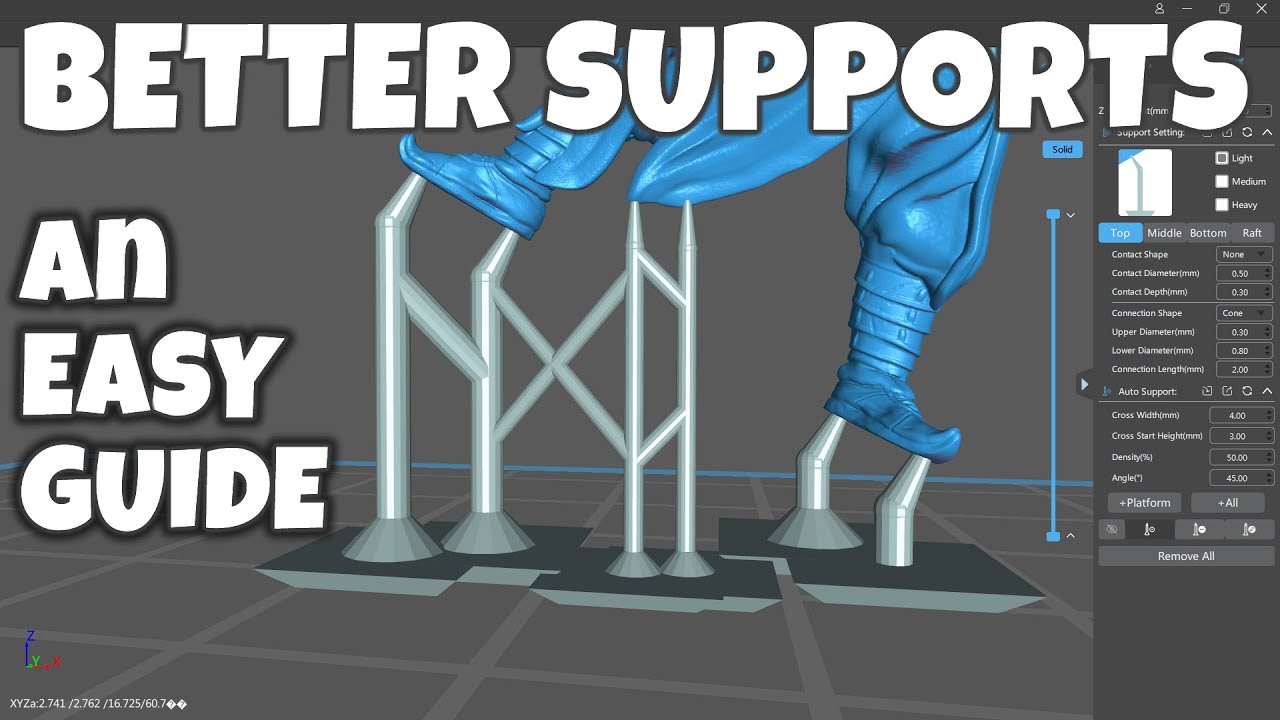
Supporting 3D resin prints to get GREAT prints every time is easy! Just orientate to avoid islands and overhangs, raft, anchor, support and print. If that sounds confusing, it really isn't. In this simple guide I'll show you how - and hopefully answer many of the popular questions I receive about 3D printing problems.
So if you want to know how ...
Then follow up with the Atlas vids for a more in depth understanding.
https://atlas3dss.com/learn

Atlas 3DSS
Print failures suck when you don't know why they are failing. In our discord you will find a welcoming community who can help you learn how to troubleshoot
frosty saffronBOT
This post has been closed due to inactivity.
This post has been inactive for over 1 hour and so has been closed. To reopen this post simply send another message.
sonic cairn
- I'll give sunlu a try when I run out then. Thank you for the rec!
- good to know about autos. I'll take a look at the videos.
- fair enough on the size. I got it second hand for a good deal, so I figured I'd go for it. Good to know what I've gotten myself into :)
- I'll try those settings. Do you have a resource for explaining why those are bad? I can swap the settings, but it'd be nice to know why (I spent a lot of time tuning a fdm printer, so I'm used to it/like it even)
- I'll change the raft.
A couple extra questions:
- do you think the marks on the back in the original picture could have been from pliers? I might have been a little overzealous
- do you think I need to re-level my build plate to be higher since everything's getting stuck to the bottom? Or will settings fix it? I accidentally bent the z level detector at one point. I bent it back to as level as I could, but the slack was a little different when I re-homed after. Meaning, when I loosened the screws and then lowered the plate, I could barely tighten the little ones before they touched.
- can I use a metal spatula to scrape it off if it does get stuck? I've done that twice. But I saw somewhere that it's damaging (just don't know how it would come off if I didn't).
Thanks!
 mild dagger
lol... we also do not recommend used resin printers.
There is too much that can be wrong or about to go wrong.
As long as it works properly, you are fine -- it's just a risk we don't recommend.
mild dagger
sonic cairn
- I'll give sunlu a try when I run out then. Thank you for the rec!
- good to kn...
The lift distance in particular has to do with the size of plate and FEP.
The FEP flexes and rises with the plate - you need to allow enough distance for separation to occur.
More distance with larger plates.
Exposure time you determine with the Ameralabs town test.
The time I gave you are average times that you adjust according to test results.
60 bottom exp is incredibly high.
As is 8 seconds for normal layers.
It looks like you may have acquired times for older TGB printers.
Overexposure would explain support tips doing more damage.
Did you remove supports before or after post cure?
You should absolutely not need pliers for support removal - they should just peel away.
sonic cairn
Fair enough.
Good to know about the lift distance. And the exp time.
I removed the supports pre cure and it was still quite difficult.
So you don't think it's a leveling issue that sticks to the plate?
sonic cairn
mild dagger
lol... we also do not recommend used resin printers.
There is too much that can ...
He said he didn't use it much, so we'll see I guess :). It's in my basement now 😄
mild dagger
sonic cairn
He said he didn't use it much, so we'll see I guess :). It's in my basement now ...
From all I've seen, that doesn't make me feel better, but if it works it works.
Sticks to the plate...
Do you mean that models stick too hard to the plate?
That would be the 60 second overexposure on the bottom layers.
That will also kill your LCD more quickly.
You want that as low as you can go -- for me that's only 12 seconds.
Or, are you getting resin cured to the plate where there should be no resin curing?
sonic cairn
mild dagger
Or, are you getting resin cured to the plate where there should be no resin curi...
Where the model should stick - it sticks really hard. To get the model off, I have to really pry with a a metal spatula. And then it leaves some resin there that I have to clean/scrape off. I'm not getting random resin cures elsewhere. I guess I don't know the difference in symptoms between a bad level and over-exposure
mild dagger
Yeah, that's this value.
Try the settings I gave you.
If it's still a struggle, try 20, then drop by 2 until you find easy removal.
I'm at 12.
I can often remove prints without a scraper, or with light use of the metal scraper.
It is the metal one you want to use.
Here's the Town test, if that makes it easier for you.

60 is far too high.
Old RGB printers typically used 60 bottom, and 8-14 seconds normal layers.
It made for long prints, and screens that would overheat.
With the mono screens that we've had for around 7 or more years, bottom exposure is closer to 20 (depending on resin and printer), and normal layers averge 2-3 seconds.
frosty saffronBOT
This post has been closed due to inactivity.
This post has been inactive for over 1 hour and so has been closed. To reopen this post simply send another message.
sonic cairn
Wonderful. Changing settings and trying Ameralabs print now
frosty saffronBOT
This post has been closed due to inactivity.
This post has been inactive for over 1 hour and so has been closed. To reopen this post simply send another message.
sonic cairn
Stuck to the build plate again. Had to pry it off with the metal scraper and it came off in pieces. No leftover residue on the plate though, so that's an improvement. Not really sure how to read one of these. Lmk what you think @mild dagger. I'll prolly look up some videos on it as well.
I'll try another one bumping exposure down to 20 (and any other changes if you have them)


I washed for 5 minutes on high with the phrozen washer and dried for 5 and cured for 10 with their cure station as well.
 old sky
Thats the issue
The base exposure just cooks it hard
Model seems to have caught debris as well
sonic cairn
Not sure where that came from. I filtered my resin when putting it back, so I should be okay, right? I did fat-finger some of those hair things before curing
old sky
Well its a flat in there on the last pic
Thats a print mistake not a handling mistake
The circle under the foot also tells us it didnt start correctly
Very strange town ngl
Just noticed your plate
What the heck are those
mild dagger
old sky
Just noticed your plate
Phrozen Mega is huge and has holes in the plate to compensate for displacement.
mild dagger
sonic cairn
Stuck to the build plate again. Had to pry it off with the metal scraper and it ...
Exposure appears pretty good.
Instead of another town, try a small supported model at a 20 bottom exposure.
Towns always stick hard.
You will be better able to judge by a model on supports.
There is indeed some strange debris. Hopefully it's not a chronic problem.
mild dagger
This does tell us that you were WAY overexposing at 8 second layers.
You should see much cleaner results now.
old sky
Cool I just learned that
Scrap the circle comment, but yeah as beard and I said that debris is weird. Rest looks good
Also show us the model you print to help us gauge what the town told us
old sky
sonic cairn
Not sure where that came from. I filtered my resin when putting it back, so I sh...
Basically it tells us it has printed a flat layer that got loose
This floated and then attached during print in the layer you see it
Orrrrr
Youve got a film/screen scratch but honestly doesnt look like it. Should be fine if you check the resin with a silicone spatula for bits n gunk
sonic cairn
Sounds good. I'll find something small to print with supports at 20 for the bottom layers and post an update. Thanks for all the helpful feedback
frosty saffronBOT
This post has been closed due to inactivity.
This post has been inactive for over 1 hour and so has been closed. To reopen this post simply send another message.
sonic cairn
Oh, turns out I had 20 already set for my bottom exposure time. Might bump that down to 15 then. It was still pretty difficult to get off.
 mild dagger
If it was stuck that hard, 15 may do you.
I tend to drop in 2 second increments from 20, but I am down to 12 myself.
It's hard to judge by the Town, as it's geometry makes removal difficult - it's a solid, inflexible brick in the center.
Conservative experimentation would say try 18.
The more daring would do 15.
Worst case, you don't get good adhesion - then you know.
old sky
Went from 35 to 20 in a 1 change 😋
You know best what you felt during removal
My towns come off with no effort at 18
sonic cairn
Like, you can pry it off by just grabbing with your hand, or you still need a spatula?
old sky
Put a spatula under the corner and it just slides under
All my prints do
Calibration is not just a town and layer exposure
After that you still need to tune your base expo and sometimes speeds depending on prints and resin type
Thats why following a certain set of advice to a T can be helpful
sonic cairn
I'm finding that out 😂 . I love tuning printers so I find it fun
frosty saffronBOT
This post has been closed due to inactivity.
This post has been inactive for over 1 hour and so has been closed. To reopen this post simply send another message.
sonic cairn


And these are the project files
Things I learned:
- The 18 was way better than 20. I'll be dropping it down to 16 next print to try that I think since I still had to use a metal scraper on the build plate.
- Mini supports are kinda annoying to get off. I changed some settings, though, and I don't have nearly as many artifacts as before on the Mario print.
- Don't wash it on high in my washer if it's got thin appendages :) . Bye bye gun.
It still had the dent in the base. Wonder what that's from.
Nvm, I know exactly what it's from. How would you guys recommend supporting that section? This is my first go at manual supports


 sonic cairn
I think I might mark this as solved and move my future questions into the main channel. I'm dialing in my base exposure value, and it's working. The pockmarks are going away because I'm not using pliers on supports. I just have to figure out how to support those bases better.
I also really don't get why you guys don't have a resin help forum. It's hard to help more than one person at a time in the resin help thread, and stuff gets lost pretty easily. Seems like it gets enough traffic and shouldn't be that hard to setup since you already have the template from the FDM help forum. <@&851552979148210176> is this a possibility?
old sky
Were the black sheep here, better get used to it 
Some of us live here permanently and havent gotten a recognition yet. Let alone more channels
sonic cairn
old sky
Were the black sheep here, better get used to it <:vaulthah:597787241812852736>
I mean, it's technically free to implement is it not? Is there extra manual management overhead over opening the forum? Just because it doesn't get as much traffic doesn't mean that it isn't worth it. All the thread statuses are managed automatically with benchy bot
old sky
Youre not wrong but I dont think the admins care about it. Theyre all fdm folks
Weve got like 7 helpers in resin with visible tags and 6 of them rarely speak
The 3/4 common helpers wont get added
Doubt the 3 clicks will happen if 1 click is too much
Just take it as is
sonic cairn
It's certainly worth an ask. Nothing's gonna change if no one says anything
old sky
Oh we have bud
You must be new
Should be clear when 3D printing means fdm here. Thats just what the server was for originally
Sometimes a mod stumbles across our channel when smth happens and otherwise were just an island really.
Enjoy the 2 channels we got. At least we have a place to be and can connect with each other
Off to bed now gn
 stiff obsidian
sonic cairn
I also really don't get why you guys don't have a resin help forum. It's hard to...
stiff obsidian
sonic cairn
I also really don't get why you guys don't have a resin help forum. It's hard to...
The existing help forum can be used for msla or other photo resin. Just have to convince the resin portion of the community that that is the way forward
sonic cairn
stiff obsidian
The existing help forum can be used for msla or other photo resin. Just have to...
Fair enough. Thank you
Any chance we could get a tag or something to filter by?
stiff obsidian
old sky
Should be clear when 3D printing means fdm here. Thats just what the server was ...
A ton of the channels are entirely agnostic of the printing tech. Like design channels. It’s just kinda how the community works. We have no intention of making it less accessible to resin peeps.
stiff obsidian
sonic cairn
Any chance we could get a tag or something to filter by?
Yeah for sure and actually I was going to do so it’s just that none of the resin crowd i have seen has shown an interest in using that system until now.
 novel tendon
Yeah agreed
stiff obsidian
I did a 50gal drum for tag icon for now but if someone has better ideas let me know and I can change it
sonic cairn
stiff obsidian
I did a 50gal drum for tag icon for now but if someone has better ideas let me k...
Awesome. Thanks a ton!
stiff obsidian
Sure if there is something you or any other resin users think would be useful changes, reach out. We cannot change other people in that the average user will probably assume fdm but we are happy to make accommodations we can
mild dagger
Resin can easily get lost in the mass of FDM related posts.
It's so much easier to use the #✅|help-resin channel that we do.
novel tendon
They just wanted a forum style
stiff obsidian
We try not to specifically add more channels without making sure it cannot be accommodated in another way because we have felt for a long time we already have too many channels. We pared them back several years ago
stiff obsidian
mild dagger
Resin can easily get lost in the mass of FDM related posts.
It's so much easier ...
Well now there is a tag for sorting which solves the things getting lost, if people wish to use it they are free to do so, or not. A lot of the FDM user will still use quick questions in lieu of the forum format, different folks different strokes.
 frosty saffronBOT
This post has been closed due to inactivity.
This post has been inactive for over 1 hour and so has been closed. To reopen this post simply send another message.
sonic cairn
?solved