


1 messages · Page 1 of 1 (latest)
 rough walrus
Qidi Q1 Pro
PLA
Bed 60c
Hotend 210c
Bed leveling was done prior to print
Making an odd noise, almost like the nozzle is dragging or something? You can barely hear it at the start. Results in pretty rough surfaces.
 light pierBOT
rough walrus
Qidi Q1 Pro
PLA
Bed 60c
Hotend 210c
Bed leveling was done prior to print
Making...
light pierBOT
rough walrus
Qidi Q1 Pro
PLA
Bed 60c
Hotend 210c
Bed leveling was done prior to print
Making...
It sounds like there may be an issue with the nozzle dragging on the print surface. This could be caused by a few things:
If the issue persists, feel free to provide more details for further assistance.
rough walrus
Slicer is QidiStudio
 weary vessel
what infill and how many tops? could be pillowing
rough walrus
weary vessel
what infill and how many tops? could be pillowing
P sure it's just whatever the default was
It did it too on my scaled up version of that model
weary vessel
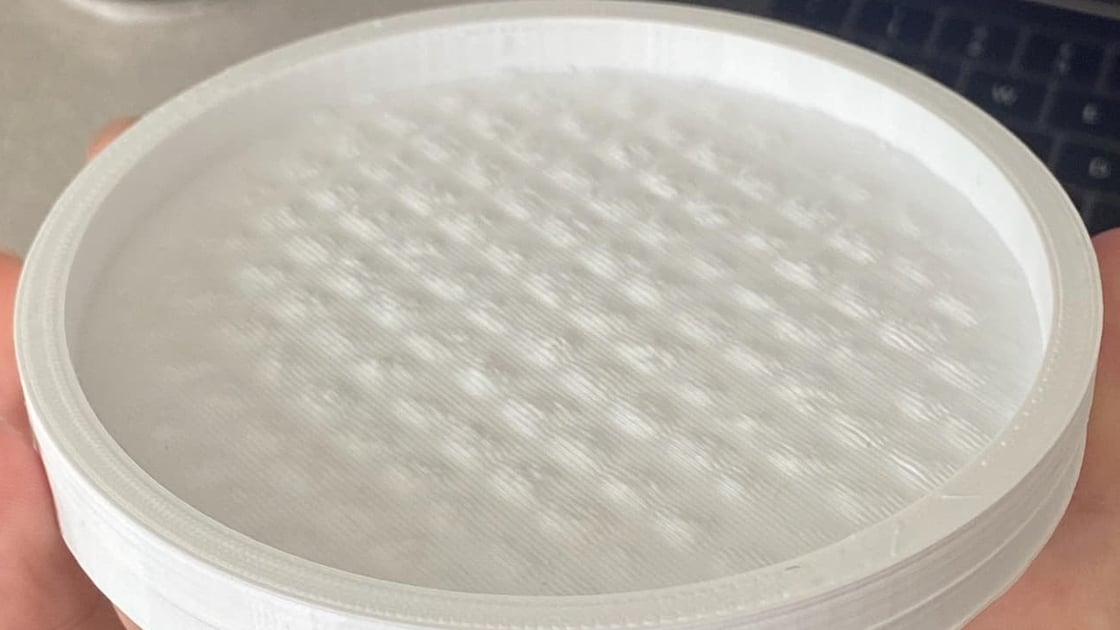
Top layer problems can be devastating. See how to avoid 3D print pillowing before it strikes and ruins an otherwise perfect print!
if its low infill or large voids, could be pillowing
rough walrus
weary vessel
what infill and how many tops? could be pillowing


it was really loud and annoying last night
it was kind of like a vibration noise
i ended up turning the printer down to 50% because it was loud and annoying
weary vessel
could try rect instead of grid infill. will leave you with less voids.
yeh looking at the images it looks like a very classic example of pillowing
with the top layer kinda "bubbling" and it pushes filament around and causes holes and shit
rough walrus
weary vessel
yeh looking at the images it looks like a very classic example of pillowing
Yeah looking closer at the larger one I think you're spot on

i'll give that site a read in a bit and try and print ti again
weary vessel
im just saying its obviously a direction which ill bet lines up with your infill
 rough walrus
weary vessel
im just saying its obviously a direction which ill bet lines up with your infill
rough walrus
weary vessel
im just saying its obviously a direction which ill bet lines up with your infill
It does indeed
Thanks bro, I'll update once I've tried printing it again