


1 messages · Page 1 of 1 (latest)
 dry zinc
So i have an ender 3 V3 SE and when i try to print something with other things close to it it wont work look at the picture for example
 compact galleonBOT
dry zinc
So i have an ender 3 V3 SE and when i try to print something with other things ...
compact galleonBOT
dry zinc
So i have an ender 3 V3 SE and when i try to print something with other things ...
It sounds like you may be experiencing issues with your print due to poor adhesion or warping caused by proximity to other objects. To address this, ensure that your build plate is properly leveled and that your printer's bed adhesion method (such as using a brim or raft) is sufficient for the print. You may also want to consider using a skirt to help with adhesion and the first layer adhesion. Additionally, review your print settings to ensure they are optimized for the material you are using.
compact galleonBOT
This post has been inactive for over 1 hour and so has been closed. To reopen this post simply send another message.
 loud gazelle
dry zinc
So i have an ender 3 V3 SE and when i try to print something with other things ...
loud gazelle
dry zinc
So i have an ender 3 V3 SE and when i try to print something with other things ...
https://www.thingiverse.com/thing:1278865
(More info if interested)
https://m.youtube.com/watch?v=yzPqBt2SrcE
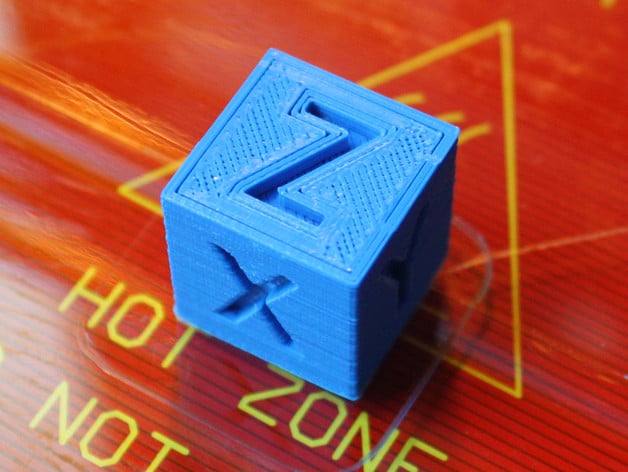
This is a simple calibration test cube for your 3D printer with X, Y & Z written on the axis.To further calibrate your 3D printer print one out and you can then measure this models dimensions against the expected dimensions. Once this is done you are able, if your 3D printer allows it, to adjust your Steps per mm in your printers firmware.if...