
#Need help identifying the problem
1 messages · Page 1 of 1 (latest)
 fathom meadow
 graceful wraithBOT
fathom meadow
so I been trying to get the z offset an is been a hassle I was hoping someone ca...
graceful wraithBOT
fathom meadow
so I been trying to get the z offset an is been a hassle I was hoping someone ca...
AI Help
Of course, I'd be happy to help! To adjust the Z-offset on your Creality Ender 3 V3 SE, you can typically do so through your printer's menu settings or by manually adjusting the position of the bed or nozzle. Can you provide more details on the specific issue you're facing with the Z-offset calibration so I can assist you better?
WARNING: This response is AI generated and may contain errors.
fathom meadow
Also this a test bed in the image
 hard oriole
fathom meadow
so I been trying to get the z offset an is been a hassle I was hoping someone ca...
hard oriole
fathom meadow
so I been trying to get the z offset an is been a hassle I was hoping someone ca...
Still too far away, make sure your nozzle is clean before it probes the bed
 limber moth
Looks like your bed is tilted, right side is way lower than left
fathom meadow
limber moth
Looks like your bed is tilted, right side is way lower than left
How would I fix that ?
 gilded marlin
fathom meadow
How would I fix that ?
gilded marlin
fathom meadow
How would I fix that ?
Print some bed spacers then pray
limber moth
I'm not familiar with ender but here the guy says that there are two different sizes of spacers
https://m.youtube.com/watch?v=ei4qkJiqV00
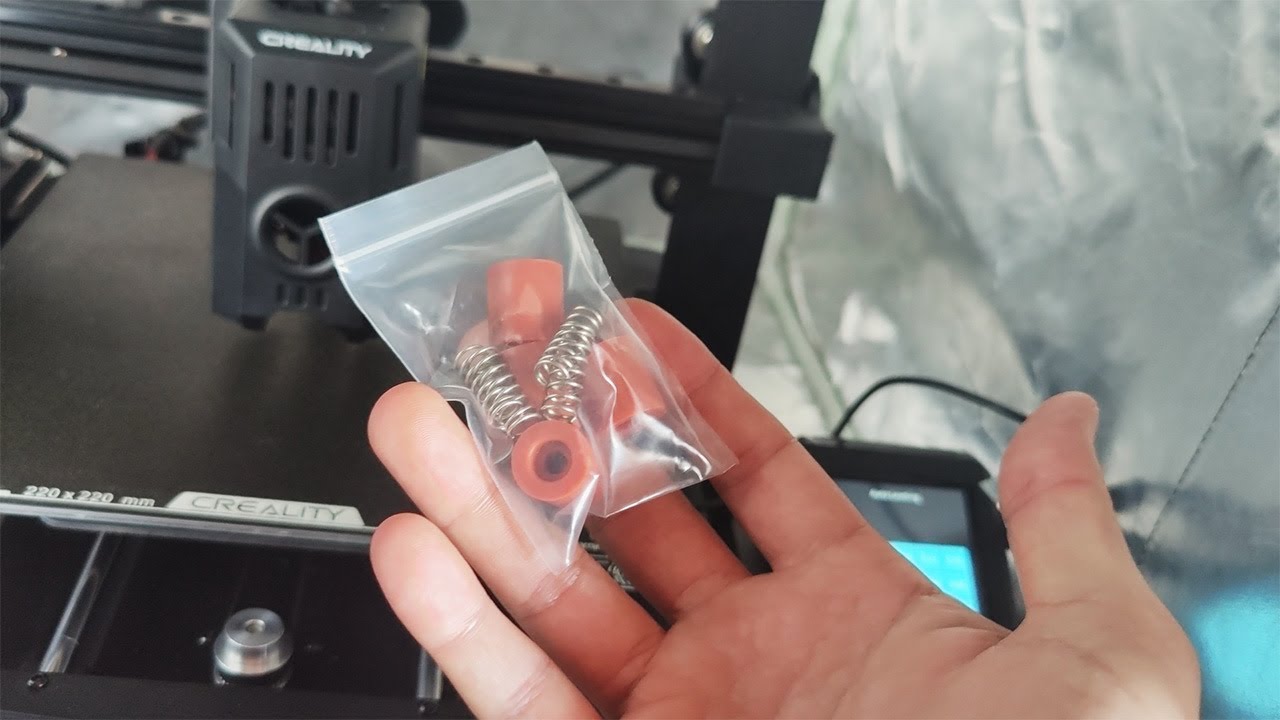
Hopefully you won't need to use the info in this video and your printer will work perfectly, but for those of us who are having problems, this fix will help a lot!
Link to the spacers (affiliate) - https://amzn.to/3UErbT2
Maybe they are mixed up?
graceful wraithBOT
V Rollers
Vslot rollers are on most of the popular budget printers such as the ender 3 and other v-slot based printers. Your printer should have come with a wrench that is able to adjust the eccentric nut that increases the tension of the wheels. Usually on a plate with 3 wheels, only one can be tensioned, and on a plate with 4 wheels (usually the Y carriage) there are two wheels that can be tensioned, you can see which ones need to be tensioned by looking for eccentric nuts (Labeled in drawing below).
Vslot rollers should be tensioned and checked as a part of your frame check before you fire up your 3d printer. They should be tightened until you are able to turn the wheels with your fingers with a little friction, but not too tight that they are too hard to turn at all (failure to do so will result in quicker wear and tear of your Vslot wheels, certain printing artifacts and excess strain on the stepper motors ).
Make sure to check that all your Vslot plates and carriages are free from wobble along the X, Y and Z axis wherever your printer uses Vslot rollers. You should check these regularly to clean them of dust and to see if the rubber is worn, if so, they should be replaced with new ones.

?vrollers requested by: m.von.d#0
hard oriole
Afaik the SE uses these, so check them for equal friction on both sides