


1 messages · Page 1 of 1 (latest)
 plush badge
Anycubic Kobra S1
Mods done - Hardened steel nozzle 0.2mm, Fan duct (https://www.printables.com/model/1305895-optimized-anycubic-kobra-s1-fan-duct/) and Panda Build Plate
v2.5.8.8 1.4.0
Using PLA+, and I've tested different temps ranging from 205-220 per manufacturers recommendations.
Using the AnyCubic slicer
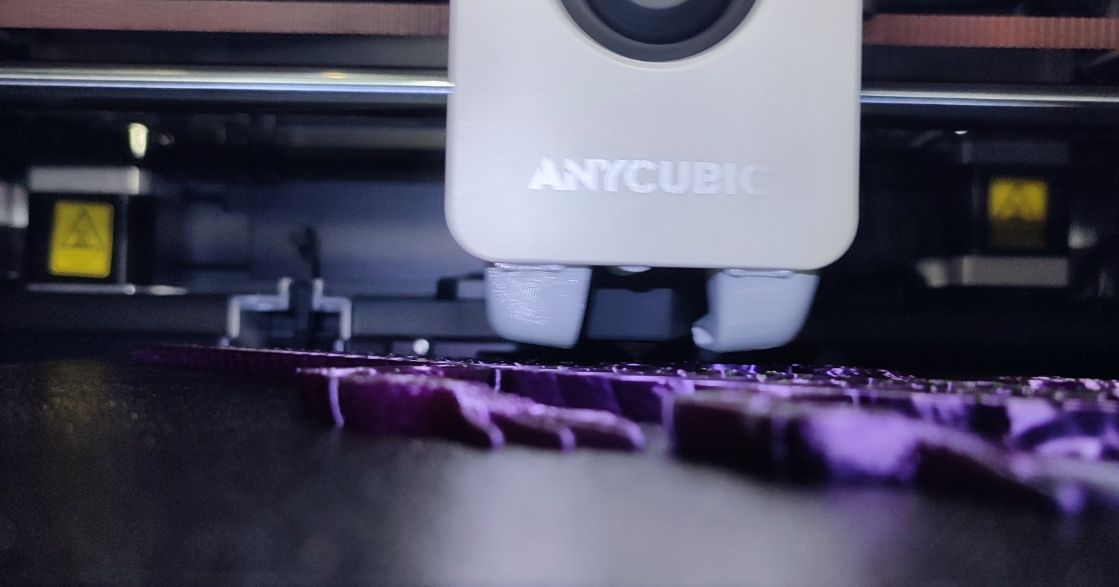
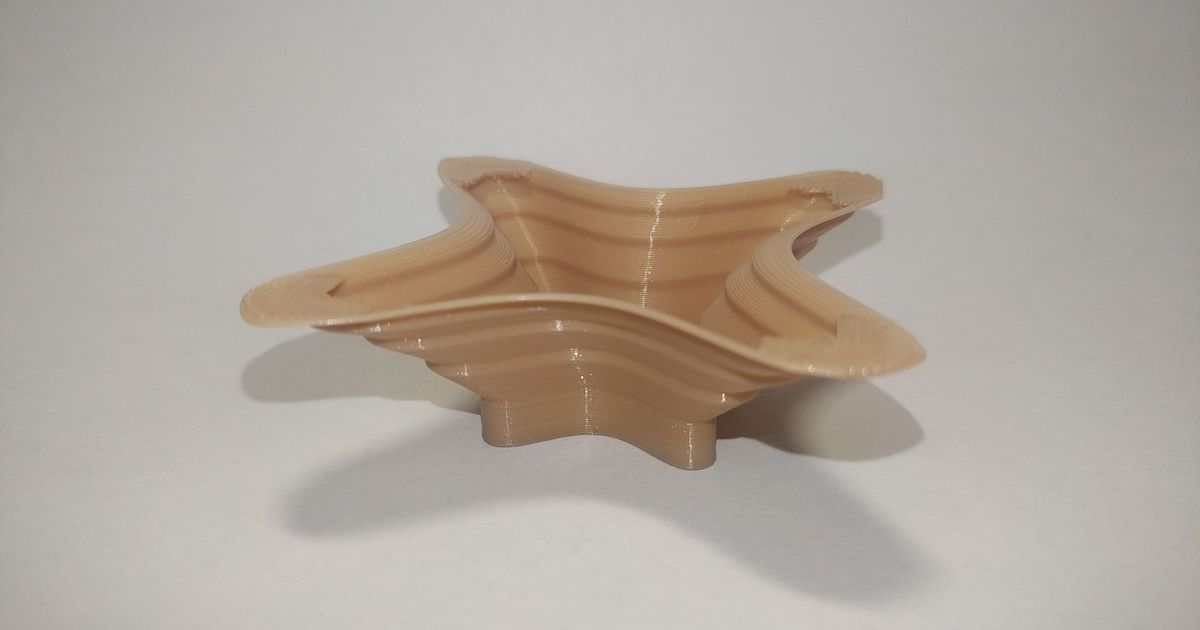
Everything prints great EXCEPT on overhangs. Even with supports, layers come out stringy as if they weren't even there. I've set the fan to 100% on overhangs and even slowed the speeds down, but they come out the same. What else can I change to improve overhangs?
Below are prints of an overhang test. I followed recommended print settings.
https://www.printables.com/model/342481-overhang-test-regular
 azure solarBOT
plush badge
Anycubic Kobra S1
Mods done - Hardened steel nozzle 0.2mm, Fan duct (https://www...
azure solarBOT
plush badge
Anycubic Kobra S1
Mods done - Hardened steel nozzle 0.2mm, Fan duct (https://www...
It sounds like you have already tried some good troubleshooting steps. To further improve overhangs, you can try the following:
Hopefully, these additional steps will help you achieve better overhangs in your prints.
azure solarBOT
This post has been inactive for over 1 hour and so has been closed. To reopen this post simply send another message.
plush badge
Reopening since I still need help
 proper plank
plush badge
Anycubic Kobra S1
Mods done - Hardened steel nozzle 0.2mm, Fan duct (https://www...
proper plank
plush badge
Anycubic Kobra S1
Mods done - Hardened steel nozzle 0.2mm, Fan duct (https://www...
thats about as good as i would expect, the thinner nozzle means less line width, means worse overhangs
thicker line widths and thinner layerheights make better overhangs
plush badge
proper plank
thats about as good as i would expect, the thinner nozzle means less line width,...
One of the comments on the test print page show their 0.2mm nozzle results and they look so much better.

 proper plank
plush badge
One of the comments on the test print page show their 0.2mm nozzle results and t...
proper plank
plush badge
One of the comments on the test print page show their 0.2mm nozzle results and t...
not every printer is made equal, just because someone else has a .2 nozzle doesnt mean you have the same amount of cooling or other settings dialed in just right
other one could have been half the layer heights, as well as different wall orders, too many variables
plush badge
Which is why I was asking for help on what settings I can change to improve these things. Forgive me as I'm new to 3d printing, but I'm understanding that this result COULD be possible if tuned with the right settings.
proper plank
probably could be a bit better, but im no expert in .2, few things to note
line width higher is better, can get to like 150% of nozzle width usualy
lower layerheight, not sure on .2, rule of thumb ive used is 25-75% nozzle
wall order is test each
 azure solarBOT
This post has been inactive for over 1 hour and so has been closed. To reopen this post simply send another message.

