

1 messages · Page 1 of 1 (latest)
 hollow smelt
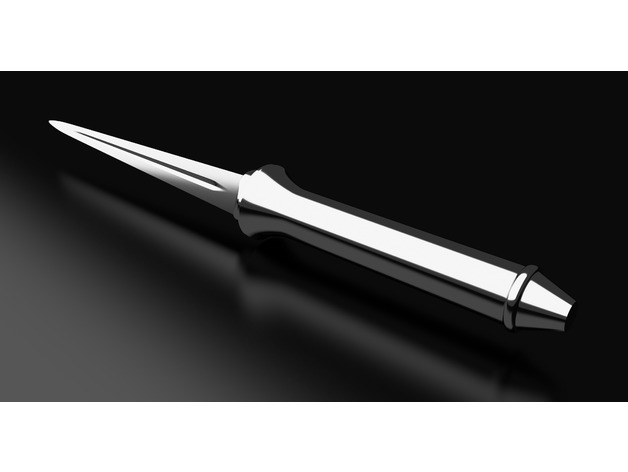
Hi! I have this Angel Blade from supernatural that I'm trying to print https://www.thingiverse.com/thing:3354932/files
But whenever it reaches the top, where the handle narrows for the blade, something weird happens where it gets stuck and either knocks down the print or it just makes a huge blob. (this pic shows where it got stuck and made two small nozzle blobs)
I tried setting z-hop retraction to 1.2, no dice. Im not really sure what settings to tinker with, any suggestions please? I've printed like 12 variations of it and can't get it to work.
This is a 100 percent scale replica of an Angel Blade from the TV show Supernatural.
 safe rootBOT
hollow smelt
Hi! I have this Angel Blade from supernatural that I'm trying to print https://w...
safe rootBOT
hollow smelt
Hi! I have this Angel Blade from supernatural that I'm trying to print https://w...
It sounds like you may be experiencing issues with your print's overhangs or small features when it reaches the top of the angel blade handle. Here are some suggestions to try and troubleshoot the problem:
Printing Speed: Reduce the overall printing speed for the top part of the blade, especially when printing the handle. Slower speeds can help with better accuracy and detail.
Cooling: Ensure that your printer's cooling fan is working properly and that it is adequately cooling the print as it reaches the top. Sometimes increased cooling at certain layers can prevent blobs or melting issues.
Layer Height: Try decreasing the layer height for the problem areas. A finer layer height can sometimes help with printing small details more accurately.
Supports: Consider adding supports for the top part of the blade where it narrows. Supports can help hold up overhangs and intricate details, preventing them from collapsing or causing print issues.
**Check yo...
hollow smelt
Core xy printer bambu p1s, different filament doesn't help.
safe rootBOT
This post has been inactive for over 1 hour and so has been closed. To reopen this post simply send another message.
hollow smelt
.