
#how do you seperate clothing from body for figure making
1 messages · Page 1 of 1 (latest)
 short crane
 unreal perchBOT
short crane
i just got my ender 3v3 se, im totally new to 3d printing, and i owe my friend a...
AI Help
To separate the different parts of the model in Blender for printing them separately, you can follow these steps:
- Select the part you want to separate.
- Press "P" on your keyboard which brings up the separate menu.
- Choose "Selection" which will separate the selected part into a new object.
- You can repeat this process for each part you want to print separately.
Once each part is separated into their own objects, you can export them as separate STL files for 3D printing.
Remember to check the scale of your model before printing to ensure it fits your desired printing dimensions. Good luck with your project!
WARNING: This response is AI generated and may contain errors.
short crane
im using a pla with the orca slicer, and i have the link as to where i got the model on sketchfab
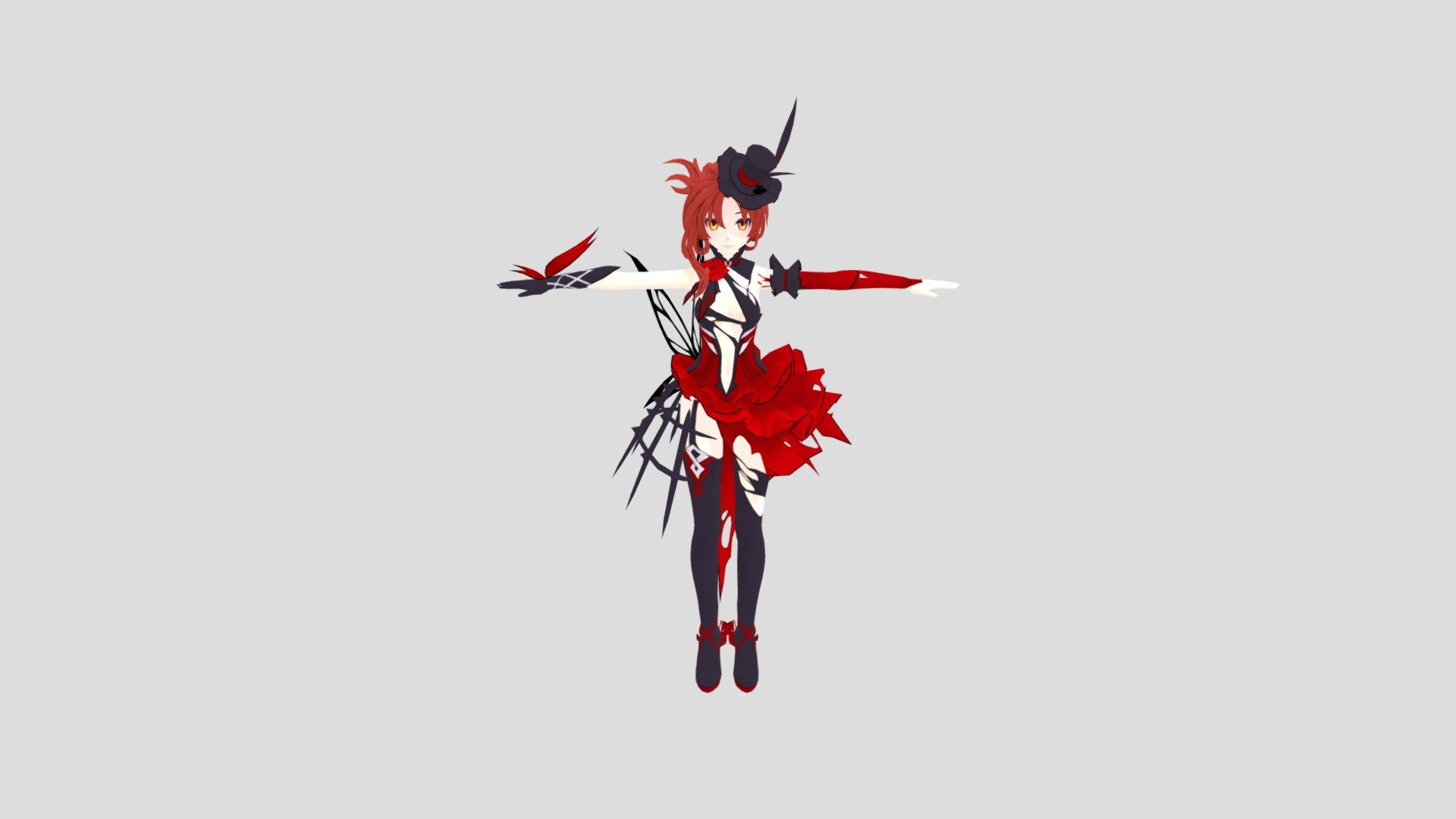
Blood Rose (Murata Himeko) from Honkai Impact 3rd with.
She is gorgeous.
By: SikuykaSK - Rose/Blood (Murata Himeko) - Download Free 3D model by creifir (@Sikuyka)
the wings that're supposed to be hollow are also filled in
im mainly trying to just make everything it's own seperate print so i can print it bigger
 unreal perchBOT
This post has been closed due to inactivity.
This post has been inactive for over 1 hour and so has been closed. To reopen this post simply send another message.
 unreal perchBOT
This post has been closed due to inactivity.
This post has been inactive for over 1 hour and so has been closed. To reopen this post simply send another message.
short crane
;-;
 wispy sun
If each part is separate then could you just export each one as a different file?