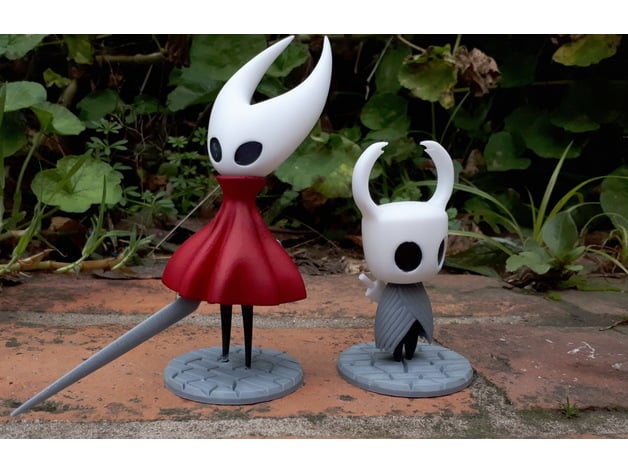
#Can someone help me, I bought my first 3D printer
1 messages · Page 1 of 1 (latest)
 hollow current
 hushed oysterBOT
hollow current
Can someone help me, I bought my first 3D printer (Ender 3 S1) and I already mad...
AI Help
It sounds like you may be experiencing an issue with the G-code file you downloaded from Thingiverse. Sometimes, G-code files may be corrupted or may not be compatible with your specific 3D printer.
To troubleshoot this issue, you can try the following steps:
- Check the slicing settings in your slicer software (such as Cura or PrusaSlicer) to ensure that they are compatible with your Ender 3 S1 printer.
- Re-slice the STL file from Thingiverse using your slicing software and make sure you save the G-code file to the SD card in the correct format.
- Make sure the SD card is properly inserted into your printer and that the G-code file is selected for printing.
- Check the printer display for any error messages or warnings that might indicate a problem.
- If the issue persists, you may want to try printing a different file to see if the problem is specific to that particular G-code file.
If you continue to experience issues, you may want to reach out to the Ender 3 S1 communi...
WARNING: This response is AI generated and may contain errors.
 restive echo
Hey, let's chat for a sec
You said you got the model off thingiverse, right?
@hollow current Sorry, I gotta ping you as I don't have so much time.
hollow current
yes
hollow current
the files are .3d object and stl
 wise vigil
is that the file you're putting on the sd card?
restive echo
So you need to actually have a slicer
a slicer is software that prepares GCODE for you
hollow current
Sorry for the delay in responding, as I said, I'm from Brazil and I spent the whole night trying to resolve it.
restive echo
never download gcode off the internet, always generate it using a slicer.
hushed oysterBOT
Slicers
Most Common:
- Cura [FDM]
- PrusaSlicer [FDM / Resin for Prusa printers only]
- Bambu Studio [FDM]
- SuperSlicer [FDM]
- OrcaSlicer (github) [FDM]
Less Common:
- Kiri:Moto [FDM/Resin/Laser/CNC]
- Ideamaker [FDM]
- MatterControl [FDM]
- UV Tools [Resin] (Can convert PrusaSlicer files to use on other brands)
- KISS [FDM] 💵 or free tier
- Simplify3D [FDM] 💵 (always-online)
- Formware [Resin] 💵
- Lychee Slicer [Resin, FDM] 💵 or ad-supported
- Chitubox 💵 or free tier
- Photon Workshop [Anycubic printers only] (downloaded from the product page)
Older Slicers:
- Slic3r [FDM]
- Repetier-Host [FDM]
?slicers requested by: numonex#0
 hollow current
I first put it in the ultimaker, then sliced it and then passed it to the printer.
restive echo
it's what I use, you probably won't use it. Cura is good, prusaslicer is good.
ah, so you passed GCODE to your printer?
hollow current
yes
restive echo
When you sliced it, did it give you any details
like how long it would take
how many layers
etc?
hollow current
However, as I said, the printer heated up and stopped in the middle and did nothing.
restive echo
No error message?
hollow current
restive echo
No error message?
yes
wise vigil
how long did it sit there stopped?
hollow current
I'll send you the print
restive echo
wise vigil
how long did it sit there stopped?
Do you think maybe the nozzle was just parked, getting ready to print?
omg, that's very possible.
wise vigil
Thats what i was thinking yeah
hollow current
wise vigil
how long did it sit there stopped?
for about 3 minutes later it said the printing was complete
wise vigil
oh so it just parked then was like "done" hmm
what slicer are you using? you said ultimaker so i assume cura
restive echo
cura is usually good.
wise vigil
yeah ive used it
hollow current
restive echo
Do you think maybe the nozzle was just parked, getting ready to print?
I preheated it to abs before to avoid errors as I saw in a tutorial
wise vigil
i have repetier, cura, and orca
hollow current
I'll try to install another slicer then
restive echo
hollow current
I preheated it to abs before to avoid errors as I saw in a tutorial
wait, what filament are you using?
Doesn't the ender 3 have a bowden tube?
How hot did it get?
wise vigil
still though if you jack the temp up it would just cool down to the appropriate filament temp you set in cura before starting, it shouldnt just go to "print complete"
restive echo
I think I ran into that issue when I first got my printer as well, I'm trying to remember.
hollow current
restive echo
Doesn't the ender 3 have a bowden tube?
 wise vigil
Are you using ABS or PLA? can you go to the prepare tab?
hollow current
Do you prefer that I translate the cure into English so that you can understand it better?
restive echo
I don't think that's necessary.
wise vigil
Nah ive used it enough i know what most of it says
hollow current
wise vigil
Are you using ABS or PLA? can you go to the prepare tab?
pla
wise vigil
plus i have it open now anyways lol
hollow current
 restive echo
Can you paste the GCODe file here?
wise vigil
hmm i mean, i cant see anything wrong there
hollow current
and I honestly thought it would print without any problems because I had already made the first print
wise vigil
yeah we would need to look at the gcode file
hollow current
restive echo
Can you paste the GCODe file here?
yes
Could it be some configuration on the printer or specify the filament used within the cura?
wise vigil
The printer itself usually doesnt care what kind of filament it has loaded, it just knows what you tell it to heat to
I cant really see anything in the start gcode thats off
restive echo
it's healthy gcode. How are you transferring this file to your printer?
hollow current
I was so sleepy that I had thought about resetting it to factory settings, doing all the manual and automatic leveling, preheating again and then putting it to print.
restive echo
let's save that as a last resort.
Are you putting the gcode onto a SD card, then putting that in the printer?
wise vigil
if the gcode of the successful print is on the sdcard we could compare the gcodes to see if something is different
hollow current
restive echo
it's healthy gcode. How are you transferring this file to your printer?
I'm transferring with an SD card and an adapter that came with it.
restive echo
I'm gonna be 100% honest with you
SD cards SUCK
they corrupt so easily it's mind-bottling.
wise vigil
especially the ones that come with printers
like go out and buy you a samsung or sandisk extreme and you're probably fine, but thats gonna be a 16-32gb one which is overkill
restive echo
I'd honestly just hook a laptop through USB to the printer, then download octoprint.
wise vigil
i hook raspberry/orange pis to mine
restive echo
Yeah, anything is better than an SD card.
wise vigil
But gotta remember this is his first printer so that might be more than he wants to take on at this moment
restive echo
Taking a moment to appreciate klipper.
wise vigil
my first step would be try orca slicer if cura is acting up, idk why cura is acting up though, its usually pretty good
hollow current
Can I connect it to the battery via USB? Because if it's better this way, I'll find a way to connect it
restive echo
I... feel like... what?!?
wise vigil
not sure if you meant battery or something else
restive echo
battery?!?
hollow current
restive echo
battery?!?
battery? but the printer arrived yesterday and it has already printed xd
restive echo
A battery is a power storage device.

I think you should delete the GCODE from the SD card
then put it back on and try again
If it's SD card corruption, that might resolve the issue for now.
hollow current
ok I'll try here
restive echo

E ai pessoal, tudo bem com vocês?
No vídeo passado (https://www.youtube.com/watch?v=Pkt1_GizUCA) nós vimos como efetuar a instalação do servidor OCTOPRINT em uma máquina WINDOWS, nesse vídeo iremos ver como efetuar a configuração do servidor!
Ficou com alguma dúvida, conta pra gente nos comentários!
Redes Sociais
Instagram: @pacocatech
I have no idea if that video is good or not, but it looks right.
hollow current
the error continues to persist even when I connect directly, I don't know what to do anymore
hushed oysterBOT
This post has been closed due to inactivity.
This post has been inactive for over 1 hour and so has been closed. To reopen this post simply send another message.
 pastel flint
Here some extra info you may want....to read.
Translate the website if you need to.
?beginner
hushed oysterBOT

GitHub
This is the wiki for the 3D Printers Discord . Contribute to 3D-Printing-Discord/wiki development by creating an account on GitHub.
pastel flint
hollow current
the error continues to persist even when I connect directly, I don't know what t...
We might also need to check your start gcode....
In cura (your slicer)
Preferences -> configure cura -> printers -> machine settings
Can you copy the start gcode.
And paste it into a text file.
And send it here please?
hushed oysterBOT
This post has been closed due to inactivity.
This post has been inactive for over 1 hour and so has been closed. To reopen this post simply send another message.
hollow current

; Ender 3 S1 Start G-code
; M413 S0 ; Disable power loss recovery
G92 E0 ; Reset Extruder
 pastel flint
hollow current
can you try this please...
- click into the text.
- ctrl + a
- ctrl + c

in your files.
4. right click on the emtpy space.
5. new
6. text document.
7. call it settings


-
open it.
-
ctrl + v
-
ctrl + s to save
-
send file here please!


i need to be able to look at all of them.... 😅
pastel flint
thankyou!