


1 messages · Page 1 of 1 (latest)
 errant briar
Hiya,
I printed off a benchy and wondered what it is that's wrong with printer. I printed tbis twise and it had the weird texture in all the same places twice?
It's the any cubic mega s, i levelled bed multiple times. Temp was 200
Thanks 😁
 tranquil mulchBOT
errant briar
Hiya,
I printed off a benchy and wondered what it is that's wrong with printer. ...
Hello! It sounds like you may be experiencing issues with consistent layering or adhesion during your print. The repeated strange texture in the same spots could indicate a problem with either inconsistent extrusion or calibration. Here are a few steps you can try to troubleshoot:
If none of these steps solve the issue, feel free to provide more details or pictures so we can further assist you in diagnosing the problem.
tranquil mulchBOT
errant briar
Hiya,
I printed off a benchy and wondered what it is that's wrong with printer. ...
3DBenchy
The 3D Benchy is a commonly used model to calibrate both the visual and dimensional accuracy of a FFF(FDM) printer. Due to its near ubiquitous nature this is often regarded as the standard benchmark print making it a useful model to print when seeking help for troubleshooting a model or improving print quality.
Settings for FFF(FDM) Machines
Scale: 1:1 (unmodified in size, from bow to stern #3DBenchy.stl measures 60.00 mm).
Layer height: 0.2 mm
Infill: 10%
Print speed: up to 50 mm/s
Nozzle diameter: 0.4 mm
Resources
Single Material Downloads: STL | 3MF
Multi Material Downloads: github repo
3D Benchy Website
Infographics: Dimensions | Features | Combined
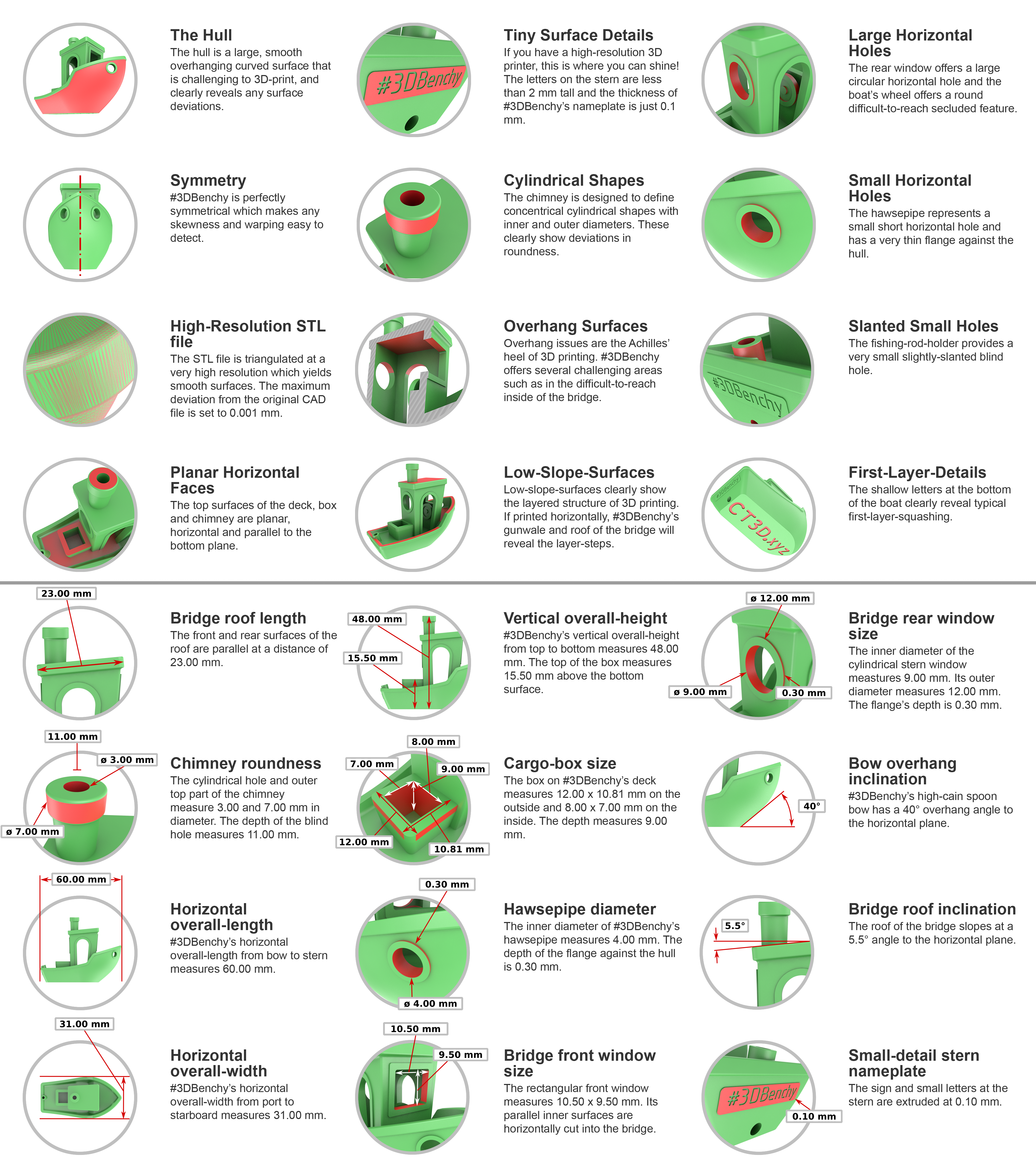
 rapid hull
errant briar
Hiya,
I printed off a benchy and wondered what it is that's wrong with printer. ...

Thats not enough cooling/too fast printing
Material is too warm and droops down
errant briar
Ah ok I had it on 100% speed
I have a fan it was set to 1% online says not to up it?
rapid hull
errant briar
Hiya,
I printed off a benchy and wondered what it is that's wrong with printer. ...

Same here
rapid hull
errant briar
I have a fan it was set to 1% online says not to up it?
No clue what you mean with that tbh
errant briar
On my 3d printer it said fan speed? Im not sure what to does lol but was set to 1% online said to leave it as thay
What is best to do to fix this just slow speed down or lower the temp?
rapid hull
Lower speed, you compromise part integrity if you lower printing temp


