#Ender 3 Neo issues
1 messages · Page 1 of 1 (latest)
 green bough
 fiery apexBOT
green bough
Hey guys I bought a second hand ender 3 neo not the v2 and I have so much issues...
AI Help
It sounds like you may be experiencing several common issues with your Ender 3 Neose. Let's troubleshoot one by one:
-
Bed adhesion issues: Ensure the bed is leveled correctly and that the nozzle is at the correct distance from the bed. You may also try using a different bed surface like PEI or glass with some adhesion aid like glue stick or hairspray.
-
Prints completing too quickly: This could be due to incorrect print settings such as print speed or incorrect slicer settings. Make sure your slicer settings match your printer's capabilities.
-
Filament extrusion issues: Check if the extruder is properly calibrated and that the filament path is clear of any obstructions. Make sure the extruder tension is set correctly for the filament you're using.
-
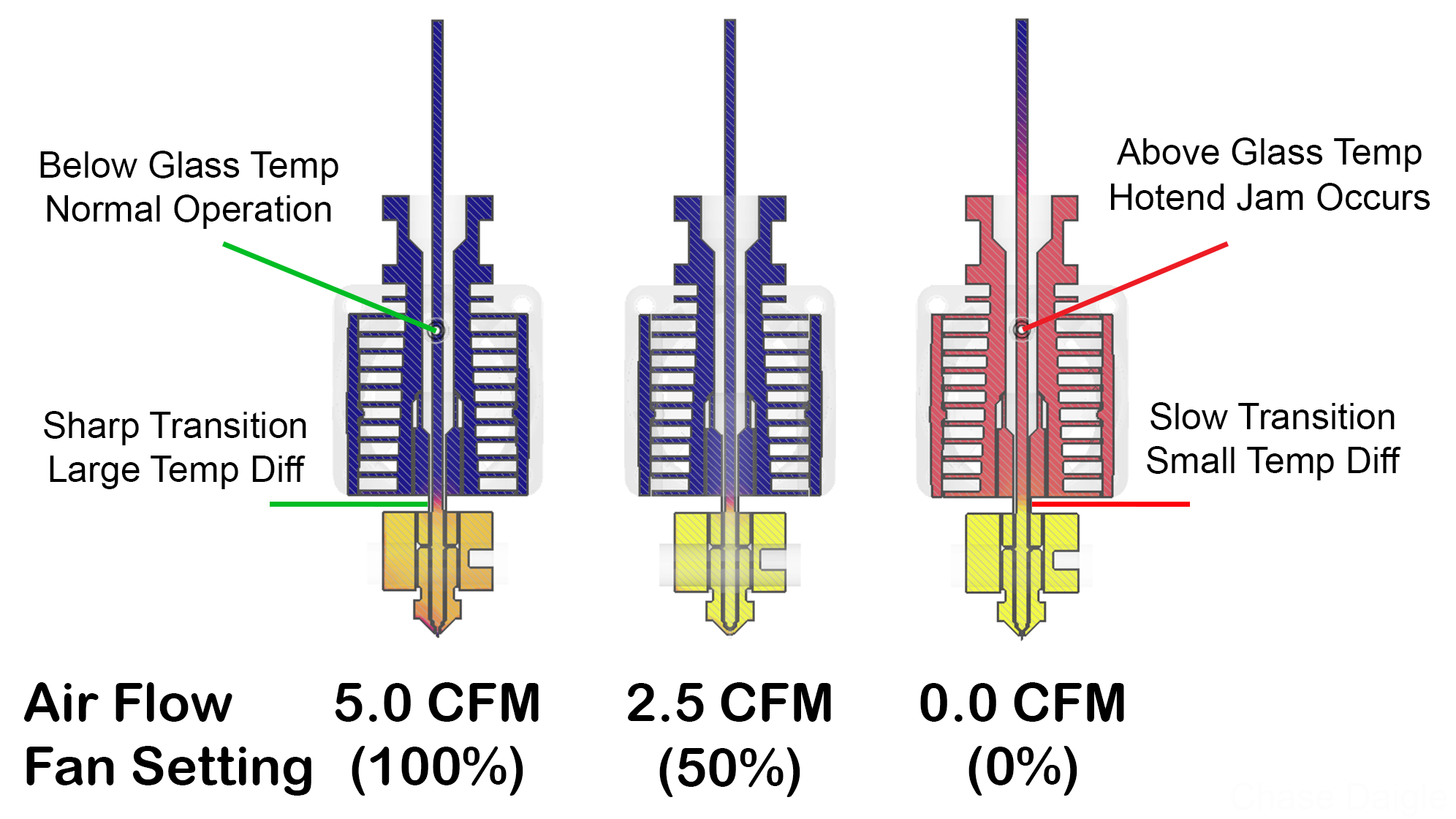
Filament stopping mid-print: This could be caused by a clogged nozzle or heat creep. Check and clean your nozzle, ensure the hotend fan is working properly, and try printing at a slightly lower temperature.
If you continue to ...
WARNING: This response is AI generated and may contain errors.
Tips for better first layer success
The first layer is quite literally the foundation of a successful print. These are some of the things to keep in mind:
- Wash your print surface with dish soap and water, refer to
?bedcleaning. - Ensure your printing temperatures are appropriate. For PLA, the ideal bed temperature is 55°C-60°C. If the lines appear to come out "gummy" and forms clumps, raising the nozzle temperature may help. Calibrate your nozzle temperature by printing a temperature tower. Refer also to
?platemps. - Relevel your bed and ensure your nozzle distance is equally spaced at each corner, refer to
?paperlevel. If your printer is equipped with a bed meshing probe such as a BLTouch or CRTouch, make sure your Z-offset positions the nozzle close enough to the bed, refer to?z-offsetfor additional information. If your printer has automatic Z-offset calibration, make sure the nozzle is clean while the calibration runs. - You can confirm that your leveling and Z-offset is correct by observing your first layer extrusion by printing a full layer test: Printables, Thingiverse Refer to
?levelingfor help with the interpretation of the results. - Ensure the nozzle is not colliding with the print. This usually presents itself as loud noises and layer shifting. Some causes may include overextrusion, insufficient cooling, mechanical Z axis issues, or insufficient Z hop
- For warp-prone materials such as ABS, Nylon, Polypropylene and others an enclosure is recommended, ensure ambient temperatures are high enough (40°C+) and stable. Consider using a specialized bed adhesive.
?firstlayer requested by: m.von.d#0
 worldly reef
For 1.
2: "Complete" as in the printer says I am done printing and behaves like it has? Check that your slicer is correctly configured for the printer
green bough
When it completes it shows the time taken thats how I know its done
worldly reef
3: The extruder isn't the best and if your hotend is clogged (see 4.) the filament goes the path of least resistance
green bough
What can I use to unclog/clean it?

 fiery apexBOT

All3DP
If your nozzle is partially clogged, the 3D printer cold pull is your first line of defense. Read on to learn how to do it!
worldly reef
Or get a 2 mm allen key and push the filament through the hot nozzle by hand
green bough
Ok let me go do that now
give me a moment
something I wanna add before I do it, the filament comes out clean when I redo adding the filament, and some prints before I either have to redo adding the filament again
fiery apexBOT
This post has been closed due to inactivity.
This post has been inactive for over 1 hour and so has been closed. To reopen this post simply send another message.
green bough
.