

1 messages · Page 1 of 1 (latest)
 west dragon
Hi guys, tried to tune my first filament and this is the result.
Can anyone help me understand some of the issues? Looks like slight gaps in some layers, the chimney also looks slightly wavey
 magic voidBOT
west dragon
Hi guys, tried to tune my first filament and this is the result.
Can anyone hel...
It sounds like you may be experiencing issues with layer adhesion and potential underextrusion. To improve layer adhesion, you can try increasing the extrusion multiplier or adjusting the printing temperature to ensure proper flow. Additionally, addressing underextrusion may involve cleaning or replacing the nozzle, checking for any clogs in the extruder assembly, or adjusting the filament diameter settings in your slicer software.
As for the wavy appearance in the chimney, it could be due to inconsistent cooling or insufficient cooling of the printed layers. You can try adjusting your printer's cooling fan settings to ensure adequate cooling for each layer to prevent warping or distortion.
Feel free to provide more details or images for further assistance with troubleshooting.
west dragon
V3 SE - Esun Basic fil - Orca Slicer, 205 nozzle, 60 bed
Tested extruder and it distributed the right amount
Ran a temp check to see best temp, also ran a flow test and max flow test and tuned those as well
Also this benchy took 40 minutes
magic voidBOT
west dragon
Also this benchy took 40 minutes
3DBenchy
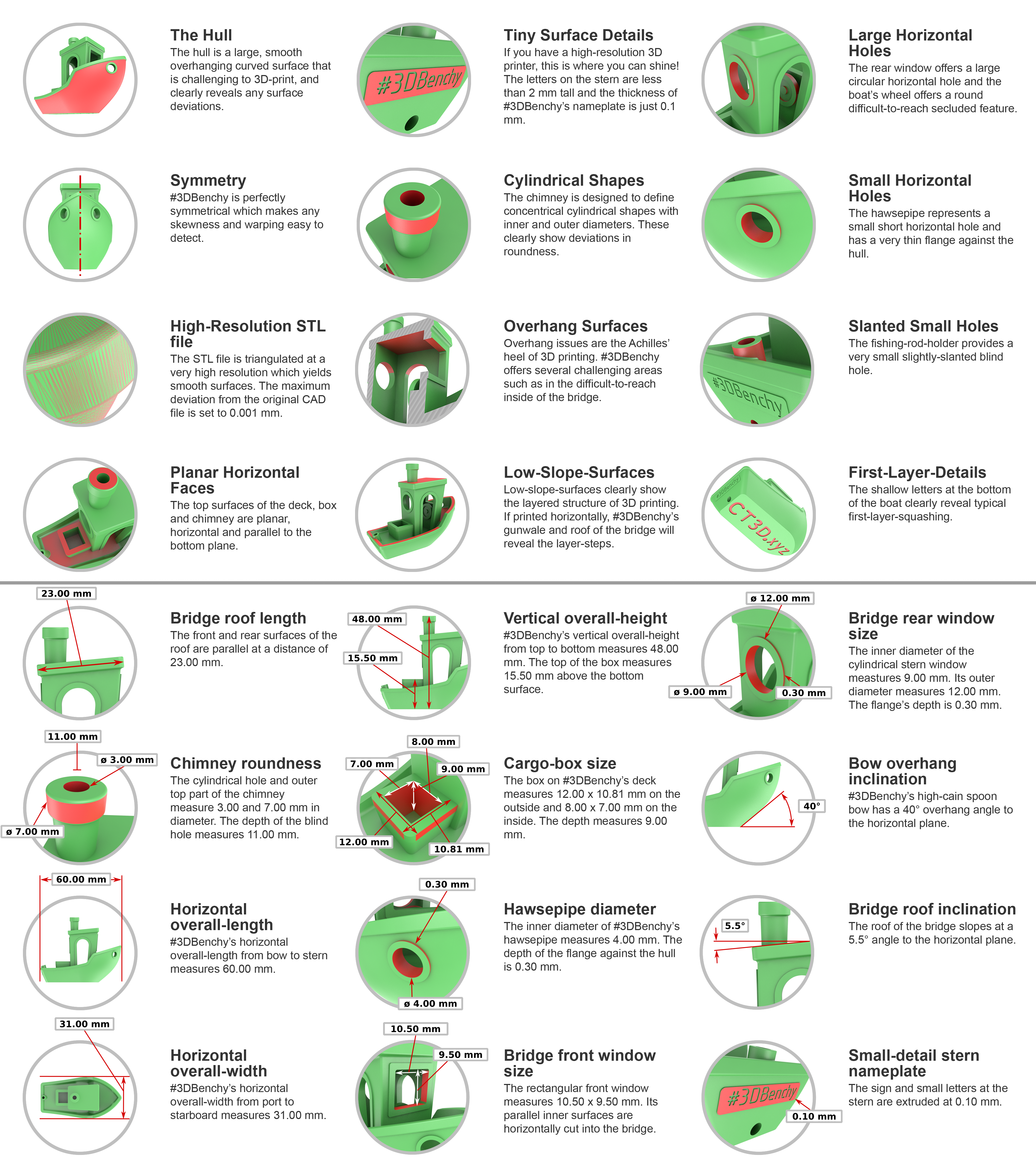
The 3D Benchy is a commonly used model to calibrate both the visual and dimensional accuracy of a FFF(FDM) printer. Due to its near ubiquitous nature this is often regarded as the standard benchmark print making it a useful model to print when seeking help for troubleshooting a model or improving print quality.
Settings for FFF(FDM) Machines
Scale: 1:1 (unmodified in size, from bow to stern #3DBenchy.stl measures 60.00 mm).
Layer height: 0.2 mm
Infill: 10%
Print speed: up to 50 mm/s
Nozzle diameter: 0.4 mm
Resources
Single Material Downloads: STL | 3MF
Multi Material Downloads: github repo
3D Benchy Website
Infographics: Dimensions | Features | Combined
Ellis' Print tuning guide
Follow this guide for easy print tuning
Guide
west dragon
Layers also looking like this? I can't tell if that's how it's meant to be as I couldn't see it before when using black or it's actually something wrong
 west dragon
Very stringy inside


