#overhanging angles have terrible quality
1 messages · Page 1 of 1 (latest)
 chilly token
 slim jasperBOT
chilly token
Angles that do not need supports but are still steep have terrible quality. I'm ...
AI Help
It sounds like you may be experiencing issues with overhangs and bridging. To improve the quality of steep angles without supports, you can try adjusting your slicing settings. Consider increasing the cooling to prevent overheating and use a slower print speed to allow each layer more time to solidify. Additionally, reducing the layer height can help achieve better detail on steep angles. Experiment with these settings to see if it improves the print quality.
WARNING: This response is AI generated and may contain errors.
chilly token
PLA
Ender 3
Prusa slicer
 wispy gust
Excessive overhangs mean that the printer is mostly printing over nothing, so excess nozzle pressure leads the filament blobbing up in some places, mainly corners
slim jasperBOT
Pressure Advance and Linear Advance describe the same functionality
?linearadvance requested by: kolman2000#0
wispy gust
Would suggest looking into this
wispy gust
chilly token
PLA
Ender 3
Prusa slicer
Which ender 3?
chilly token
wispy gust
Unless you swapped it to klipper
not to my knowledge, unless the silent board upgrade did that
wispy gust
Nah so you’re still on Marlin
Look into linear advance
It helps solve issues with corner bulge and seams
Essentially it makes the extruder vary in speed based on the current speed of the print head
Rather than just being constant for a full move
chilly token
wispy gust
Look into linear advance
is there something i can copy and paste into the slicer and firmware? i really dont know what im working with.
or is there youtube tutorials?
wispy gust

Linear advance is a firmware feature that controls the timing of the extruder separate to the other axes, with a focus on managing pressure inside the nozzle. The result should be more consistent extrusion, especially around corners and other changes of direction. You should also be able to print faster without the quality dropping off so much.
...
There’s test prints you can use
What slicer are you using @chilly token
chilly token
wispy gust
What slicer are you using <@1246605949867917470>
Prusa slicer
wispy gust
Oh right
You said that
@chilly token https://marlinfw.org/tools/lin_advance/k-factor.html
This is a calibration test generator you can use
It generates outside of your slicer to provide more accurate values that aren’t interfered with by any settings you may have changed in slicer
chilly token
wispy gust
It generates outside of your slicer to provide more accurate values that aren’t ...
alr, thanks!
wispy gust
Do you by chance have a picture of your issue in question
Just to make sure that will actually solve your issues
chilly token
wispy gust
Do you by chance have a picture of your issue in question
yeah, one sec


@wispy gust
this was a print made at an angle to make it stronger
wispy gust
Hooo boy that looks like a whole bunch of other issues
chilly token
wispy gust
Hooo boy that looks like a whole bunch of other issues
great 💀 😆
wispy gust
White filament makes it a lot harder to tell though
chilly token
wispy gust
White filament makes it a lot harder to tell though
this was my first print using Prusa slicer
wispy gust
So two things, it looks like your belts might not be properly tensioned since your print looks very wobbly
But I would suggest printing something else more basic
And not trying to reorient and stuff
To make it more clear what the issues are
chilly token
Here's a better pic
 wispy gust
Okay yeah it looks very wobbly
One second

Learn how to properly tension your Ender 3 printer belts.
Join our Dragonlock Facebook group for help with 3D printing Dragonlock models, see Dragonlock D&D tabletop terrain builds others have made, and much more!
https://www.facebook.com/groups/528423924186756/
Sign up for the Fat Dragon Games Newsletter here for previews of our D&D terrain ...
chilly token
wispy gust
Okay yeah it looks very wobbly
which belts do i tension?
wispy gust
Make sure your belts are properly tensioned
Both of them
They’re both related to motion
One is for X axis one is for Y
But I think your issues likely aren’t coming from the swap to Prusa slicer
But rather something mechanical or tuning based
chilly token
wispy gust
But I think your issues likely aren’t coming from the swap to Prusa slicer
yeah, im just new to the settings also, so some might be wrong
wispy gust
Stock profiles should work fine to produce reasonable quality parts
Definitely shouldn’t look like that
chilly token
wispy gust
Definitely shouldn’t look like that
okay😆
wispy gust
chilly token
Here's a better pic

Very inconsistent layers is a sign of slack in the motion system
Leading to imprecise moves
Note how your layers are never lined up on the edge
chilly token
wispy gust
Note how your layers are never lined up on the edge
yeah, its weird tho bc some prints come out good and some just look like crap
wispy gust
It can be compounding issues that only appear when certain things are happening
We all deal with it
Where things print great one second until the one flaw in your printer gets exploited
And you question what you just did wrong not noticing it’s just something that’s always been wrong but not noticeable
chilly token
wispy gust
Where things print great one second until the one flaw in your printer gets expl...
i probably have more than one thing wrong tho😂
wispy gust
Using an ender 3 is like that
My first printer was a V2
Lots of the same troubles. But really most of those troubles just come from them not being well set up from the start
Not that they’re especially flawed machines inherently
chilly token
wispy gust
Not that they’re especially flawed machines inherently
yeah, i love mine. it just freaks out every once in a while
wispy gust
Feel free to pass me a ping once you’ve done a bit more tests
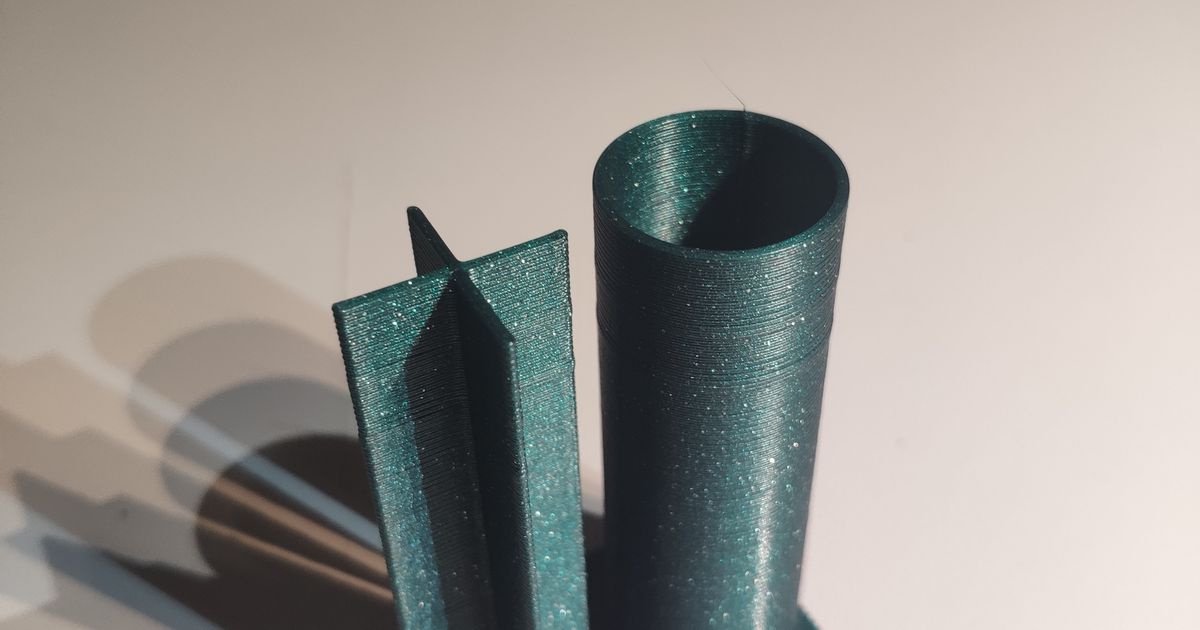
Printables.com
60mm Tower "X" | Download free 3D printable STL models
Suggest something like this
To make sure your layers are stacking properly
Once you’ve tensioned belts
Linear advance isn’t your main concern right now
chilly token
wispy gust
Linear advance isn’t your main concern right now
what about the layers that have weird open bits?
 wispy gust
That can be down to extrusion issues potentially, how fast are you printing?
Velocity and Accelerations
chilly token
wispy gust
Velocity and Accelerations
im not sure, its all set to 0/default
chilly token
wispy gust
Feel free to pass me a ping once you’ve done a bit more tests
also is it okay if i DM you tomorrow after i do some test prints?
i gotta go to bed
wispy gust
chilly token
also is it okay if i DM you tomorrow after i do some test prints?
Can just keep it in here so the info is in one space
But that's all good
I didn't mean had to be now
Just when you get a chance
chilly token
wispy gust
Can just keep it in here so the info is in one space
okay, sounds good👍
slim jasperBOT
This post has been closed due to inactivity.
This post has been inactive for over 1 hour and so has been closed. To reopen this post simply send another message.
chilly token
wispy gust
Can just keep it in here so the info is in one space
My print won't stick to the bed😭
slim jasperBOT
Cleaning Your 3D Printer Bed
While IPA (Isopropyl Alcohol) may dissolve the oily compounds built up on your bed, it mostly just spreads those oils around. For a more permanent solution use a degreasing agent such as dish soap and water (unscented, as those sometimes have chemicals that make the bed adhesion worse) under warm water, scrub the entire plate taking care to push the soap into all the cracks (if your bed is textured). Dry with a lint free cloth or leave to air dry. You can then put the build surface back on to your printer. If you like you can use the isopropyl alcohol to clean the bed intermittently between prints, but please note it still wont remove any of the oily compounds.
If you are still experiencing adhesion issues it may be z offset, speeds or temperatures. You may also find more success in using adhesion boosters such as hairspray, glue-stick, or specially formulated adhesives for 3d printing. Happy printing!
?bedcleaning requested by: kolman2000#0
Z-offset
Where your printer thinks the nozzle is
The z-offset is the distance from the tip of the nozzle to the trigger point of a bed sensor.
Setting your z-offset correctly ensures a good first layer squish and proper adhesion to the build plate (assuming its clean, see
?bedcleaning for more information). See
?leveling for a good representation of how the first layer should look like.
If in doubt: Refer to you your specific machines documentation.
For the Qidi X series printers: Adjusting the z offset from the Fluidd webinterface breaks it. Always set the z offset from the printers screen.
https://www.wevolver.com/article/z-offset-what-it-is-and-how-to-adjust-it
?z-offset requested by: kolman2000#0
chilly token
I even washed it with dish soap
wispy gust
Make sure your z-offset is properly set
chilly token
wispy gust
Make sure your z-offset is properly set
It is
wispy gust
Okay well then are you sure your bed is properly leveled and the screws underneath haven’t gone loose?
Make sure when you’re leveling your bed that you compress the springs a reasonable amount so that the leveling knobs are less likely to come loose during printing
chilly token
wispy gust
Make sure when you’re leveling your bed that you compress the springs a reasonab...
It's all leveled
wispy gust
Okay well I’m gonna have to say the bad thing and say that something is apparently not done right or else the print would be sticking
Like unless there’s something in your print settings interfering with it
chilly token
I might need to clean the nozzle, but idk
wispy gust
That’s always a good thing to do
Or else the filament will stick more to the nozzle than the bed
And pull it up off the bed as it’s laying the first layer
chilly token
wispy gust
And pull it up off the bed as it’s laying the first layer
That seems like what's happening
wispy gust
So then yeah grab a rag or paper towel and a bit of isopropyl alcohol if you have it
And just heat the nozzle to 200C and wipe off any filament and gunk on the nozzle
 tired nova
chilly token
I have seen a diagonal pattern like that on machines where their printhead or items in the printhead are not straight....
Generally it more noticeable in the other cases.....but it's another thing to add to the checklist if you've recently changed something in that area....
If none of the other solutions fix it that is... 😅
chilly token
tired nova
I have seen a diagonal pattern like that on machines where their printhead or it...
I'm about to start a Google doc of all the things wrong with my printer 💀 
tired nova
chilly token
I'm about to start a Google doc of all the things wrong with my printer 💀 <:lmf...
Ahh 😅
Just check these for half of them...
slim jasperBOT
Ellis' Print tuning guide
Follow this guide for easy print tuning
Guide
?tuning requested by: wolfesbluebox#0
tired nova
Once you've fixed it...you'll forgot half the issues you ever had.. 😅
chilly token
tired nova
Once you've fixed it...you'll forgot half the issues you ever had.. 😅
I always get all of my problems at once 😭
I also have terrible layer adhesion on my last print, i can literally peel it apart
Here are better pictures of what's happening

 tired nova
Umm
Ummmm
Wow..
What does that look like when sliced?
Random seams or wet filament for the pockmarks?
chilly token
tired nova
Umm
Ummmm
Wow..
What does that look like when sliced?
Random seams or wet filame...
im using a different slicer from that print, but I've gotten the same problems still. its not wet, i live in the desert so very low humidity
ight, i did a bunch of crap and i think i fixed bed adhesion. I unclogged it, i cleaned the nozzle and i switched the filament. now the print seems to be going good
tired nova
chilly token
im using a different slicer from that print, but I've gotten the same problems s...
Oo ok... But have your dried it....? Even if thats leaving it out under a black carboard with holes in it for a while... On the concrete... With a thermometer on a summer day....
If u can get the inside to reach a steady 65 degrees celcius... It might be a viable drying method...
chilly token
tired nova
Oo ok... *But have your dried it....?* Even if thats leaving it out under a blac...
it just seems too consistant to be wet filament
tired nova
chilly token
it just seems too consistant to be wet filament
It's not just wet filament.
And if u have random seams turned on you get pockmarks sometimes too.
tired nova
chilly token
Here are better pictures of what's happening

Idk what happened there though...
That is something else, maybe mechanical
chilly token
tired nova
thats what im talking about. and i didnt have random seams on for this print
@wispy gust i was able to get the wobble test print to actually work, but so far it still looks just as bad after tightening the belts
chilly token
@wispy gust HELP!


 slim jasperBOT
https://www.youtube.com/watch?v=WC3jvuq-uq8
https://media.discordapp.net/attachments/667463307963138058/1285333276504096818/Screenshot_2024-09-16_at_4.08.38_PM.png


What if i told you that you already have everything you need to assemble one of the best filament dryers available? Don't believe me? In this video i'll show you how, with a combination of very simple principles, we can all dry filament without an oven for free.
....................................................................................
 wispy gust
Dry filament shouldn't string that much
chilly token
wispy gust
Dry filament shouldn't string that much
its got those same holes too
wispy gust
Yeah that's also a possible issue of wet filament
chilly token
wispy gust
Yeah that's also a possible issue of wet filament
but ambiant humidity is like 15% 😭
im in desert
wispy gust
Doesn't mean the filament didn't come wet from factory
slim jasperBOT
** Wet Filament**
Filaments can be “wet” from time to time and this includes some of the most popular filaments such as PLA, PETG, ABS, ASA and TPU. Because of the hygroscopic nature of these polymers, they absorb water from the air and become “wet”. This can manifest in your prints as blobs and signs of underextrusion, because small bubbles of water vapor get trapped in the plastic as you extrude.
Another common problem due to filament being wet is stringing and, when extremely wet, structurally compromised prints. PETG, Nylon and TPU are examples of extremely hygroscopic filaments (they absorb moisture really quickly), whereas the most common filaments like PLA and ABS are only mildly hygroscopic.
❗Keep in mind, even if your filament is fresh out of the packaging, manufacturers often use water baths to cool filament in the extrusion process so it might be wet from factory. ❗
?wetfilament requested by: kolman2000#0
chilly token
wispy gust
Doesn't mean the filament didn't come wet from factory
but ive had it for a while
wispy gust
Filament doesn't passively dry just cause the air around it is dry
Once it's absorbed it stays in there
Unless the filament is heated
chilly token
wispy gust
Filament doesn't passively dry just cause the air around it is dry
oh😭
it has terrible layer adhesion also
wispy gust
Also an issue of wet filament
Wet filament causes bad mechanical properties, bad adhesion, stringing, bubbles
A whole laundry list of issues
chilly token
thats probably the issue then
wispy gust
Use that guide for drying it on your bed, and if you have a kitchen scale you can weigh it in 1-2 hour increments
if it stops getting lighter that means it's dry
It will lose probably several grams of moisture depending on how much filament you have
if you don't have a scale then just dry it for the suggested time as per the instructions
Make sure for the box that you cover any larger holes
All you need is a singular hole the size of a pencil
chilly token
wispy gust
All you need is a singular hole the size of a pencil
alr, ill try it
thanks
tired nova
Also... Needs a little ventilation through the bottom.
We are removing moisture from the box using convection...
wispy gust
tired nova
Also... Needs a little ventilation through the bottom.
We are removing moisture ...
Just needs a singular pencil hole
Top is optimal
Since warm air naturally goes up
And will carry the moisture out with it
chilly token
tired nova
Also... Needs a little ventilation through the bottom.
We are removing moisture ...
yeah, i got a slight gap in the bottom and a small hole in the top
i got bed temp to 65c, is that good?
The box of destiny! I hope it works
 tired nova
chilly token
i got bed temp to 65c, is that good?
Flip the spool 180 degree after 6 hours btw...
tired nova
wispy gust
Just needs a singular pencil hole
Also....if the video says 9 holes in the top of the box.....?
Do u mean one hole at the bottom or?
wispy gust
tired nova
Also....if the video says 9 holes in the top of the box.....?
Do u mean one hol...
I mean a singular hole in the top
Excessive holes means it doesn't keep heat in
You only need a single hole
tired nova
wispy gust
You only need a single hole
Ok...
Does the video recommend excessive amount of holes?
wispy gust
Not really, just not entirely necessary
slim jasperBOT
This post has been closed due to inactivity.
This post has been inactive for over 1 hour and so has been closed. To reopen this post simply send another message.
chilly token
I dried the Filament and it didn't lose any weight
chilly token
@wispy gust
wispy gust
chilly token
I dried the Filament and it didn't lose any weight
Weighing in grams?
chilly token
wispy gust
Weighing in grams?
Yes
wispy gust
Well, try printing the same file with it and see if it gets better
chilly token
Okay 👍
wispy gust
If it improves then that’s a step in the right direction
slim jasperBOT
This post has been closed due to inactivity.
This post has been inactive for over 1 hour and so has been closed. To reopen this post simply send another message.
chilly token
wispy gust
If it improves then that’s a step in the right direction
It doesn't look any better

Help pls😭
@wispy gust wtf is wrong 😭 it's not humidity, could it be flow/retraction settings?
wispy gust
I mean your retraction is probably also screwy
slim jasperBOT
Calibration
Calibration and tuning can help with all aspects of print quality.
Extruder calibration should be done only once, and then again if you change any hardware on your extruder setup (new tube, gear drive, different motor, etc).
Flow calculation should be done for every filament, even different colours from the same brand.
A number of calibration and tuning guides exist online:
?calibration requested by: kolman2000#0
wispy gust
Go on the Teaching Tech site and use the Retraction Test generator
chilly token
wispy gust
Go on the Teaching Tech site and use the Retraction Test generator
But how do I fix the holes?
wispy gust
It’s seeming like an extrusion issue mostly
Have you made sure your nozzle isn’t clogged?
chilly token
wispy gust
Have you made sure your nozzle isn’t clogged?
Yes, I just declogged it yesterday to make sure
Could it be flow?
chilly token
wispy gust
What temp are you printing at
200c PLA
wispy gust
Bump that up
215 or so
And then tune retraction
Dry PLA doesn’t string if you tune retractions properly
chilly token
wispy gust
Bump that up
If I do that I seem to have heat creep problems
It jams bc the very end gets thicker and gets stuck in the hotend
wispy gust
This is why I don’t recommend old Enders cause like if they aren’t set up properly they’re a nightmare to diagnose
chilly token
wispy gust
This is why I don’t recommend old Enders cause like if they aren’t set up proper...
I've noticed 😭
wispy gust
Just do the retraction tests and see if you can get by at like 210C
And quick question regarding the stringing
Are you using Z-hop
chilly token
wispy gust
Are you using Z-hop
I don't think so
chilly token
wispy gust
Are you using Z-hop
should i use g-hop?
chilly token
wispy gust
This is why I don’t recommend old Enders cause like if they aren’t set up proper...
for some reason only my black overture filament is clogging at 210, while my white prusa filament is fine. maybe thats part of the quality issue, the black filament might be slightly clogging. ill test that xy wobble print again once i get the stringing straightened out
chilly token
im testing the wobble print in the white filament now. ill test it in both filaments to see what the difference is
ill have to do the black at 200c bc otherwise it will jam
chilly token
chilly token
for some reason only my black overture filament is clogging at 210, while my whi...
nvm, the white still jams at 210c😭 why does it do this? i just replaced my fan. i will have a all metal hotend in on the 7th so that might help
@wispy gust @tired nova
tired nova
chilly token
nvm, the white still jams at 210c😭 why does it do this? i just replaced my fan....
the gap?
between the bowden tube and nozzle?
?thegap
slim jasperBOT

 chilly token
tired nova
the gap?
between the bowden tube and nozzle?
idk how to check that but im pretty sure its all the way in there
tired nova
chilly token
idk how to check that but im pretty sure its all the way in there
i think your meant to do it while hot....
also
slim jasperBOT
Hottightening the Nozzle
Tighten your nozzle at the highest possible temperature to make sure it fully seals against the heatbreak.
If the nozzle bottoms out against the heatblock, the heatbreak is not installed correctly. Refer to the graphic. Note that the maximum printing temperature is about 20C lower.
If you have a PTFE lined hotend, make sure you have taken care of ?thegap

?hottighten requested by: wolfesbluebox#0
chilly token
tired nova
as both create gaps which can lead to clogs
okay, ill make sure its tight. but it seems like its happening to a large area when i look at the part that jammed
tired nova
chilly token
okay, ill make sure its tight. but it seems like its happening to a large area w...
photo?
chilly token
tired nova
photo?

It seems like I'm stuck bc if I go too hot it gets jammed, but if I go cooler it has awful print quality
tired nova
Hmmm
Did we check your fans where working... (Both of them?)
chilly token
tired nova
Hmmm
Did we check your fans where working... (Both of them?)
yeah, i just replaced the main hotend fan and the other one still works fine
tired nova
chilly token
yeah, i just replaced the main hotend fan and the other one still works fine
Ok cool...
And that spins on startup?
chilly token
tired nova
Ok cool...
And that spins on startup?
yeah
tired nova
Ok cool.
Thats not it then.
Coldpulls?
chilly token
tired nova
Ok cool.
Thats not it then.
Coldpulls?
whats that?
tired nova
chilly token
whats that?
?coldpull
slim jasperBOT
chilly token
whats that?

All3DP
If your nozzle is partially clogged, the 3D printer cold pull is your first line of defense. Read on to learn how to do it!
chilly token
tired nova
?coldpull
ill try it thanks
chilly token
tired nova
?coldpull
i couldnt get it to work bc i only had pla, but i just replaced the nozzle and made sure everything else was good. well see if there was a partial clog in that nozzle
tired nova
chilly token
i couldnt get it to work bc i only had pla, but i just replaced the nozzle and m...
uh.. so same idea just use pla or whatever you have... and cold pulls
the idea is really just to get as much to fuse to the materials you pulling out as possible
chilly token
tired nova
uh.. so same idea just use pla or whatever you have... and cold pulls
the idea ...
it kept breaking, i couldnt get pla to work
tired nova
pla breaking..?
how old is you pla...?
have you dried this recently?
does it break easily..?
chilly token
tired nova
pla breaking..?
how old is you pla...?
have you dried this recently?
i mean... it said that pla doesnt work well in the article
pla is pretty brittle
tired nova
oh..
ok
fair..
what are we going to do abiout it then 😅
chilly token
tired nova
oh..
ok
fair..
what are we going to do abiout it then 😅
i replaced the nozzle and cleaned everything else
tired nova
pla doesn't stick to petg either btw
slim jasperBOT
This post has been closed due to inactivity.
This post has been inactive for over 1 hour and so has been closed. To reopen this post simply send another message.
chilly token
The print keeps failing😭  @wispy gust @tired nova
 wispy gust
Have you checked made sure your filament isn’t tangled
That looks like it stopped extruding cause it got stuck
chilly token
wispy gust
That looks like it stopped extruding cause it got stuck
It's not tangled, it just keeps jamming from what I think is heat creep
wispy gust
Okay one second
https://youtu.be/30qqKUwviww?si=12achZ--5WbRUS8Z @chilly token
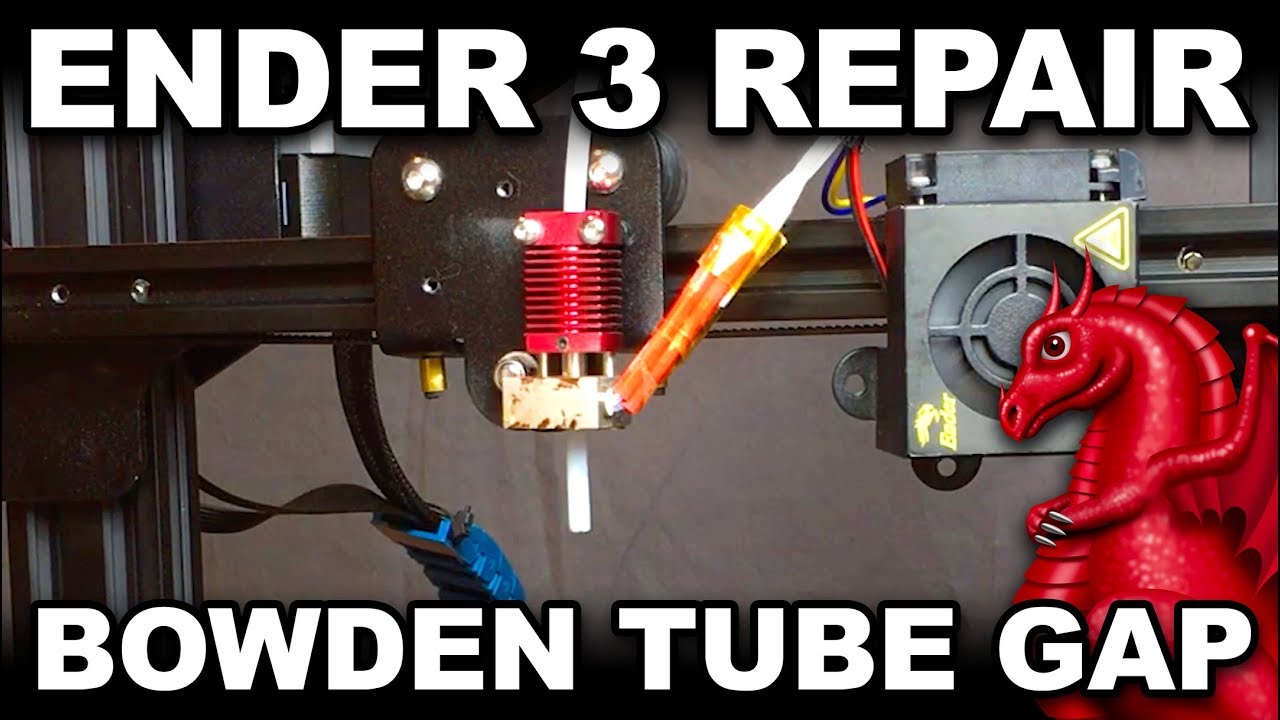
Fix stringing and under extrusion on your Ender 3! BE SURE TO WATCH OUR NOZZLE CHANGE VIDEO FOR MORE INFO AND SAFETY WARNINGS: https://youtu.be/FRzsGttNMyk
Join our Dragonlock Facebook group for help with 3D printing Dragonlock models, see Dragonlock D&D tabletop terrain builds others have made, and much more!
?thegap
slim jasperBOT
wispy gust
This could be your issue
Since we’ve narrowed things down so much
And you shouldn’t be getting heat creep at the temps you’re printing
So it’s about all I can think of that could be causing it
It’s why I hate PTFE hotends
Besides the toxic fumes they can make
chilly token
wispy gust
It’s why I hate PTFE hotends
Could I also fix it by getting a direct drive upgrade?
wispy gust
chilly token
Could I also fix it by getting a direct drive upgrade?
There’s nothing wrong with Bowden, it more seems like your issue is with the hotend
chilly token
wispy gust
There’s nothing wrong with Bowden, it more seems like your issue is with the hot...
Btw it didn't work, I'm losing my mind😡
wispy gust
The fix didn’t work?
chilly token
wispy gust
The fix didn’t work?
Nope
wispy gust
Ugh
either your hotend isn’t extruding properly or the spool is stuck
I know you said before
But seriously make sure your spool isn’t tangled just to be sure
chilly token
 wispy gust
?coldpull
slim jasperBOT
All3DP
If your nozzle is partially clogged, the 3D printer cold pull is your first line of defense. Read on to learn how to do it!
wispy gust
Might just be a clog then
chilly token
wispy gust
?coldpull
I tried that😭
chilly token
wispy gust
Alright
And I switched nozzles
wispy gust
And your PTFE didn’t look like weird or melted on the end that’s touching the nozzle?
chilly token
wispy gust
And your PTFE didn’t look like weird or melted on the end that’s touching the no...
I'll check
wispy gust
make sure if you take it out that you properly set it again
chilly token
wispy gust
make sure if you take it out that you properly set it again
This is what it looks like
 wispy gust
Clean that up a bit
chilly token
Also this is what the Filament looks like every time it jams
 wispy gust
Also you tried unspooling the filament to see if it was tangled?
wispy gust
Just trying to exhaust every option before suggesting you replace your hotend
There’s a cheap option that’s also an upgrade
And it’s a drop-in replacement that doesn’t need reconfiguration
chilly token
wispy gust
And it’s a drop-in replacement that doesn’t need reconfiguration
What?
wispy gust
You would have to just take some parts off and plug it in the way your current hotend is but that’s up to you if that’s something you want to do or just try to fix what you’ve got
Cause this isn’t making any sense right now why it just keeps fucking up
Are you sure your fan for your hotend cooling is spinning
Not the part fan on the side
But the one on the front
Cause you keep getting heat creep
chilly token
wispy gust
Are you sure your fan for your hotend cooling is spinning
Yeah its spinning the whole tine. I just replaced it also
wispy gust
Dumb question but did you face it the correct direction. I’m just exhausting options here
chilly token
wispy gust
Dumb question but did you face it the correct direction. I’m just exhausting opt...
Yeah, it's sucking air in
chilly token
wispy gust
You would have to just take some parts off and plug it in the way your current h...
What's the upgrade?
wispy gust
Retail is about $15
https://a.aliexpress.com/_mKnP1YP
It’s considerably better than a stock hotend, has all-metal heat break so you can go over 220C, and doesn’t require any changes to the printer or fan ducts
All you would have to do is change some tuning in your slicer
But like this is a last ditch effort since I’m genuinely exhausted on possibilities for why your printer has starting printing so terribly
chilly token
wispy gust
Retail is about $15
https://a.aliexpress.com/_mKnP1YP
I have something similar coming in on the 7thhttps://www.aliexpress.us/item/2251832849555660.html?spm=a2g0n.order_detail.order_detail_item.4.4956f19csTjRrf&_gl=1i9016l_gcl_awR0NMLjE3MzQ2MzM4MzguQ2p3S0NBaUFnb3E3QmhCeEVpd0FWY1cwTE10NnlMU3J6X1RPMm02VUMwNGJwWjkzUUplZnQ4U2dwZ3FjaEVGand4UlNuMGs1d0NRMzNob0NGZnNRQXZEX0J3RQ.._gcl_auMTE5NzY1ODMyNS4xNzM0NTY2OTY3_gaMjAxNzA5Mjc1NDIzMzAwNy4xNzM0NTY2OTY0Mzk2_ga_VED1YSGNC7*MTczODE5MjU1NS44LjEuMTczODE5MjU5NC4yMS4wLjA.&gatewayAdapt=glo2usa
wispy gust
You already bought that?
chilly token
wispy gust
You already bought that?
Yeah, it was something recommend a while back
wispy gust
By who?
chilly token
wispy gust
I wouldn’t have suggested that hotend tbh but I mean I hope it works. Would require less rewiring I guess
chilly token
wispy gust
I wouldn’t have suggested that hotend tbh but I mean I hope it works. Would requ...
Would it help at all😆
wispy gust
It has an allmetal heatbreak so should at least fix that
chilly token
If not I can get the one you recommended
wispy gust
But TZ V2 is kinda my budget go-to to recommend
It’s all up to you if you’re even able to cancel your order
It’s been a week now
chilly token
wispy gust
It has an allmetal heatbreak so should at least fix that
But it looks like mine is already all metal right?
 slim jasperBOT

 wispy gust
Yours is the one on the right
On an all-metal heatbreak the PTFE doesn’t go through the hotend
wispy gust
That’s why PTFE is an issue is it can’t go over 225C
Or else it literally releases toxic fumes
I mean based on your pic it does look like you had leaking issues
But like that’s not anything that’s gonna change
chilly token
wispy gust
But TZ V2 is kinda my budget go-to to recommend
So is the only difference between the one you recommended and this one the price?
wispy gust
No
One has a significantly longer melt zone which allows it to melt more filament
The one I recommended
slim jasperBOT
Volumetric Flow
Volumetric flow rate is the way we measure the amount of material that our hotends can melt per second.
Typically we use the unit mm³/s or "cubic millimeters per second".
Pictured below are some typical values of the max achievable volumetric flow rates on commonly used hotends. These values are given as a range because they depend on a variety of other factors such as type of material, extrusion temp, nozzle size and geometry. In practice, achievable volume may differ from these marketing values.
To understand why these values are important and to make use of them you should understand the simplified formula for calculating the volumetric flow rate:
line width [mm] • layer height [mm] • speed [mm/s] = volume [mm³/s]
Further reading: ?morevolume

?volume requested by: kolman2000#0
chilly token
wispy gust
One has a significantly longer melt zone which allows it to melt more filament
What does that help with?
wispy gust
Reduces underextrusion when trying to push more filament through the hotend
Since hotends have a limit to how much filament they can reliably melt
More melting power means you can push more filament before it loses quality
chilly token
Ahh
chilly token
wispy gust
Reduces underextrusion when trying to push more filament through the hotend
Thanks for all of your help! I'll wait for that new hotend to arrive then see if it helps. If that doesn't work is there any other possibilities?
wispy gust
I mean if all else fails it’d potentially come down to a hardware issue like the thermistor not reading properly
chilly token
wispy gust
I mean if all else fails it’d potentially come down to a hardware issue like the...
Okay, hopefully this will work out tho
slim jasperBOT
This post has been closed due to inactivity.
This post has been inactive for over 1 hour and so has been closed. To reopen this post simply send another message.
slim jasperBOT
This post has been closed due to inactivity.
This post has been inactive for over 1 hour and so has been closed. To reopen this post simply send another message.
chilly token
Nvm, it still hasn't gotten here
slim jasperBOT
This post has been closed due to inactivity.
This post has been inactive for over 1 hour and so has been closed. To reopen this post simply send another message.
chilly token
Testing the new hotend @wispy gust @tired nova
 wispy gust
How’s it going so far?
chilly token
wispy gust
How’s it going so far?
Still printing!

Quality is a little rough but it seems to be working
chilly token
wispy gust
How’s it going so far?
It still has inconsistencies, but it actually printed


 wispy gust
Those consistent rings on the prints tells me you have an issue with z-banding
chilly token
wispy gust
Those consistent rings on the prints tells me you have an issue with z-banding
Lemme make sure it's tight
wispy gust
The nut for the z-axis lead screw?
That should remain loose
Not loose enough to fall out
But loose enough for it to adjust
chilly token
wispy gust
But loose enough for it to adjust
What if the lead screw is wobbly?
chilly token
wispy gust
"wobbly" is a worrying word
wispy gust
That's normal amounts of give in the system meant to compensate for bends or binding
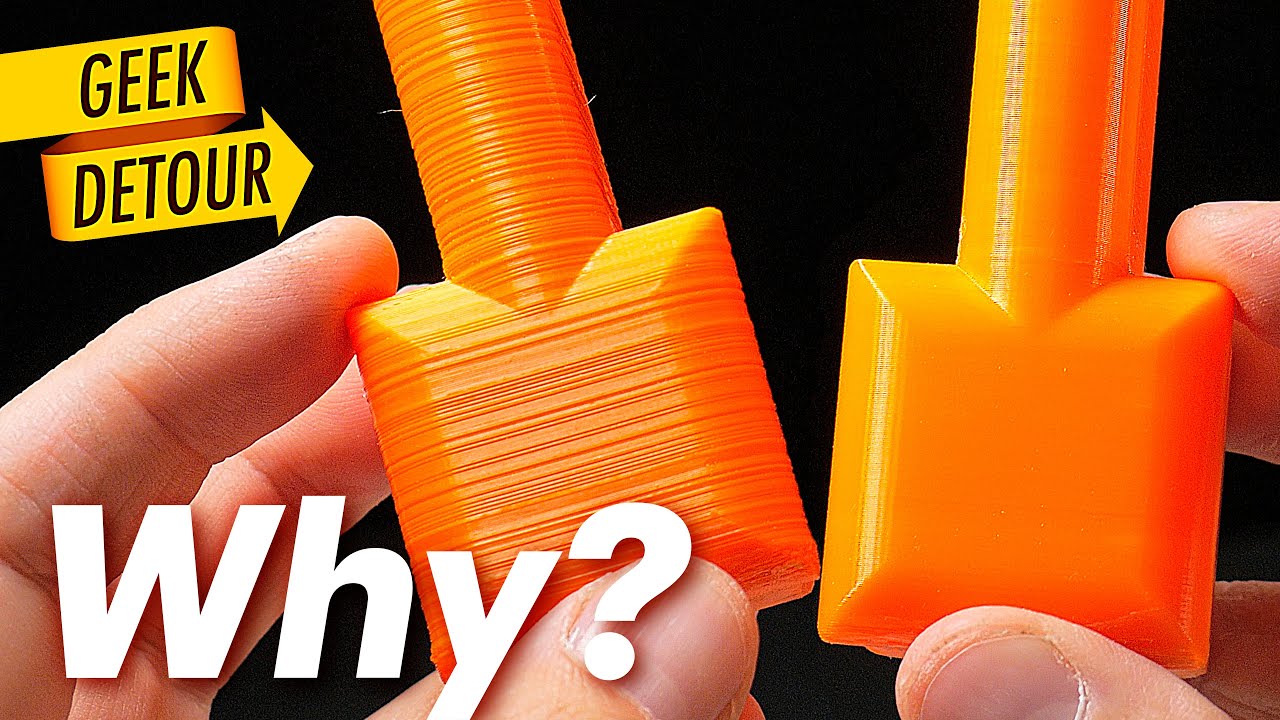
Wobbly prints and prints with lines... How you fix it? It can be many things (trust me, every time is a different reason). That's why I loved the Book I showed in this video. It will help you a lot, specially if you are just beginning with 3D Printing:
"3D Printing Failures" Book
by Sean Aranda
https://geni.us/73Gd (Amazon)
More 3D Printing Bo...
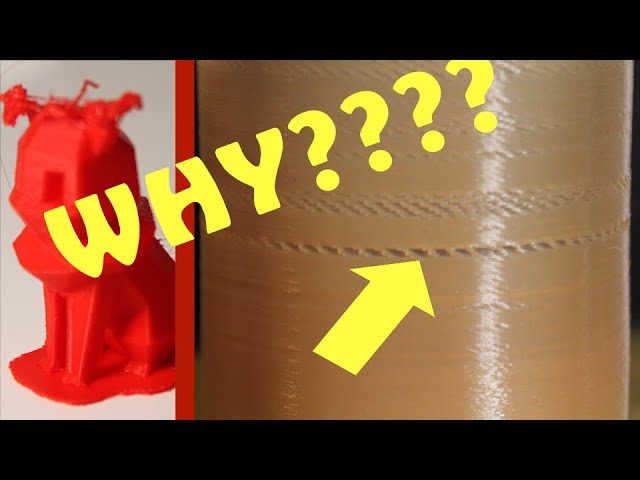
So annoying when you come back to a print that was going well to find these naughty missing lines in it.
WHY DO THEY HAPPEN?!
Well, underextrusion and a partially blocked nozzle obviously. But there's more to it than that. Possibly.
No Eevees...were...harmed in the making of this video. Honest.
Please comment if you have anything to say!
...
chilly token
Alr, I'll try to fix it tomorrow
slim jasperBOT
This post has been closed due to inactivity.
This post has been inactive for over 1 hour and so has been closed. To reopen this post simply send another message.
chilly token
wispy gust
That's normal amounts of give in the system meant to compensate for bends or bin...
ima try a PID tune because the temp keeps fluctuating and the other things dont seem to help
wispy gust
Randomly fluctuating temps would point to a bad thermistor or that you tightened the holding screw on the thermistor too much
If you tighten the screw holding it in place too much it will crush the wires and cause it to not read properly
The screw should only just be on there enough to hold it in place
chilly token
wispy gust
The screw should only just be on there enough to hold it in place
Okay
But it seems more like a issue with PID tuning
slim jasperBOT
This post has been closed due to inactivity.
This post has been inactive for over 1 hour and so has been closed. To reopen this post simply send another message.
chilly token
wispy gust
The screw should only just be on there enough to hold it in place
I loosened the set screw and the temp is still wack
Could it be PID tuning
@wispy gust @tired nova
It will constantly go ±4c
tired nova
that's shocking.
- make sure the thermistor plugged in correctly. (and secured properly
 )
- check the thermistor resistance when the printer is turned off and unplugged from power.
- after you've checked that, then see if pid tuning fixes that. I've never PID tuned, so i reccomend we check with kol.
wispy gust
chilly token
I loosened the set screw and the temp is still wack
Thats a relatively low fluctuation but if your PID tuning is right that shouldn’t really be happening
But not anything that is out of the ordinary AFAIK
chilly token
wispy gust
But not anything that is out of the ordinary AFAIK
Then what's causing the uneven layers? I'm pretty sure I tried the common stuff
And the underextrusion
wispy gust
Like genuinely at this point I have no clue. You’ve changed multiple factors on the printer and even stock it was having random bullshit issues and I’m totally lost at this point
Old Enders create a litany of issues that honestly are a pain in the ass to diagnose
chilly token
wispy gust
Like genuinely at this point I have no clue. You’ve changed multiple factors on ...
Not completely stock
It had a silent motherboard upgrade and the better ptfe tube
But i don't think that would cause those problems
wispy gust
No it shouldn’t
Also silent board might as well be stock
Cause all it is is just slightly different steppers that make less noise
It doesn’t affect the actual functionality
Assuming you installed the correct firmware flash
chilly token
wispy gust
Assuming you installed the correct firmware flash
Yeah, that was fine. Plus all these problems just started happening recently, but I installed that shit a while ago
I guess I'm just screwed
Thank you all for your help tho
slim jasperBOT
This post has been closed due to inactivity.
This post has been inactive for over 1 hour and so has been closed. To reopen this post simply send another message.
chilly token
Now my printer won't start printing  it gets up to heat and just sits there. WTF IS GOING ON
@tired nova @wispy gust
Sorry for the ping, but I really need to get this figured out
It's been like this for 10m
I might just get an a1 mini at this point
tired nova
That temp is still going all over the place.
At this point, could it be the mobo?
Inconsistent power delivery?
chilly token
tired nova
That temp is still going all over the place.
At this point, could it be the mobo...
I was able to get it to start by turning it on and off, but the temp is flipping out. I still haven't tried the PID tuning, but I don't know if that would help anything
 olive saffron
chilly token
I was able to get it to start by turning it on and off, but the temp is flipping...
thats why the PID exists, to estimate how much power to give the hotend to not overshoot like that
slim jasperBOT
This post has been closed due to inactivity.
This post has been inactive for over 1 hour and so has been closed. To reopen this post simply send another message.
wispy gust
Honest question, but you’re doing the PID tune… are you actually saving it to config and all?
PID tune just gives you some numbers
You have to actually save it if you haven’t
chilly token
wispy gust
Honest question, but you’re doing the PID tune… are you actually saving it to co...
I haven't done it, I was going to follow a video tutorial tho. But i need to get a cord that will actually connect my pc and printer
wispy gust
So you haven’t actually done the fix then?
You kept saying you PID tuned and it was still having issues
Now you’re saying you never did it
chilly token
wispy gust
So you haven’t actually done the fix then?
I thought I had made it clear that I hadn't done it yet😆 that's mb
I thought you had said that the temp fluctuating wasn't that bad, so I put the PID tune off
wispy gust
That’s… not how that works…
I said it’s not out of the ordinary without a PID
If that was WITH a PID then that’s an issue
But it was fluctuating in a Sin wave which is what the PID corrects for
chilly token
wispy gust
I said it’s not out of the ordinary without a PID
Ahhh...
Would that fluctuating temp cause problems tho?
wispy gust
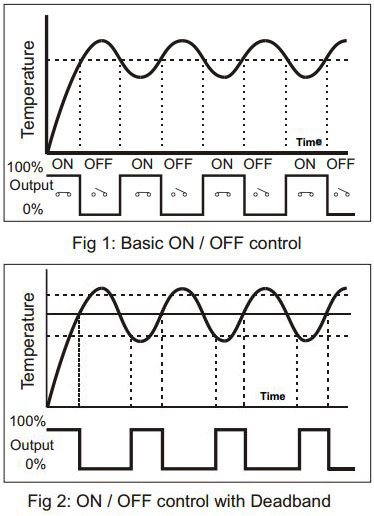
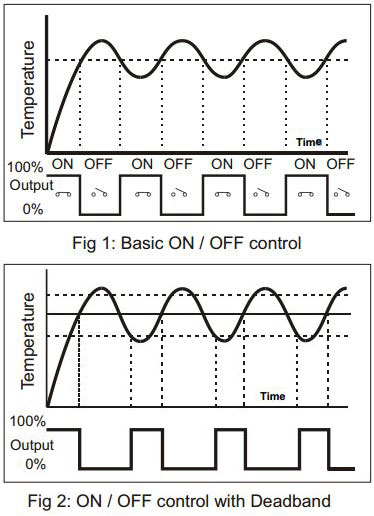
This is what happens when you don’t have PID
Which reflects what your issue was
So you need to have PID
Which SHOULD be on by default
chilly token
wispy gust
So you need to have PID
Ok ok... I misunderstood
I'll get a cord that works
Something makes me think that this isn't what my infill is supposed to look like
 wispy gust
No cause that’s either a clog or underextrusion caused by your thermal issues
chilly token
wispy gust
No cause that’s either a clog or underextrusion caused by your thermal issues
It's probably bc of the thermal issues then
slim jasperBOT
This post has been closed due to inactivity.
This post has been inactive for over 1 hour and so has been closed. To reopen this post simply send another message.
chilly token
Alr guys, I updated my firmware bc I realized that it was very old, and now I'm doing the PID tune 🤞
Is it okay that it's still going up and down but just 1 degree?
olive saffron
for the first bit its not bad, if it keps doing it then its a problem
chilly token
Ima test and see if works now
chilly token
olive saffron
for the first bit its not bad, if it keps doing it then its a problem
when i try to start the print it just sits there
nothing happens, it heats up but doesnt do anything
What do i do? @olive saffron @wispy gust
olive saffron
chilly token
What do i do? <@141688679944028160> <@258038088406794240>
new firmware? if you try to heat manualy what happens?
chilly token
olive saffron
new firmware? if you try to heat manualy what happens?
yeah, just got the new firmware. if i heat it up without hitting print, it does fine, but when i hit print it doesnt move. it says that its getting ready to print but nothing happens. this was going on just before but i could fix it by turning the printer on and off and using the power outage function. but now it doesnt do anything
olive saffron
chilly token
yeah, just got the new firmware. if i heat it up without hitting print, it does ...
you slicer start gcode been checked?
chilly token
olive saffron
you slicer start gcode been checked?
it worked before
olive saffron
start from nothring, new firmware overwrite esteps at least, function test everything, im stiull not sure what the original issue was but it wating on heating is either bad firmware, bad wiring, or bad gcode
chilly token
olive saffron
start from nothring, new firmware overwrite esteps at least, function test every...
If I try to just auto home this pops up, then if I restart the printer and try again it still happens

Seems like a motion problem
All the wiring looks fine
WTF is going on!!!
chilly token
olive saffron
start from nothring, new firmware overwrite esteps at least, function test every...
Is it firmware then? I got it from creality
olive saffron
chilly token
Is it firmware then? I got it from creality
right printer, right board chip? i think there are now 15+ ender 3s, and at least 5 boards
chilly token
olive saffron
right printer, right board chip? i think there are now 15+ ender 3s, and at leas...
i think so, how do i check that? it was the right printer for sure
olive saffron
original ender has a v1 board, then there are some with 4.2.2 or unlikely a 4.2.7, then check the lagest chip on the board for a GT at the start
chilly token
olive saffron
original ender has a v1 board, then there are some with 4.2.2 or unlikely a 4.2....
i did upgrade to silent motherboard
olive saffron
then likely a 4.2.7 board then, but check it to confirm, should be white text on it saying its 4.2.7
chilly token
olive saffron
then likely a 4.2.7 board then, but check it to confirm, should be white text on...
Yup, I think I installed 4.2.2 firmware
That's probably the issue
So would I install this firmware?
chilly token
olive saffron
then likely a 4.2.7 board then, but check it to confirm, should be white text on...

This one
?
olive saffron
probably yeah
chilly token
olive saffron
probably yeah
Alr
chilly token
olive saffron
probably yeah
HOLY FK IT WORKED!!!! now we just gotta see if the uneven layers and underextrusion have been fixed by the PID tune