#What is causing this issue?
1 messages · Page 1 of 1 (latest)
 granite lagoon
 native ginkgoBOT
granite lagoon
E steps calibrated. Might be slicer issue because when i go to print something t...
AI Help
It sounds like there may be a miscommunication between your slicer software and your printer. I recommend checking your slicer settings to ensure they match the target temperatures you want to set for your print. Additionally, make sure your printer's firmware is up to date and that the communication between your slicer and printer is properly configured. If the issue persists, you may need to troubleshoot further or seek help from the manufacturer or online forums for specific advice related to your printer model.
WARNING: This response is AI generated and may contain errors.
 wind nymph
@granite lagoon
Wait so your printer does the first layer perfectly.....and then just up on z a lot and does the second and remaining layers?! 🤔 😅
Sorry noticed you had thread and decided to move here, easier to keep track
NTS: temps are being manually reset to desired printing temp of 200\50.
Machine auto resets it to 175\60 for unknown reasons. Mr onion put it back to 200\50 via the screen
granite lagoon
Yes correct
Do u know the reason this happens? And should i cancel the print?
@wind nymph sorry to tag you but im about to go to bed and i kindof gotta know whether to cancel it or not
wind nymph
granite lagoon
<@449142875494678528> sorry to tag you but im about to go to bed and i kindof go...
ping is good.
cancel for tonight..
you'll need some time to troubelsoot
sorry know that sucks...
better than a blocked nozzle or spaghetti tomorrow though 😅
wind nymph
granite lagoon
Do u know the reason this happens? And should i cancel the print?
i'd say the reason it's jumping up is possibly buggy firmware or something in your configs... (start gcode?)
super wierd though.
you sliced that gcode yourself?
granite lagoon
Yes i did. Gonna try different filament and the latest version of cura
Gonna cancel rn 😭
This what it look like

Maybe could have continued but whatever
wind nymph
umm also for reference, what printer are you running?
any mods?
any modified firmware?
granite lagoon
Oh yes sorry ofcourse
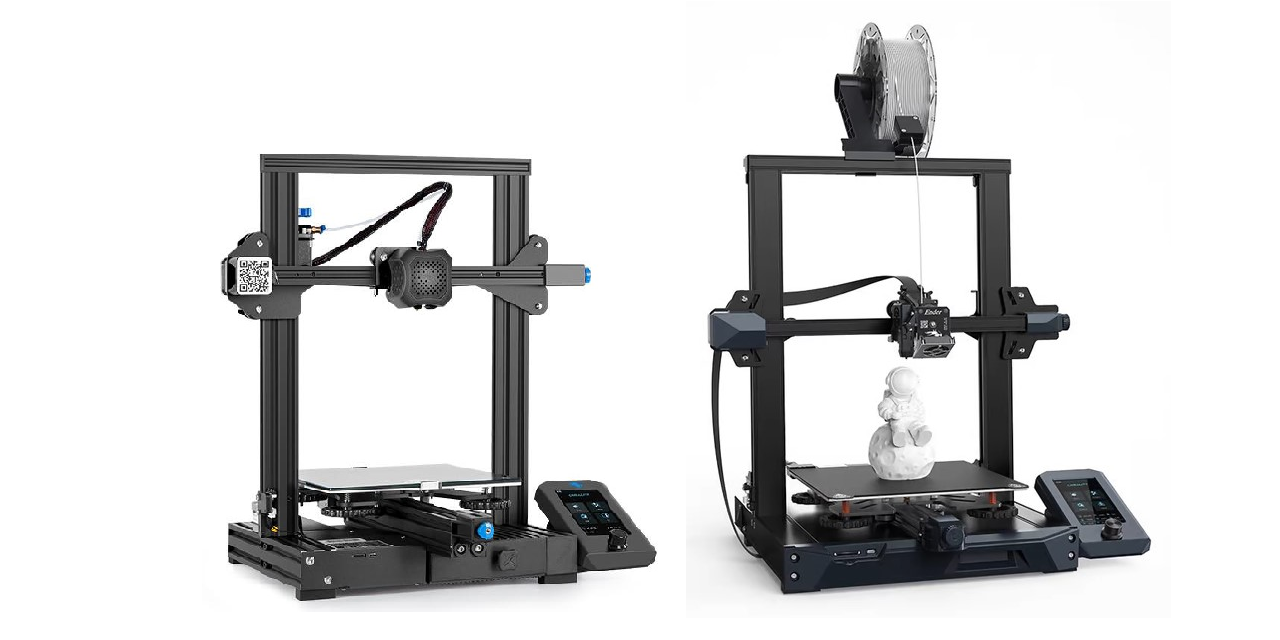
Its an ender 3v2 with mriscoc firmware and a raspberry pi 4b running octoprint. And dual gear metal extruder. The print was running off of octoprint, otherwise for some reason im unable to see the progress and then im also unable to cancel the print
wind nymph
granite lagoon
Its an ender 3v2 with mriscoc firmware and a raspberry pi 4b running octoprint. ...
oo ok cool!
side issue, but have you taped the 5v/ power rail on your octoprint usb?
native ginkgoBOT
Why you should put tape on your USB cable
Your device might try to feed power to your printers motherboard, causing all sorts of problems from loss of connection to a destroyed board. Putting tape on the 5V pin of the cable can be an easy solution.
?tape requested by: wolfesbluebox#0
wind nymph
granite lagoon
The what? U mean those little pins or the power supply?
😅 https://community.octoprint.org/t/put-tape-on-the-5v-pin-why-and-how/13574
no.... read the link.
on your usb end. i assume you had to plug the printer into a pi somehow?


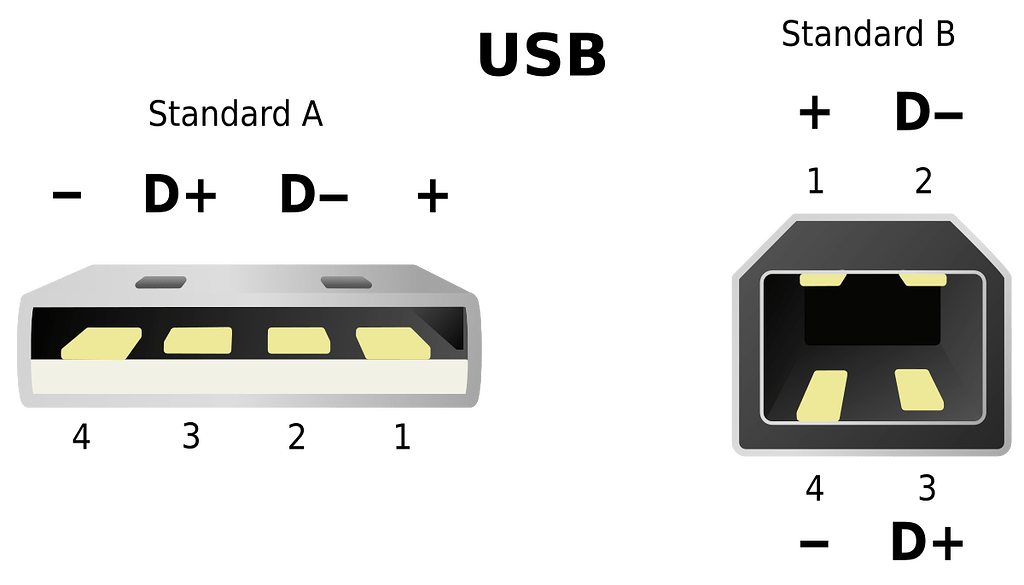
OctoPrint Community Forum
First of all this whole tutorial isn't a mandatory mod - you just need it if you run into issues (weird things are happening and you've already ruled out the more common suspects) or if the always running fan and illuminated display (even when the printer is turned off) disturbes you. I'm starting with the why part: If you connect a 3D printer...
granite lagoon
Yes i plugged it in using a data tranfer micro usb cable
But what does the 5v do? Why i need to tape it off?
wind nymph
granite lagoon
But what does the 5v do? Why i need to tape it off?

OctoPrint Community Forum
First of all this whole tutorial isn't a mandatory mod - you just need it if you run into issues (weird things are happening and you've already ruled out the more common suspects) or if the always running fan and illuminated display (even when the printer is turned off) disturbes you. I'm starting with the why part: If you connect a 3D printer...

OctoPrint Community Forum
First of all this whole tutorial isn't a mandatory mod - you just need it if you run into issues (weird things are happening and you've already ruled out the more common suspects) or if the always running fan and illuminated display (even when the printer is turned off) disturbes you. I'm starting with the why part: If you connect a 3D printer...

OctoPrint Community Forum
First of all this whole tutorial isn't a mandatory mod - you just need it if you run into issues (weird things are happening and you've already ruled out the more common suspects) or if the always running fan and illuminated display (even when the printer is turned off) disturbes you. I'm starting with the why part: If you connect a 3D printer...

OctoPrint Community Forum
First of all this whole tutorial isn't a mandatory mod - you just need it if you run into issues (weird things are happening and you've already ruled out the more common suspects) or if the always running fan and illuminated display (even when the printer is turned off) disturbes you. I'm starting with the why part: If you connect a 3D printer...
wind nymph
sorry... I though it may be easier to read the pictures 😅
Hopefully that was ok? 😅
this may not be the whole problem, but if we tape it, we at least eliminate it as an issue 
apologies for spamming pictures.. 😅
granite lagoon
Yes will do this aswell but i think its the filament
granite lagoon
wind nymph
this may not be the whole problem, but if we tape it, we at least eliminate it a...
No oroblem i thought it was kinda funny lol
Because i printed another black piece and it turned out oerfect
wind nymph
oh yeah good point whoops... 
your white filament might just need tuning..
we can still check you z offset with black and eliminate that as well...
native ginkgoBOT
This post has been closed due to inactivity.
This post has been inactive for over 1 hour and so has been closed. To reopen this post simply send another message.
wind nymph
What slicer are you using?
wind nymph
granite lagoon
Is this elephant foot?
bit hard to see in the video... 😅
may try looking at the photos from these links and see what matches..
native ginkgoBOT
Troubleshooting
A number of troubleshooting guides exist online:
• Simplify 3D Print Quality Troubleshooting
• Rigid Ink Print Quality Guide
• Institute of 3D Printing Cheat Sheet
?troubleshooting requested by: wolfesbluebox#0
native ginkgoBOT
This post has been closed due to inactivity.
This post has been inactive for over 1 hour and so has been closed. To reopen this post simply send another message.
native ginkgoBOT
This post has been closed due to inactivity.
This post has been inactive for over 1 hour and so has been closed. To reopen this post simply send another message.
native ginkgoBOT
This post has been closed due to inactivity.
This post has been inactive for over 1 hour and so has been closed. To reopen this post simply send another message.
wind nymph
granite lagoon
Black pla seemd to have fixed it
Oo good. 
Thats just means the white needs some tuning in your slicer profile.
Edit -> preferences -> material settings.
I'd suggest for the white running a flow calibration.
It could be just extruding too much material for just that filament
?flow
native ginkgoBOT
 old mortar
granite lagoon
Its an ender 3v2 with mriscoc firmware and a raspberry pi 4b running octoprint. ...
 native ginkgoBOT
This post has been closed due to inactivity.
This post has been inactive for over 1 hour and so has been closed. To reopen this post simply send another message.
granite lagoon
old mortar
https://github.com/mriscoc/Ender3V2S1/wiki/Octoprint
omg no way your the real mriscoc!! i love your firmware so much it helped me so much!!!!
granite lagoon
I was maybe wondering if you had somt time to help me install this firmware you sent. It could be because im on a mac, but i just cant figure it out. Im also on cura 5.9, but im able to use 5.5. Should i try thay first?
native ginkgoBOT
This post has been closed due to inactivity.
This post has been inactive for over 1 hour and so has been closed. To reopen this post simply send another message.
granite lagoon
@old mortar, it says this:Python marlin-binary-protocol package is NOT installed at the firmware updater configuration, do you maybe know how i can install it?
native ginkgoBOT
This post has been closed due to inactivity.
This post has been inactive for over 1 hour and so has been closed. To reopen this post simply send another message.
native ginkgoBOT
This post has been closed due to inactivity.
This post has been inactive for over 1 hour and so has been closed. To reopen this post simply send another message.
old mortar
granite lagoon
<@824898412884918273>, it says this:*Python marlin-binary-protocol package is NO...
maybe something like: pip3 install marlin-binary-protocol