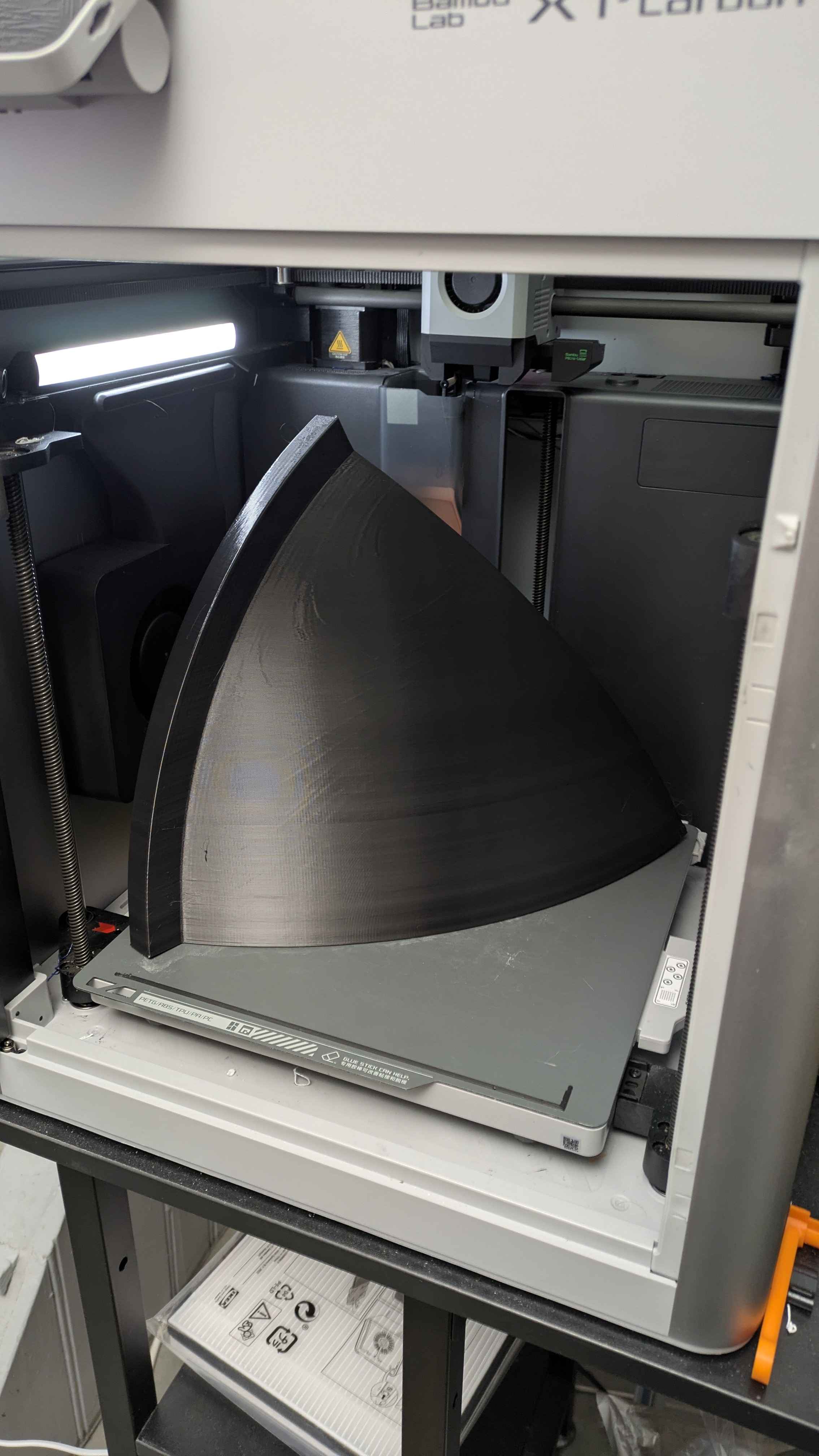
#1.9 kg PLA 4043D parts (update)
22 messages · Page 1 of 1 (latest)
 rare flicker
rare flicker
rare flicker
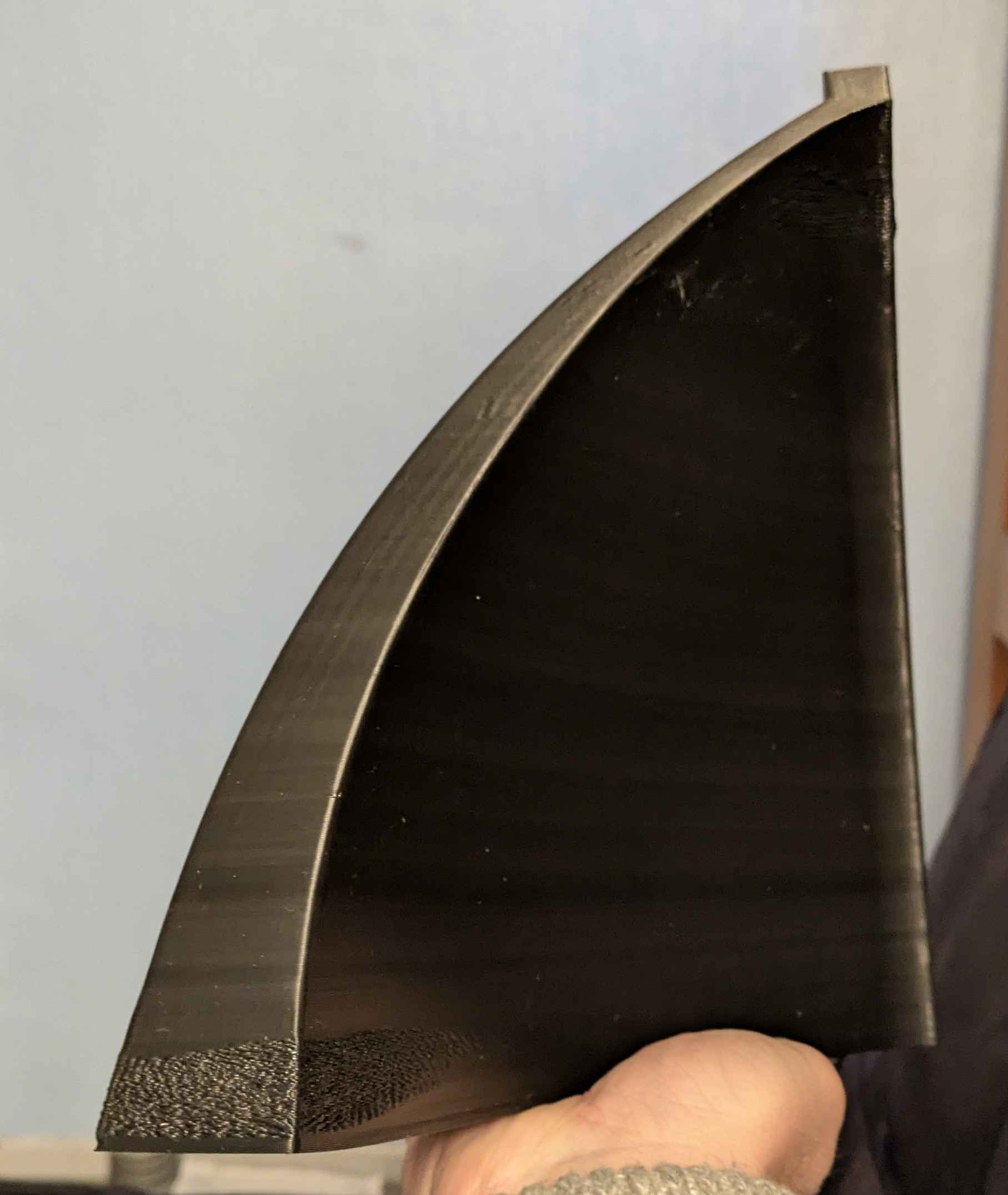
What it looks inside the print
 uncut oasis
rare flicker
1.5 kg PLA 4043D print (100% walls, no support), 24h printing time with a 0.6mm ...
uncut oasis
rare flicker
1.5 kg PLA 4043D print (100% walls, no support), 24h printing time with a 0.6mm ...
what is it suppose to be?
rare flicker
uncut oasis
what is it suppose to be?
Something to shape a metallic shell by air hammering.
At the end you have an instrument called handpan.
 fringe spruce
Let us know how it goes, this sounds interesting. I bet you can get it strong enough, but I'm not sure if I'd use PLA for that.
rare flicker
I already use PLA ingeo 870 parts to press the same 1mm metal sheets at 5 tones.
When a print is 100% filled it is really strong, especially for compression strength.
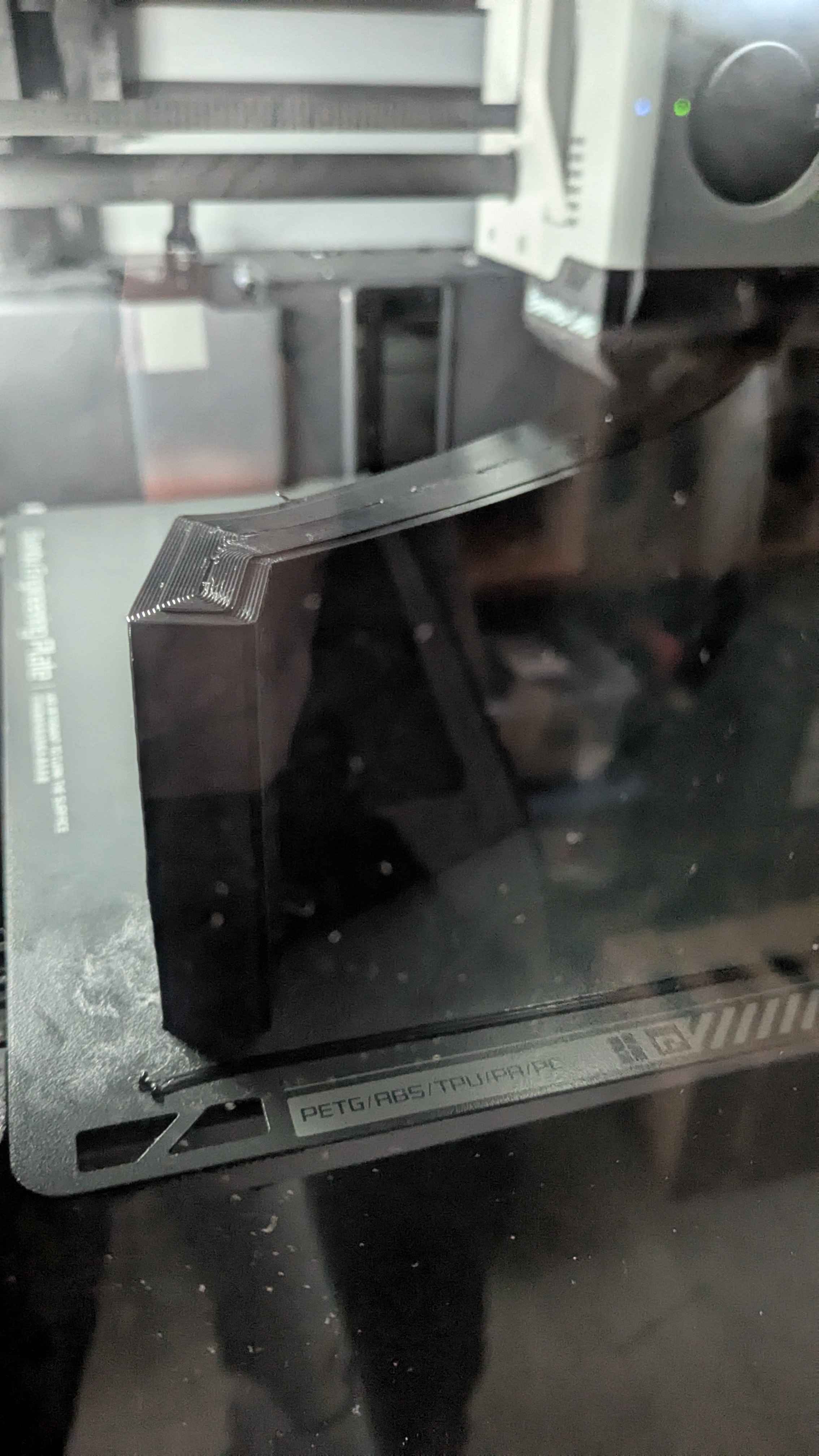
For now the problem is some warping, it sticks to the bed but bend the magnetic plate, I'm asking help with that in the help forum.
But not sure how to avoid that at print time.
fringe spruce
Well, you already have an enclosed printer so that's good. I'd probably try and heat soak the chamber (it's not like you have PLA overhang issues really) and keep the part from cooling down more than necessary during the print.
You can also binder clip down the magnetic plate, and then use one of the supertac plates if the model pulls off of that.
Make sure the room around your printer isn't drafty too, and turn off all the chamber and aux cooling fans and go even slower on the overhangs
You just wanna lay the filament down nice and thick, but then only let it cool down sloooooowly
rare flicker
fringe spruce
Well, you already have an enclosed printer so that's good. I'd probably try and ...
Thanks a lot for the great advises, I really need to test supertac plate, looks like it's a cool plate is it working if we heat the bed?
I've slow down the cooling but still have 20% for the aux fan, and the same for the part cooling fan and my bed is at 45°.
I was starting to ask myself if printing quicker would be beneficial since it has less chance to cool down too much before next layer
https://cdn.discordapp.com/attachments/1107298918737379421/1327477810838765578/PXL_20250111_0319572782.jpg?ex=6783358d&is=6781e40d&hm=d73be24a39254b153ff71127aec362b2fc8855358729869de161d6300e738141&

 fringe spruce
Turn the aux fan all the way off, or don't turn it on until halfway through the print. That garbage causes so much warping with solid parts like this
I don't have the bambu plate, but I super love my blue biqu ones.
The cool plates still work even with bed heating, they just also hold on really really well anyway.
Honestly, you might even try printing with a blanket over the printer. It's the opposite of what everyone is always doing for PLA, but that even, consistent temperature much closer to extrusion temperature when it bonds down is what I'd be going for
rare flicker
fringe spruce
Turn the aux fan all the way off, or don't turn it on until halfway through the ...
Are you printing solid parts too? Doesn't look like there is so many people doing that kind of stuff, and I don't find much informations about it.
For the moment I print with 100% walls don't know if 100% infill would be better to avoid warping.
fringe spruce
Yeah recently I've been printing solid TPU (!!) for a specialized part
I need to compare those too. I also am doing all walls right now
rare flicker
Ok, TPU is an option too for this part, will see how PLA+ will behave fist.
Let me know if you see useful reads or video about solid printed parts
rare flicker
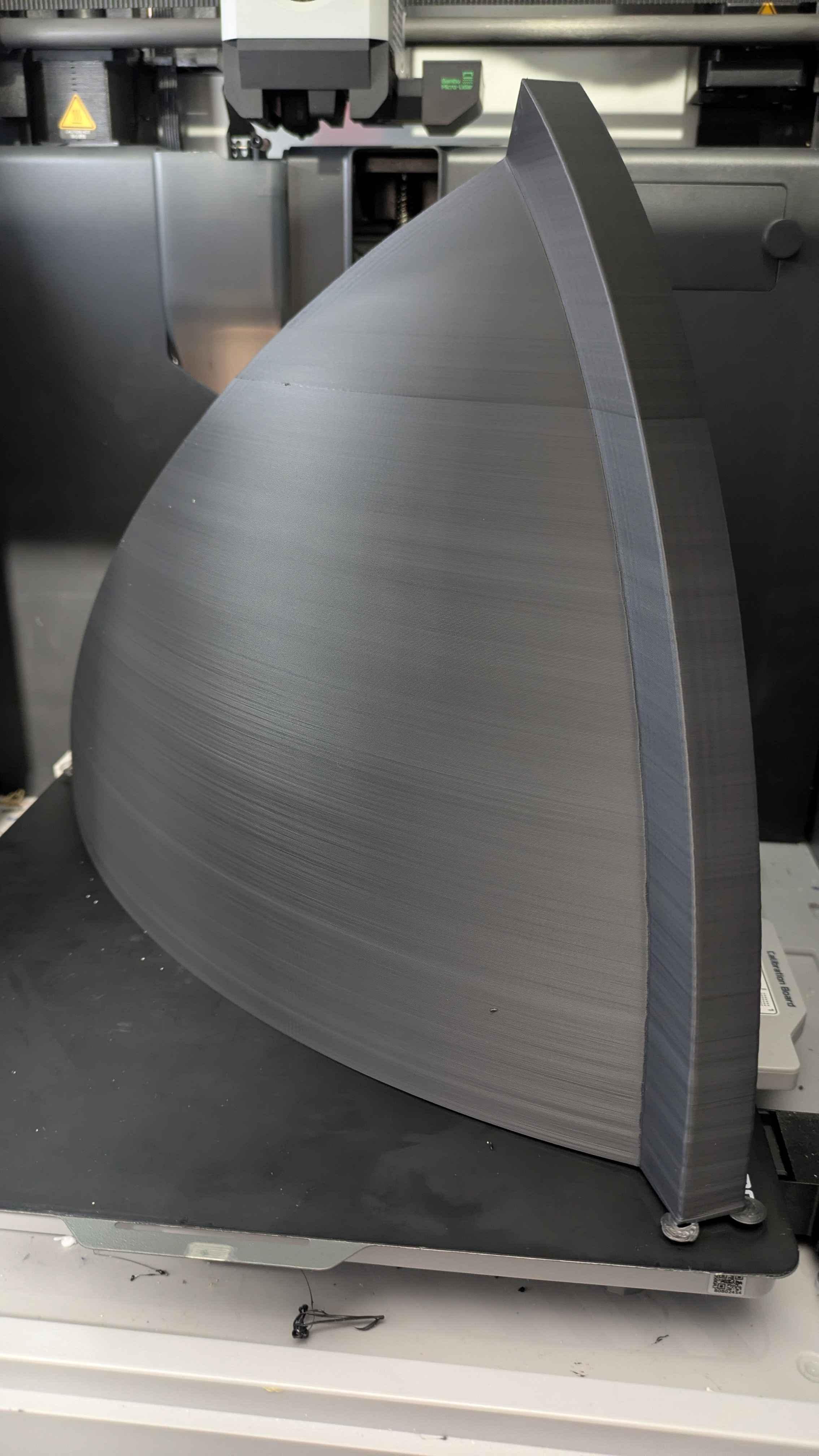
1.9 kg PLA 4043D parts
So after a lots of fails and tests with a new batch of normally the same PLA ingeo 4043D ( it was not).
I ve done proper calibration and I m back on track with 1.9kg part that push the X1C at the limits.
I use the maximum diagonal size of the bed, just some room for tiny ears mouse.
I ve mesured the heating bed at center and corners, I have between 2 and 4° difference depending on the temp.
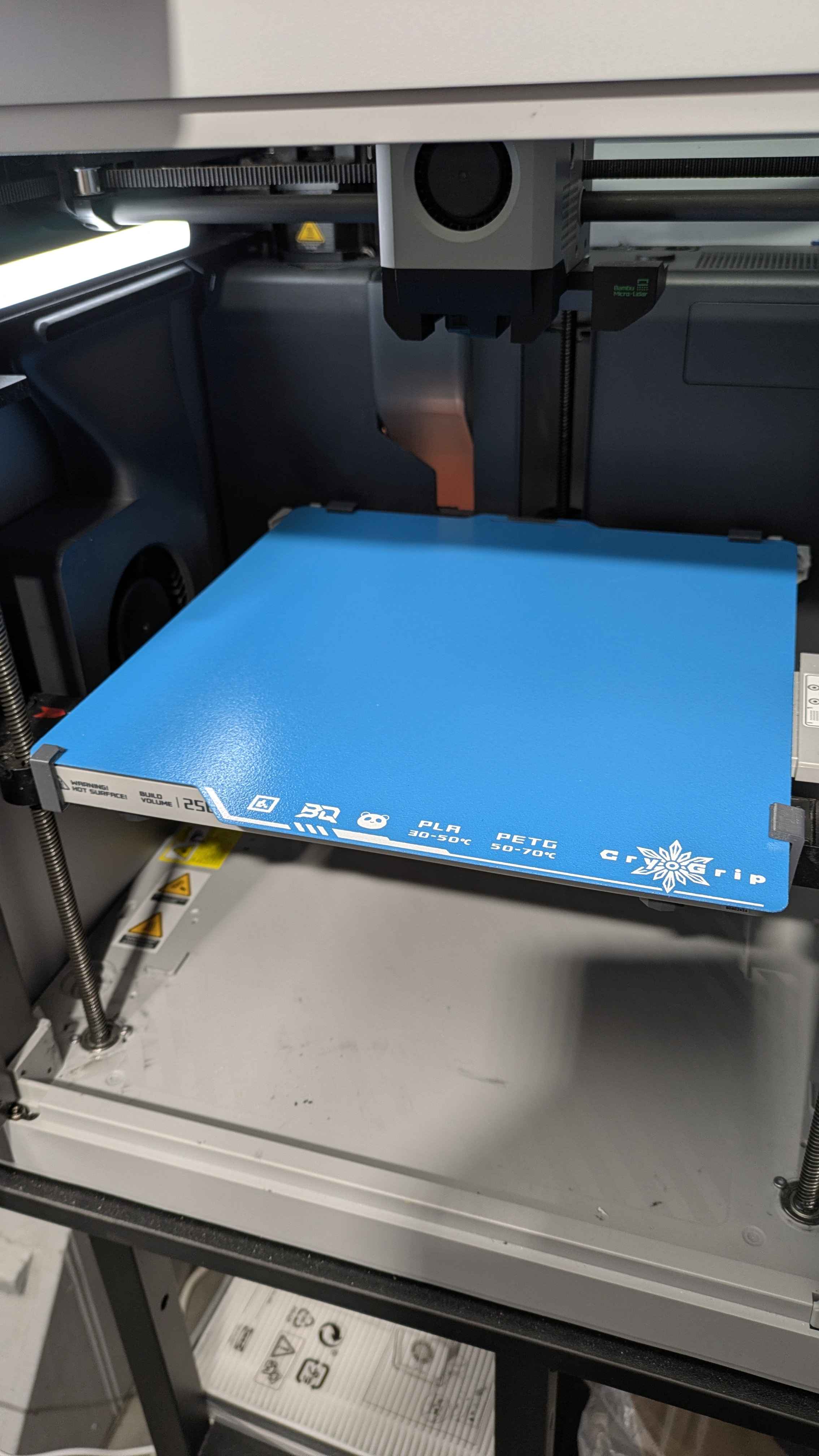
I ve putted some clamps on the cool plate, it stays in place but the part unglued the sticker^^
Next try with my new BQ frostbite plate.
And I still have some trouble with I think too hot temp for the overhangs.
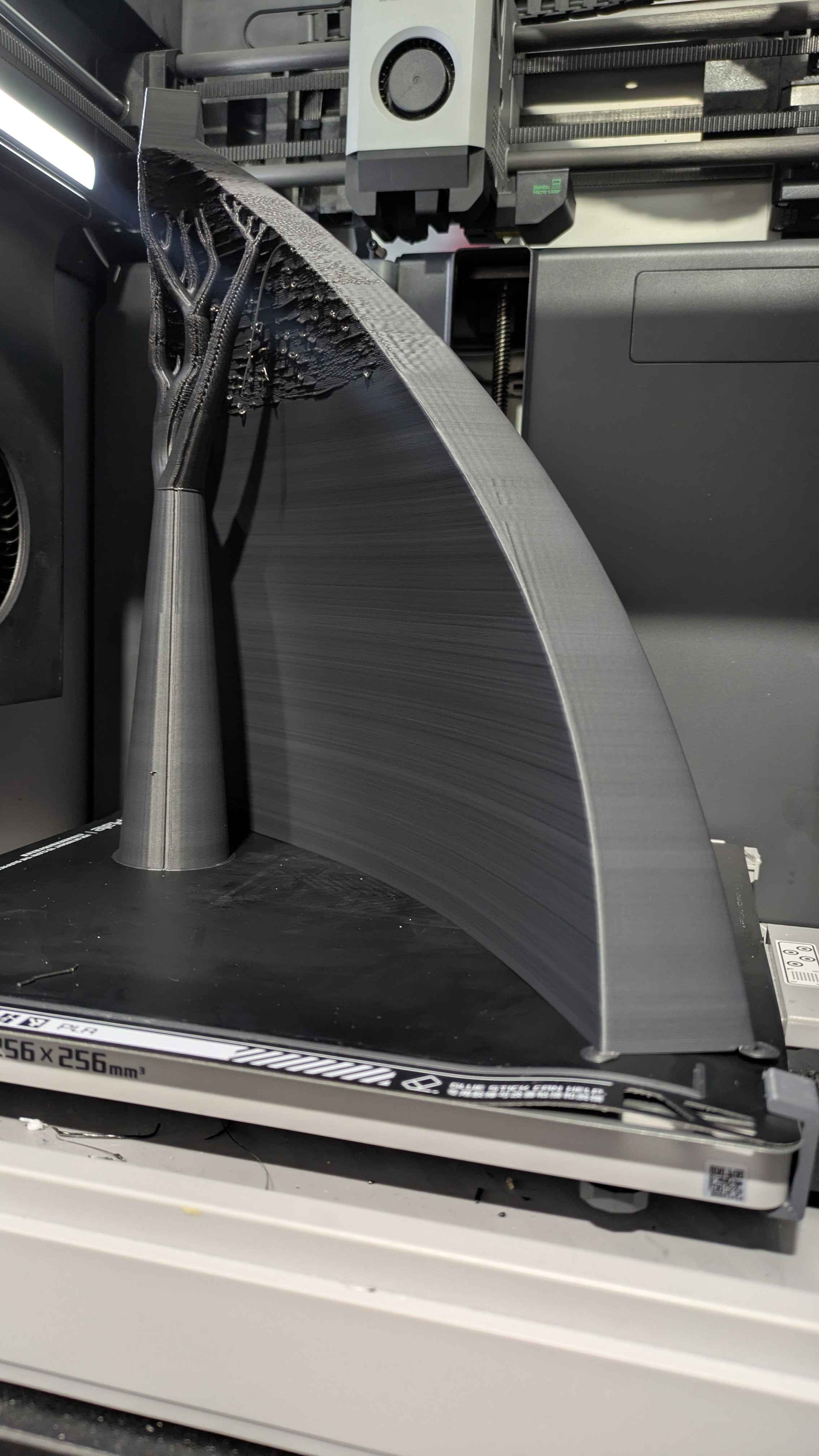
1.9 kg PLA 4043D parts (update)
fringe spruce
I still think if the part is pulling up the build plate, it's a sign you need better control over the even cooling of the part. I suspect if you went even slower, you'd get better results. How long is that print right now?