Hey! I was just wondering if anyone has experience with multicolor printing on the ender 3 platform. I have an OG Ender 3 Pro and was trying to figure out how I could make multicolor prints. I know I've seen people do it on youtube even with two colors with some kind of filament changers but I don't really know where to start or what to consider. Help appreciated!
#Ender 3 Pro Multicolor
1 messages · Page 1 of 1 (latest)
 rich pond
 winged shardBOT
rich pond
Hey! I was just wondering if anyone has experience with multicolor printing on t...
AI Help
Hello! Multicolor printing on the Ender 3 platform can be achieved using various methods. One common approach is to use a filament change feature in your slicer software to pause the print at specific layers and manually change the filament to a different color. Another option is to use a filament splicer or color mixing nozzle attachment to achieve multicolor prints. Additionally, there are aftermarket dual extruder setups available for the Ender 3 that allow for printing with multiple colors simultaneously. You may want to explore these different options to determine which method best suits your needs and preferences. Do you need help with any specific step in the process?
WARNING: This response is AI generated and may contain errors.
winged shardBOT
This post has been closed due to inactivity.
This post has been inactive for over 1 hour and so has been closed. To reopen this post simply send another message.
 patent cloak
@rich pond https://m.youtube.com/watch?v=uYFj21OlkjQ
In cura -> post processing -> modify gcode. Add filament change script.
It's not true multi-colour (like say a charizard model), but for a lot flat thing + signs it looks cool.
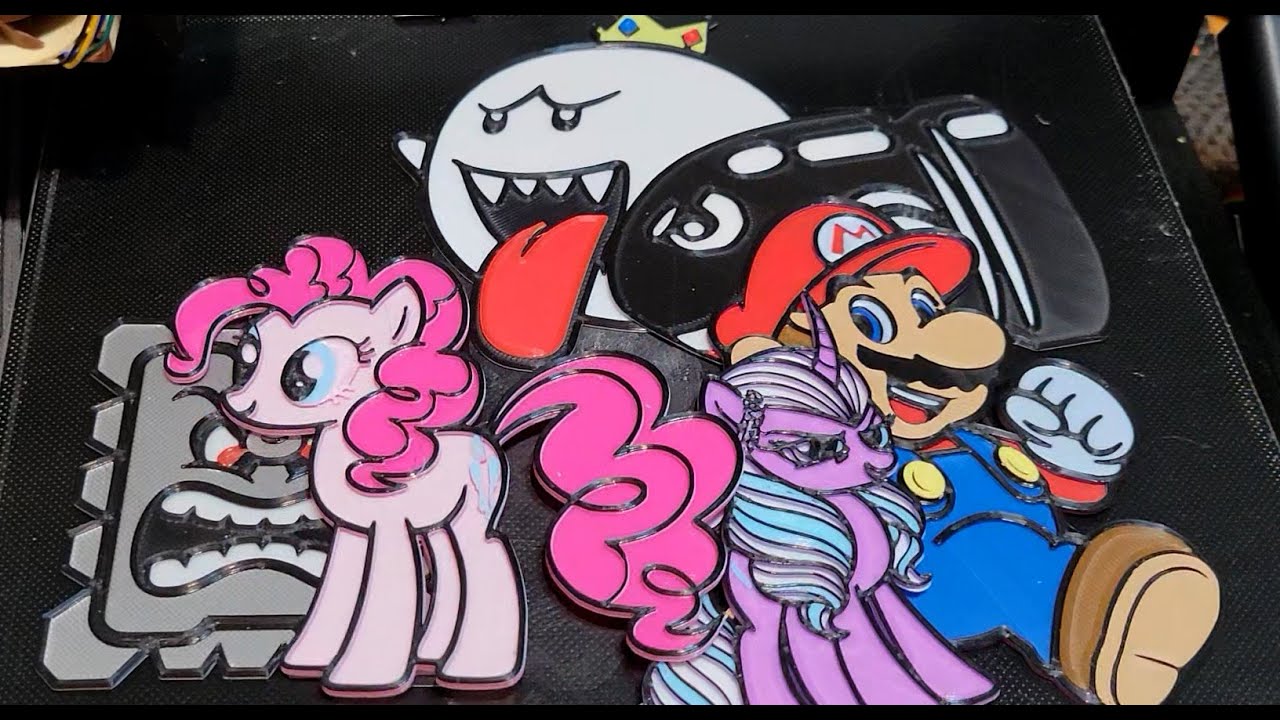
Here is a quick video showing you the steps I use to create, model, slice, and print a multi colored model using the "filament change" script in Cura 5.2.1.
Some prerequisites, your printer firmware needs to support the filament change script, if it doesn't you can do about the same thing using the "pause at height" script and manually changi...