

1 messages · Page 1 of 1 (latest)
 slim lantern
This had happened 3 times for now. It always happened mid print, never at the start of a print.
Throughout these failures, nozzle always push the print aside for some reason, possibly the Z axis is ascending less and descending normally. I don't have Z hop on btw, so likely Z just isn't ascending as much as expected. X axis stepper motor is also behaving weirdly , it never moved like such when I manually move it.
Everything seems to point to some kind of power choke problem, like there's not enough current for some reason? Is that how it looks like? How can I fix it?
 dark furnaceBOT
slim lantern
This had happened 3 times for now. It always happened mid print, never at the st...
It sounds like you may be experiencing issues with your Z-axis motor or possibly the power supply. Here are a few steps you can take to troubleshoot and potentially fix the issue:
Check the Z-axis motor and make sure it is properly connected to the motherboard. Ensure that there are no loose connections or wires that may be causing the motor to lose power or function improperly.
Check the power supply to see if it is providing enough current to the Z-axis motor. You can use a multimeter to measure the voltage output of the power supply to ensure it is within the correct range for your printer.
Make sure that the Z-axis lead screw is properly aligned and lubricated. A misaligned or poorly lubricated lead screw can cause issues with the Z-axis movement.
If you suspect that the issue is related to power supply, consider upgrading to a higher wattage or more reliable power supply to provide the necessary current to the Z-axis motor.
If you have tried these steps and are...
slim lantern
Someone pointed out if may be the acceleration setting, so here it is.

 tropic fable
Does it happen if you enable z hop?
Also, if you think your z axis is having issues, try jogging it up and down manually to the same spot over and over to see if you can get it to repeat the issue
You could be having curling of the print, so the toolhead is hitting even though it's moving how it's supposed to. That's a lot easier to fix
What type of filament are tou printing with and at what temps?
slim lantern
tropic fable
You could be having curling of the print, so the toolhead is hitting even though...
it's not curling, that I can promise
slim lantern
tropic fable
What type of filament are tou printing with and at what temps?
PLA+ at 215℃. You can see the adjacent print is fine.
tropic fable
slim lantern
it's not curling, that I can promise
you've done tests to rule this out?
slim lantern
tropic fable
you've done tests to rule this out?
No, but I'm having that failed print in my hand and I don't see any curling
tropic fable
Also, have you seen the printer knock a print off the bed? If you haven't, try to watch it until it fails. It may be enlightening.
tropic fable
slim lantern
No, but I'm having that failed print in my hand and I don't see any curling
Hmm. And you've cleaned your bed recently so it's not an adhesion issue? Just trying to rule out the easy stuff right now
power supply and z axis issues are going to be a big pain in the ass to fix, so let's just make sure it's one of those before you commit to troubleshooting them
slim lantern
tropic fable
Hmm. And you've cleaned your bed recently so it's not an adhesion issue? Just tr...
I just washed the bed right before this failed print in the vid
 tropic fable
hmmm, okay. Can you put some tape on your z axis, move the toolhead to that spot, then mark the current step count (if your printer displays that), then move your z axis up 50 steps and put tape? Then, run it up and down 50 steps and verify it goes to the tape everytime
if you think it's a current issue, you may need to make a custom g code file to run your z axis fast enough to get enough current to cause a failure
Also, probably not your issue, but your filament is hella wet. I would dry it to improve print quality 🙂
slim lantern
I was thinking it was current issue because it seems to be happening to X axis motor as well (like in the vid)
so this is likely happening to X and Z, probably even Y. But after I restart the printer, it's acting normal again, but it will probably happen again since it happened 3 times already
tropic fable
That's an issue im not sure i know how to test for. 🤔
slim lantern
so I can't test it for now, since it's now acting normal
If it occurs again, then I can test before switching off
tropic fable
Can you get the specs for your power electronics? I might be able to rope someone with more knowledge in
tropic fable
slim lantern
I was thinking it was current issue because it seems to be happening to X axis m...
So are you commanding a smooth x-axis move and it's stopping like in the video?
slim lantern
yep
tropic fable
I wonder if you're triggering some kind of overheat peotection
can you check the temps on your stepper drivers while it does that?
tropic fable
slim lantern
so I can't test it for now, since it's now acting normal
Do your best to get it to do the issue again and capture it on video. That'd make it easiest for us to help troubleshoot. This is a tricky issue for sure 🤔
slim lantern
tropic fable
Can you get the specs for your power electronics? I might be able to rope someon...
SV06 is using the same power supply as SV06+?
https://www.sovol3d.com/products/sovol-sv06-plus-power-supply?variant=48220613017909

Product Parameters: Model: P500W24VProduct size: 21511450mmType: AC/DC power supplyInput voltage: 90-132Vac/185-245VacOutput voltage: 24VOutput current: 0-21AOutput power: 500W maxModulation method: pulse width modulation (PWM)Working temperature: -20-+60℃ (can be customized -30-+60℃)Working frequency: 50/60HzProtect
slim lantern
tropic fable
can you check the temps on your stepper drivers while it does that?
I'm sure they'd be hot. I can probably use my multimeter with temp probe if it ever happens again
tropic fable
slim lantern
I'm sure they'd be hot. I can probably use my multimeter with temp probe if it e...
yeah, if it is that, you should just be able to run a long print and check temps when it fails
slim lantern
tropic fable
I wonder if you're triggering some kind of overheat peotection
that was why I was trying to touch the logic board and power supply's shell. But I can't feel any heat from shell
 cold frost
slim lantern
SV06 is using the same power supply as SV06+?
https://www.sovol3d.com/products/s...
it is not, it has different wattage
tropic fable
I gotta skedaddle to work, so good luck and don't be afraid to reopen this if it closes.
You might also try playing with your stepper amps and speed to see if you can pin point the issue
slim lantern
cold frost
it is not, it has different wattage
oh so it's this one
https://www.sovol3d.com/products/24v-360w-power-supply-kit-for-sv06-ace?_pos=2&_sid=0b9db0b9f&_ss=r
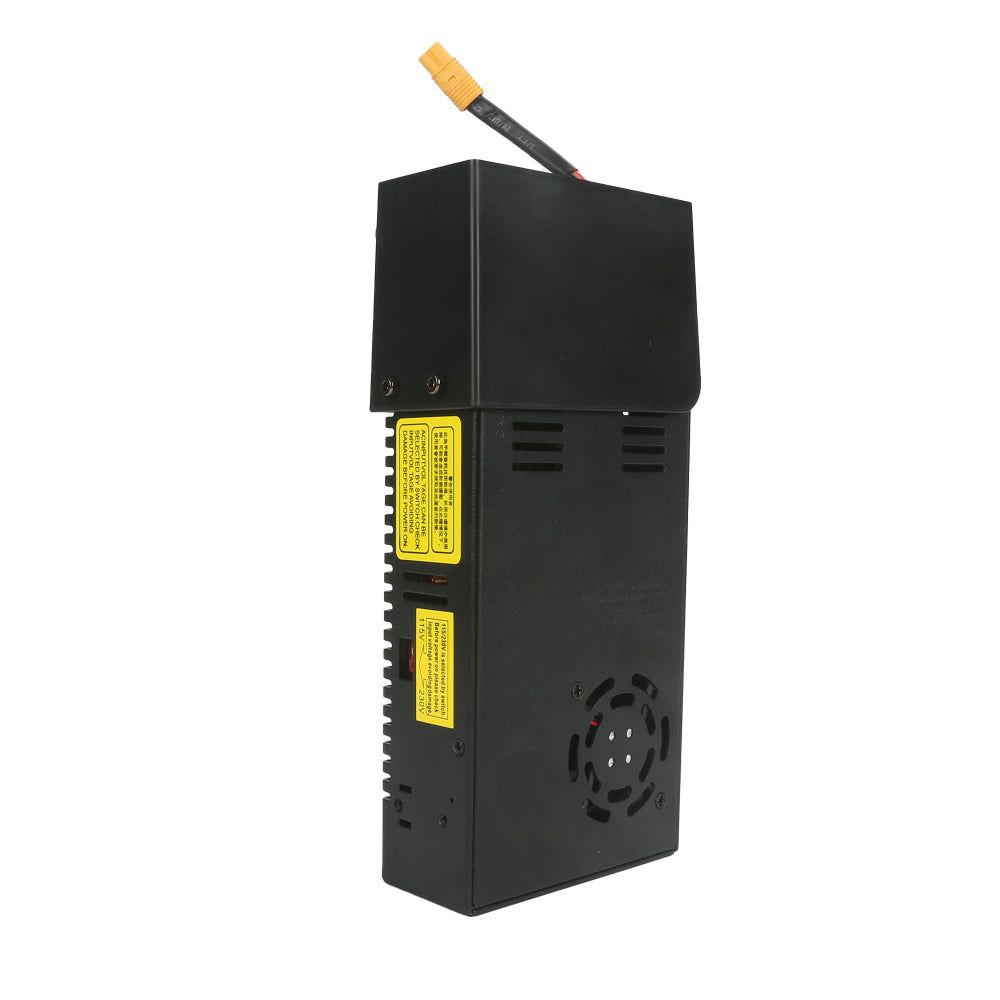
The SV06 ACE Power Supply Kit delivers a 24V output with 360W of power, ensuring stable and reliable operation of your SV06 ACE 3D printer. It supports 90V-132V AC and 176-264V AC, allowing for easy switching to adapt to power supplies in different regions. Made from high-quality metal and plastic, the power supply is designed for long-term use ...
slim lantern
so it's the difference of 15A vs 21A max output. Hmmm
I'm not sure if it's really a power issue though, just that it really looks like one to me
dark furnaceBOT
This post has been inactive for over 1 hour and so has been closed. To reopen this post simply send another message.
slim lantern
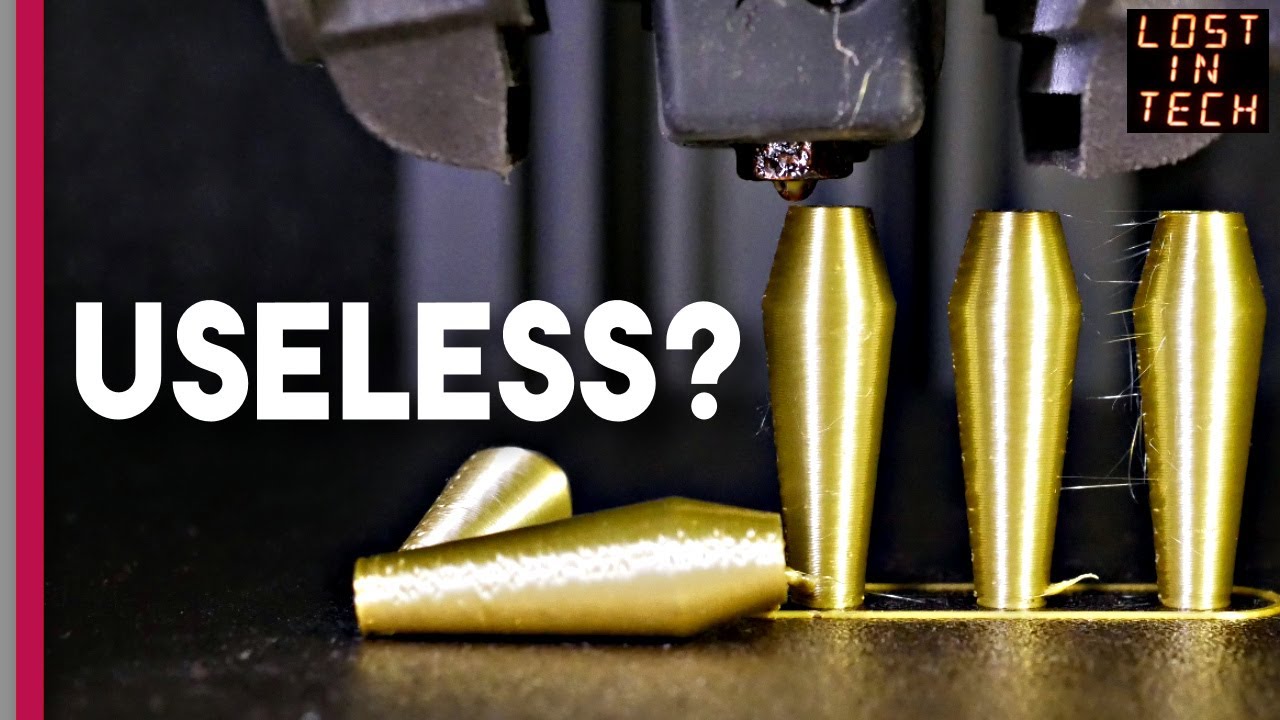
This can also be one of the potential reasons why my print was knocked aside. Solution is probably to just pump up the printing temp a bit and avoid crossing prints (which I already did).
https://youtu.be/4xyevbElGIU?si=UdpXwDHm1fcEwLqL&t=673
Video sponsored by PCBWay - https://www.pcbway.com - PCB Manufacturing, 3d Printing, CNC parts, and more..
Also get $5 of credit if you sign up to PCBWay using this link https://www.pcbway.com/setinvite.aspx?inviteid=575537
In this episode, Lost In Tech looks at Z-Hop and whether you should use it. Oh, yeah that's what it's about. Z-Hop. Well...