#I have problems with auto leveling

1 messages · Page 1 of 1 (latest)

frail cairn
#

I have problems with auto leveling

Ender 5s1 printer

Start g-code

M83 ; extruder relative mode
M104 S150 ; set temporary nozzle temp to prevent oozing during homing
M140 S[bed_temperature_initial_layer_single] ; set final bed temp
G4 S30 ; allow partial nozzle warmup
G28 ; home all axis and restore leveling
G32 ; enable auto-leveling
G29 ; start plate mapping
G1 Z50 F240
G1 X2.0 Y10 F3000
M104 S[nozzle_temperature_initial_layer] ; set final nozzle temp
M190 S[bed_temperature_initial_layer_single] ; wait for bed temp to stabilize
M109 S[nozzle_temperature_initial_layer] ; wait for nozzle temp to stabilize
G1 Z0.28 F240
G92 E0
G1 X2.0 Y140 E10 F1500 ; prime the nozzle
G1 X2.3 Y140 F5000
G92 E0
G1 X2.3 Y10 E10 F1200 ; prime the nozzle
G92 E0

Creality slicer

void craneBOT
#
AI Help

It seems like you are using a Creality Ender 5s1 printer and experiencing issues with auto-leveling. Here are some troubleshooting steps you can try:

  1. Ensure the auto-leveling sensor is clean and free from any obstructions.
  2. Check the wiring connections between the sensor and the printer control board.
  3. Calibrate the Z-offset to ensure the correct distance between the nozzle and the print bed.
  4. Check the firmware version on your printer and consider updating it to the latest version from Creality's website.
  5. Verify that the auto-leveling feature is enabled in the firmware settings.
  6. Double-check the start G-code in your slicer settings to make sure it is correctly configured for auto-leveling.

If you continue to experience issues with auto-leveling, consider reaching out to Creality's customer support for further assistance.

frail cairn
#

Does the g-code provided seem correct?

mellow vine
#

No clue where you got G32 from

void craneBOT
mellow vine
#

Also doing a mesh while the bed is still heating up? Not ideal.

frail cairn
#

OUT OF DESPERATION I ASKED CHAT GPT

#

IT WAS A MISTAKE

mellow vine
#

Yes

#

Are these variable names correct?

mellow vine
# frail cairn IT WAS A MISTAKE
M83 ; extruder relative mode
G90 ; absolute coordinates
M190 S[bed_temperature_initial_layer_single] ; set final bed temp
G4 S30 ; wait 30s to let the bed soak up heat
G28 ; home all axis and restore leveling
G29 ; start bed meshing
M420 S1 ; load created mesh
G1 Z50 F300
G1 X2.0 Y10 F3000 ; move nozzle to front left
M109 S[nozzle_temperature_initial_layer] ; heat up nozzle
G1 Z0.3 F240 ; move nozzle down 
G92 E0
G1 X2.0 Y140 E10 F1500 ; prime the nozzle, first line
G1 X2.3 Y140 F5000
G1 X2.3 Y10 E10 F1500 ; prime the nozzle, second line
G92 E0
#

This should work, check that the variable names are correct

frail cairn
#

Hi, are you still there sir?

void craneBOT
# frail cairn Hi, are you still there sir?

Don't ask to ask!
Describe your issue or question as with as much relevant information as possible, and wait for someone who is able to help you. Asking for help without describing your issue often results in no help at all as people are reluctant to commit when they don't know what they're getting themselves into.

Read: Don't ask to ask, just ask!

mellow vine
#

Just describe your problem please

frail cairn
#

I noticed that the x axis of my printer is tilted

#

I think that's the problem

mellow vine
frail cairn
#

ender 5s1

mellow vine
#

Sorry forgot

frail cairn
#

in my printer it is a little slanted

void craneBOT
#

V Rollers
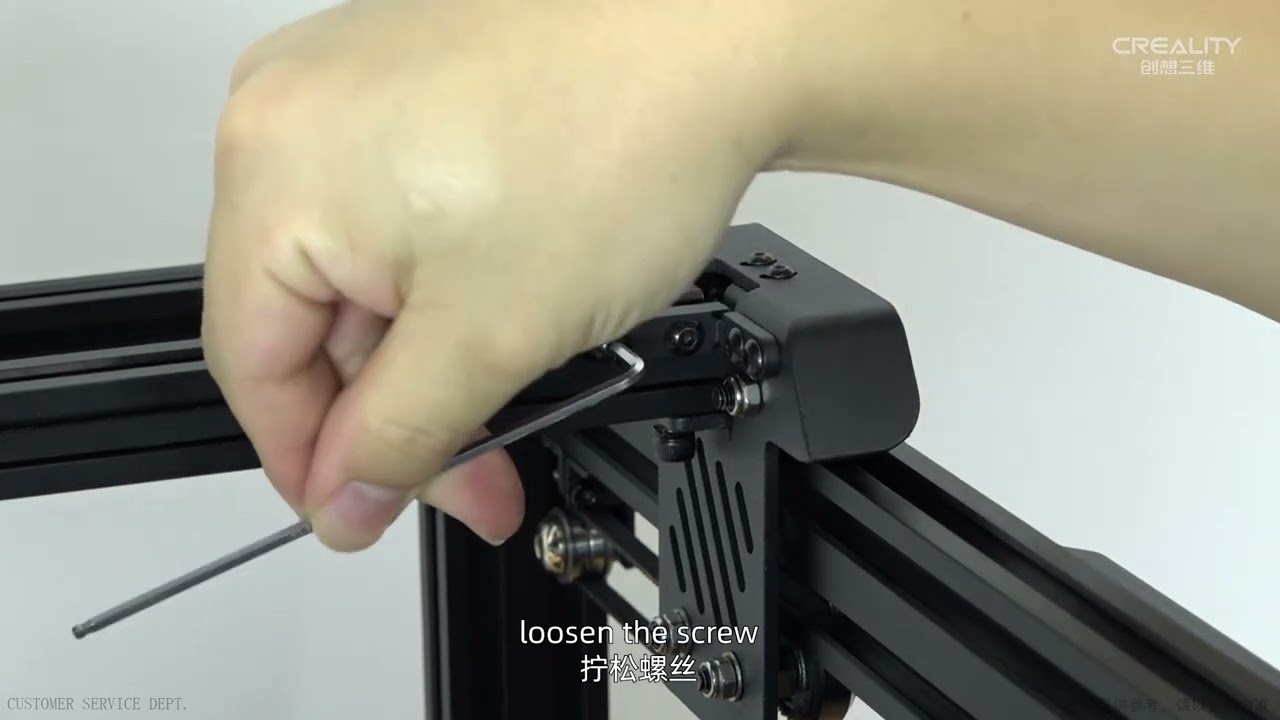
Vslot rollers are on most of the popular budget printers such as the ender 3 and other v-slot based printers. Your printer should have come with a wrench that is able to adjust the eccentric nut that increases the tension of the wheels. Usually on a plate with 3 wheels, only one can be tensioned, and on a plate with 4 wheels (usually the Y carriage) there are two wheels that can be tensioned, you can see which ones need to be tensioned by looking for eccentric nuts (Labeled in drawing below).

Vslot rollers should be tensioned and checked as a part of your frame check before you fire up your 3d printer. They should be tightened until you are able to turn the wheels with your fingers with a little friction, but not too tight that they are too hard to turn at all (failure to do so will result in quicker wear and tear of your Vslot wheels, certain printing artifacts and excess strain on the stepper motors ).

Make sure to check that all your Vslot plates and carriages are free from wobble along the X, Y and Z axis wherever your printer uses Vslot rollers. You should check these regularly to clean them of dust and to see if the rubber is worn, if so, they should be replaced with new ones.

Example of how to tension wheels

mellow vine
#

Adjust the wheels like it is explained here

frail cairn
#

Accessories purchase, Please contact our official email or website, remember to attach your machine type and accessories pictures
Official email:[email protected]
Official website: https://www.creality.com
Any technical support in need, Please contact our official service email,remember to attach your printer model、complete orderscreenshot、purch...

▶ Play video
#

maybe that's what you mean

#

I've already adjusted them

void craneBOT
#
This post has been closed due to inactivity.

This post has been inactive for over 1 hour and so has been closed. To reopen this post simply send another message.

frail cairn
#

@mellow vine

mellow vine
frail cairn
#

How is bed mesh made?