#ender v3 se boot looping
1 messages · Page 1 of 1 (latest)
 buoyant sky
 undone wharfBOT
buoyant sky
i went and updated the firmware on it but it keeps booting, going into the langu...
AI Help
It sounds like your printer may be stuck in a boot loop. Try resetting the printer to its factory settings or reinstalling the previous firmware version. If the issue persists, there may be a hardware problem with the printer that needs to be addressed.
WARNING: This response is AI generated and may contain errors.
 unique oxide
buoyant sky
i went and updated the firmware on it but it keeps booting, going into the langu...
You need to upgrade the screen too
I believe
unique oxide
The tft files and whatnot go on a MicroSD card and that goes in the screen
unique oxide
I am not joking
unique oxide
The screen has its own firmware
unique oxide

 buoyant sky
bruh
i had no idwea
welp
that would solve it
brb
okay so
do i keep that card in there all the time
the bigger one
@unique oxide
unique oxide
Just once to update
buoyant sky
so i put the bin file in with the base files
and now its just the base blue wallpaper
with nothing on it
@unique oxide
unique oxide
- If the motherboard firmware is updated without updating the screen firmware, a blue screen may occur. Correct this by updating the screen firmware — always update the screen firmware first.
Creality Store
buoyant sky
not a bluescreen
its just the wallpaper
like little blue waves
and i took the card out
and now its still just the wallpaper
unique oxide
You did the "Transfer the folder "TJC_SET" into the TF card." For updating the screen?
buoyant sky
by tf card what does it mean
unique oxide
Sd card
buoyant sky
yeah i updated the screen im pretty sure
unique oxide
And then screen should have gone blue then said update completed?
unique oxide
Sounds right
buoyant sky
fwmboard?
that should be fine
okay its doing the auto z offset thing now
it repeated again
wait ill send a video
unique oxide
Admittedly I'm not sure what else to do there, given these are the right files that should work
buoyant sky
the offical website
unique oxide
What link
buoyant sky

creality
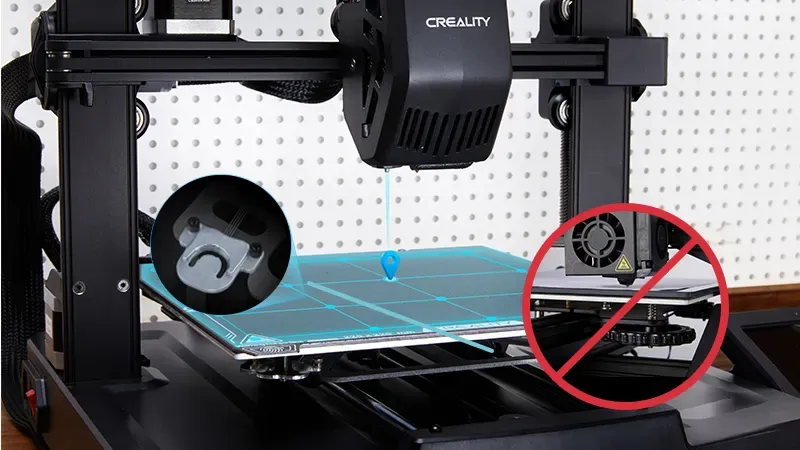
The UI adopts motion graphics to display the leveling process and other parameters.
unique oxide
Odd... Try updating the screen again for the lulz, it's the only thing I can think might be bugged or something
It does also note to actually delete the update bin after, though that really should not matter
unique oxide
Folder
buoyant sky
has to be folder?
unique oxide
Unzip the folder
buoyant sky
okay
one sec
k updating again
okay updated
auto z offsetting again
still loops
@unique oxide what now
it does say in the manual there is a menu with like leveling and stuff but i havent seen that at all
Yeah so there’s this menu

I haven’t seen it at all
@unique oxide
i am losing hope
unique oxide
That's the reason I think something got borked with the screen update
All those menus are screen update specific
It just sends commands for you when you press the photo basically
buoyant sky
yes
unique oxide
Not a ZIP?
buoyant sky
no
unique oxide
And the screen goes white and says "Update completed!"?
buoyant sky
yes
unique oxide
 buoyant sky
just like that
unique oxide
 Doing some reading this isn't uncommon. This person here said they updated the board again and it started working

Though I am not really sure why to be honest
buoyant sky
the board?
so like the bigger card
also theres a little grey switch on the bigger card
what is that
nvm
i got it

this is the one for the board
not the screen
@unique oxide
unique oxide
Change that .bin to 123.bin
unique oxide
Put it in your pc
unique oxide
Try updating again; sorry man this is beyond me at this point
We are following the exact directions they provide
unique oxide
Use it to update the printer?
buoyant sky
i havent changed it