
#No clue
1 messages · Page 1 of 1 (latest)
 neat parrot
 soft plinthBOT
neat parrot
I haven’t got the slightest clue what’s causing the poor curving, plz help I’m n...
AI Help
Poor curving in 3D printing can be caused by a few different factors, such as incorrect settings in your slicer software, issues with your filament, or problems with your printer calibration. To troubleshoot, try adjusting your temperature settings, checking your filament for any issues, and ensuring your printer is calibrated correctly. If you're still having difficulties, feel free to provide more details so I can assist you further.
WARNING: This response is AI generated and may contain errors.
neat parrot
Elagoo Neptune 3 plus
Elagoo PLA
220c
Tried one at 200c too
Elagoo cura slicer
soft plinthBOT
neat parrot
I haven’t got the slightest clue what’s causing the poor curving, plz help I’m n...
3DBenchy
The 3D Benchy is a commonly used model to calibrate both the visual and dimensional accuracy of a FFF(FDM) printer. Due to its near ubiquitous nature this is often regarded as the standard benchmark print making it a useful model to print when seeking help for troubleshooting a model or improving print quality.
Settings for FFF(FDM) Machines
Scale: 1:1 (unmodified in size, from bow to stern #3DBenchy.stl measures 60.00 mm).
Layer height: 0.2 mm
Infill: 10%
Print speed: up to 50 mm/s
Nozzle diameter: 0.4 mm
Resources
Single Material Downloads: STL | 3MF
Multi Material Downloads: github repo
3D Benchy Website
Infographics: Dimensions | Features | Combined


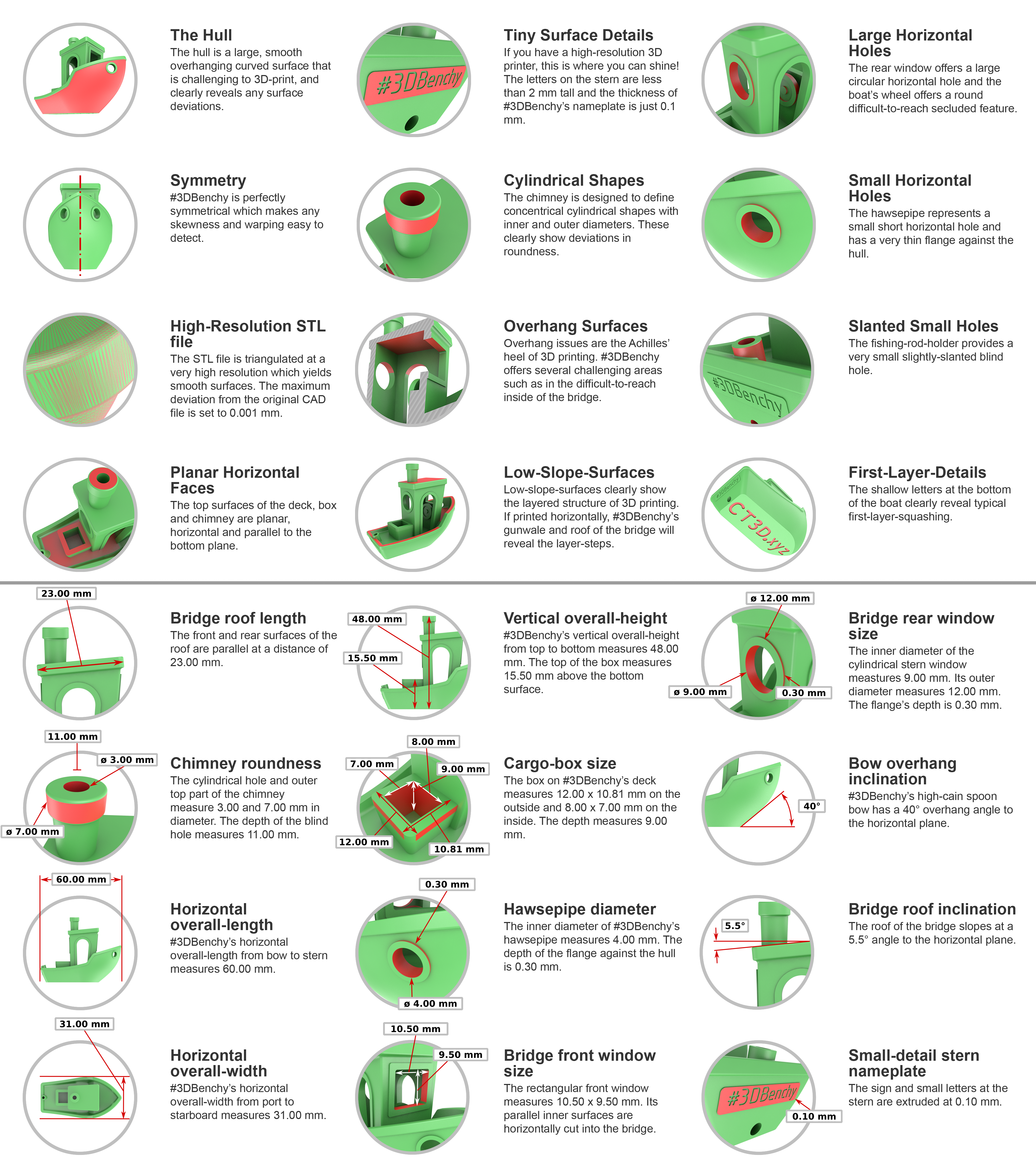
?3dbenchy requested by: m.von.d#0
 paper mica
Probably not enough cooling
neat parrot
paper mica
Probably not enough cooling
So more fan speed? Turn off the heat plate?
I want to try it with prusa slicer next
paper mica
neat parrot
So more fan speed? Turn off the heat plate?
Oh no do not turn off the bed
Print slower
neat parrot
paper mica
Print slower
It was at 70mms
paper mica
Yeah 50 to 80 is still a normal outer wall speed
neat parrot
I did one at 80mm both had the exact same bad curve
Here’s one that shows the issue more clearly

It’s like in chunks
paper mica
should have posted that instead
neat parrot
This was my first one printed large layer lines and at 80mms,
The first pic I showed is the second benchy
neat parrot
paper mica
Its the "hull line"
But it’s not perfectly rounded like every other benchy I see
It’s choppy
And like near the door of the benchy it’s wobbly there too
On both prints
paper mica
Tune printing temperature, if its pla turn the fan up to max after layer 3
neat parrot
paper mica
Tune printing temperature, if its pla turn the fan up to max after layer 3
Is 220c okay for nozzle temp
Yes pla
paper mica
neat parrot
Is 220c okay for nozzle temp
Should be
neat parrot
paper mica
Tune printing temperature, if its pla turn the fan up to max after layer 3
I assume there’s a setting somewhere for that
neat parrot
paper mica
Tune printing temperature, if its pla turn the fan up to max after layer 3
To max from where?
paper mica
neat parrot
To max from where?
If it wasn't maxed out. If so, check fir potential wobblieness in your printer
neat parrot
paper mica
If it wasn't maxed out. If so, check fir potential wobblieness in your printer
Feels pretty sturdy
Here’s another pic

More weird misshapen ness
Not sure why it’s all like curvy
neat parrot
paper mica
If it wasn't maxed out. If so, check fir potential wobblieness in your printer
I think I’m gonna try printing one more but using prusa slicer this time, and you mentioned that it’s not cooling fast enough right?
It’s already at 100% tho
paper mica
neat parrot
Looks a bit weird, check the slicer if the seam is placed there
neat parrot
paper mica
Looks a bit weird, check the slicer if the seam is placed there
It wasn’t 😔
Currently trying to setup prusa slicer
Says estimated time is 3 hours? For a benchy?
paper mica
neat parrot
Says estimated time is 3 hours? For a benchy?
Check speed and accels and layer height
neat parrot
paper mica
Check speed and accels and layer height

Thanks yea there was some speed stuff going very unnecessarily slow I think
Why’s the seam all over the place?
paper mica
neat parrot
Why’s the seam all over the place?
You have settings for the seam to place it where you want
neat parrot
paper mica
You have settings for the seam to place it where you want
Can I ask where that setting would be
I think I found
paper mica
neat parrot
Can I ask where that setting would be
Use the search bar
neat parrot
Seam position, aligned nearest rear or random
paper mica
Not familiar with prusa
neat parrot
paper mica
Not familiar with prusa
Whatcha use?
paper mica
neat parrot
Whatcha use?
Orca slicer
neat parrot
paper mica
Orca slicer
Uhhhh heard of it once
I’m liking prusa slicer so far tho
Okay I’m gonna try to print it
neat parrot
Half way thru and it’s just repeating all the issues ):