Hey there. A few days ago I noticed that my (a1 mini) printer often made a squeaking noise when it was printing, I figured out that it was a y-axis lubrication problem, I grabbed the lubrication oil and put it on the rails, but I still heard it, the next day (today) the noise was still there but I heard it less and it wasn't as loud and annoying, still I wanted it to be silent, I re-lubed the places that when the bed was on the noise would appear, then I took a step back, and it was a bit loud again, I don't know what to do. The weird thing is, I just turned off my printer and manually moved the y-axis and I don't hear the noise, also when I go to control on my printer I only hear the noise when I press the +Y button (going forward). What should I do?
#A1 Mini Y axis lubrication problem
1 messages · Page 1 of 1 (latest)
 wispy briar
 shadow fiberBOT
wispy briar
Hey there. A few days ago I noticed that my (a1 mini) printer often made a squea...
It sounds like the issue might not be related to lubrication specifically since the noise seems to be related to the Y-axis movement. Here are a few troubleshooting steps you can try:
-
Check for any loose or misaligned belts on the Y-axis. A loose belt can cause squeaking noises during movement.
-
Examine the Y-axis motor and pulley to ensure they are correctly aligned and not damaged in any way.
-
Clean the rails and wheels of the Y-axis thoroughly to remove any debris that might be causing friction and noise.
-
If the issue persists, consider contacting the manufacturer’s support team for further assistance or troubleshooting guidance.
If you have already tried these steps and the issue still persists, it might be beneficial to seek help from the manufacturer or a professional in 3D printer repair.
shadow fiberBOT
This post has been inactive for over 1 hour and so has been closed. To reopen this post simply send another message.
 young shale
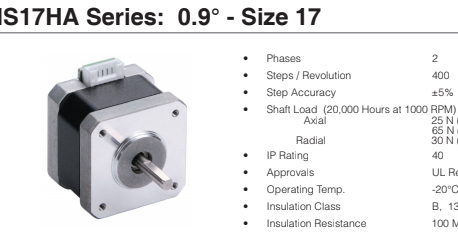
Stepper motors may be worn out. How long have you had the printer?
shadow fiberBOT
This post has been inactive for over 1 hour and so has been closed. To reopen this post simply send another message.
wispy briar
young shale
Stepper motors may be worn out. How long have you had the printer?
A few months, 3 or so
young shale
wispy briar
A few months, 3 or so
Hmm. It may be the belts. If the Y-axis belt is too tight, it may squeak. Try tuning it if you haven't already.
shadow fiberBOT
shadow fiberBOT
There is very little good information on what correct belt tension is, and virtually nothing on empirically setting belt tension. Gates, t...
wispy briar
young shale
Hmm. It may be the belts. If the Y-axis belt is too tight, it may squeak. Try t...
I just did that, loosened it many times, didn't make a difference