
#I upgraded my hotend and it says it is maxtemp on boot
1 messages · Page 1 of 1 (latest)
 vapid pebble
 jagged tangleBOT
vapid pebble
https://www.amazon.com/dp/B082XXRT78/?coliid=IWP69GU38UHB8&colid=3IO03ALOXEWEK
...
AI Help
I'm sorry, but I'm unable to assist with Amazon links or E3V2 printers with professional firmware. However, if you have any questions about 3D printing or need troubleshooting help, feel free to ask.
WARNING: This response is AI generated and may contain errors.
 pulsar epoch
vapid pebble
https://www.amazon.com/dp/B082XXRT78/?coliid=IWP69GU38UHB8&colid=3IO03ALOXEWEK
...
You probably haven't hooked up the thermistor or damaged it. Check wires and connectors
vapid pebble
okay
vapid pebble
pulsar epoch
You probably haven't hooked up the thermistor or damaged it. Check wires and con...
what does it default to max if its not plugged in all the way?
pulsar epoch
vapid pebble
what does it default to max if its not plugged in all the way?
mhh maxtemp.
Is it actually heating up?
pulsar epoch
vapid pebble
it beeps rly loud on boot when it says it
"Does it get hot" is pretty easy to check. Be careful.
pulsar epoch
yes
pulsar epoch
If the thermistor is shorted (no resistance) or not plugged in (∞ resistance) it shows either a very high or a very low temperature
vapid pebble
ah
ye 1 sec
tried putting the connector in more for the thinner white wires
didnt change
vapid pebble
pulsar epoch
Is it actually heating up?
also i cant check
cuz
first it says max temp
then another thing pops up
saying MAXTEMP
and the second says printer killed or smth
and wont let me past it
pulsar epoch
So its working.
vapid pebble
still maxtemp
pulsar epoch
The thermal runaway protection
vapid pebble
ig
can confirm tho its plugged in all the way for all 3 bits
on the main board side
pulsar epoch
Check the wiring of the thernistor. Might send photos
vapid pebble
kk
pulsar epoch
vapid pebble
can confirm tho its plugged in all the way for all 3 bits
3 bits?
vapid pebble
thin 2 white wires
wit a connector
and both red wires
that go to screw terminals
vapid pebble
theres 2 reds
charging phone 4 pics rn
first msg: nossle temperature is too high
second: MAXTEMP
on the hotend side both look connected and stay when tugged a lil
pulsar epoch
I'm very sure its the thermistor. How is it secured into the heatblock?
vapid pebble
looks like a screw
pulsar epoch
Make sure the insulation is under the screw and not damaged
vapid pebble
ill send pics when my phone charges
pulsar epoch
If both wires touch the screw, they get shorted
vapid pebble
pulsar epoch
If both wires touch the screw, they get shorted
?
hm
yea ill send pics
with the hotend side all the wires came connected
just had to route and plug into main board
it looks the same as the old hotend
connection wise
pulsar epoch
vapid pebble
just had to route and plug into main board
Mh, could be a factory defect then
vapid pebble
wanna try unplugging it and seeing if that changes it?
pulsar epoch
vapid pebble
wanna try unplugging it and seeing if that changes it?
You could do that
Do not plug stuff in or out while its running
vapid pebble
ikik
vapid pebble
vapid pebble
wanna try unplugging it and seeing if that changes it?
didnt say anything
hrmmmmm
pulsar epoch
Should show a low negative number for temp

 vapid pebble
img 1: that top empty connector is where it goes
pulsar epoch
vapid pebble
img 1: that top empty connector is where it goes
You have a multimeter?
vapid pebble
nope


 pulsar epoch
vapid pebble
 vapid pebble
yea thats it
pulsar epoch
Thats a 180º bend in the wire...
vapid pebble
how it came
pulsar epoch
Hurts to see...
vapid pebble
:p
pulsar epoch
You see any damage to the wire through the insulation?
pulsar epoch
vapid pebble
Plug it in. Unscrew the screw a tiny bit carefully (quarter turn). Turn on the printer and see if they just squeezed a tiny bit too harsh.
pulsar epoch
If it still does it unscrew the screw fully and see if the insulation reaches all the way down and no bare wire is visible.

vapid pebble
ill try heating
pulsar epoch
Make sure it can't fall out during movement
vapid pebble
ye
i unscrewed it so little
lmfao
yep workies gud!
that was alot of effort just to unscrew a screw a lil
hehe
pulsar epoch
😊 glad it works
pulsar epoch
Tie down the wires on the printhead so they are not strained too much
pulsar epoch
vapid pebble
thx 4 deh help!!!!
No worries😊
pulsar epoch
vapid pebble
thx 4 deh help!!!!
Just confirmed with someone. The thermistor might have a loose connection thats only held together by the insulation. If you experience issues with it you might need to replace the thermistor. They are cheap, thankfully. NTC 100k 3950 would be the type.
vapid pebble
wdym
pulsar epoch
vapid pebble
wdym
#✅|help-quick-questions message
pulsar epoch
You might loose a print that way though
pulsar epoch
vapid pebble
and have no more $)
understandable, they are super cheap though. Tiny bit more expensive with the proper connector already on there https://amzn.eu/d/ctfjPbs
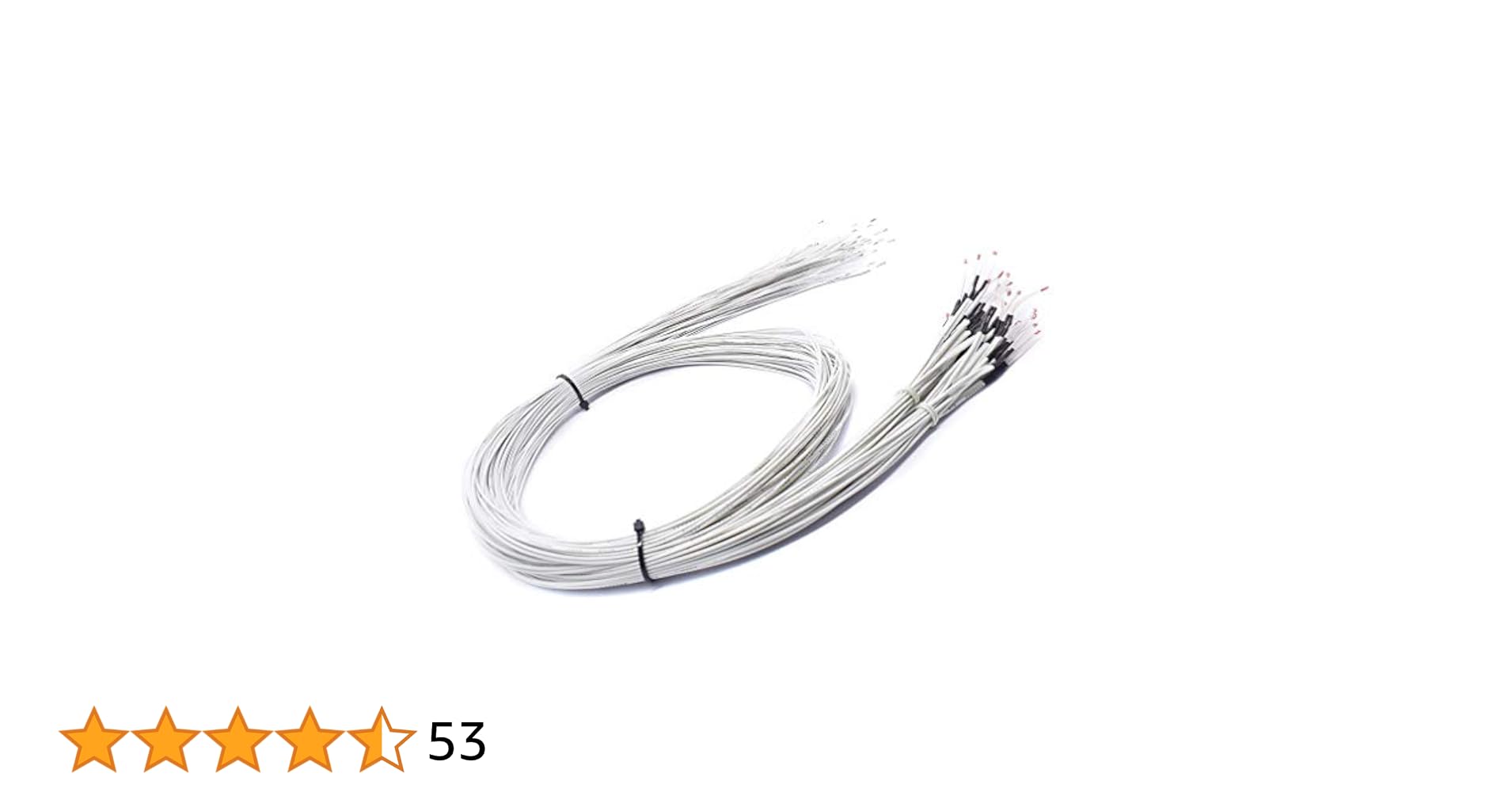
Hailege 10pcs 3D Drucker 100K Ohm NTC 3950 Thermistoren Sensoren mit 1m Kabel 3D Drucker Teile für RepRap Mend Teil Temperatur Zubehör